Upgrade to Pro
— share decks privately, control downloads, hide ads and more …
Speaker Deck
Sign up for free
Menu
Search
Features
All features
Private URLs
Password Protection
Custom URLS
Scheduled publishing
Remove Branding
Restrict embedding
Deck Collections
Notes
Features
All features
Private URLs
Password Protection
Custom URLS
Scheduled publishing
Remove Branding
Restrict embedding
Deck Collections
Notes
Explore
Featured decks
Featured speakers
Programming
Technology
Storyboards
Explore
Featured decks
Featured speakers
Programming
Technology
Storyboards
Pricing
Search
Sign in
Sign up for free
Image Keyboardをいらすとやで作ってみた
Search
Naoto Nakazato
February 02, 2017
Technology
770
3
Share
Embed
Copy iframe code
Copy JS code
Copy link
Start on current slide
Image Keyboardをいらすとやで作ってみた
Image Keyboardをいらすとやで作ってみた
http://qiita.com/oxsoft/items/4a10fafee7f31d0ccbdb
Naoto Nakazato
February 02, 2017
More Decks by Naoto Nakazato
See All by Naoto Nakazato
RxJavaを1年使って見えてきたこと
oxsoft
1
2.8k
Other Decks in Technology
See All in Technology
Getting Started with Google Antigravity
glaforge
0
320
今さら理解するウェブフォントver.2026
takanorip
3
890
OptunaHub: ブラックボックス最適化のためのプラットフォーム
pfn
PRO
0
140
宣言型部分更新は何を解決しどこへ向かうのか
shuta13
1
470
DevelopersIO 2026 知識の地図を描く ─ オントロジーとは何か?
ishikawa_satoru
1
1.7k
Temporal 最高!でも改めて「日付」について調べたら人類の負債すぎる件
riyaamemiya
0
180
Persisting Massive Data with Rails ~Designing for 60 billion rows, and fighting the bottlenecks~ Railsで挑む大量データ永続化 〜600億件を永続化するための設計とボトルネックとの戦い〜
occhi
0
730
LambdaWebFunctionsを試してみた / exploring-lambda-web-functions
koukihosaka
1
360
20261017福岡devIO 「AIは"良いダッシュボード"を作れるか?
jtakeda
0
180
触りたくないデータに、どう触るか AI時代のRBACアクセスガバナンス
ivry_presentationmaterials
0
270
コンテナ運用におけるネットワーク・コンテナコストの削減方法/How to Reduce Network and Container Costs in Container Operations
masakiokuda
1
280
初海外で注意すべきこと12選!!!安全快適なre:invent生活にするために
yuuuuuuu168
1
180
Featured
See All Featured
Design in an AI World
tapps
1
350
Six Lessons from altMBA
skipperchong
29
4.5k
The Anti-SEO Checklist Checklist. Pubcon Cyber Week
ryanjones
0
270
The B2B funnel & how to create a winning content strategy
katarinadahlin
PRO
1
570
Deep Space Network (abreviated)
tonyrice
0
370
The Mindset for Success: Future Career Progression
greggifford
PRO
0
540
Building AI with AI
inesmontani
PRO
1
1.3k
Applied NLP in the Age of Generative AI
inesmontani
PRO
4
2.5k
Understanding Cognitive Biases in Performance Measurement
bluesmoon
32
3.1k
Lessons Learnt from Crawling 1000+ Websites
charlesmeaden
PRO
1
1.6k
Balancing Empowerment & Direction
lara
6
1.3k
Product Roadmaps are Hard
iamctodd
55
13k
Transcript
Image Keyboardを いらすとやで作ってみた @oxsoft
自己紹介 • Naoto Nakazato • Yahoo Japan Corporation • Yahoo!知恵袋
• アカウント ◦ Twitter: @oxsoft ◦ Facebook: naoto.nakazato ◦ GitHub: oxsoft ◦ Qiita: oxsoft ◦ 今回のQiita記事: http://qiita.com/oxsoft/items/4a10fafee7f31d0ccbdb
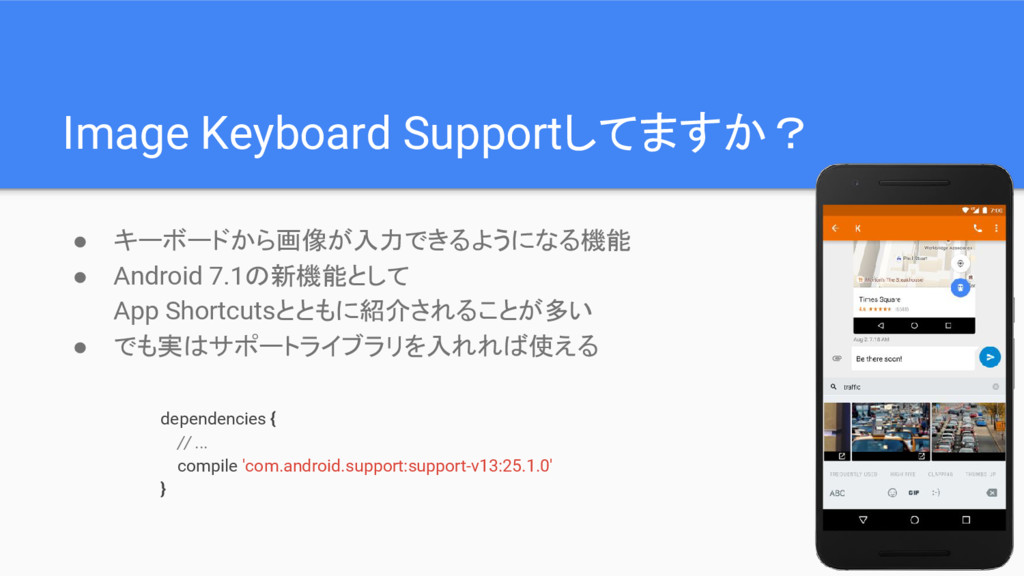
Image Keyboard Supportしてますか? • キーボードから画像が入力できるようになる機能 • Android 7.1の新機能として App Shortcutsとともに紹介されることが多い
• でも実はサポートライブラリを入れれば使える dependencies { // ... compile 'com.android.support:support-v13:25.1.0' }
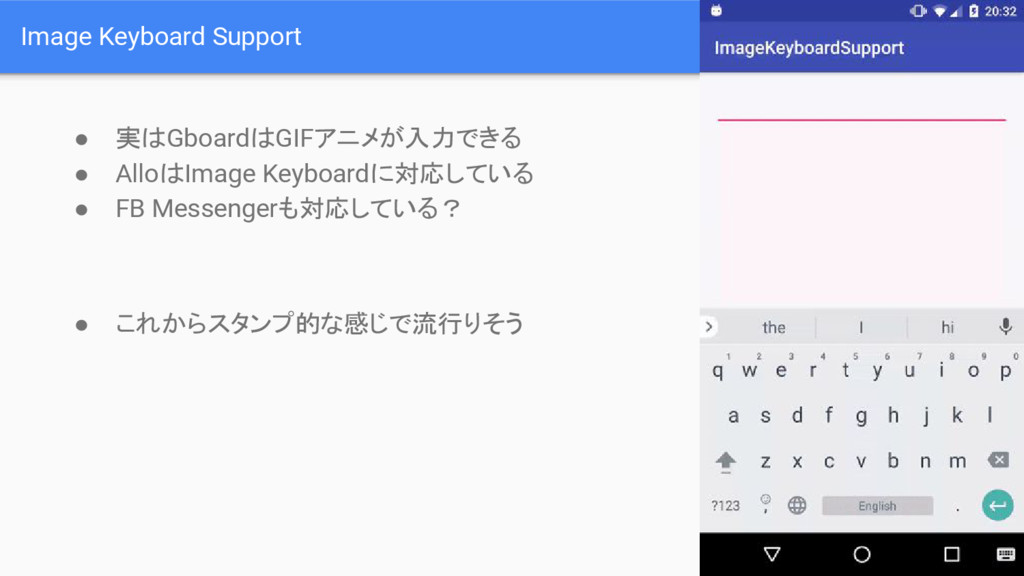
Image Keyboard Support • 実はGboardはGIFアニメが入力できる • AlloはImage Keyboardに対応している • FB
Messengerも対応している? • これからスタンプ的な感じで流行りそう
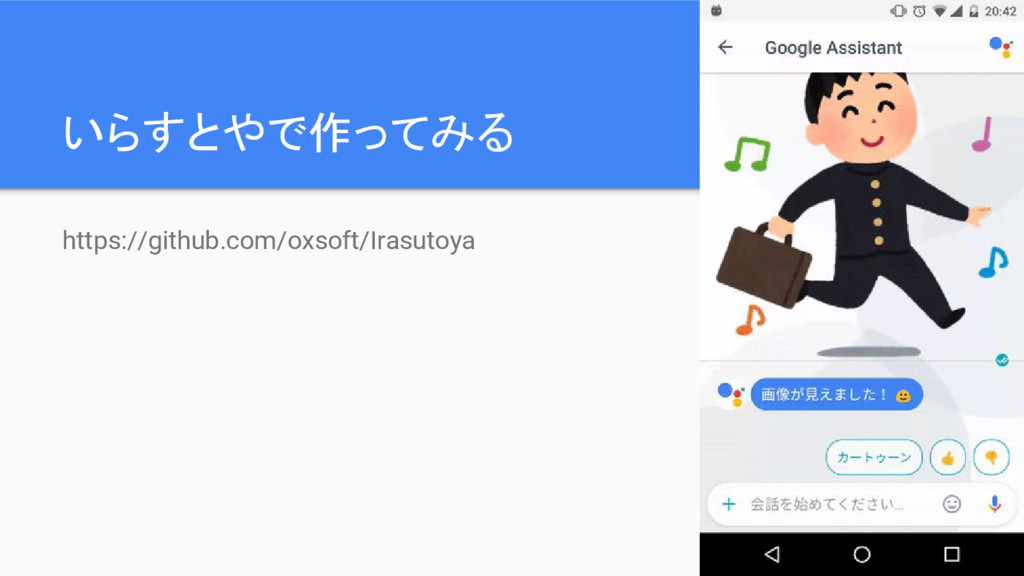
いらすとやで作ってみる https://github.com/oxsoft/Irasutoya
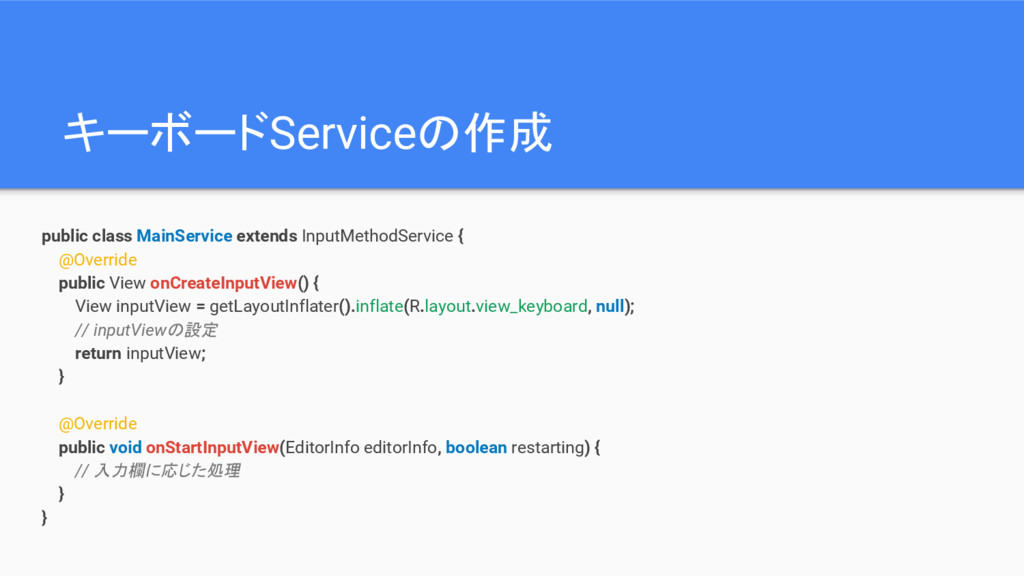
キーボードServiceの作成 public class MainService extends InputMethodService { @Override public View
onCreateInputView() { View inputView = getLayoutInflater().inflate(R.layout.view_keyboard, null); // inputViewの設定 return inputView; } @Override public void onStartInputView(EditorInfo editorInfo, boolean restarting) { // 入力欄に応じた処理 } }
入力欄がサポートしているかチェック @Override public void onStartInputView(EditorInfo editorInfo, boolean restarting) { String[]
mimeTypes = EditorInfoCompat.getContentMimeTypes(editorInfo); boolean pngSupported = false; for (String mimeType : mimeTypes) { if (ClipDescription.compareMimeTypes(mimeType, "image/png")) { pngSupported = true; } } // サポートしていない場合はその旨を表示 unsupported.setVisibility(pngSupported ? View.GONE : View.VISIBLE); }
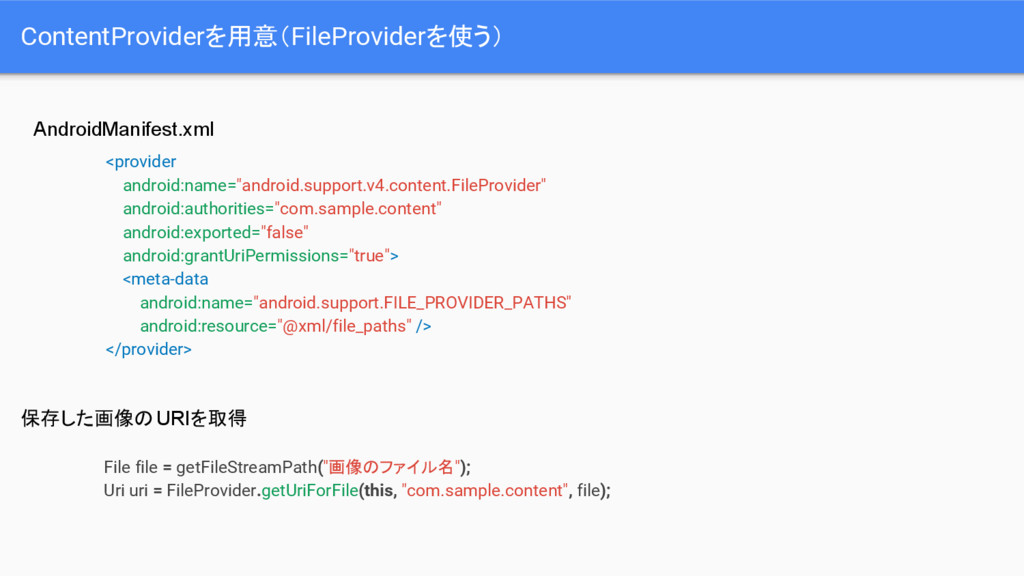
ContentProviderを用意(FileProviderを使う) <provider android:name="android.support.v4.content.FileProvider" android:authorities="com.sample.content" android:exported="false" android:grantUriPermissions="true"> <meta-data android:name="android.support.FILE_PROVIDER_PATHS" android:resource="@xml/file_paths" />
</provider> File file = getFileStreamPath("画像のファイル名"); Uri uri = FileProvider.getUriForFile(this, "com.sample.content", file); AndroidManifest.xml 保存した画像のURIを取得
画像のuriを入力欄に送信 private void commitPngImage(Uri contentUri, String imageDescription, Uri linkUri) {
InputContentInfoCompat inputContentInfo = new InputContentInfoCompat(contentUri, new ClipDescription(imageDescription, new String[]{"image/png"}), linkUri); InputConnection inputConnection = getCurrentInputConnection(); EditorInfo editorInfo = getCurrentInputEditorInfo(); int flags = 0; if (android.os.Build.VERSION.SDK_INT >= 25) { flags |= InputConnectionCompat.INPUT_CONTENT_GRANT_READ_URI_PERMISSION; } InputConnectionCompat.commitContent(inputConnection, editorInfo, inputContentInfo, flags, null); }
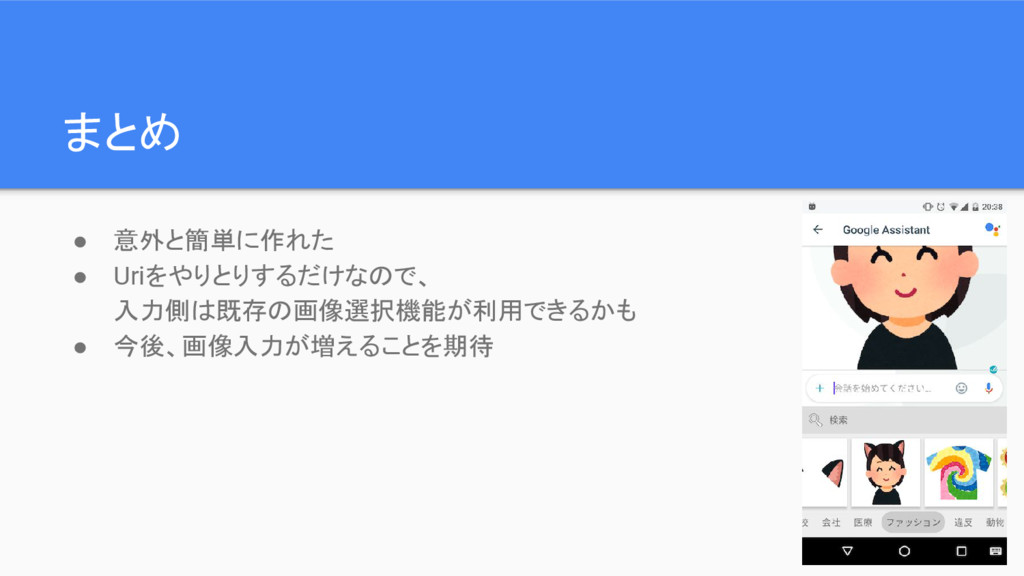
まとめ • 意外と簡単に作れた • Uriをやりとりするだけなので、 入力側は既存の画像選択機能が利用できるかも • 今後、画像入力が増えることを期待


 oxsoft
 glaforge
 takanorip
 pfn
pfn
 shuta13
 ishikawa_satoru
 riyaamemiya
 occhi
occhi
 koukihosaka
 jtakeda
 ivry_presentationmaterials
 masakiokuda
 yuuuuuuu168
 tapps
tapps
 skipperchong
 ryanjones
 katarinadahlin
 tonyrice
 greggifford
 inesmontani
 bluesmoon
 charlesmeaden
 lara
lara
 iamctodd
![入力欄がサポートしているかチェック @Override public void onStartInputView(EditorInfo editorInfo, boolean restarting) { String[]](https://files.speakerdeck.com/presentations/c2a070f93a534f6391722ac0eeb6dd51/slide_6.jpg)