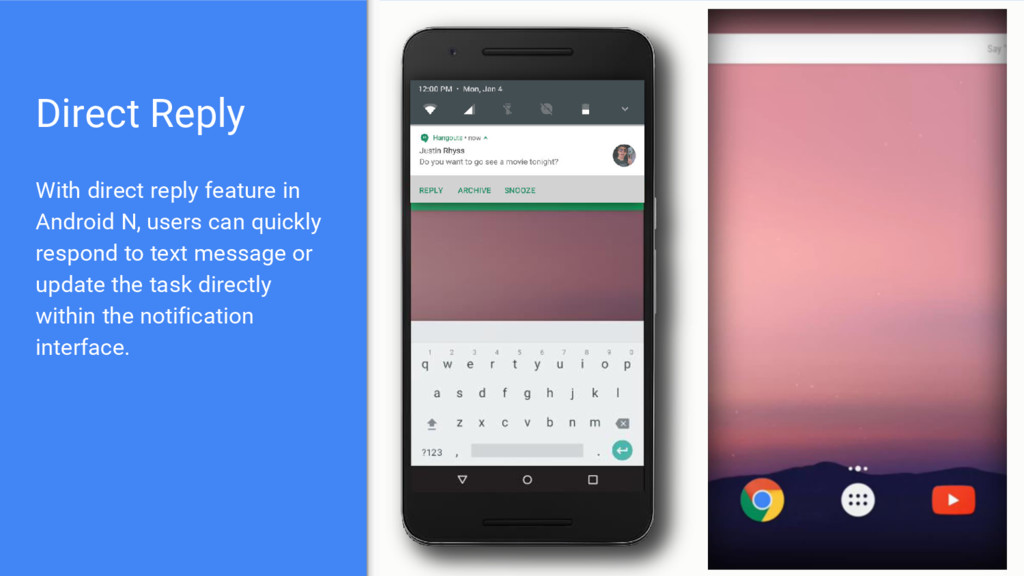
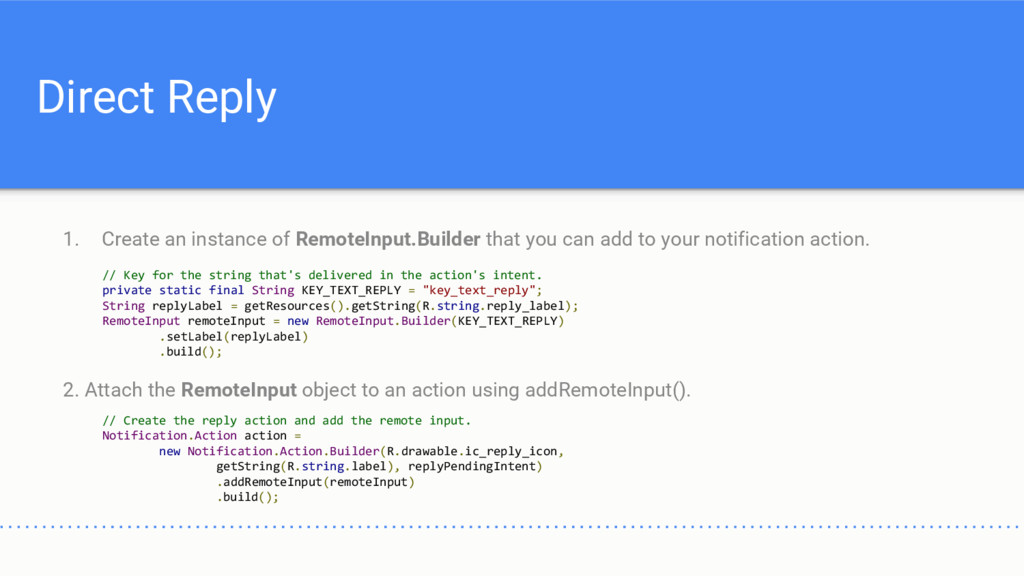
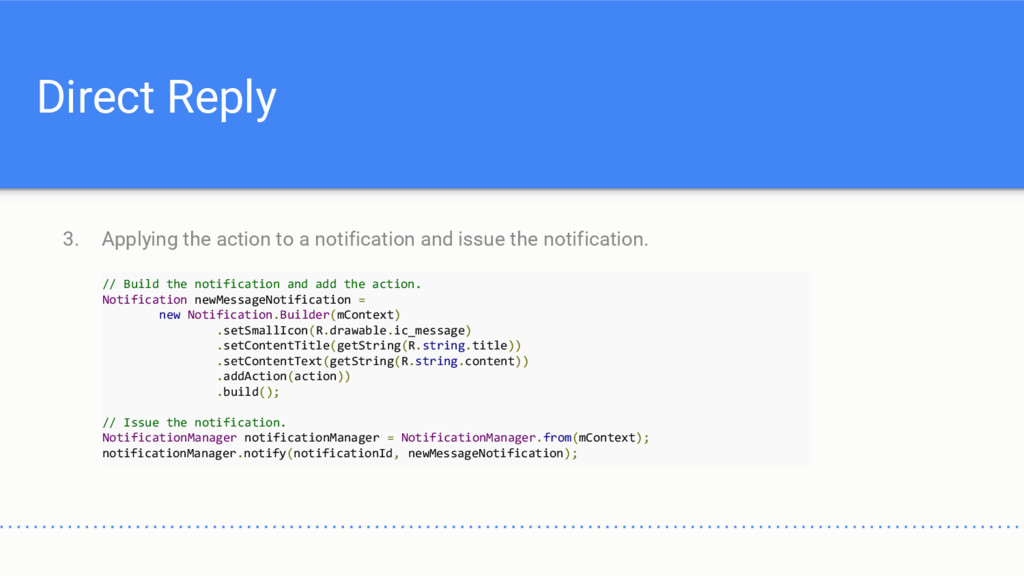
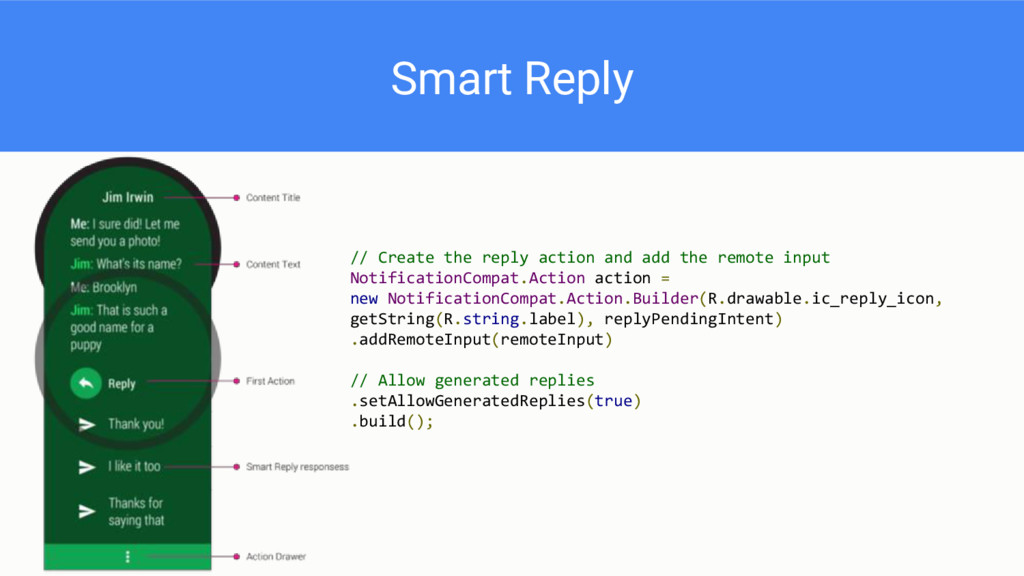
can add to your notification action. 2. Attach the RemoteInput object to an action using addRemoteInput(). // Key for the string that's delivered in the action's intent. private static final String KEY_TEXT_REPLY = "key_text_reply"; String replyLabel = getResources().getString(R.string.reply_label); RemoteInput remoteInput = new RemoteInput.Builder(KEY_TEXT_REPLY) .setLabel(replyLabel) .build(); // Create the reply action and add the remote input. Notification.Action action = new Notification.Action.Builder(R.drawable.ic_reply_icon, getString(R.string.label), replyPendingIntent) .addRemoteInput(remoteInput) .build();
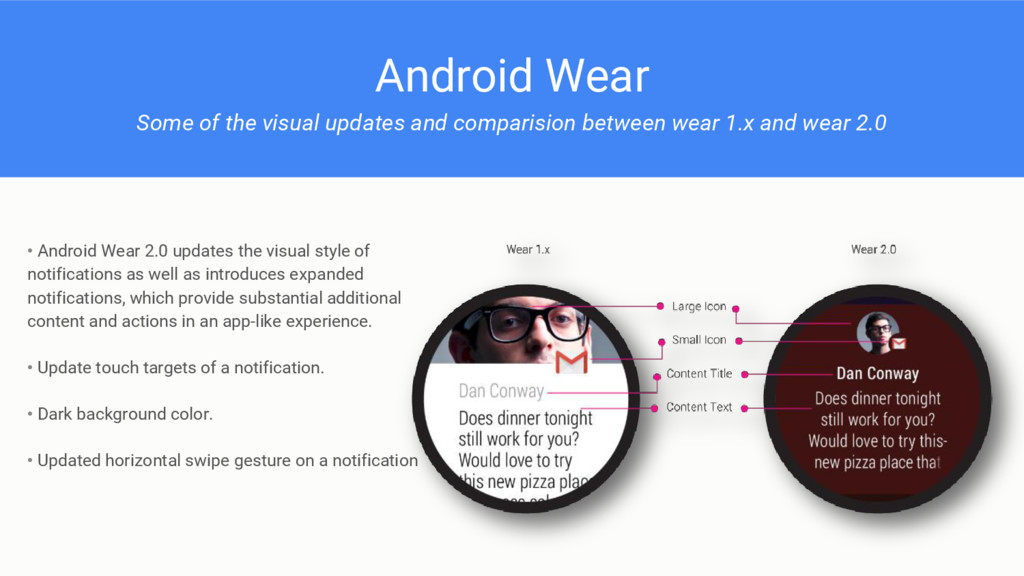
wear 1.x and wear 2.0 • Android Wear 2.0 updates the visual style of notifications as well as introduces expanded notifications, which provide substantial additional content and actions in an app-like experience. • Update touch targets of a notification. • Dark background color. • Updated horizontal swipe gesture on a notification
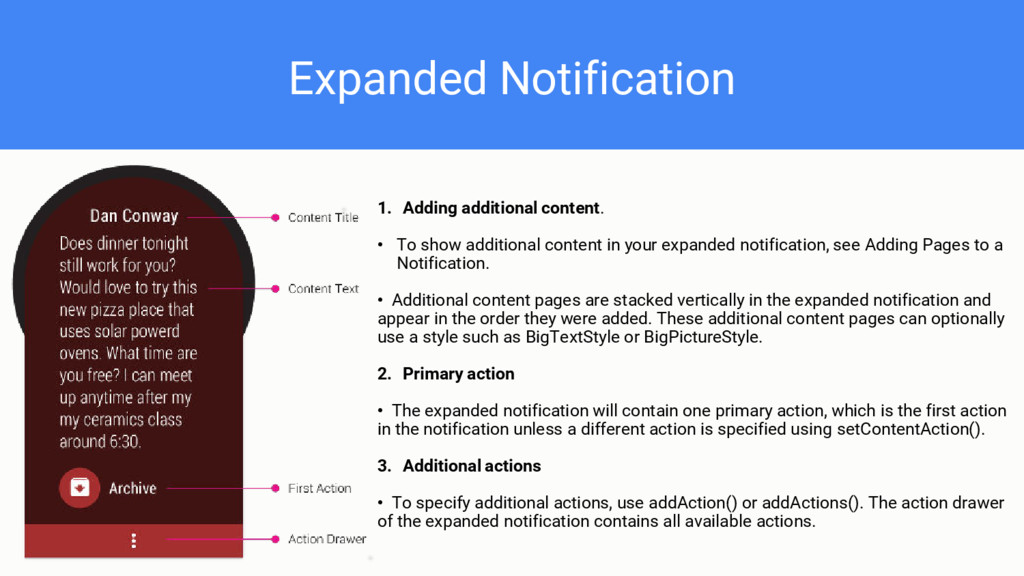
content in your expanded notification, see Adding Pages to a Notification. • Additional content pages are stacked vertically in the expanded notification and appear in the order they were added. These additional content pages can optionally use a style such as BigTextStyle or BigPictureStyle. 2. Primary action • The expanded notification will contain one primary action, which is the first action in the notification unless a different action is specified using setContentAction(). 3. Additional actions • To specify additional actions, use addAction() or addActions(). The action drawer of the expanded notification contains all available actions.


 tetsuya28
 techtekt
 shogo4131
 mohab1
 pfn
pfn
 akitoshiga
 kaminashi
 endonanana
 ueponx
 tokuty
 yazm
yazm
 persolserverworks
 nwiizo
 inesmontani
 shlominoach
 samanthasiow
 tammyeverts
 mkilby
 akihiro_kokubo
 katarinadahlin
 mongodb
 mfonobong
 gurzu
gurzu
 varn
varn