Upgrade to Pro — share decks privately, control downloads, hide ads and more …

Mobile Security Fundamentals: Build Apps That F...

Avatar for Peter Kurzok Peter Kurzok
September 08, 2026

Mobile Security Fundamentals: Build Apps That Fight Back

Building secure mobile apps is no longer optional—it’s expected by users, businesses, and the ecosystem. This talk offers a practical, beginner-friendly introduction to mobile security for iOS developers who want to improve their apps without getting lost in theory.

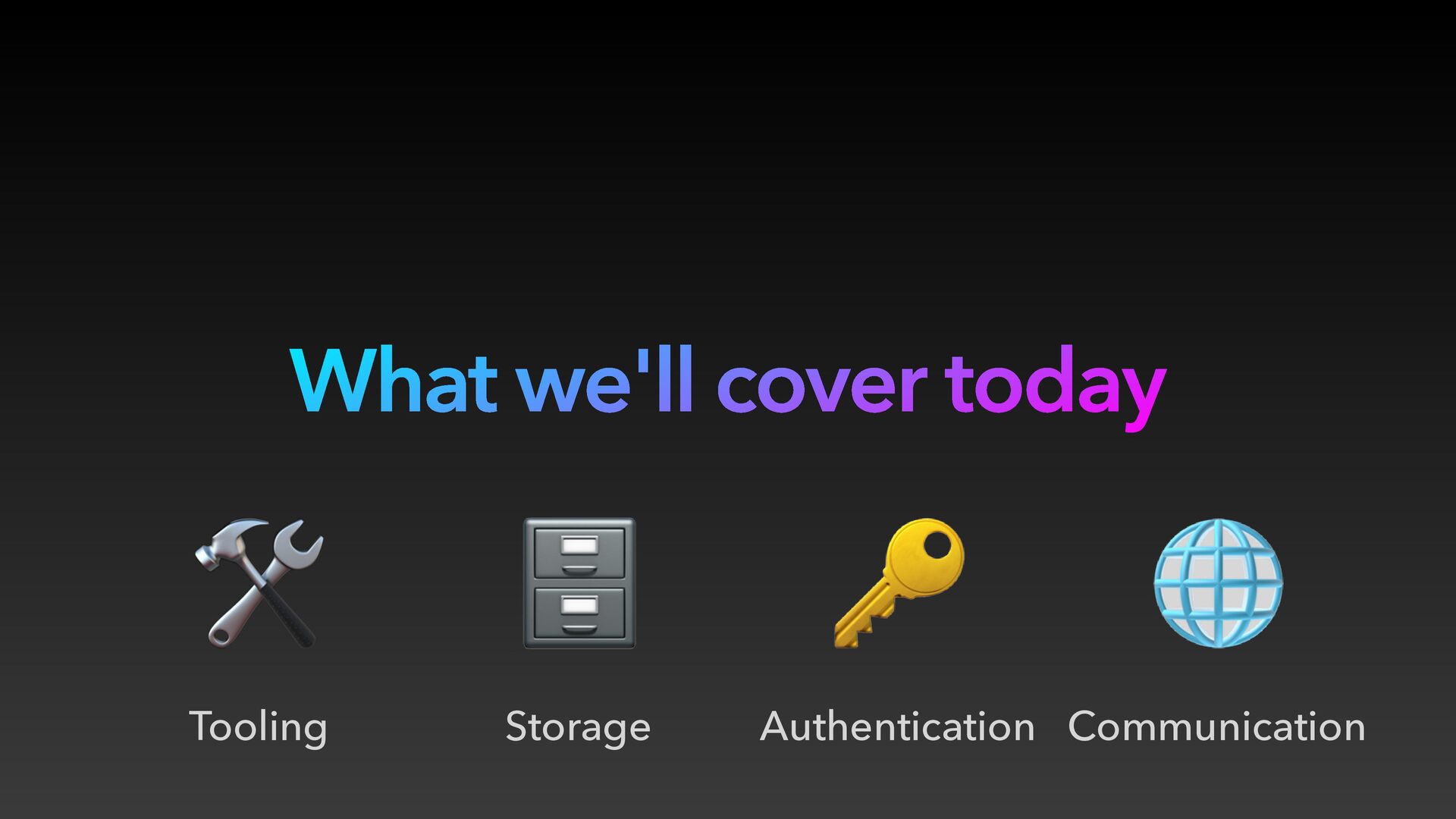
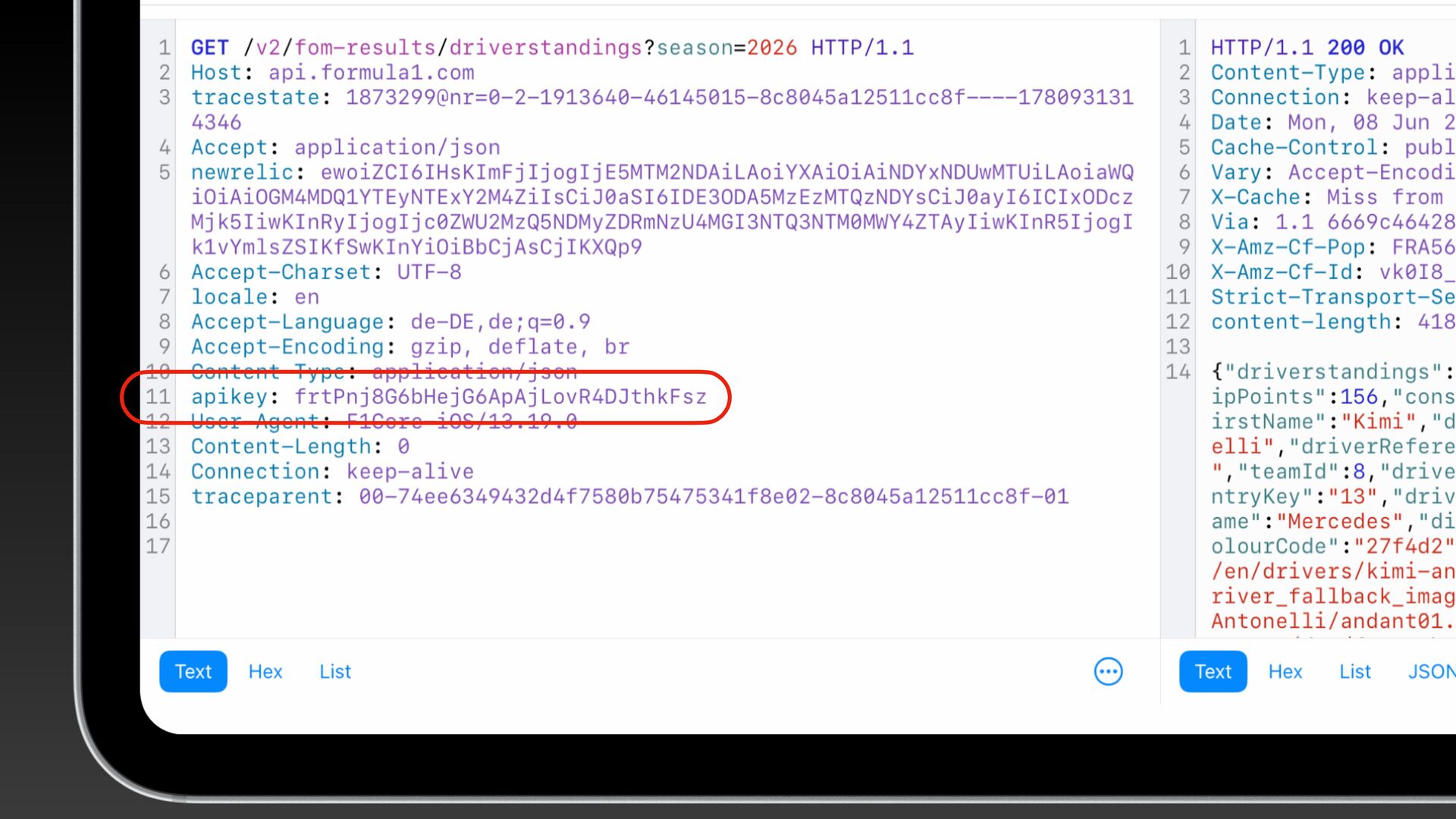
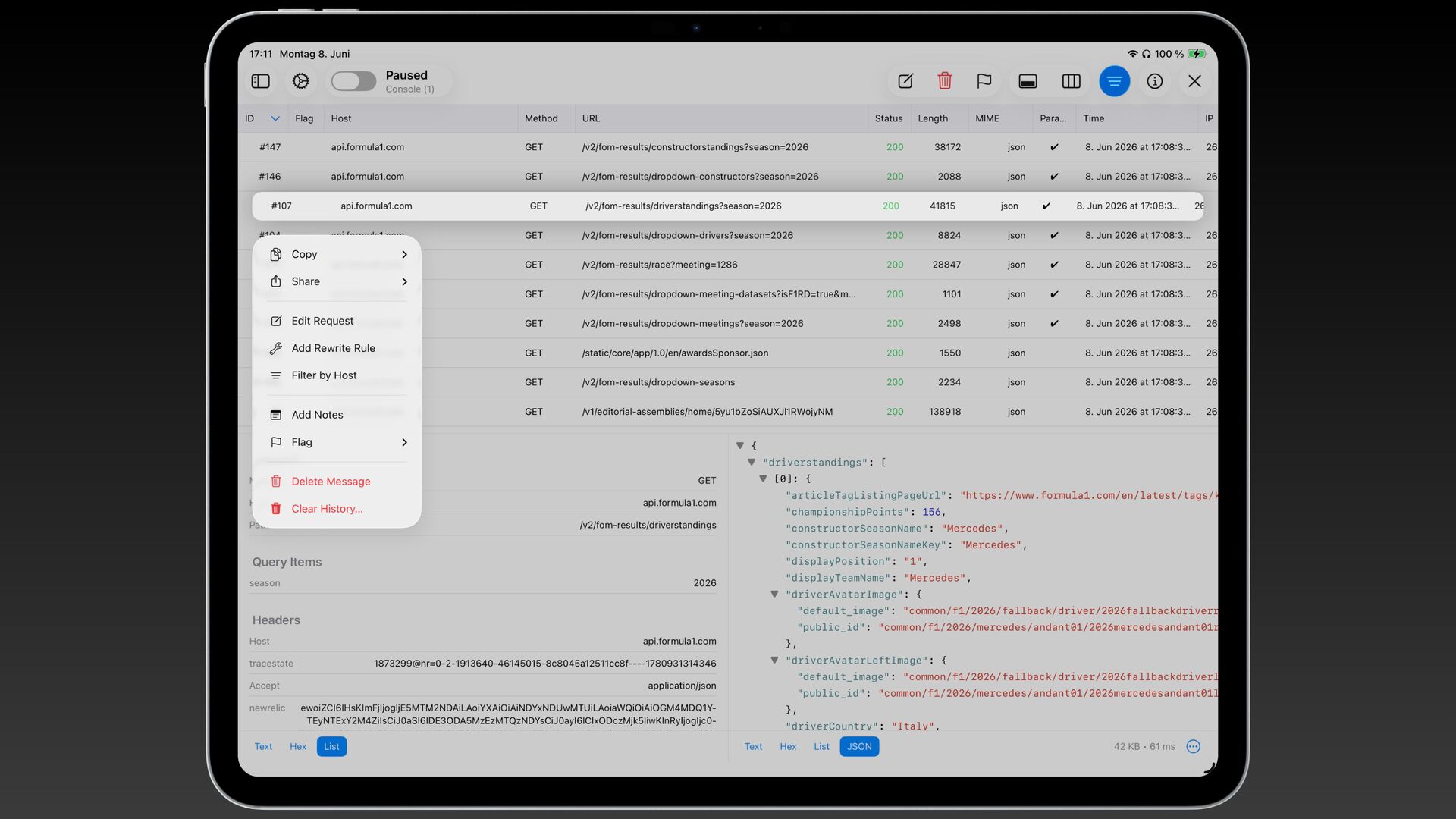
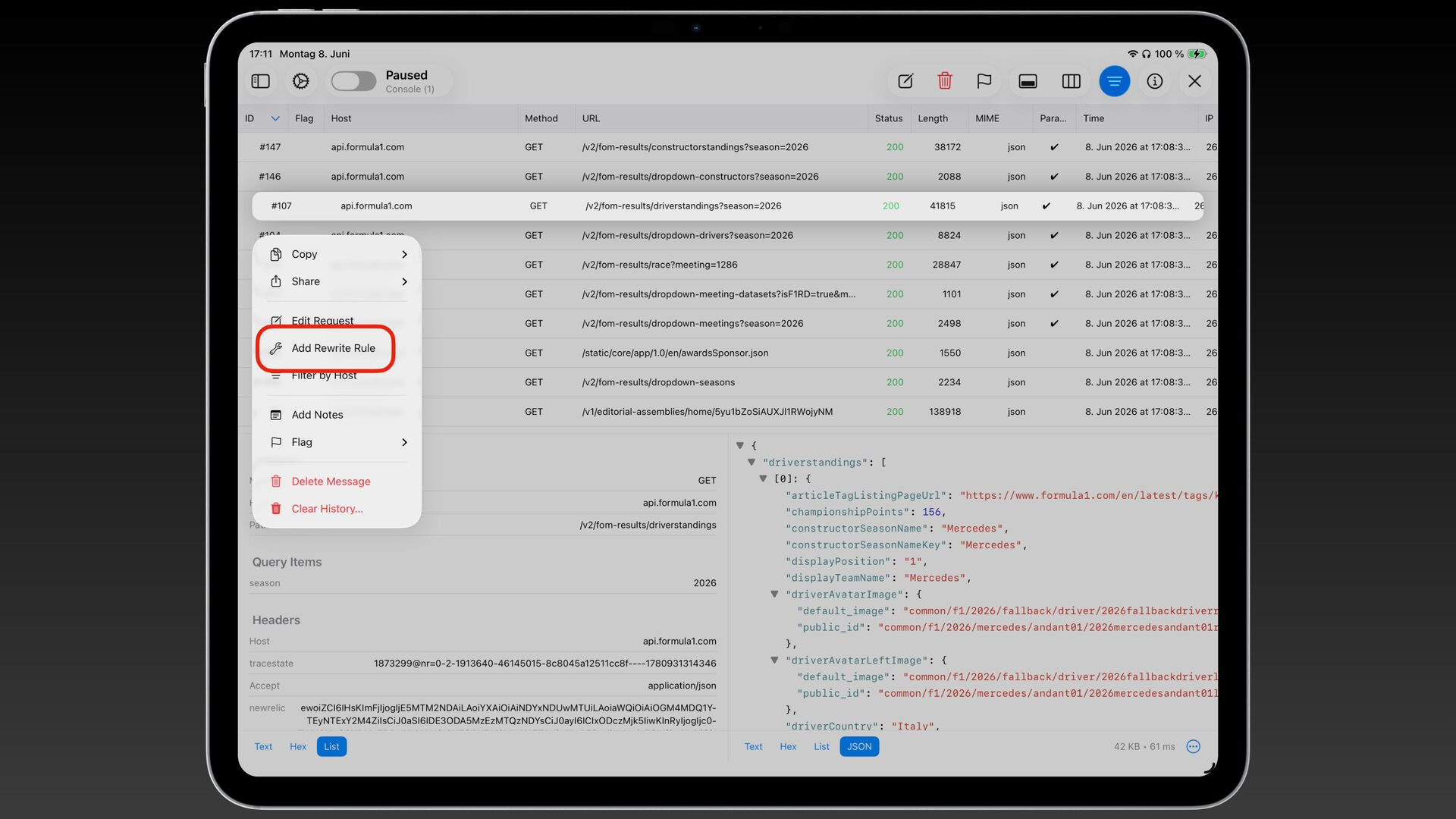
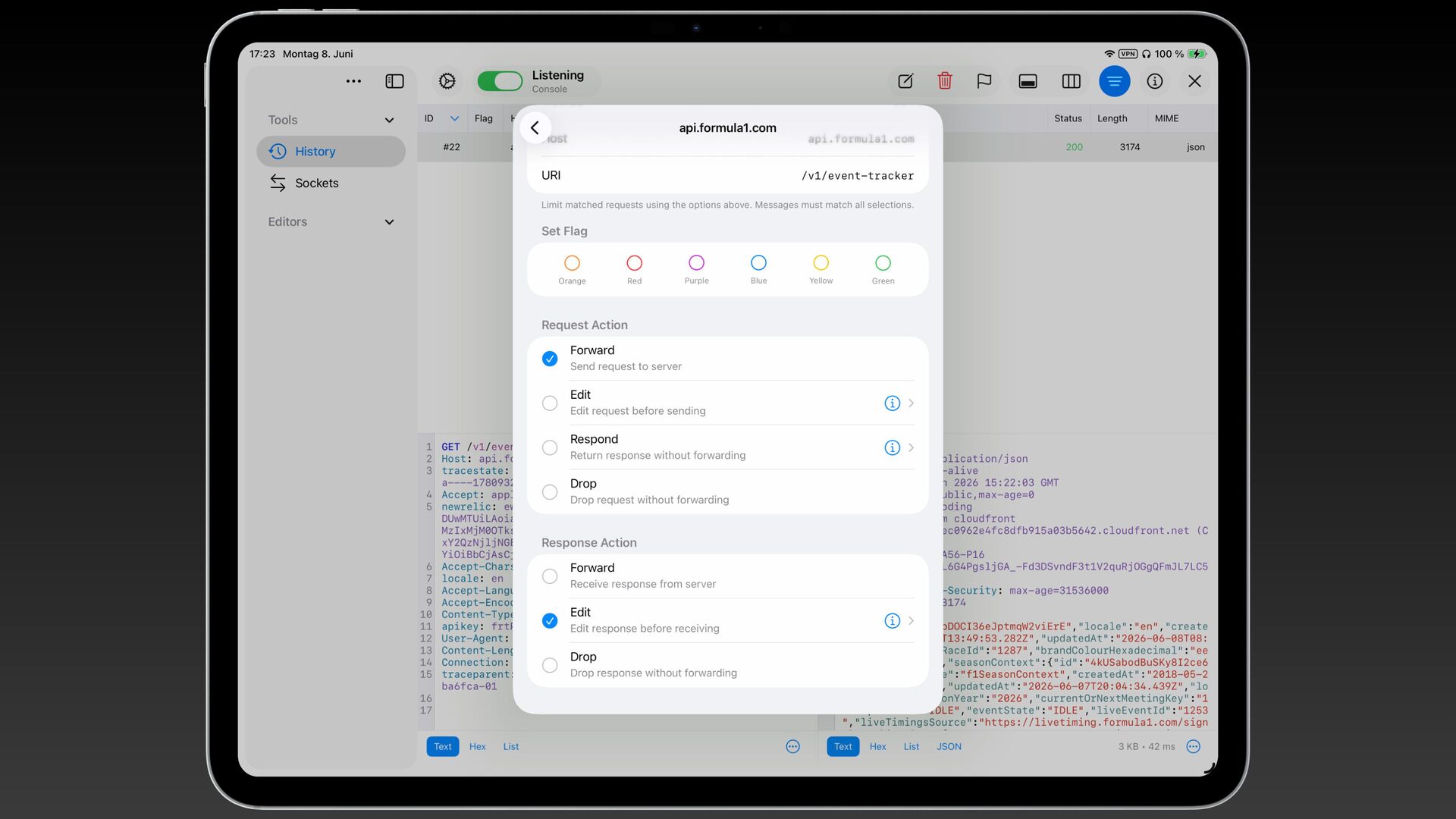
We’ll cover essential tools for analyzing app behavior, including network proxies and IPA inspection, and explain how code signing and entitlements define trust boundaries. We’ll also explore secure data storage with Keychain and file encryption, followed by key networking protections like certificate pinning and device attestation.

Attendees will gain a clear understanding of the mobile threat landscape, see real-world pitfalls, and learn actionable techniques they can apply immediately. The goal is to help developers make informed, security-first decisions and build resilient apps by design.

Avatar for Peter Kurzok

Peter Kurzok

September 08, 2026

More Decks by Peter Kurzok

Other Decks in Programming

Transcript

  1. Why should you care? fi Your users trust you with
    their data Let's make sure that trust is justi ed
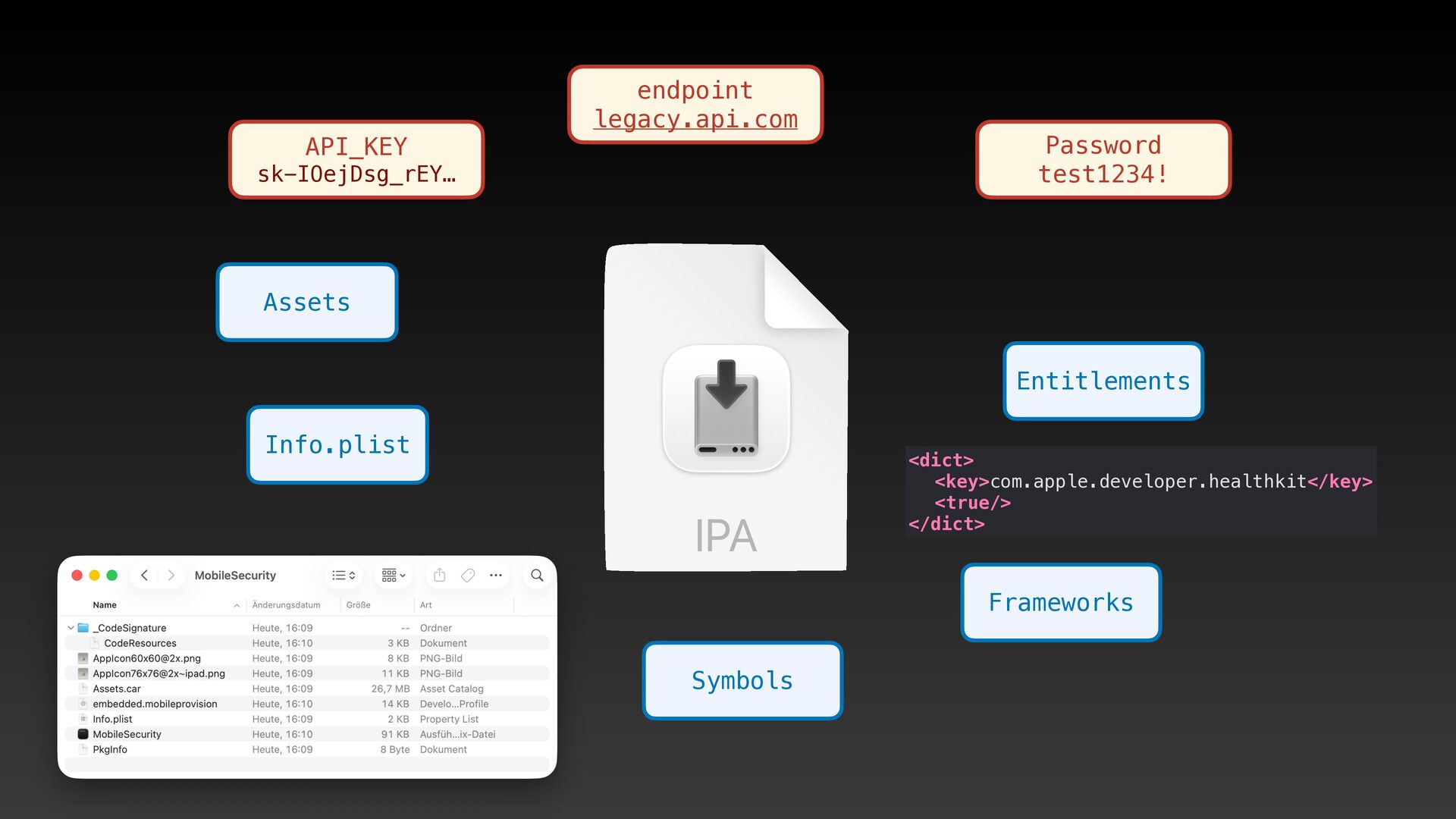
  2. API_KEY endpoint legacy.api.com sk-IOejDsg_rEY… Password test1234! Assets Entitlements Info.plist <dict>

    <key>com.apple.developer.healthkit</key> <true/> </dict> Frameworks Symbols
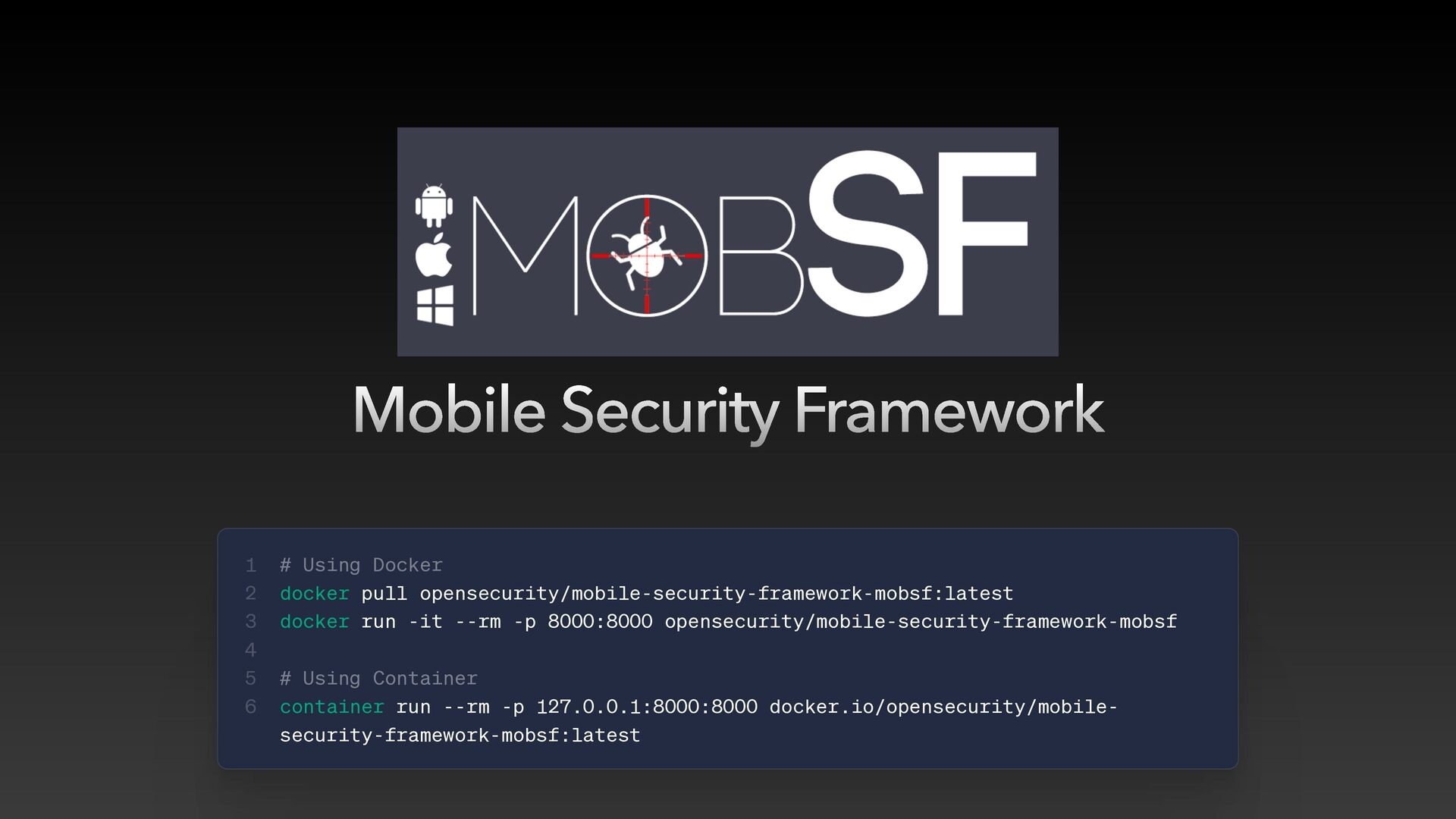
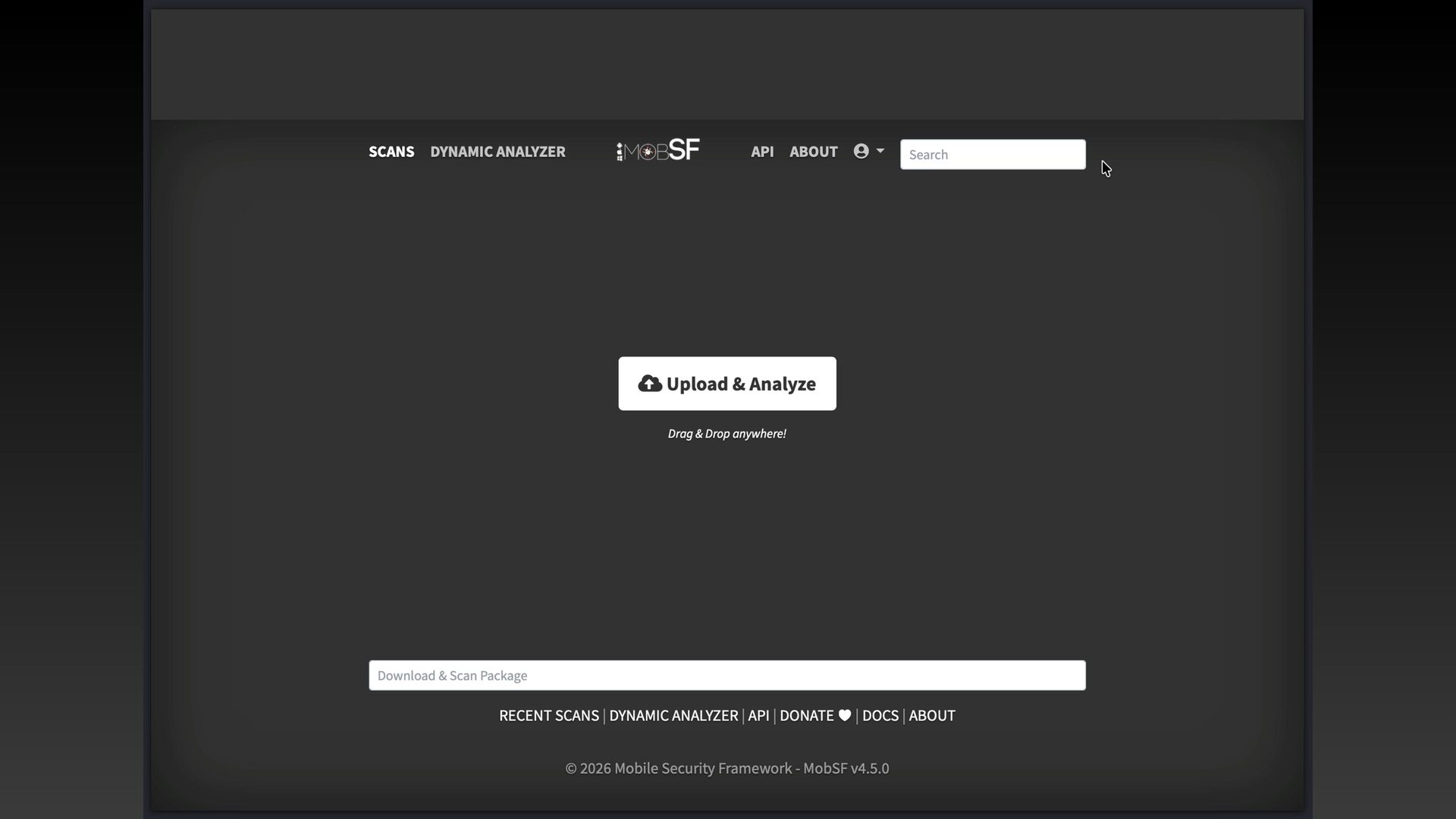
  3. Mobile Security Framework 1 2 3 4 5 6 #

    Using Docker docker pull opensecurity/mobile-security-framework-mobsf:latest docker run -it --rm -p 8000:8000 opensecurity/mobile-security-framework-mobsf # Using Container container run --rm -p 127.0.0.1:8000:8000 docker.io/opensecurity/mobilesecurity-framework-mobsf:latest
  4. Use these tools on YOUR own app If you don't

    test your own app, someone else will
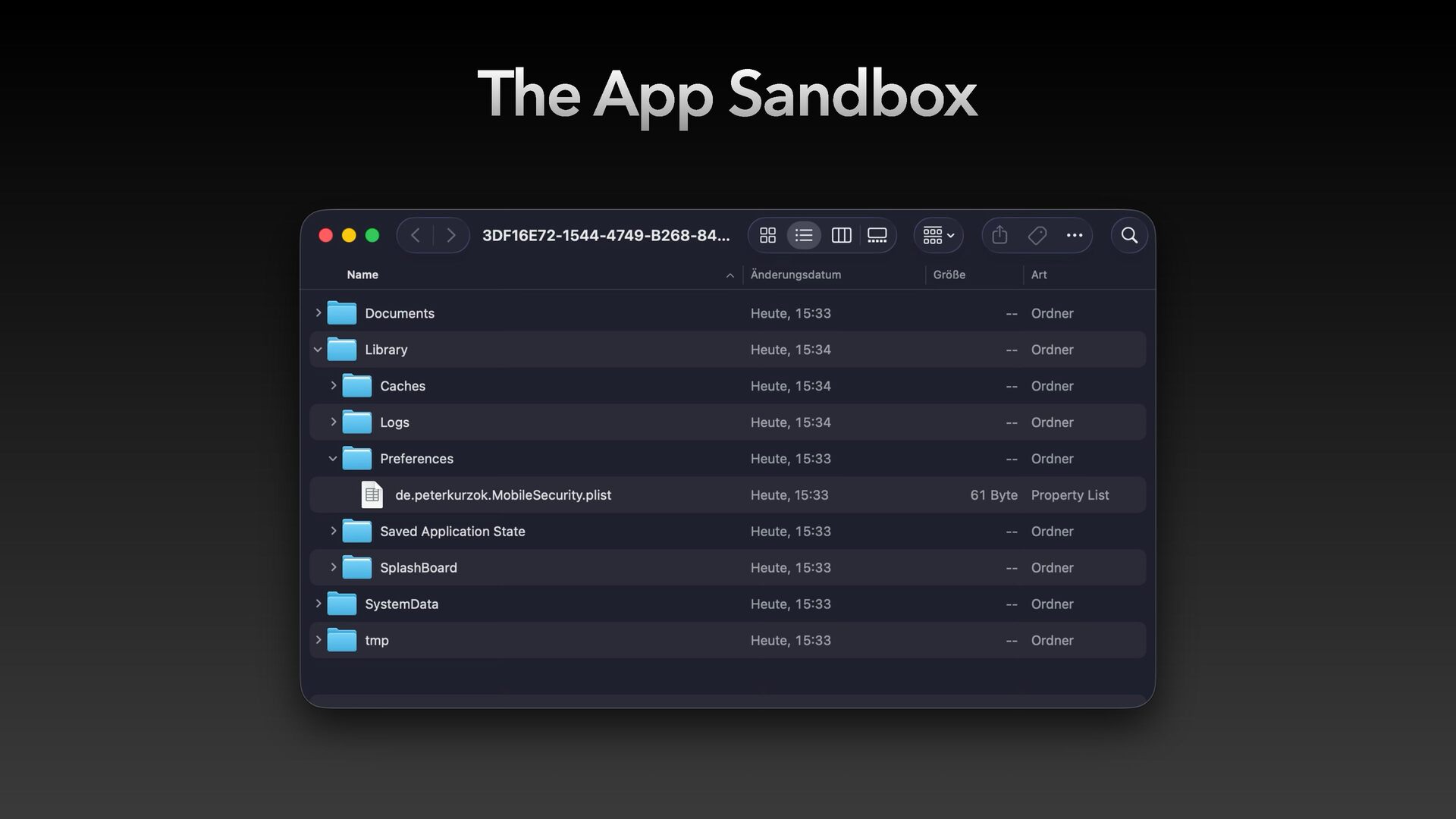
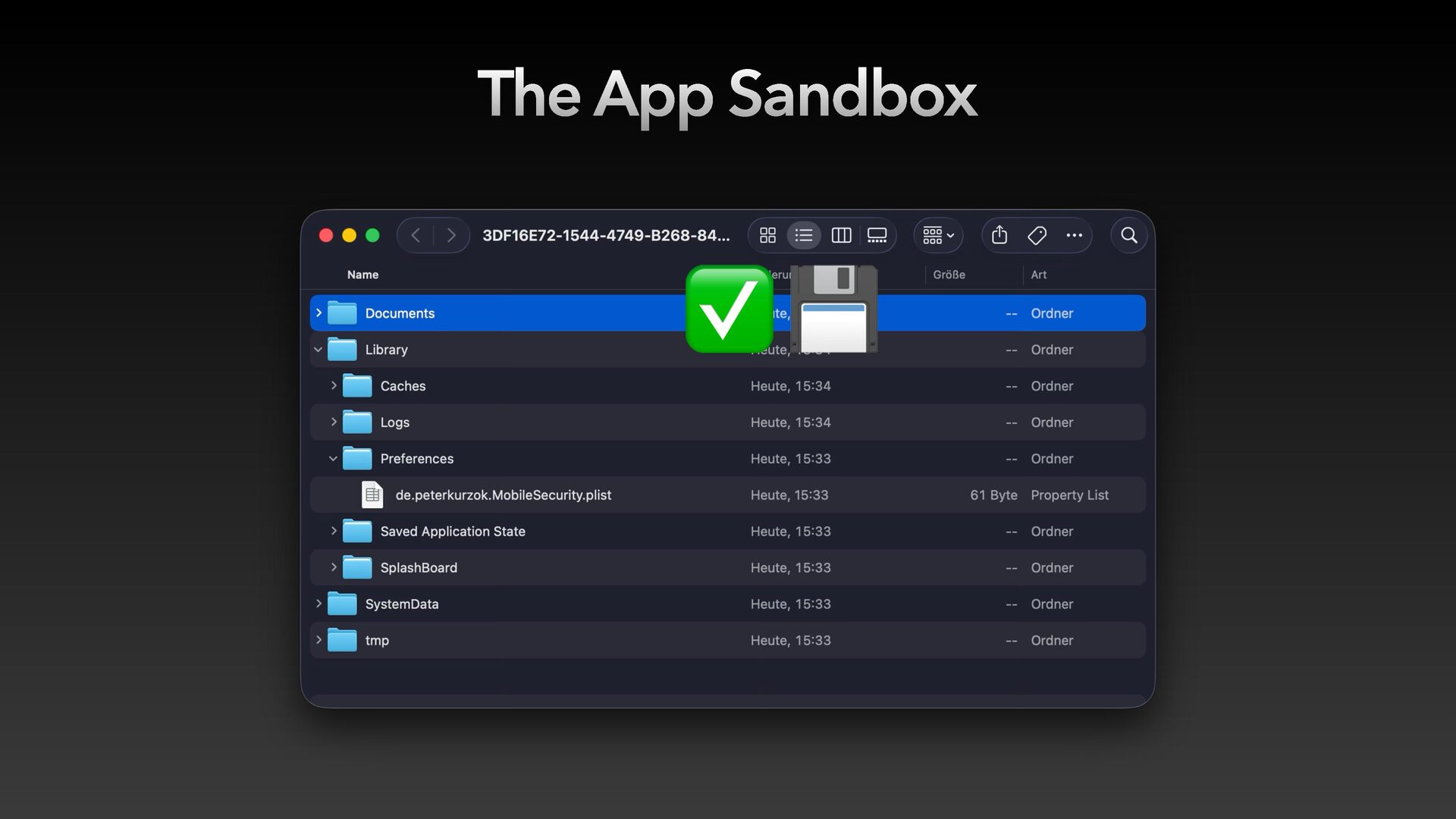
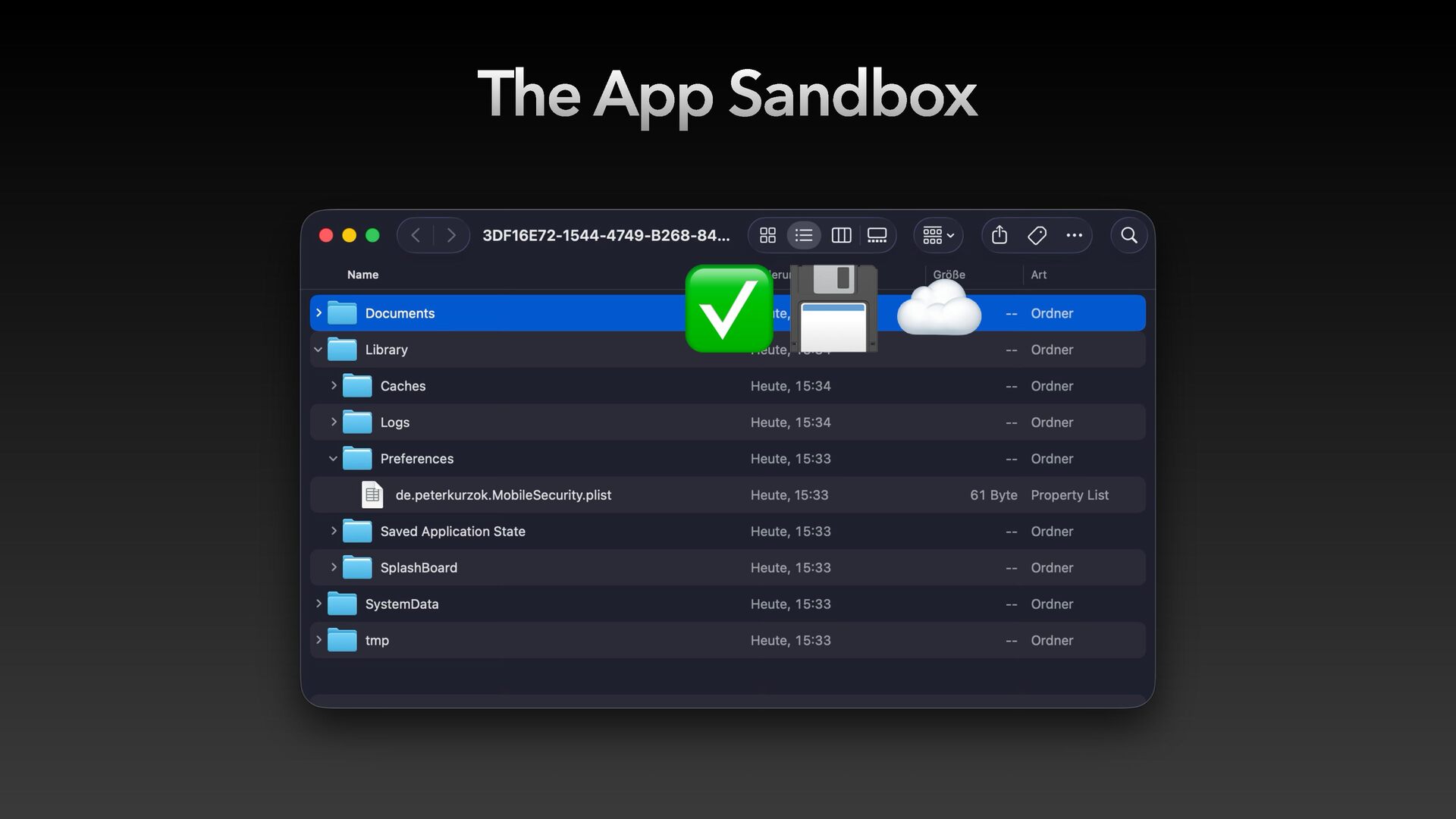
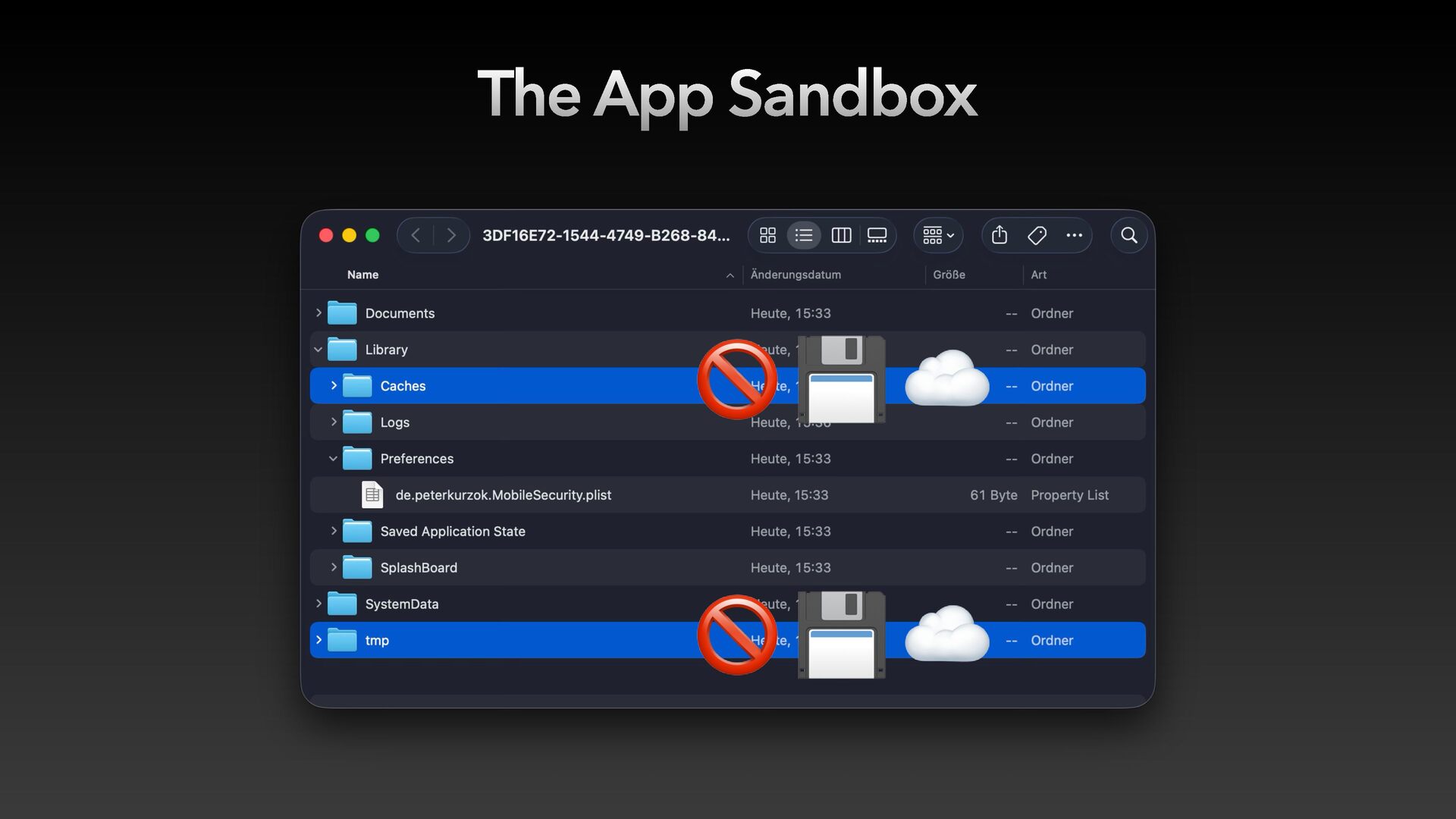
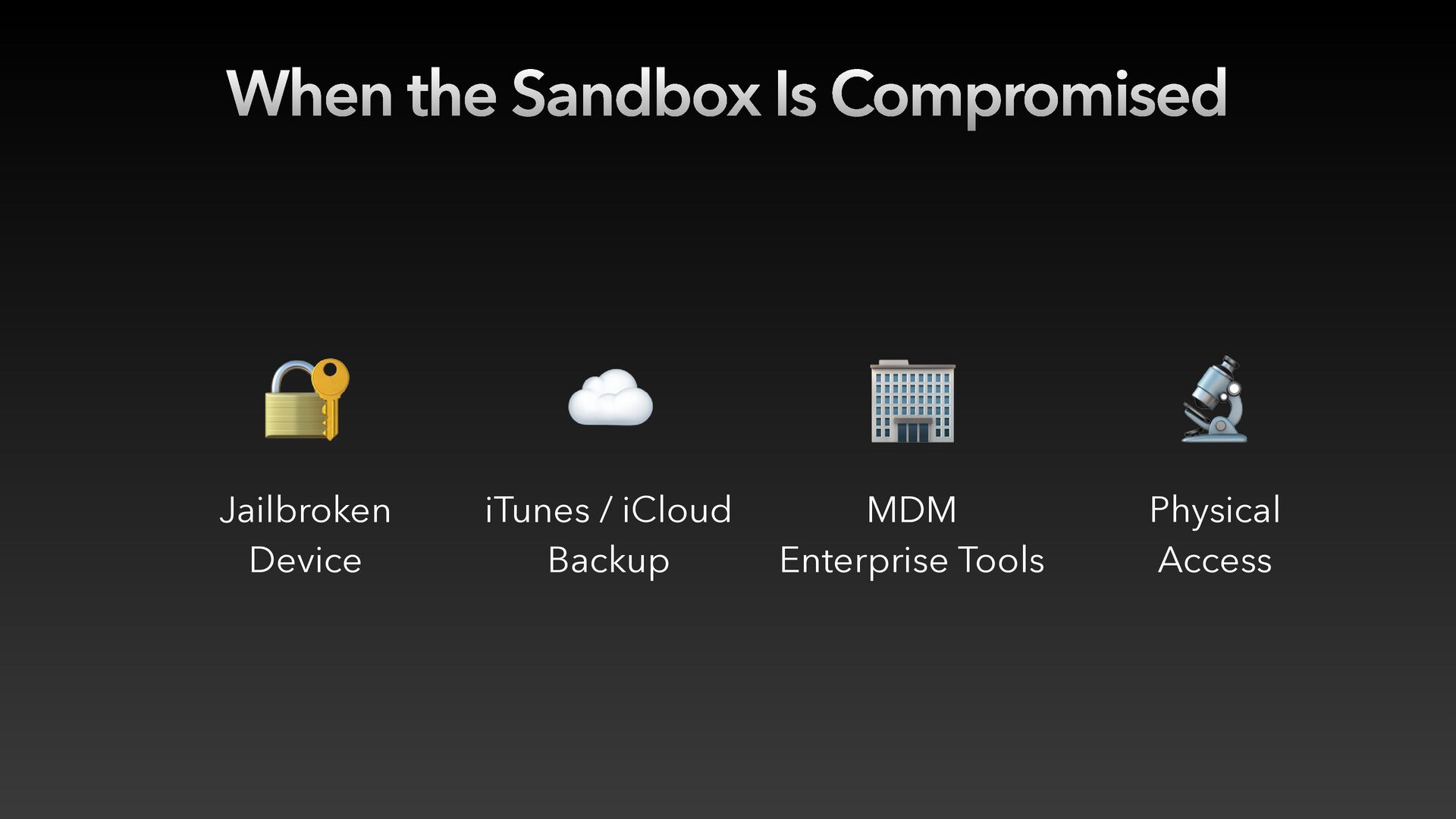
  5. When the Sandbox Is Compromised 🔐 ☁ 🏢 🔬 Jailbroken

    Device iTunes / iCloud Backup MDM Enterprise Tools Physical Access
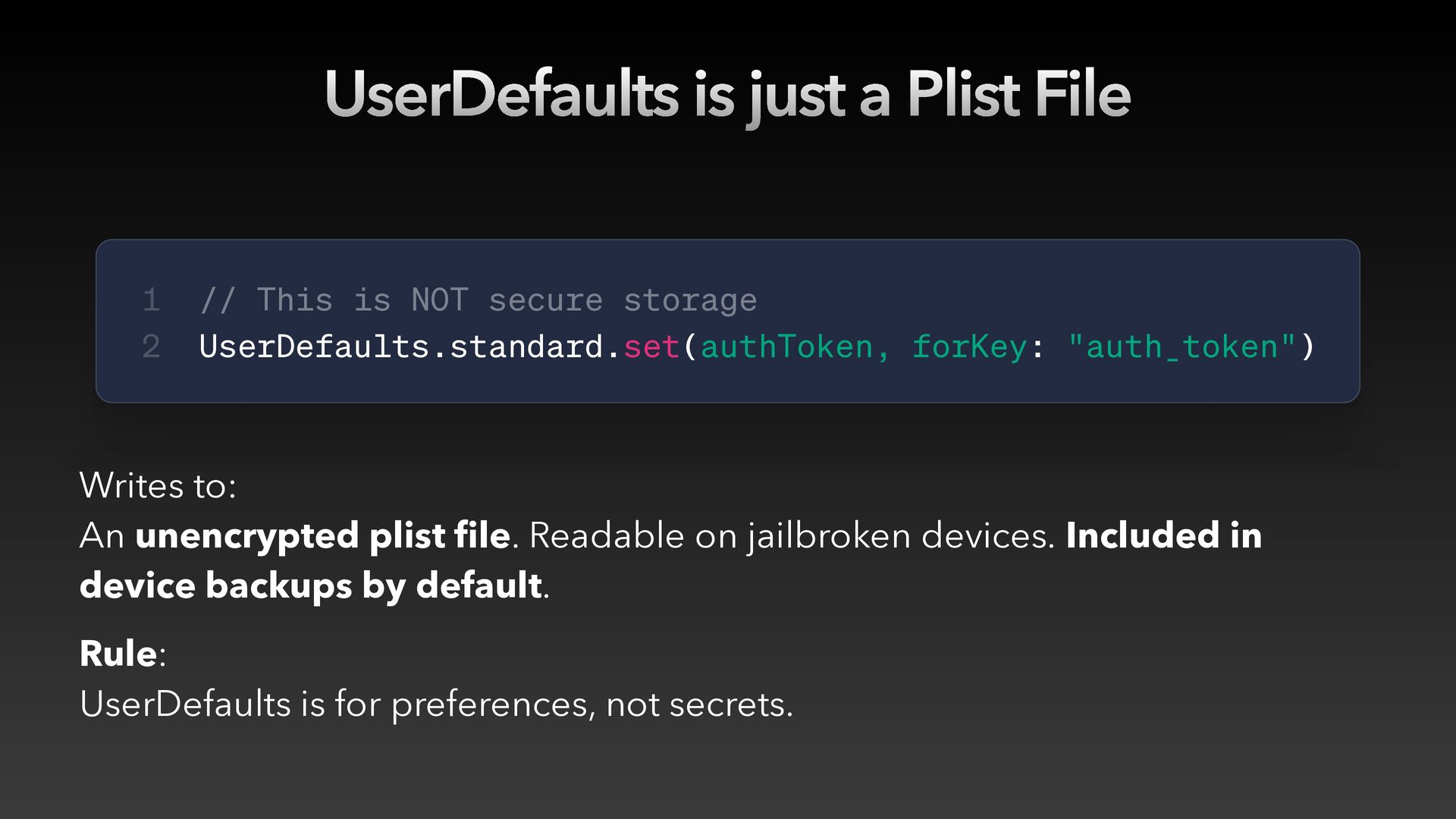
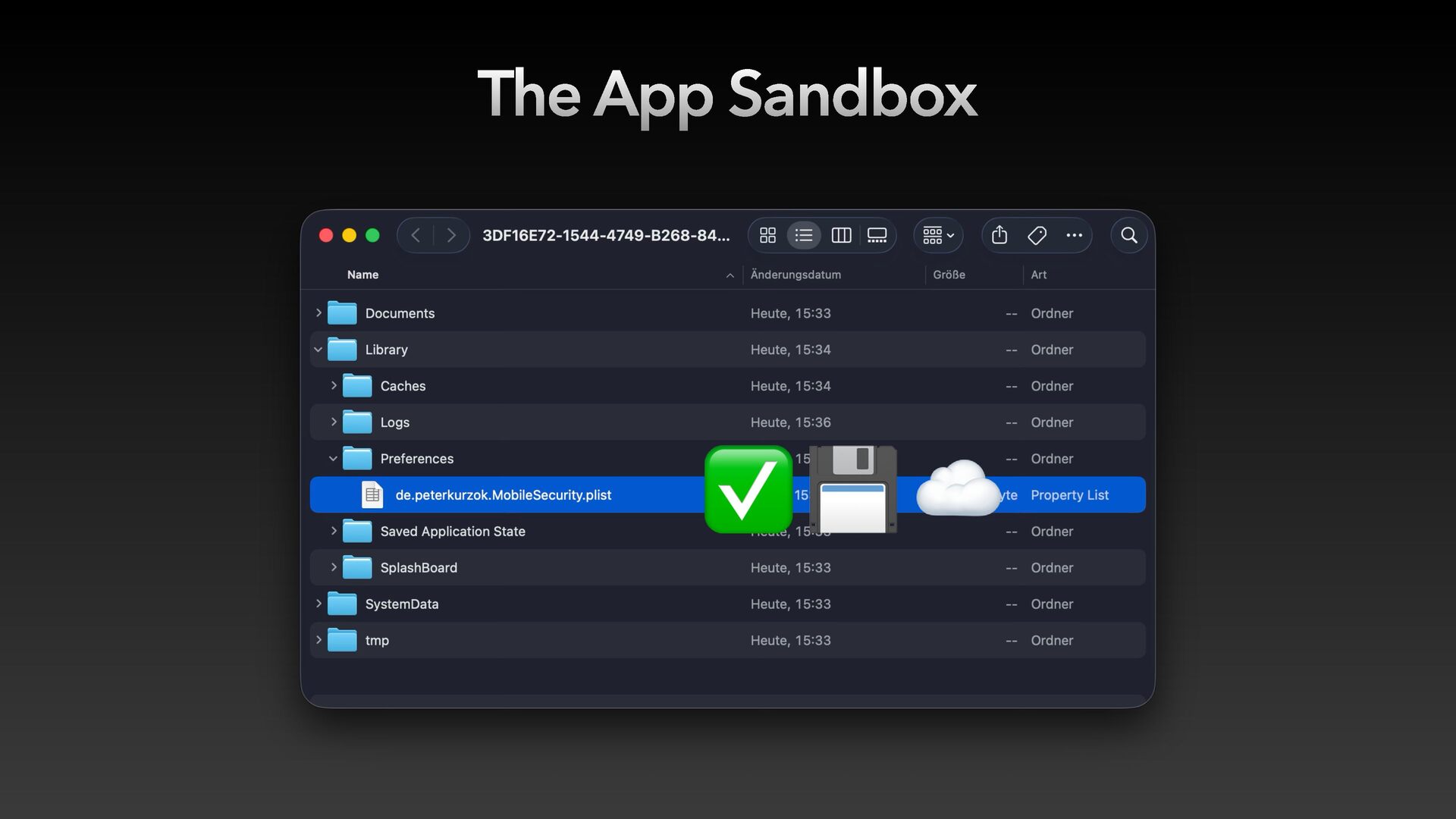
  6. UserDefaults is just a Plist File 1 2 // This

    is NOT secure storage UserDefaults.standard.set(authToken, forKey: "auth_token") Writes to: An unencrypted plist file. Readable on jailbroken devices. Included in device backups by default. Rule: UserDefaults is for preferences, not secrets.
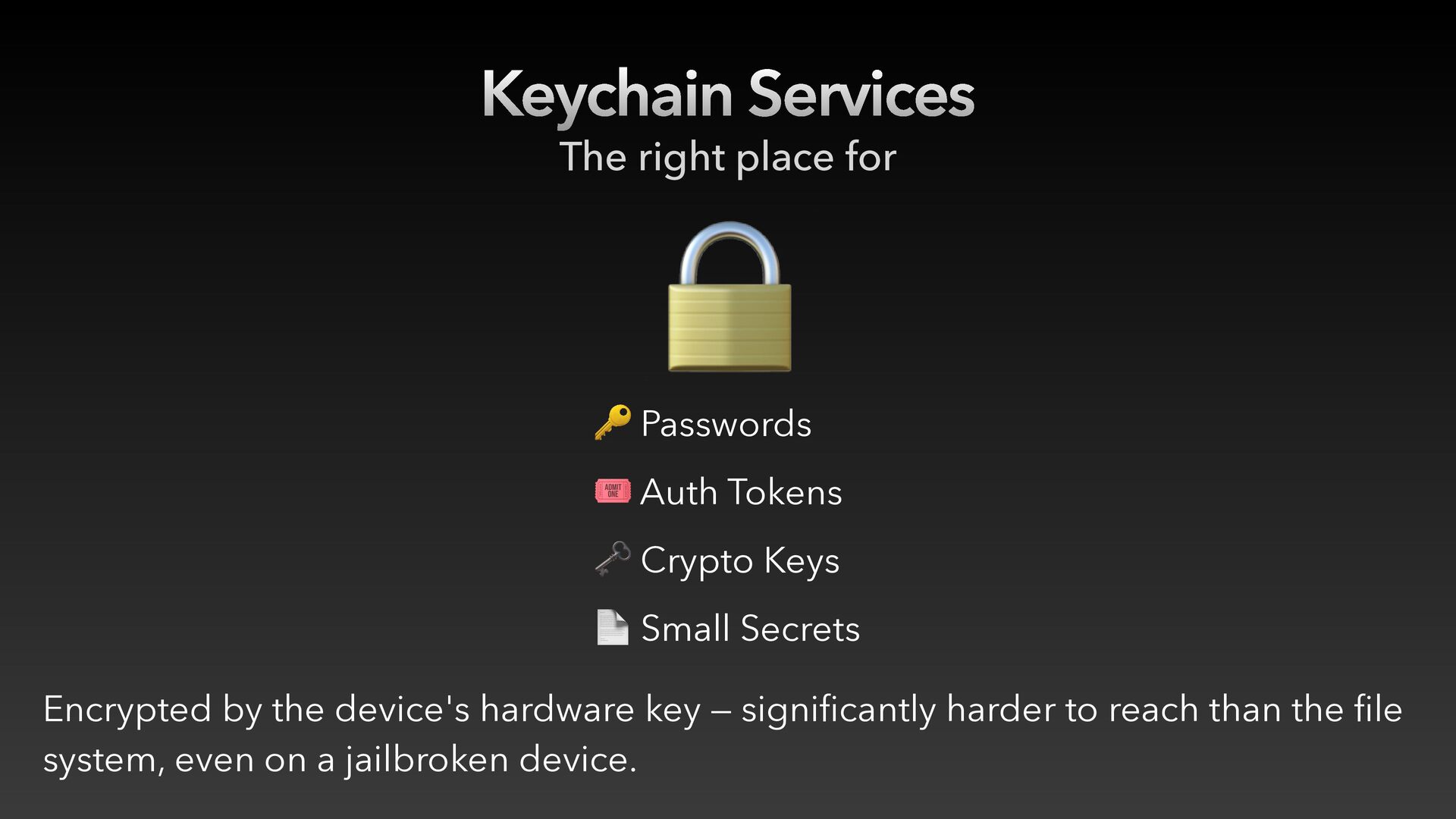
  7. Keychain Services The right place for 🔒 🔑 Passwords 🎟

    Auth Tokens 🗝 Crypto Keys 📄 Small Secrets Encrypted by the device's hardware key — significantly harder to reach than the file system, even on a jailbroken device.
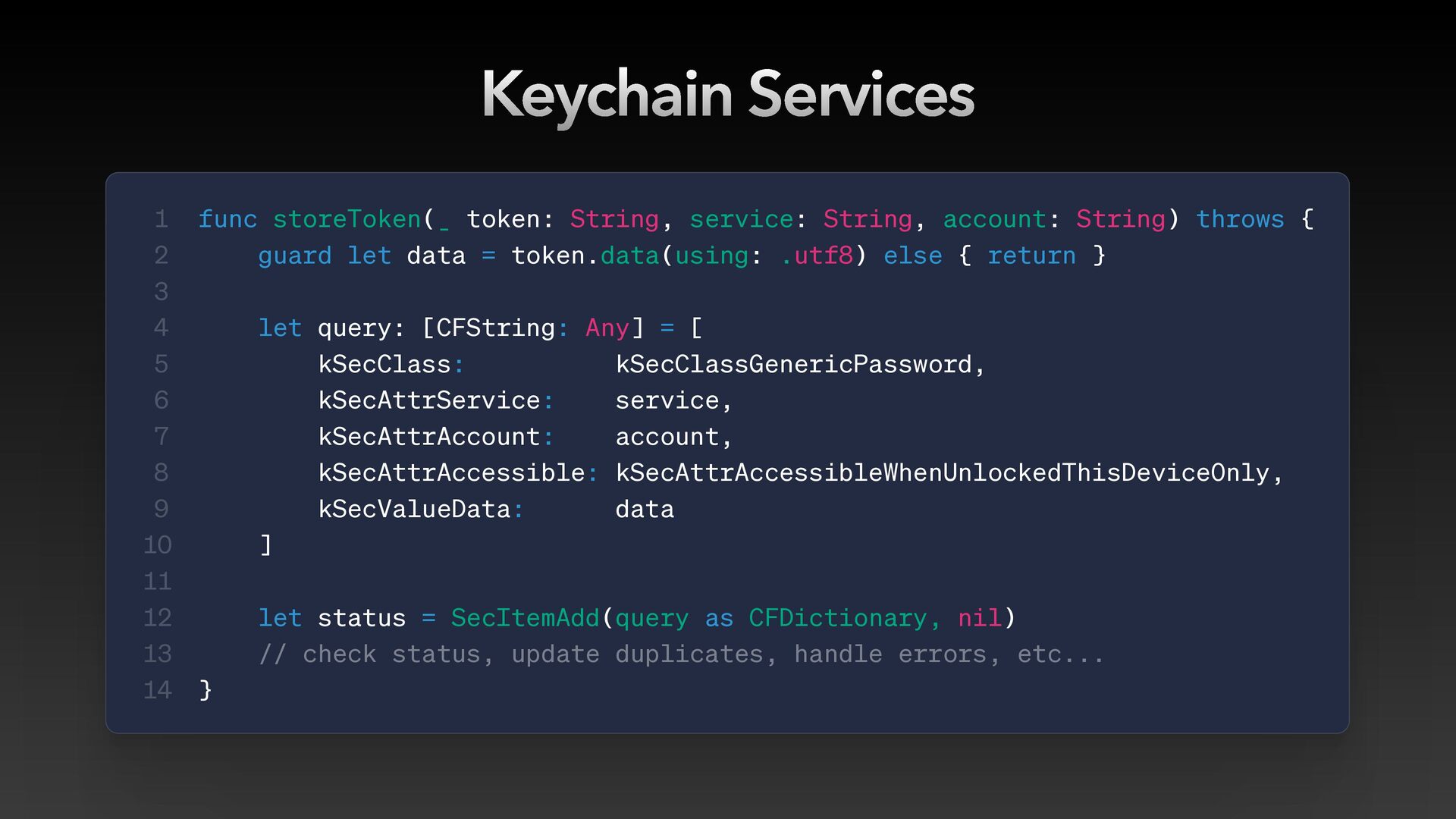
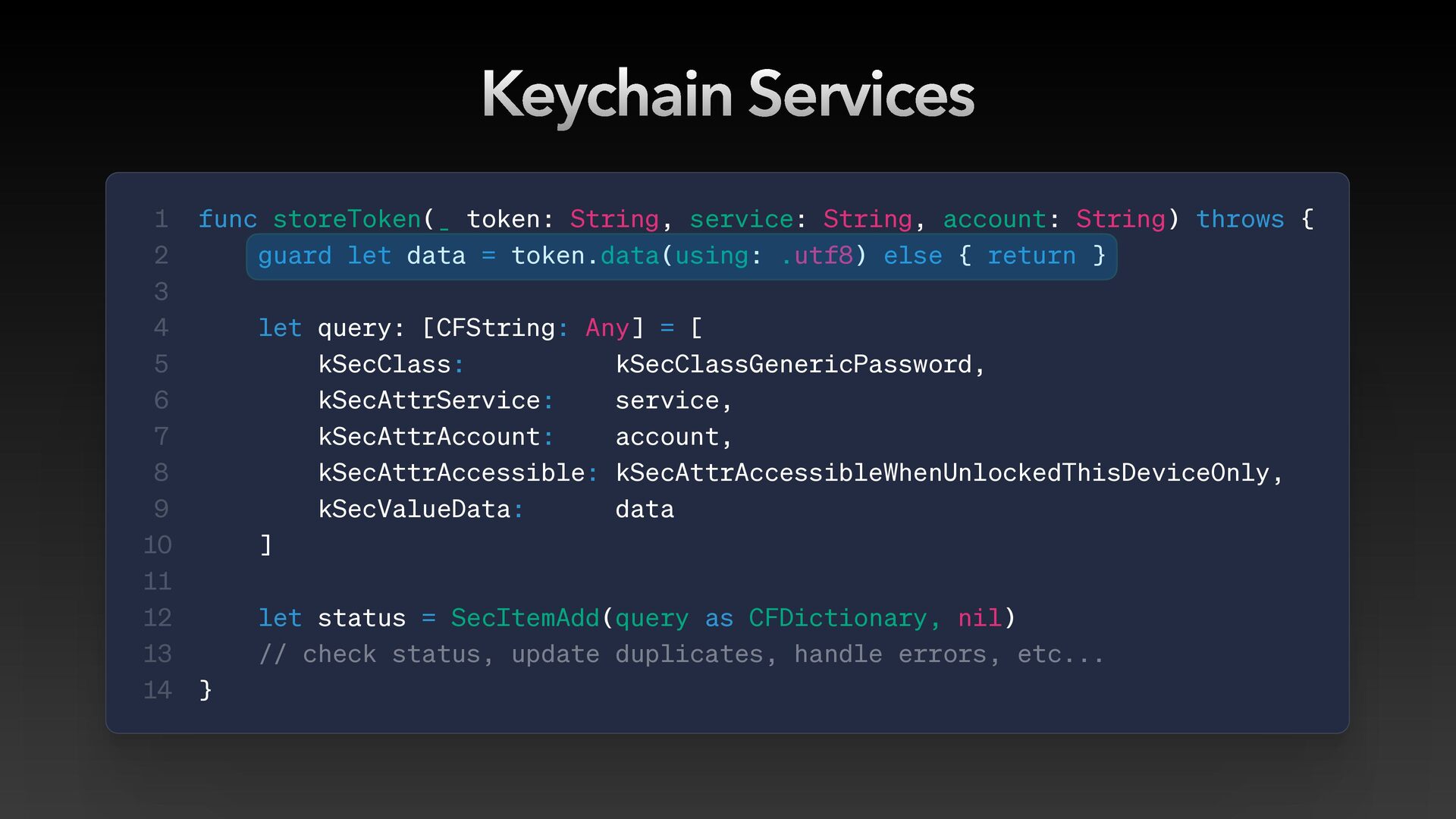
  8. Keychain Services 1 2 3 4 5 6 7 8

    9 10 11 12 13 14 func storeToken(_ token: String, service: String, account: String) throws { guard let data = token.data(using: .utf8) else { return } let query: [CFString: Any] = [ kSecClass: kSecClassGenericPassword, kSecAttrService: service, kSecAttrAccount: account, kSecAttrAccessible: kSecAttrAccessibleWhenUnlockedThisDeviceOnly, kSecValueData: data ] let status = SecItemAdd(query as CFDictionary, nil) // check status, update duplicates, handle errors, etc... }
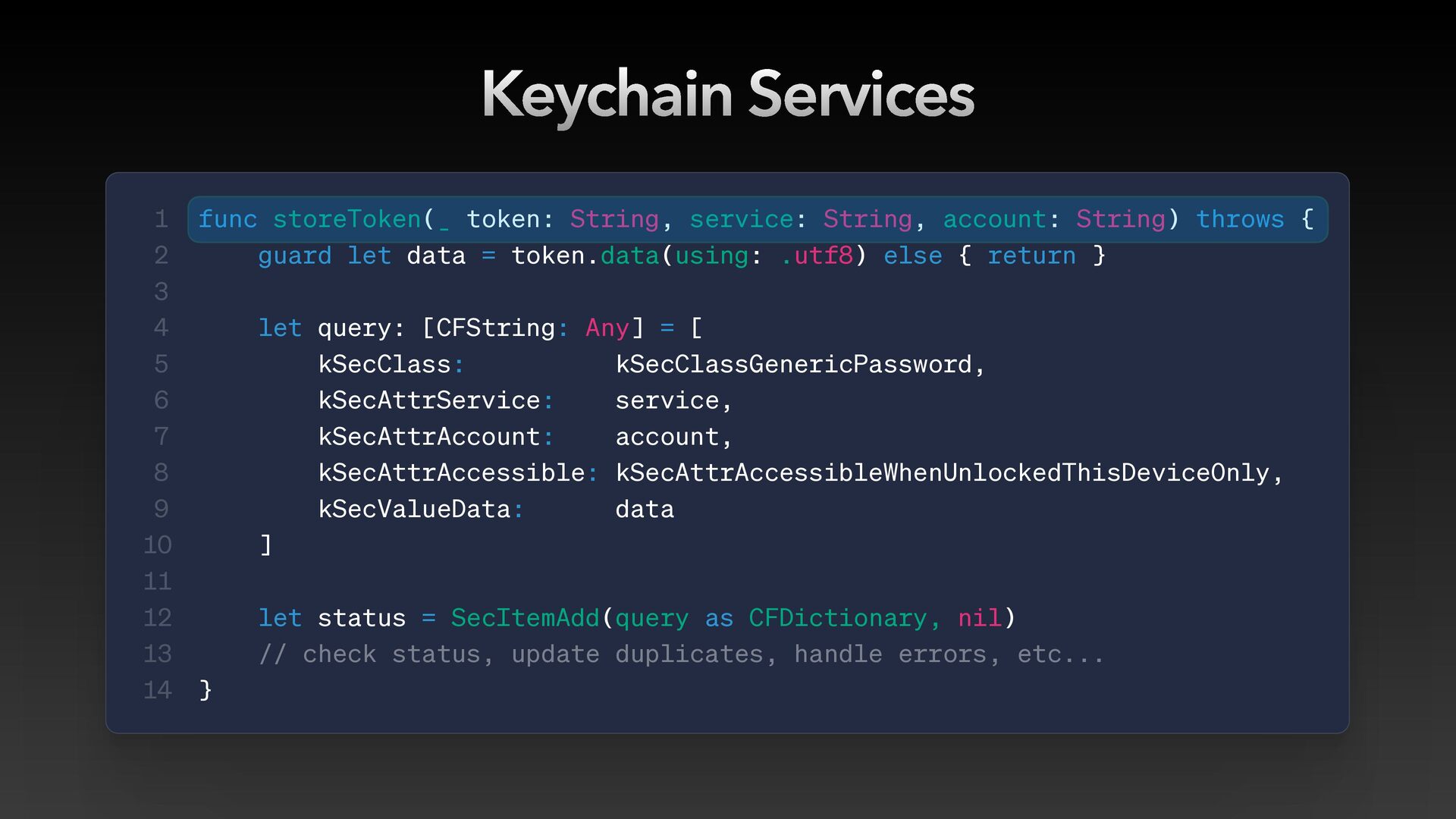
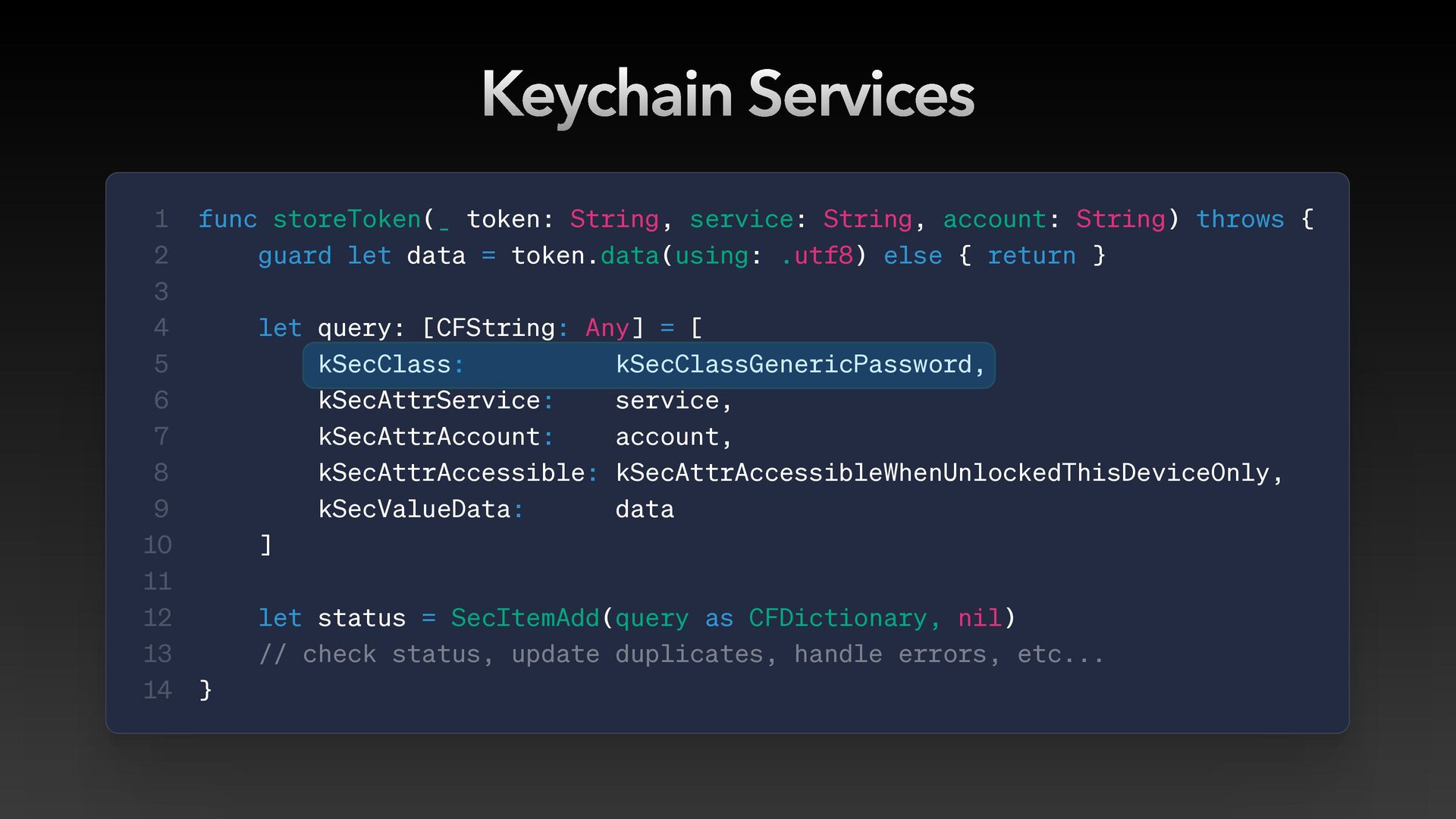
  9. Keychain Services 1 2 3 4 5 6 7 8

    9 10 11 12 13 14 func storeToken(_ token: String, service: String, account: String) throws { guard let data = token.data(using: .utf8) else { return } let query: [CFString: Any] = [ kSecClass: kSecClassGenericPassword, kSecAttrService: service, kSecAttrAccount: account, kSecAttrAccessible: kSecAttrAccessibleWhenUnlockedThisDeviceOnly, kSecValueData: data ] let status = SecItemAdd(query as CFDictionary, nil) // check status, update duplicates, handle errors, etc... }
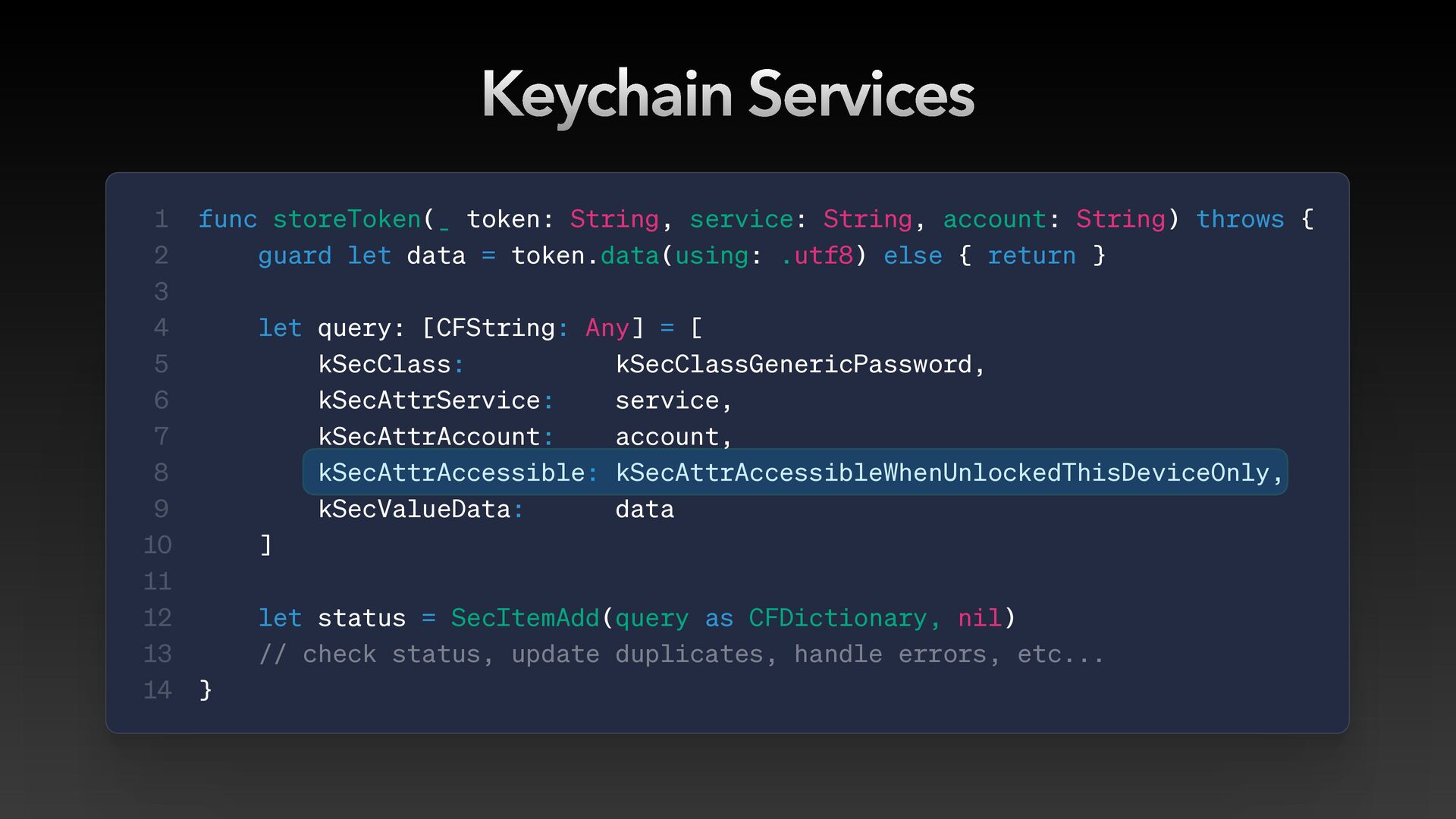
  10. Keychain Services 1 2 3 4 5 6 7 8

    9 10 11 12 13 14 func storeToken(_ token: String, service: String, account: String) throws { guard let data = token.data(using: .utf8) else { return } let query: [CFString: Any] = [ kSecClass: kSecClassGenericPassword, kSecAttrService: service, kSecAttrAccount: account, kSecAttrAccessible: kSecAttrAccessibleWhenUnlockedThisDeviceOnly, kSecValueData: data ] let status = SecItemAdd(query as CFDictionary, nil) // check status, update duplicates, handle errors, etc... }
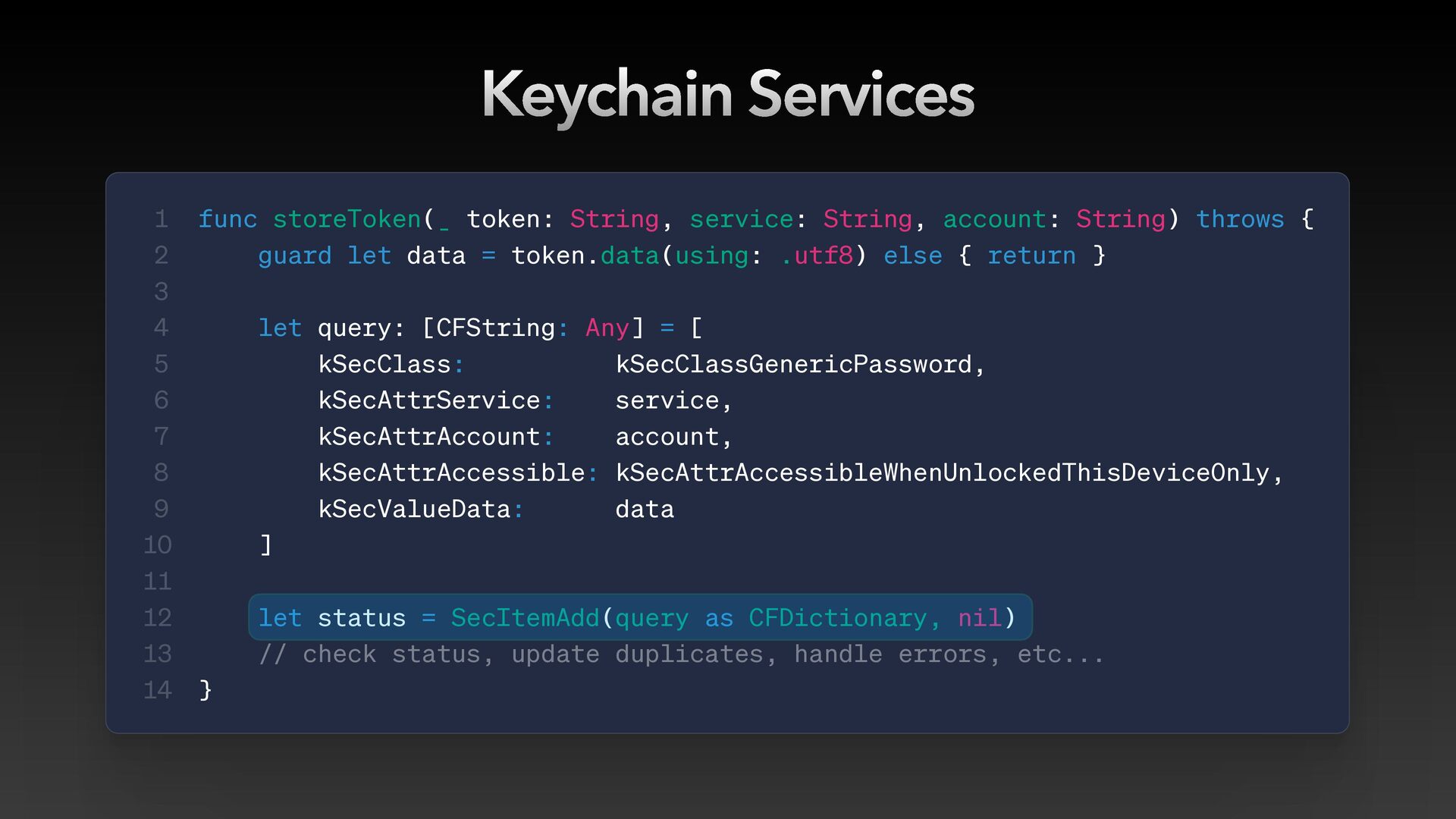
  11. Keychain Services 1 2 3 4 5 6 7 8

    9 10 11 12 13 14 func storeToken(_ token: String, service: String, account: String) throws { guard let data = token.data(using: .utf8) else { return } let query: [CFString: Any] = [ kSecClass: kSecClassGenericPassword, kSecAttrService: service, kSecAttrAccount: account, kSecAttrAccessible: kSecAttrAccessibleWhenUnlockedThisDeviceOnly, kSecValueData: data ] let status = SecItemAdd(query as CFDictionary, nil) // check status, update duplicates, handle errors, etc... }
  12. Keychain Services 1 2 3 4 5 6 7 8

    9 10 11 12 13 14 func storeToken(_ token: String, service: String, account: String) throws { guard let data = token.data(using: .utf8) else { return } let query: [CFString: Any] = [ kSecClass: kSecClassGenericPassword, kSecAttrService: service, kSecAttrAccount: account, kSecAttrAccessible: kSecAttrAccessibleWhenUnlockedThisDeviceOnly, kSecValueData: data ] let status = SecItemAdd(query as CFDictionary, nil) // check status, update duplicates, handle errors, etc... }
  13. Keychain Services 1 2 3 4 5 6 7 8

    9 10 11 12 13 14 func storeToken(_ token: String, service: String, account: String) throws { guard let data = token.data(using: .utf8) else { return } let query: [CFString: Any] = [ kSecClass: kSecClassGenericPassword, kSecAttrService: service, kSecAttrAccount: account, kSecAttrAccessible: kSecAttrAccessibleWhenUnlockedThisDeviceOnly, kSecValueData: data ] let status = SecItemAdd(query as CFDictionary, nil) // check status, update duplicates, handle errors, etc... }
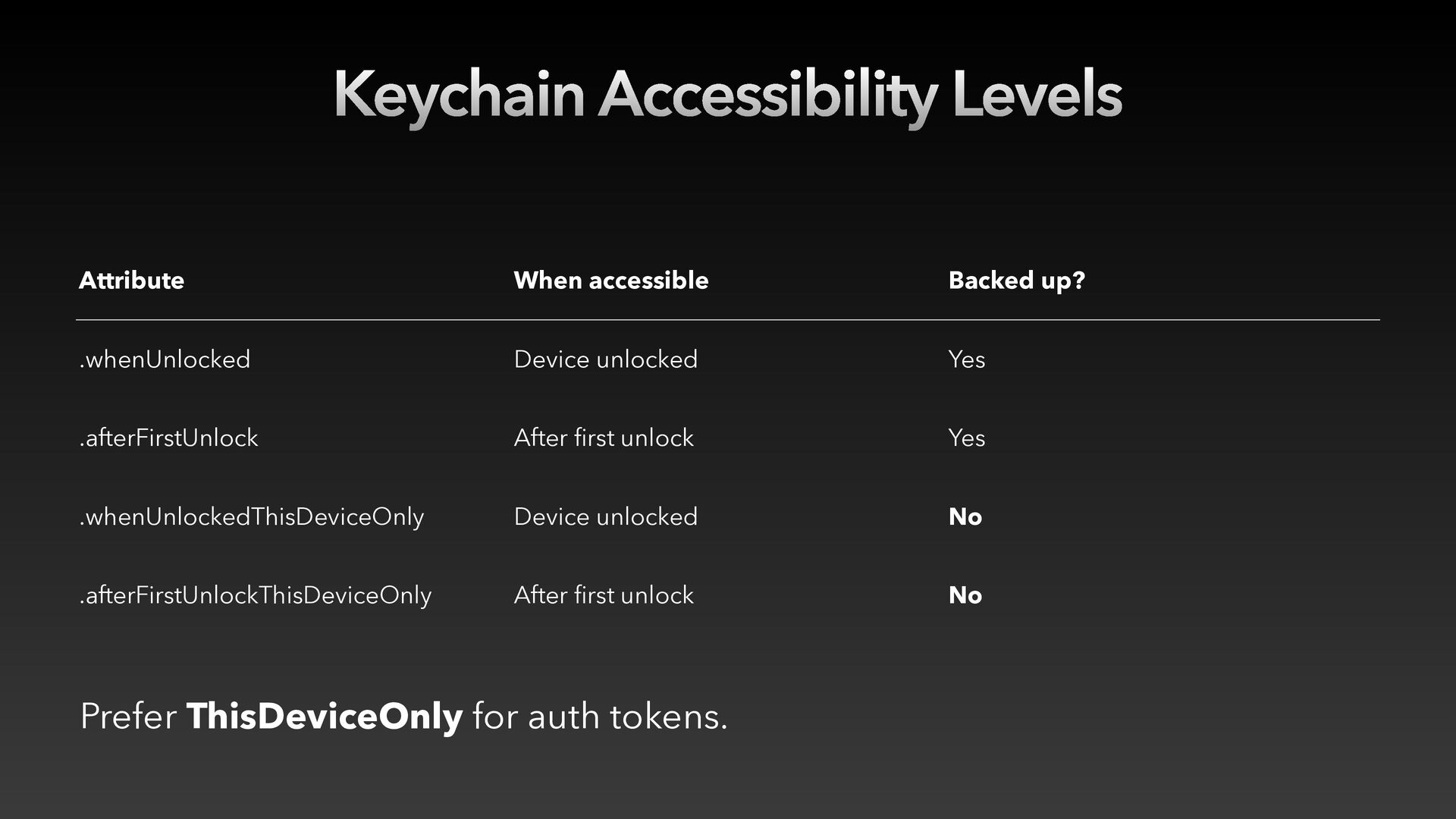
  14. Keychain Accessibility Levels Attribute When accessible Backed up? .whenUnlocked Device

    unlocked Yes .afterFirstUnlock After rst unlock Yes .whenUnlockedThisDeviceOnly Device unlocked No .afterFirstUnlockThisDeviceOnly After rst unlock No fi fi Prefer ThisDeviceOnly for auth tokens.
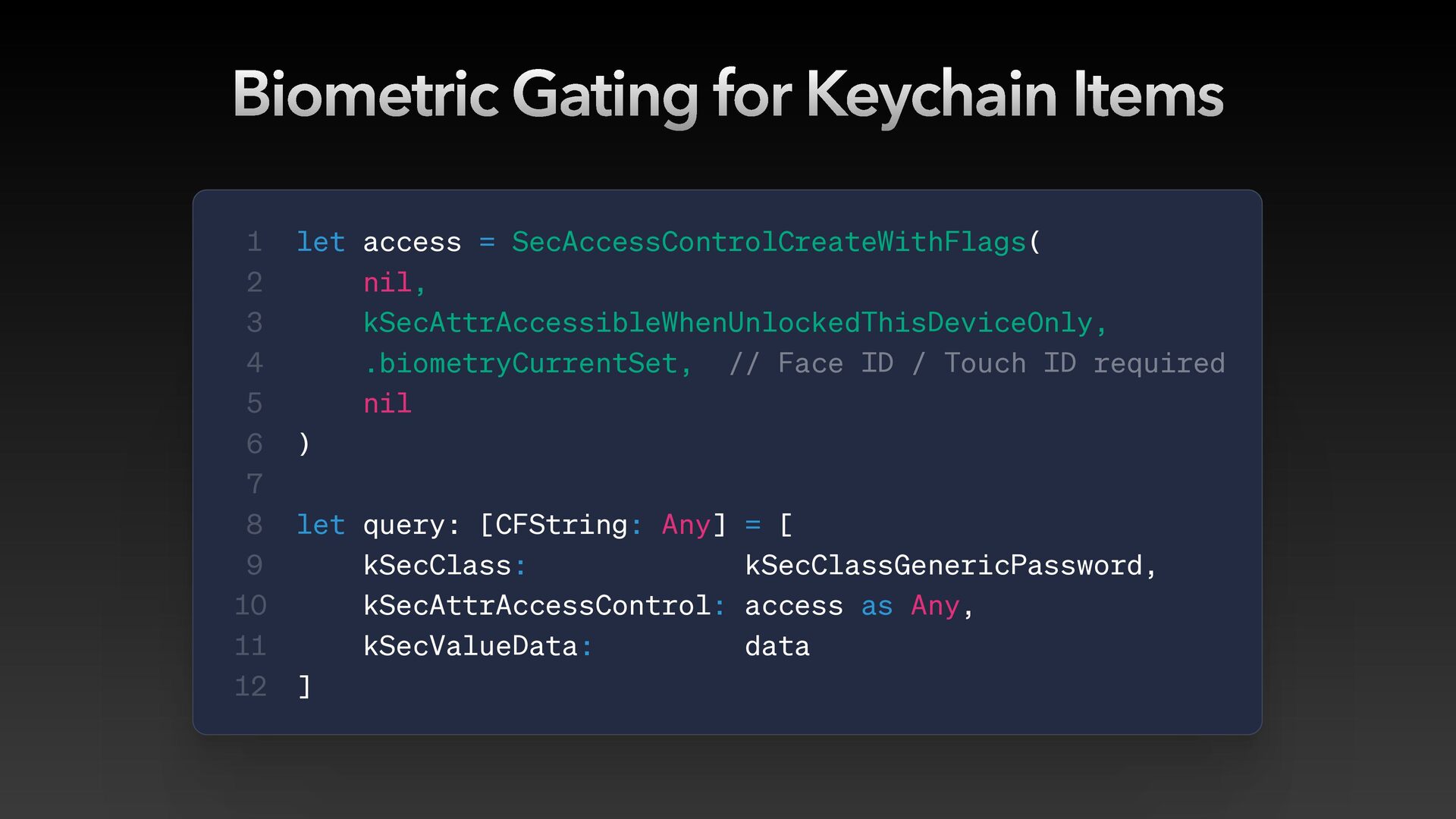
  15. Biometric Gating for Keychain Items 1 2 3 4 5

    6 7 8 9 10 11 12 let access = SecAccessControlCreateWithFlags( nil, kSecAttrAccessibleWhenUnlockedThisDeviceOnly, .biometryCurrentSet, // Face ID / Touch ID required nil ) let query: [CFString: Any] = [ kSecClass: kSecClassGenericPassword, kSecAttrAccessControl: access as Any, kSecValueData: data ]
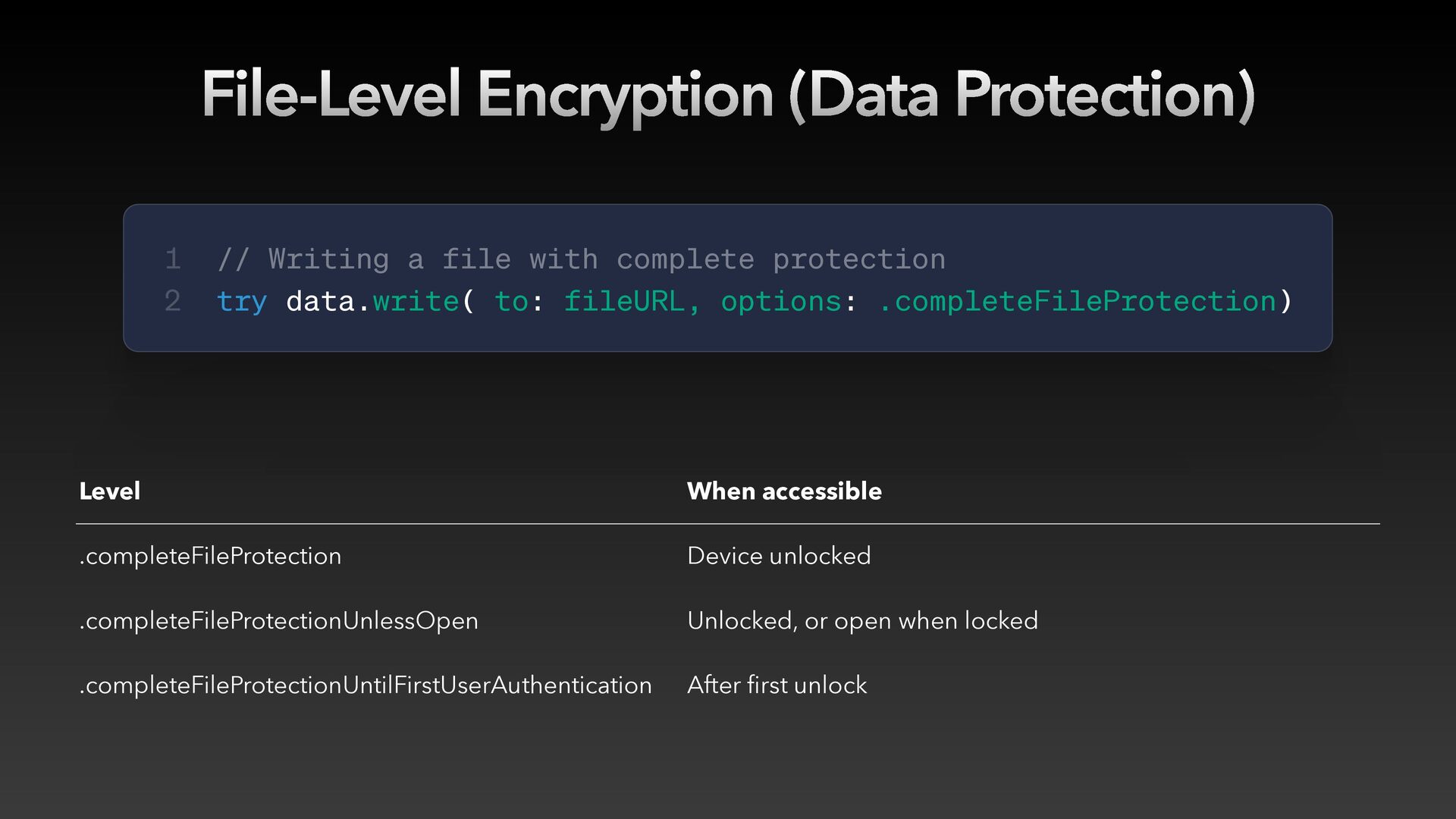
  16. File-Level Encryption (Data Protection) fi 1 2 // Writing a

    file with complete protection try data.write( to: fileURL, options: .completeFileProtection) Level When accessible .completeFileProtection Device unlocked .completeFileProtectionUnlessOpen Unlocked, or open when locked .completeFileProtectionUntilFirstUserAuthentication After rst unlock
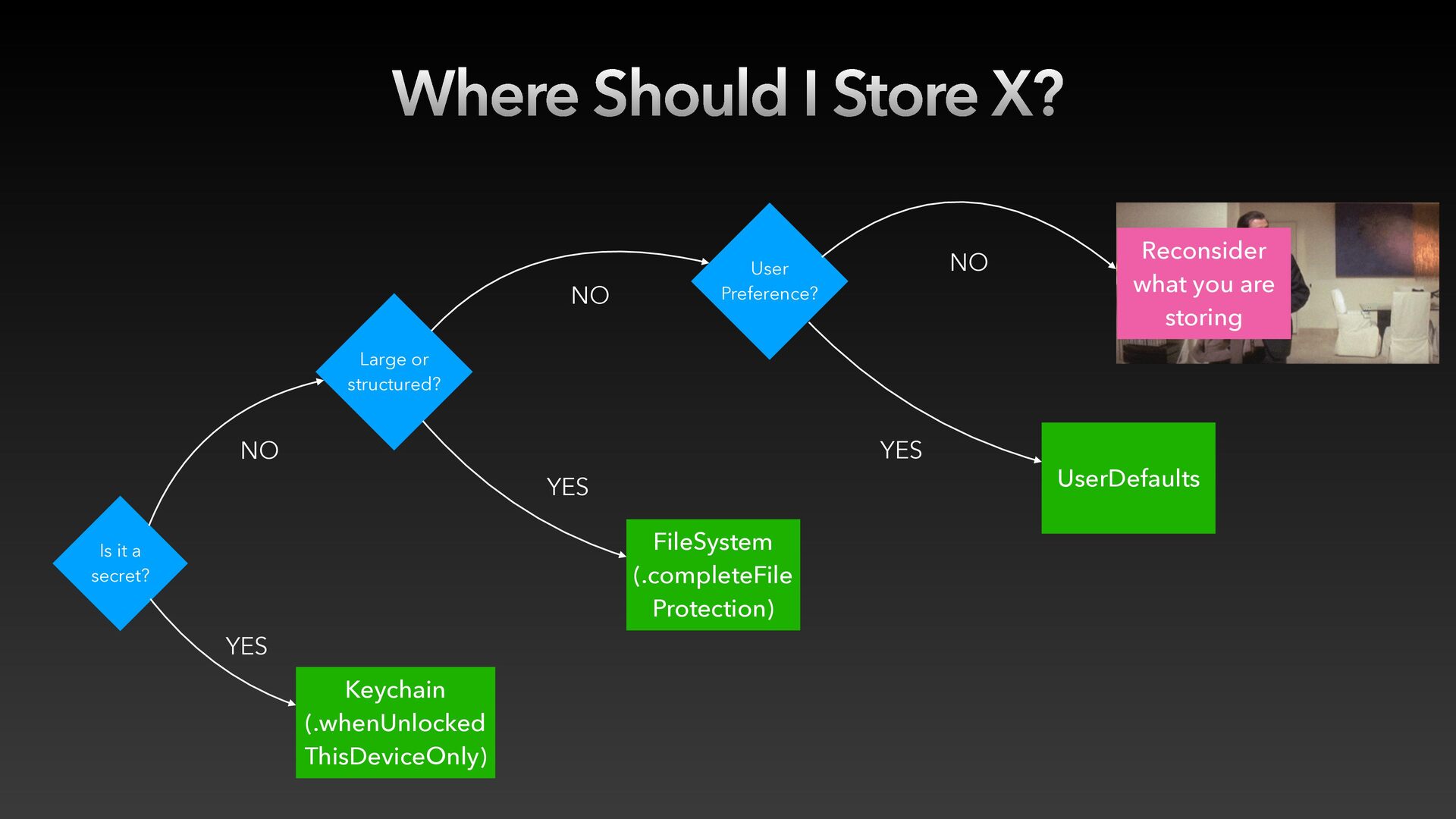
  17. Where Should I Store X? NO NO User Preference? Reconsider

    what you are storing Large or structured? YES NO YES FileSystem (.completeFile Protection) Is it a secret? YES Keychain (.whenUnlocked ThisDeviceOnly) UserDefaults
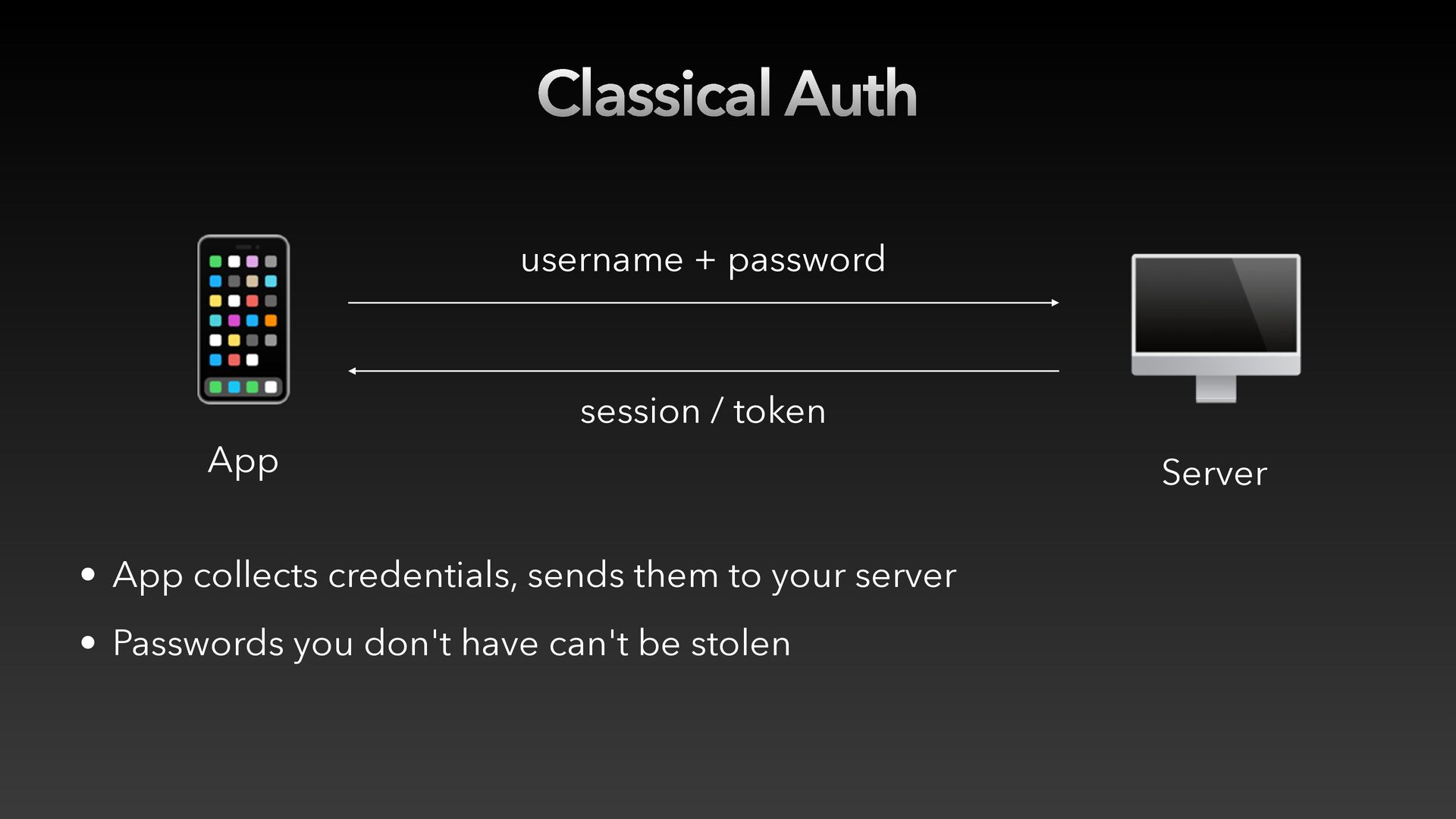
  18. Classical Auth 📱 App username + password session / token

    • App collects credentials, sends them to your server • Passwords you don't have can't be stolen 🖥 Server
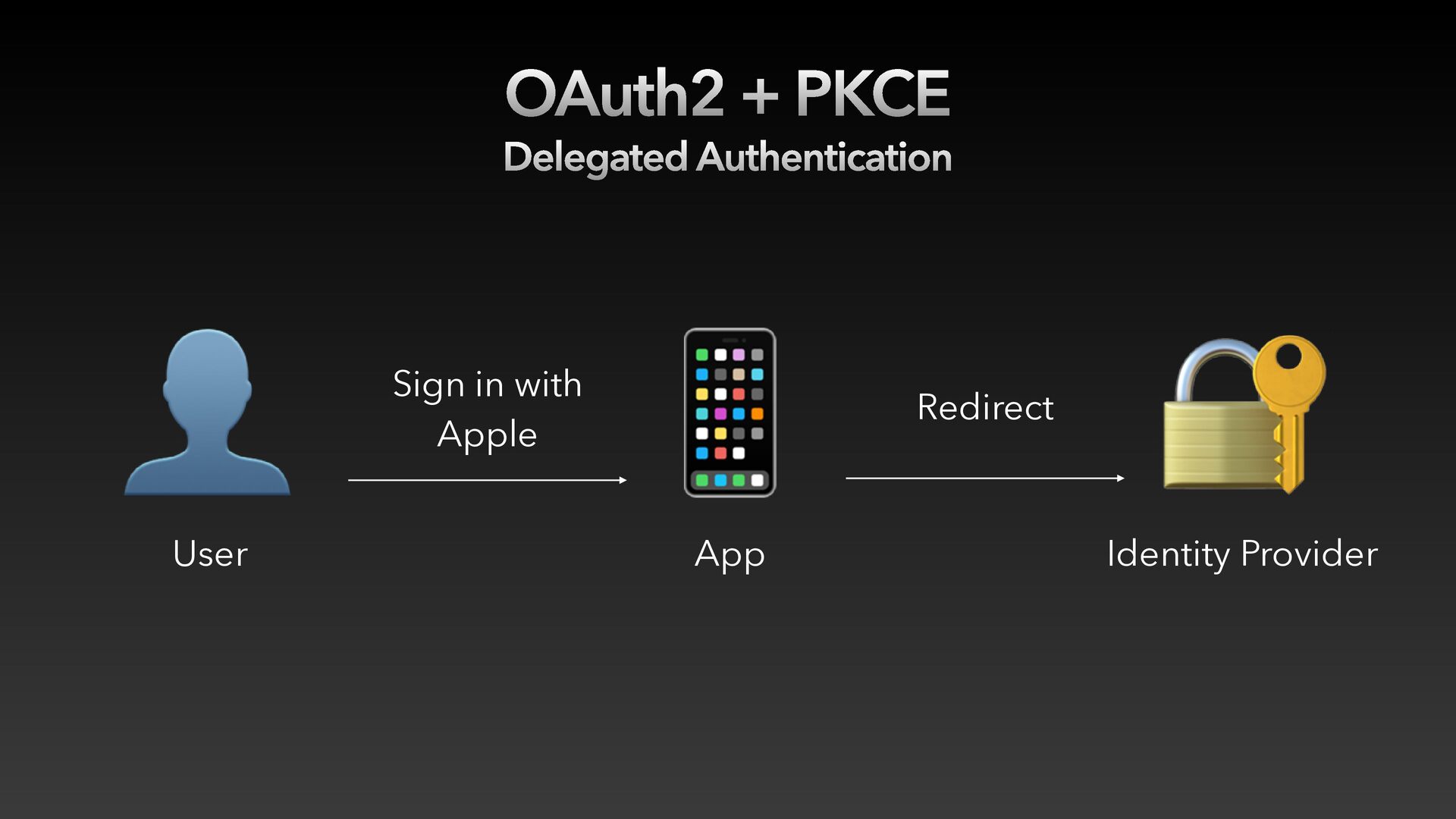
  19. OAuth2 + PKCE Delegated Authentication 👤 User Sign in with

    Apple 📱 App Redirect 🔐 Identity Provider
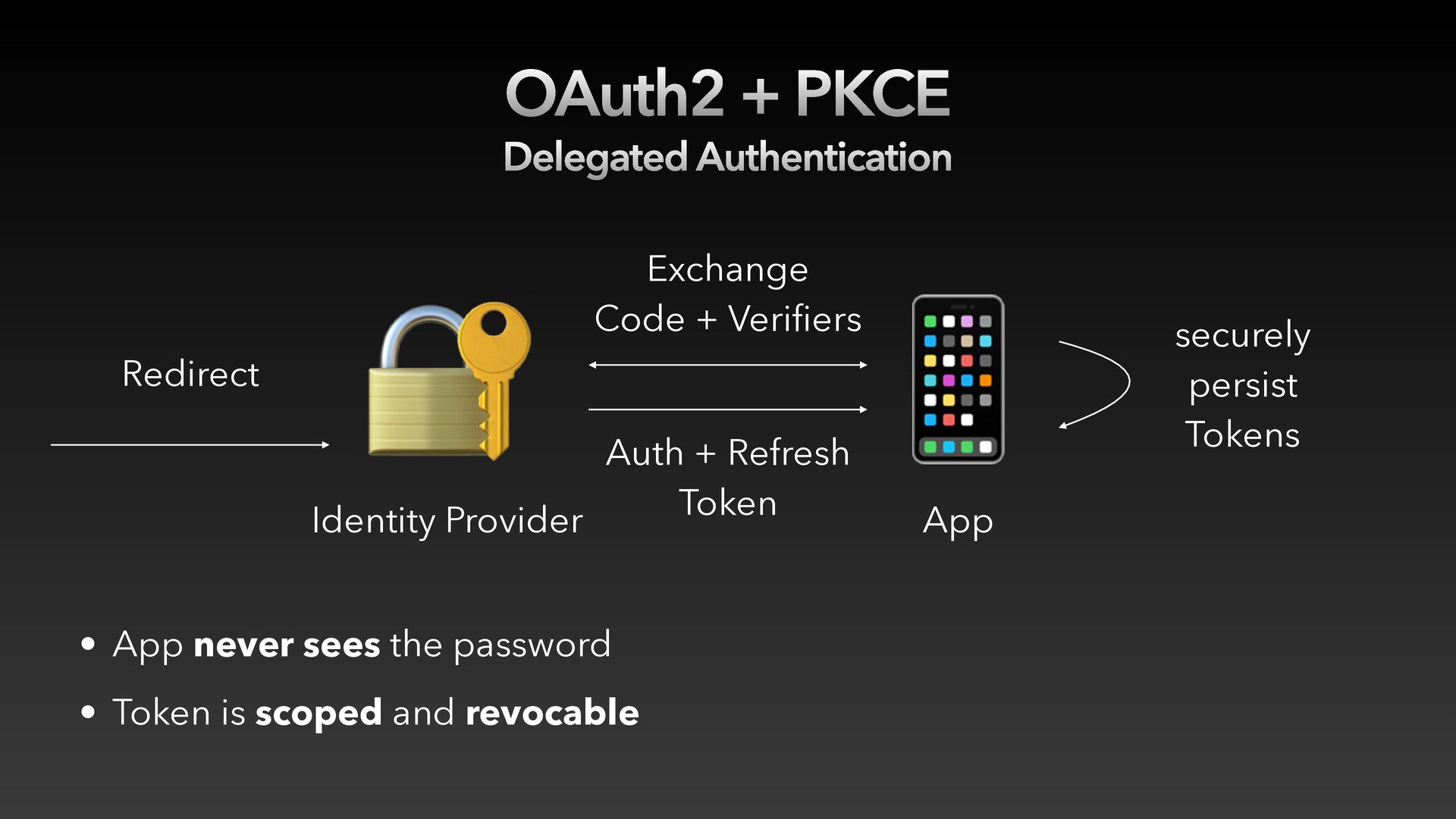
  20. 📱 OAuth2 + PKCE Delegated Authentication Redirect 🔐 Exchange Code

    + Verifiers Auth + Refresh Token Identity Provider • App never sees the password • Token is scoped and revocable 📱 App securely persist Tokens
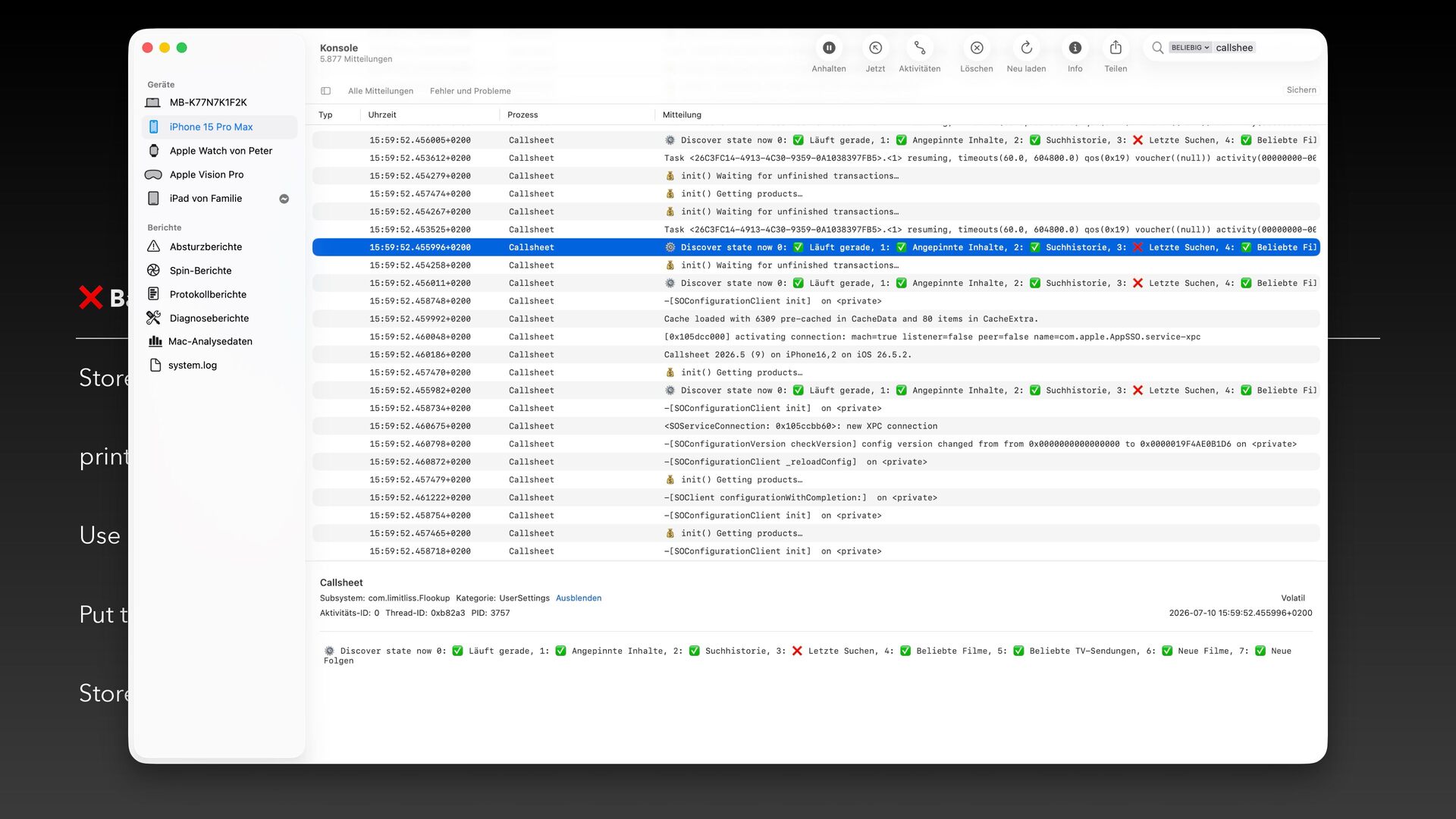
  21. How Tokens Get Stolen ❌ Bad practice ⚠ Why it’s

    dangerous Store tokens in UserDefaults Included in device backups print(authToken) Exposed in Console.app, log stream, and sysdiagnose Use long-lived tokens One compromise = months of access Put tokens in URL query parameters Captured by server logs Store in a non-ThisDeviceOnly Keychain Recoverable from encrypted backups
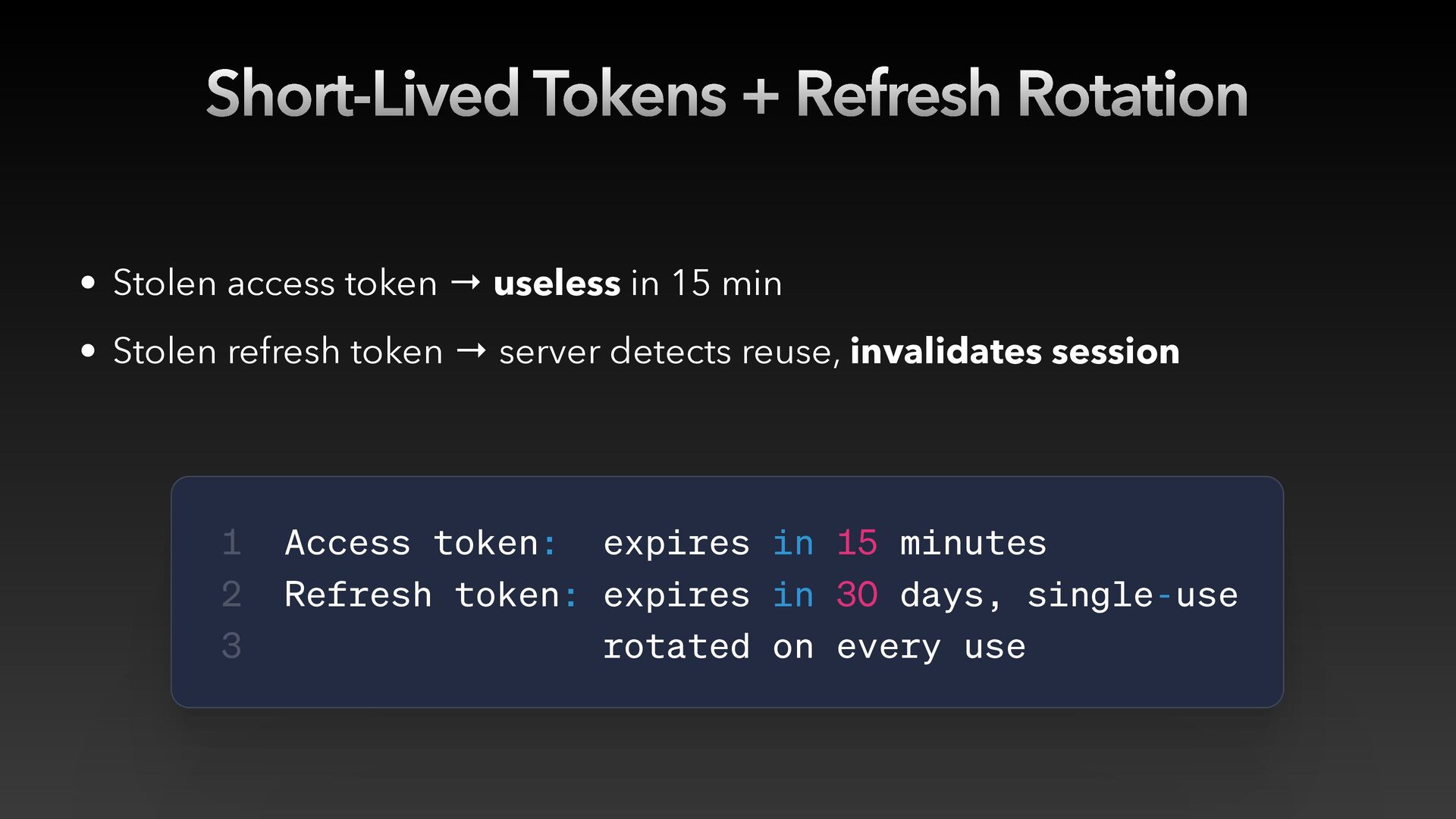
  22. Short-Lived Tokens + Refresh Rotation • Stolen access token →

    useless in 15 min • Stolen refresh token → server detects reuse, invalidates session 1 2 3 Access token: expires in 15 minutes Refresh token: expires in 30 days, single-use rotated on every use
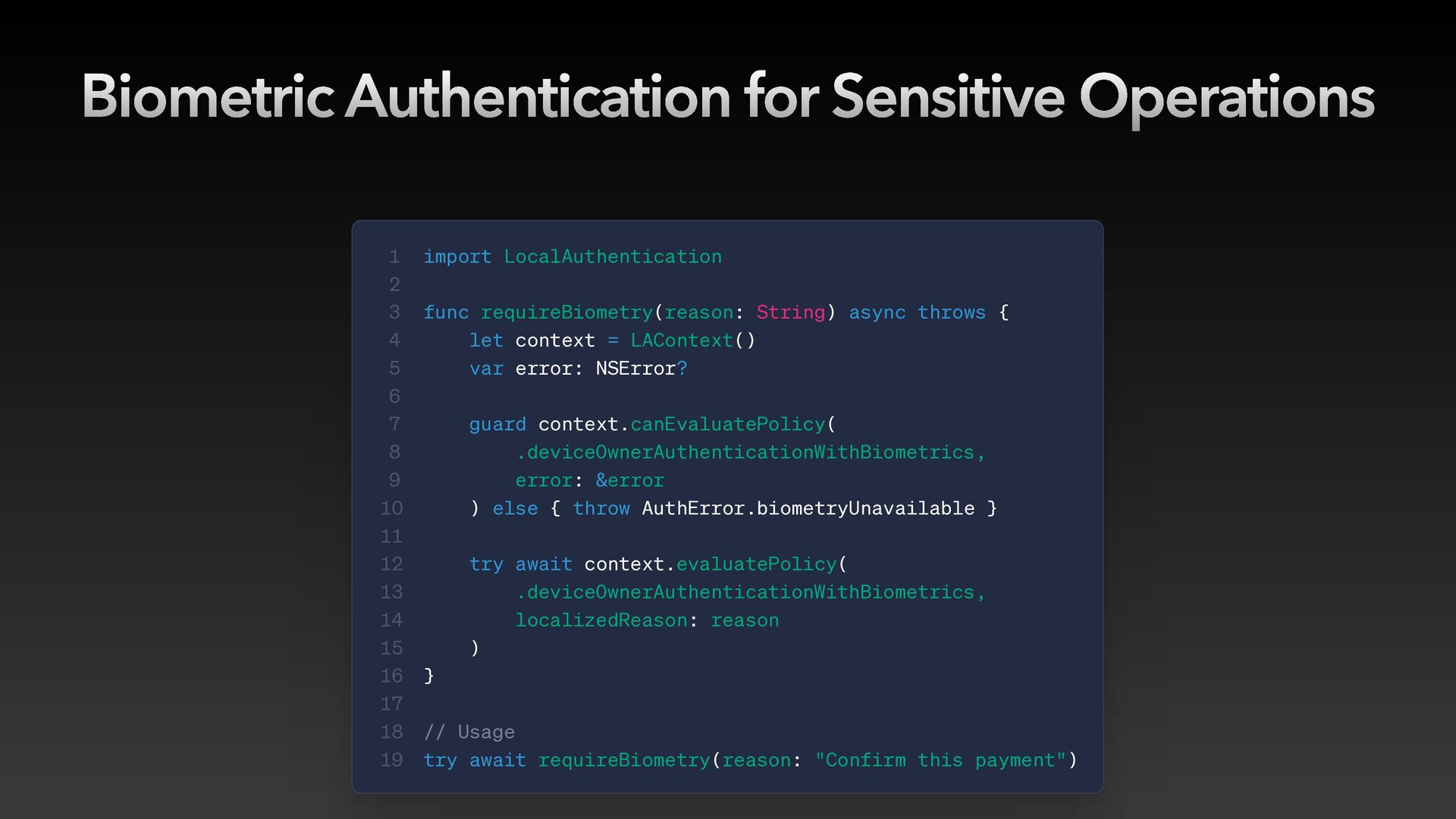
  23. Biometric Authentication for Sensitive Operations 1 2 3 4 5

    6 7 8 9 10 11 12 13 14 15 16 17 18 19 import LocalAuthentication func requireBiometry(reason: String) async throws { let context = LAContext() var error: NSError? guard context.canEvaluatePolicy( .deviceOwnerAuthenticationWithBiometrics, error: &error ) else { throw AuthError.biometryUnavailable } try await context.evaluatePolicy( .deviceOwnerAuthenticationWithBiometrics, localizedReason: reason ) } // Usage try await requireBiometry(reason: "Confirm this payment")
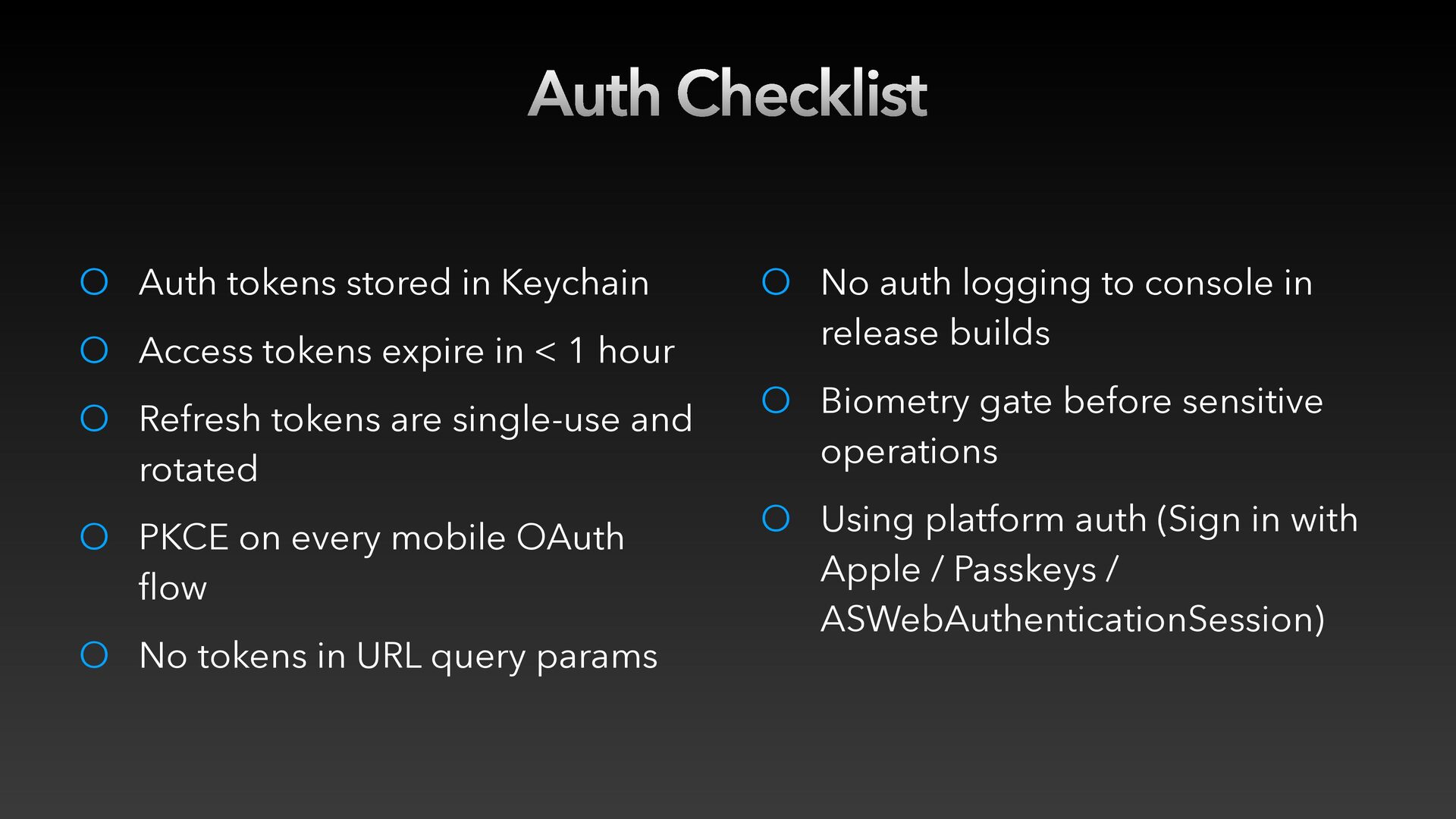
  24. Auth Checklist O Auth tokens stored in Keychain O Access

    tokens expire in < 1 hour O No auth logging to console in release builds O Refresh tokens are single-use and rotated O Biometry gate before sensitive operations O PKCE on every mobile OAuth flow O Using platform auth (Sign in with Apple / Passkeys / ASWebAuthenticationSession) O No tokens in URL query params
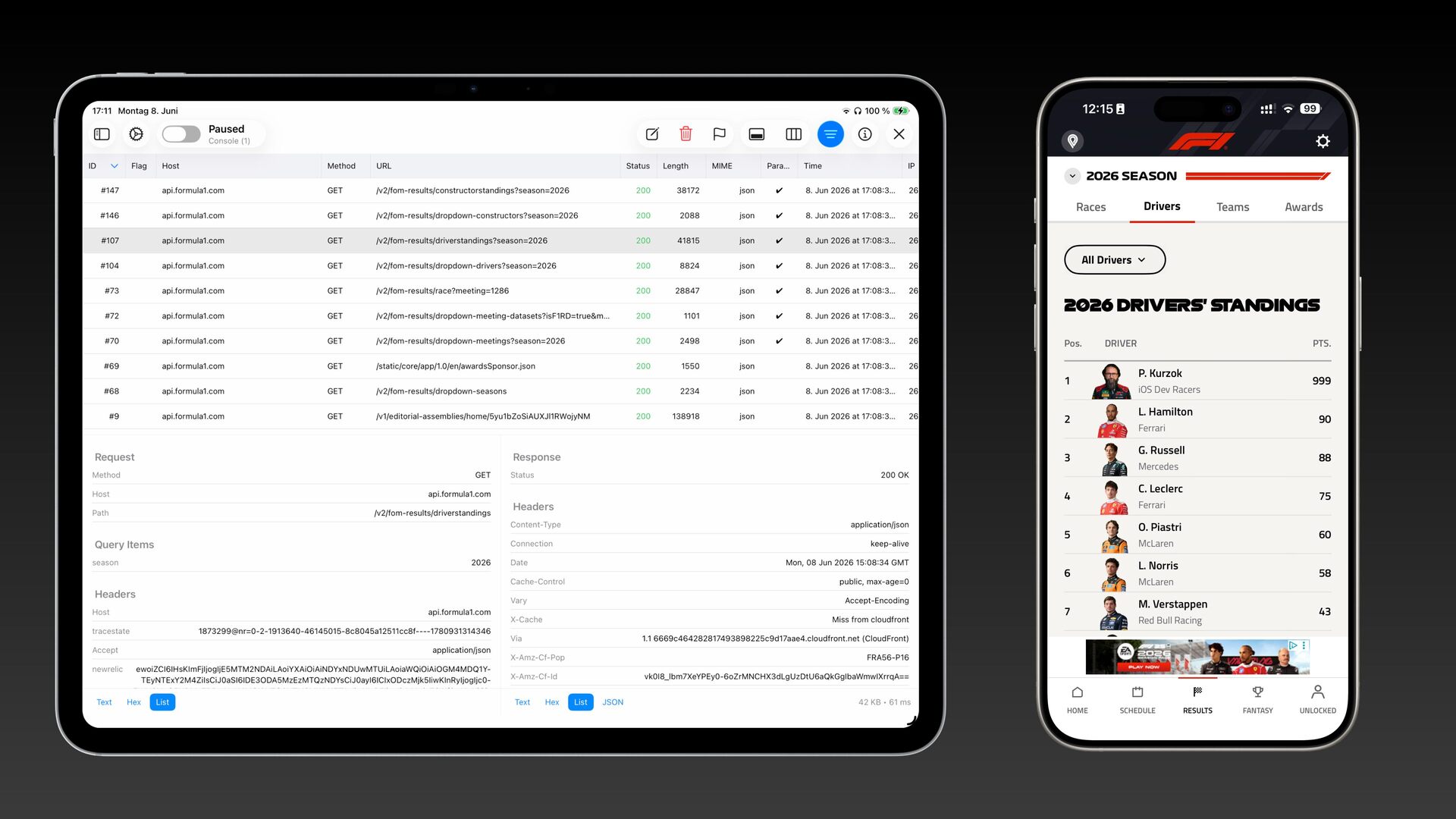
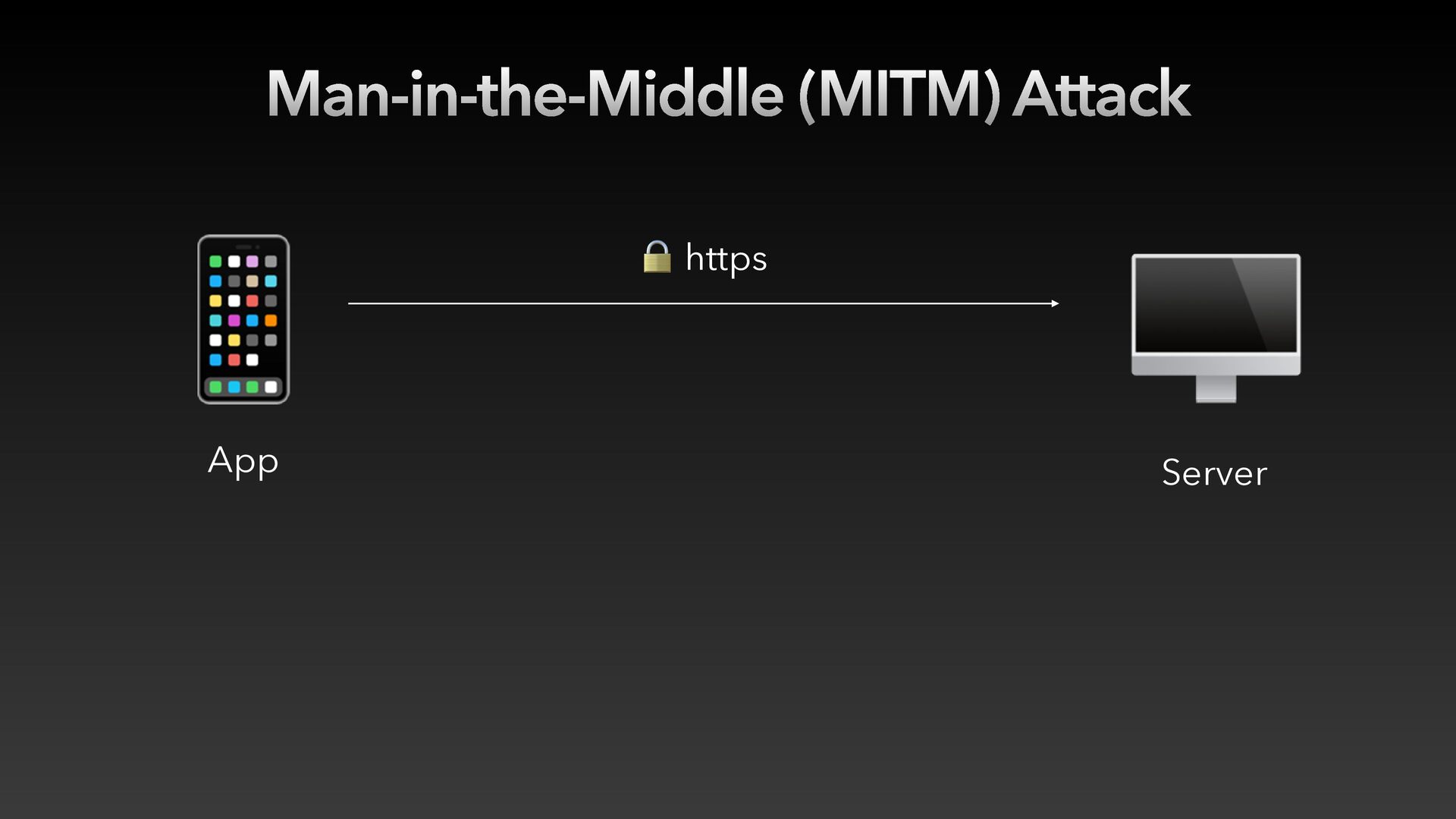
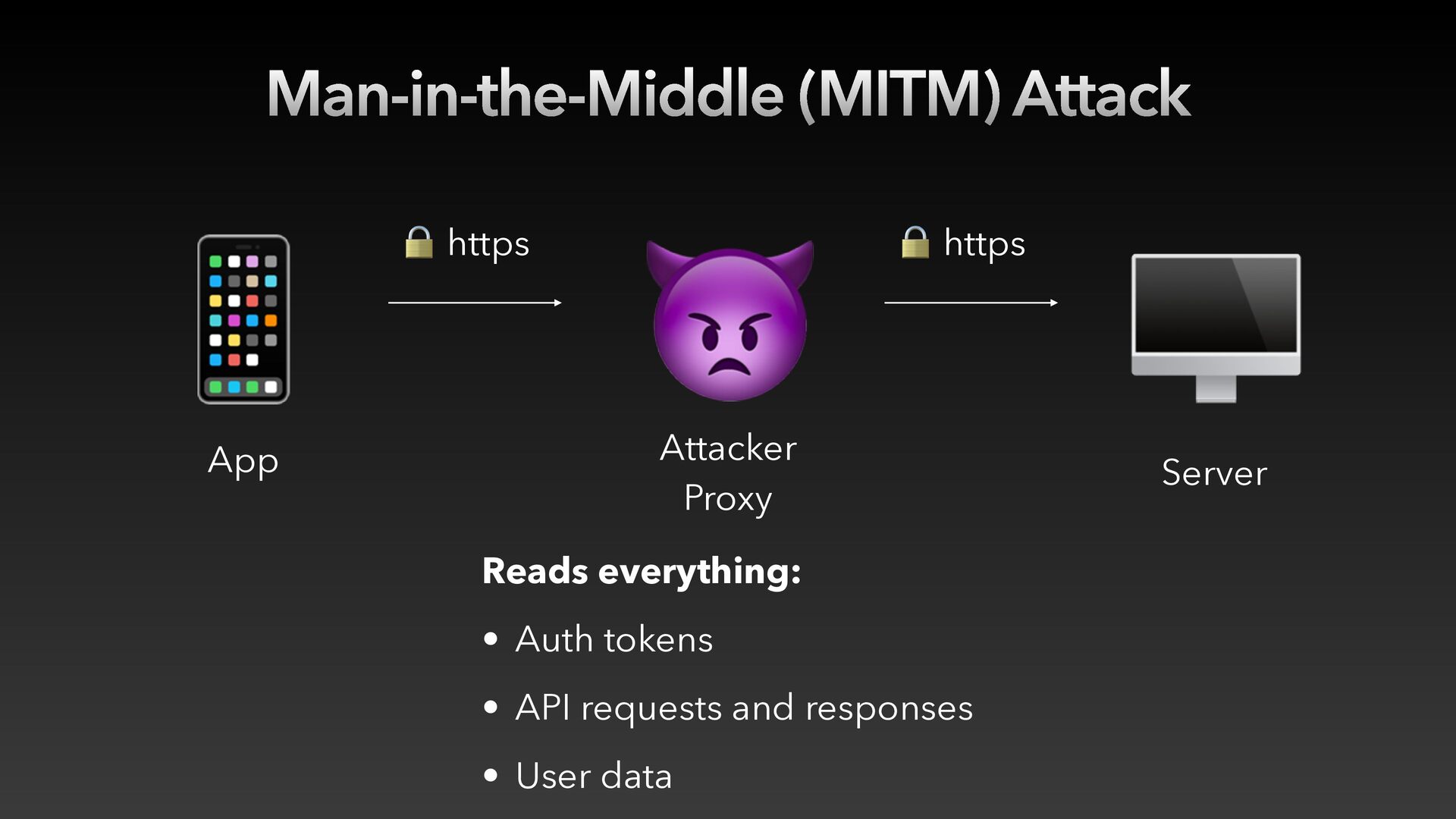
  25. Man-in-the-Middle (MITM) Attack 📱 App 🔒 https 👿 🔒 https

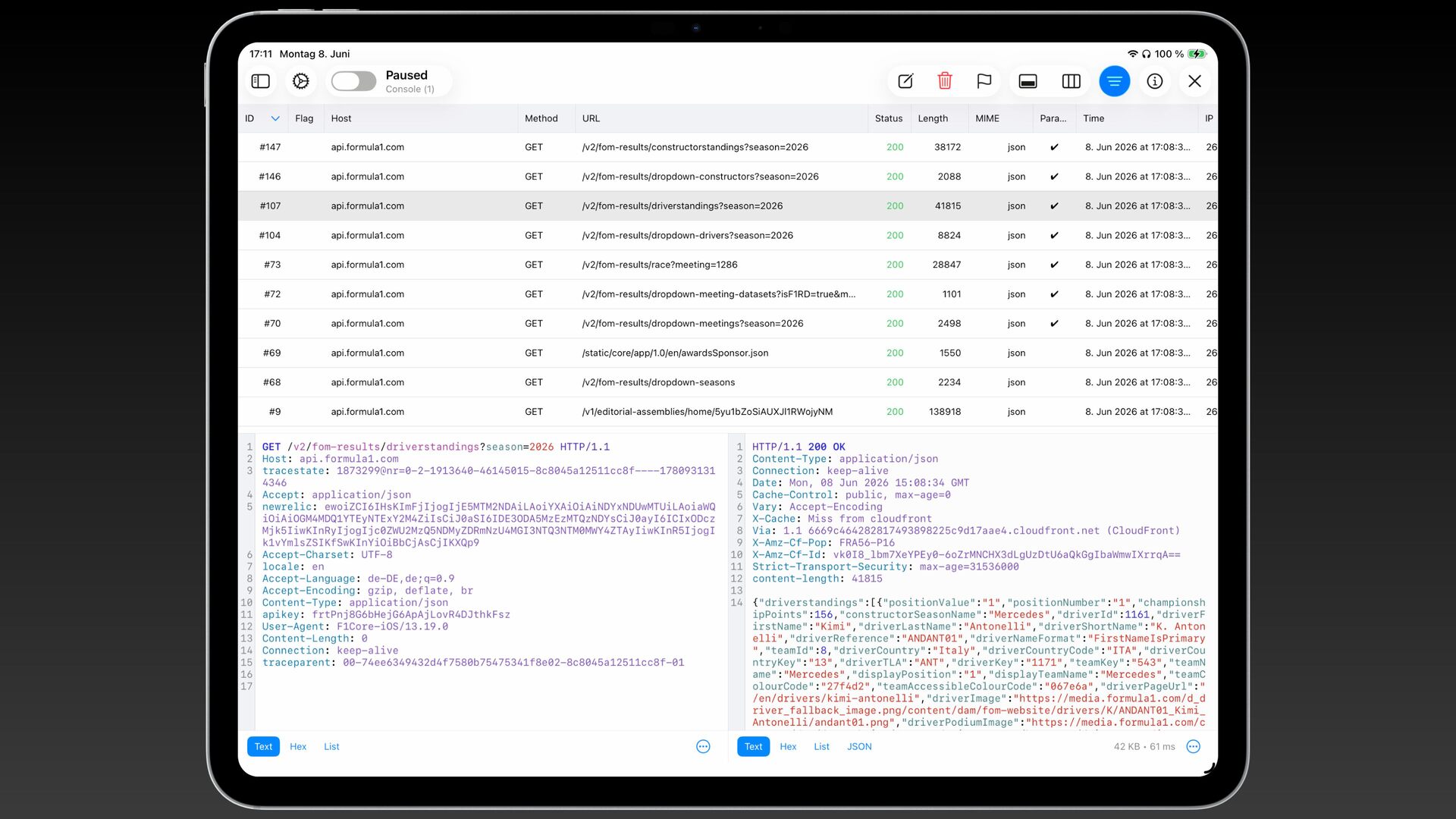
    Attacker Proxy Reads everything: • Auth tokens • API requests and responses • User data 🖥 Server
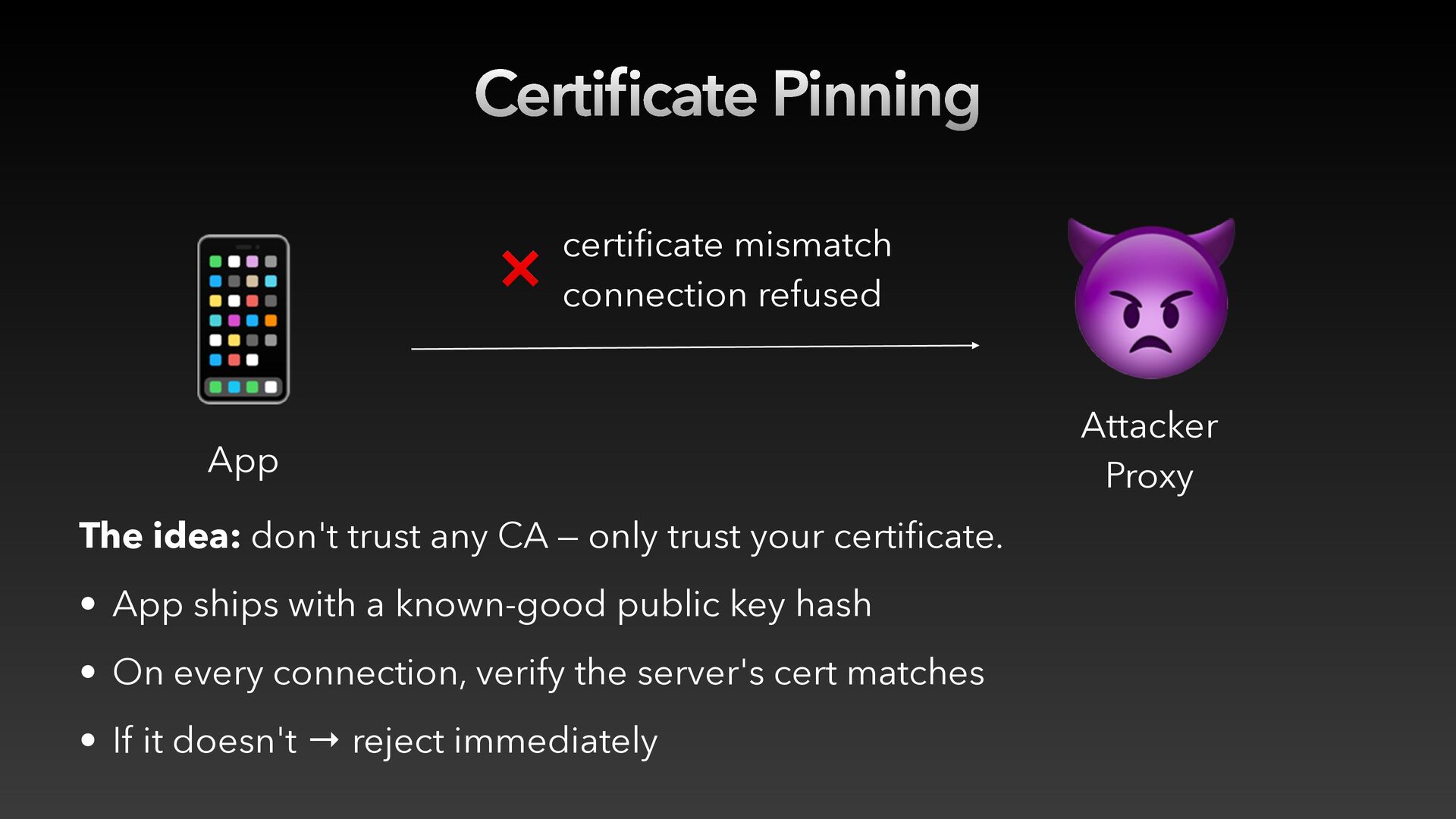
  26. Certi cate Pinning 📱 certificate mismatch ❌ connection refused App

    The idea: don't trust any CA — only trust your certificate. • App ships with a known-good public key hash • On every connection, verify the server's cert matches fi • If it doesn't → reject immediately 👿 Attacker Proxy
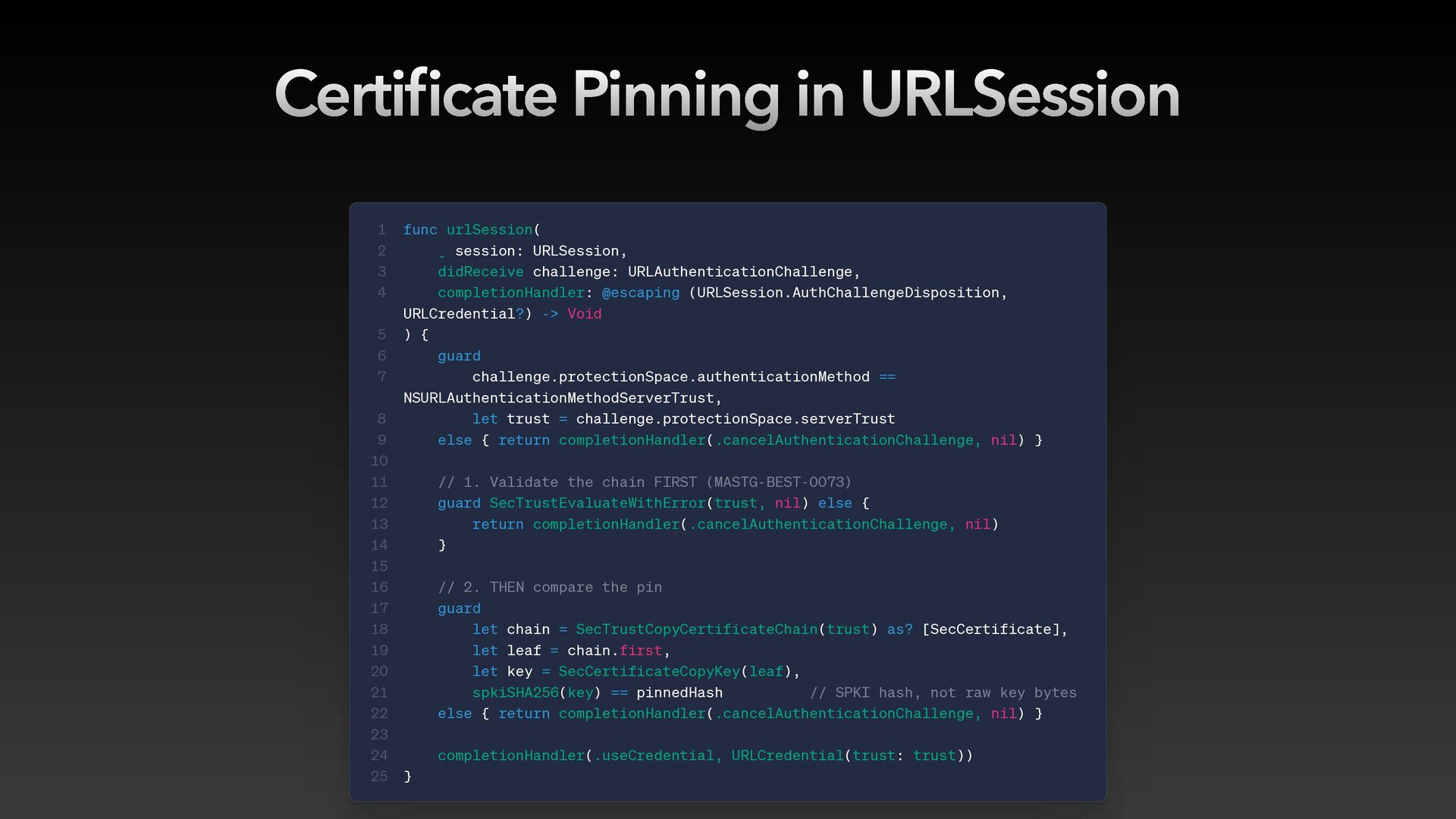
  27. Certi cate Pinning in URLSession 1 2 3 4 5

    6 7 fi 8 9 10 11 12 13 14 15 16 17 18 19 20 21 22 23 24 25 func urlSession( _ session: URLSession, didReceive challenge: URLAuthenticationChallenge, completionHandler: @escaping (URLSession.AuthChallengeDisposition, URLCredential?) -> Void ) { guard challenge.protectionSpace.authenticationMethod == NSURLAuthenticationMethodServerTrust, let trust = challenge.protectionSpace.serverTrust else { return completionHandler(.cancelAuthenticationChallenge, nil) } // 1. Validate the chain FIRST (MASTG-BEST-0073) guard SecTrustEvaluateWithError(trust, nil) else { return completionHandler(.cancelAuthenticationChallenge, nil) } // 2. THEN compare the pin guard let chain = SecTrustCopyCertificateChain(trust) as? [SecCertificate], let leaf = chain.first, let key = SecCertificateCopyKey(leaf), spkiSHA256(key) == pinnedHash // SPKI hash, not raw key bytes else { return completionHandler(.cancelAuthenticationChallenge, nil) } completionHandler(.useCredential, URLCredential(trust: trust)) }
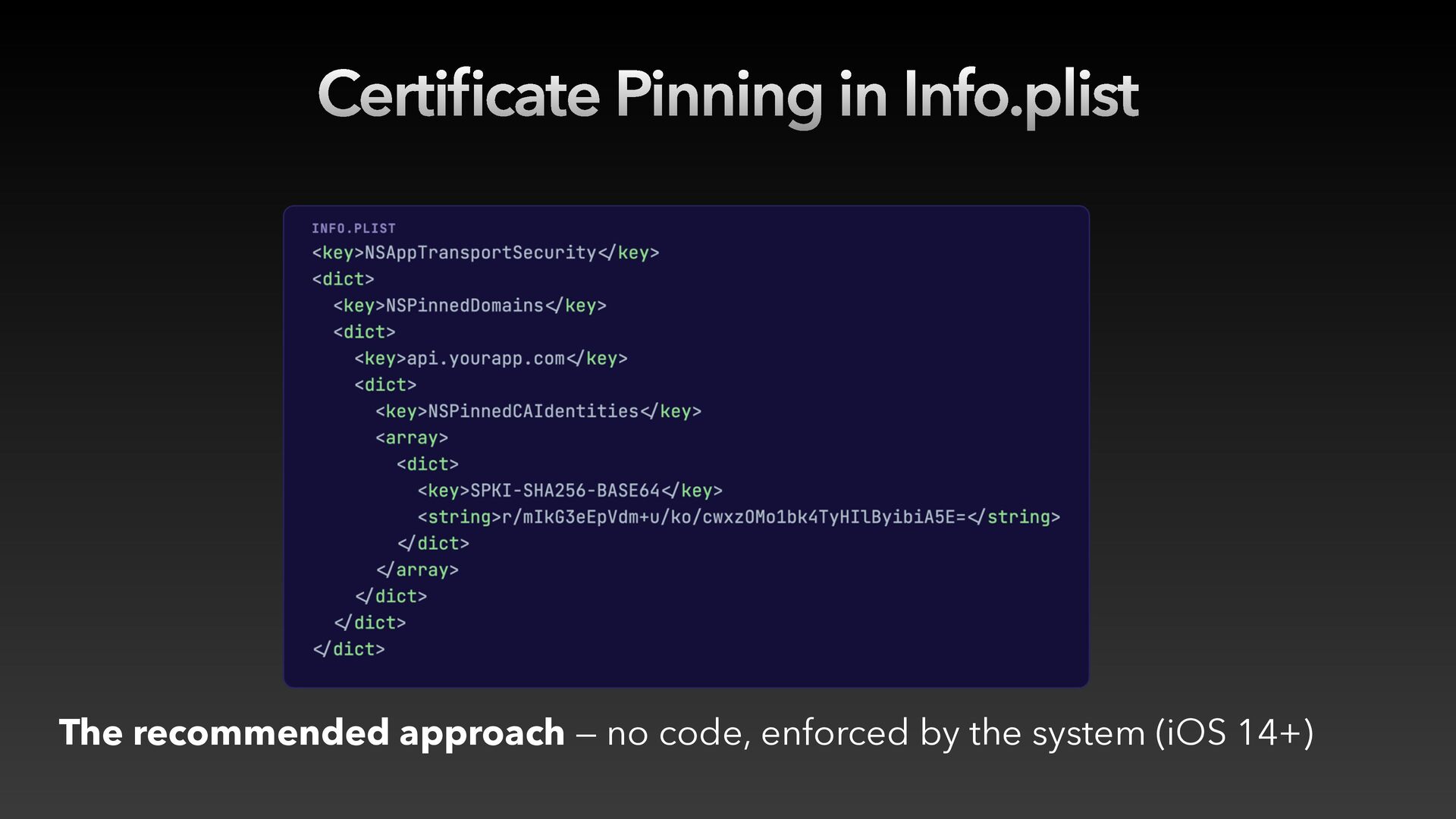
  28. Certi cate Pinning in Info.plist fi The recommended approach —

    no code, enforced by the system (iOS 14+)
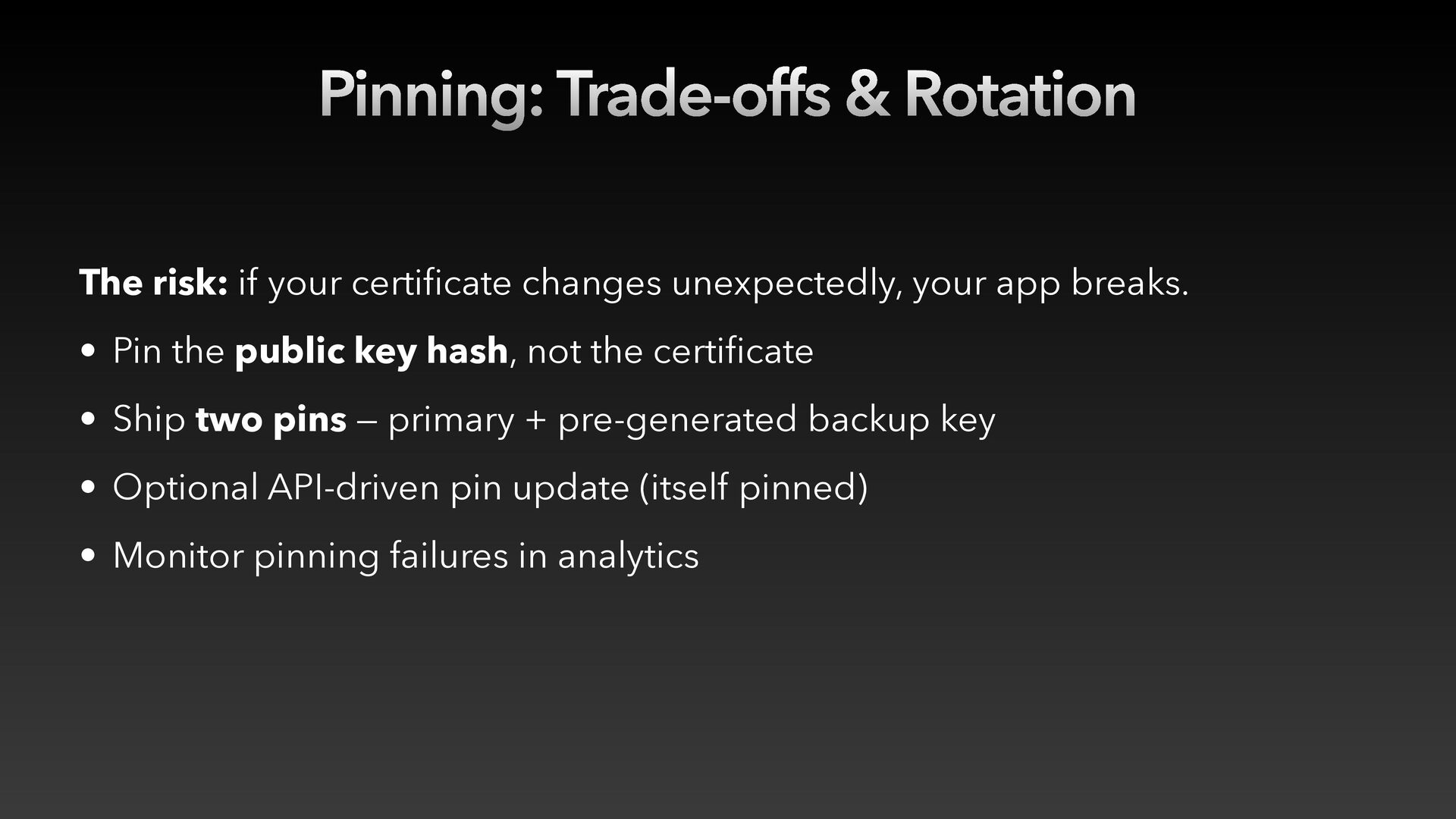
  29. Pinning: Trade-offs & Rotation The risk: if your certificate changes

    unexpectedly, your app breaks. • Pin the public key hash, not the certificate • Ship two pins — primary + pre-generated backup key • Optional API-driven pin update (itself pinned) • Monitor pinning failures in analytics
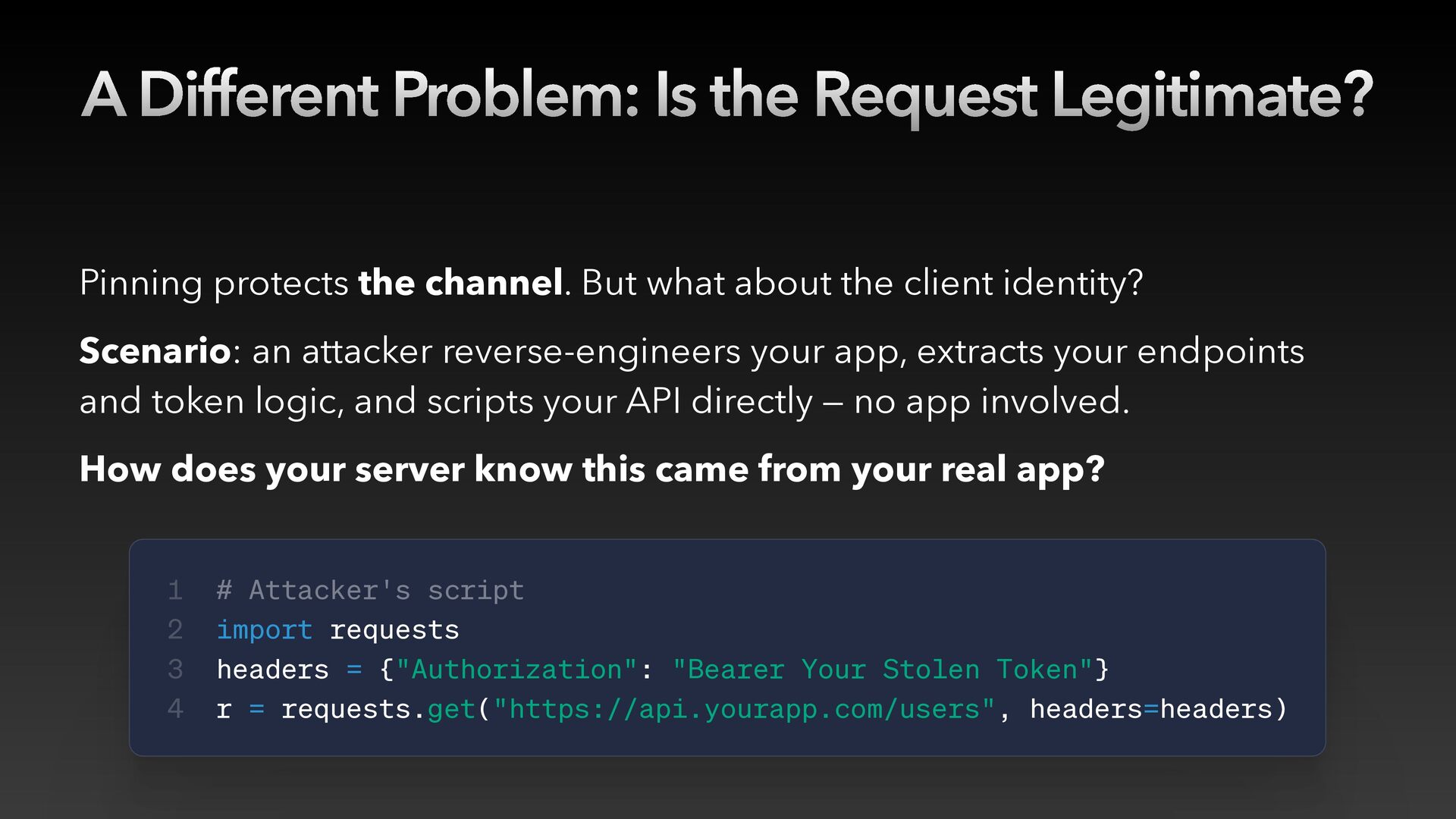
  30. A Different Problem: Is the Request Legitimate? Pinning protects the

    channel. But what about the client identity? Scenario: an attacker reverse-engineers your app, extracts your endpoints and token logic, and scripts your API directly — no app involved. How does your server know this came from your real app? 1 2 3 4 # Attacker's script import requests headers = {"Authorization": "Bearer Your Stolen Token"} r = requests.get("https://api.yourapp.com/users", headers=headers)
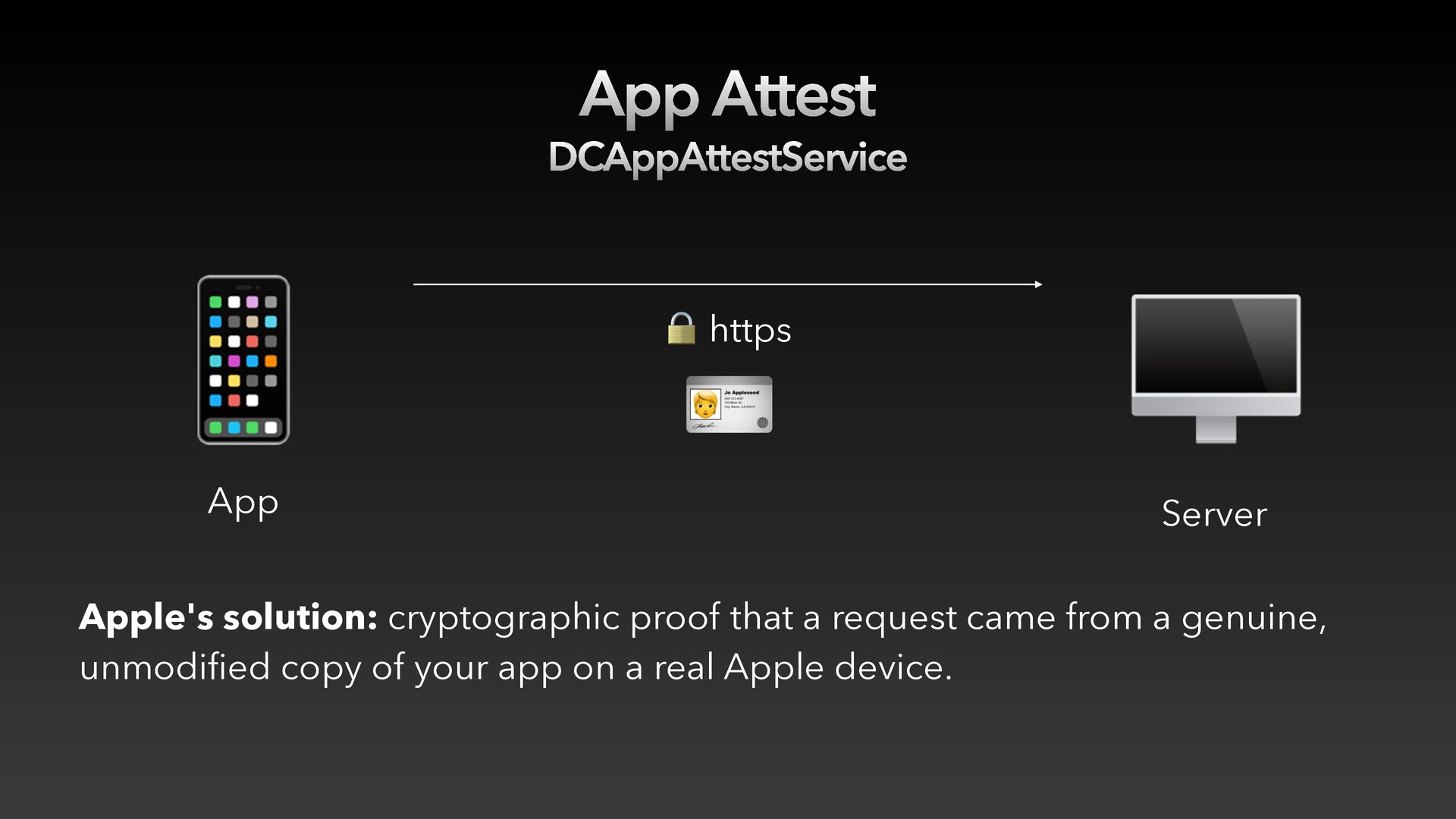
  31. App Attest DCAppAttestService 📱 App 🔒 https 🪪 🖥 Server

    Apple's solution: cryptographic proof that a request came from a genuine, unmodified copy of your app on a real Apple device.
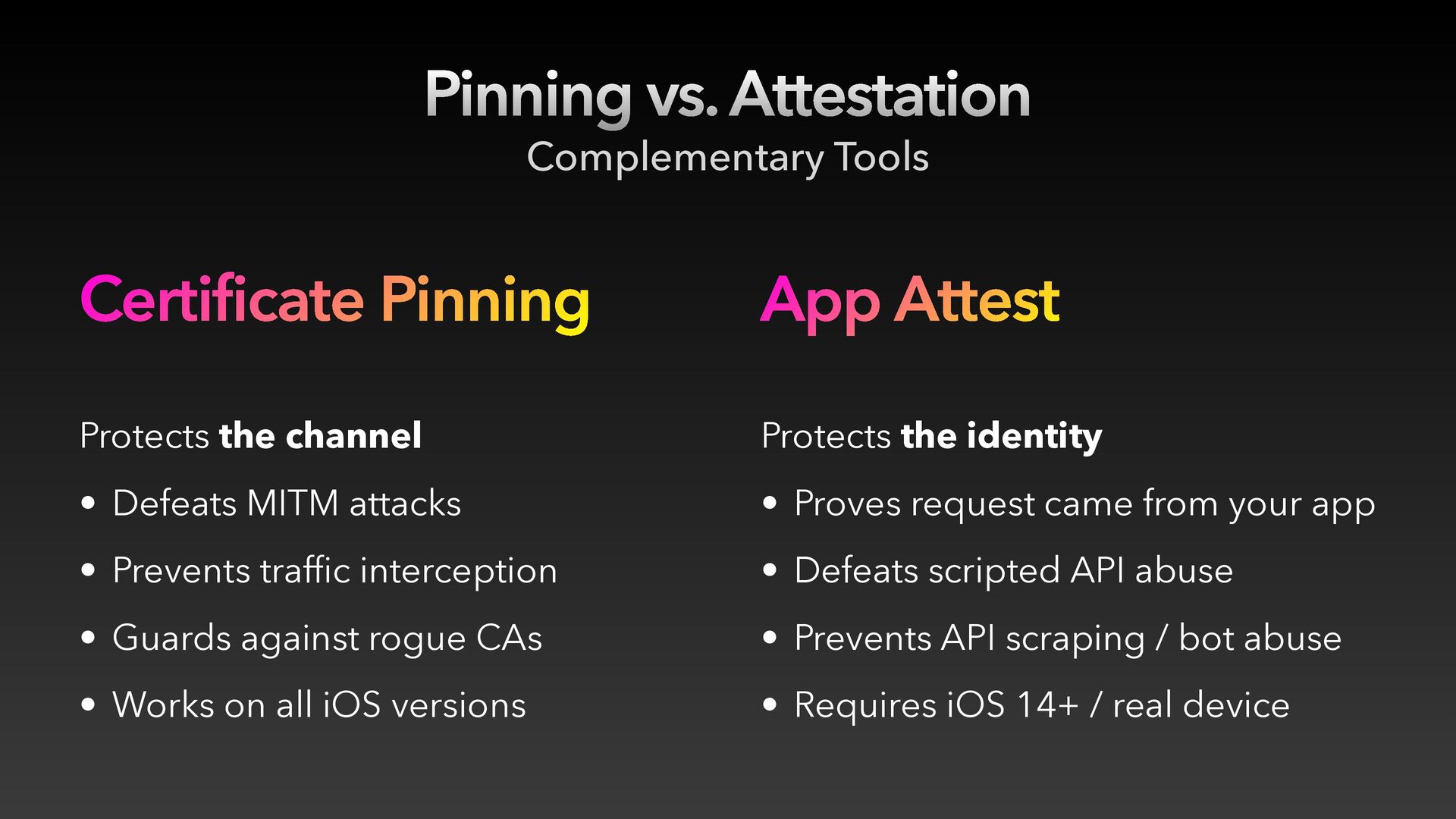
  32. Pinning vs. Attestation Complementary Tools Certificate Pinning App Attest Protects

    the channel Protects the identity • Defeats MITM attacks • Proves request came from your app • Prevents traffic interception • Defeats scripted API abuse • Guards against rogue CAs • Prevents API scraping / bot abuse • Works on all iOS versions • Requires iOS 14+ / real device
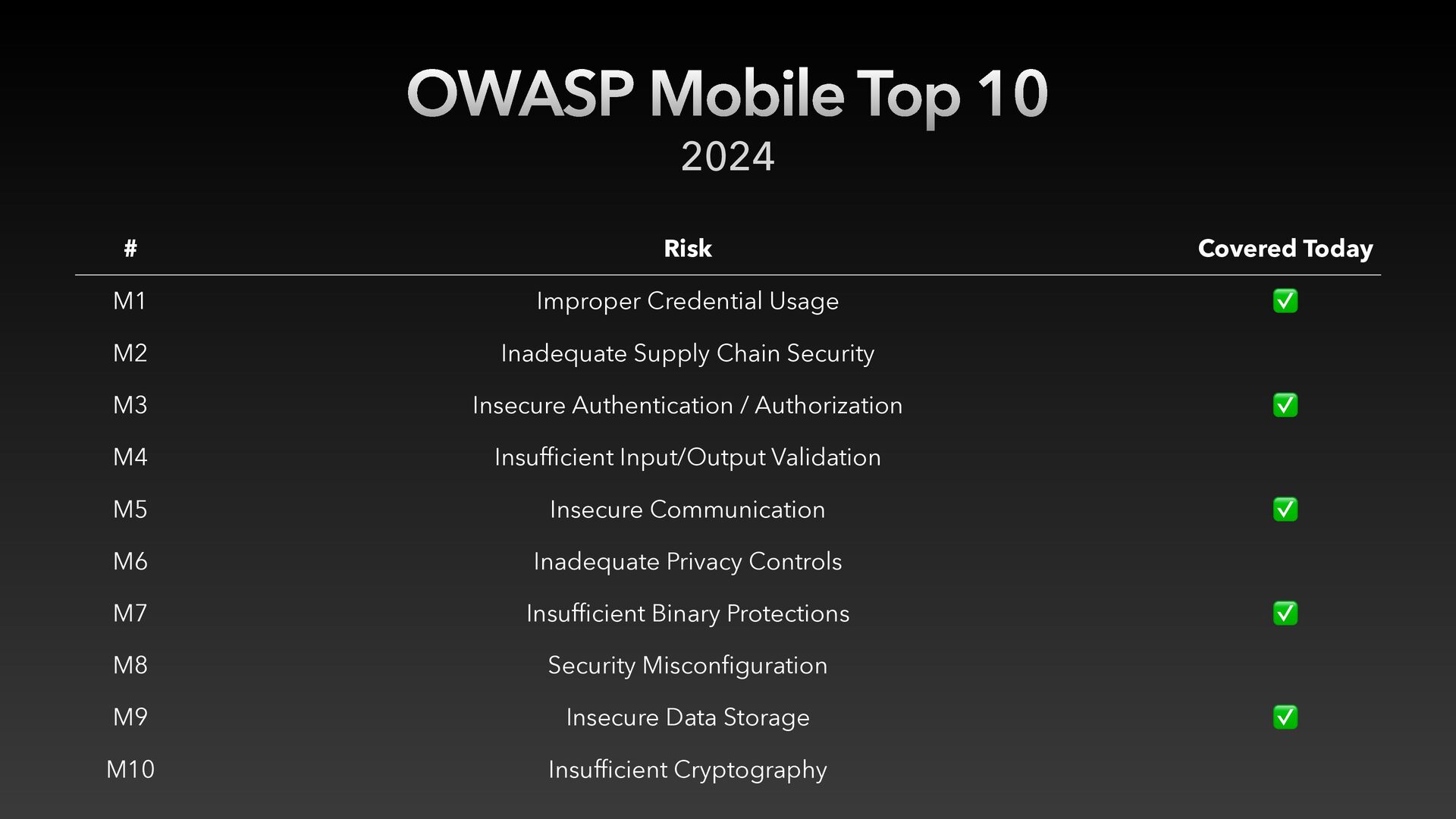
  33. OWASP Mobile Top 10 # Risk Covered Today M1 Improper

    Credential Usage ✅ M2 Inadequate Supply Chain Security M3 Insecure Authentication / Authorization M4 Insuf cient Input/Output Validation M5 Insecure Communication M6 Inadequate Privacy Controls M7 Insuf cient Binary Protections M8 Security Miscon guration M9 Insecure Data Storage M10 Insuf cient Cryptography fi fi fi fi 2024 ✅ ✅ ✅ ✅
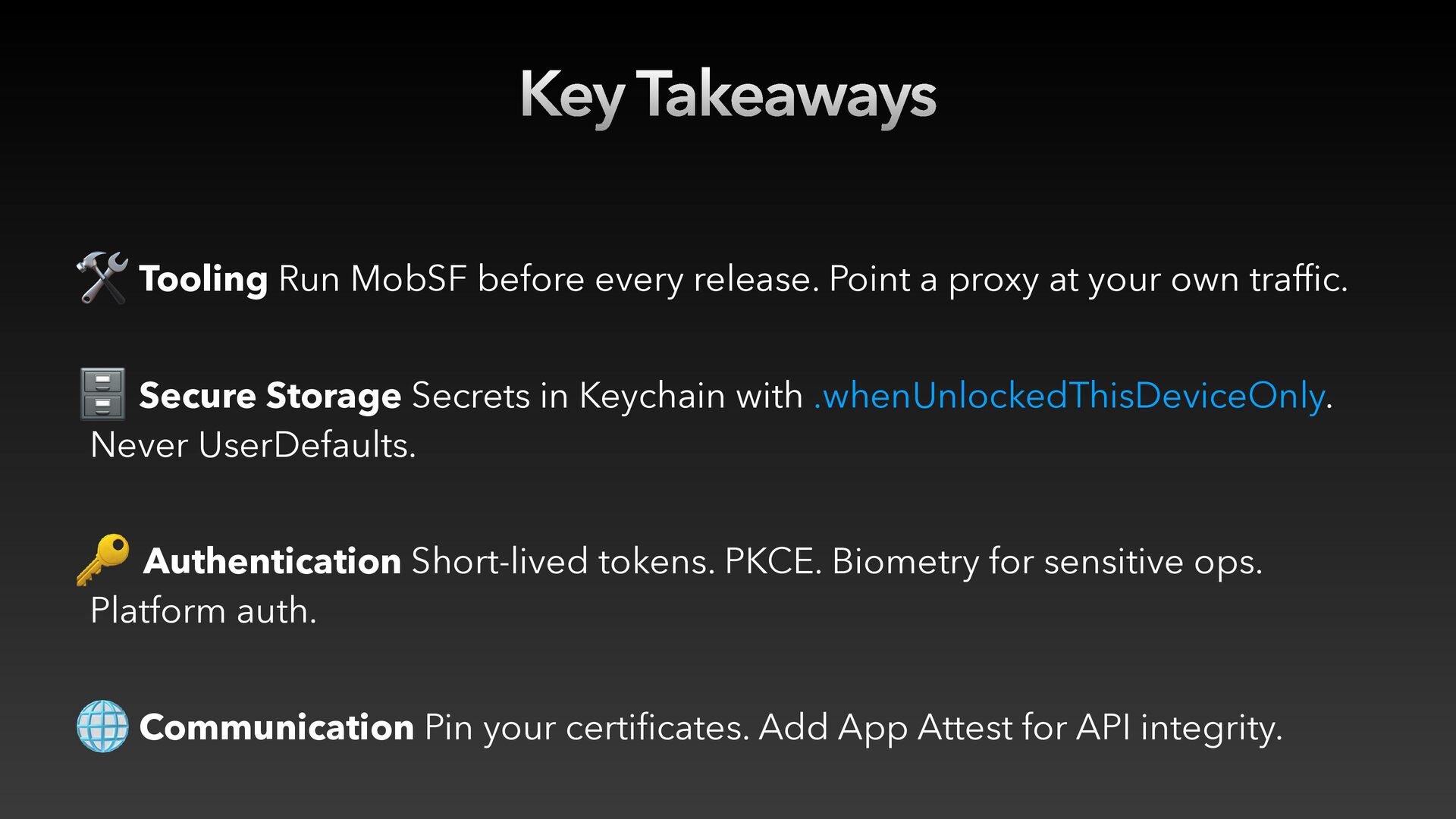
  34. Key Takeaways 🛠 Tooling Run MobSF before every release. Point

    a proxy at your own traffic. 🗄 Secure Storage Secrets in Keychain with .whenUnlockedThisDeviceOnly. Never UserDefaults. 🔑 Authentication Short-lived tokens. PKCE. Biometry for sensitive ops. Platform auth. 🌐 Communication Pin your certificates. Add App Attest for API integrity.
  35. Security is not a feature you add at the end.

    It's a habit you build over time.