Upgrade to Pro — share decks privately, control downloads, hide ads and more …

A Beginner’s Guide to OAuth and OpenID Connect ...

A Beginner’s Guide to OAuth and OpenID Connect (Longhorn PHP 2026)

You’ve probably used OAuth without realizing it. Maybe you’ve signed in to an app using Google, authorized an app to post to your X/Twitter account, or granted access to your GitHub repositories. What’s really going on under the hood? How does this handshake of trust actually work, and why do developers love (and sometimes loathe) implementing it?

In this session, we’ll peel back the layers of OAuth 2.0 and OpenID Connect to understand their roles in modern authentication and authorization. We’ll demystify access tokens, refresh tokens, scopes, and the dance between resource servers and clients. You’ll see how OpenID Connect extends OAuth to handle identity and login flows securely. And most importantly, we’ll look at practical, real-world examples to make these concepts click.

If you’ve ever felt overwhelmed by the acronyms or confused by the specs, this talk is for you. You’ll leave with a solid mental model of how OAuth and OpenID Connect work together to make the web a safer, more connected place.

Avatar for Ben Ramsey

Ben Ramsey PRO

October 14, 2026

More Decks by Ben Ramsey
Other Decks in Programming

Transcript

  1. Ben Ramsey • Longhorn PHP • October 16, 2026 OAuth

    & OpenID Connect A Beginner’s Guide Alexander Grigorian / Pexels
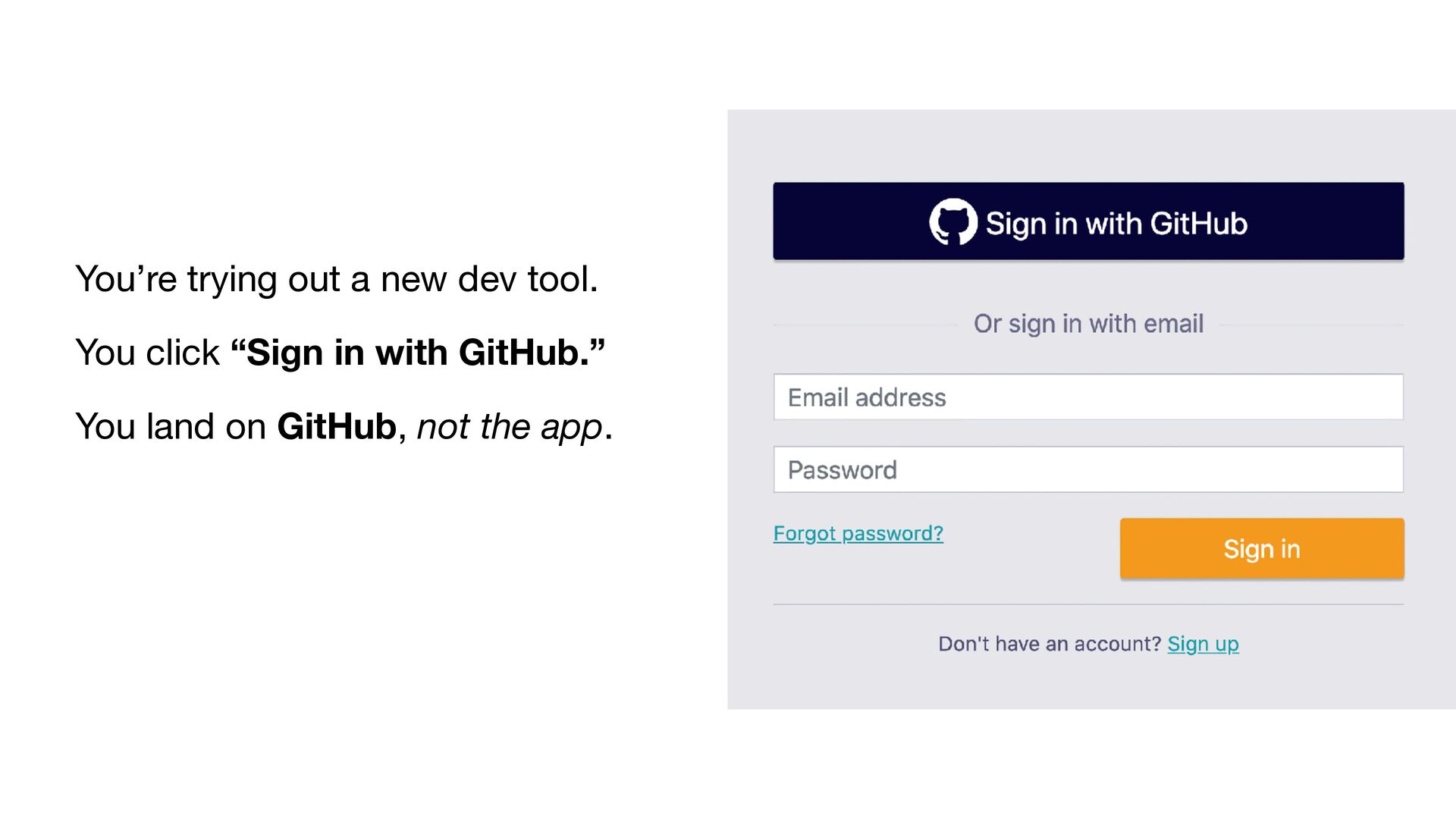
  2. You’re trying out a new dev tool. You click “Sign

    in with GitHub.” You land on GitHub, not the app.
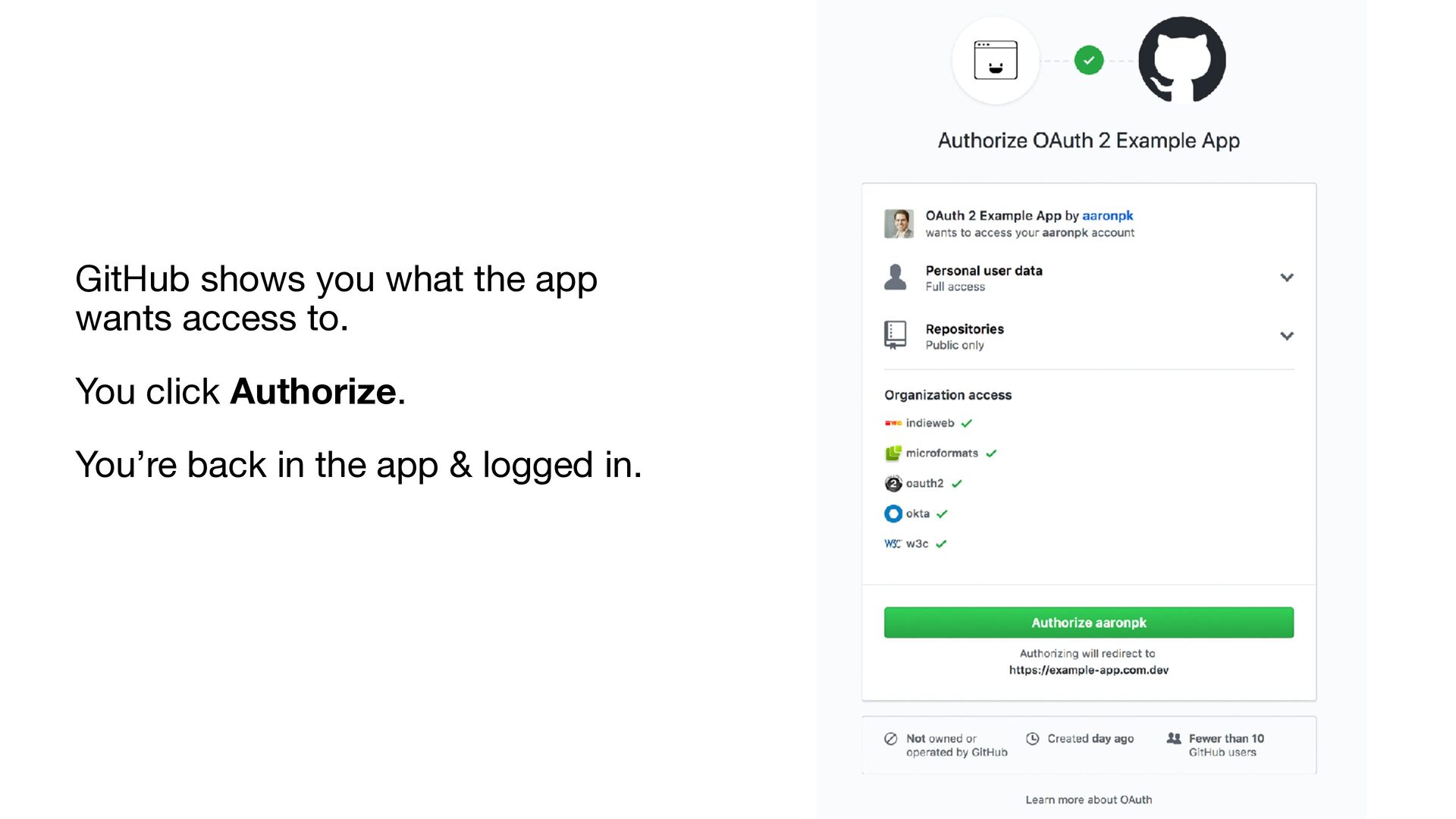
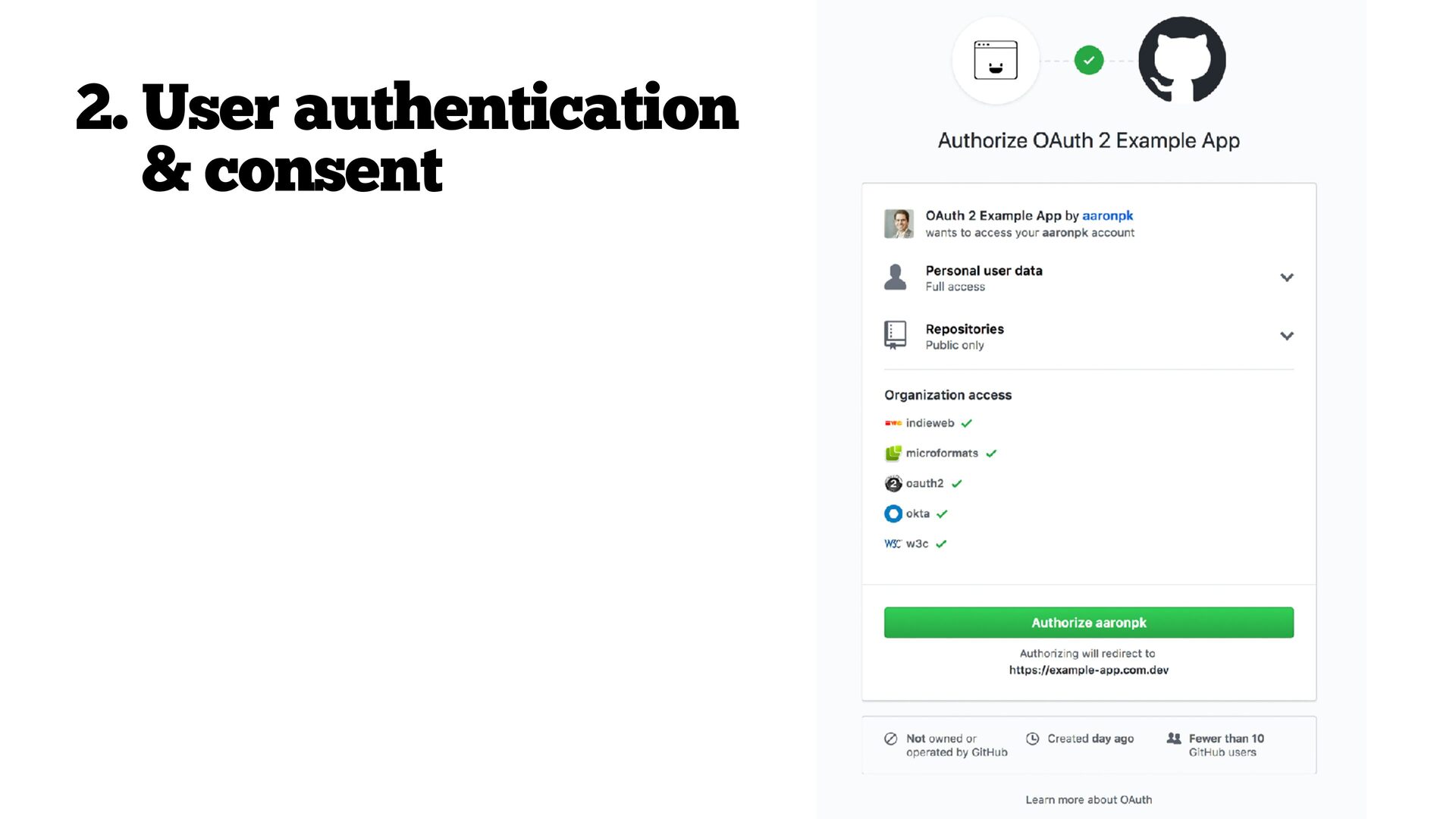
  3. GitHub shows you what the app wants access to. You

    click Authorize. You’re back in the app & logged in.
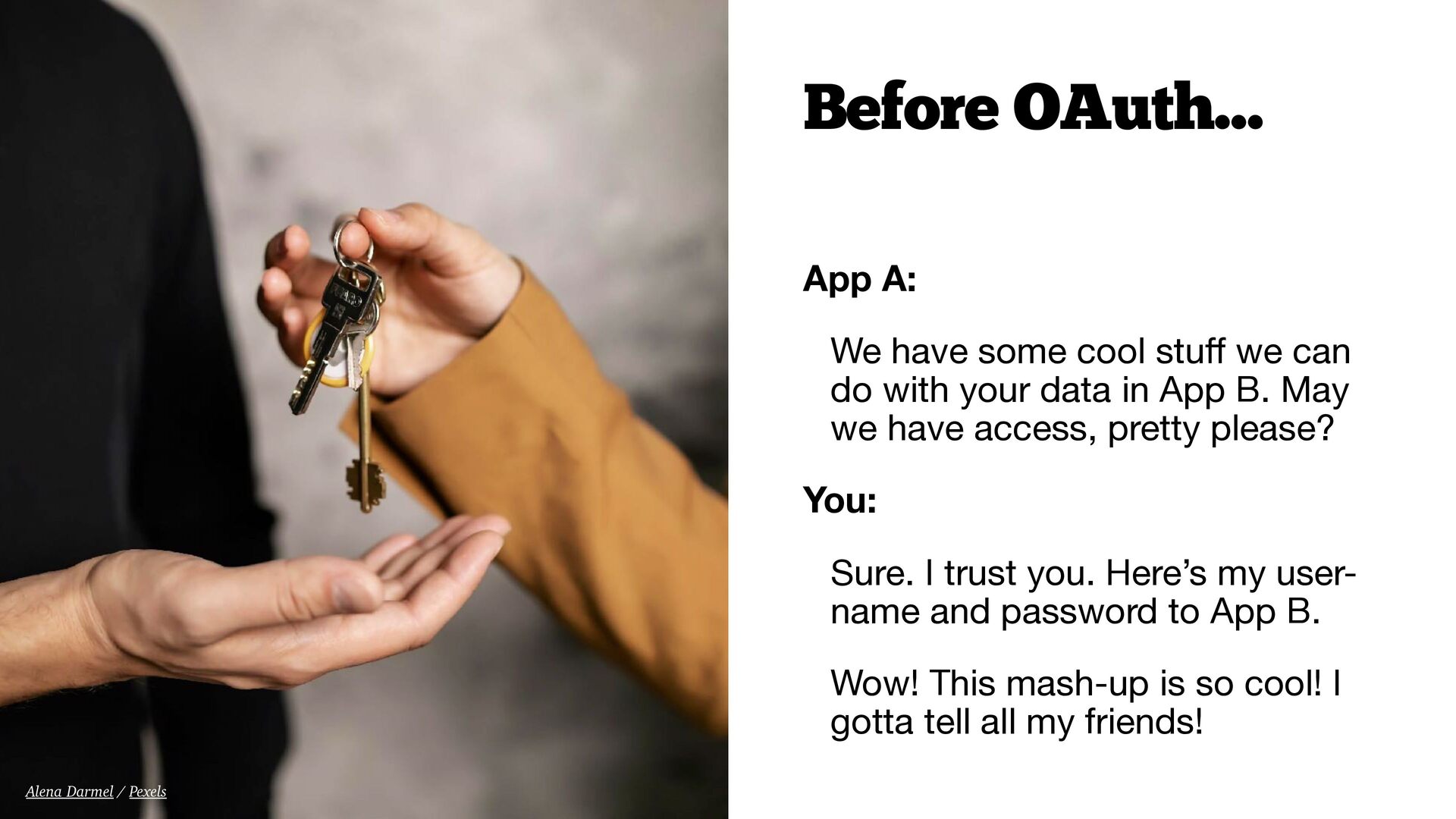
  4. Before OAuth… App A: We have some cool stu we

    can do with your data in App B. May we have access, pretty please? You: Sure. I trust you. Here’s my username and password to App B. Wow! This mash-up is so cool! I gotta tell all my friends! ff Alena Darmel / Pexels
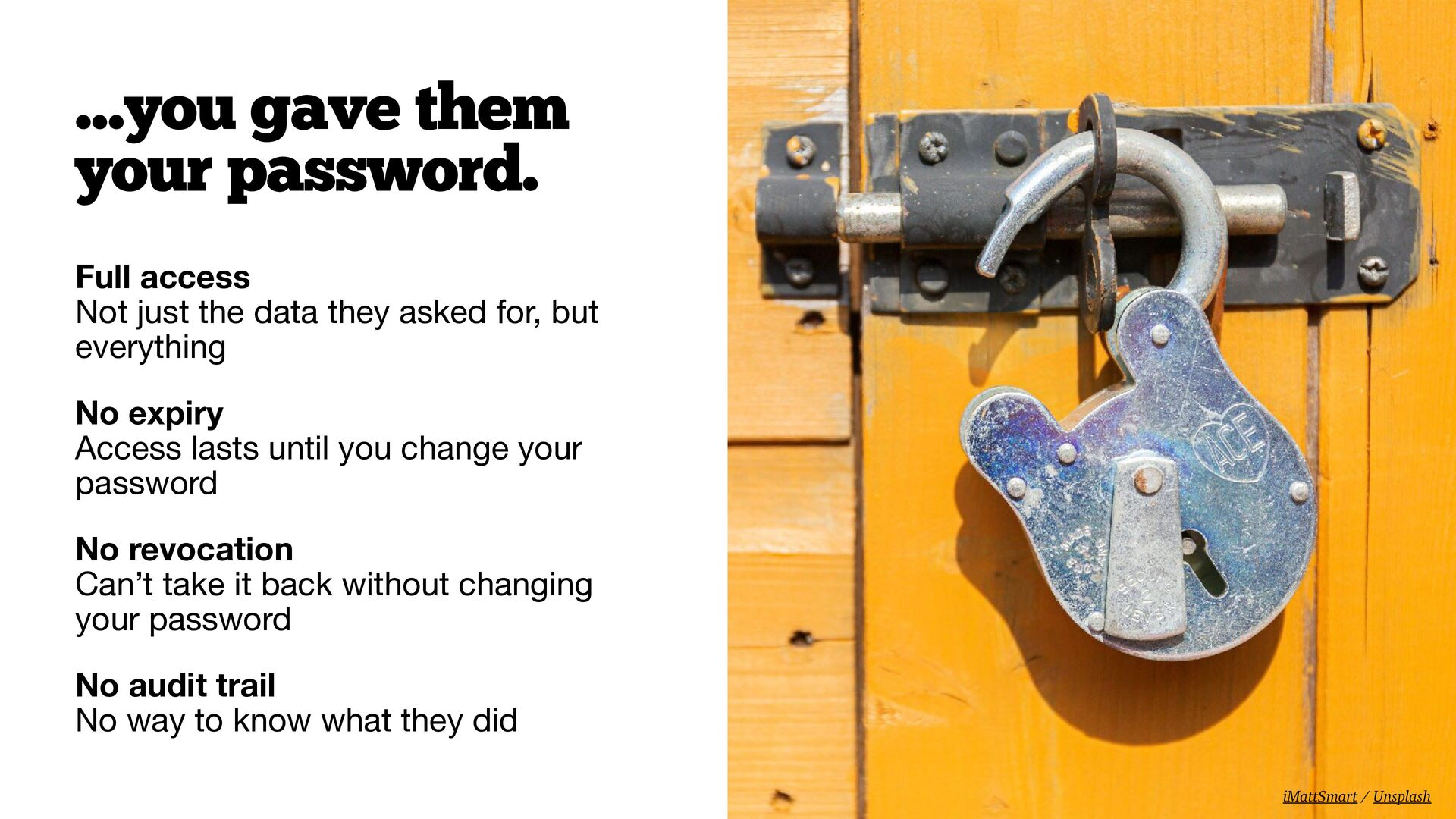
  5. …you gave them your password. Full access Not just the

    data they asked for, but everything No expiry Access lasts until you change your password No revocation Can’t take it back without changing your password No audit trail No way to know what they did iMattSmart / Unsplash
  6. The Twitter problem Early Twitter (2007–2010) Every third-party app asked

    for your Twitter username and password TweetDeck, Twitterri c, Seesmic This was just…how it worked fi Sanket Mishra / Pexels
  7. What if, instead of your password… …you issued a limited-use

    token? • Scoped • Time-restricted • Revocable
  8. OAuth is about delegated authorization, granting a third party limited

    access to your resources, without sharing your password.
  9. Resource Owner The User owns the data • grants access

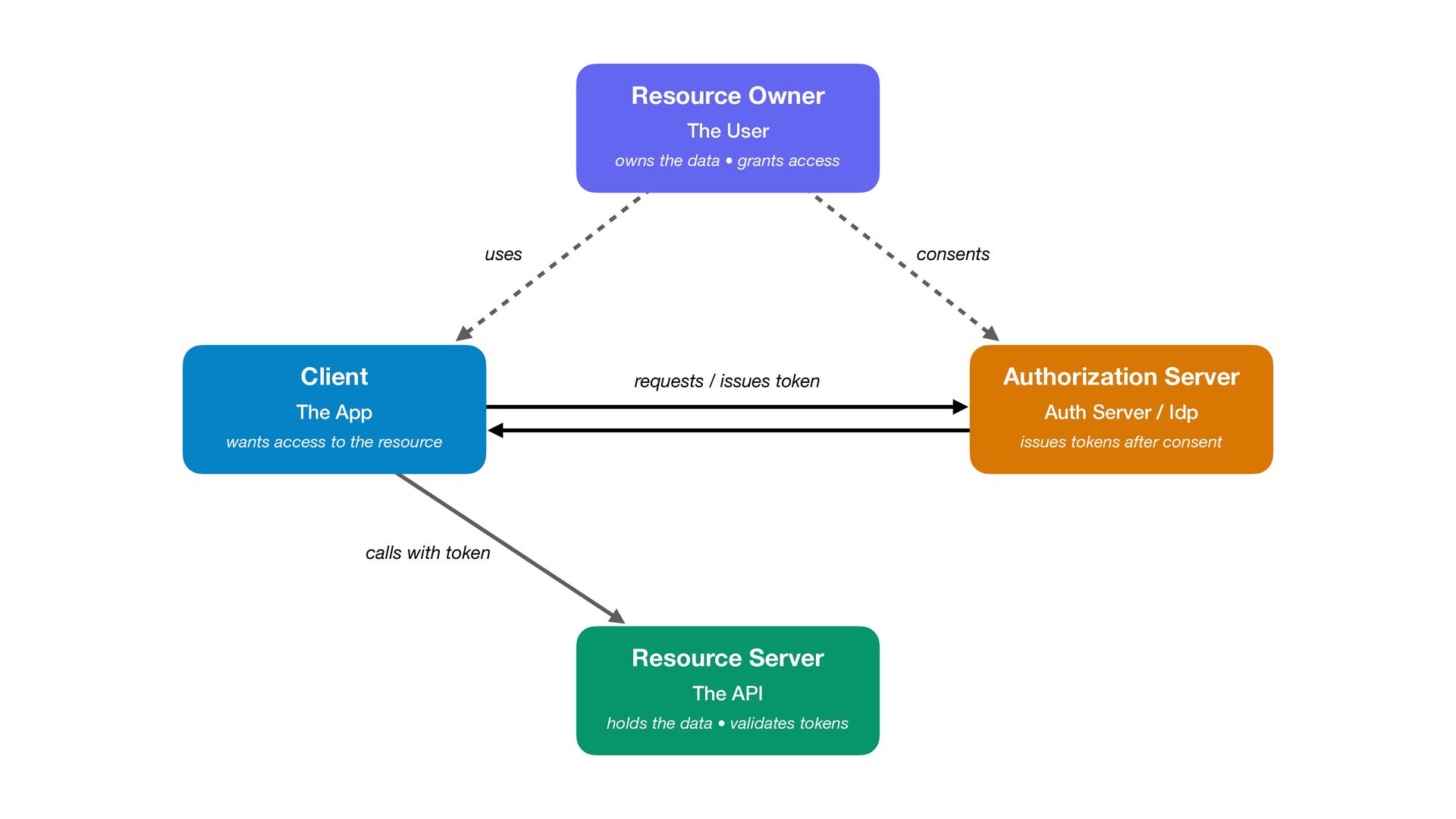
    uses Client consents requests / issues token Authorization Server The App Auth Server / Idp wants access to the resource issues tokens after consent calls with token Resource Server The API holds the data • validates tokens
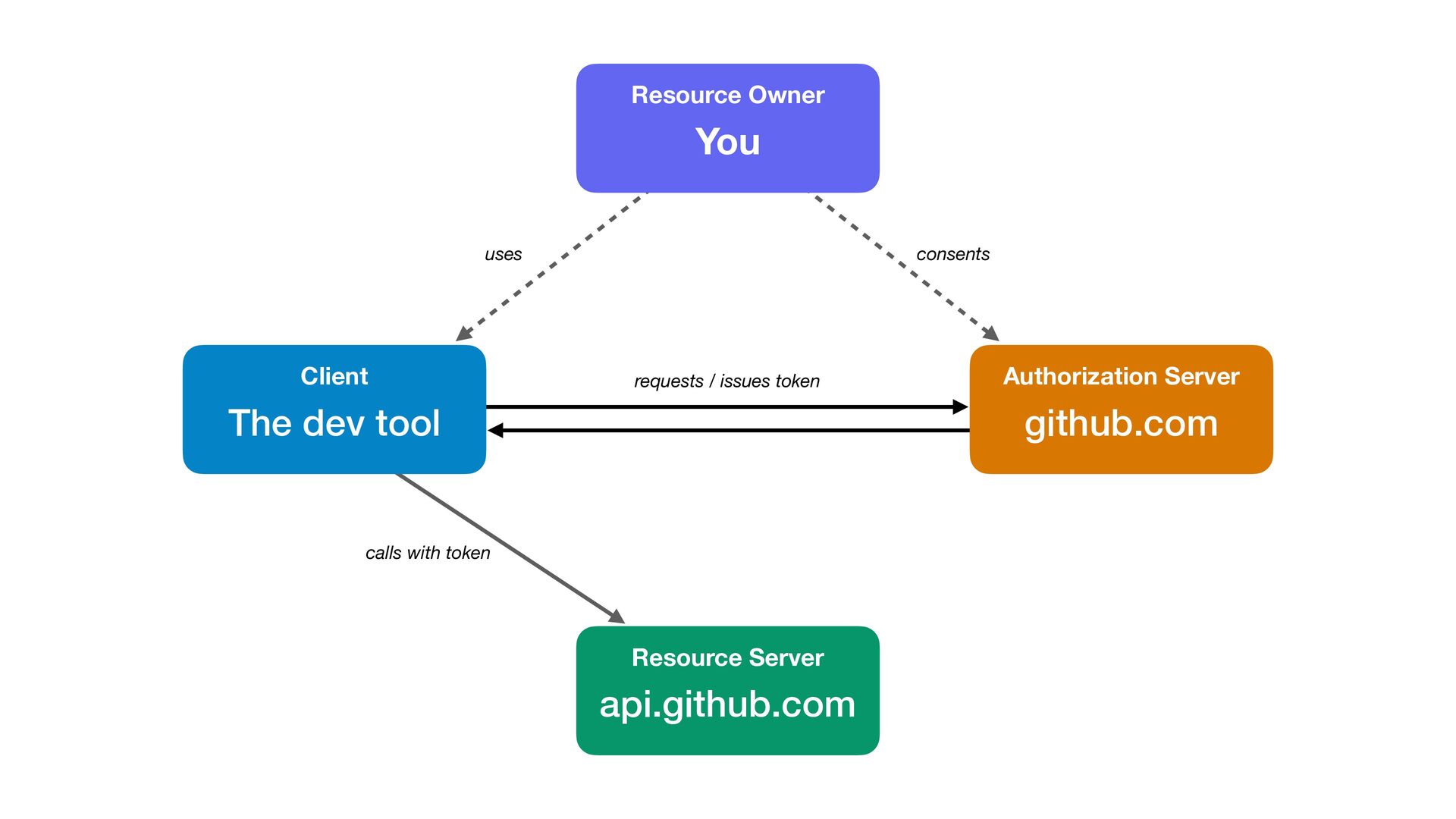
  10. Resource Owner You uses Client consents requests / issues token

    The dev tool Authorization Server github.com calls with token Resource Server api.github.com
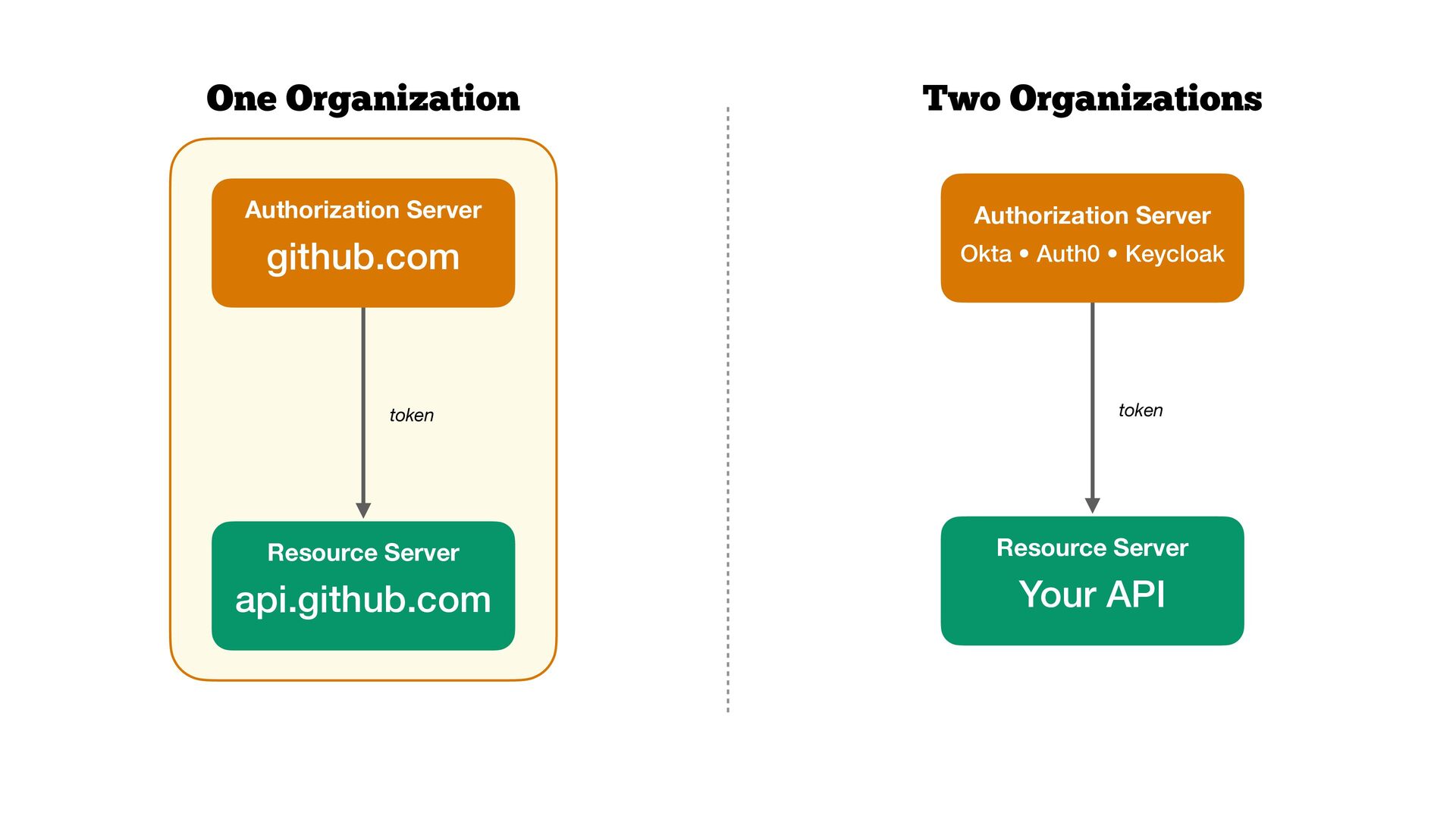
  11. One Organization Two Organizations Authorization Server Authorization Server github.com Okta

    • Auth0 • Keycloak token token Resource Server Resource Server api.github.com Your API
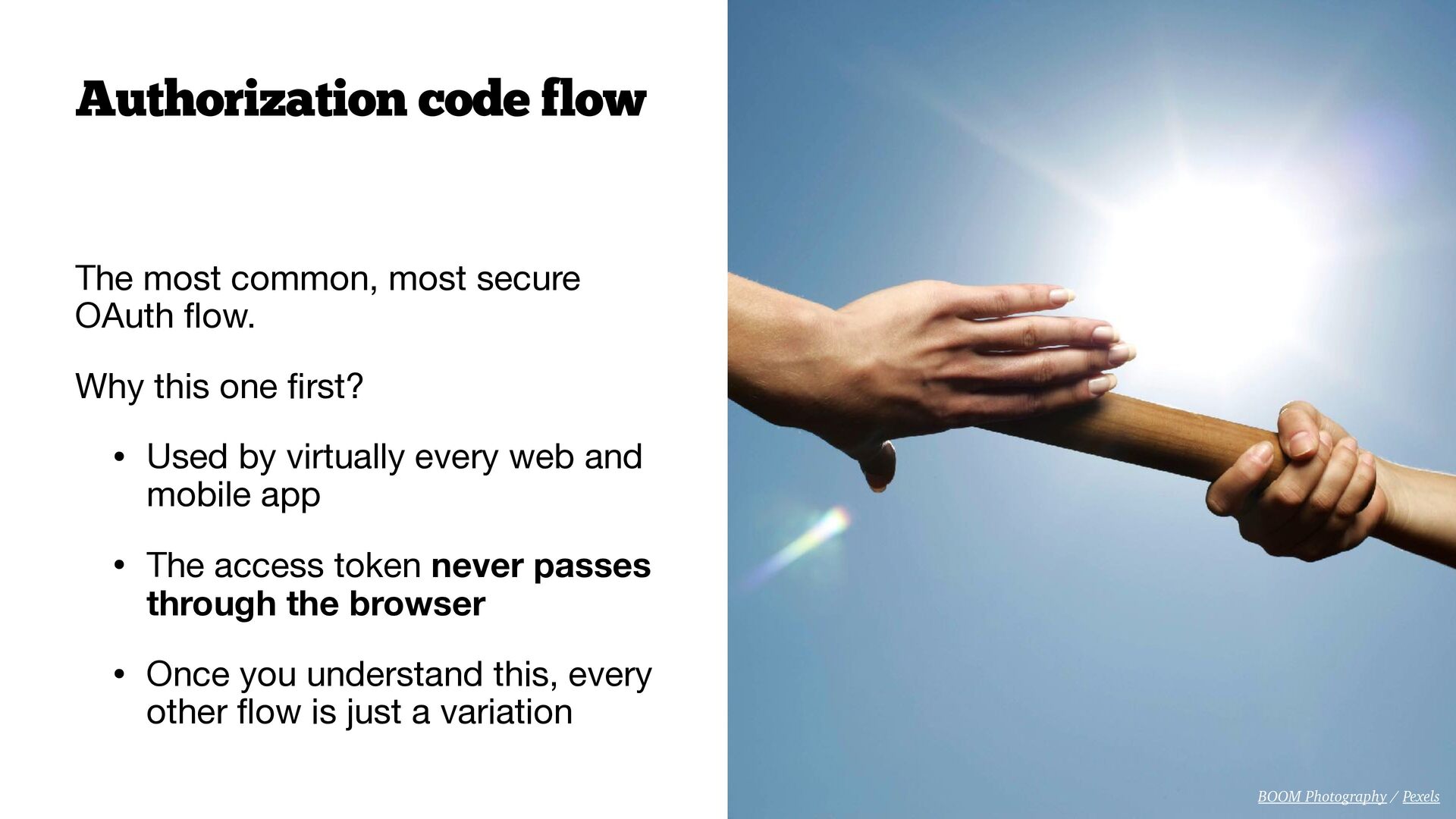
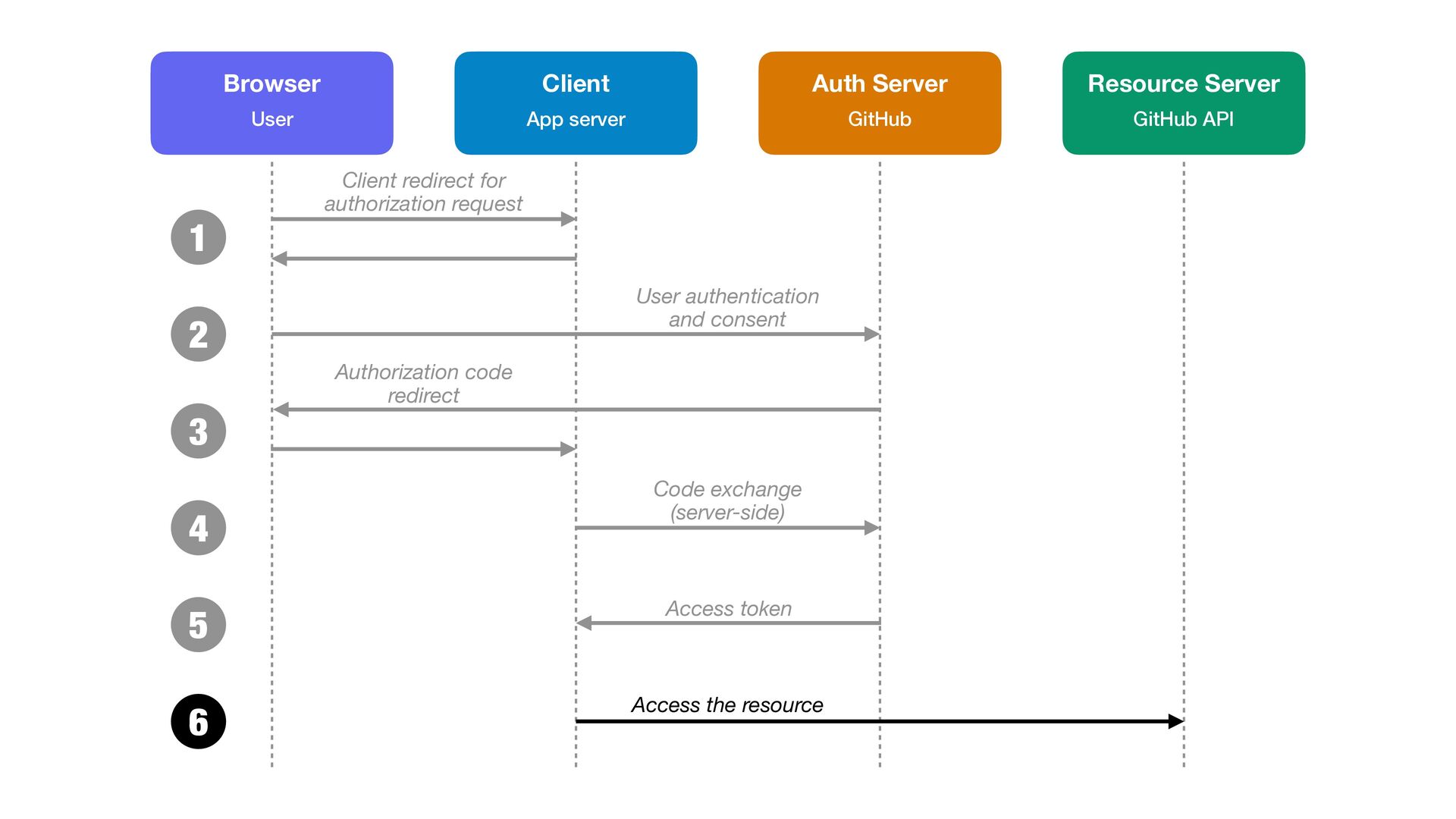
  12. Authorization code flow The most common, most secure OAuth ow.

    Why this one rst? • Used by virtually every web and mobile app • The access token never passes through the browser • Once you understand this, every other ow is just a variation fi fl fl BOOM Photography / Pexels
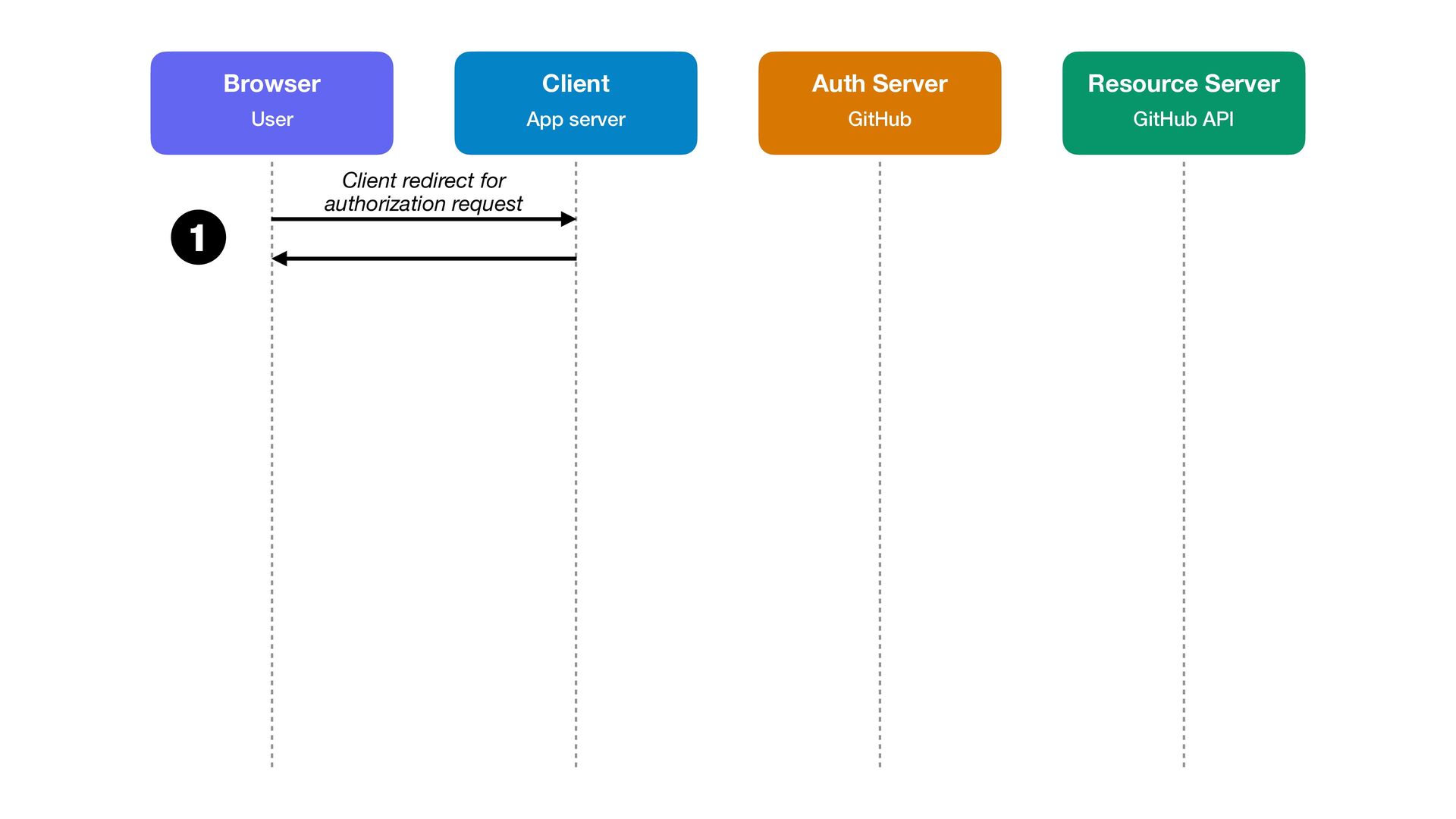
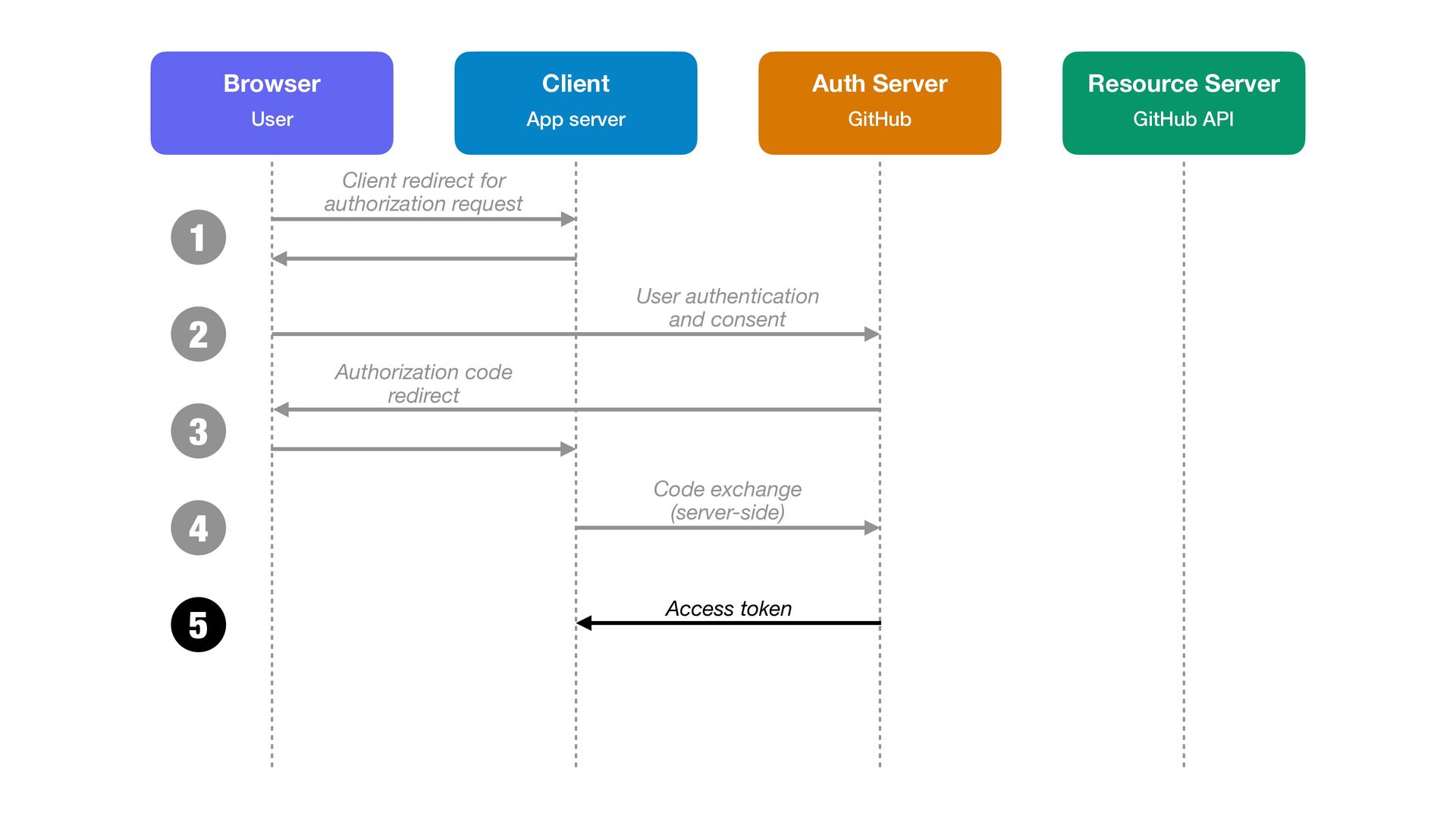
  13. 1 Browser Client Auth Server Resource Server User App server

    GitHub GitHub API Client redirect for authorization request
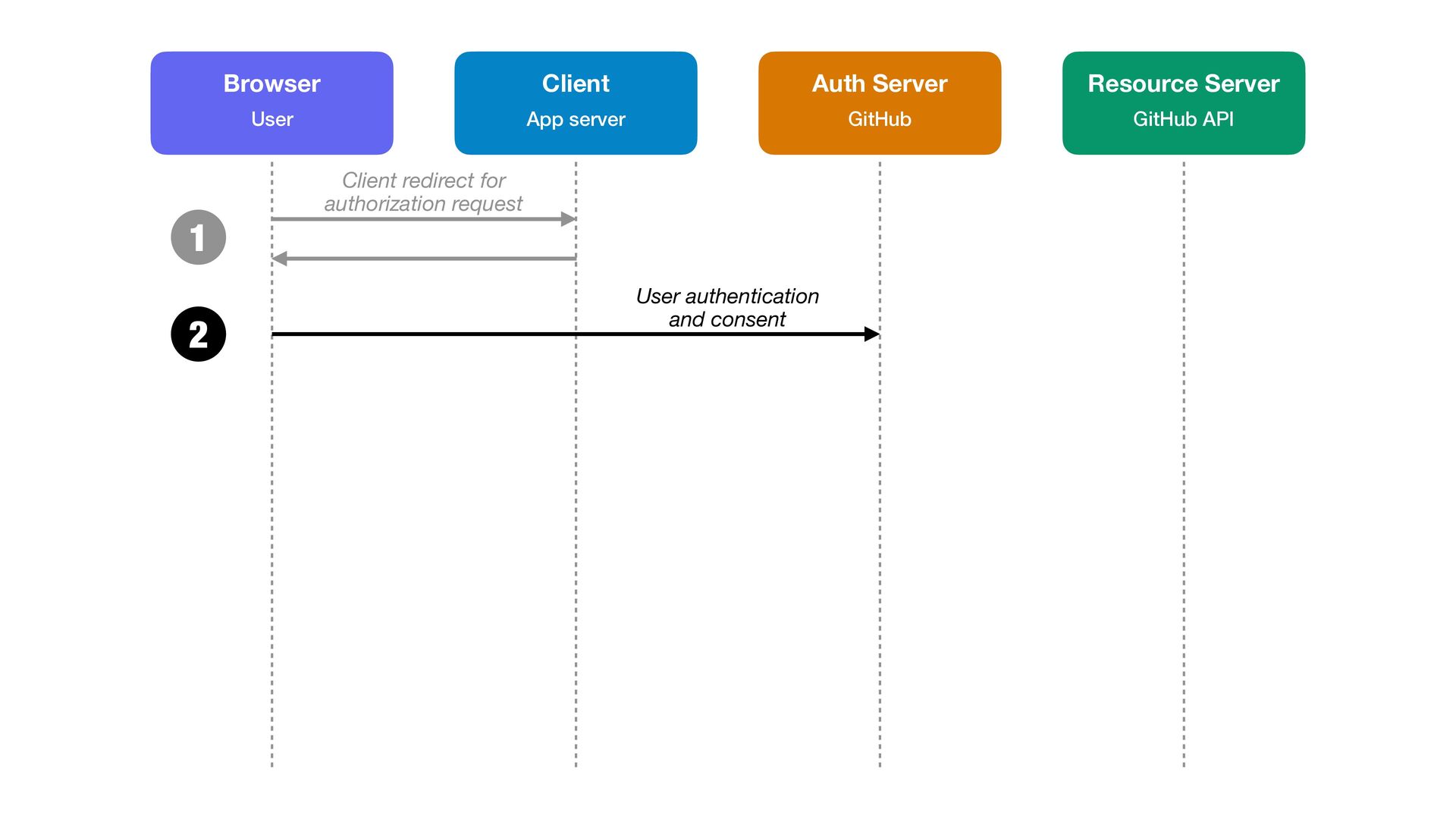
  14. 1 2 Browser Client Auth Server Resource Server User App

    server GitHub GitHub API Client redirect for authorization request User authentication and consent
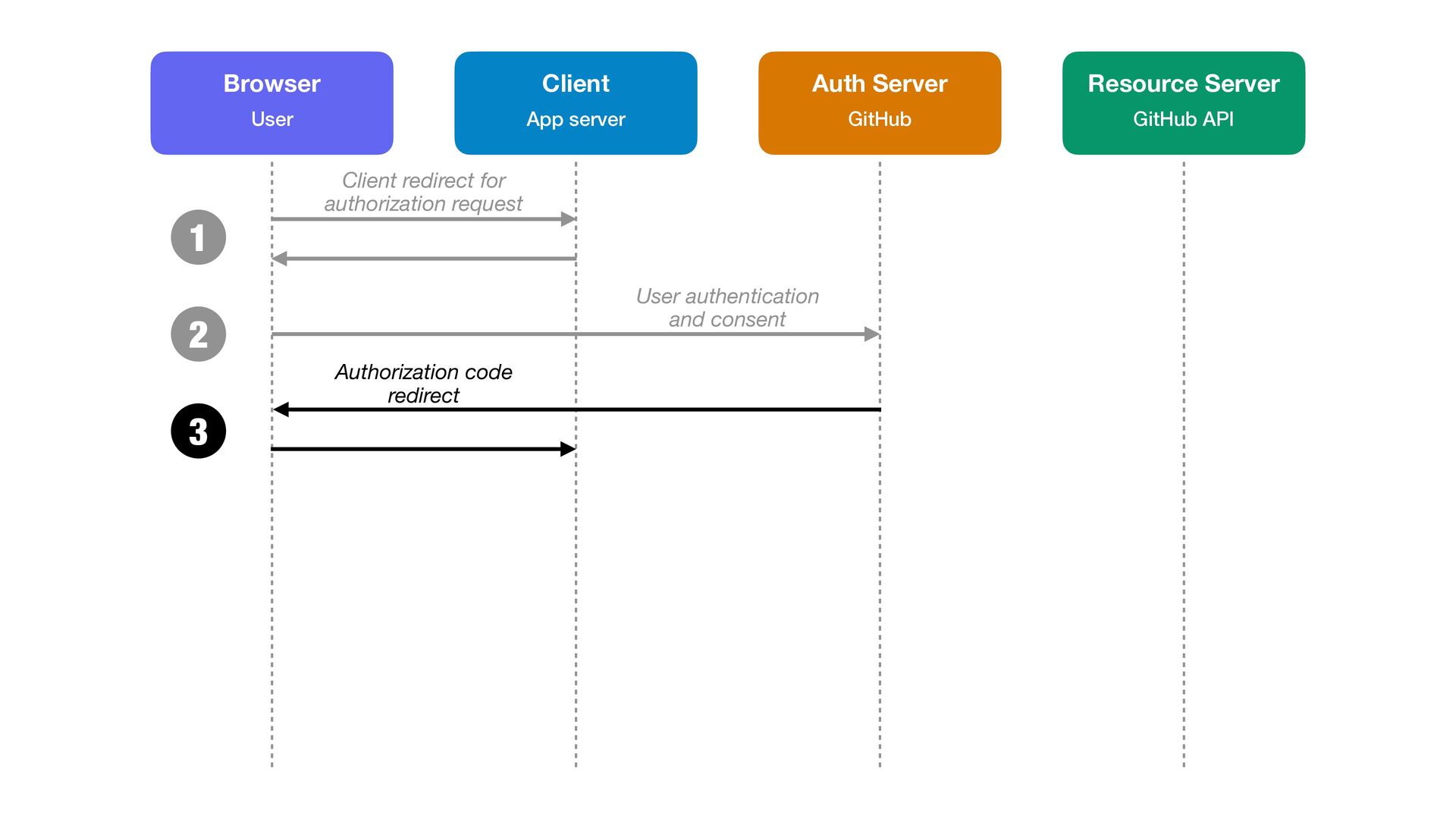
  15. 1 Browser Client Auth Server Resource Server User App server

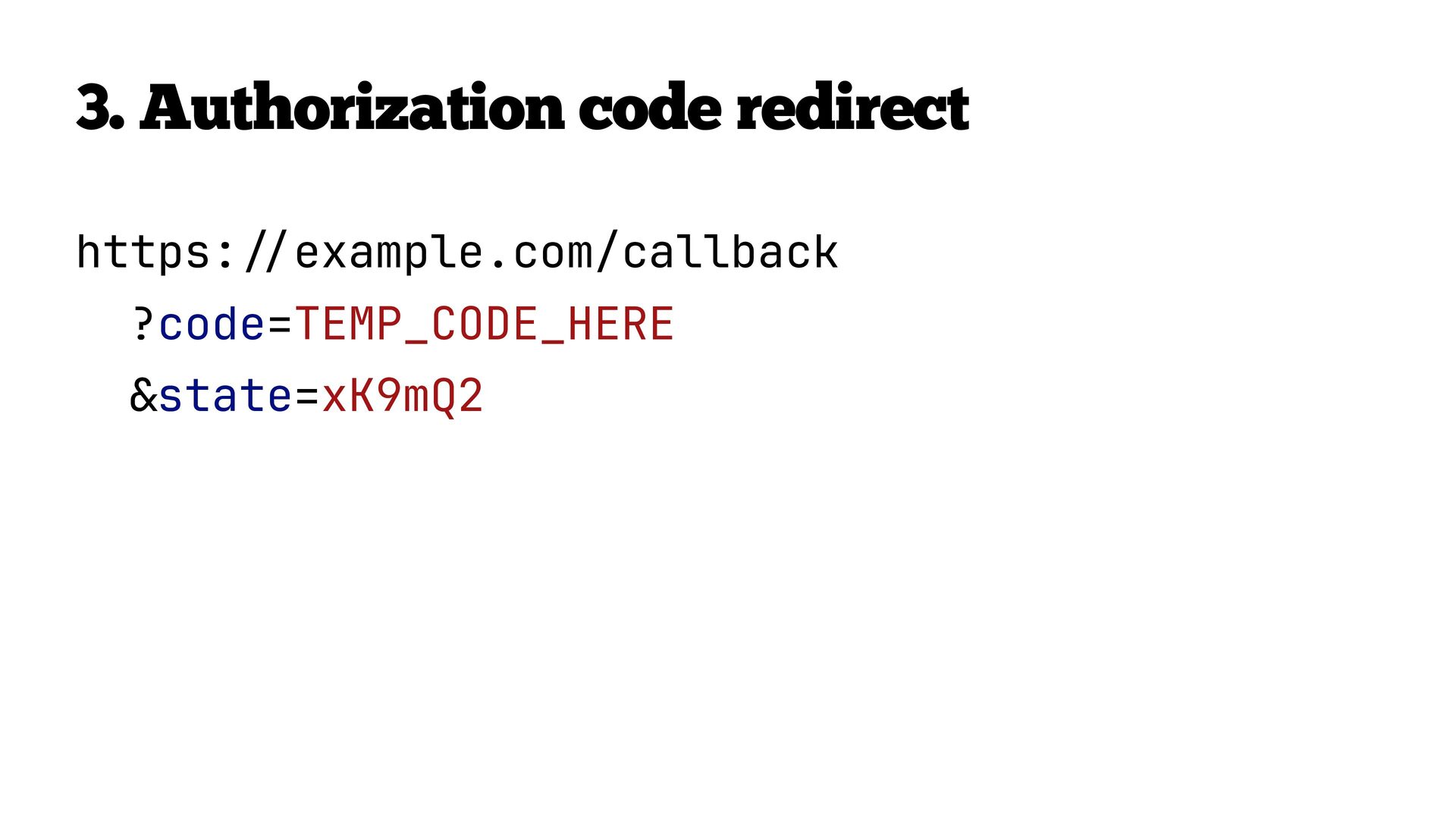
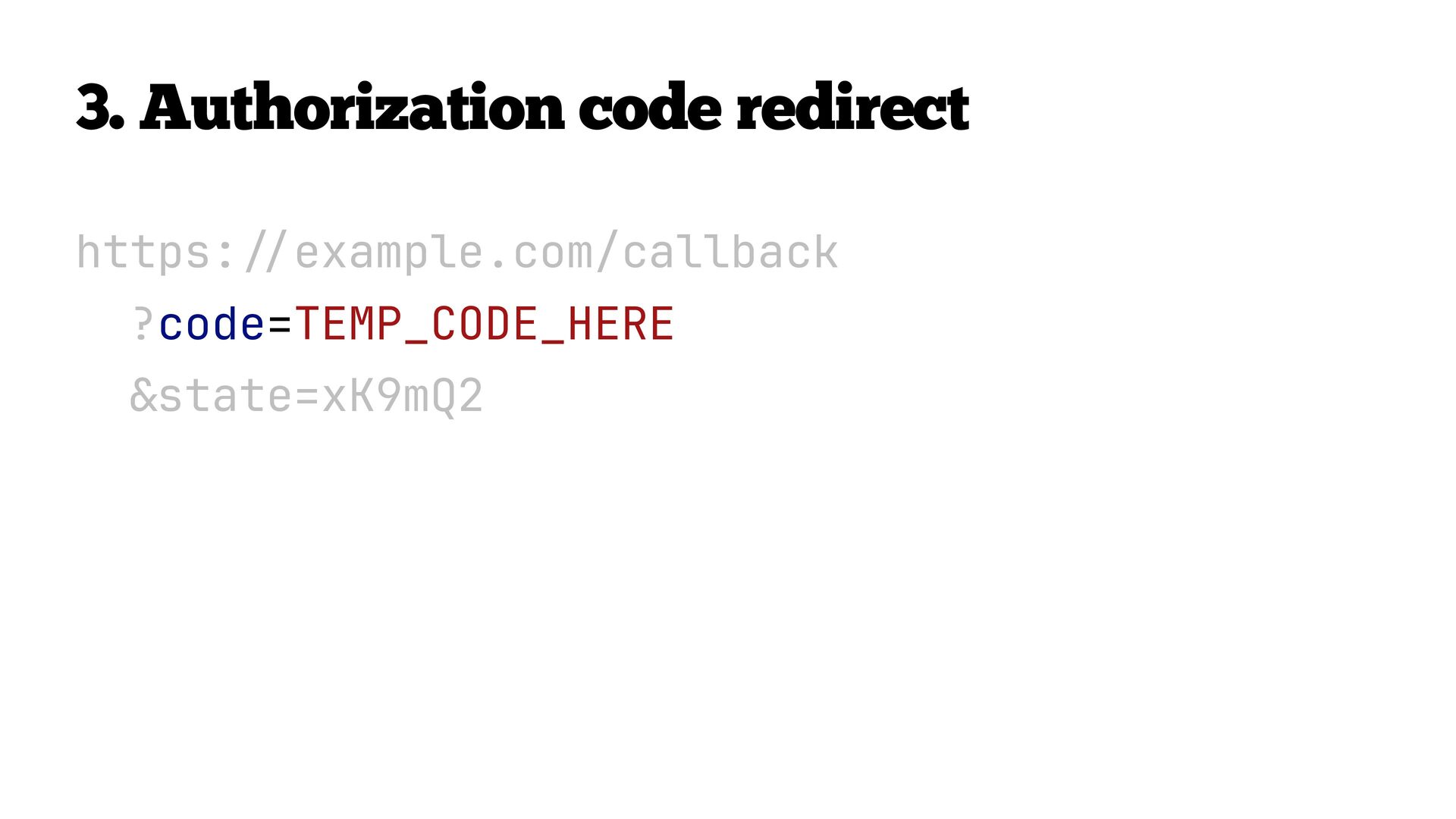
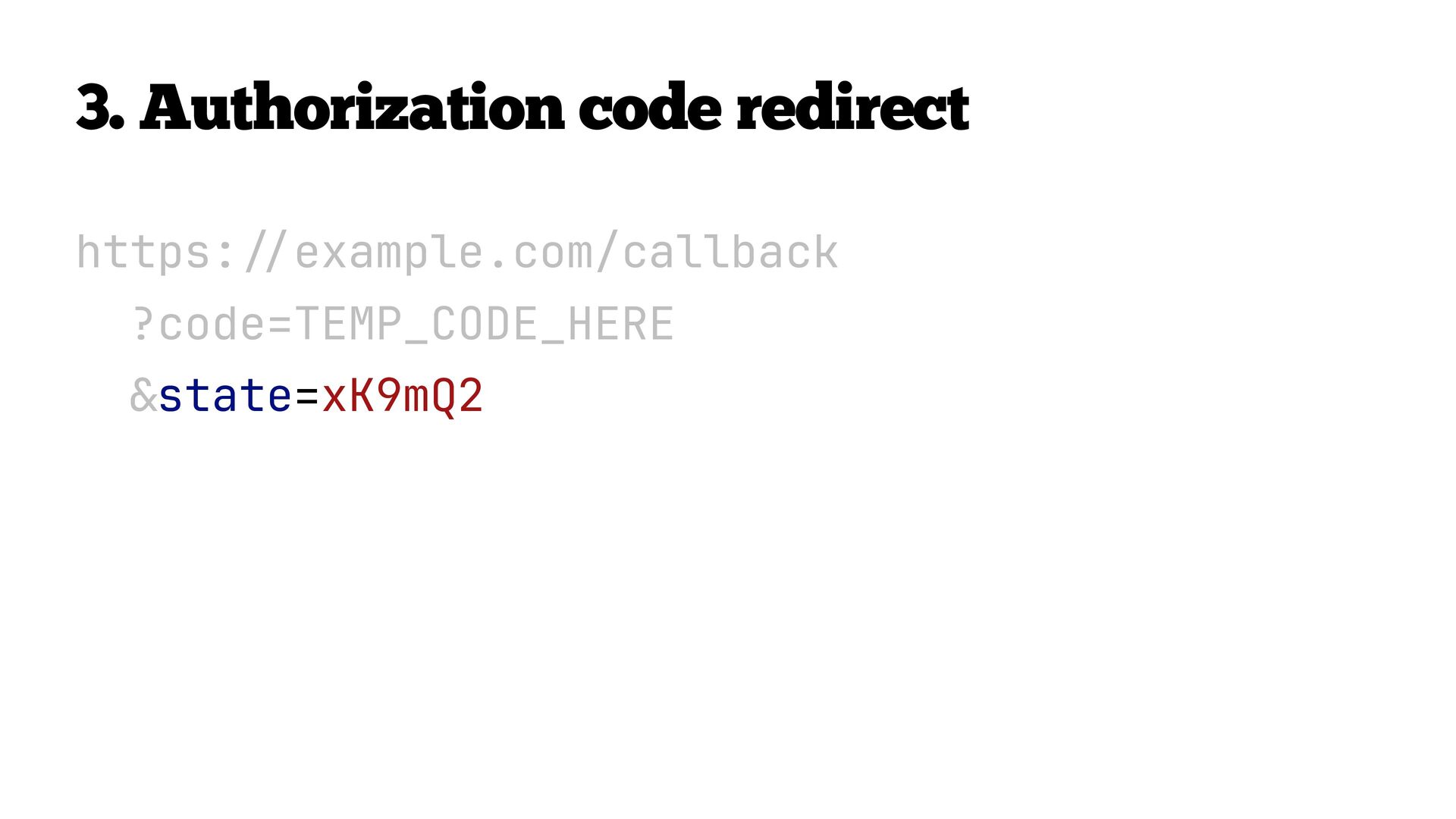
    GitHub GitHub API Client redirect for authorization request User authentication and consent 2 Authorization code redirect 3
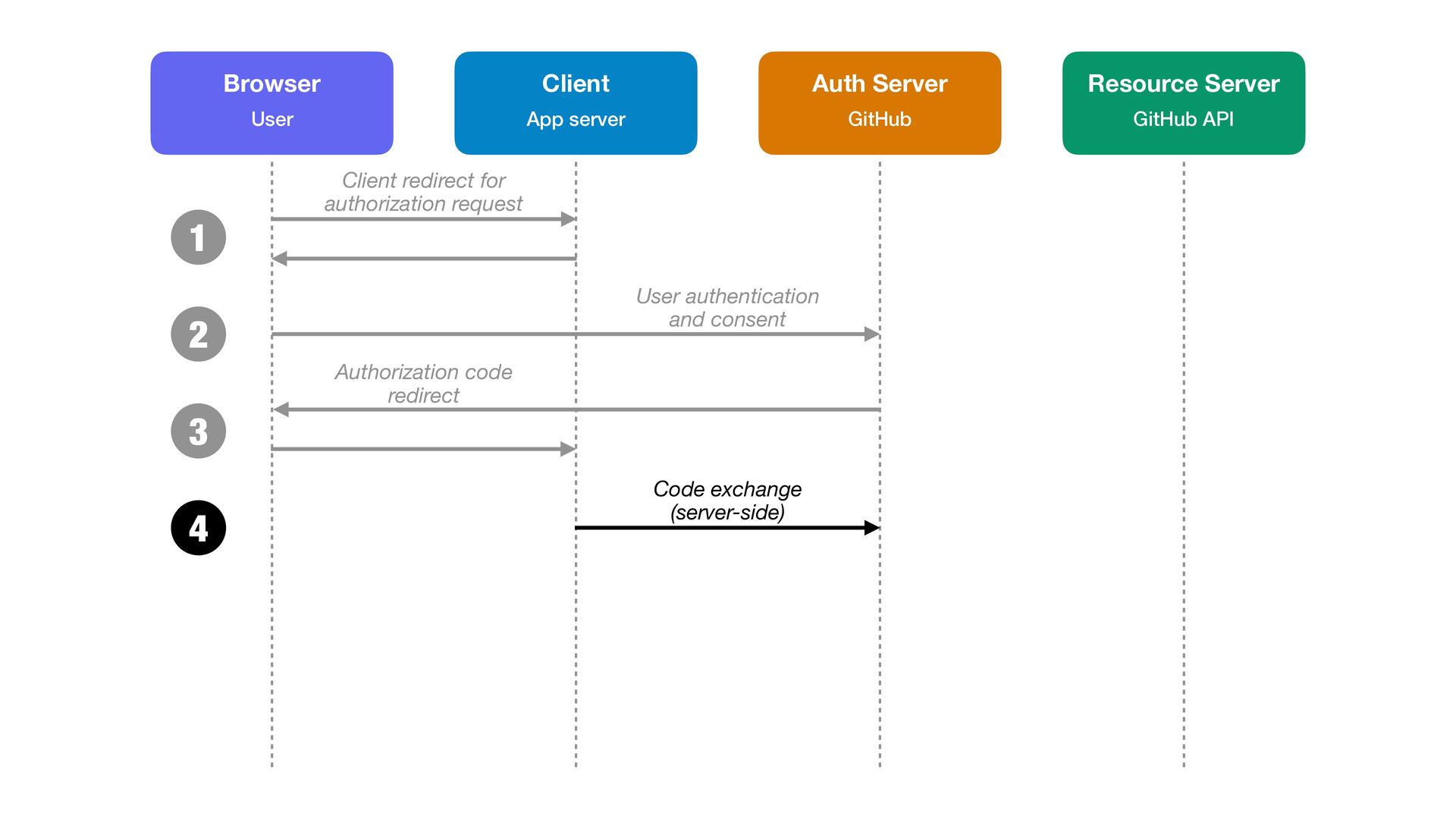
  16. 1 Browser Client Auth Server Resource Server User App server

    GitHub GitHub API Client redirect for authorization request User authentication and consent 2 Authorization code redirect 3 4 Code exchange (server-side)
  17. 4. Code exchange (server-side) POST /login/oauth/access_token HTTP/1.1 host: github.com content-type:

    application/x-www-form-urlencoded grant_type=authorization_code &code=TEMP_CODE_HERE &redirect_uri=https: example.com/callback &client_id=abc123 / / &client_secret=super_secret
  18. 4. Code exchange (server-side) POST /login/oauth/access_token HTTP/1.1 host: github.com content-type:

    application/x-www-form-urlencoded grant_type=authorization_code &code=TEMP_CODE_HERE &redirect_uri=https: example.com/callback &client_id=abc123 / / &client_secret=super_secret
  19. 4. Code exchange (server-side) POST /login/oauth/access_token HTTP/1.1 host: github.com content-type:

    application/x-www-form-urlencoded grant_type=authorization_code &code=TEMP_CODE_HERE &redirect_uri=https: example.com/callback &client_id=abc123 / / &client_secret=super_secret
  20. 4. Code exchange (server-side) POST /login/oauth/access_token HTTP/1.1 host: github.com content-type:

    application/x-www-form-urlencoded grant_type=authorization_code &code=TEMP_CODE_HERE &redirect_uri=https: example.com/callback &client_id=abc123 / / &client_secret=super_secret
  21. 4. Code exchange (server-side) POST /login/oauth/access_token HTTP/1.1 host: github.com content-type:

    application/x-www-form-urlencoded grant_type=authorization_code &code=TEMP_CODE_HERE &redirect_uri=https: example.com/callback &client_id=abc123 / / &client_secret=super_secret
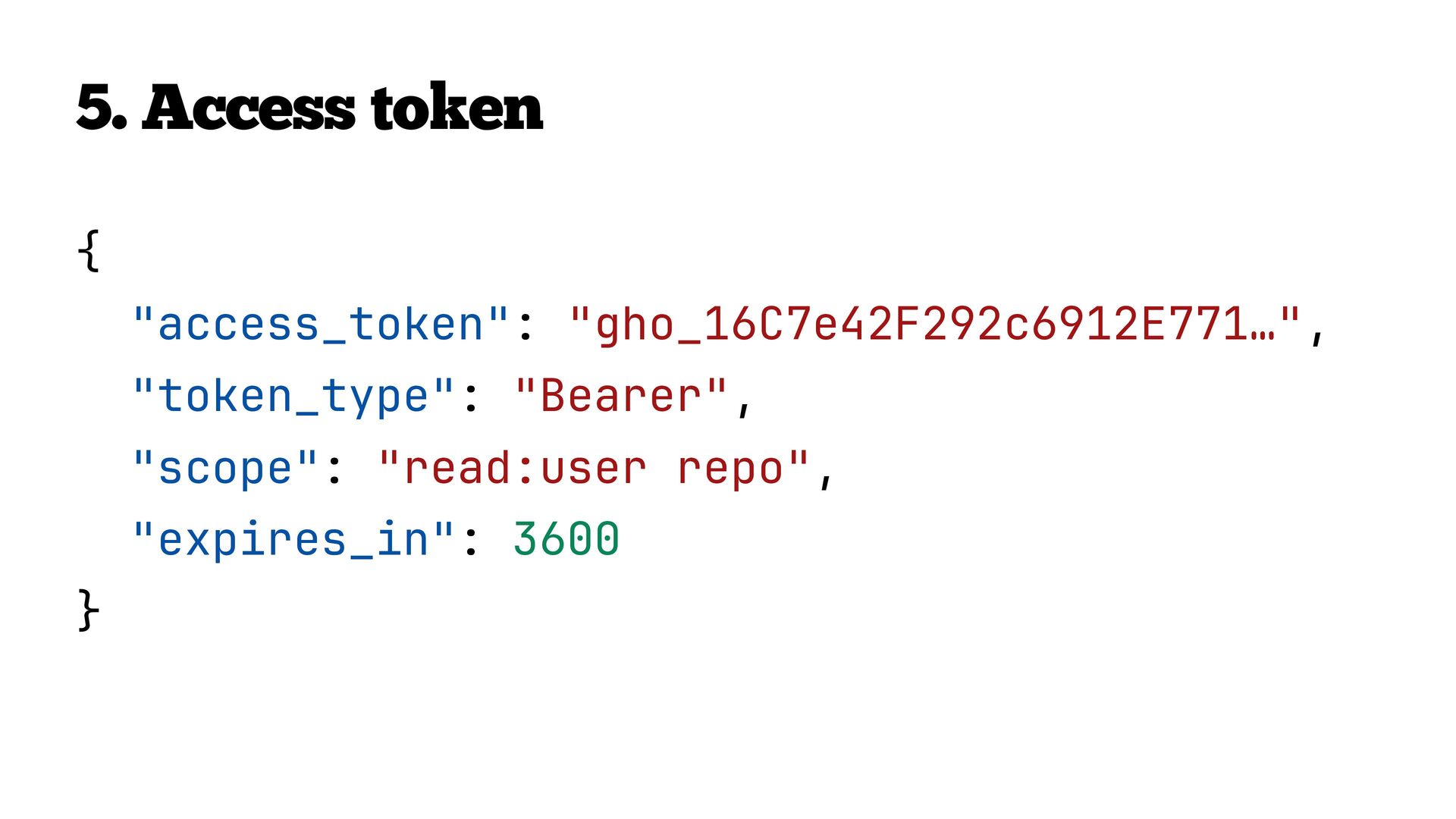
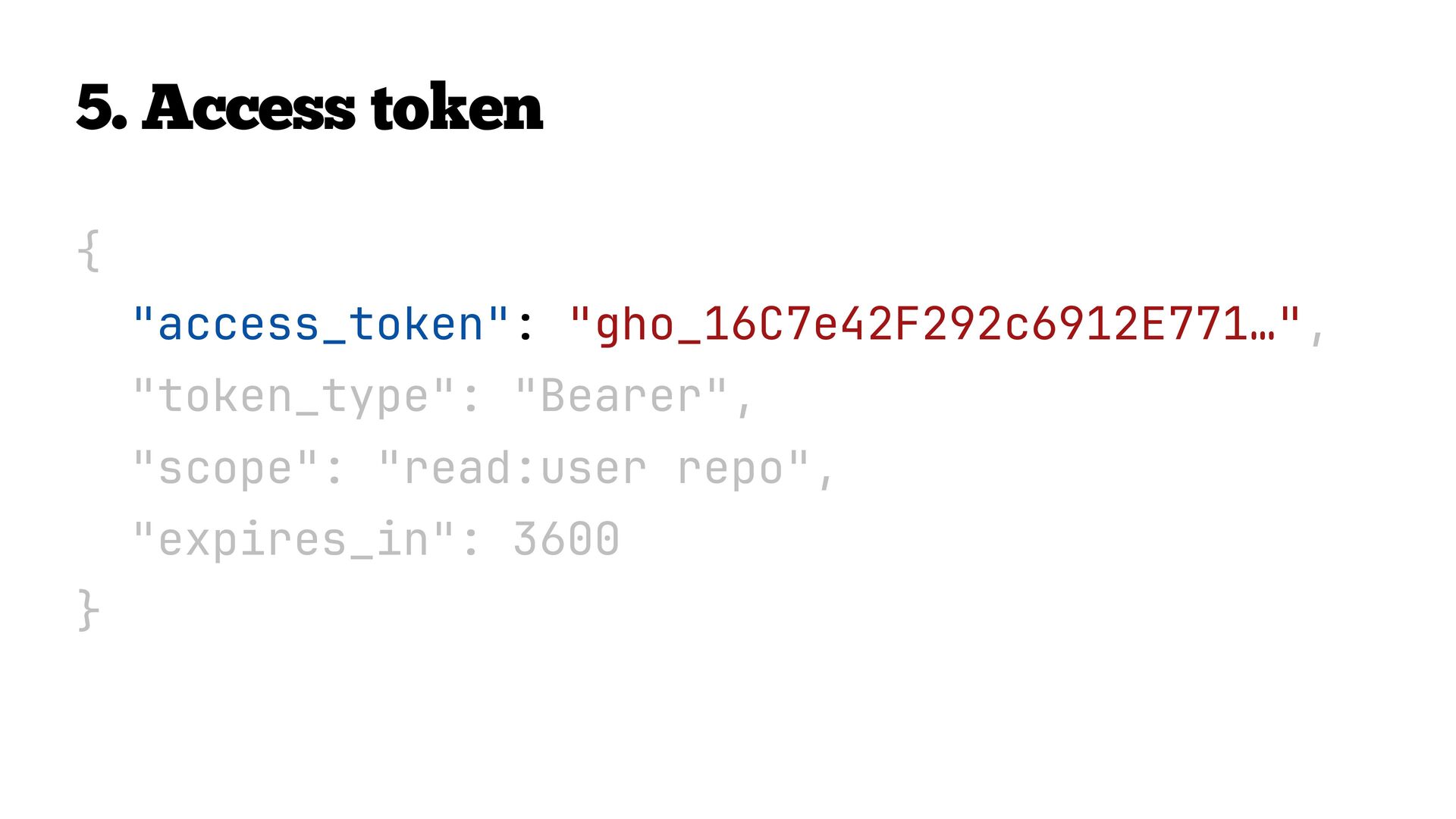
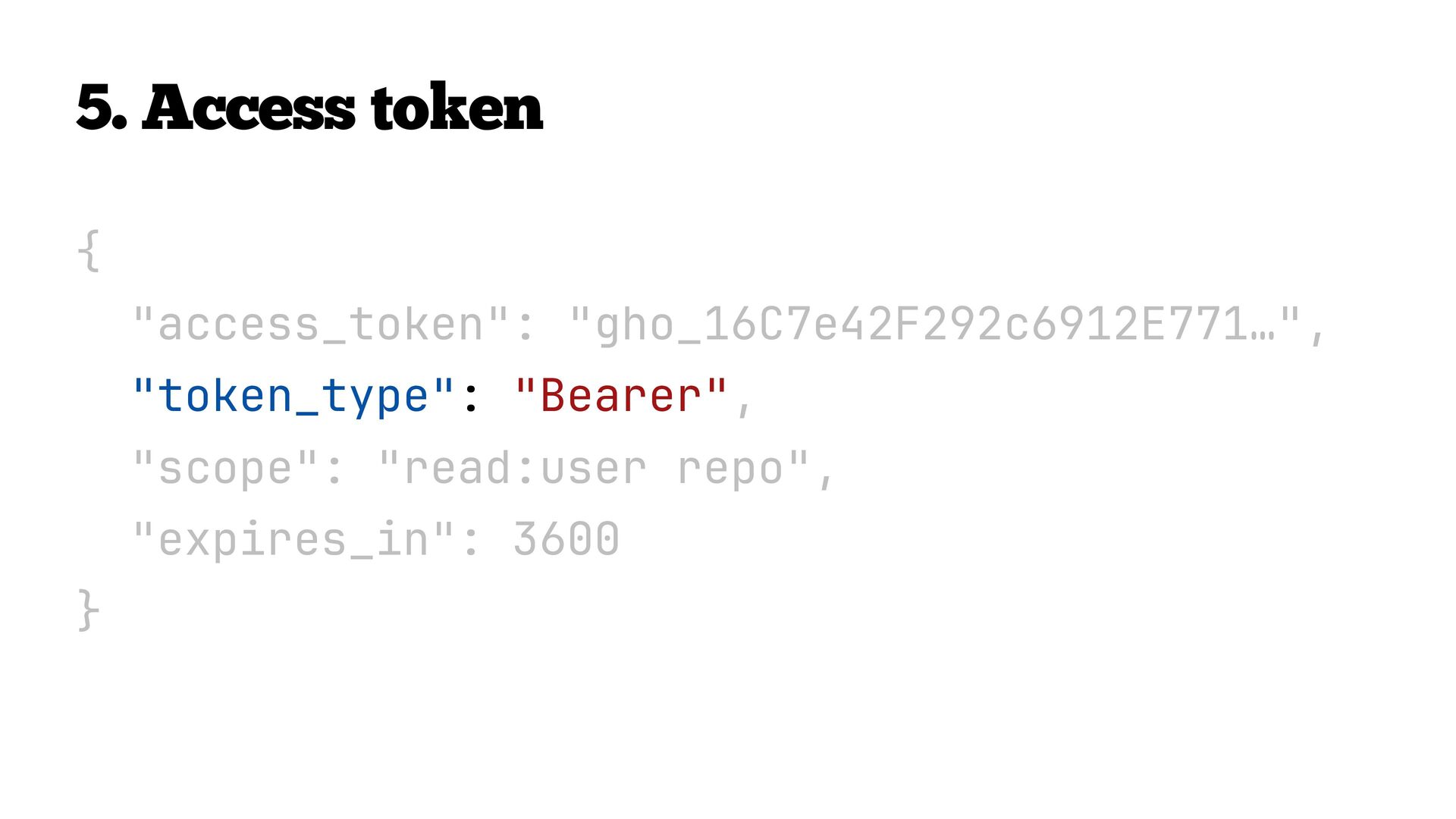
  22. 1 Browser Client Auth Server Resource Server User App server

    GitHub GitHub API Client redirect for authorization request User authentication and consent 2 Authorization code redirect 3 4 5 Code exchange (server-side) Access token
  23. 1 Browser Client Auth Server Resource Server User App server

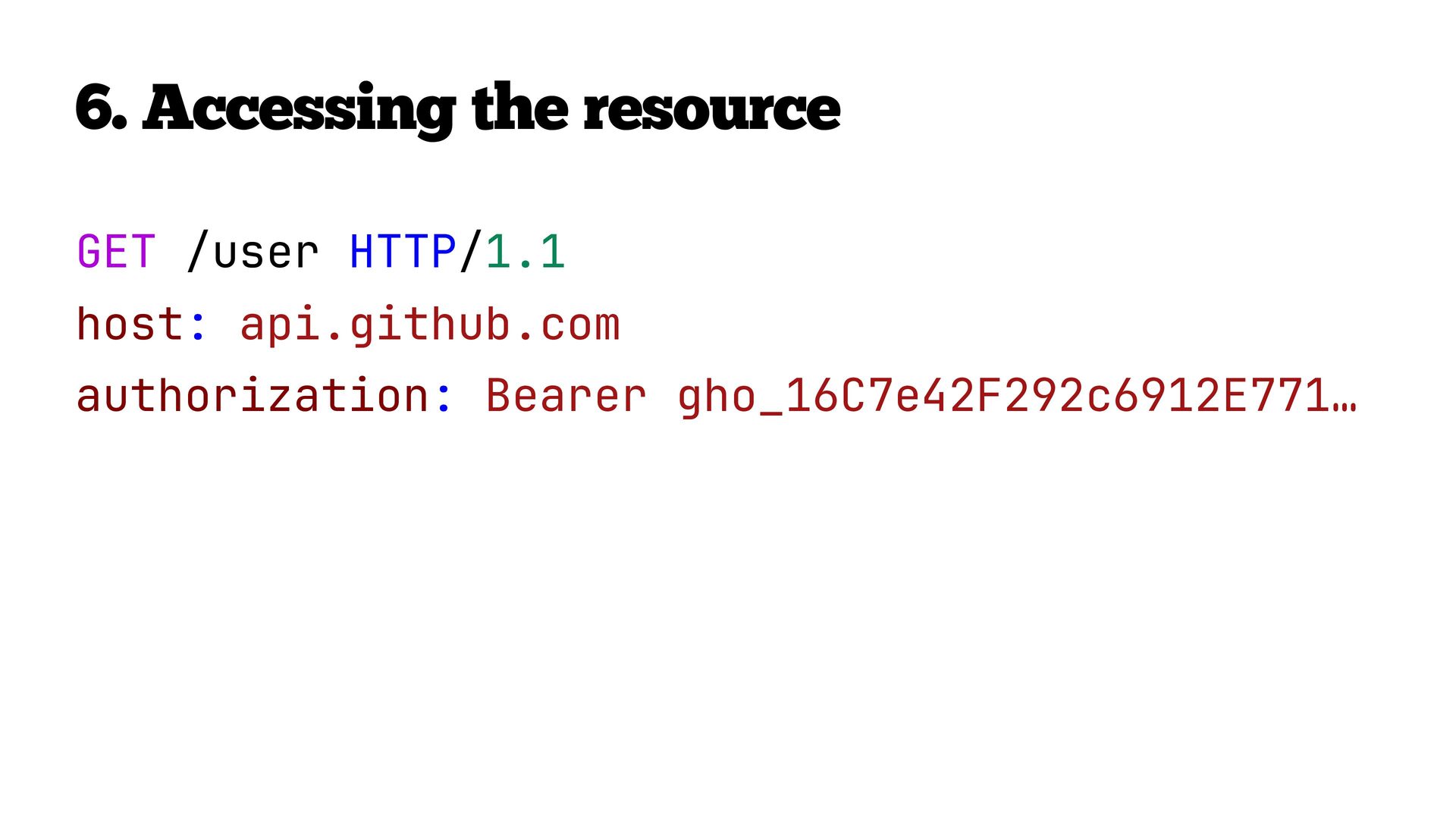
    GitHub GitHub API Client redirect for authorization request User authentication and consent 2 Authorization code redirect 3 4 Code exchange (server-side) 5 Access token 6 Access the resource
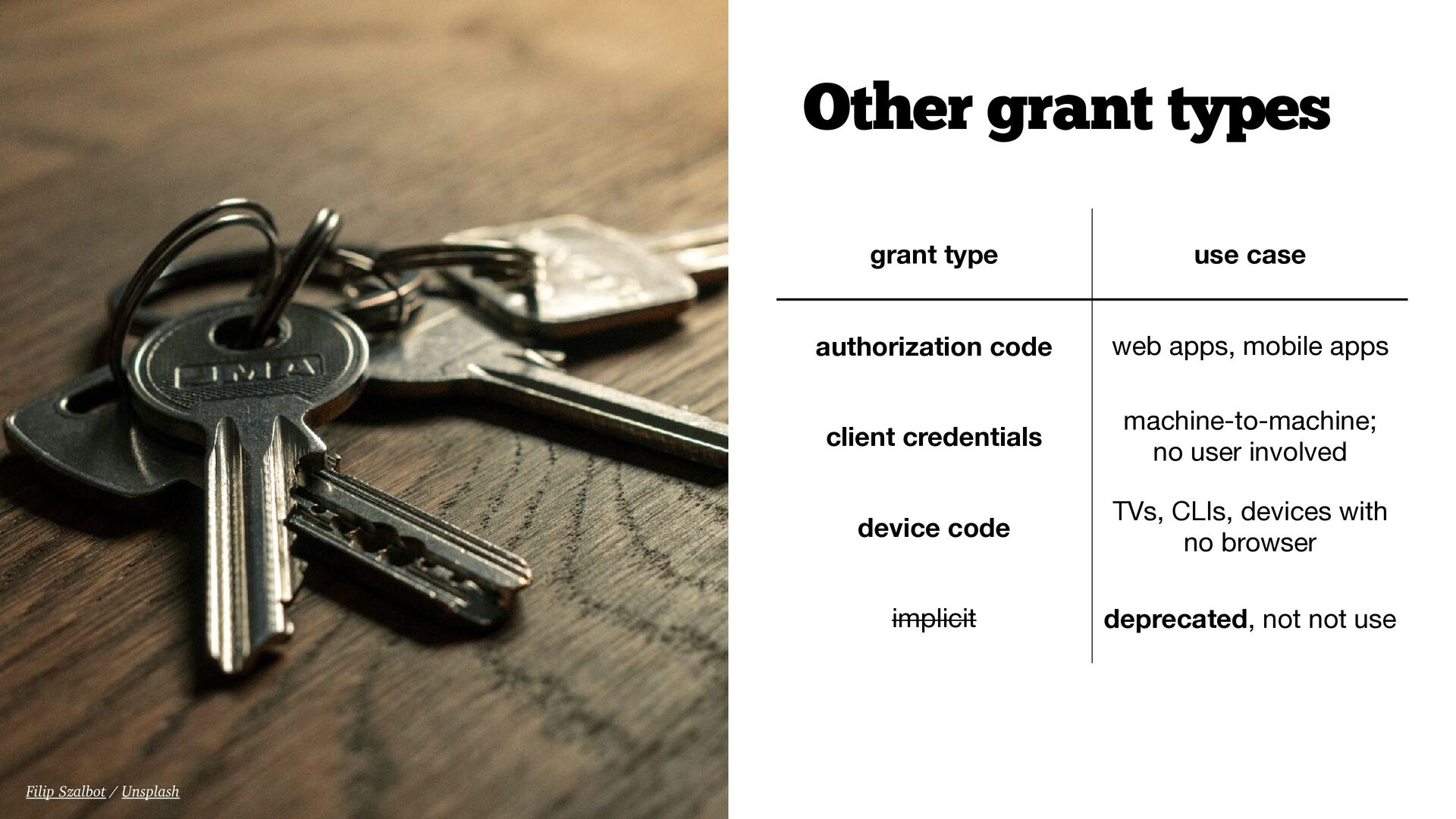
  24. Other grant types Filip Szalbot / Unsplash grant type use

    case authorization code web apps, mobile apps client credentials machine-to-machine; no user involved device code TVs, CLIs, devices with no browser implicit deprecated, not not use
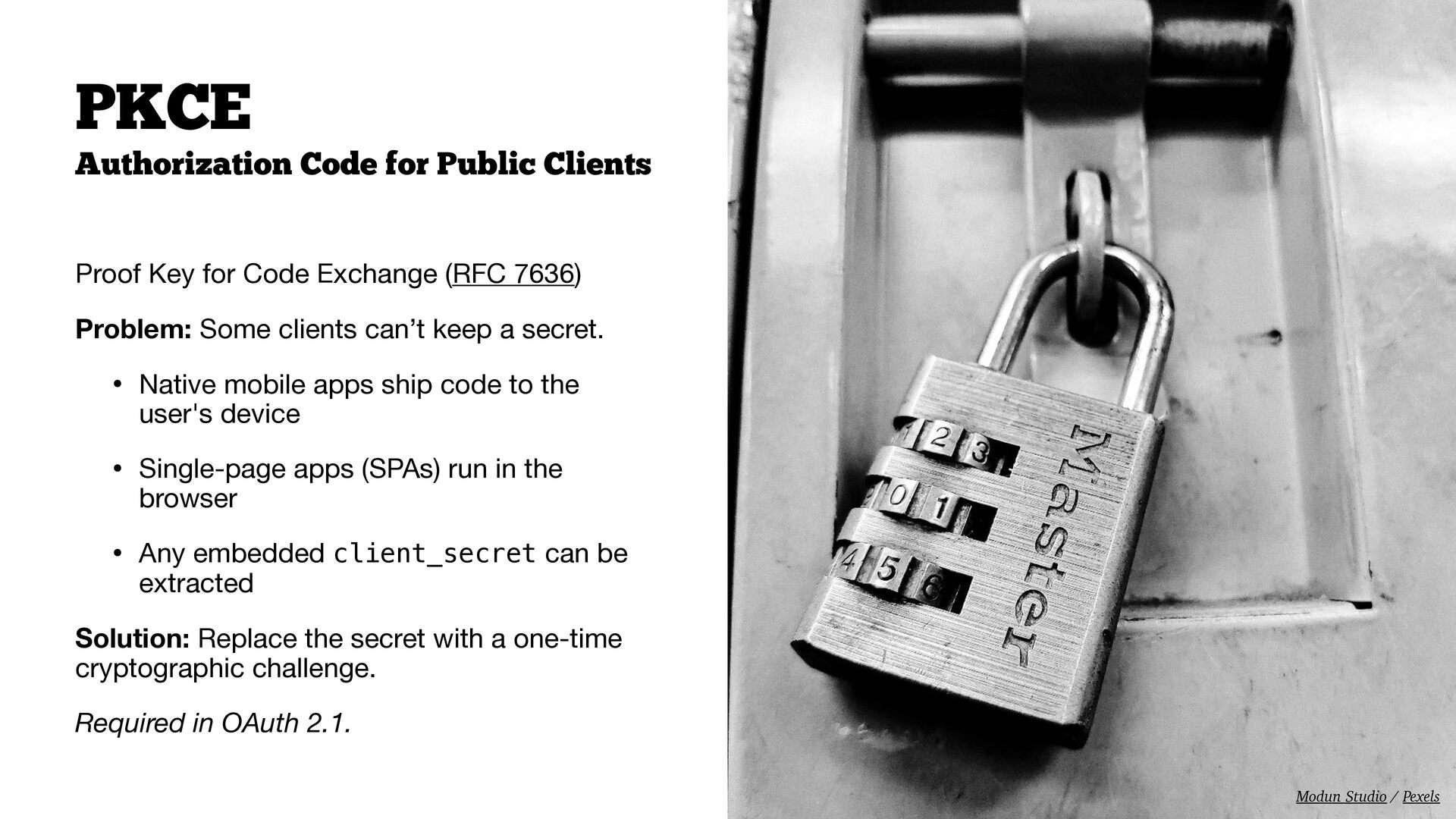
  25. PKCE Authorization Code for Public Clients Proof Key for Code

    Exchange (RFC 7636) Problem: Some clients can’t keep a secret. • Native mobile apps ship code to the user's device • Single-page apps (SPAs) run in the browser • Any embedded client_secret can be extracted Solution: Replace the secret with a one-time cryptographic challenge. Required in OAuth 2.1. Modun Studio / Pexels
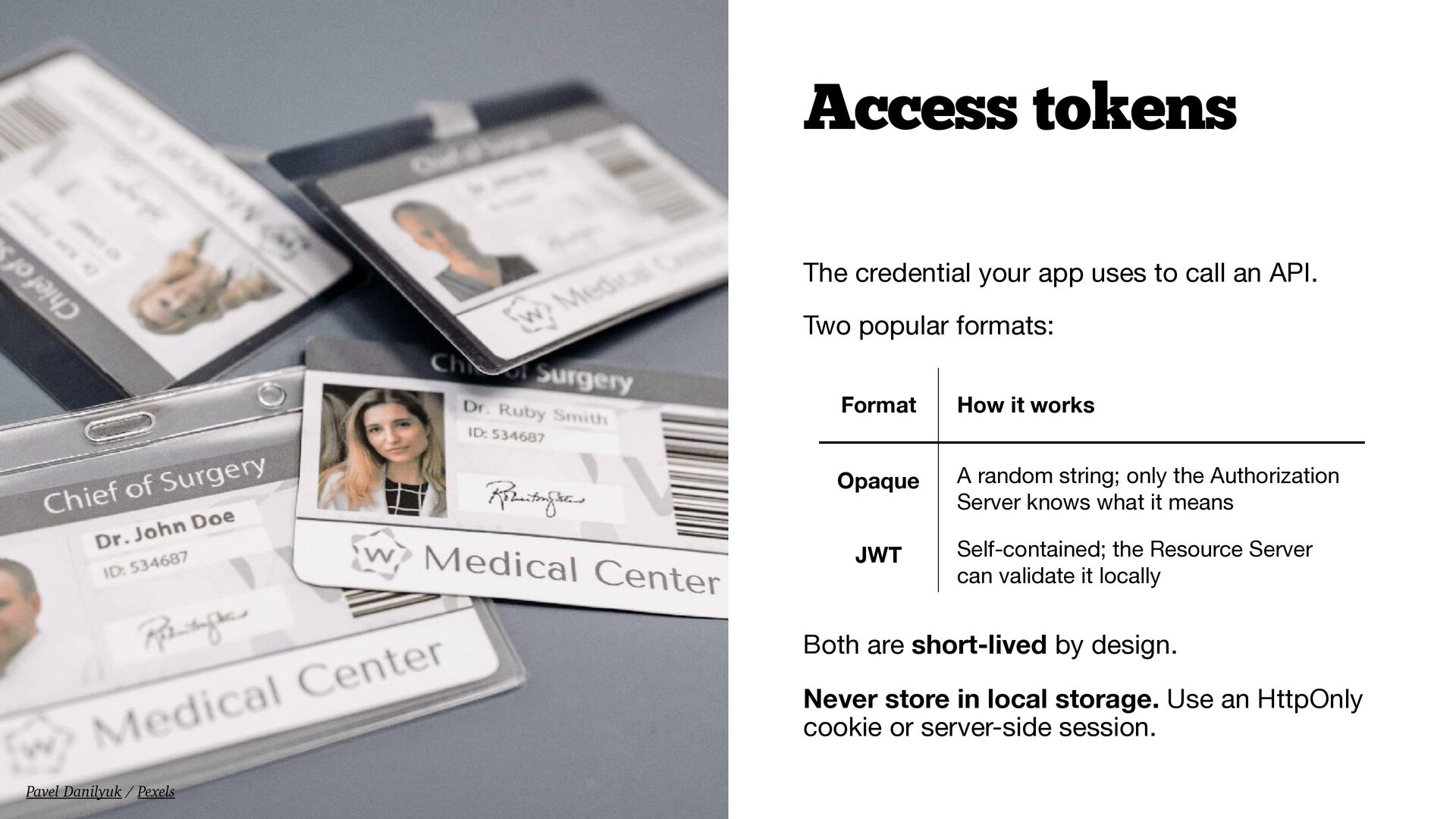
  26. Access tokens The credential your app uses to call an

    API. Two popular formats: Format How it works Opaque A random string; only the Authorization Server knows what it means JWT Self-contained; the Resource Server can validate it locally Both are short-lived by design. Never store in local storage. Use an HttpOnly cookie or server-side session. Pavel Danilyuk / Pexels
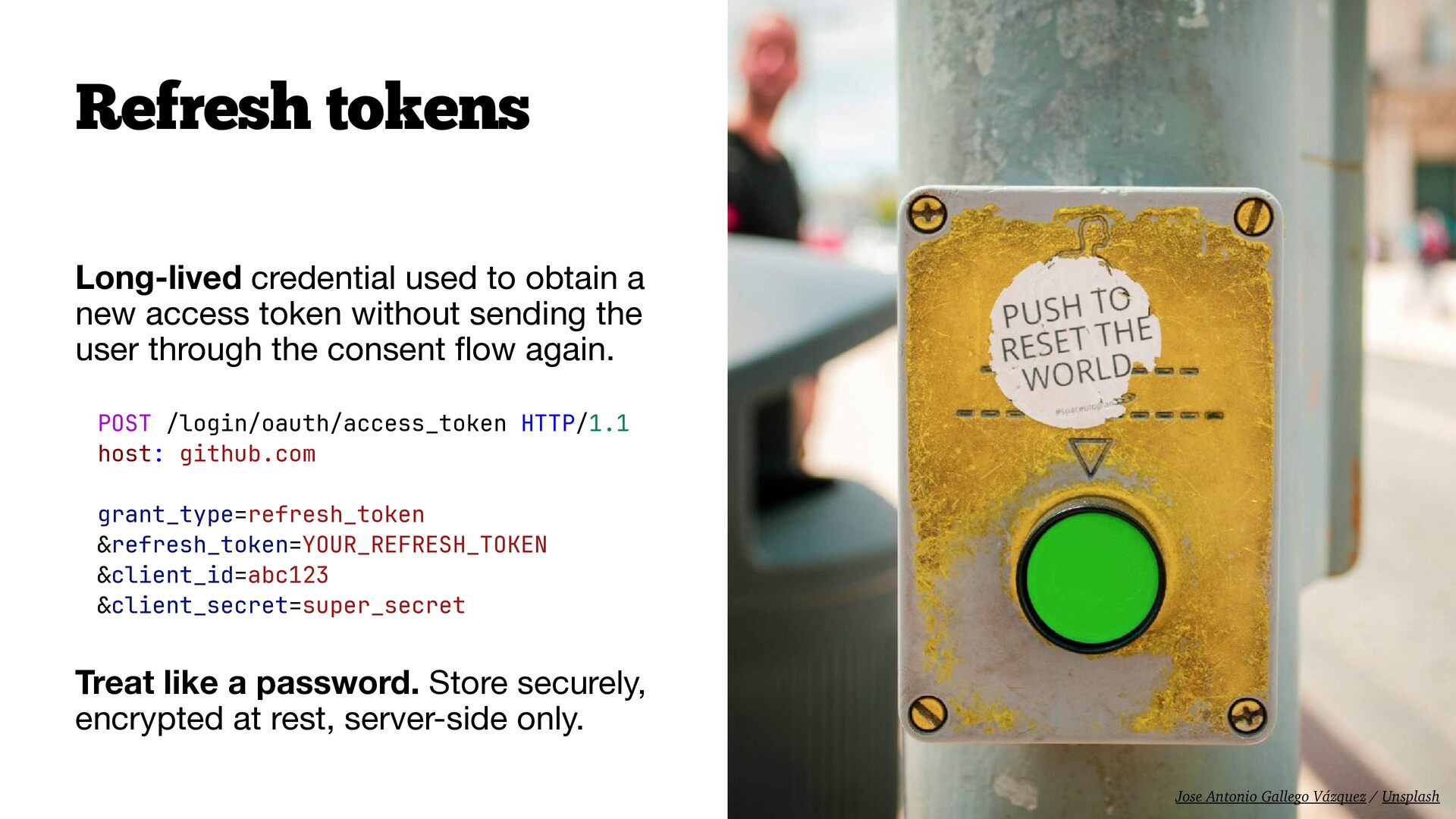
  27. Refresh tokens Long-lived credential used to obtain a new access

    token without sending the user through the consent ow again. POST /login/oauth/access_token HTTP/1.1 host: github.com grant_type=refresh_token &refresh_token=YOUR_REFRESH_TOKEN &client_id=abc123 &client_secret=super_secret Treat like a password. Store securely, encrypted at rest, server-side only. fl Jose Antonio Gallego Vázquez / Unsplash
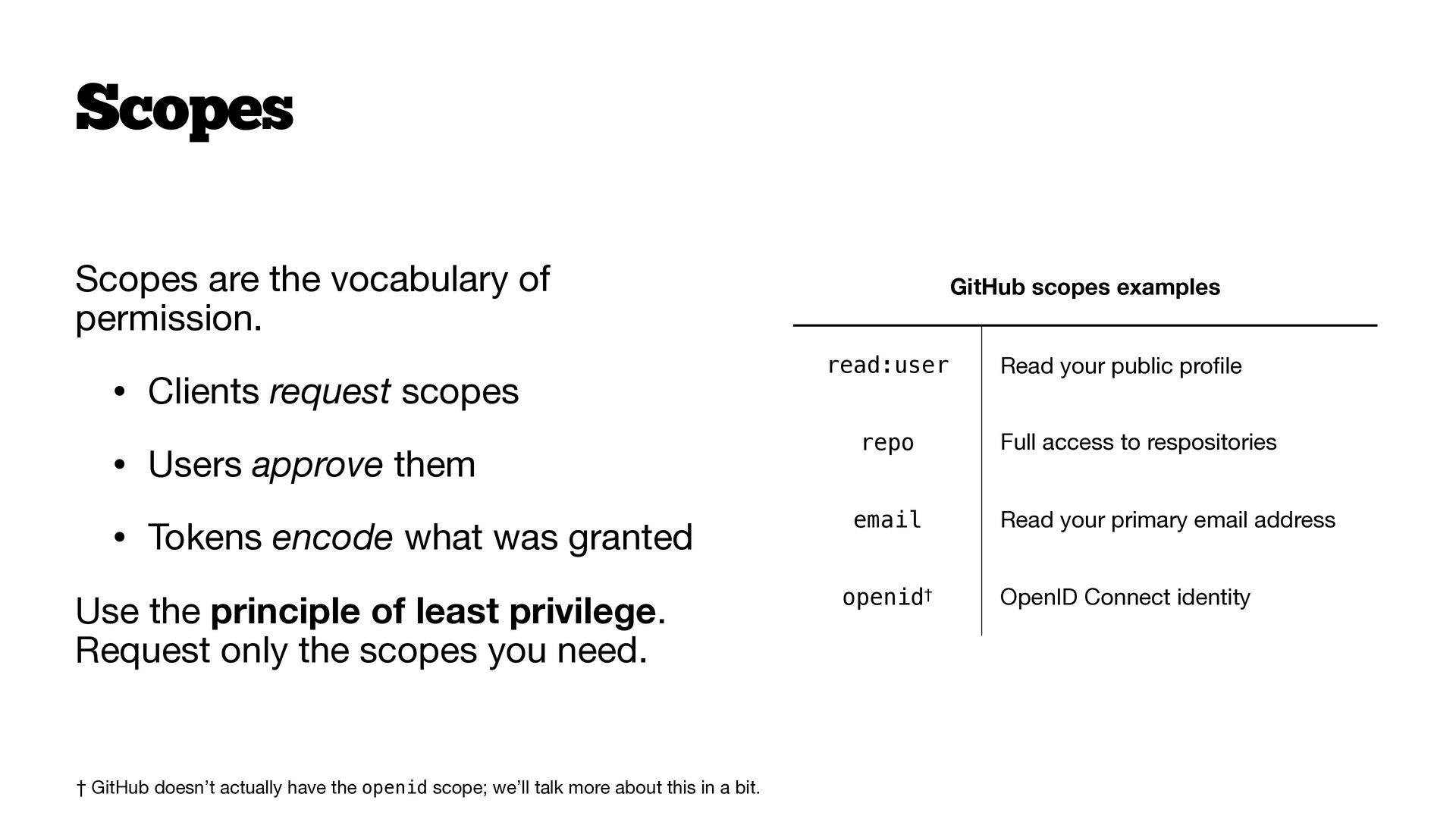
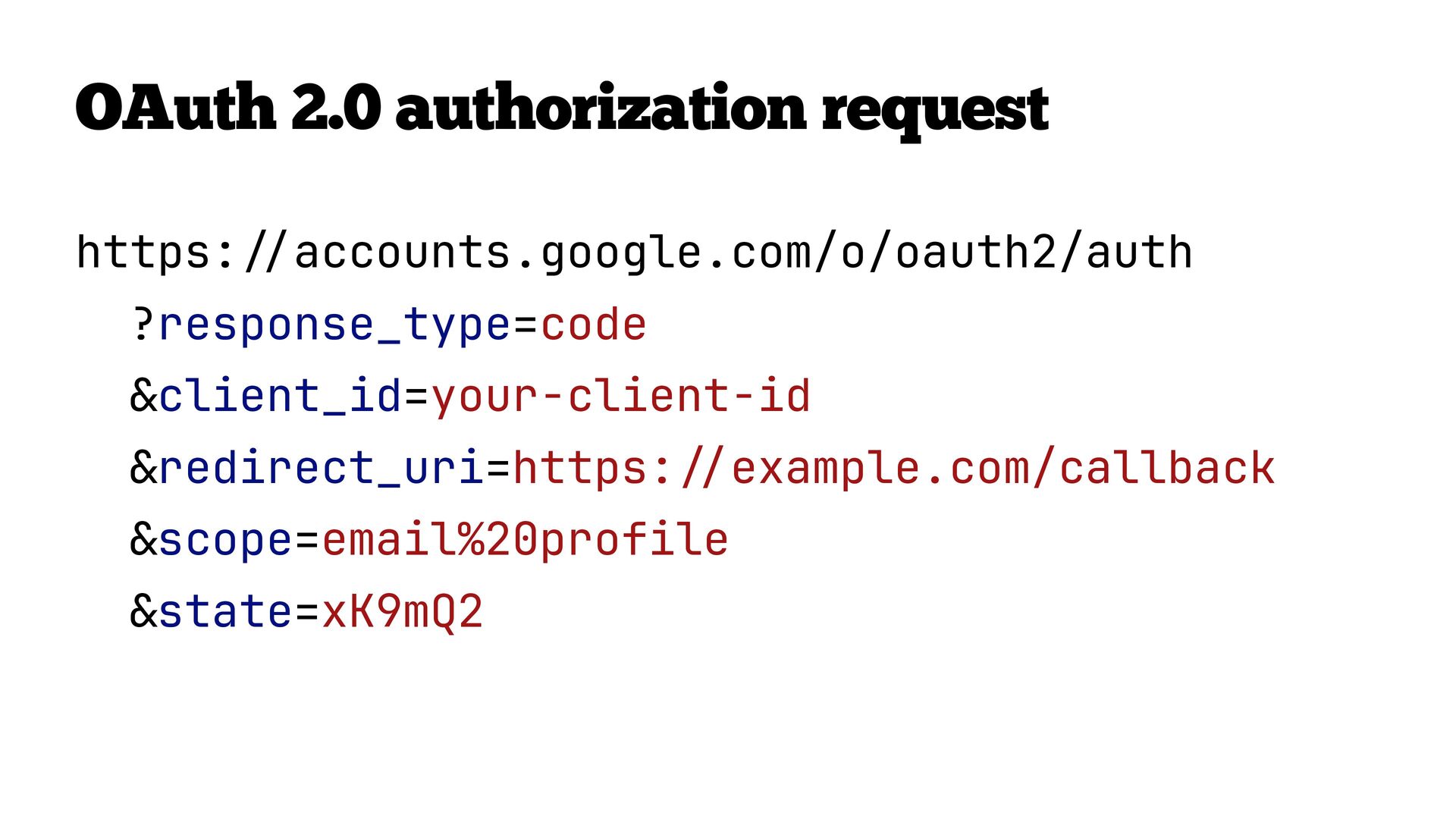
  28. Scopes Scopes are the vocabulary of permission. • Clients request

    scopes GitHub scopes examples read:user Read your public pro le • Users approve them repo Full access to respositories • Tokens encode what was granted email Read your primary email address openid† OpenID Connect identity Use the principle of least privilege. Request only the scopes you need. fi † GitHub doesn’t actually have the openid scope; we’ll talk more about this in a bit.
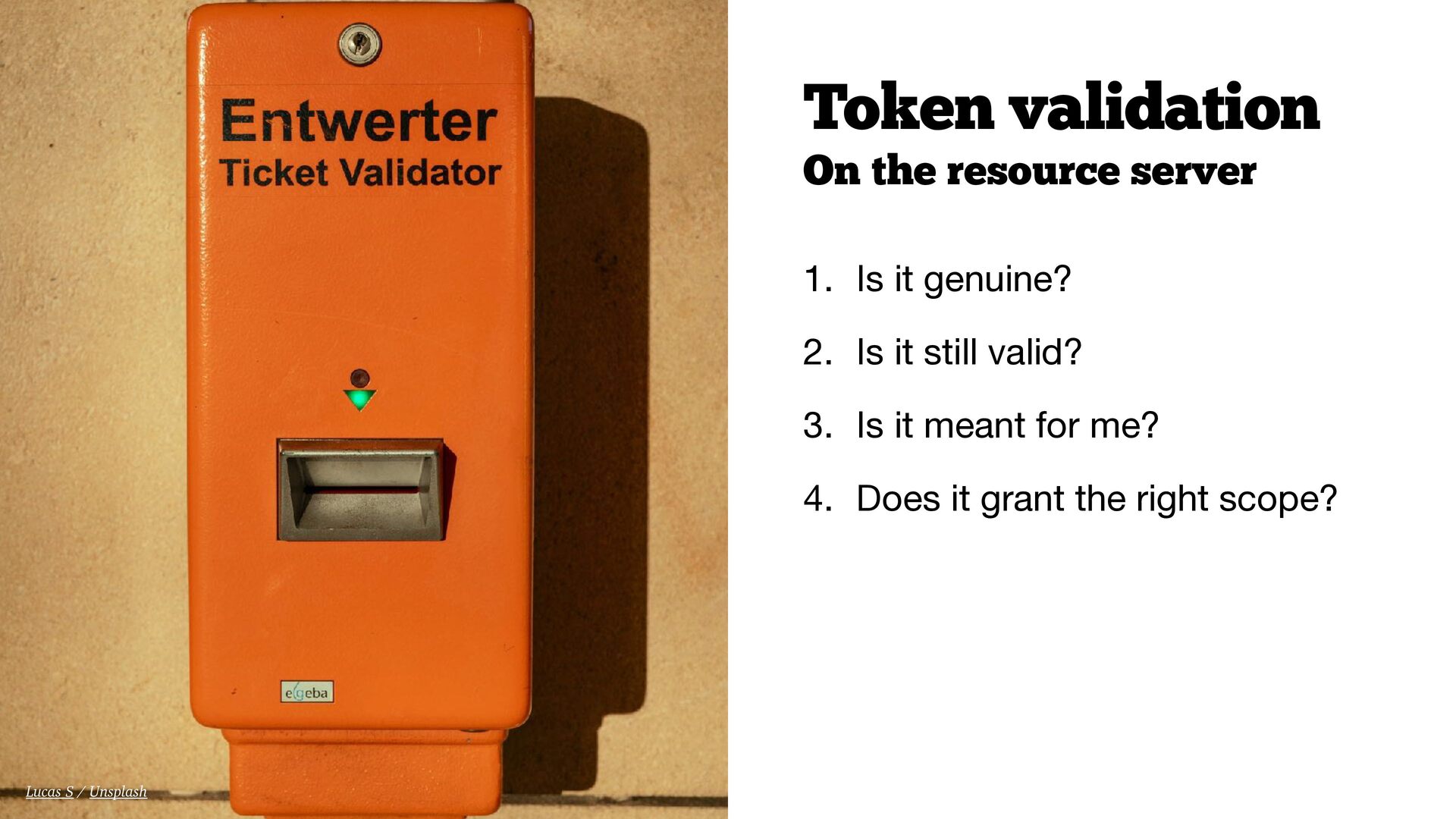
  29. Token validation On the resource server 1. Is it genuine?

    2. Is it still valid? 3. Is it meant for me? 4. Does it grant the right scope? Lucas S / Unsplash
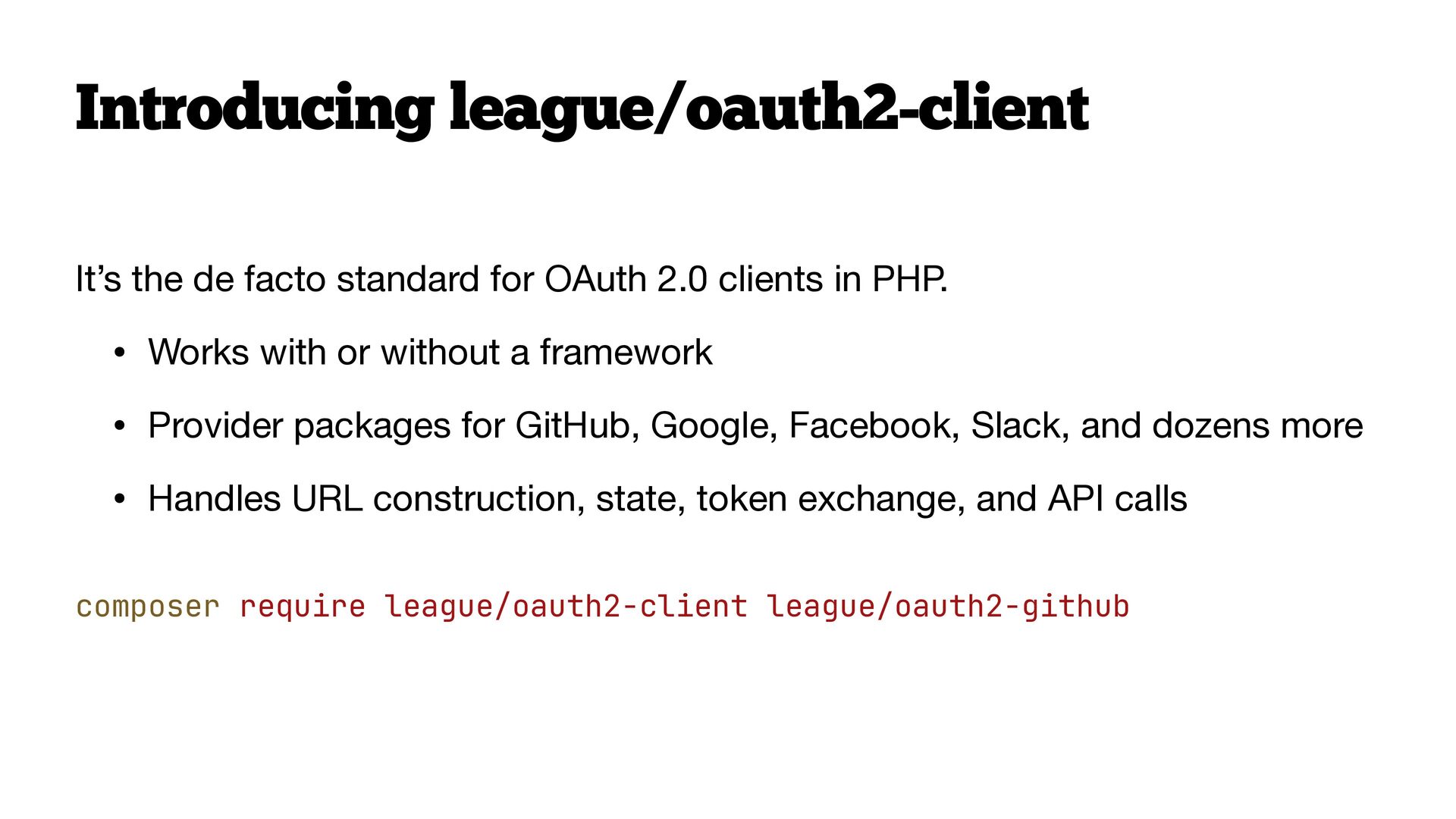
  30. Introducing league/oauth2-client It’s the de facto standard for OAuth 2.0

    clients in PHP. • Works with or without a framework • Provider packages for GitHub, Google, Facebook, Slack, and dozens more • Handles URL construction, state, token exchange, and API calls composer require league/oauth2-client league/oauth2-github
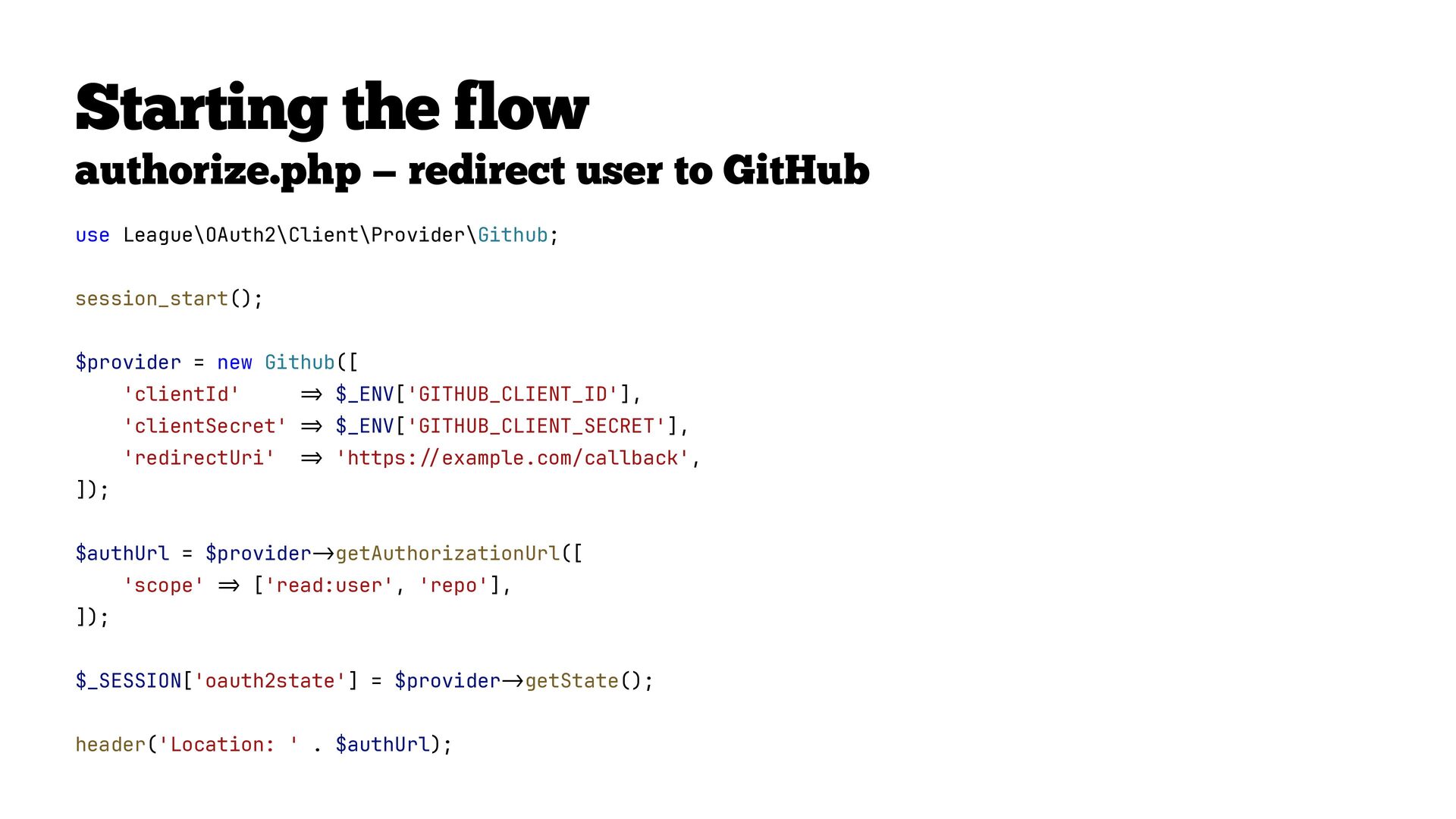
  31. Starting the flow authorize.php — redirect user to GitHub use

    League\OAuth2\Client\Provider\Github; session_start(); $provider = new Github([ 'clientId' $_ENV['GITHUB_CLIENT_ID'], 'clientSecret' $_ENV['GITHUB_CLIENT_SECRET'], 'redirectUri' 'https: example.com/callback', ]); $authUrl = $provider 'scope' getAuthorizationUrl([ ['read:user', 'repo'], ]); $_SESSION['oauth2state'] = $provider > - / / > > > > - = = = > = header('Location: ' . $authUrl); getState();
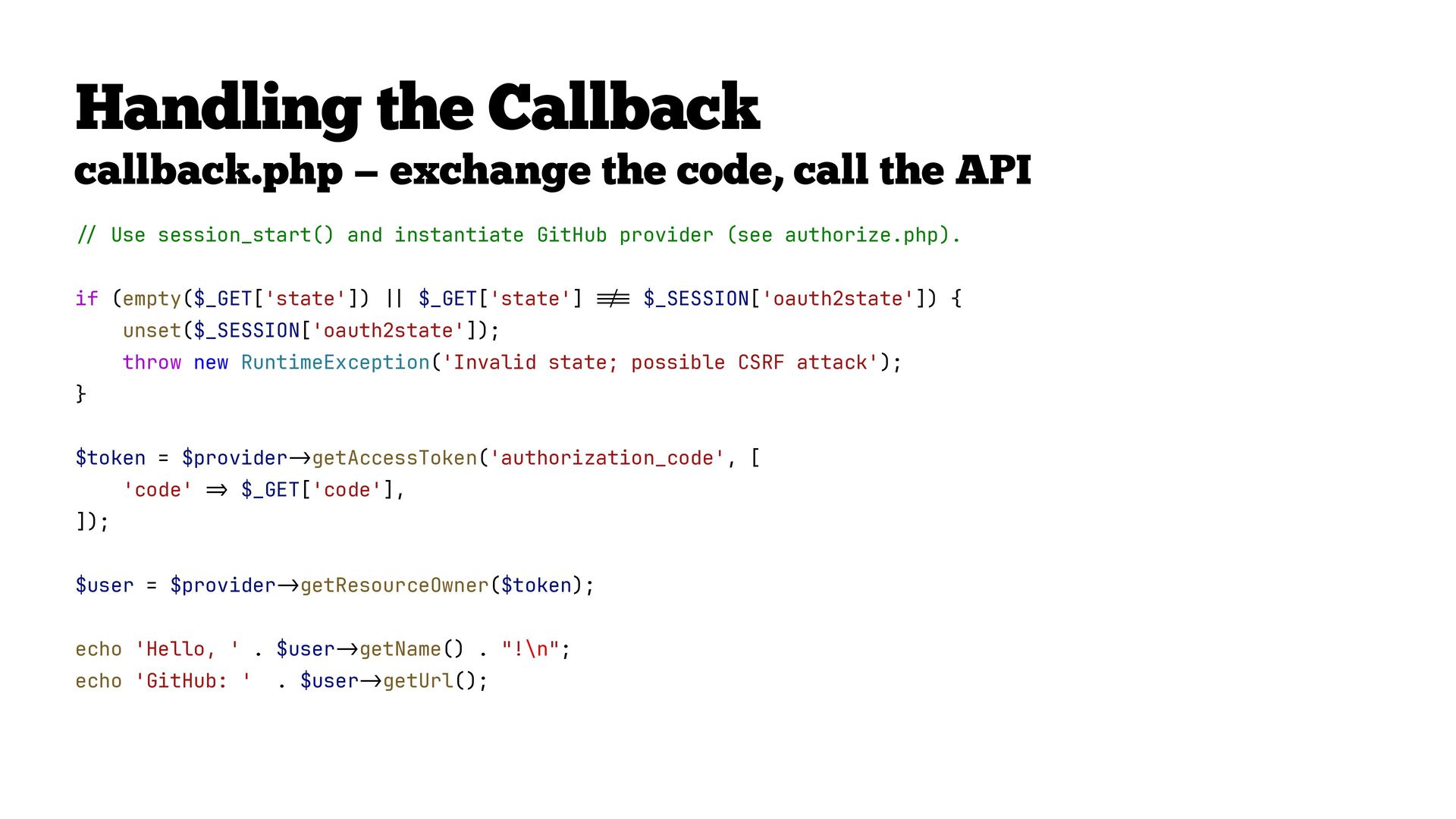
  32. callback.php — exchange the code, call the API Use session_start()

    and instantiate GitHub provider (see authorize.php). if (empty($_GET['state']) $_GET['state'] $_SESSION['oauth2state']) { unset($_SESSION['oauth2state']); throw new RuntimeException('Invalid state; possible CSRF attack'); } $token = $provider 'code' getAccessToken('authorization_code', [ $_GET['code'], ]); getResourceOwner($token); getUrl(); = | | > - > . $user - > - > - > = echo 'GitHub: ' getName() . "!\n"; = echo 'Hello, ' . $user ! $user = $provider / / Handling the Callback
  33. if ( empty($_GET['state']) $_GET['state'] $_SESSION['oauth2state'] ) { unset($_SESSION['oauth2state']); throw new

    RuntimeException( 'Invalid state; possible CSRF attack', ); = = ! | | } / / Validate state to prevent CSRF
  34. $token = $provider getAccessToken( 'authorization_code', [ 'code' $_GET['code'], ], >

    - > = ); / / Exchange the authorization code for an access token
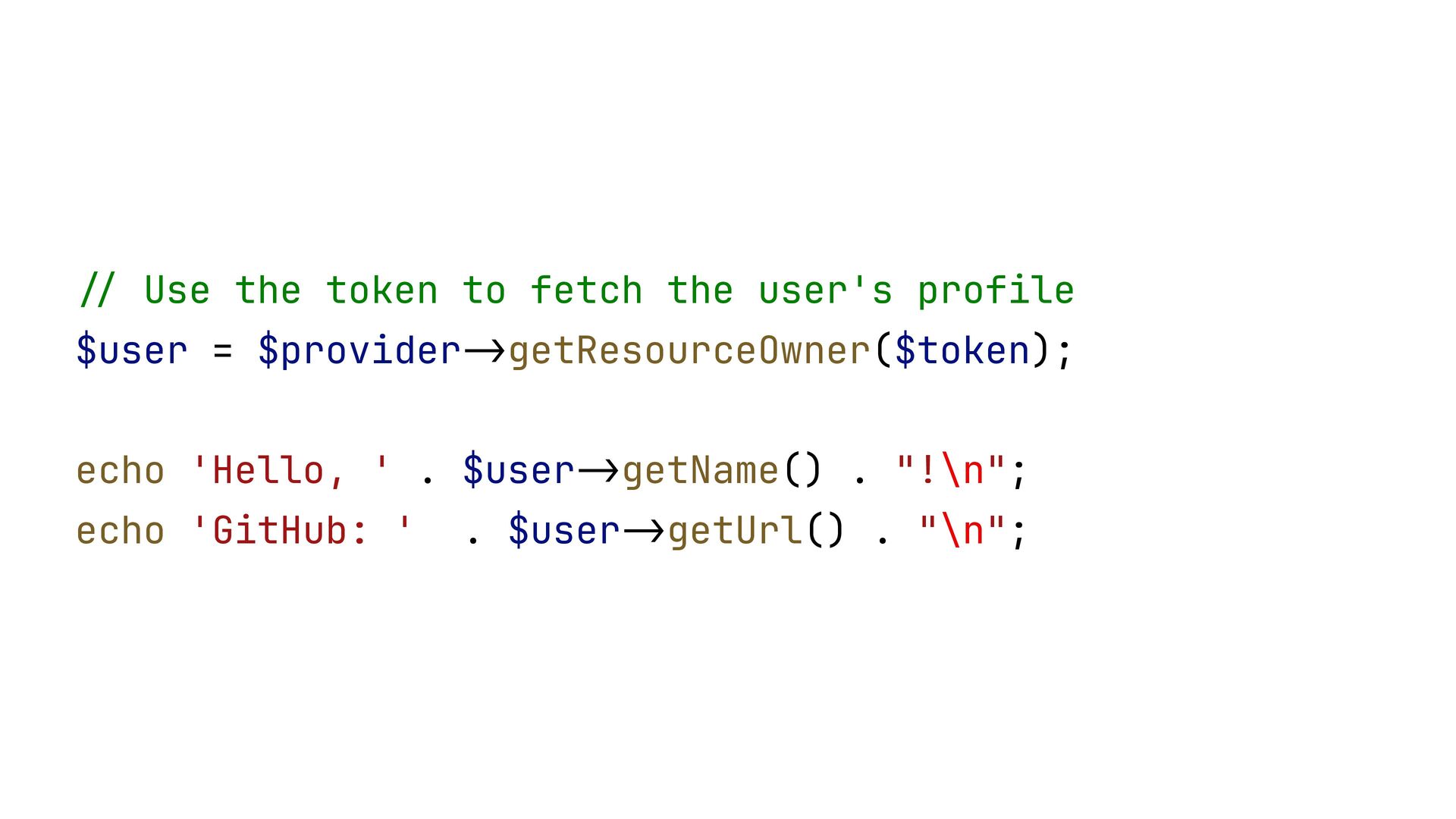
  35. $user = $provider getResourceOwner($token); echo 'Hello, ' . $user getName()

    . "!\n"; > - > . $user - > - echo 'GitHub: ' / / Use the token to fetch the user's profile getUrl() . "\n";
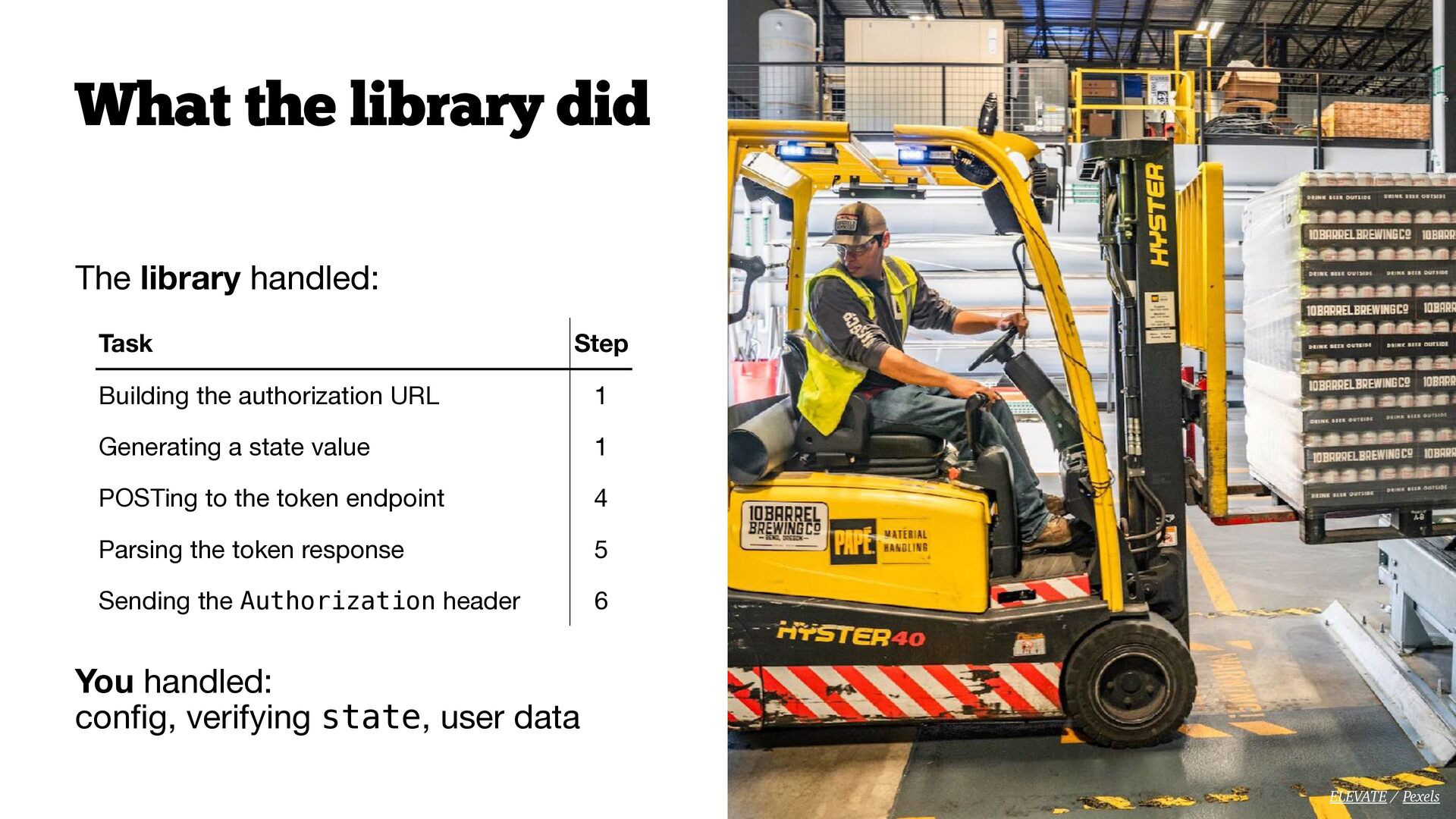
  36. What the library did The library handled: Task Step Building

    the authorization URL 1 Generating a state value 1 POSTing to the token endpoint 4 Parsing the token response 5 Sending the Authorization header 6 You handled: con g, verifying state, user data fi ELEVATE / Pexels
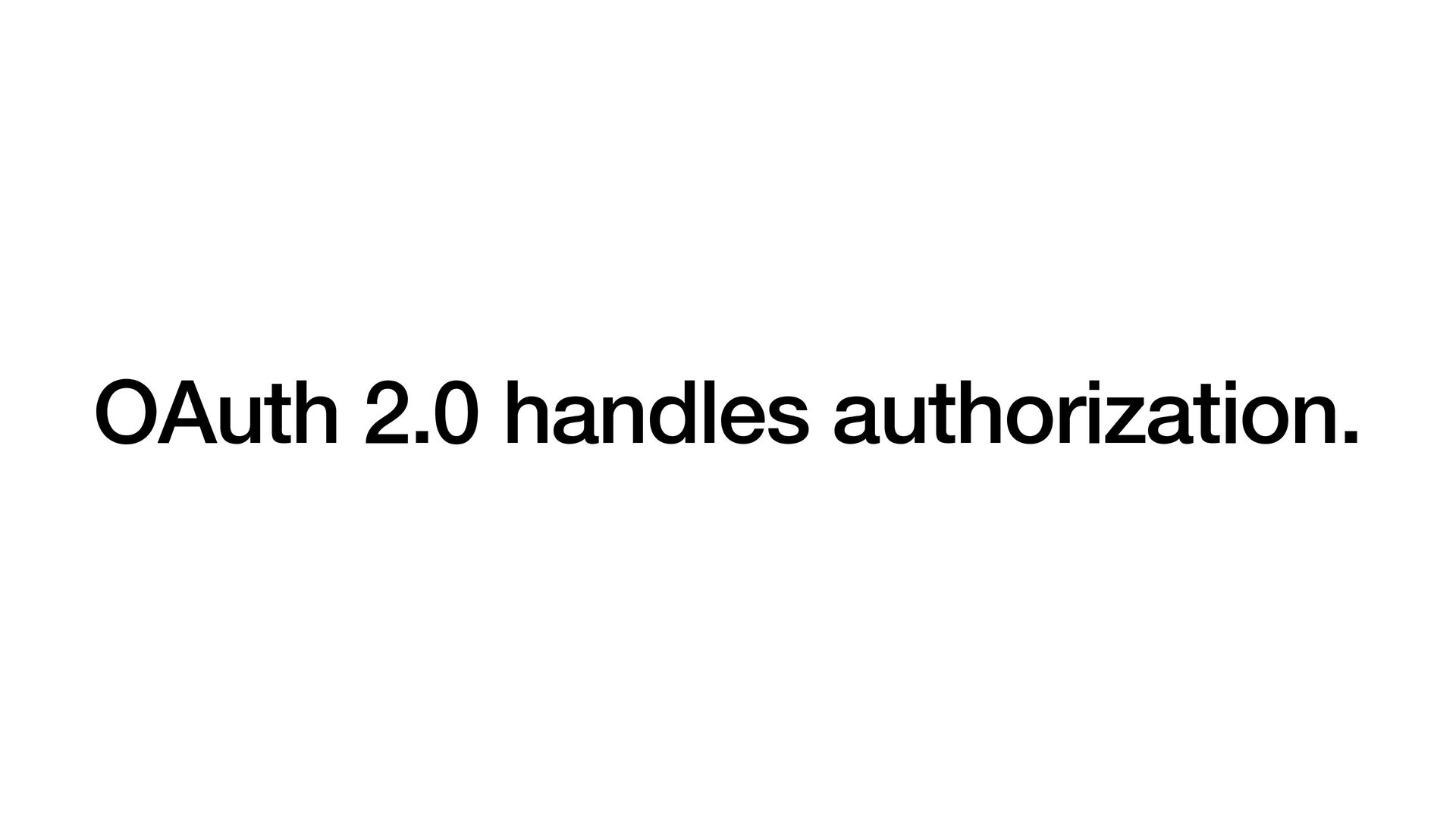
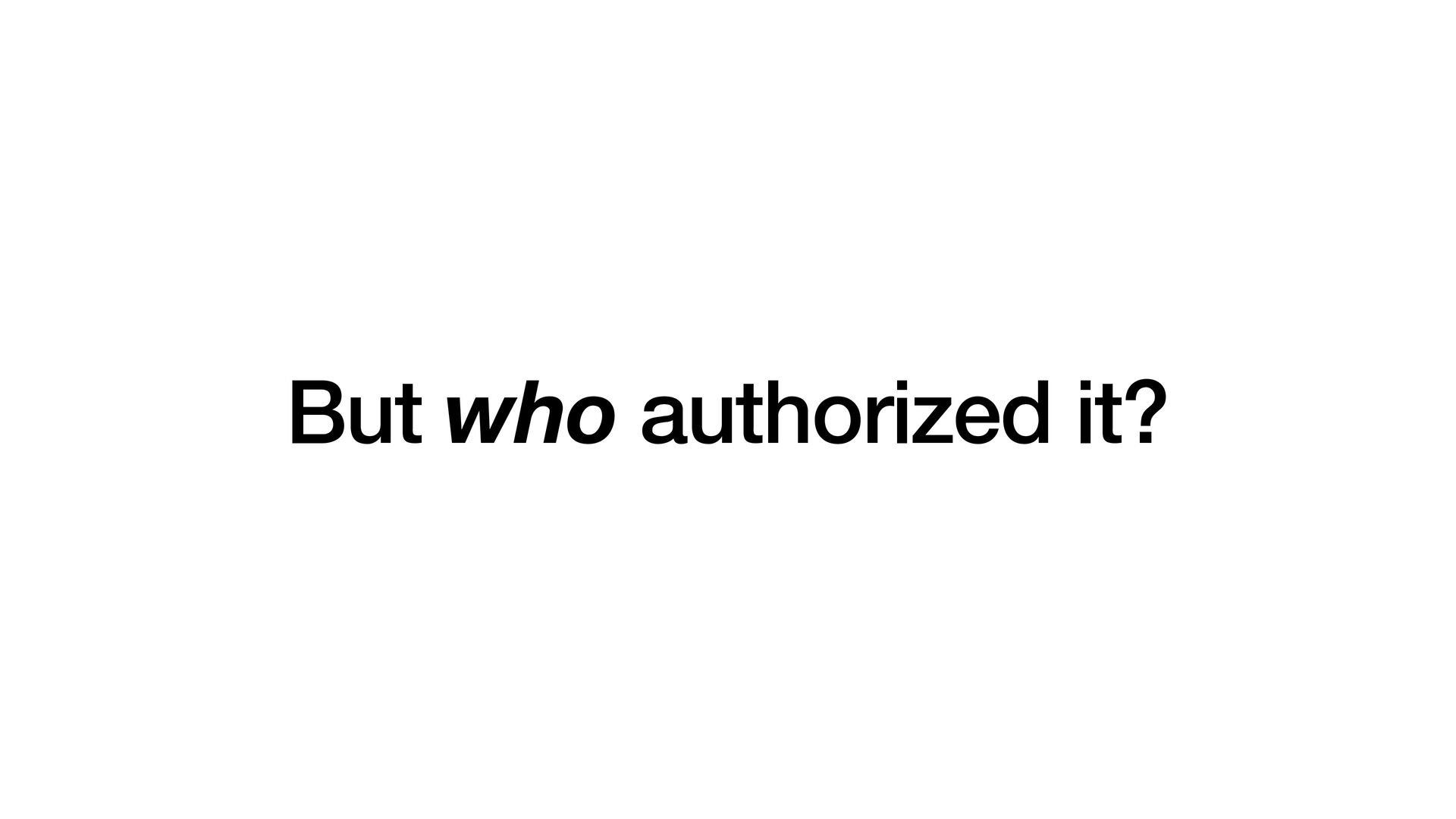
  37. OAuth 2.0 grants access to resources. It says nothing about

    who you are. Every provider does it di erently. ff Mikhail Nilov / Pexels
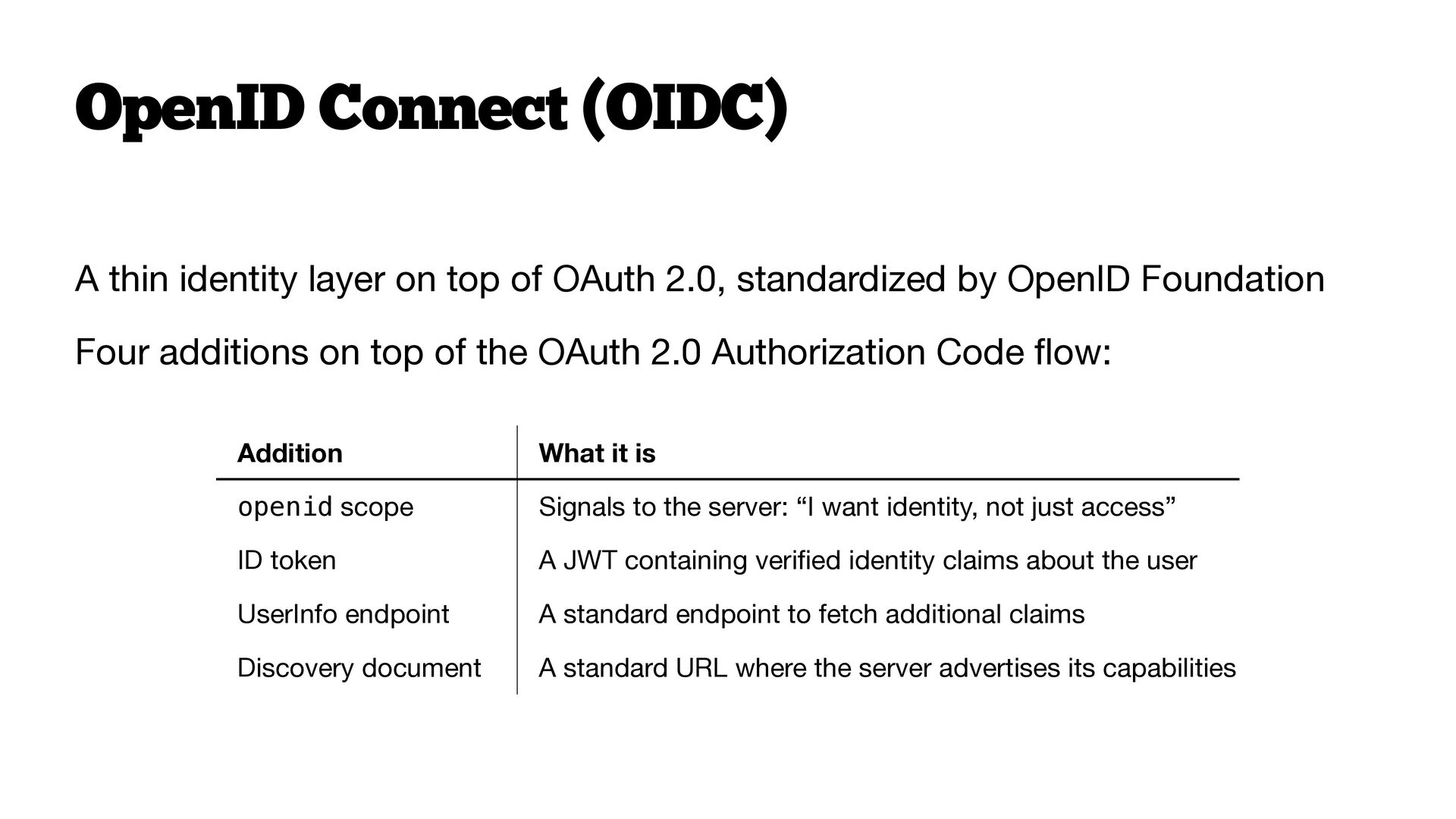
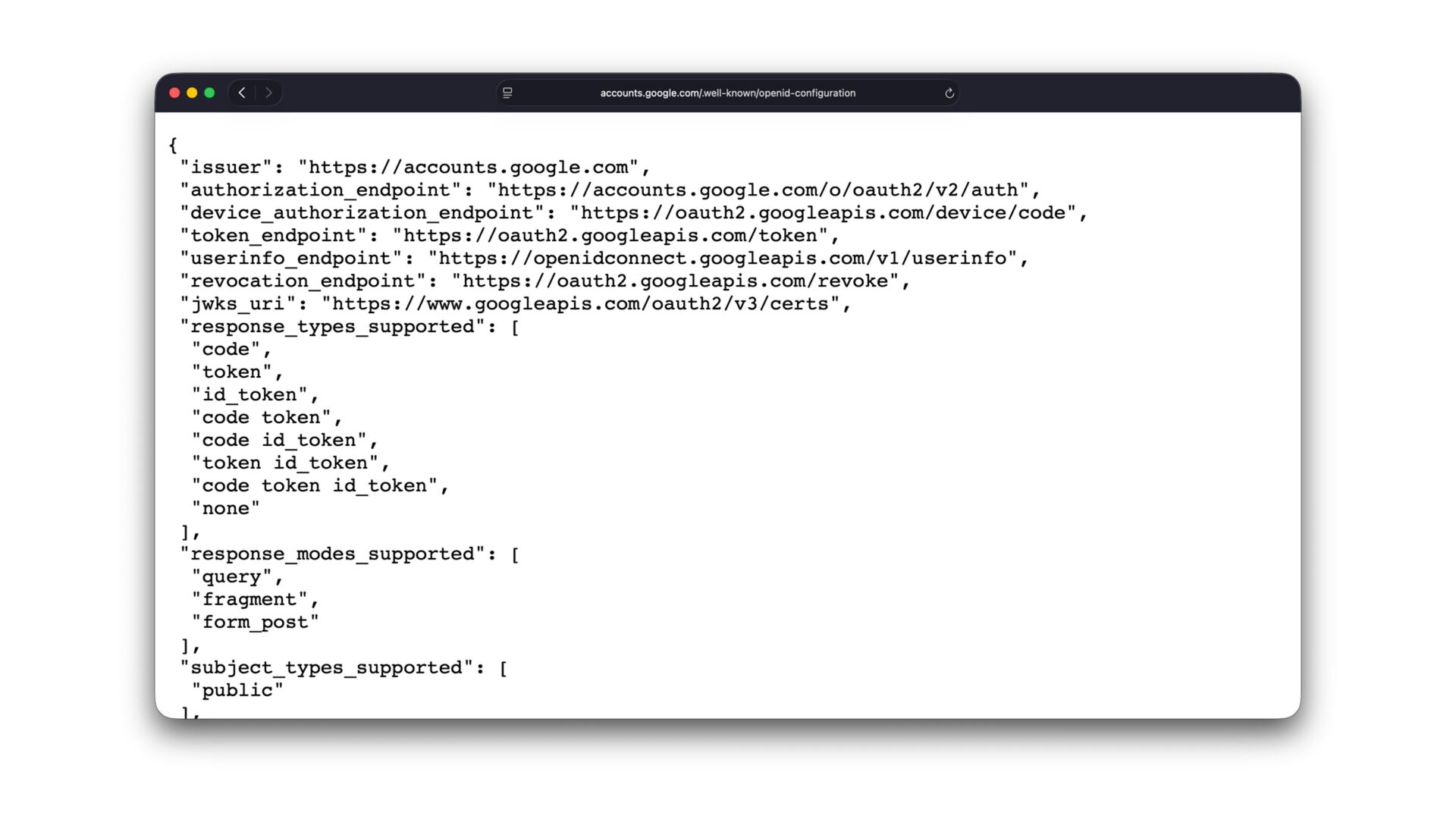
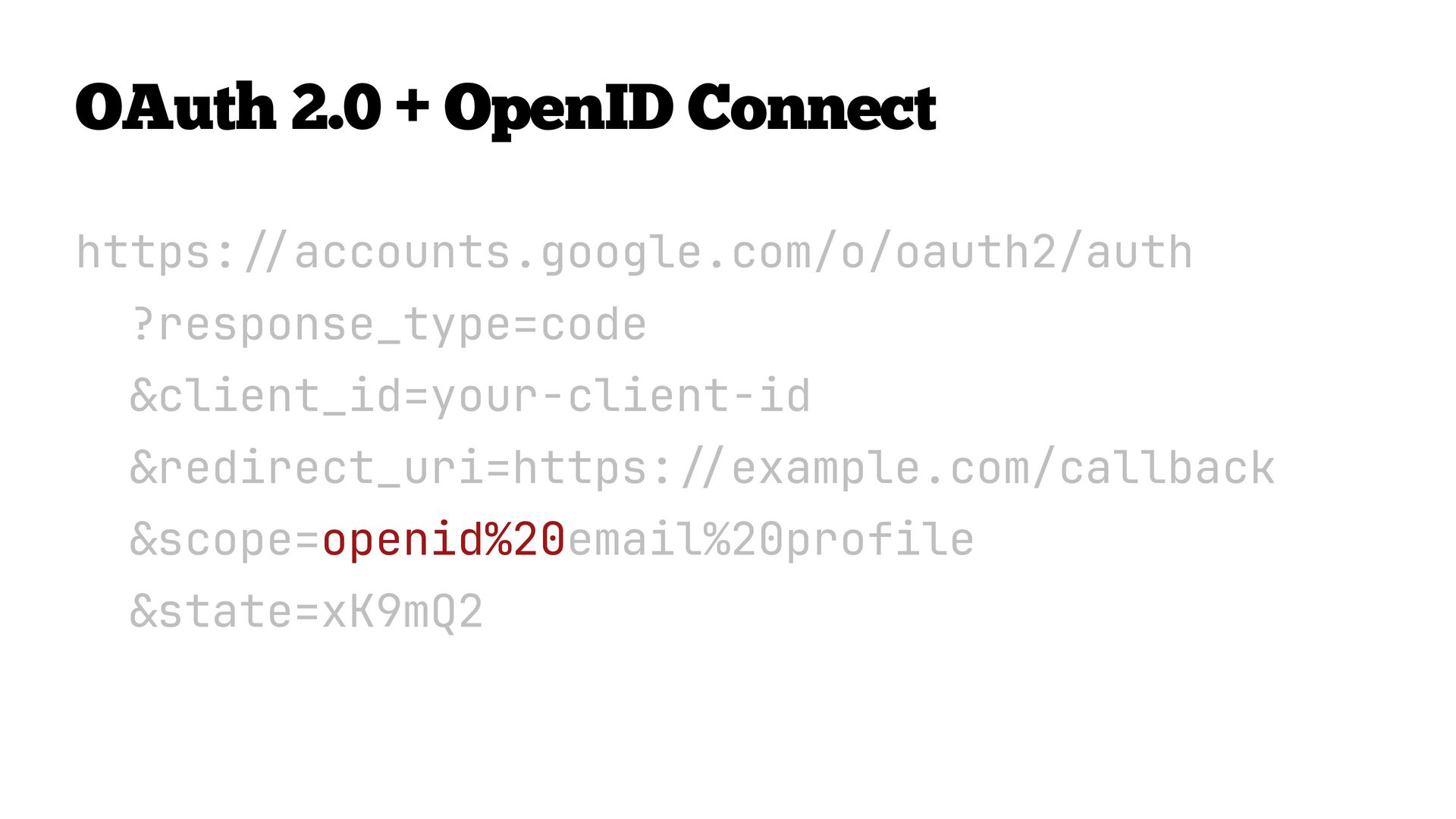
  38. OpenID Connect (OIDC) A thin identity layer on top of

    OAuth 2.0, standardized by OpenID Foundation Four additions on top of the OAuth 2.0 Authorization Code ow: openid scope Signals to the server: “I want identity, not just access” ID token A JWT containing veri ed identity claims about the user UserInfo endpoint A standard endpoint to fetch additional claims Discovery document A standard URL where the server advertises its capabilities fl What it is fi Addition
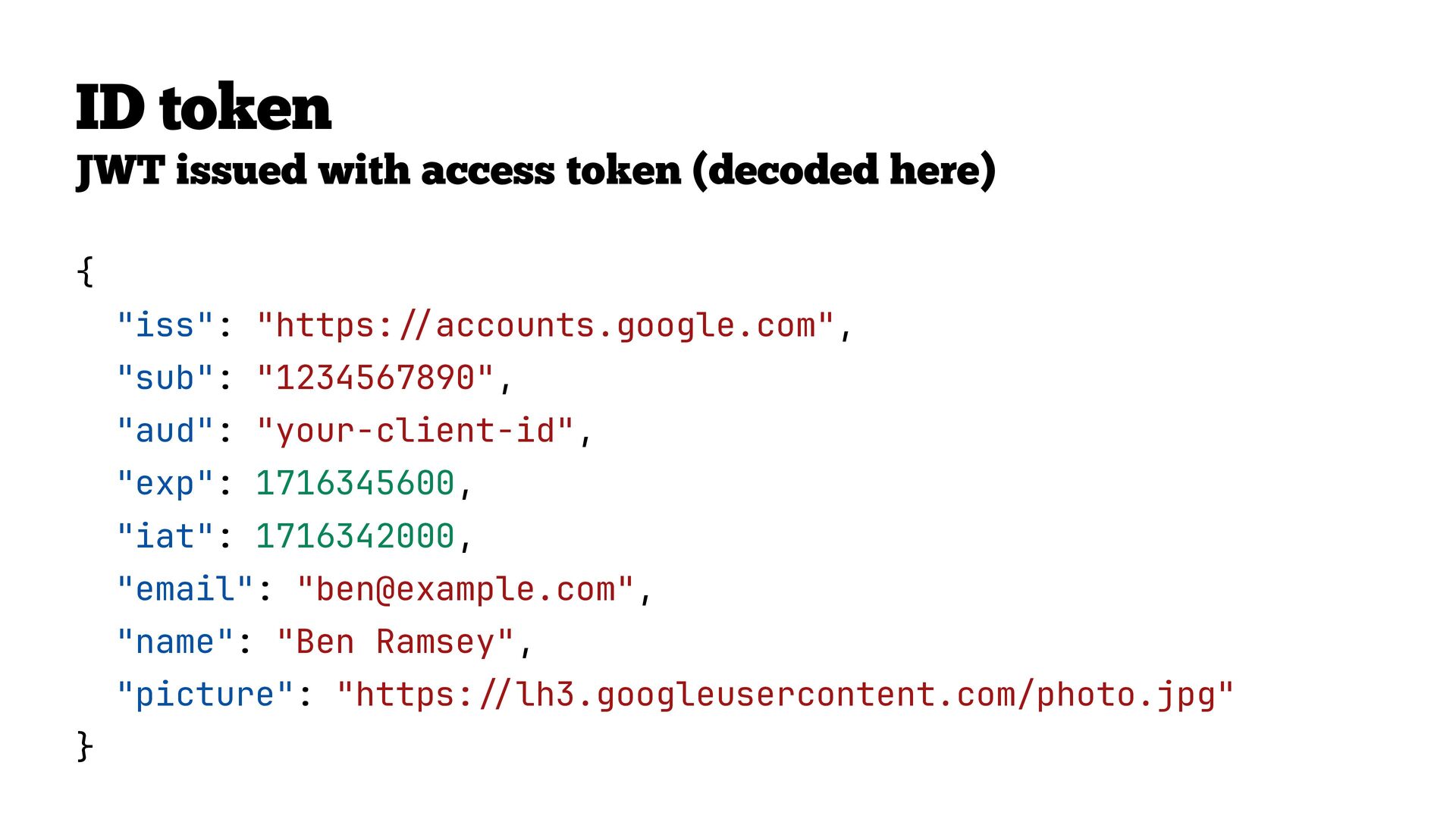
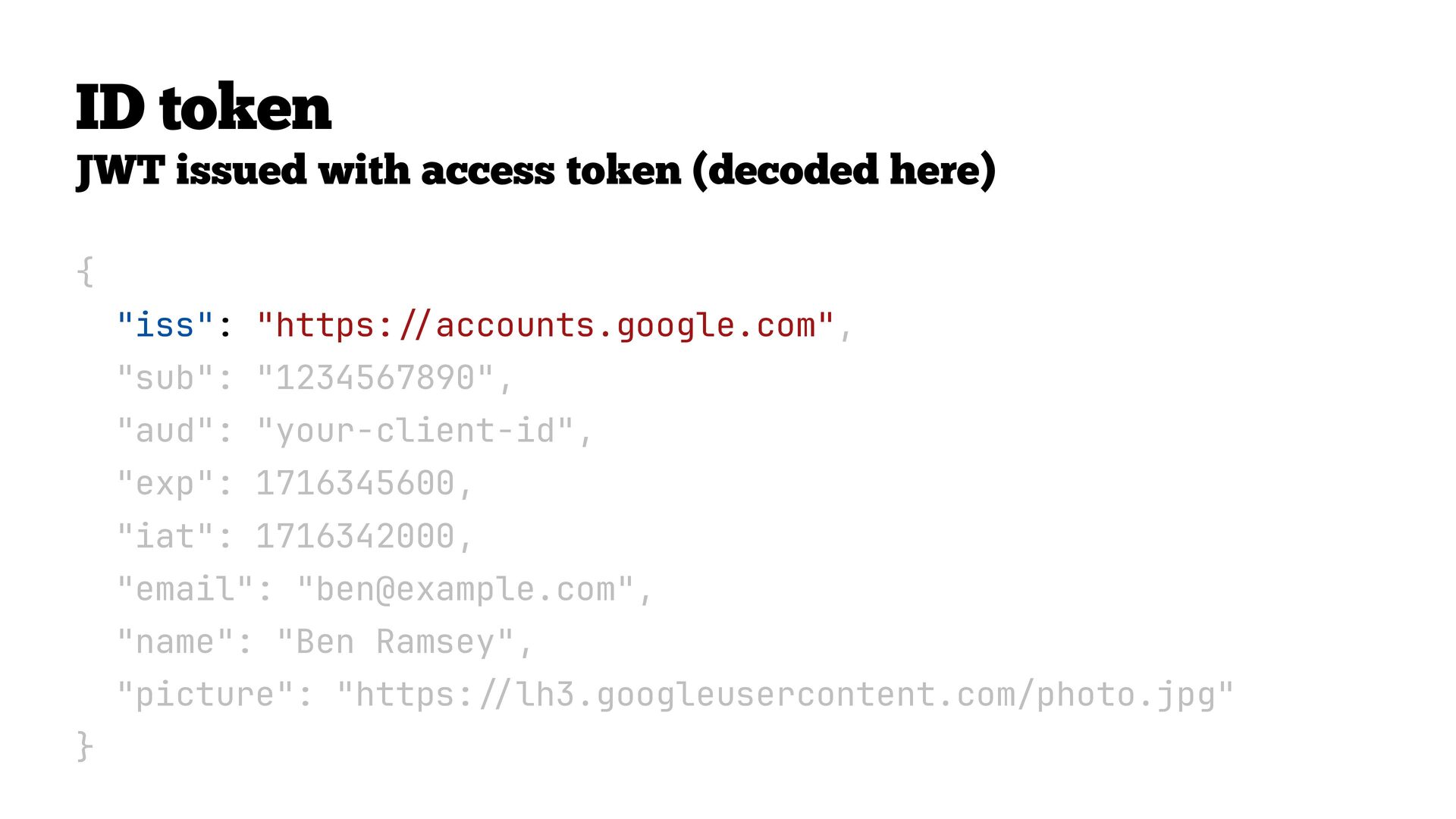
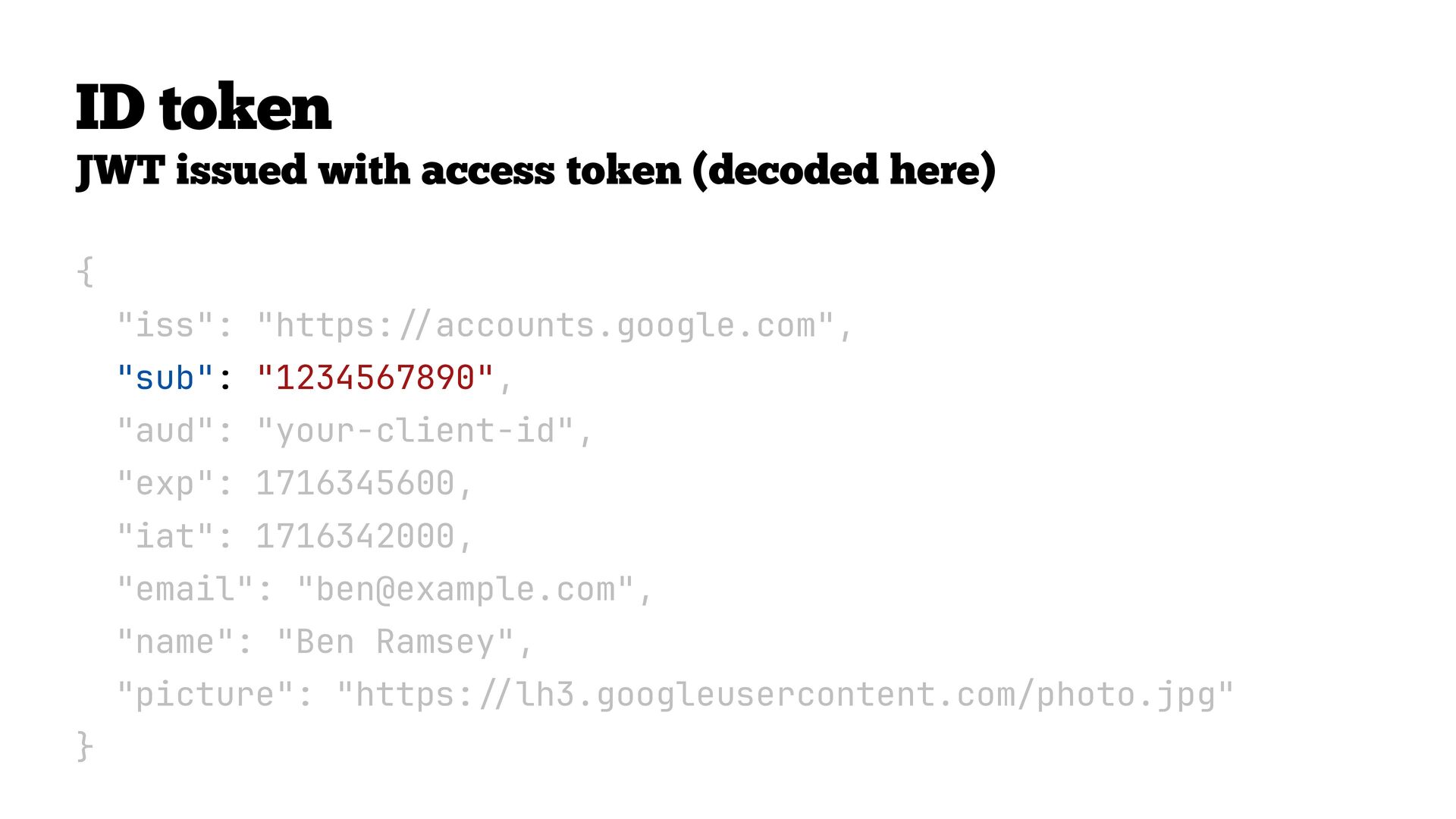
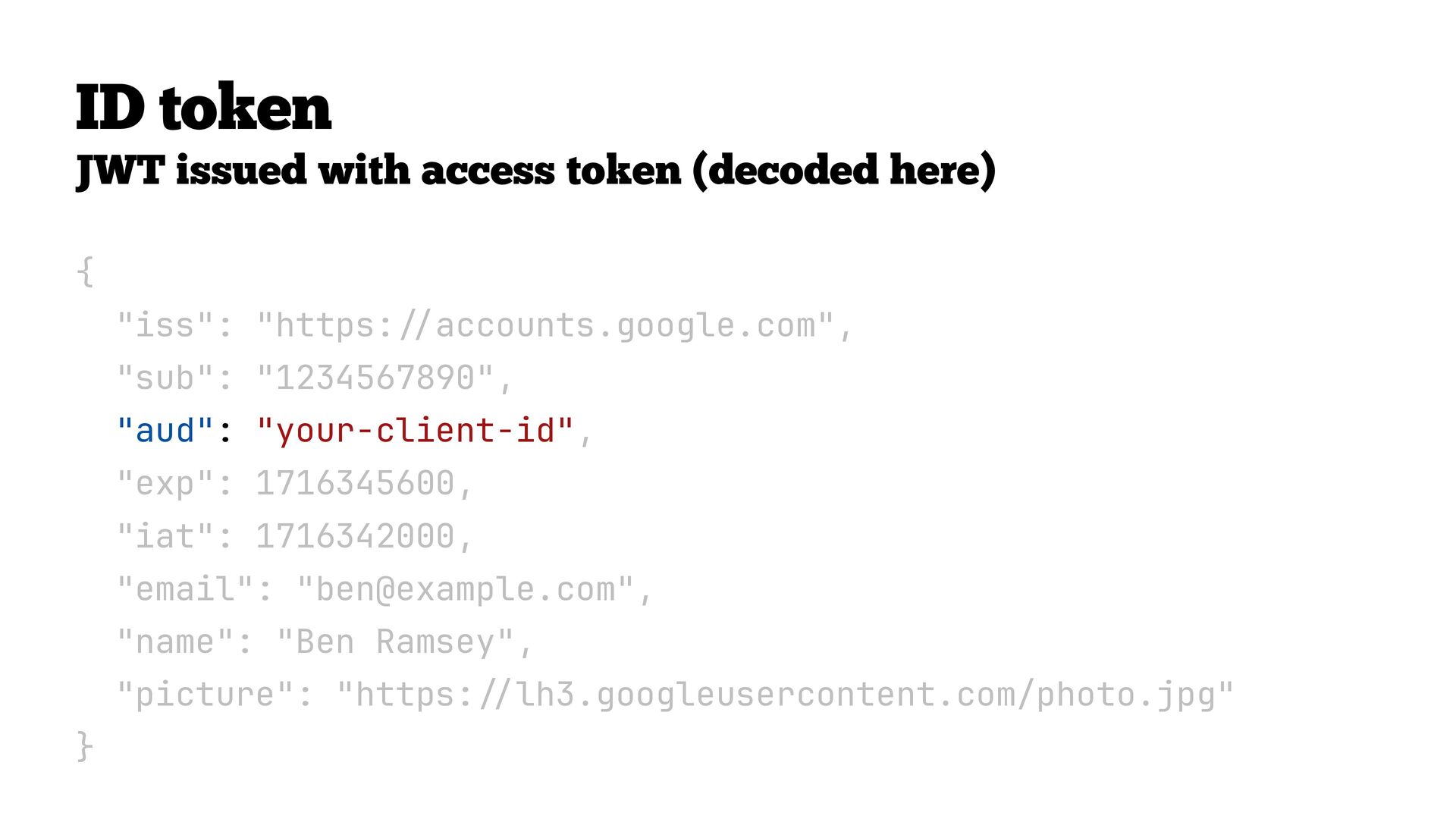
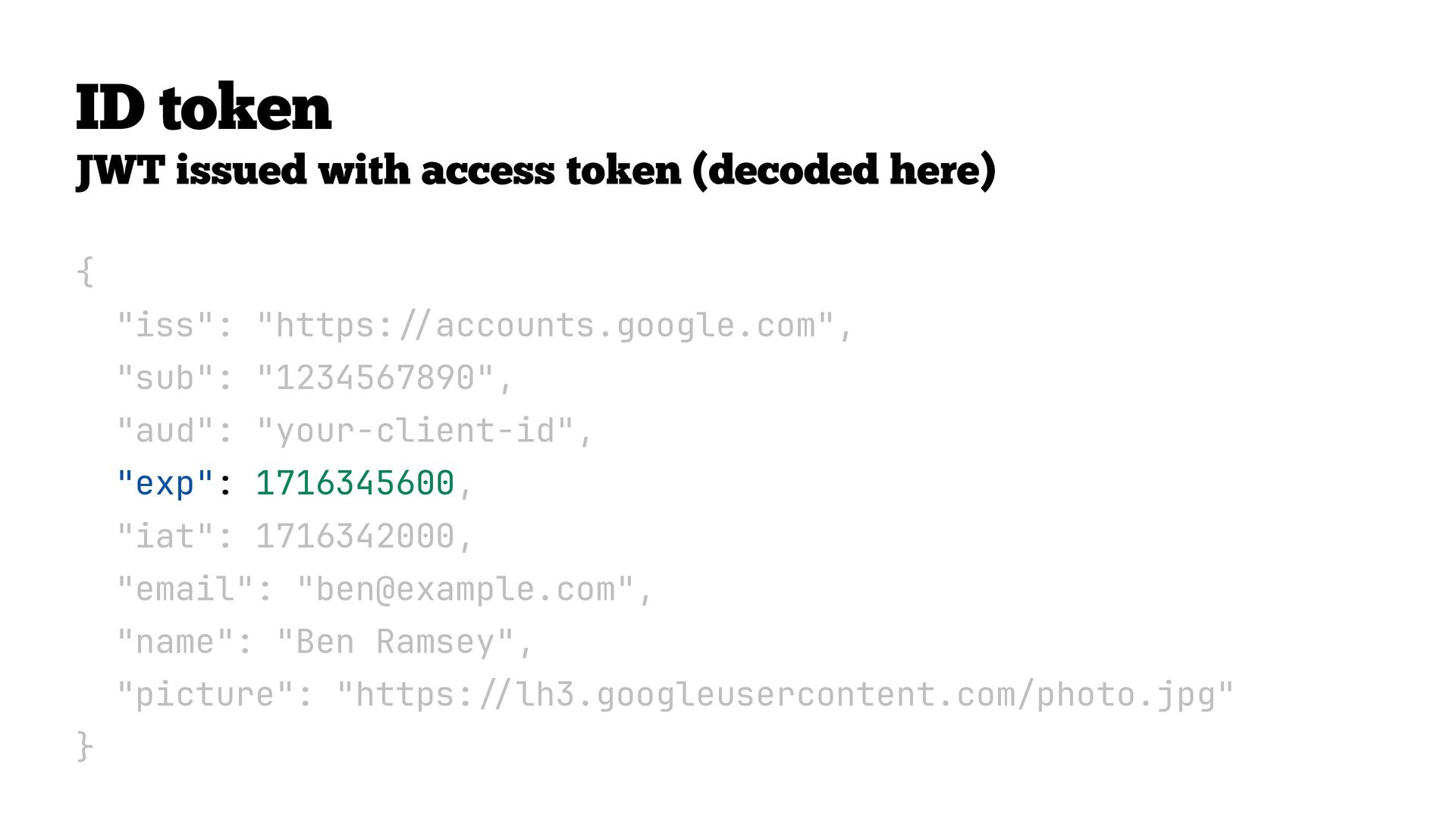
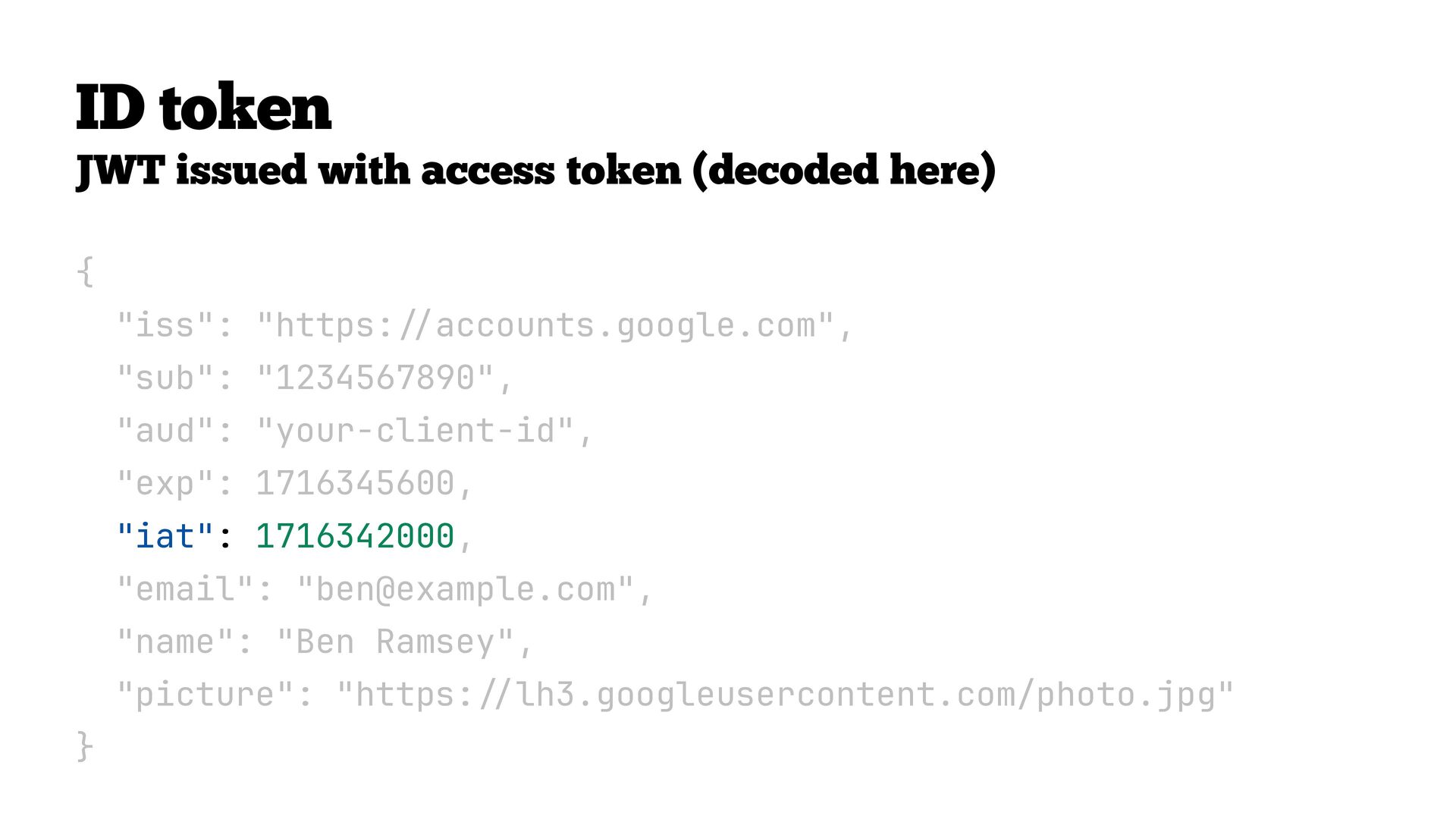
  39. ID token JWT issued with access token (decoded here) {

    "iss": "https: accounts.google.com", "sub": "1234567890", "aud": "your-client-id", "exp": 1716345600, "iat": 1716342000, "email": "[email protected]", "name": "Ben Ramsey", "picture": "https: / / / / } lh3.googleusercontent.com/photo.jpg"
  40. ID token JWT issued with access token (decoded here) {

    "iss": "https: accounts.google.com", "sub": "1234567890", "aud": "your-client-id", "exp": 1716345600, "iat": 1716342000, "email": "[email protected]", "name": "Ben Ramsey", "picture": "https: / / / / } lh3.googleusercontent.com/photo.jpg"
  41. ID token JWT issued with access token (decoded here) {

    "iss": "https: accounts.google.com", "sub": "1234567890", "aud": "your-client-id", "exp": 1716345600, "iat": 1716342000, "email": "[email protected]", "name": "Ben Ramsey", "picture": "https: / / / / } lh3.googleusercontent.com/photo.jpg"
  42. ID token JWT issued with access token (decoded here) {

    "iss": "https: accounts.google.com", "sub": "1234567890", "aud": "your-client-id", "exp": 1716345600, "iat": 1716342000, "email": "[email protected]", "name": "Ben Ramsey", "picture": "https: / / / / } lh3.googleusercontent.com/photo.jpg"
  43. ID token JWT issued with access token (decoded here) {

    "iss": "https: accounts.google.com", "sub": "1234567890", "aud": "your-client-id", "exp": 1716345600, "iat": 1716342000, "email": "[email protected]", "name": "Ben Ramsey", "picture": "https: / / / / } lh3.googleusercontent.com/photo.jpg"
  44. ID token JWT issued with access token (decoded here) {

    "iss": "https: accounts.google.com", "sub": "1234567890", "aud": "your-client-id", "exp": 1716345600, "iat": 1716342000, "email": "[email protected]", "name": "Ben Ramsey", "picture": "https: / / / / } lh3.googleusercontent.com/photo.jpg"
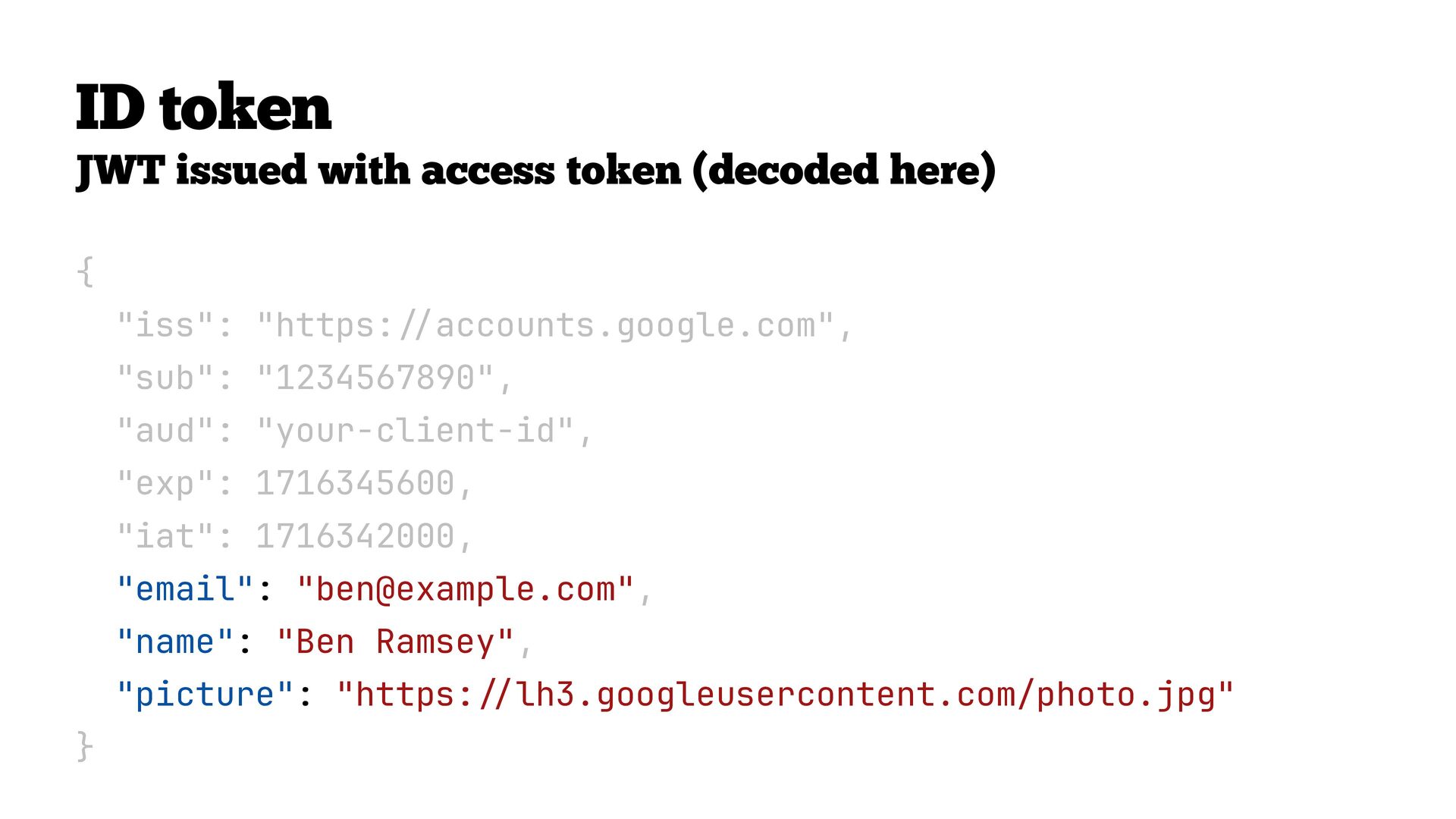
  45. ID token JWT issued with access token (decoded here) {

    "iss": "https: accounts.google.com", "sub": "1234567890", "aud": "your-client-id", "exp": 1716345600, "iat": 1716342000, "email": "[email protected]", "name": "Ben Ramsey", "picture": "https: / / / / } lh3.googleusercontent.com/photo.jpg"
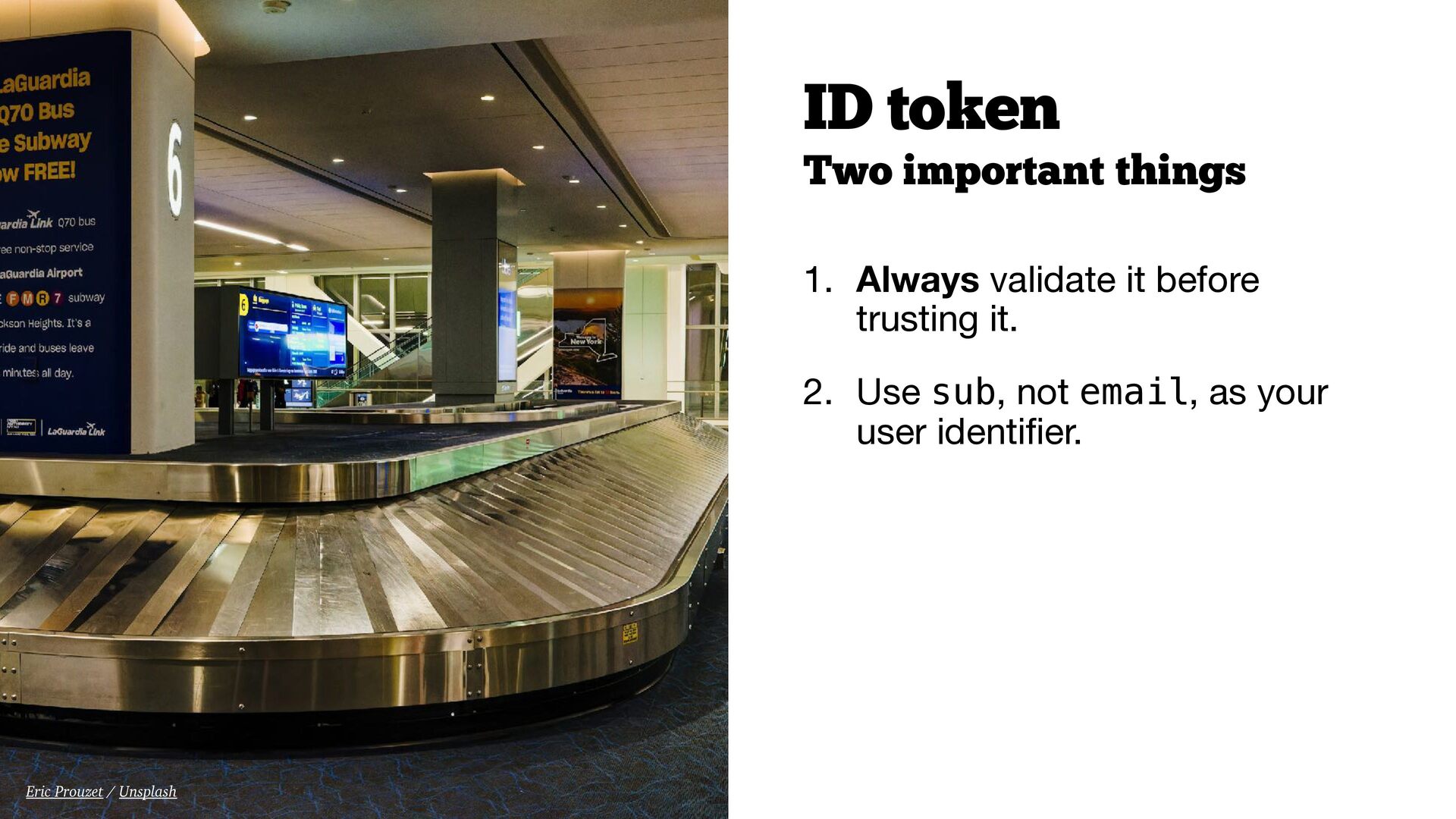
  46. ID token Two important things 1. Always validate it before

    trusting it. 2. Use sub, not email, as your user identi er. fi Eric Prouzet / Unsplash
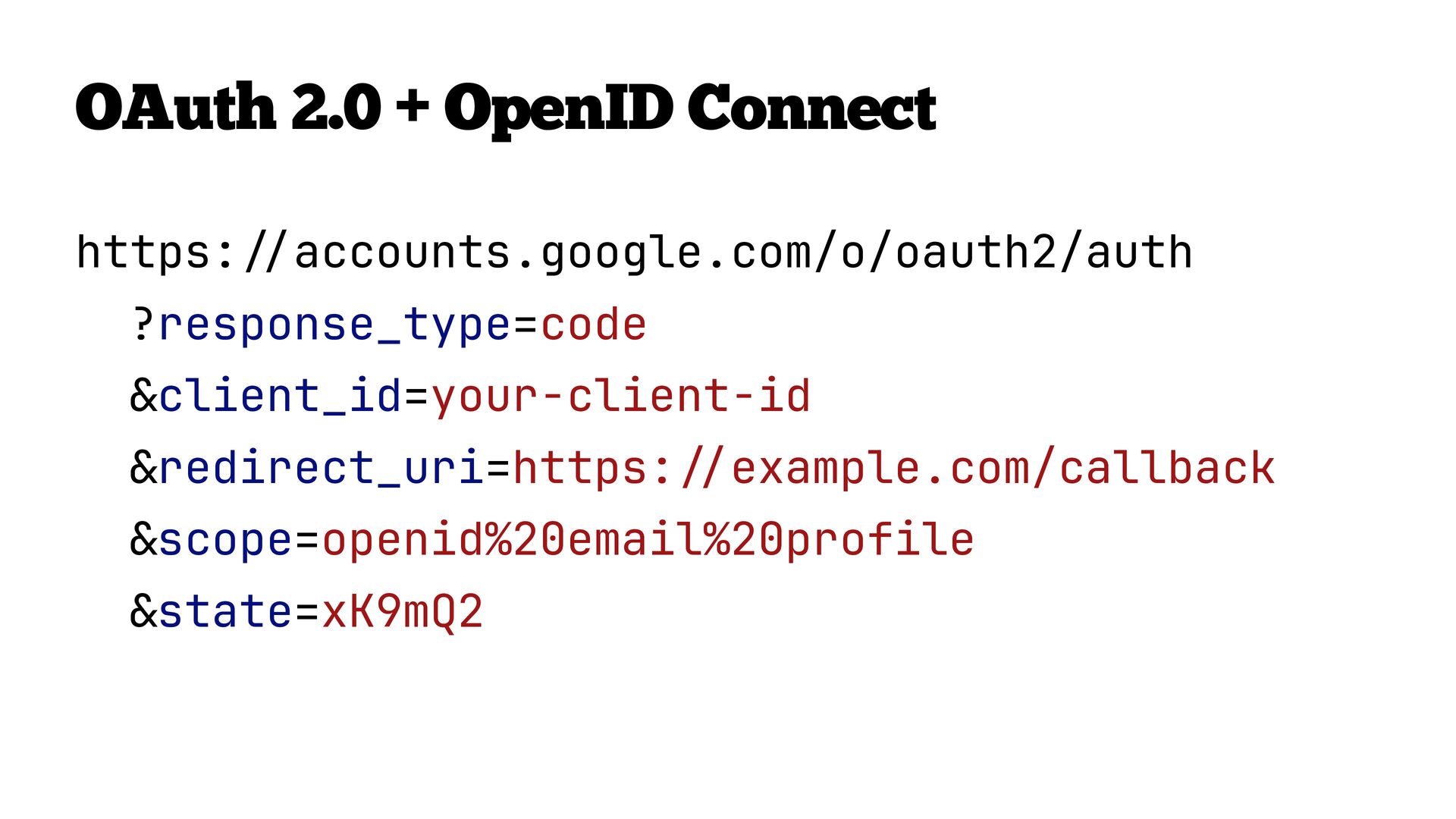
  47. Sign in with… Google. Apple. GitHub. These are all OAuth

    2.0 + OpenID Connect. OIDC is the standard that makes them work the same way everywhere: • Same openid scope trigger • Same ID token format (JWT) • Same claims (sub, email, name, picture, etc.) • Same validation steps Enterprise Single Sign-On (SSO) is built on OIDC.
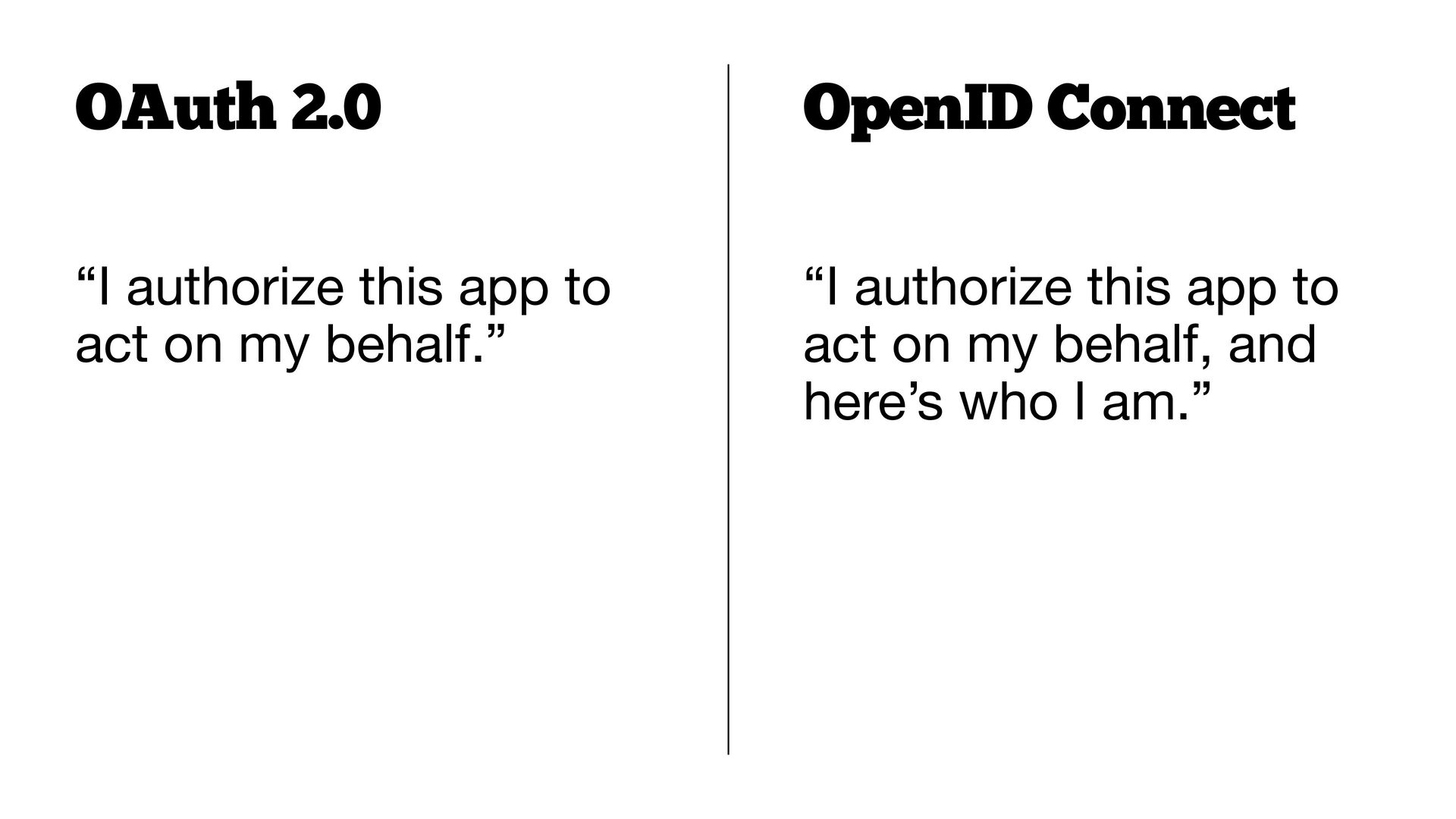
  48. OAuth 2.0 OpenID Connect “I authorize this app to act

    on my behalf.” “I authorize this app to act on my behalf, and here’s who I am.”
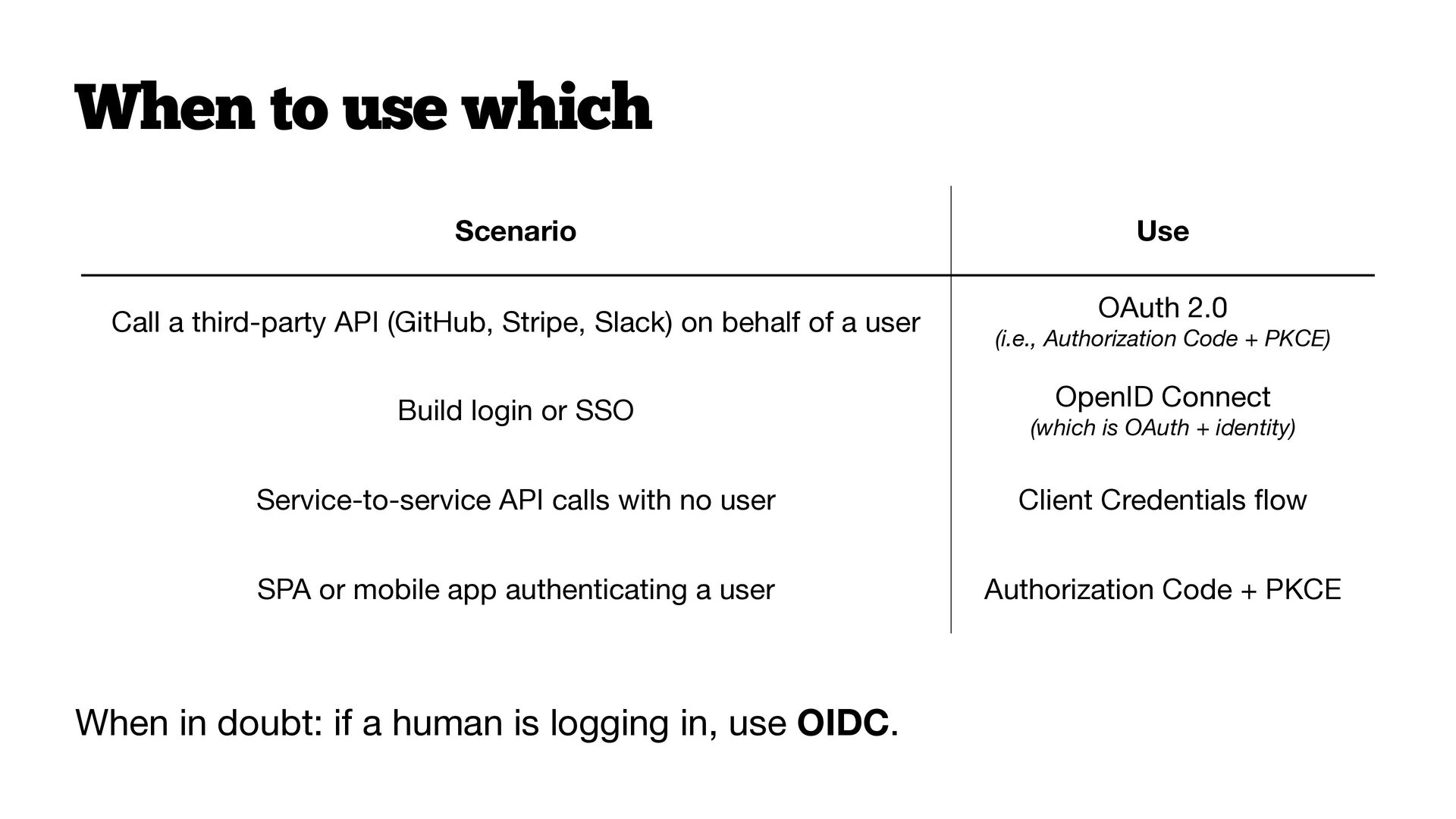
  49. When to use which Scenario Use Call a third-party API

    (GitHub, Stripe, Slack) on behalf of a user OAuth 2.0 Build login or SSO OpenID Connect (which is OAuth + identity) Service-to-service API calls with no user Client Credentials ow SPA or mobile app authenticating a user Authorization Code + PKCE When in doubt: if a human is logging in, use OIDC. fl (i.e., Authorization Code + PKCE)
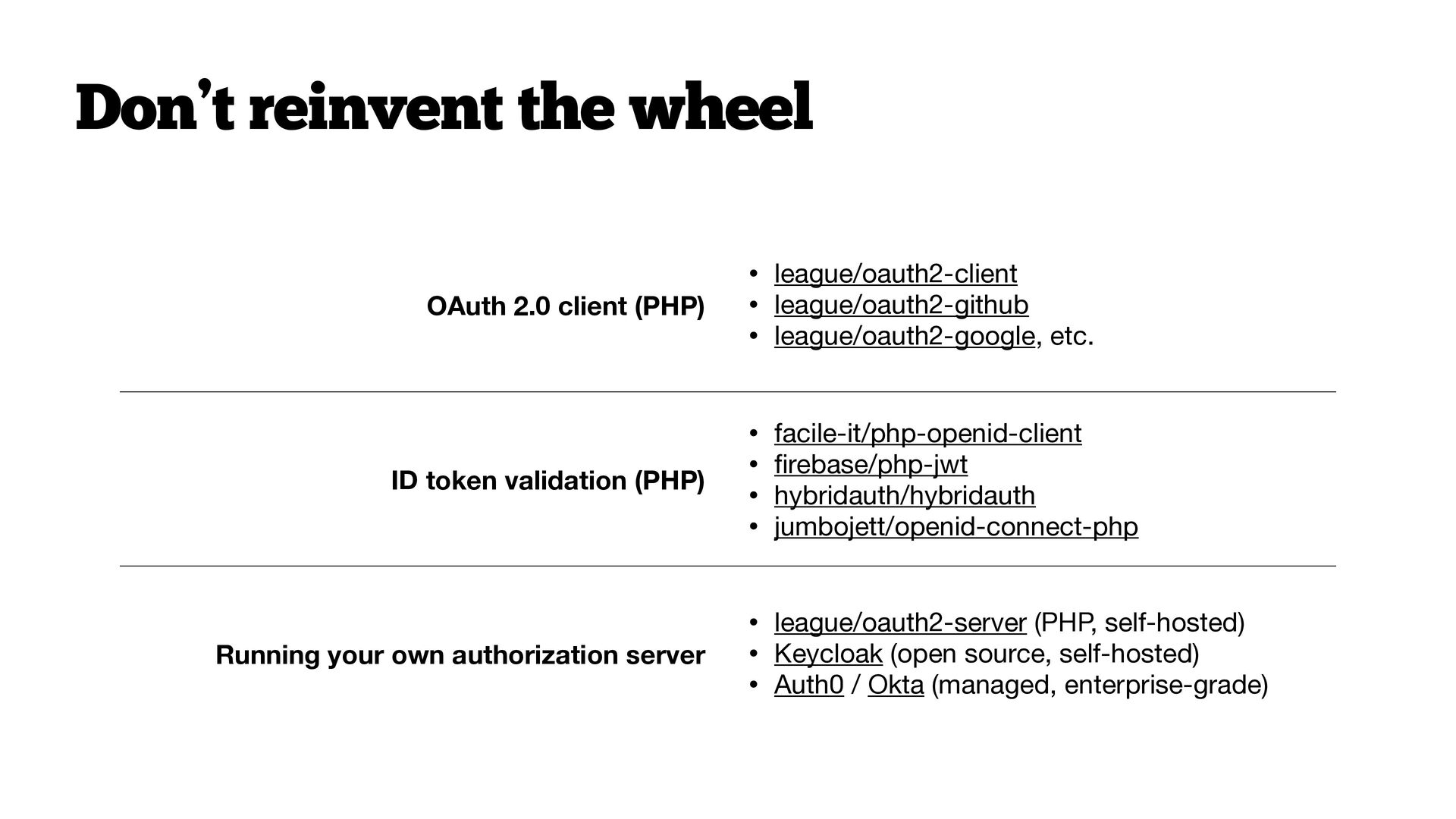
  50. fi Don’t reinvent the wheel OAuth 2.0 client (PHP) ID

    token validation (PHP) Running your own authorization server • league/oauth2-client • league/oauth2-github • league/oauth2-google, etc. • facile-it/php-openid-client • rebase/php-jwt • hybridauth/hybridauth • jumbojett/openid-connect-php • league/oauth2-server (PHP, self-hosted) • Keycloak (open source, self-hosted) • Auth0 / Okta (managed, enterprise-grade)
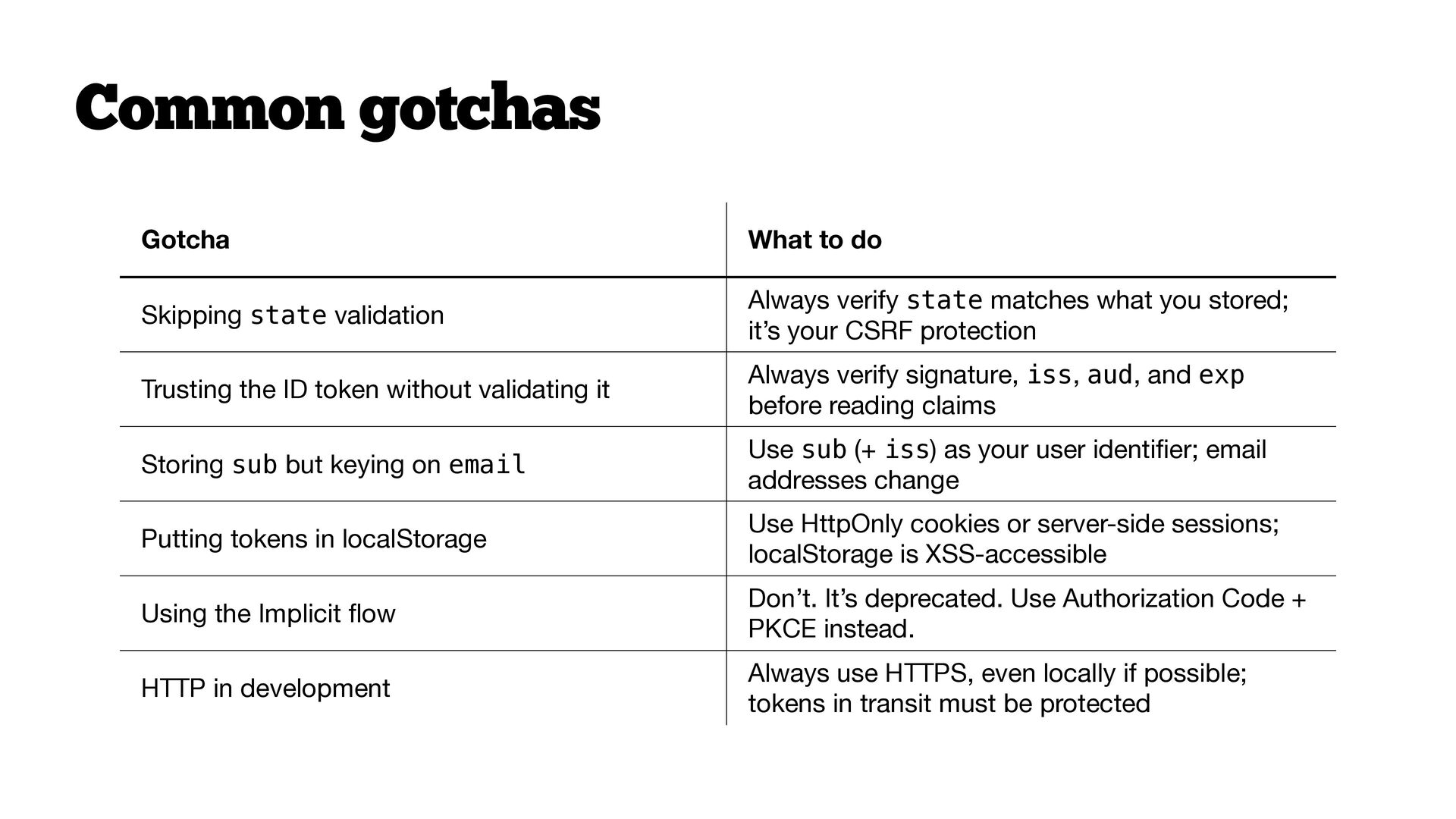
  51. Common gotchas Skipping state validation Always verify state matches what

    you stored; it’s your CSRF protection Trusting the ID token without validating it Always verify signature, iss, aud, and exp before reading claims Storing sub but keying on email Use sub (+ iss) as your user identi er; email addresses change Putting tokens in localStorage Use HttpOnly cookies or server-side sessions; localStorage is XSS-accessible Using the Implicit ow Don’t. It’s deprecated. Use Authorization Code + PKCE instead. HTTP in development Always use HTTPS, even locally if possible; tokens in transit must be protected fi What to do fl Gotcha
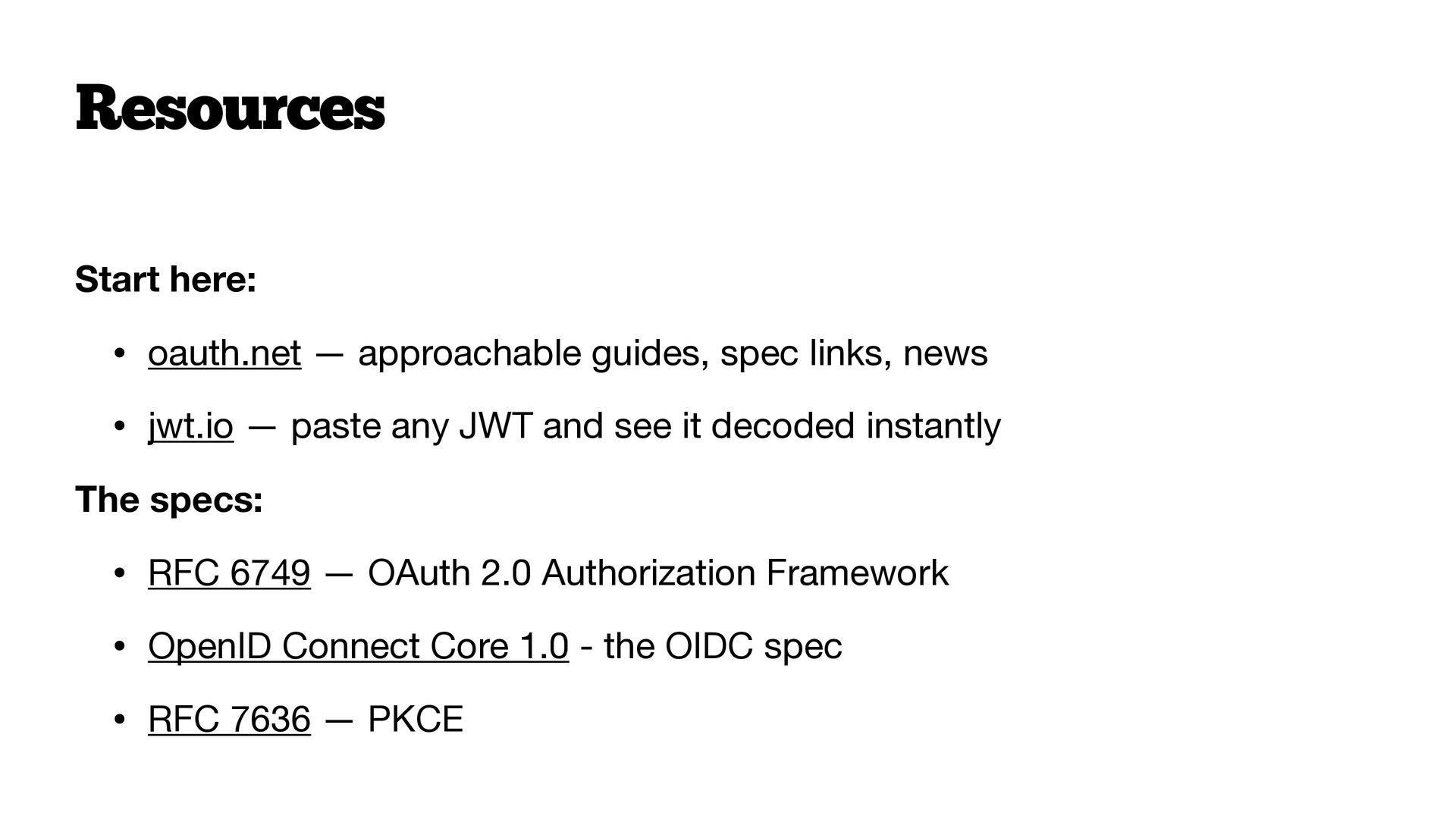
  52. Resources Start here: • oauth.net — approachable guides, spec links,

    news • jwt.io — paste any JWT and see it decoded instantly The specs: • RFC 6749 — OAuth 2.0 Authorization Framework • OpenID Connect Core 1.0 - the OIDC spec • RFC 7636 — PKCE
  53.  Thank you! Keep in touch ben.ramsey.dev  phpc.social/@ramsey 

    github.com/ramsey  www.linkedin.com/in/benramsey [email protected] A Beginner’s Guide to OAuth and OpenID Connect Copyright © 2026 Ben Ramsey This work is licensed under Creative Commons Attribution-ShareAlike 4.0 International. For uses not covered under this license, please contact the author. Ramsey, Ben. “A Beginner’s Guide to OAuth and OpenID Connect.” Longhorn PHP Conference, 16 Oct. 2026, Holiday Inn Austin Midtown, Austin, TX.