Upgrade to Pro — share decks privately, control downloads, hide ads and more …

A Beginner’s Guide to OAuth and OpenID Connect ...

A Beginner’s Guide to OAuth and OpenID Connect (PHP Tek 2026)

You’ve probably used OAuth without realizing it. Maybe you’ve signed in to an app using Google, authorized an app to post to your X/Twitter account, or granted access to your GitHub repositories. What’s really going on under the hood? How does this handshake of trust actually work, and why do developers love (and sometimes loathe) implementing it?

In this session, we’ll peel back the layers of OAuth 2.0 and OpenID Connect to understand their roles in modern authentication and authorization. We’ll demystify access tokens, refresh tokens, scopes, and the dance between resource servers and clients. You’ll see how OpenID Connect extends OAuth to handle identity and login flows securely. And most importantly, we’ll look at practical, real-world examples to make these concepts click.

If you’ve ever felt overwhelmed by the acronyms or confused by the specs, this talk is for you. You’ll leave with a solid mental model of how OAuth and OpenID Connect work together to make the web a safer, more connected place.

Avatar for Ben Ramsey

Ben Ramsey PRO

May 21, 2026

More Decks by Ben Ramsey

Other Decks in Programming

Transcript

  1. OAuth & OpenID Connect Ben Ramsey • PHP Tek •

    May 21, 2026 A Beginner’s Guide Alexander Grigorian / Pexels
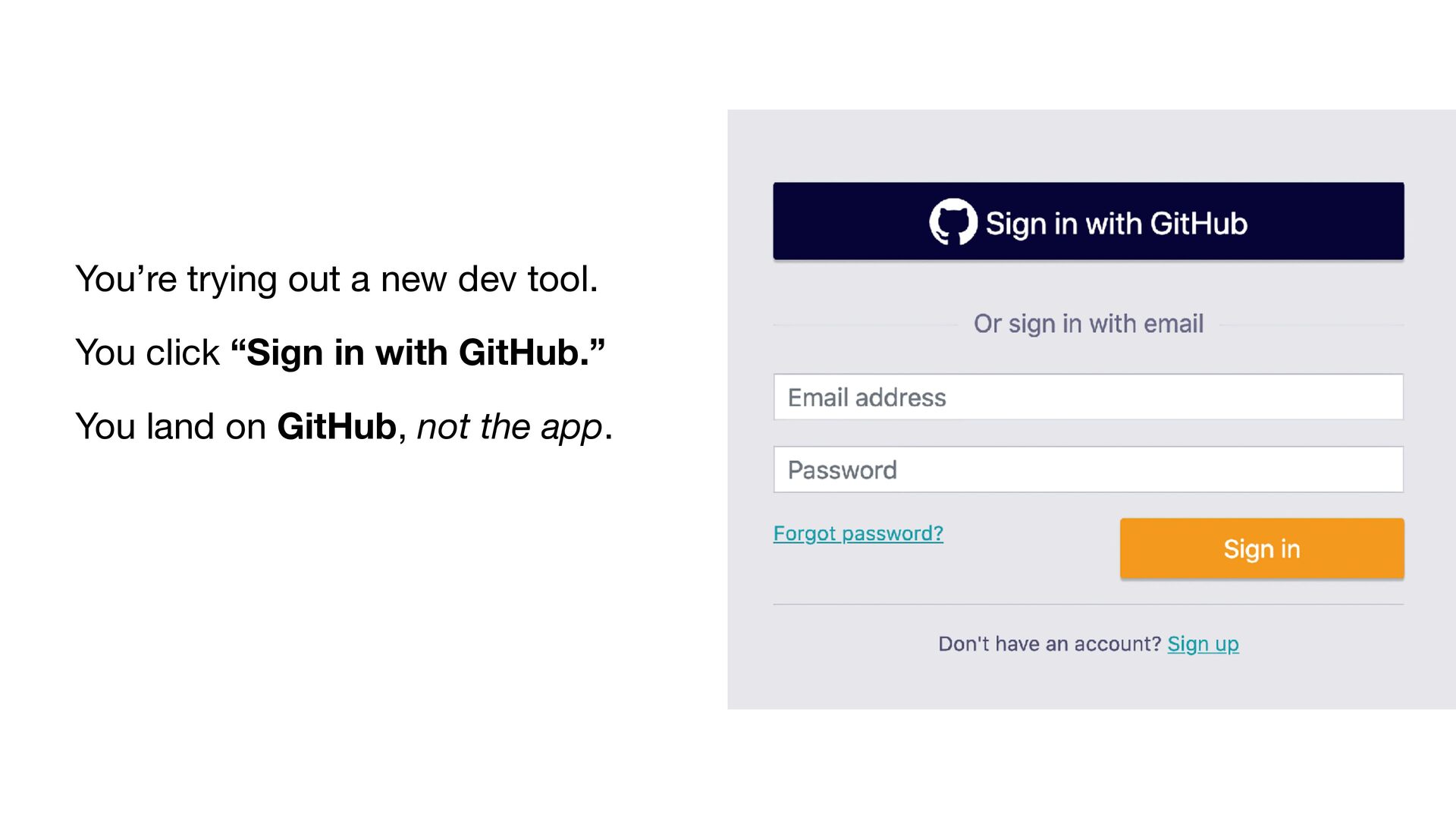
  2. You’re trying out a new dev tool. You click “Sign

    in with GitHub.” You land on GitHub, not the app.
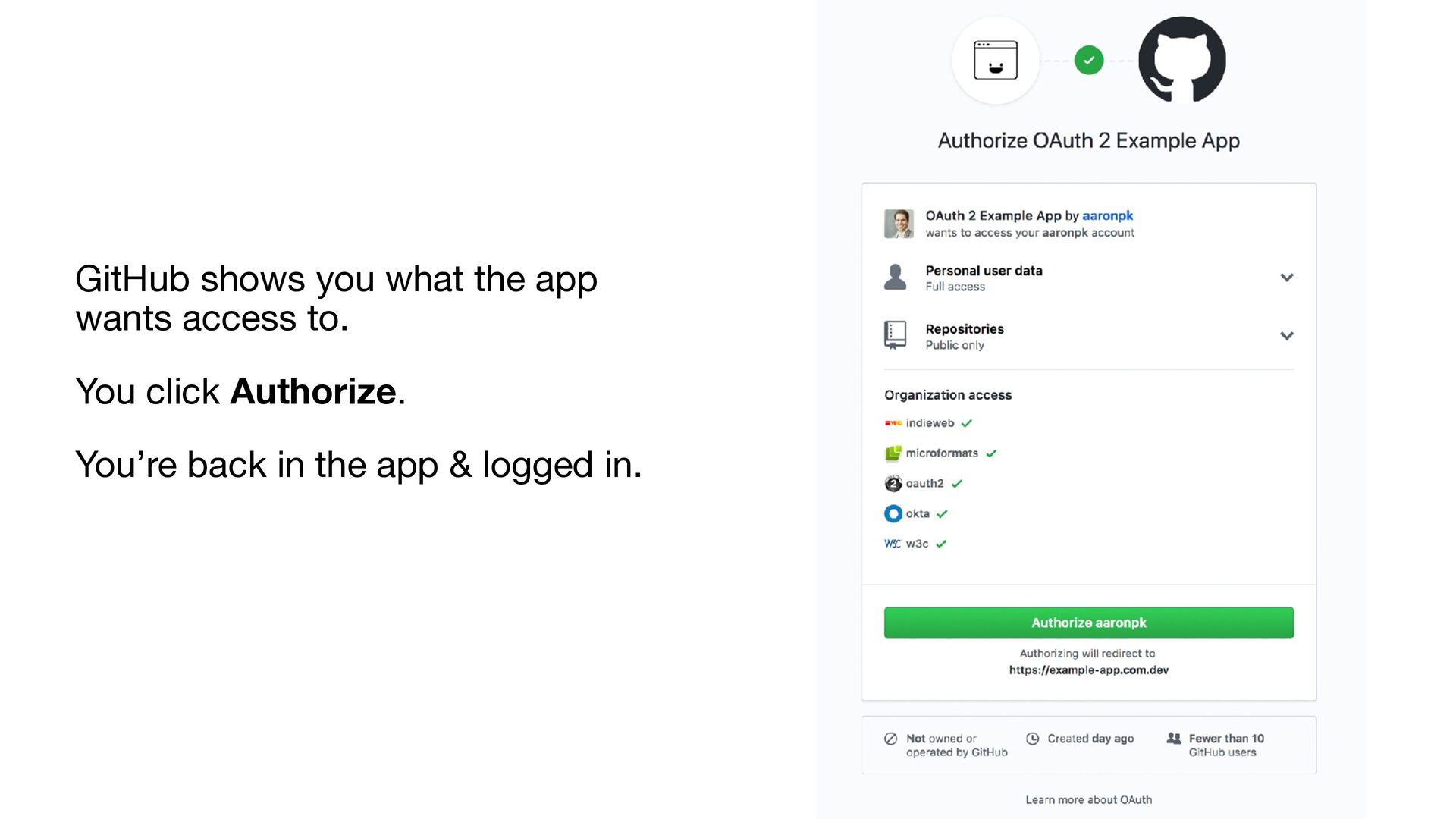
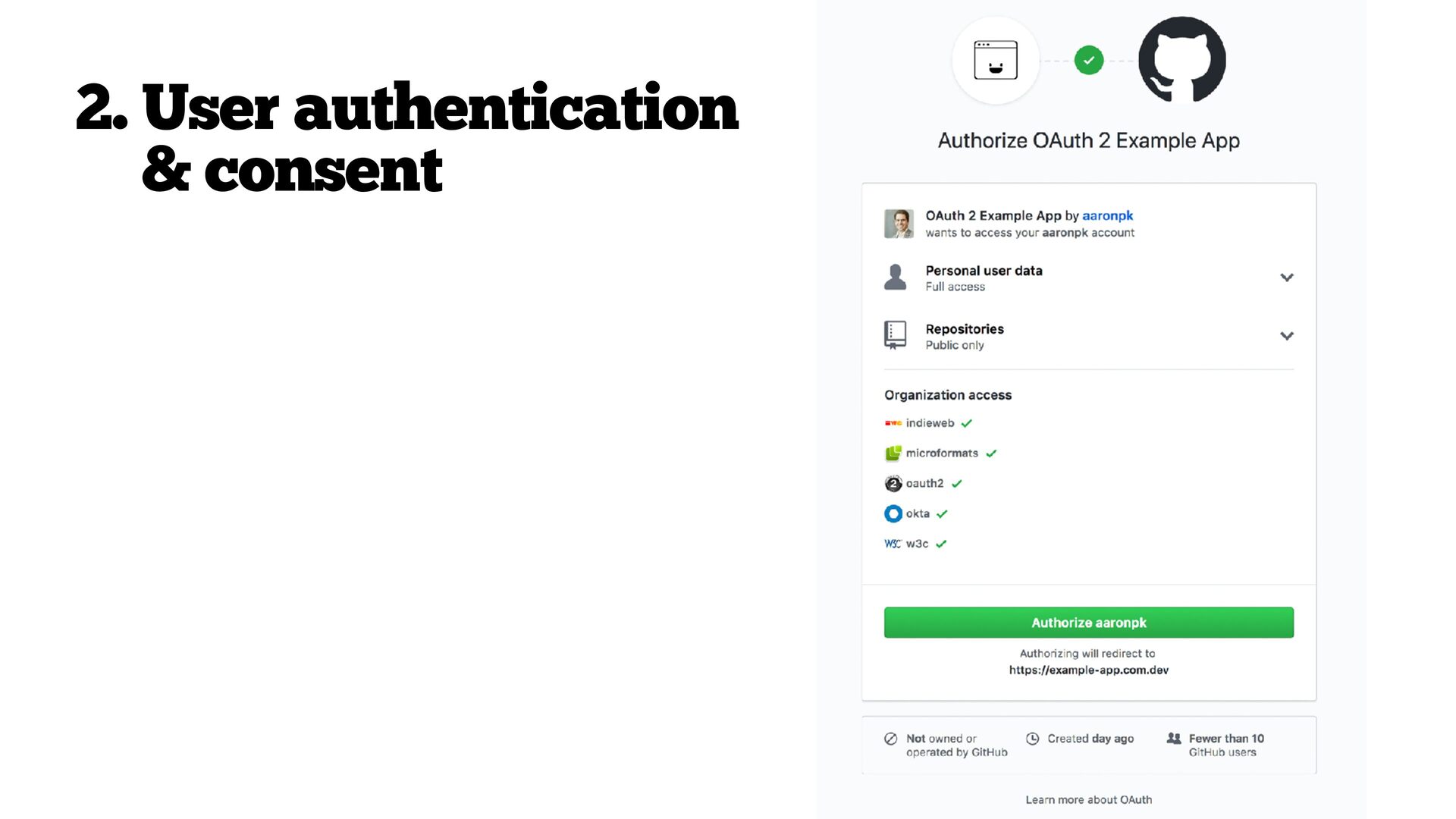
  3. GitHub shows you what the app wants access to. You

    click Authorize. You’re back in the app & logged in.
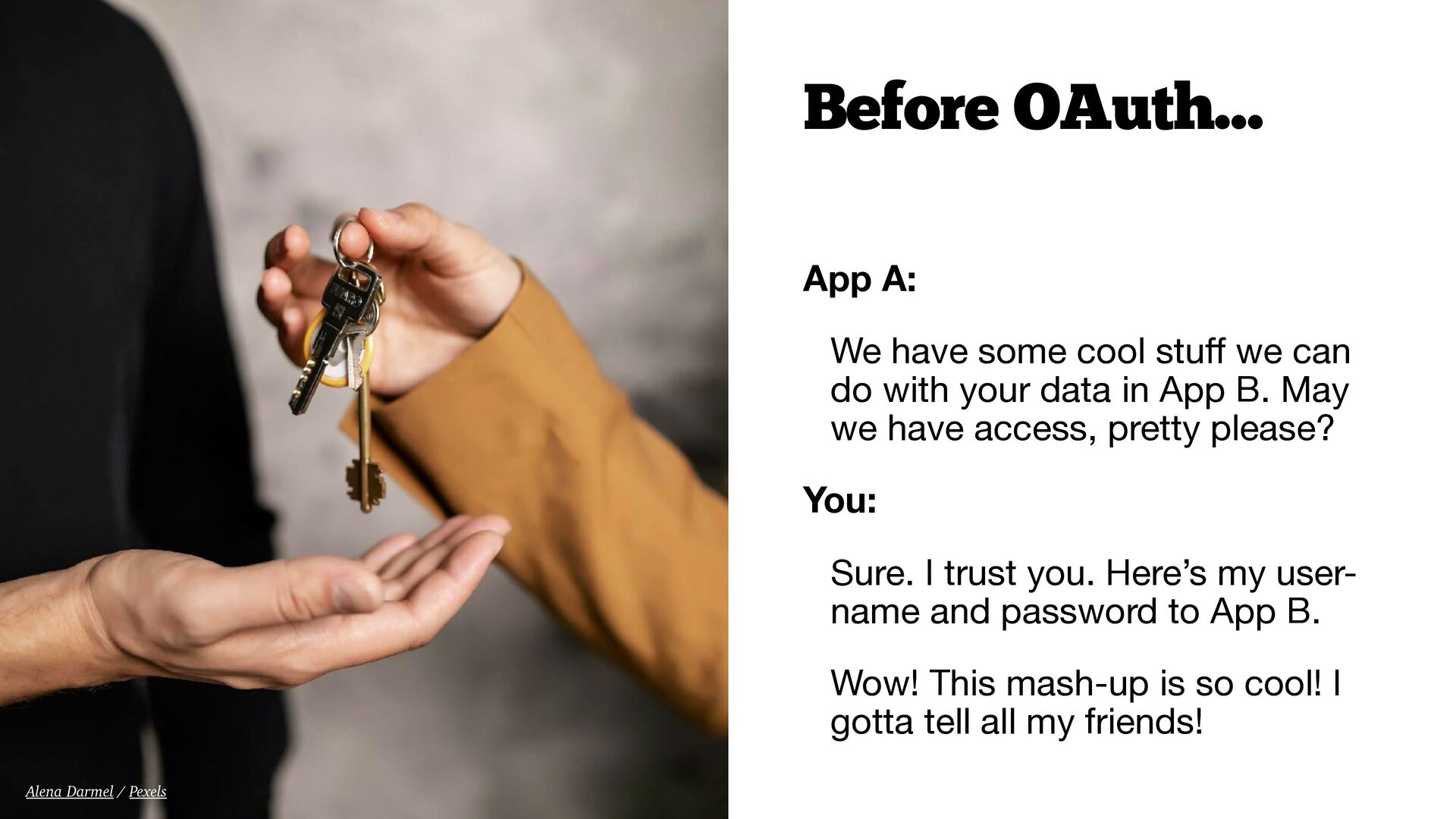
  4. App A: We have some cool stu ff we can

    do with your data in App B. May we have access, pretty please? You: Sure. I trust you. Here’s my user- name and password to App B. Wow! This mash-up is so cool! I gotta tell all my friends! Before OAuth… Alena Darmel / Pexels
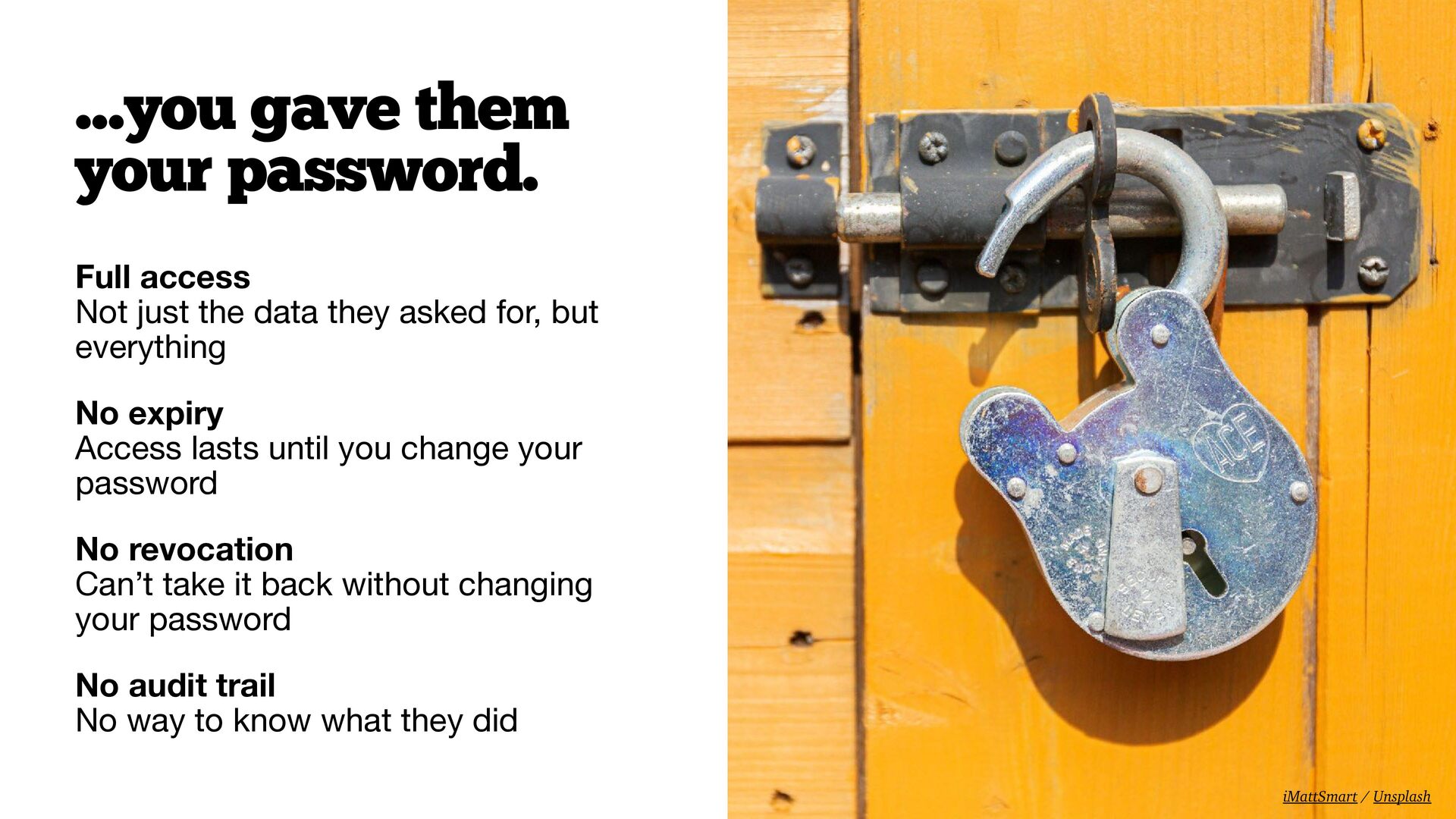
  5. Full access
 Not just the data they asked for, but

    everything No expiry
 Access lasts until you change your password No revocation
 Can’t take it back without changing your password No audit trail
 No way to know what they did …you gave them your password. iMattSmart / Unsplash
  6. Early Twitter (2007–2010) Every third-party app asked for your Twitter

    username and password TweetDeck, Twitterri fi c, Seesmic This was just…how it worked The Twitter problem Sanket Mishra / Pexels
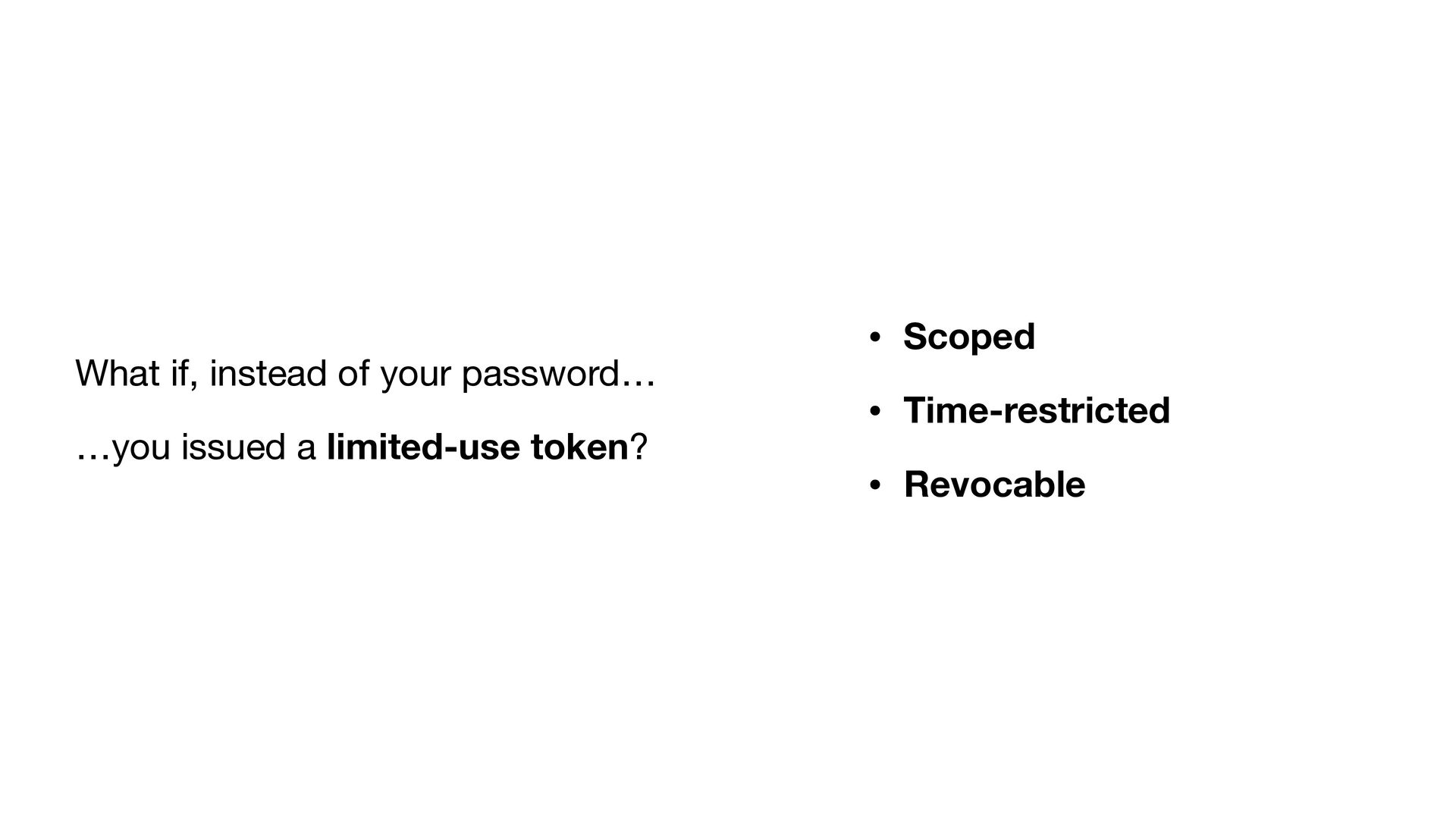
  7. What if, instead of your password… …you issued a limited-use

    token? • Scoped • Time-restricted • Revocable
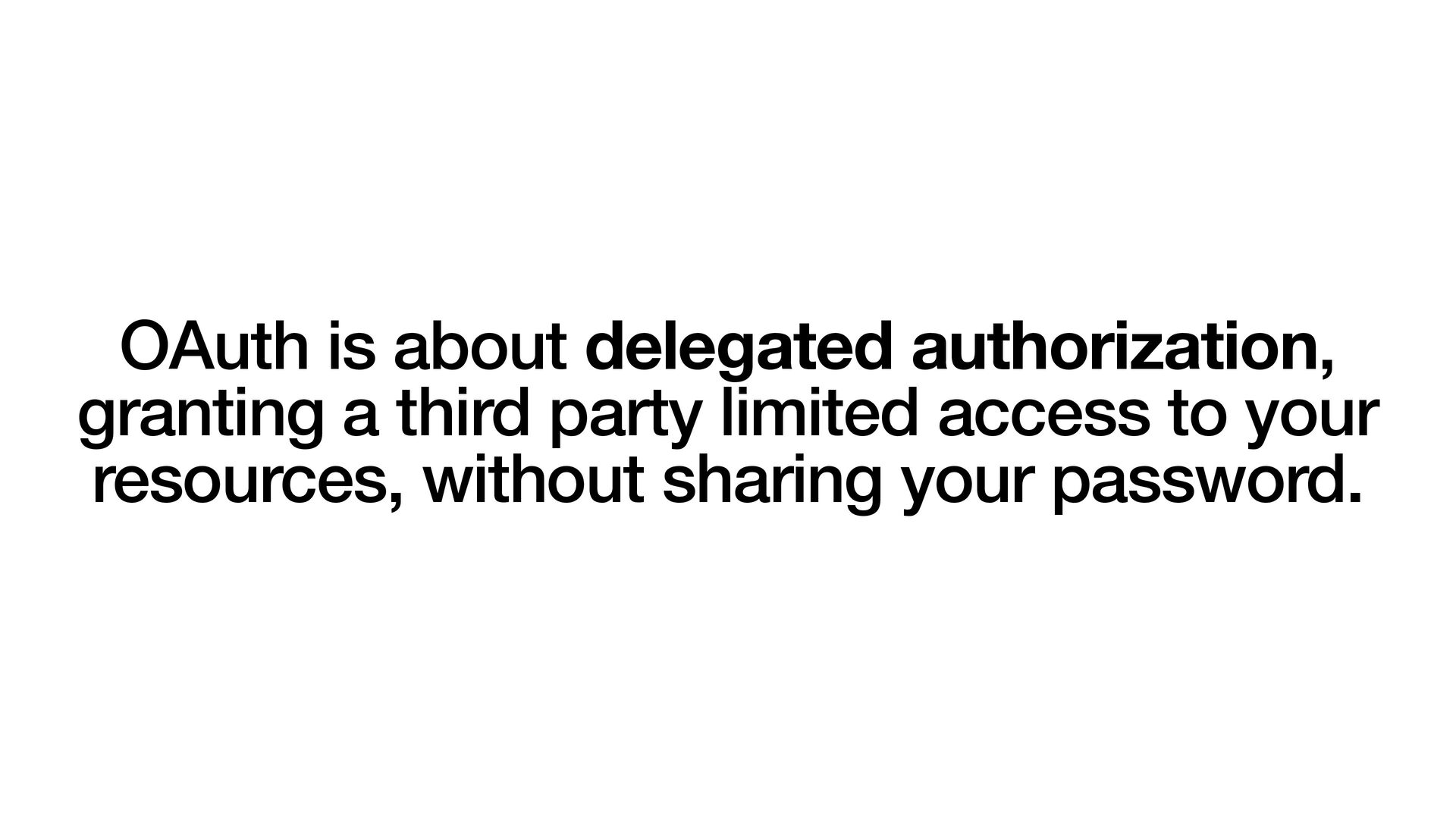
  8. OAuth is about delegated authorization, granting a third party limited

    access to your resources, without sharing your password.
  9. Resource Owner The User owns the data • grants access

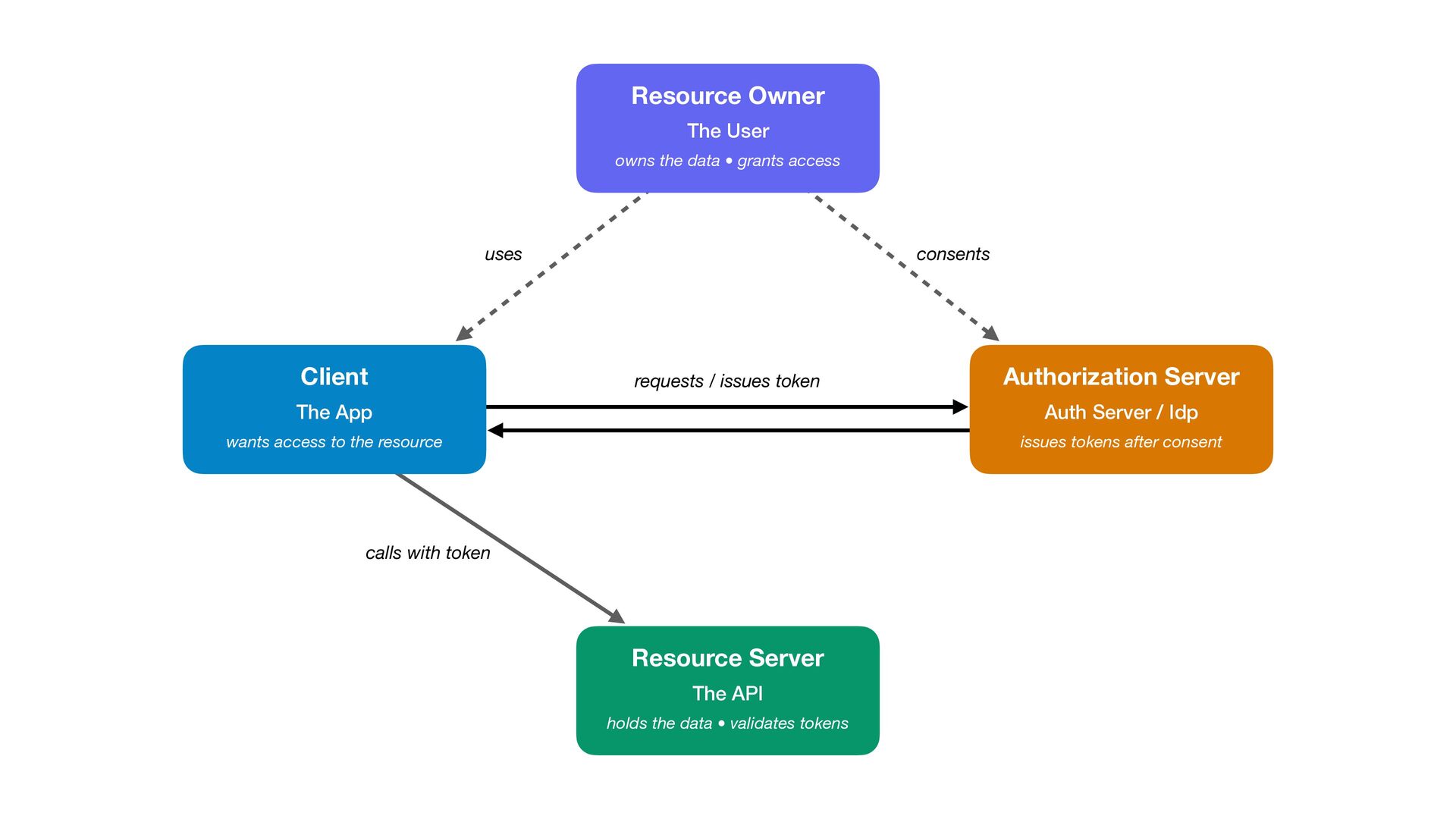
    Resource Server The API holds the data • validates tokens Authorization Server Auth Server / Idp issues tokens after consent Client The App wants access to the resource uses consents calls with token requests / issues token
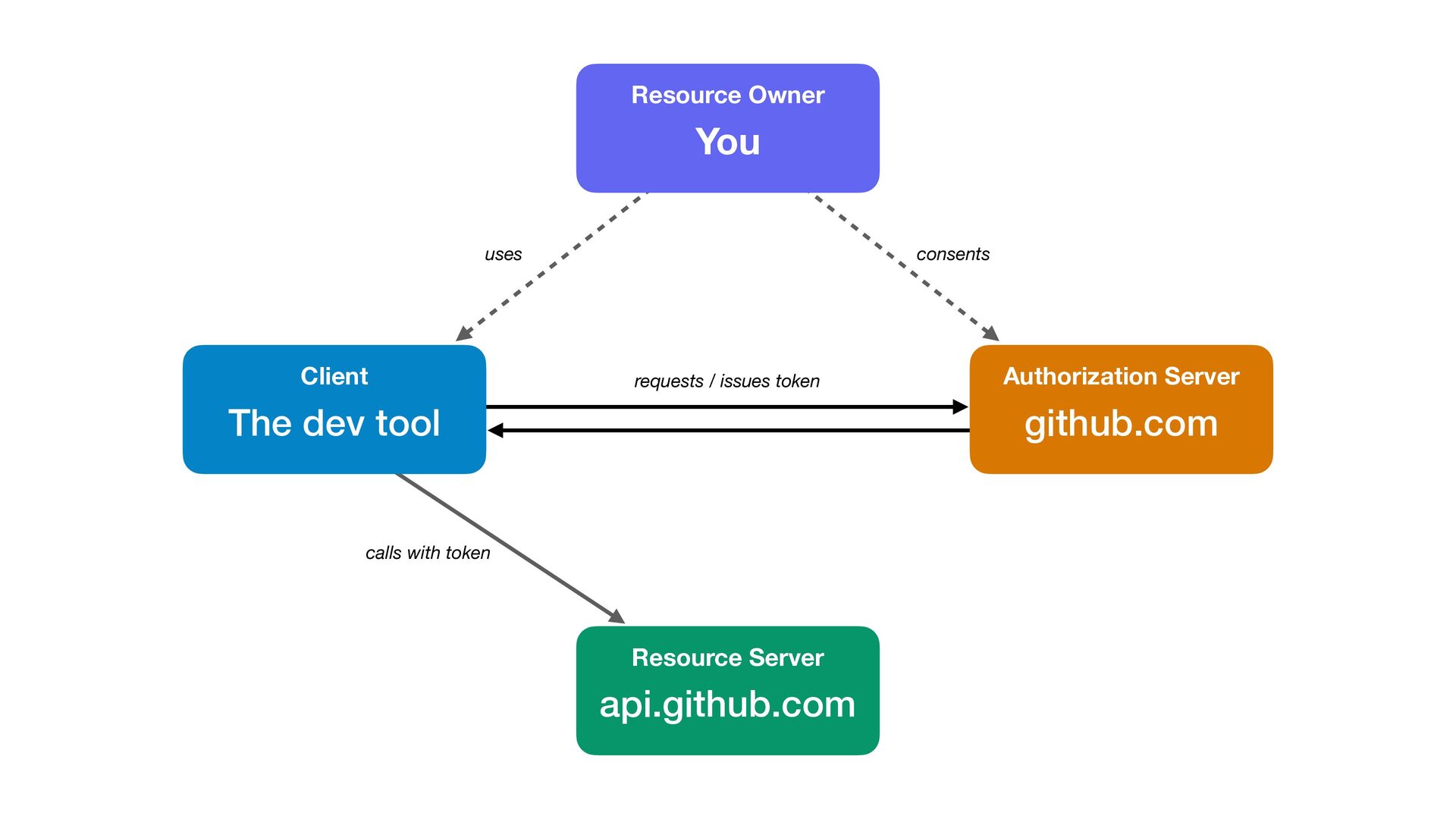
  10. Resource Owner You Resource Server api.github.com Authorization Server github.com Client

    The dev tool uses consents calls with token requests / issues token
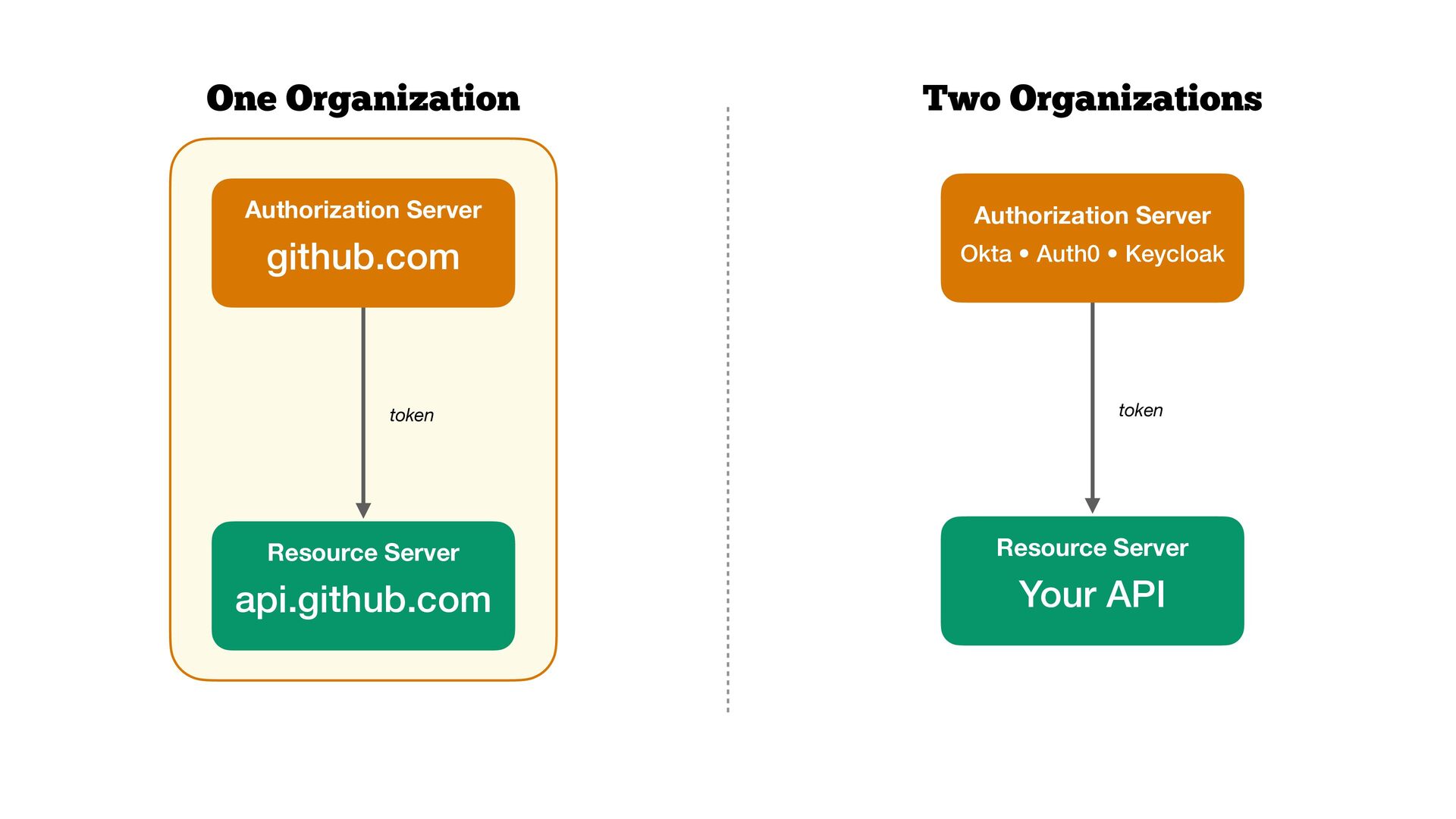
  11. Resource Server api.github.com token One Organization Two Organizations Resource Server

    Your API token Authorization Server github.com Authorization Server Okta • Auth0 • Keycloak
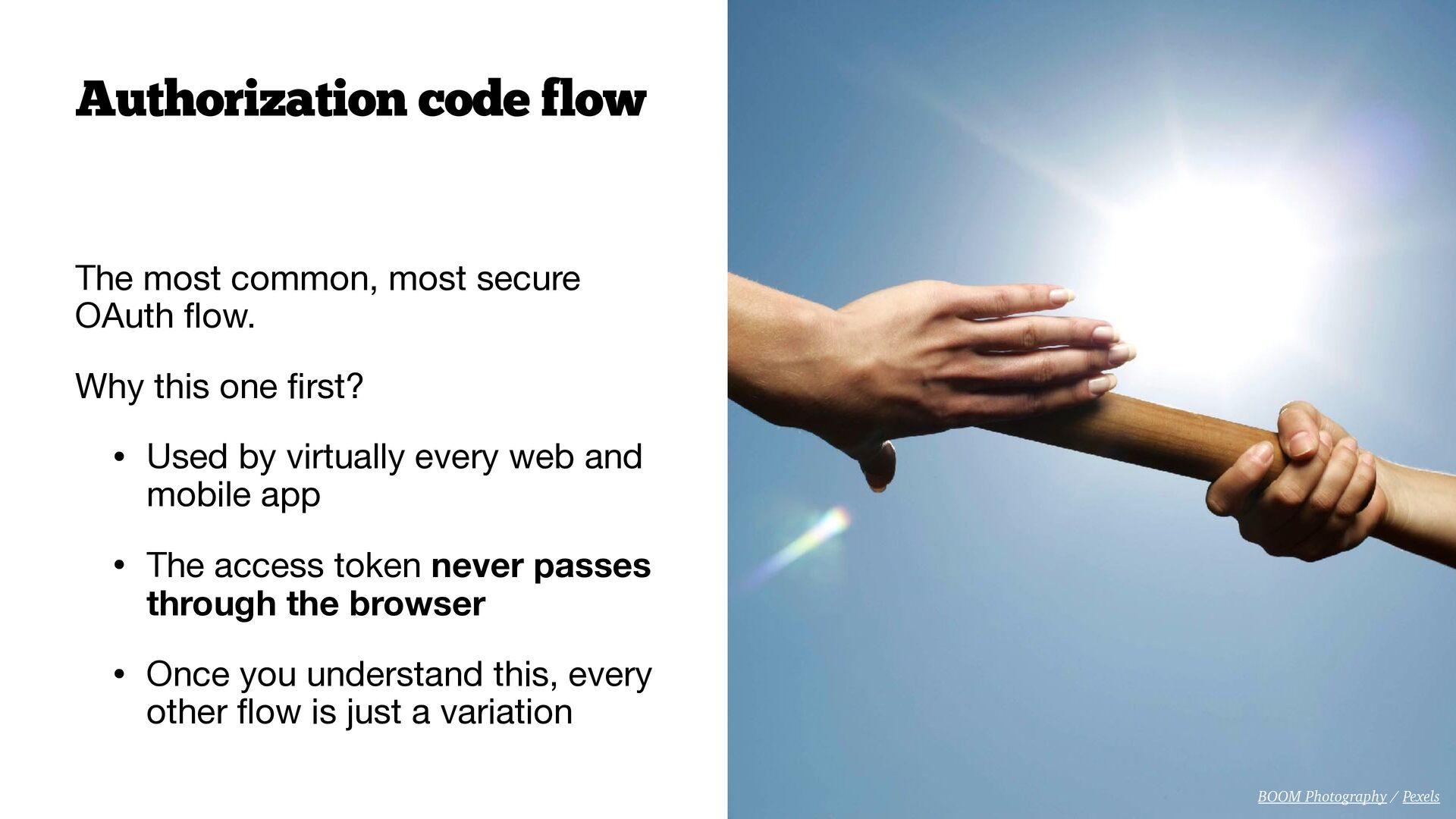
  12. The most common, most secure OAuth fl ow. Why this

    one fi rst? • Used by virtually every web and mobile app • The access token never passes through the browser • Once you understand this, every other fl ow is just a variation Authorization code flow BOOM Photography / Pexels
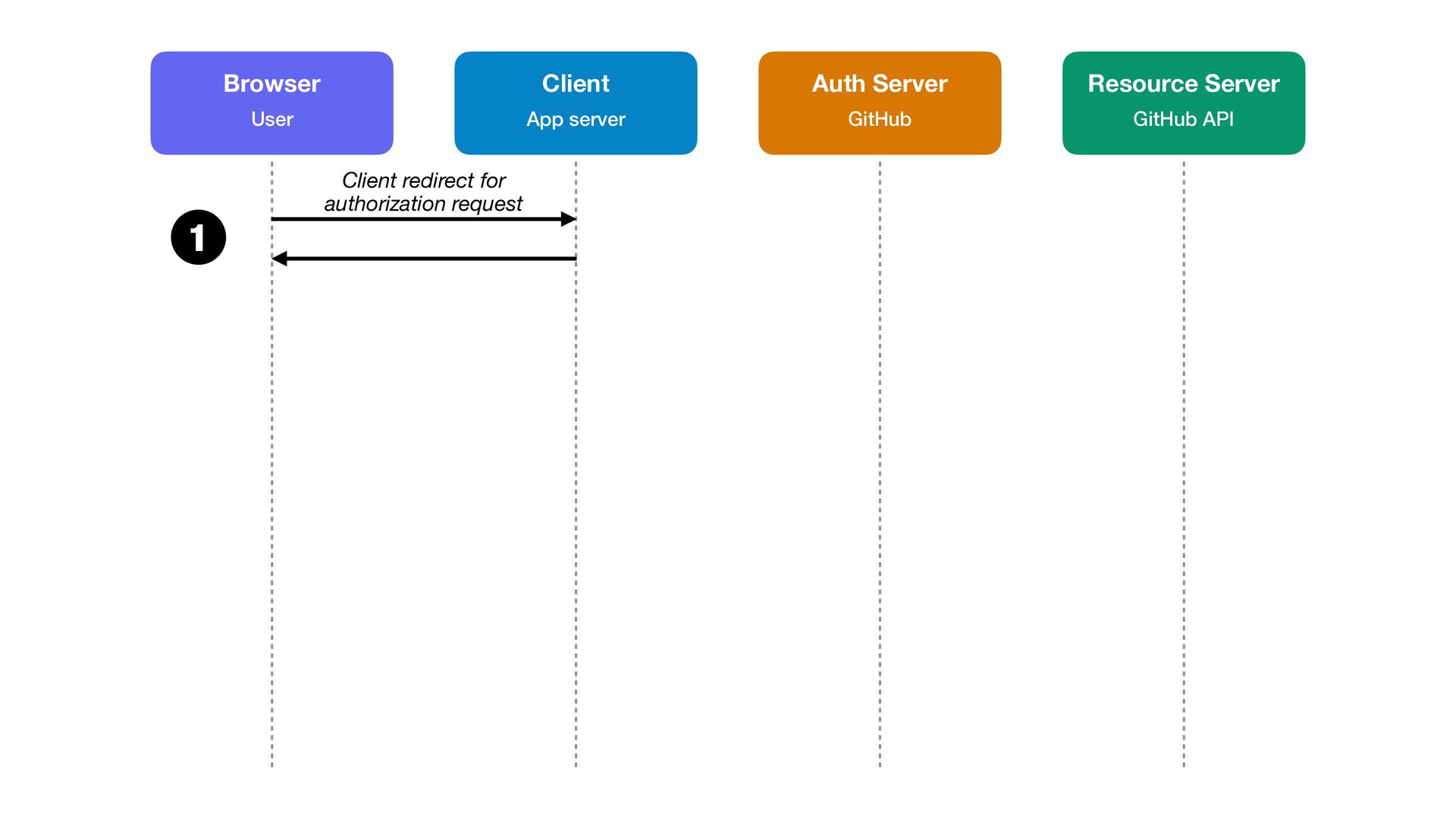
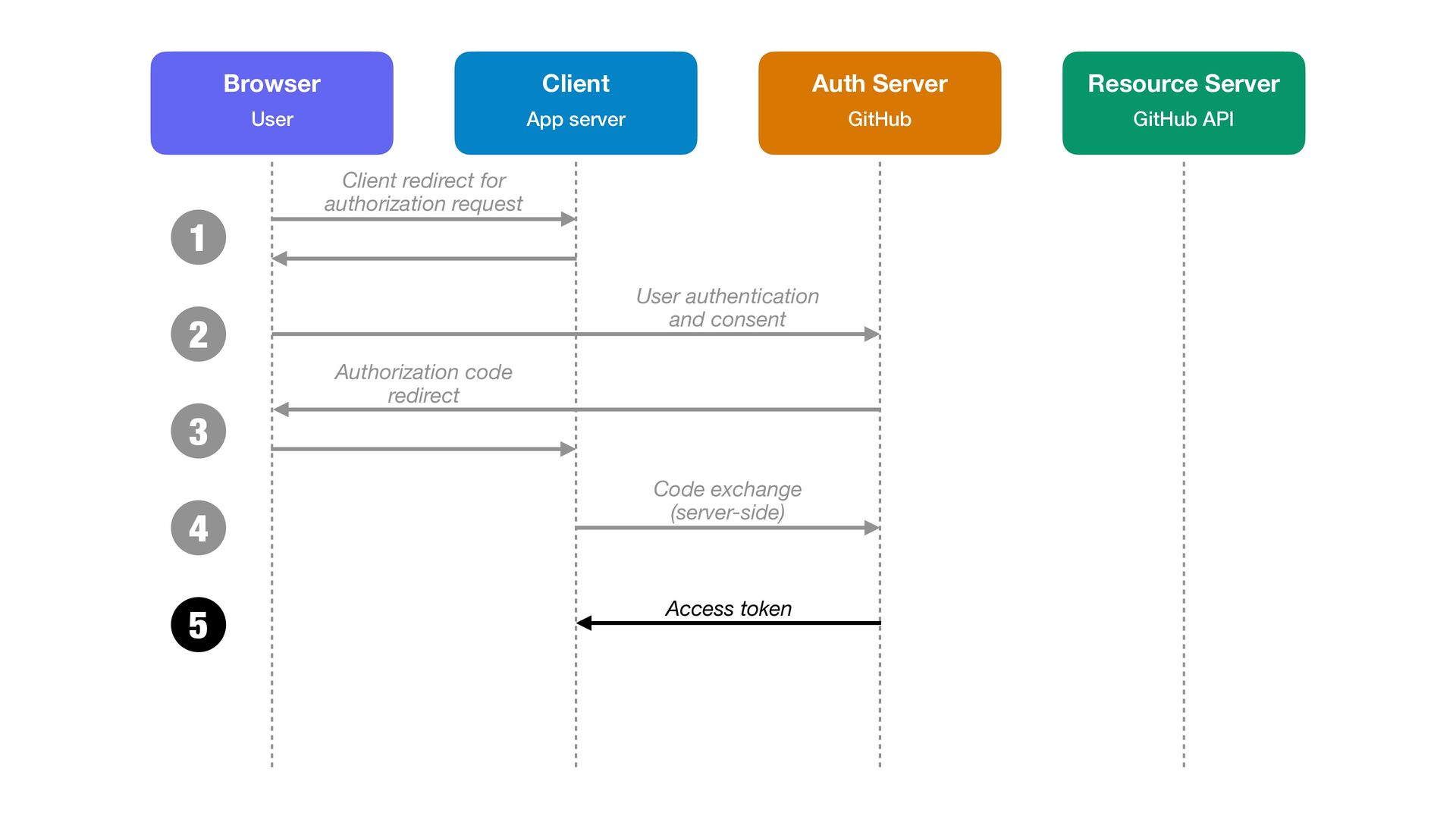
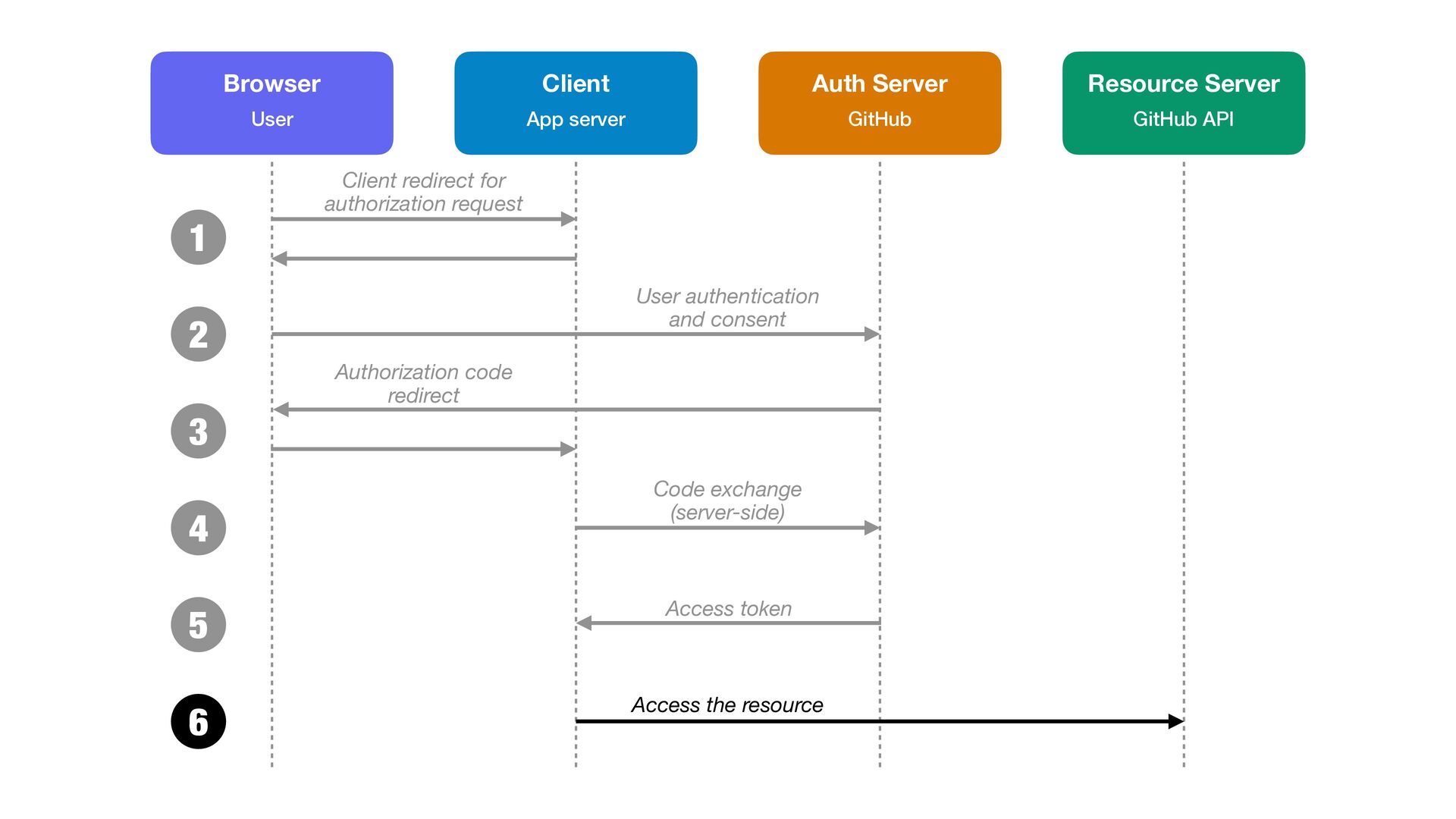
  13. Client App server Browser User Auth Server GitHub Resource Server

    GitHub API 1 Client redirect for authorization request
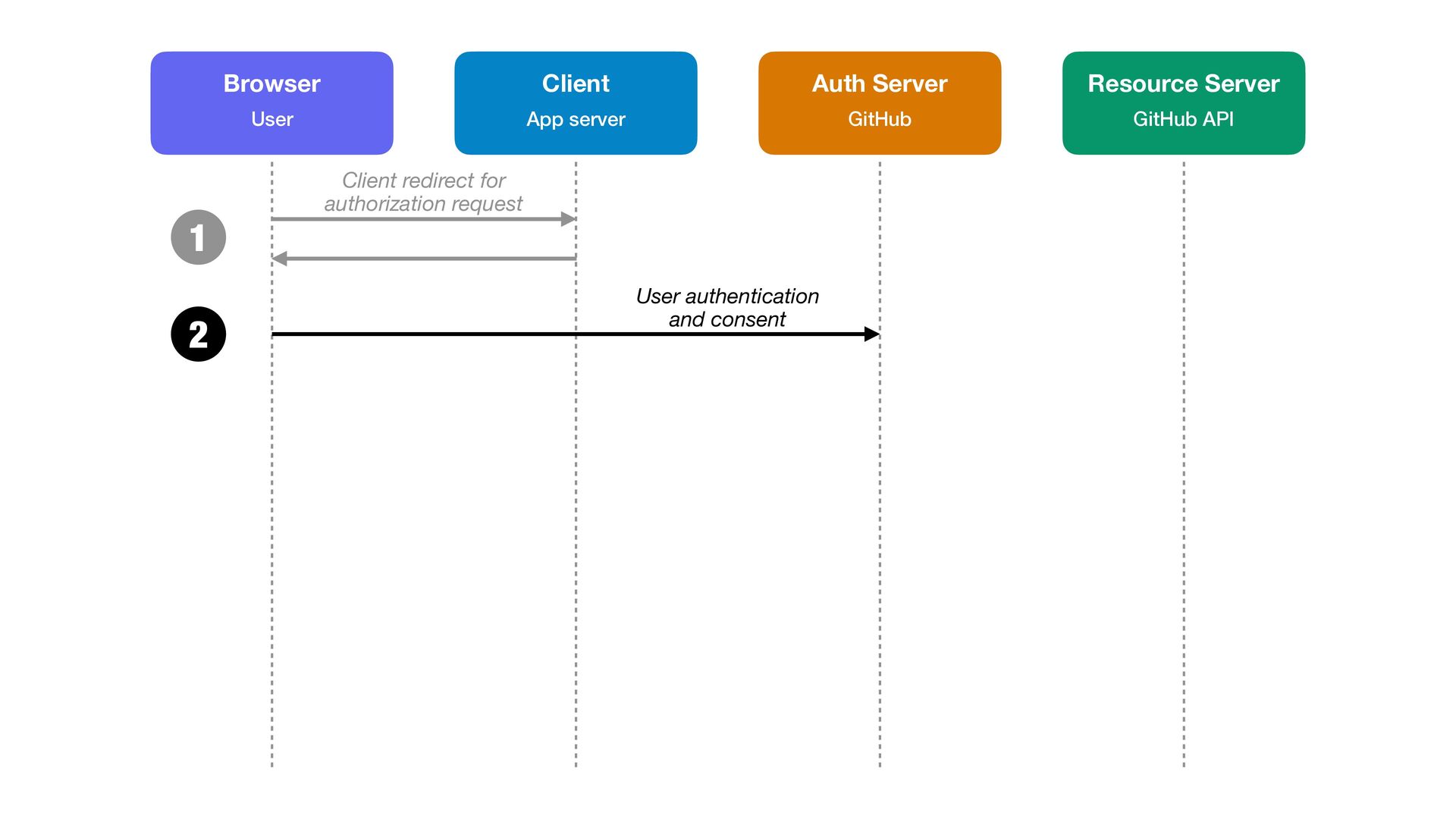
  14. Client App server Browser User Auth Server GitHub Resource Server

    GitHub API 1 Client redirect for authorization request 2 User authentication and consent
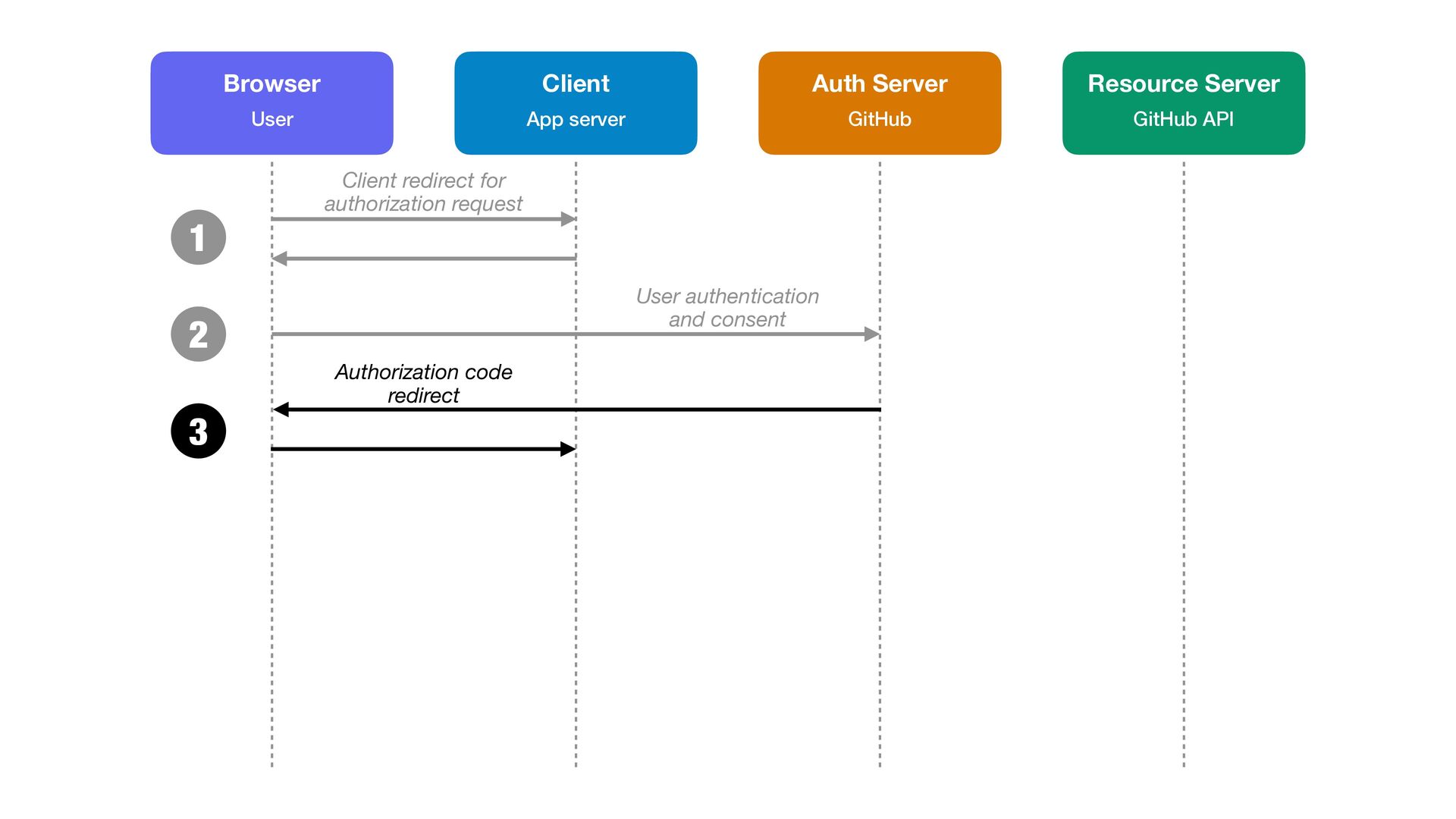
  15. Client App server Browser User Auth Server GitHub Resource Server

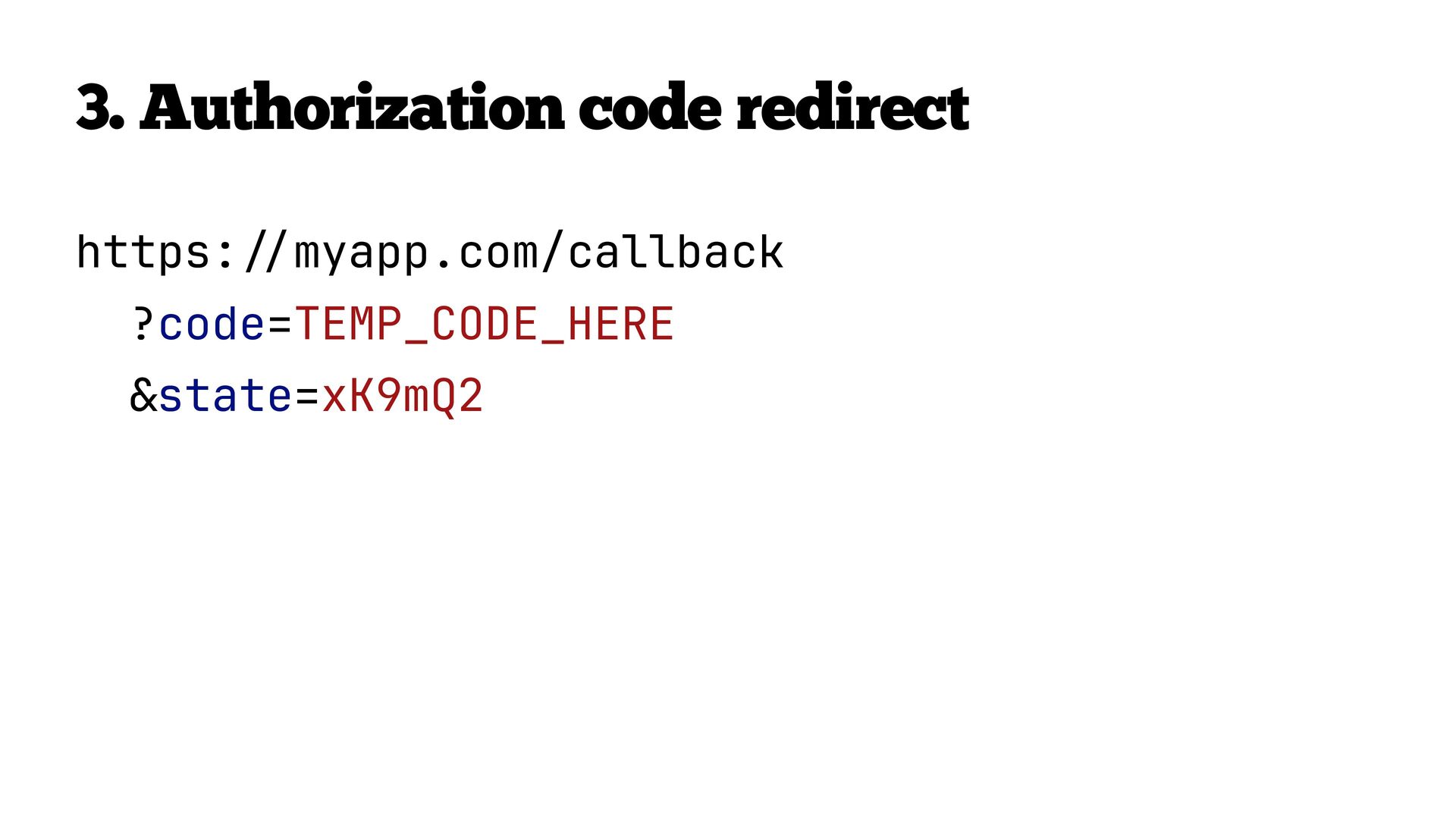
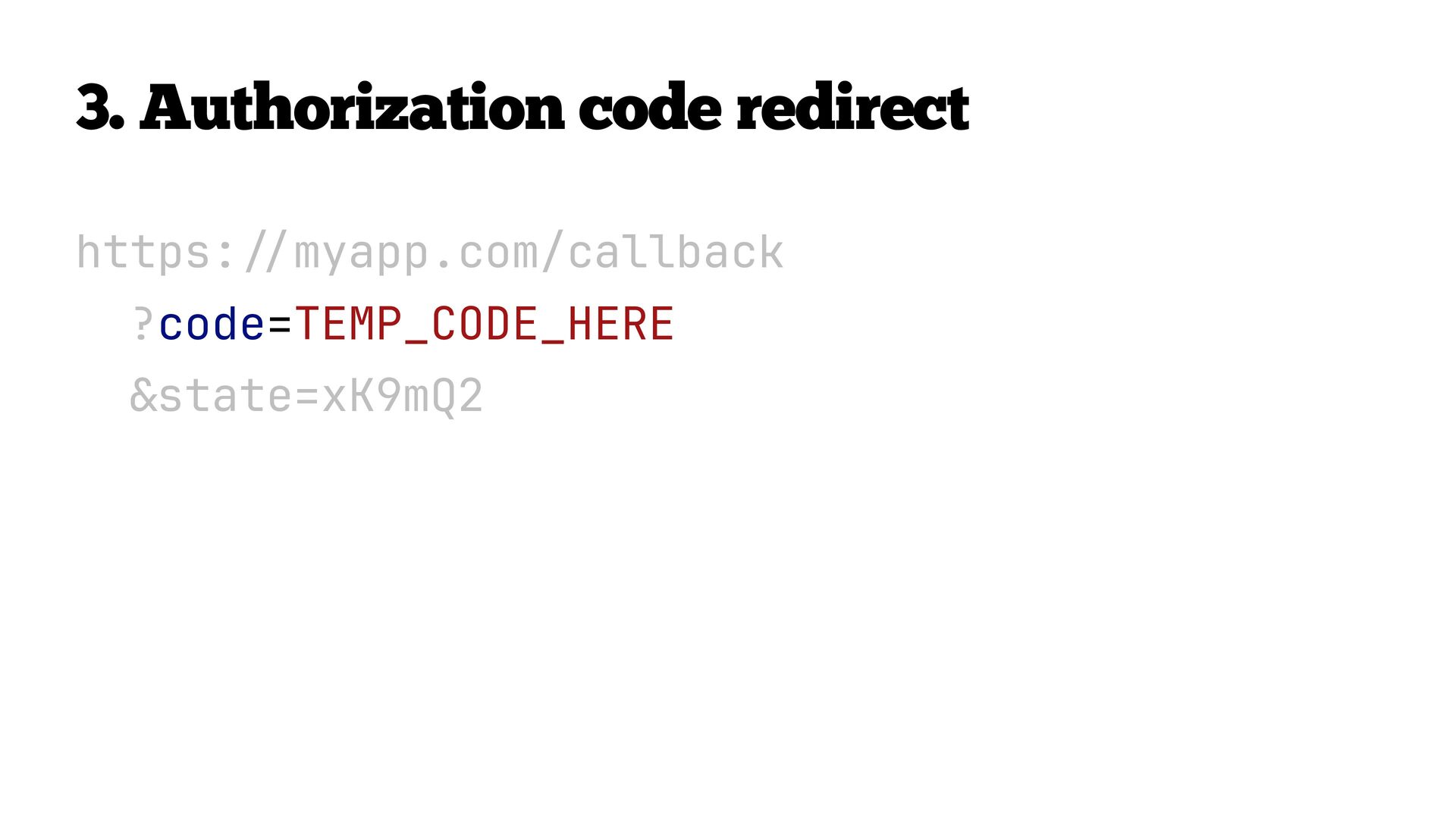
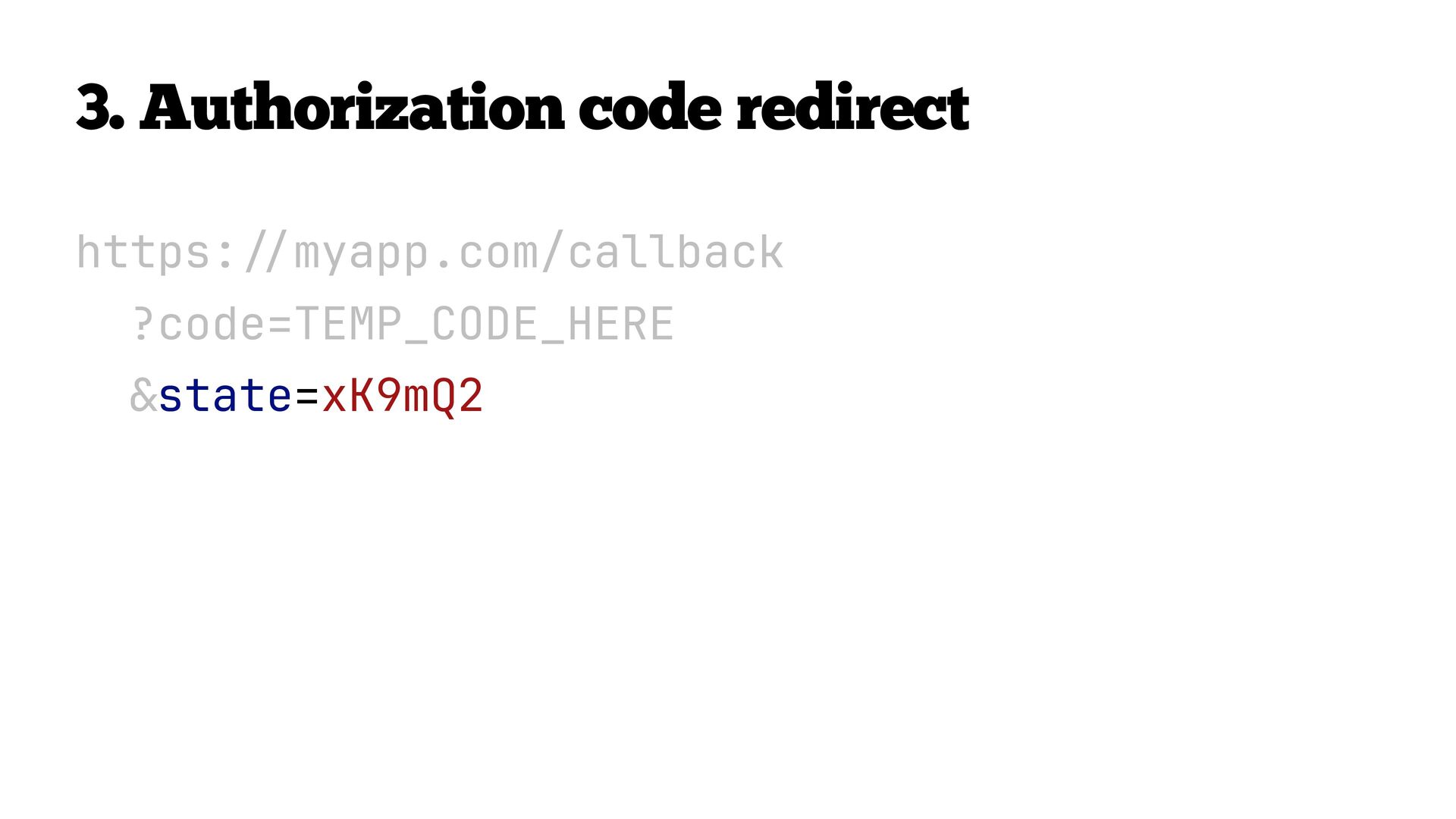
    GitHub API 1 Client redirect for authorization request 2 User authentication and consent 3 Authorization code redirect
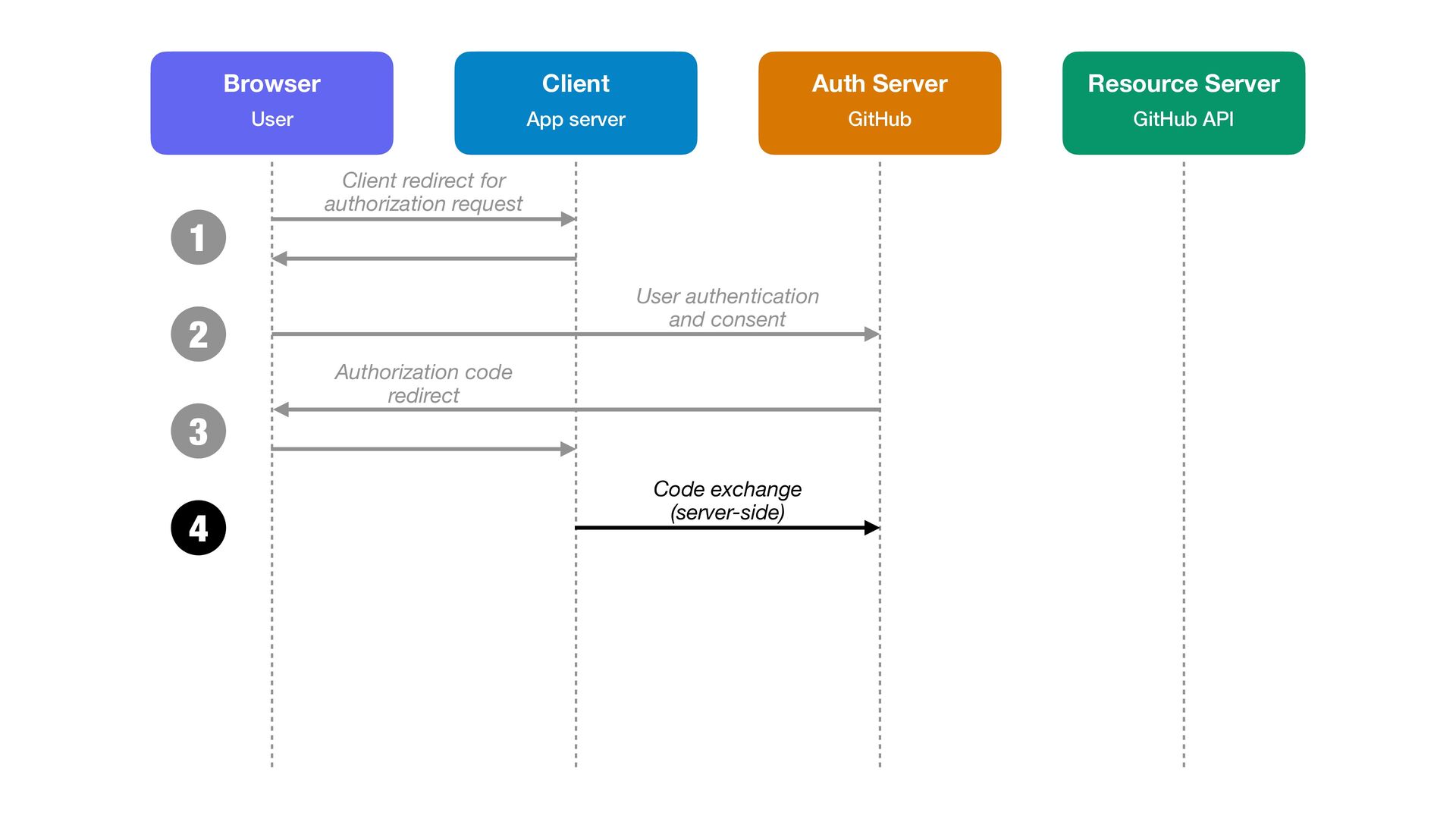
  16. Client App server Browser User Auth Server GitHub Resource Server

    GitHub API 1 Client redirect for authorization request 2 User authentication and consent 3 Authorization code redirect 4 Code exchange (server-side)
  17. 4. Code exchange (server-side) POST /login/oauth/access_token HTTP/1.1 host: github.com content-type:

    application/x-www-form-urlencoded grant_type=authorization_code &code=TEMP_CODE_HERE &redirect_uri=https: // myapp.com/callback &client_id=abc123 &client_secret=super_secret
  18. 4. Code exchange (server-side) POST /login/oauth/access_token HTTP/1.1 host: github.com content-type:

    application/x-www-form-urlencoded grant_type=authorization_code &code=TEMP_CODE_HERE &redirect_uri=https: // myapp.com/callback &client_id=abc123 &client_secret=super_secret
  19. 4. Code exchange (server-side) POST /login/oauth/access_token HTTP/1.1 host: github.com content-type:

    application/x-www-form-urlencoded grant_type=authorization_code &code=TEMP_CODE_HERE &redirect_uri=https: // myapp.com/callback &client_id=abc123 &client_secret=super_secret
  20. 4. Code exchange (server-side) POST /login/oauth/access_token HTTP/1.1 host: github.com content-type:

    application/x-www-form-urlencoded grant_type=authorization_code &code=TEMP_CODE_HERE &redirect_uri=https: // myapp.com/callback &client_id=abc123 &client_secret=super_secret
  21. 4. Code exchange (server-side) POST /login/oauth/access_token HTTP/1.1 host: github.com content-type:

    application/x-www-form-urlencoded grant_type=authorization_code &code=TEMP_CODE_HERE &redirect_uri=https: // myapp.com/callback &client_id=abc123 &client_secret=super_secret
  22. Client App server Browser User Auth Server GitHub Resource Server

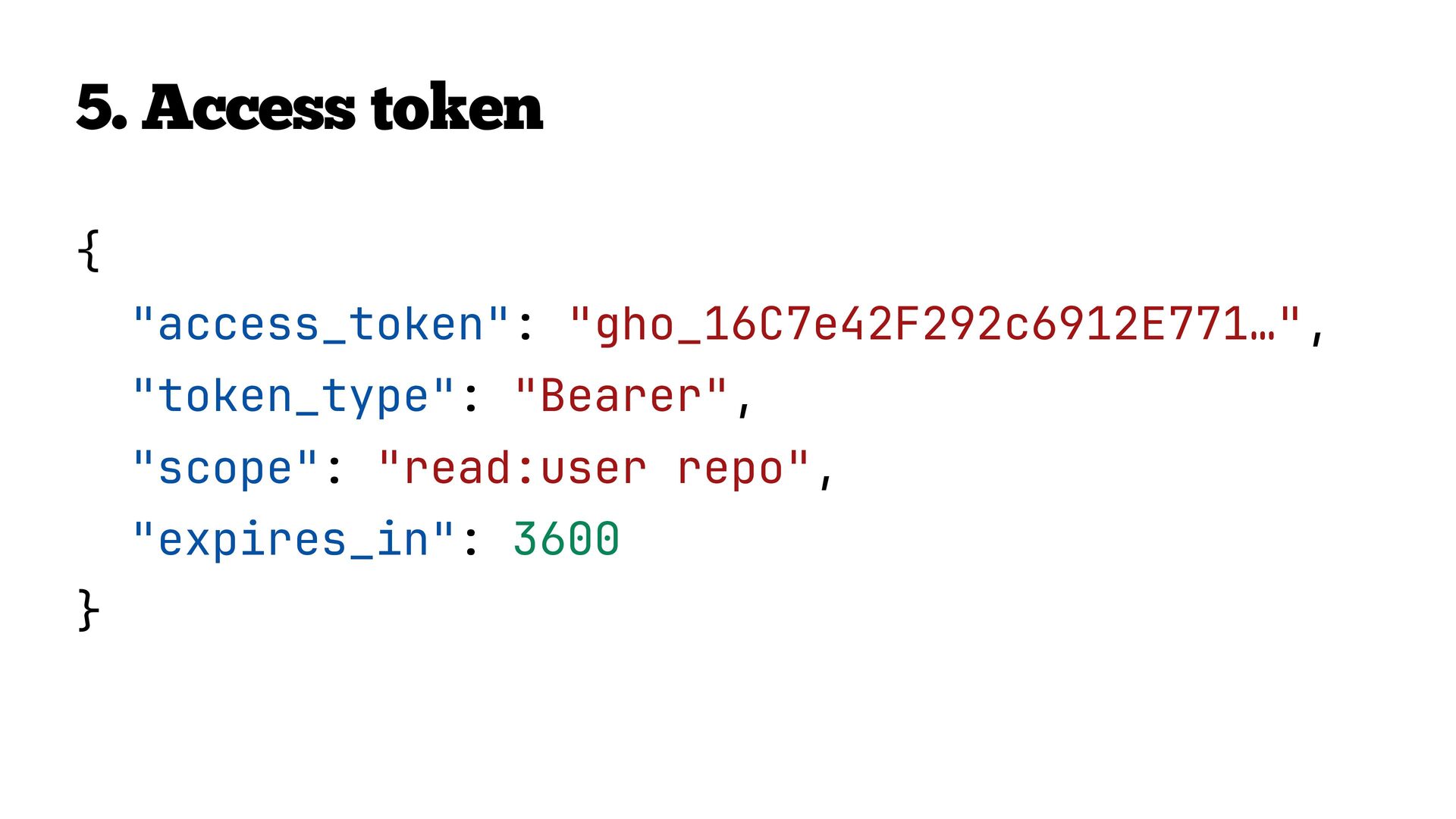
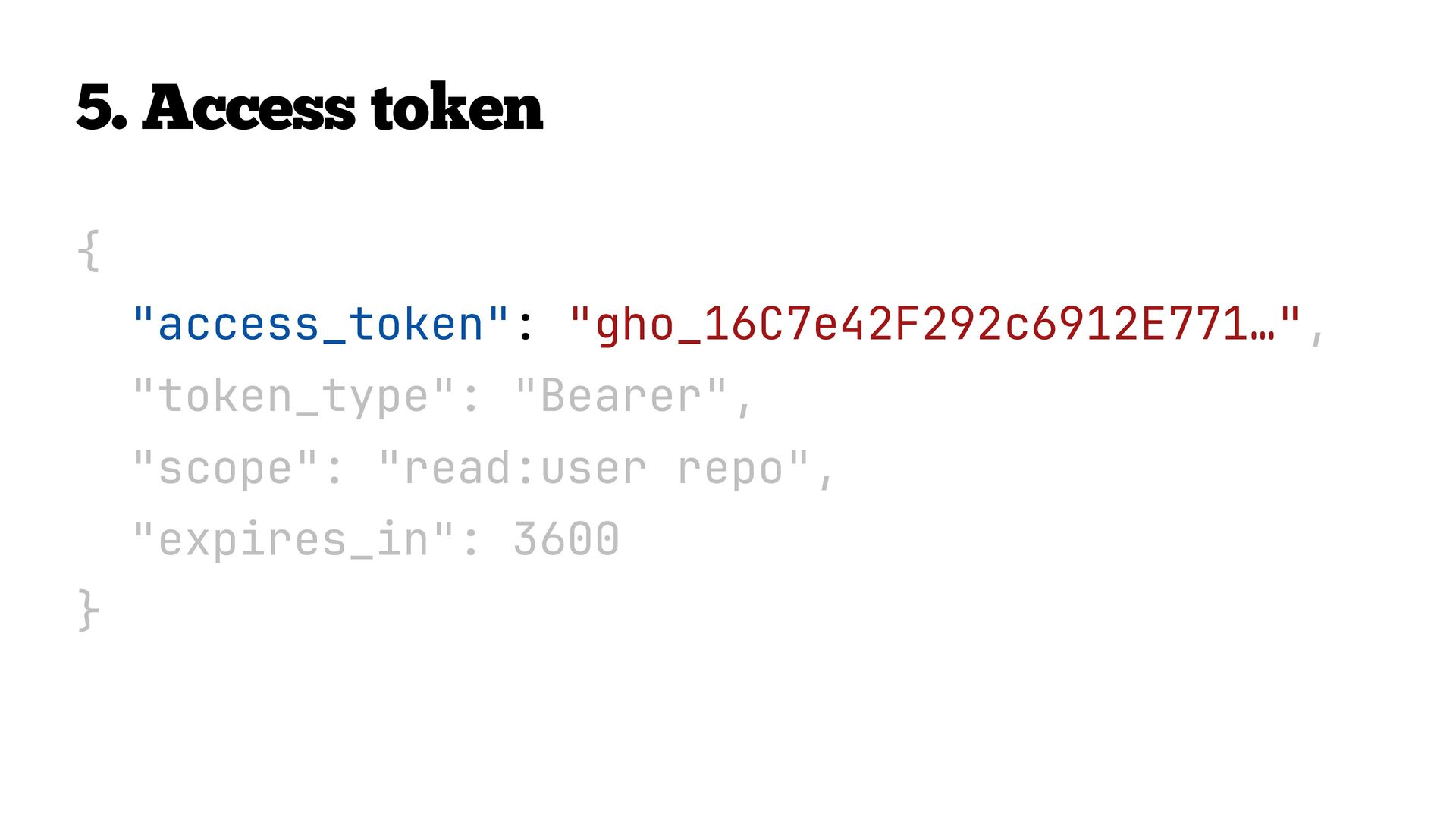
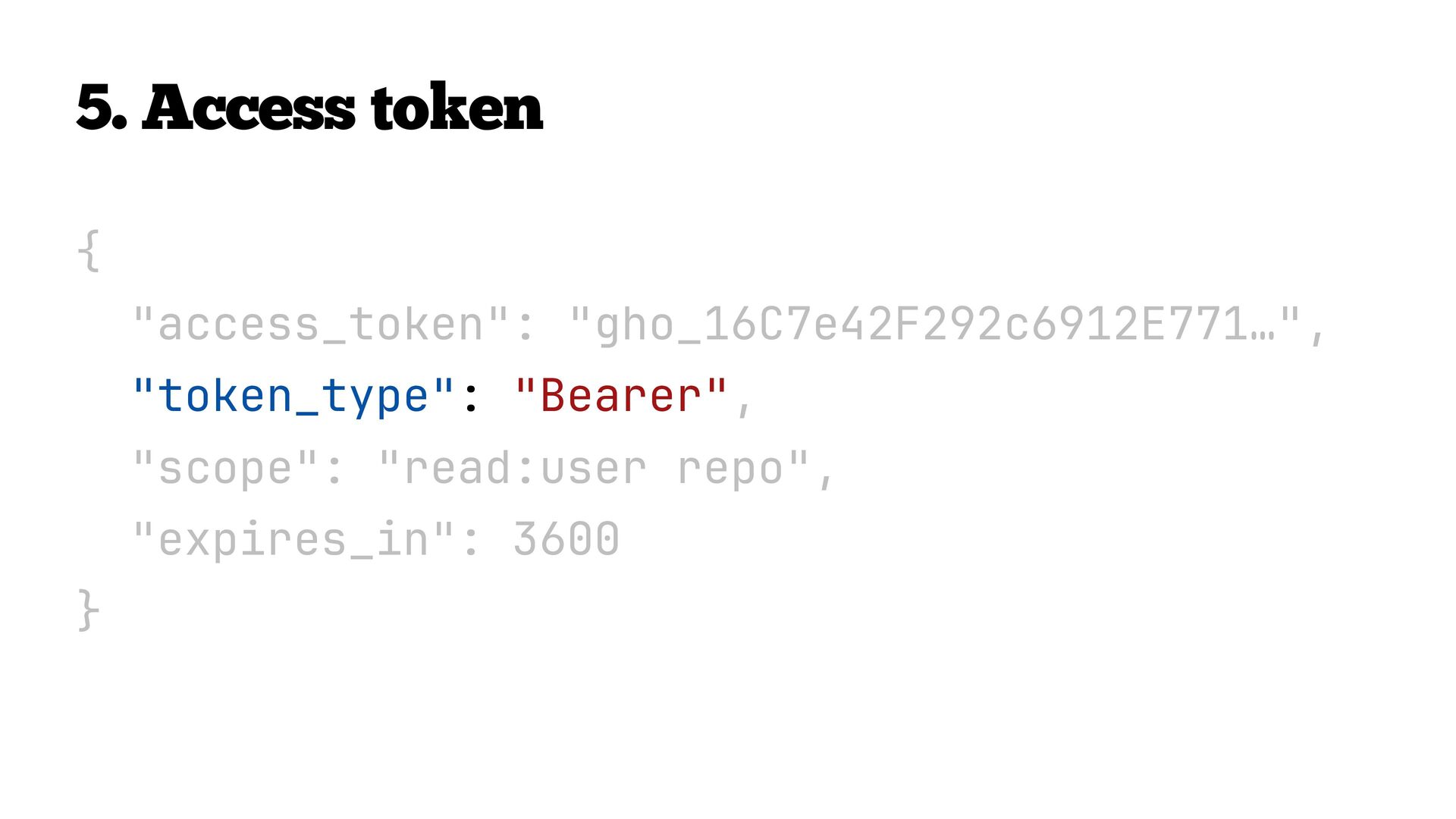
    GitHub API 1 Client redirect for authorization request 2 User authentication and consent 3 Authorization code redirect 4 Code exchange (server-side) Access token 5
  23. Client App server Browser User Auth Server GitHub Resource Server

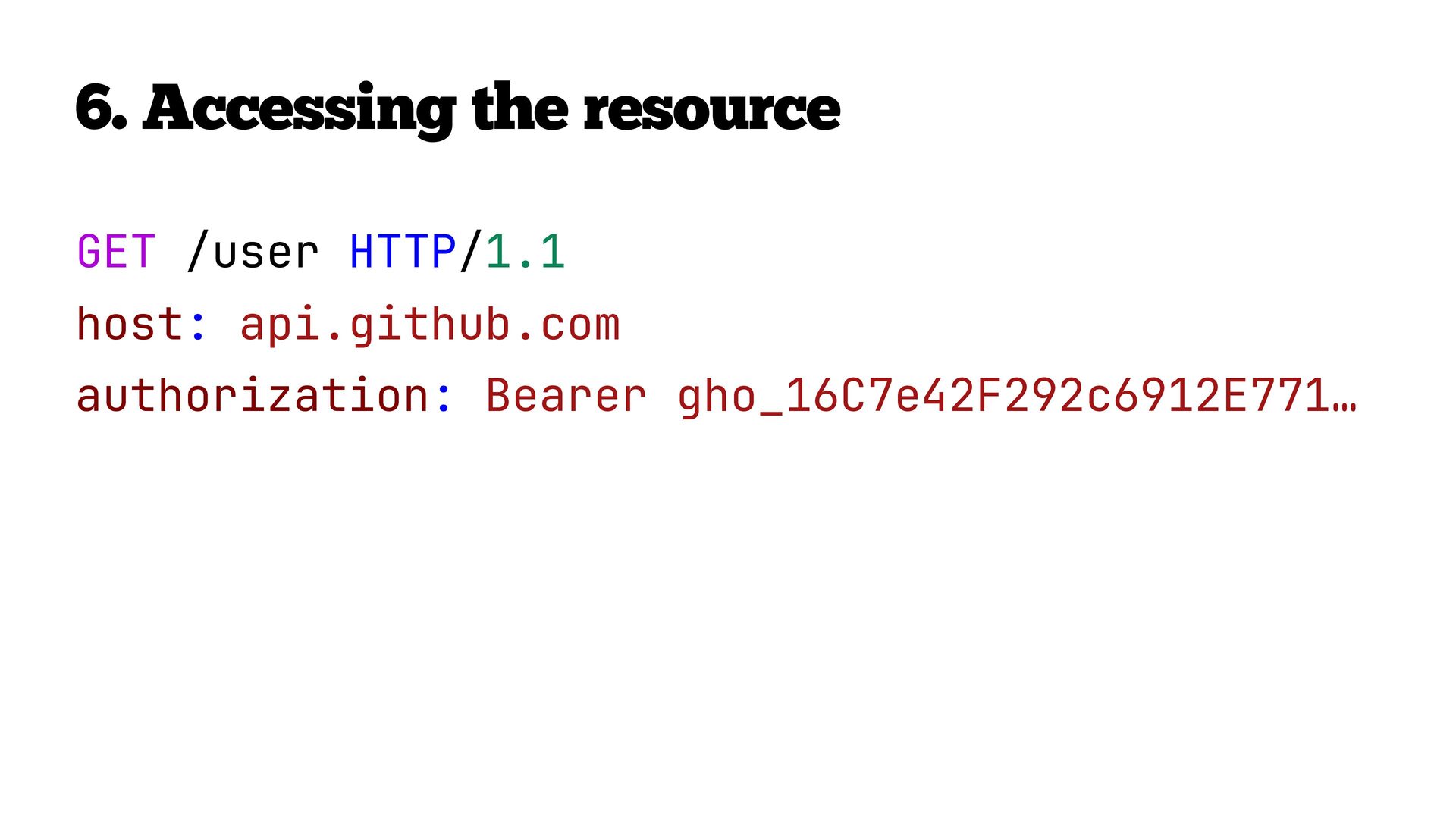
    GitHub API 1 Client redirect for authorization request 2 User authentication and consent 3 Authorization code redirect 4 Code exchange (server-side) Access token 5 6 Access the resource
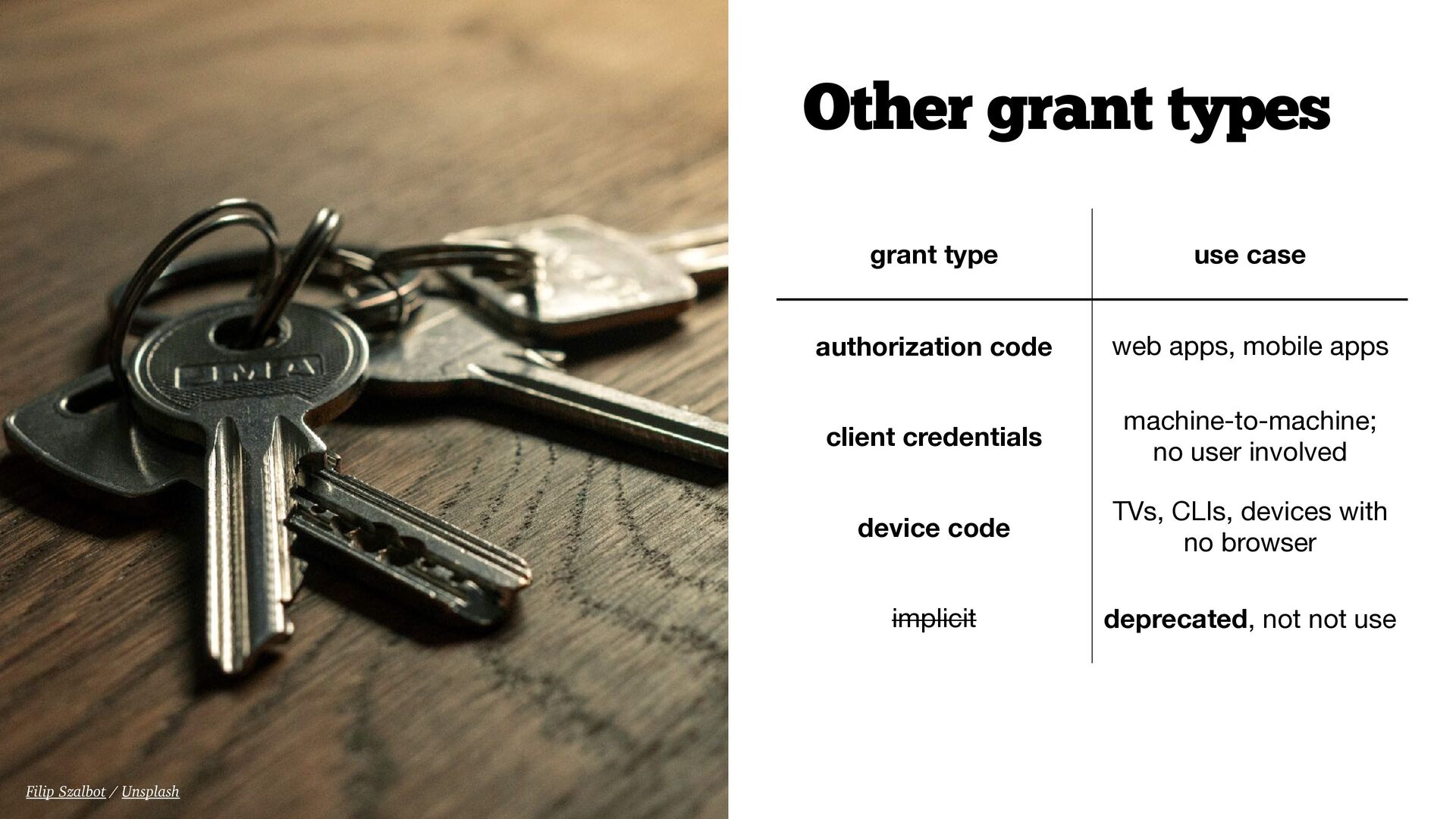
  24. Other grant types grant type use case authorization code web

    apps, mobile apps client credentials machine-to-machine;
 no user involved device code TVs, CLIs, devices with no browser implicit deprecated, not not use Filip Szalbot / Unsplash
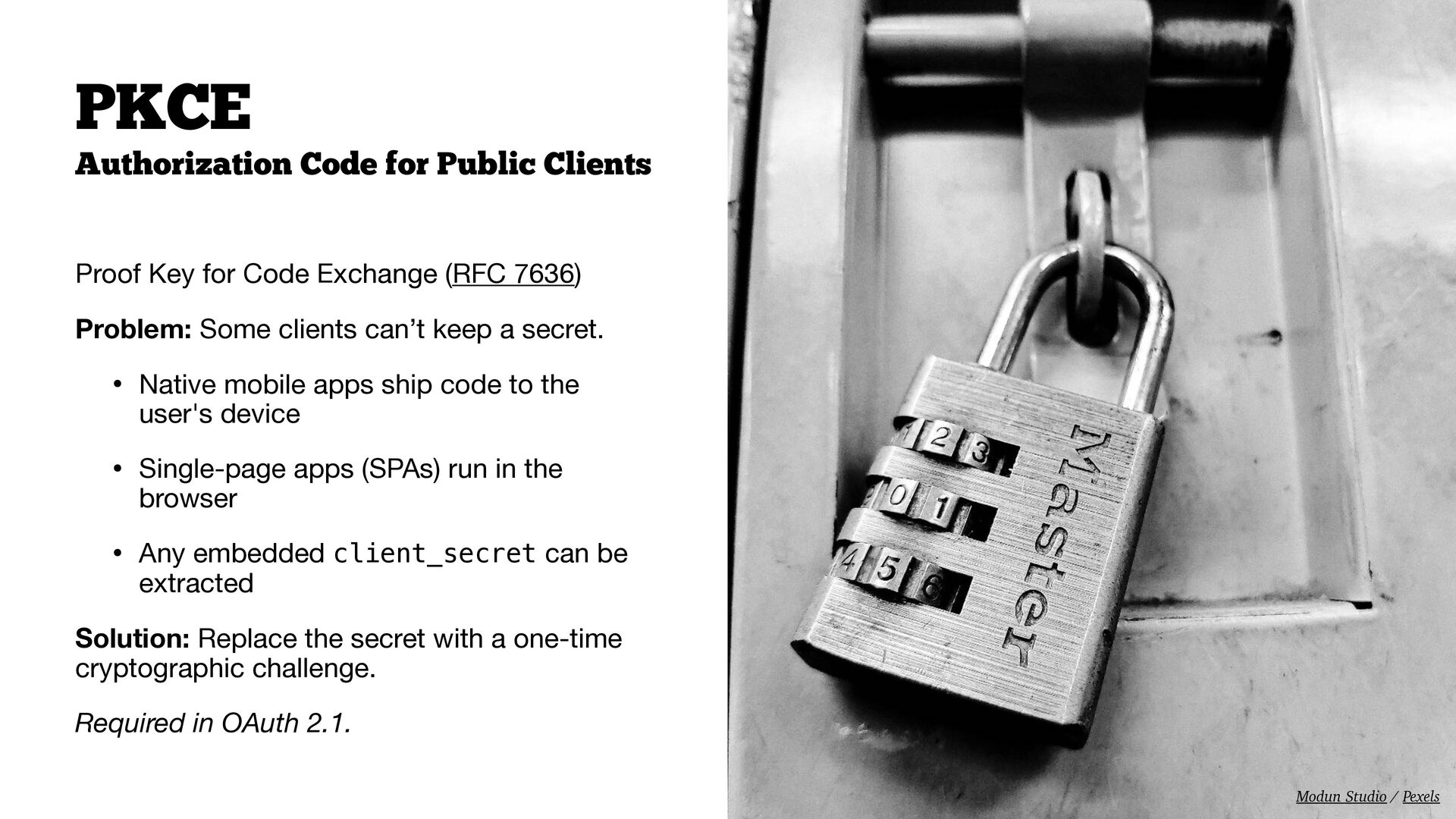
  25. Authorization Code for Public Clients Proof Key for Code Exchange

    (RFC 7636) Problem: Some clients can’t keep a secret. • Native mobile apps ship code to the user's device • Single-page apps (SPAs) run in the browser • Any embedded client_secret can be extracted Solution: Replace the secret with a one-time cryptographic challenge. Required in OAuth 2.1. PKCE Modun Studio / Pexels
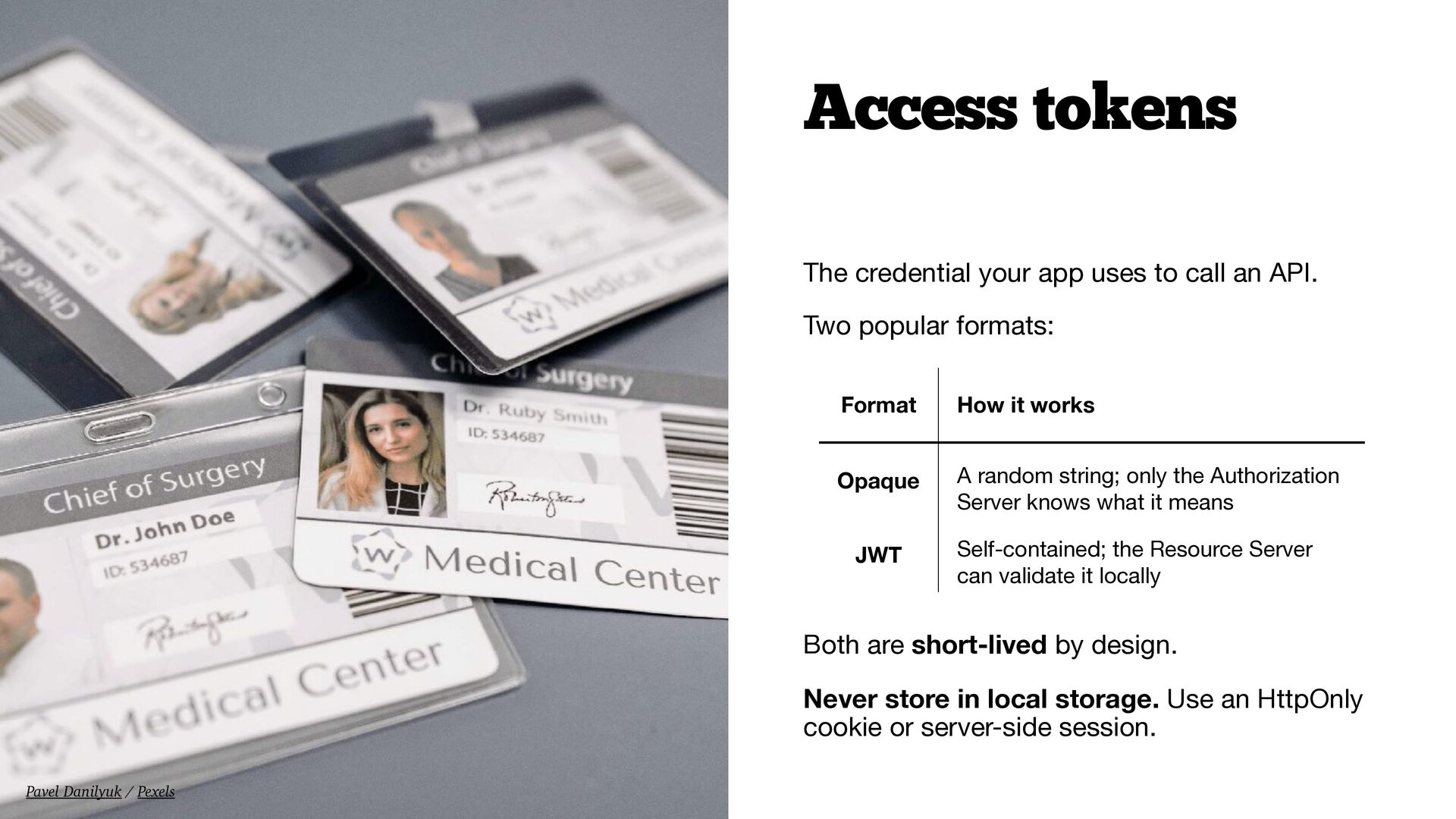
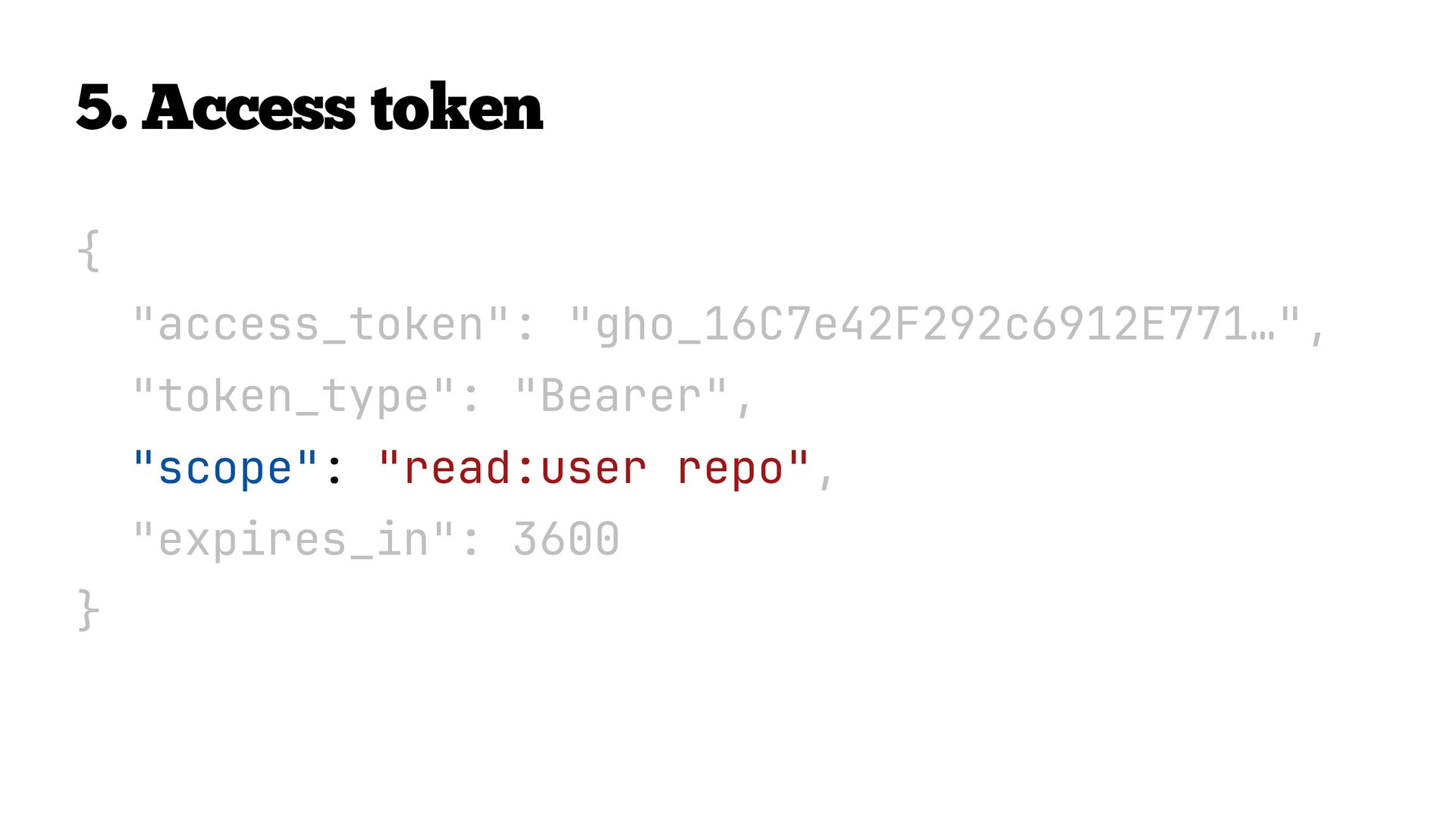
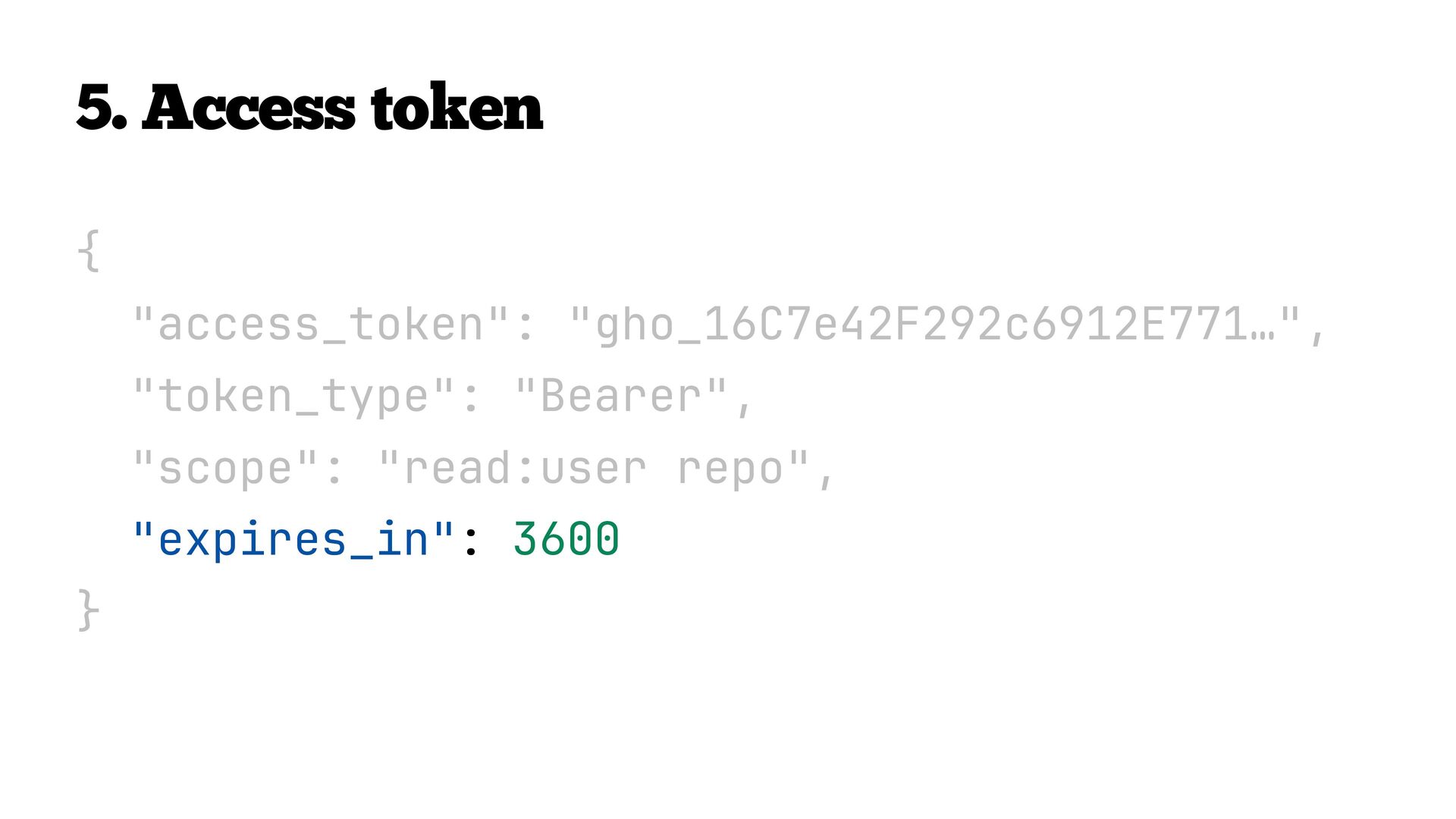
  26. The credential your app uses to call an API. Two

    popular formats: Both are short-lived by design. Never store in local storage. Use an HttpOnly cookie or server-side session. Access tokens Format How it works Opaque A random string; only the Authorization Server knows what it means JWT Self-contained; the Resource Server can validate it locally Pavel Danilyuk / Pexels
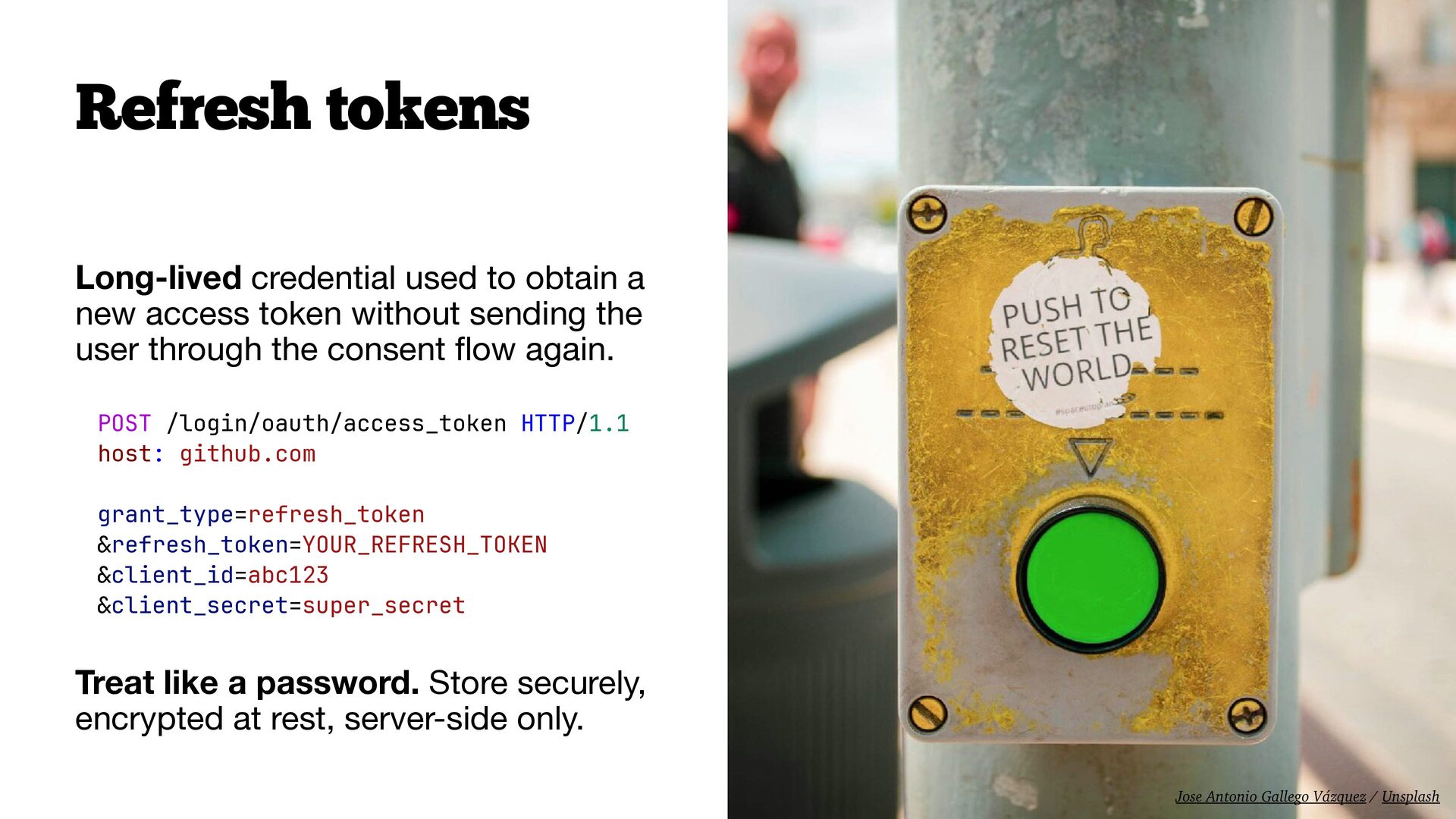
  27. Long-lived credential used to obtain a new access token without

    sending the user through the consent fl ow again. Treat like a password. Store securely, encrypted at rest, server-side only. Refresh tokens POST /login/oauth/access_token HTTP/1.1 host: github.com grant_type=refresh_token &refresh_token=YOUR_REFRESH_TOKEN &client_id=abc123 &client_secret=super_secret Jose Antonio Gallego Vázquez / Unsplash
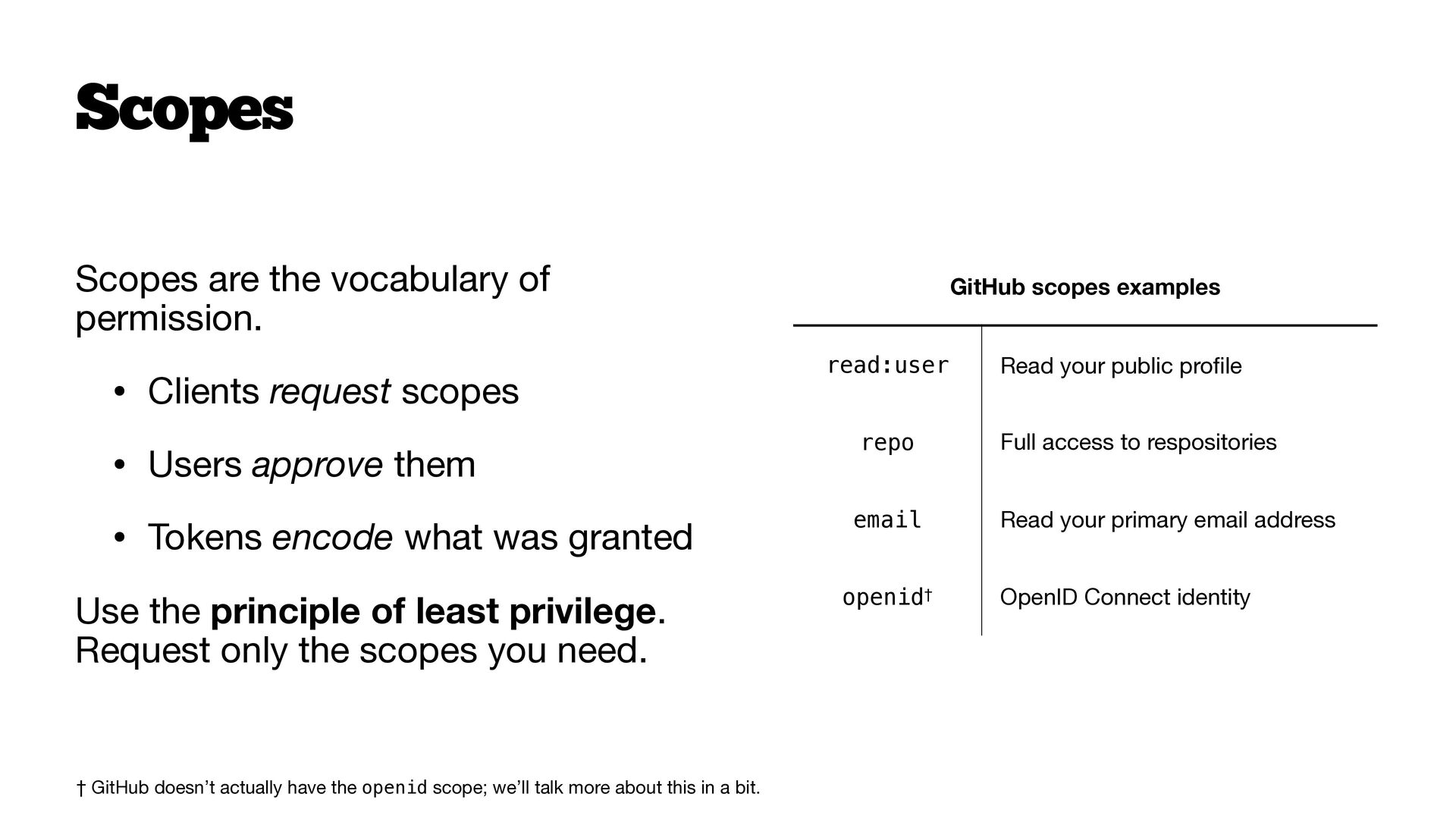
  28. Scopes are the vocabulary of permission. • Clients request scopes

    • Users approve them • Tokens encode what was granted Use the principle of least privilege. Request only the scopes you need. Scopes GitHub scopes examples read:user Read your public pro fi le repo Full access to respositories email Read your primary email address openid† OpenID Connect identity † GitHub doesn’t actually have the openid scope; we’ll talk more about this in a bit.
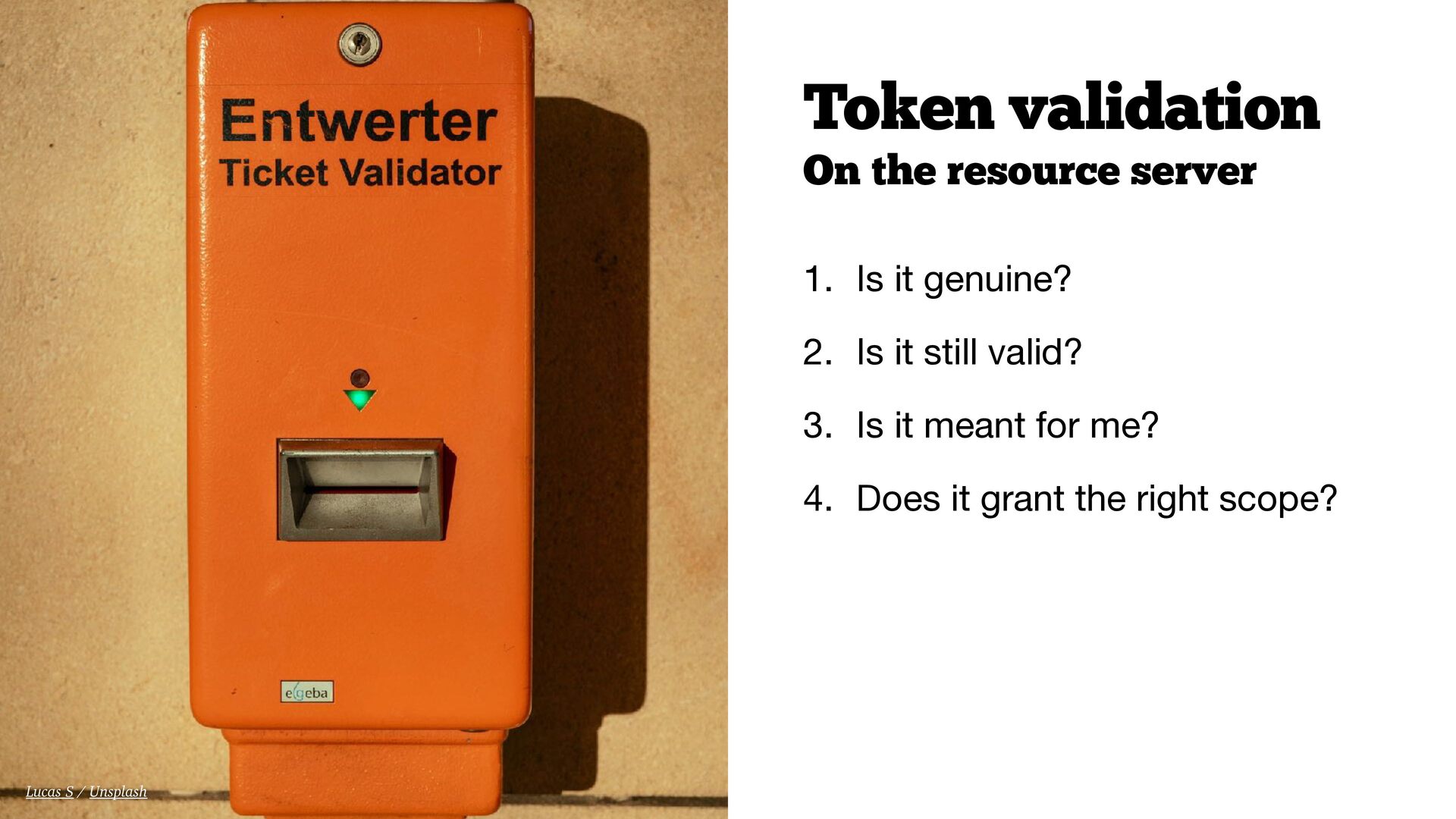
  29. On the resource server 1. Is it genuine? 2. Is

    it still valid? 3. Is it meant for me? 4. Does it grant the right scope? Token validation Lucas S / Unsplash
  30. Introducing league/oauth2-client It’s the de facto standard for OAuth 2.0

    clients in PHP. • Works with or without a framework • Provider packages for GitHub, Google, Facebook, Slack, and dozens more • Handles URL construction, state, token exchange, and API calls composer require league/oauth2-client league/oauth2-github
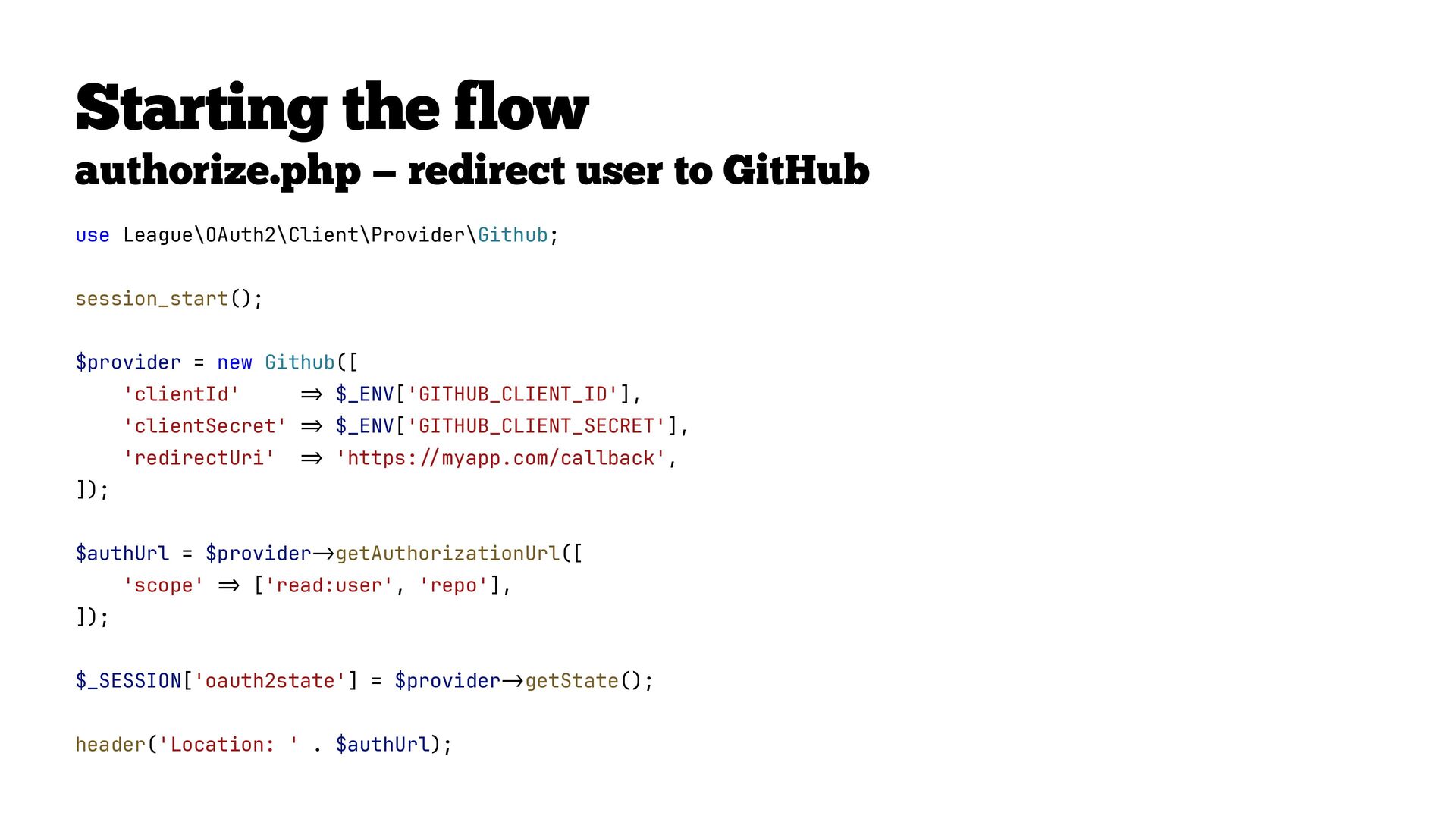
  31. Starting the flow authorize.php — redirect user to GitHub use

    League\OAuth2\Client\Provider\Github; session_start(); $provider = new Github([ 'clientId' => $_ENV['GITHUB_CLIENT_ID'], 'clientSecret' => $_ENV['GITHUB_CLIENT_SECRET'], 'redirectUri' => 'https: // myapp.com/callback', ]); $authUrl = $provider -> getAuthorizationUrl([ 'scope' = > ['read:user', 'repo'], ]); $_SESSION['oauth2state'] = $provider -> getState(); header('Location: ' . $authUrl);
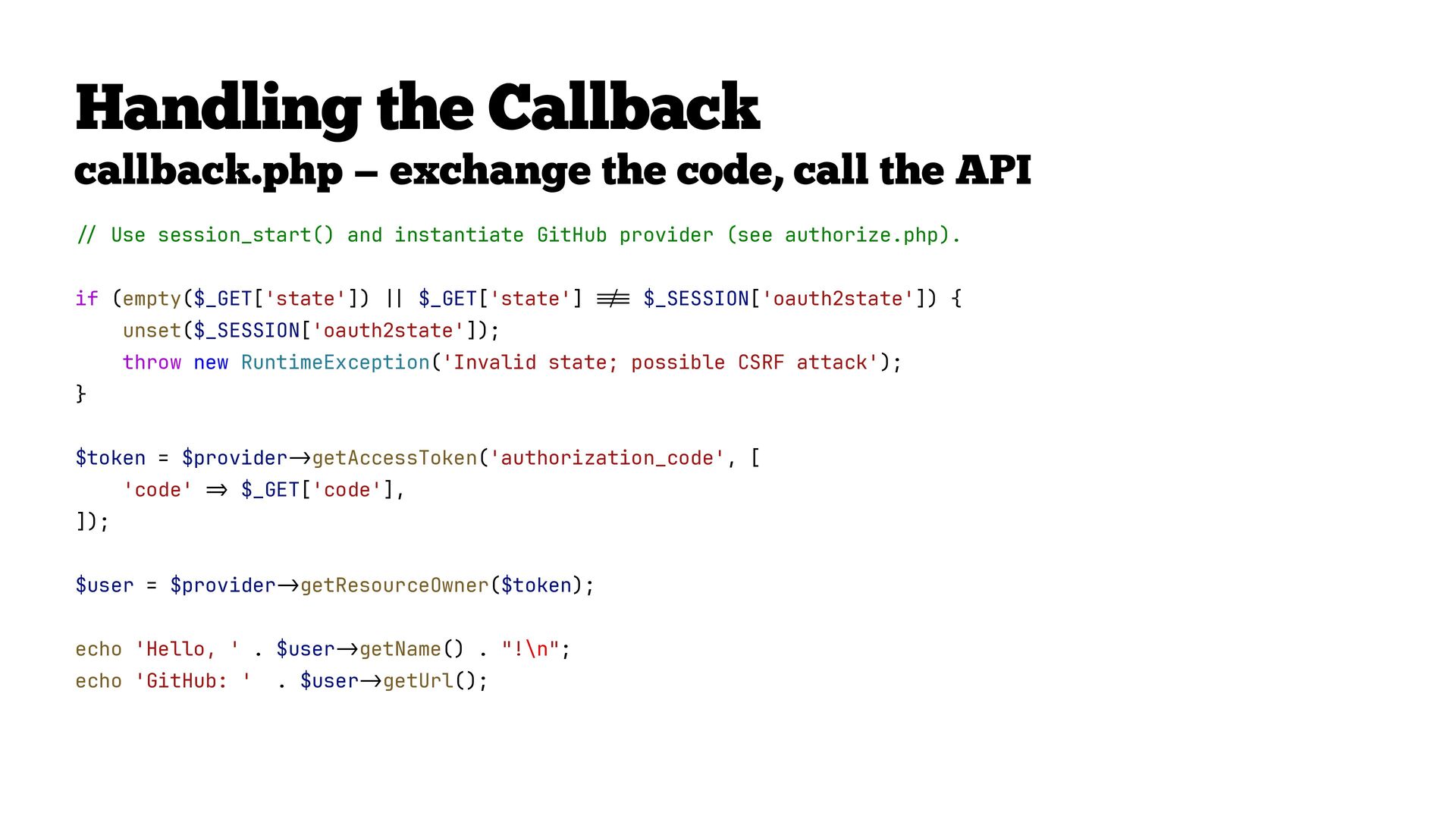
  32. // Use session_start() and instantiate GitHub provider (see authorize.php). if

    (empty($_GET['state']) | | $_GET['state'] !== $_SESSION['oauth2state']) { unset($_SESSION['oauth2state']); throw new RuntimeException('Invalid state; possible CSRF attack'); } $token = $provider - > getAccessToken('authorization_code', [ 'code' => $_GET['code'], ]); $user = $provider -> getResourceOwner($token); echo 'Hello, ' . $user -> getName() . "!\n"; echo 'GitHub: ' . $user -> getUrl(); Handling the Callback callback.php — exchange the code, call the API
  33. // Validate state to prevent CSRF if ( empty($_GET['state']) ||

    $_GET['state'] !== $_SESSION['oauth2state'] ) { unset($_SESSION['oauth2state']); throw new RuntimeException( 'Invalid state; possible CSRF attack', ); }
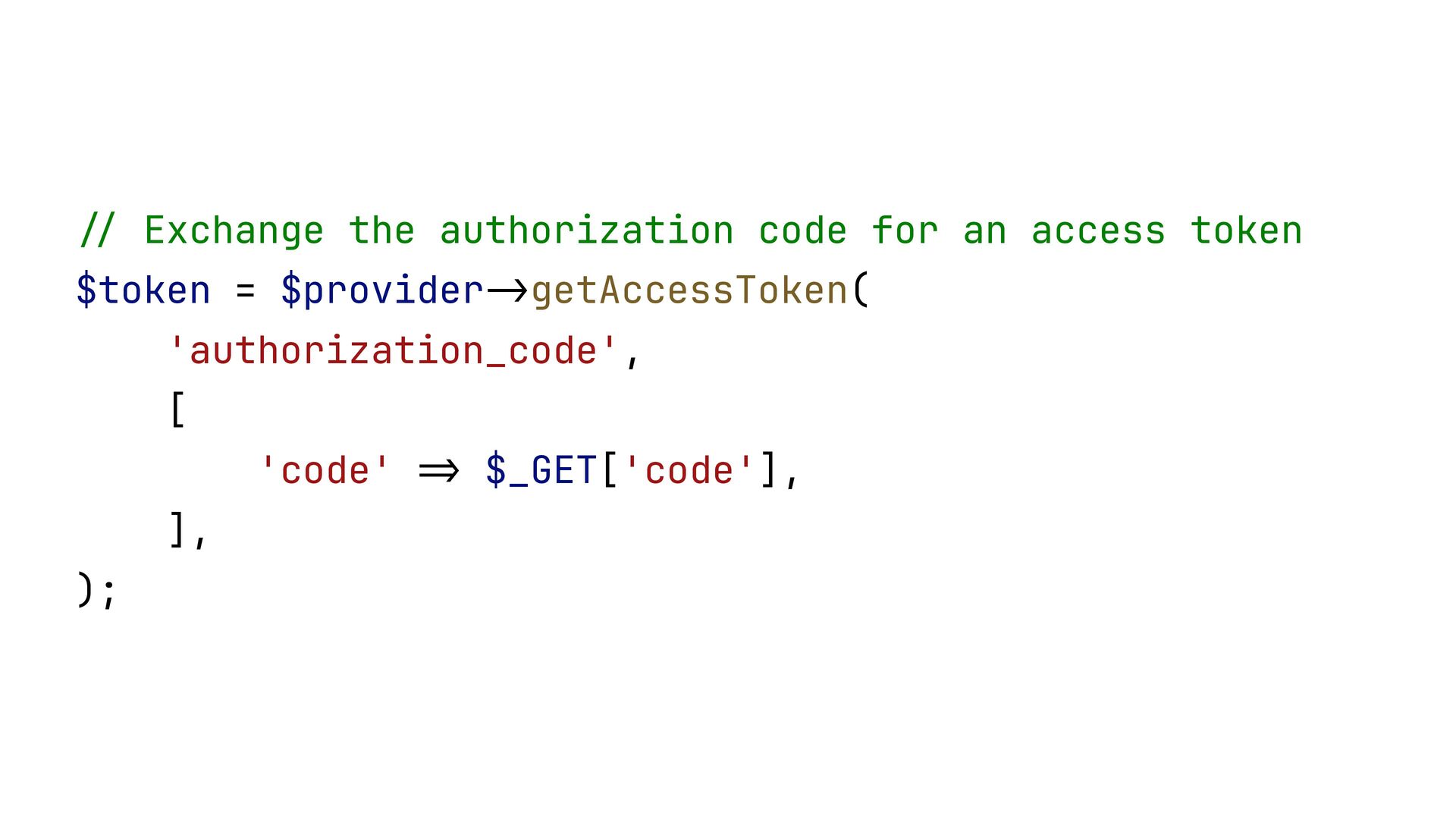
  34. // Exchange the authorization code for an access token $token

    = $provider -> getAccessToken( 'authorization_code', [ 'code' => $_GET['code'], ], );
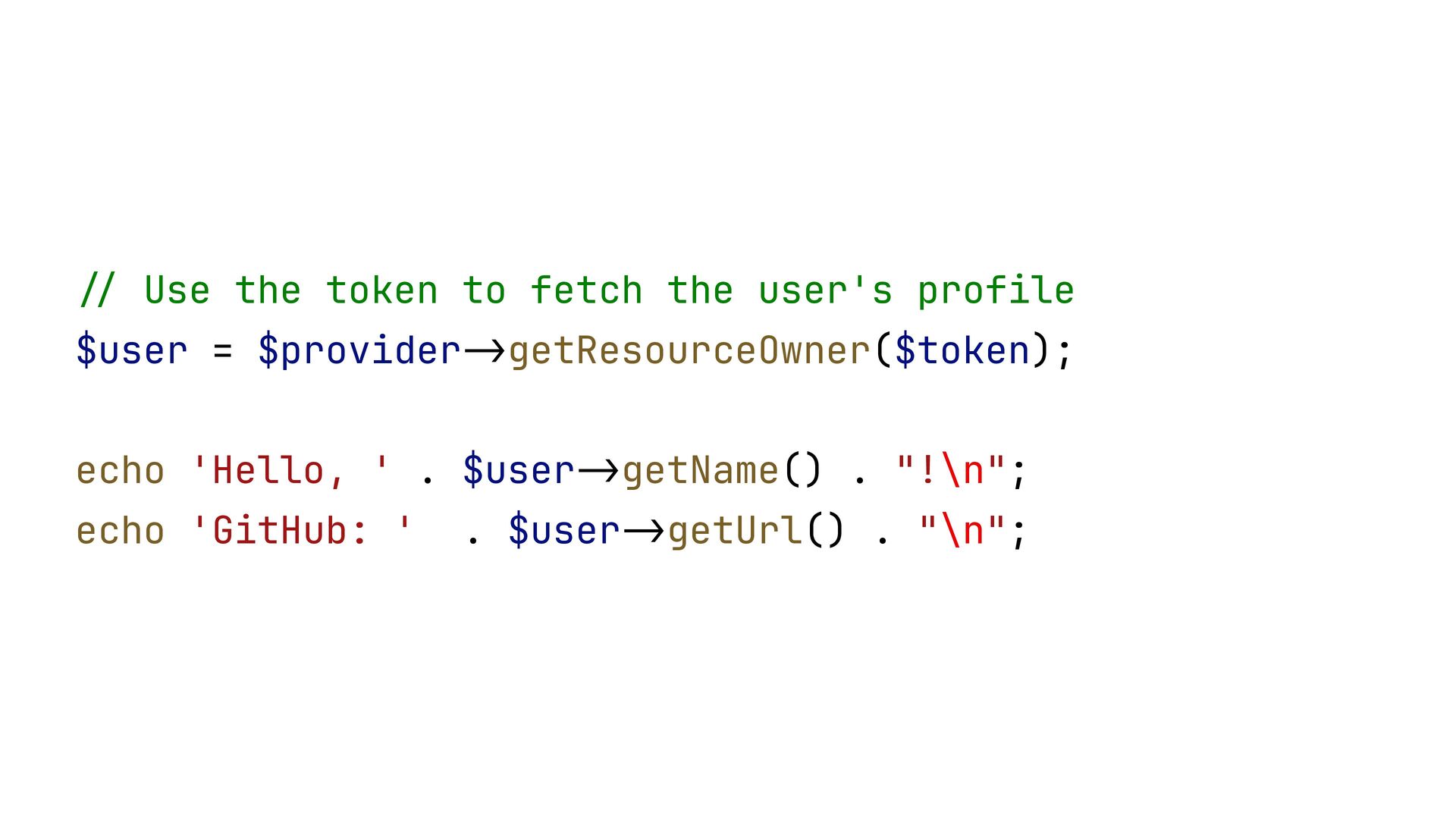
  35. // Use the token to fetch the user's profile $user

    = $provider -> getResourceOwner($token); echo 'Hello, ' . $user -> getName() . "!\n"; echo 'GitHub: ' . $user -> getUrl() . "\n";
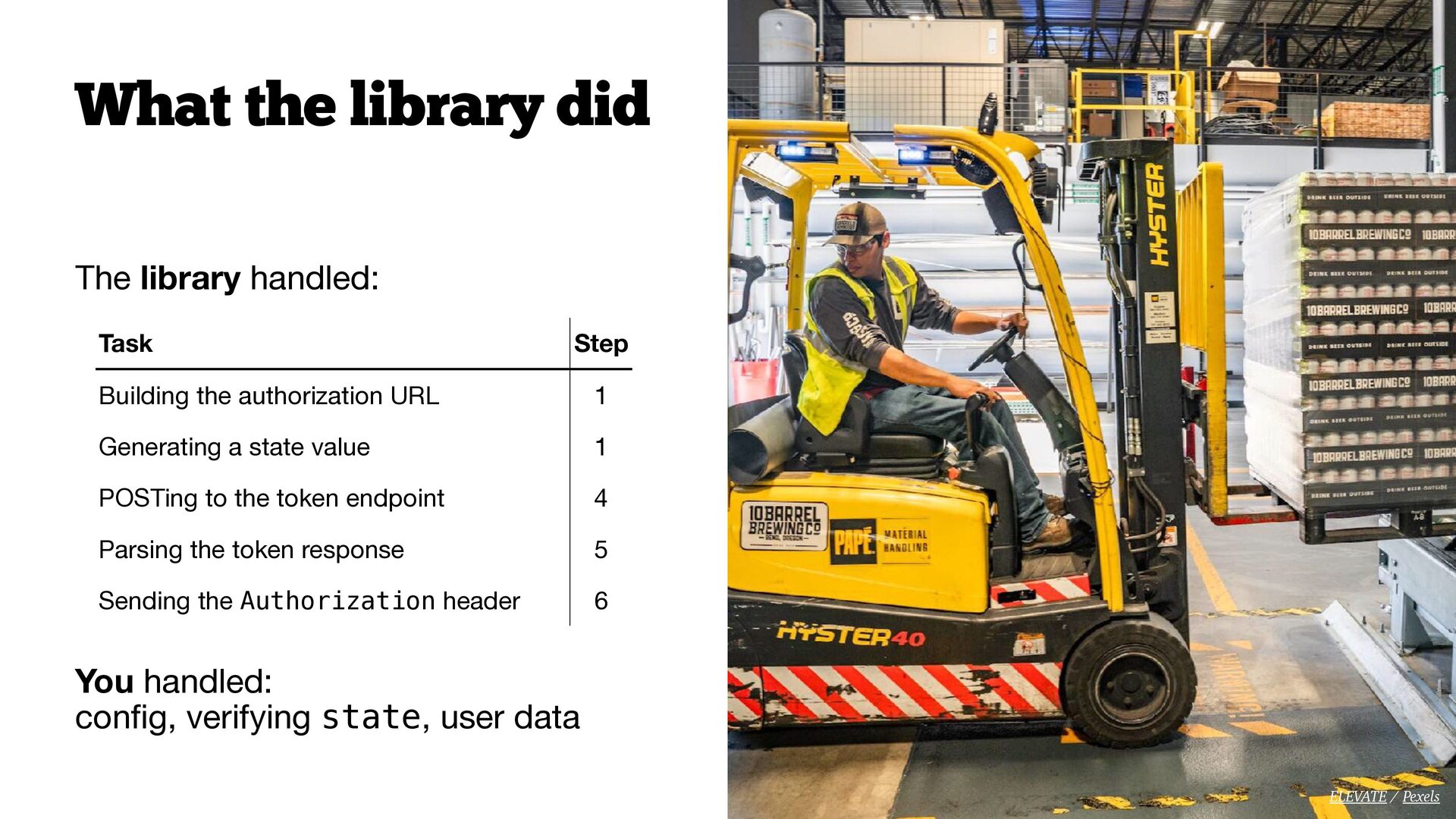
  36. The library handled: You handled:
 con fi g, verifying state,

    user data What the library did Task Step Building the authorization URL 1 Generating a state value 1 POSTing to the token endpoint 4 Parsing the token response 5 Sending the Authorization header 6 ELEVATE / Pexels
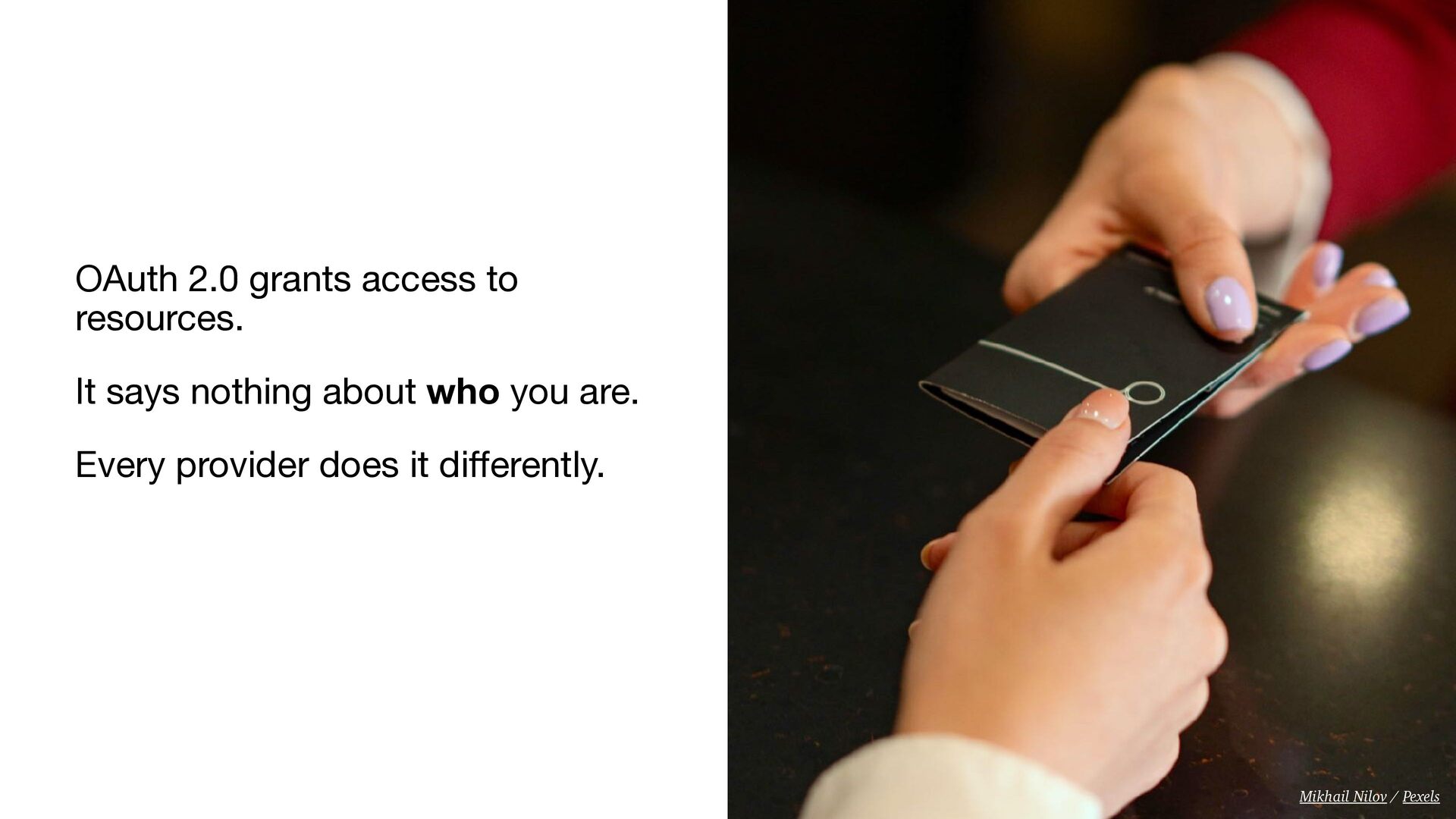
  37. OAuth 2.0 grants access to resources. It says nothing about

    who you are. Every provider does it di ff erently. Mikhail Nilov / Pexels
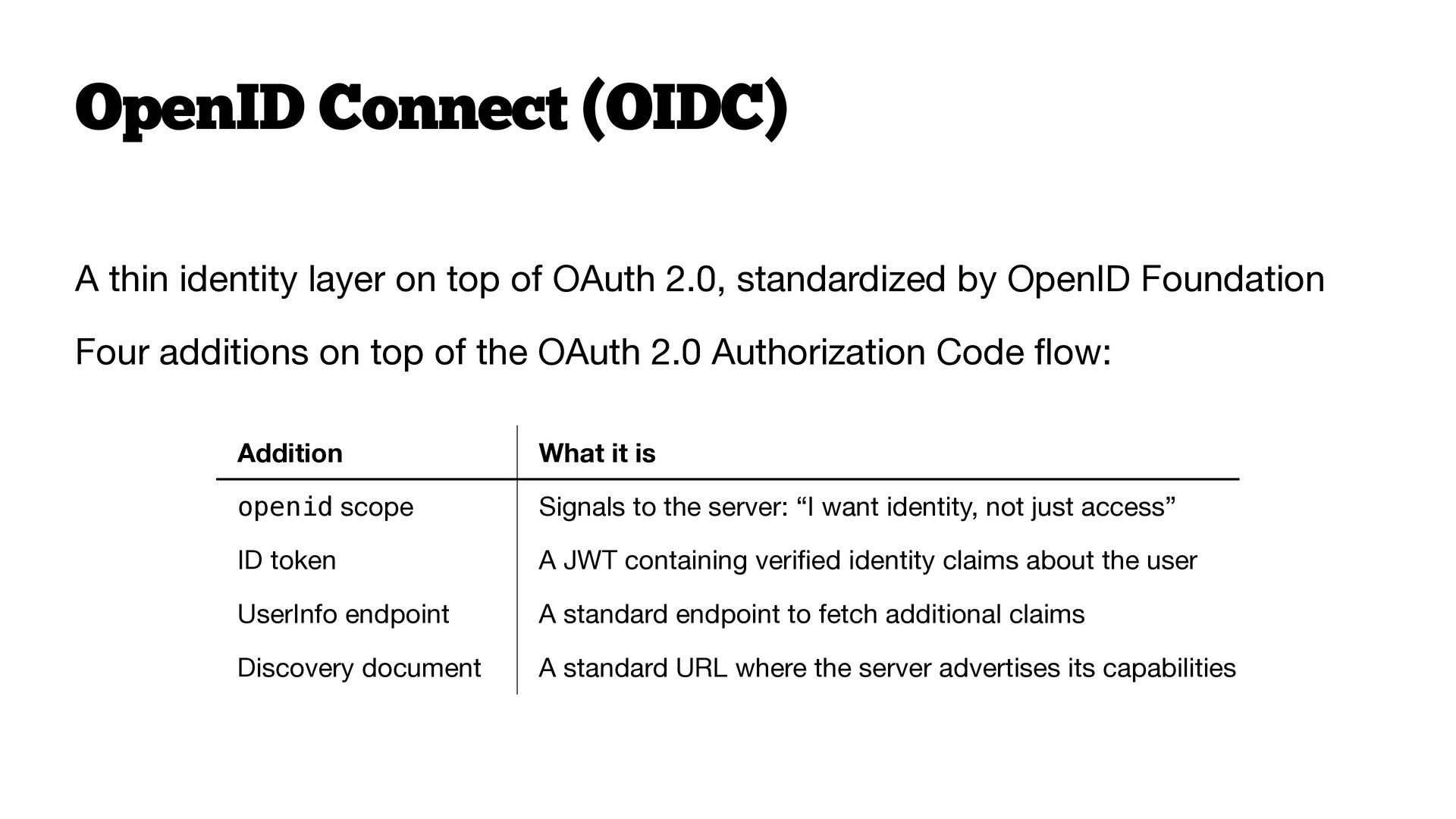
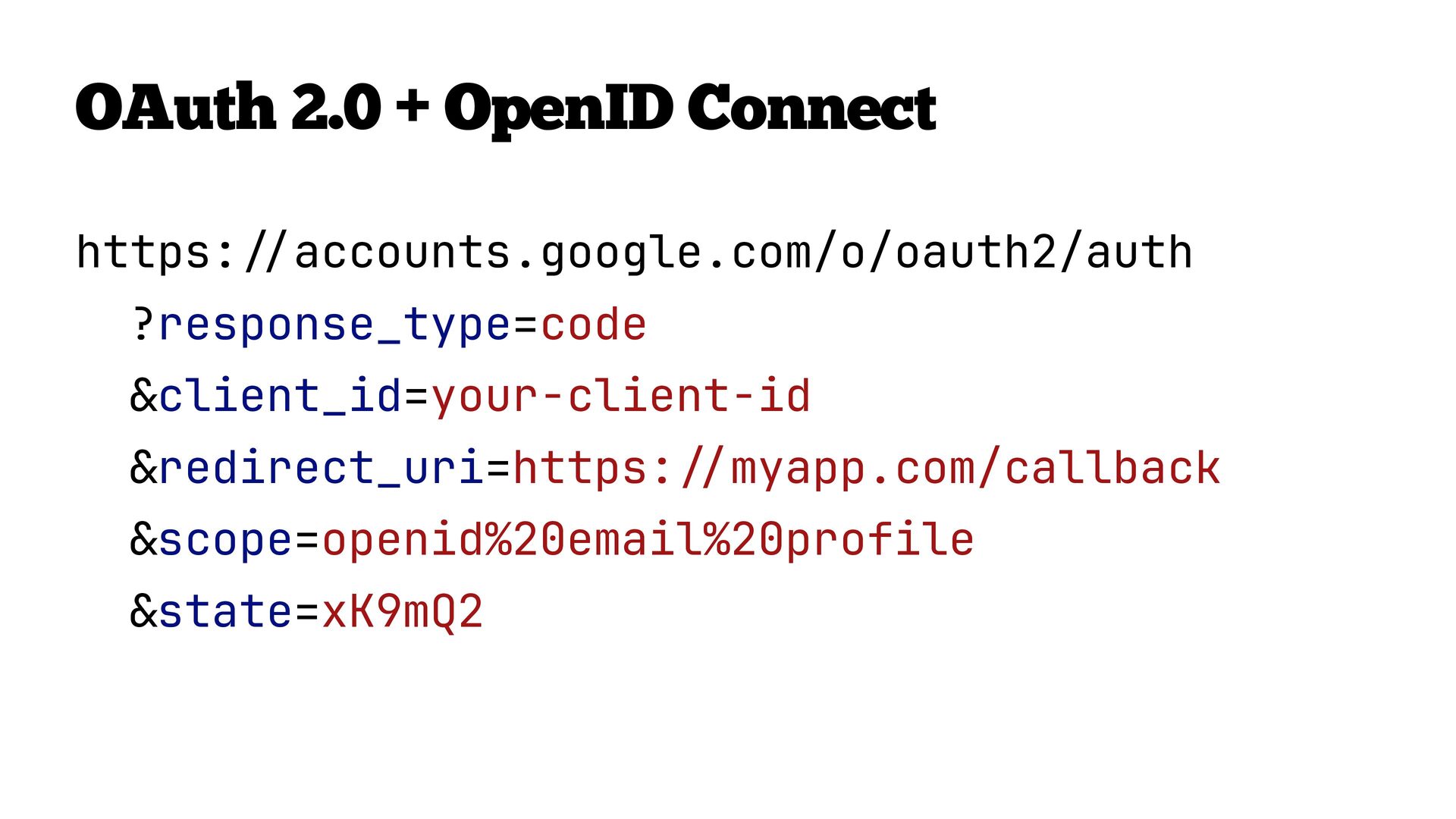
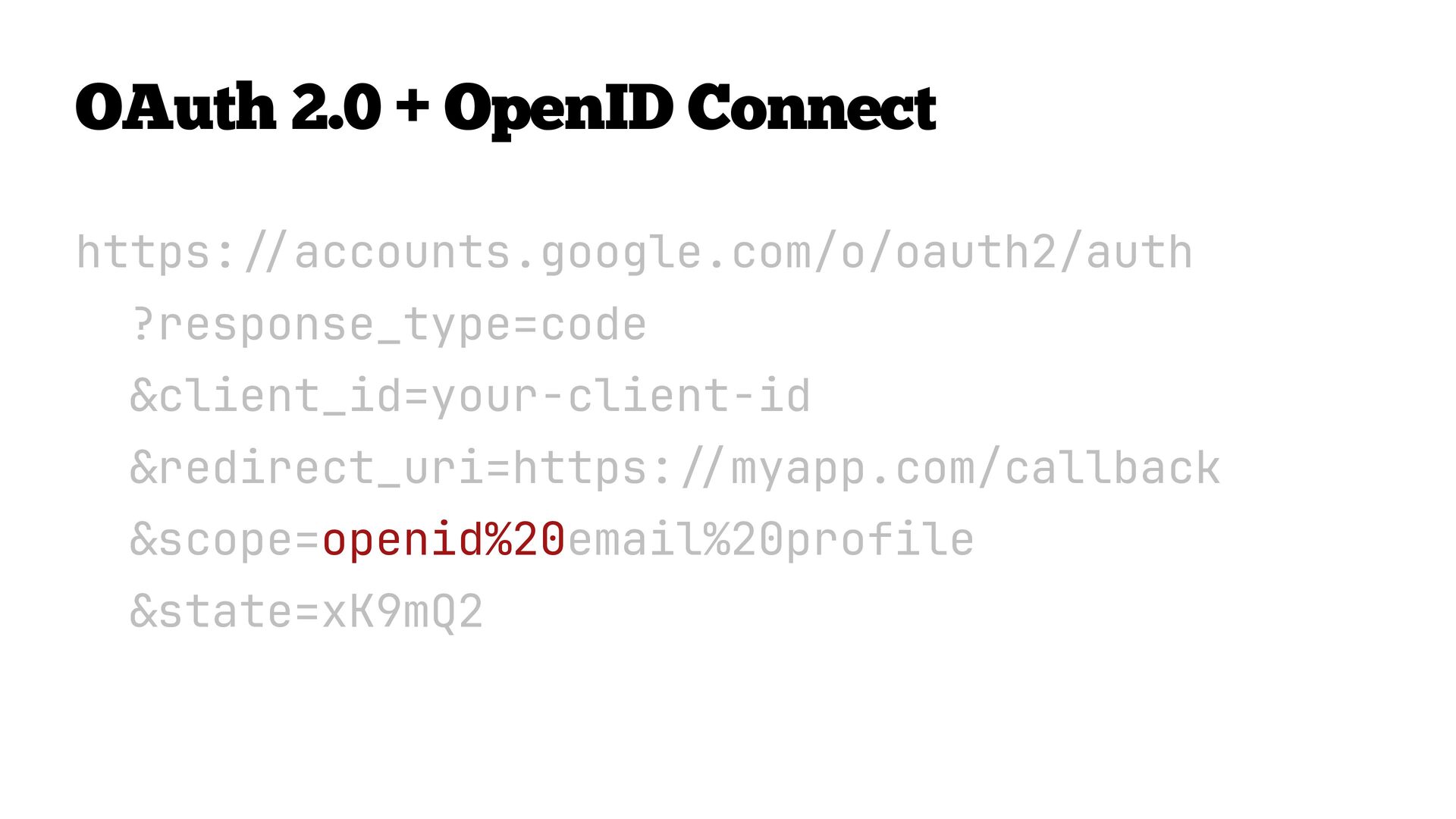
  38. OpenID Connect (OIDC) A thin identity layer on top of

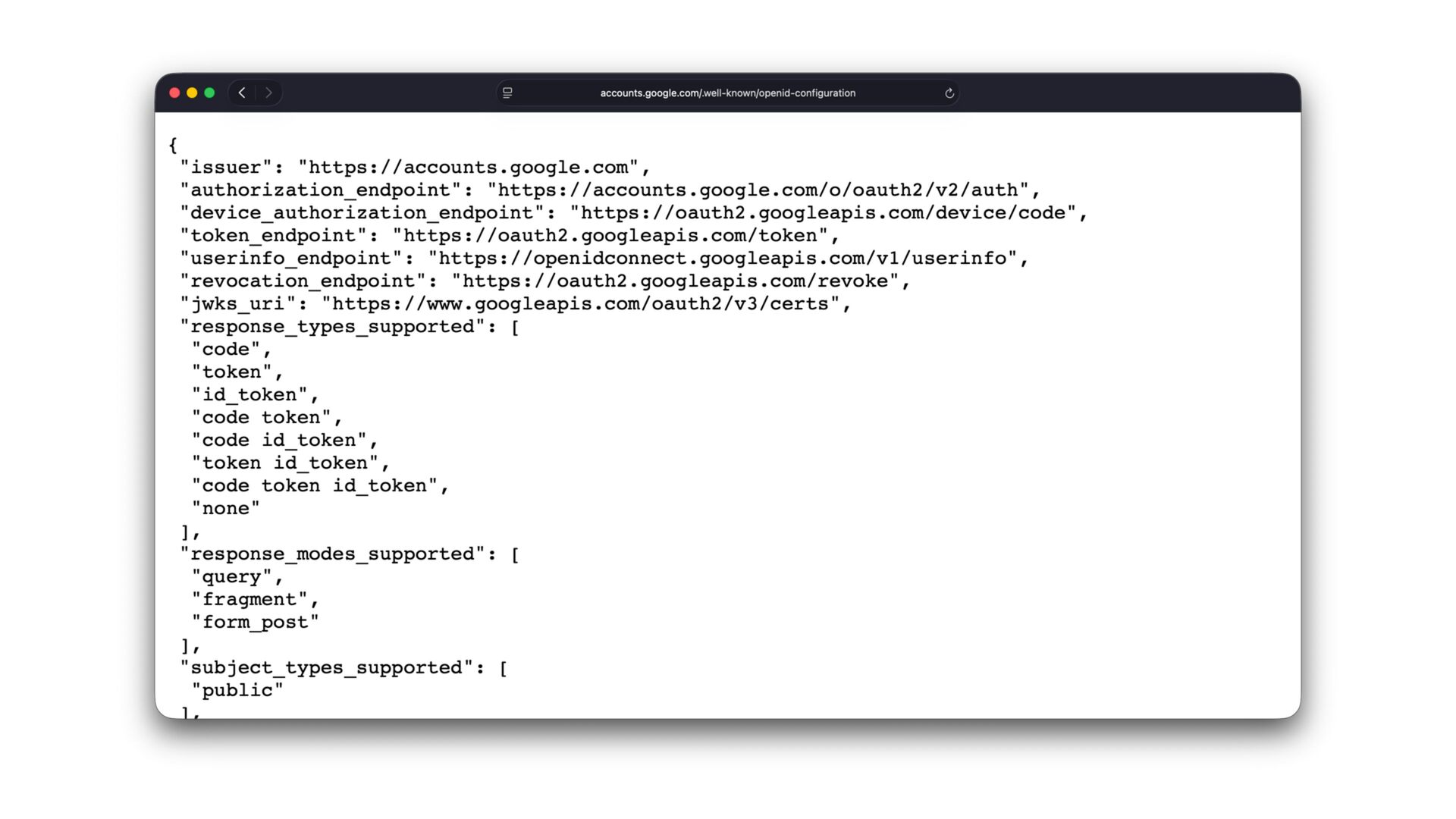
    OAuth 2.0, standardized by OpenID Foundation Four additions on top of the OAuth 2.0 Authorization Code fl ow: Addition What it is openid scope Signals to the server: “I want identity, not just access” ID token A JWT containing veri fi ed identity claims about the user UserInfo endpoint A standard endpoint to fetch additional claims Discovery document A standard URL where the server advertises its capabilities
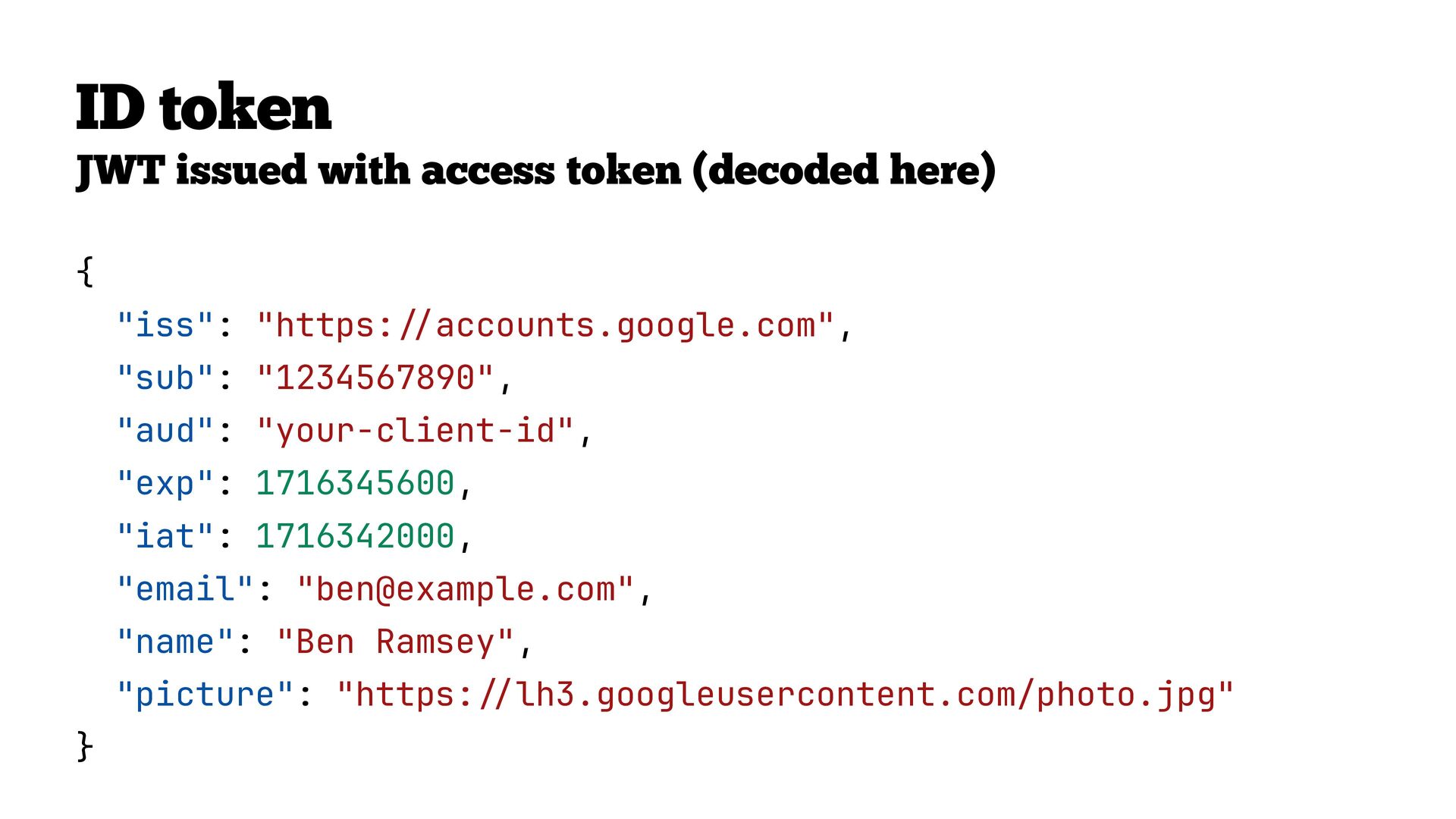
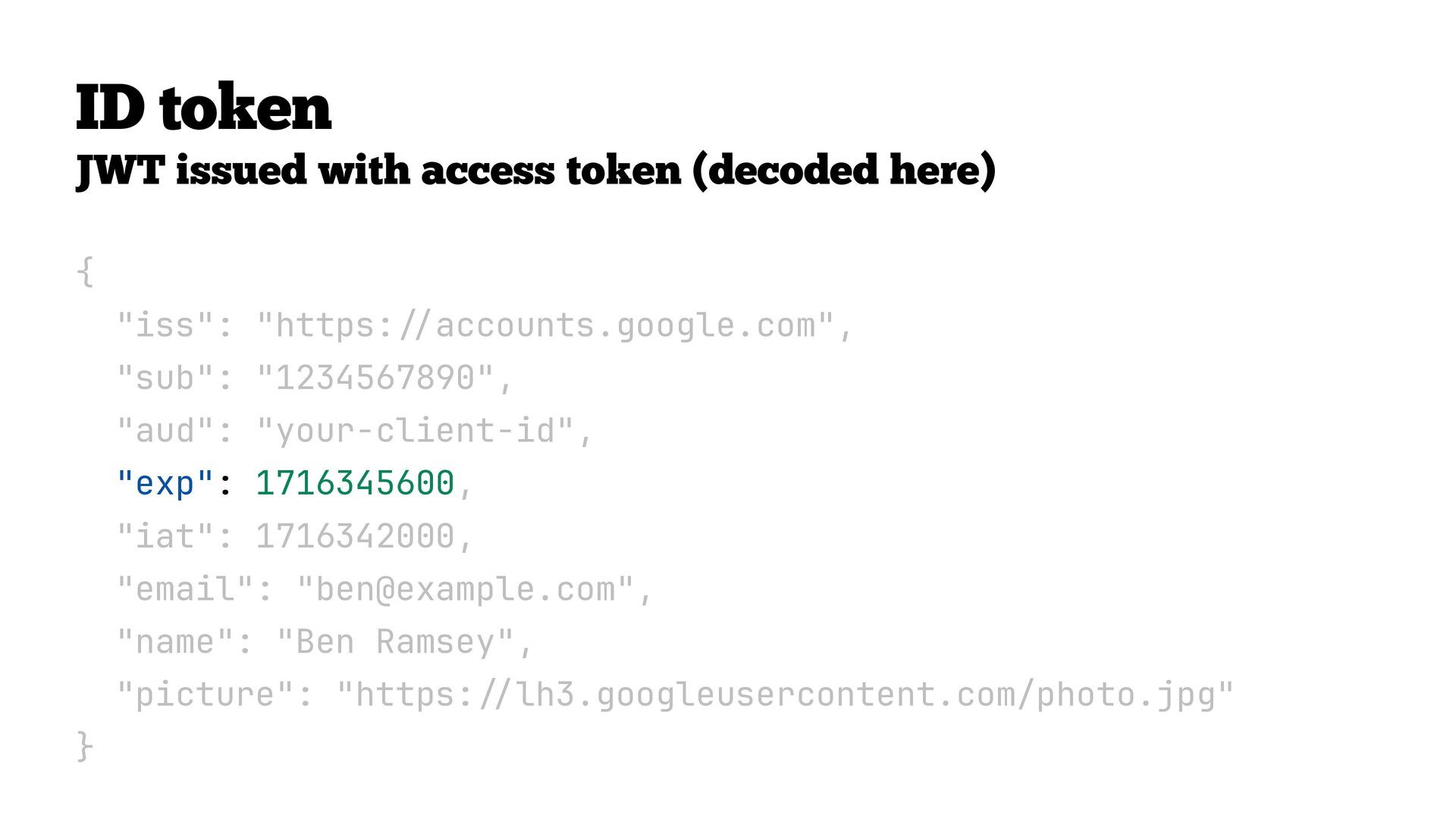
  39. ID token JWT issued with access token (decoded here) {

    "iss": "https: / / accounts.google.com", "sub": "1234567890", "aud": "your-client-id", "exp": 1716345600, "iat": 1716342000, "email": "[email protected]", "name": "Ben Ramsey", "picture": "https: // lh3.googleusercontent.com/photo.jpg" }
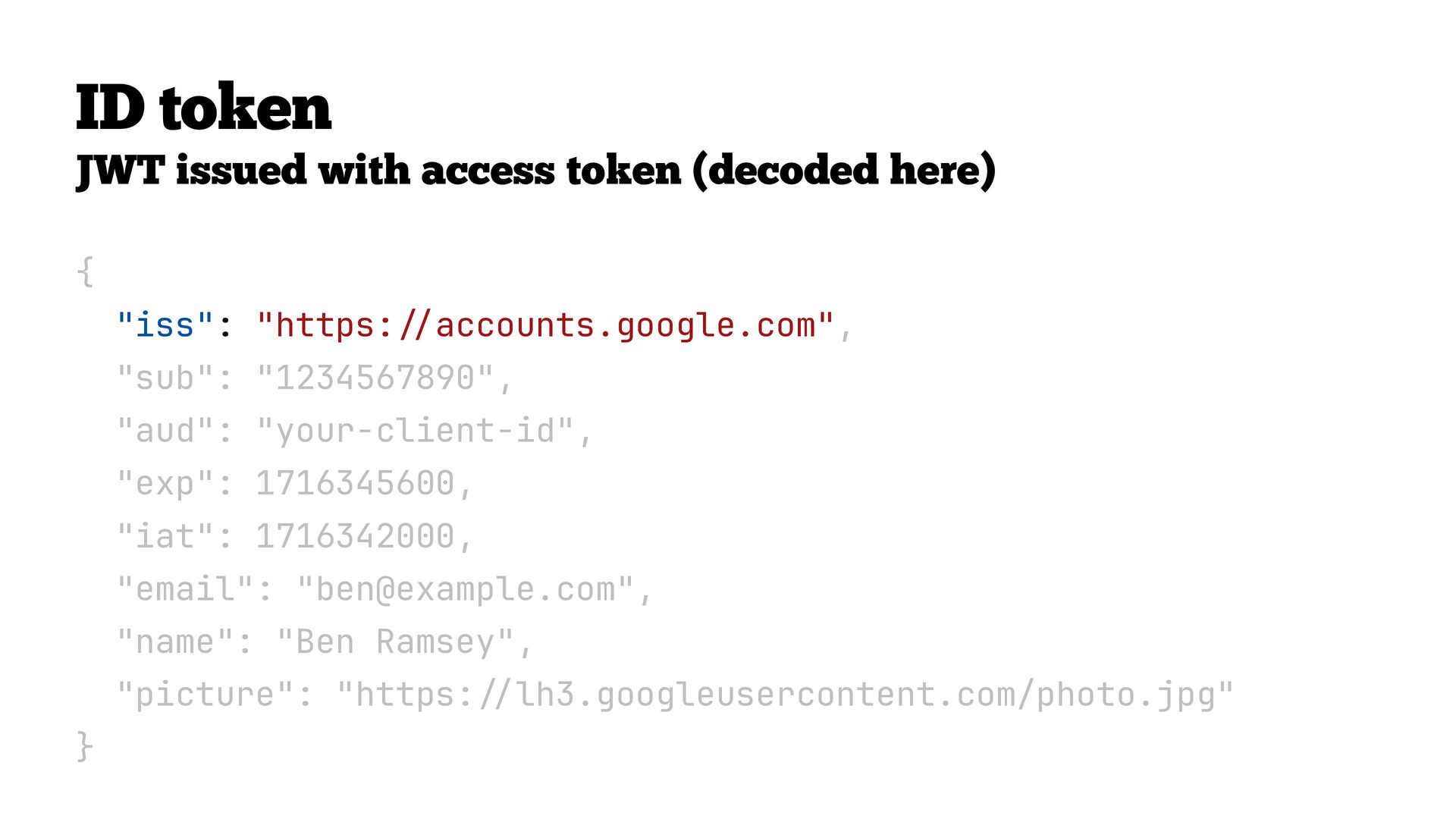
  40. ID token JWT issued with access token (decoded here) {

    "iss": "https: / / accounts.google.com", "sub": "1234567890", "aud": "your-client-id", "exp": 1716345600, "iat": 1716342000, "email": "[email protected]", "name": "Ben Ramsey", "picture": "https: // lh3.googleusercontent.com/photo.jpg" }
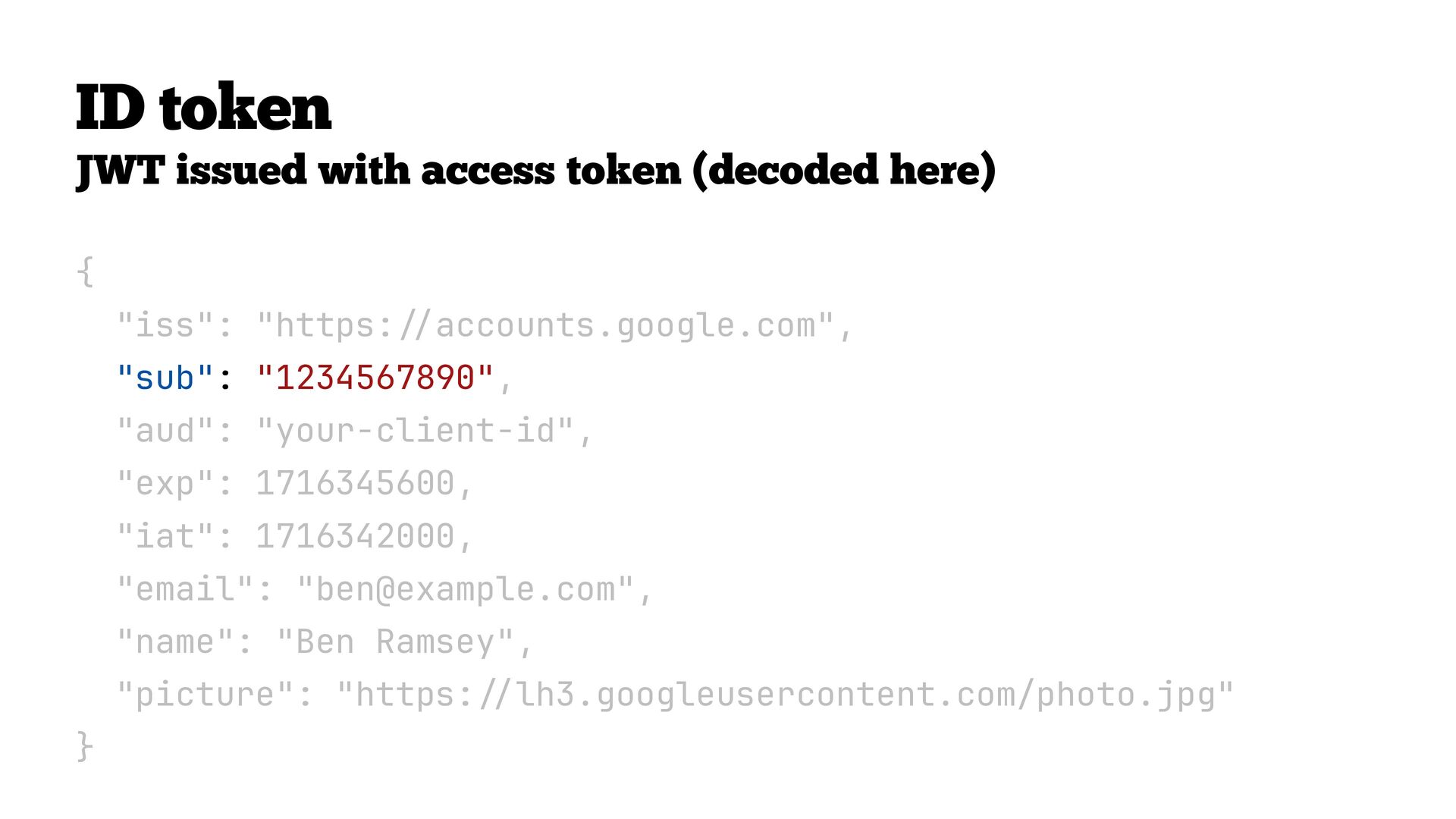
  41. ID token JWT issued with access token (decoded here) {

    "iss": "https: / / accounts.google.com", "sub": "1234567890", "aud": "your-client-id", "exp": 1716345600, "iat": 1716342000, "email": "[email protected]", "name": "Ben Ramsey", "picture": "https: // lh3.googleusercontent.com/photo.jpg" }
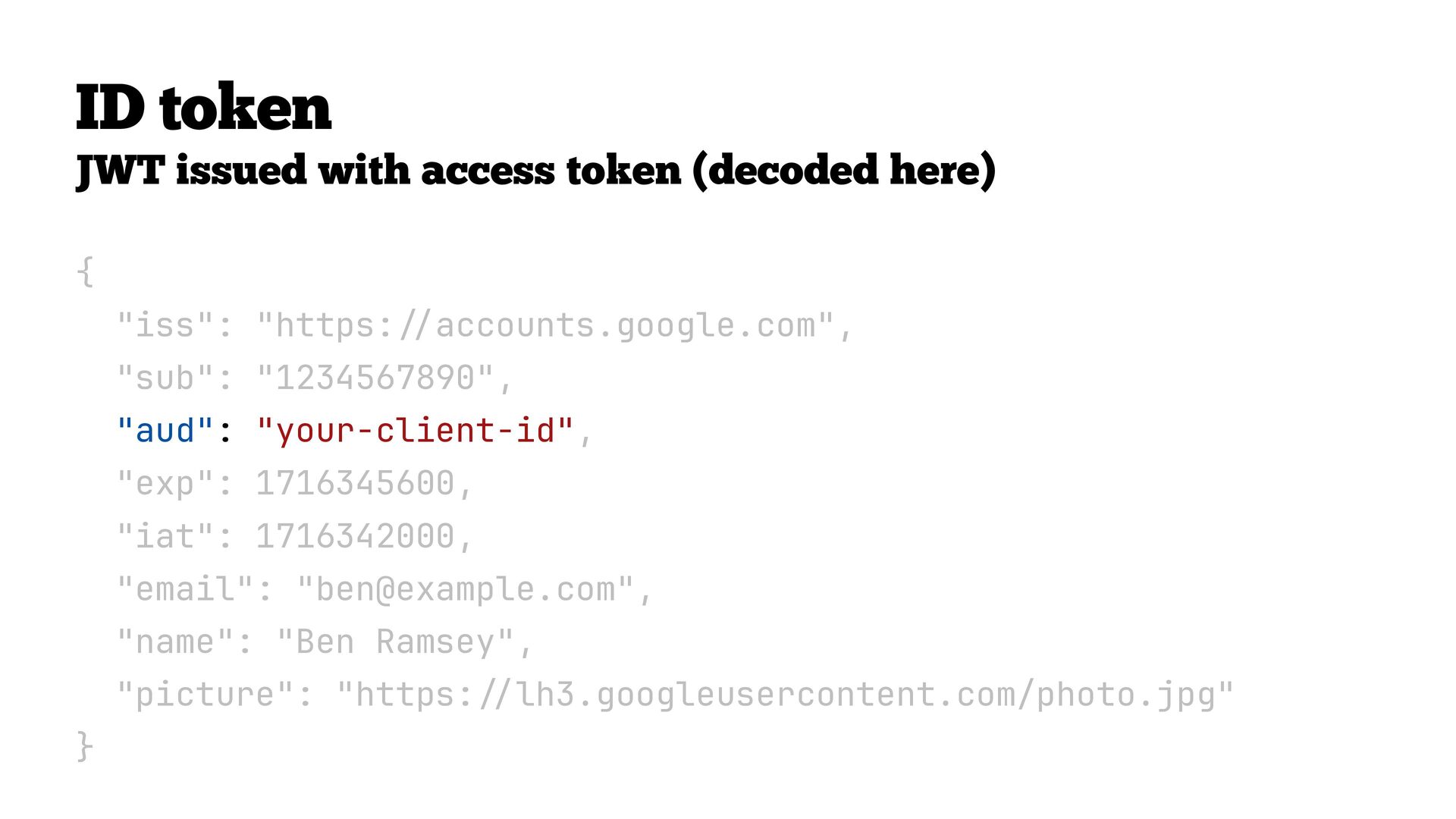
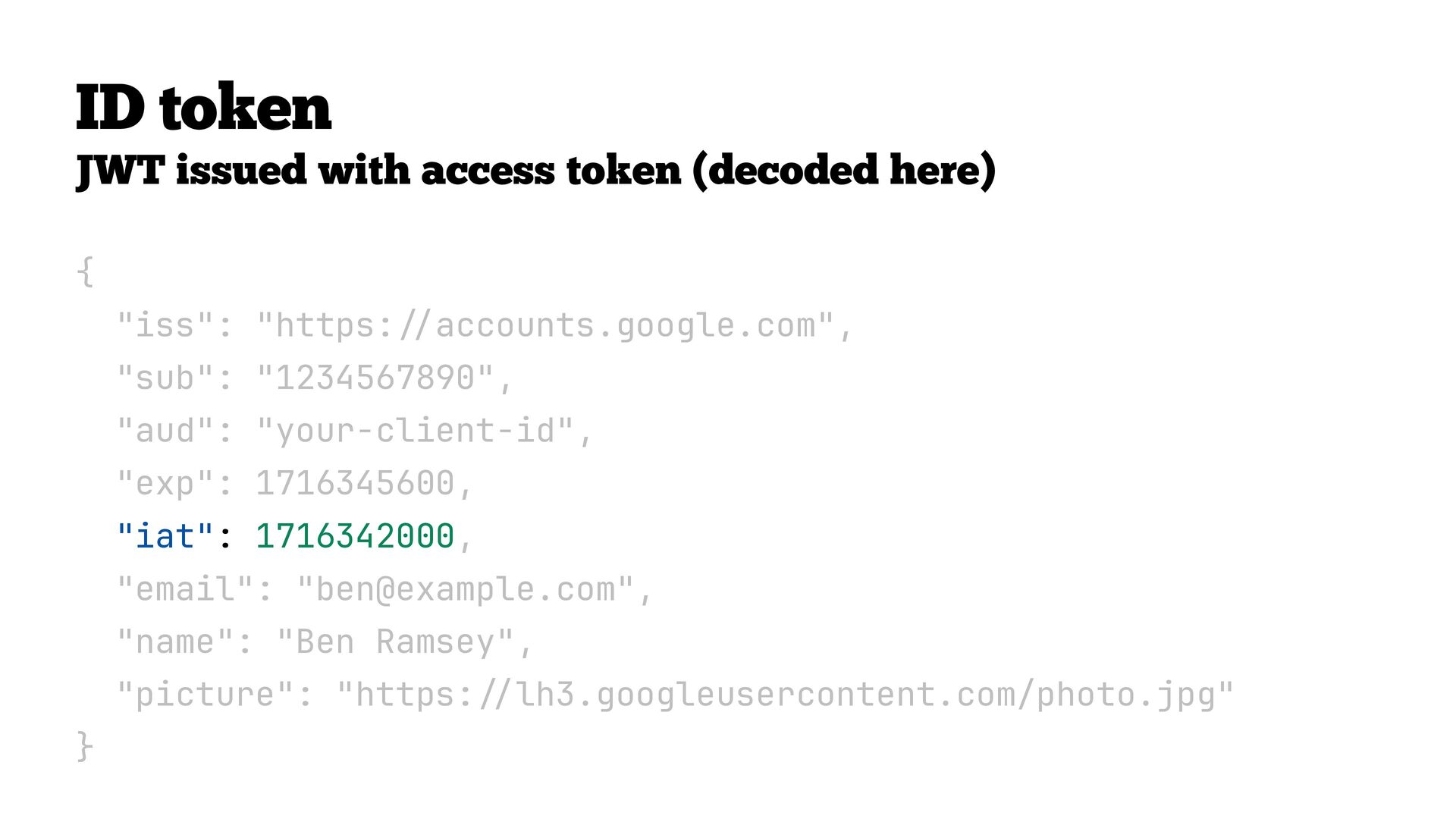
  42. ID token JWT issued with access token (decoded here) {

    "iss": "https: / / accounts.google.com", "sub": "1234567890", "aud": "your-client-id", "exp": 1716345600, "iat": 1716342000, "email": "[email protected]", "name": "Ben Ramsey", "picture": "https: // lh3.googleusercontent.com/photo.jpg" }
  43. ID token JWT issued with access token (decoded here) {

    "iss": "https: / / accounts.google.com", "sub": "1234567890", "aud": "your-client-id", "exp": 1716345600, "iat": 1716342000, "email": "[email protected]", "name": "Ben Ramsey", "picture": "https: // lh3.googleusercontent.com/photo.jpg" }
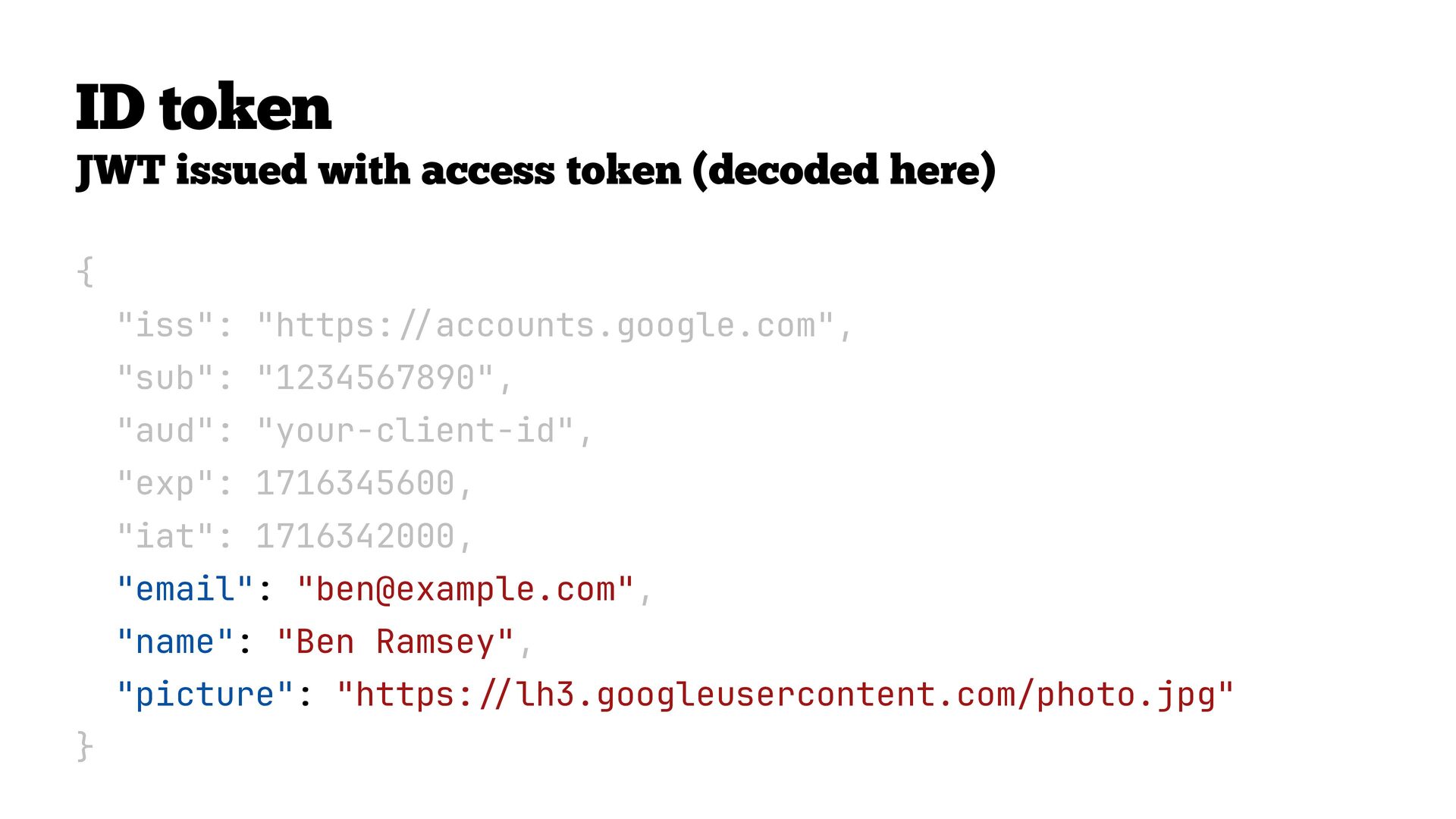
  44. ID token JWT issued with access token (decoded here) {

    "iss": "https: / / accounts.google.com", "sub": "1234567890", "aud": "your-client-id", "exp": 1716345600, "iat": 1716342000, "email": "[email protected]", "name": "Ben Ramsey", "picture": "https: // lh3.googleusercontent.com/photo.jpg" }
  45. ID token JWT issued with access token (decoded here) {

    "iss": "https: / / accounts.google.com", "sub": "1234567890", "aud": "your-client-id", "exp": 1716345600, "iat": 1716342000, "email": "[email protected]", "name": "Ben Ramsey", "picture": "https: // lh3.googleusercontent.com/photo.jpg" }
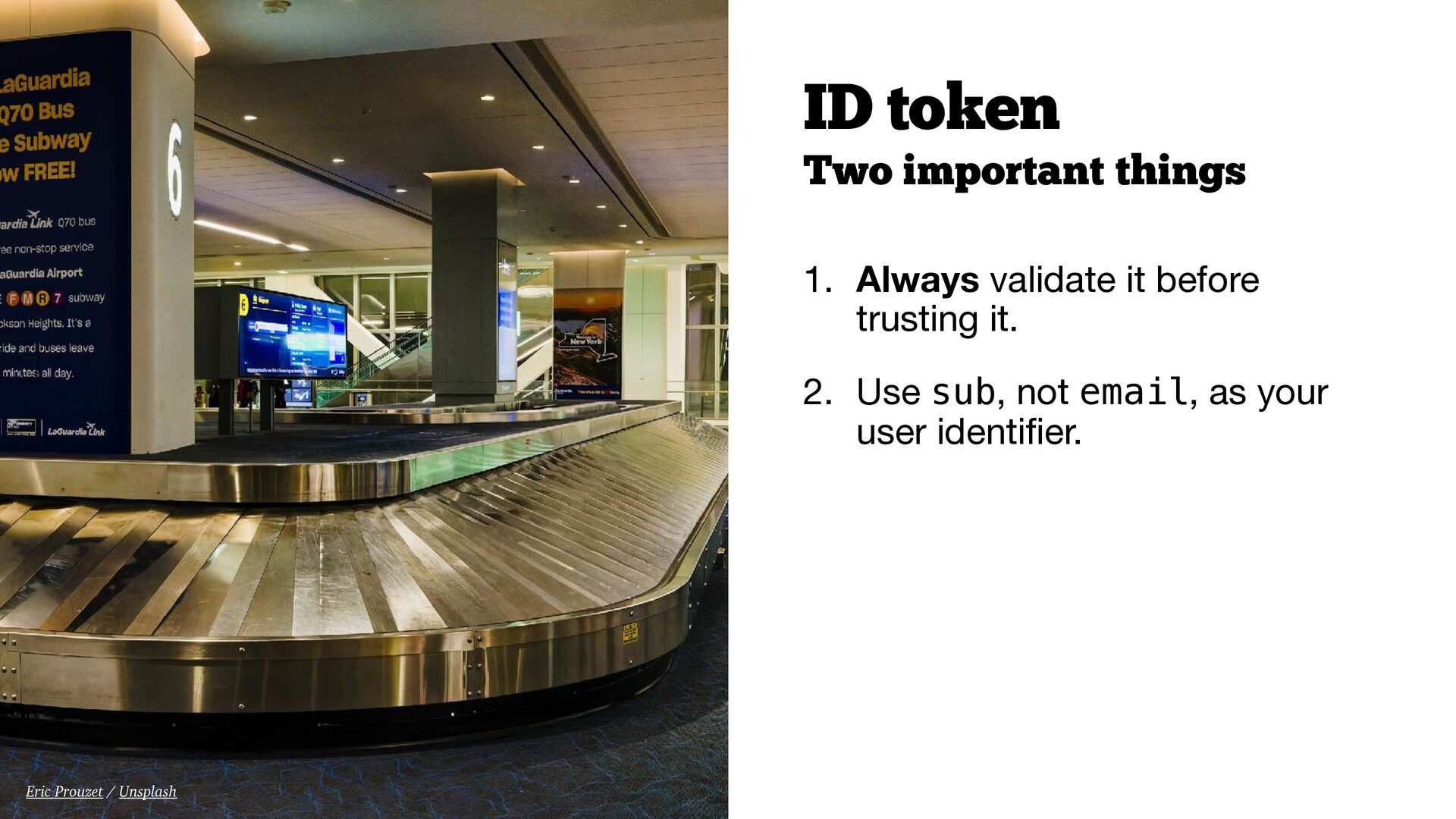
  46. Two important things 1. Always validate it before trusting it.

    2. Use sub, not email, as your user identi fi er. ID token Eric Prouzet / Unsplash
  47. Sign in with… Google. Apple. GitHub. These are all OAuth

    2.0 + OpenID Connect. OIDC is the standard that makes them work the same way everywhere: • Same openid scope trigger • Same ID token format (JWT) • Same claims (sub, email, name, picture, etc.) • Same validation steps Enterprise Single Sign-On (SSO) is built on OIDC.
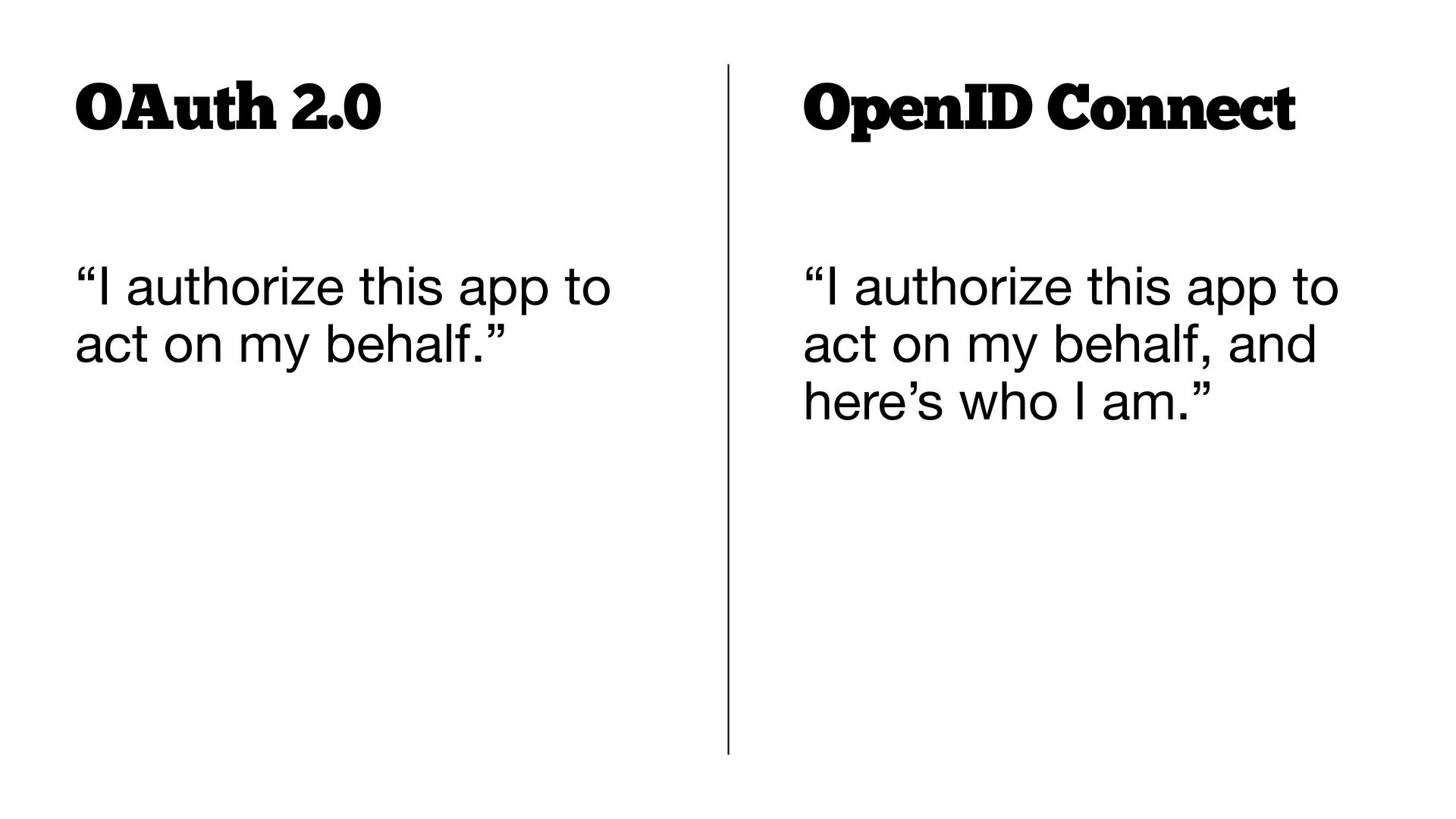
  48. “I authorize this app to act on my behalf.” OAuth

    2.0 “I authorize this app to act on my behalf, and here’s who I am.” OpenID Connect
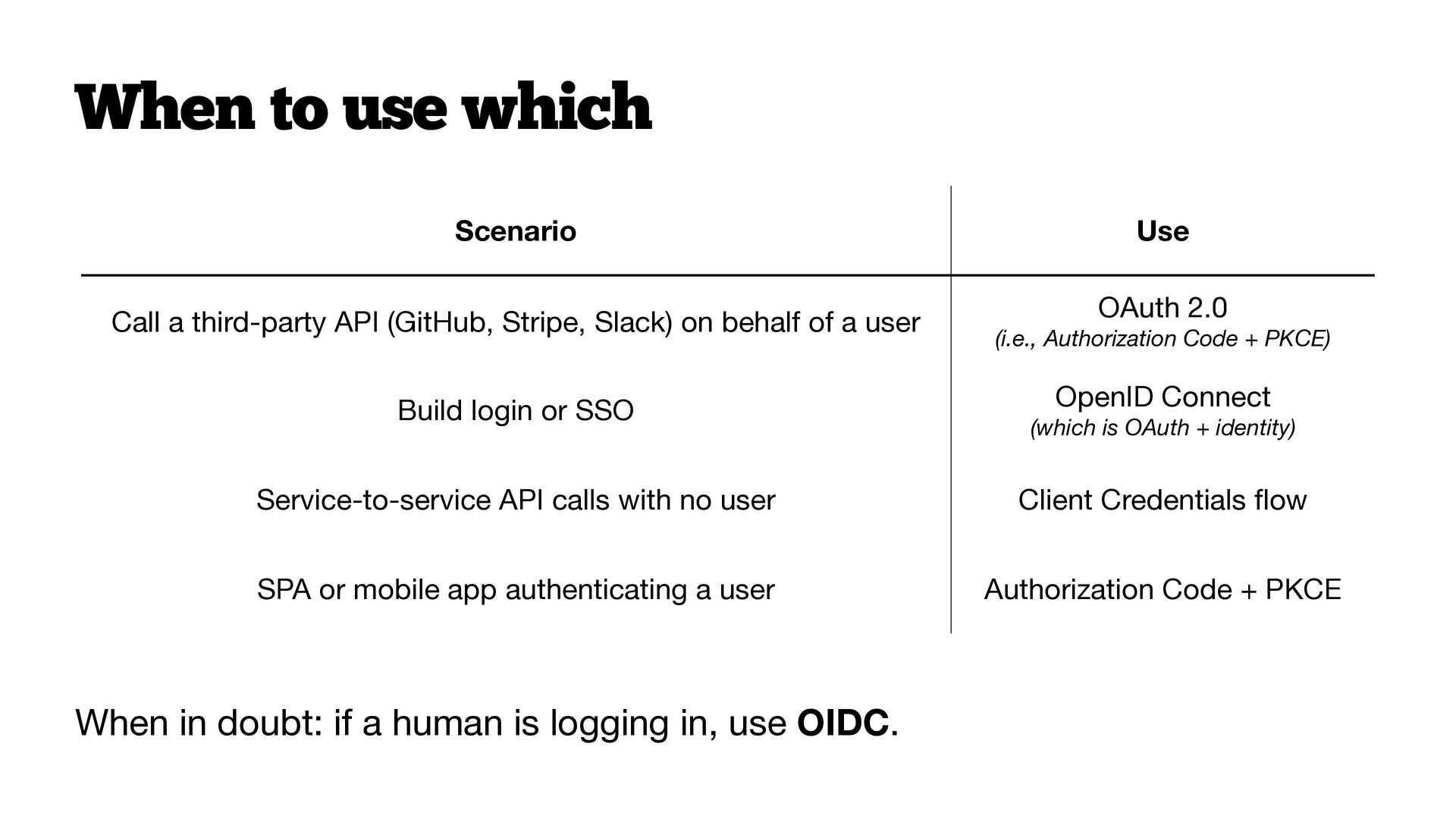
  49. When to use which When in doubt: if a human

    is logging in, use OIDC. Scenario Use Call a third-party API (GitHub, Stripe, Slack) on behalf of a user OAuth 2.0
 (i.e., Authorization Code + PKCE) Build login or SSO OpenID Connect
 (which is OAuth + identity) Service-to-service API calls with no user Client Credentials fl ow SPA or mobile app authenticating a user Authorization Code + PKCE
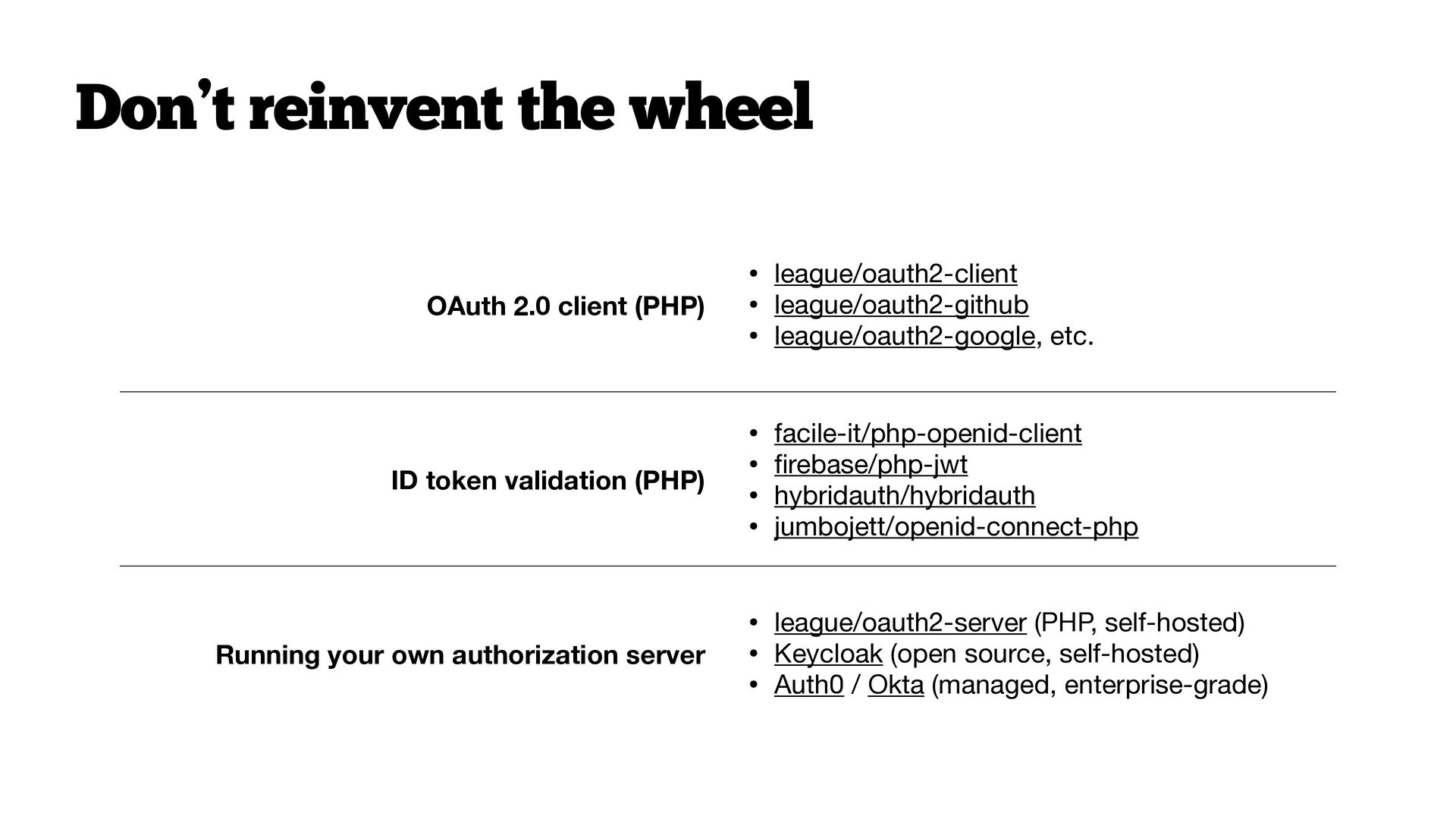
  50. Don’t reinvent the wheel OAuth 2.0 client (PHP) • league/oauth2-client

    • league/oauth2-github • league/oauth2-google, etc. ID token validation (PHP) • facile-it/php-openid-client • fi rebase/php-jwt • hybridauth/hybridauth • jumbojett/openid-connect-php Running your own authorization server • league/oauth2-server (PHP, self-hosted) • Keycloak (open source, self-hosted) • Auth0 / Okta (managed, enterprise-grade)
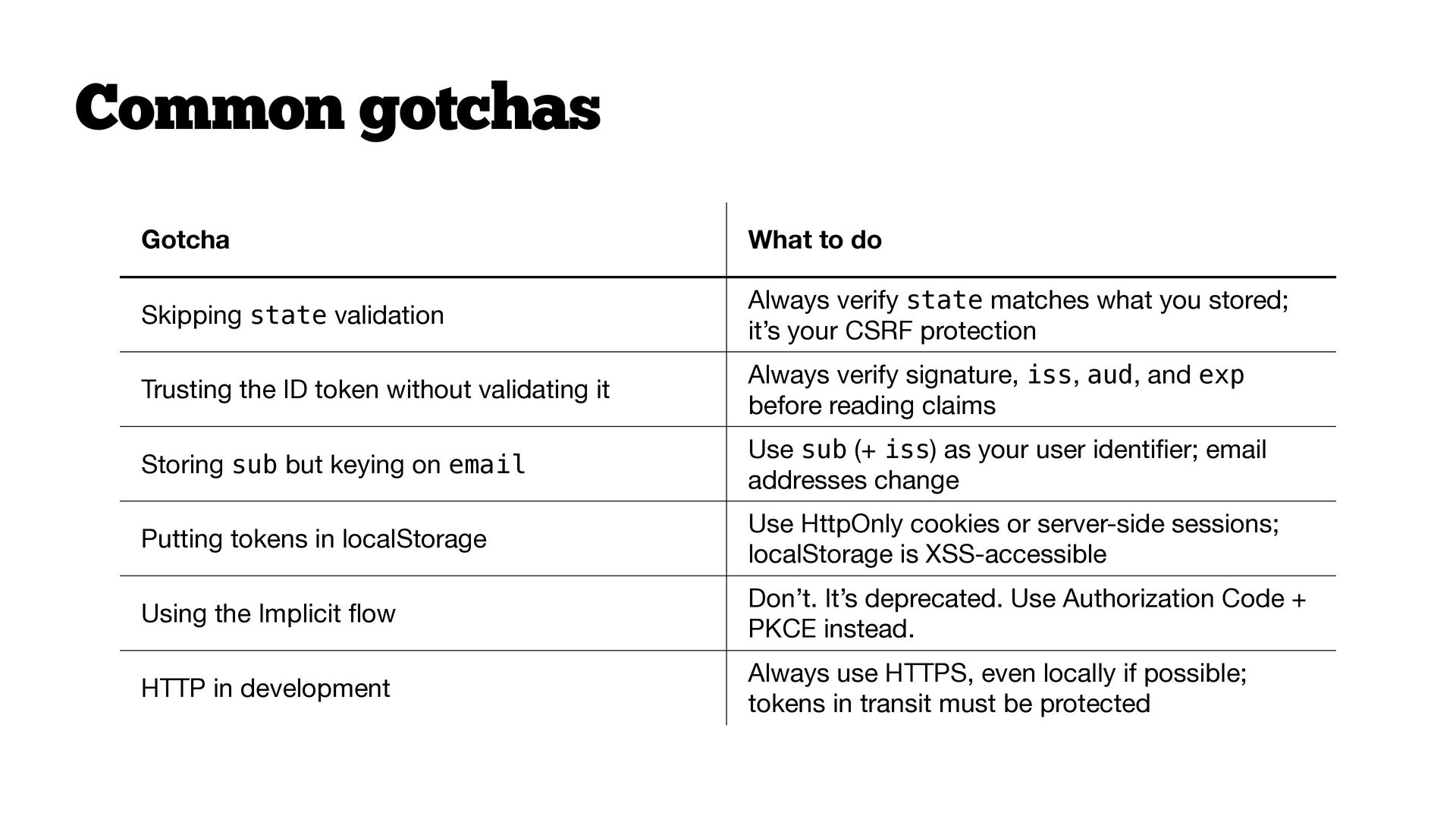
  51. Common gotchas Gotcha What to do Skipping state validation Always

    verify state matches what you stored; it’s your CSRF protection Trusting the ID token without validating it Always verify signature, iss, aud, and exp before reading claims Storing sub but keying on email Use sub (+ iss) as your user identi fi er; email addresses change Putting tokens in localStorage Use HttpOnly cookies or server-side sessions; localStorage is XSS-accessible Using the Implicit fl ow Don’t. It’s deprecated. Use Authorization Code + PKCE instead. HTTP in development Always use HTTPS, even locally if possible; tokens in transit must be protected
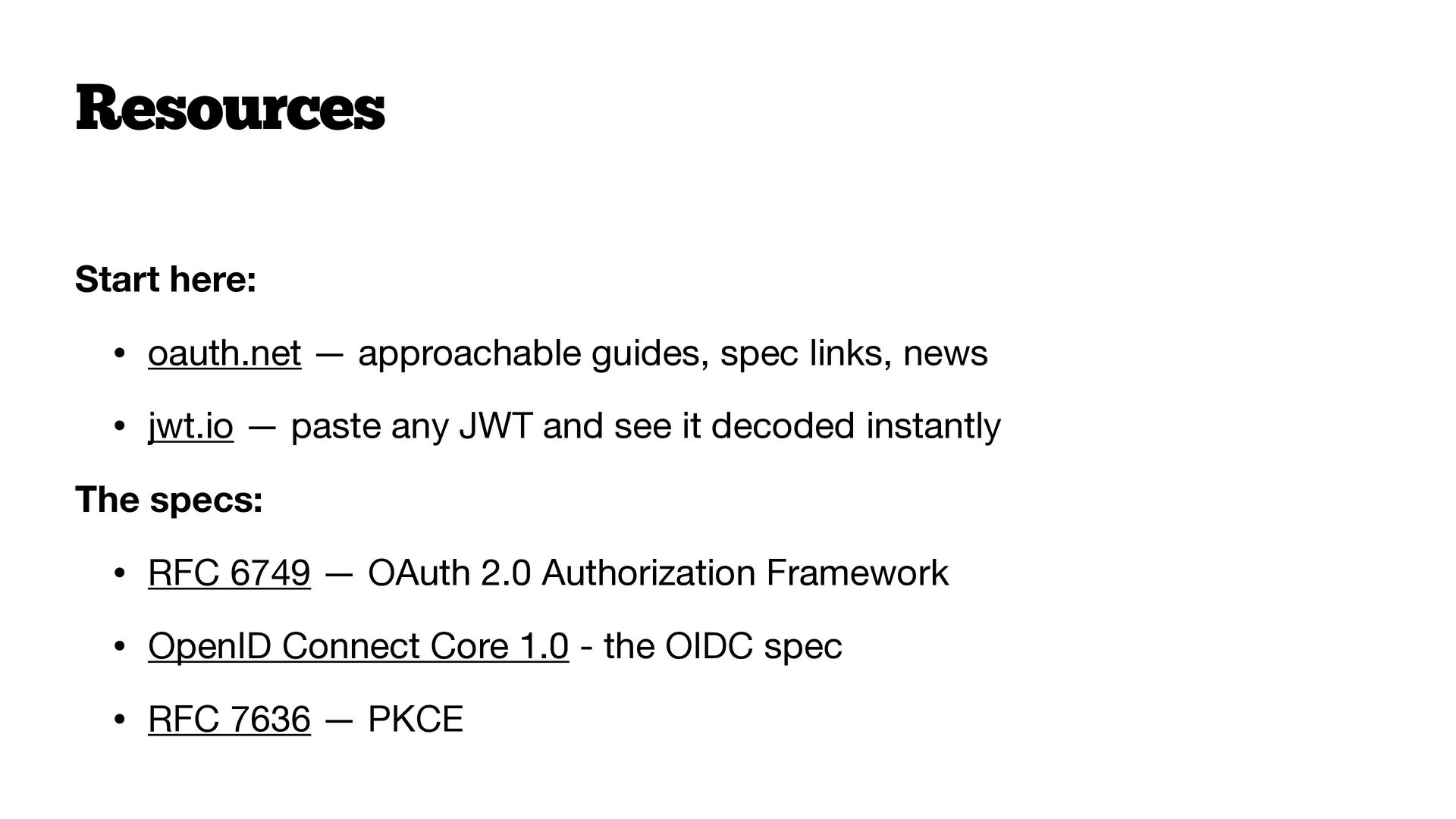
  52. Resources Start here: • oauth.net — approachable guides, spec links,

    news • jwt.io — paste any JWT and see it decoded instantly The specs: • RFC 6749 — OAuth 2.0 Authorization Framework • OpenID Connect Core 1.0 - the OIDC spec • RFC 7636 — PKCE
  53. This work is licensed under Creative Commons Attribution-ShareAlike 4.0 International.

    For uses not covered under this license, please contact the author. A Beginner’s Guide to OAuth and OpenID Connect Copyright © 2026 Ben Ramsey Thank you! Keep in touch      ben.ramsey.dev phpc.social/@ramsey github.com/ramsey www.linkedin.com/in/benramsey [email protected] bram.se/phptek-oauth      Ramsey, Ben. “A Beginner’s Guide to OAuth and OpenID Connect.” PHP Tek Conference, 21 May 2026, Sheraton Suites Chicago O’Hare, Rosemont, IL.