Upgrade to Pro
— share decks privately, control downloads, hide ads and more …
Speaker Deck
Sign up for free
Menu
Search
Features
All features
Private URLs
Password Protection
Custom URLS
Scheduled publishing
Remove Branding
Restrict embedding
Deck Collections
Notes
Features
All features
Private URLs
Password Protection
Custom URLS
Scheduled publishing
Remove Branding
Restrict embedding
Deck Collections
Notes
Explore
Featured decks
Featured speakers
Programming
Technology
Storyboards
Explore
Featured decks
Featured speakers
Programming
Technology
Storyboards
Pricing
Search
Sign in
Sign up for free
空間情報システム入門 #02 2016/06/16
Search
R.Mattsu
June 16, 2016
51
0
Share
Embed
Copy iframe code
Copy JS code
Copy link
Start on current slide
空間情報システム入門 #02 2016/06/16
R.Mattsu
June 16, 2016
More Decks by R.Mattsu
See All by R.Mattsu
空間情報システム入門 7/14
rmatsu88
0
190
空間情報システム入門 7/14
rmatsu88
0
100
マニュアル.pdf
rmatsu88
0
36
Featured
See All Featured
The AI Search Optimization Roadmap by Aleyda Solis
aleyda
2
6.3k
Put a Button on it: Removing Barriers to Going Fast.
kastner
60
4.6k
Bootstrapping a Software Product
garrettdimon
PRO
306
120k
Building Better People: How to give real-time feedback that sticks.
wjessup
370
20k
Building the Perfect Custom Keyboard
takai
2
910
How to Think Like a Performance Engineer
csswizardry
28
2.9k
SEO Brein meetup: CTRL+C is not how to scale international SEO
lindahogenes
2
2.9k
From Legacy to Launchpad: Building Startup-Ready Communities
dugsong
0
360
Code Reviewing Like a Champion
maltzj
529
40k
Leo the Paperboy
mayatellez
10
2.4k
How to build an LLM SEO readiness audit: a practical framework
nmsamuel
2
950
Evolution of real-time – Irina Nazarova, EuRuKo, 2024
irinanazarova
9
1.6k
Transcript
マッピング作業による マニュアル 1A116207 松田遼介
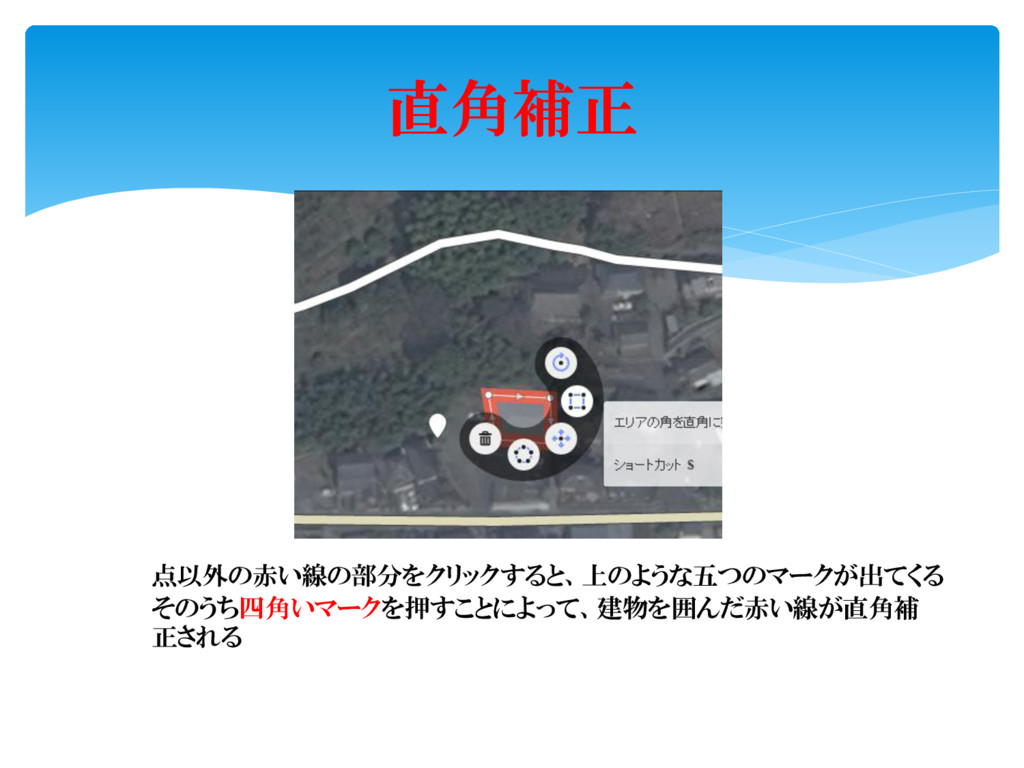
直角補正 点以外の赤い線の部分をクリックすると、上のような五つのマークが出てくる そのうち四角いマークを押すことによって、建物を囲んだ赤い線が直角補 正される
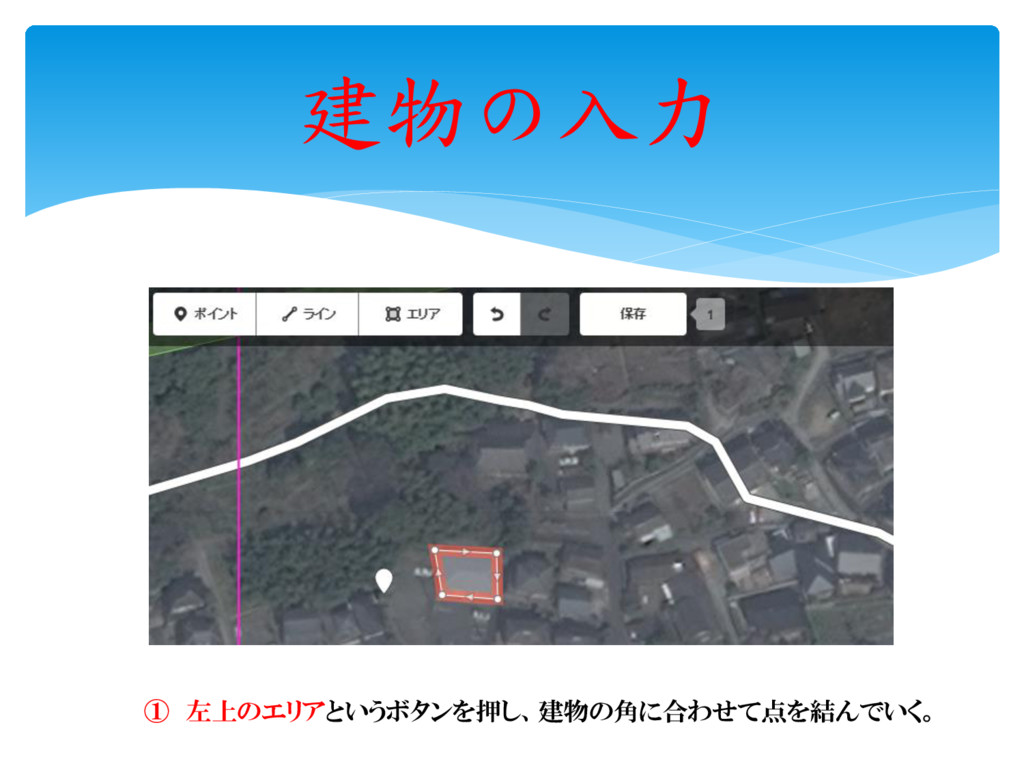
建物の入力 ① 左上のエリアというボタンを押し、建物の角に合わせて点を結んでいく。
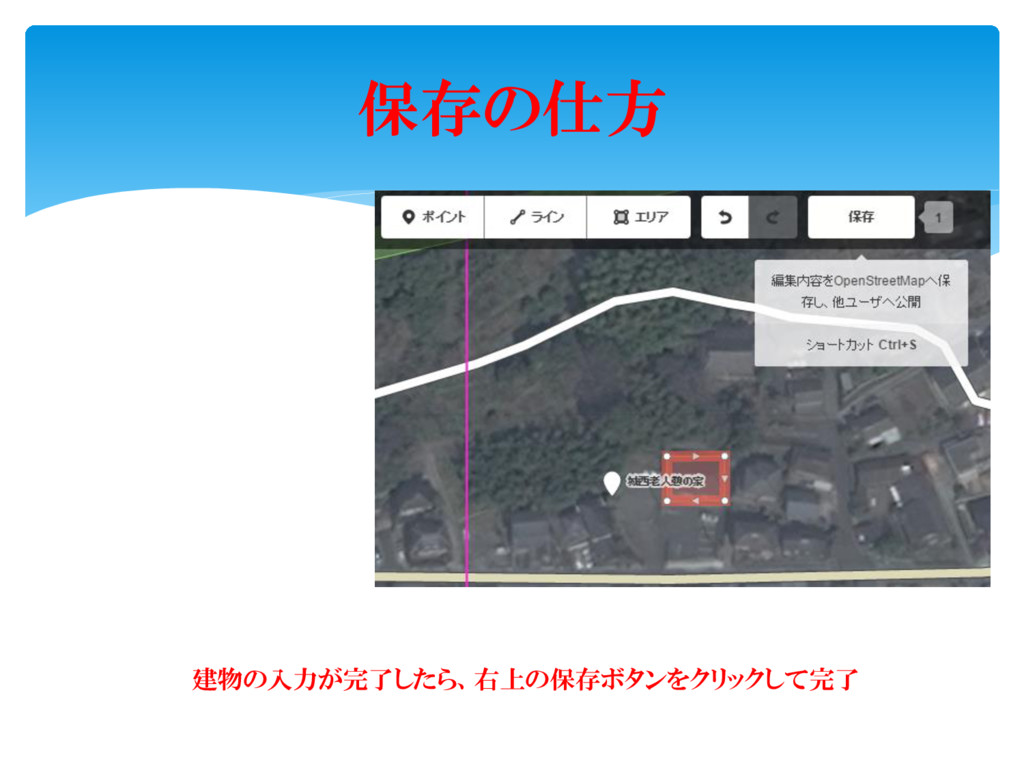
保存の仕方 建物の入力が完了したら、右上の保存ボタンをクリックして完了
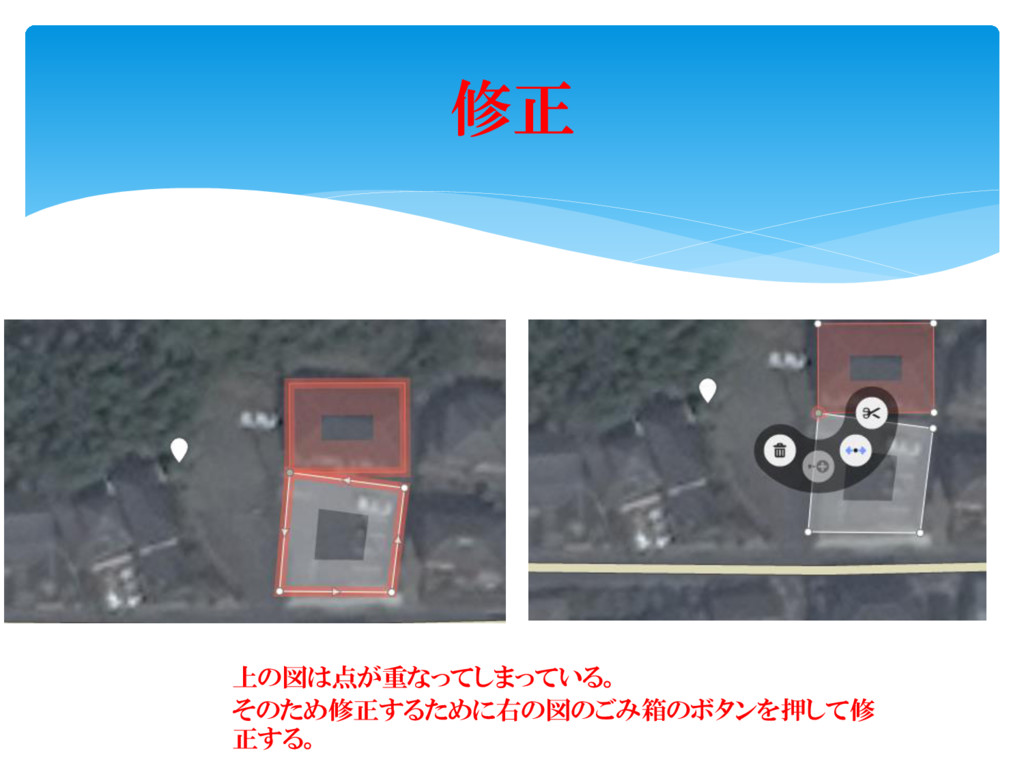
修正 上の図は点が重なってしまっている。 そのため修正するために右の図のごみ箱のボタンを押して修 正する。
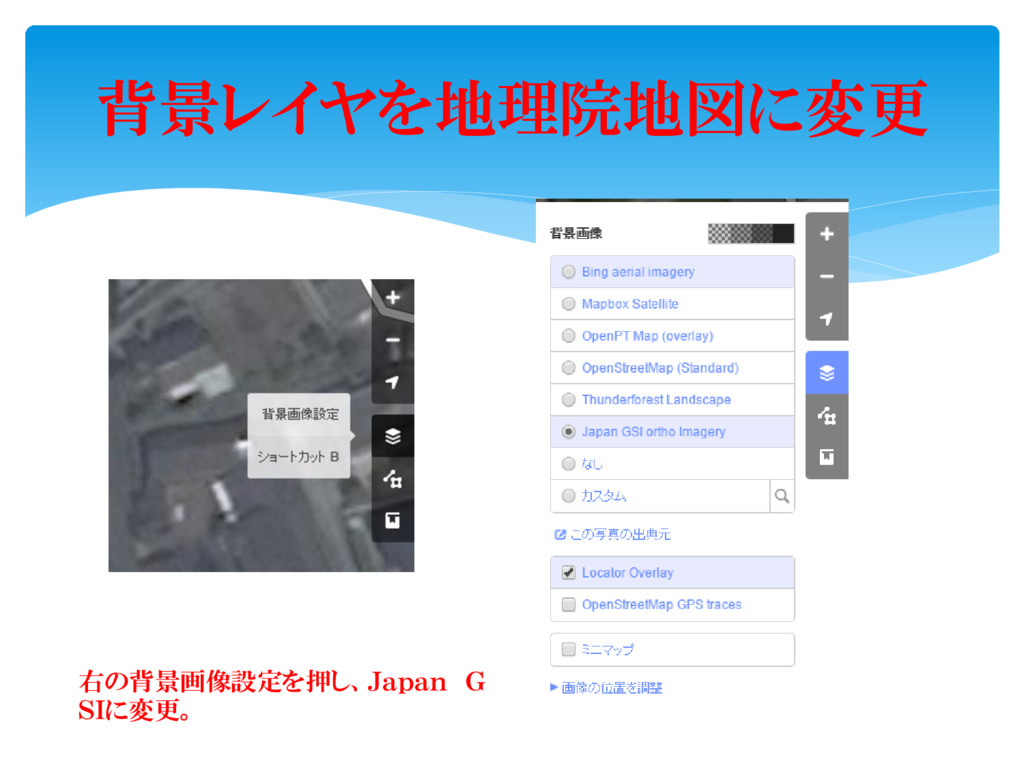
背景レイヤを地理院地図に変更 右の背景画像設定を押し、Japan G SIに変更。
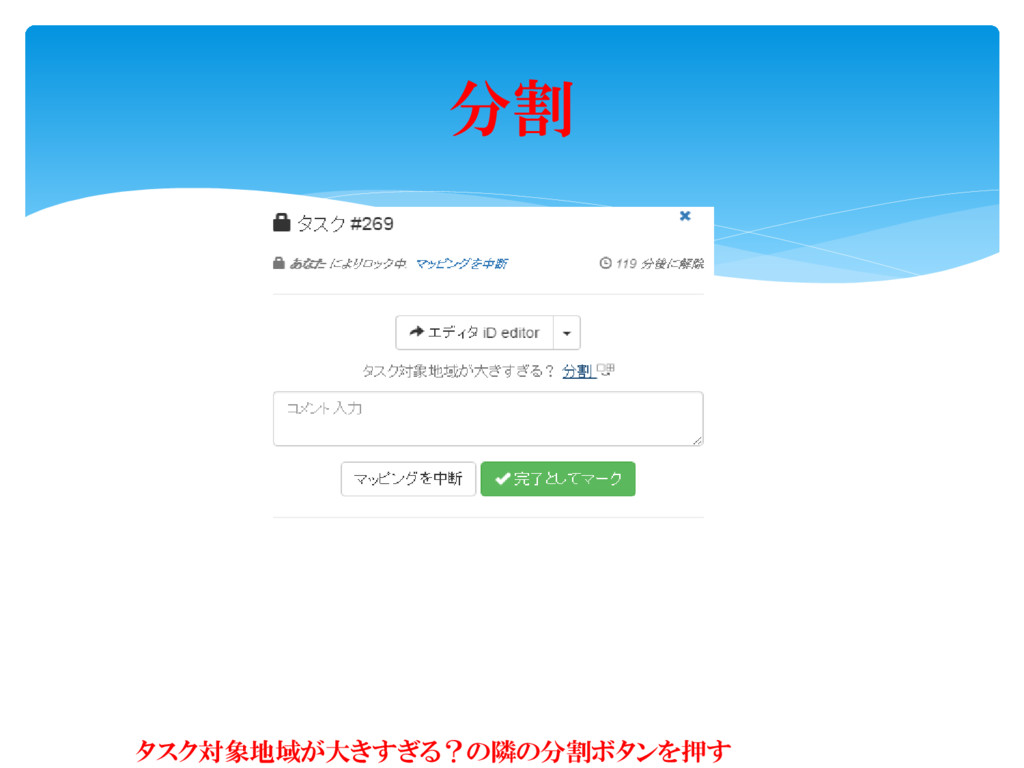
分割 タスク対象地域が大きすぎる?の隣の分割ボタンを押す
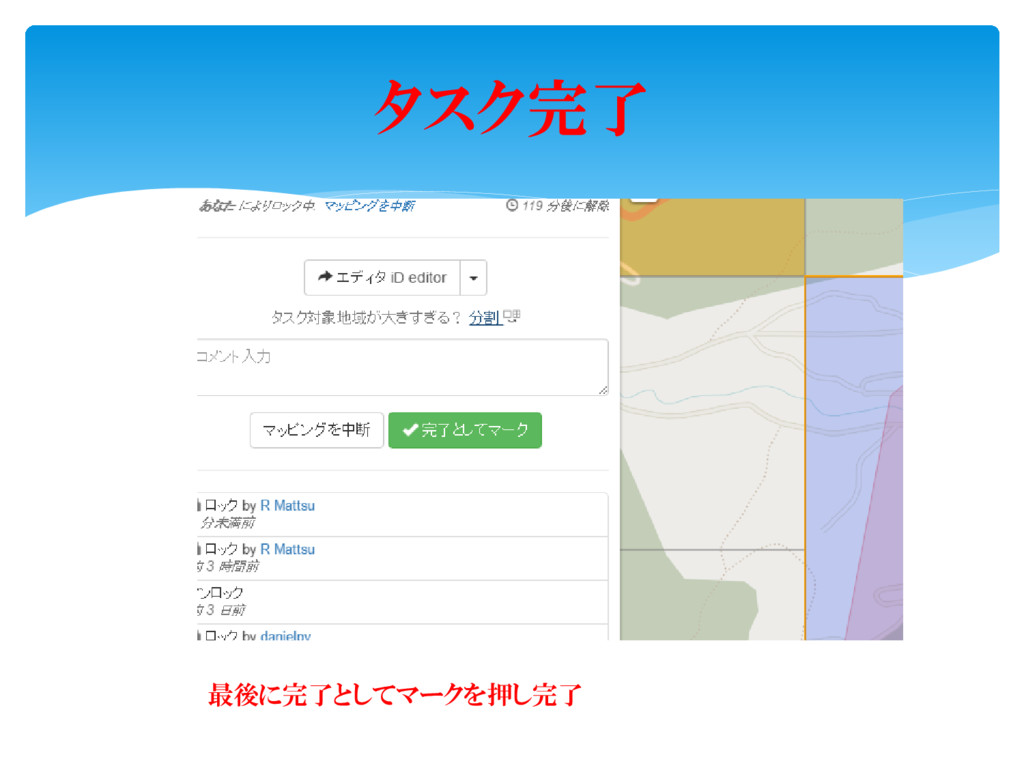
タスク完了 最後に完了としてマークを押し完了


 rmatsu88
 aleyda
 kastner
 garrettdimon
 wjessup
 takai
takai
 csswizardry
 lindahogenes
 dugsong
 maltzj
 mayatellez
 nmsamuel
 irinanazarova