Upgrade to Pro
— share decks privately, control downloads, hide ads and more …
Speaker Deck
Sign up for free
Menu
Search
Features
All features
Private URLs
Password Protection
Custom URLS
Scheduled publishing
Remove Branding
Restrict embedding
Deck Collections
Notes
Features
All features
Private URLs
Password Protection
Custom URLS
Scheduled publishing
Remove Branding
Restrict embedding
Deck Collections
Notes
Explore
Featured decks
Featured speakers
Programming
Technology
Storyboards
Explore
Featured decks
Featured speakers
Programming
Technology
Storyboards
Pricing
Search
Sign in
Sign up for free
Drawing with Code
Search
Ryan Nystrom
October 25, 2013
Programming
230
1
Share
Embed
Copy iframe code
Copy JS code
Copy link
Start on current slide
Drawing with Code
Drawing with Code - presented at M3 Conf (
http://m3conf.com
) 2013
Ryan Nystrom
October 25, 2013
More Decks by Ryan Nystrom
See All by Ryan Nystrom
Animation & Interaction Design
rnystrom
2
220
Facebook Pop
rnystrom
2
700
Facebook & Mobile
rnystrom
0
110
Open Source for the Open Mind
rnystrom
2
210
Mobile Debugging
rnystrom
0
110
Migrating to iOS 7
rnystrom
1
280
Minimal-first Design & Development
rnystrom
1
160
Learning iOS: Part 1
rnystrom
3
100
Other Decks in Programming
See All in Programming
AIで開発が速くなった先で、開発チームは何を目指すか
shihochan
1
1.7k
Performance Optimization With LLMs
xleitix
0
190
Domain-Driven Transformation
hschwentner
2
2.3k
Augmenting AI with the Power of Jakarta EE
ivargrimstad
0
330
AI主導のプログラミング学習アプリを作ってみた
econanringo
0
180
設計次第でAIコードの読む量は減らせる / designing-for-code-reading
minodriven
35
17k
Kotlinの15年とServer-Side Kotlin
n_takehata
1
160
sbt 2.0: takeoff
eed3si9n
0
170
作れる、でも消せるか?──安全に「枯らして消す」機能削除術 / Drain, Then Delete
chobishiba
2
890
當我們開始不讀 Code - AI Agent 時代,Code Review 與 Clean Code 還剩下什麼?
jame2408
1
290
contenteditable と日本語入力に向き合う
colorful12
0
210
JAWS-UG 東京支部が始める、JAWS-UG支部コラボ / JAWS-UG lunchtime LT Collaboration
y0hgi
0
290
Featured
See All Featured
Code Review Best Practice
trishagee
74
20k
A Guide to Academic Writing Using Generative AI - A Workshop
ks91
PRO
1
530
The Limits of Empathy - UXLibs8
cassininazir
2
730
The MySQL Ecosystem @ GitHub 2015
samlambert
251
13k
Exploring anti-patterns in Rails
aemeredith
4
540
We Are The Robots
honzajavorek
0
400
Navigating Algorithm Shifts & AI Overviews - #SMXNext
aleyda
1
1.7k
svc-hook: hooking system calls on ARM64 by binary rewriting
retrage
2
630
More Than Pixels: Becoming A User Experience Designer
marktimemedia
3
570
Automating Front-end Workflow
addyosmani
1369
210k
How STYLIGHT went responsive
nonsquared
100
6.3k
How to train your dragon (web standard)
notwaldorf
96
6.9k
Transcript
Drawing with Code @_ryannystrom
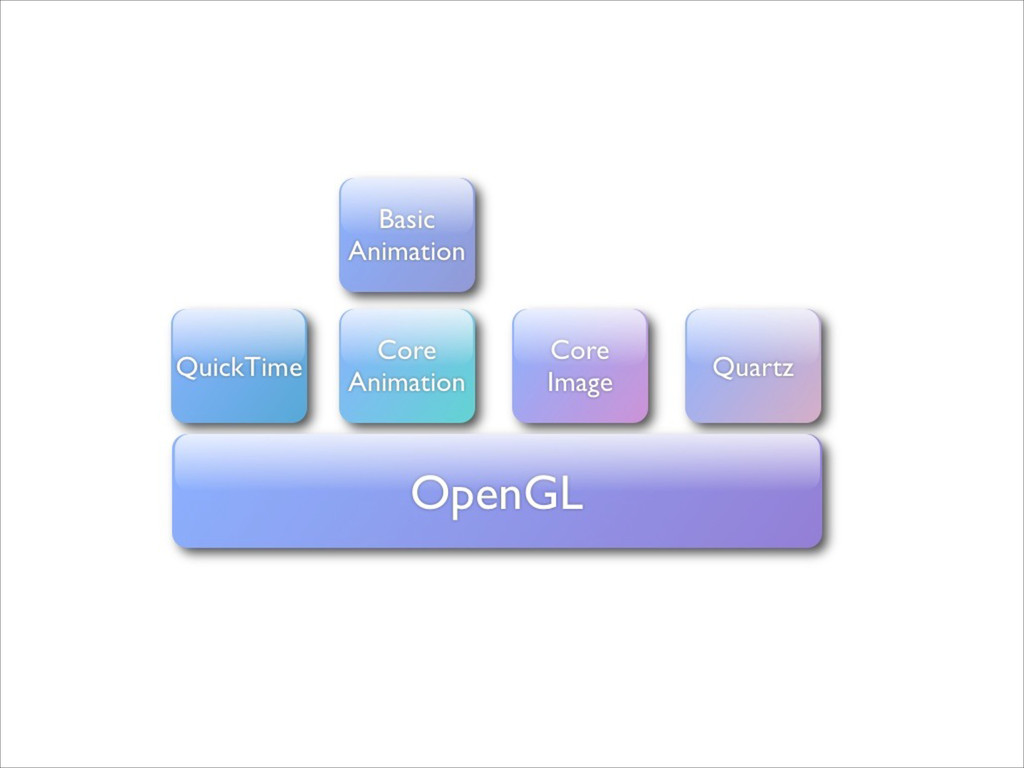
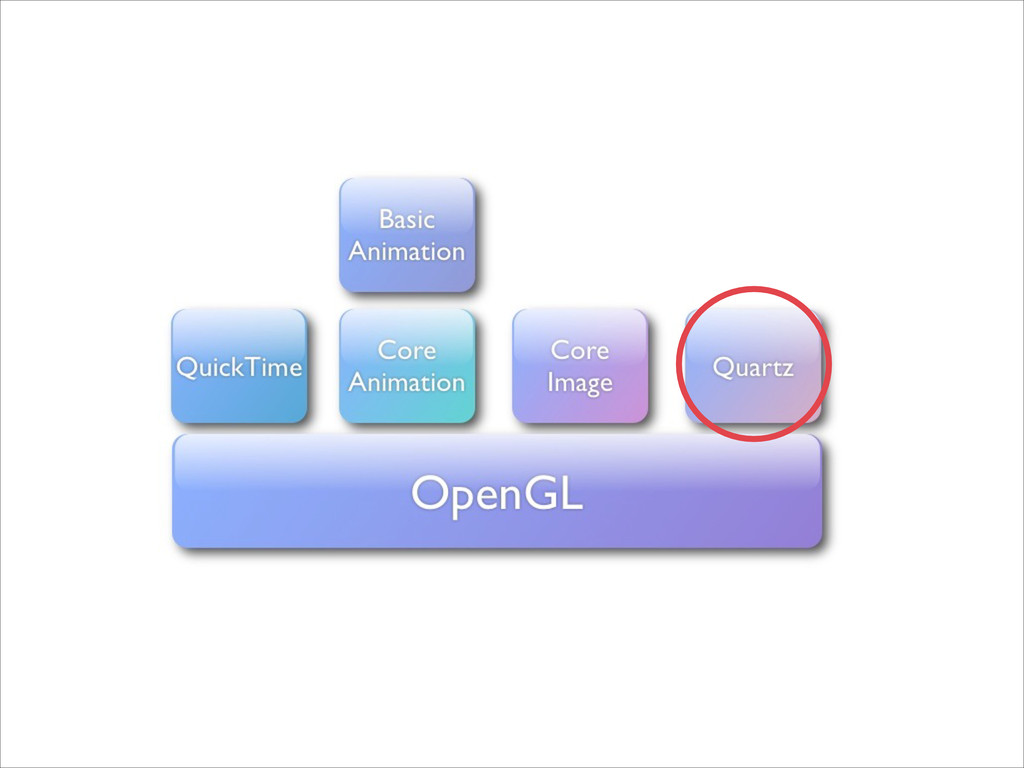
QuartzCore.framework
None
None
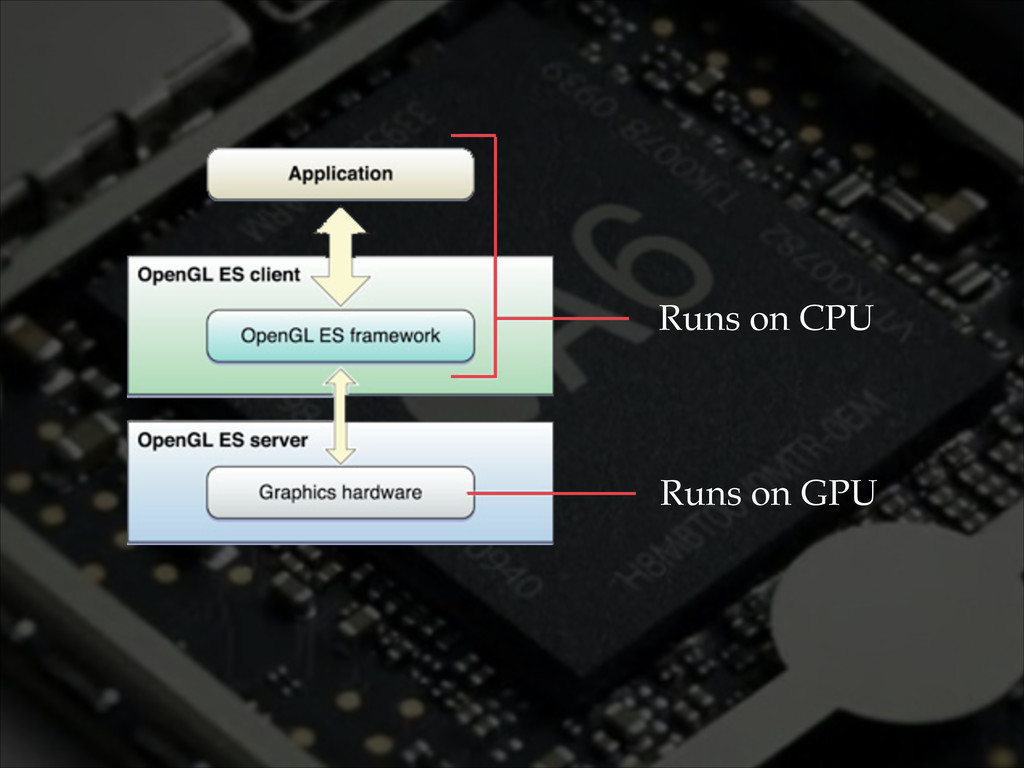
Runs on CPU Runs on GPU
Geometry
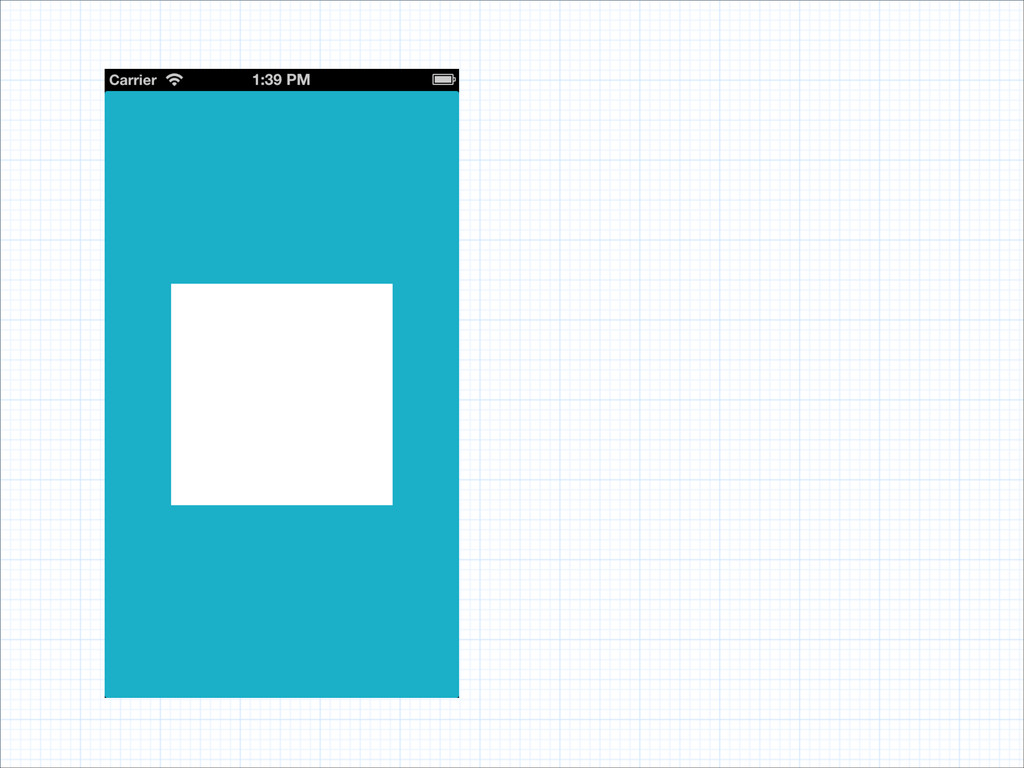
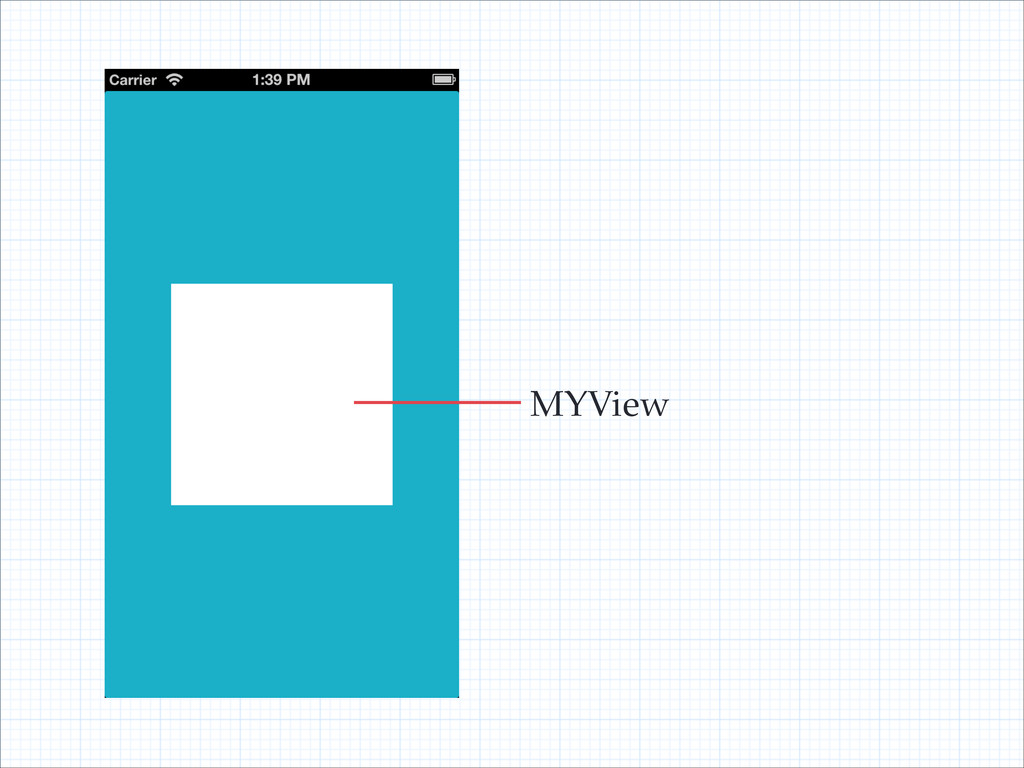
MYView
MYView
MYView
None
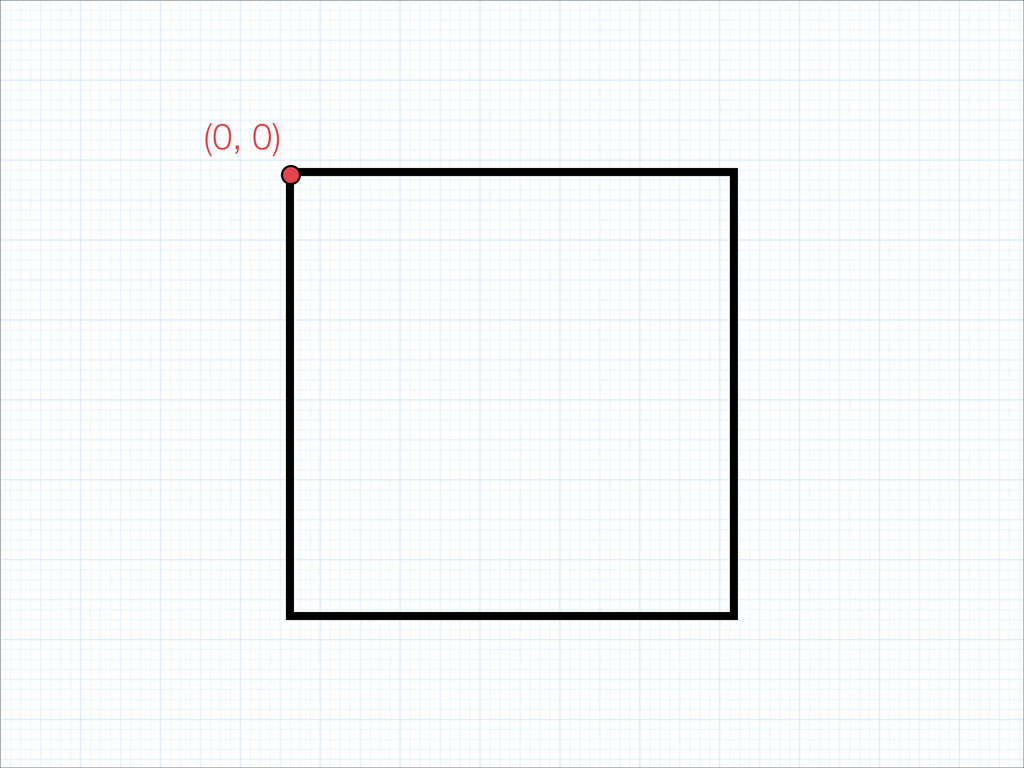
(0, 0)
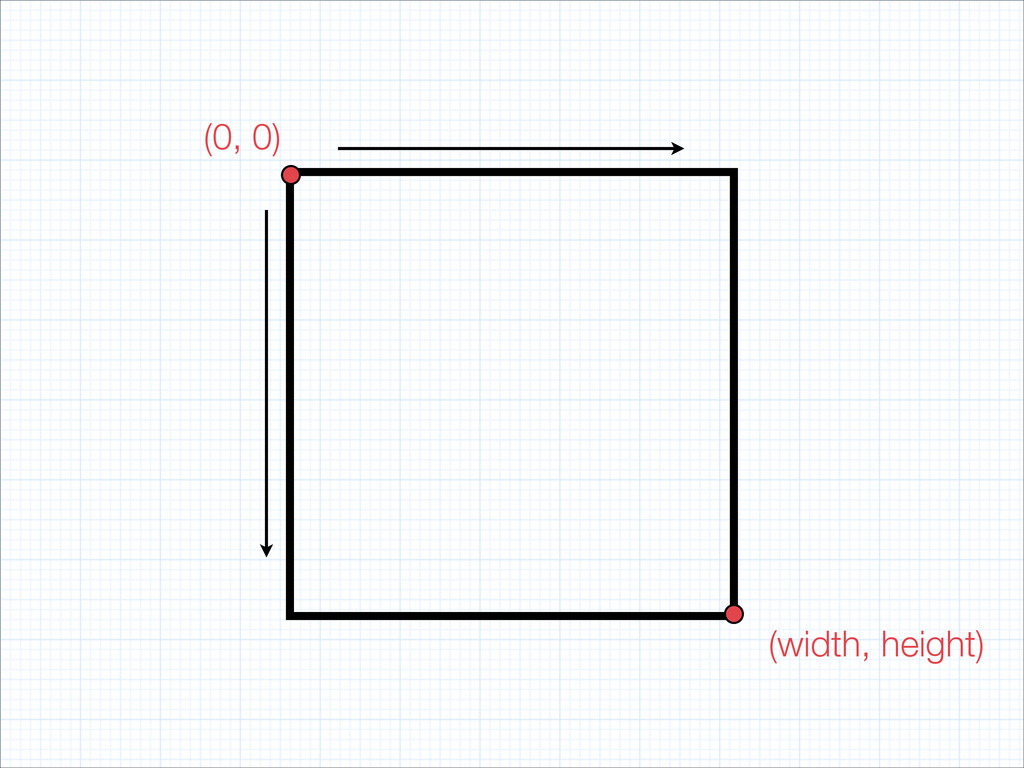
(0, 0) (width, height)
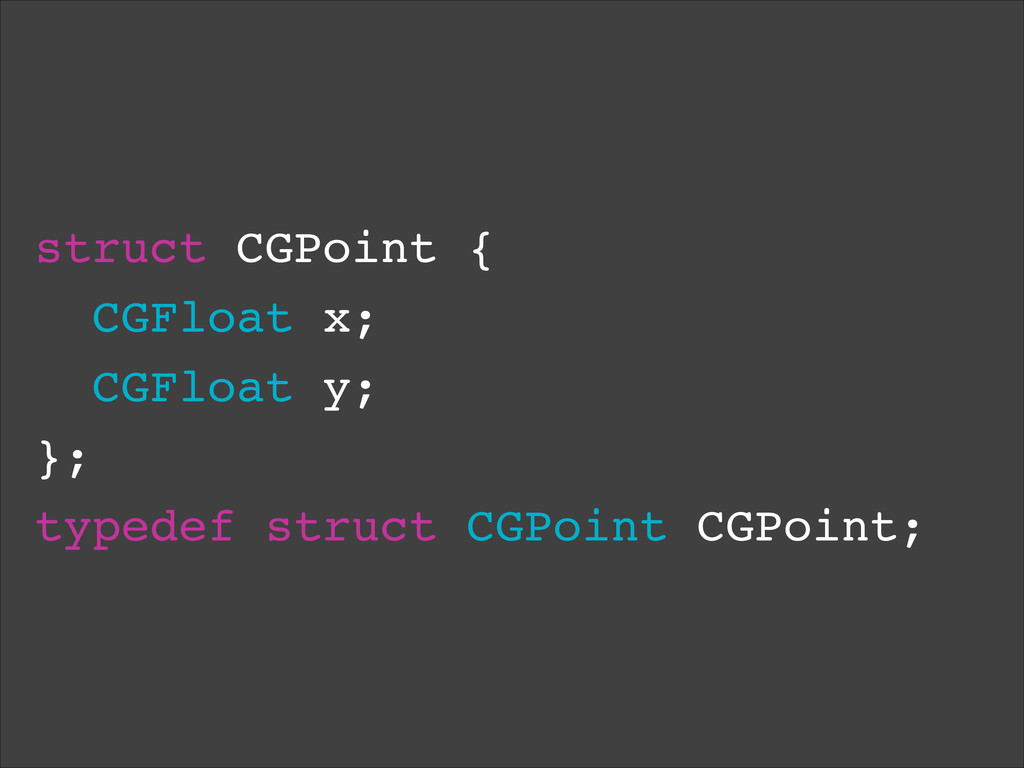
struct CGPoint {! CGFloat x;! CGFloat y;! };! typedef struct
CGPoint CGPoint;
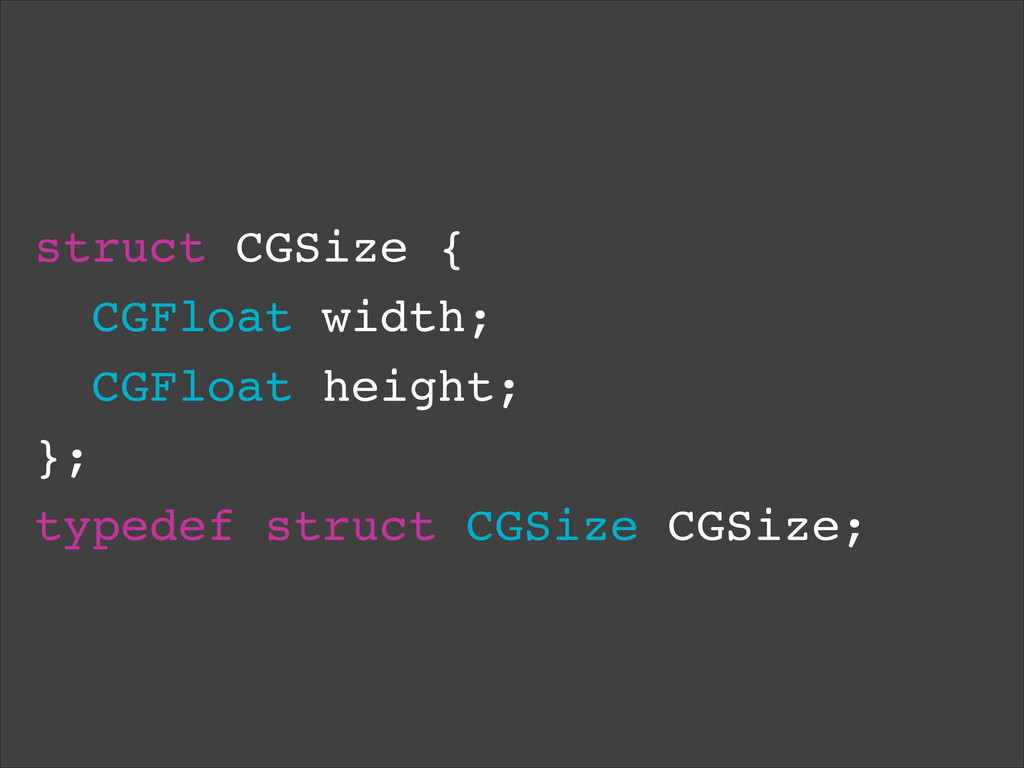
struct CGSize {! CGFloat width;! CGFloat height;! };! typedef struct
CGSize CGSize;
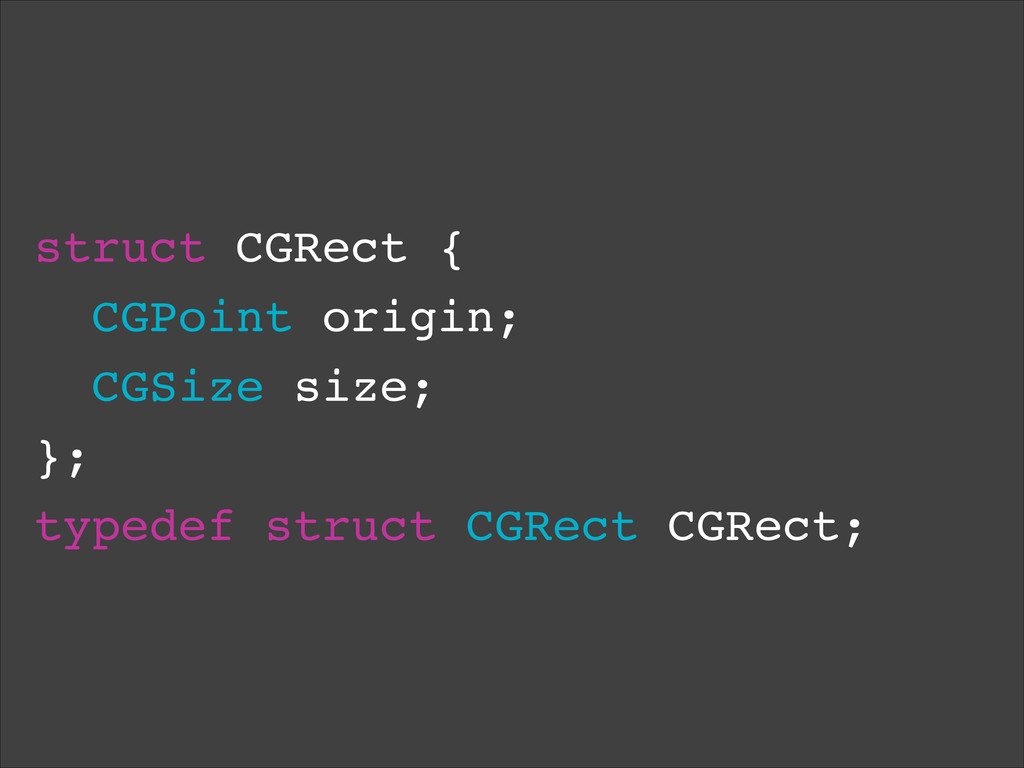
struct CGRect {! CGPoint origin;! CGSize size;! };! typedef struct
CGRect CGRect;
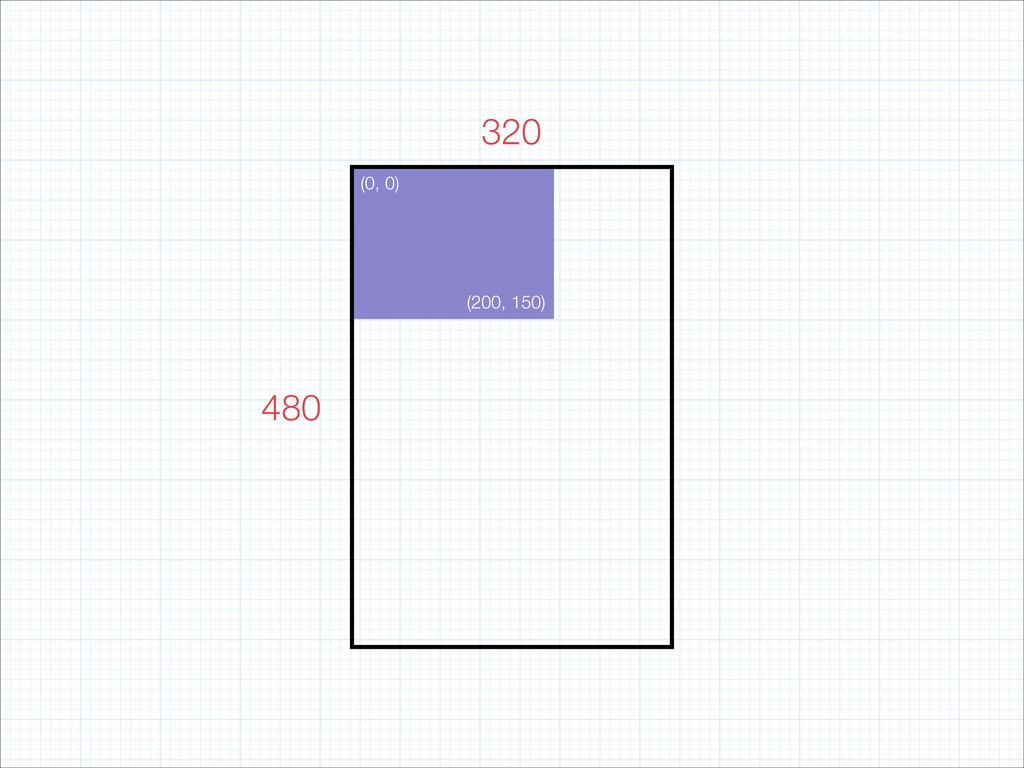
UIView *view = [[UIView alloc] init];! view.frame = CGRectMake(0, 0,
200, 150);
UIView *view = [[UIView alloc] init];! view.frame = {0, 0,
200, 150};
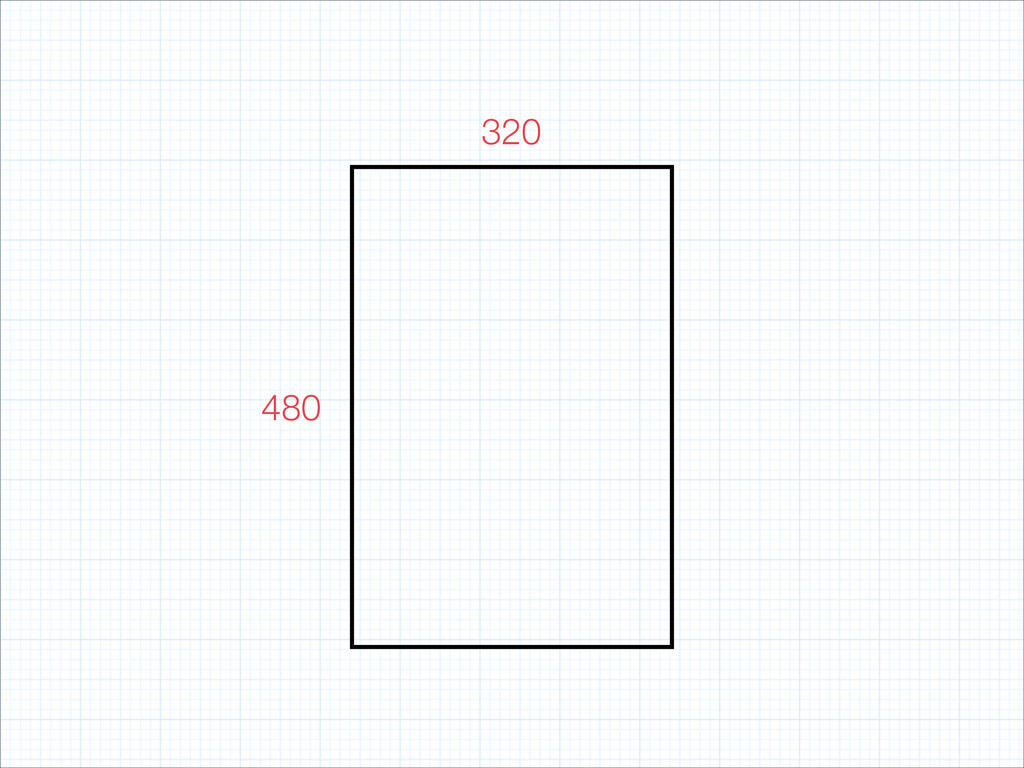
480 320 (0, 0) (200, 150)
480 320 (0, 0) (200, 150)
Drawing
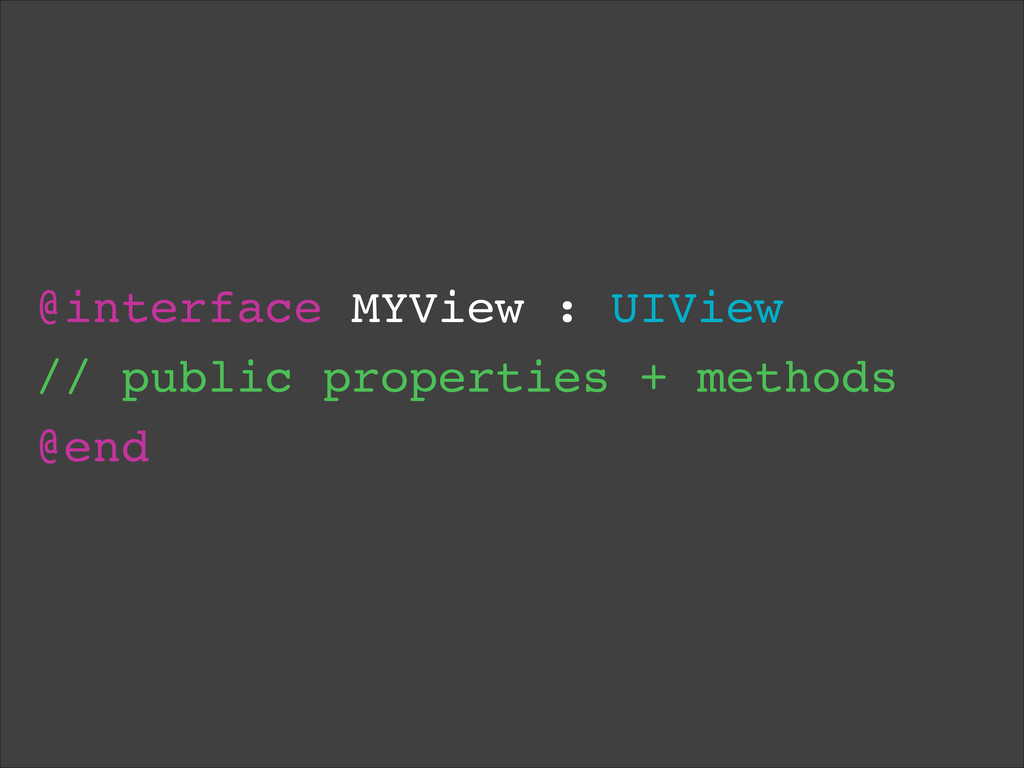
@interface MYView : UIView! // public properties + methods! @end
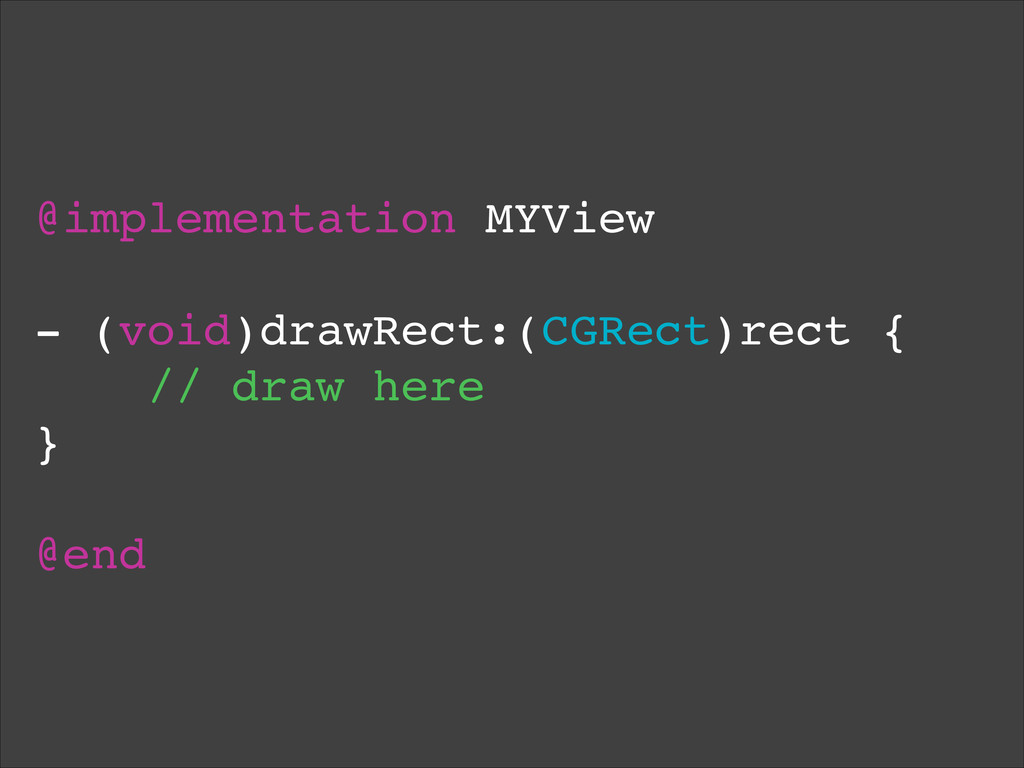
@implementation MYView! ! - (void)drawRect:(CGRect)rect {! // draw here! }!
! @end
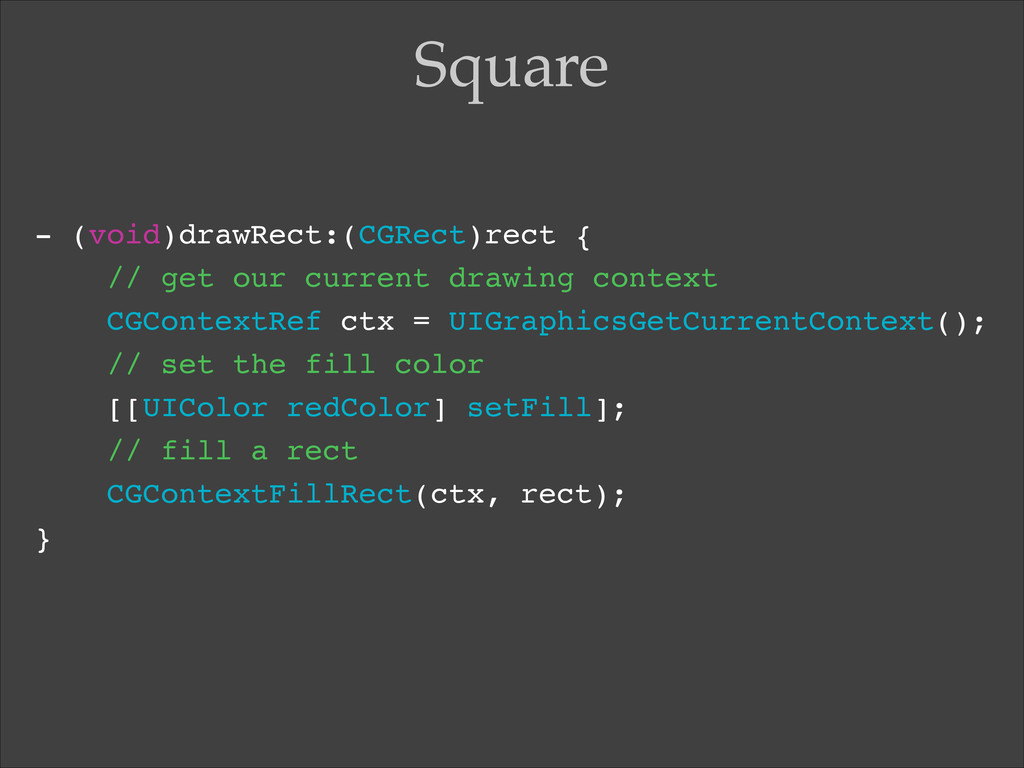
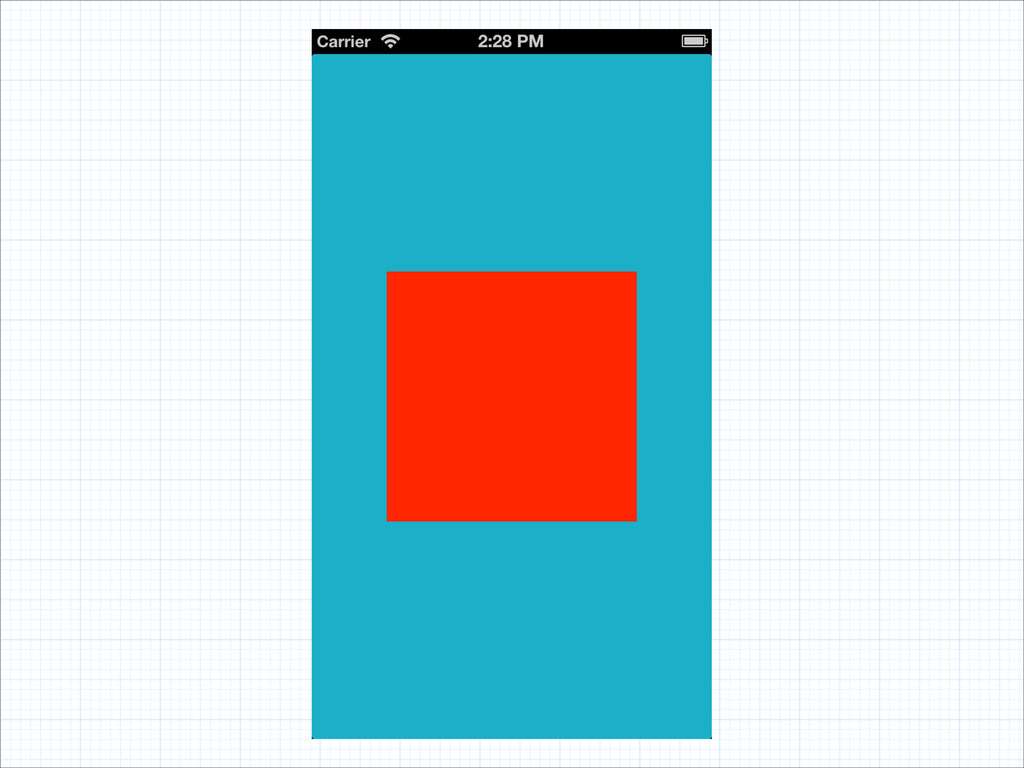
- (void)drawRect:(CGRect)rect {! // get our current drawing context! CGContextRef
ctx = UIGraphicsGetCurrentContext();! // set the fill color! [[UIColor redColor] setFill];! // fill a rect! CGContextFillRect(ctx, rect);! } Square
None
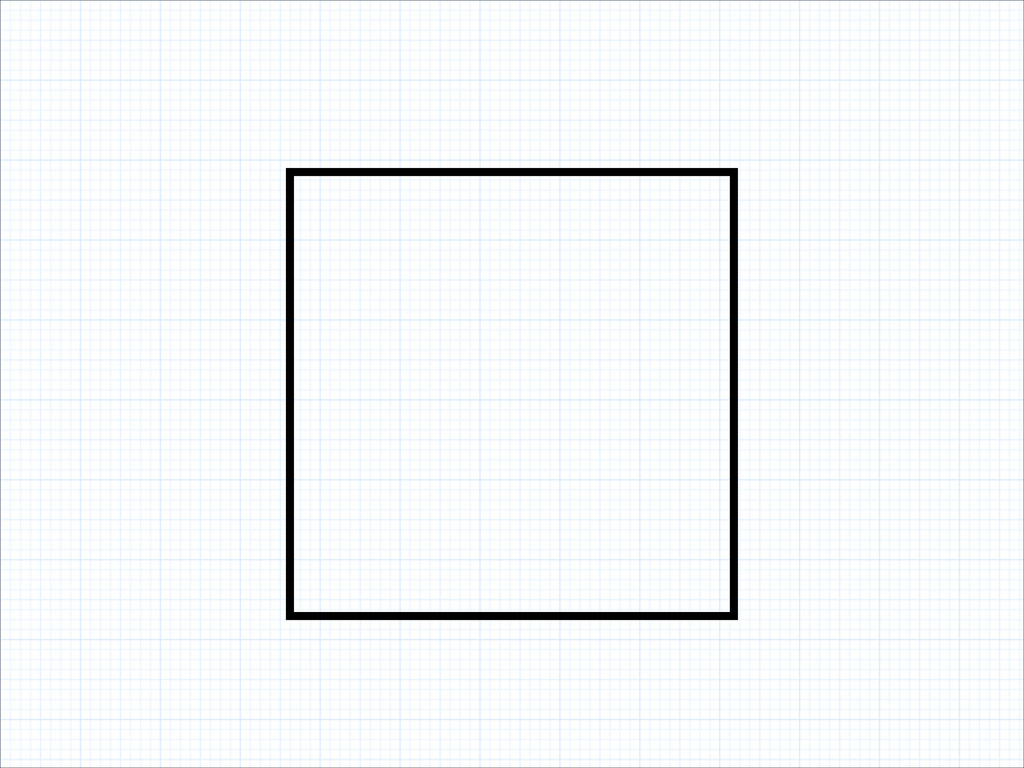
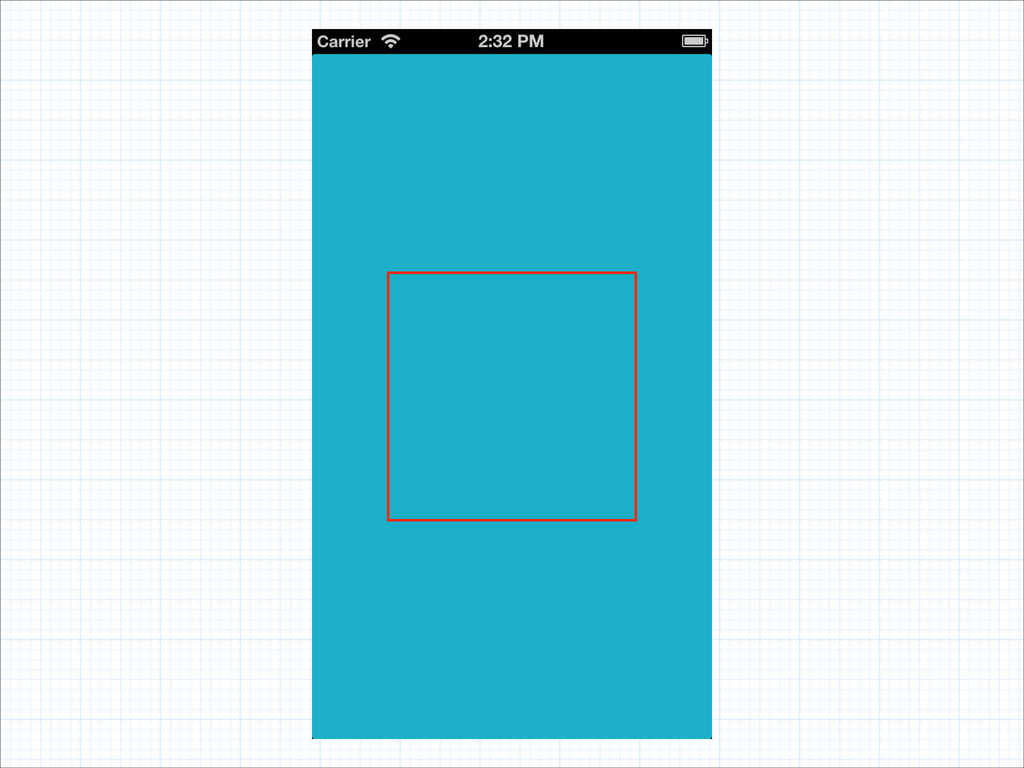
[[UIColor redColor] setStroke];! CGContextSetLineWidth(ctx, 4);! CGContextStrokeRect(ctx, rect); Border
None
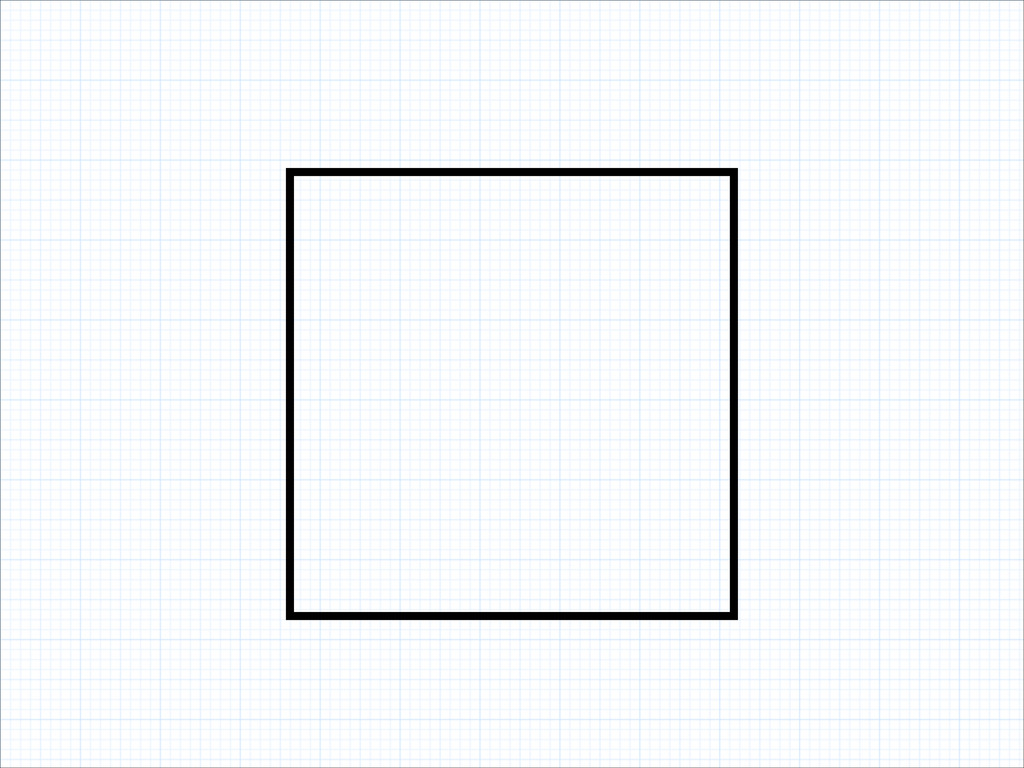
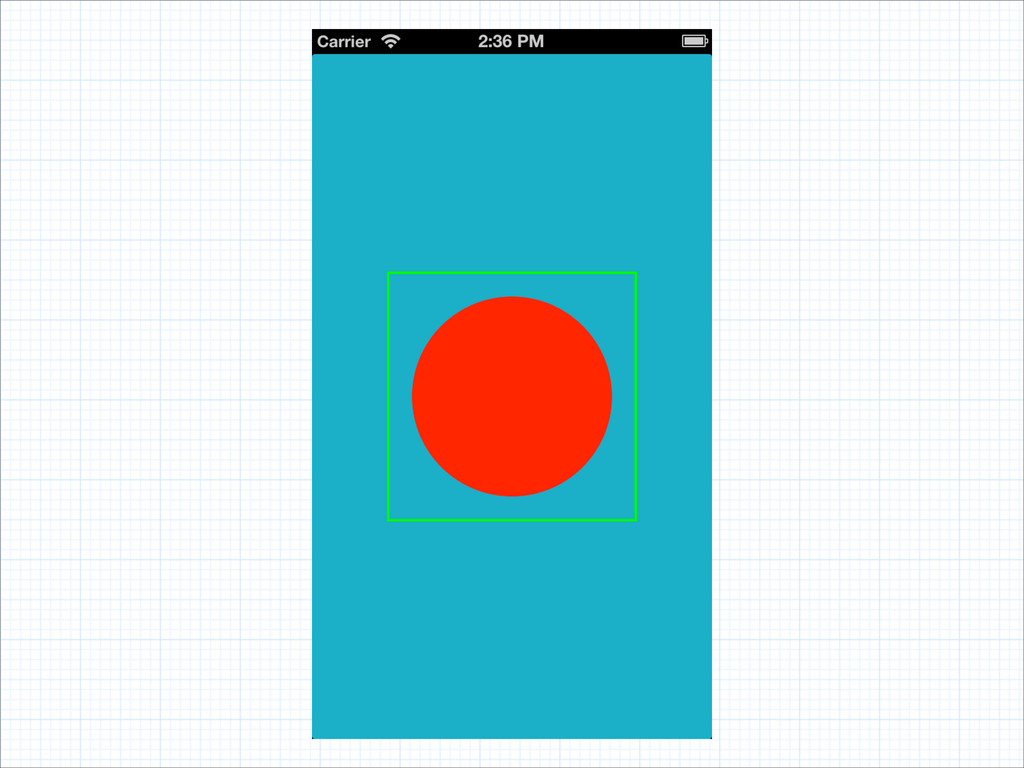
// draw border! [[UIColor greenColor] setStroke];! CGContextSetLineWidth(ctx, 4);! CGContextStrokeRect(ctx, rect);!
! // draw circle! [[UIColor redColor] setFill];! CGRect smaller = CGRectInset(rect, 20, 20);! CGContextFillEllipseInRect(ctx, smaller); Circle
None
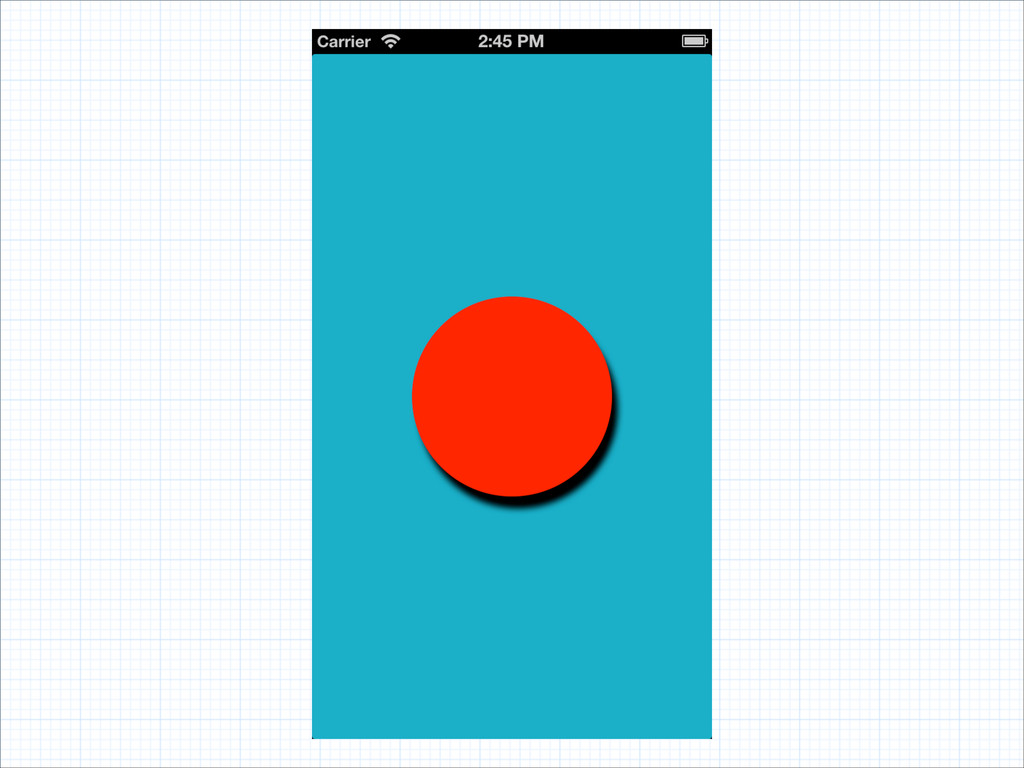
CGContextSetShadowWithColor(ctx, CGSizeMake(5, 10), 5, [UIColor blackColor].CGColor);! ! [[UIColor redColor] setFill];!
CGRect smaller = CGRectInset(rect, 20, 20);! CGContextFillEllipseInRect(ctx, smaller); Shadow
None
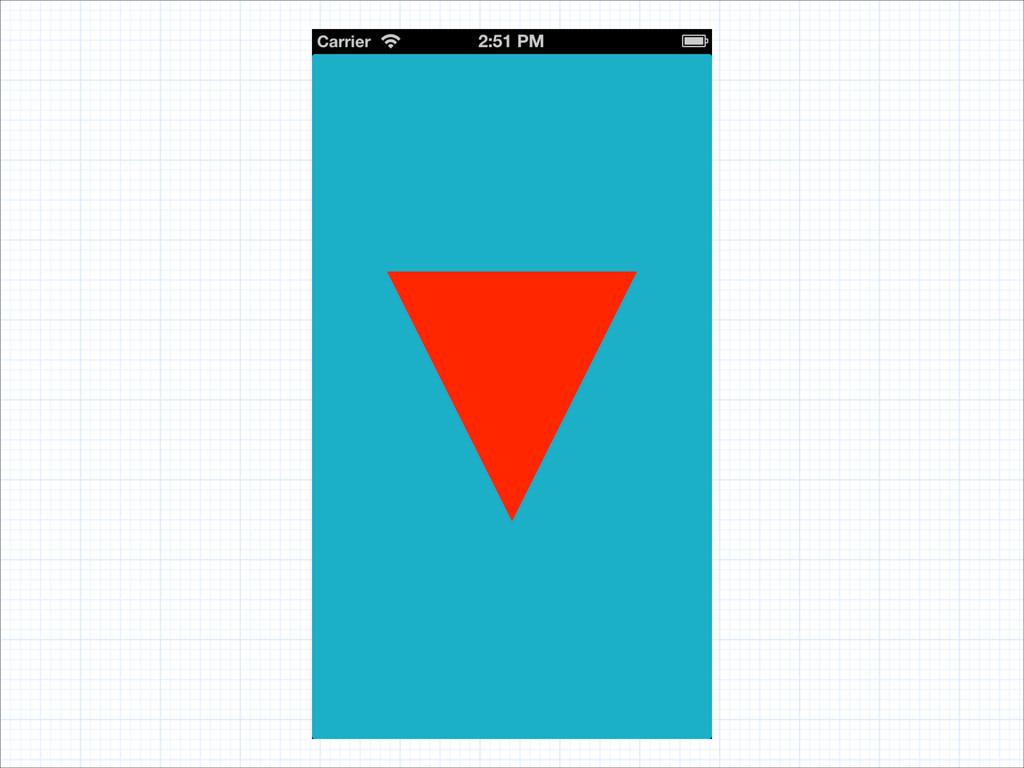
[[UIColor redColor] setFill];! ! CGMutablePathRef path = CGPathCreateMutable();! CGPathMoveToPoint(path, NULL,
0, 0);! CGPathAddLineToPoint(path, NULL, rect.size.width, 0);! CGPathAddLineToPoint(path, NULL, rect.size.width / 2, rect.size.height);! CGContextAddPath(ctx, path);! ! CGContextFillPath(ctx); Path
None
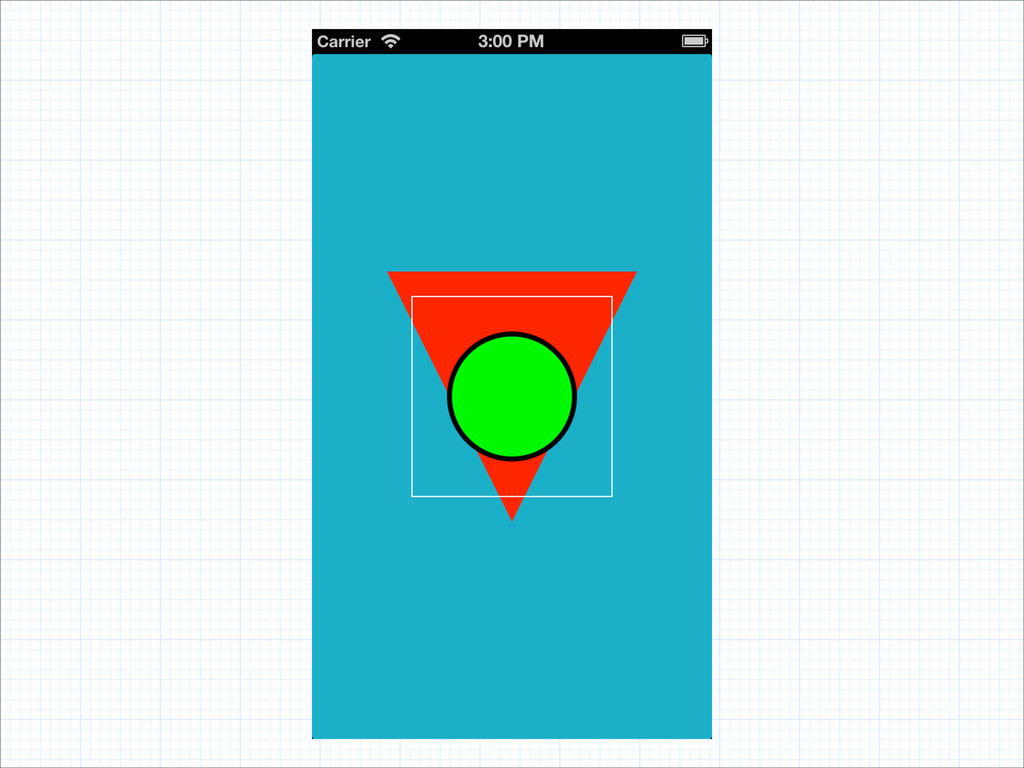
// triangle drawing! [[UIColor whiteColor] setStroke];! {! CGContextSaveGState(ctx);! [[UIColor greenColor]
setFill];! [[UIColor blackColor] setStroke];! CGContextSetLineWidth(ctx, 4);! CGRect inner = CGRectInset(rect, 50, 50);! CGContextFillEllipseInRect(ctx, inner);! CGContextStrokeEllipseInRect(ctx, inner);! CGContextRestoreGState(ctx);! }! CGRect inner = CGRectInset(rect, 20, 20);! CGContextStrokeRect(ctx, inner); Layers
None
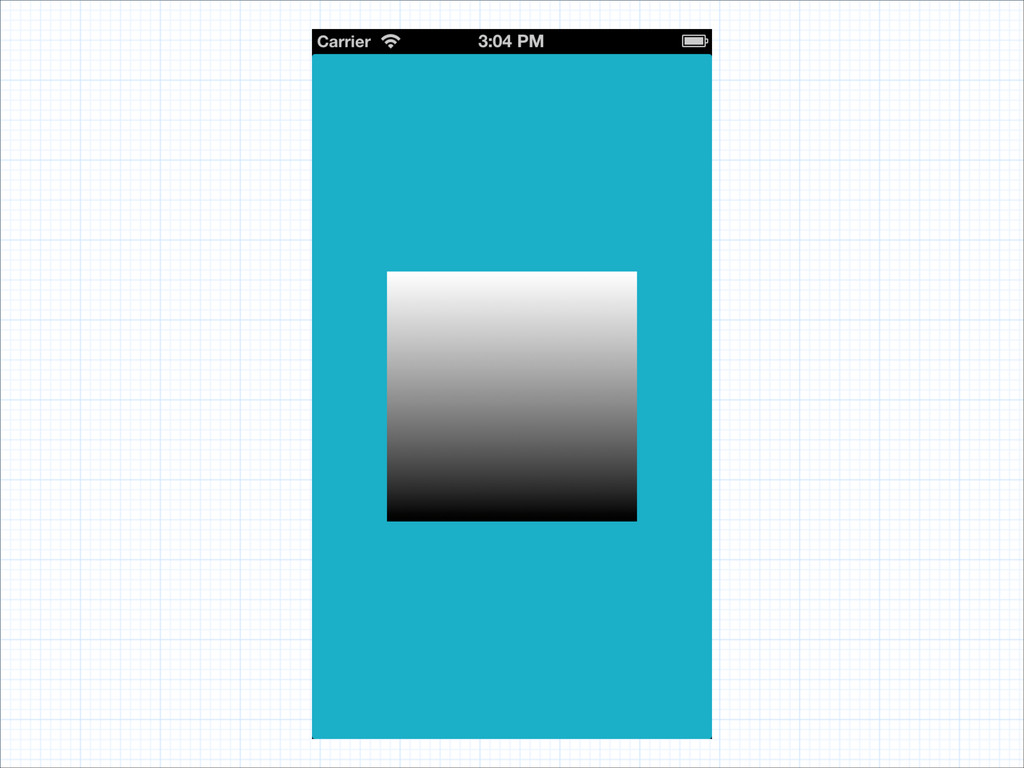
CGColorSpaceRef colorSpace = CGColorSpaceCreateDeviceRGB();! CGFloat stops[] = {0, 1};! NSArray
*colors = @[! (id)[UIColor whiteColor].CGColor,! (id)[UIColor blackColor].CGColor,! ];! CGGradientRef gradient = CGGradientCreateWithColors(colorSpace,! (__bridge CFArrayRef)(colors),! stops);! CGContextDrawLinearGradient(ctx, gradient, rect.origin, CGPointMake(0, rect.size.height), 0); Gradient
None
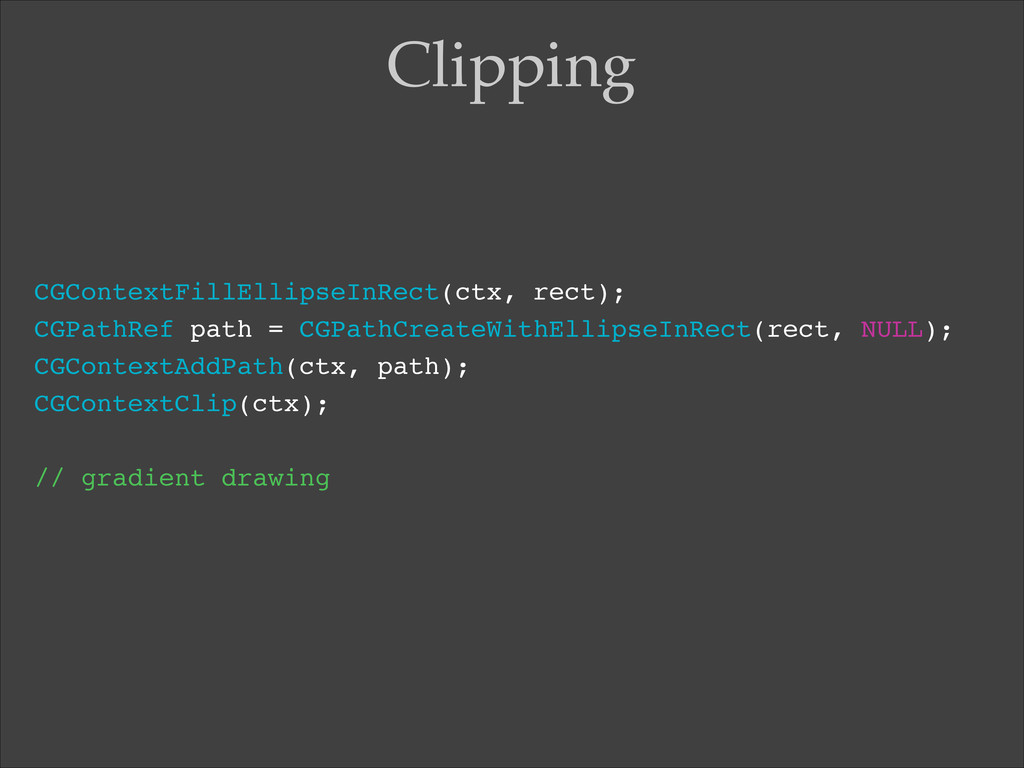
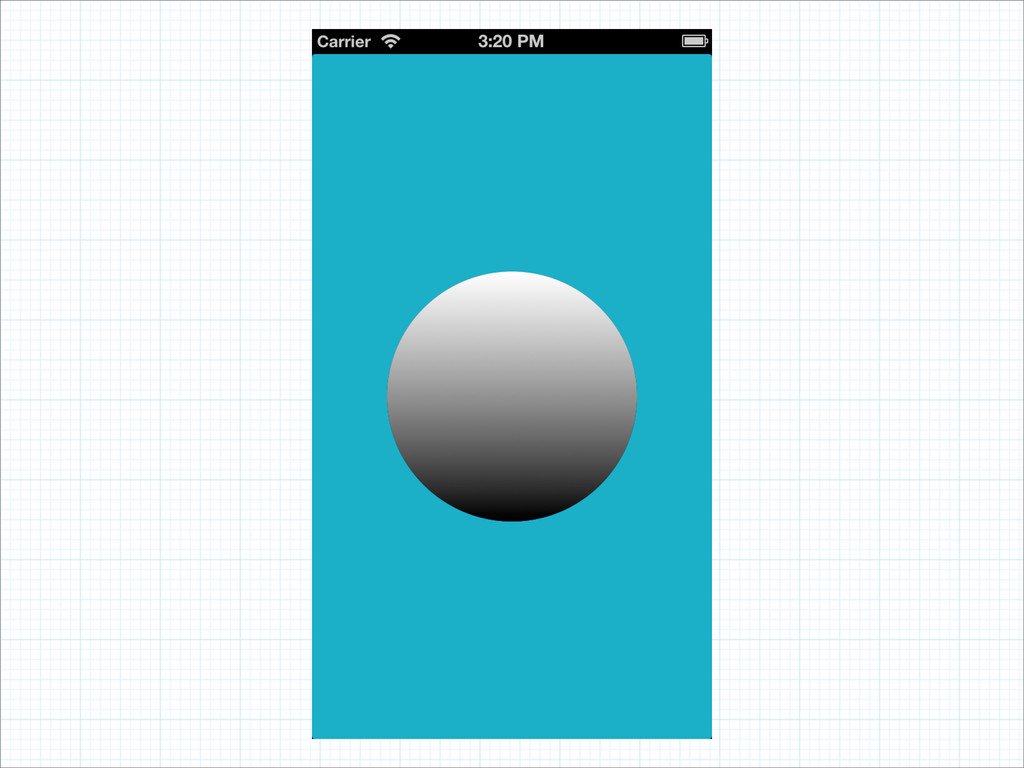
CGContextFillEllipseInRect(ctx, rect);! CGPathRef path = CGPathCreateWithEllipseInRect(rect, NULL);! CGContextAddPath(ctx, path);! CGContextClip(ctx);!
! // gradient drawing Clipping
None
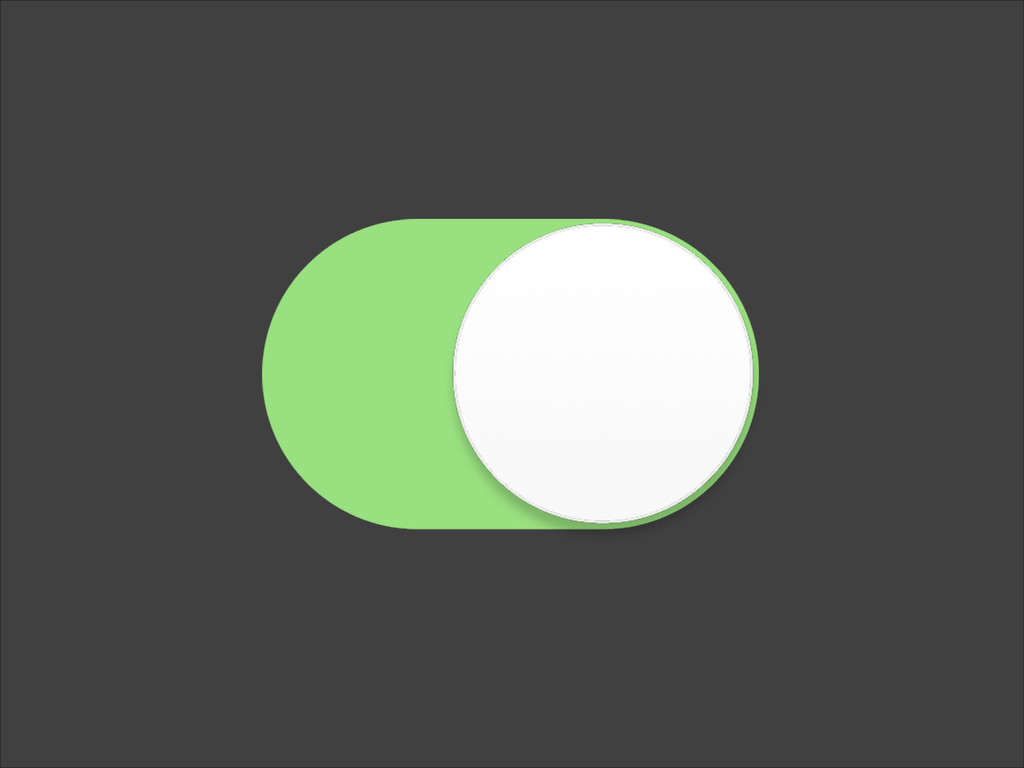
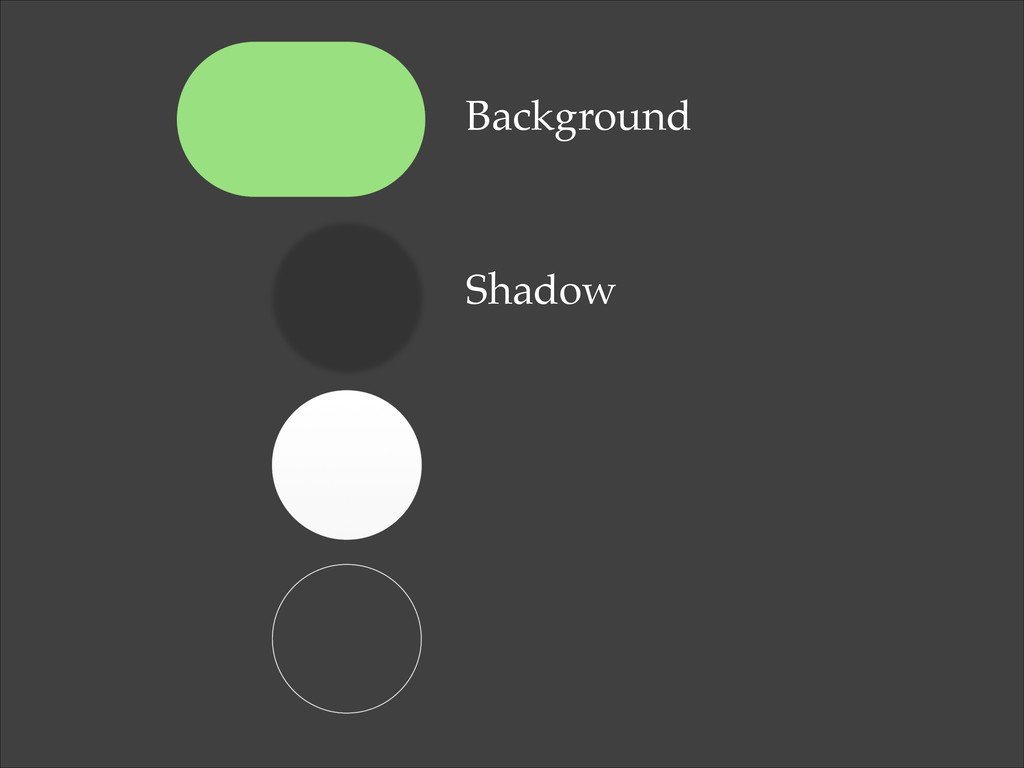
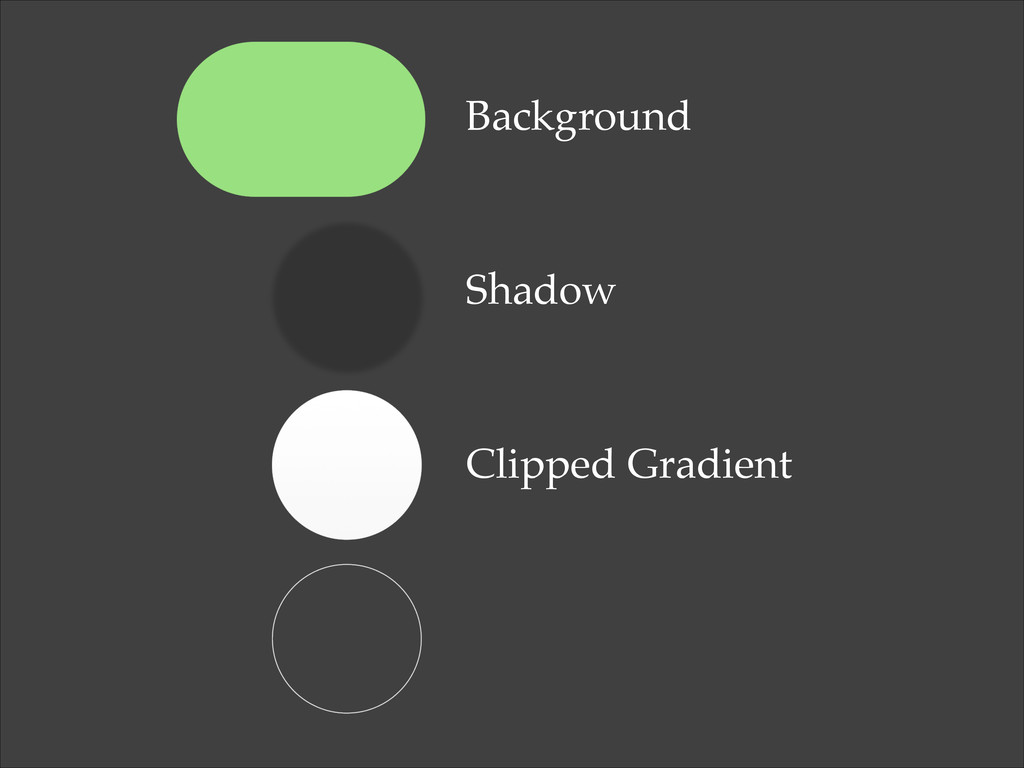
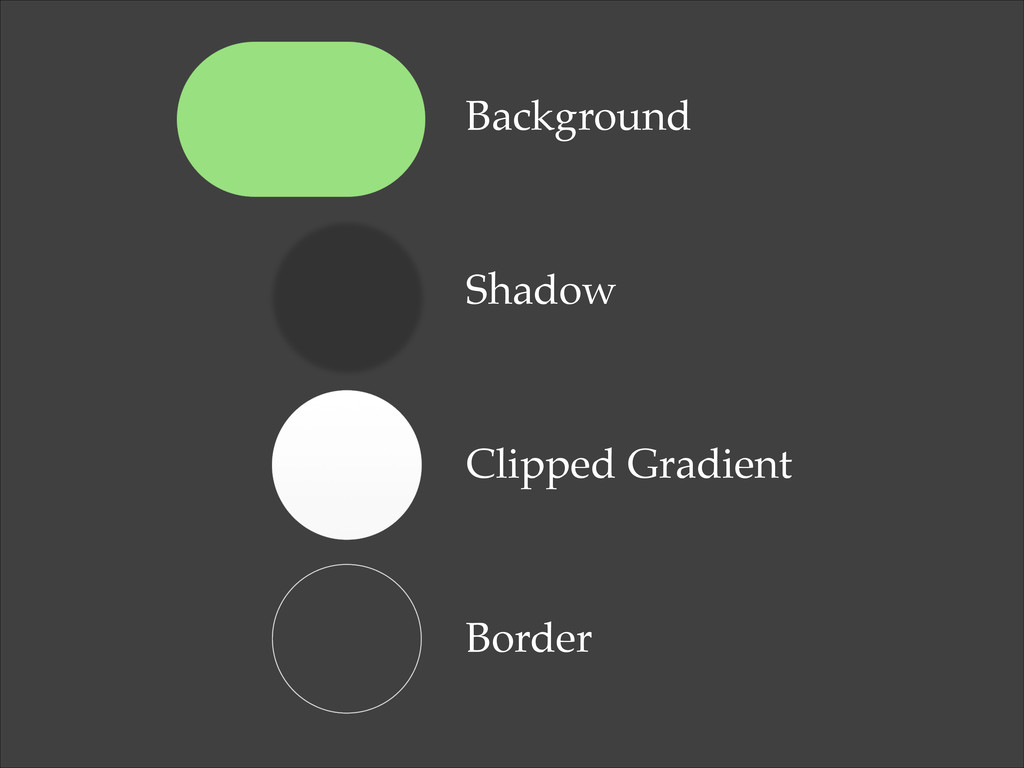
Real world
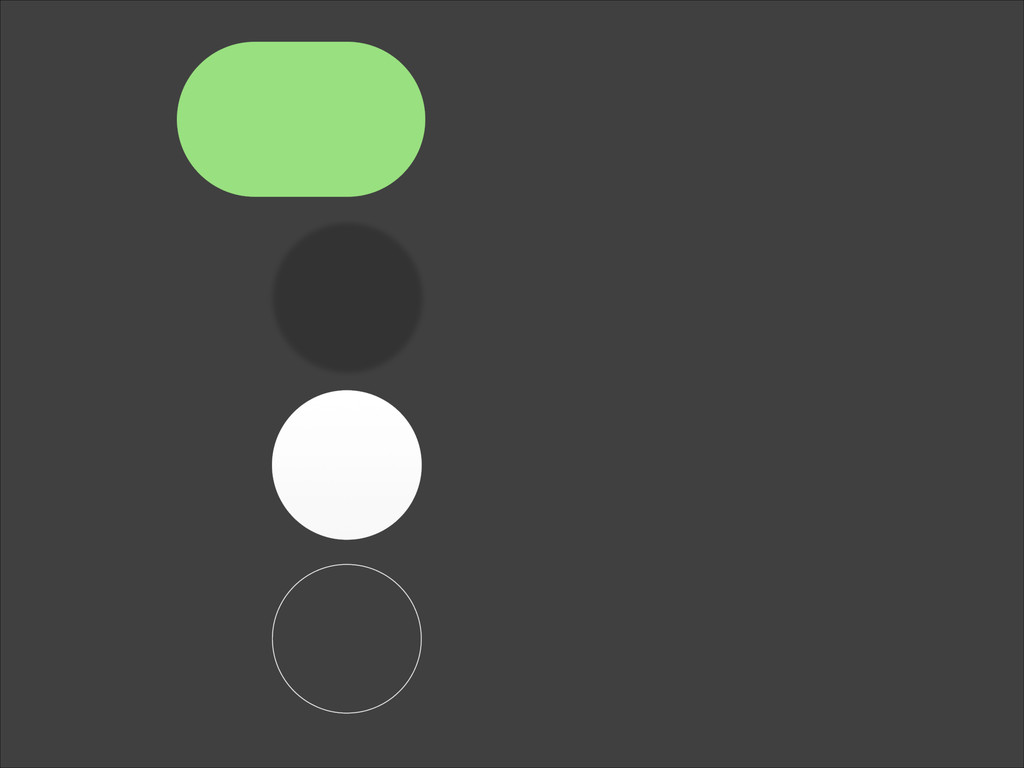
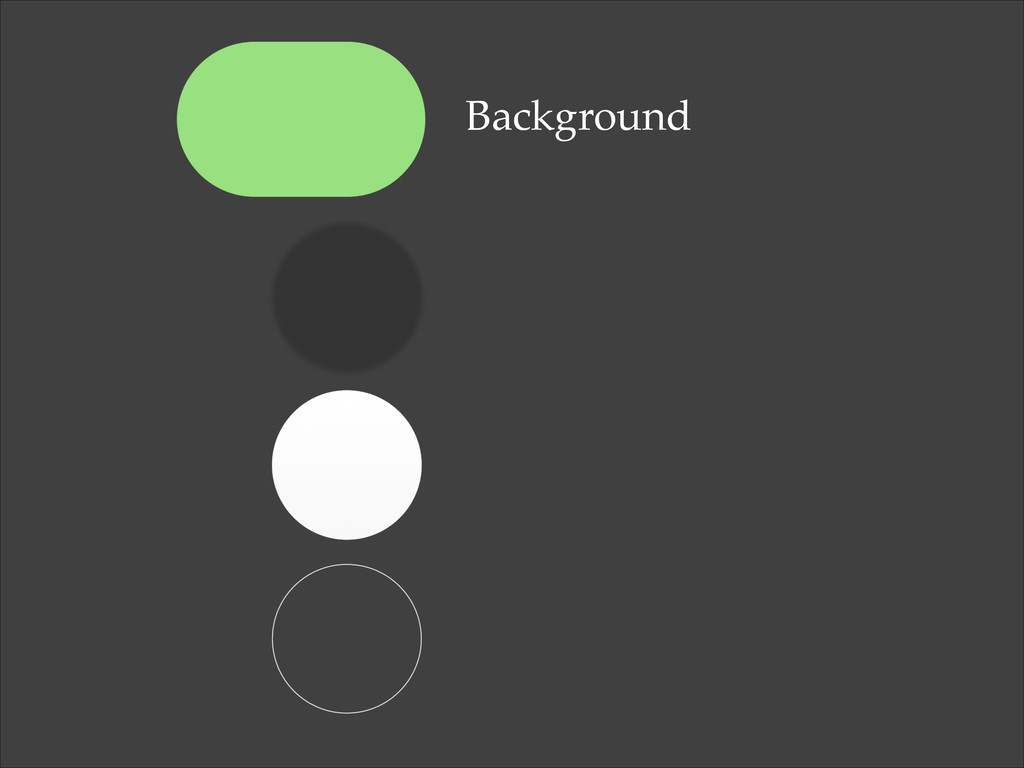
Background Shadow Clipped Gradient Border
Background Shadow Clipped Gradient Border
Background Shadow Clipped Gradient Border
Background Shadow Clipped Gradient Border
Background Shadow Clipped Gradient Border
Background Shadow Clipped Gradient Border
[demo]
github.com/rnystrom/M3Demo
Thanks. @_ryannystrom


 rnystrom
 shihochan
 xleitix
 hschwentner
 ivargrimstad
 econanringo
 minodriven
 n_takehata
 eed3si9n
 chobishiba
 jame2408
 colorful12
 y0hgi
y0hgi
 trishagee
 ks91
ks91
 cassininazir
 samlambert
 aemeredith
 honzajavorek
 aleyda
 retrage
 marktimemedia
 addyosmani
 nonsquared
 notwaldorf
![UIView *view = [[UIView alloc] init];! view.frame = CGRectMake(0, 0,](https://files.speakerdeck.com/presentations/9f0c26f01fd80131c9695eb795b8636b/slide_15.jpg)
![UIView *view = [[UIView alloc] init];! view.frame = {0, 0,](https://files.speakerdeck.com/presentations/9f0c26f01fd80131c9695eb795b8636b/slide_16.jpg)
![[[UIColor redColor] setStroke];! CGContextSetLineWidth(ctx, 4);! CGContextStrokeRect(ctx, rect); Border](https://files.speakerdeck.com/presentations/9f0c26f01fd80131c9695eb795b8636b/slide_24.jpg)
![// draw border! [[UIColor greenColor] setStroke];! CGContextSetLineWidth(ctx, 4);! CGContextStrokeRect(ctx, rect);!](https://files.speakerdeck.com/presentations/9f0c26f01fd80131c9695eb795b8636b/slide_26.jpg)
![CGContextSetShadowWithColor(ctx, CGSizeMake(5, 10), 5, [UIColor blackColor].CGColor);! ! [[UIColor redColor] setFill];!](https://files.speakerdeck.com/presentations/9f0c26f01fd80131c9695eb795b8636b/slide_28.jpg)
![[[UIColor redColor] setFill];! ! CGMutablePathRef path = CGPathCreateMutable();! CGPathMoveToPoint(path, NULL,](https://files.speakerdeck.com/presentations/9f0c26f01fd80131c9695eb795b8636b/slide_30.jpg)
![// triangle drawing! [[UIColor whiteColor] setStroke];! {! CGContextSaveGState(ctx);! [[UIColor greenColor]](https://files.speakerdeck.com/presentations/9f0c26f01fd80131c9695eb795b8636b/slide_32.jpg)
![CGColorSpaceRef colorSpace = CGColorSpaceCreateDeviceRGB();! CGFloat stops[] = {0, 1};! NSArray](https://files.speakerdeck.com/presentations/9f0c26f01fd80131c9695eb795b8636b/slide_34.jpg)
![[demo]](https://files.speakerdeck.com/presentations/9f0c26f01fd80131c9695eb795b8636b/slide_45.jpg)