$ git status # On branch master # Untracked files: # (use "git add <file>..." to include in what will be committed) # # new_file.rb nothing added to commit but untracked files present (use "git add" to track)
$ git push origin master To [email protected]:rodolfospalenza/ancestry.git ! [rejected] master -> master (non-fast-forward) error: failed to push some refs to '[email protected]:rodolfospalenza/ancestry.git' hint: Updates were rejected because the tip of your current branch is behind hint: its remote counterpart. Merge the remote changes (e.g. 'git pull') hint: before pushing again.
origin From github.com:rodolfospalenza/ancestry 39f00ab..bbf1e7e master -> origin/ master ~/ancestry [master] $ git rebase origin/master master First, rewinding head to replay your work on top of it... Applying: Add old file. USER 02
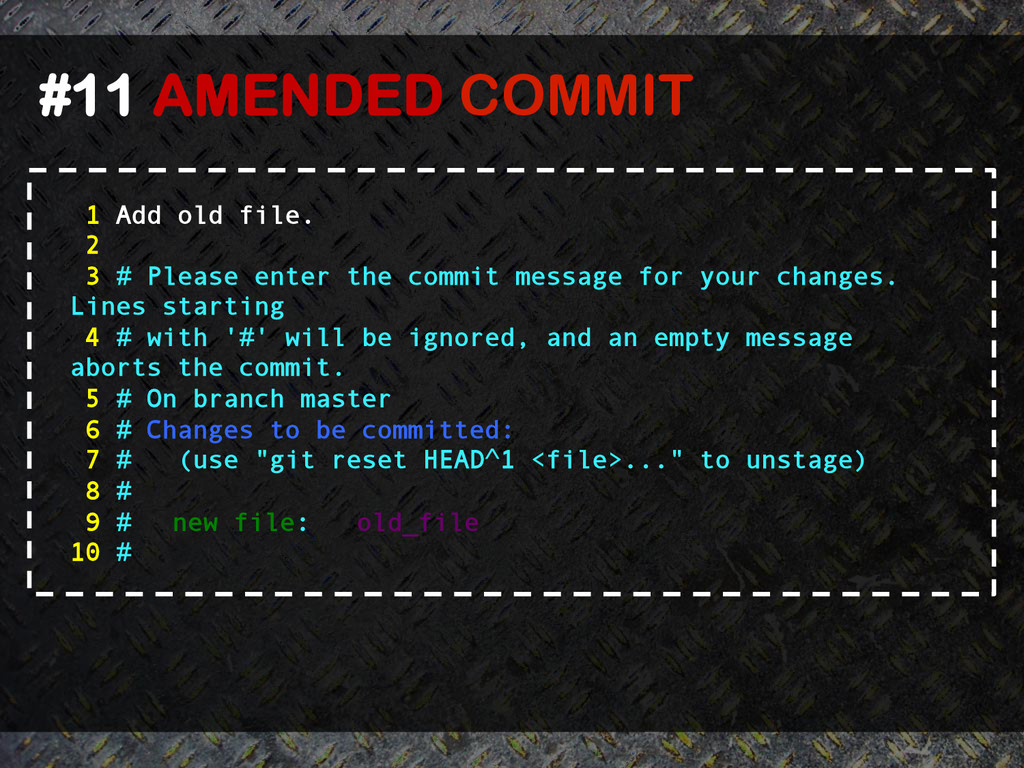
# Please enter the commit message for your changes. Lines starting 4 # with '#' will be ignored, and an empty message aborts the commit. 5 # On branch master 6 # Changes to be committed: 7 # (use "git reset HEAD^1 <file>..." to unstage) 8 # 9 # new file: old_file 10 #
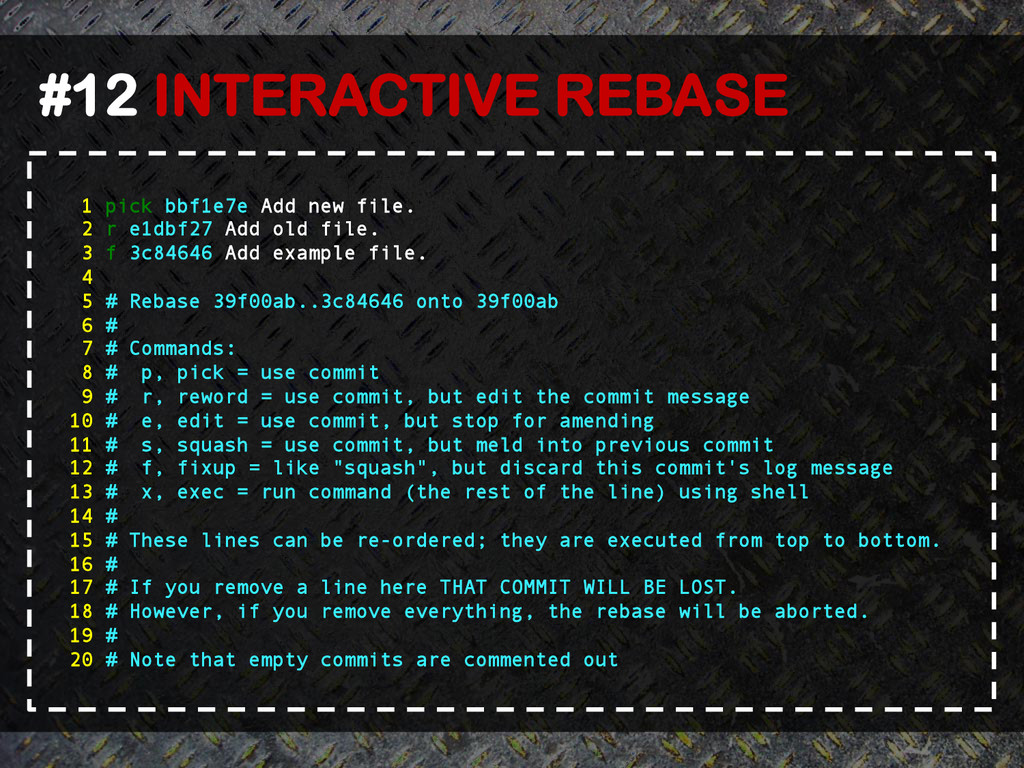
2 r e1dbf27 Add old file. 3 f 3c84646 Add example file. 4 5 # Rebase 39f00ab..3c84646 onto 39f00ab 6 # 7 # Commands: 8 # p, pick = use commit 9 # r, reword = use commit, but edit the commit message 10 # e, edit = use commit, but stop for amending 11 # s, squash = use commit, but meld into previous commit 12 # f, fixup = like "squash", but discard this commit's log message 13 # x, exec = run command (the rest of the line) using shell 14 # 15 # These lines can be re-ordered; they are executed from top to bottom. 16 # 17 # If you remove a line here THAT COMMIT WILL BE LOST. 18 # However, if you remove everything, the rebase will be aborted. 19 # 20 # Note that empty commits are commented out
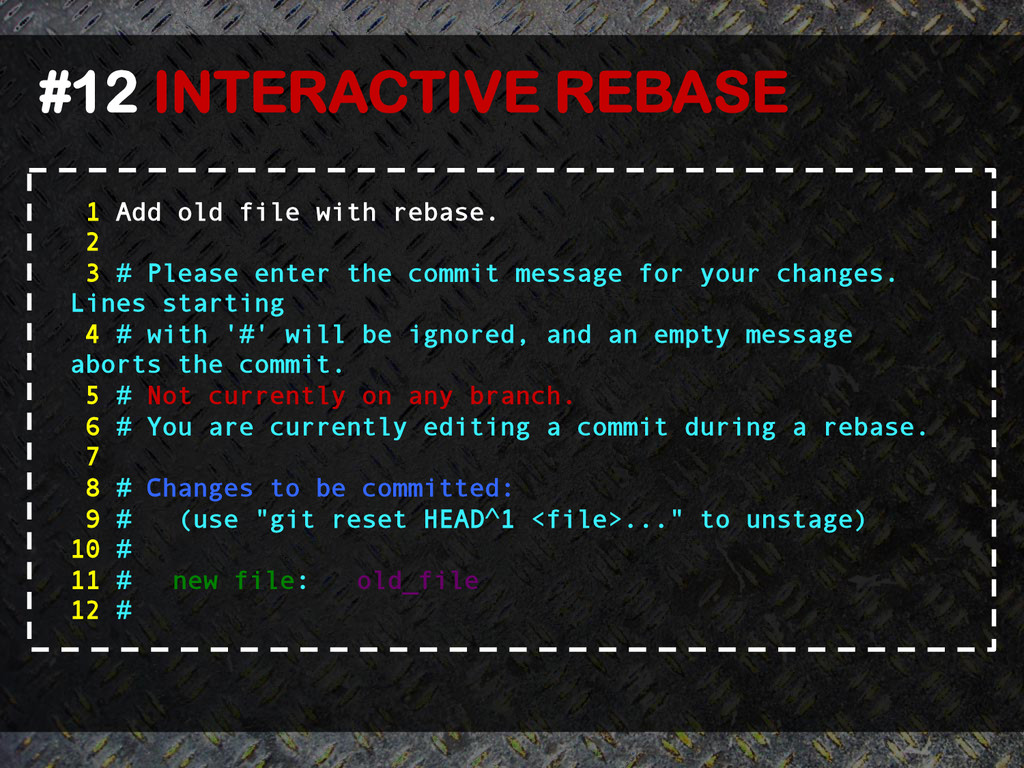
2 3 # Please enter the commit message for your changes. Lines starting 4 # with '#' will be ignored, and an empty message aborts the commit. 5 # Not currently on any branch. 6 # You are currently editing a commit during a rebase. 7 8 # Changes to be committed: 9 # (use "git reset HEAD^1 <file>..." to unstage) 10 # 11 # new file: old_file 12 #


 rodolfospalenza
 rollbear
 neuecc
 guaca
guaca
 kasacchiful
 teyamagu
 a_matsuda
 shihochan
 minodriven
 satoshi256kbyte
 gam0022
 florets1
 ___akari11
 szymonslowik
 bethany
 jnunemaker
 ks91
ks91
 notwaldorf
 signer
 cassininazir
 eileencodes
 bermonpainter
 denniskardys
 productmarketing
 garrettdimon
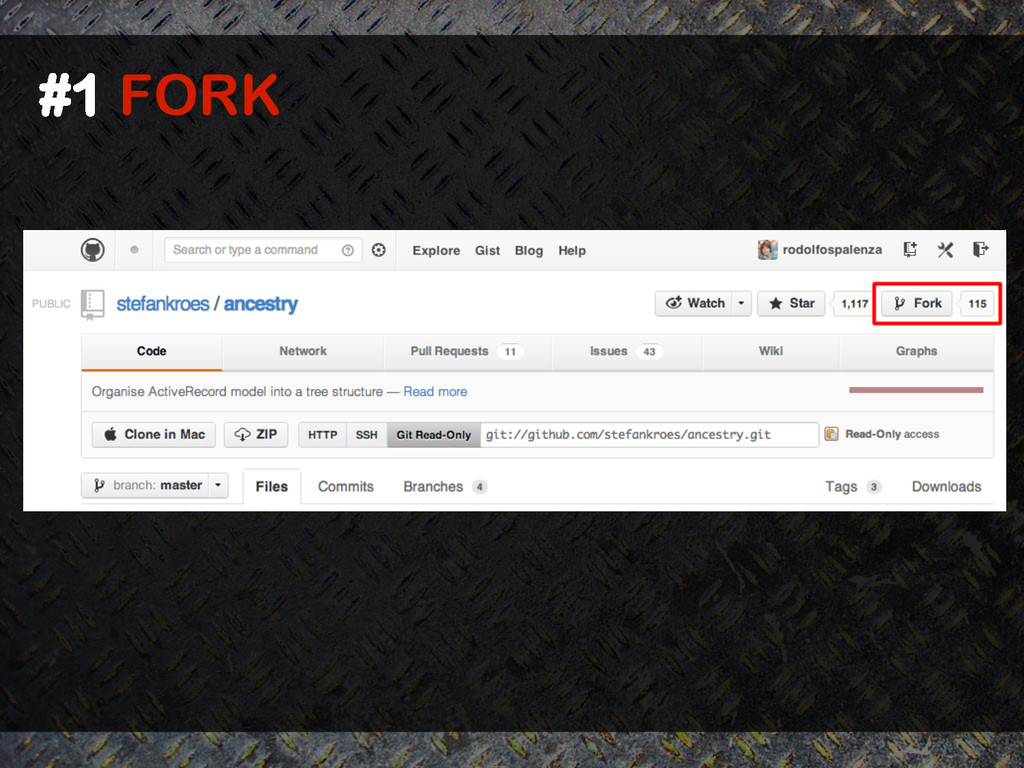
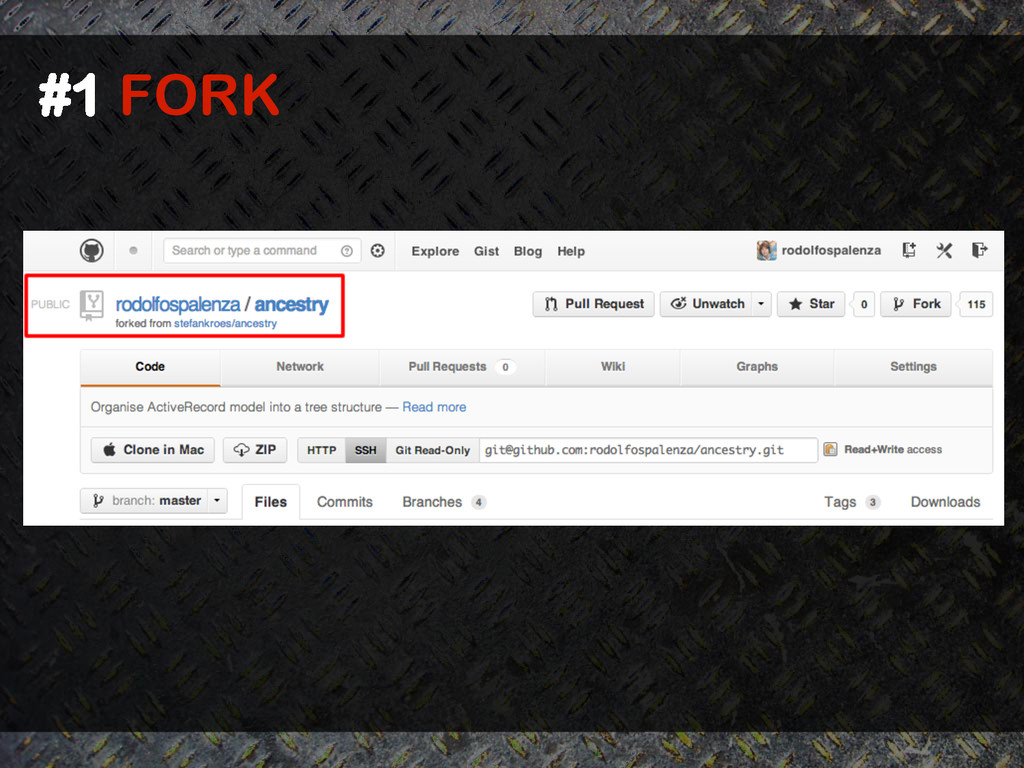
![#2 CLONE ~ $ git clone [email protected]:rodolfospalenza/ancestry.git Cloning into](https://files.speakerdeck.com/presentations/f71f2b377140466caf7c26650aba8a5b/slide_3.jpg)
![#3 REMOTE ~/ancestry [master] $ git remote –v origin](https://files.speakerdeck.com/presentations/f71f2b377140466caf7c26650aba8a5b/slide_4.jpg)
![#4 FETCH ~/ancestry [master] $ git fetch origin master](https://files.speakerdeck.com/presentations/f71f2b377140466caf7c26650aba8a5b/slide_5.jpg)
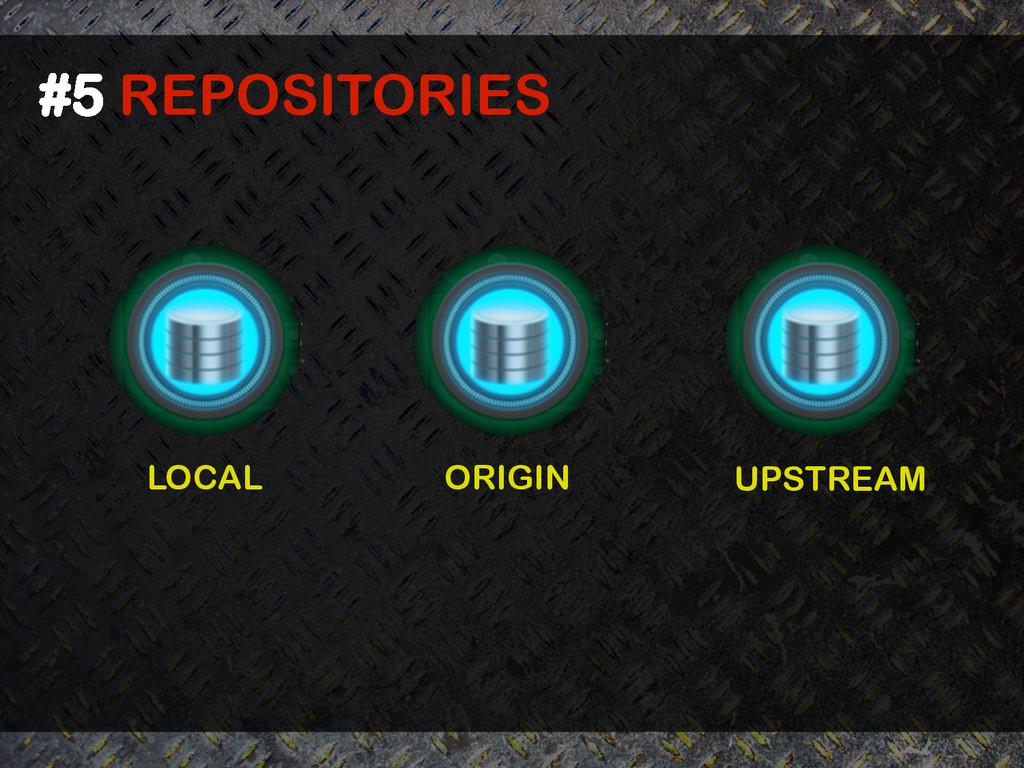
![#6 COMMIT ~/ancestry [master] $ touch new_file.rb ~/ancestry [master]](https://files.speakerdeck.com/presentations/f71f2b377140466caf7c26650aba8a5b/slide_7.jpg)
![#6 COMMIT ~/ancestry [master] $ git add . ~/ancestry](https://files.speakerdeck.com/presentations/f71f2b377140466caf7c26650aba8a5b/slide_8.jpg)
![#7 REBASE ~/ancestry [master] $ git fetch upstream From](https://files.speakerdeck.com/presentations/f71f2b377140466caf7c26650aba8a5b/slide_9.jpg)
![#8 PUSH ~/ancestry [master] $ git push origin master](https://files.speakerdeck.com/presentations/f71f2b377140466caf7c26650aba8a5b/slide_10.jpg)
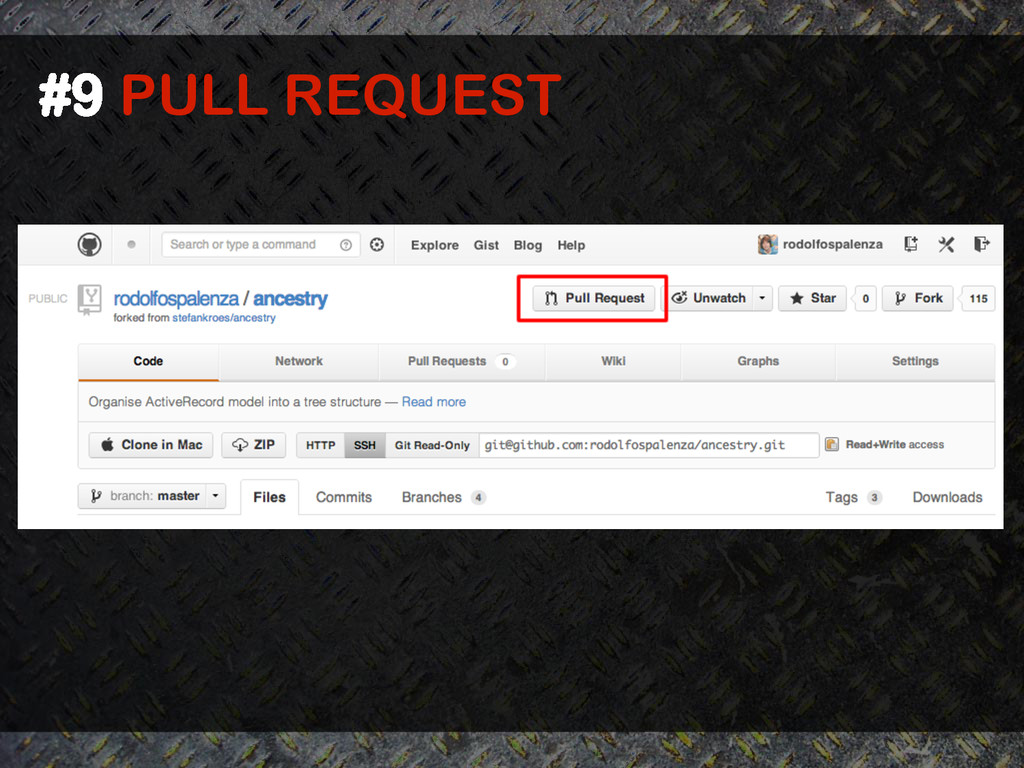
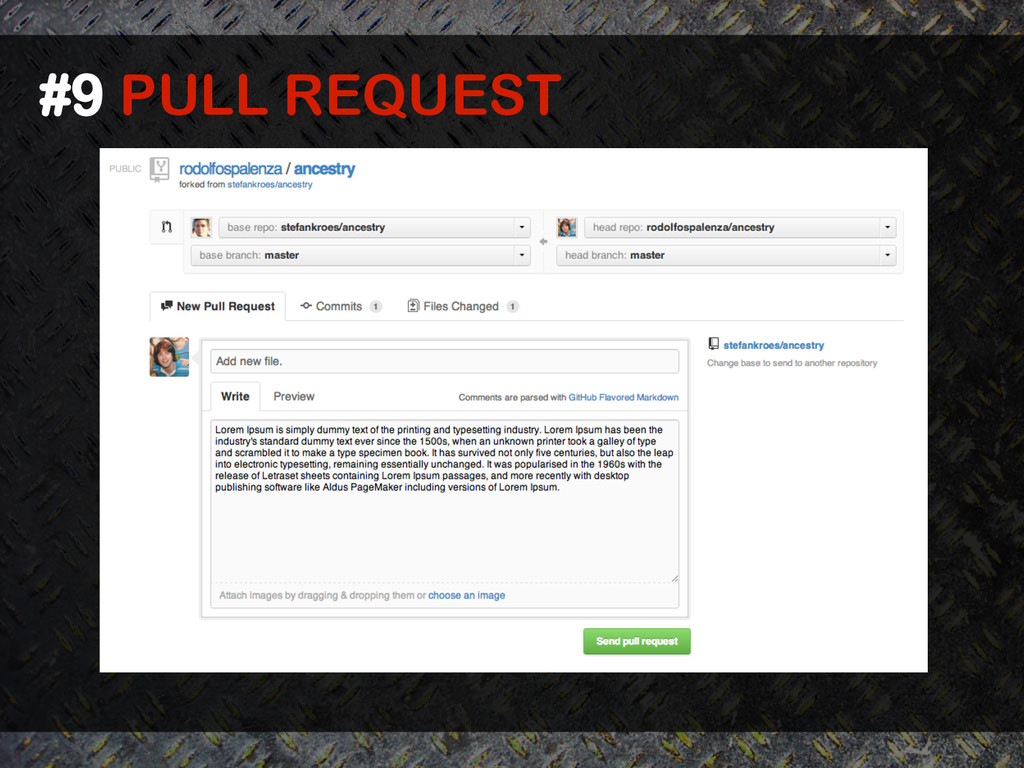
![#10 REBASE VS. PULL ~/ancestry [master] $ git log](https://files.speakerdeck.com/presentations/f71f2b377140466caf7c26650aba8a5b/slide_13.jpg)
![#10 REBASE VS. PULL USER 01 ~/ancestry [master]](https://files.speakerdeck.com/presentations/f71f2b377140466caf7c26650aba8a5b/slide_14.jpg)
![#10 REBASE VS. PULL ~/ancestry [master] $ git log](https://files.speakerdeck.com/presentations/f71f2b377140466caf7c26650aba8a5b/slide_15.jpg)
![#10 REBASE VS. PULL USER 02 ~/ancestry [master]](https://files.speakerdeck.com/presentations/f71f2b377140466caf7c26650aba8a5b/slide_16.jpg)
![#10 REBASE VS. PULL USER 02 ~/ancestry [master]](https://files.speakerdeck.com/presentations/f71f2b377140466caf7c26650aba8a5b/slide_17.jpg)
![#10 REBASE VS. PULL USER 02 ~/ancestry [master]](https://files.speakerdeck.com/presentations/f71f2b377140466caf7c26650aba8a5b/slide_18.jpg)
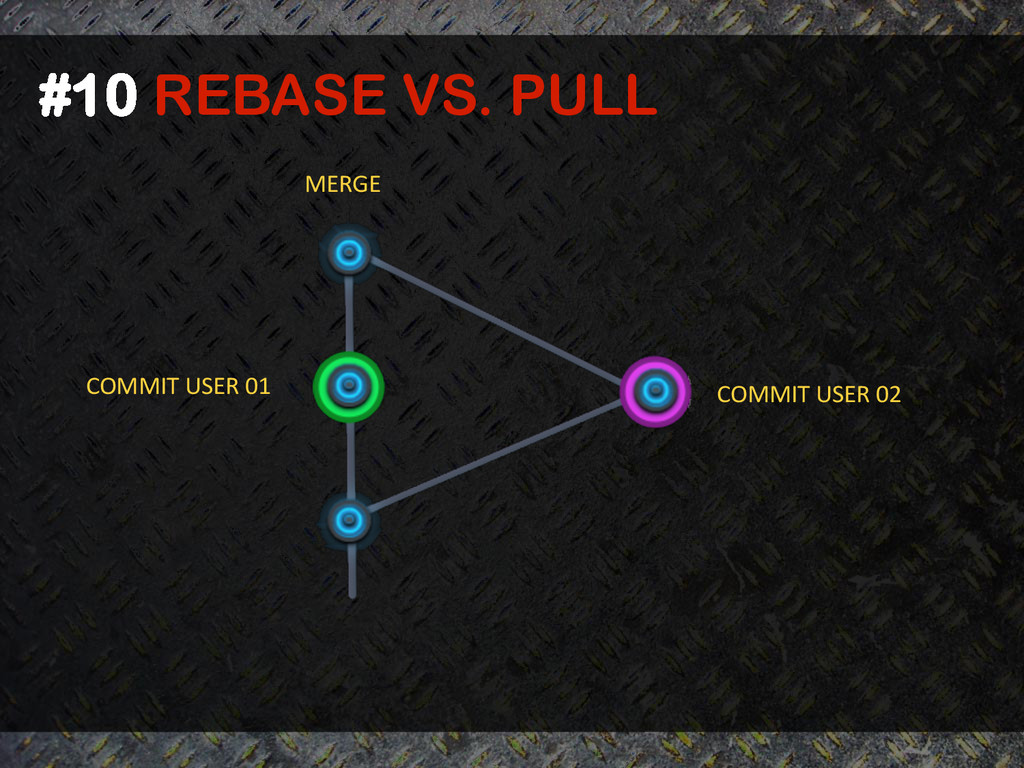
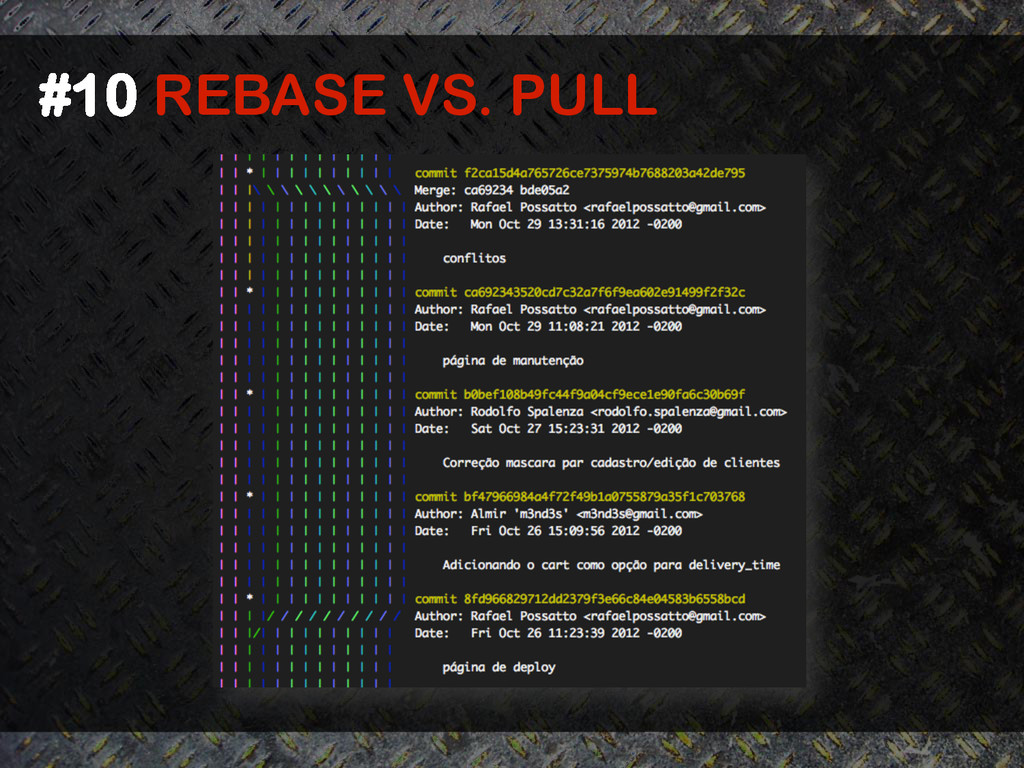
![#10 REBASE VS. PULL ~/ancestry [master] $ git fetch](https://files.speakerdeck.com/presentations/f71f2b377140466caf7c26650aba8a5b/slide_21.jpg)
![USER 02 #10 REBASE VS. PULL ~/ancestry [master]](https://files.speakerdeck.com/presentations/f71f2b377140466caf7c26650aba8a5b/slide_22.jpg)
![USER 02 #10 REBASE VS. PULL ~/ancestry [master]](https://files.speakerdeck.com/presentations/f71f2b377140466caf7c26650aba8a5b/slide_23.jpg)
![#11 AMENDED COMMIT ~/ancestry [master] $ git log --graph](https://files.speakerdeck.com/presentations/f71f2b377140466caf7c26650aba8a5b/slide_24.jpg)
![#11 AMENDED COMMIT ~/ancestry [master] $ git log --graph](https://files.speakerdeck.com/presentations/f71f2b377140466caf7c26650aba8a5b/slide_26.jpg)
![#12 INTERACTIVE REBASE ~/ancestry [master] $ git rebase –i](https://files.speakerdeck.com/presentations/f71f2b377140466caf7c26650aba8a5b/slide_27.jpg)
![#12 INTERACTIVE REBASE ~/ancestry [master] $ git rebase –i](https://files.speakerdeck.com/presentations/f71f2b377140466caf7c26650aba8a5b/slide_30.jpg)
![~/ancestry [master] $ git log --graph * commit 952118d7fb53a33040f50707053ee1499f0728b9 |](https://files.speakerdeck.com/presentations/f71f2b377140466caf7c26650aba8a5b/slide_31.jpg)