for Swift Switching between the host (Mac OS X) and client (LinuxMint 17.3) is done by just a mouse click. Copying and Pasting between Mac OS X and LinuxMint is easy. Saving and restoring the LinuxMint client is fast. Virtual Box is a pleasure to work with. 3
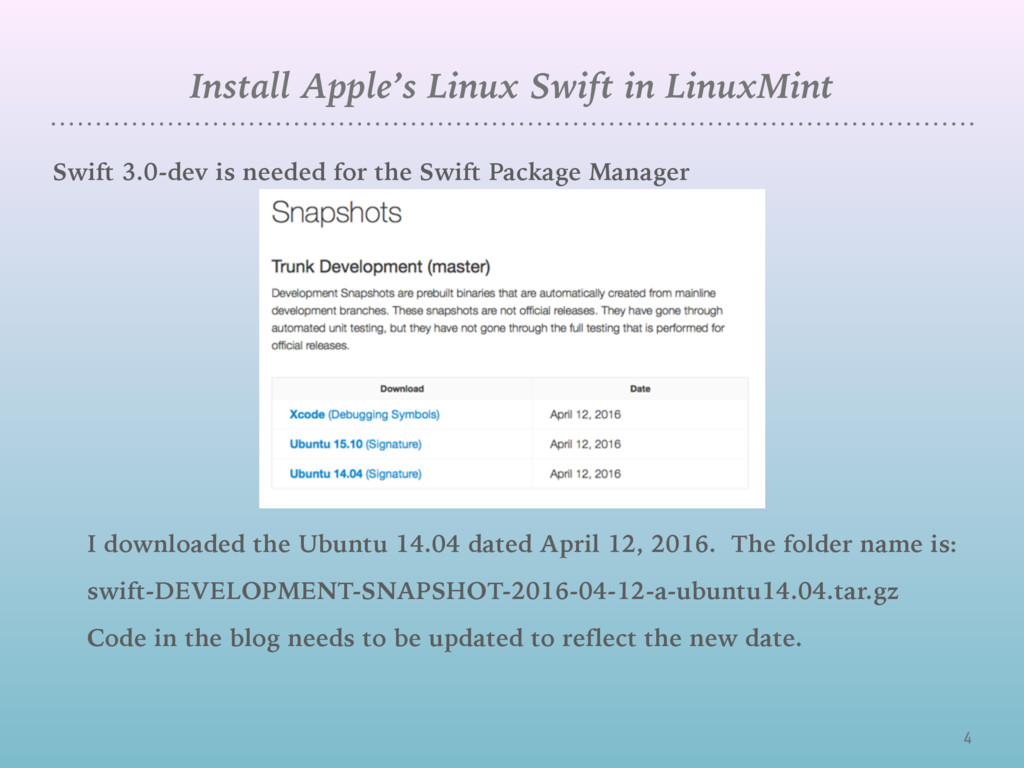
needed for the Swift Package Manager I downloaded the Ubuntu 14.04 dated April 12, 2016. The folder name is: swift-DEVELOPMENT-SNAPSHOT-2016-04-12-a-ubuntu14.04.tar.gz Code in the blog needs to be updated to reflect the new date.
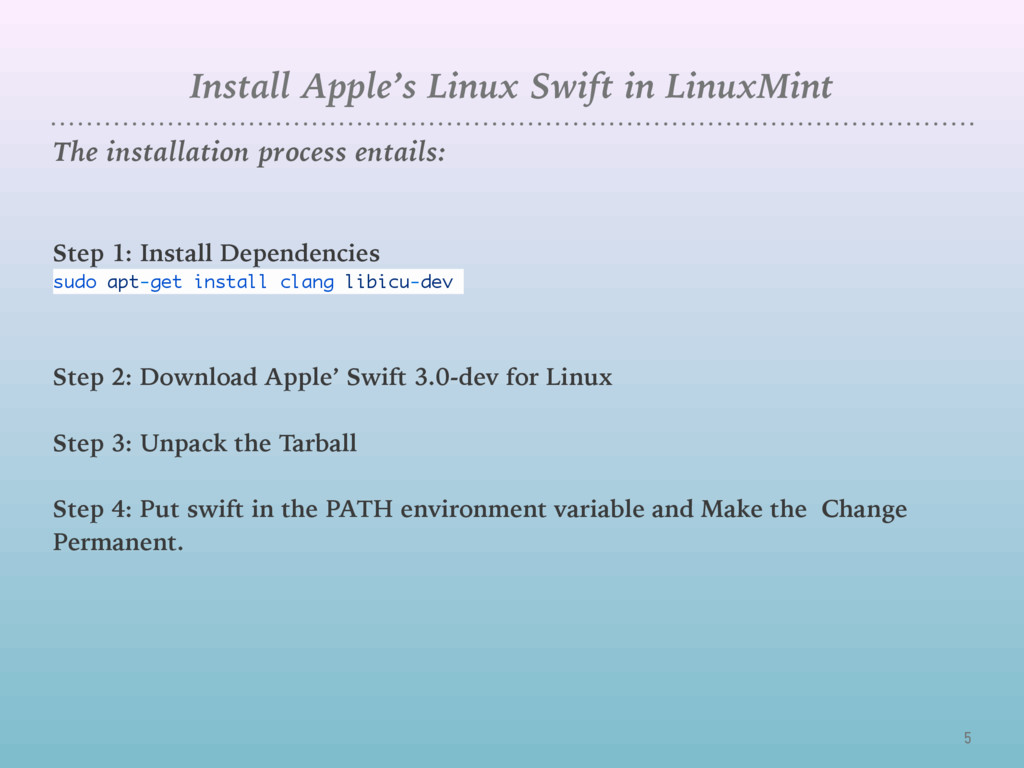
entails: Step 1: Install Dependencies sudo apt-get install clang libicu-dev Step 2: Download Apple’ Swift 3.0-dev for Linux Step 3: Unpack the Tarball Step 4: Put swift in the PATH environment variable and Make the Change Permanent.
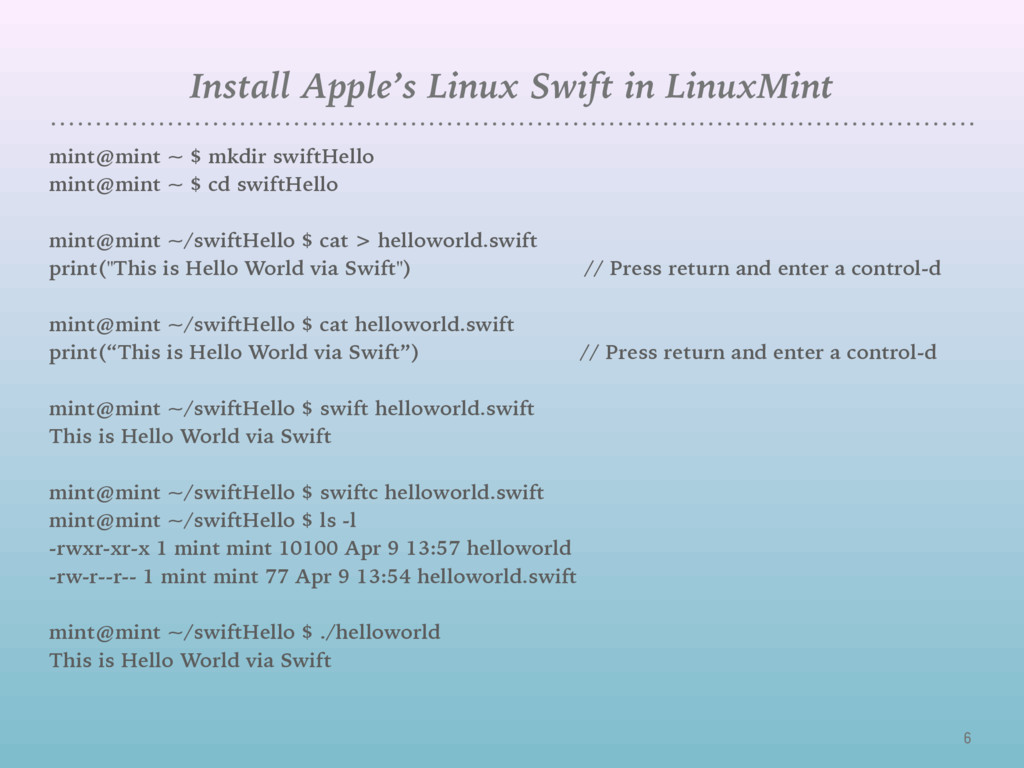
mkdir swiftHello mint@mint ~ $ cd swiftHello mint@mint ~/swiftHello $ cat > helloworld.swift print("This is Hello World via Swift") // Press return and enter a control-d mint@mint ~/swiftHello $ cat helloworld.swift print(“This is Hello World via Swift”) // Press return and enter a control-d mint@mint ~/swiftHello $ swift helloworld.swift This is Hello World via Swift mint@mint ~/swiftHello $ swiftc helloworld.swift mint@mint ~/swiftHello $ ls -l -rwxr-xr-x 1 mint mint 10100 Apr 9 13:57 helloworld -rw-r--r-- 1 mint mint 77 Apr 9 13:54 helloworld.swift mint@mint ~/swiftHello $ ./helloworld This is Hello World via Swift
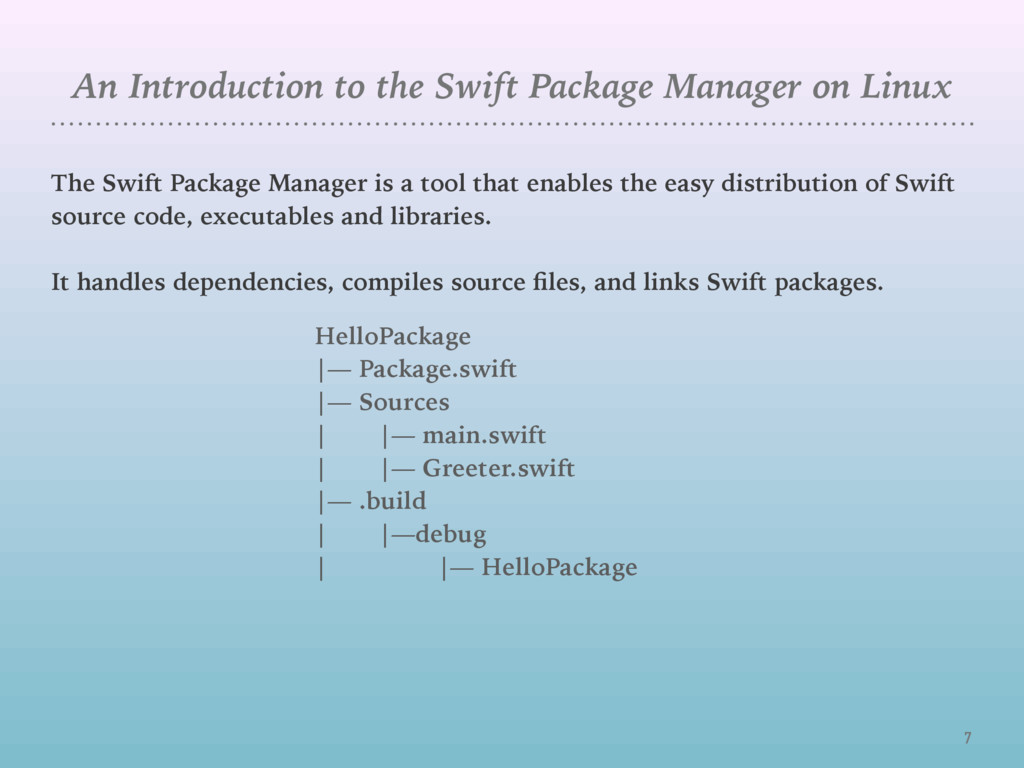
The Swift Package Manager is a tool that enables the easy distribution of Swift source code, executables and libraries. It handles dependencies, compiles source files, and links Swift packages. HelloPackage |— Package.swift |— Sources | |— main.swift | |— Greeter.swift |— .build | |—debug | |— HelloPackage
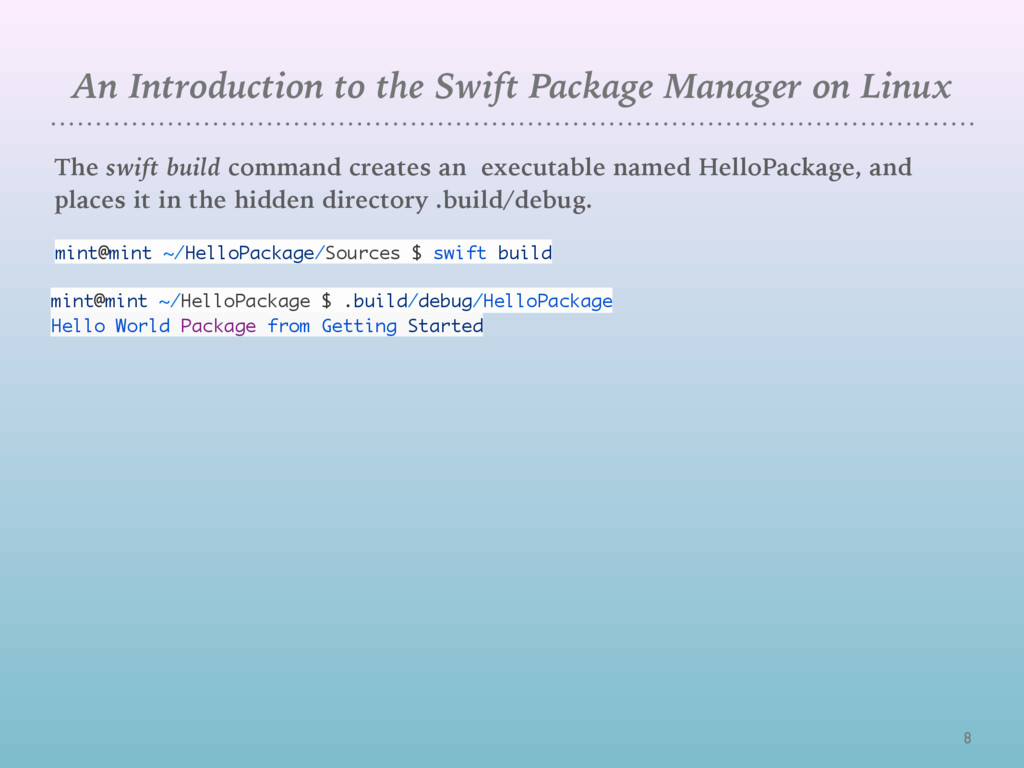
The swift build command creates an executable named HelloPackage, and places it in the hidden directory .build/debug. mint@mint ~/HelloPackage/Sources $ swift build mint@mint ~/HelloPackage $ .build/debug/HelloPackage Hello World Package from Getting Started
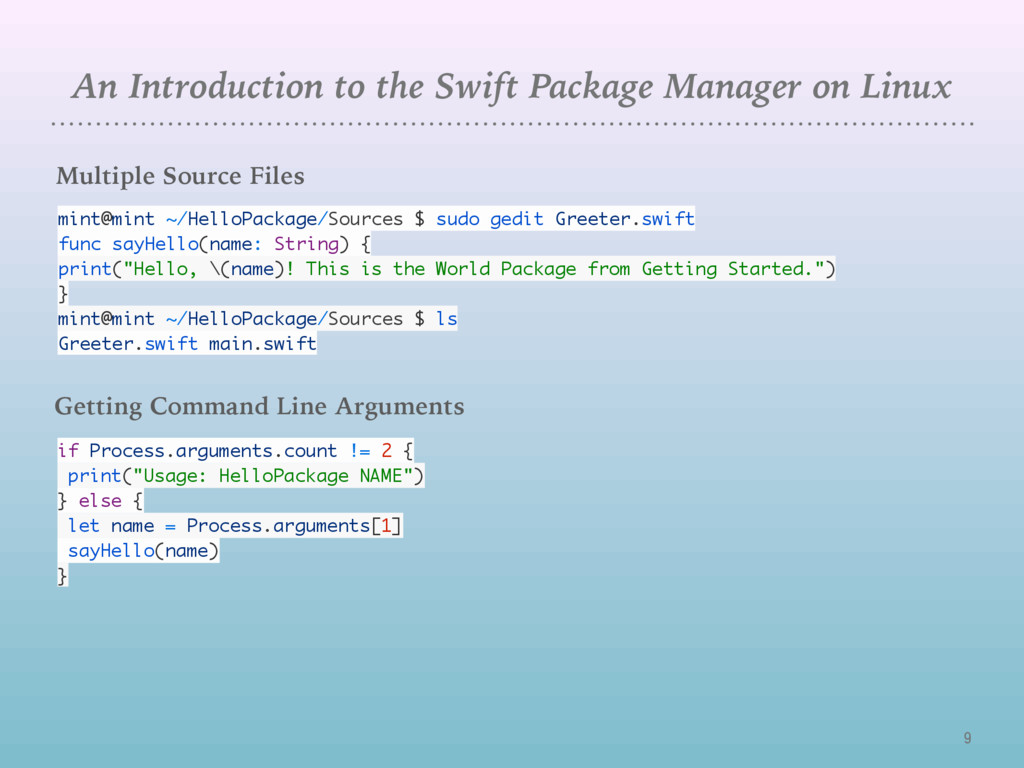
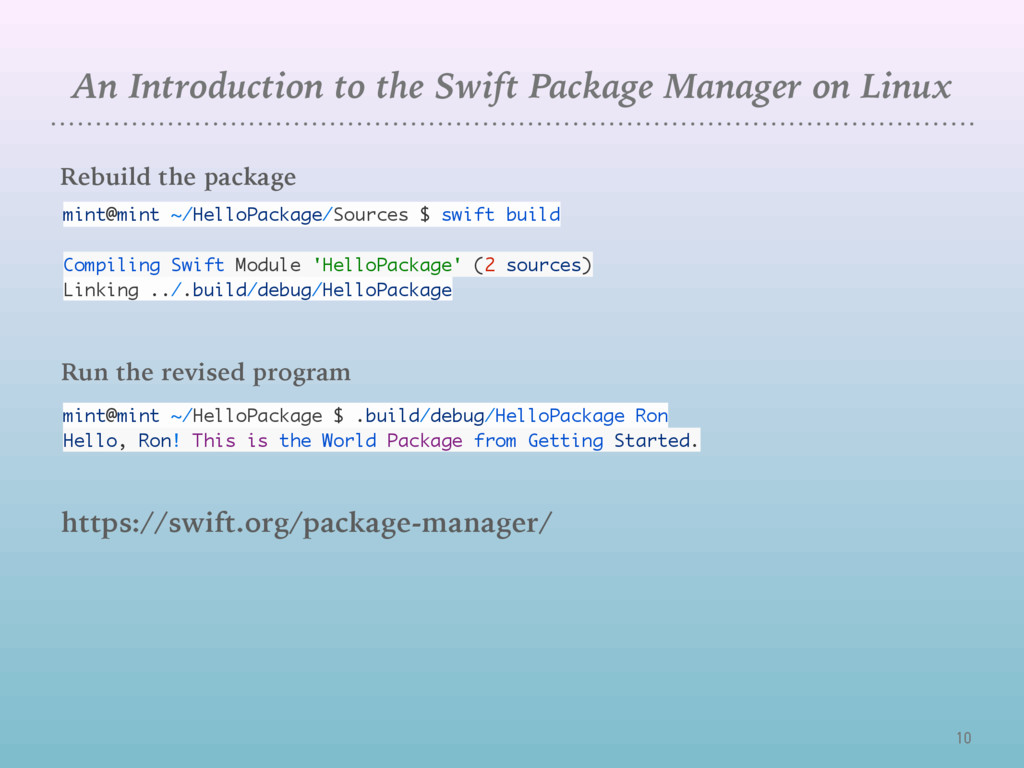
Rebuild the package mint@mint ~/HelloPackage/Sources $ swift build Compiling Swift Module 'HelloPackage' (2 sources) Linking ../.build/debug/HelloPackage Run the revised program mint@mint ~/HelloPackage $ .build/debug/HelloPackage Ron Hello, Ron! This is the World Package from Getting Started. https://swift.org/package-manager/
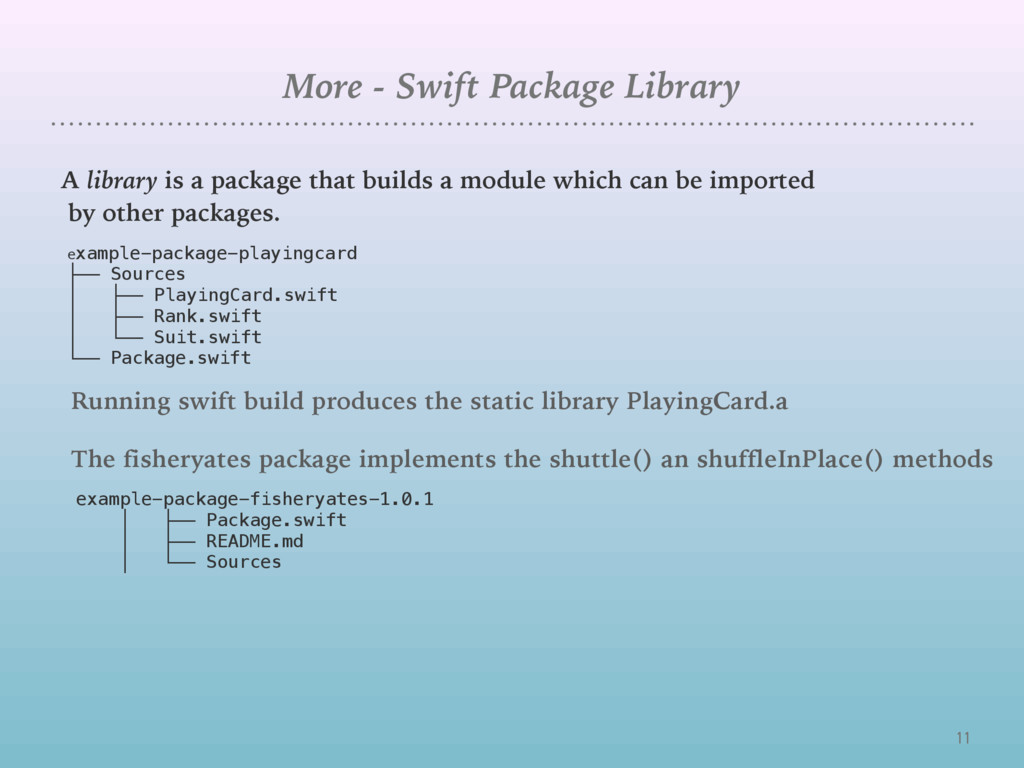
package that builds a module which can be imported by other packages. example-package-playingcard ├── Sources │ ├── PlayingCard.swift │ ├── Rank.swift │ └── Suit.swift └── Package.swift Running swift build produces the static library PlayingCard.a example-package-fisheryates-1.0.1 │ ├── Package.swift │ ├── README.md │ └── Sources The fisheryates package implements the shuttle() an shuffleInPlace() methods
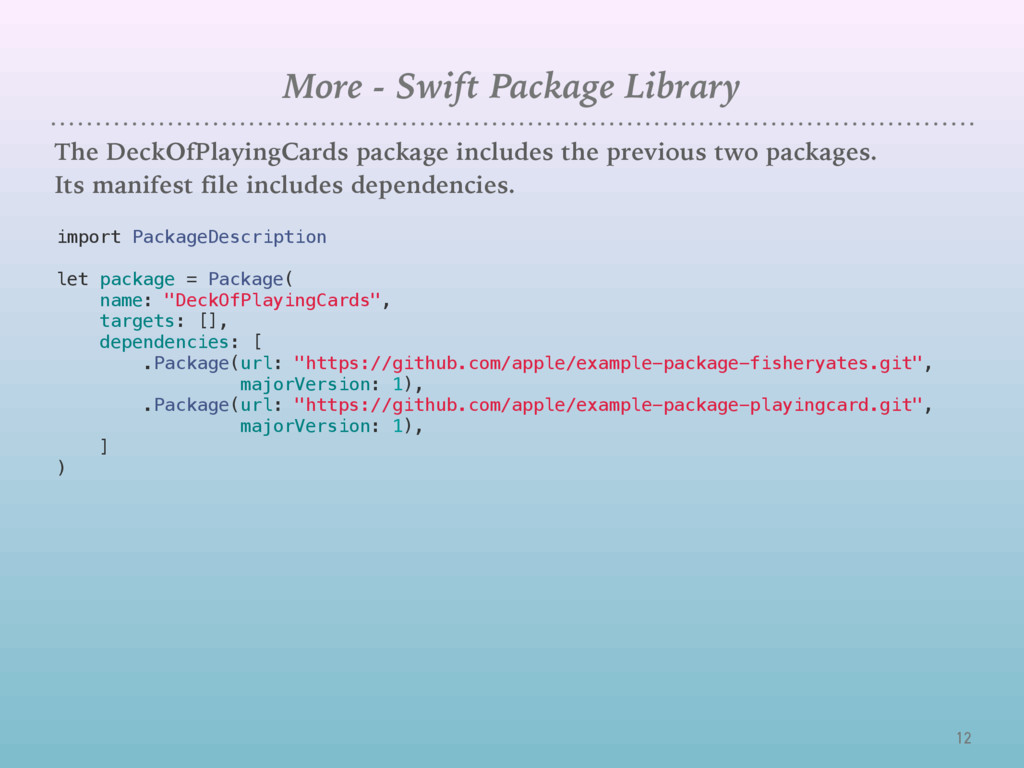
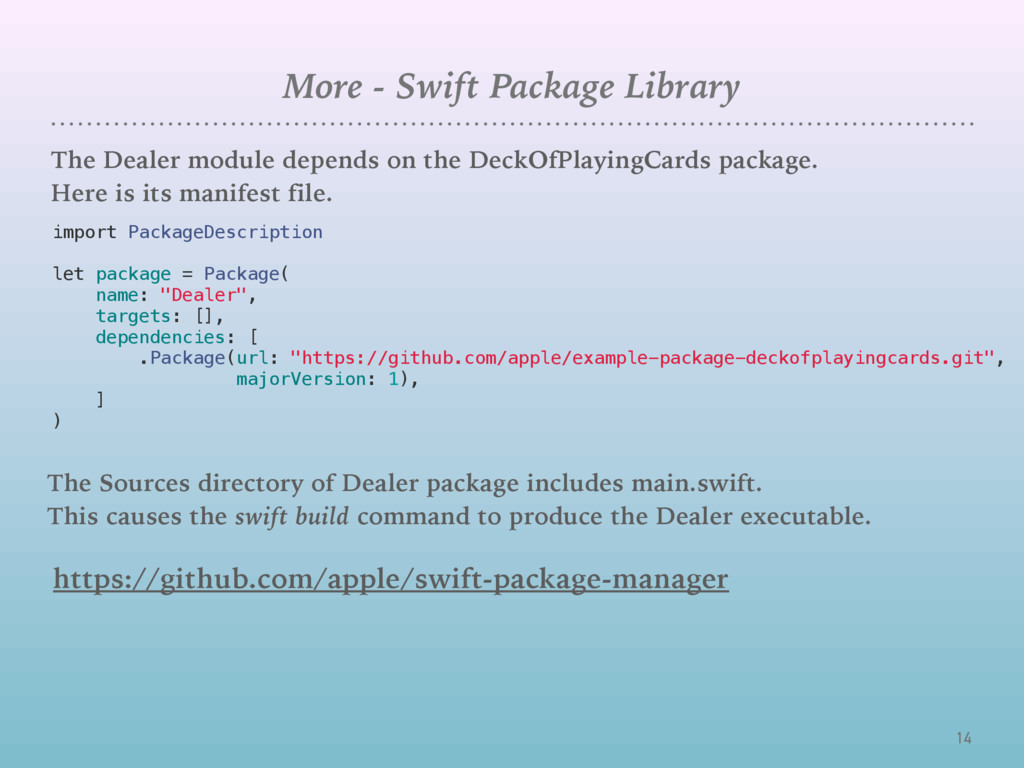
on the DeckOfPlayingCards package. Here is its manifest file. import PackageDescription let package = Package( name: "Dealer", targets: [], dependencies: [ .Package(url: "https://github.com/apple/example-package-deckofplayingcards.git", majorVersion: 1), ] ) The Sources directory of Dealer package includes main.swift. This causes the swift build command to produce the Dealer executable. https://github.com/apple/swift-package-manager


 ron333
 yuta_onishi_97
 yutobara
 kaityo256
 marcoroth
 teyamagu
 panda728
 kmars0605
 prota
prota
 yub0n
yub0n
 drumath2237
 akit37
 kenjiyoneyama
 aarron
 reverentgeek
 jeffersonlam
 skoyamalab
 inesmontani
 rkendrick25
 csswizardry
 aleyda
 khoart
 chriscoyier
 denniskardys