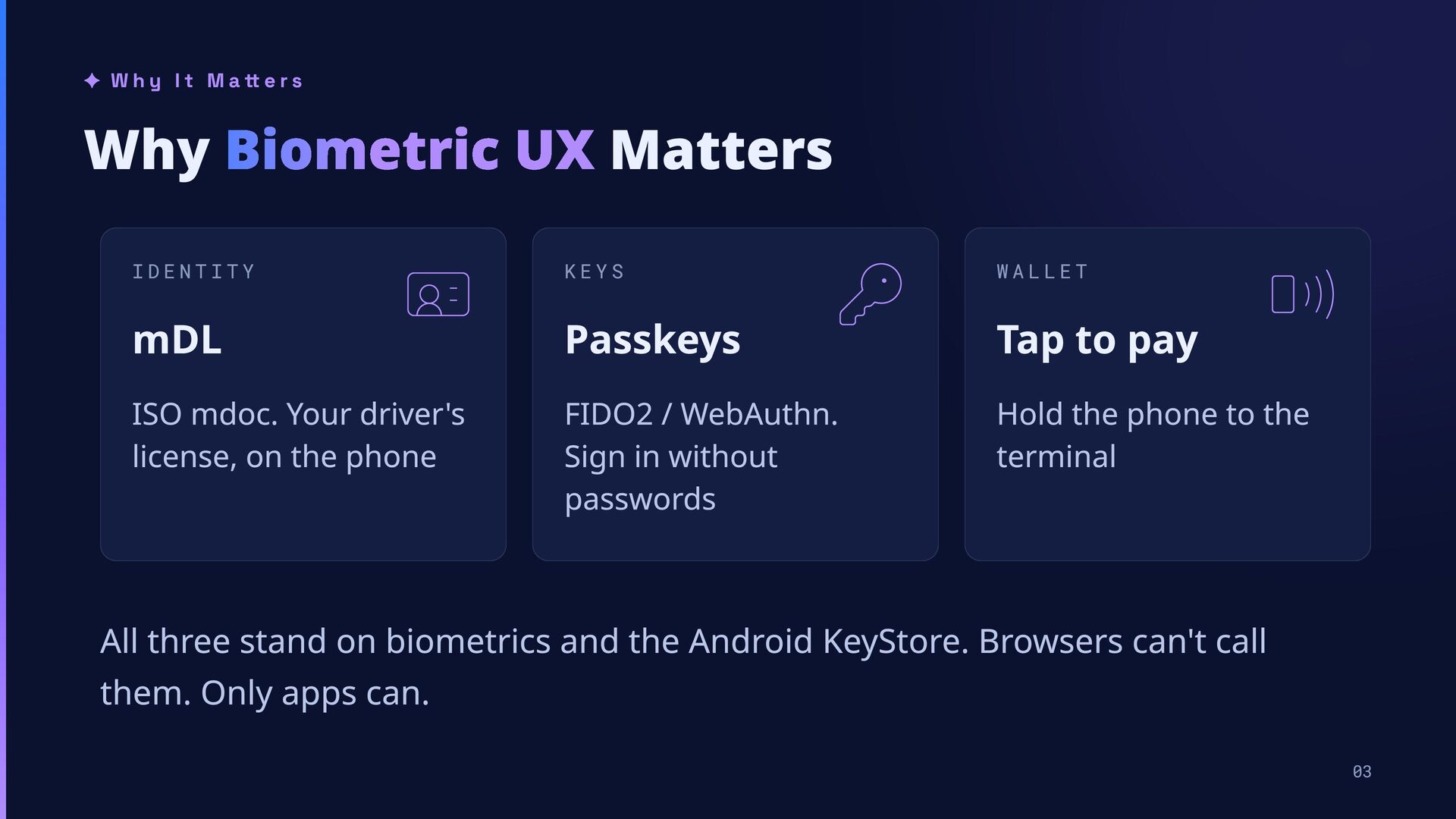
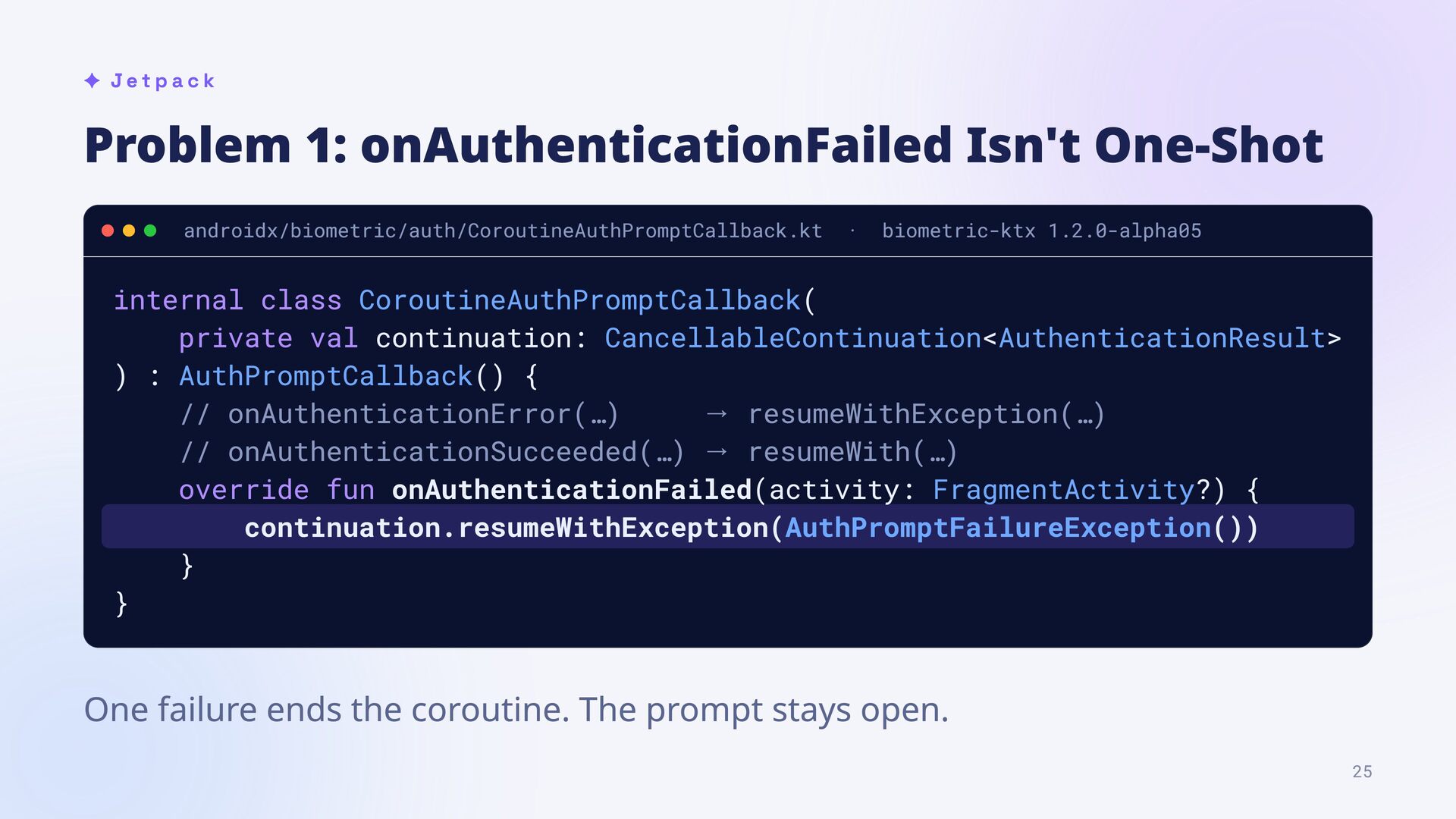
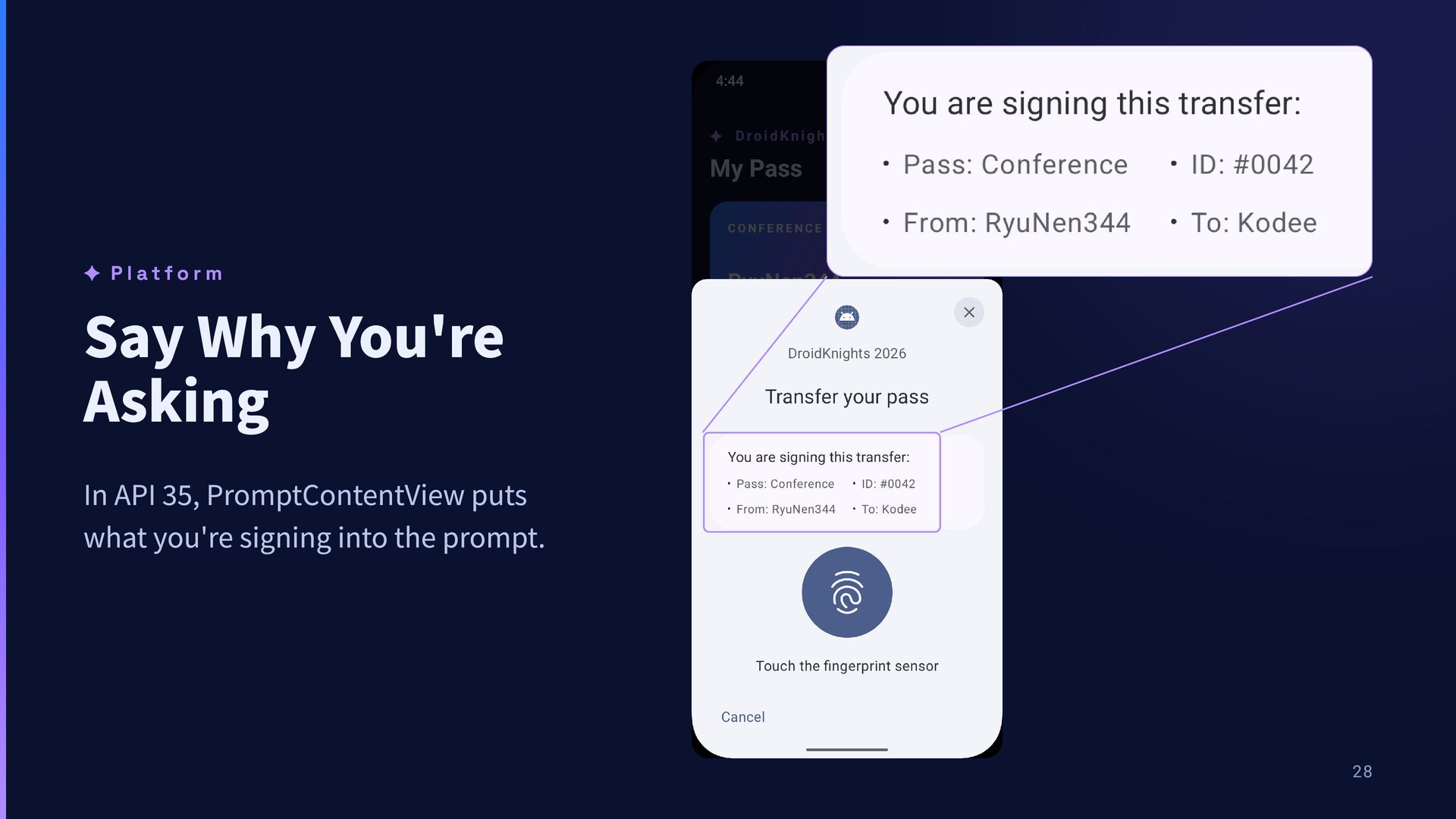
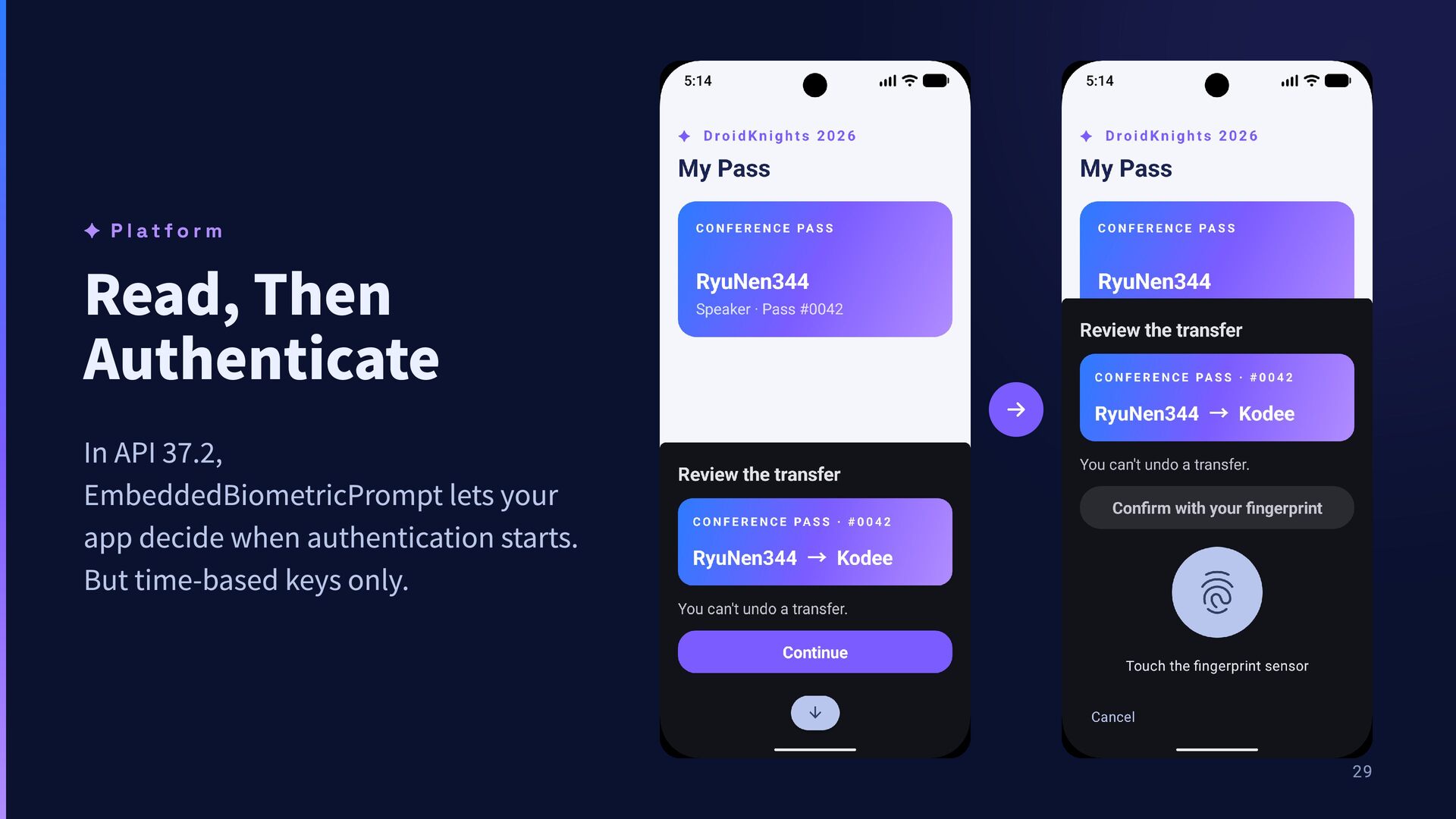
r s Why Biometric UX Matters IDENTITY KEYS WALLET mDL Passkeys Tap to pay ISO mdoc. Your driver's license, on the phone FIDO2 / WebAuthn. Sign in without passwords Hold the phone to the terminal All three stand on biometrics and the Android KeyStore. Browsers can't call them. Only apps can. 03
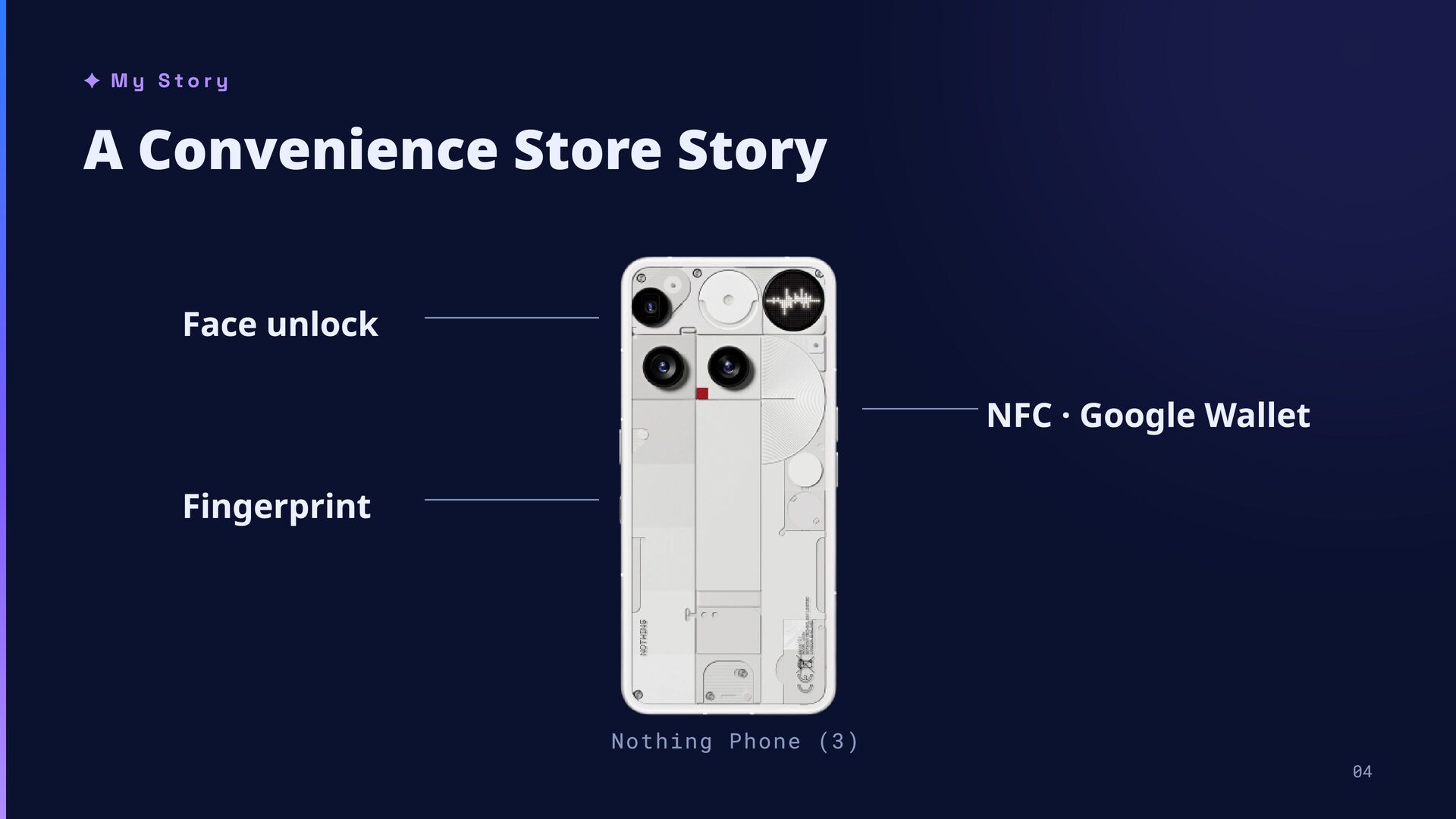
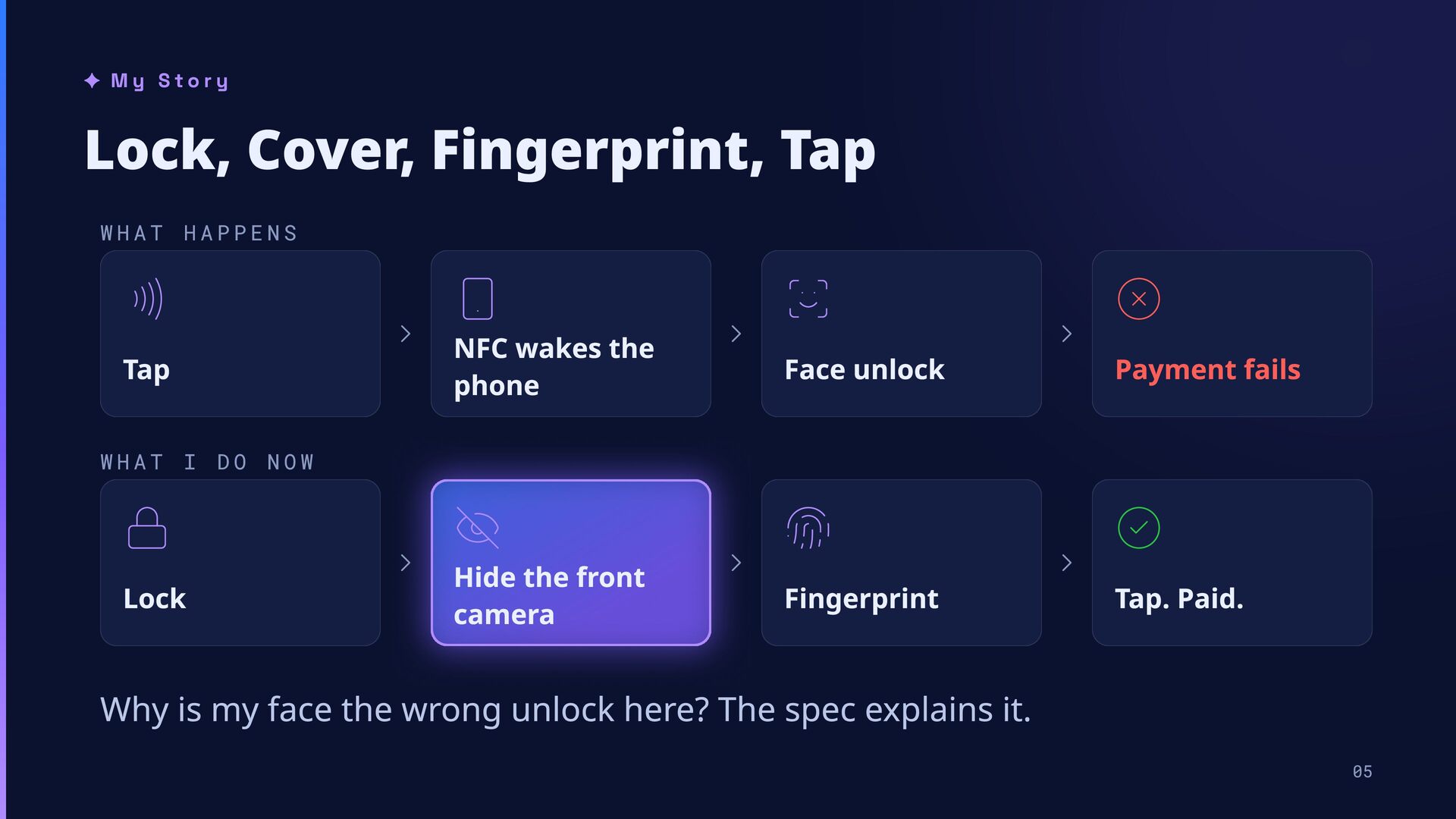
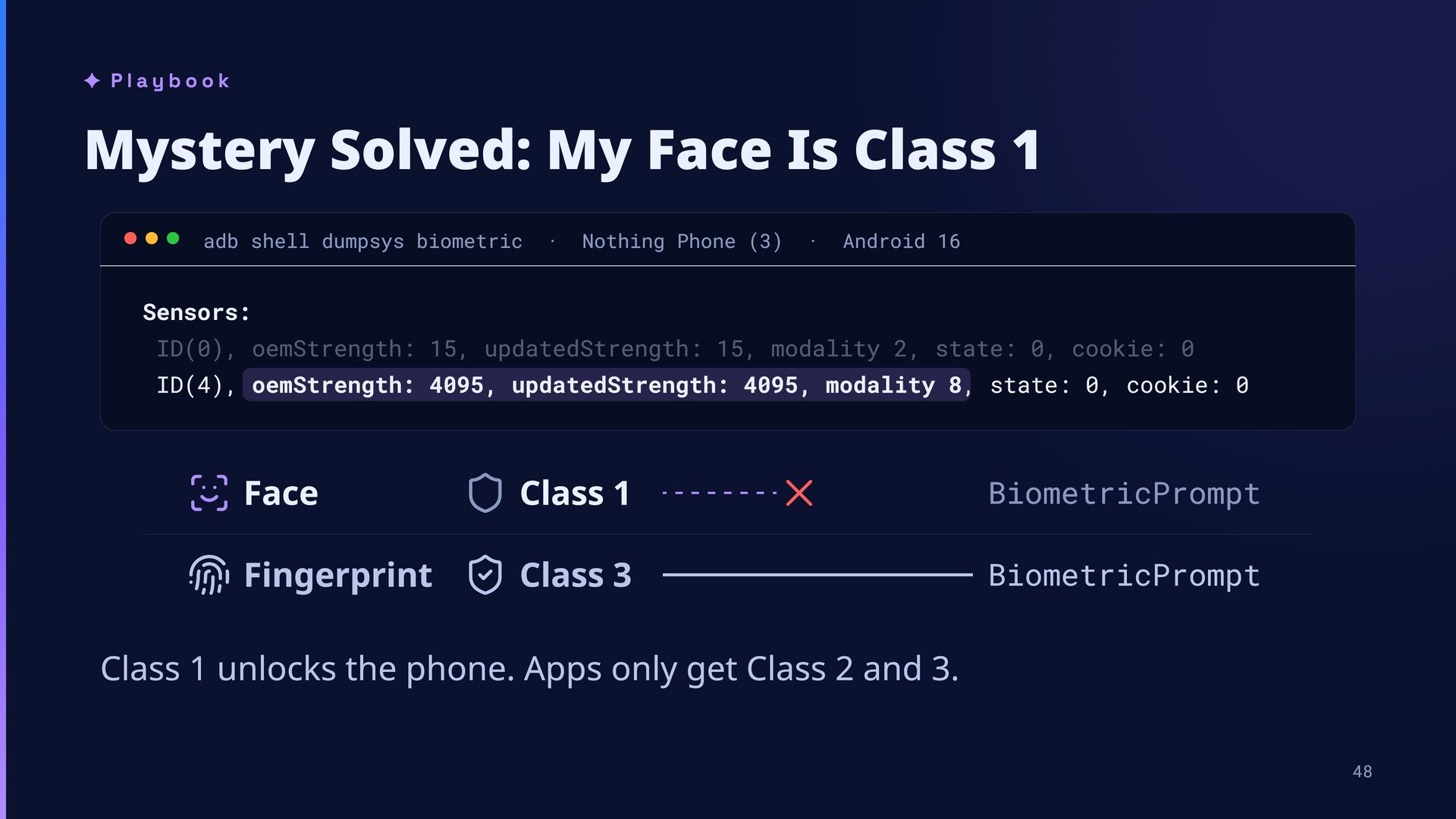
wakes the Tap WHAT phone I Lock DO Face unlock Payment fails Fingerprint Tap. Paid. NOW Hide the front camera Why is my face the wrong unlock here? The spec explains it. 05
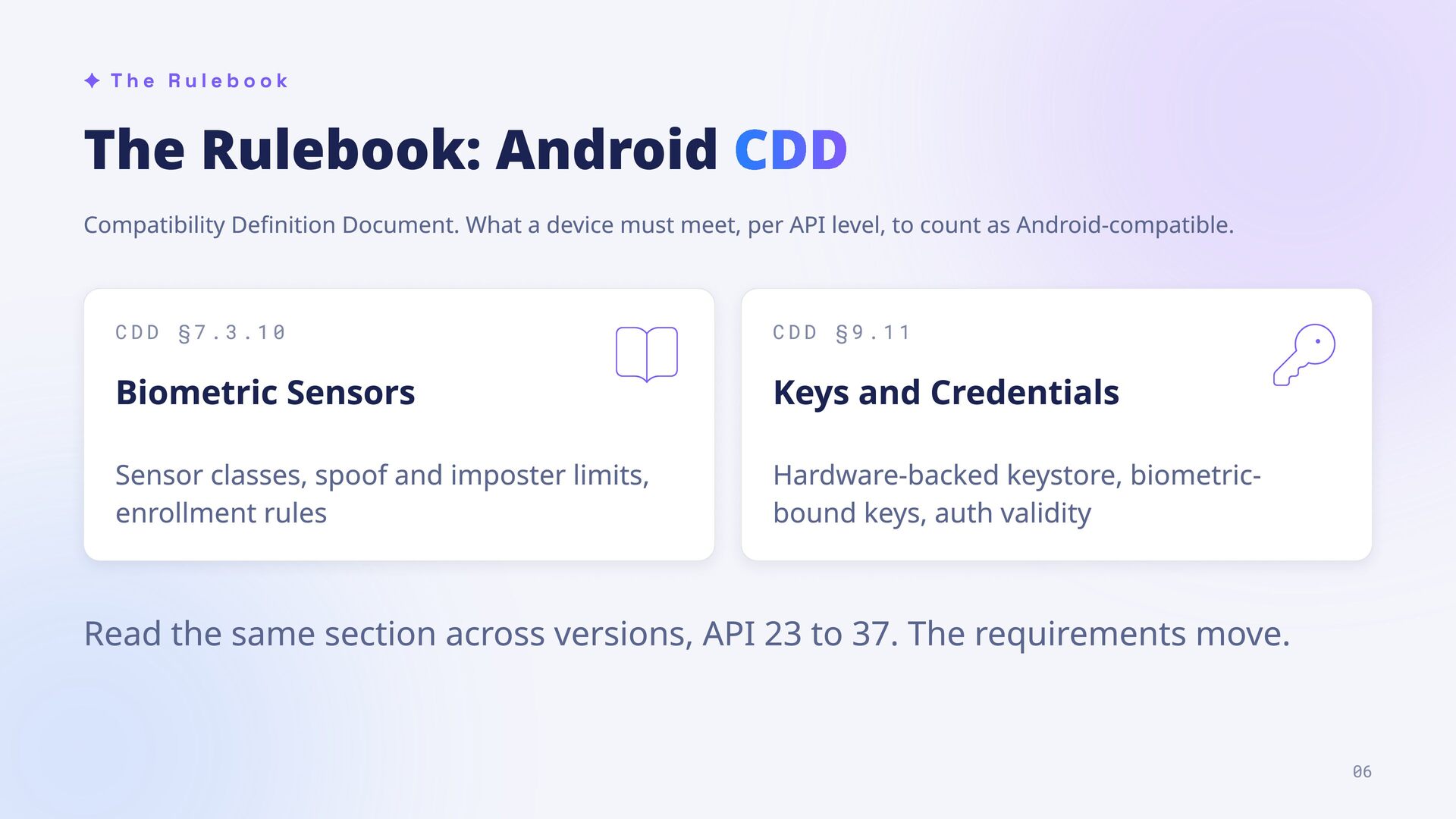
What a device must meet, per API level, to count as Android-compatible. CDD §7.3.10 CDD §9.11 Biometric Sensors Keys and Credentials Sensor classes, spoof and imposter limits, enrollment rules Hardware-backed keystore, biometricbound keys, auth validity Read the same section across versions, API 23 to 37. The requirements move. 06
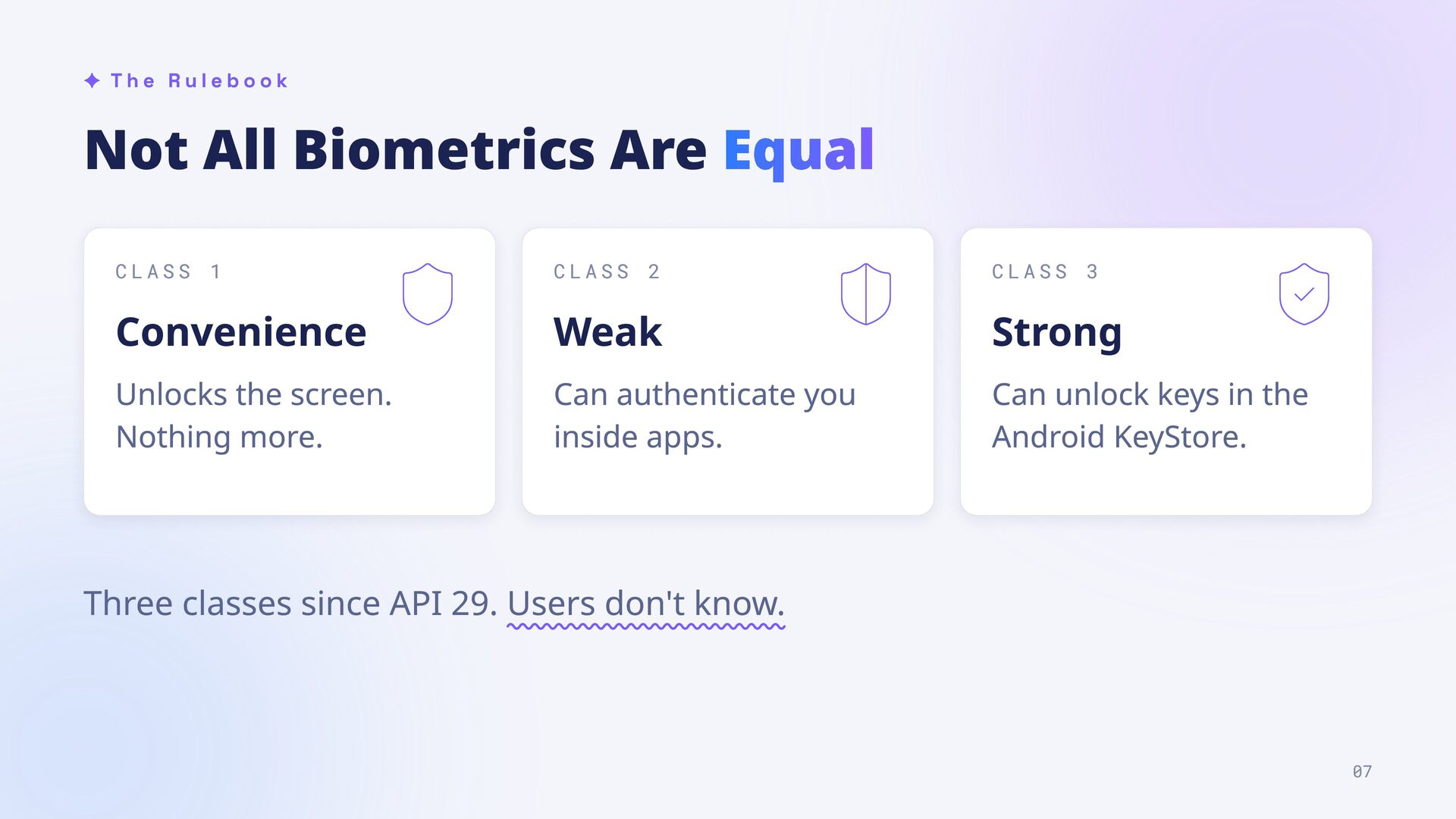
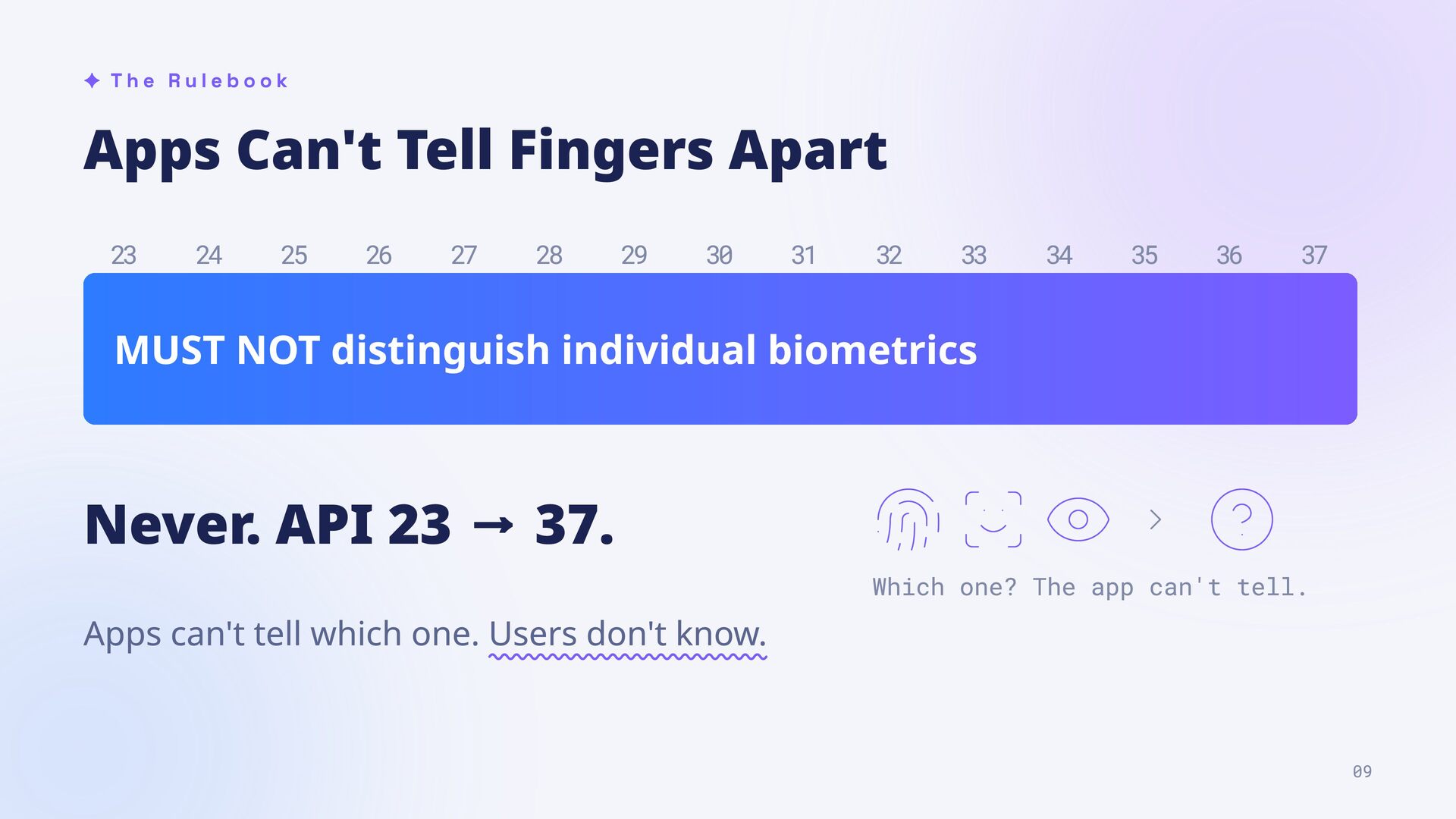
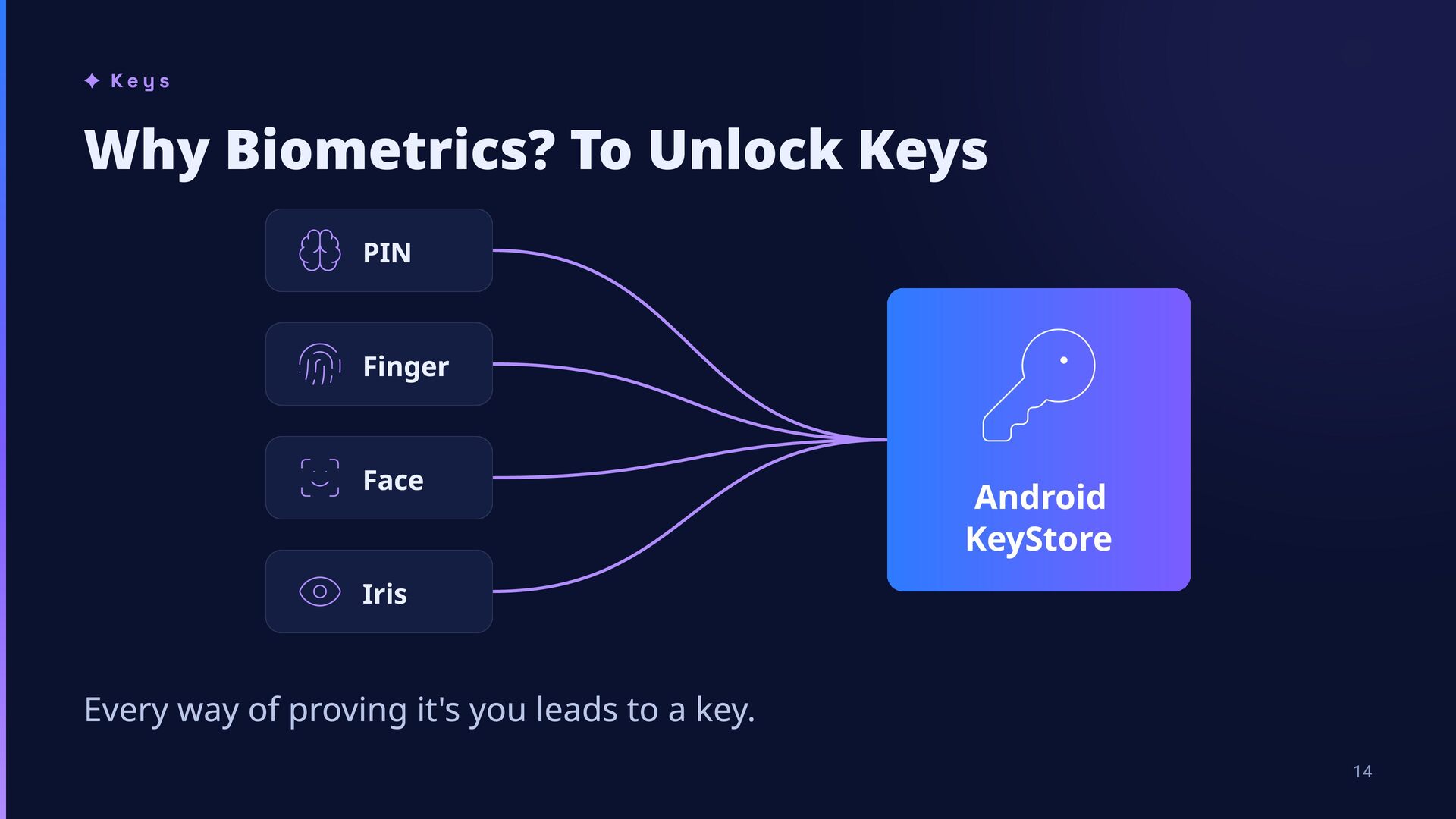
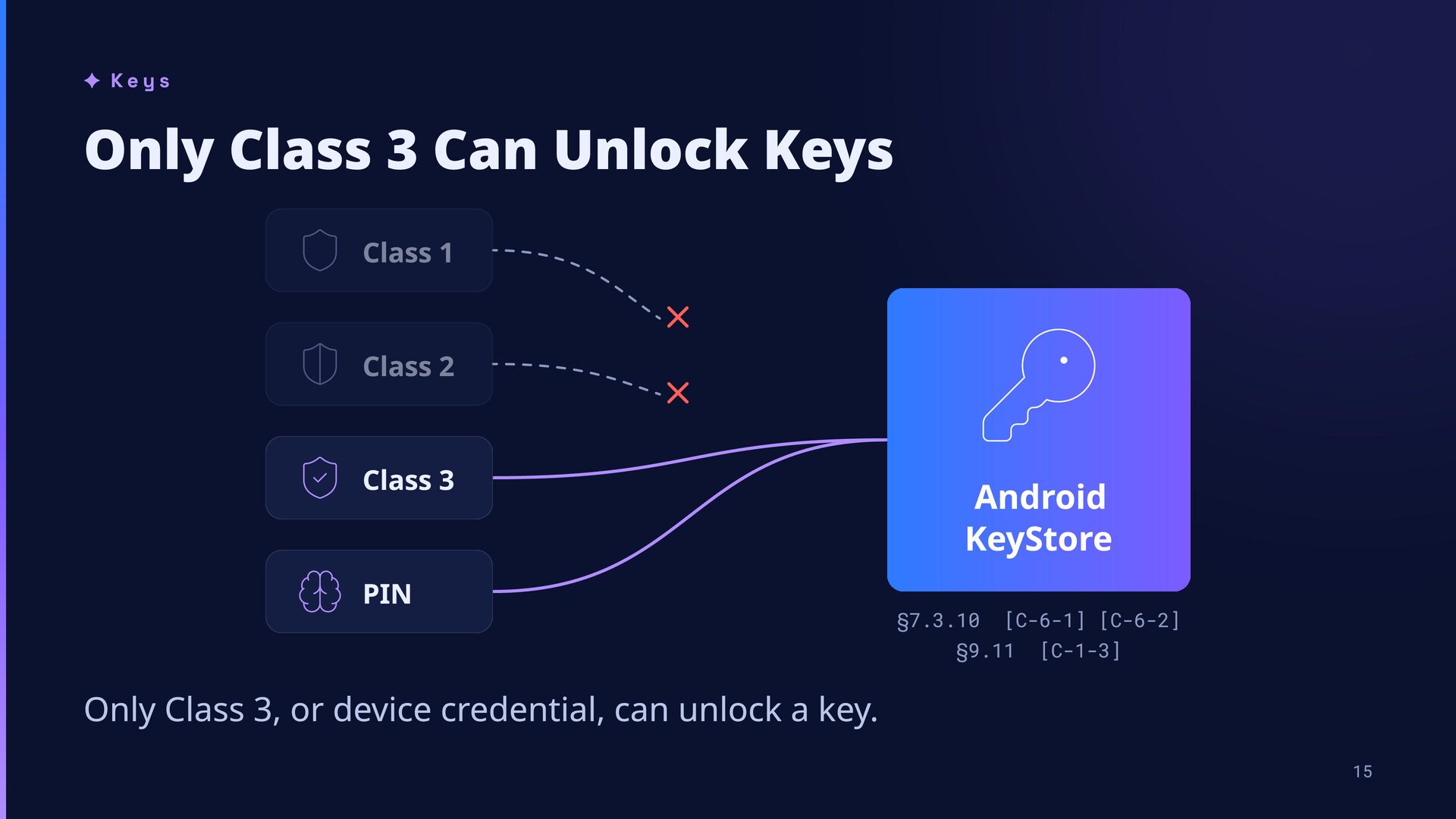
CLASS 2 CLASS 3 Convenience Weak Strong Unlocks the screen. Nothing more. Can authenticate you inside apps. Can unlock keys in the Android KeyStore. Three classes since API 29. Users don't know. 07
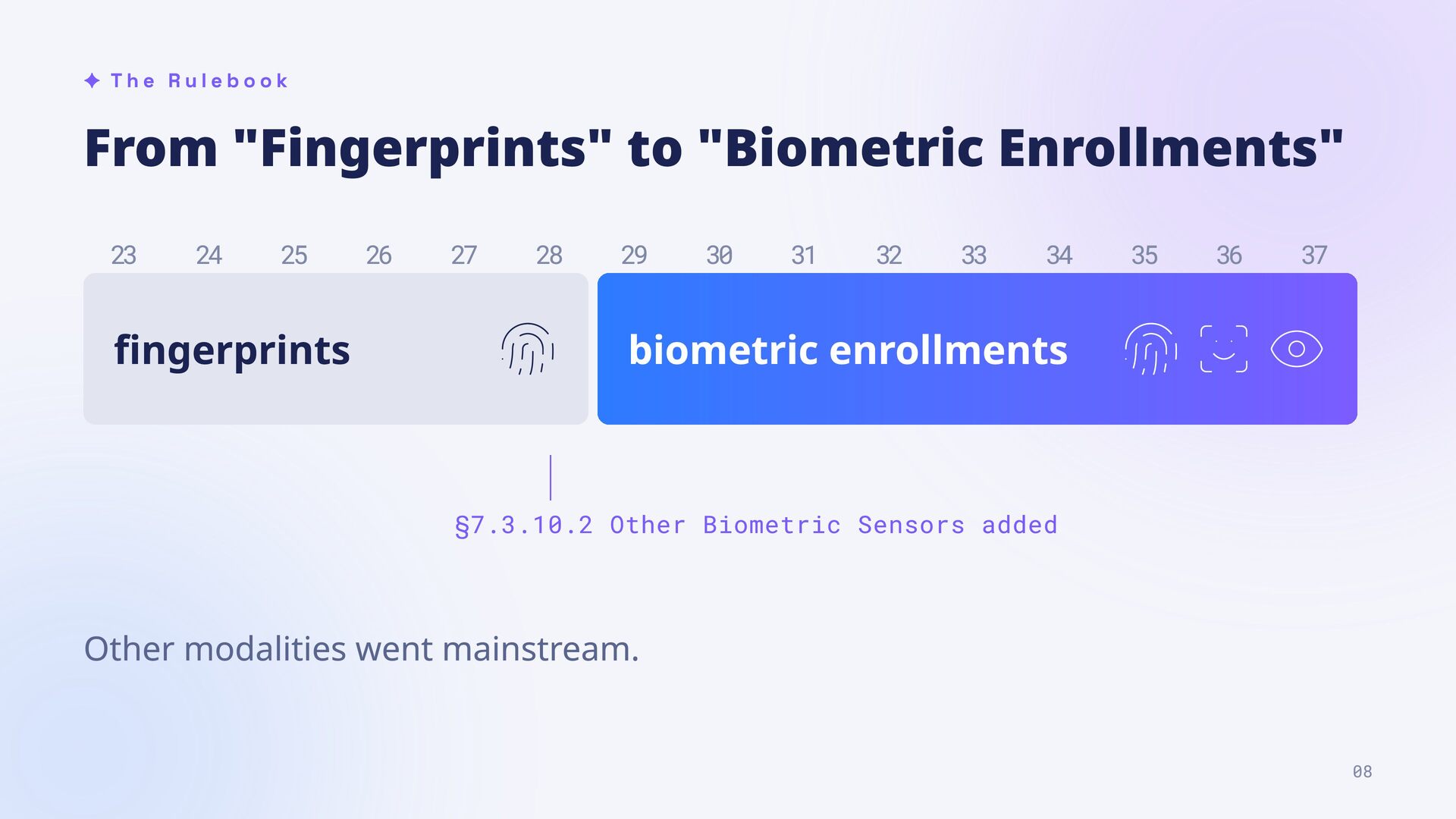
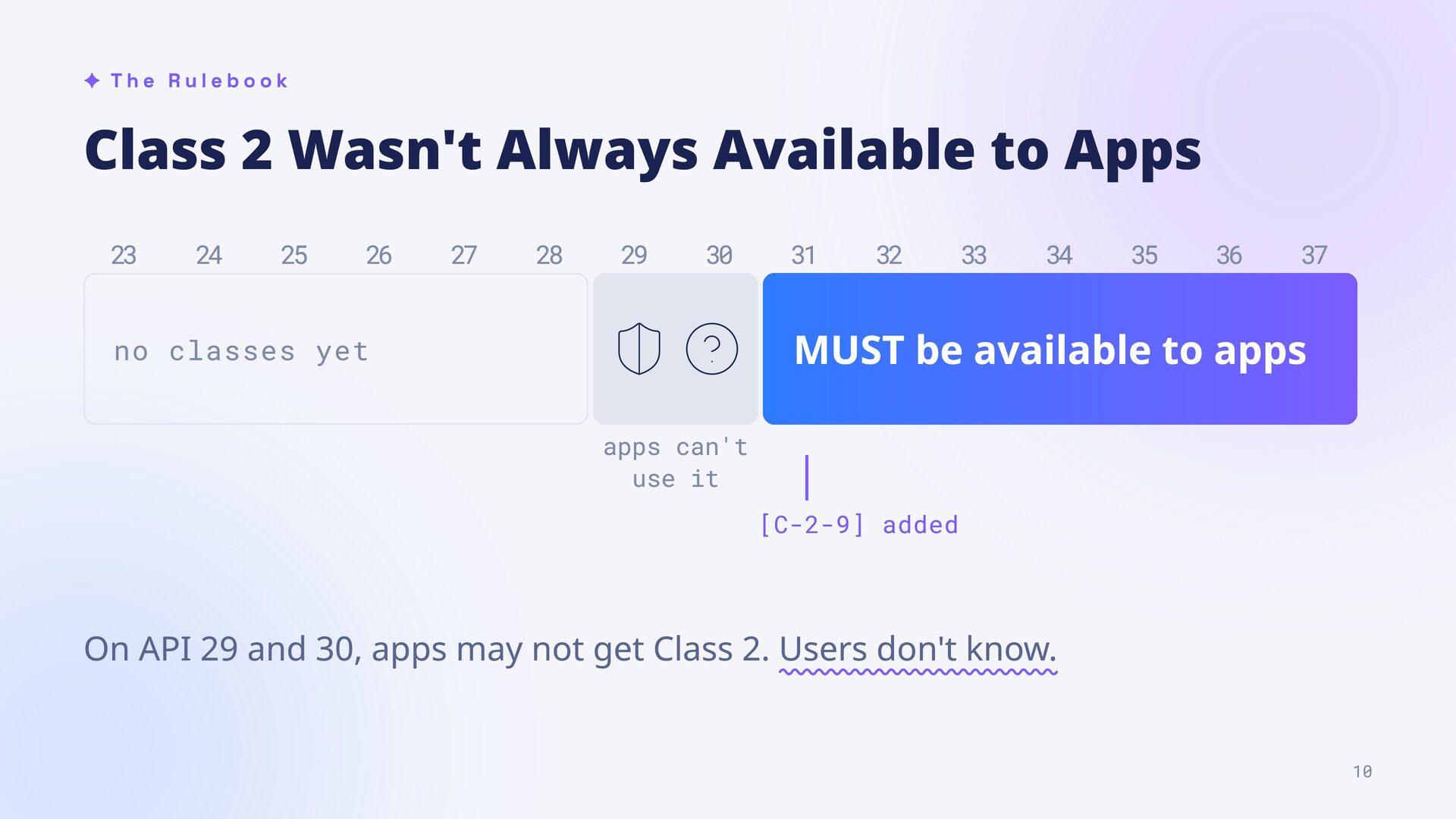
23 24 25 26 27 28 29 30 31 32 33 34 35 36 37 MUST be available to apps no classes yet apps can't use it [C-2-9] added On API 29 and 30, apps may not get Class 2. Users don't know. 10
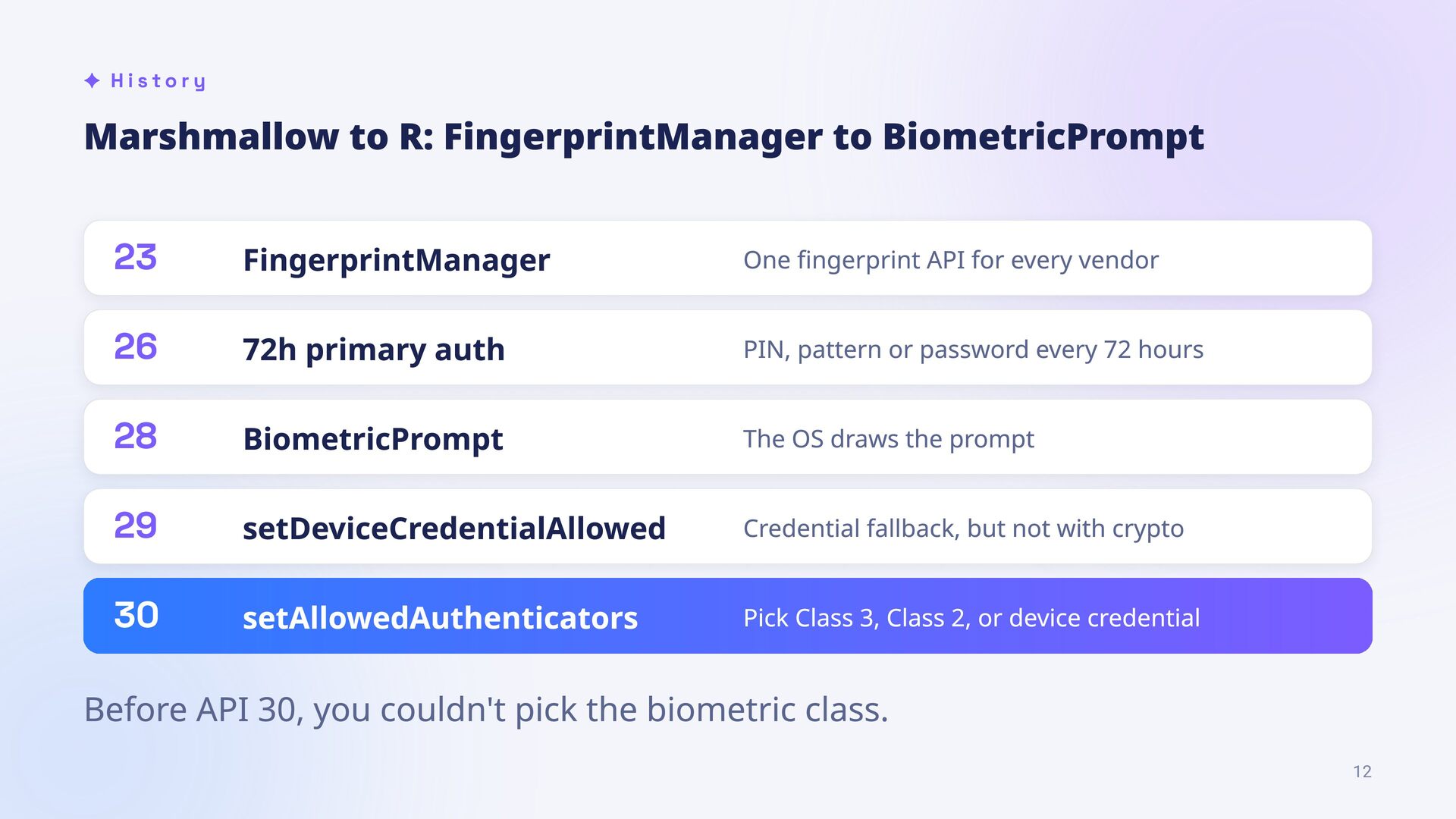
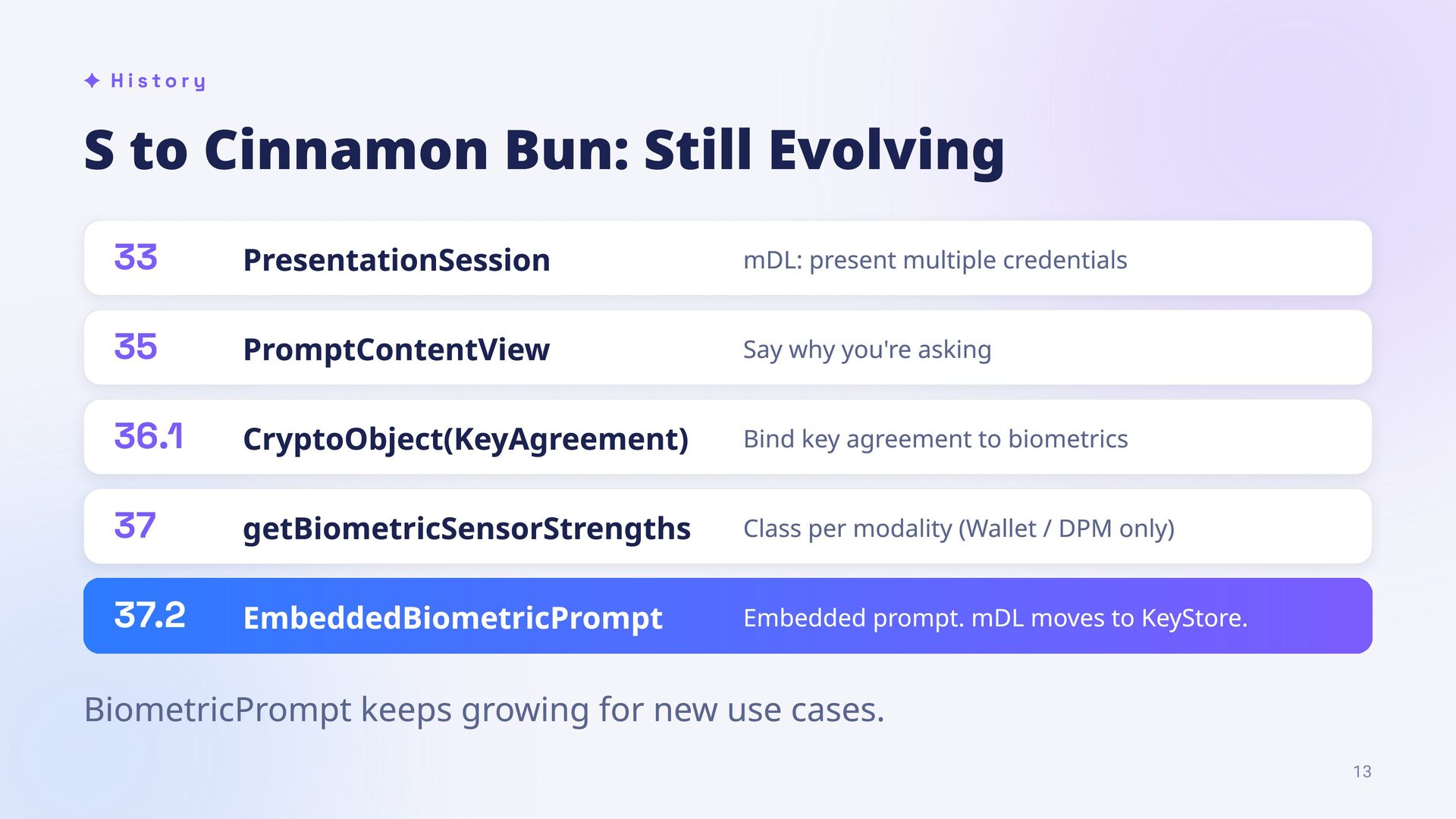
One fingerprint API for every vendor 26 72h primary auth PIN, pattern or password every 72 hours 28 BiometricPrompt The OS draws the prompt 29 setDeviceCredentialAllowed Credential fallback, but not with crypto 30 setAllowedAuthenticators Pick Class 3, Class 2, or device credential Before API 30, you couldn't pick the biometric class. 12
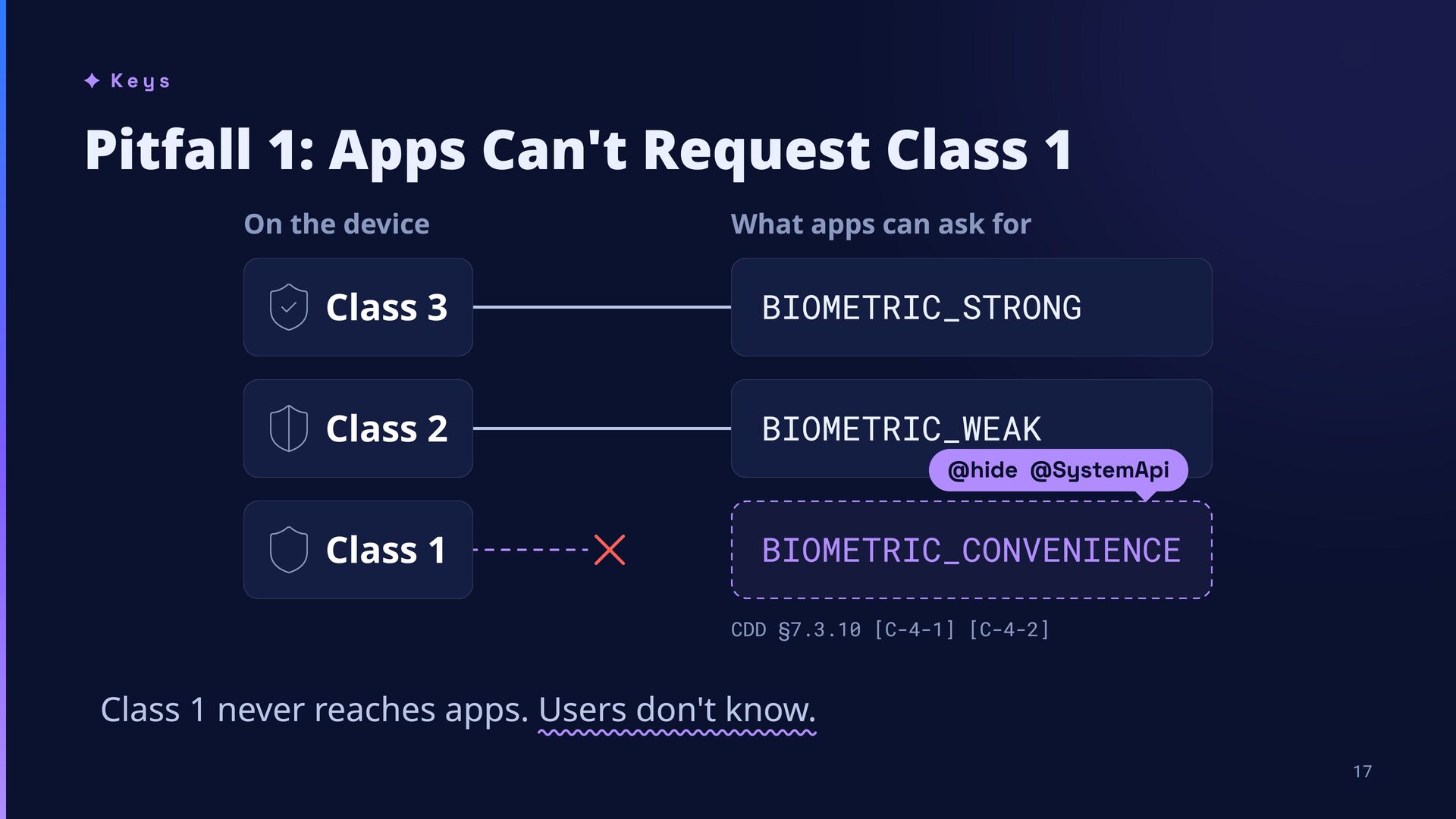
the device What apps can ask for Class 3 BIOMETRIC_STRONG Class 2 BIOMETRIC_WEAK Class 1 BIOMETRIC_CONVENIENCE @hide @SystemApi CDD §7.3.10 [C-4-1] [C-4-2] Class 1 never reaches apps. Users don't know. 17
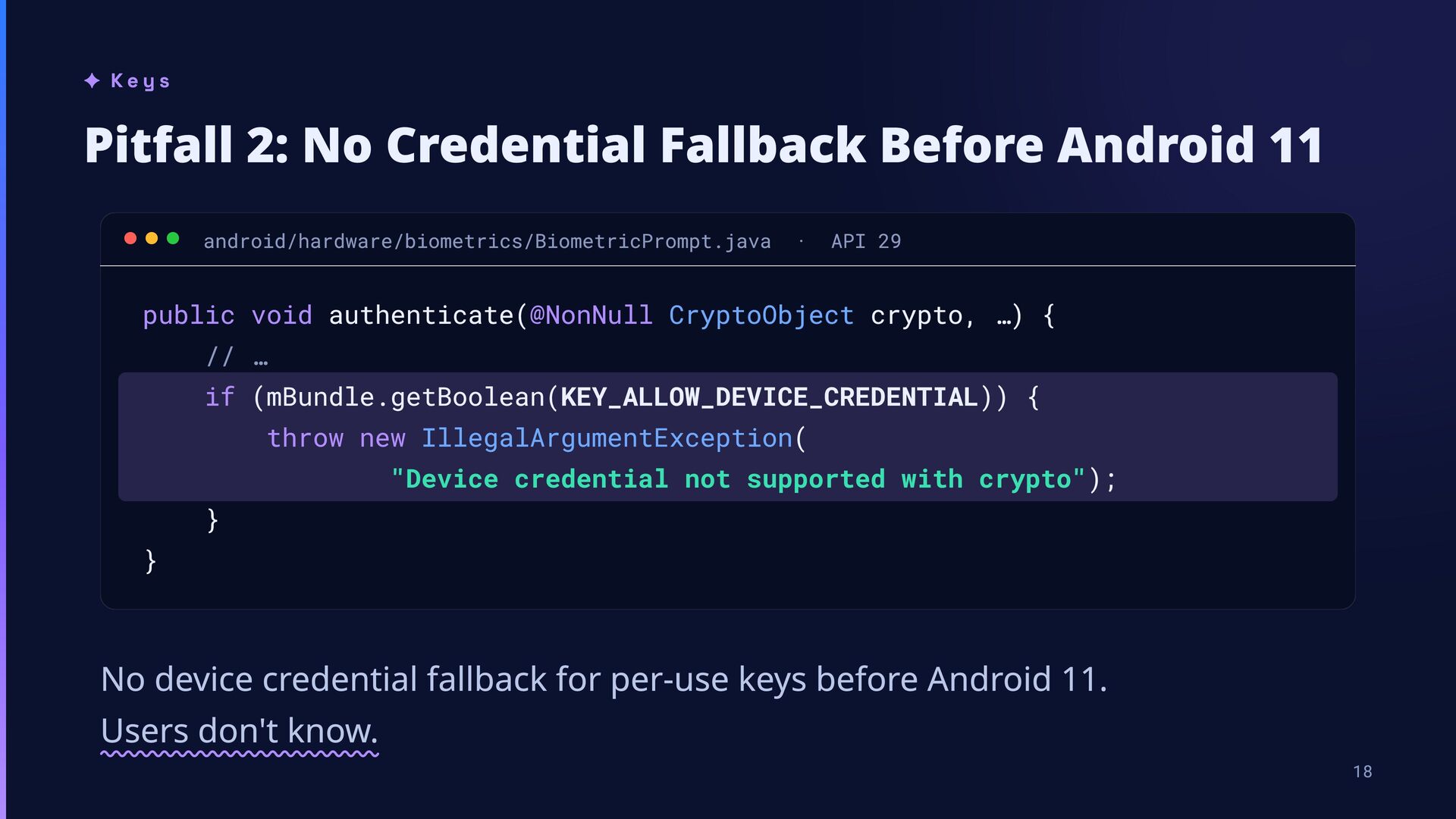
android/hardware/biometrics/BiometricPrompt.java · API 29 public void authenticate(@NonNull CryptoObject crypto, …) { // … if (mBundle.getBoolean(KEY_ALLOW_DEVICE_CREDENTIAL)) { throw new IllegalArgumentException( "Device credential not supported with crypto"); } } No device credential fallback for per-use keys before Android 11. Users don't know. 18
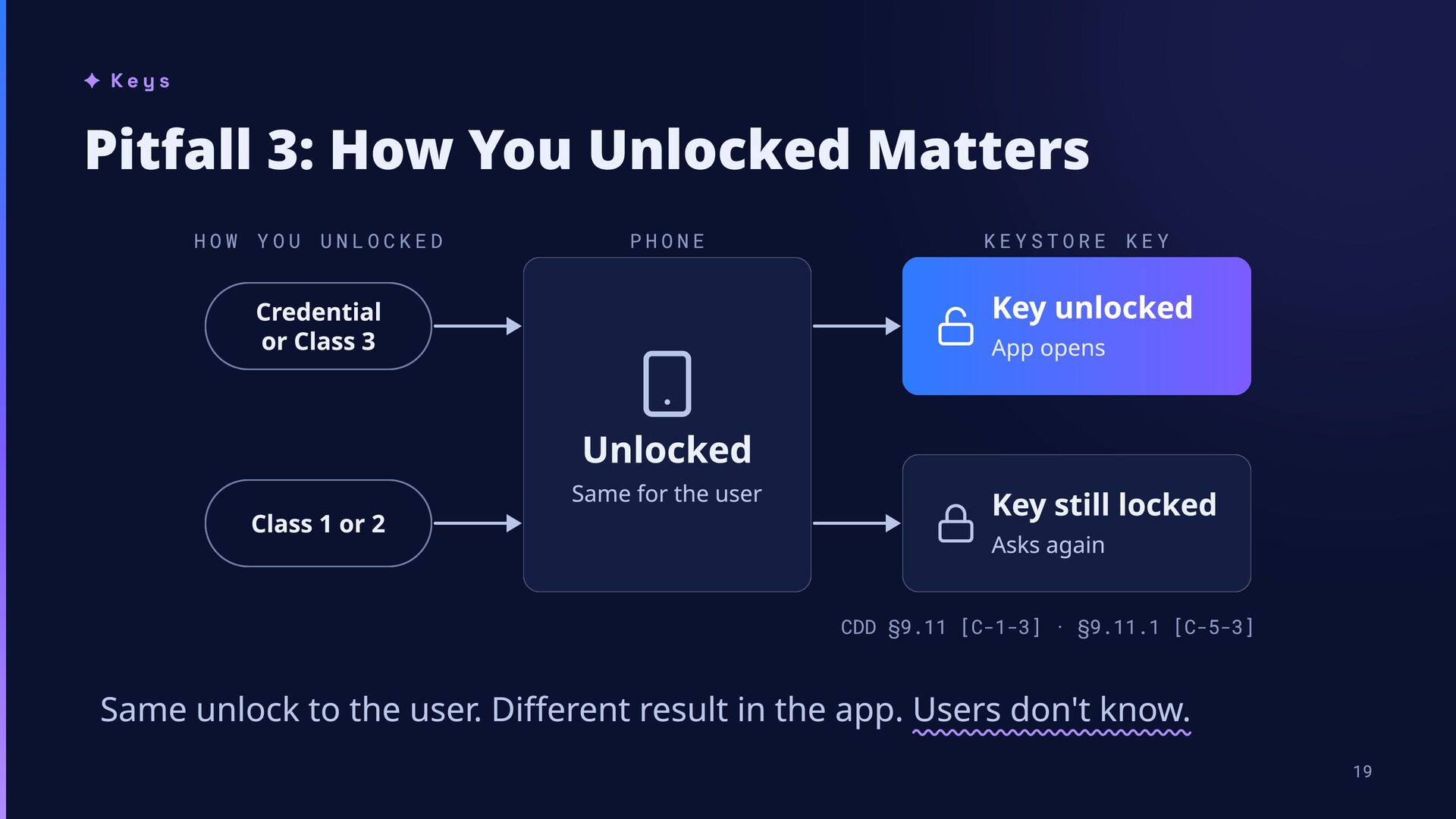
UNLOCKED PHONE KEYSTORE KEY Key unlocked Credential or Class 3 App opens Unlocked Class 1 or 2 Same for the user Key still locked Asks again CDD §9.11 [C-1-3] · §9.11.1 [C-5-3] Same unlock to the user. Different result in the app. Users don't know. 19
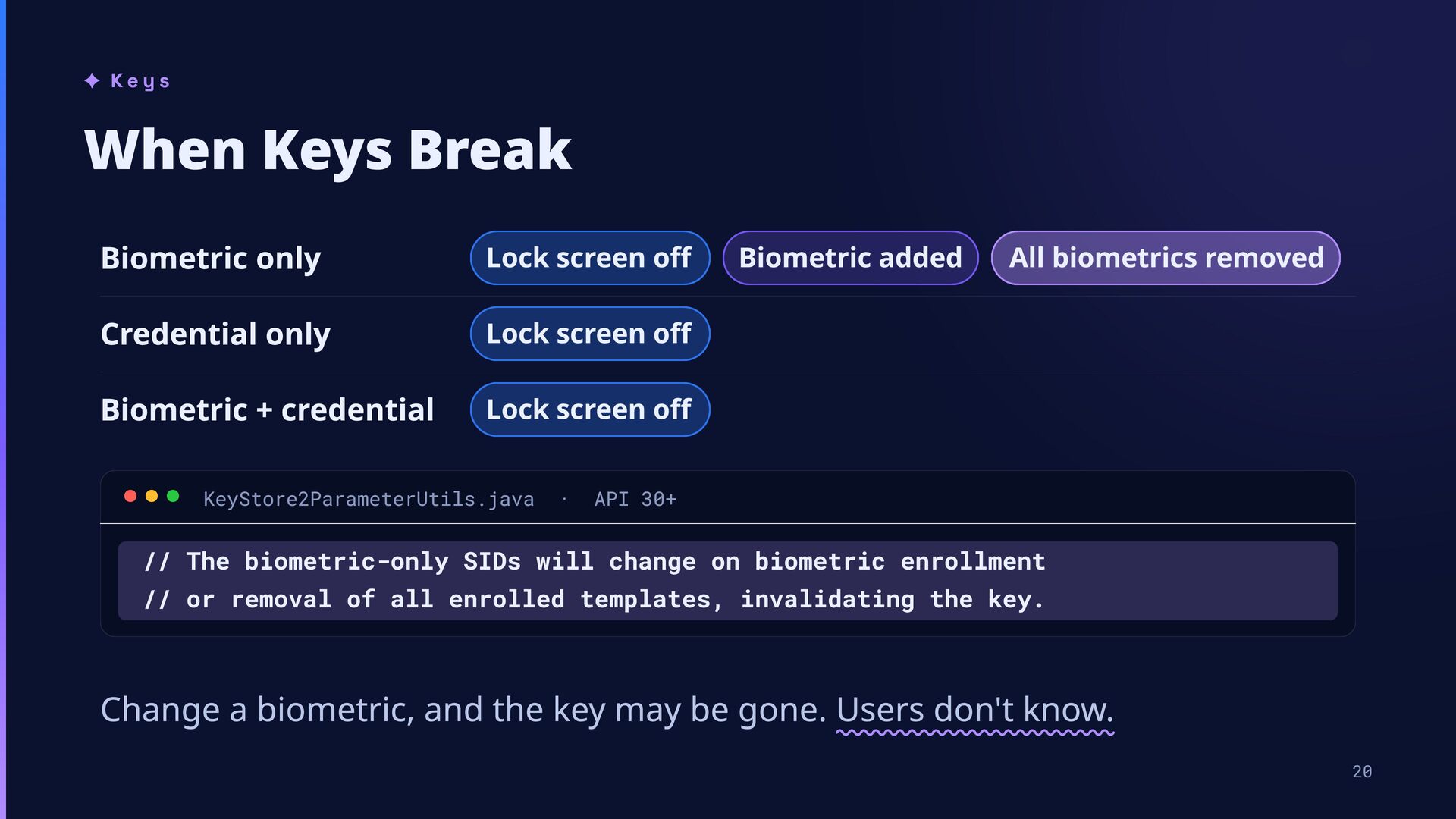
Credential only Lock screen off Biometric + credential Lock screen off KeyStore2ParameterUtils.java · Biometric added All biometrics removed API 30+ // The biometric-only SIDs will change on biometric enrollment // or removal of all enrolled templates, invalidating the key. Change a biometric, and the key may be gone. Users don't know. 20
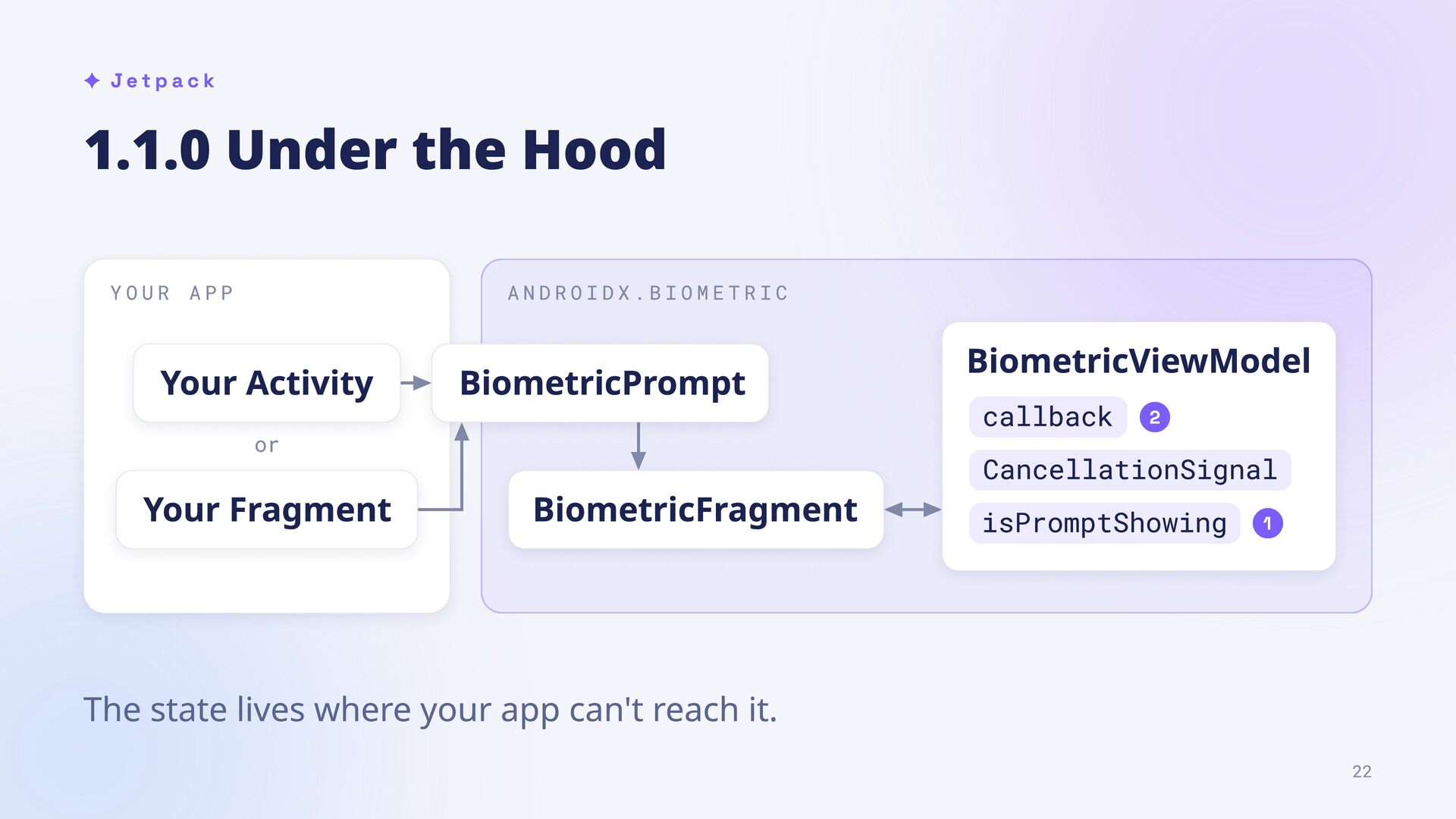
Activity BiometricPrompt or Your Fragment BiometricFragment BiometricViewModel callback 2 CancellationSignal isPromptShowing 1 The state lives where your app can't reach it. 22
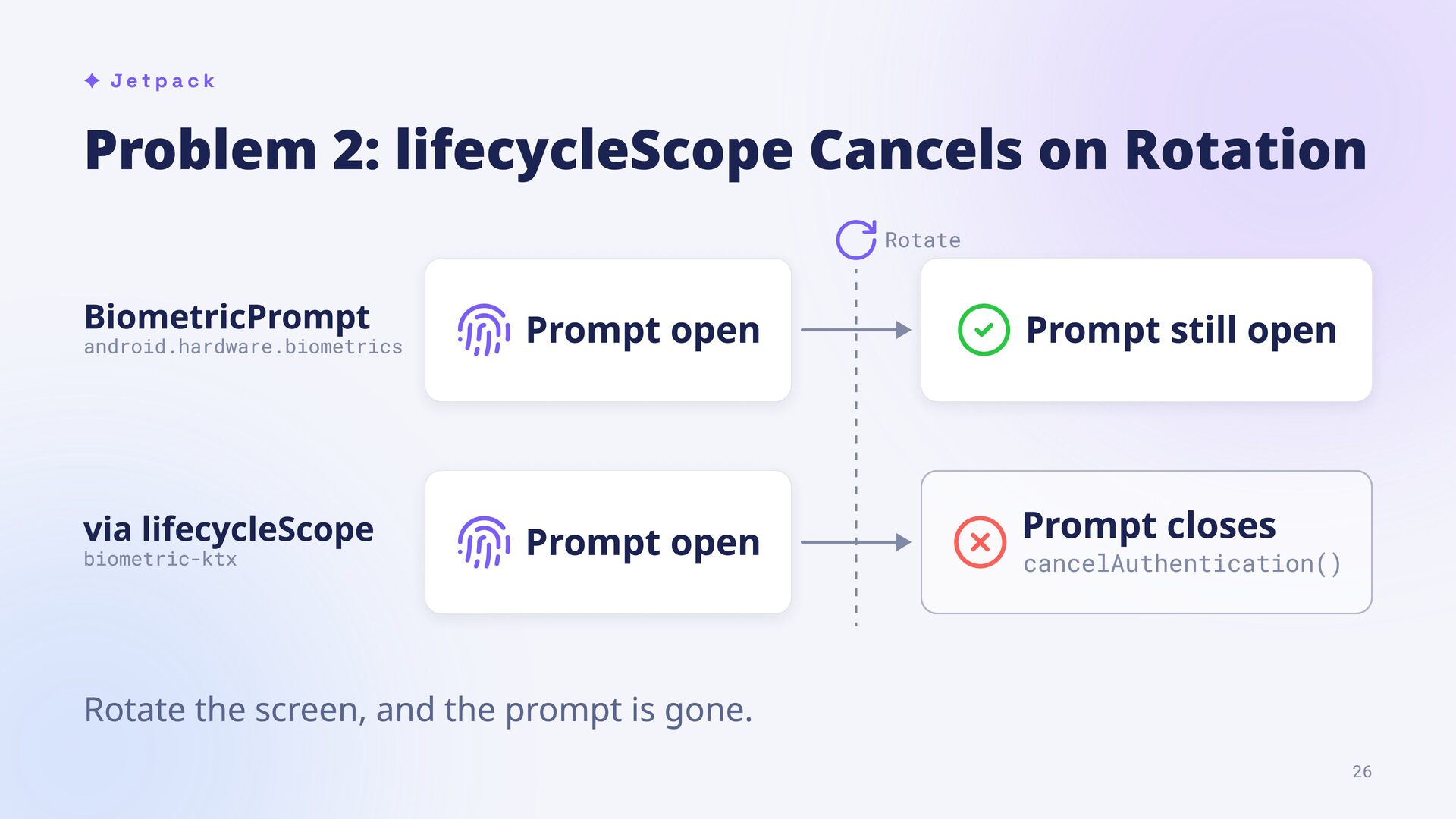
android.hardware.biometrics via lifecycleScope biometric-ktx Prompt open Prompt still open Prompt open Prompt closes cancelAuthentication() Rotate the screen, and the prompt is gone. 26
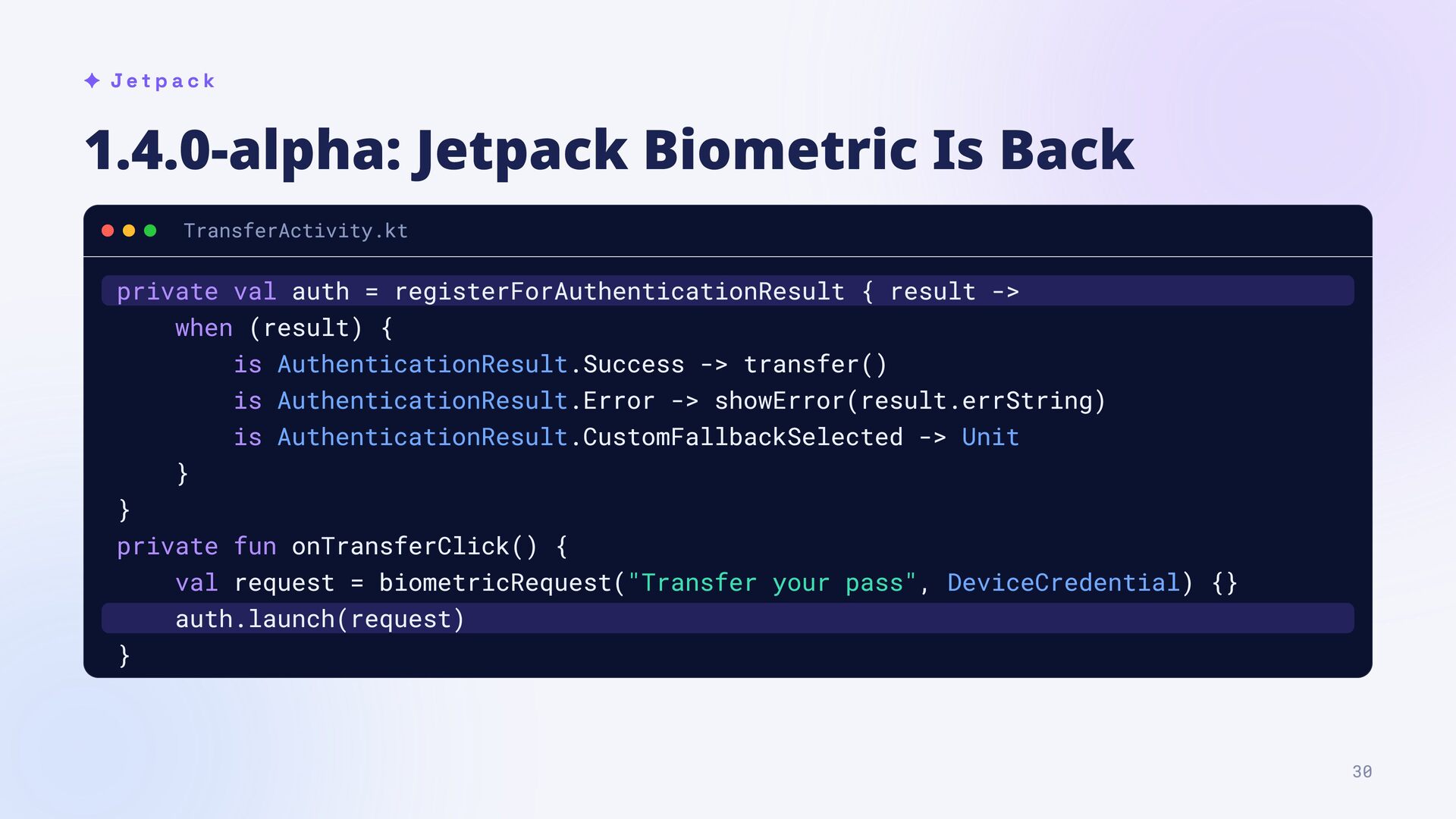
auth = registerForAuthenticationResult { result -> when (result) { is AuthenticationResult.Success -> transfer() is AuthenticationResult.Error -> showError(result.errString) is AuthenticationResult.CustomFallbackSelected -> Unit } } private fun onTransferClick() { val request = biometricRequest("Transfer your pass", DeviceCredential) {} auth.launch(request) } 30
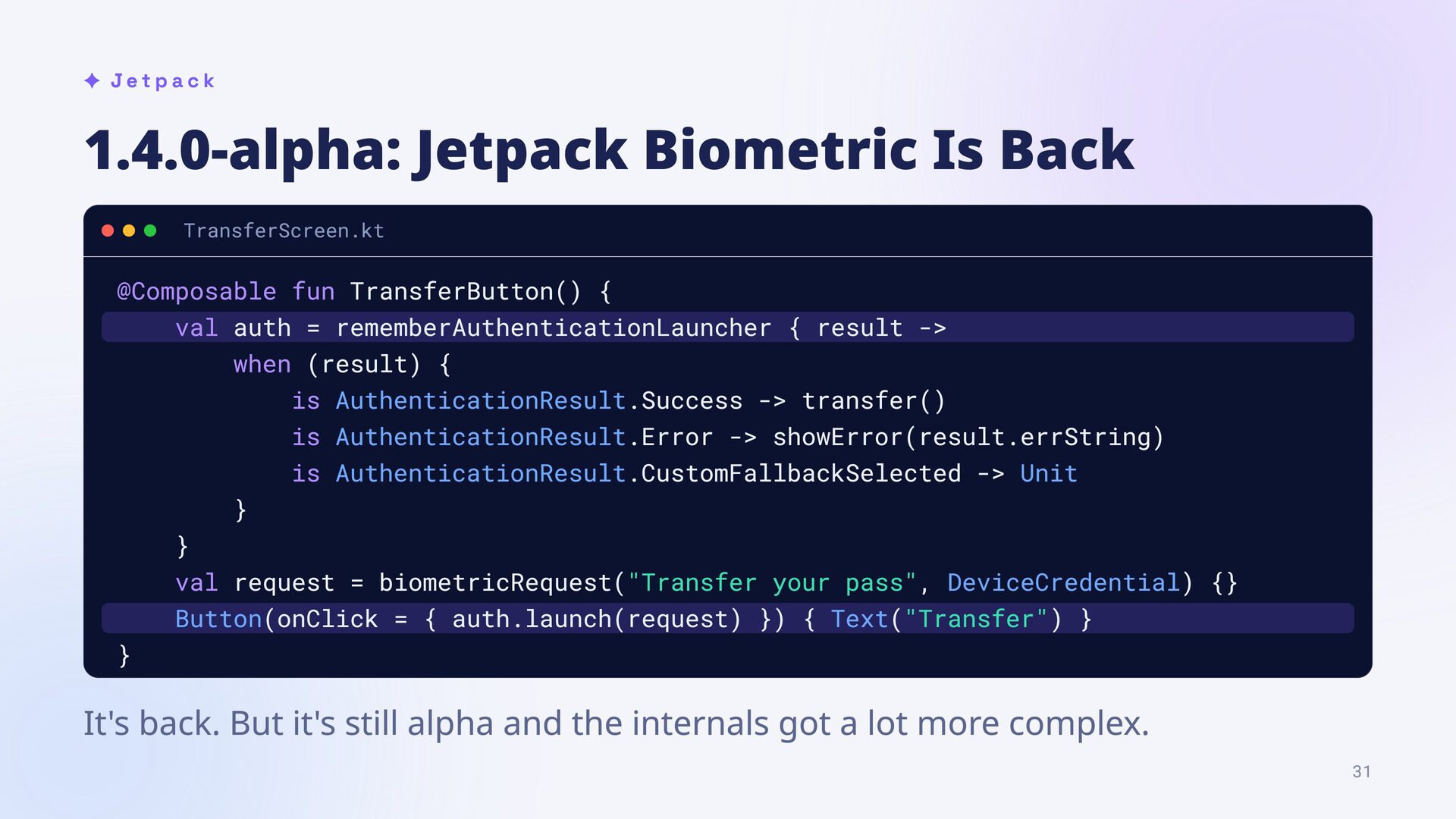
TransferButton() { val auth = rememberAuthenticationLauncher { result -> when (result) { is AuthenticationResult.Success -> transfer() is AuthenticationResult.Error -> showError(result.errString) is AuthenticationResult.CustomFallbackSelected -> Unit } } val request = biometricRequest("Transfer your pass", DeviceCredential) {} Button(onClick = { auth.launch(request) }) { Text("Transfer") } } It's back. But it's still alpha and the internals got a lot more complex. 31
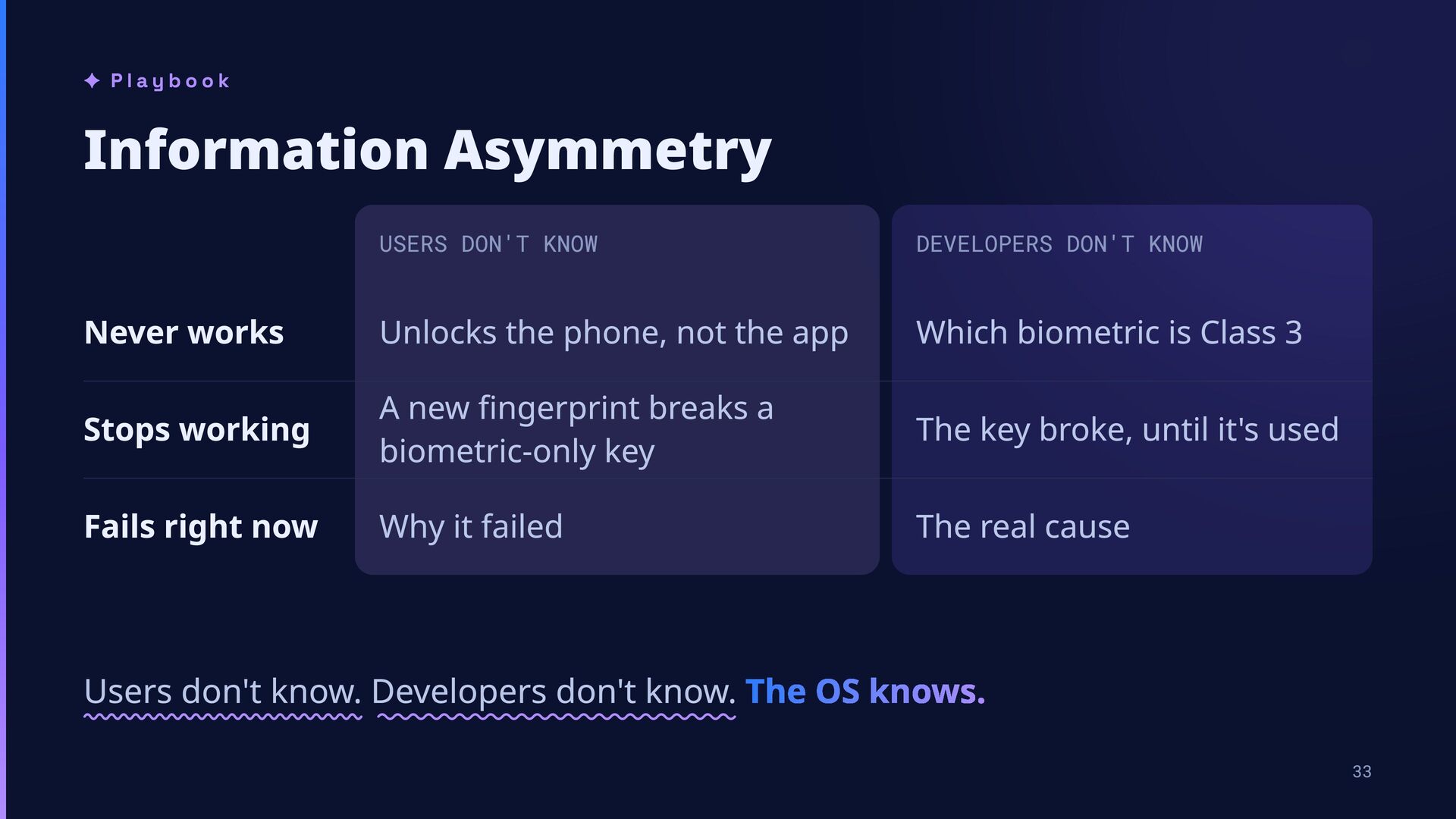
Never works Unlocks the phone, not the app Which biometric is Class 3 Stops working A new fingerprint breaks a biometric-only key The key broke, until it's used Fails right now Why it failed The real cause Users don't know. Developers don't know. The OS knows. 33
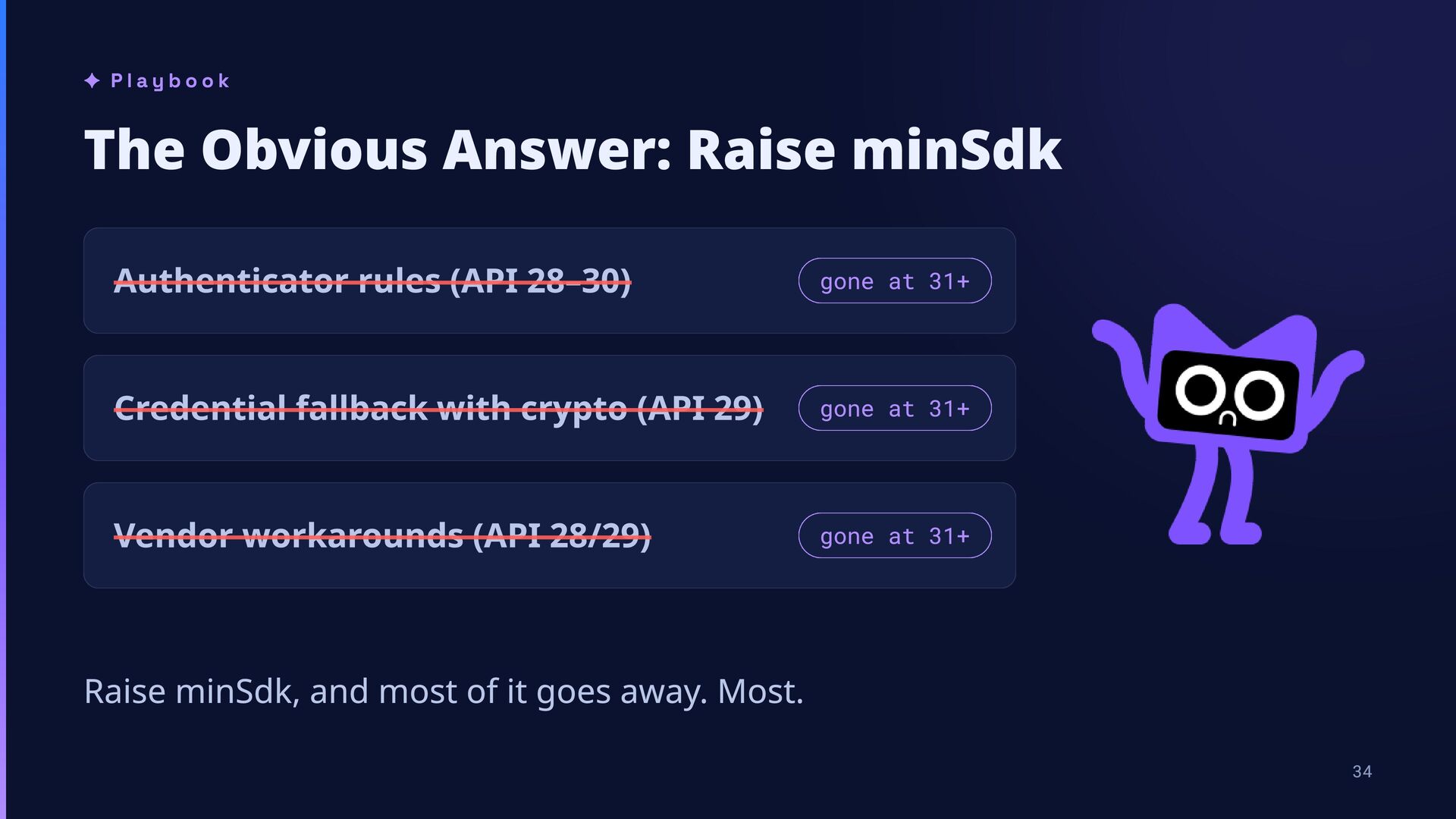
28–30) gone at 31+ Credential fallback with crypto (API 29) gone at 31+ Vendor workarounds (API 28/29) gone at 31+ Raise minSdk, and most of it goes away. Most. 34
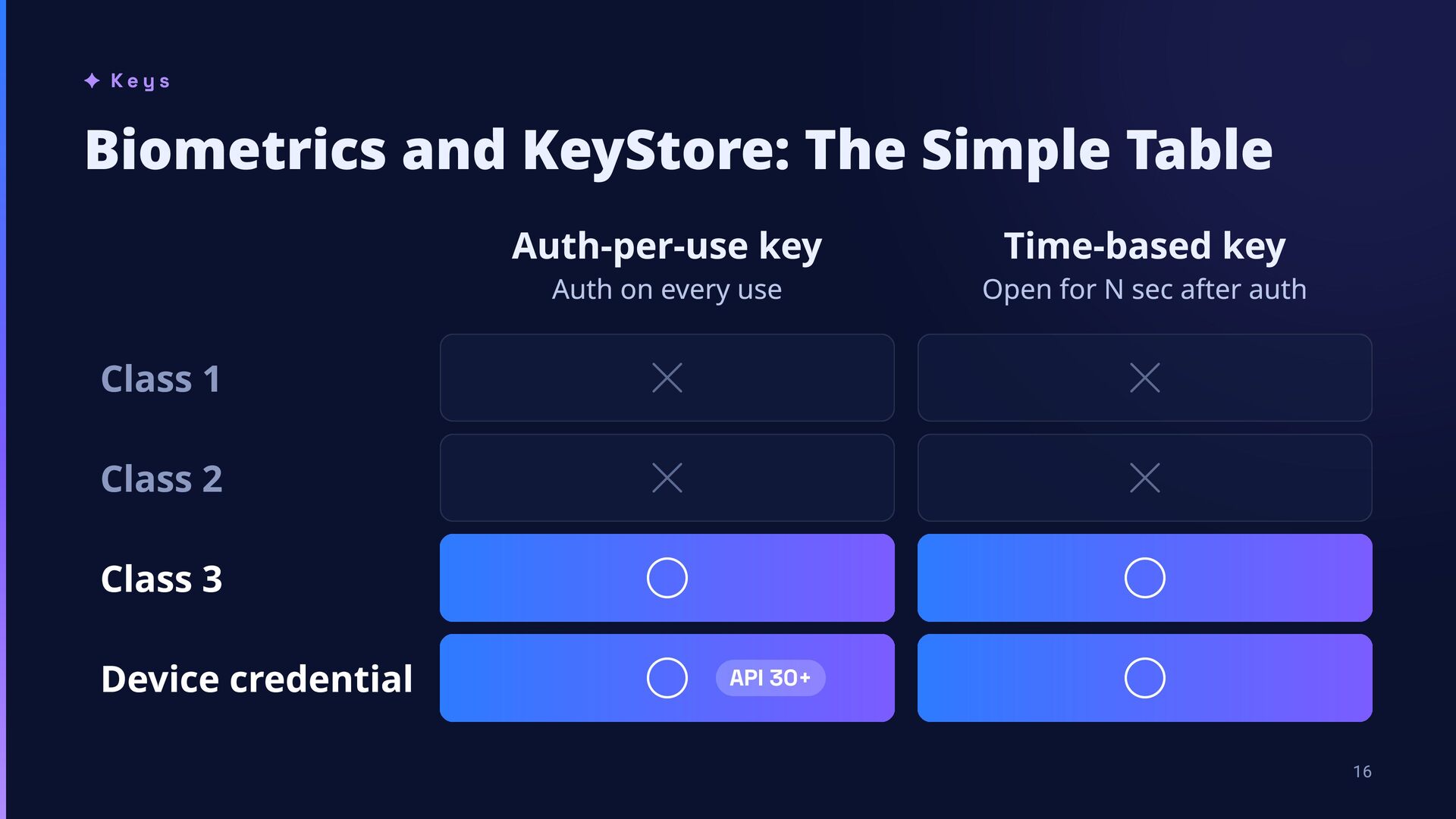
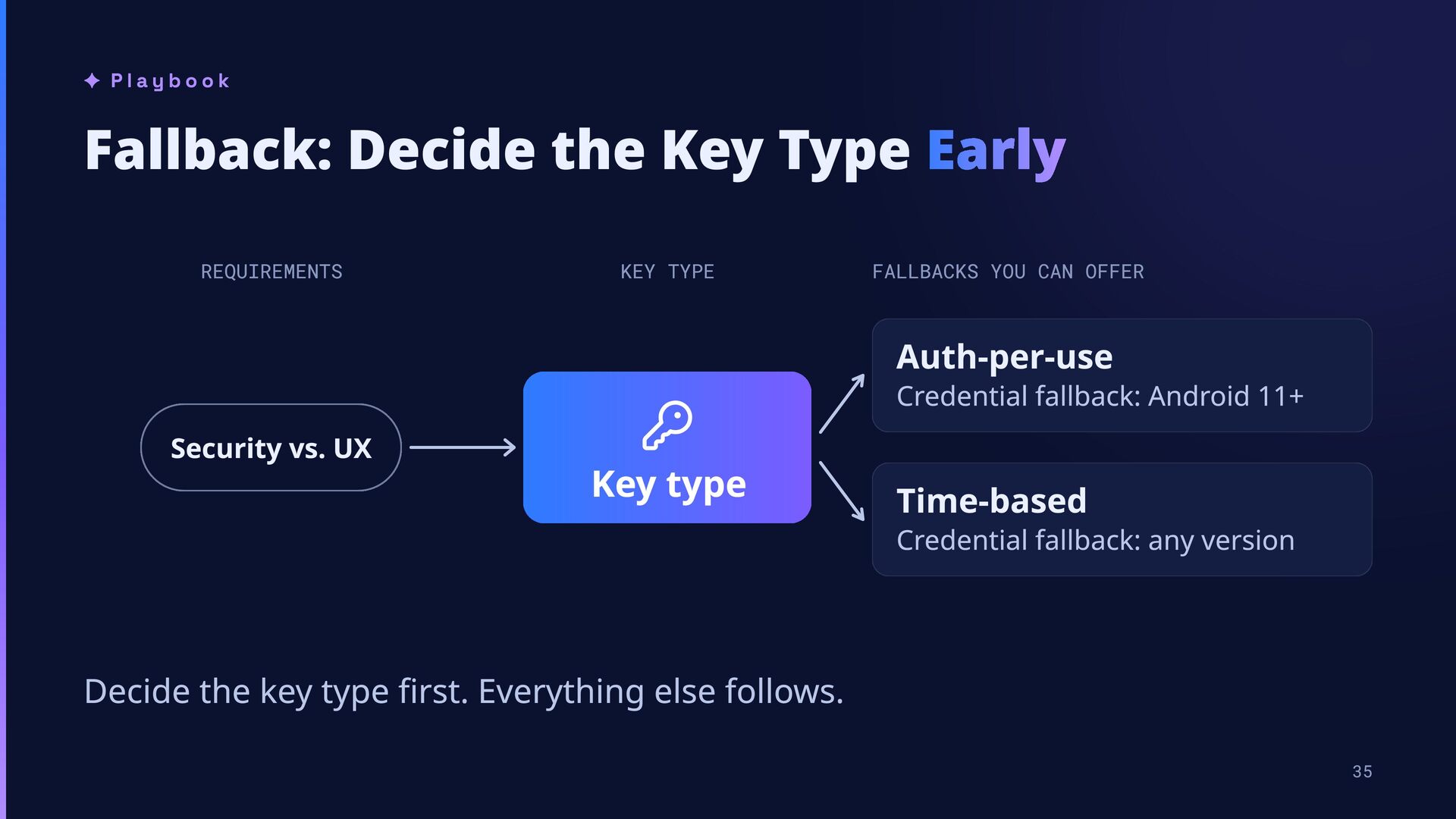
TYPE FALLBACKS YOU CAN OFFER Auth-per-use Credential fallback: Android 11+ Security vs. UX Key type Time-based Credential fallback: any version Decide the key type first. Everything else follows. 35
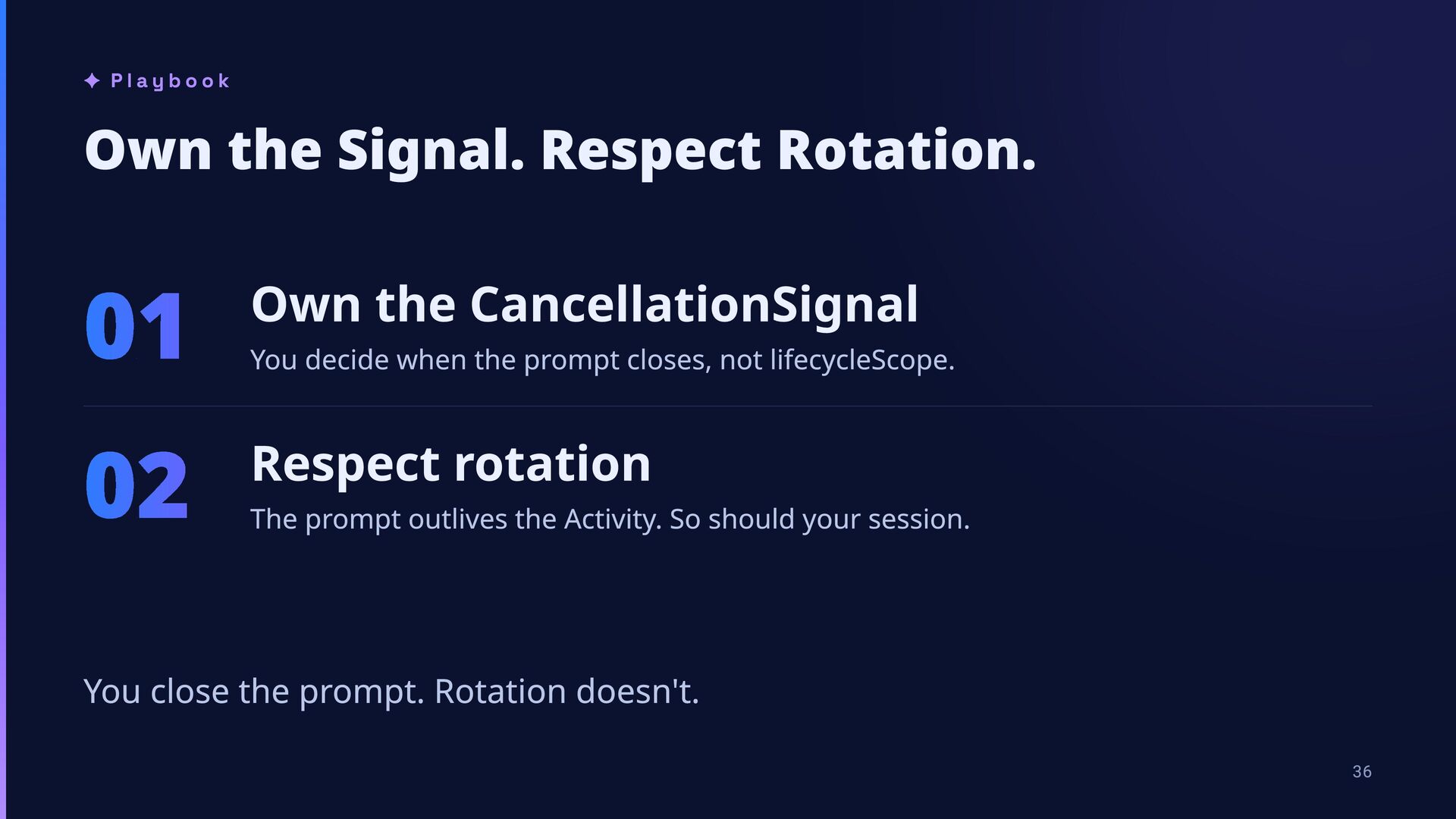
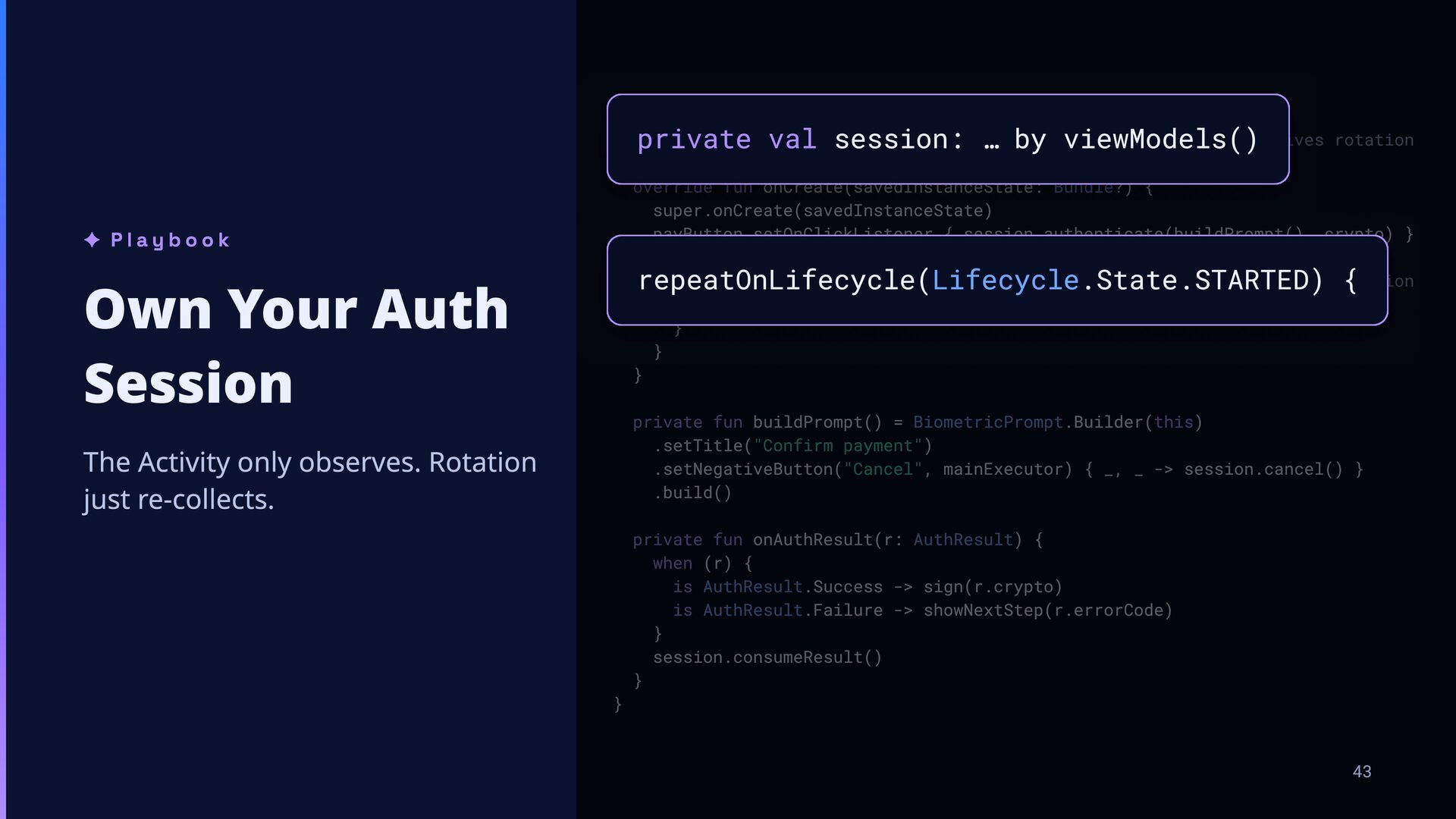
CancellationSignal 02 Respect rotation You decide when the prompt closes, not lifecycleScope. The prompt outlives the Activity. So should your session. You close the prompt. Rotation doesn't. 36
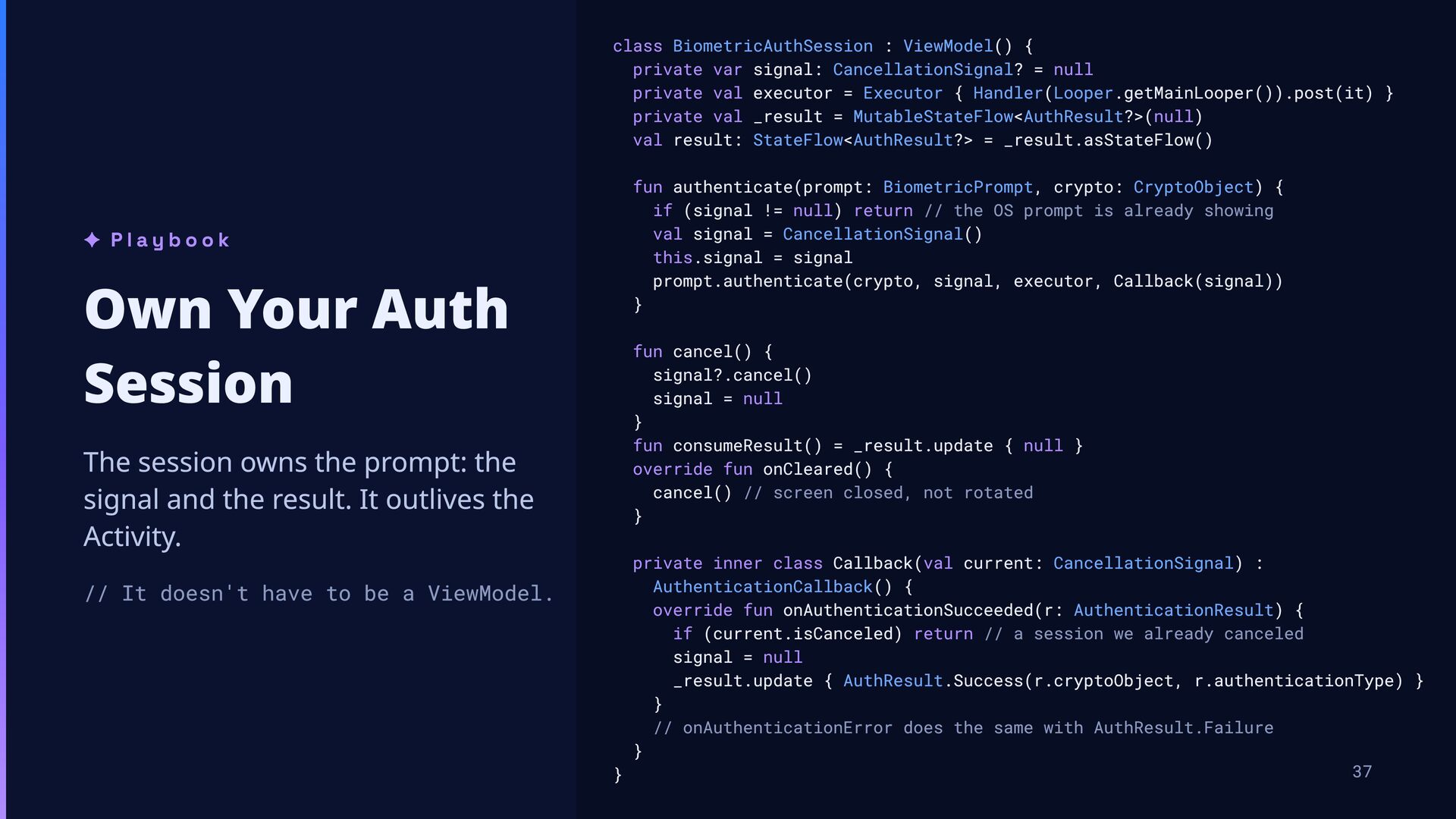
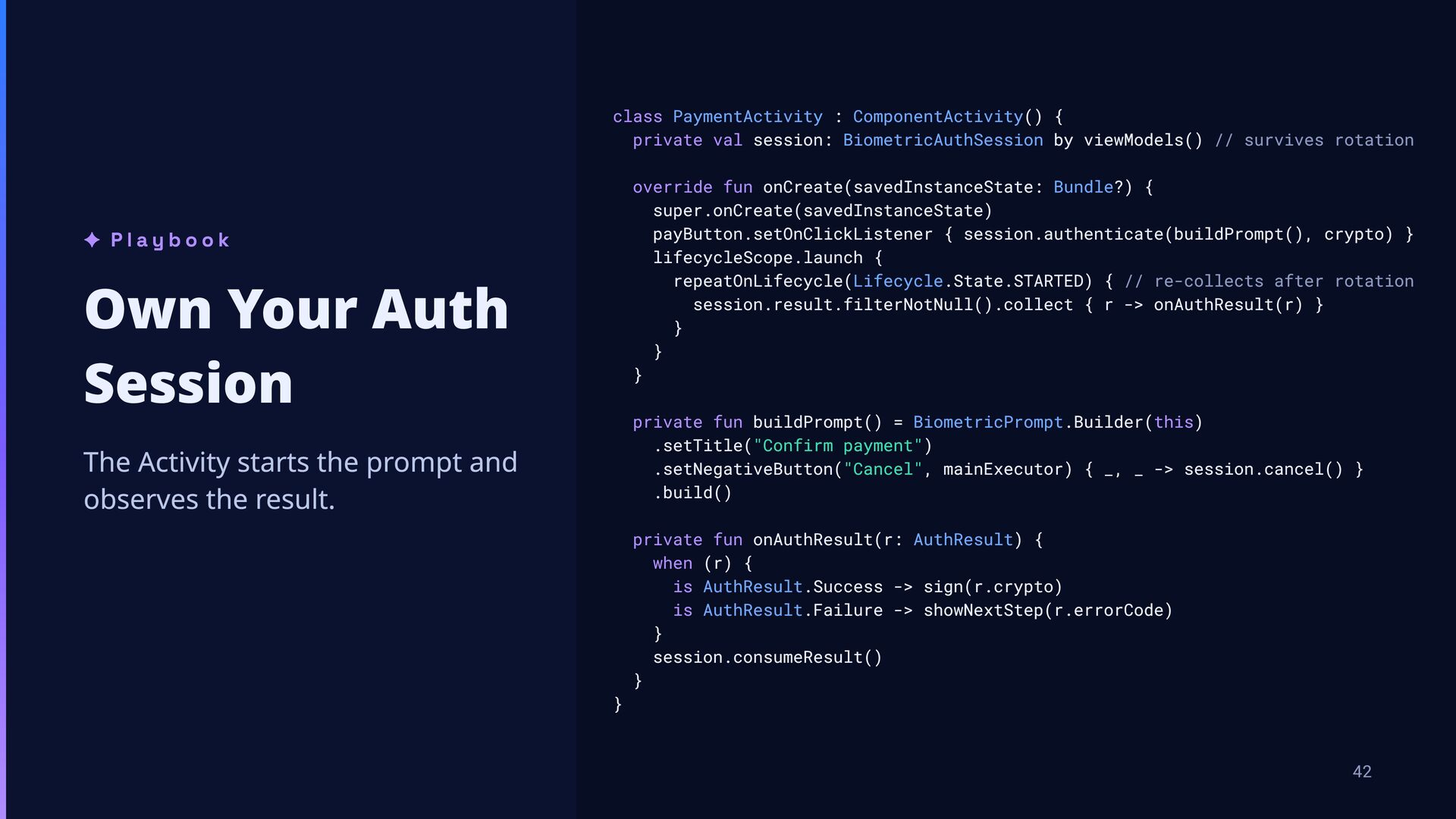
null private val executor = Executor { Handler(Looper.getMainLooper()).post(it) } private val _result = MutableStateFlow<AuthResult?>(null) val result: StateFlow<AuthResult?> = _result.asStateFlow() ✦ Playbook Own Your Auth Session The session owns the prompt: the signal and the result. It outlives the Activity. // It doesn't have to be a ViewModel. fun authenticate(prompt: BiometricPrompt, crypto: CryptoObject) { if (signal != null) return // the OS prompt is already showing val signal = CancellationSignal() this.signal = signal prompt.authenticate(crypto, signal, executor, Callback(signal)) } fun cancel() { signal?.cancel() signal = null } fun consumeResult() = _result.update { null } override fun onCleared() { cancel() // screen closed, not rotated } private inner class Callback(val current: CancellationSignal) : AuthenticationCallback() { override fun onAuthenticationSucceeded(r: AuthenticationResult) { if (current.isCanceled) return // a session we already canceled signal = null _result.update { AuthResult.Success(r.cryptoObject, r.authenticationType) } } // onAuthenticationError does the same with AuthResult.Failure } 37 }
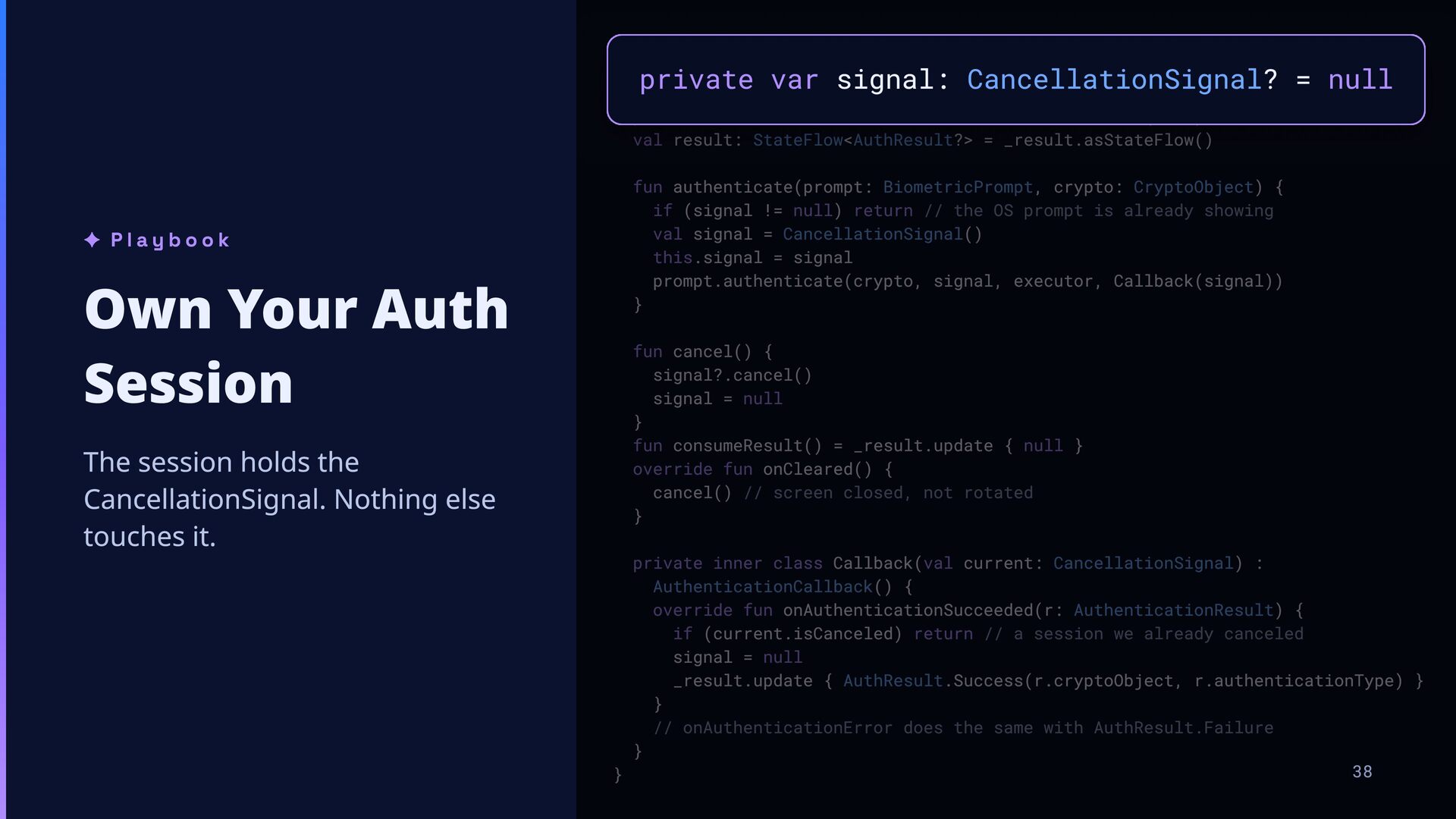
null private val executor = Executor { Handler(Looper.getMainLooper()).post(it) } private val _result = MutableStateFlow<AuthResult?>(null) val result: StateFlow<AuthResult?> = _result.asStateFlow() private var signal: CancellationSignal? = null ✦ Playbook Own Your Auth Session The session holds the CancellationSignal. Nothing else touches it. fun authenticate(prompt: BiometricPrompt, crypto: CryptoObject) { if (signal != null) return // the OS prompt is already showing val signal = CancellationSignal() this.signal = signal prompt.authenticate(crypto, signal, executor, Callback(signal)) } fun cancel() { signal?.cancel() signal = null } fun consumeResult() = _result.update { null } override fun onCleared() { cancel() // screen closed, not rotated } private inner class Callback(val current: CancellationSignal) : AuthenticationCallback() { override fun onAuthenticationSucceeded(r: AuthenticationResult) { if (current.isCanceled) return // a session we already canceled signal = null _result.update { AuthResult.Success(r.cryptoObject, r.authenticationType) } } // onAuthenticationError does the same with AuthResult.Failure } 38 }
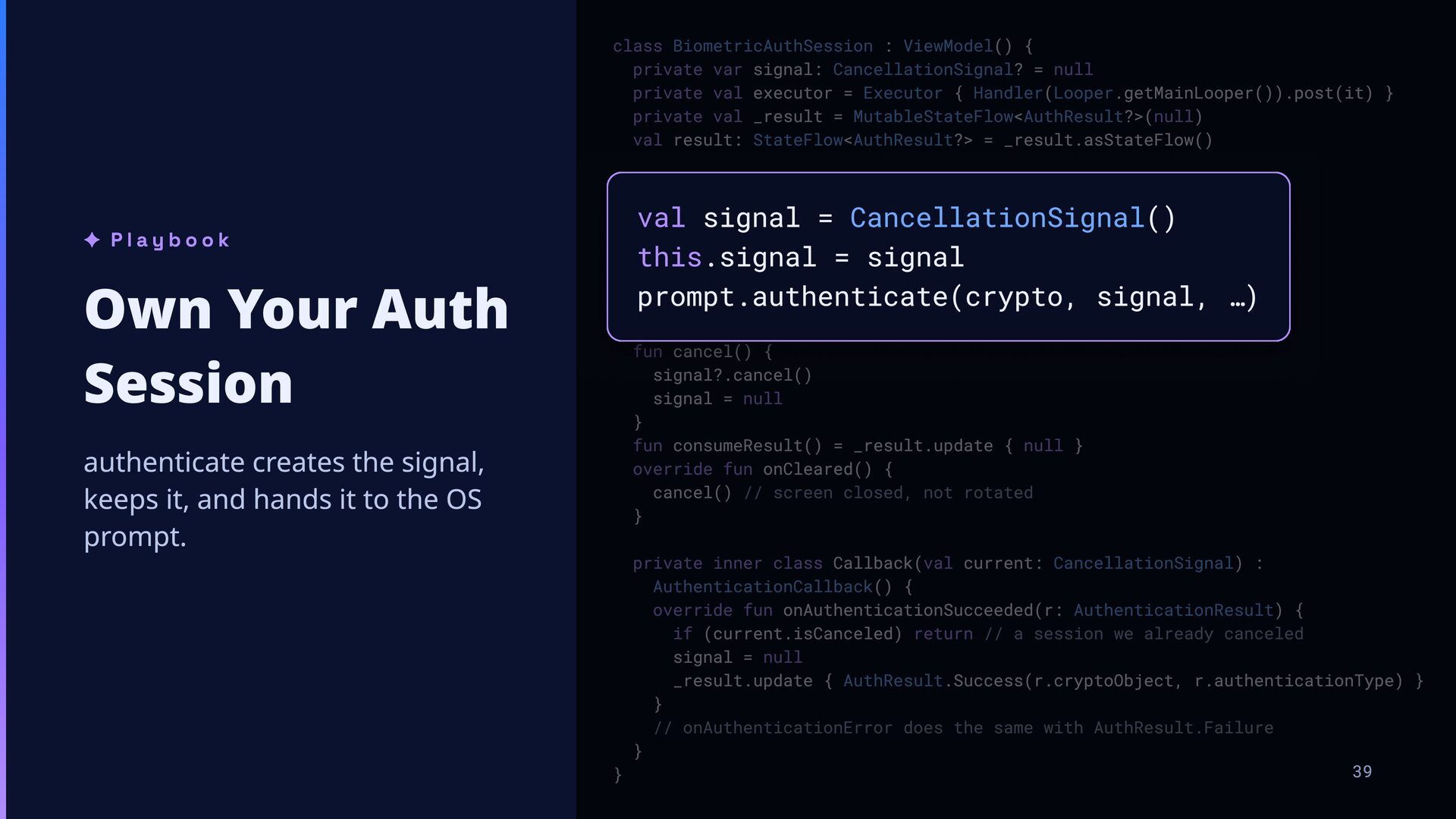
null private val executor = Executor { Handler(Looper.getMainLooper()).post(it) } private val _result = MutableStateFlow<AuthResult?>(null) val result: StateFlow<AuthResult?> = _result.asStateFlow() ✦ Playbook Own Your Auth Session authenticate creates the signal, keeps it, and hands it to the OS prompt. fun authenticate(prompt: BiometricPrompt, crypto: CryptoObject) { if (signal != null) return // the OS prompt is already showing val signal = CancellationSignal() this.signal = signal prompt.authenticate(crypto, signal, executor, Callback(signal)) } val signal = CancellationSignal() this.signal = signal prompt.authenticate(crypto, signal, …) fun cancel() { signal?.cancel() signal = null } fun consumeResult() = _result.update { null } override fun onCleared() { cancel() // screen closed, not rotated } private inner class Callback(val current: CancellationSignal) : AuthenticationCallback() { override fun onAuthenticationSucceeded(r: AuthenticationResult) { if (current.isCanceled) return // a session we already canceled signal = null _result.update { AuthResult.Success(r.cryptoObject, r.authenticationType) } } // onAuthenticationError does the same with AuthResult.Failure } 39 }
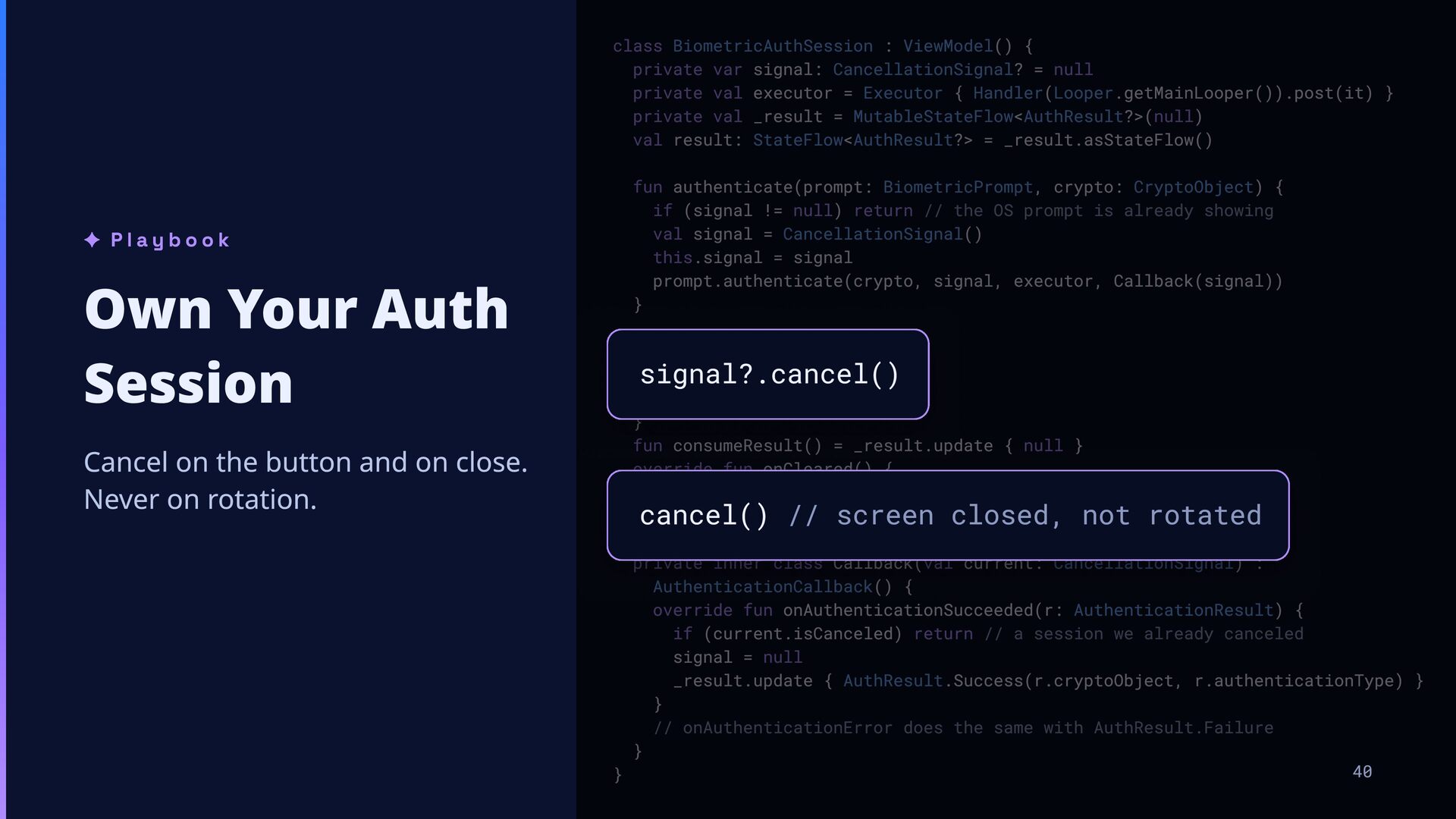
null private val executor = Executor { Handler(Looper.getMainLooper()).post(it) } private val _result = MutableStateFlow<AuthResult?>(null) val result: StateFlow<AuthResult?> = _result.asStateFlow() ✦ Playbook Own Your Auth Session Cancel on the button and on close. Never on rotation. fun authenticate(prompt: BiometricPrompt, crypto: CryptoObject) { if (signal != null) return // the OS prompt is already showing val signal = CancellationSignal() this.signal = signal prompt.authenticate(crypto, signal, executor, Callback(signal)) } fun cancel() { signal?.cancel() signal = null } fun consumeResult() = _result.update { null } override fun onCleared() { cancel() // screen closed, not rotated } signal?.cancel() cancel() // screen closed, not rotated private inner class Callback(val current: CancellationSignal) : AuthenticationCallback() { override fun onAuthenticationSucceeded(r: AuthenticationResult) { if (current.isCanceled) return // a session we already canceled signal = null _result.update { AuthResult.Success(r.cryptoObject, r.authenticationType) } } // onAuthenticationError does the same with AuthResult.Failure } 40 }
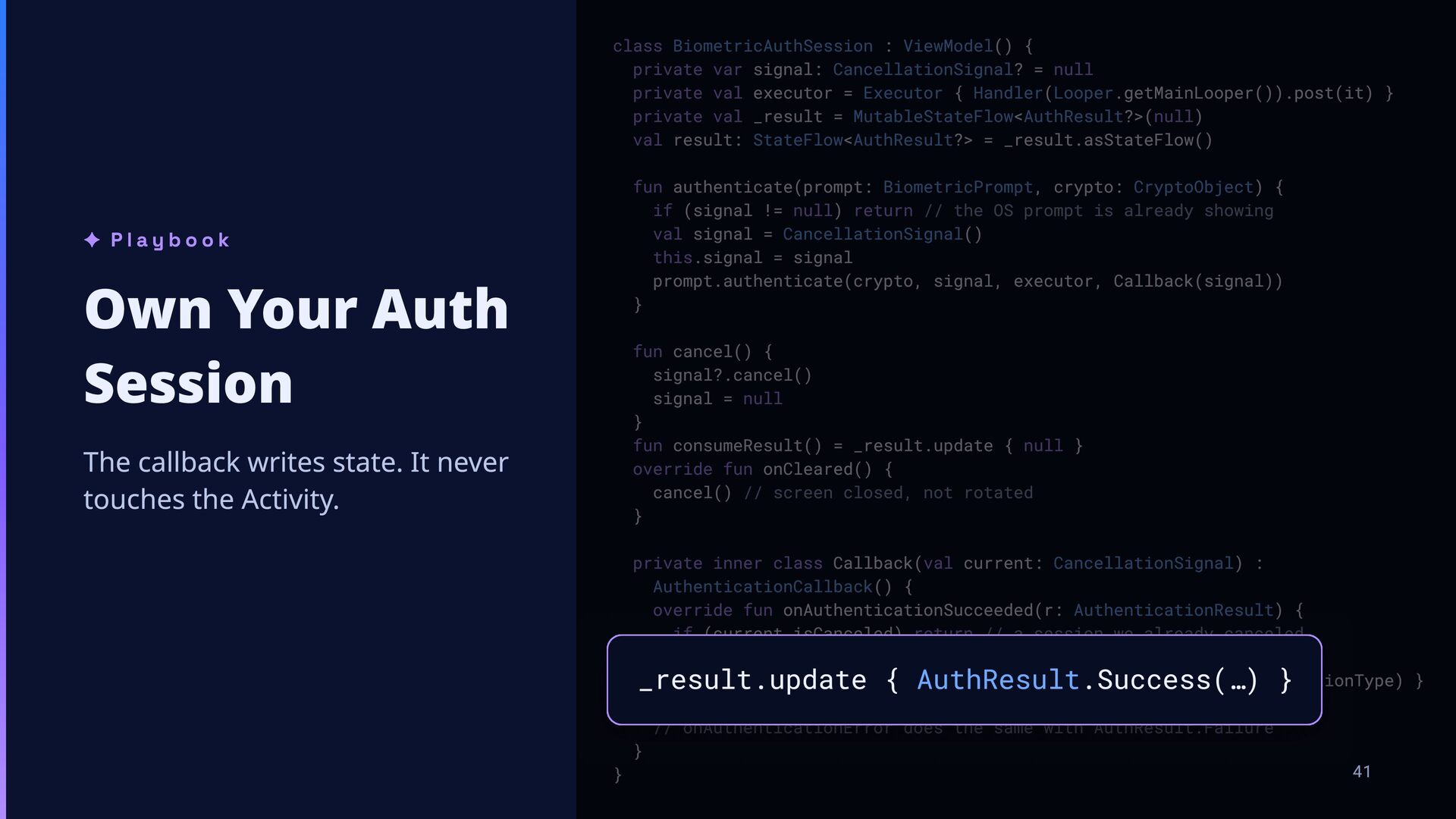
null private val executor = Executor { Handler(Looper.getMainLooper()).post(it) } private val _result = MutableStateFlow<AuthResult?>(null) val result: StateFlow<AuthResult?> = _result.asStateFlow() ✦ Playbook Own Your Auth Session The callback writes state. It never touches the Activity. fun authenticate(prompt: BiometricPrompt, crypto: CryptoObject) { if (signal != null) return // the OS prompt is already showing val signal = CancellationSignal() this.signal = signal prompt.authenticate(crypto, signal, executor, Callback(signal)) } fun cancel() { signal?.cancel() signal = null } fun consumeResult() = _result.update { null } override fun onCleared() { cancel() // screen closed, not rotated } private inner class Callback(val current: CancellationSignal) : AuthenticationCallback() { override fun onAuthenticationSucceeded(r: AuthenticationResult) { if (current.isCanceled) return // a session we already canceled signal = null _result.update { AuthResult.Success(r.cryptoObject, r.authenticationType) } } // onAuthenticationError does the same with AuthResult.Failure } 41 } _result.update { AuthResult.Success(…) }
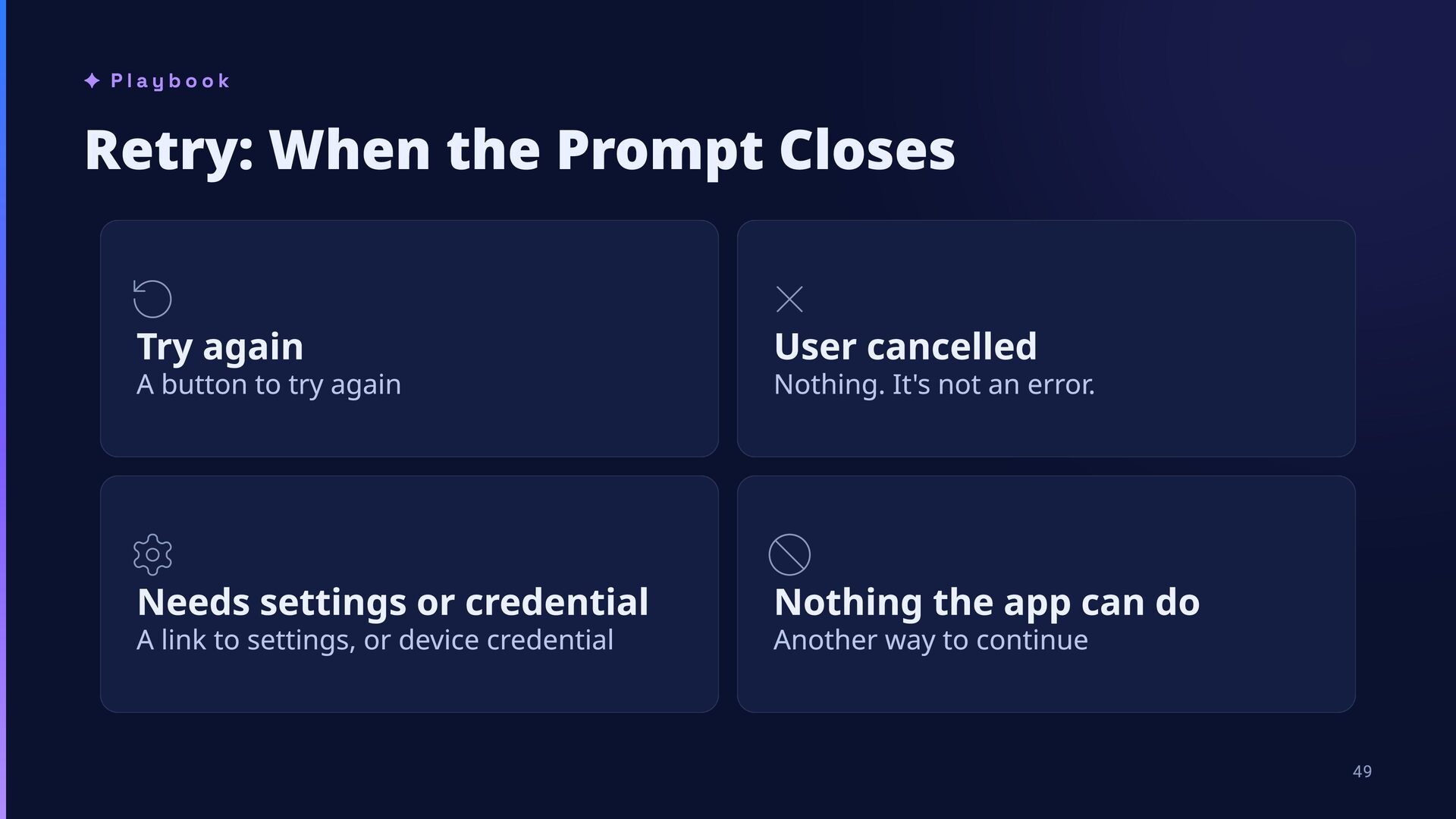
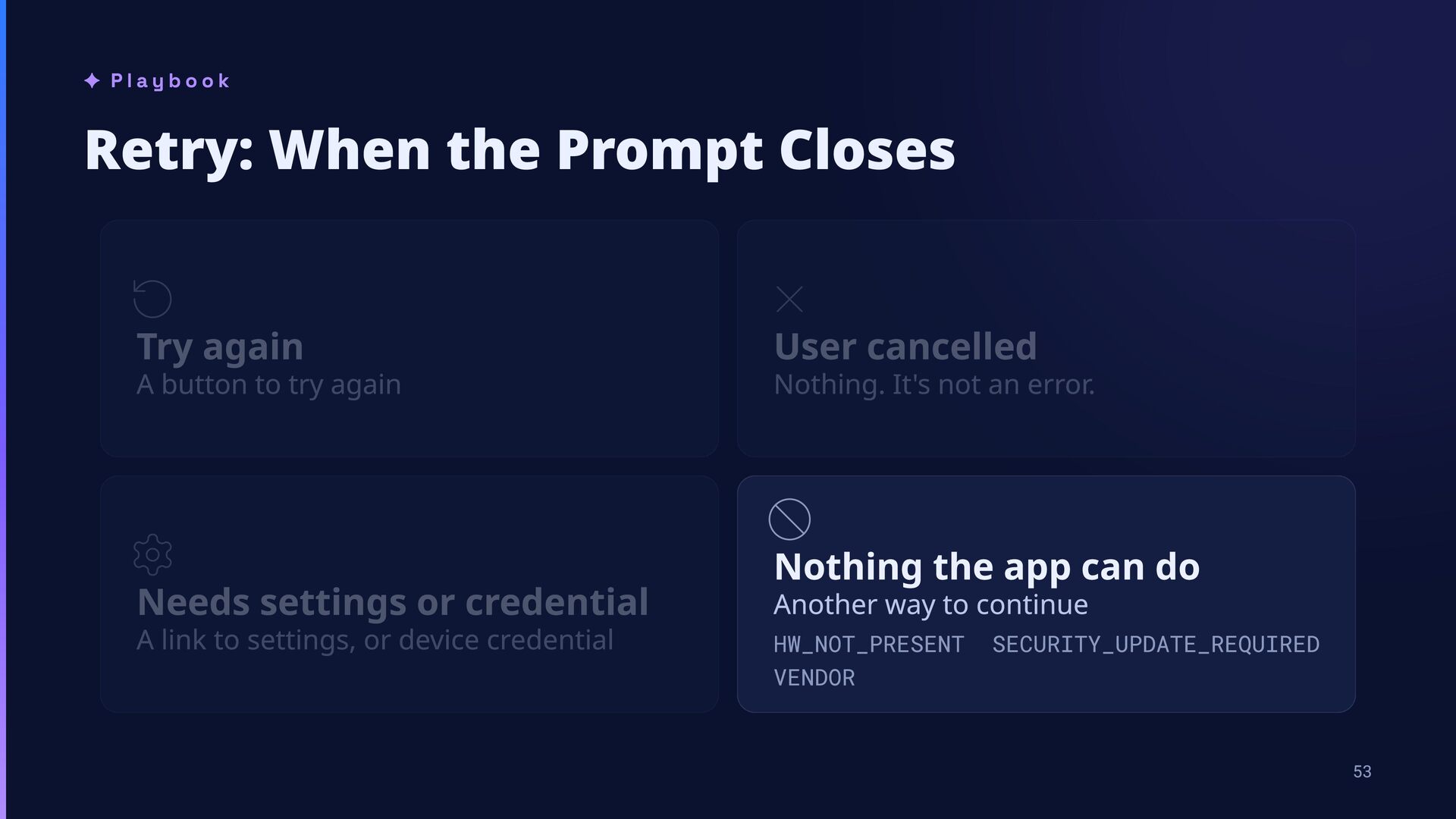
cancelled Needs settings or credential Nothing the app can do A button to try again A link to settings, or device credential Nothing. It's not an error. Another way to continue 49
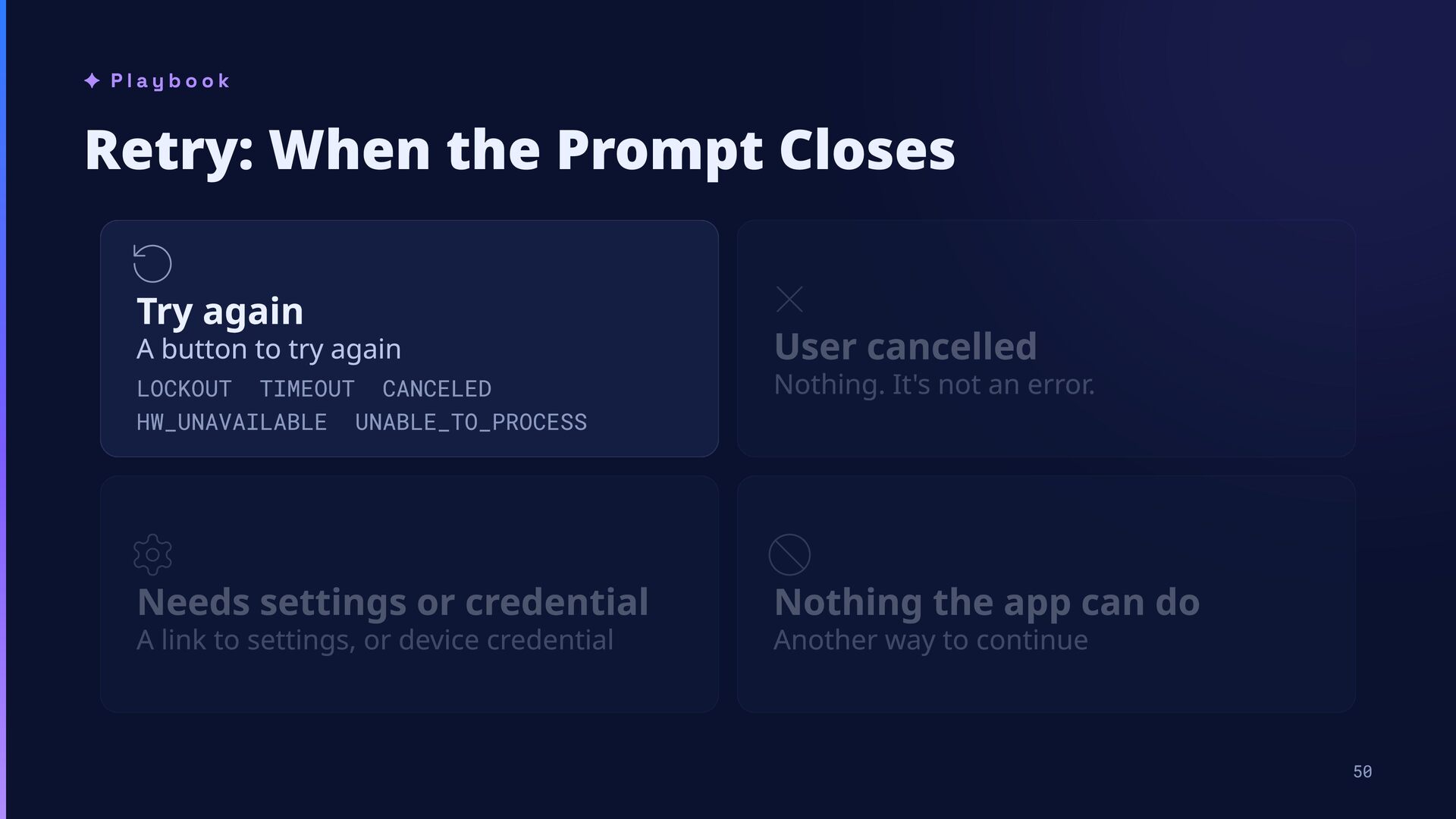
button to try again User cancelled LOCKOUT TIMEOUT CANCELED HW_UNAVAILABLE UNABLE_TO_PROCESS Nothing. It's not an error. USER_CANCELED Needs settings or credential Nothing the app can do NO_BIOMETRICS NO_EVICE_CREENTIA LOCKOUT_PERMANENT NOT_ENABLE_OR_APPS HW_NOT_PRESENT VENOR A link to settings, or device credential Another way to continue SECURIT_UPATE_REUIRED 50
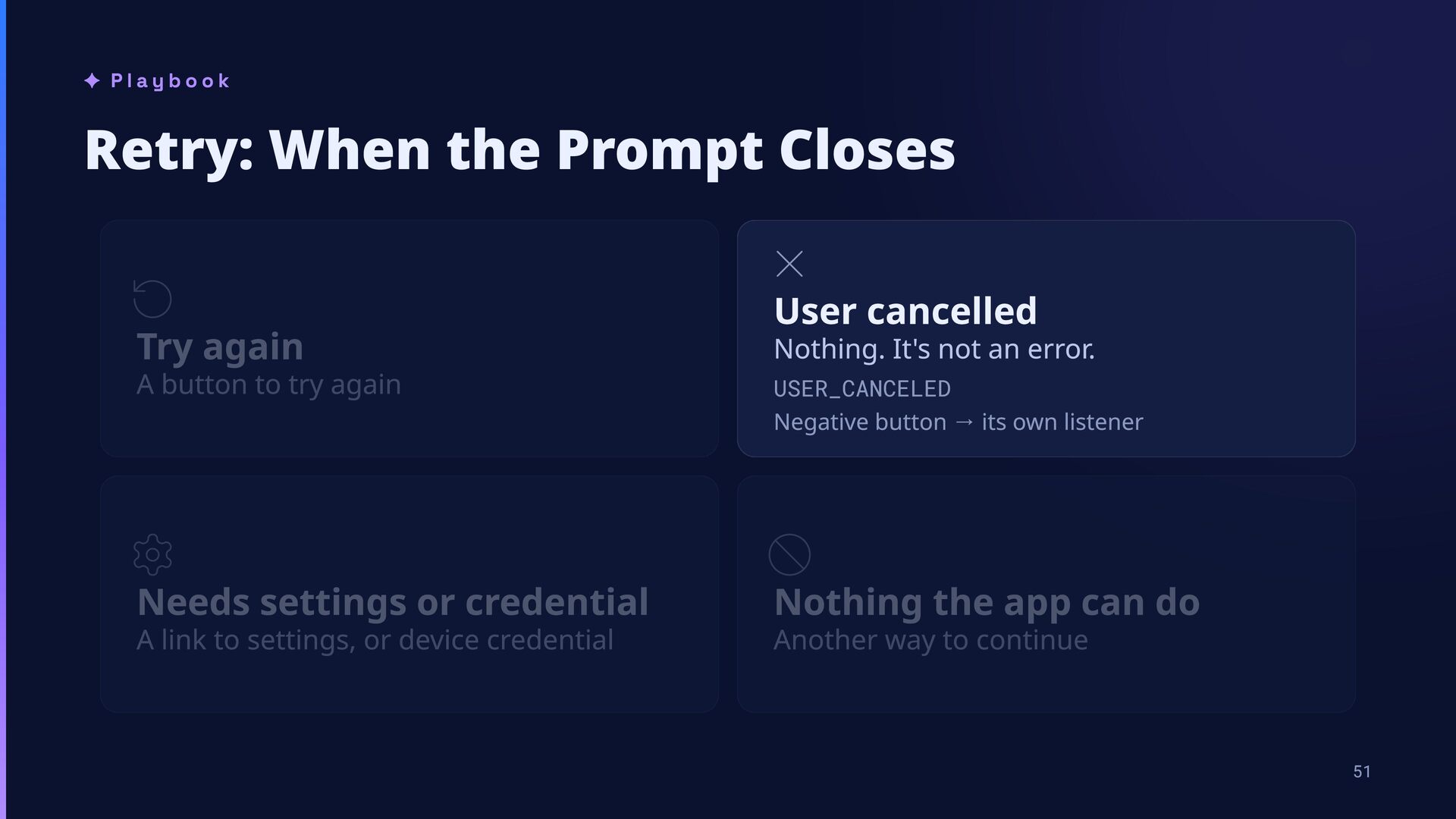
button to try again LCUEUCANCELED _UNAALALEUNALE__RCESS User cancelled Nothing. It's not an error. USER_CANCELED Negative button → its own listener Needs settings or credential Nothing the app can do N_ERCSN_ECE_CREENA LCU_ERANENN_ENALE_R_AS _N_RESENSECUR_UAE_REURED ENR A link to settings, or device credential Another way to continue 51
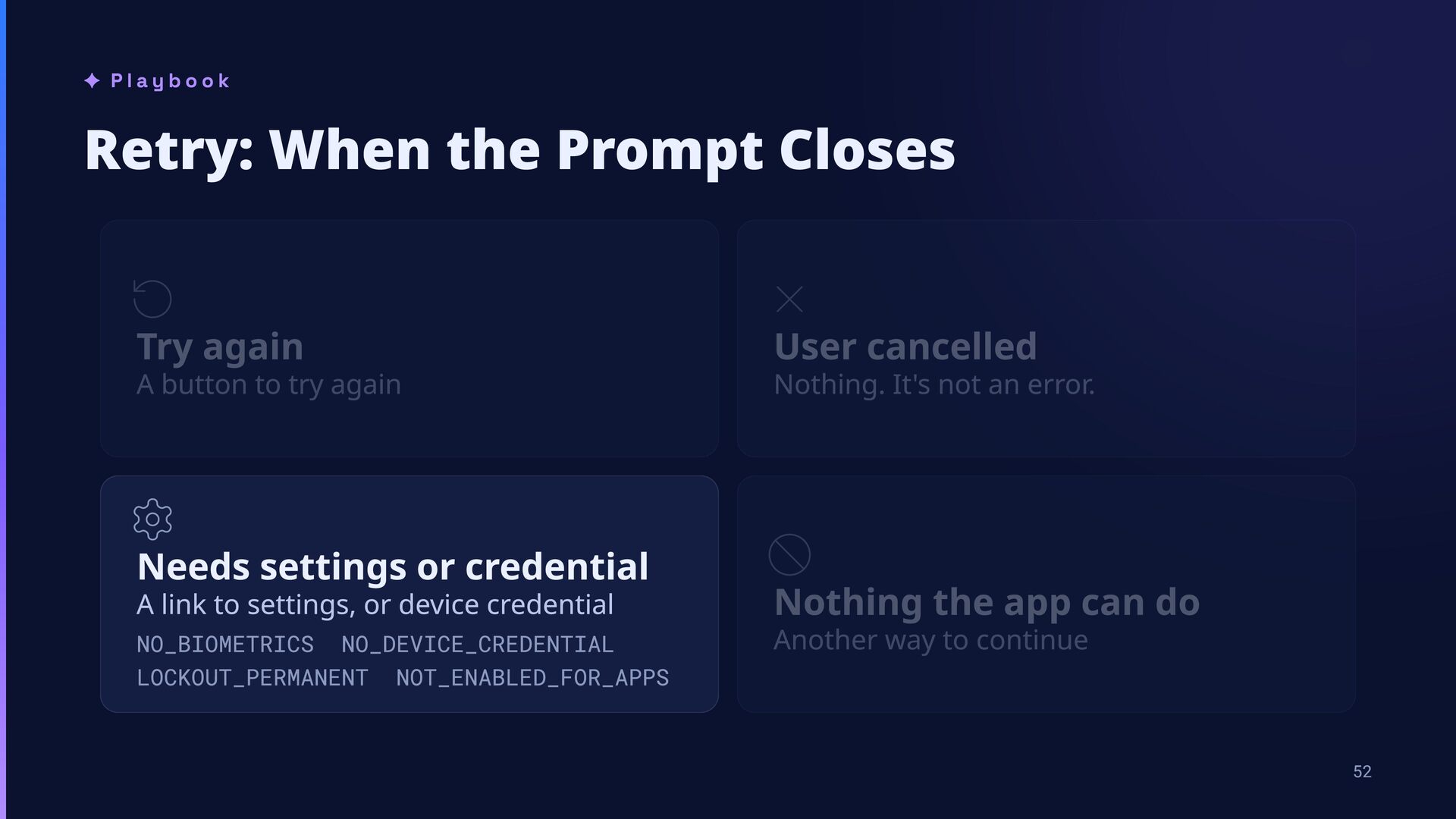
cancelled LOCKOUT TIMEOUT CANCELE _UNAVAILABLE UNABLE_TO_PROCESS USER_CANCELE A button to try again Needs settings or credential A link to settings, or device credential NO_BIOMETRICS NO_DEVICE_CREDENTIAL LOCKOUT_PERMANENT NOT_ENABLED_FOR_APPS Nothing. It's not an error. Nothing the app can do Another way to continue _NOT_PRESENT VENDOR SECURIT_UPDATE_REUIRE 52
cancelled OCOUT TIEOUT CANCEED HW_UNAVAIAE UNAE_TO_PROCESS USER_CANCEED A button to try again Needs settings or credential A link to settings, or device credential NO_IOETRICS NO_DEVICE_CREDENTIA OCOUT_PERANENT NOT_ENAED_OR_APPS Nothing. It's not an error. Nothing the app can do Another way to continue HW_NOT_PRESENT VENDOR SECURITY_UPDATE_REQUIRED 53
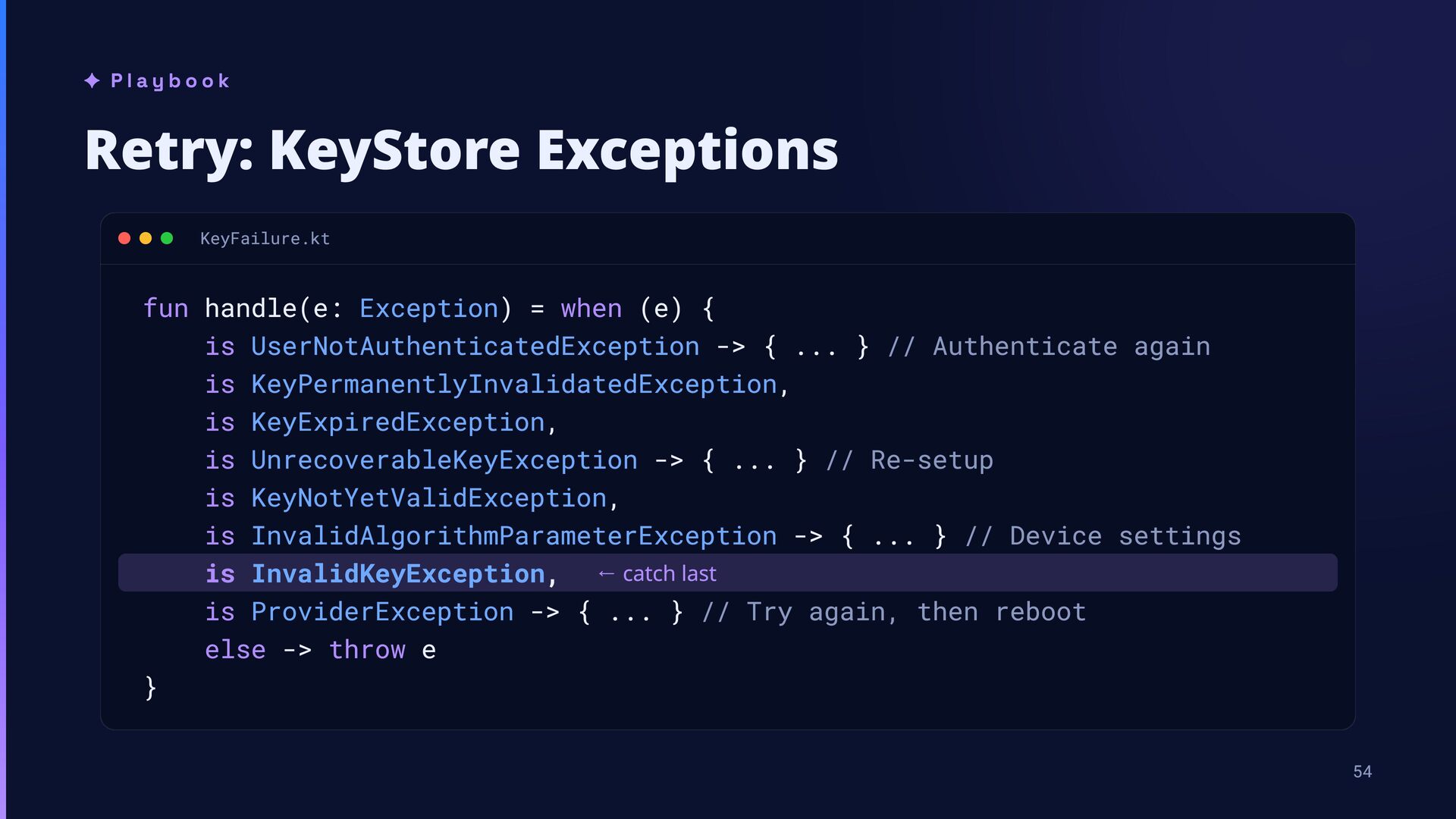
when (e) { is UserNotAuthenticatedException -> { ... } // Authenticate again is KeyPermanentlyInvalidatedException, is KeyExpiredException, is UnrecoverableKeyException -> { ... } // Re-setup is KeyNotYetValidException, is InvalidAlgorithmParameterException -> { ... } // Device settings is InvalidKeyException, ← catch last is ProviderException -> { ... } // Try again, then reboot } else -> throw e 54
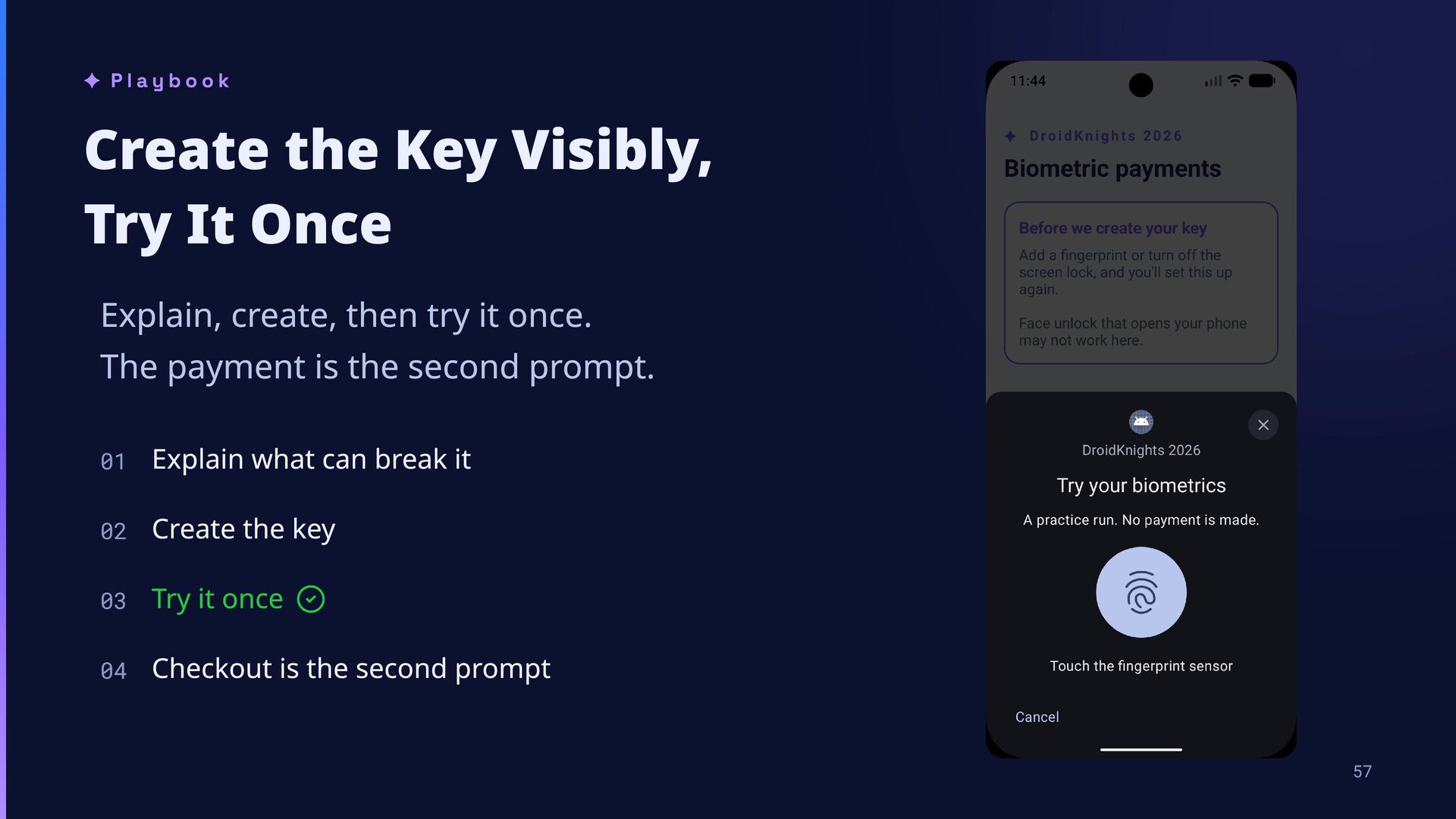
create, then try it once. The payment is the second prompt. 01 Explain what can break it 02 Create the key 03 Try it once 04 Checkout is the second prompt 57
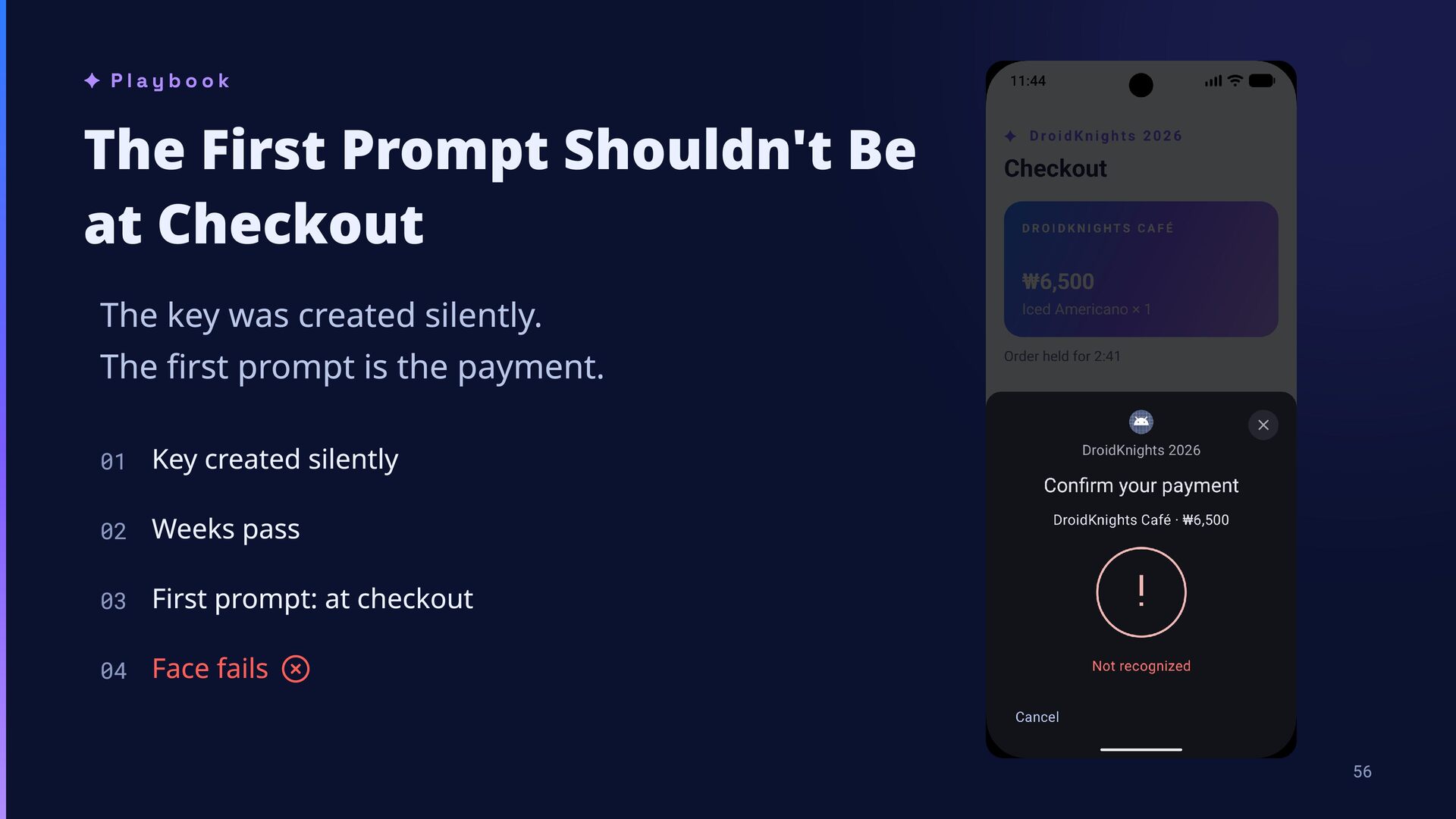
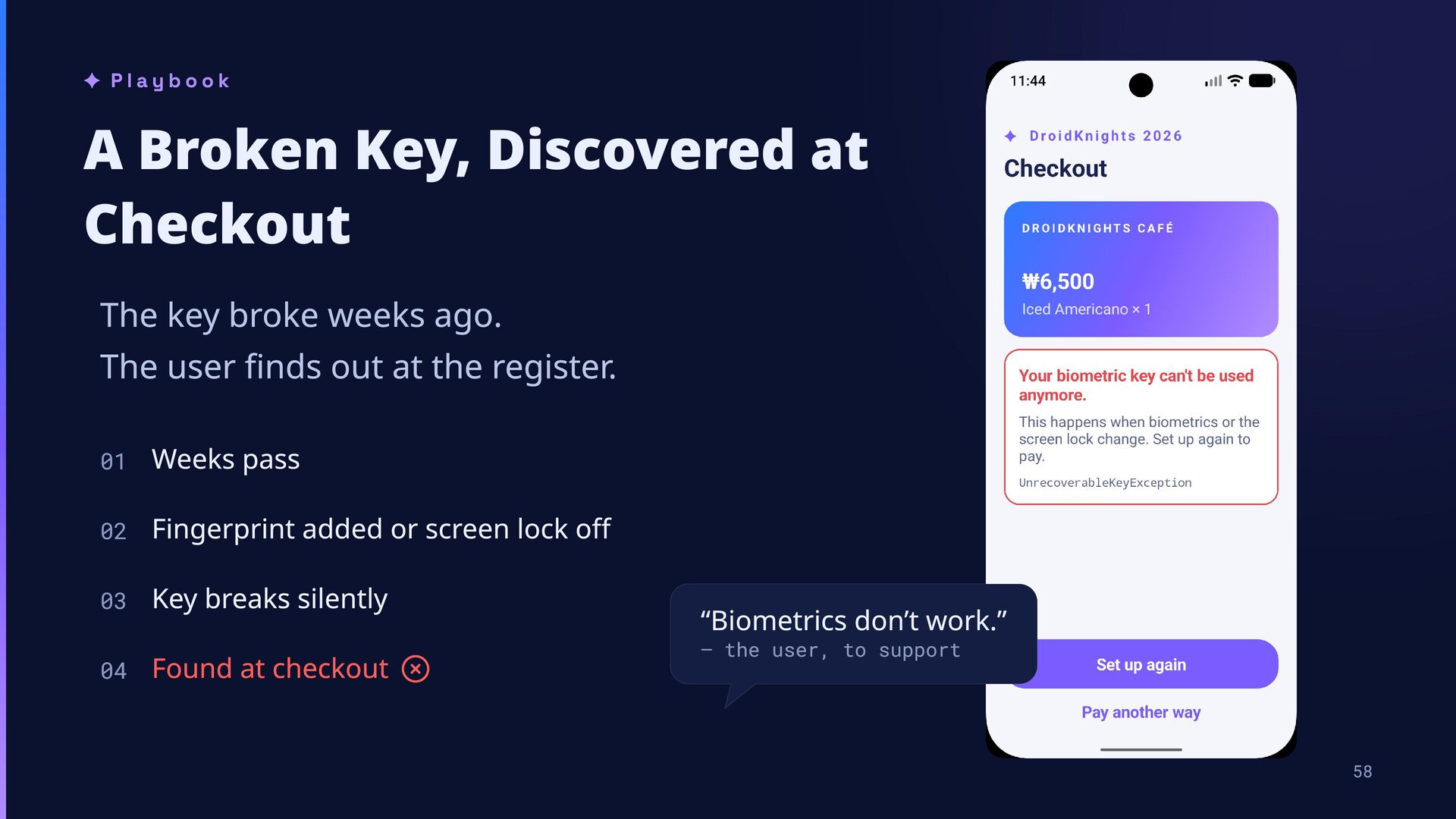
broke weeks ago. The user finds out at the register. 01 Weeks pass 02 Fingerprint added or screen lock off 03 Key breaks silently 04 Found at checkout “Biometrics don’t work.” — the user, to support 58
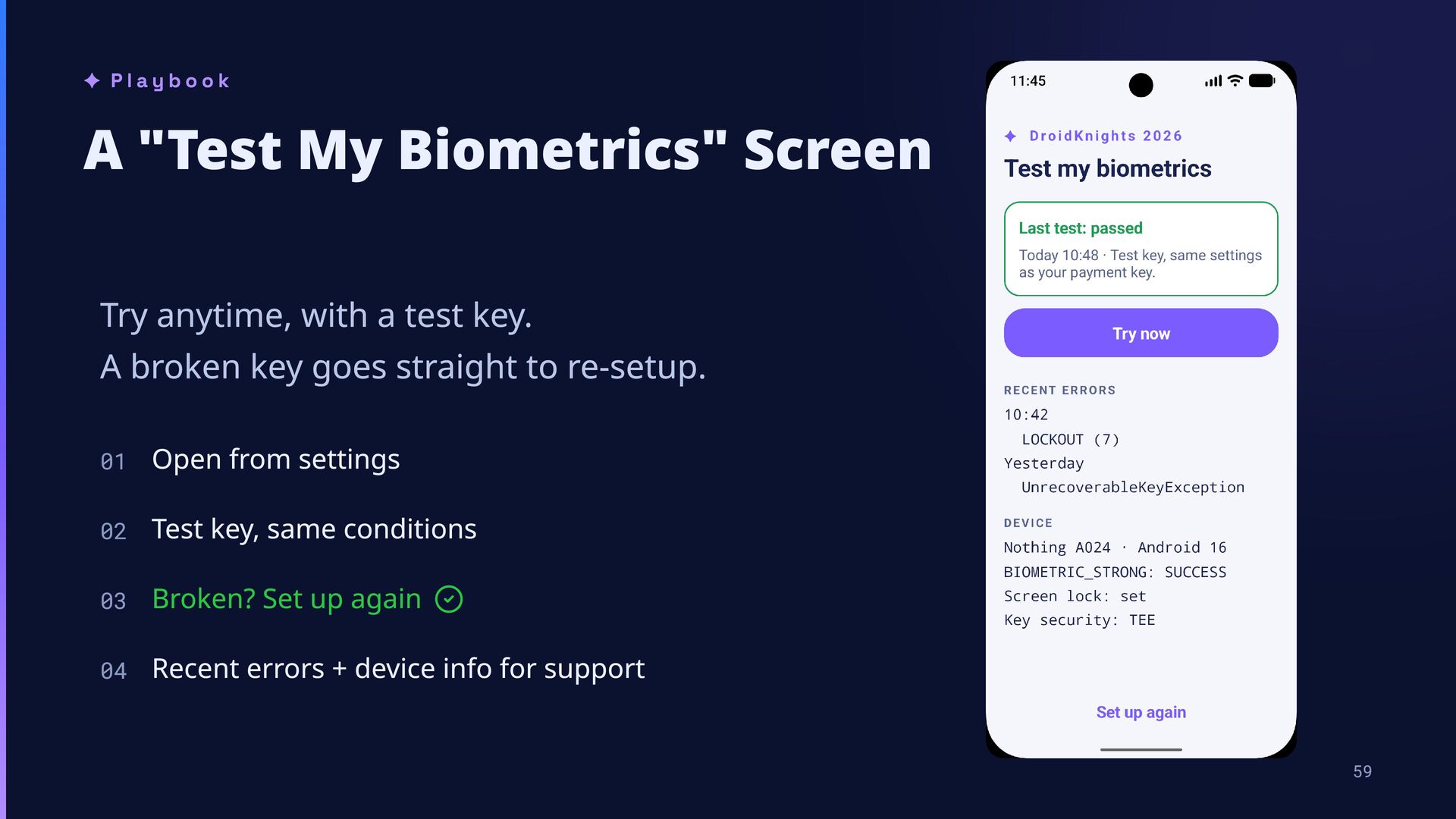
a test key. A broken key goes straight to re-setup. 01 Open from settings 02 Test key, same conditions 03 Broken? Set up again 04 Recent errors + device info for support 59
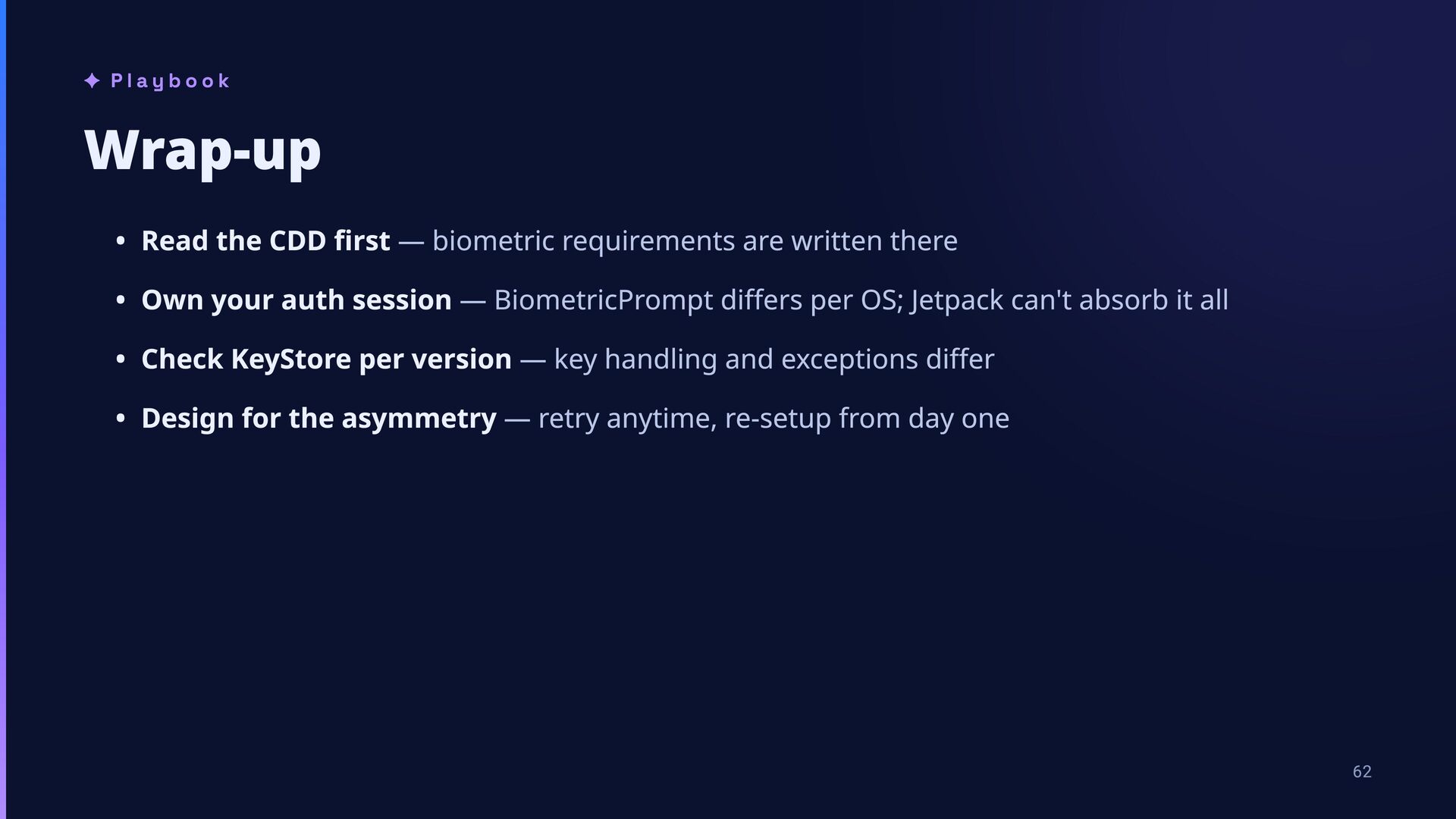
are written there Own your auth session — BiometricPrompt differs per OS; Jetpack can't absorb it all Check KeyStore per version — key handling and exceptions differ Design for the asymmetry — retry anytime, re-setup from day one ock cover fingerprint tap 62
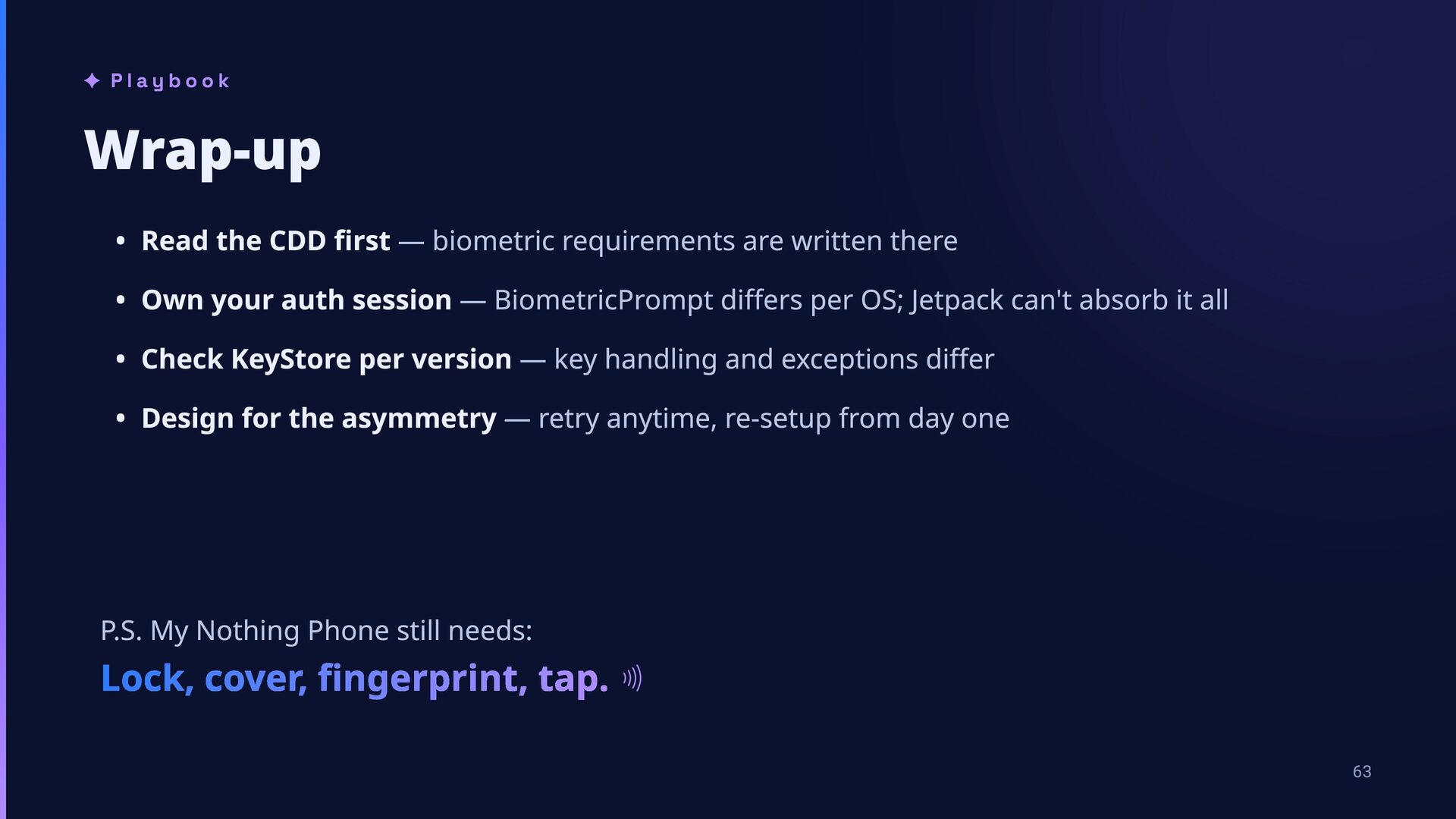
are written there Own your auth session — BiometricPrompt differs per OS; Jetpack can't absorb it all Check KeyStore per version — key handling and exceptions differ Design for the asymmetry — retry anytime, re-setup from day one P.S. My Nothing Phone still needs: Lock, cover, fingerprint, tap. 63
from work created and shared by Google and used according to terms described in the Creative Commons 3.0 Attribution License. Kodee by JetBrains s.r.o. is licensed under CC BY 4.0. Modified from the original. Icons by Lucide, licensed under the ISC License. Portions derived from Feather Icons (MIT). This deck was built with Claude Code (Anthropic) as an authoring tool. All structure, wording, and technical claims were written, verified, and edited by the author. Android™ is a trademark of Google LLC. Kotlin® is a trademark of the Kotlin Foundation. This session is not affiliated with, sponsored, or endorsed by Google LLC, JetBrains s.r.o., or the Kotlin Foundation.

 SiteGround - Reliable hosting with speed, security, and support you can count on.


 ryunen344
 colorful12
 yasaichi
 aoshi
 koukimiura
 clockmaker
 tanahiro2010
 yukikurage
 siroemk
 mixplace
 kitano_yuichi
 yutobara
 takai
 axbom
 notwaldorf
 inesmontani
 palkan
 malarkey
 katarinadahlin
 lfama
 davetheseo
 samtorres
 rabernat
 irinanazarova
 kristinabergwall1