Upgrade to Pro
— share decks privately, control downloads, hide ads and more …
Speaker Deck
Sign up for free
Menu
Search
Features
All features
Private URLs
Password Protection
Custom URLS
Scheduled publishing
Remove Branding
Restrict embedding
Deck Collections
Notes
Features
All features
Private URLs
Password Protection
Custom URLS
Scheduled publishing
Remove Branding
Restrict embedding
Deck Collections
Notes
Explore
Featured decks
Featured speakers
Programming
Technology
Storyboards
Explore
Featured decks
Featured speakers
Programming
Technology
Storyboards
Pricing
Search
Sign in
Sign up for free
Astroの使用感とディレクトリ設計についての考察
Search
Sponsored
·
Ship Features Fearlessly
Turn features on and off without deploys. Used by thousands of Ruby developers.
→
Saku
September 17, 2025
Programming
850
0
Share
Embed
Copy iframe code
Copy JS code
Copy link
Start on current slide
Astroの使用感とディレクトリ設計についての考察
Saku
September 17, 2025
More Decks by Saku
See All by Saku
私が個人開発をする理由_toukatsu_dev_20261009
saku0109
0
0
漫画と語学で下げる「アウトプットのハードル」
saku0109
1
420
Windsurf × Claude Code 二刀流で開発を加速する.pdf
saku0109
0
66
Qiitaアドベントカレンダー2024 労い社内イベント LT資料
saku0109
0
20
Other Decks in Programming
See All in Programming
現場と育てるRailsモデリング 〜Spreadsheetから始めたモデル設計〜
siroemk
2
650
TechTown - Creating Composable Callables in Contemporary C++
rollbear
0
130
Agents on Rails - Rails at Scale 2026
irinanazarova
0
570
GemmaをJevのように使ってみる / Use Gemma like Jev
kishida
5
800
JAWS-UG 東京支部が始める、JAWS-UG支部コラボ / JAWS-UG lunchtime LT Collaboration
y0hgi
0
280
機械に任せるテスト、人が見るテスト ⽣成AIで引き直した、運⽤保守フェーズの線引き
dske104
0
190
AI主導のプログラミング学習アプリを作ってみた
econanringo
0
180
Apple Intelligence を用いた個人情報誤送信防止、及びユーザーリクエスト体験の改善について
yukiny
0
350
Compiling a real-world CLI tool to native with Static Hermes
tmikov2023
0
120
golang-bob.pdf
iwatsukayura
0
130
Railsのためのパスキー実践入門 〜マルチテナントSaaSでの意思決定〜
utakaha
3
770
AI時代のコードレビューは人に向けるな、仕組みに向けろ
texmeijin
5
3.7k
Featured
See All Featured
Learning to Love Humans: Emotional Interface Design
aarron
275
41k
Un-Boring Meetings
codingconduct
0
460
Stewardship and Sustainability of Urban and Community Forests
pwiseman
0
560
Large-scale JavaScript Application Architecture
addyosmani
516
110k
What’s in a name? Adding method to the madness
productmarketing
PRO
24
4.2k
Are puppies a ranking factor?
jonoalderson
2
4.1k
Google's AI Overviews - The New Search
badams
0
1.6k
Paper Plane (Part 1)
katiecoart
PRO
2
12k
How to make the Groovebox
asonas
2
2.5k
Unlocking the hidden potential of vector embeddings in international SEO
frankvandijk
0
1k
Odyssey Design
rkendrick25
PRO
2
880
GraphQLとの向き合い方2022年版
quramy
50
15k
Transcript
Astro 使⽤感とディレクトリ設計 より良いディレクトリ設計について考える
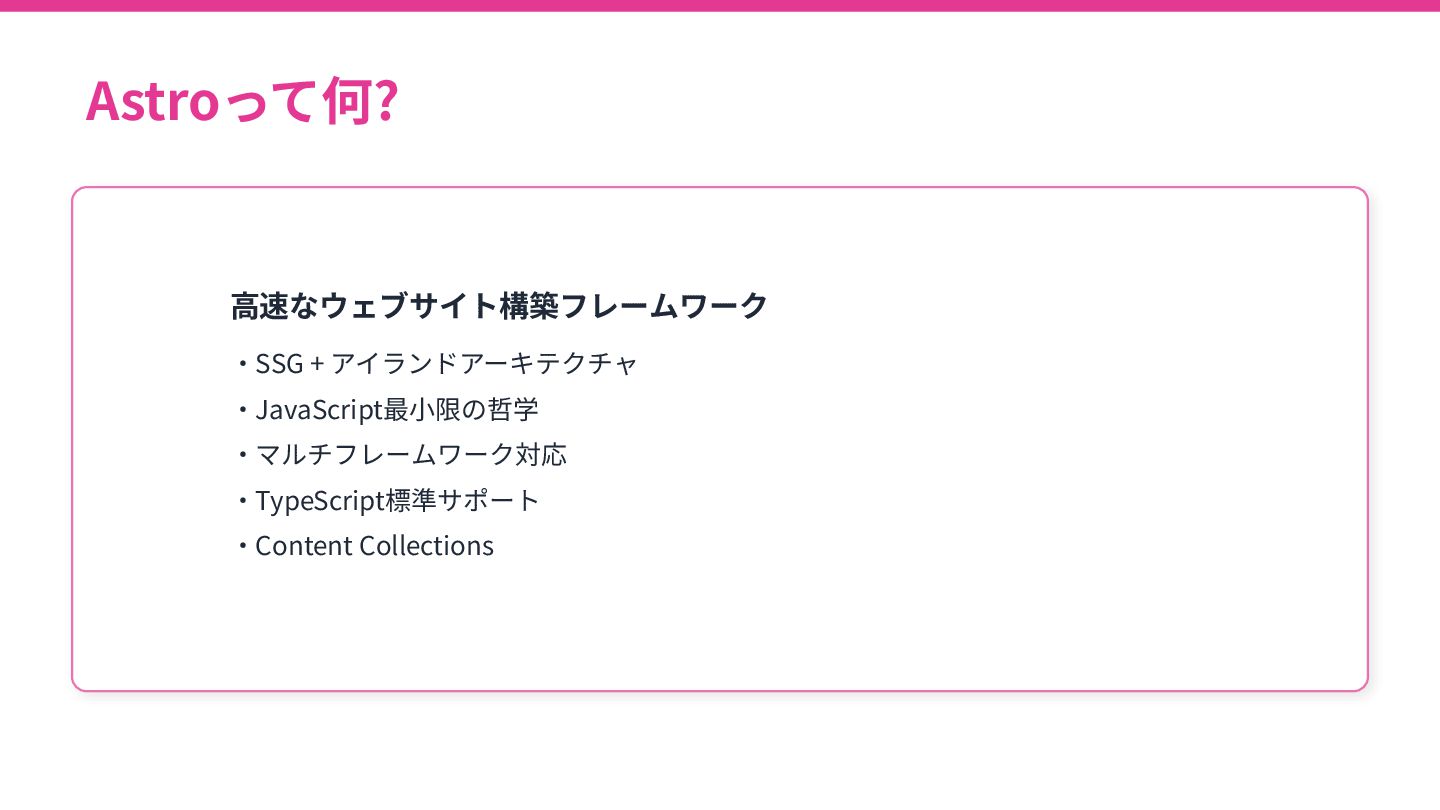
Astroって何? ⾼速なウェブサイト構築フレームワーク ‧SSG + アイランドアーキテクチャ ‧JavaScript最⼩限の哲学 ‧マルチフレームワーク対応 ‧TypeScript標準サポート ‧Content Collections
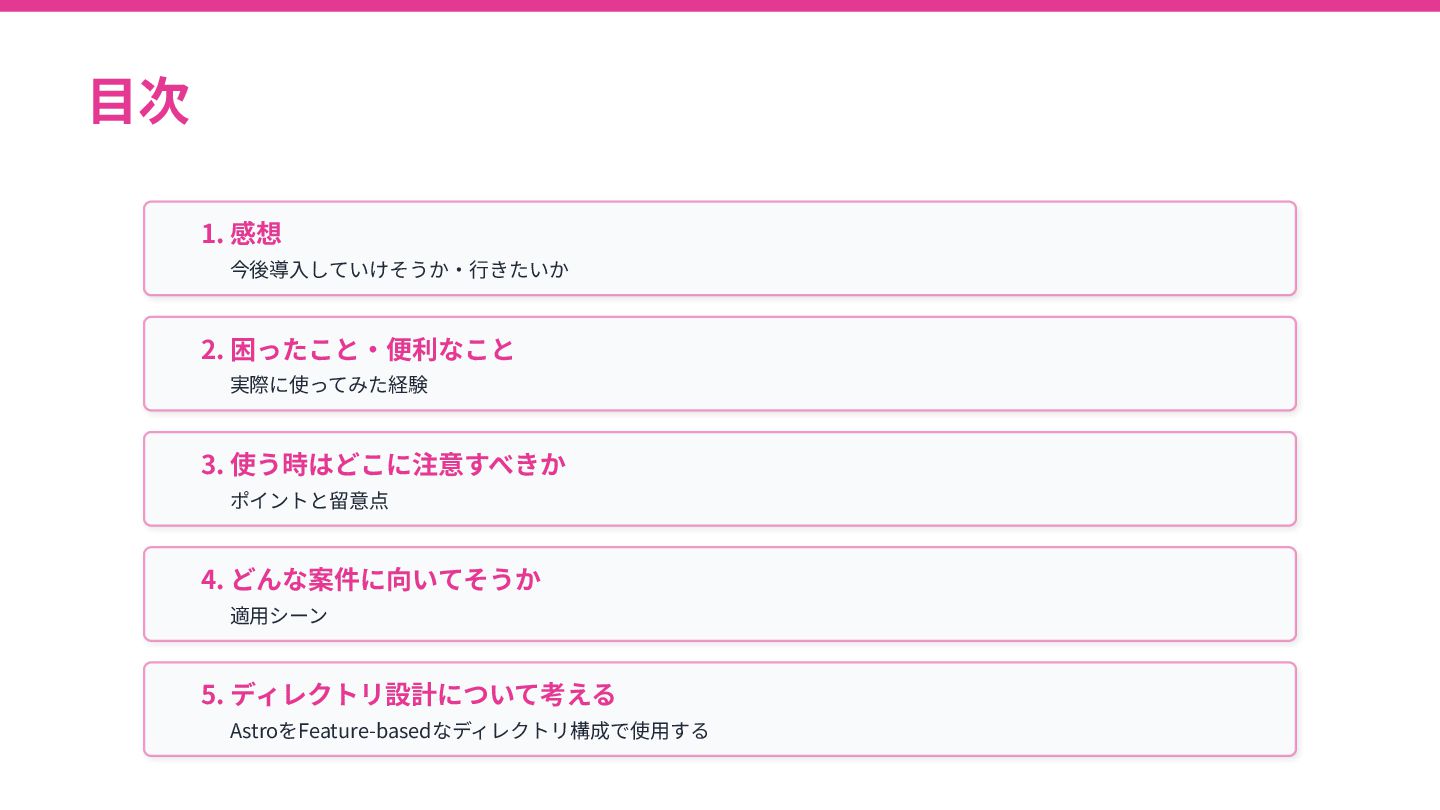
⽬次 1. 感想 今後導⼊していけそうか‧⾏きたいか 2. 困ったこと‧便利なこと 実際に使ってみた経験 3. 使う時はどこに注意すべきか ポイントと留意点
4. どんな案件に向いてそうか 適⽤シーン AstroをFeature-basedなディレクトリ構成で使⽤する 5. ディレクトリ設計について考える
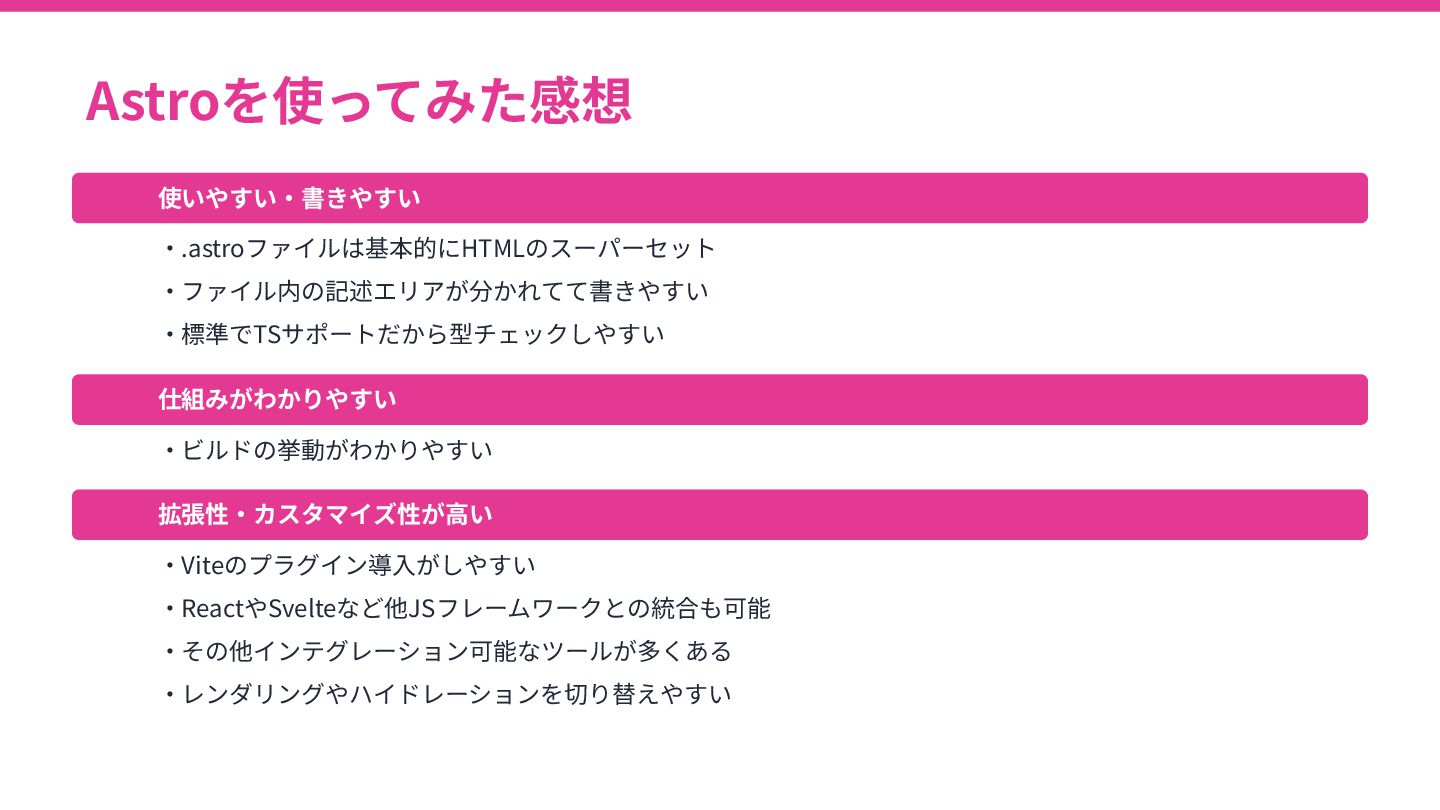
Astroを使ってみた感想 使いやすい‧書きやすい ‧.astroファイルは基本的にHTMLのスーパーセット ‧ファイル内の記述エリアが分かれてて書きやすい ‧標準でTSサポートだから型チェックしやすい 仕組みがわかりやすい ‧ビルドの挙動がわかりやすい 拡張性‧カスタマイズ性が⾼い ‧Viteのプラグイン導⼊がしやすい ‧ReactやSvelteなど他JSフレームワークとの統合も可能
‧その他インテグレーション可能なツールが多くある ‧レンダリングやハイドレーションを切り替えやすい
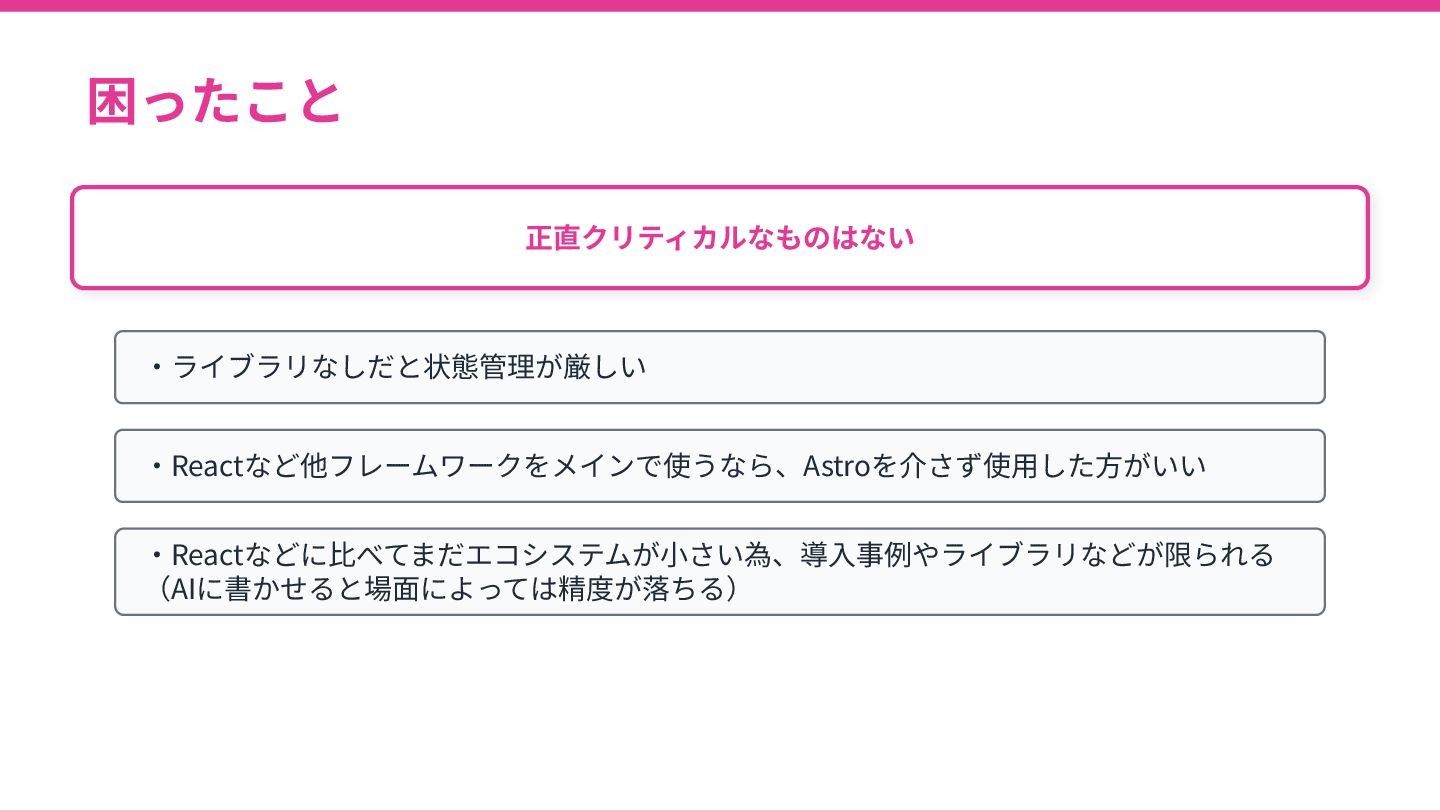
困ったこと 正直クリティカルなものはない ‧ライブラリなしだと状態管理が厳しい ‧Reactなど他フレームワークをメインで使うなら、Astroを介さず使⽤した⽅がいい ‧Reactなどに⽐べてまだエコシステムが⼩さい為、導⼊事例やライブラリなどが限られる (AIに書かせると場⾯によっては精度が落ちる)
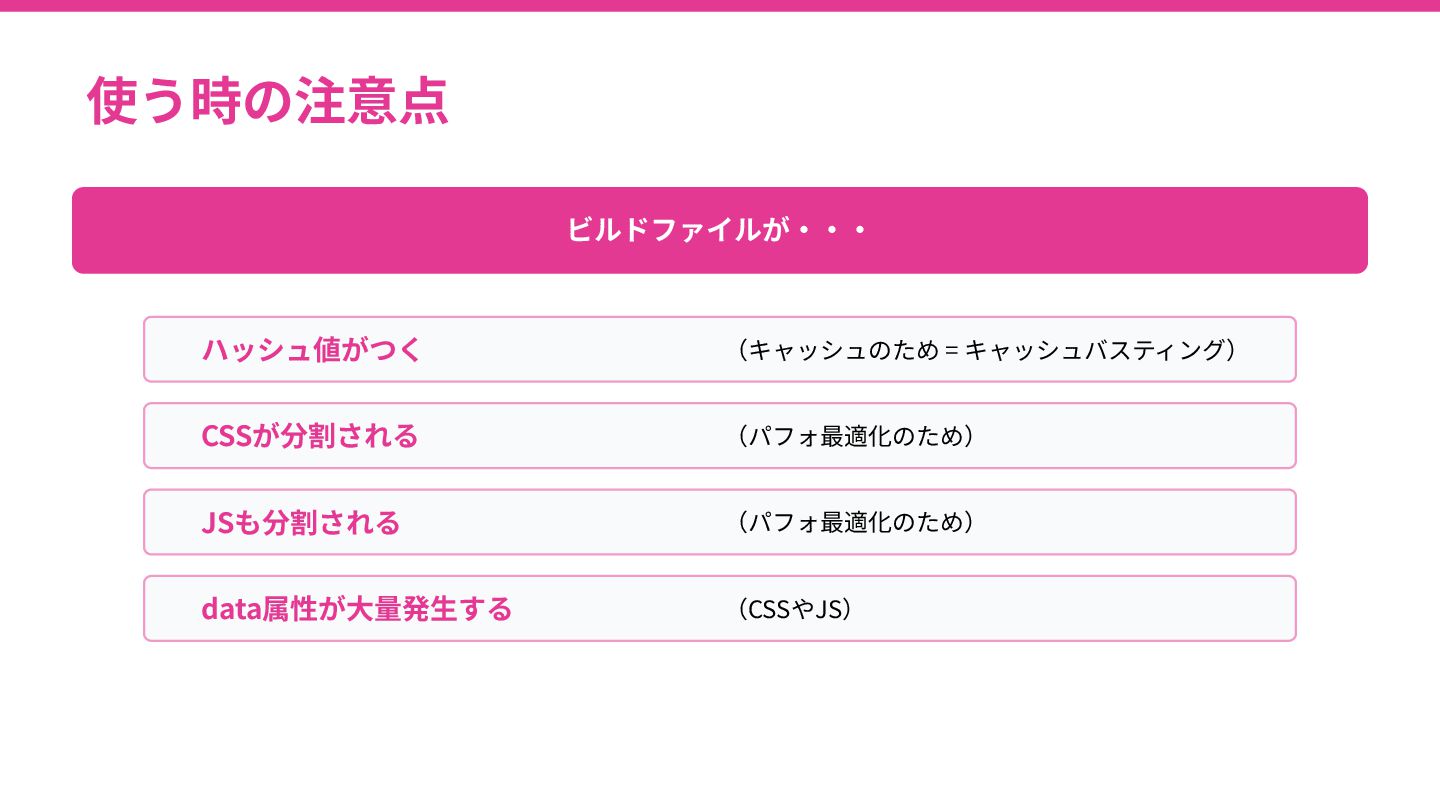
使う時の注意点 ビルドファイルが‧‧‧ ハッシュ値がつく (キャッシュのため = キャッシュバスティング) CSSが分割される (パフォ最適化のため) JSも分割される (パフォ最適化のため)
data属性が⼤量発⽣する (CSSやJS)
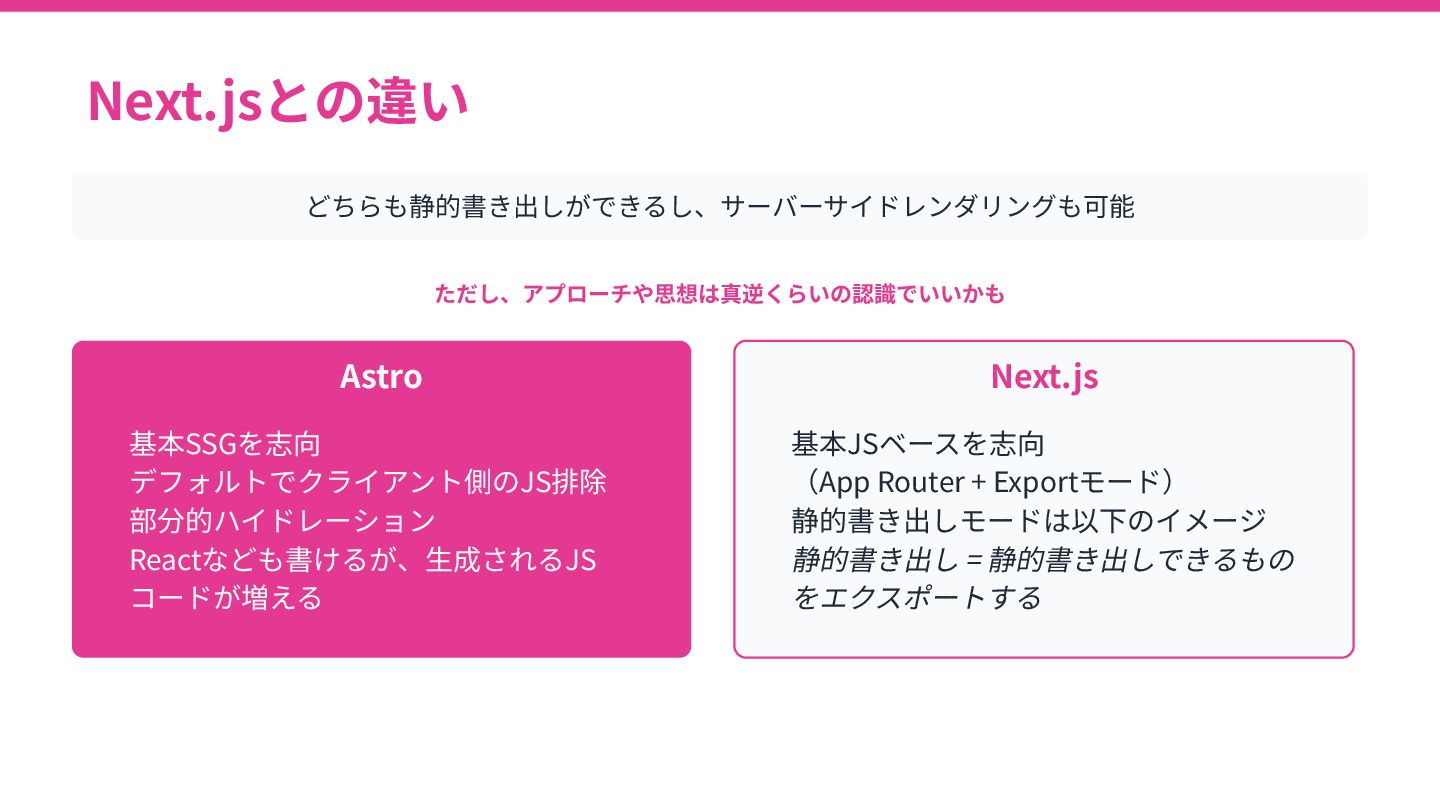
Next.jsとの違い どちらも静的書き出しができるし、サーバーサイドレンダリングも可能 ただし、アプローチや思想は真逆くらいの認識でいいかも Astro 基本SSGを志向 デフォルトでクライアント側のJS排除 部分的ハイドレーション Reactなども書けるが、⽣成されるJS コードが増える Next.js
基本JSベースを志向 (App Router + Exportモード) 静的書き出しモードは以下のイメージ 静的書き出し = 静的書き出しできるもの をエクスポートする
ディレクトリ設計
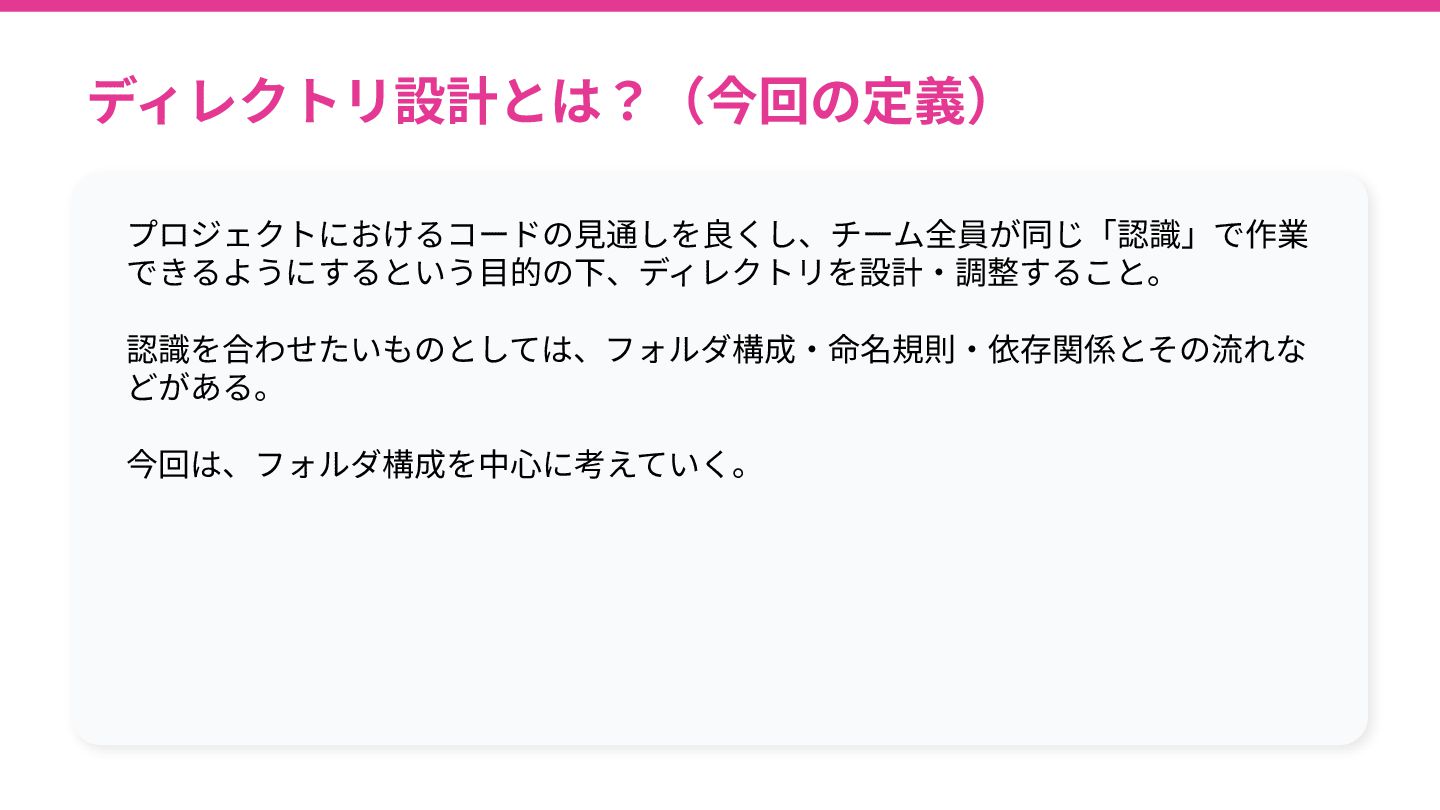
ディレクトリ設計とは?(今回の定義) プロジェクトにおけるコードの⾒通しを良くし、チーム全員が同じ「認識」で作業 できるようにするという⽬的の下、ディレクトリを設計‧調整すること。 認識を合わせたいものとしては、フォルダ構成‧命名規則‧依存関係とその流れな どがある。 今回は、フォルダ構成を中⼼に考えていく。
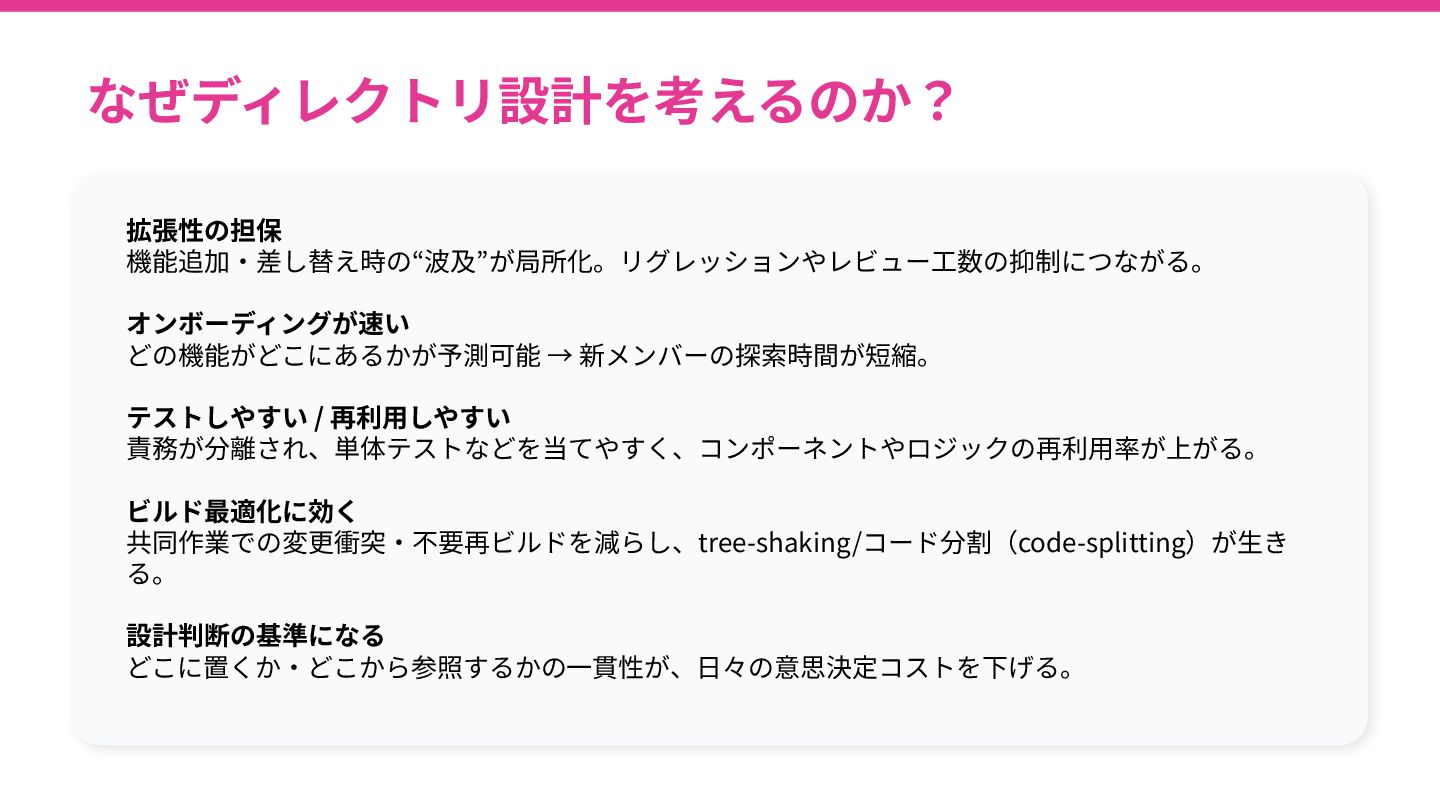
なぜディレクトリ設計を考えるのか? 拡張性の担保 機能追加‧差し替え時の“波及”が局所化。リグレッションやレビュー⼯数の抑制につながる。 オンボーディングが速い どの機能がどこにあるかが予測可能 → 新メンバーの探索時間が短縮。 テストしやすい / 再利⽤しやすい
責務が分離され、単体テストなどを当てやすく、コンポーネントやロジックの再利⽤率が上がる。 ビルド最適化に効く 共同作業での変更衝突‧不要再ビルドを減らし、tree-shaking/コード分割(code-splitting)が⽣き る。 設計判断の基準になる どこに置くか‧どこから参照するかの⼀貫性が、⽇々の意思決定コストを下げる。
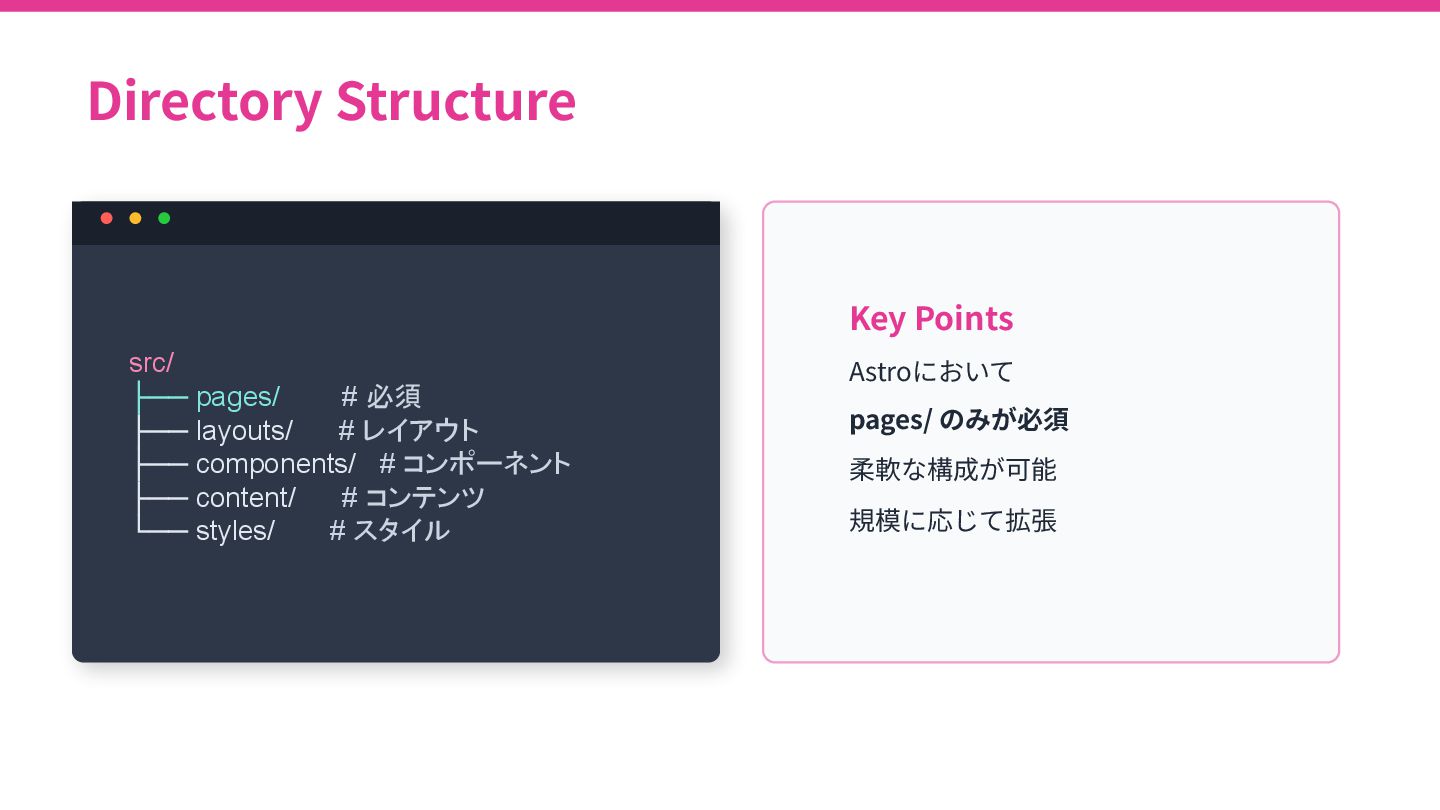
Directory Structure src/ ├── pages/ # 必須 ├── layouts/ #
レイアウト ├── components/ # コンポーネント ├── content/ # コンテンツ └── styles/ # スタイル Key Points Astroにおいて pages/ のみが必須 柔軟な構成が可能 規模に応じて拡張
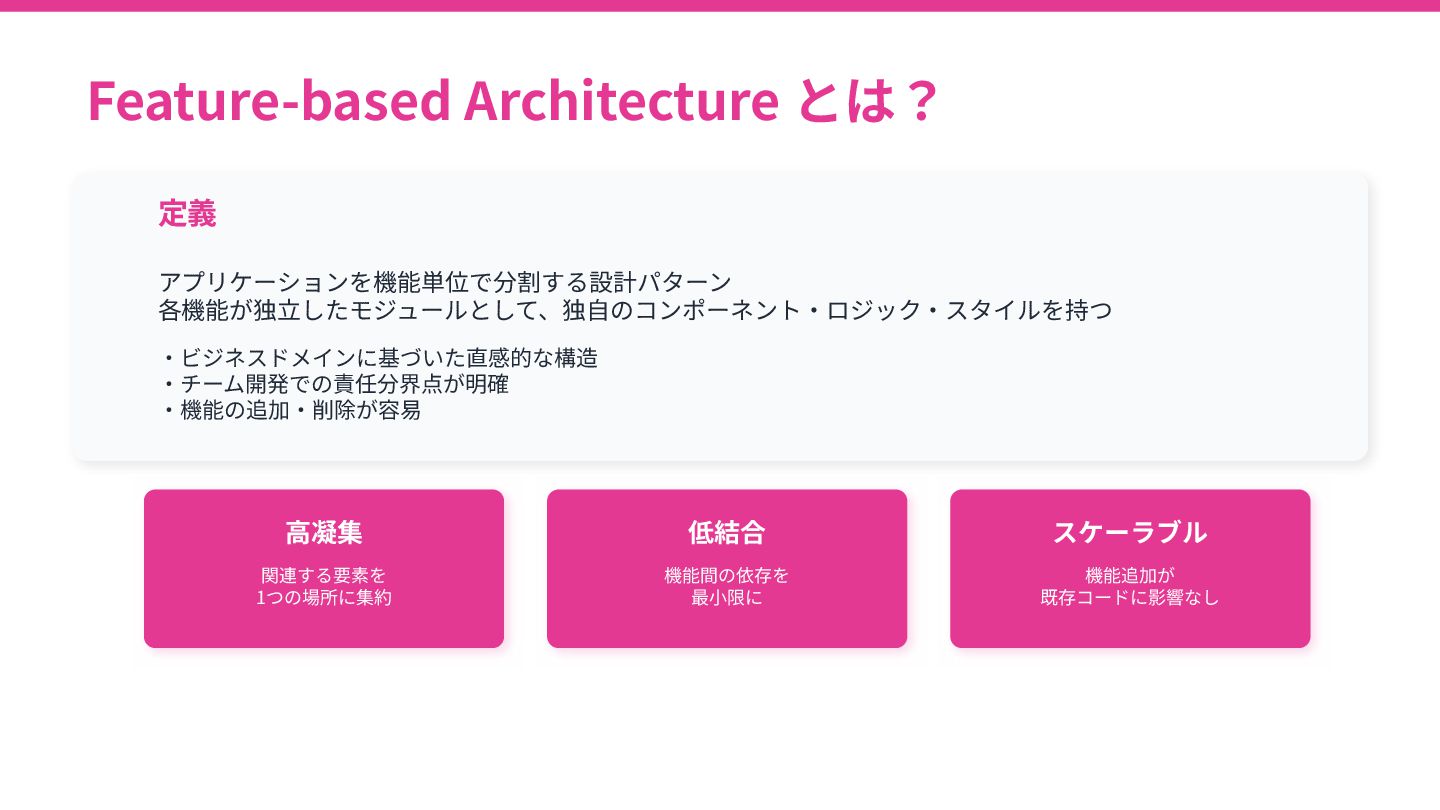
Feature-based Architecture とは? 定義 アプリケーションを機能単位で分割する設計パターン 各機能が独⽴したモジュールとして、独⾃のコンポーネント‧ロジック‧スタイルを持つ ‧ビジネスドメインに基づいた直感的な構造 ‧チーム開発での責任分界点が明確 ‧機能の追加‧削除が容易 ⾼凝集
関連する要素を 1つの場所に集約 低結合 機能間の依存を 最⼩限に スケーラブル 機能追加が 既存コードに影響なし
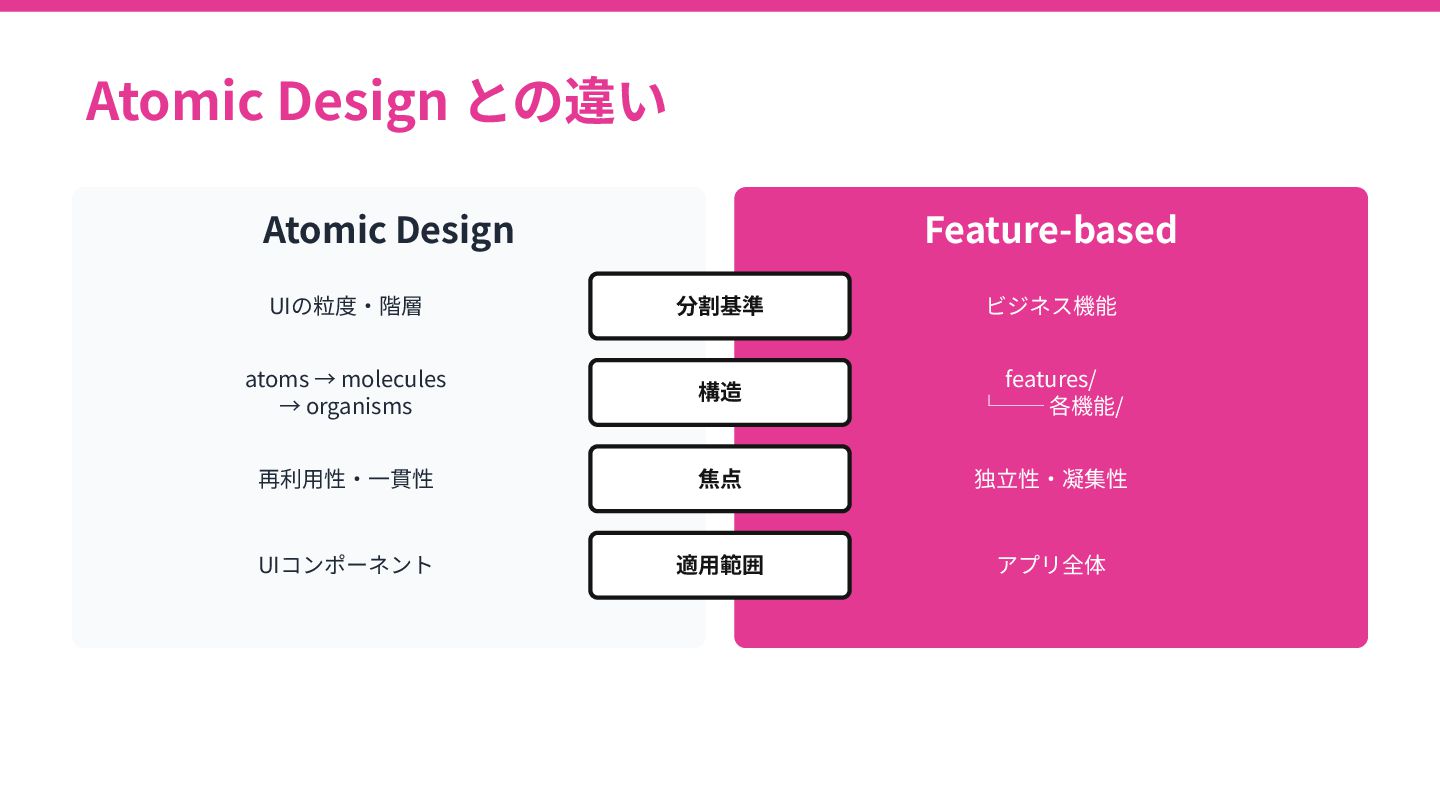
Atomic Design との違い Atomic Design Feature-based 分割基準 UIの粒度‧階層 ビジネス機能 構造
atoms → molecules → organisms features/ └── 各機能/ 焦点 再利⽤性‧⼀貫性 独⽴性‧凝集性 適⽤範囲 UIコンポーネント アプリ全体
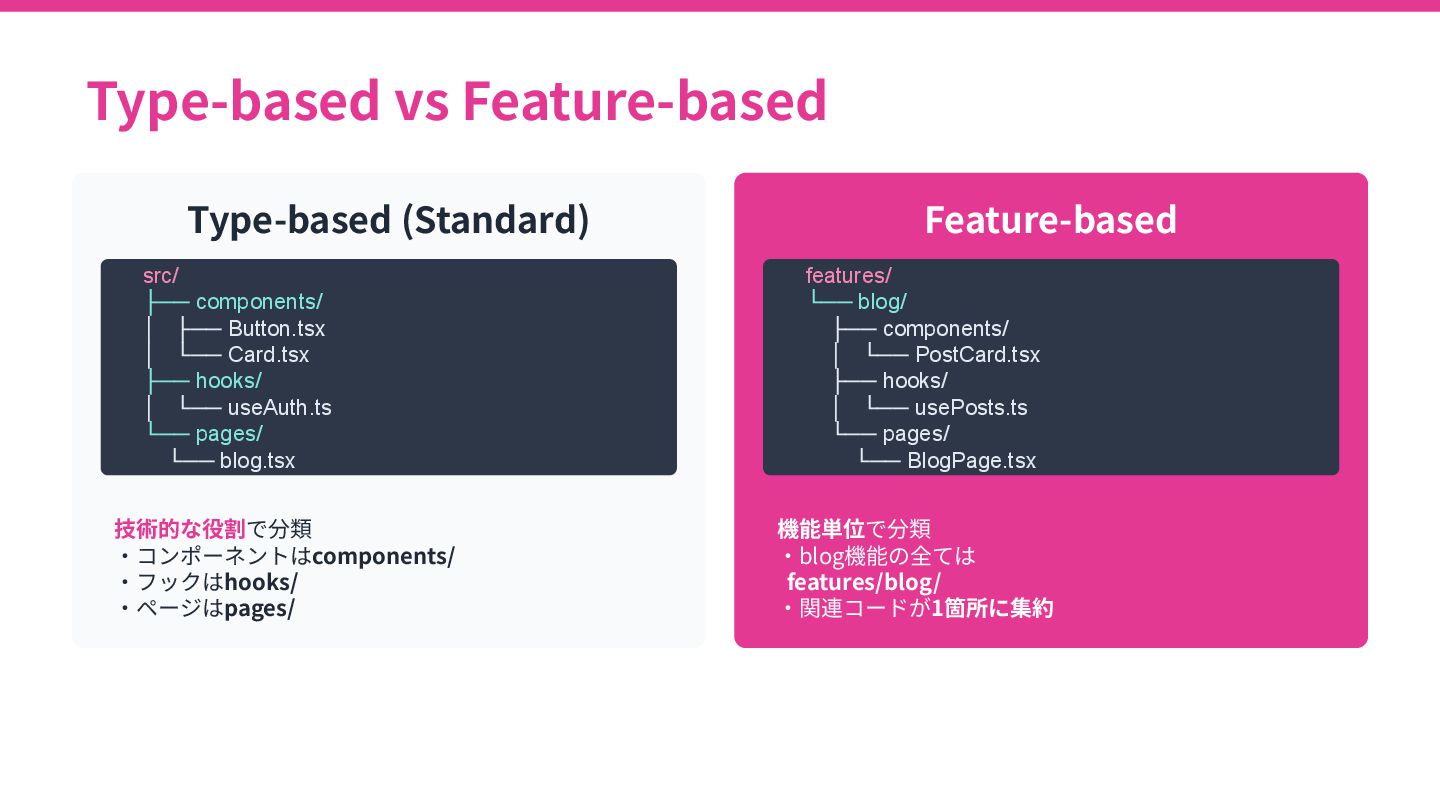
Type-based vs Feature-based Type-based (Standard) src/ ├── components/ │ ├──
Button.tsx │ └── Card.tsx ├── hooks/ │ └── useAuth.ts └── pages/ └── blog.tsx 技術的な役割で分類 ‧コンポーネントはcomponents/ ‧フックはhooks/ ‧ページはpages/ Feature-based features/ └── blog/ ├── components/ │ └── PostCard.tsx ├── hooks/ │ └── usePosts.ts └── pages/ └── BlogPage.tsx 機能単位で分類 ‧blog機能の全ては features/blog/ ‧関連コードが1箇所に集約
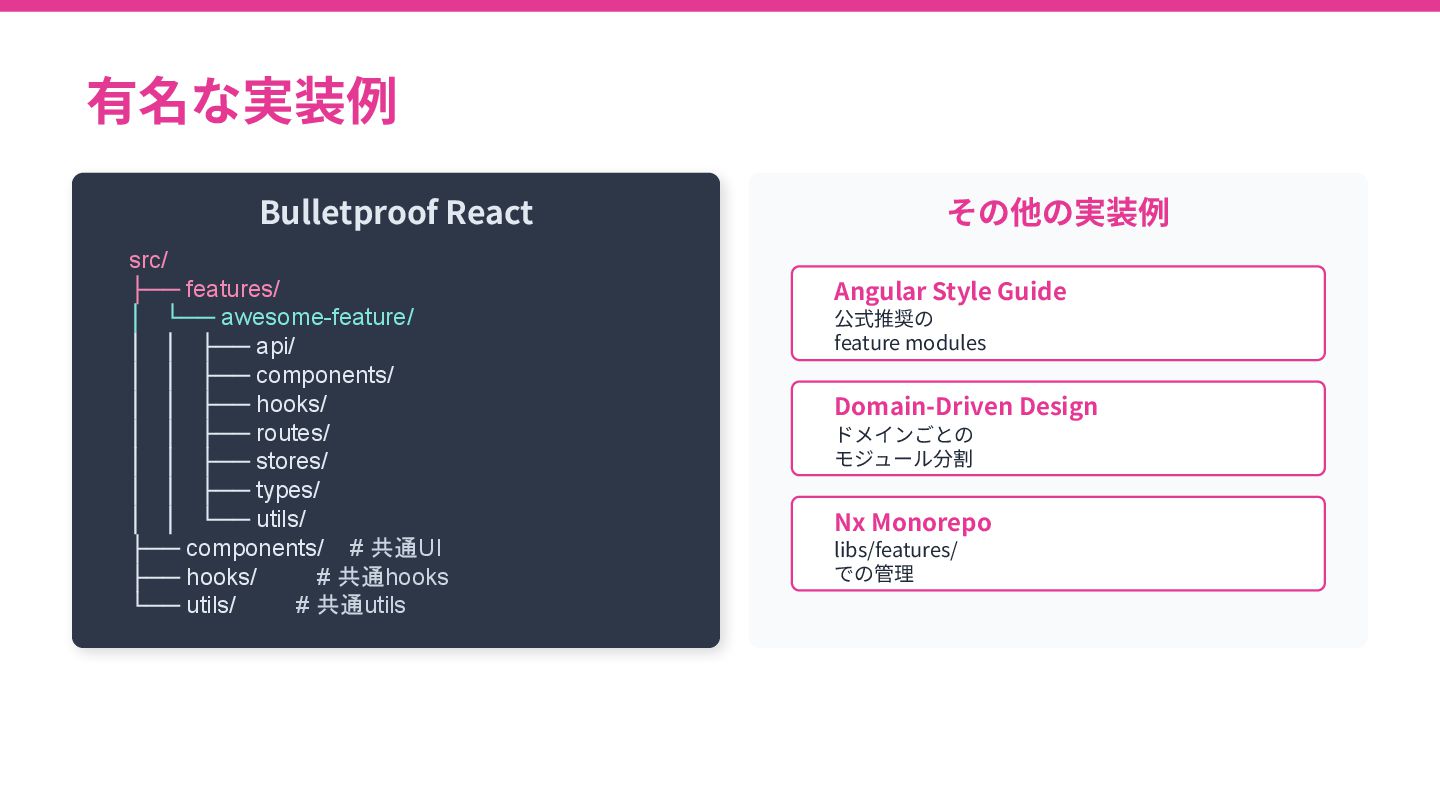
有名な実装例 Bulletproof React src/ ├── features/ │ └── awesome-feature/ │
│ ├── api/ │ │ ├── components/ │ │ ├── hooks/ │ │ ├── routes/ │ │ ├── stores/ │ │ ├── types/ │ │ └── utils/ ├── components/ # 共通UI ├── hooks/ # 共通hooks └── utils/ # 共通utils その他の実装例 Angular Style Guide 公式推奨の feature modules Domain-Driven Design ドメインごとの モジュール分割 Nx Monorepo libs/features/ での管理
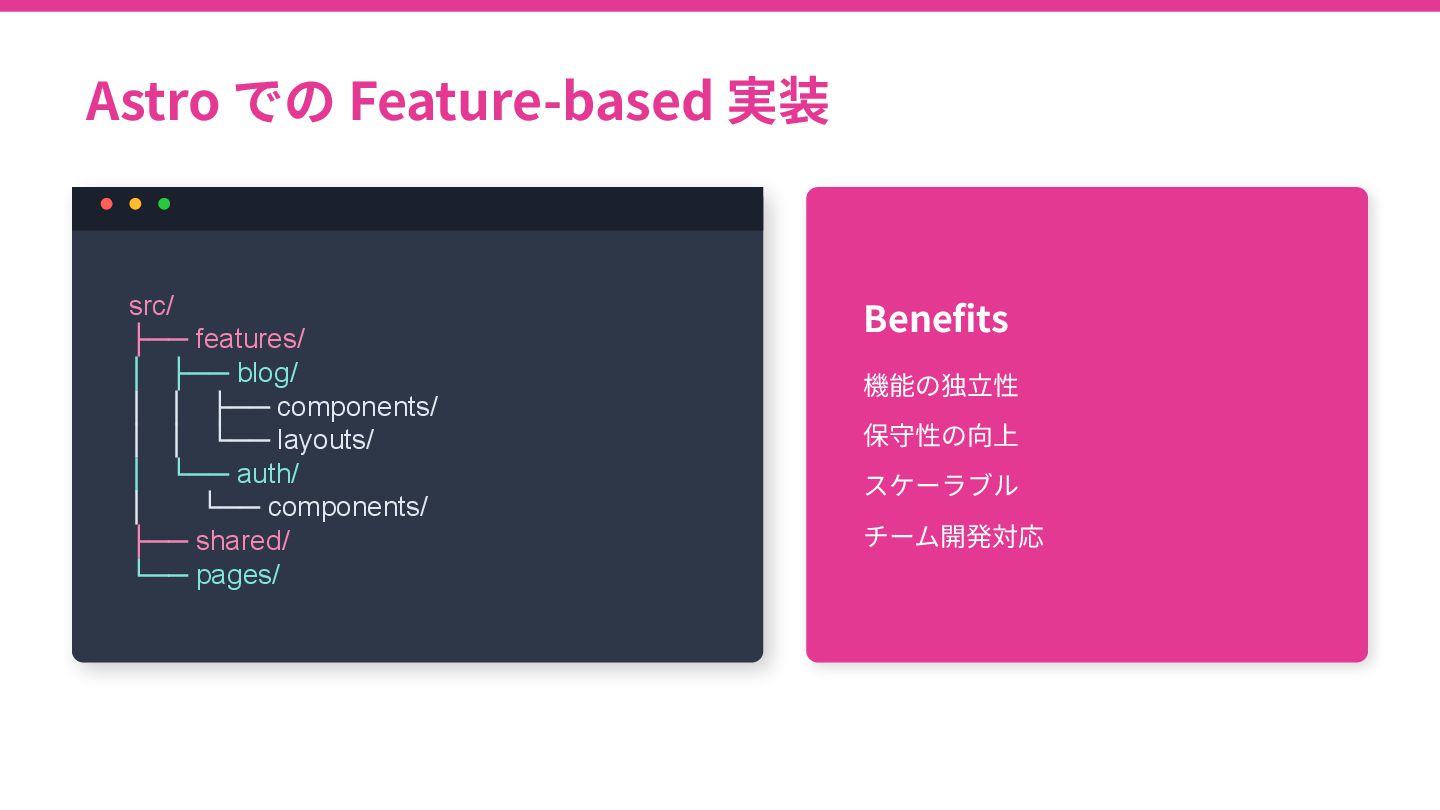
Astro での Feature-based 実装 src/ ├── features/ │ ├── blog/
│ │ ├── components/ │ │ └── layouts/ │ └── auth/ │ └── components/ ├── shared/ └── pages/ Benefits 機能の独⽴性 保守性の向上 スケーラブル チーム開発対応
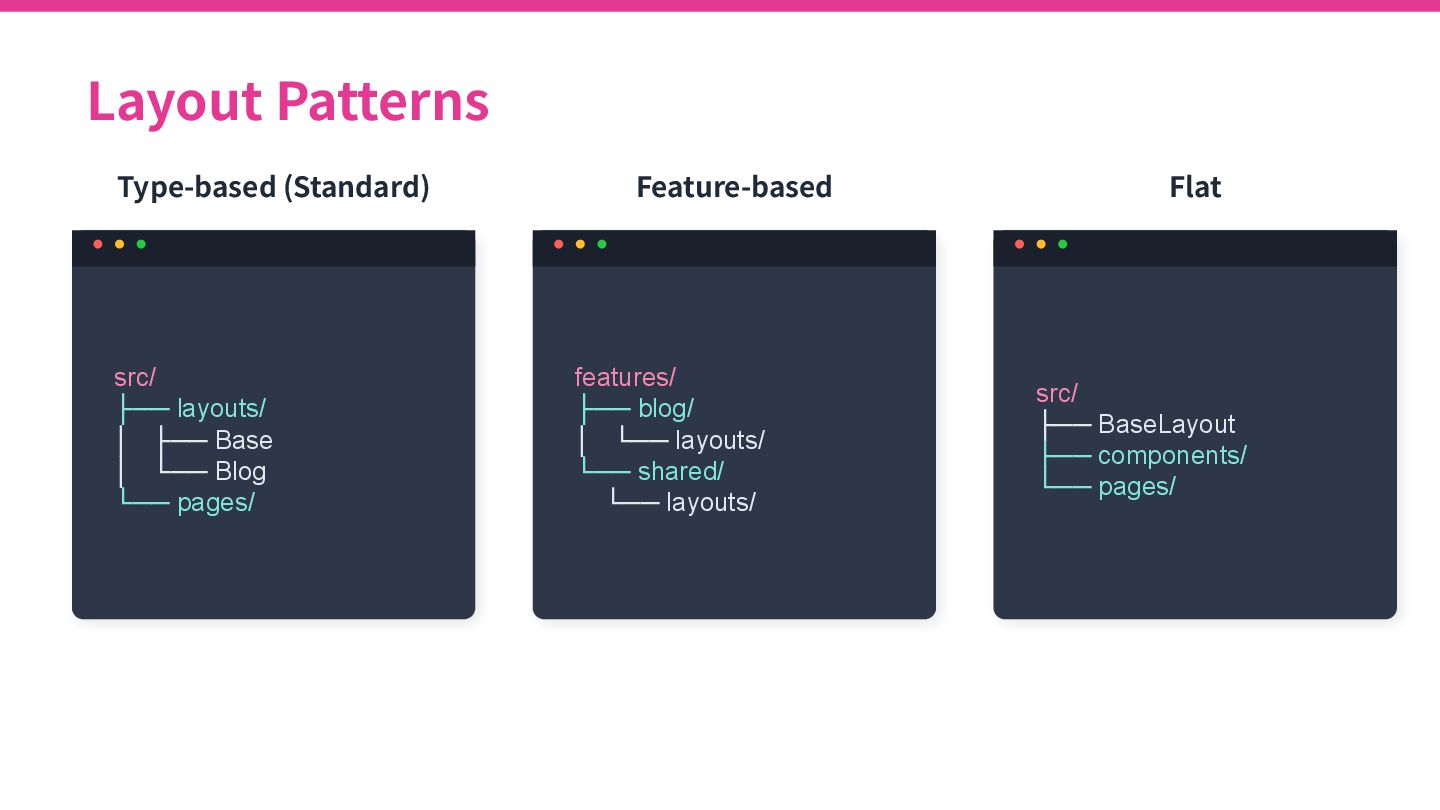
Layout Patterns Type-based (Standard) src/ ├── layouts/ │ ├── Base
│ └── Blog └── pages/ Feature-based features/ ├── blog/ │ └── layouts/ └── shared/ └── layouts/ Flat src/ ├── BaseLayout ├── components/ └── pages/
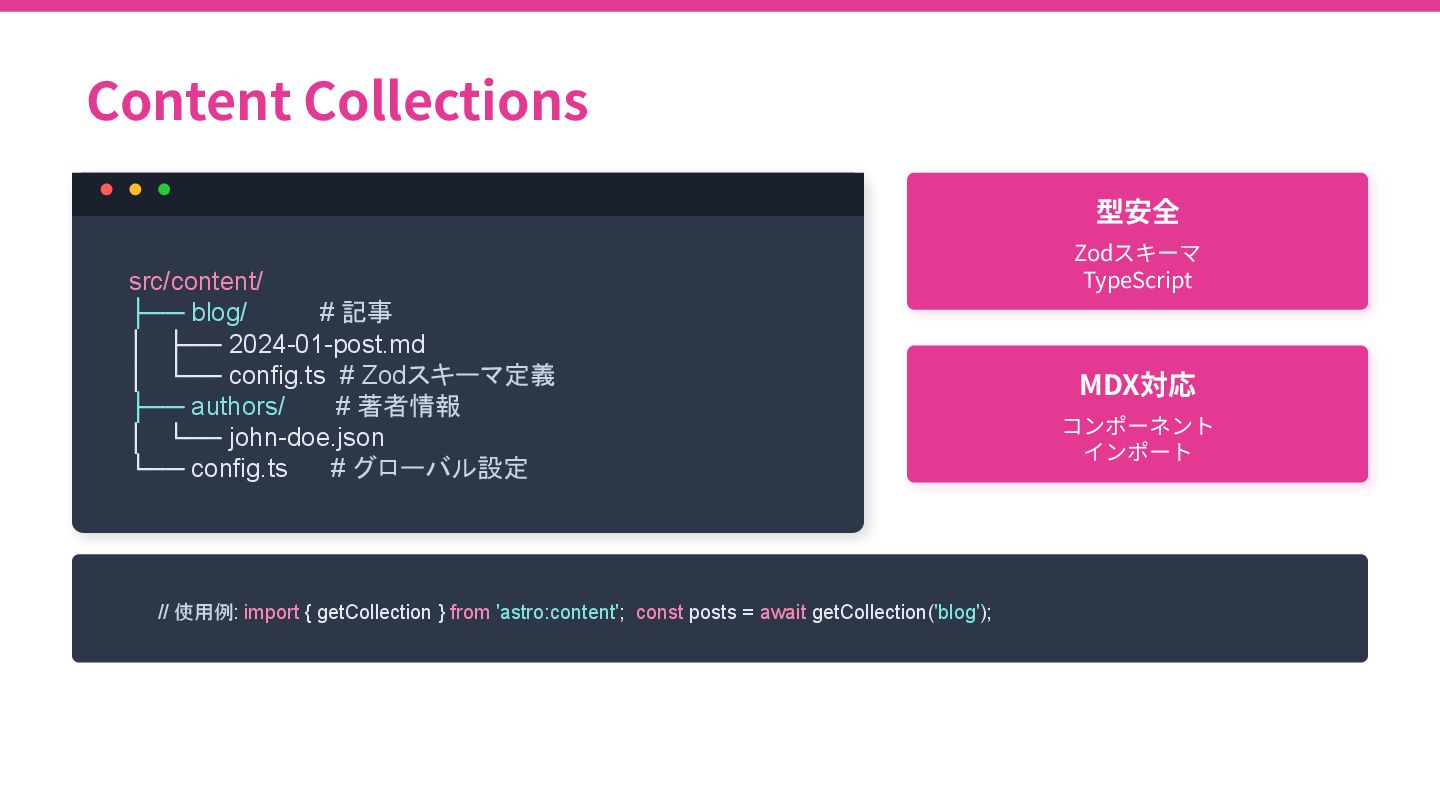
Content Collections src/content/ ├── blog/ # 記事 │ ├── 2024-01-post.md
│ └── config.ts # Zodスキーマ定義 ├── authors/ # 著者情報 │ └── john-doe.json └── config.ts # グローバル設定 型安全 Zodスキーマ TypeScript MDX対応 コンポーネント インポート // 使用例: import { getCollection } from 'astro:content'; const posts = await getCollection('blog');
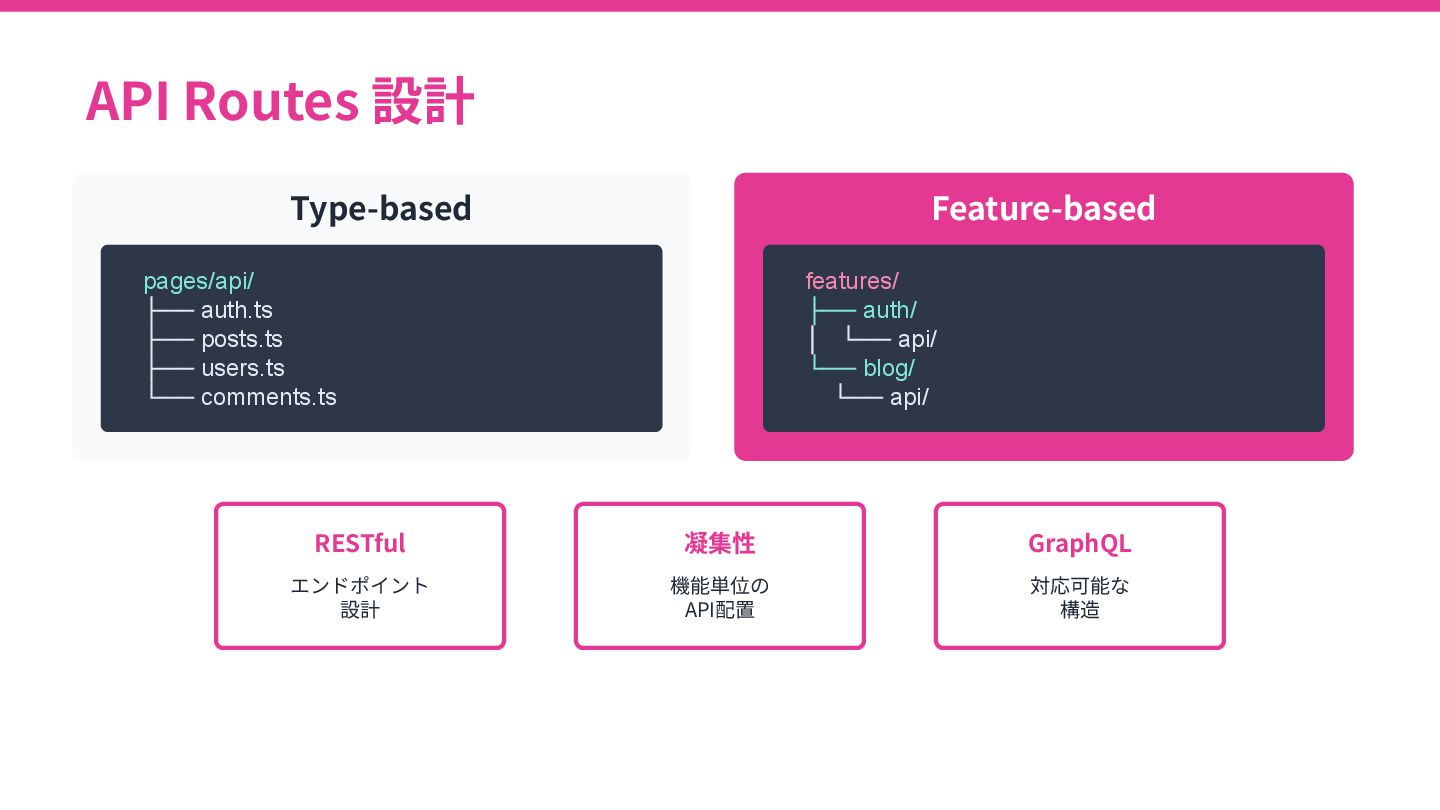
API Routes 設計 Type-based pages/api/ ├── auth.ts ├── posts.ts ├──
users.ts └── comments.ts Feature-based features/ ├── auth/ │ └── api/ └── blog/ └── api/ RESTful エンドポイント 設計 凝集性 機能単位の API配置 GraphQL 対応可能な 構造
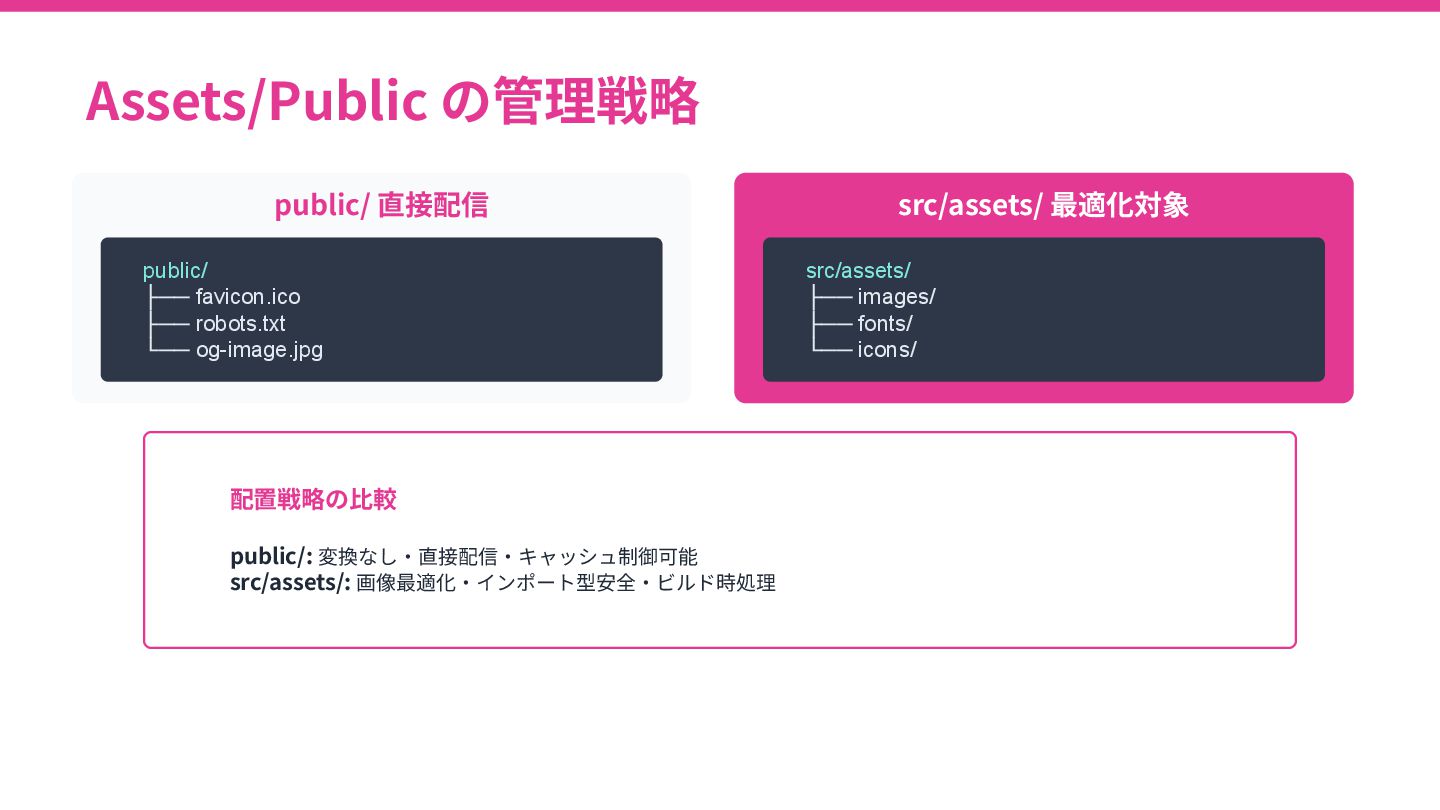
Assets/Public の管理戦略 public/ 直接配信 public/ ├── favicon.ico ├── robots.txt └──
og-image.jpg src/assets/ 最適化対象 src/assets/ ├── images/ ├── fonts/ └── icons/ 配置戦略の⽐較 public/: 変換なし‧直接配信‧キャッシュ制御可能 src/assets/: 画像最適化‧インポート型安全‧ビルド時処理
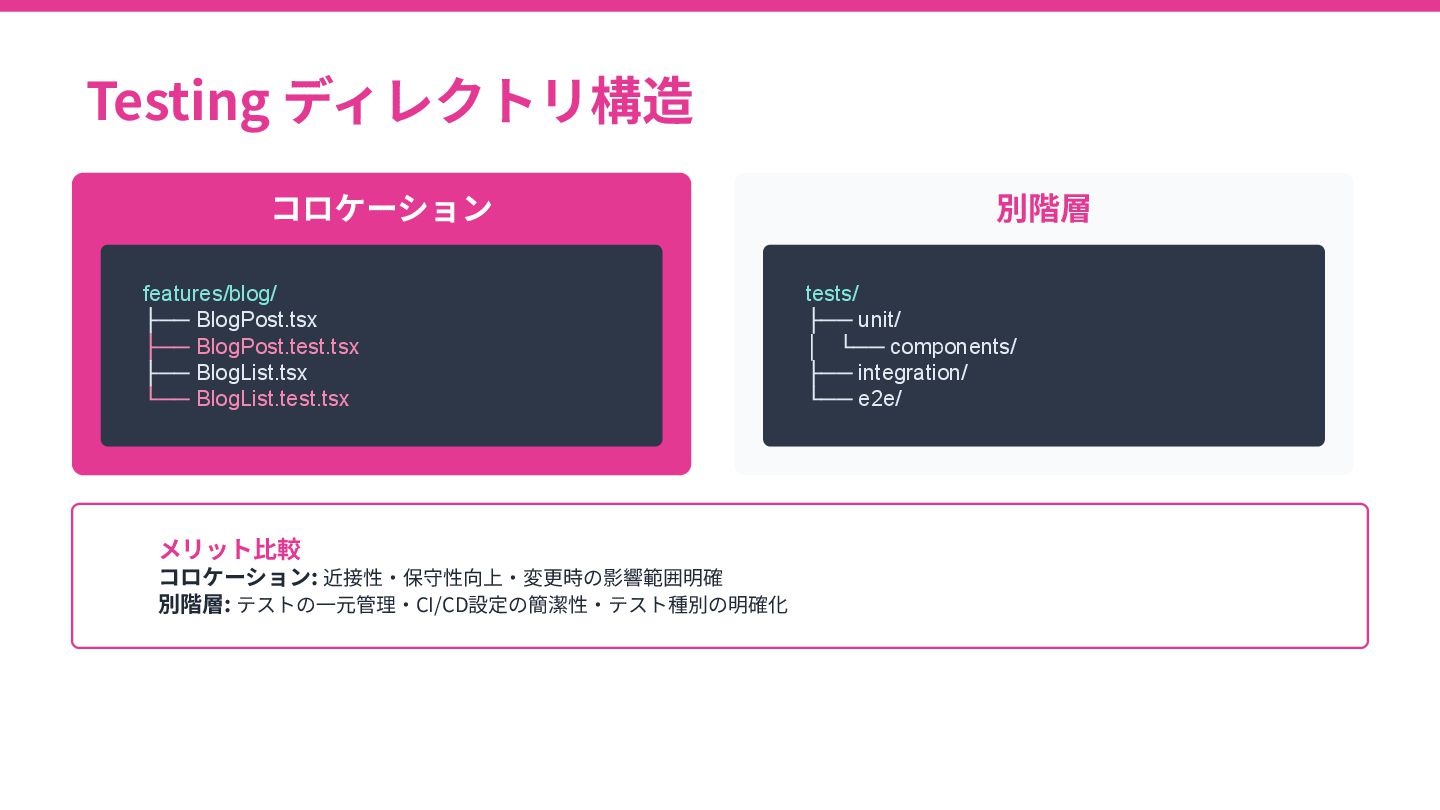
Testing ディレクトリ構造 コロケーション features/blog/ ├── BlogPost.tsx ├── BlogPost.test.tsx ├── BlogList.tsx
└── BlogList.test.tsx 別階層 tests/ ├── unit/ │ └── components/ ├── integration/ └── e2e/ メリット⽐較 コロケーション: 近接性‧保守性向上‧変更時の影響範囲明確 別階層: テストの⼀元管理‧CI/CD設定の簡潔性‧テスト種別の明確化
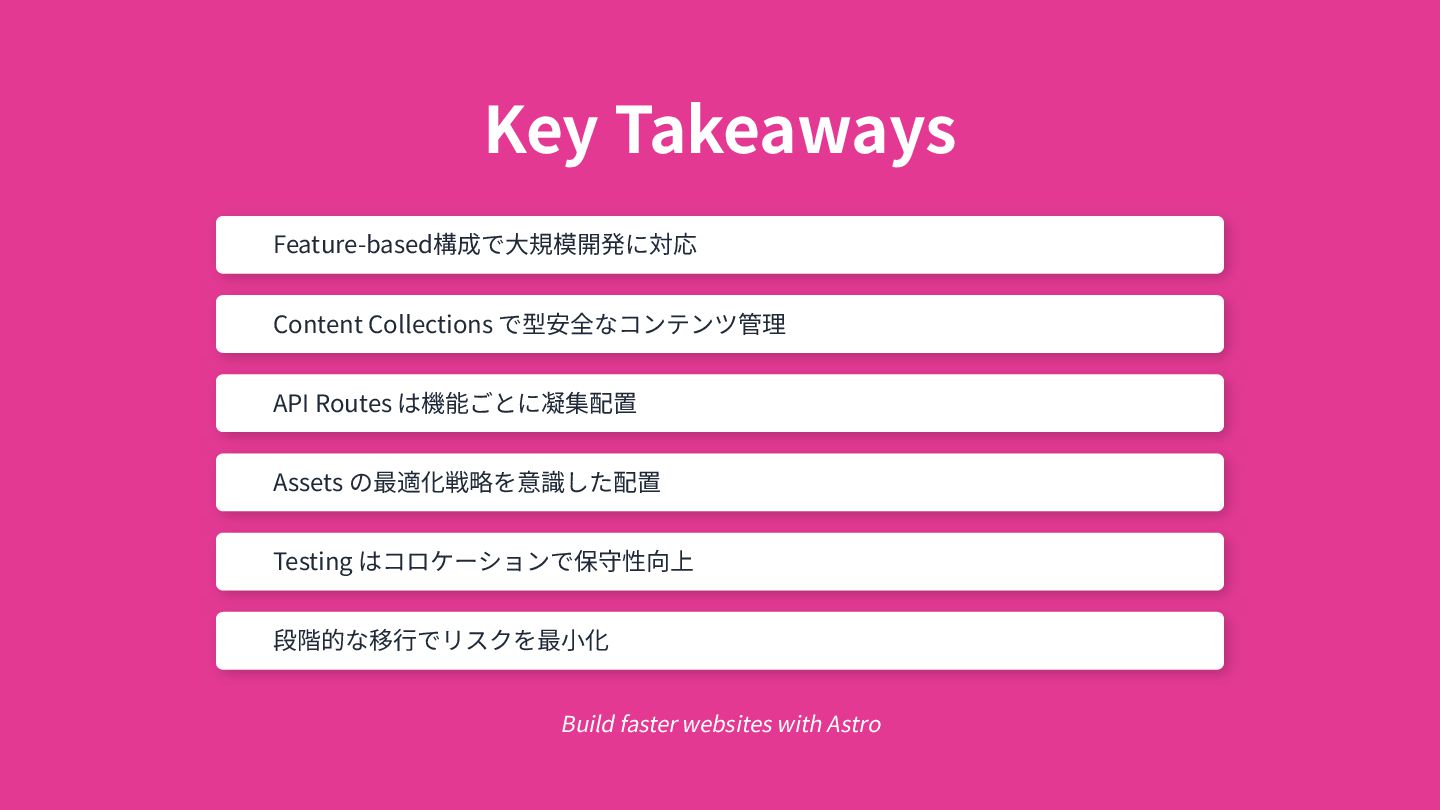
Key Takeaways Feature-based構成で⼤規模開発に対応 Content Collections で型安全なコンテンツ管理 API Routes は機能ごとに凝集配置 Assets
の最適化戦略を意識した配置 Testing はコロケーションで保守性向上 段階的な移⾏でリスクを最⼩化 Build faster websites with Astro
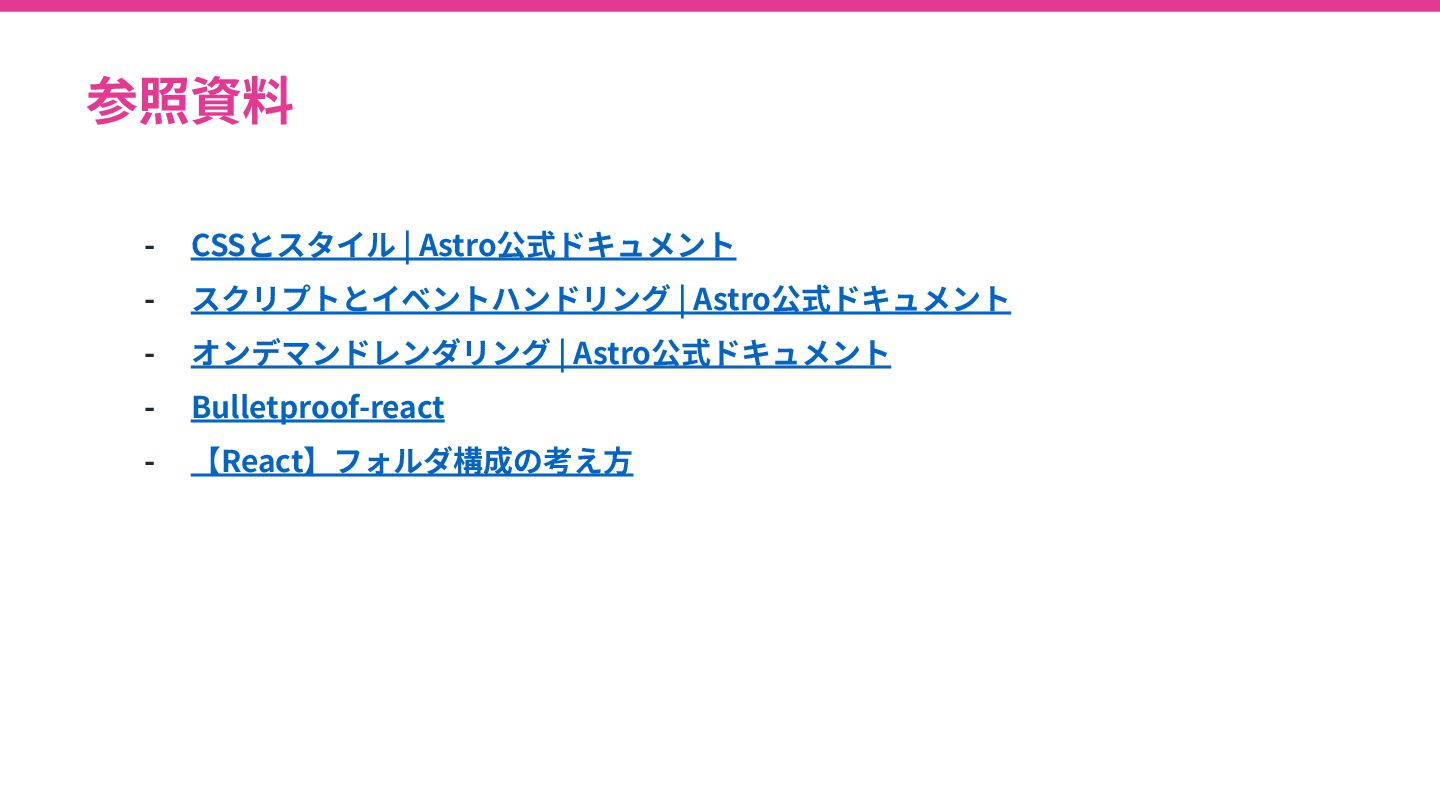
参照資料 - CSSとスタイル | Astro公式ドキュメント - スクリプトとイベントハンドリング | Astro公式ドキュメント -
オンデマンドレンダリング | Astro公式ドキュメント - Bulletproof-react - 【React】フォルダ構成の考え⽅
ご清聴ありがとうございました。


 saku0109
 siroemk
 rollbear
 irinanazarova
 kishida
 y0hgi
y0hgi
 dske104
 econanringo
 yukiny
 tmikov2023
 iwatsukayura
 utakaha
 texmeijin
 aarron
 codingconduct
 pwiseman
 addyosmani
 productmarketing
 jonoalderson
 badams
 katiecoart
 asonas
 frankvandijk
 rkendrick25
 quramy