Upgrade to Pro
— share decks privately, control downloads, hide ads and more …
Speaker Deck
Sign up for free
Menu
Search
Features
All features
Private URLs
Password Protection
Custom URLS
Scheduled publishing
Remove Branding
Restrict embedding
Deck Collections
Notes
Features
All features
Private URLs
Password Protection
Custom URLS
Scheduled publishing
Remove Branding
Restrict embedding
Deck Collections
Notes
Explore
Featured decks
Featured speakers
Programming
Technology
Storyboards
Explore
Featured decks
Featured speakers
Programming
Technology
Storyboards
Pricing
Search
Sign in
Sign up for free
空間情報システム入門Ⅰ
Search
Sponsored
·
Your Podcast. Everywhere. Effortlessly.
Share. Educate. Inspire. Entertain. You do you. We'll handle the rest.
→
Shota Takeshita
June 20, 2016
31
0
Share
Embed
Copy iframe code
Copy JS code
Copy link
Start on current slide
空間情報システム入門Ⅰ
Shota Takeshita
June 20, 2016
More Decks by Shota Takeshita
See All by Shota Takeshita
竹下翔太 マニュアル 2016/07/14
shotaaa
0
86
Featured
See All Featured
Templates, Plugins, & Blocks: Oh My! Creating the theme that thinks of everything
marktimemedia
31
2.9k
Introduction to Domain-Driven Design and Collaborative software design
baasie
1
1k
Claude Code どこまでも/ Claude Code Everywhere
nwiizo
68
59k
Max Prin - Stacking Signals: How International SEO Comes Together (And Falls Apart)
techseoconnect
PRO
0
490
Paper Plane (Part 1)
katiecoart
PRO
2
12k
Jamie Indigo - Trashchat’s Guide to Black Boxes: Technical SEO Tactics for LLMs
techseoconnect
PRO
0
710
What does AI have to do with Human Rights?
axbom
PRO
1
2.5k
Measuring & Analyzing Core Web Vitals
bluesmoon
9
1k
Groundhog Day: Seeking Process in Gaming for Health
codingconduct
0
420
Amusing Abliteration
ianozsvald
1
350
Site-Speed That Sticks
csswizardry
13
1.6k
Designing for humans not robots
tammielis
254
26k
Transcript
Tasking Manager によるマッピン グ作業のマニュアル 1A116137 竹下 翔太
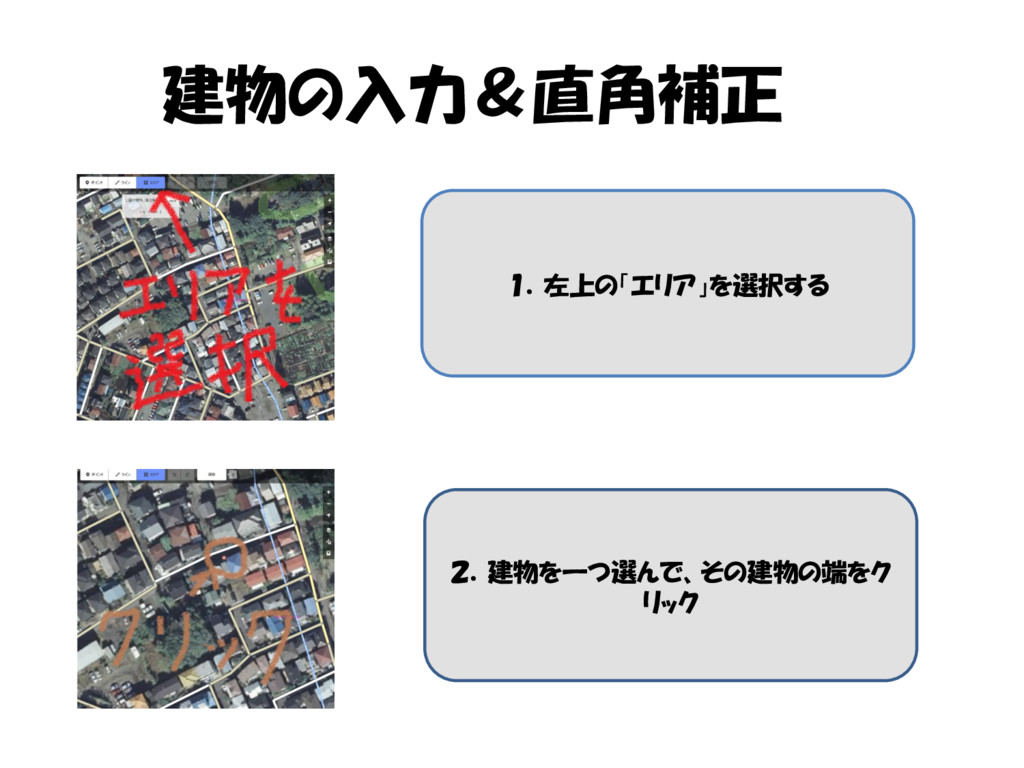
建物の入力&直角補正 1.左上の「エリア」を選択する 2.建物を一つ選んで、その建物の端をク リック
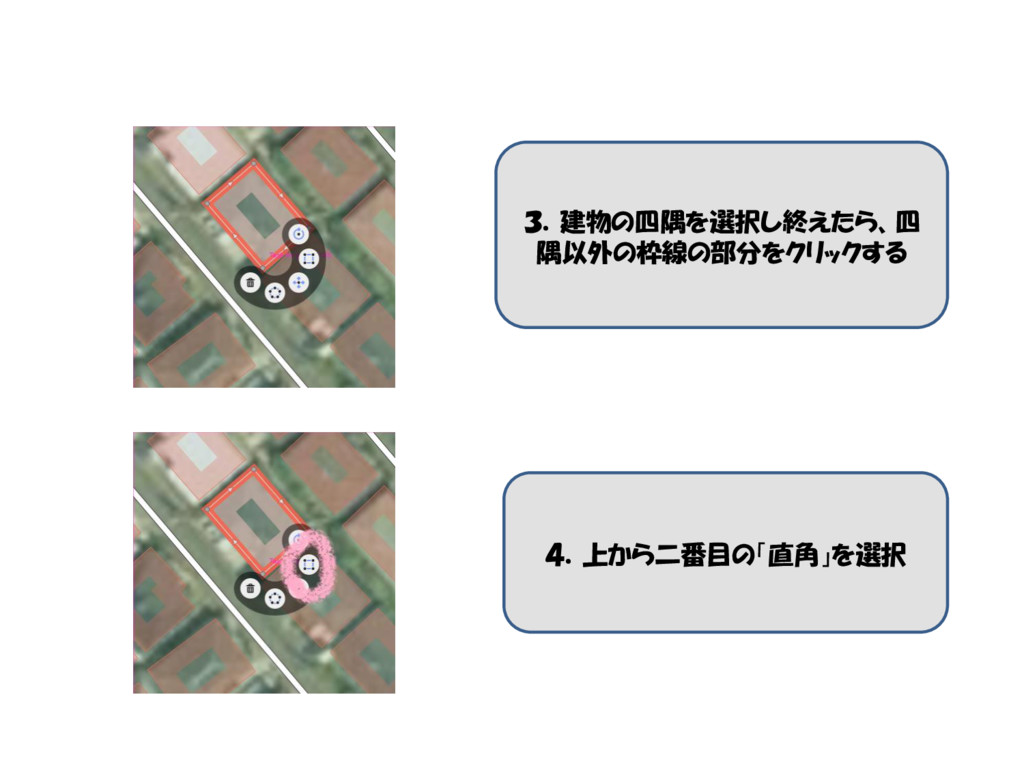
3.建物の四隅を選択し終えたら、四 隅以外の枠線の部分をクリックする 4.上から二番目の「直角」を選択
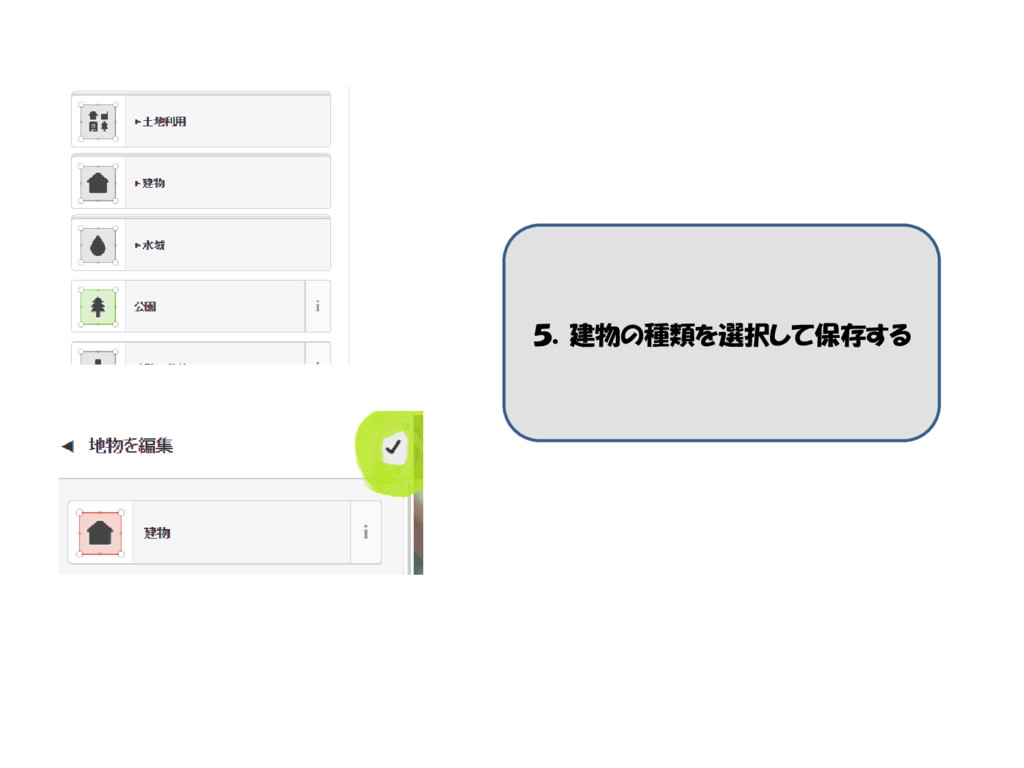
5.建物の種類を選択して保存する
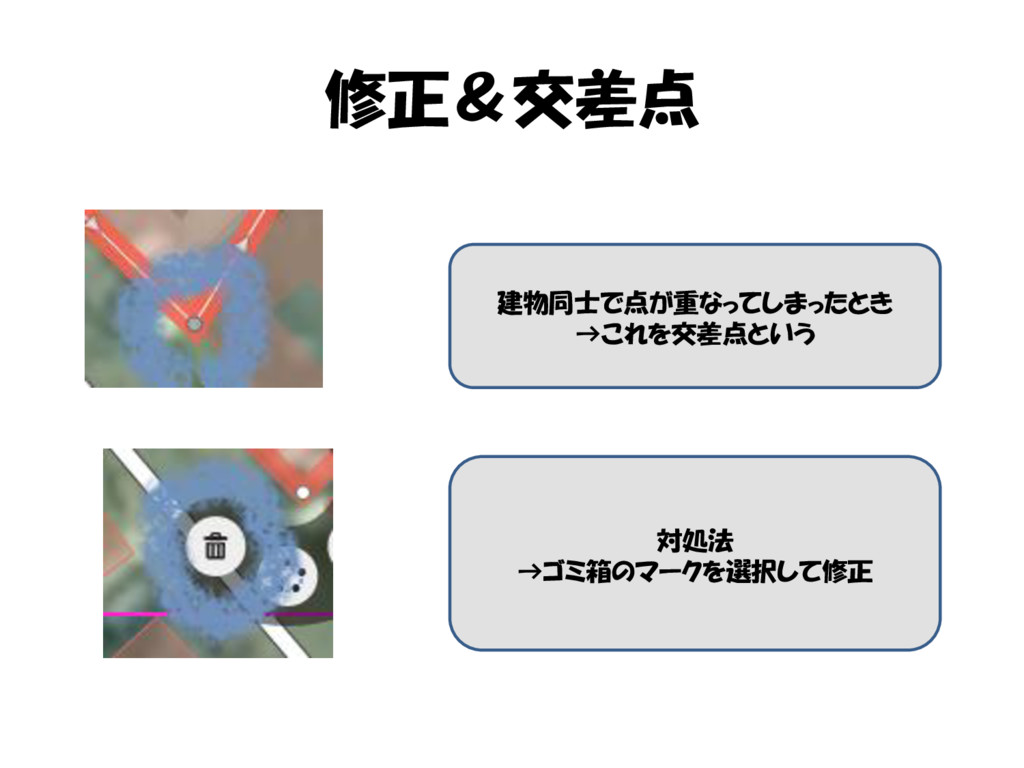
修正&交差点 建物同士で点が重なってしまったとき →これを交差点という 対処法 →ゴミ箱のマークを選択して修正
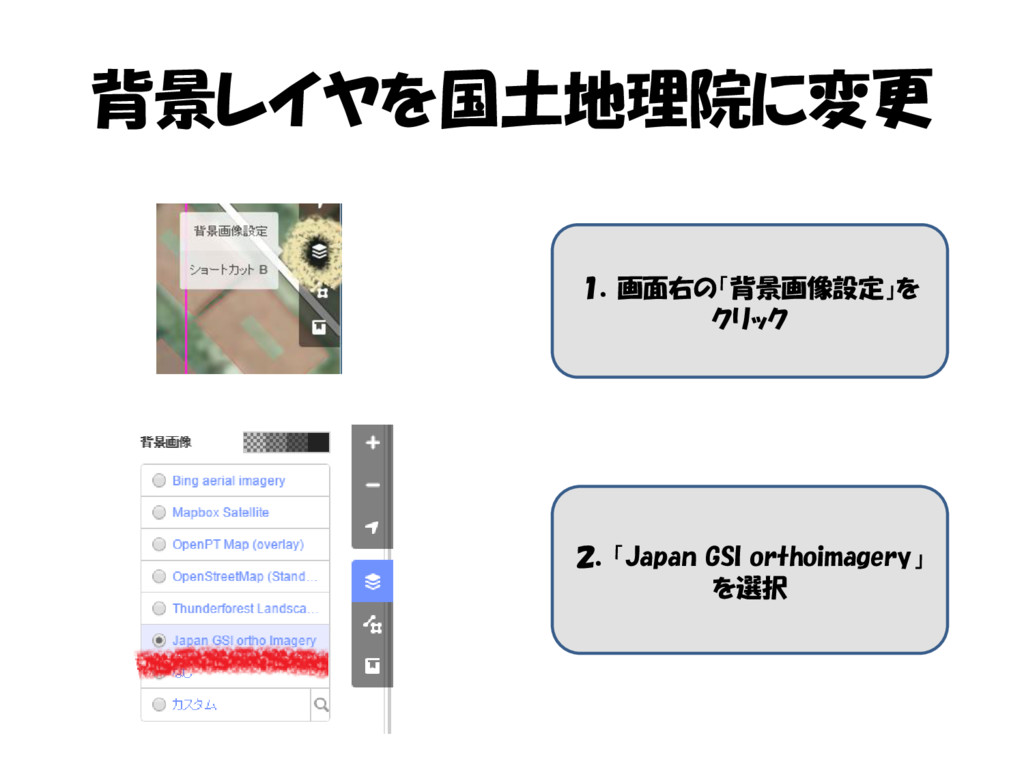
背景レイヤを国土地理院に変更 1.画面右の「背景画像設定」を クリック 2.「Japan GSI orthoimagery」 を選択
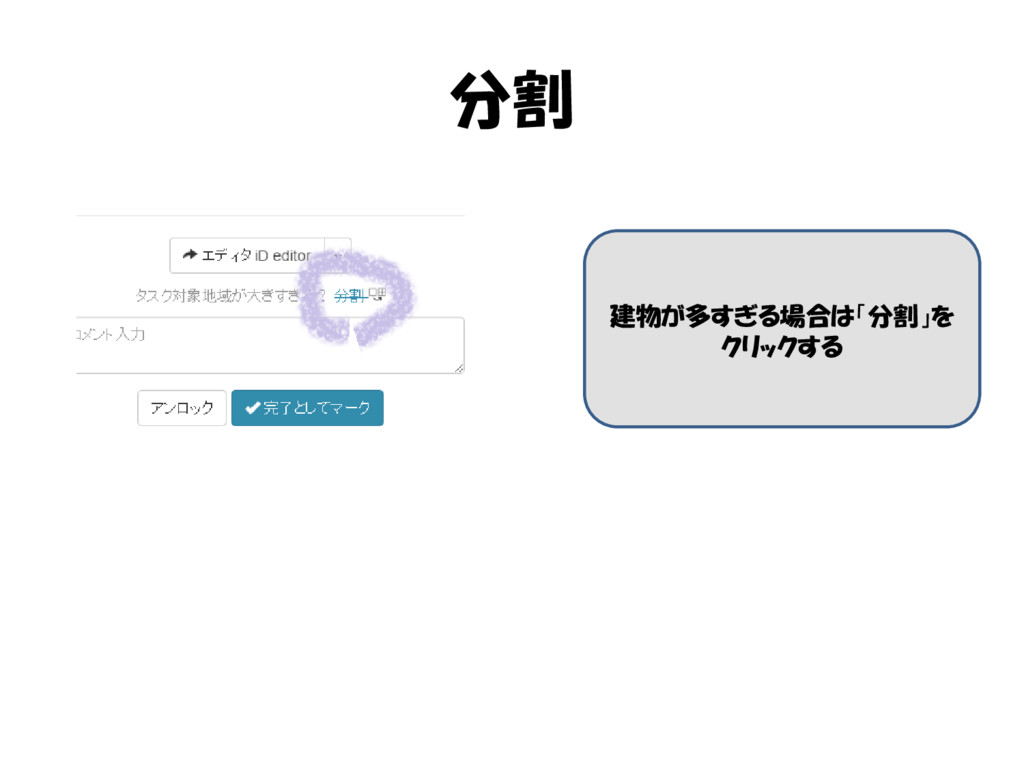
分割 建物が多すぎる場合は「分割」を クリックする
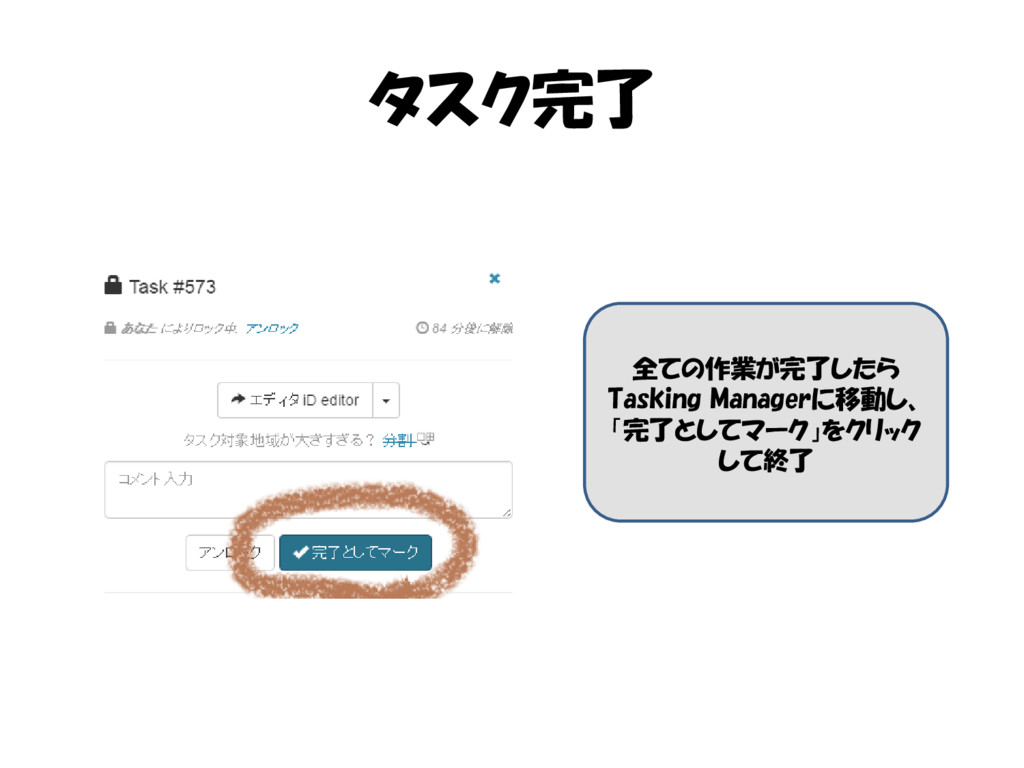
タスク完了 全ての作業が完了したら Tasking Managerに移動し、 「完了としてマーク」をクリック して終了


 shotaaa
 marktimemedia
 baasie
 nwiizo
 techseoconnect
 katiecoart
 axbom
axbom
 bluesmoon
 codingconduct
 ianozsvald
 csswizardry
 tammielis