Upgrade to Pro
— share decks privately, control downloads, hide ads and more …
Speaker Deck
Sign up for free
Menu
Search
Features
All features
Private URLs
Password Protection
Custom URLS
Scheduled publishing
Remove Branding
Restrict embedding
Deck Collections
Notes
Features
All features
Private URLs
Password Protection
Custom URLS
Scheduled publishing
Remove Branding
Restrict embedding
Deck Collections
Notes
Explore
Featured decks
Featured speakers
Programming
Technology
Storyboards
Explore
Featured decks
Featured speakers
Programming
Technology
Storyboards
Pricing
Search
Sign in
Sign up for free
空間情報システム入門Ⅰ #02 2016/06/16
Search
副島 万蓉
June 16, 2016
68
0
Share
Embed
Copy iframe code
Copy JS code
Copy link
Start on current slide
空間情報システム入門Ⅰ #02 2016/06/16
副島 万蓉
June 16, 2016
More Decks by 副島 万蓉
See All by 副島 万蓉
soesoe1
soesoe
0
50
Featured
See All Featured
Primal Persuasion: How to Engage the Brain for Learning That Lasts
tmiket
0
500
My Coaching Mixtape
mlcsv
0
360
How To Stay Up To Date on Web Technology
chriscoyier
790
250k
Organizational Design Perspectives: An Ontology of Organizational Design Elements
kimpetersen
PRO
1
850
Documentation Writing (for coders)
carmenintech
77
5.6k
Cheating the UX When There Is Nothing More to Optimize - PixelPioneers
stephaniewalter
287
14k
Have SEOs Ruined the Internet? - User Awareness of SEO in 2025
akashhashmi
0
520
A Soul's Torment
seathinner
8
3.8k
What’s in a name? Adding method to the madness
productmarketing
PRO
24
4.2k
Designing for humans not robots
tammielis
254
26k
Testing 201, or: Great Expectations
jmmastey
46
8.3k
Neural Spatial Audio Processing for Sound Field Analysis and Control
skoyamalab
0
570
Transcript
OpenStreetMapについて
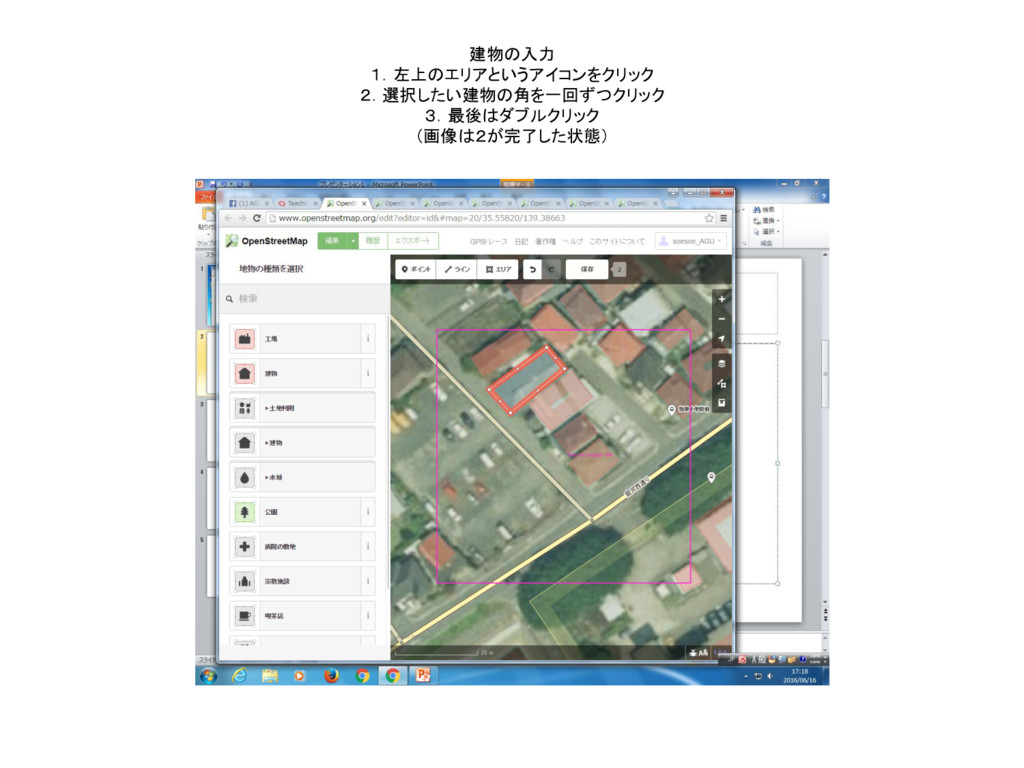
建物の入力 1.左上のエリアというアイコンをクリック 2.選択したい建物の角を一回ずつクリック 3.最後はダブルクリック (画像は2が完了した状態)
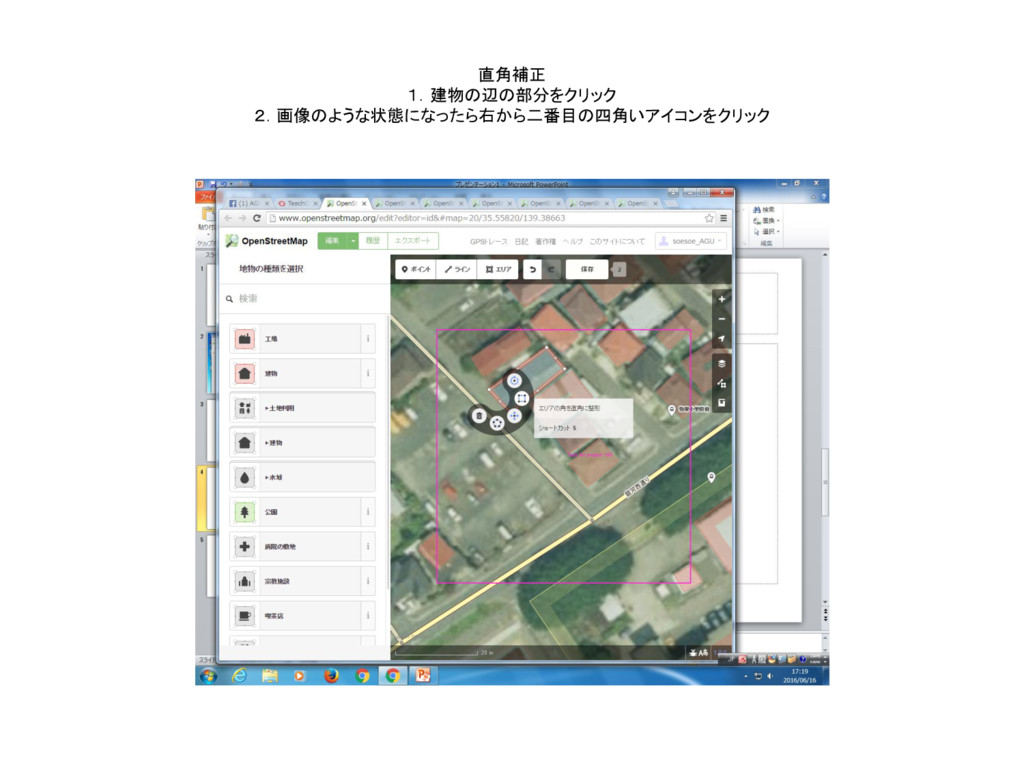
直角補正 1.建物の辺の部分をクリック 2.画像のような状態になったら右から二番目の四角いアイコンをクリック
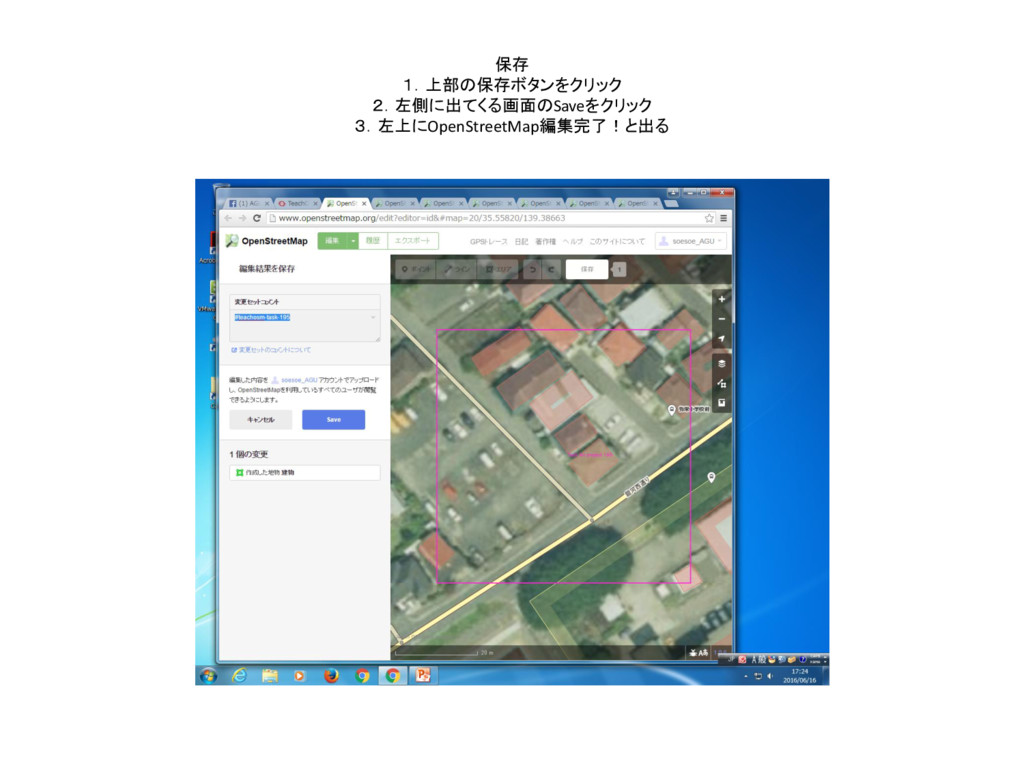
保存 1.上部の保存ボタンをクリック 2.左側に出てくる画面のSaveをクリック 3.左上にOpenStreetMap編集完了!と出る
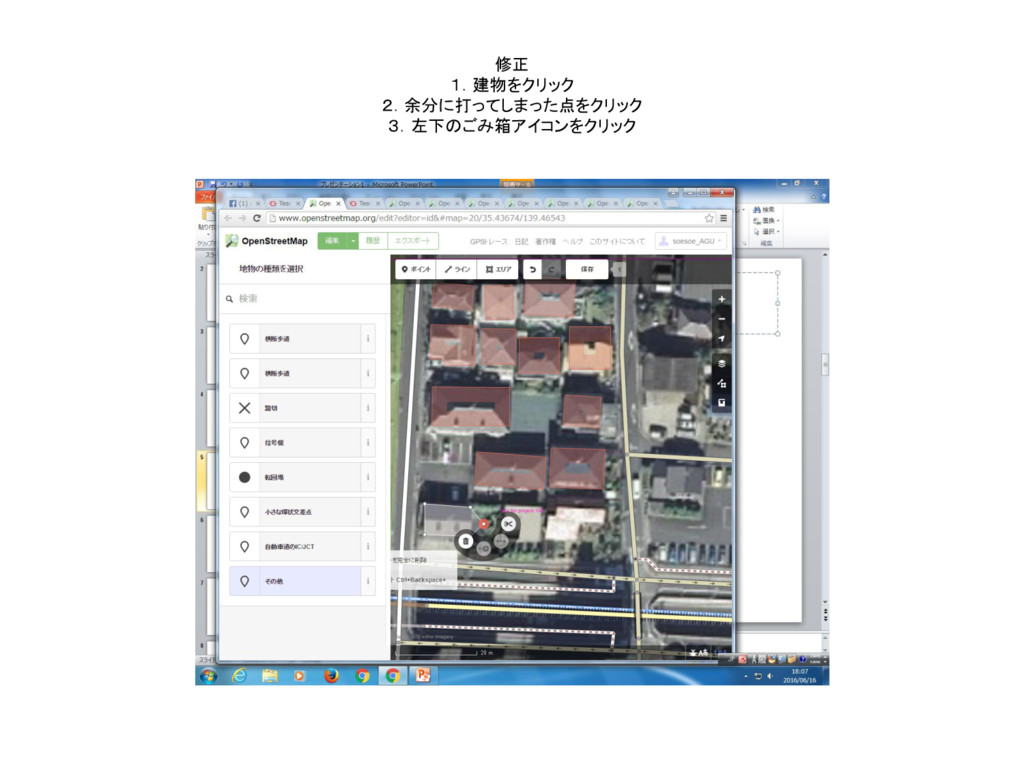
修正 1.建物をクリック 2.余分に打ってしまった点をクリック 3.左下のごみ箱アイコンをクリック
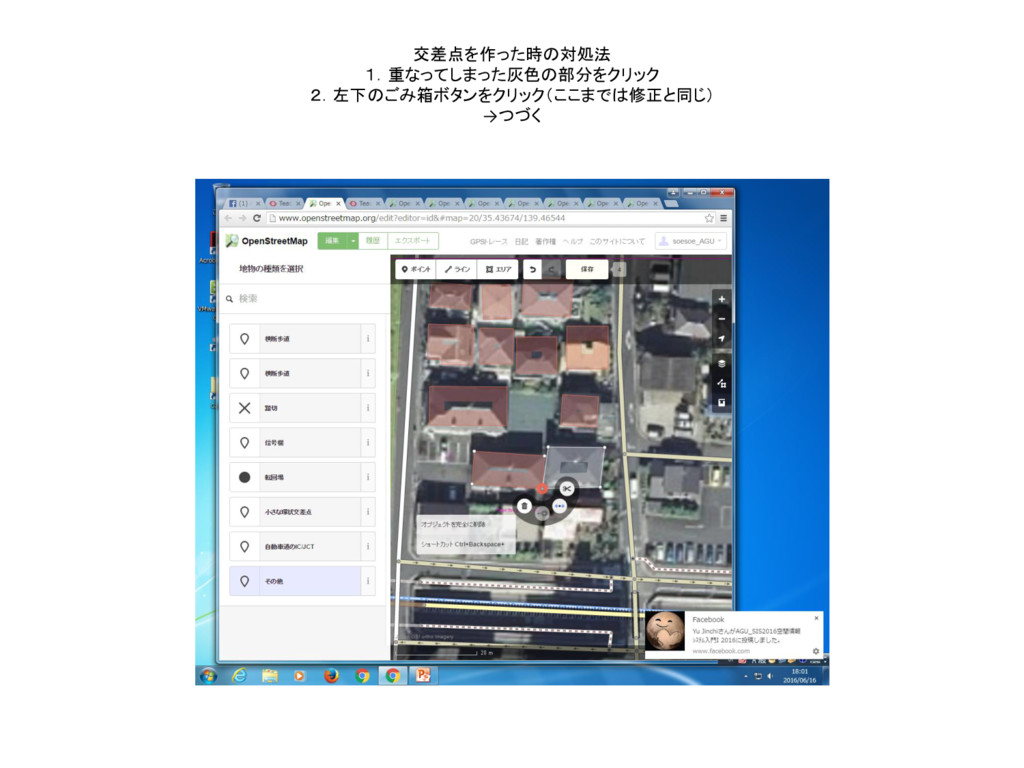
交差点を作った時の対処法 1.重なってしまった灰色の部分をクリック 2.左下のごみ箱ボタンをクリック(ここまでは修正と同じ) →つづく
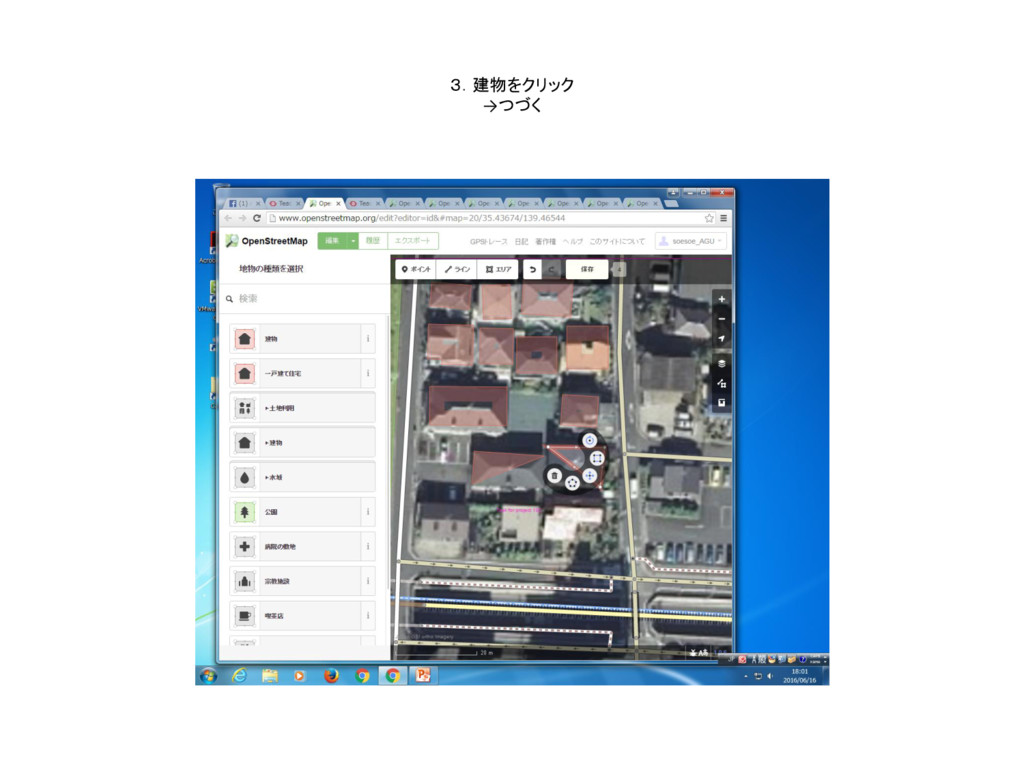
3.建物をクリック →つづく
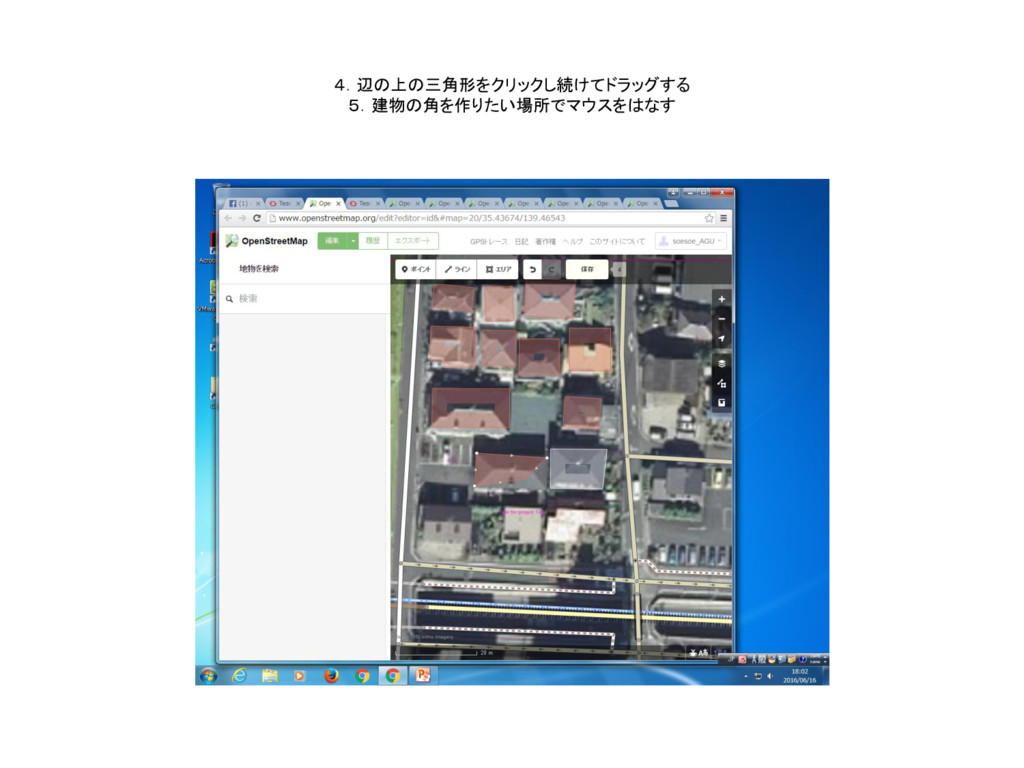
4.辺の上の三角形をクリックし続けてドラッグする 5.建物の角を作りたい場所でマウスをはなす
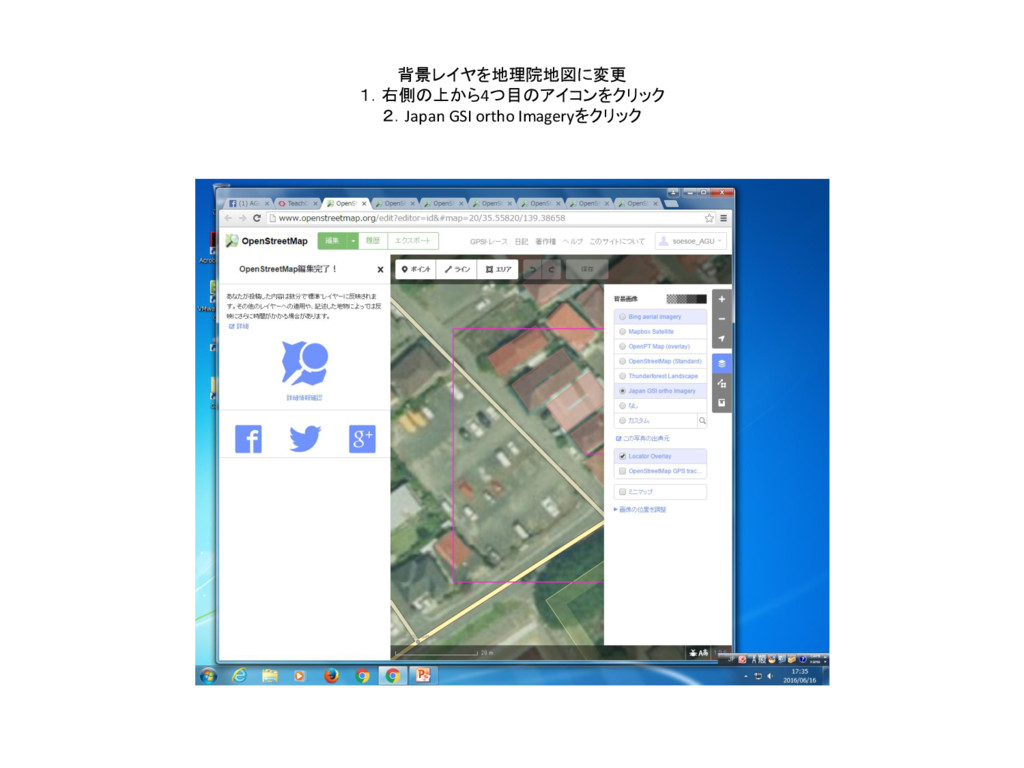
背景レイヤを地理院地図に変更 1.右側の上から4つ目のアイコンをクリック 2.Japan GSI ortho Imageryをクリック
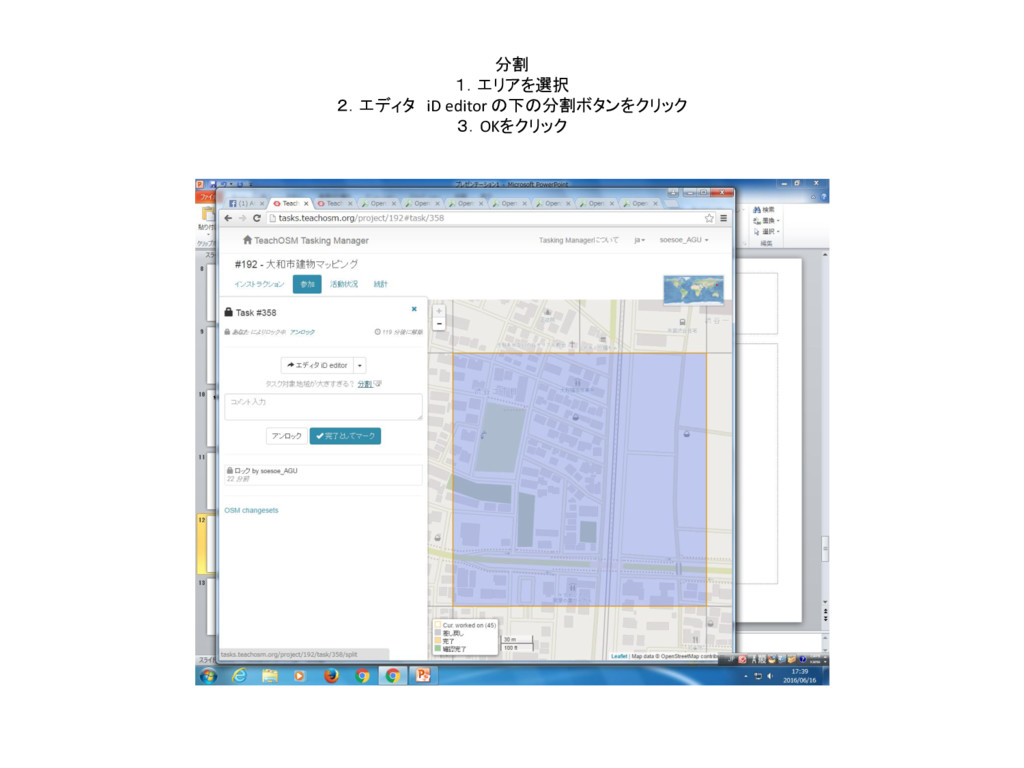
分割 1.エリアを選択 2.エディタ iD editor の下の分割ボタンをクリック 3.OKをクリック
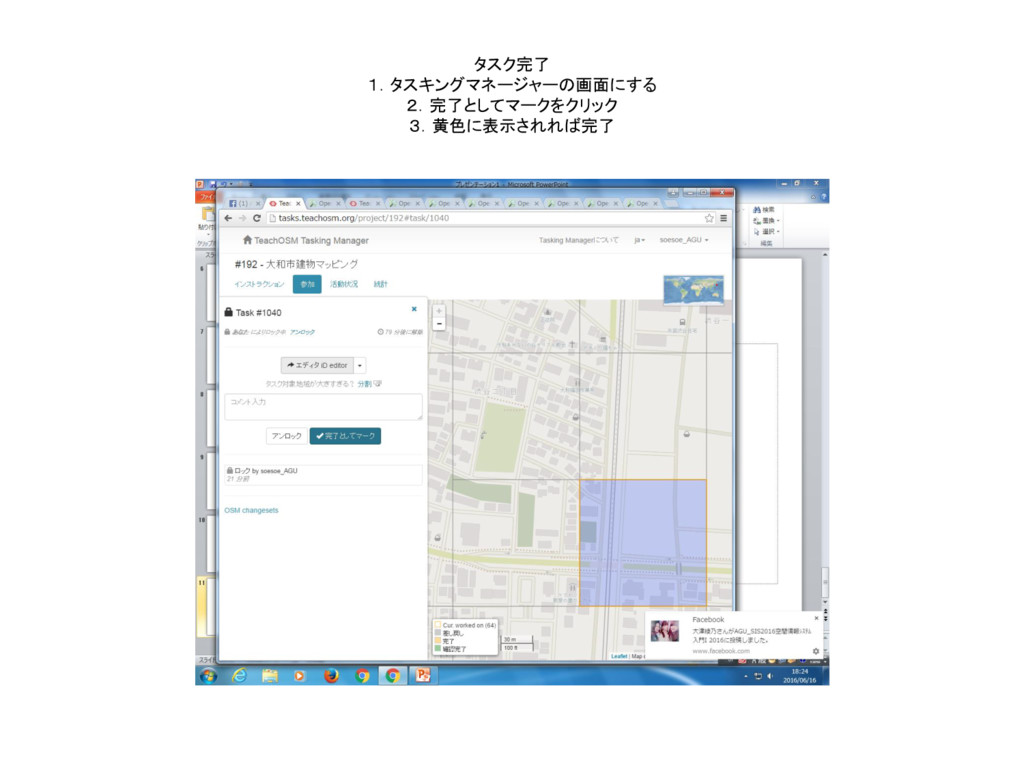
タスク完了 1.タスキングマネージャーの画面にする 2.完了としてマークをクリック 3.黄色に表示されれば完了


 soesoe
 tmiket
 mlcsv
mlcsv
 chriscoyier
 kimpetersen
 carmenintech
 stephaniewalter
 akashhashmi
 seathinner
 productmarketing
 tammielis
 jmmastey
 skoyamalab