Upgrade to Pro
— share decks privately, control downloads, hide ads and more …
Speaker Deck
Sign up for free
Menu
Search
Features
All features
Private URLs
Password Protection
Custom URLS
Scheduled publishing
Remove Branding
Restrict embedding
Deck Collections
Notes
Features
All features
Private URLs
Password Protection
Custom URLS
Scheduled publishing
Remove Branding
Restrict embedding
Deck Collections
Notes
Explore
Featured decks
Featured speakers
Programming
Technology
Storyboards
Explore
Featured decks
Featured speakers
Programming
Technology
Storyboards
Pricing
Search
Sign in
Sign up for free
Laravel Eloquentで複数レコードが削除された話
Search
Rei
July 25, 2025
Programming
90
0
Share
Embed
Copy iframe code
Copy JS code
Copy link
Start on current slide
Laravel Eloquentで複数レコードが削除された話
Rei
July 25, 2025
More Decks by Rei
See All by Rei
PHPで理解するストリーム処理
sonor04ls
0
91
Laravelで簡単リアルタイム通信
sonor04ls
0
88
Other Decks in Programming
See All in Programming
HTML-in-Canvasで作る未来のWeb UI表現
clockmaker
5
5.1k
Findy - エンジニア向け会社紹介/Findy Company Deck
findyinc
6
400k
Vue Fes Japan の “作る側”に関わってみて
naokihaba
0
160
TechTown - Creating Composable Callables in Contemporary C++
rollbear
0
130
Verilogで学ぶCPU自作入門
uyuki234
8
4.1k
Augmenting AI with the Power of Jakarta EE
ivargrimstad
0
180
When benchmarks go bad - what I learned from measuring performance wrong
hollycummins
0
220
Optunaを作ったときにやりたかったこと、その後 (2026/10/16, Optuna Meetup #3)
iwiwi
1
430
動作中のプログラムの中身をリアルタイムに覗く / Realtime Debugger for CSharp with Roslyn
prota
1
1.9k
當我們開始不讀 Code - AI Agent 時代,Code Review 與 Clean Code 還剩下什麼?
jame2408
1
200
なぜCTOを降りてFDEを選んだのか?〜なぜプロダクト企業がFDEで顧客の現場に踏み込むのか〜
gonta
1
210
機械に任せるテスト、人が見るテスト ⽣成AIで引き直した、運⽤保守フェーズの線引き
dske104
0
190
Featured
See All Featured
Ten Tips & Tricks for a 🌱 transition
stuffmc
1
270
Paper Plane
katiecoart
PRO
5
54k
Principles of Awesome APIs and How to Build Them.
keavy
128
18k
Connecting the Dots Between Site Speed, User Experience & Your Business [WebExpo 2025]
tammyeverts
11
1.1k
The untapped power of vector embeddings
frankvandijk
2
1.9k
10 Git Anti Patterns You Should be Aware of
lemiorhan
PRO
659
62k
Un-Boring Meetings
codingconduct
0
460
Producing Creativity
orderedlist
PRO
348
41k
Leadership Guide Workshop - DevTernity 2021
reverentgeek
1
400
Marketing to machines
jonoalderson
1
5.9k
Rebuilding a faster, lazier Slack
samanthasiow
85
9.7k
[RailsConf 2023 Opening Keynote] The Magic of Rails
eileencodes
31
10k
Transcript
Laravel Eloquentで複数レコードが削除された話 〜本当にあった怖い話〜 1
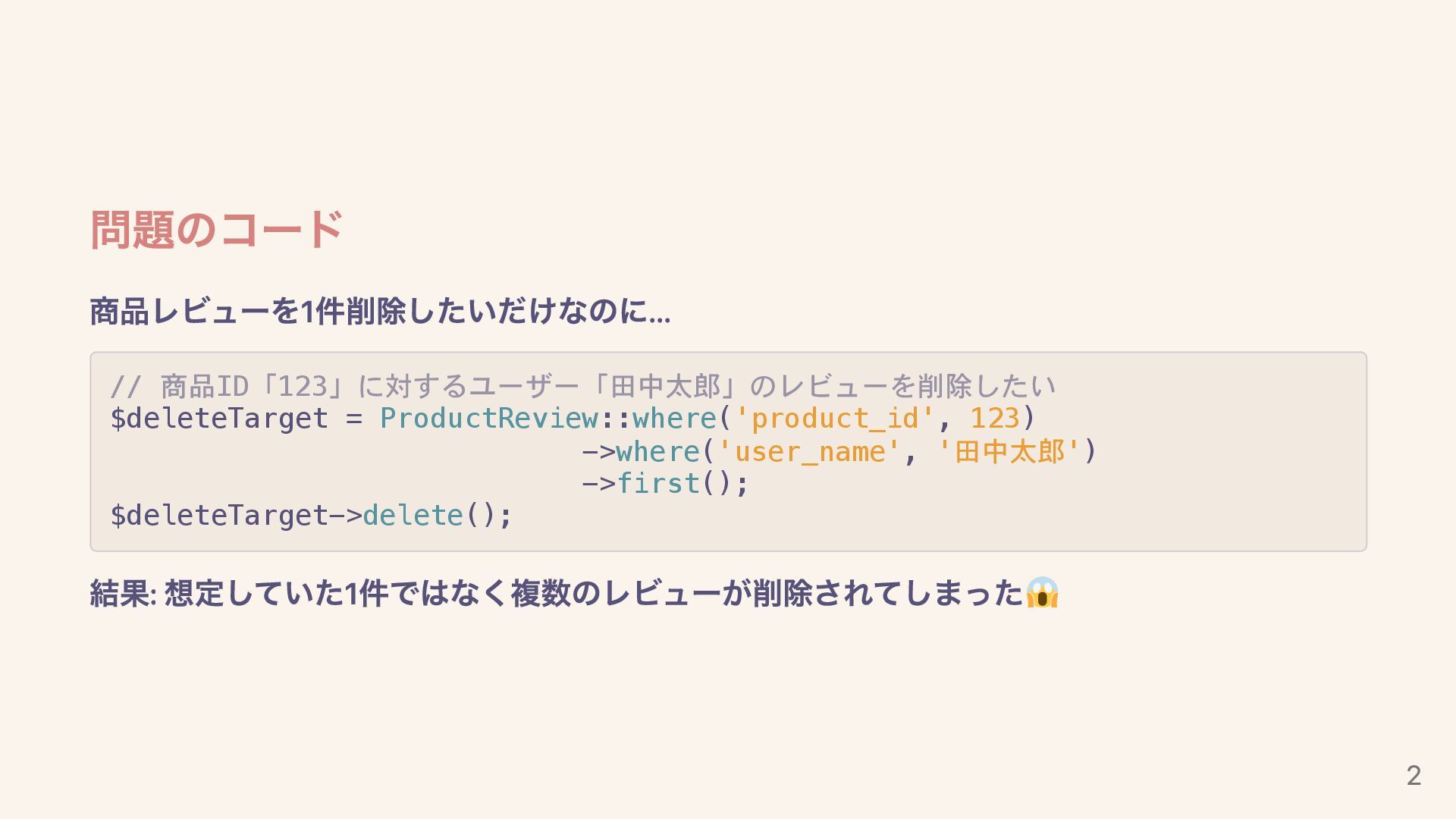
問題のコード 商品レビューを1件削除したいだけなのに... // 商品ID「123」に対するユーザー「田中太郎」のレビューを削除したい $deleteTarget = ProductReview::where('product_id', 123) ->where('user_name', '田中太郎')
->first(); $deleteTarget->delete(); 結果: 想定していた1件ではなく複数のレビューが削除されてしまった 2
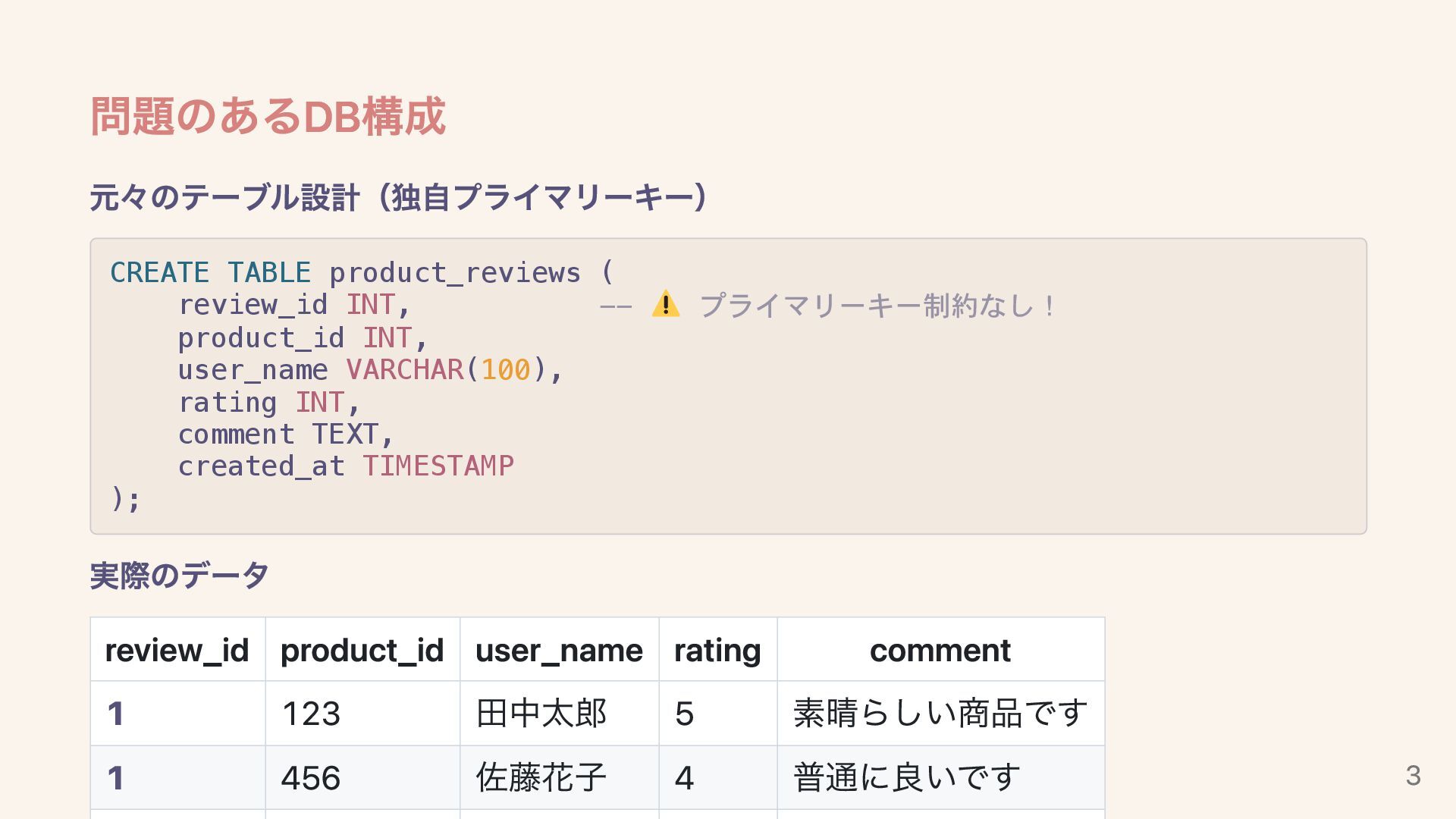
問題のあるDB構成 元々のテーブル設計(独自プライマリーキー) CREATE TABLE product_reviews ( review_id INT, -- プライマリーキー制約なし!
product_id INT, user_name VARCHAR(100), rating INT, comment TEXT, created_at TIMESTAMP ); 実際のデータ review_id product_id user_name rating comment 1 123 田中太郎 5 素晴らしい商品です 1 456 佐藤花子 4 普通に良いです 3
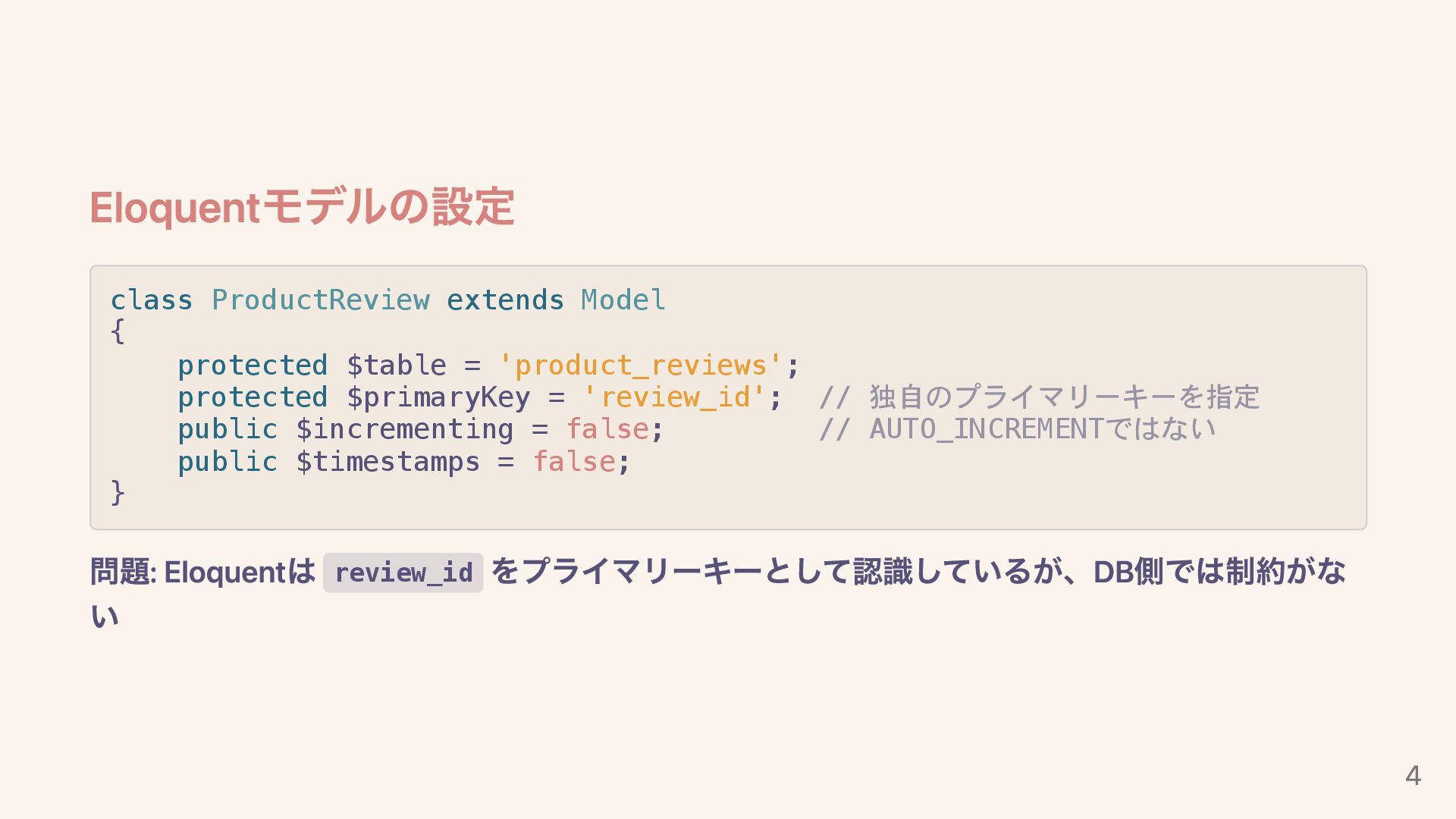
Eloquentモデルの設定 class ProductReview extends Model { protected $table = 'product_reviews';
protected $primaryKey = 'review_id'; // 独自のプライマリーキーを指定 public $incrementing = false; // AUTO_INCREMENTではない public $timestamps = false; } 問題: Eloquentは review_id をプライマリーキーとして認識しているが、DB側では制約がな い 4
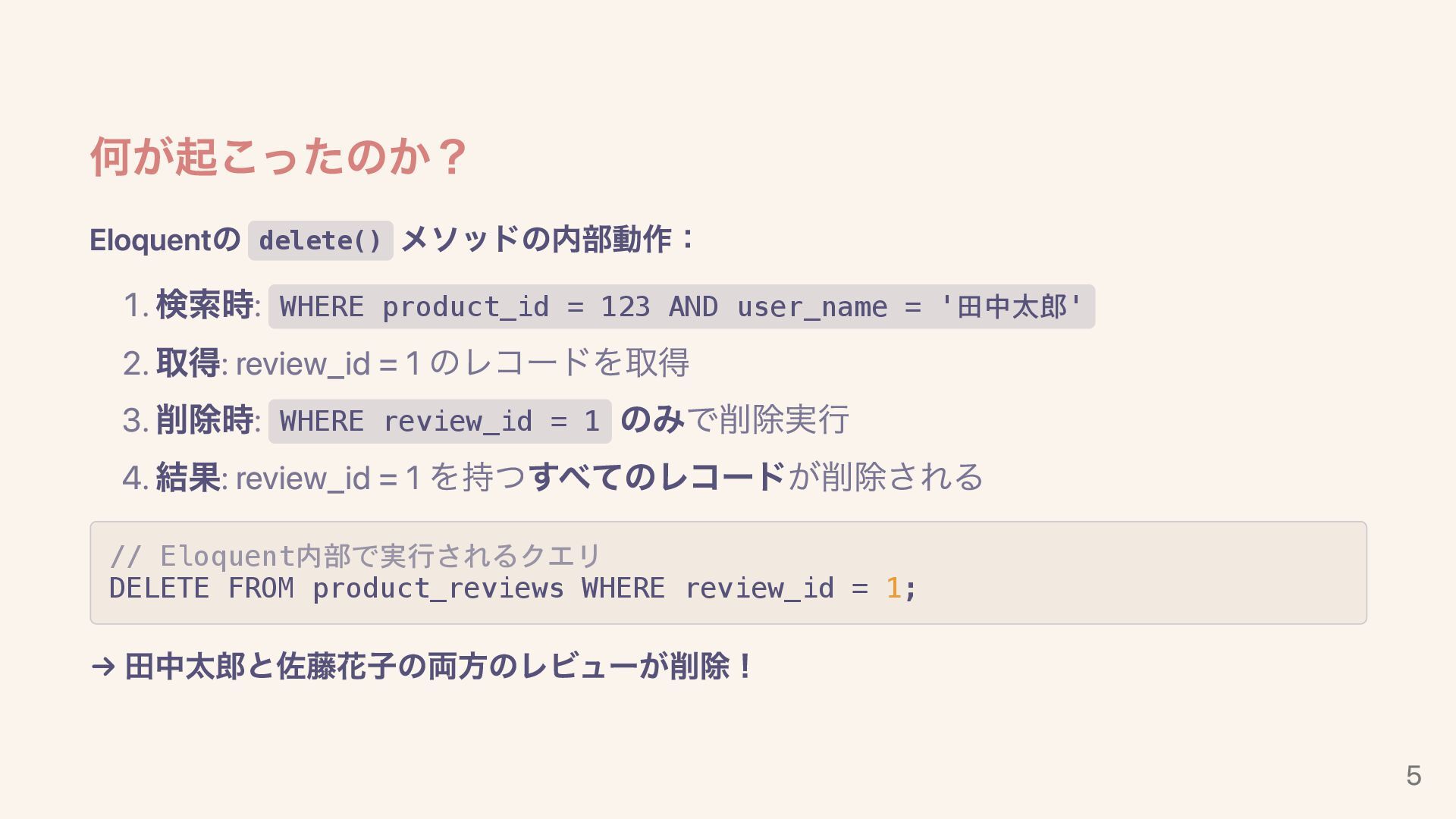
何が起こったのか? Eloquentの delete() メソッドの内部動作: 1. 検索時: WHERE product_id = 123
AND user_name = '田中太郎' 2. 取得: review_id = 1 のレコードを取得 3. 削除時: WHERE review_id = 1 のみで削除実行 4. 結果: review_id = 1 を持つすべてのレコードが削除される // Eloquent内部で実行されるクエリ DELETE FROM product_reviews WHERE review_id = 1; → 田中太郎と佐藤花子の両方のレビューが削除! 5
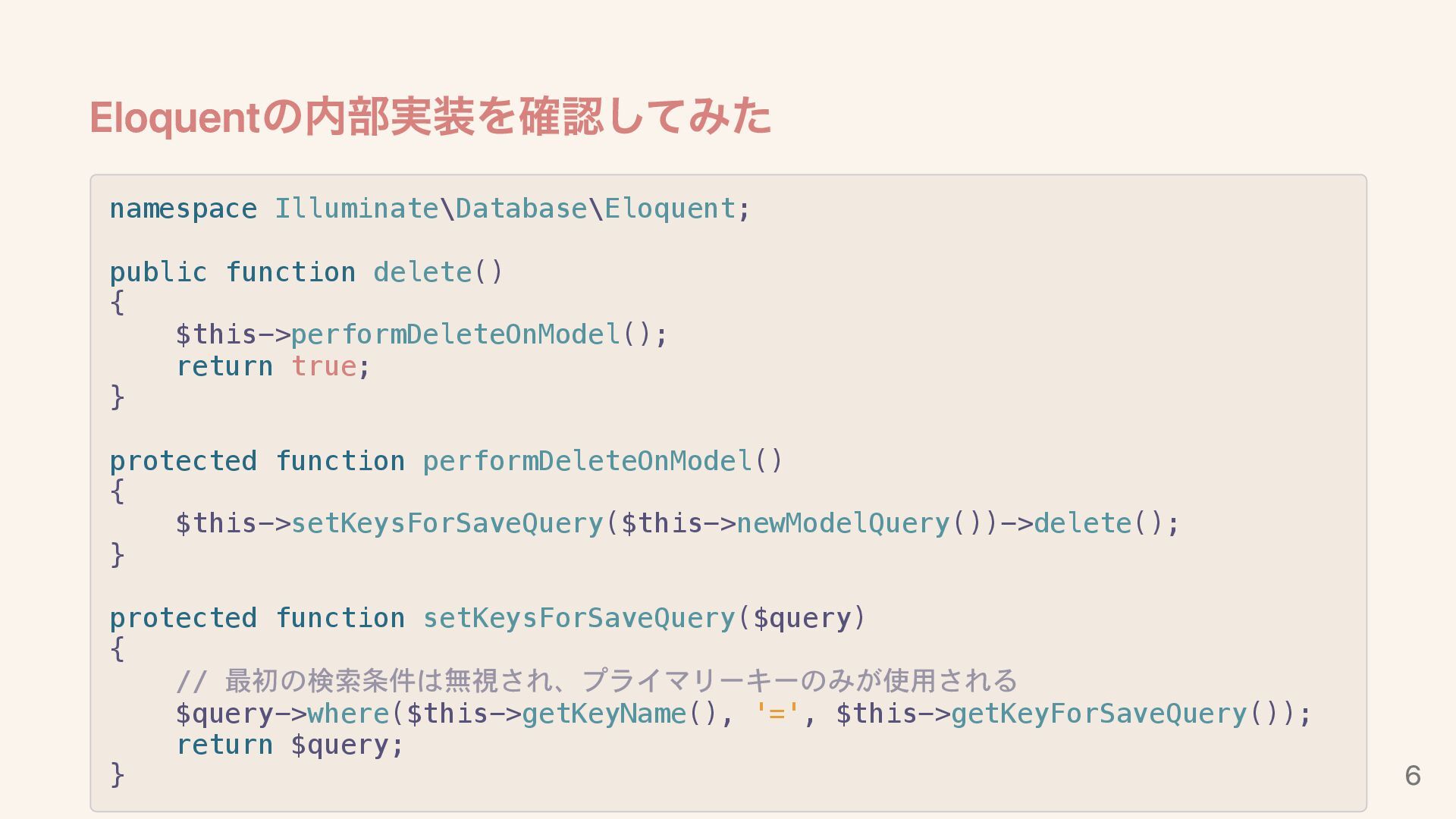
Eloquentの内部実装を確認してみた namespace Illuminate\Database\Eloquent; public function delete() { $this->performDeleteOnModel(); return true;
} protected function performDeleteOnModel() { $this->setKeysForSaveQuery($this->newModelQuery())->delete(); } protected function setKeysForSaveQuery($query) { // 最初の検索条件は無視され、プライマリーキーのみが使用される $query->where($this->getKeyName(), '=', $this->getKeyForSaveQuery()); return $query; } 6
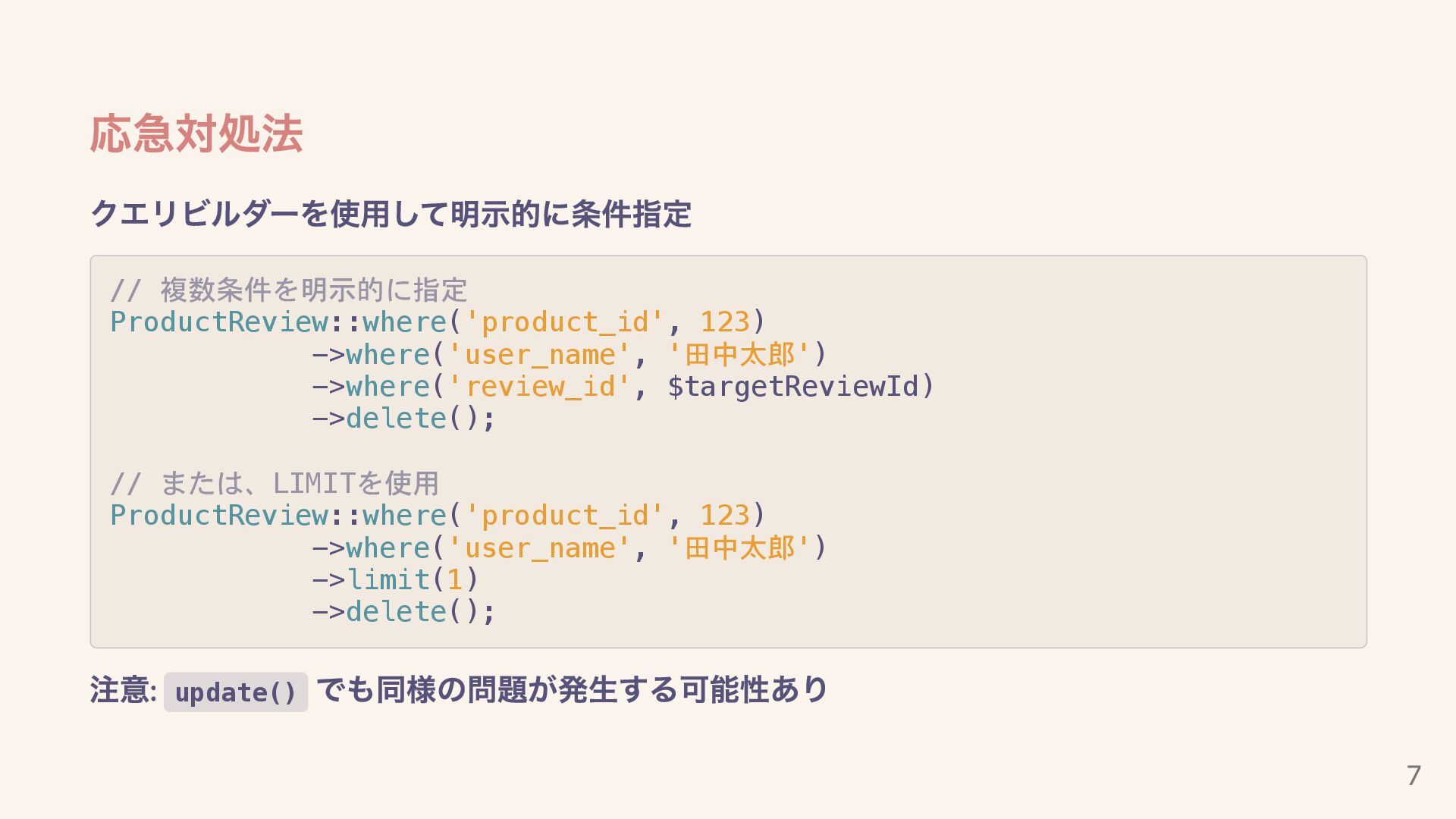
応急対処法 クエリビルダーを使用して明示的に条件指定 // 複数条件を明示的に指定 ProductReview::where('product_id', 123) ->where('user_name', '田中太郎') ->where('review_id', $targetReviewId)
->delete(); // または、LIMITを使用 ProductReview::where('product_id', 123) ->where('user_name', '田中太郎') ->limit(1) ->delete(); 注意: update() でも同様の問題が発生する可能性あり 7
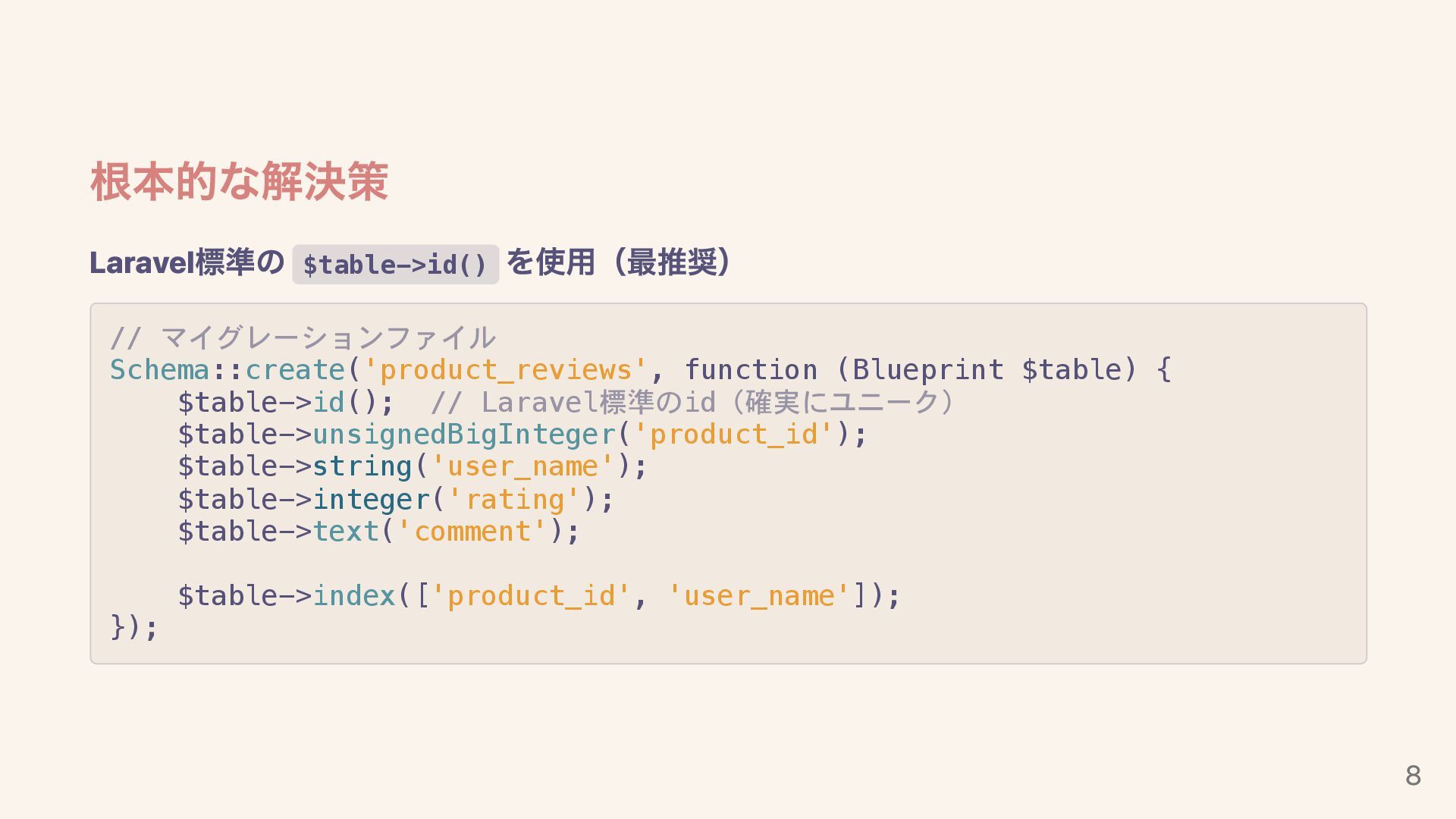
根本的な解決策 Laravel標準の $table->id() を使用(最推奨) // マイグレーションファイル Schema::create('product_reviews', function (Blueprint $table)
{ $table->id(); // Laravel標準のid(確実にユニーク) $table->unsignedBigInteger('product_id'); $table->string('user_name'); $table->integer('rating'); $table->text('comment'); $table->index(['product_id', 'user_name']); }); 8
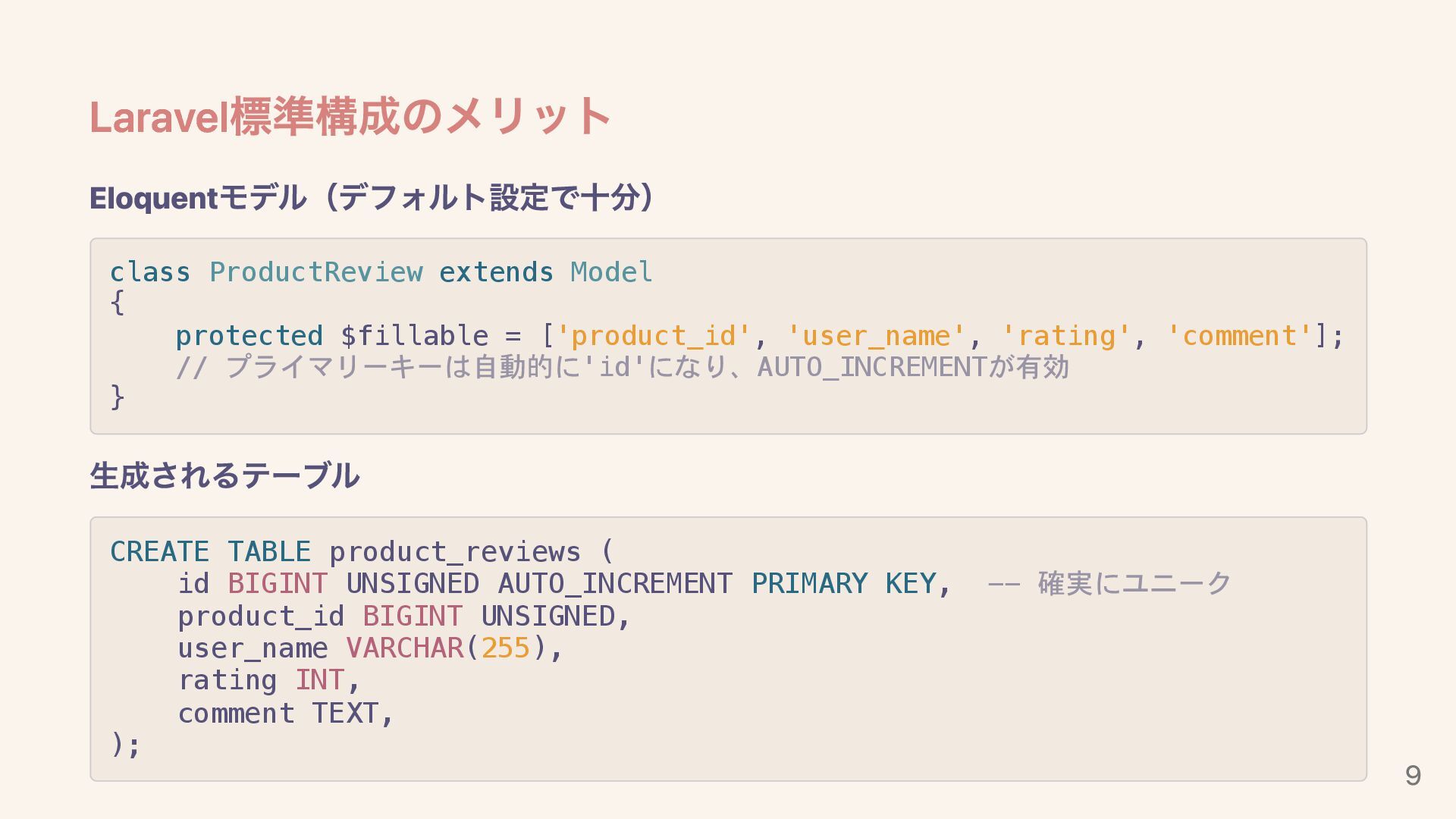
Laravel標準構成のメリット Eloquentモデル(デフォルト設定で十分) class ProductReview extends Model { protected $fillable =
['product_id', 'user_name', 'rating', 'comment']; // プライマリーキーは自動的に'id'になり、AUTO_INCREMENTが有効 } 生成されるテーブル CREATE TABLE product_reviews ( id BIGINT UNSIGNED AUTO_INCREMENT PRIMARY KEY, -- 確実にユニーク product_id BIGINT UNSIGNED, user_name VARCHAR(255), rating INT, comment TEXT, ); 9
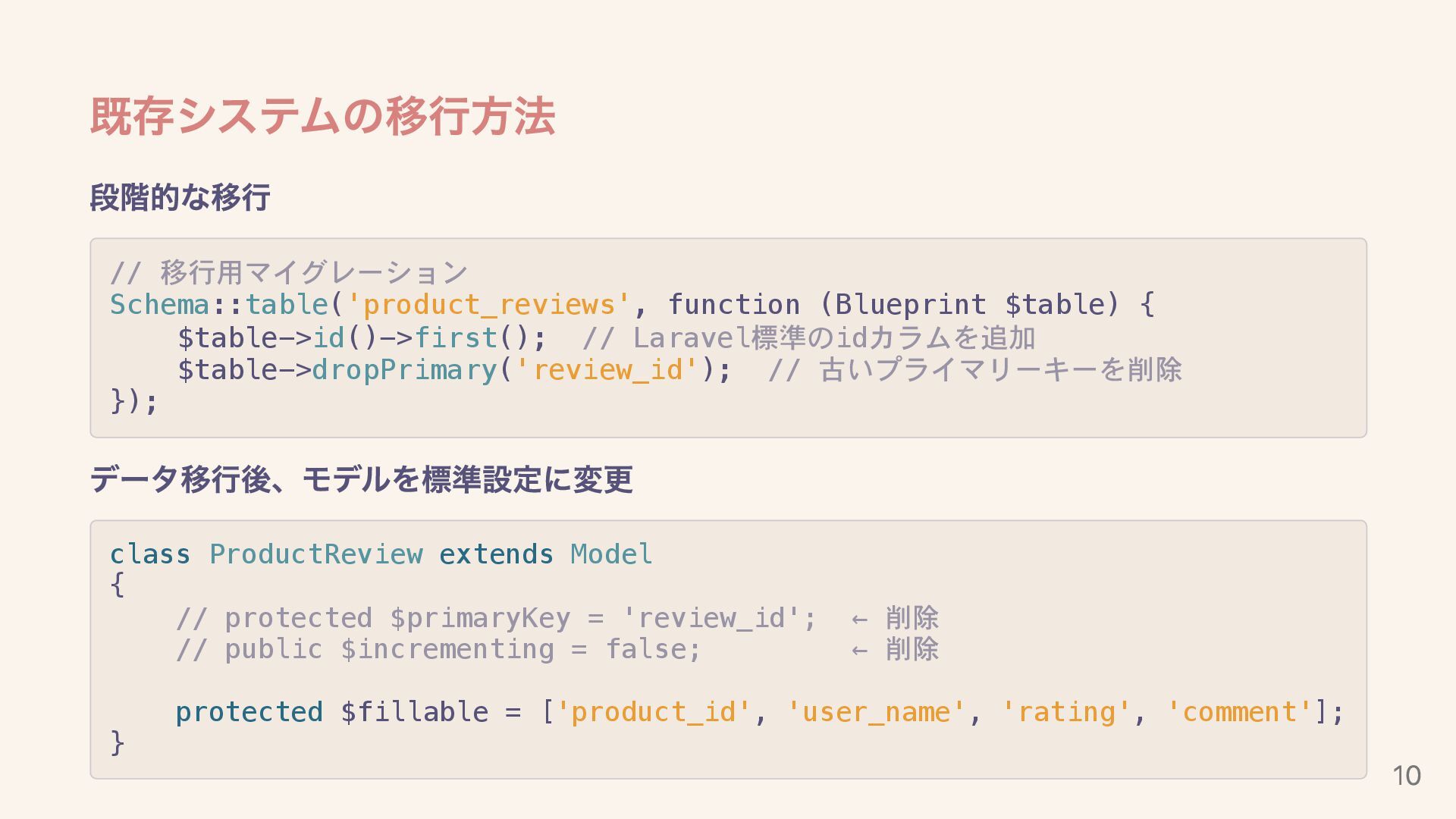
既存システムの移行方法 段階的な移行 // 移行用マイグレーション Schema::table('product_reviews', function (Blueprint $table) { $table->id()->first();
// Laravel標準のidカラムを追加 $table->dropPrimary('review_id'); // 古いプライマリーキーを削除 }); データ移行後、モデルを標準設定に変更 class ProductReview extends Model { // protected $primaryKey = 'review_id'; ← 削除 // public $incrementing = false; ← 削除 protected $fillable = ['product_id', 'user_name', 'rating', 'comment']; } 10
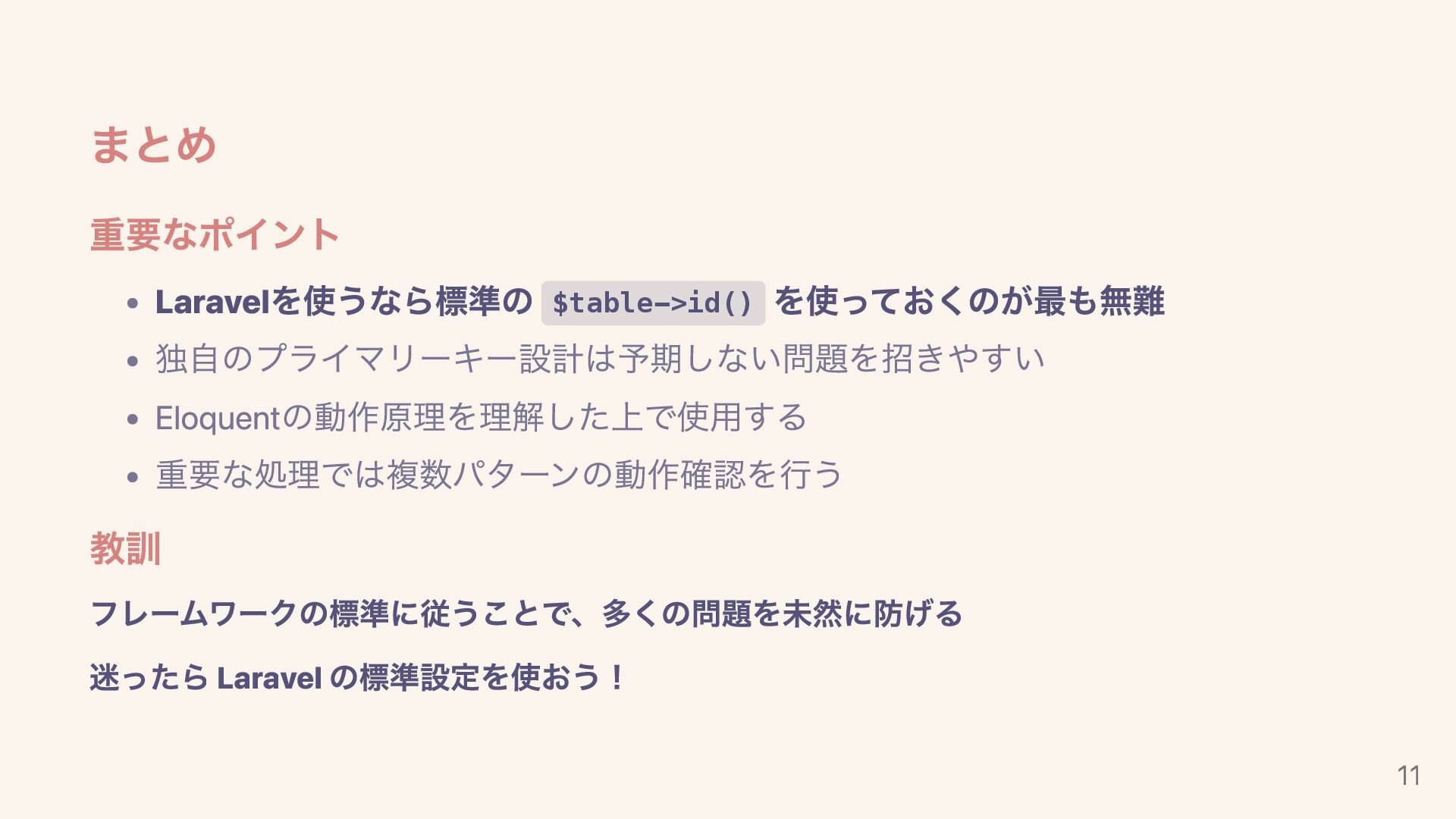
まとめ 重要なポイント Laravelを使うなら標準の $table->id() を使っておくのが最も無難 独自のプライマリーキー設計は予期しない問題を招きやすい Eloquentの動作原理を理解した上で使用する 重要な処理では複数パターンの動作確認を行う 教訓 フレームワークの標準に従うことで、多くの問題を未然に防げる
迷ったら Laravel の標準設定を使おう! 11


 sonor04ls
 clockmaker
 findyinc
 naokihaba
 rollbear
 uyuki234
 ivargrimstad
 hollycummins
 iwiwi
iwiwi
 prota
prota
 jame2408
 gonta
gonta
 dske104
 stuffmc
 katiecoart
 keavy
keavy
 tammyeverts
 frankvandijk
 lemiorhan
 codingconduct
 orderedlist
 reverentgeek
 jonoalderson
 samanthasiow
 eileencodes