Upgrade to Pro
— share decks privately, control downloads, hide ads and more …
Speaker Deck
Sign up for free
Menu
Search
Features
All features
Private URLs
Password Protection
Custom URLS
Scheduled publishing
Remove Branding
Restrict embedding
Deck Collections
Notes
Features
All features
Private URLs
Password Protection
Custom URLS
Scheduled publishing
Remove Branding
Restrict embedding
Deck Collections
Notes
Explore
Featured decks
Featured speakers
Programming
Technology
Storyboards
Explore
Featured decks
Featured speakers
Programming
Technology
Storyboards
Pricing
Search
Sign in
Sign up for free
@Queryマクロに頼らないSwiftDataの使い方
Search
ionishi321
November 28, 2025
Technology
85
0
Share
Embed
Copy iframe code
Copy JS code
Copy link
Start on current slide
@Queryマクロに頼らないSwiftDataの使い方
Mobile Act OSAKA 17
https://mobileact.connpass.com/event/374447/
ionishi321
November 28, 2025
Other Decks in Technology
See All in Technology
「Docker Desktop不要の時代」は 来たのか?
ueponx
0
810
脆弱性診断って、何をしているの? 〜弱点を見つけて、会社の改善につなげるまで〜
keeg
0
930
その Valkey 使いこなしていますか?
onk
PRO
5
1.6k
今さら理解するウェブフォントver.2026
takanorip
3
890
Post AI時代のリファクタリング実践記 / Refactoring in the post AI era
kaminashi
1
270
DGX Spark でどこまでハッキングができるのか?
kash1064
3
1.3k
Getting Started with Google Antigravity
glaforge
0
320
PHPカンファレンス関西の招待状 / Invitation to PHP Conference Kansai
ykanoh
0
190
hackers_champloo_2026_tidb
makocchi
0
170
Temporal 最高!でも改めて「日付」について調べたら人類の負債すぎる件
riyaamemiya
0
160
Railsで挑む大量データ永続化 〜600億件を永続化するための設計とボトルネックとの戦い〜
occhi
1
710
Kiro Crewをはじめよう
kizawa2020
1
160
Featured
See All Featured
Why Your Marketing Sucks and What You Can Do About It - Sophie Logan
marketingsoph
0
430
From π to Pie charts
rasagy
1
400
From Legacy to Launchpad: Building Startup-Ready Communities
dugsong
0
360
ピンチをチャンスに:未来をつくるプロダクトロードマップ #pmconf2020
aki_iinuma
128
56k
How to Talk to Developers About Accessibility
jct
2
580
Fireside Chat
paigeccino
43
4.1k
How to build an LLM SEO readiness audit: a practical framework
nmsamuel
2
950
KATA
mclloyd
PRO
35
16k
Information Architects: The Missing Link in Design Systems
soysaucechin
1
1.2k
実際に使うSQLの書き方 徹底解説 / pgcon21j-tutorial
soudai
PRO
203
77k
The Art of Programming - Codeland 2020
erikaheidi
57
14k
個人開発の失敗を避けるイケてる考え方 / tips for indie hackers
panda_program
123
22k
Transcript
@Queryマクロに頼らないSwiftDataの使い方 大西伊吹(@ionishi321)
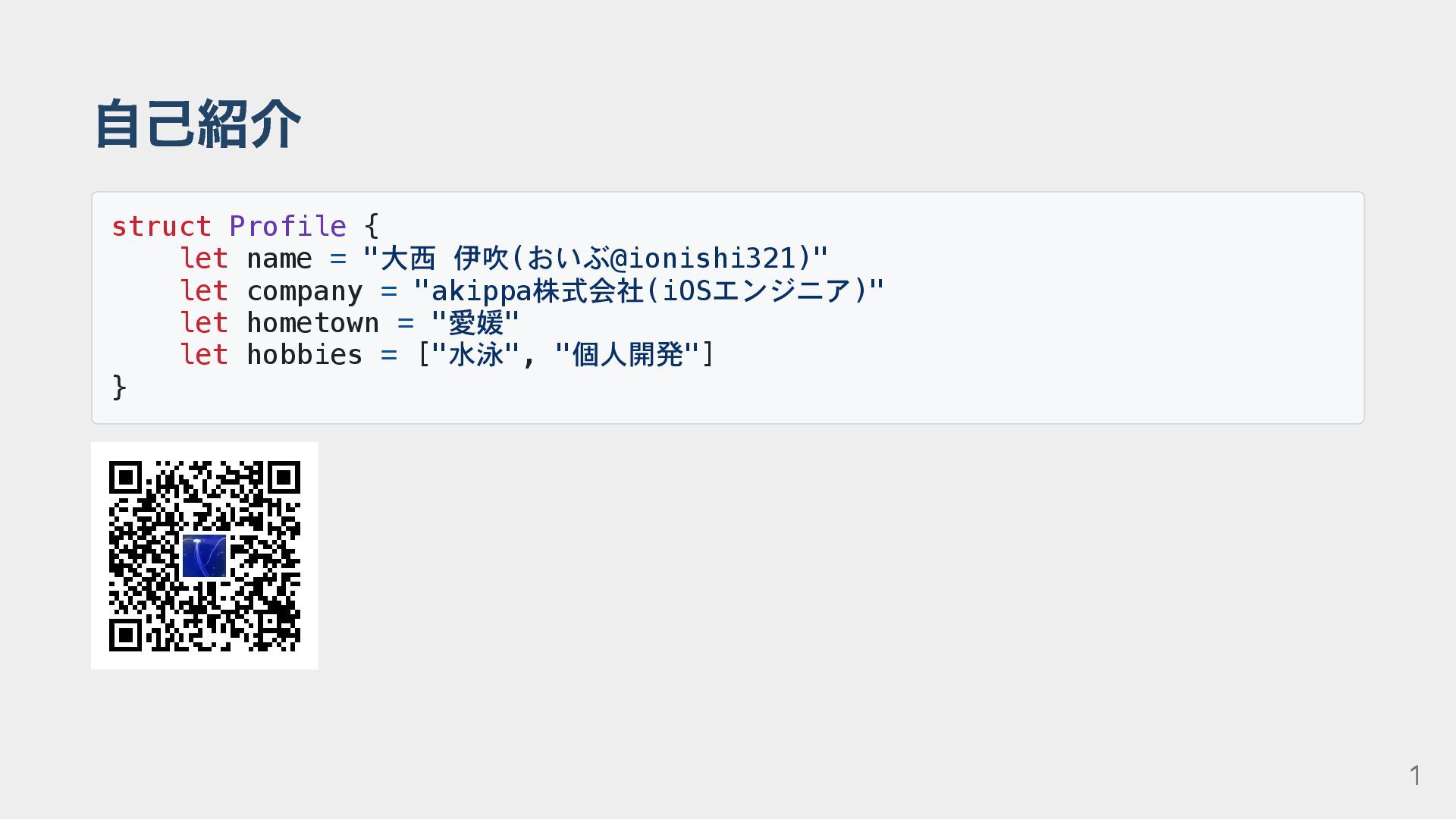
自己紹介 struct Profile { let name = "大西 伊吹(おいぶ@ionishi321)" let
company = "akippa株式会社(iOSエンジニア)" let hometown = "愛媛" let hobbies = ["水泳", "個人開発"] } 1
SwiftDataを使ったことある人 2
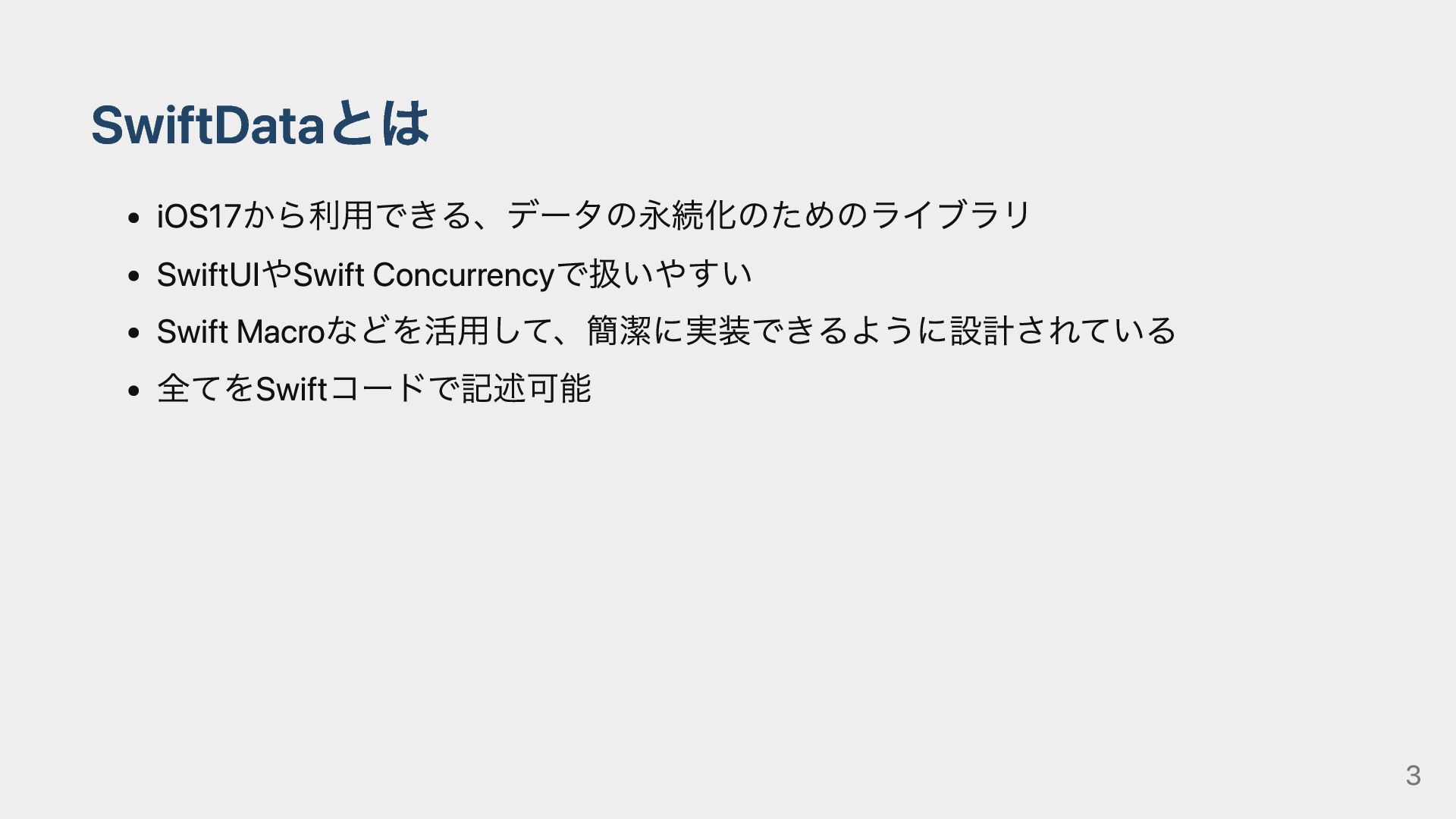
SwiftDataとは iOS17から利用できる、データの永続化のためのライブラリ SwiftUIやSwift Concurrencyで扱いやすい Swift Macroなどを活用して、簡潔に実装できるように設計されている 全てをSwiftコードで記述可能 3
SwiftDataを使ってみよう! 4
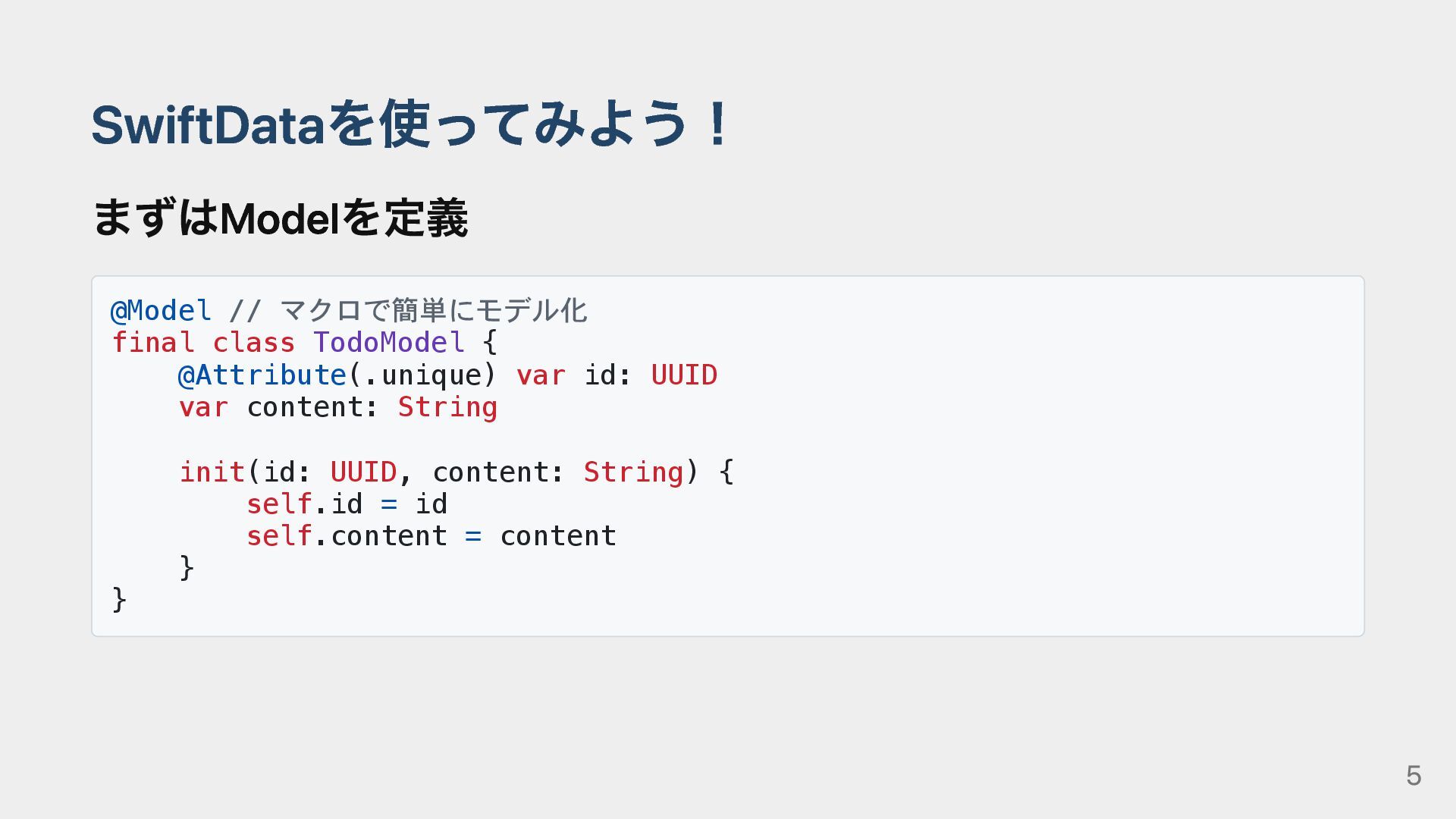
SwiftDataを使ってみよう! まずはModelを定義 @Model // マクロで簡単にモデル化 final class TodoModel { @Attribute(.unique)
var id: UUID var content: String init(id: UUID, content: String) { self.id = id self.content = content } } 5
SwiftDataを使ってみよう! 次に@Queryマクロを使って呼び出し struct ListWithMacroView: View { @Query var todos: [TodoModel]
// マクロで簡単にViewに描画 var body: some View { … } } 6
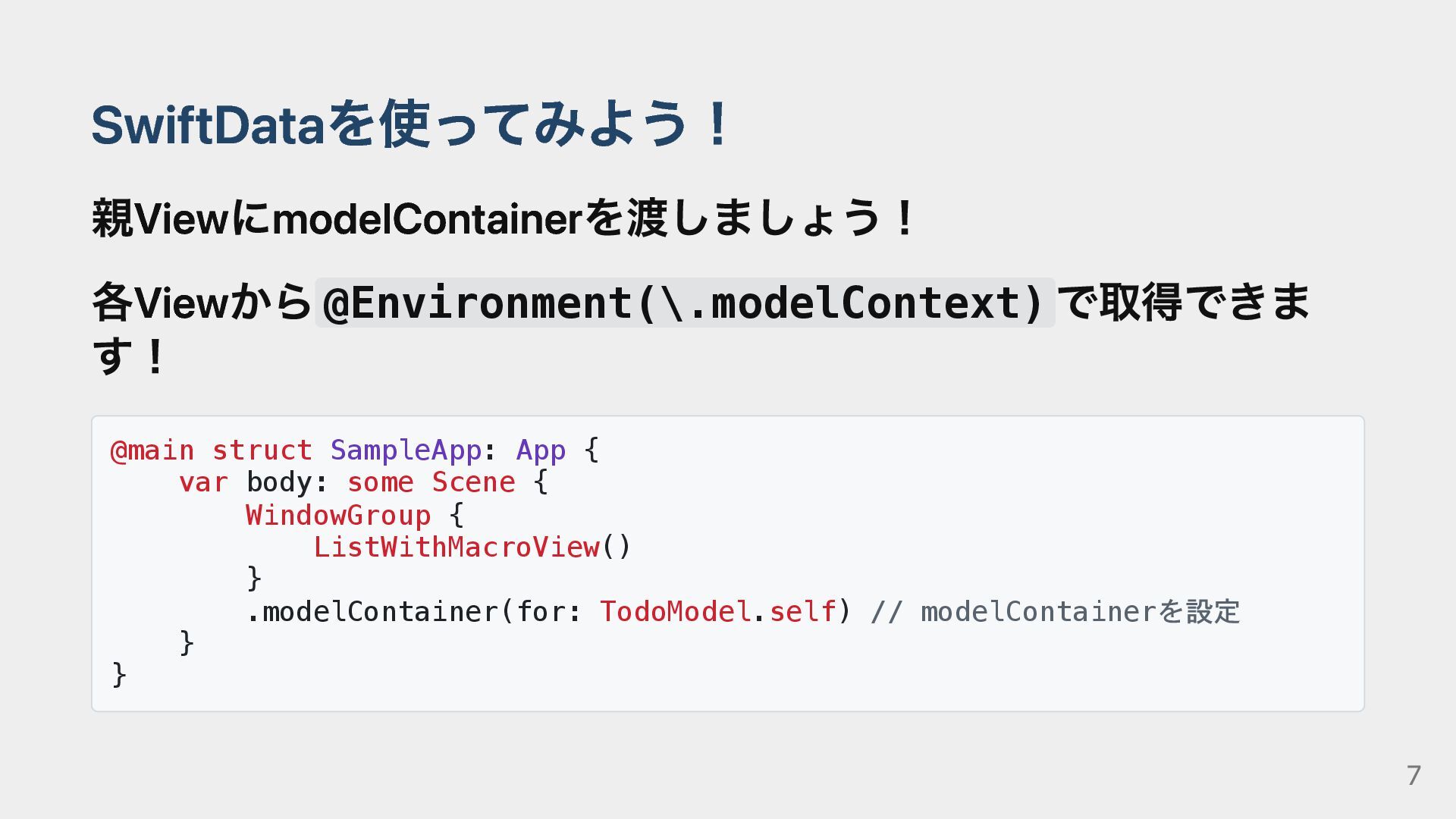
SwiftDataを使ってみよう! 親ViewにmodelContainerを渡しましょう! 各Viewから@Environment(\.modelContext) で取得できま す! @main struct SampleApp: App {
var body: some Scene { WindowGroup { ListWithMacroView() } .modelContainer(for: TodoModel.self) // modelContainerを設定 } } 7
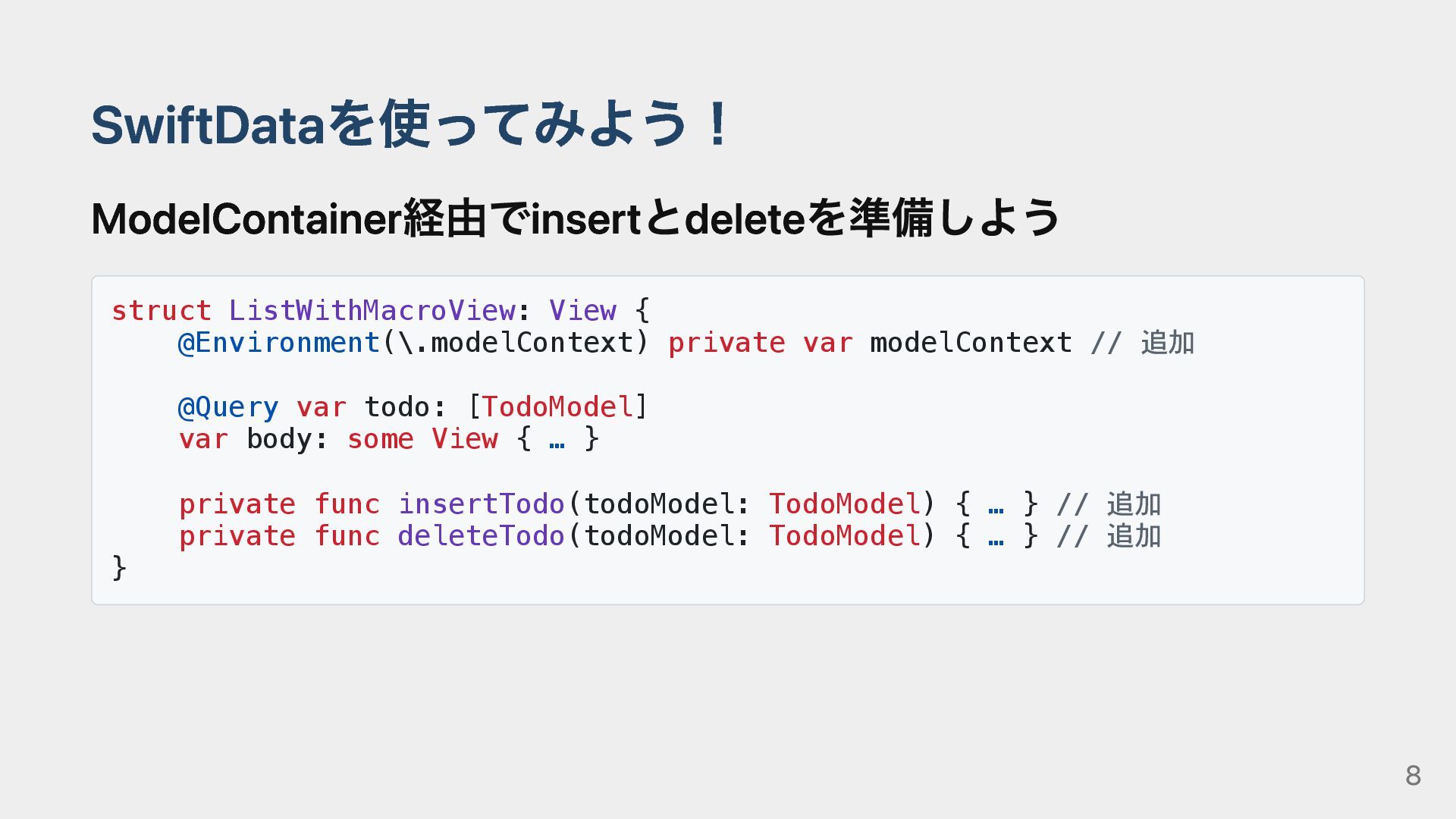
SwiftDataを使ってみよう! ModelContainer経由でinsertとdeleteを準備しよう struct ListWithMacroView: View { @Environment(\.modelContext) private var modelContext
// 追加 @Query var todo: [TodoModel] var body: some View { … } private func insertTodo(todoModel: TodoModel) { … } // 追加 private func deleteTodo(todoModel: TodoModel) { … } // 追加 } 8
これで完璧! 9
本当に? 10
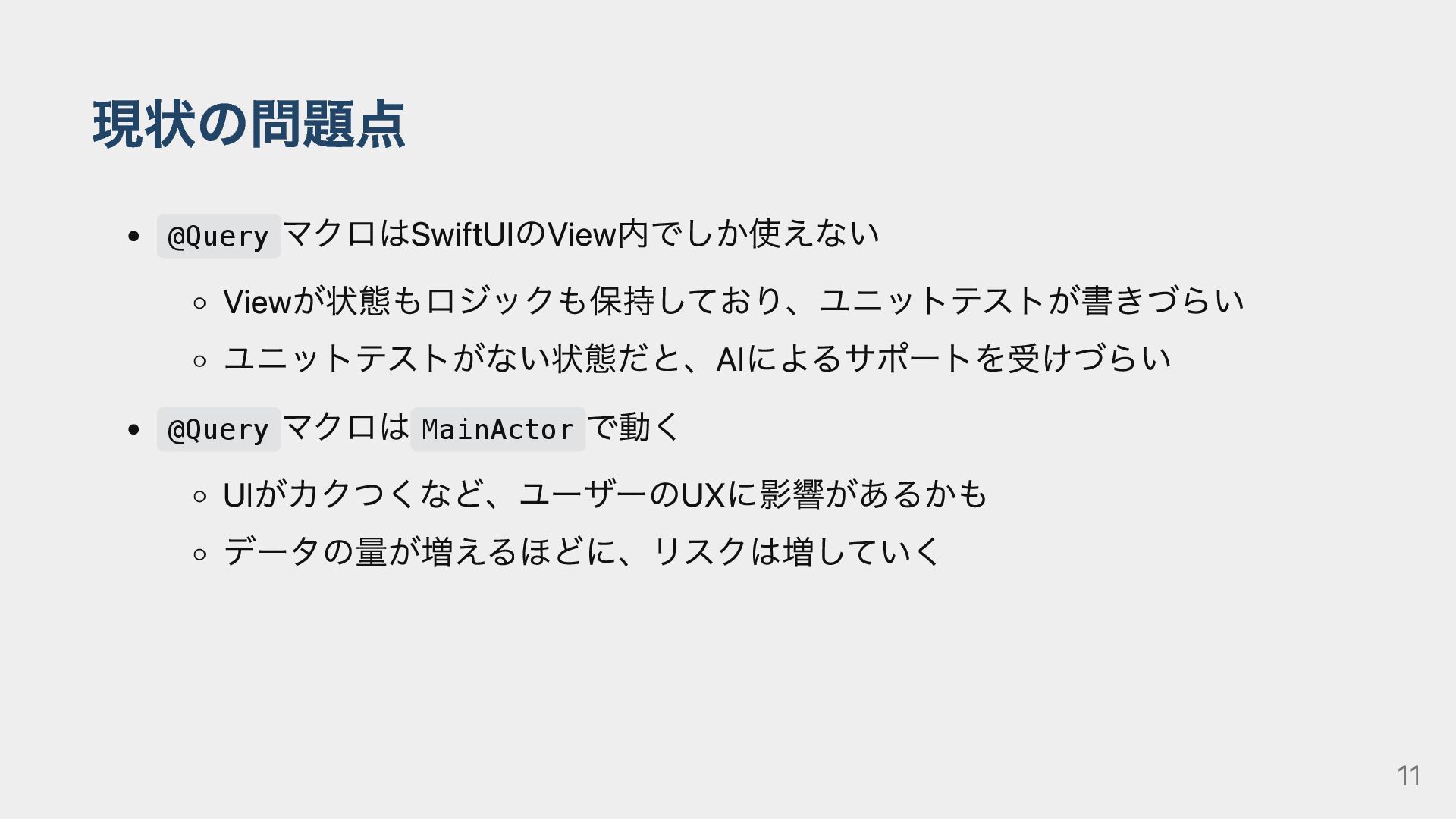
現状の問題点 @Query マクロはSwiftUIのView内でしか使えない Viewが状態もロジックも保持しており、ユニットテストが書きづらい ユニットテストがない状態だと、AIによるサポートを受けづらい @Query マクロは MainActor で動く UIがカクつくなど、ユーザーのUXに影響があるかも
データの量が増えるほどに、リスクは増していく 11
@Queryマクロは便利 でも、このままではアプリがスケールしない! 12
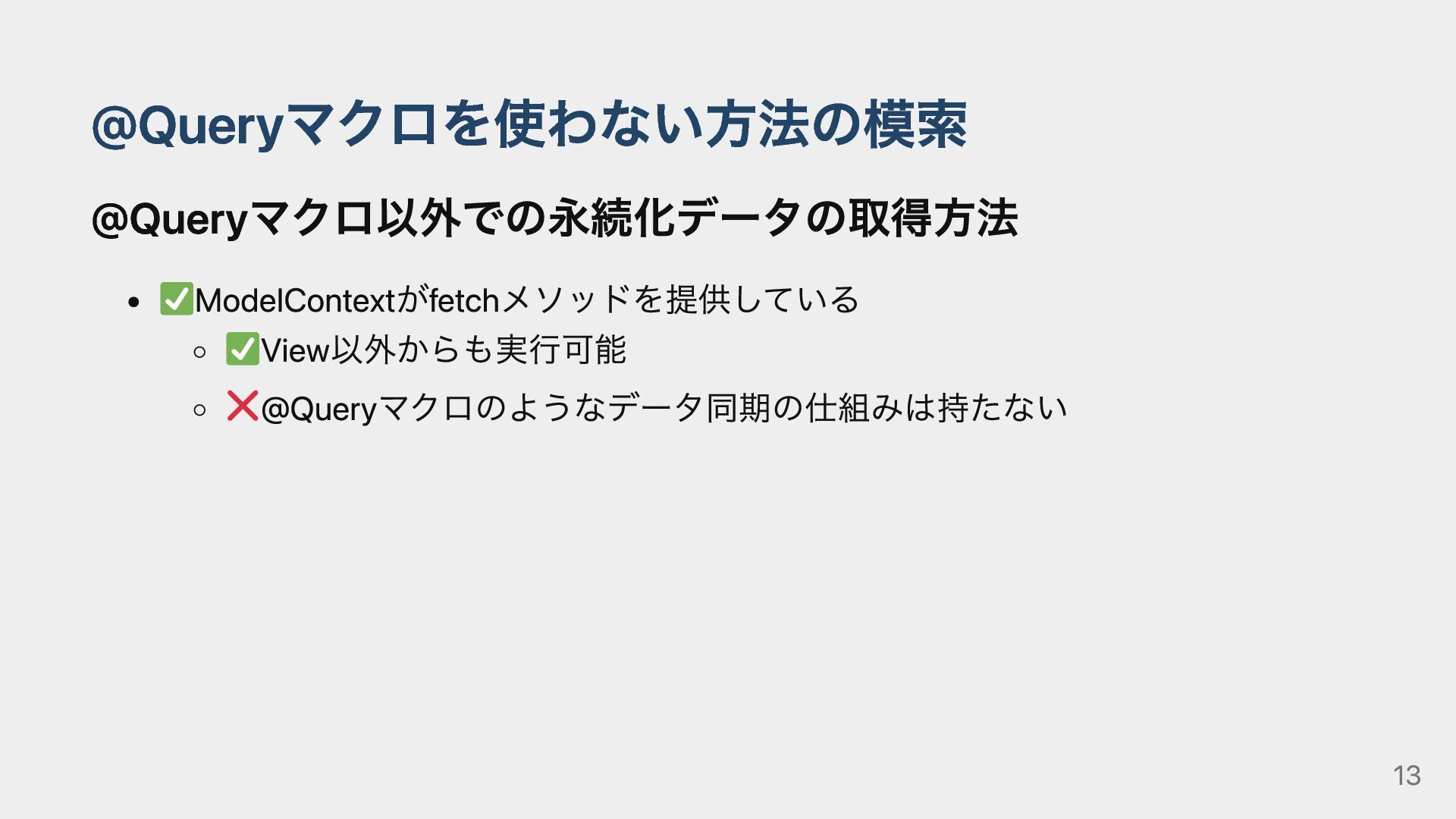
@Queryマクロを使わない方法の模索 @Queryマクロ以外での永続化データの取得方法 ️ModelContextがfetchメソッドを提供している ️View以外からも実行可能 ️@Queryマクロのようなデータ同期の仕組みは持たない 13
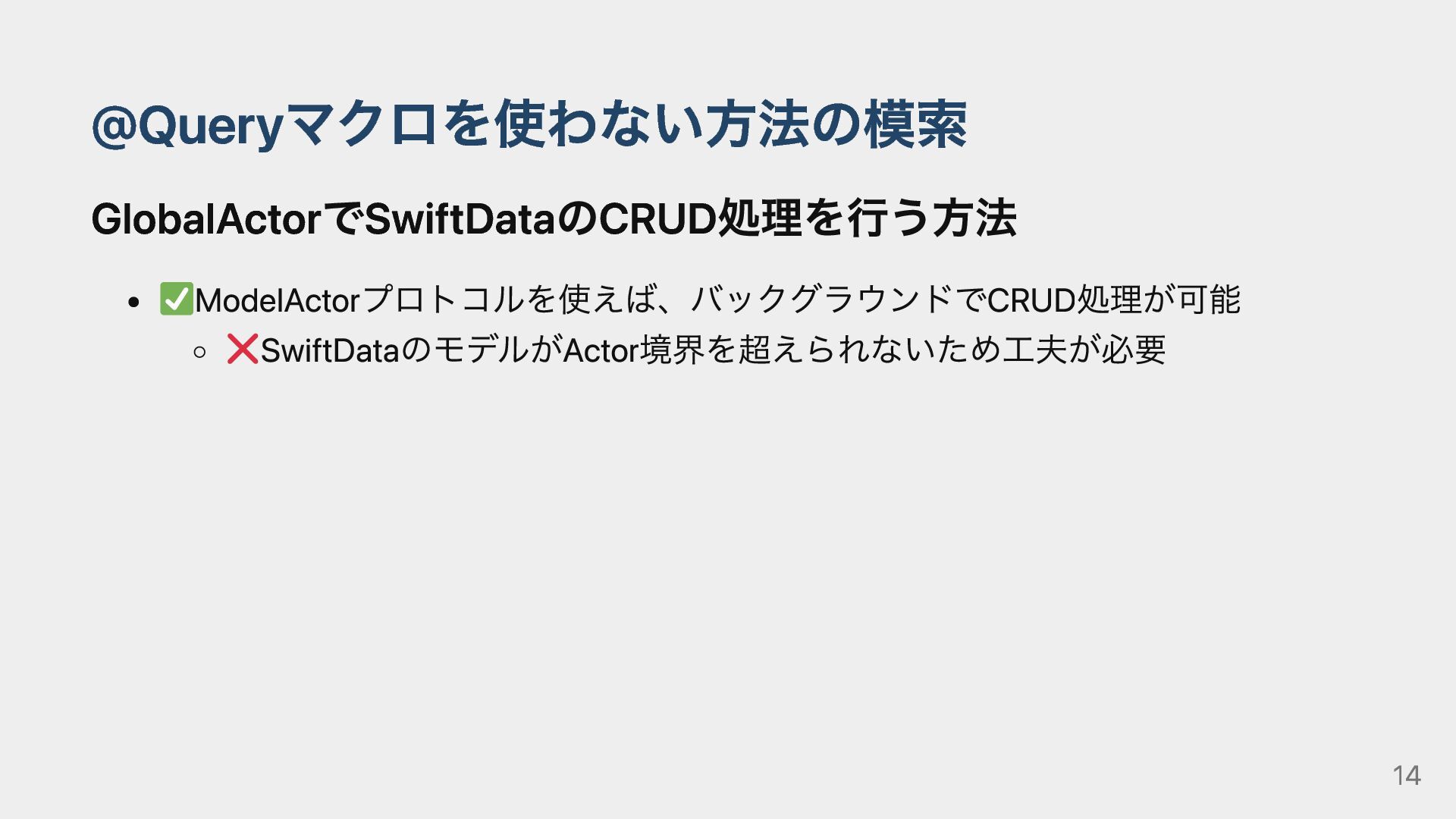
@Queryマクロを使わない方法の模索 GlobalActorでSwiftDataのCRUD処理を行う方法 ️ModelActorプロトコルを使えば、バックグラウンドでCRUD処理が可能 ️SwiftDataのモデルがActor境界を超えられないため工夫が必要 14
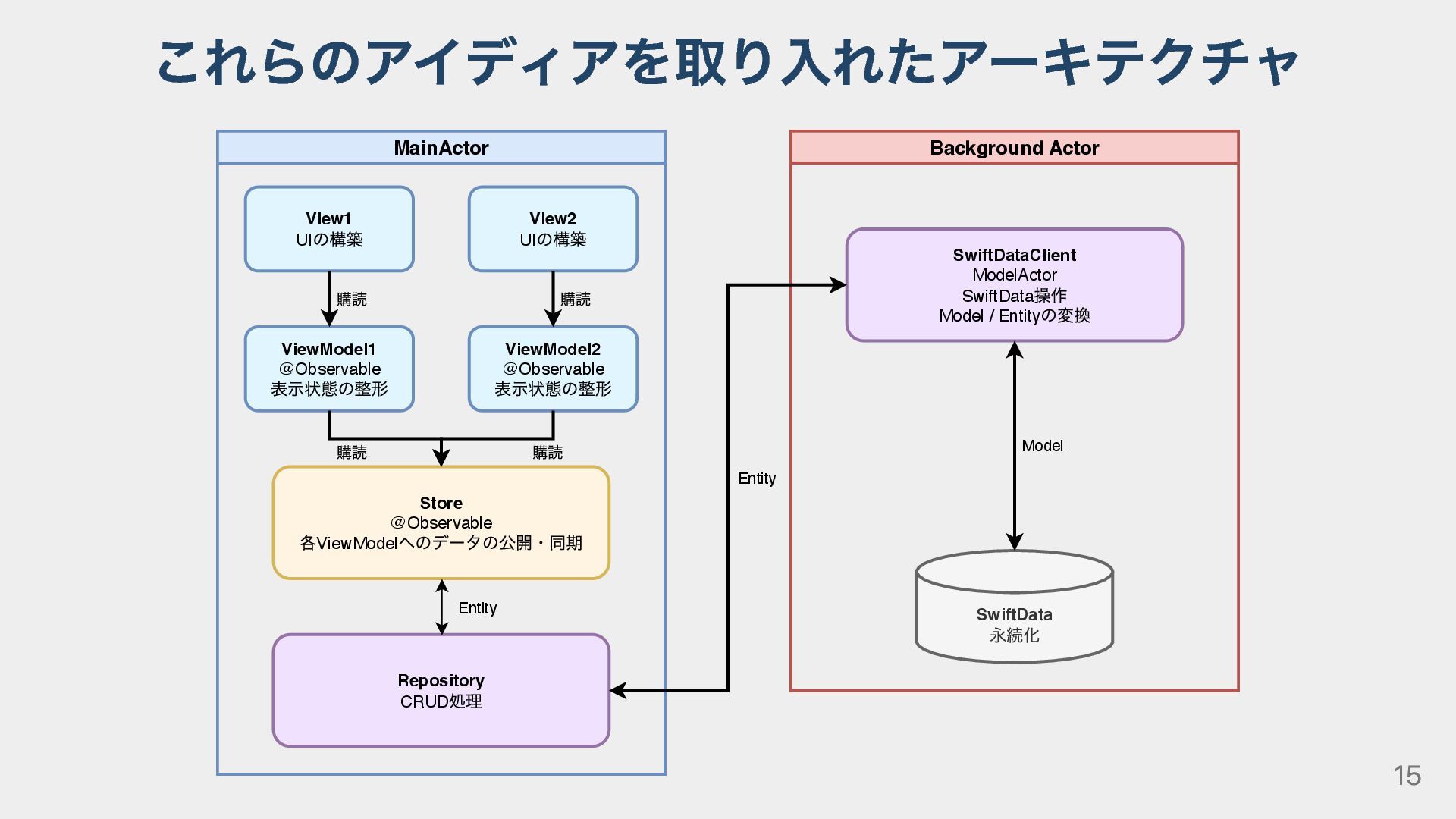
これらのアイディアを取り入れたアーキテクチャ MainActor View2 UI の構築 ViewModel2 @Observable 表⽰状態の整形 Store @Observable
各ViewModel へのデータの公開・同期 Repository CRUD 処理 Entity View1 UI の構築 ViewModel1 @Observable 表⽰状態の整形 購読 購読 購読 Background Actor SwiftDataClient ModelActor SwiftData 操作 Model / Entity の変換 SwiftData 永続化 Model 購読 Entity 15
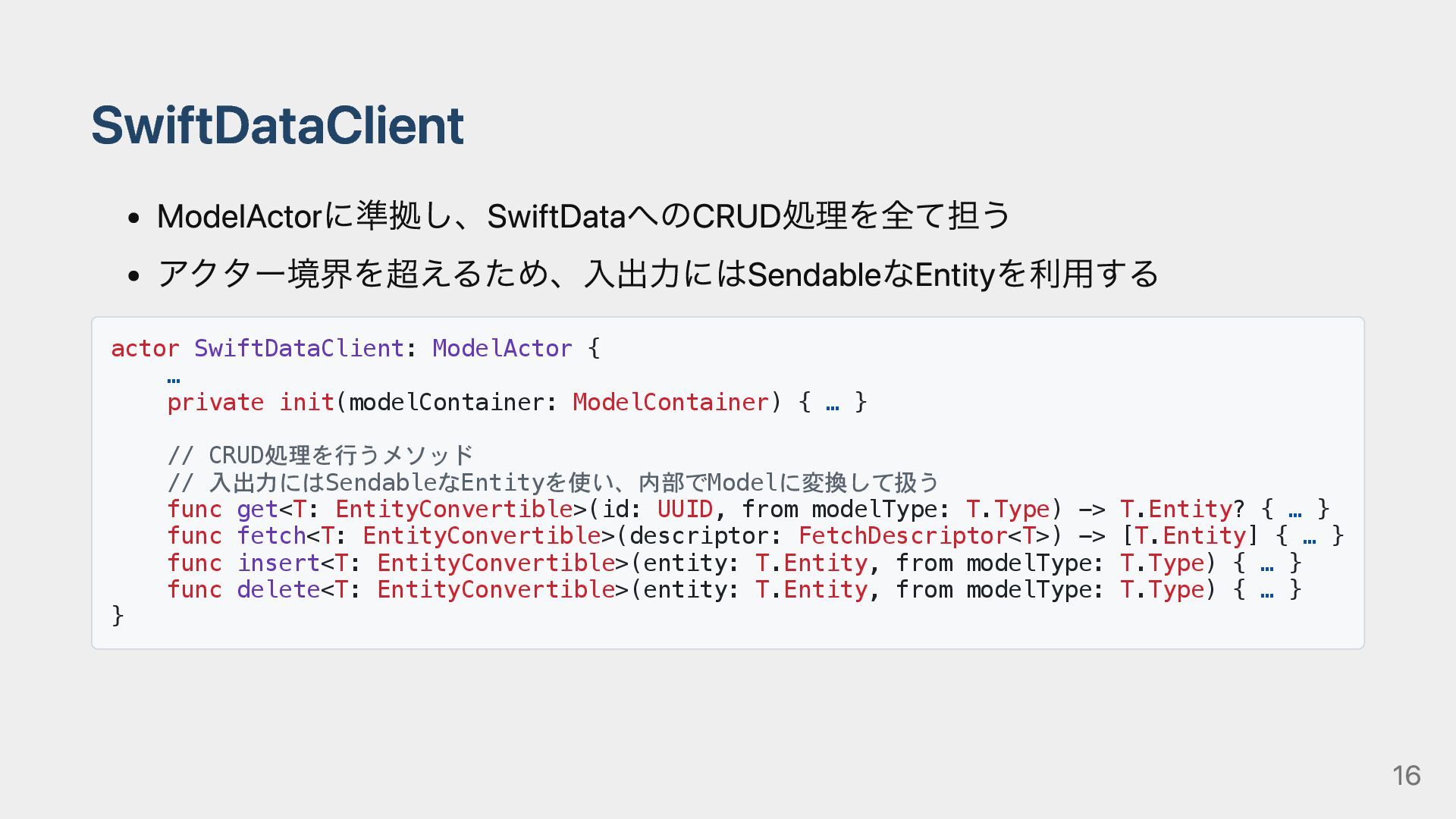
SwiftDataClient ModelActorに準拠し、SwiftDataへのCRUD処理を全て担う アクター境界を超えるため、入出力にはSendableなEntityを利用する actor SwiftDataClient: ModelActor { … private init(modelContainer:
ModelContainer) { … } // CRUD処理を行うメソッド // 入出力にはSendableなEntityを使い、内部でModelに変換して扱う func get<T: EntityConvertible>(id: UUID, from modelType: T.Type) -> T.Entity? { … } func fetch<T: EntityConvertible>(descriptor: FetchDescriptor<T>) -> [T.Entity] { … } func insert<T: EntityConvertible>(entity: T.Entity, from modelType: T.Type) { … } func delete<T: EntityConvertible>(entity: T.Entity, from modelType: T.Type) { … } } 16
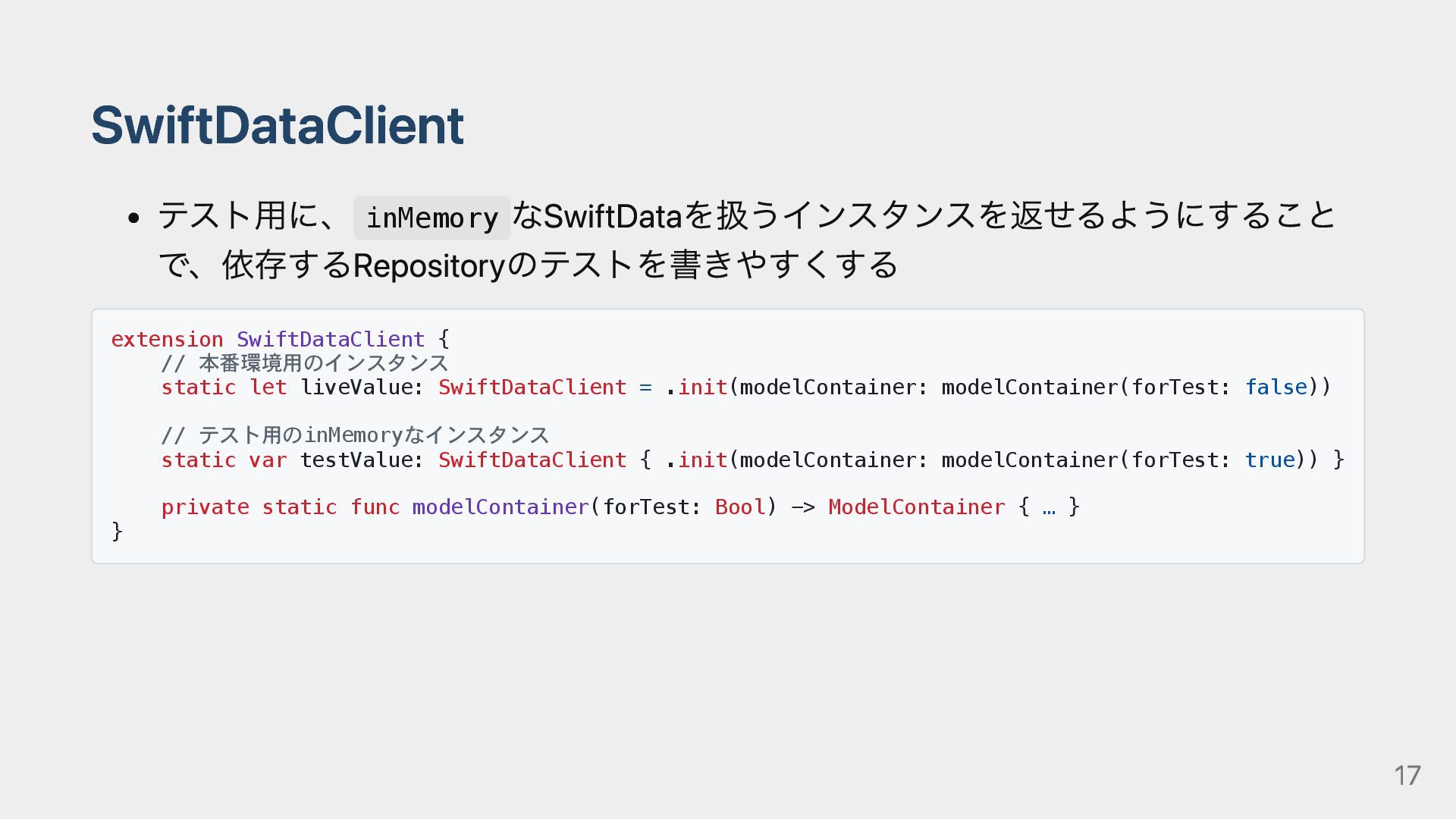
SwiftDataClient テスト用に、 inMemory なSwiftDataを扱うインスタンスを返せるようにすること で、依存するRepositoryのテストを書きやすくする extension SwiftDataClient { // 本番環境用のインスタンス
static let liveValue: SwiftDataClient = .init(modelContainer: modelContainer(forTest: false)) // テスト用のinMemoryなインスタンス static var testValue: SwiftDataClient { .init(modelContainer: modelContainer(forTest: true)) } private static func modelContainer(forTest: Bool) -> ModelContainer { … } } 17
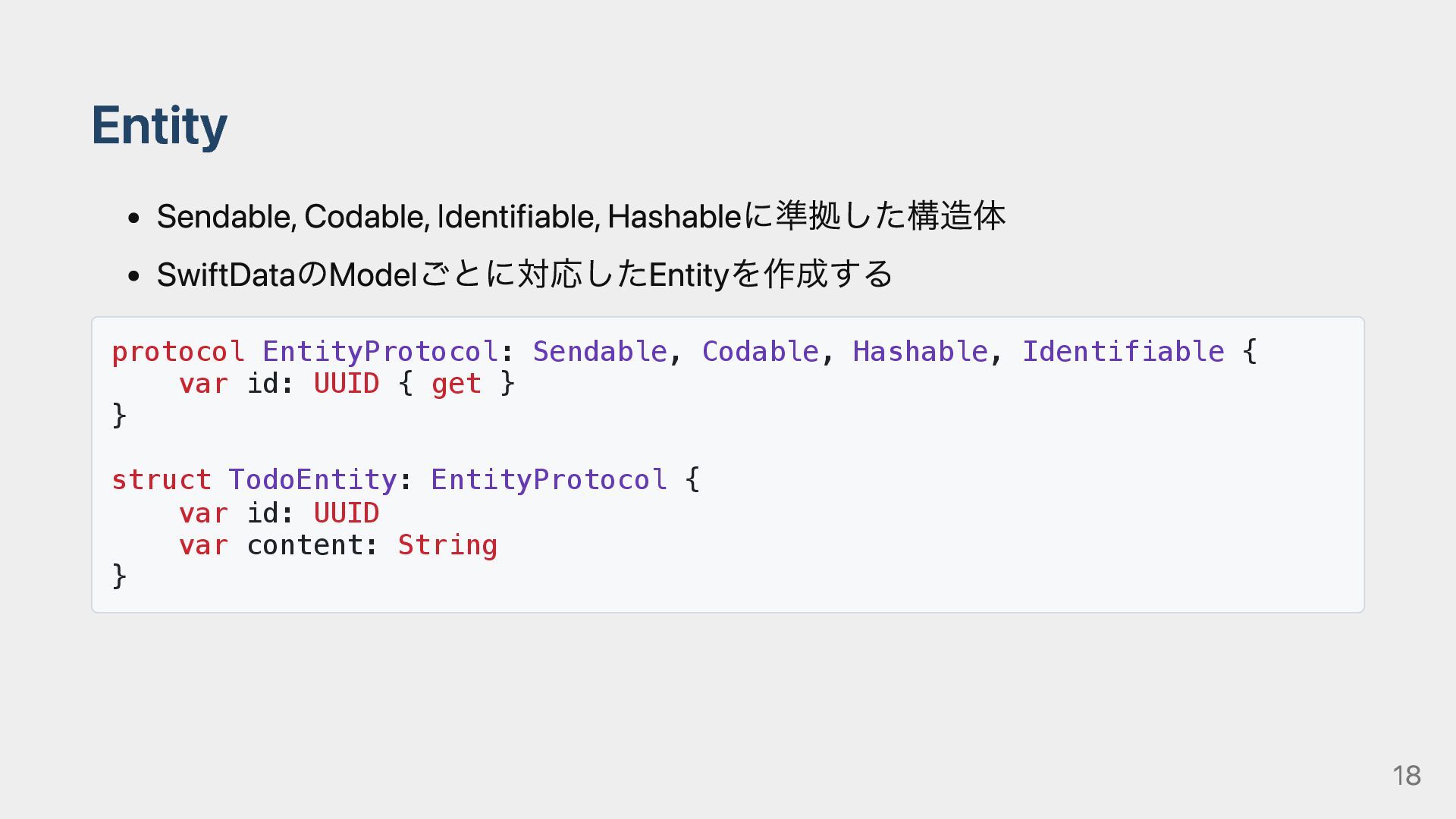
Entity Sendable, Codable, Identifiable, Hashableに準拠した構造体 SwiftDataのModelごとに対応したEntityを作成する protocol EntityProtocol: Sendable, Codable,
Hashable, Identifiable { var id: UUID { get } } struct TodoEntity: EntityProtocol { var id: UUID var content: String } 18
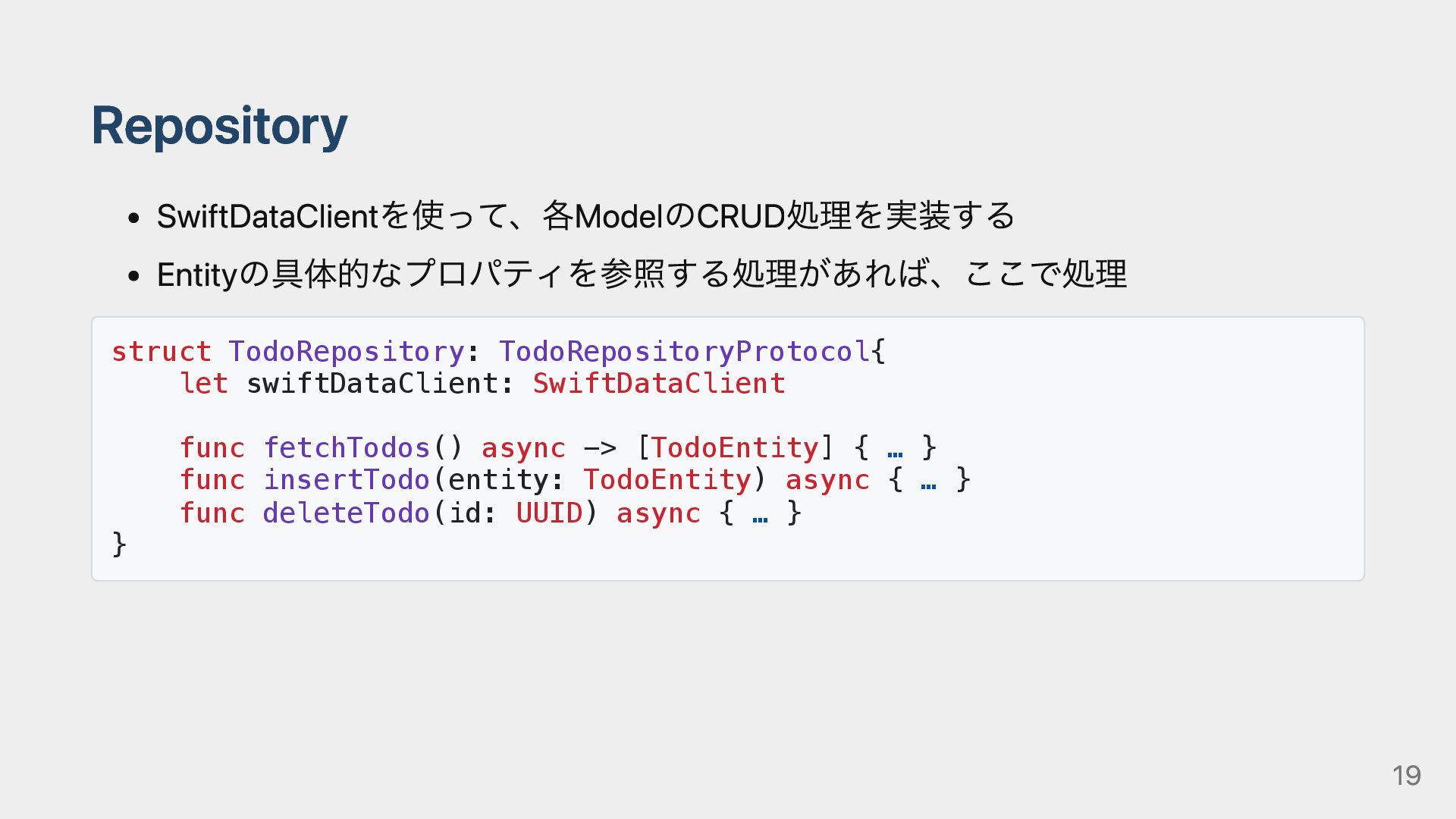
Repository SwiftDataClientを使って、各ModelのCRUD処理を実装する Entityの具体的なプロパティを参照する処理があれば、ここで処理 struct TodoRepository: TodoRepositoryProtocol{ let swiftDataClient: SwiftDataClient func
fetchTodos() async -> [TodoEntity] { … } func insertTodo(entity: TodoEntity) async { … } func deleteTodo(id: UUID) async { … } } 19
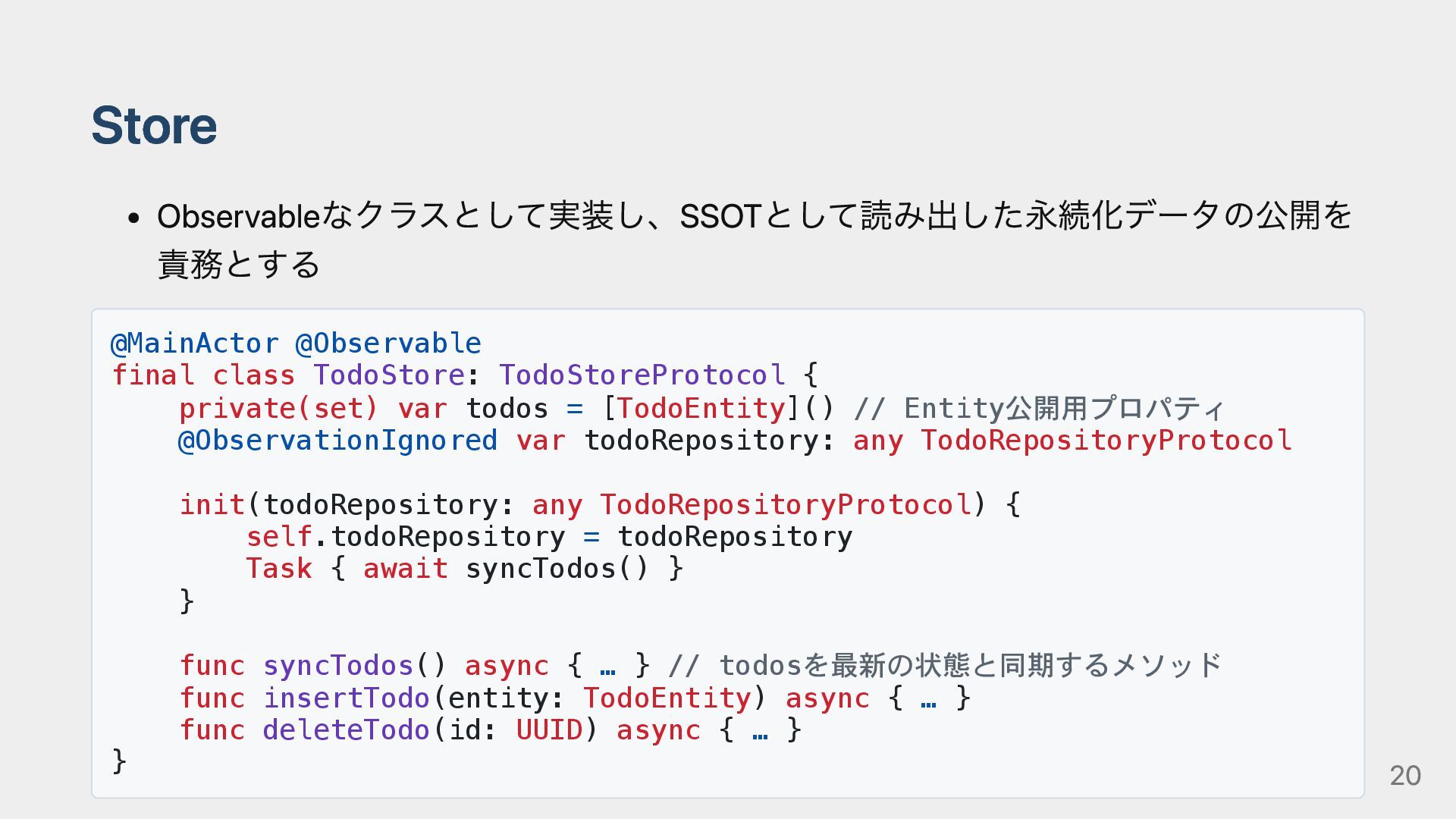
Store Observableなクラスとして実装し、SSOTとして読み出した永続化データの公開を 責務とする @MainActor @Observable final class TodoStore: TodoStoreProtocol {
private(set) var todos = [TodoEntity]() // Entity公開用プロパティ @ObservationIgnored var todoRepository: any TodoRepositoryProtocol init(todoRepository: any TodoRepositoryProtocol) { self.todoRepository = todoRepository Task { await syncTodos() } } func syncTodos() async { … } // todosを最新の状態と同期するメソッド func insertTodo(entity: TodoEntity) async { … } func deleteTodo(id: UUID) async { … } } 20
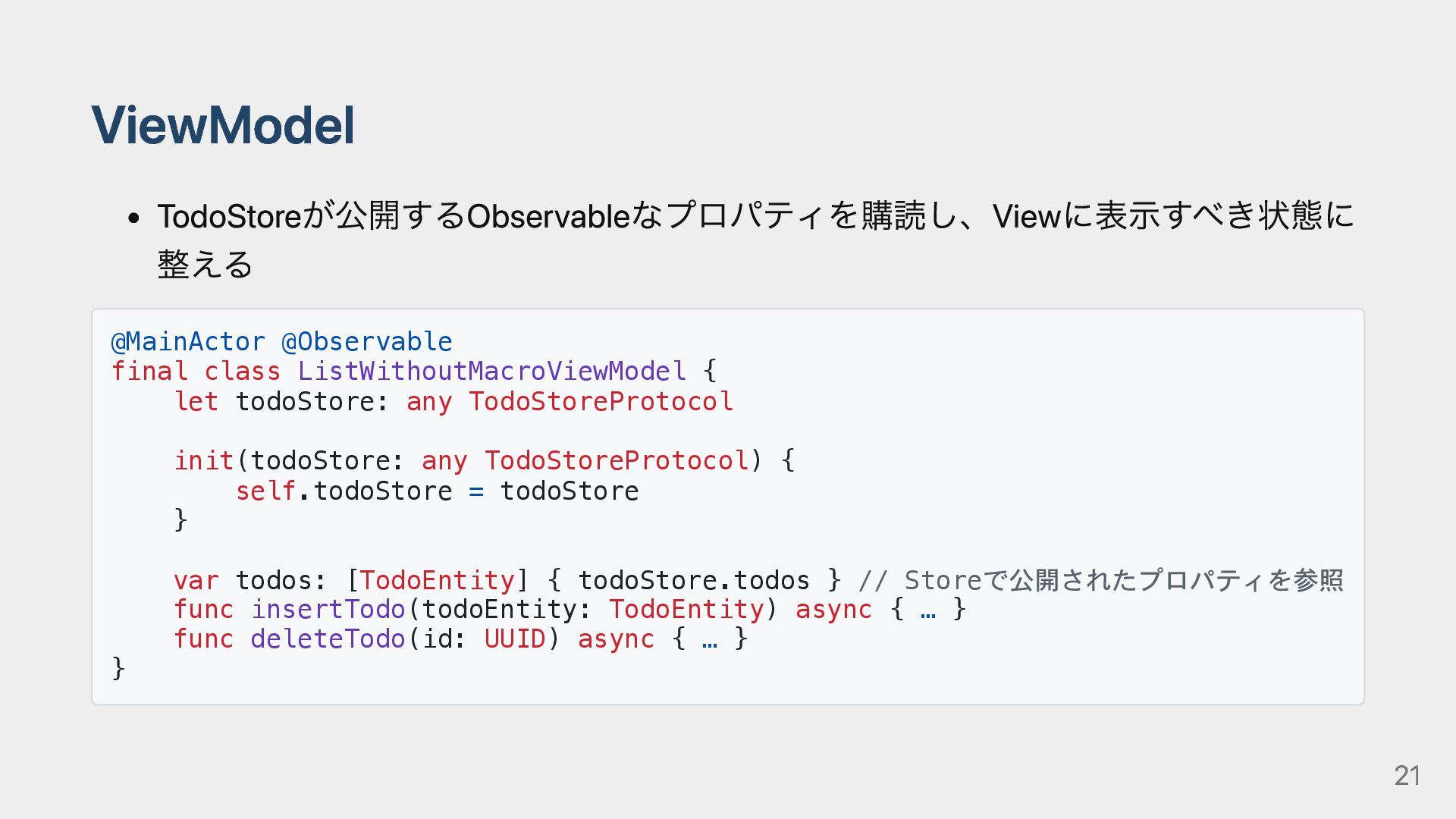
ViewModel TodoStoreが公開するObservableなプロパティを購読し、Viewに表示すべき状態に 整える @MainActor @Observable final class ListWithoutMacroViewModel { let
todoStore: any TodoStoreProtocol init(todoStore: any TodoStoreProtocol) { self.todoStore = todoStore } var todos: [TodoEntity] { todoStore.todos } // Storeで公開されたプロパティを参照 func insertTodo(todoEntity: TodoEntity) async { … } func deleteTodo(id: UUID) async { … } } 21
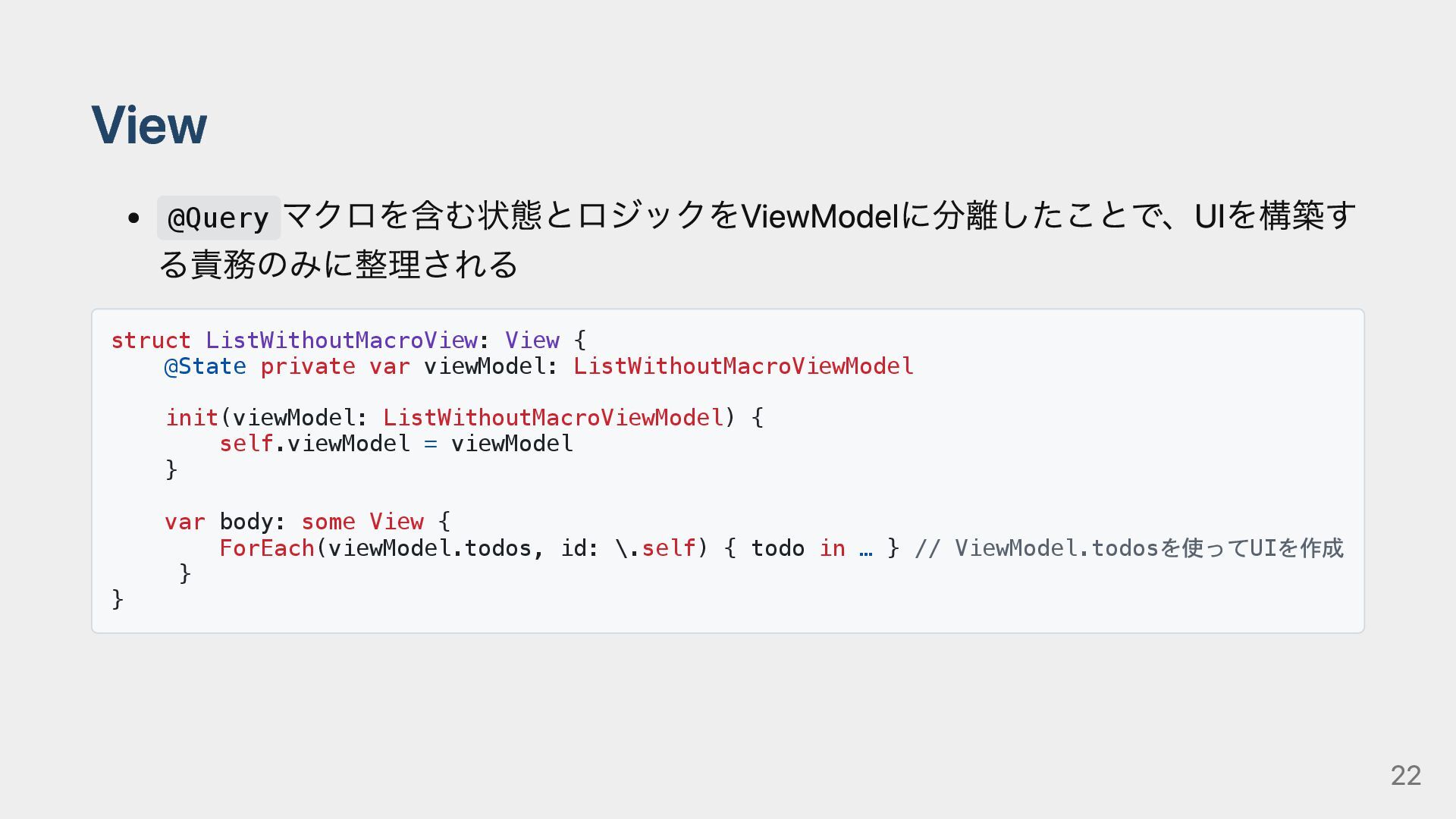
View @Query マクロを含む状態とロジックをViewModelに分離したことで、UIを構築す る責務のみに整理される struct ListWithoutMacroView: View { @State private
var viewModel: ListWithoutMacroViewModel init(viewModel: ListWithoutMacroViewModel) { self.viewModel = viewModel } var body: some View { ForEach(viewModel.todos, id: \.self) { todo in … } // ViewModel.todosを使ってUIを作成 } } 22
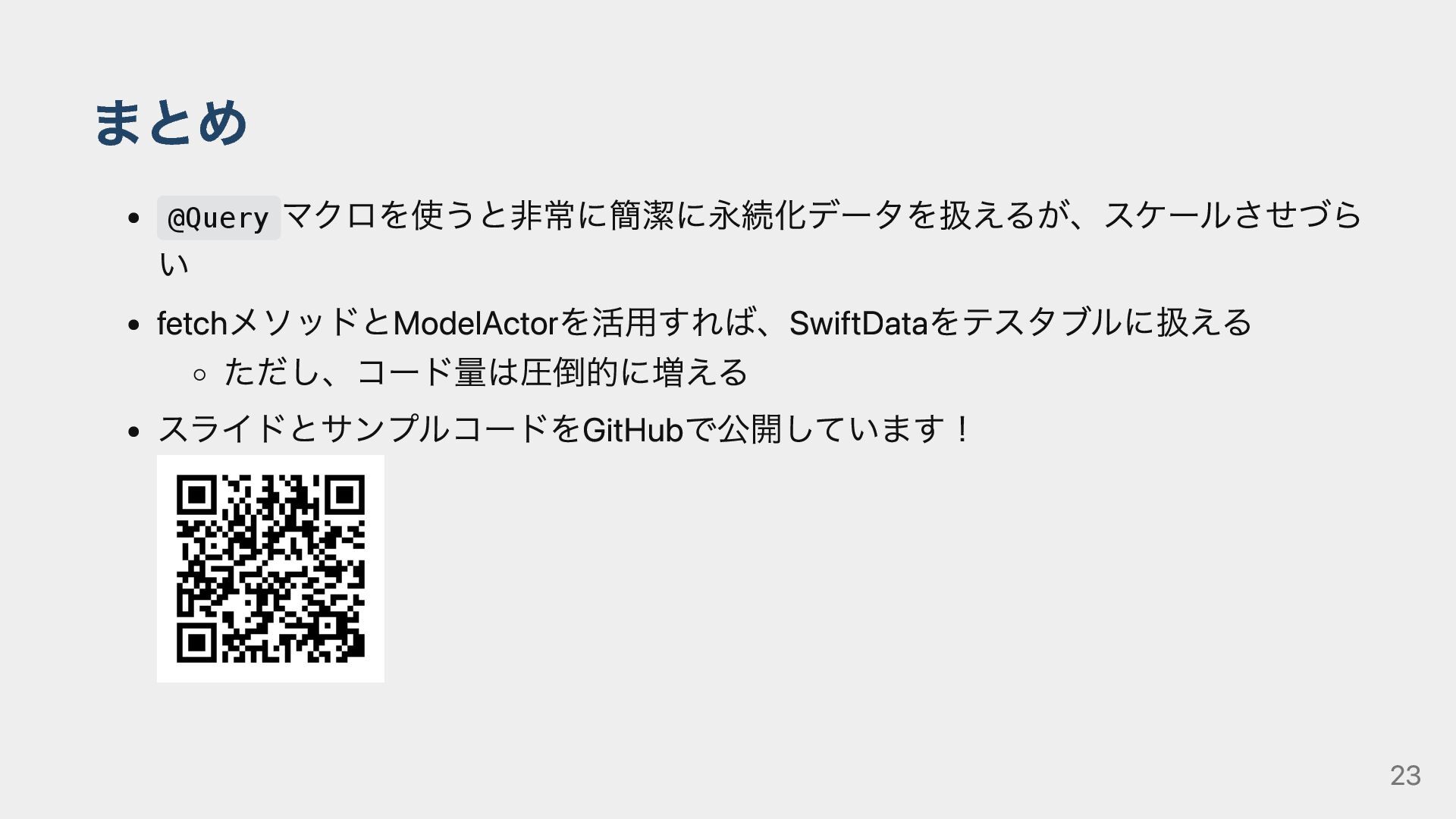
まとめ @Query マクロを使うと非常に簡潔に永続化データを扱えるが、スケールさせづら い fetchメソッドとModelActorを活用すれば、SwiftDataをテスタブルに扱える ただし、コード量は圧倒的に増える スライドとサンプルコードをGitHubで公開しています! 23
ご清聴ありがとうございました! 24


 ueponx
 keeg
keeg
 onk
onk
 takanorip
 kaminashi
 kash1064
 glaforge
 ykanoh
 makocchi
 riyaamemiya
 occhi
occhi
 kizawa2020
 marketingsoph
 rasagy
 dugsong
 aki_iinuma
 jct
jct
 paigeccino
 nmsamuel
 mclloyd
 soysaucechin
 soudai
 erikaheidi
 panda_program
![SwiftDataを使ってみよう! 次に@Queryマクロを使って呼び出し struct ListWithMacroView: View { @Query var todos: [TodoModel]](https://files.speakerdeck.com/presentations/13ac2d5e70d7466ebeba0e047c2cc755/slide_6.jpg)