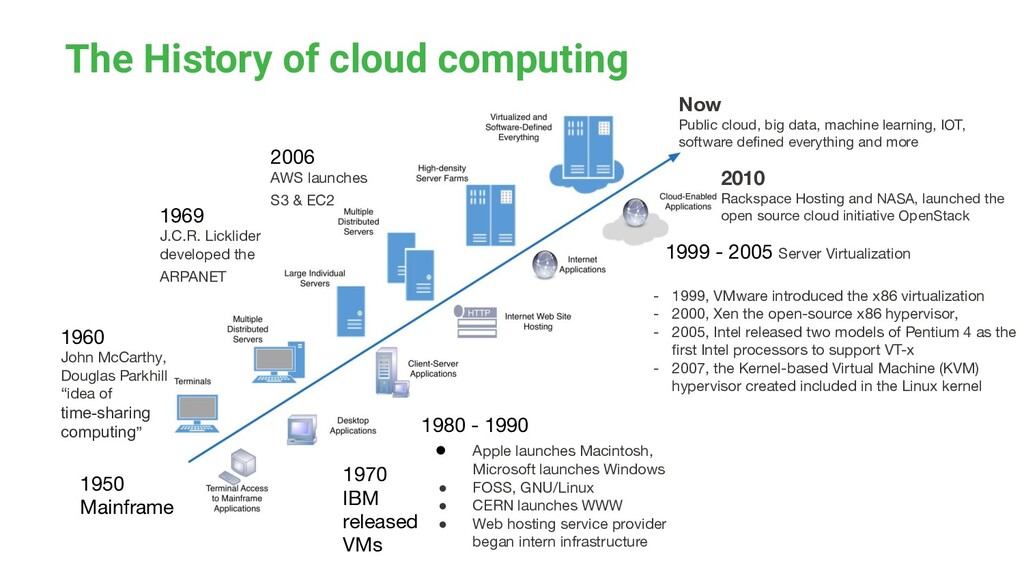
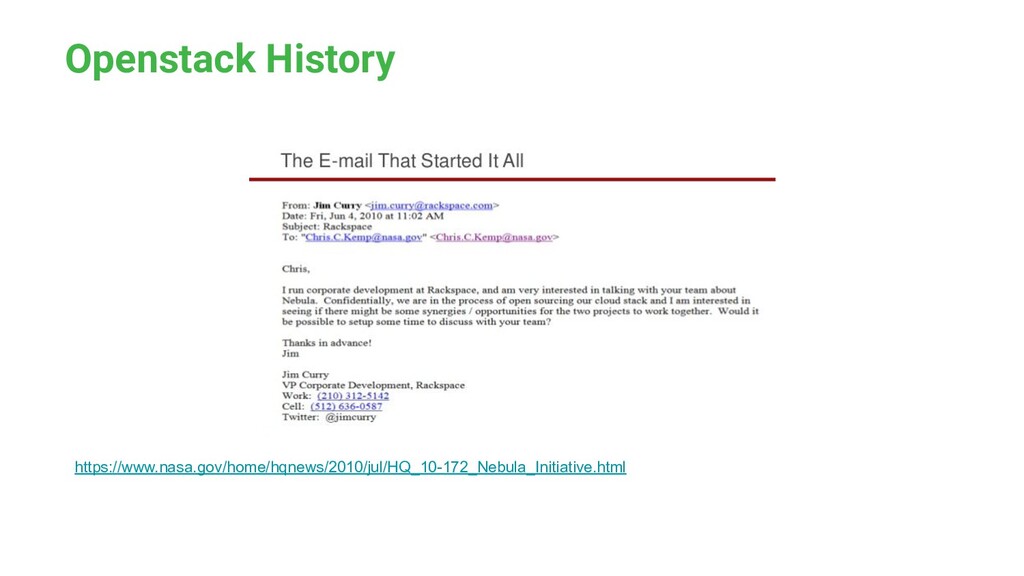
developed the ARPANET 1970 IBM released VMs 1960 John McCarthy, Douglas Parkhill “idea of time-sharing computing” 1980 - 1990 • Apple launches Macintosh, Microsoft launches Windows • FOSS, GNU/Linux • CERN launches WWW • Web hosting service provider began intern infrastructure 2006 AWS launches S3 & EC2 1999 - 2005 Server Virtualization - 1999, VMware introduced the x86 virtualization - 2000, Xen the open-source x86 hypervisor, - 2005, Intel released two models of Pentium 4 as the first Intel processors to support VT-x - 2007, the Kernel-based Virtual Machine (KVM) hypervisor created included in the Linux kernel 2010 Rackspace Hosting and NASA, launched the open source cloud initiative OpenStack Now Public cloud, big data, machine learning, IOT, software defined everything and more
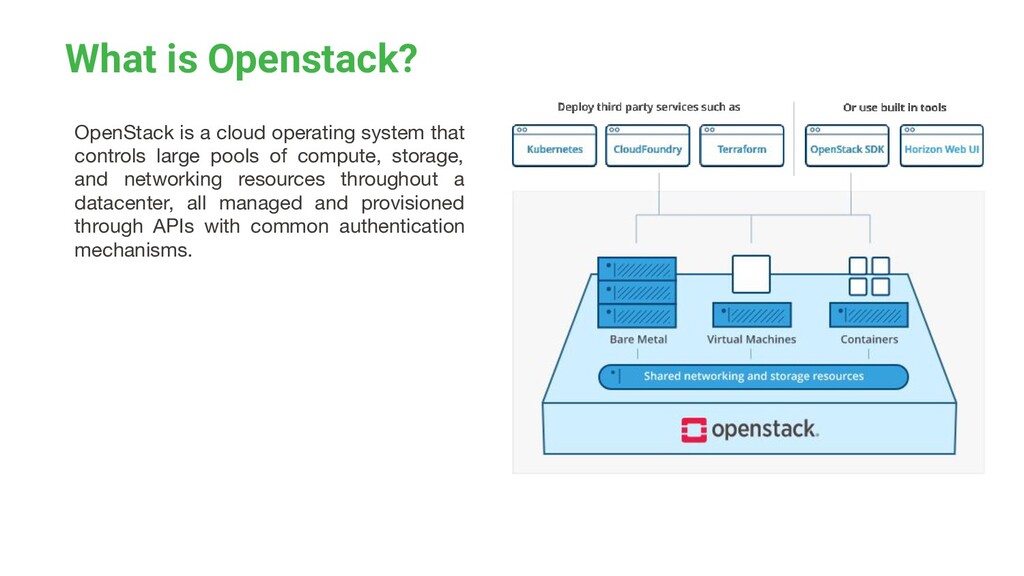
controls large pools of compute, storage, and networking resources throughout a datacenter, all managed and provisioned through APIs with common authentication mechanisms.
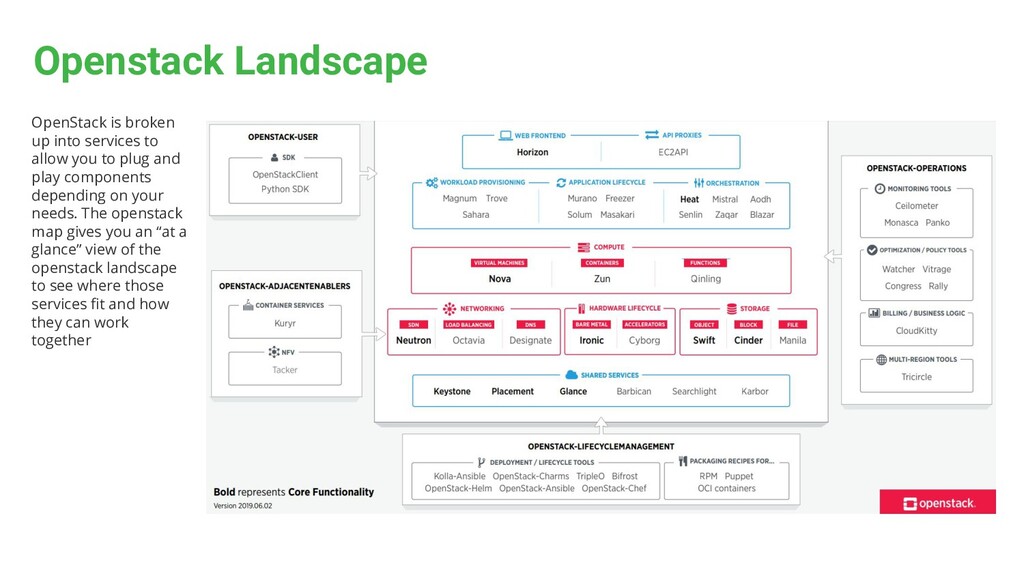
you to plug and play components depending on your needs. The openstack map gives you an “at a glance” view of the openstack landscape to see where those services fit and how they can work together
Austin (Oct 2010) the networking functionality was hard-coded into Nova • Networking and compute features could not be updated independently • Quantum was added as a separate networking service as part of the Folsom (Sept 2012) release • The name of networking project was changed to Neutron as part Havana (Oct 2013) release • The name change was due to a trademark conflict • With Neutron, Networking became modular and could evolve independently
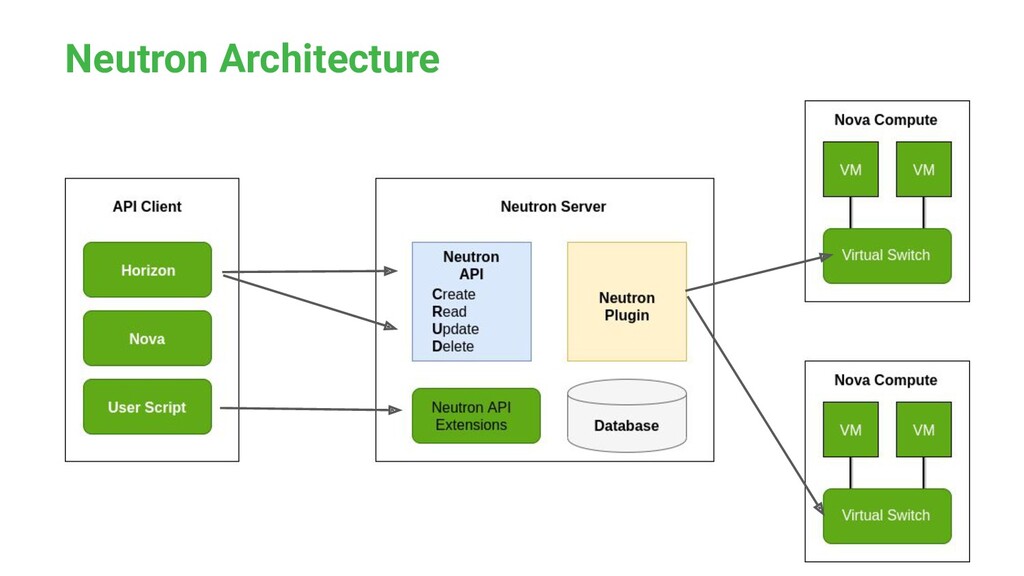
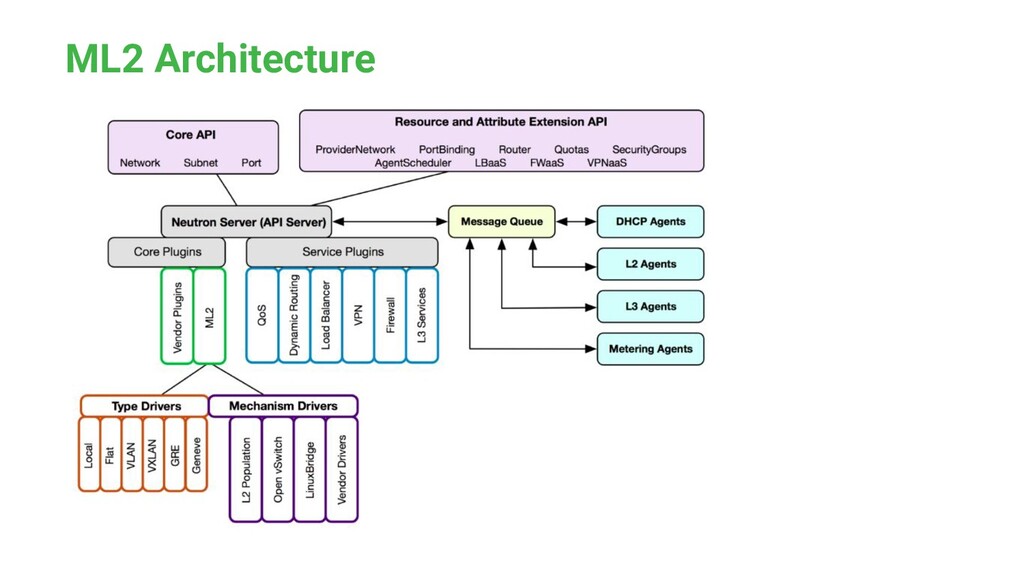
• Neutron has a server component running on the controller node • Neutron has a set of APIs, Plugins, SQL DB and authentication software • Neutron has several distributed agent programs • Neutron enables network devices and technologies to work together in IaaS environment
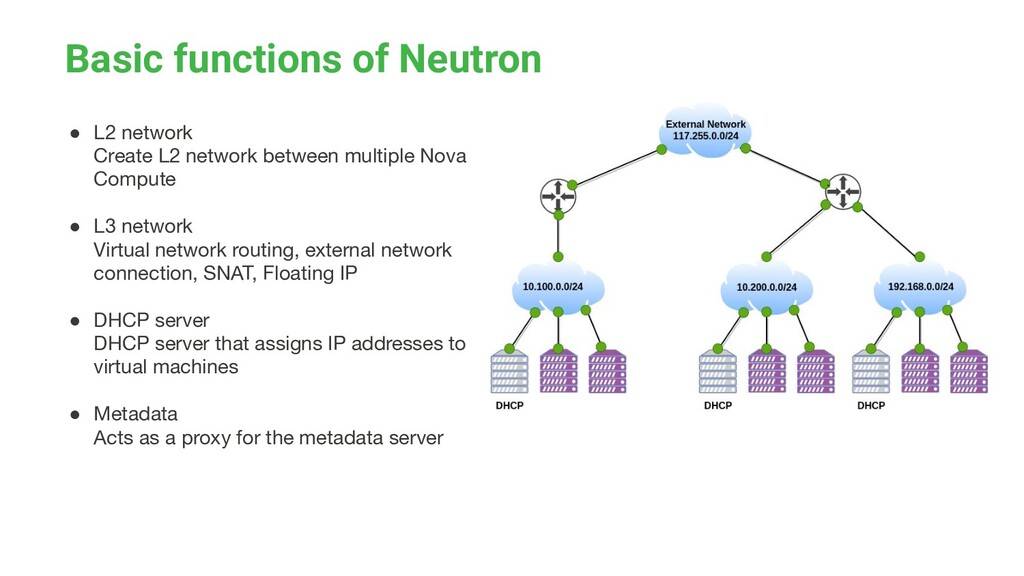
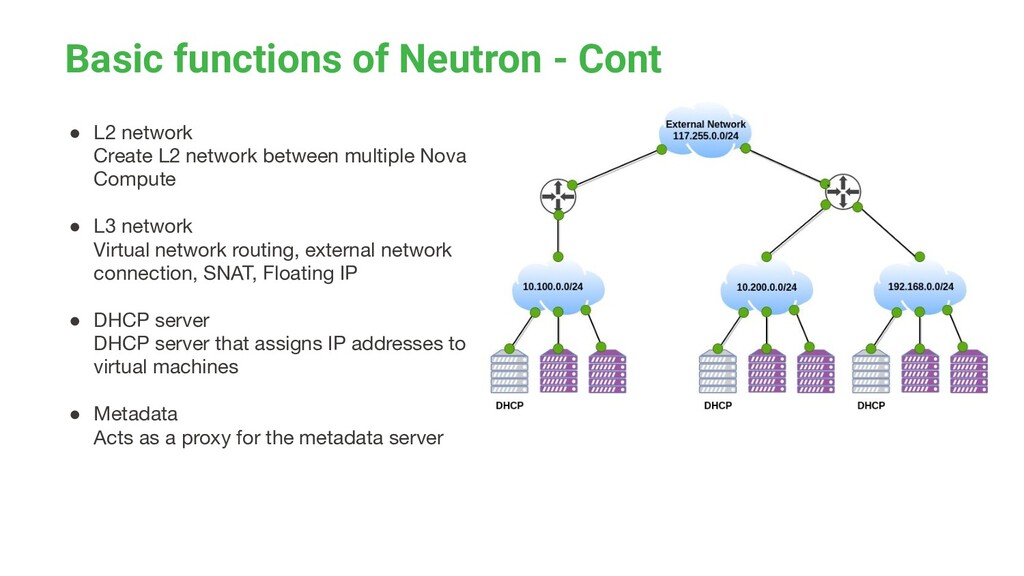
between multiple Nova Compute • L3 network Virtual network routing, external network connection, SNAT, Floating IP • DHCP server DHCP server that assigns IP addresses to virtual machines • Metadata Acts as a proxy for the metadata server
L2 network between multiple Nova Compute • L3 network Virtual network routing, external network connection, SNAT, Floating IP • DHCP server DHCP server that assigns IP addresses to virtual machines • Metadata Acts as a proxy for the metadata server
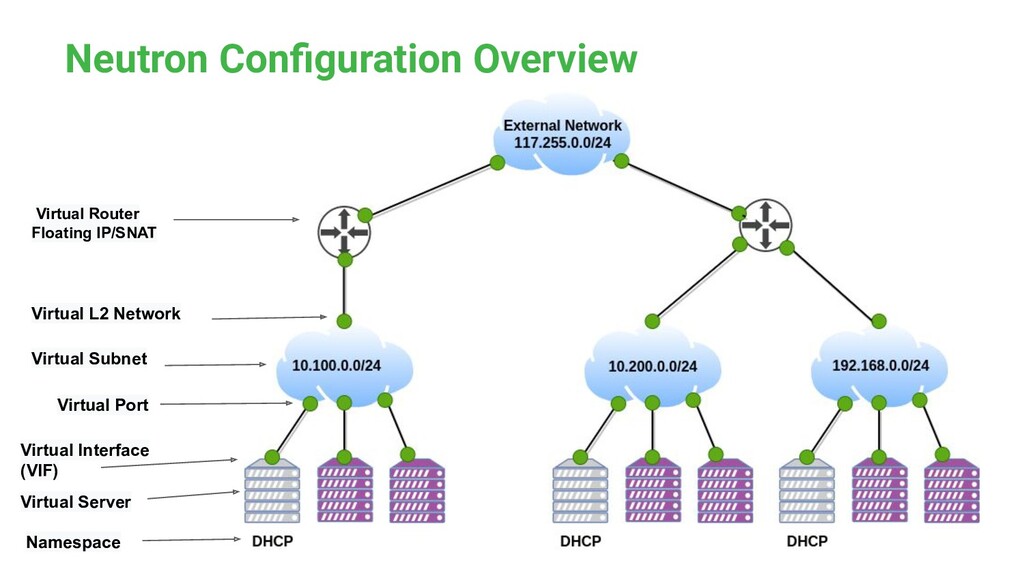
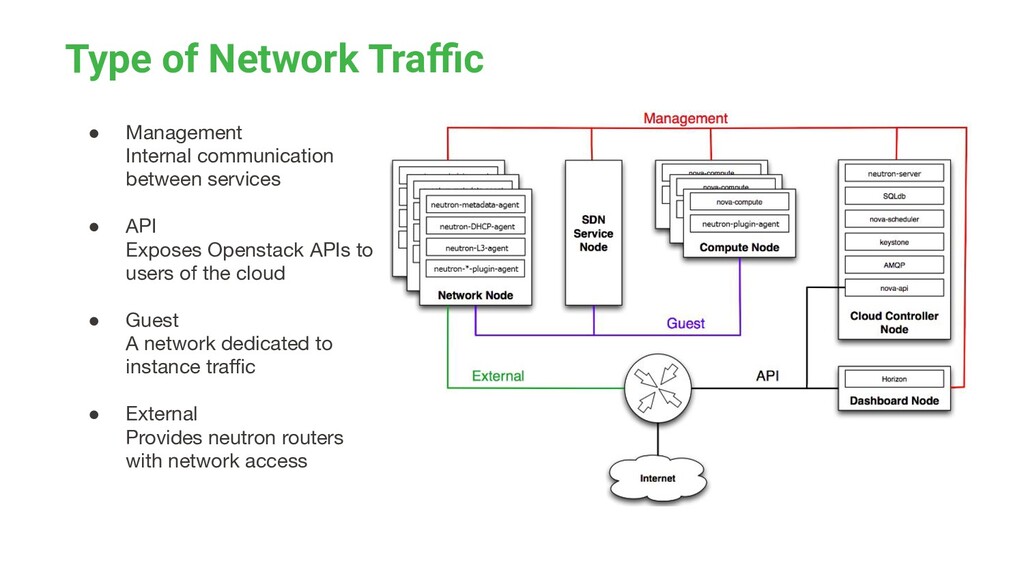
• API Exposes Openstack APIs to users of the cloud • Guest A network dedicated to instance traffic • External Provides neutron routers with network access
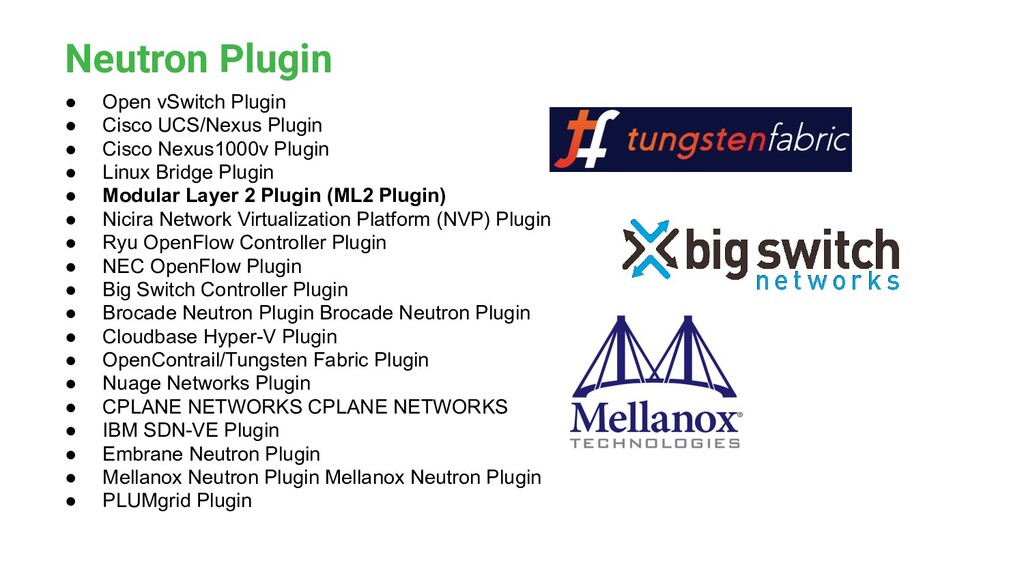
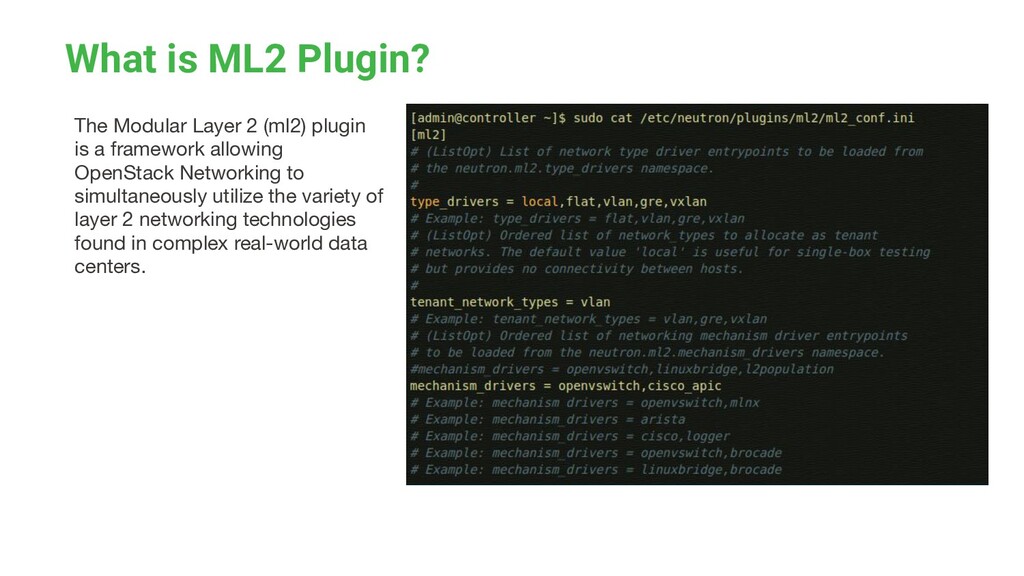
is a framework allowing OpenStack Networking to simultaneously utilize the variety of layer 2 networking technologies found in complex real-world data centers.
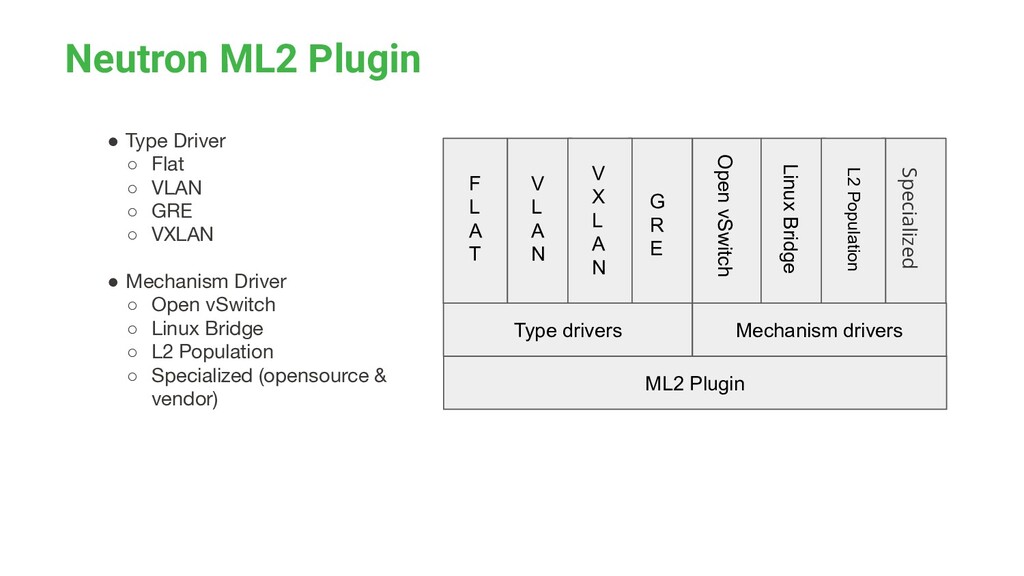
◦ GRE ◦ VXLAN • Mechanism Driver ◦ Open vSwitch ◦ Linux Bridge ◦ L2 Population ◦ Specialized (opensource & vendor) ML2 Plugin Type drivers Mechanism drivers F L A T V L A N V X L A N G R E Open vSwitch Linux Bridge L2 Population Specialized
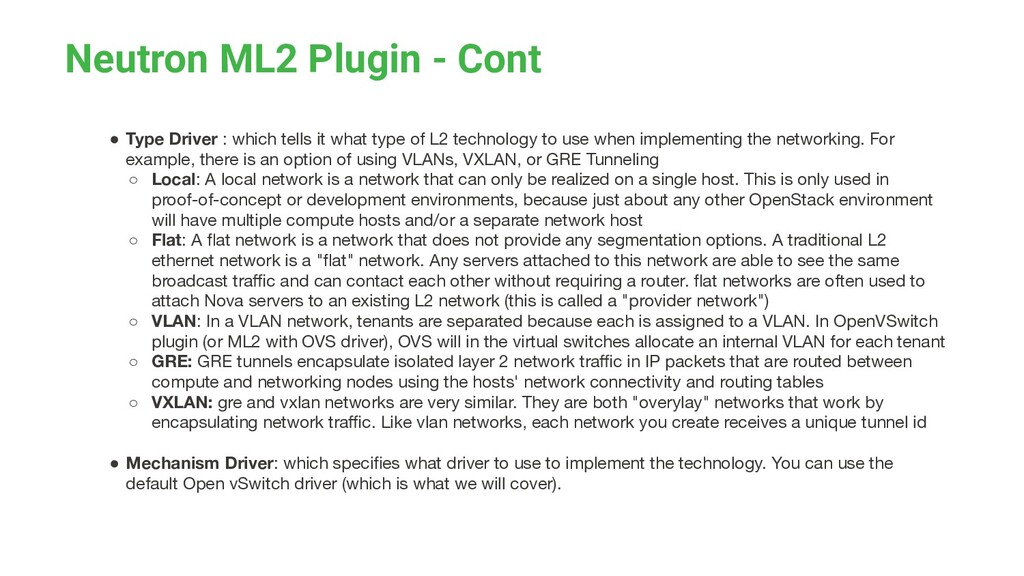
tells it what type of L2 technology to use when implementing the networking. For example, there is an option of using VLANs, VXLAN, or GRE Tunneling ◦ Local: A local network is a network that can only be realized on a single host. This is only used in proof-of-concept or development environments, because just about any other OpenStack environment will have multiple compute hosts and/or a separate network host ◦ Flat: A flat network is a network that does not provide any segmentation options. A traditional L2 ethernet network is a "flat" network. Any servers attached to this network are able to see the same broadcast traffic and can contact each other without requiring a router. flat networks are often used to attach Nova servers to an existing L2 network (this is called a "provider network") ◦ VLAN: In a VLAN network, tenants are separated because each is assigned to a VLAN. In OpenVSwitch plugin (or ML2 with OVS driver), OVS will in the virtual switches allocate an internal VLAN for each tenant ◦ GRE: GRE tunnels encapsulate isolated layer 2 network traffic in IP packets that are routed between compute and networking nodes using the hosts' network connectivity and routing tables ◦ VXLAN: gre and vxlan networks are very similar. They are both "overylay" networks that work by encapsulating network traffic. Like vlan networks, each network you create receives a unique tunnel id • Mechanism Driver: which specifies what driver to use to implement the technology. You can use the default Open vSwitch driver (which is what we will cover).
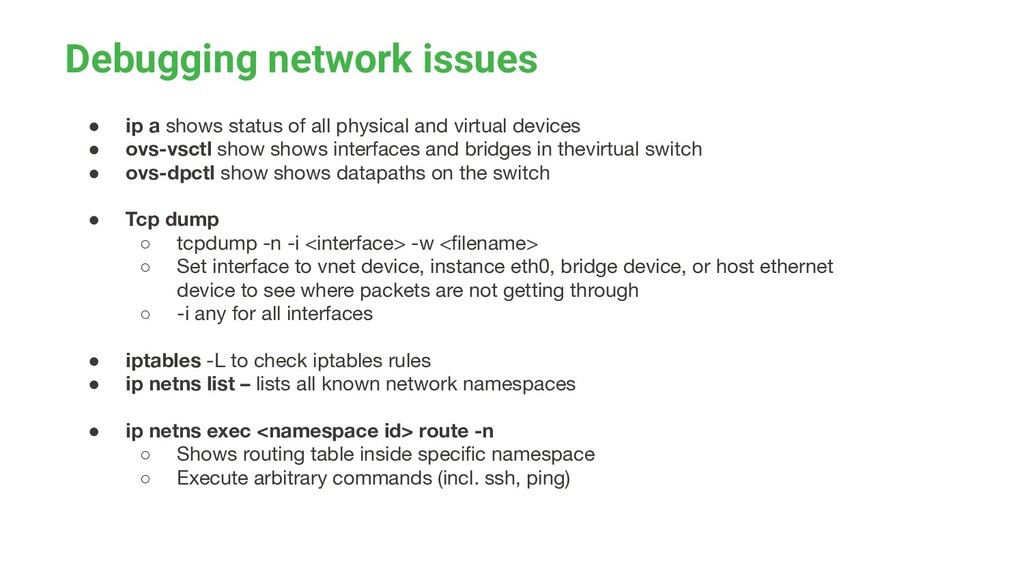
physical and virtual devices • ovs-vsctl show shows interfaces and bridges in thevirtual switch • ovs-dpctl show shows datapaths on the switch • Tcp dump ◦ tcpdump -n -i <interface> -w <filename> ◦ Set interface to vnet device, instance eth0, bridge device, or host ethernet device to see where packets are not getting through ◦ -i any for all interfaces • iptables -L to check iptables rules • ip netns list – lists all known network namespaces • ip netns exec <namespace id> route -n ◦ Shows routing table inside specific namespace ◦ Execute arbitrary commands (incl. ssh, ping)
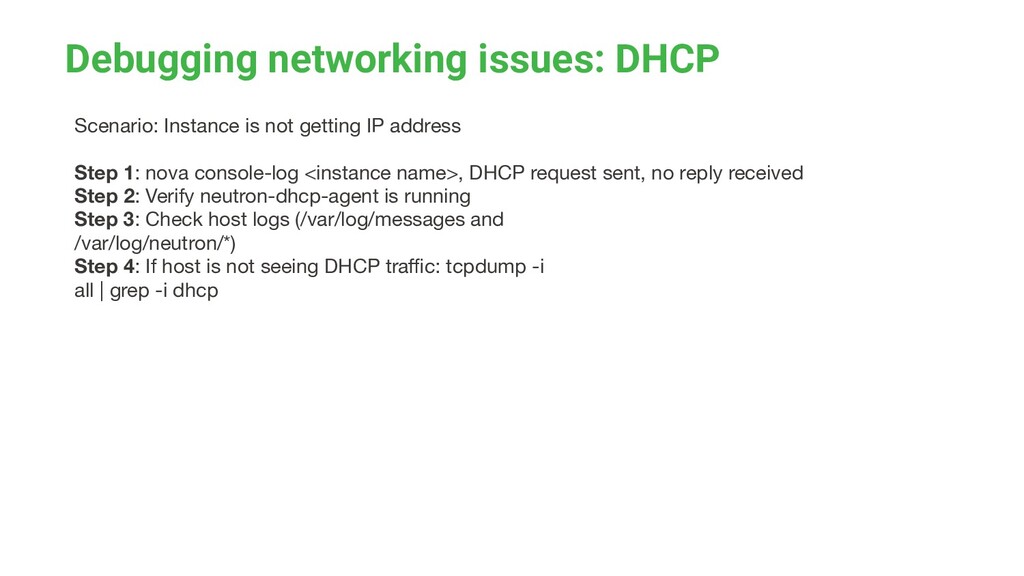
address Step 1: nova console-log <instance name>, DHCP request sent, no reply received Step 2: Verify neutron-dhcp-agent is running Step 3: Check host logs (/var/log/messages and /var/log/neutron/*) Step 4: If host is not seeing DHCP traffic: tcpdump -i all | grep -i dhcp
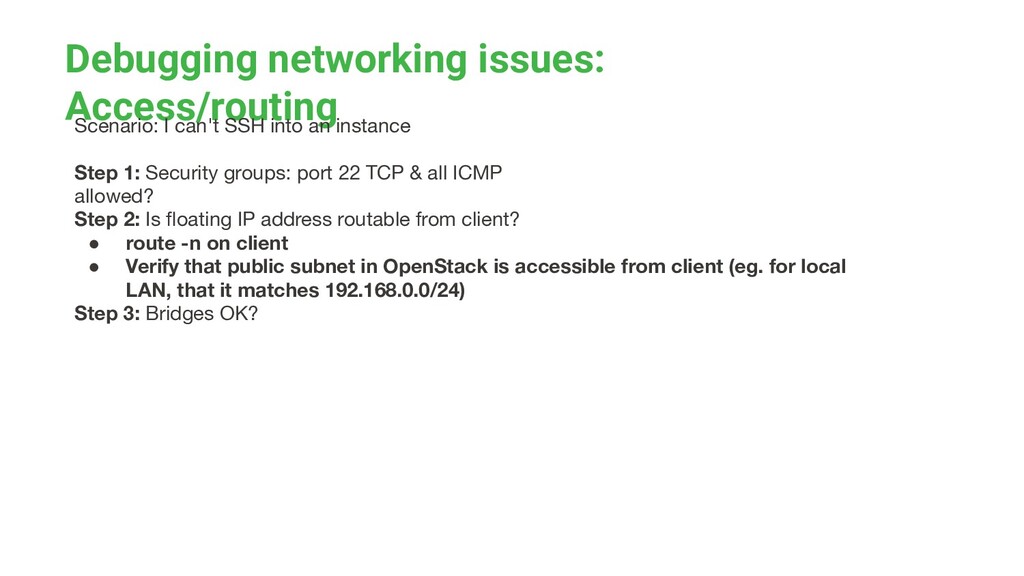
instance Step 1: Security groups: port 22 TCP & all ICMP allowed? Step 2: Is floating IP address routable from client? • route -n on client • Verify that public subnet in OpenStack is accessible from client (eg. for local LAN, that it matches 192.168.0.0/24) Step 3: Bridges OK?


 kash1064
 shumei_ito
 odashi
 riyaamemiya
 yahonda
 y0hgi
y0hgi
 kworkdev
 oikon48
 recruitengineers
 grimoh
 takanorip
 hiracky16
 sferik
 bryan
bryan
 aleyda
 reverentgeek
 elsirapls
 davetheseo
 brad_frost
 chriscoyier
 keathley
 lfama
lfama
 cassininazir