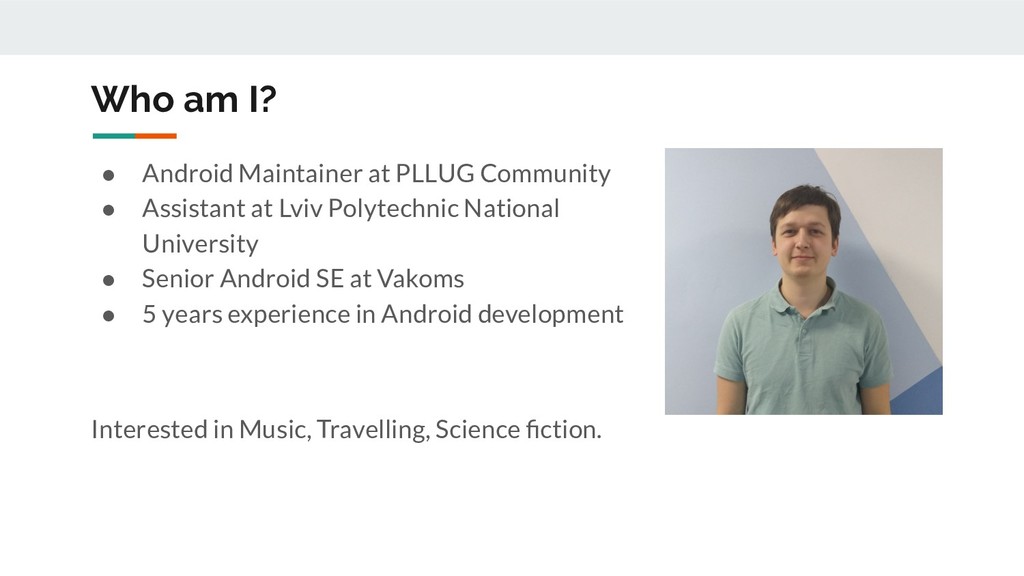
Assistant at Lviv Polytechnic National University • Senior Android SE at Vakoms • 5 years experience in Android development Interested in Music, Travelling, Science fiction.
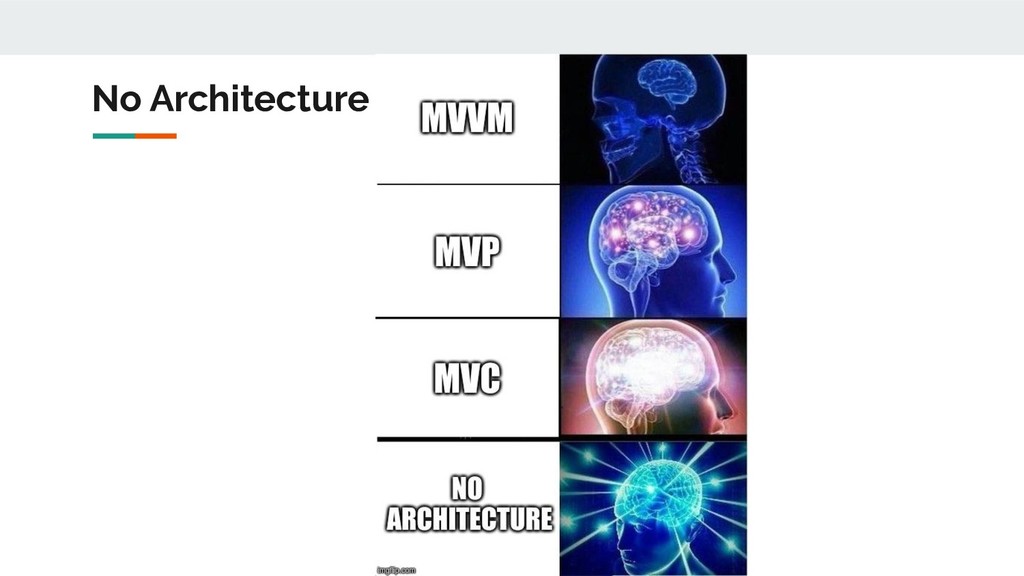
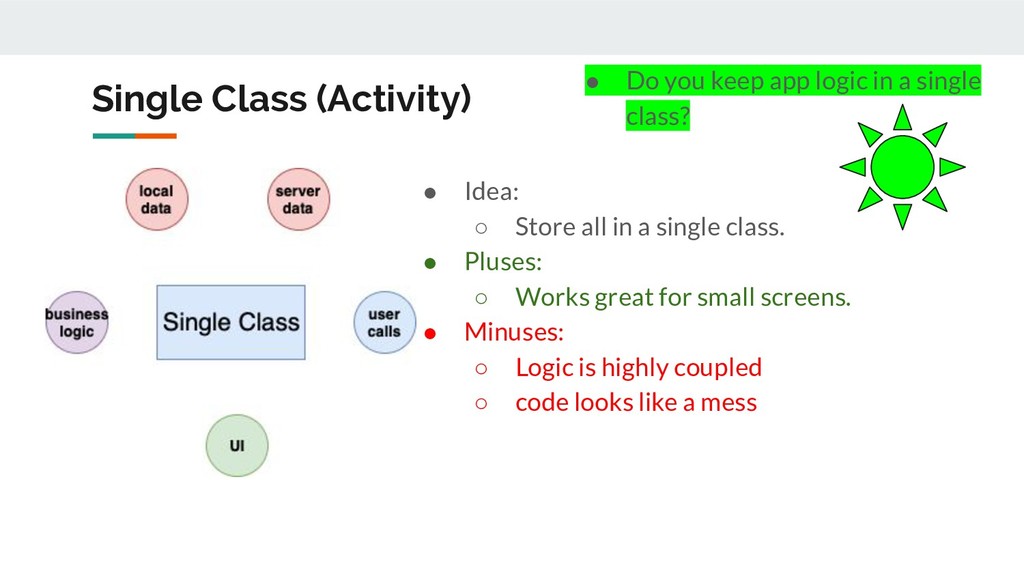
single class. • Pluses: ◦ Works great for small screens. • Minuses: ◦ Logic is highly coupled ◦ code looks like a mess • Do you keep app logic in a single class?
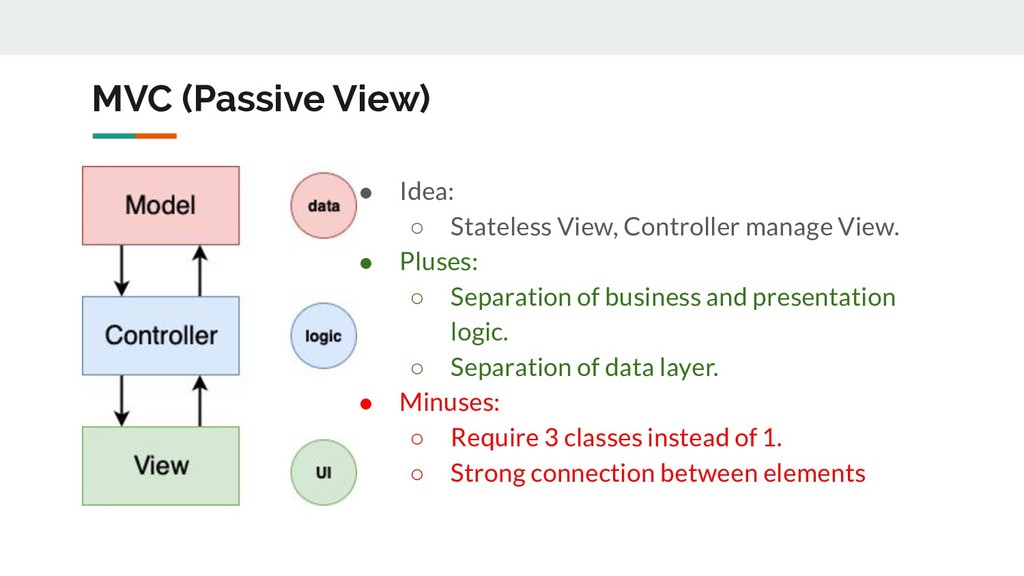
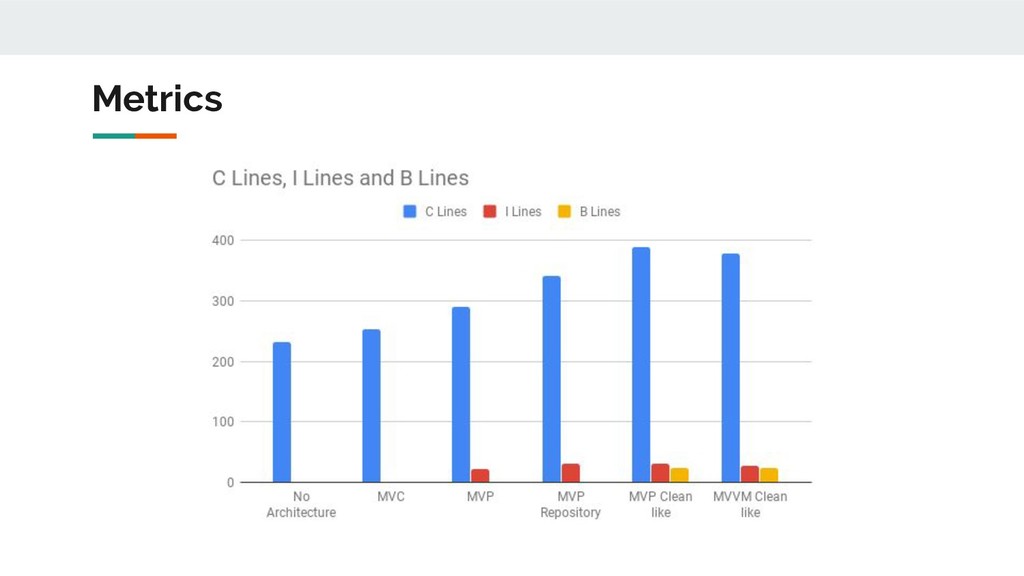
View. • Pluses: ◦ Separation of business and presentation logic. ◦ Separation of data layer. • Minuses: ◦ Require 3 classes instead of 1. ◦ Strong connection between elements
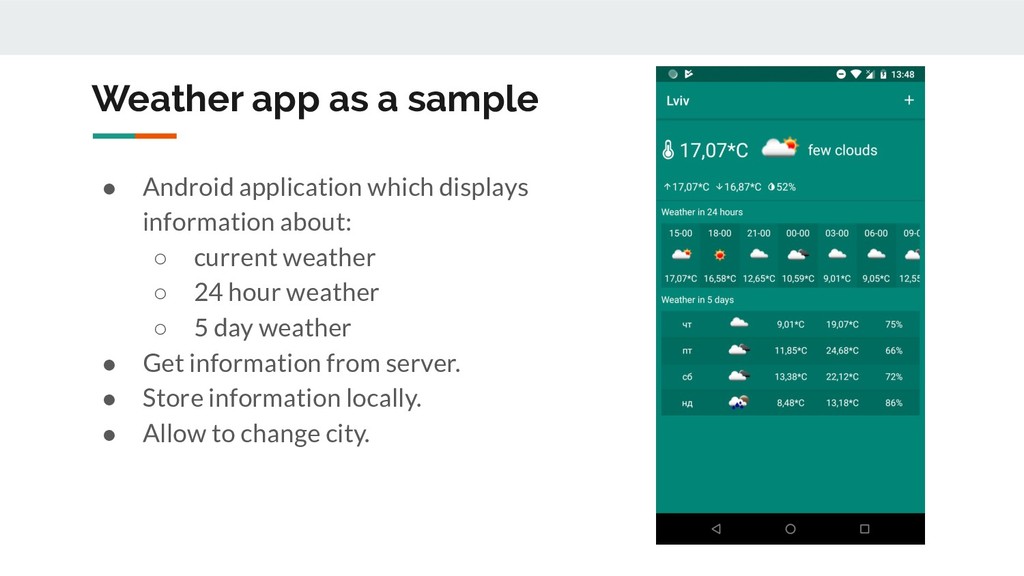
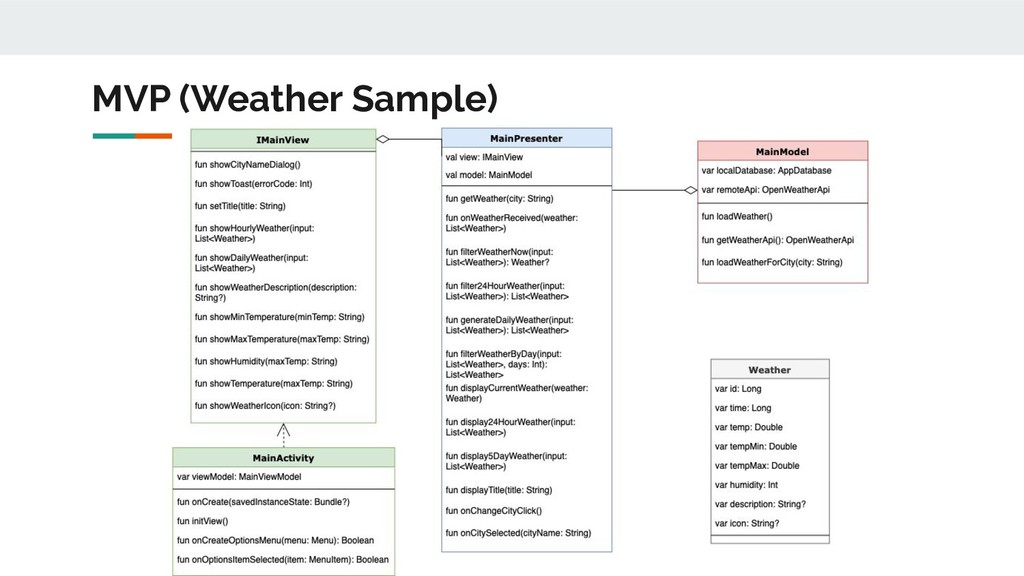
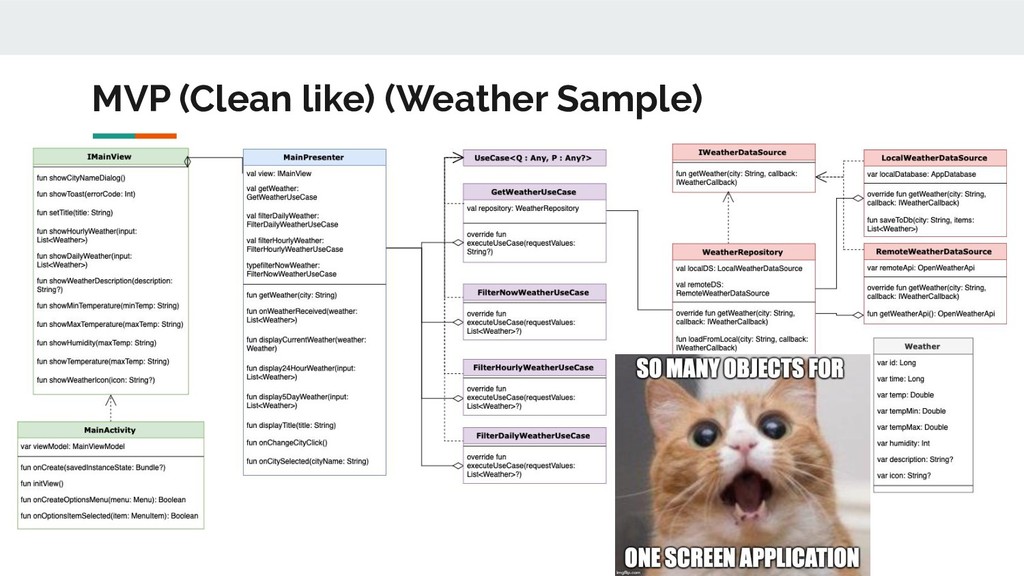
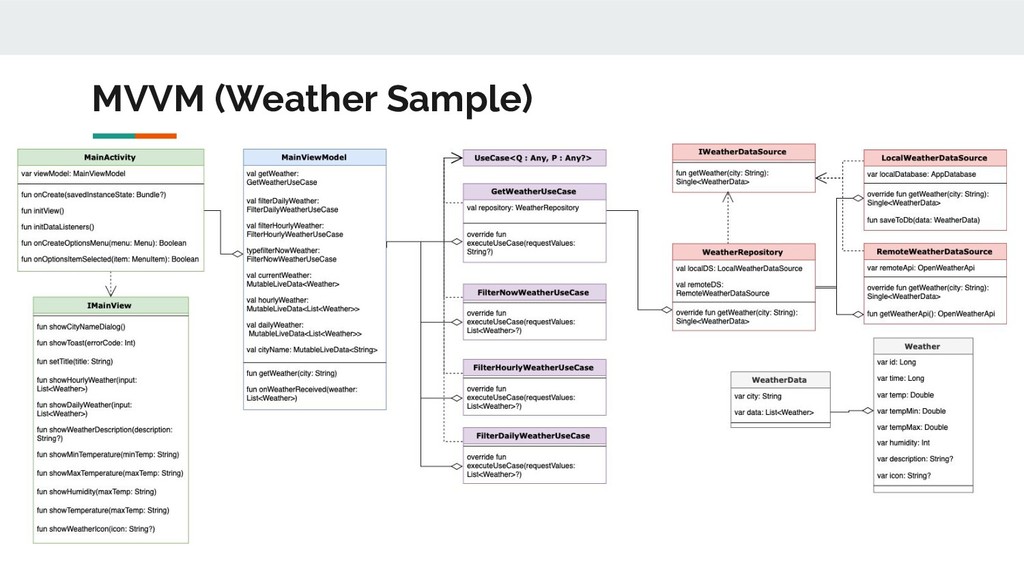
information about: ◦ current weather ◦ 24 hour weather ◦ 5 day weather • Get information from server. • Store information locally. • Allow to change city.
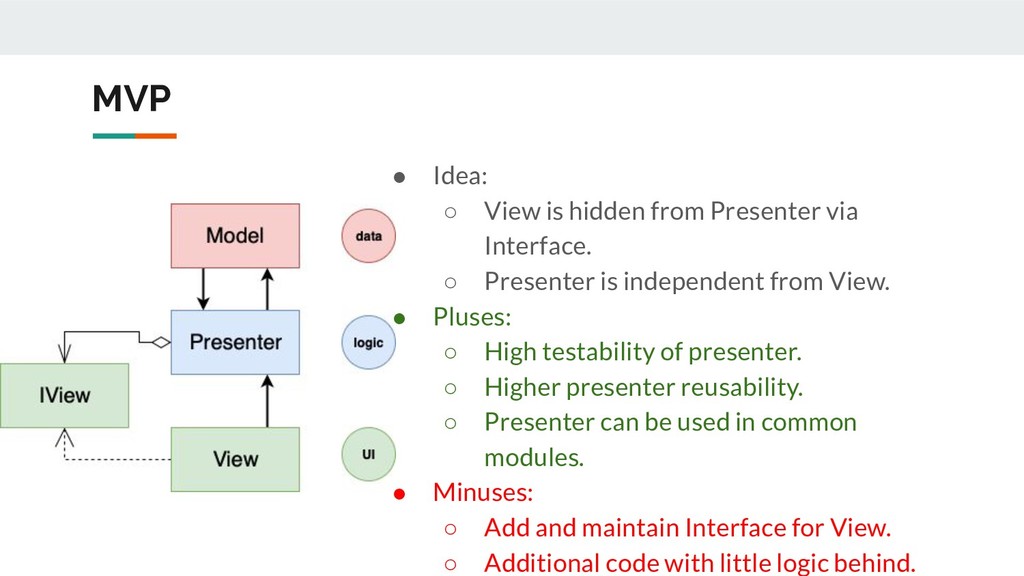
Interface. ◦ Presenter is independent from View. • Pluses: ◦ High testability of presenter. ◦ Higher presenter reusability. ◦ Presenter can be used in common modules. • Minuses: ◦ Add and maintain Interface for View. ◦ Additional code with little logic behind.
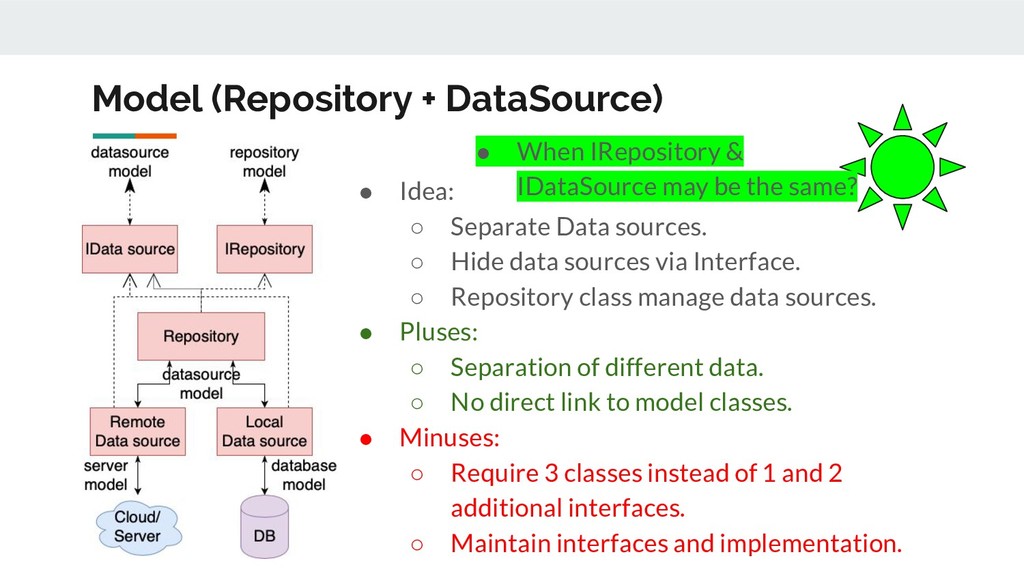
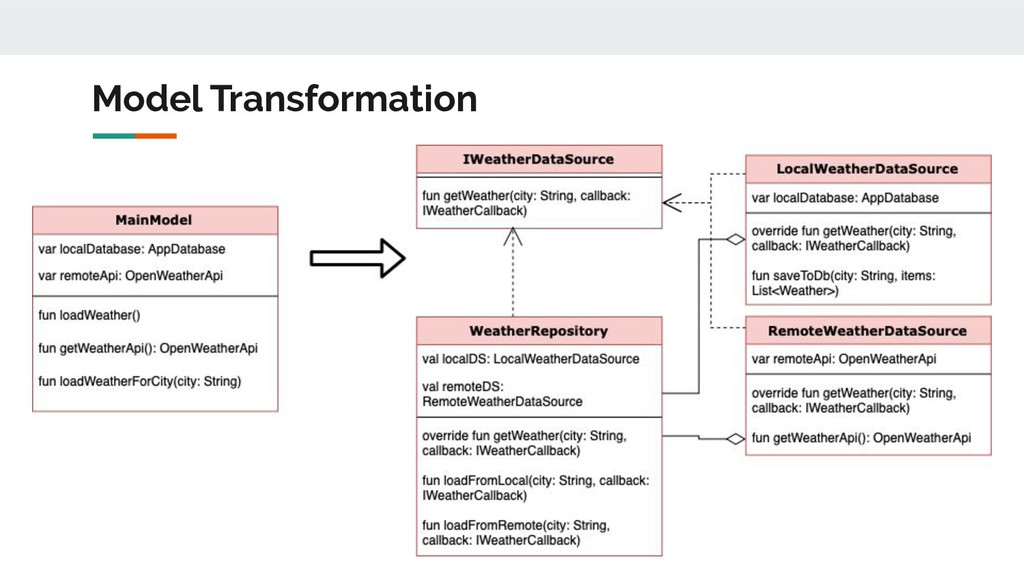
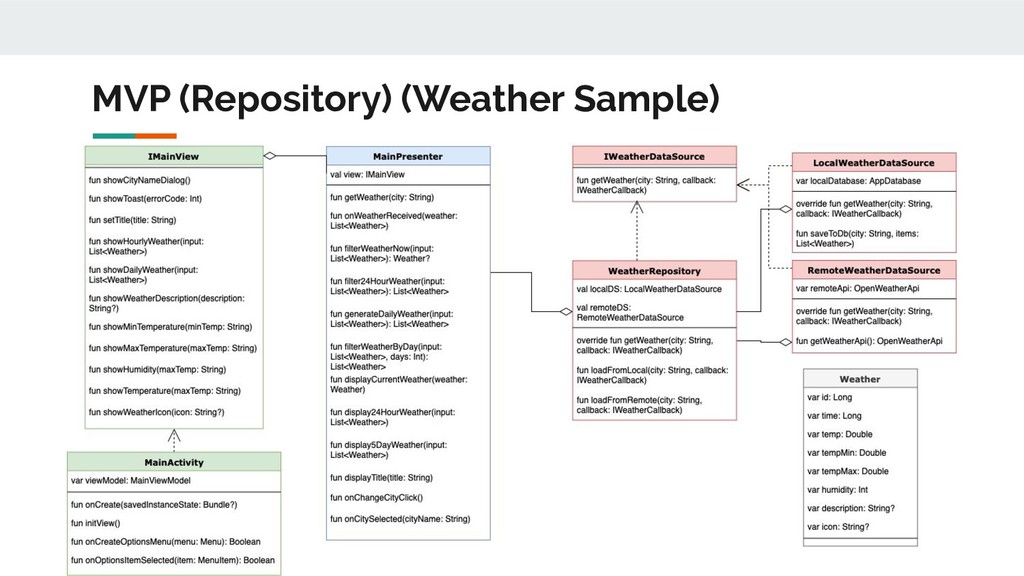
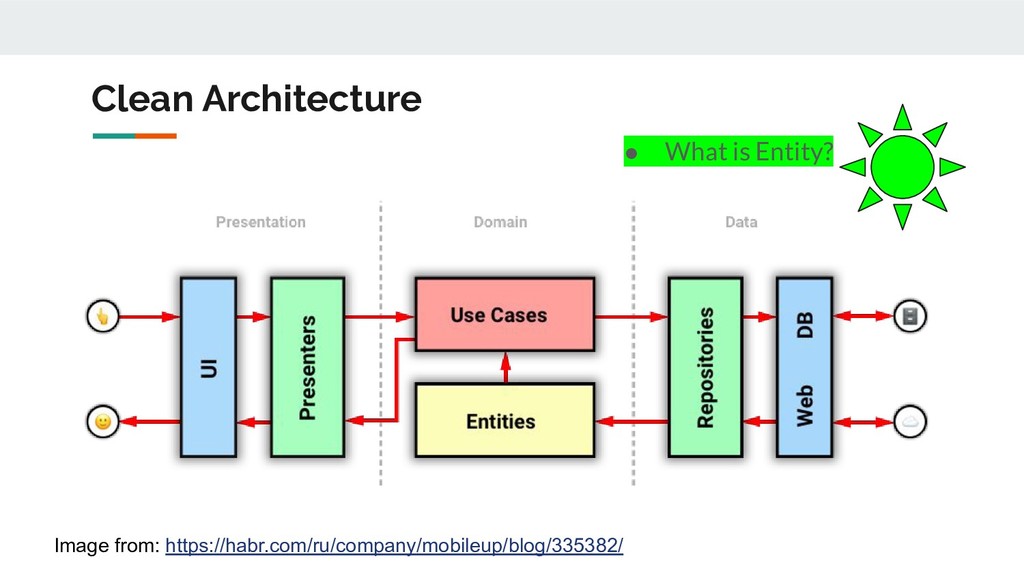
◦ Hide data sources via Interface. ◦ Repository class manage data sources. • Pluses: ◦ Separation of different data. ◦ No direct link to model classes. • Minuses: ◦ Require 3 classes instead of 1 and 2 additional interfaces. ◦ Maintain interfaces and implementation. • When IRepository & IDataSource may be the same?
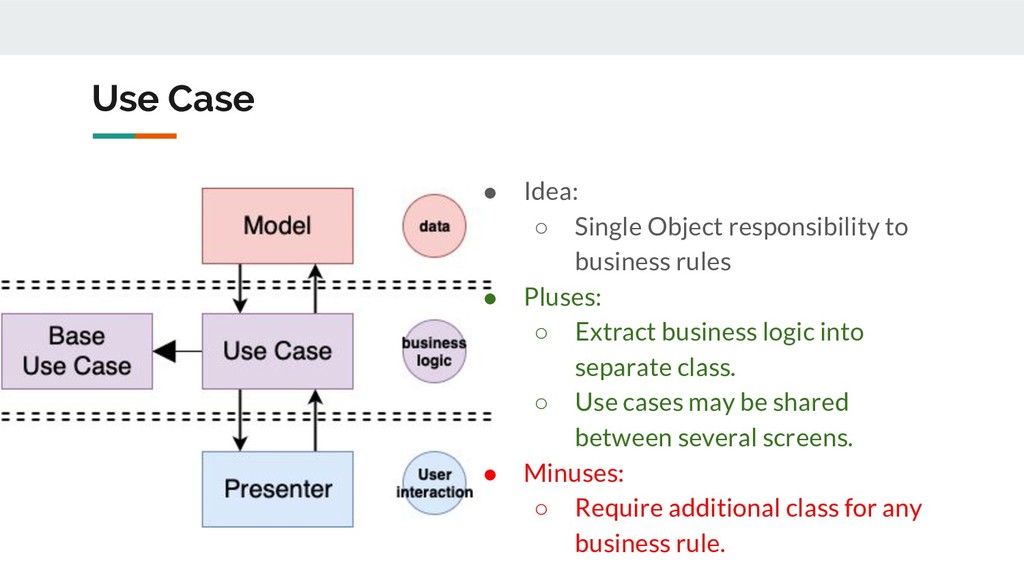
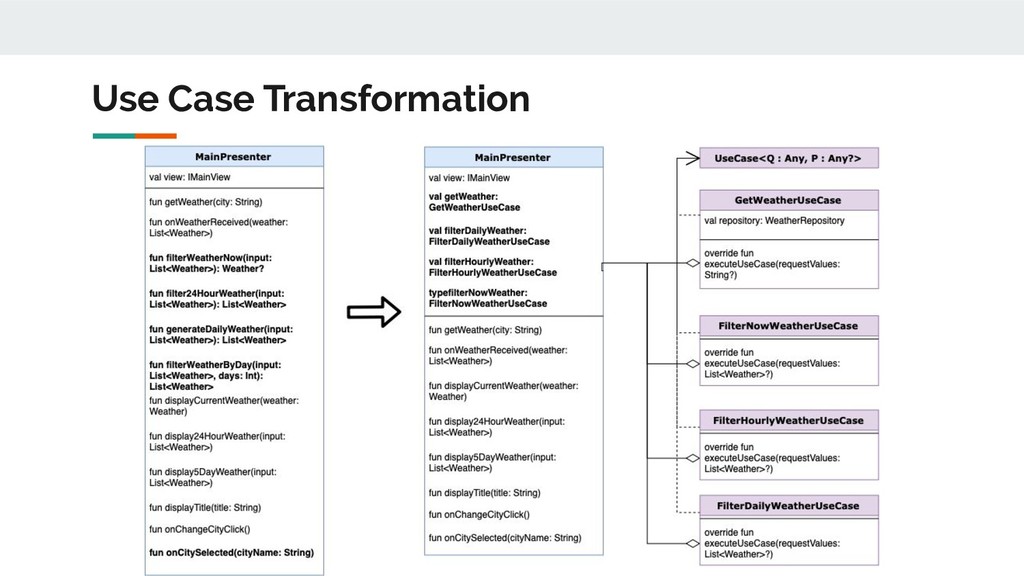
rules • Pluses: ◦ Extract business logic into separate class. ◦ Use cases may be shared between several screens. • Minuses: ◦ Require additional class for any business rule.
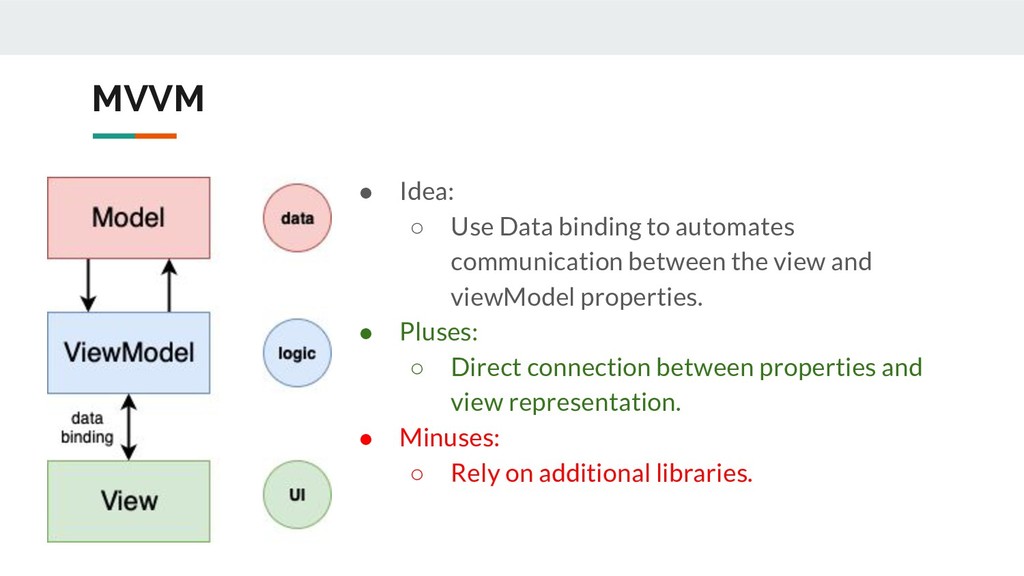
between the view and viewModel properties. • Pluses: ◦ Direct connection between properties and view representation. • Minuses: ◦ Rely on additional libraries.
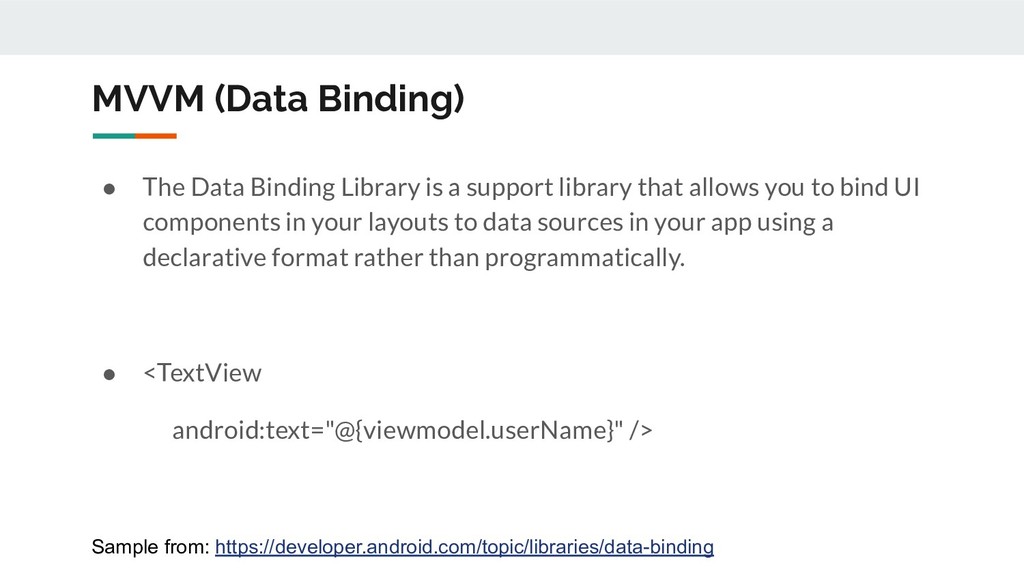
support library that allows you to bind UI components in your layouts to data sources in your app using a declarative format rather than programmatically. • <TextView android:text="@{viewmodel.userName}" /> Sample from: https://developer.android.com/topic/libraries/data-binding
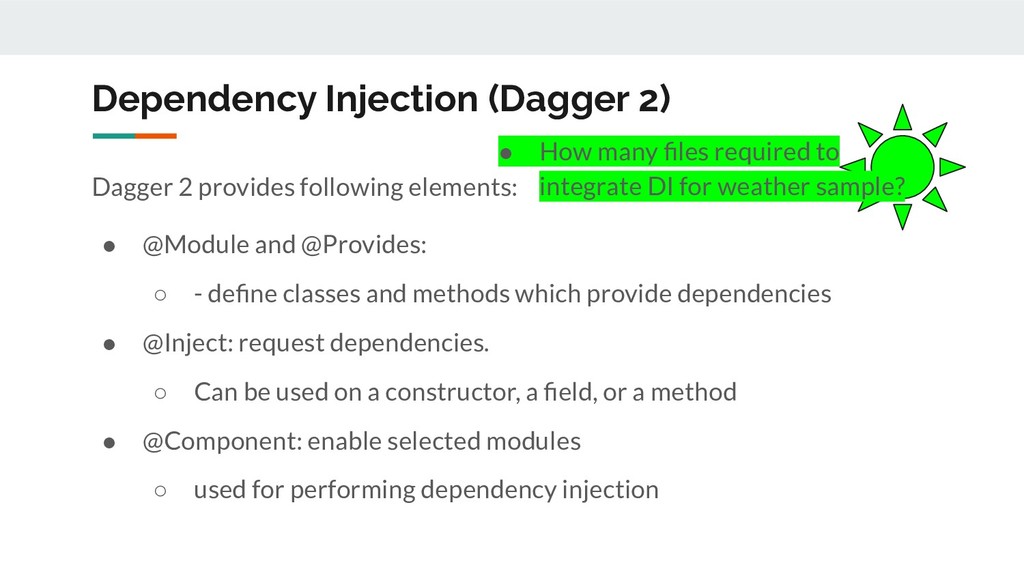
@Module and @Provides: ◦ - define classes and methods which provide dependencies • @Inject: request dependencies. ◦ Can be used on a constructor, a field, or a method • @Component: enable selected modules ◦ used for performing dependency injection • How many files required to integrate DI for weather sample?
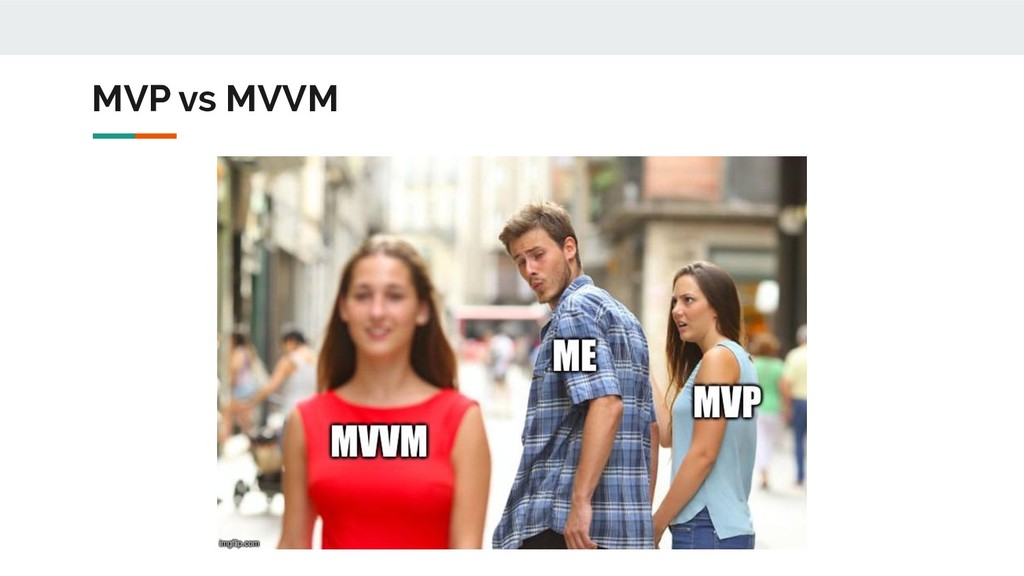
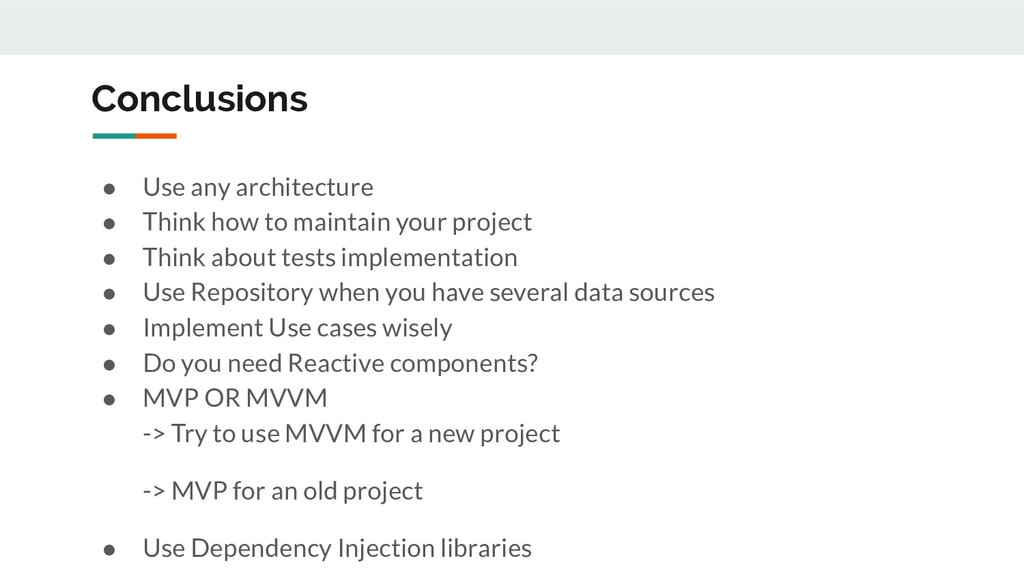
your project • Think about tests implementation • Use Repository when you have several data sources • Implement Use cases wisely • Do you need Reactive components? • MVP OR MVVM -> Try to use MVVM for a new project -> MVP for an old project • Use Dependency Injection libraries


 teslyuktaras
 namiki64
 gogutan
 akitoshiga
 yut0naga1_fa
 kenichiodo
 tokuty
 terurou
.png) codatum
codatum
 takonda
 genda
genda
 persolserverworks
 y0hgi
y0hgi
 tapps
tapps
 gurzu
gurzu
 shpigford
 ks91
ks91
 lara
lara
 palkan
 ivargrimstad
 wjessup
 joshbly
 sabderemane
 addyosmani
 takai
takai