Docker: The basics - Including a demo with an awesome full-stack JS app
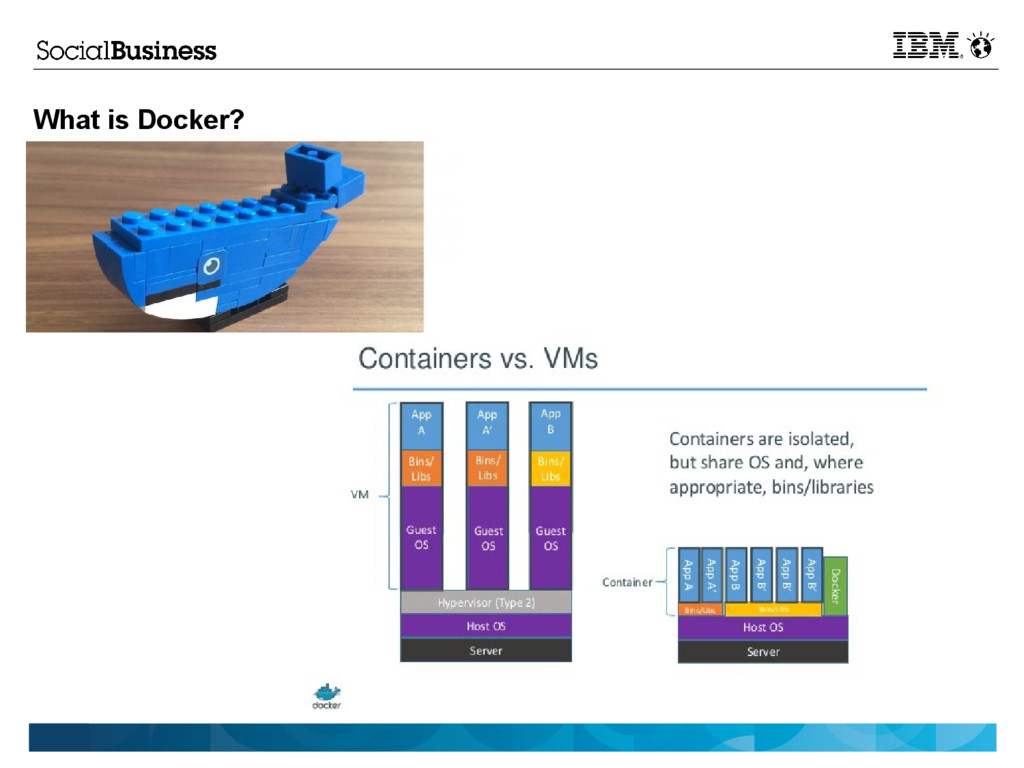
What is Docker?
What is Jquery, MongoDB and Nashorn?
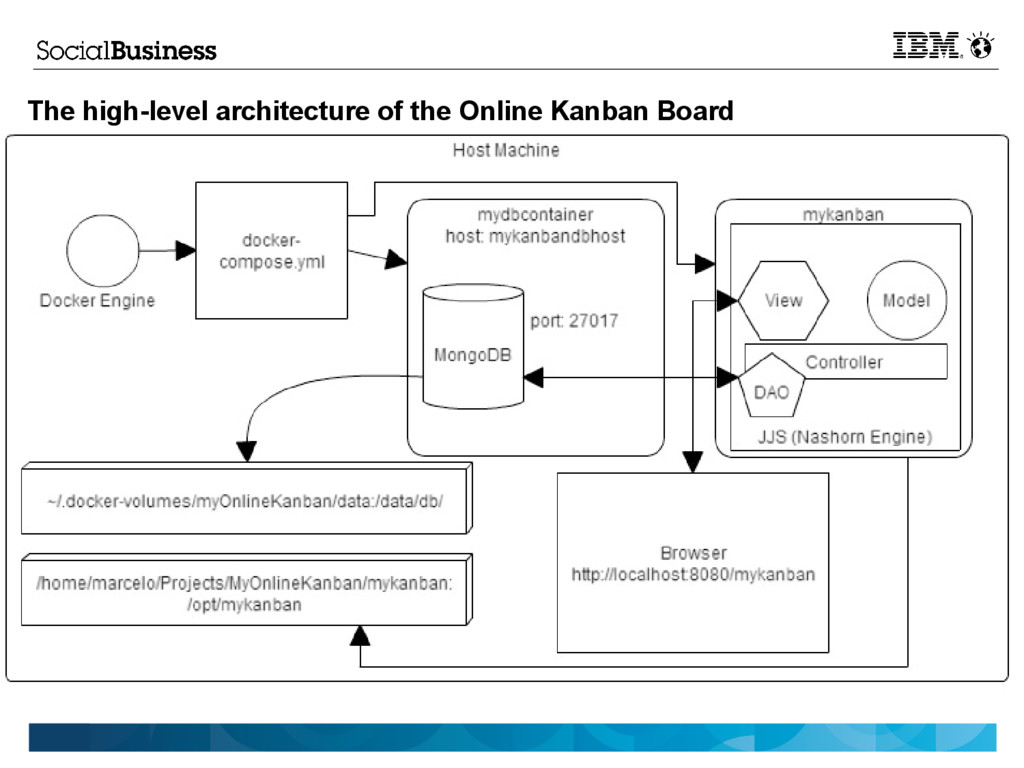
The high-level architecture of the Online Kanban Board
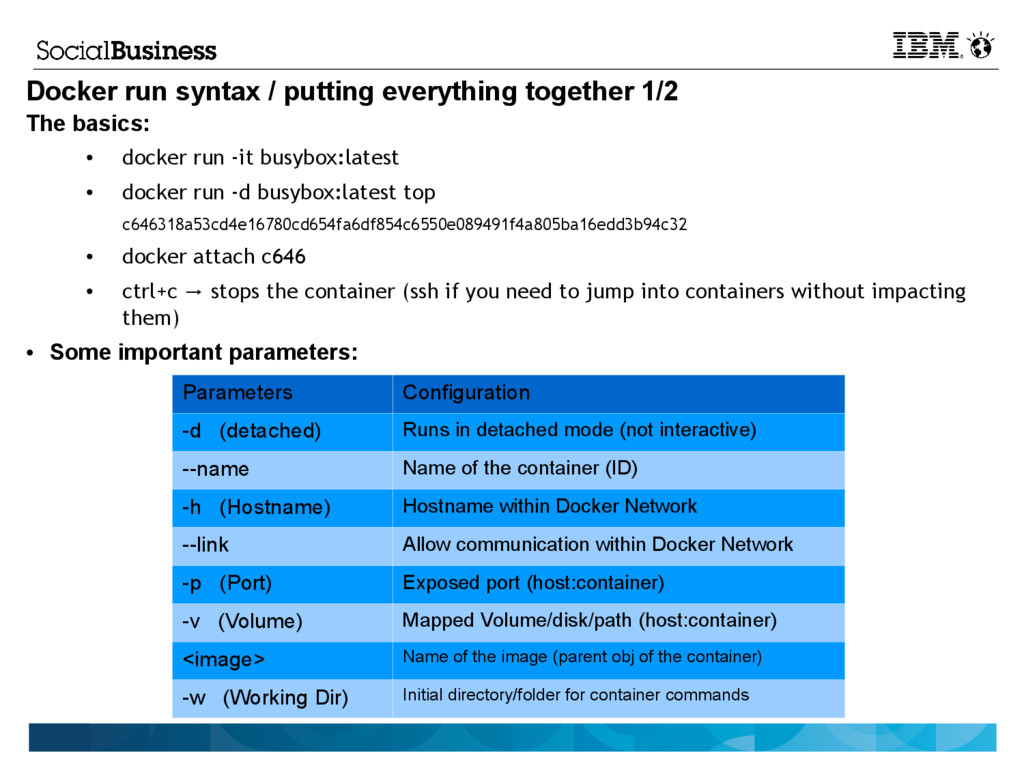
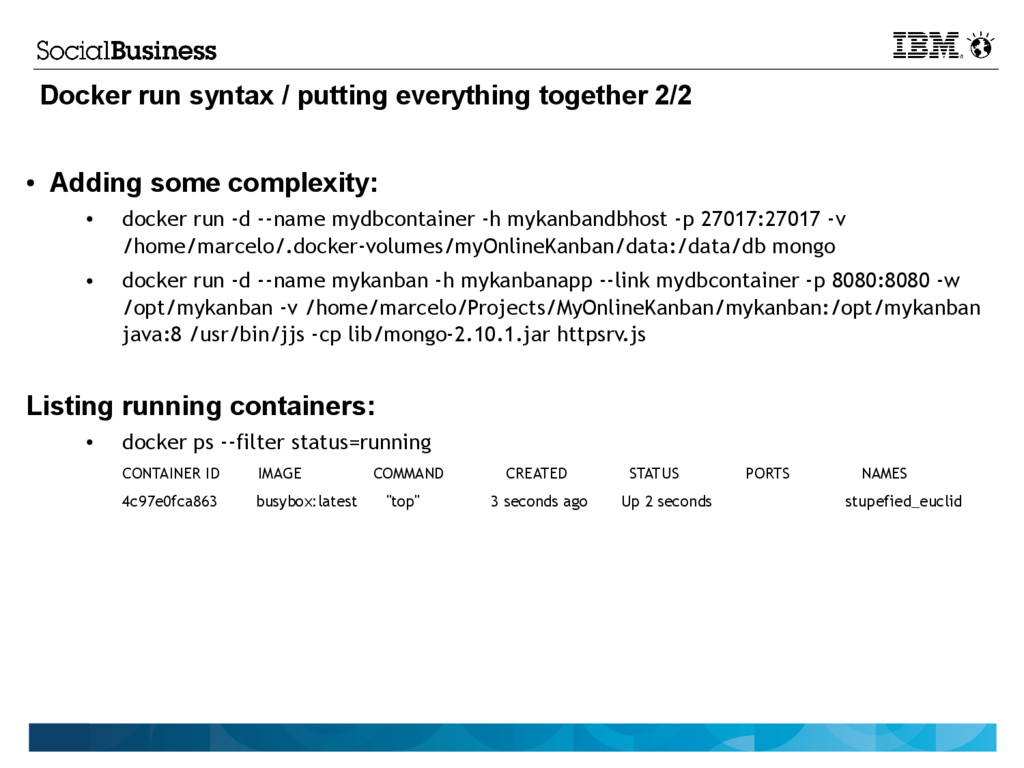
Docker run syntax / putting everything together
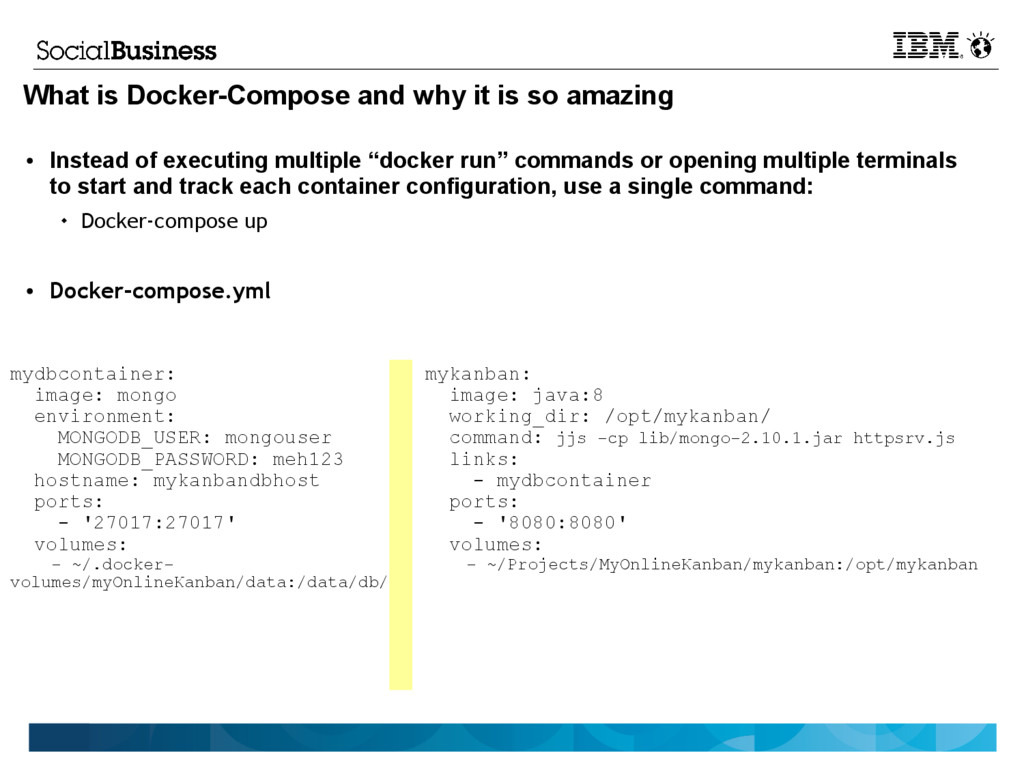
What is Docker-Compose and why it is so amazing
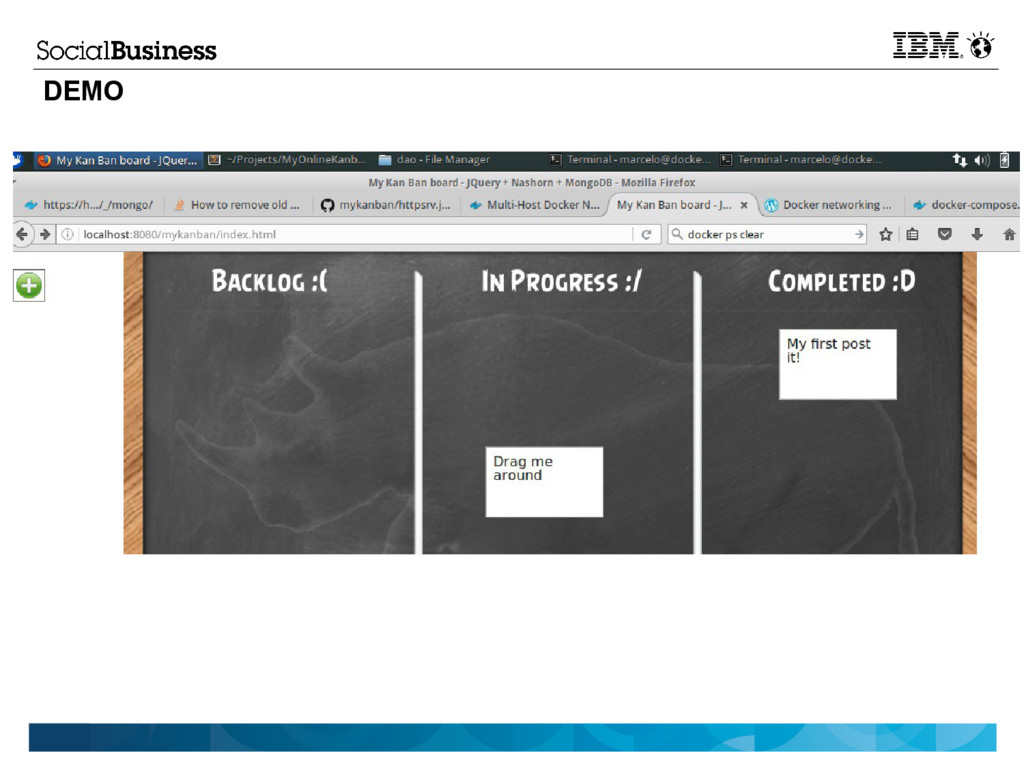
DEMO
and Nashorn? • The high-level architecture of the Online Kanban Board • Docker run syntax / putting everything together • What is Docker-Compose and why it is so amazing • DEMO • Q & A
• docker run -it busybox:latest • docker run -d busybox:latest top c646318a53cd4e16780cd654fa6df854c6550e089491f4a805ba16edd3b94c32 • docker attach c646 • ctrl+c stops the container (ssh if you need to jump into containers without impacting → them) • Some important parameters: Parameters Configuration -d (detached) Runs in detached mode (not interactive) --name Name of the container (ID) -h (Hostname) Hostname within Docker Network --link Allow communication within Docker Network -p (Port) Exposed port (host:container) -v (Volume) Mapped Volume/disk/path (host:container) <image> Name of the image (parent obj of the container) -w (Working Dir) Initial directory/folder for container commands


 yuuuuuuu168
 ymotongpoo
 gionn
gionn
 tomokusaba
 grimoh
 ishikawa_satoru
 odashi
 akitoshiga
 takuroabe
 onk
onk
 pfn
pfn
 sh_fk2
 axbom
axbom
 eitanlees
 addyosmani
 smashingmag
 codingconduct
 signer
 rasagy
 uxyall
 irinanazarova
 geoffreycrofte
 lara
lara
 tenderlove