Upgrade to Pro
— share decks privately, control downloads, hide ads and more …
Speaker Deck
Sign up for free
Menu
Search
Features
All features
Private URLs
Password Protection
Custom URLS
Scheduled publishing
Remove Branding
Restrict embedding
Deck Collections
Notes
Features
All features
Private URLs
Password Protection
Custom URLS
Scheduled publishing
Remove Branding
Restrict embedding
Deck Collections
Notes
Explore
Featured decks
Featured speakers
Programming
Technology
Storyboards
Explore
Featured decks
Featured speakers
Programming
Technology
Storyboards
Pricing
Search
Sign in
Sign up for free
15-437 Angular and Django
Search
ThierrySans
February 17, 2016
Programming
130
0
Share
Embed
Copy iframe code
Copy JS code
Copy link
Start on current slide
15-437 Angular and Django
ThierrySans
February 17, 2016
More Decks by ThierrySans
See All by ThierrySans
CSCD27 Social Engineering
thierrysans
0
280
CSCD27 Web Security
thierrysans
0
470
CSCD27 Malicious Software
thierrysans
0
420
CSCD27 Protection
thierrysans
0
530
CSCD27 System Insecurity
thierrysans
0
460
CSCD27 Human Authentication
thierrysans
0
380
CSCD27 Network security
thierrysans
0
590
CSCD27 Network (in)security
thierrysans
0
580
CSCD27 Cryptography Protocols
thierrysans
0
750
Other Decks in Programming
See All in Programming
AI主導のプログラミング学習アプリを作ってみた
econanringo
0
180
見えないものを探る要求要件定義に必要な基本的思考 / invisible-requirement-thinking
minodriven
15
8.5k
ハーネス設計入門 〜 基礎知識の整理から実務へのステップアップ 〜
kinopeee
28
32k
残高管理から台帳サービスへの進化
artoy
1
200
When benchmarks go bad - what I learned from measuring performance wrong
hollycummins
0
220
Starting & Sustaining Code-Based E2E Testing for Non-Coding QA Teams( #jasstniigata )
teyamagu
PRO
1
1k
Workers Cache を知る
syumai
0
360
R8 の設定見直しでアプリサイズ削減
andpad
0
220
GemmaをJevのように使ってみる / Use Gemma like Jev
kishida
5
790
全ての永続トークンを、生まれる前に消し去りたい!
sylph01
2
890
なぜCTOを降りてFDEを選んだのか?〜なぜプロダクト企業がFDEで顧客の現場に踏み込むのか〜
gonta
1
210
iOS 27でニュースアプリはどう変わる!? 〜日経電子版の新機能対応と、開発事例から〜
lynnswap
7
13k
Featured
See All Featured
Bash Introduction
62gerente
615
220k
How to audit for AI Accessibility on your Front & Back End
davetheseo
0
600
A brief & incomplete history of UX Design for the World Wide Web: 1989–2019
jct
2
530
A designer walks into a library…
pauljervisheath
211
25k
A Guide to Academic Writing Using Generative AI - A Workshop
ks91
PRO
1
520
Docker and Python
trallard
47
4.2k
DevOps and Value Stream Thinking: Enabling flow, efficiency and business value
helenjbeal
2
410
Building a Modern Day E-commerce SEO Strategy
aleyda
45
9.3k
Max Prin - Stacking Signals: How International SEO Comes Together (And Falls Apart)
techseoconnect
PRO
0
490
State of Search Keynote: SEO is Dead Long Live SEO
ryanjones
0
320
Documentation Writing (for coders)
carmenintech
77
5.6k
Why You Should Never Use an ORM
jnunemaker
PRO
61
10k
Transcript
Angular and Django Thierry Sans
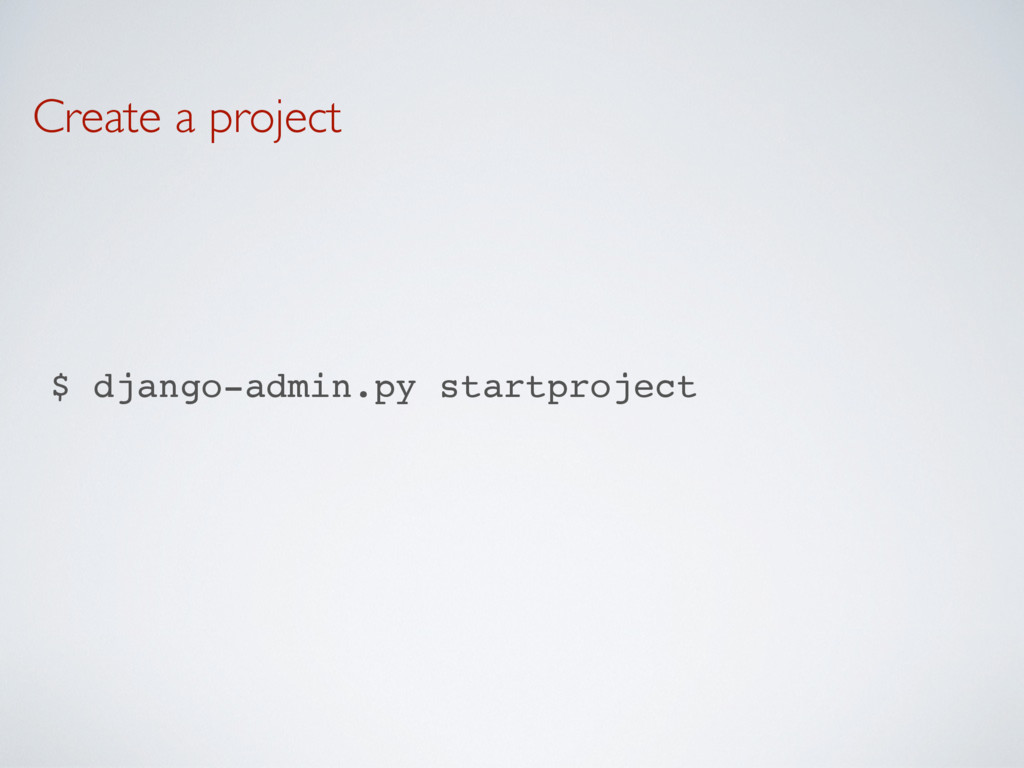
Create a project $ django-admin.py startproject webgallery
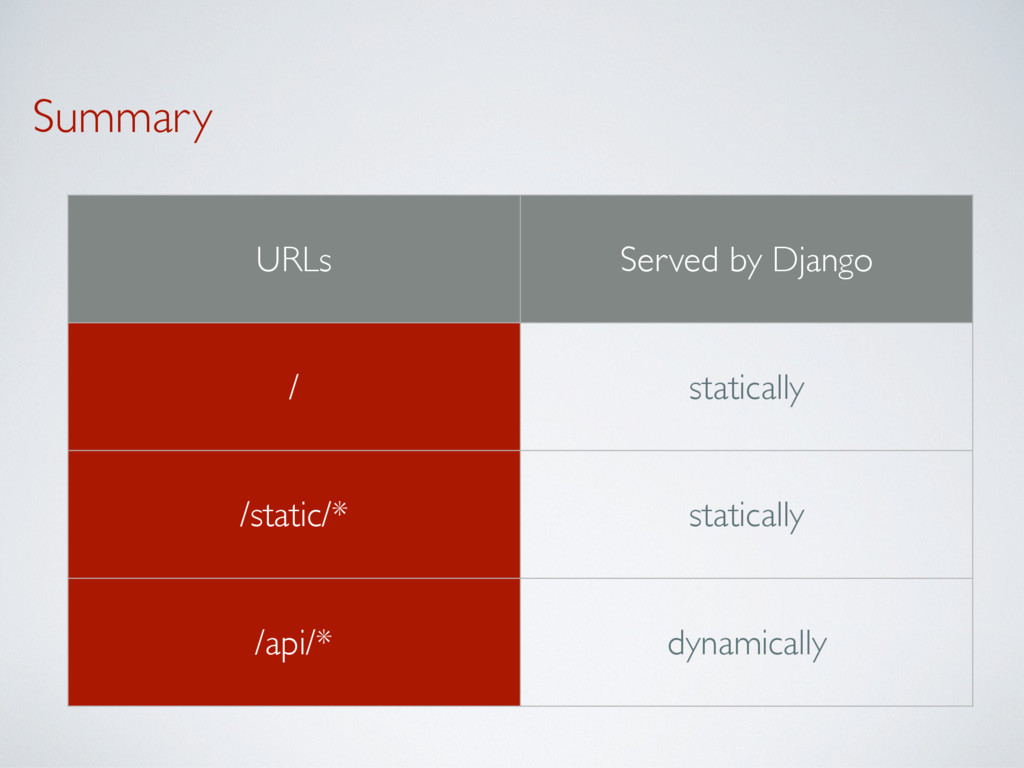
Summary URLs Served by Django / statically /static/* statically /api/*
dynamically
1. serving / statically
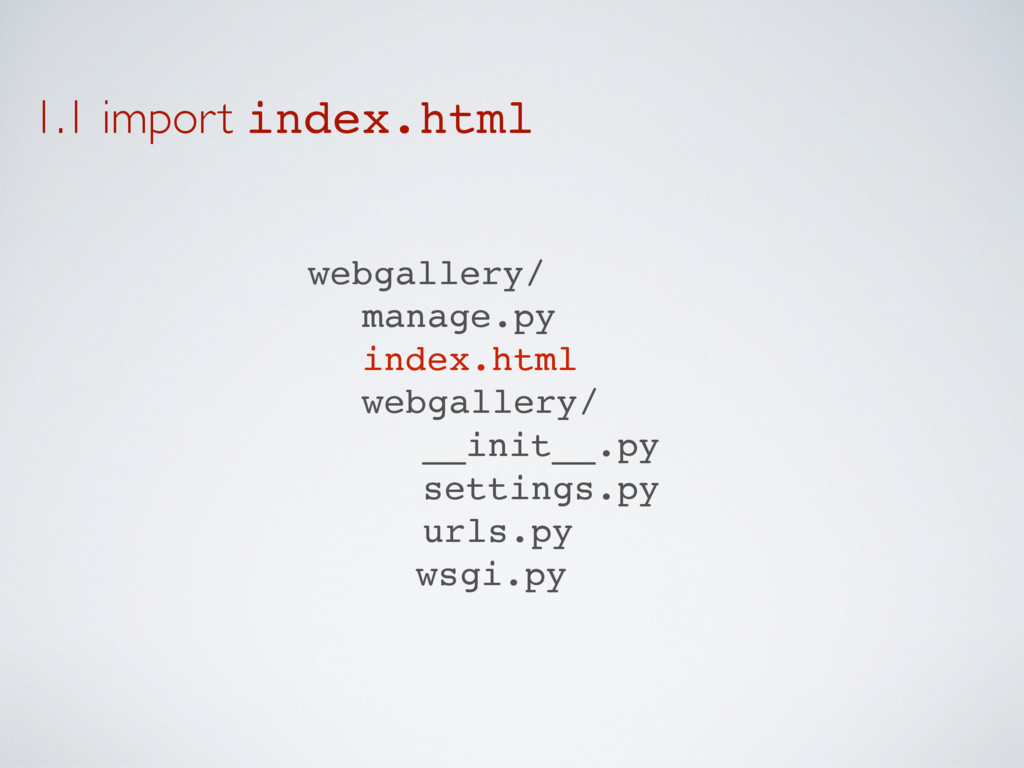
1.1 import index.html webgallery/ manage.py index.html webgallery/ __init__.py settings.py urls.py
wsgi.py
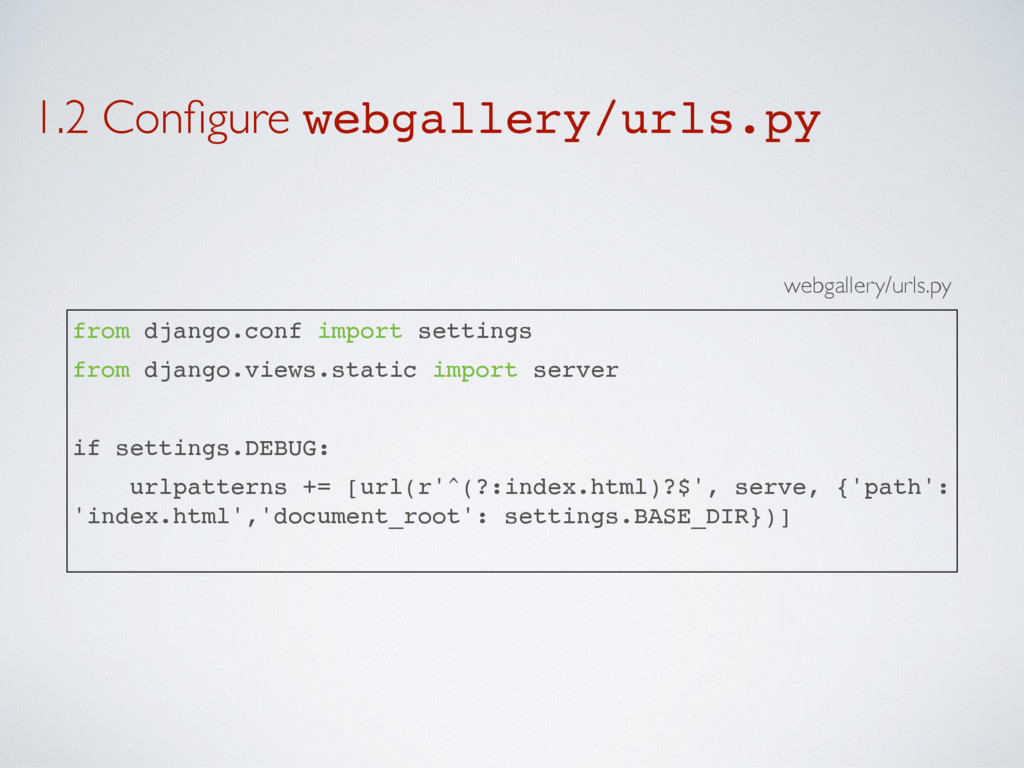
1.2 Configure webgallery/urls.py from django.conf import settings from django.views.static import
server if settings.DEBUG: urlpatterns += [url(r'^(?:index.html)?$', serve, {'path': 'index.html','document_root': settings.BASE_DIR})] webgallery/urls.py
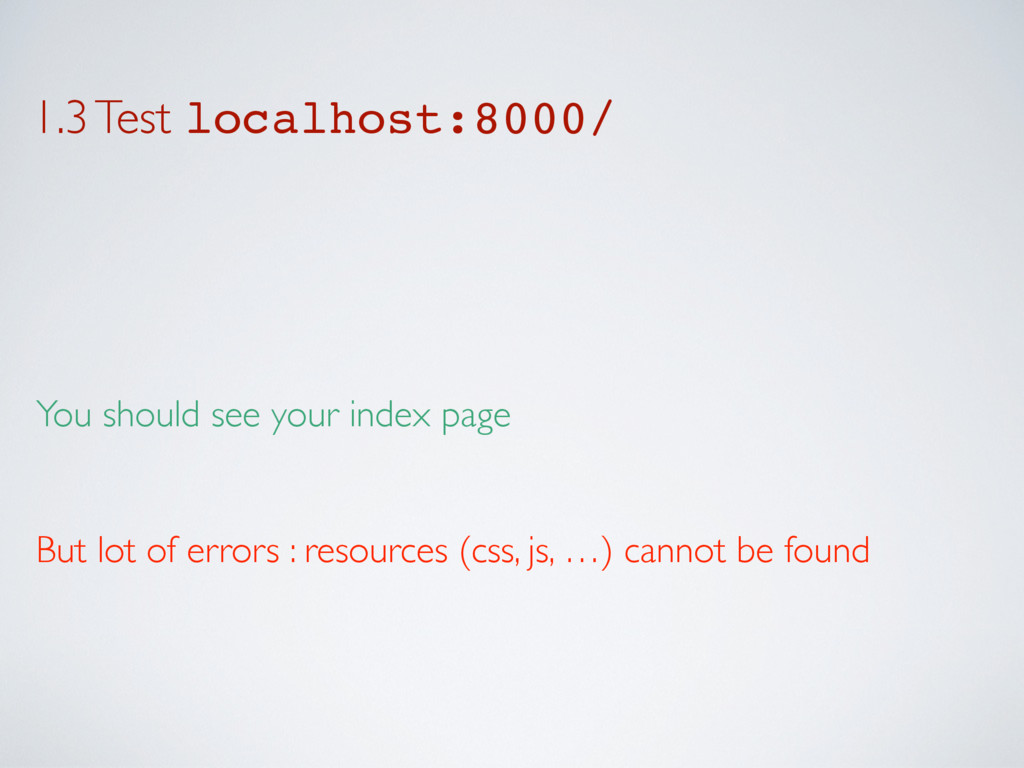
1.3 Test localhost:8000/ You should see your index page But
lot of errors : resources (css, js, …) cannot be found
2. serving /static/* statically
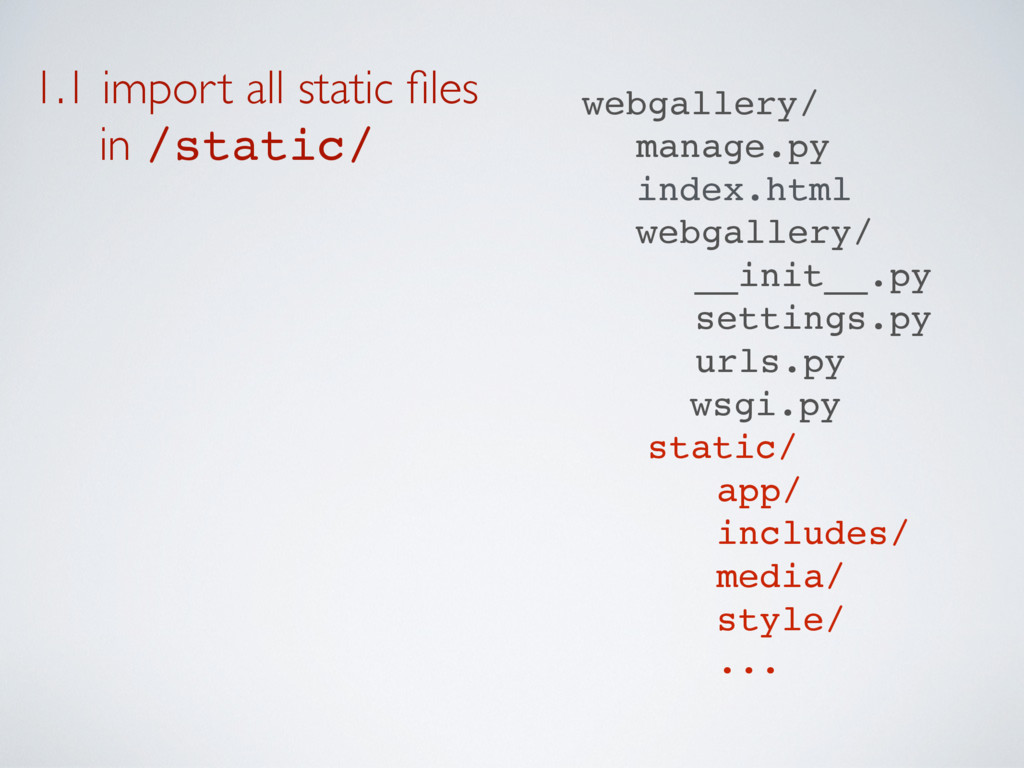
1.1 import all static files in /static/ webgallery/ manage.py
index.html webgallery/ __init__.py settings.py urls.py wsgi.py static/ app/ includes/ media/ style/ ...
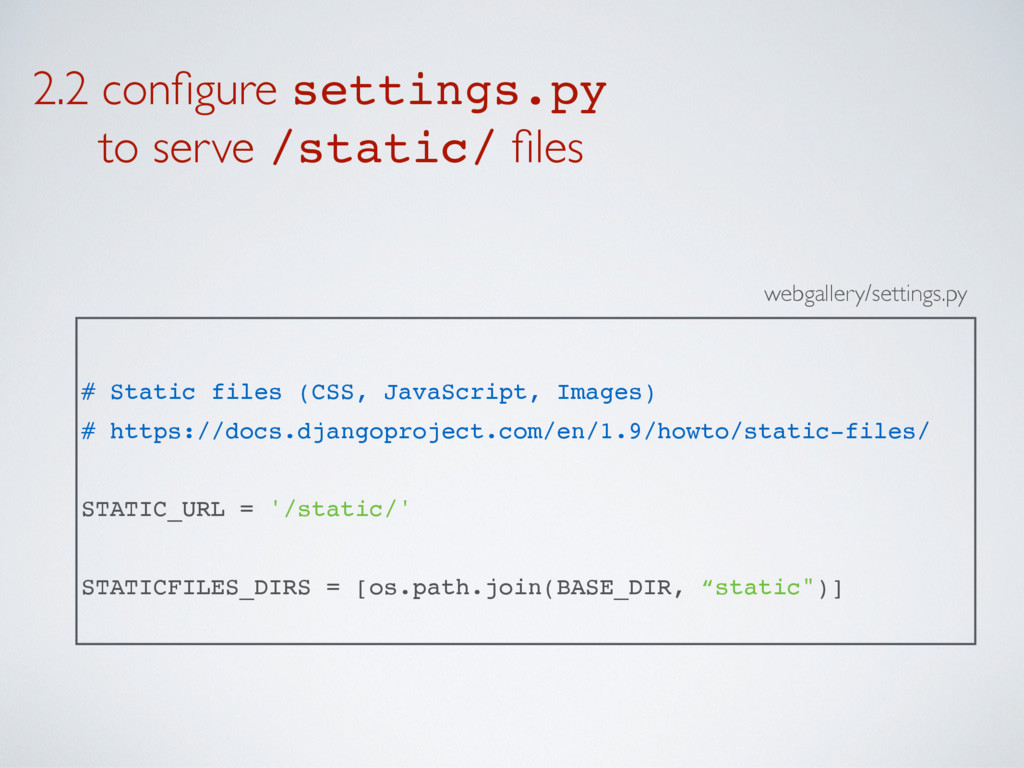
2.2 configure settings.py to serve /static/ files webgallery/settings.py #
Static files (CSS, JavaScript, Images) # https://docs.djangoproject.com/en/1.9/howto/static-files/ STATIC_URL = '/static/' STATICFILES_DIRS = [os.path.join(BASE_DIR, “static")]
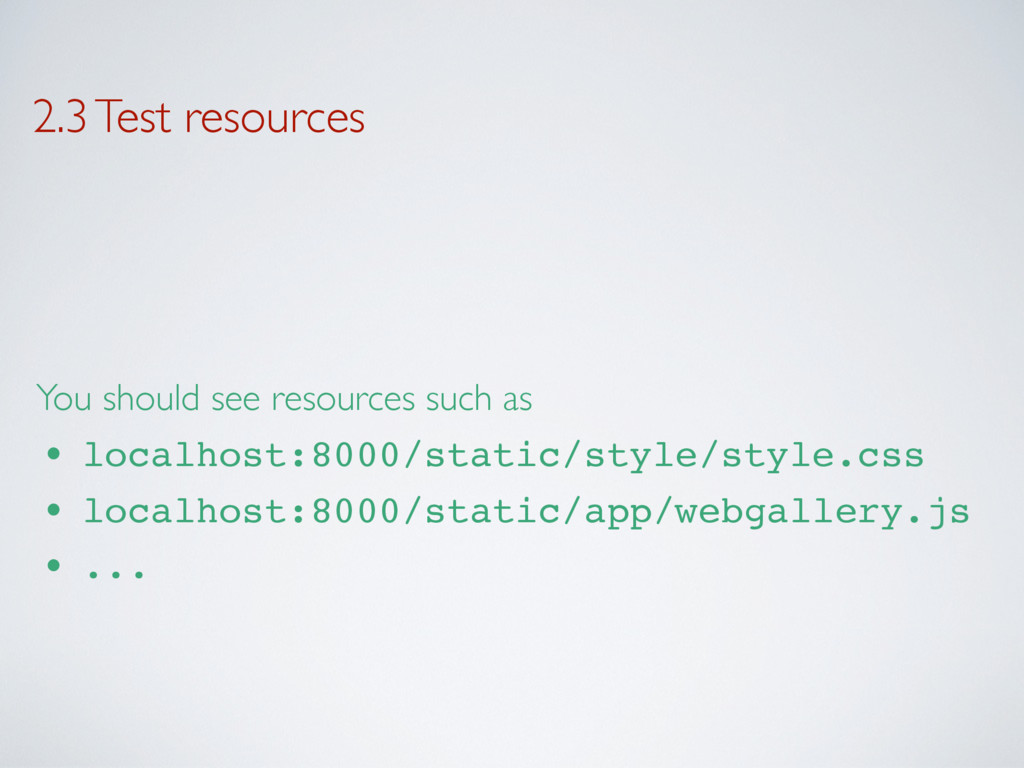
2.3 Test resources You should see resources such as •
localhost:8000/static/style/style.css • localhost:8000/static/app/webgallery.js • ...
2.4 Update your fronted ➡ You should remove all errors
by modifying the path of resources
3. serving /api/* dynamically
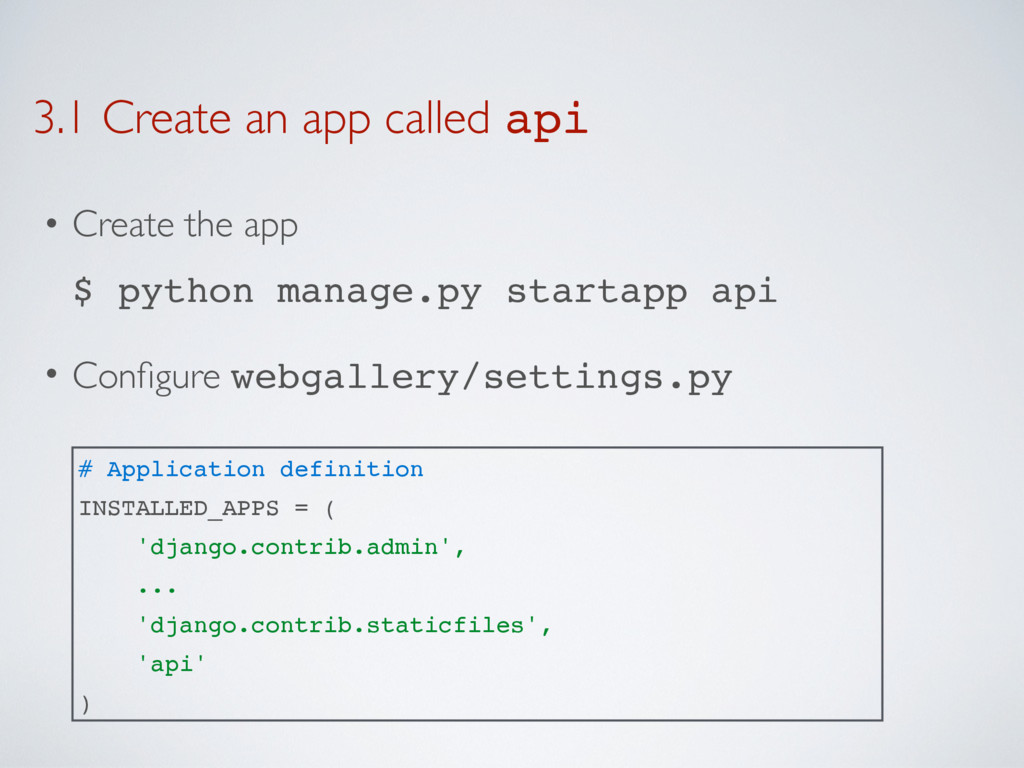
3.1 Create an app called api • Create the app
$ python manage.py startapp api • Configure webgallery/settings.py # Application definition INSTALLED_APPS = ( 'django.contrib.admin', ... 'django.contrib.staticfiles', 'api' )
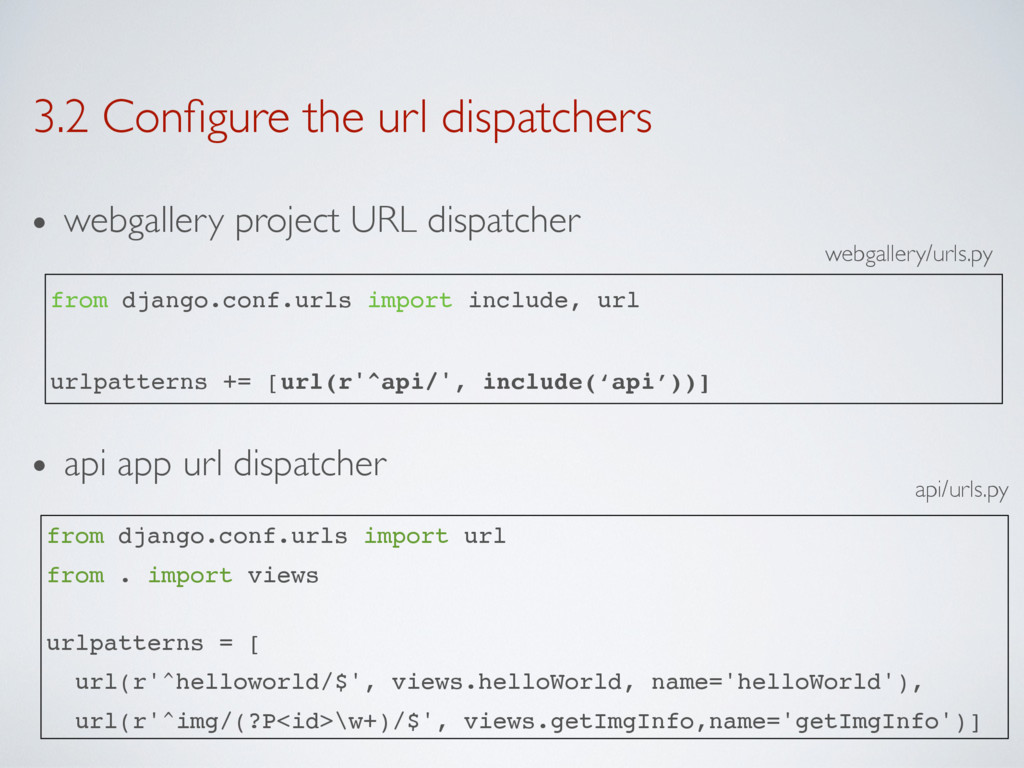
3.2 Configure the url dispatchers • webgallery project URL dispatcher
• api app url dispatcher from django.conf.urls import url from . import views urlpatterns = [ url(r'^helloworld/$', views.helloWorld, name='helloWorld'), url(r'^img/(?P<id>\w+)/$', views.getImgInfo,name='getImgInfo')] api/urls.py webgallery/urls.py from django.conf.urls import include, url urlpatterns += [url(r'^api/', include(‘api’))]
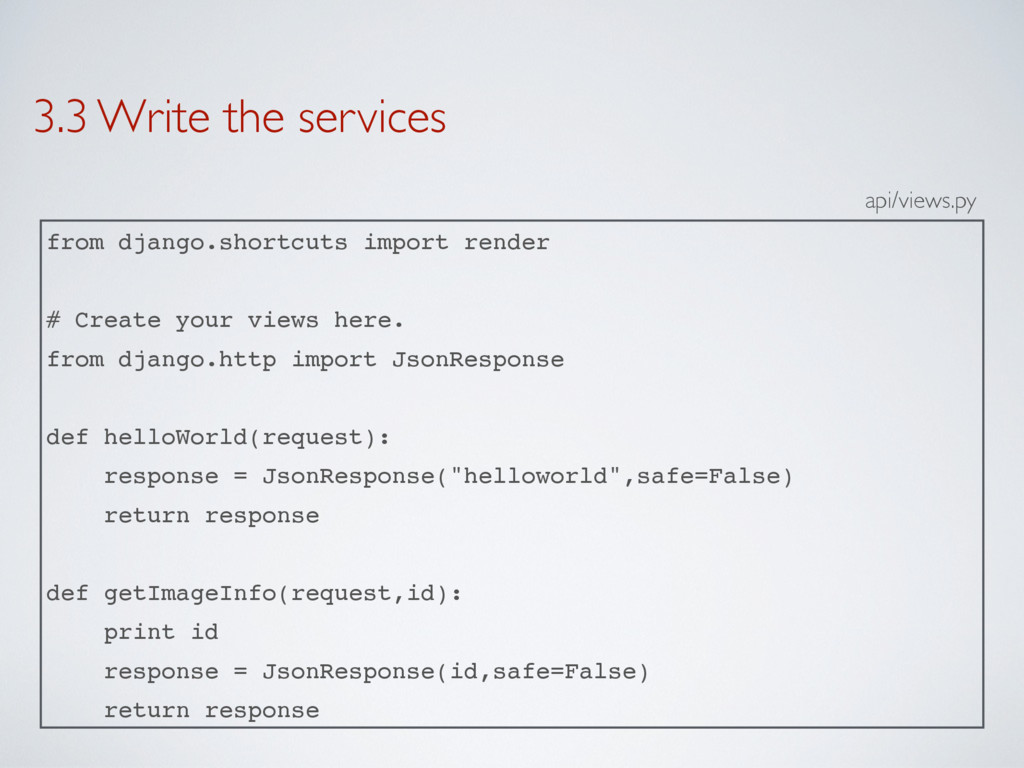
3.3 Write the services from django.shortcuts import render # Create
your views here. from django.http import JsonResponse def helloWorld(request): response = JsonResponse("helloworld",safe=False) return response def getImageInfo(request,id): print id response = JsonResponse(id,safe=False) return response api/views.py
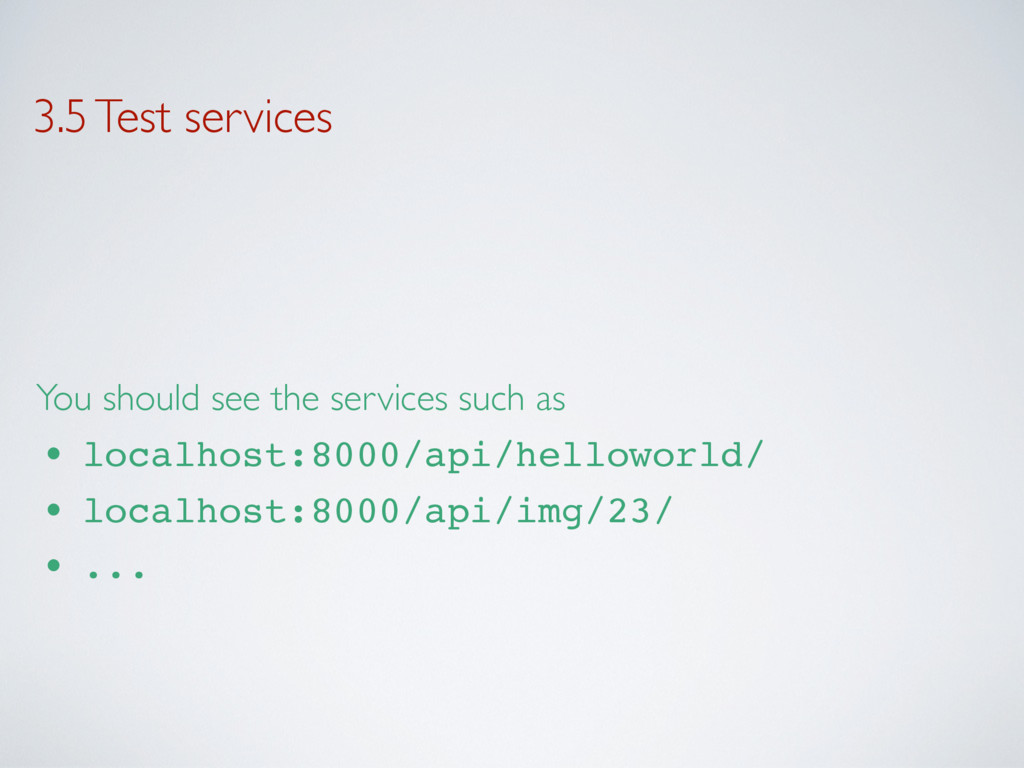
3.5 Test services You should see the services such as
• localhost:8000/api/helloworld/ • localhost:8000/api/img/23/ • ...
4. Complete the API
5. Interface the frontend with the API


 thierrysans
 econanringo
 minodriven
 kinopeee
 artoy
artoy
 hollycummins
 teyamagu
 syumai
 andpad
 kishida
 sylph01
 gonta
gonta
 lynnswap
 62gerente
 davetheseo
 jct
jct
 pauljervisheath
 ks91
ks91
 trallard
.png) helenjbeal
helenjbeal
 aleyda
 techseoconnect
 ryanjones
 carmenintech
 jnunemaker