Upgrade to Pro — share decks privately, control downloads, hide ads and more …

JigMagga - MVC framework for large SEO sites

Avatar for Toni Meuschke Toni Meuschke
September 16, 2014

JigMagga - MVC framework for large SEO sites

JigMagga project presentation on the 6th Node.js Meetup at lieferheld

Avatar for Toni Meuschke

Toni Meuschke

September 16, 2014

Other Decks in Technology

Transcript

  1. Why serve a dynamic generated page when you can do

    the same with a static page much better?
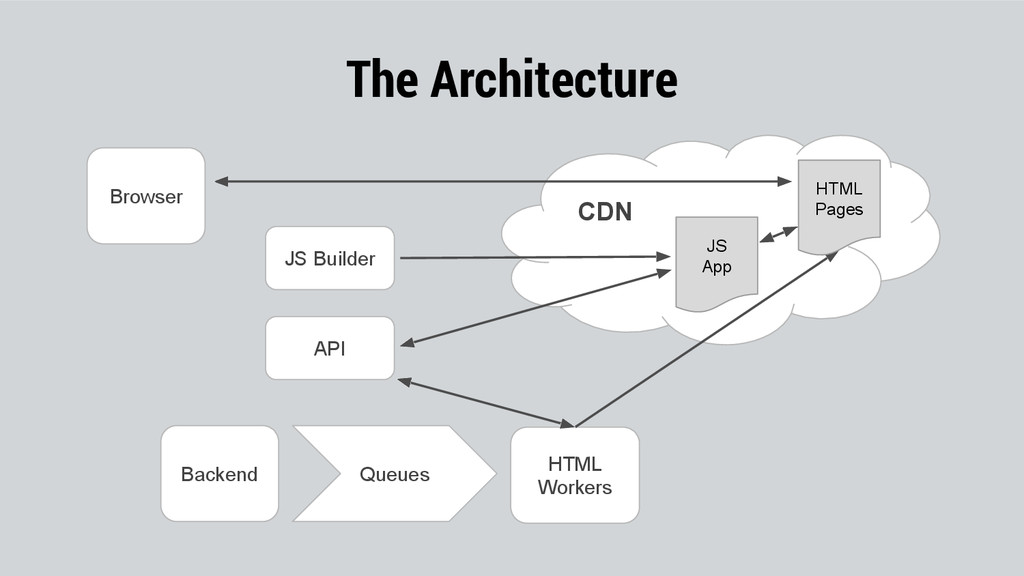
  2. HTML Workers Queues Backend JS App HTML Pages CDN API

    Browser JS Builder The Architecture
  3. JigMagga is a framework to build large widget based and

    configuration driven Isomorphic MVC JS Application.
  4. It is build on top of the great framework stack

    from bitovi but replaces some core functionality and extend the awesomeness.
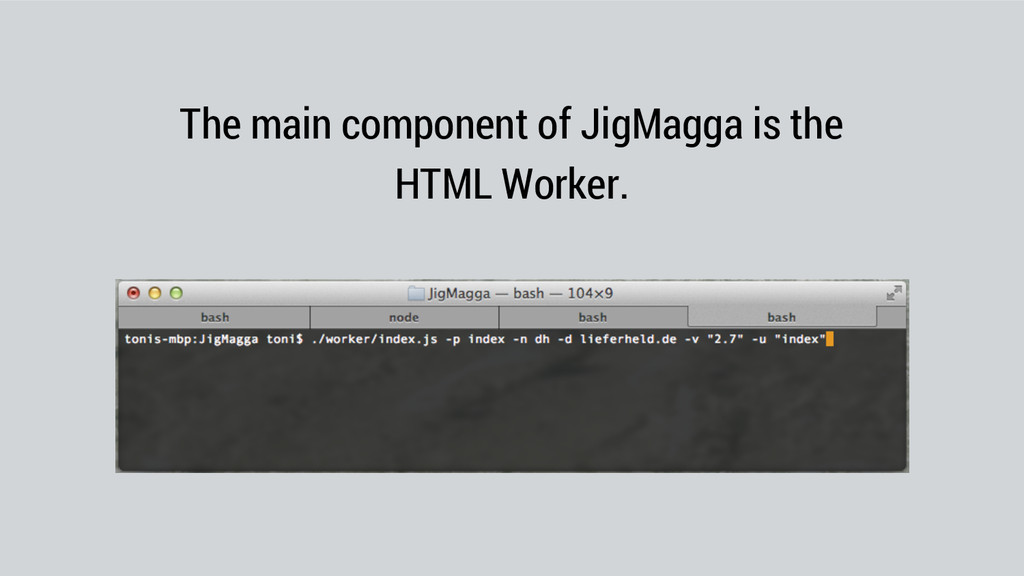
  5. The HTML Worker is a Node.js application with the purpose

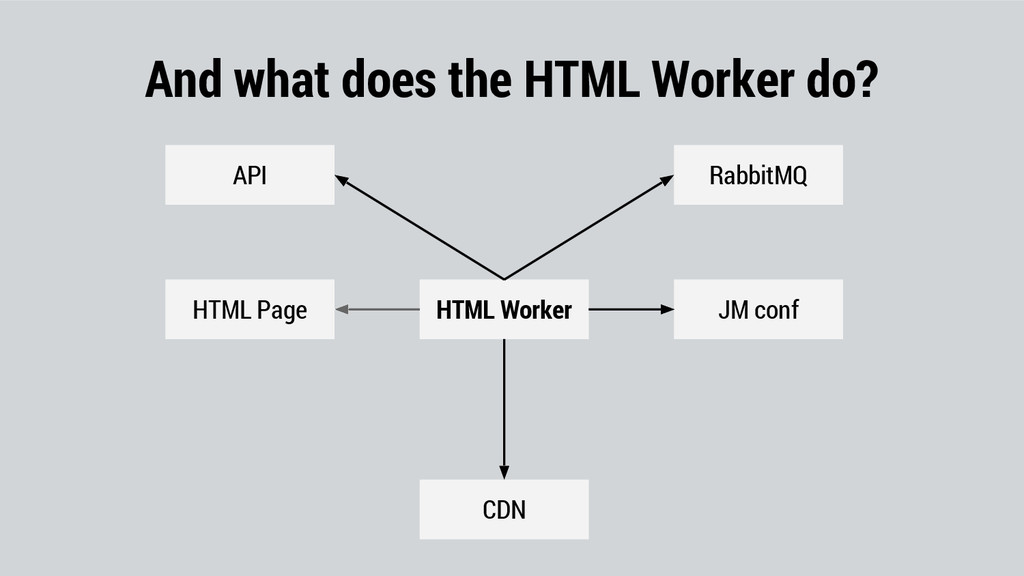
    to generate pages from a configuration that describe the Jig’s in a page. This Jig’s include ejs and mustache templates that can be pre filled with data from an API for SEO engines or dynamically filled on execution time in the browser. The worker will also upload those pages into a CDN as well as listen for data changes on a RabbitMQ to consistently keep the pages update to date.
  6. The HTML Worker is a Node.js application with the purpose

    to generate pages from a configuration that describe the Jig’s in a page. This Jig’s include ejs and mustache templates that can be pre filled with data from an API for SEO engines or dynamically filled on execution time in the browser. The worker will also upload those pages into a CDN as well as listen for data changes on a RabbitMQ to consistently keep the pages update to date.
  7. Jig

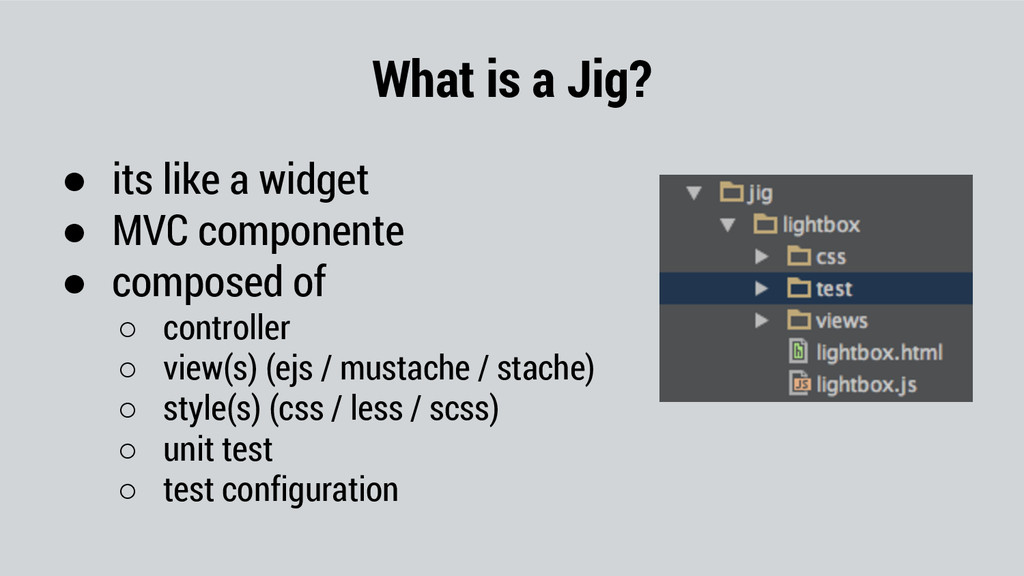
  8. What is a Jig? • its like a widget •

    MVC componente • composed of ◦ controller ◦ view(s) (ejs / mustache / stache) ◦ style(s) (css / less / scss) ◦ unit test ◦ test configuration
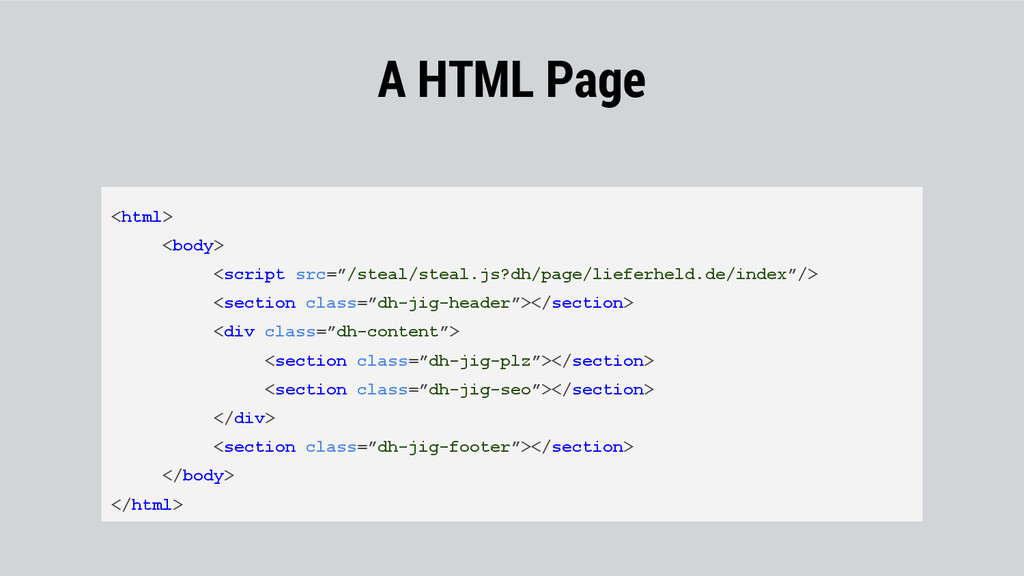
  9. A HTML Page <html> <body> <script src=”/steal/steal.js?dh/page/lieferheld.de/index”/> <section class=”dh-jig-header”></section> <div

    class=”dh-content”> <section class=”dh-jig-plz”></section> <section class=”dh-jig-seo”></section> </div> <section class=”dh-jig-footer”></section> </body> </html>
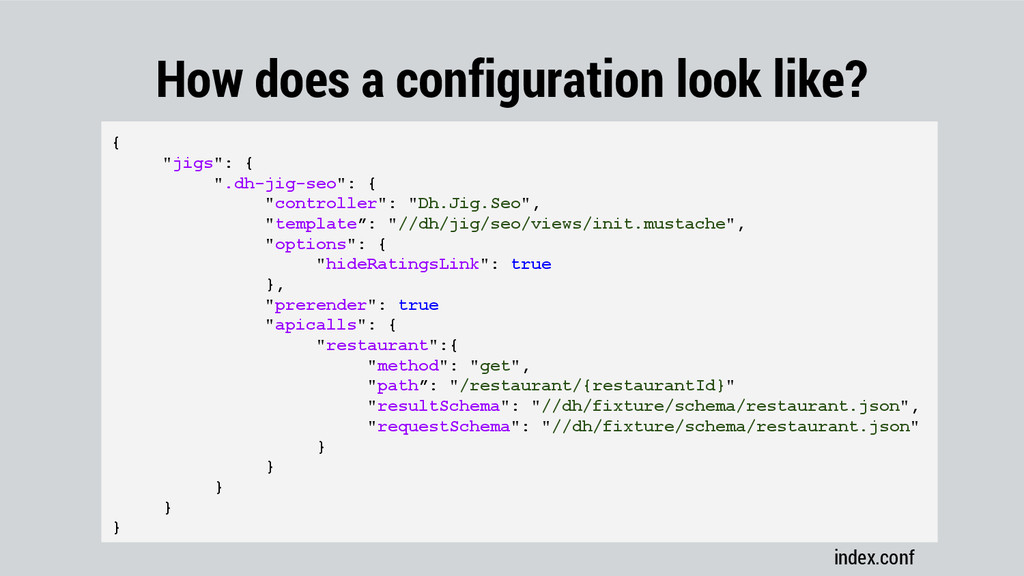
  10. How does a configuration look like? index.conf { "jigs": {

    ".dh-jig-seo": { "controller": "Dh.Jig.Seo", "template”: "//dh/jig/seo/views/init.mustache", "options": { "hideRatingsLink": true }, "prerender": true "apicalls": { "restaurant":{ "method": "get", "path”: "/restaurant/{restaurantId}" "resultSchema": "//dh/fixture/schema/restaurant.json", "requestSchema": "//dh/fixture/schema/restaurant.json" } } } } }
  11. And what does the HTML Worker do? HTML Worker API

    RabbitMQ CDN JM conf HTML Page