Share
Embed
Elasticsearch en producción
Charla de la Elasticsearch Meetup 19/05/2016
http://www.meetup.com/Tryolabs-Engineering-Events/events/230687606/
Javier Rey
May 20, 2016
Transcript
13 slides
-
Elasticsearch en producción Monitoreo, problemas y setup recomendado in 15
minutes (or less!) 1 -
Monitoreo ⌚ Cosas a medir • Estado del cluster Shards
Segments Tasks • Estado de nodo Hardware JVM Cache • Uso de aplicaciones Be warned that being an expert is more than understanding how a system is supposed to work. Expertise is gained by investigating why a system doesn’t work. - Brian Redman 3 -
Status (duh!) relocating_shards initializing_shards unassigned_shards delayed_unassigned_shards Porcentaje de documentos eliminados
Cantidad de segments 50-150 por índice Cantidad de documentos, tamaño Shards y Segments GET /_cluster/health { "cluster_name": "elasticsearch", "status": "yellow", "timed_out": false, "number_of_nodes": 1, "number_of_data_nodes": 1, "active_primary_shards": 10, "active_shards": 10, "relocating_shards": 0, "initializing_shards": 0, "unassigned_shards": 10, "delayed_unassigned_shards": 0, "number_of_pending_tasks": 0, "number_of_in_flight_fetch": 0, "task_max_waiting_in_queue_millis": 0, "active_shards_percent_as_number": 50 } 4 ❗ Tasks Tareas pendientes Hay alguna tarea colgada? -
Hardware CPU load Free space Open file descriptors / Max
file descriptors Swap? ☠ 5 JVM Heap usage Garbage collection (count & times, young & old) Cache (filter_cache, fielddata) Cache size Evictions Fielddata circuit breakers Uso de aplicaciones Request rate Query latency Per shard query latency Index rate Delete rate “etc rate” -
Como medirlas Idealmente New Relic Elasticsearch plugin https://github.com/s12v/newrelic-elasticsearch Marvel https://www.elastic.co/products/marvel
6 ”Plugins” (sin instalar) Whatson https://github.com/xyu/elasticsearch-whatson elastichq http://www.elastichq.org/app/index.php kopf https://github.com/lmenezes/elasticsearch-kopf bigdesk http://bigdesk.org/ paramedic https://github.com/karmi/elasticsearch-paramedic API (BYO) Cat API GET /_cat -
GET /_cat/ =^.^= /_cat/allocation /_cat/shards /_cat/shards/{index} /_cat/master /_cat/nodes /_cat/indices
/_cat/indices/{index} /_cat/segments /_cat/segments/{index} /_cat/count /_cat/count/{index} /_cat/recovery /_cat/recovery/{index} /_cat/health /_cat/pending_tasks /_cat/aliases /_cat/aliases/{alias} /_cat/thread_pool /_cat/plugins /_cat/fielddata /_cat/fielddata/{fields} /_cat/nodeattrs /_cat/repositories /_cat/snapshots/{repository} 7 GET /_cat/segments?v&h=shard,segment,docs.count,size.memory shard segment docs.count size.memory 0 _c 12855 10511 0 _l 18655 13055 0 _m 2747 5394 0 _n 49 3483 0 _o 319 3460 0 _p 3364 5851 0 _q 2148 4743 1 _m 17124 12742 1 _v 23005 14209 2 _c 9987 9236 2 _l 2992 5565 2 _m 17604 13041 2 _n 165 4533 2 _o 2866 5448 2 _p 3213 5522 2 _q 33 3335 2 _r 556 3702 2 _s 2408 5003 3 _l 22082 14204 3 _v 11427 9837 3 _w 514 3722 3 _x 2693 5291 3 _y 168 4614 3 _z 2900 5363 -
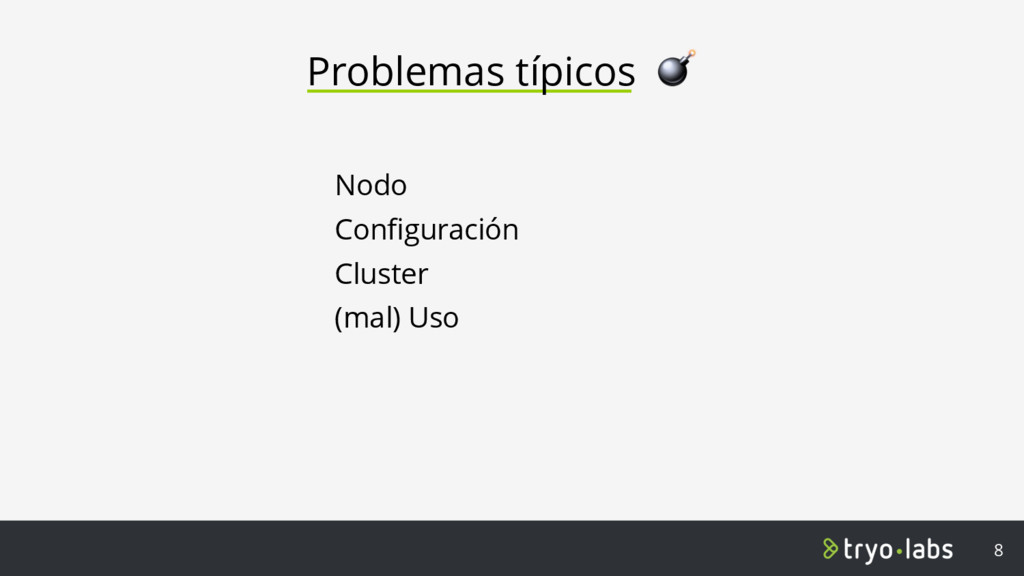
Nodo Swap configurado Heap size mal configurado Memory pressure Mucho
garbage collection filter_cache lleno Storage Network storage Lento Mal configurado (max open files) Merge throttling Circuit breakers 9 -
Configuración Cantidad de shards Over sharding Mappings mal configurados Mappings
for defecto Campos analyzed innecesarios Data path 10 Cluster ☁ Split brain Problemas de bandwidth que afectan replication Multicast (mal) Uso Estructuración SQL → NoSQL Nested objects muy grandes Paginados gigantescos sin _scroll (bots) Muchos updates → muchos deleted → mucho merging → ??? -
Set-up recomendado ✅ Mecanismo de actualización Sin downtime Sin pérdida
de datos (o fácil de repopular) Elasticsearch 2.X doc_values por defecto Better query execution planner using filters. Query profiler Optimización de geoqueries Merging optimizations Better recovery 11 RAM > CPU >= 2 core (index es CPU-bound) SSD No más de 32 GB Hardware -
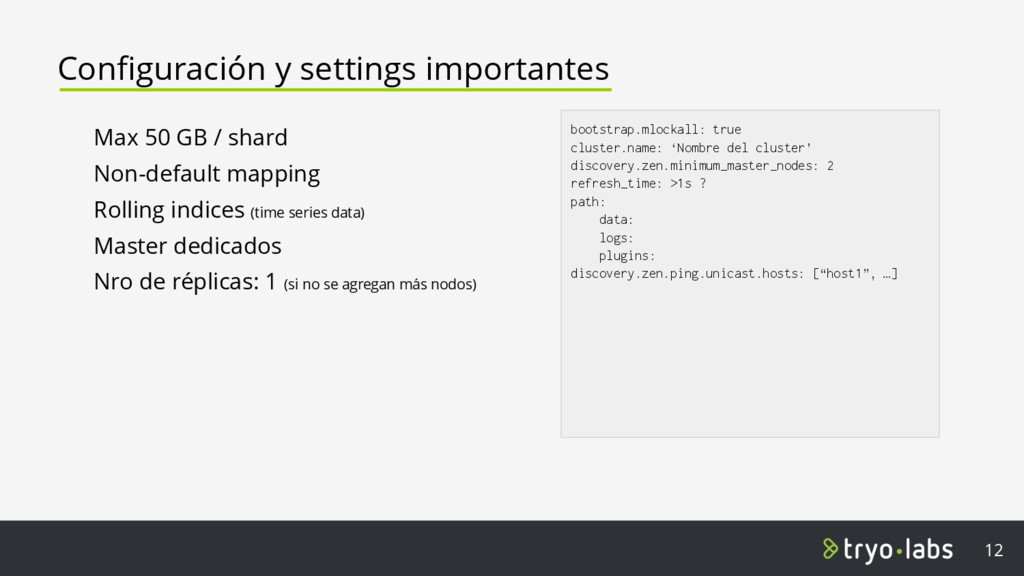
Max 50 GB / shard Non-default mapping Rolling indices (time
series data) Master dedicados Nro de réplicas: 1 (si no se agregan más nodos) 12 Configuración y settings importantes bootstrap.mlockall: true cluster.name: ‘Nombre del cluster’ discovery.zen.minimum_master_nodes: 2 refresh_time: >1s ? path: data: logs: plugins: discovery.zen.ping.unicast.hosts: [“host1”, …]