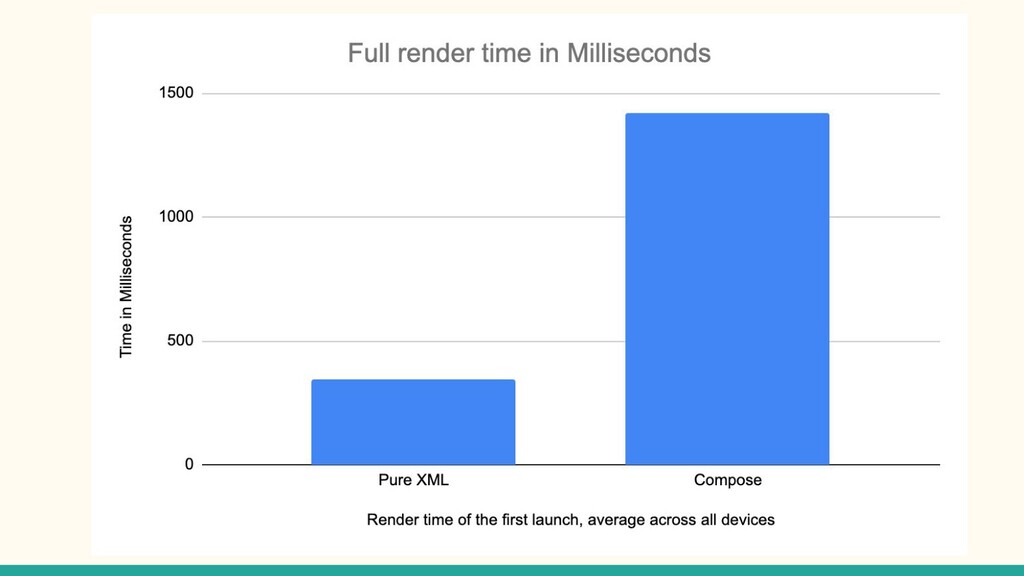
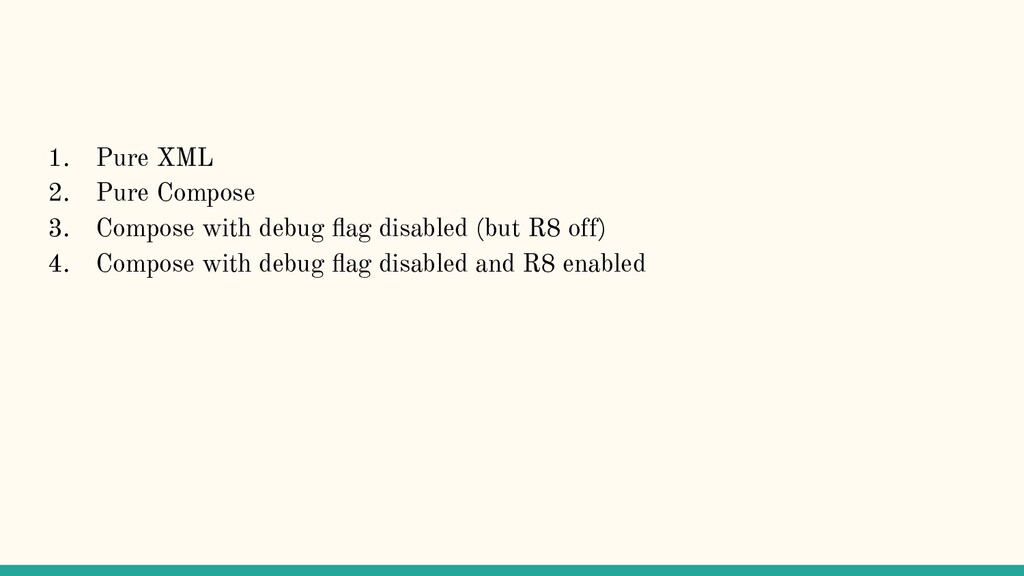
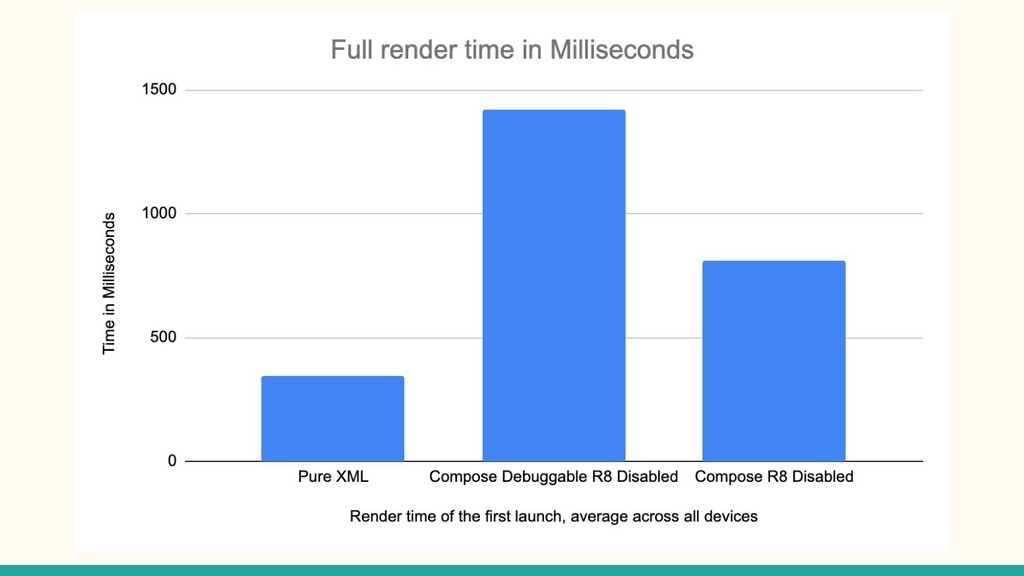
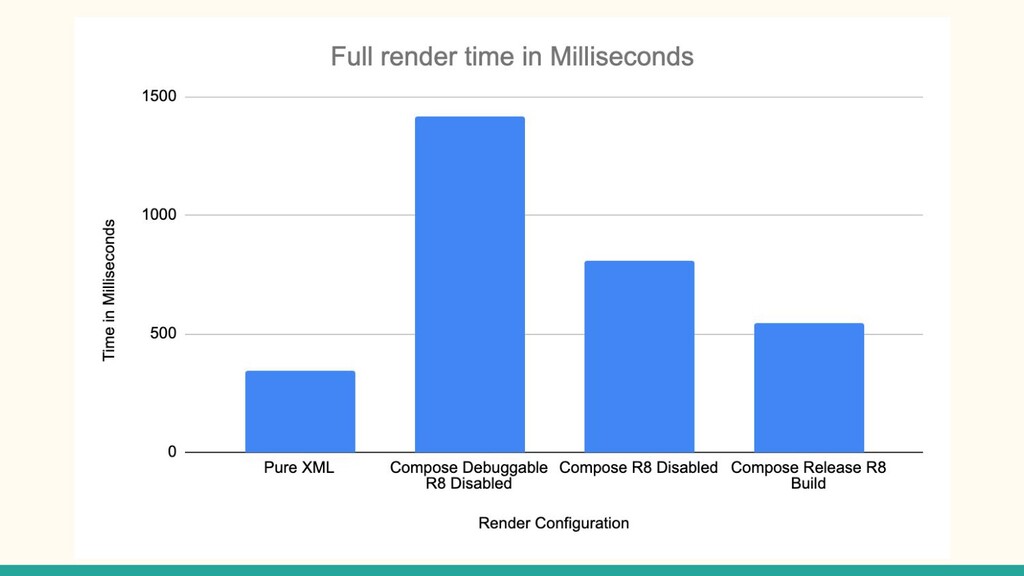
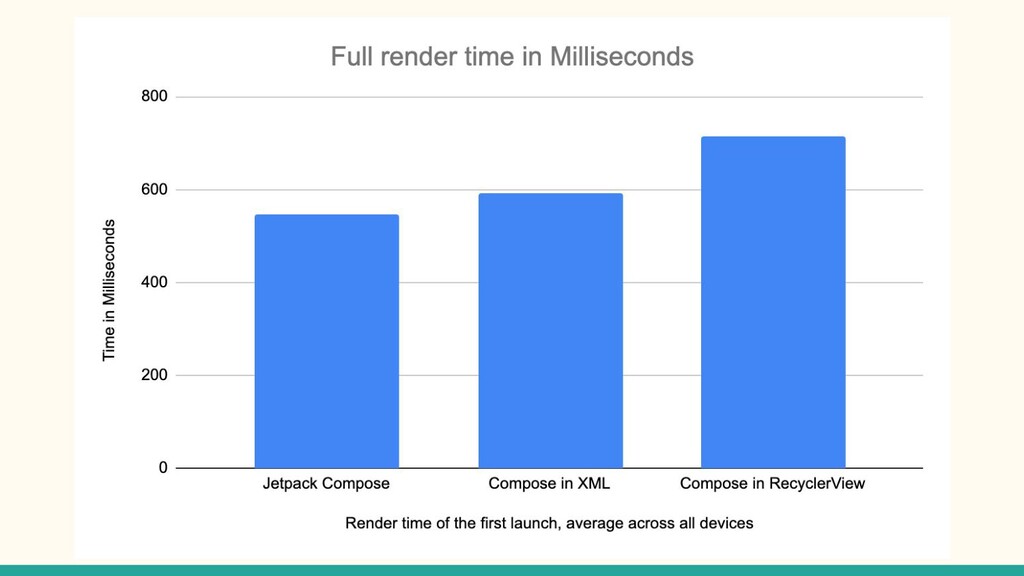
configured to minify all Composables 2. More ComposeViews = Slower Render Time 3. The first Composable you render is slower than subsequent composables. 4. Use State and Remember { } to minimize calculation within your Composables
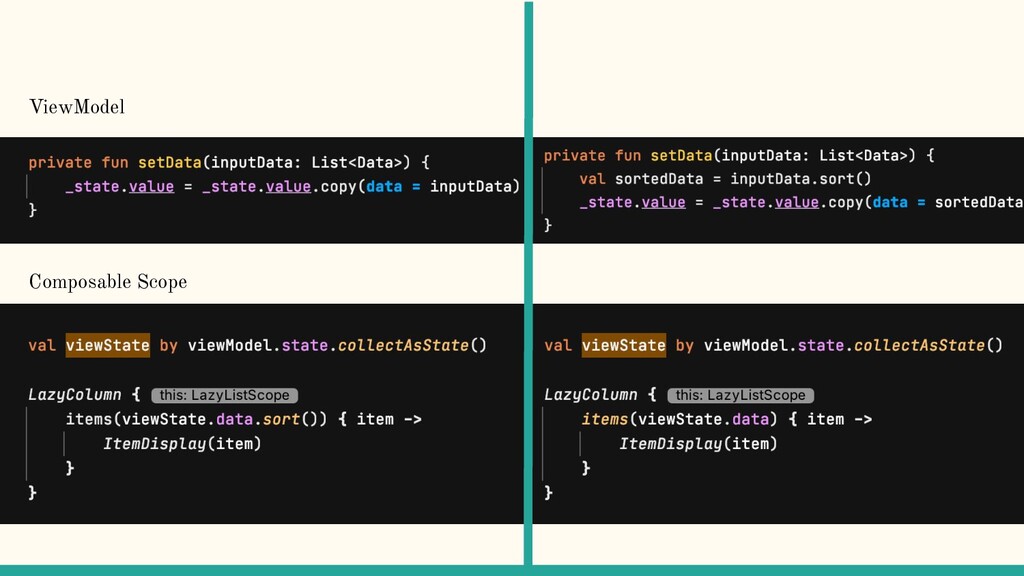
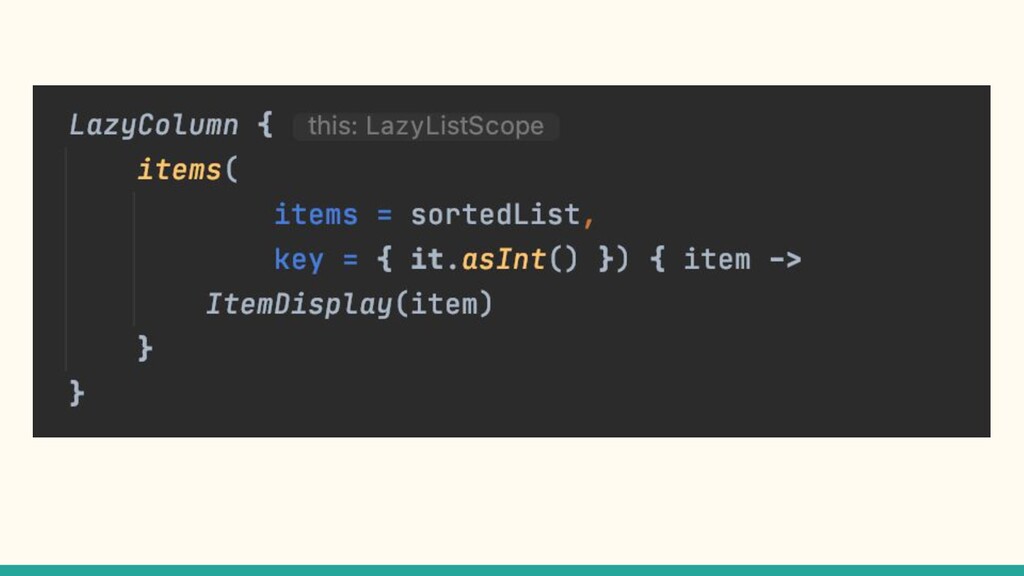
configured to minify all Composables 2. More ComposeViews = Slower Render Time 3. The first Composable you render is slower than subsequent composables. 4. Use State and Remember { } to minimize calculation within your Composables 5. Use keys to allow compositions to reorder and limit costly recomposition
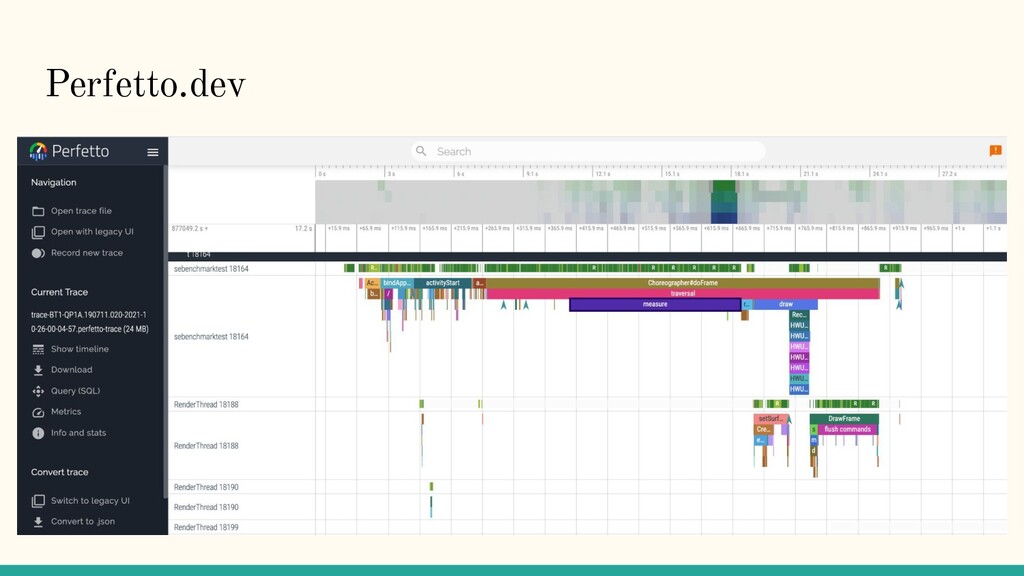
configured to minify all Composables 2. More ComposeViews = Slower Render Time 3. The first Composable you render is slower than subsequent composables. 4. Use State and Remember { } to minimize calculation within your Composables 5. Use keys to allow compositions to reorder and limit costly recomposition 6. Understand how JIT compilation will impact initial and subsequent renders


 wshelor
 yuuuuuuu168
 ishikawa_satoru
 camiha
 puhitaku
 ludicmind
 riyaamemiya
 nealle
 bitkey
 codmoninc
 kworkdev
 raspython3
 wjessup
 oripsolob
 honzajavorek
 sstephenson
 katarinadahlin
 davidcarrasco
 aleyda
 mlcsv
mlcsv
 reverentgeek
 tamaranovitovic
 rasagy
 khoart












![Twitter: @shelorwill LinkedIn: linkedin.com/in/wshelor Email: [email protected] KotlinLang slack Slides on](https://files.speakerdeck.com/presentations/f2bb490014c94b03b88f0f3de28a3d0f/slide_23.jpg)