Share
Embed
DjangoCon Europe 2025 Keynote - Django for Data Science
These are the slides from my recent talk on training a machine learning model in a Jupyter notebook and then deploying it with Django. Includes links to all code repos and demos.
William S. Vincent
May 01, 2025
Transcript
51 slides
-
Django for Data Science Will Vincent DjangoCon Europe (April 2025)
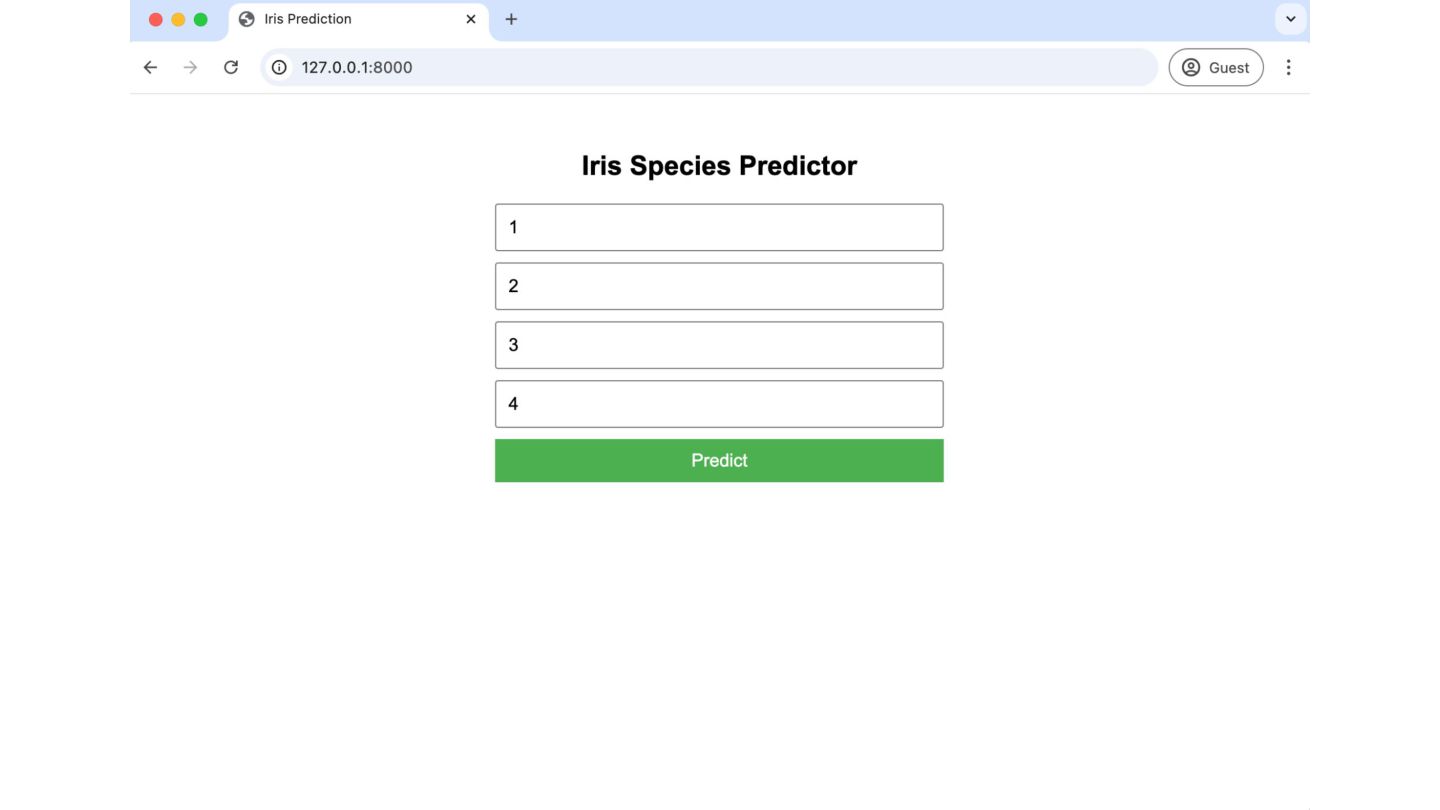
Deploying Machine Learning Models with Django -
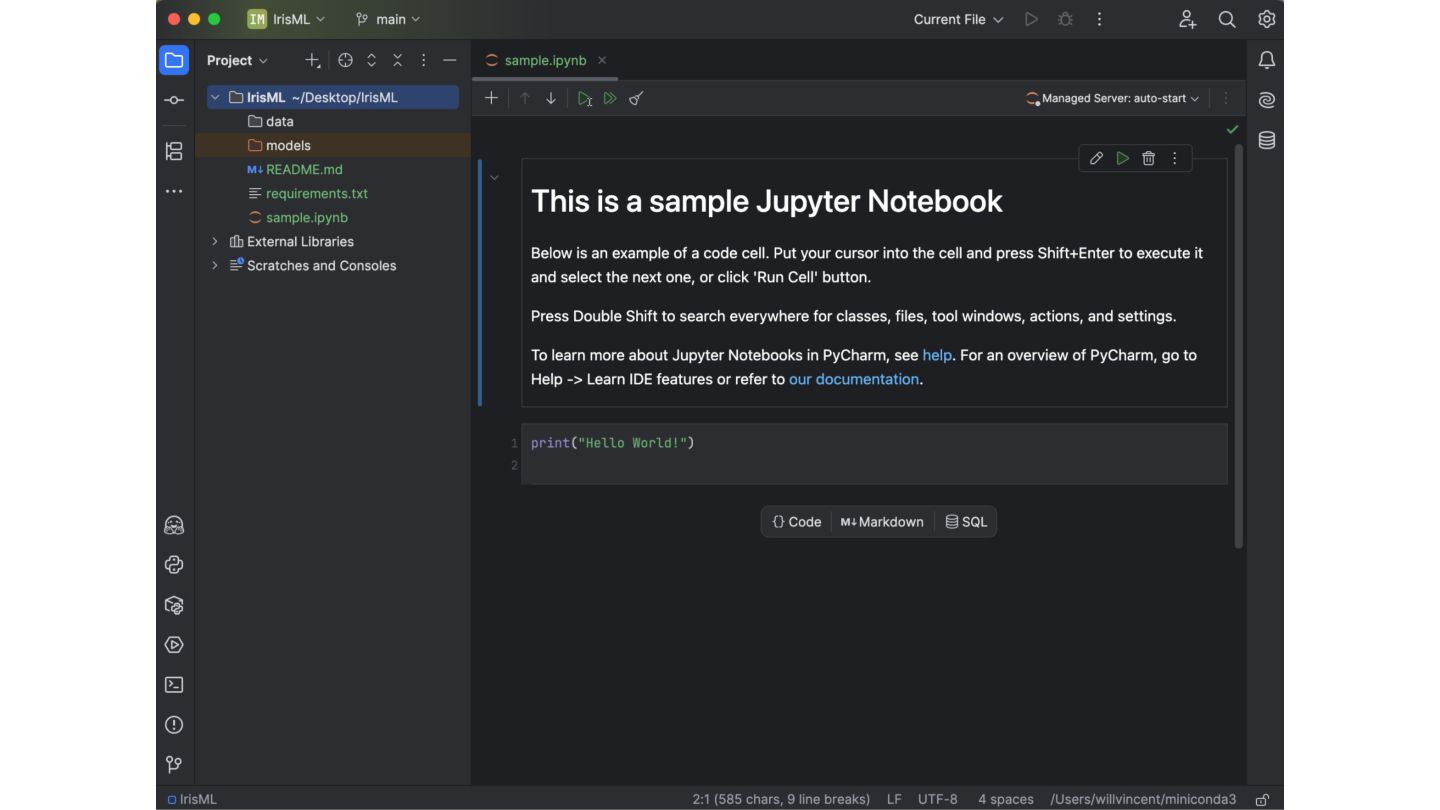
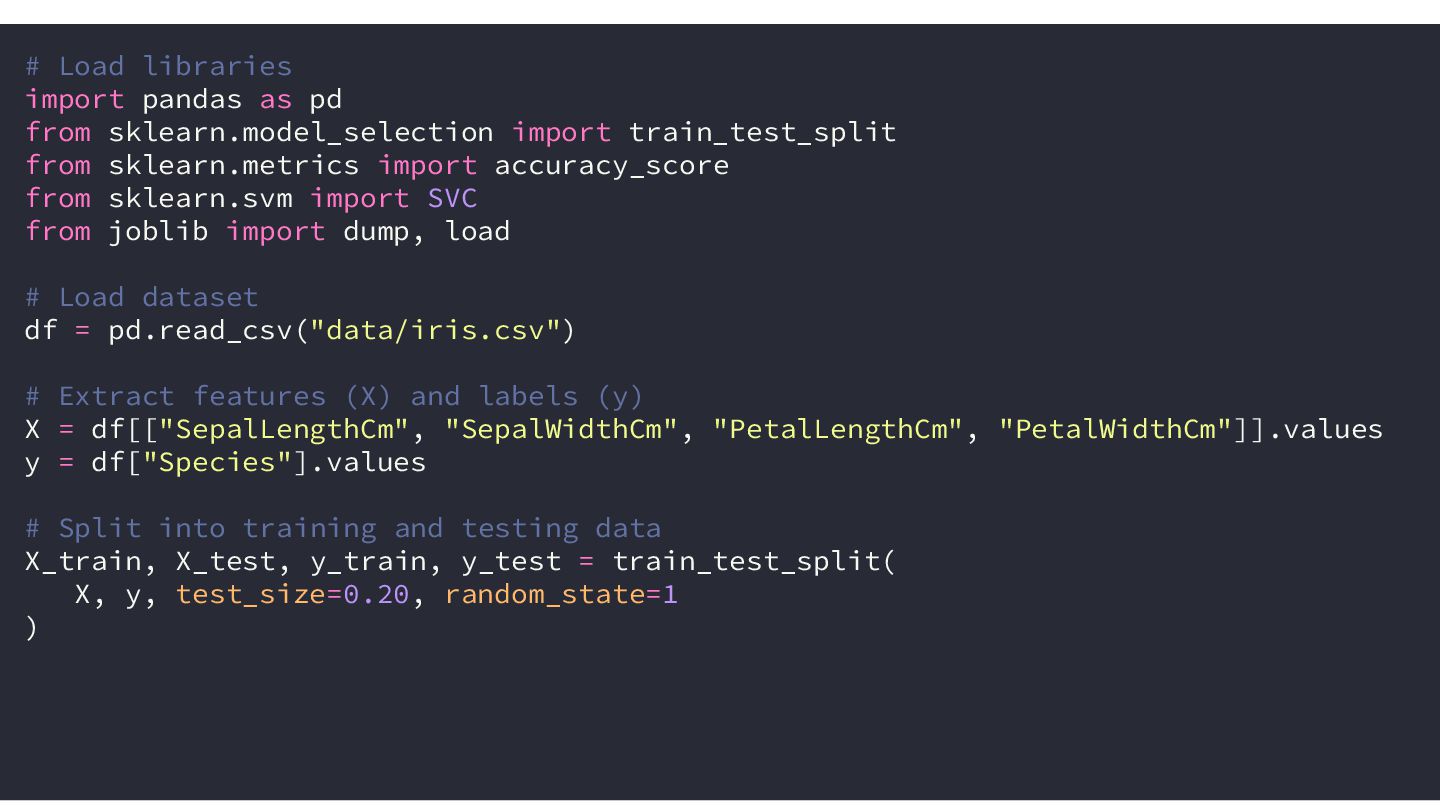
Jupyter Notebook # Load libraries import pandas as pd from
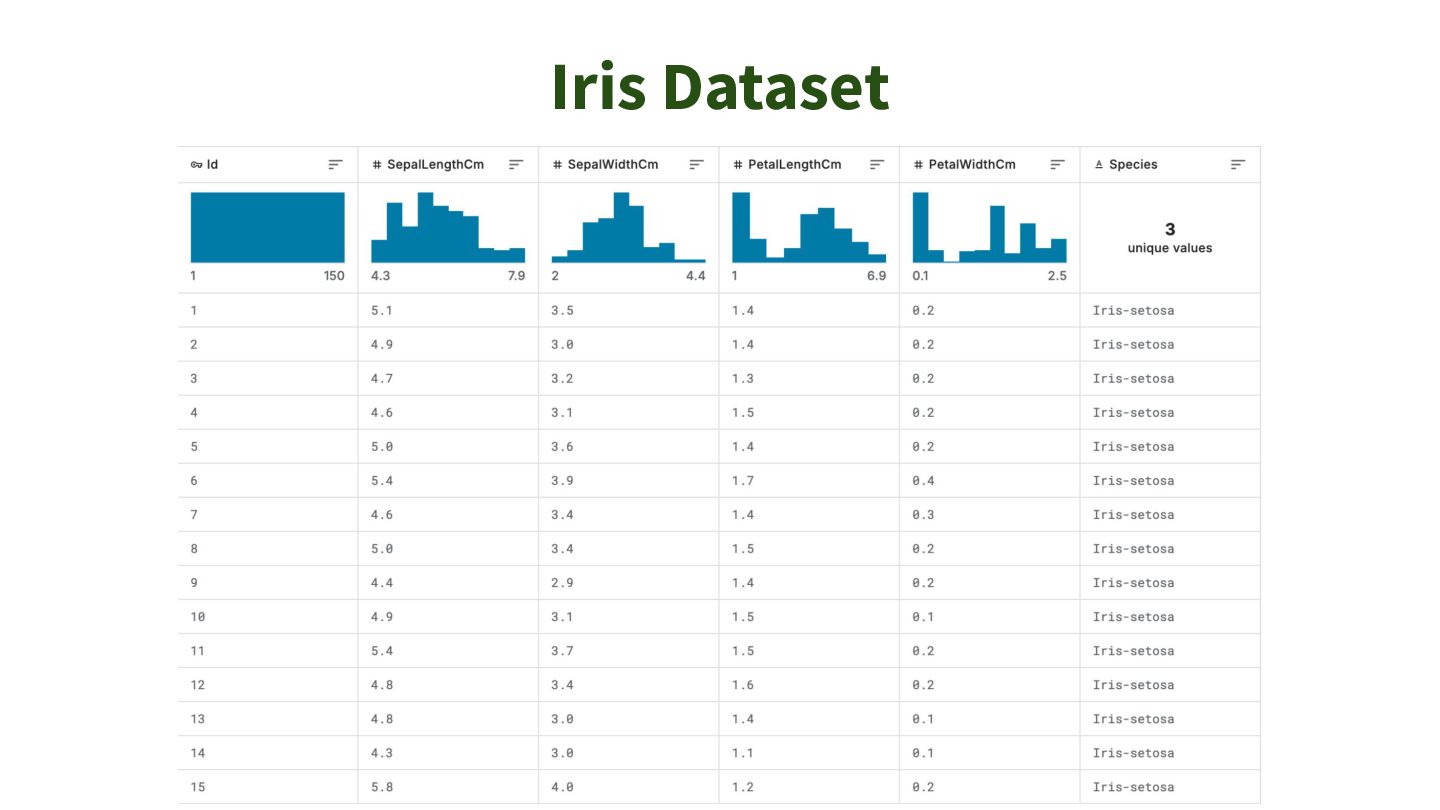
sklearn.model_selection import train_test_split from sklearn.metrics import accuracy_score from sklearn.svm import SVC from joblib import dump, load # Load dataset df = pd.read_csv("data/iris.csv") # Extract features (X) and labels (y) X = df[["SepalLengthCm", "SepalWidthCm", "PetalLengthCm", "PetalWidthCm"]].values y = df["Species"].values # Split into training and testing data X_train, X_test, y_train, y_test = train_test_split( X, y, test_size=0.20, random_state=1 ) -
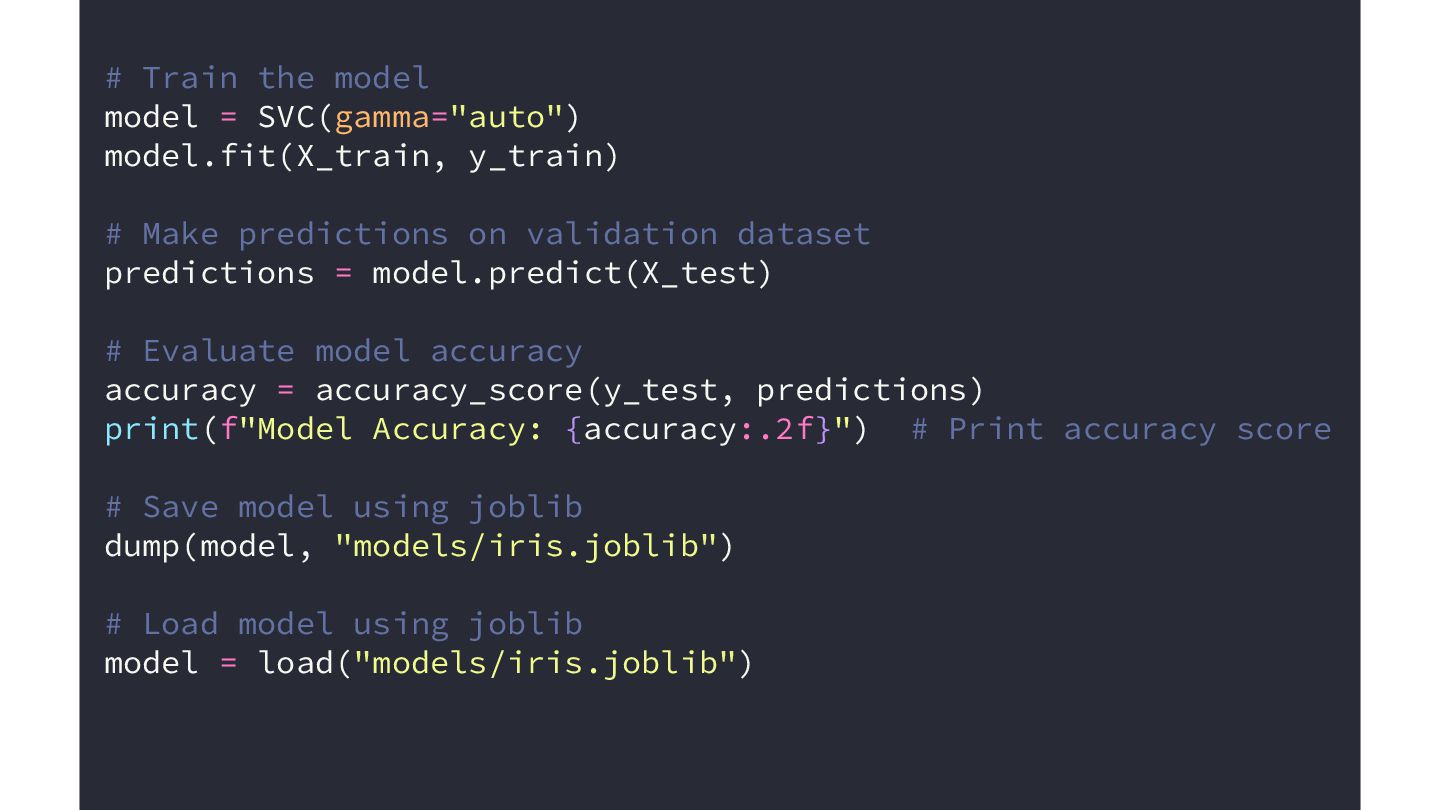
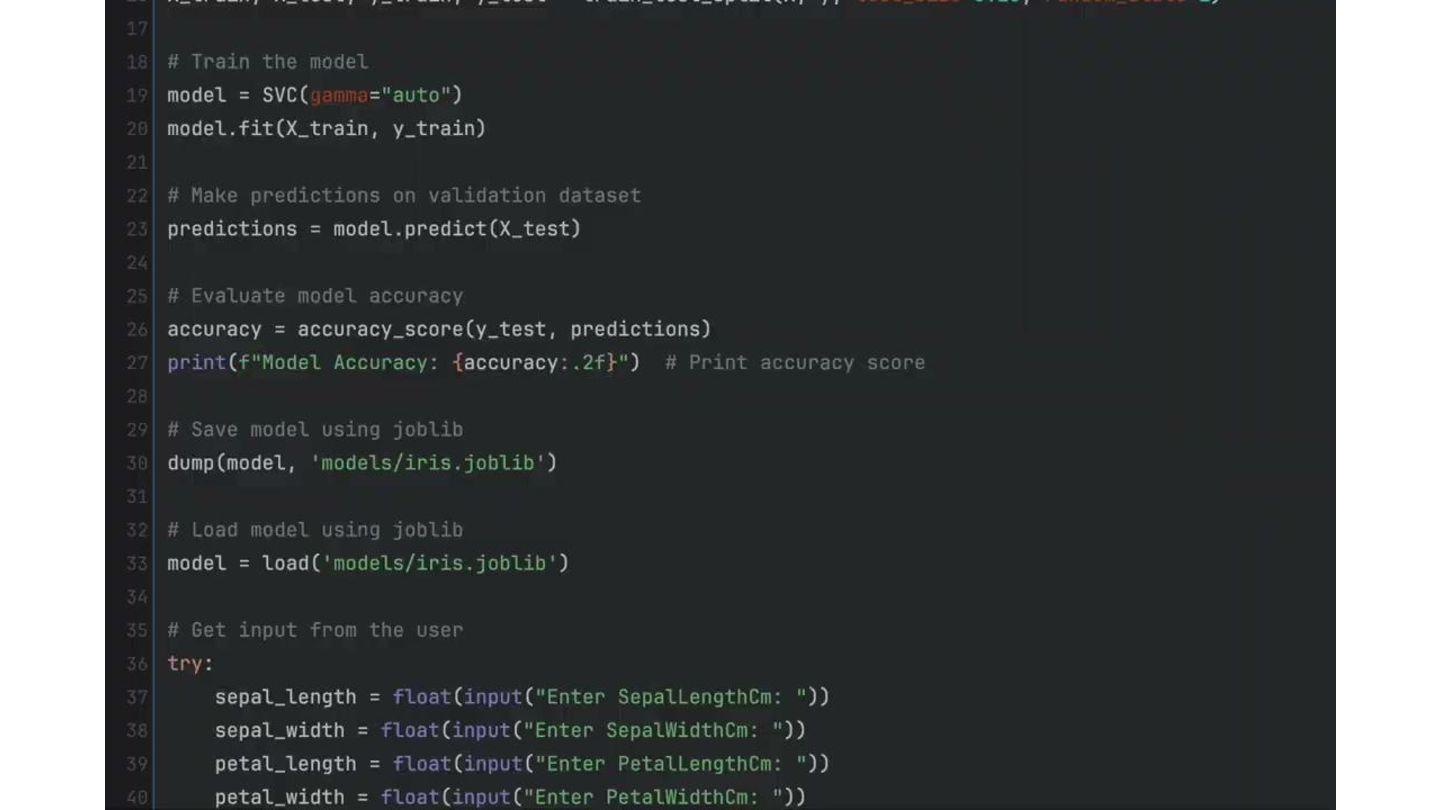
Jupyter Notebook # Train the model model = SVC(gamma="auto") model.fit(X_train,
y_train) # Make predictions on validation dataset predictions = model.predict(X_test) # Evaluate model accuracy accuracy = accuracy_score(y_test, predictions) print(f"Model Accuracy: {accuracy:.2f}") # Print accuracy score # Save model using joblib dump(model, "models/iris.joblib") # Load model using joblib model = load("models/iris.joblib") -
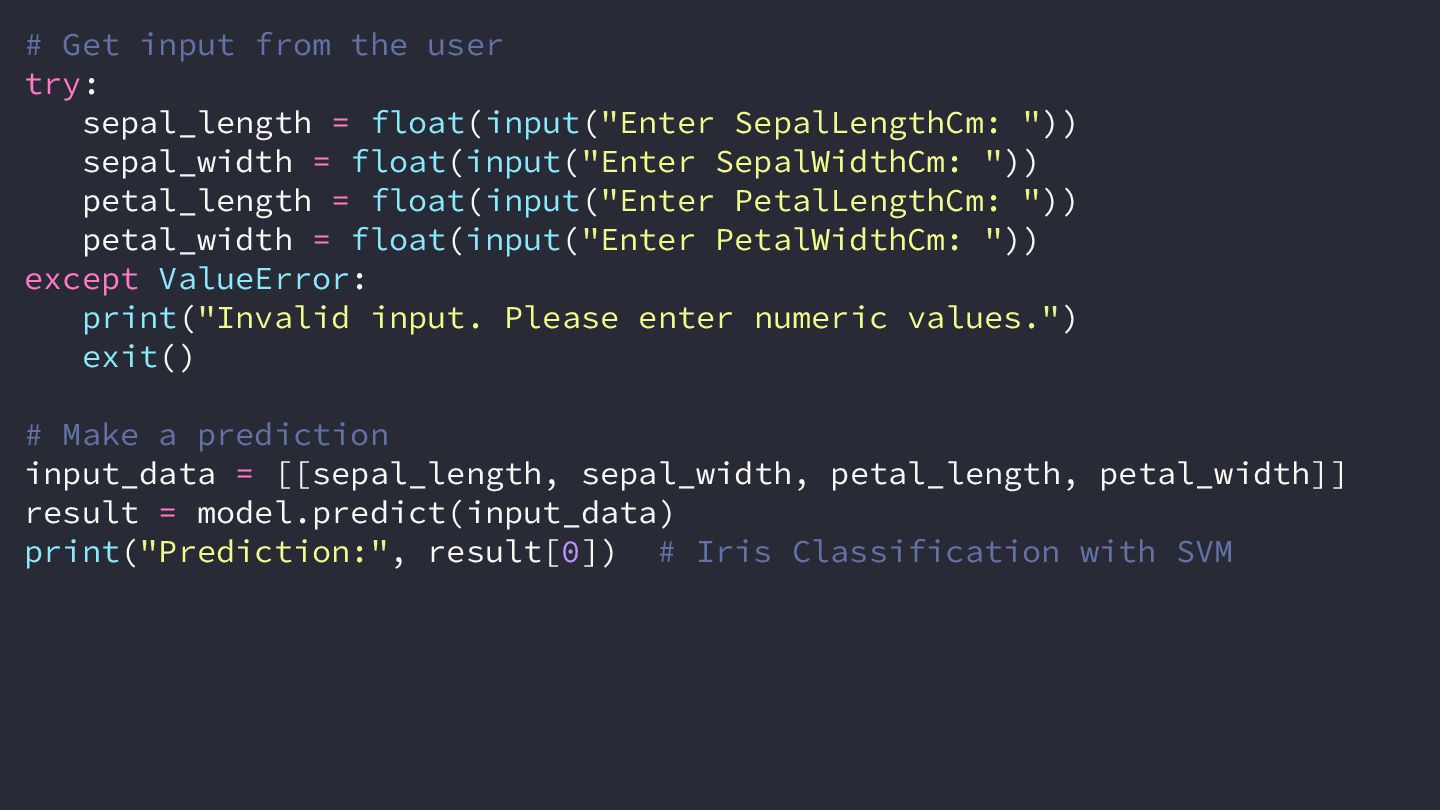
# Get input from the user try: sepal_length = float(input("Enter
SepalLengthCm: ")) sepal_width = float(input("Enter SepalWidthCm: ")) petal_length = float(input("Enter PetalLengthCm: ")) petal_width = float(input("Enter PetalWidthCm: ")) except ValueError: print("Invalid input. Please enter numeric values.") exit() # Make a prediction input_data = [[sepal_length, sepal_width, petal_length, petal_width]] result = model.predict(input_data) print("Prediction:", result[0]) # Iris Classification with SVM -
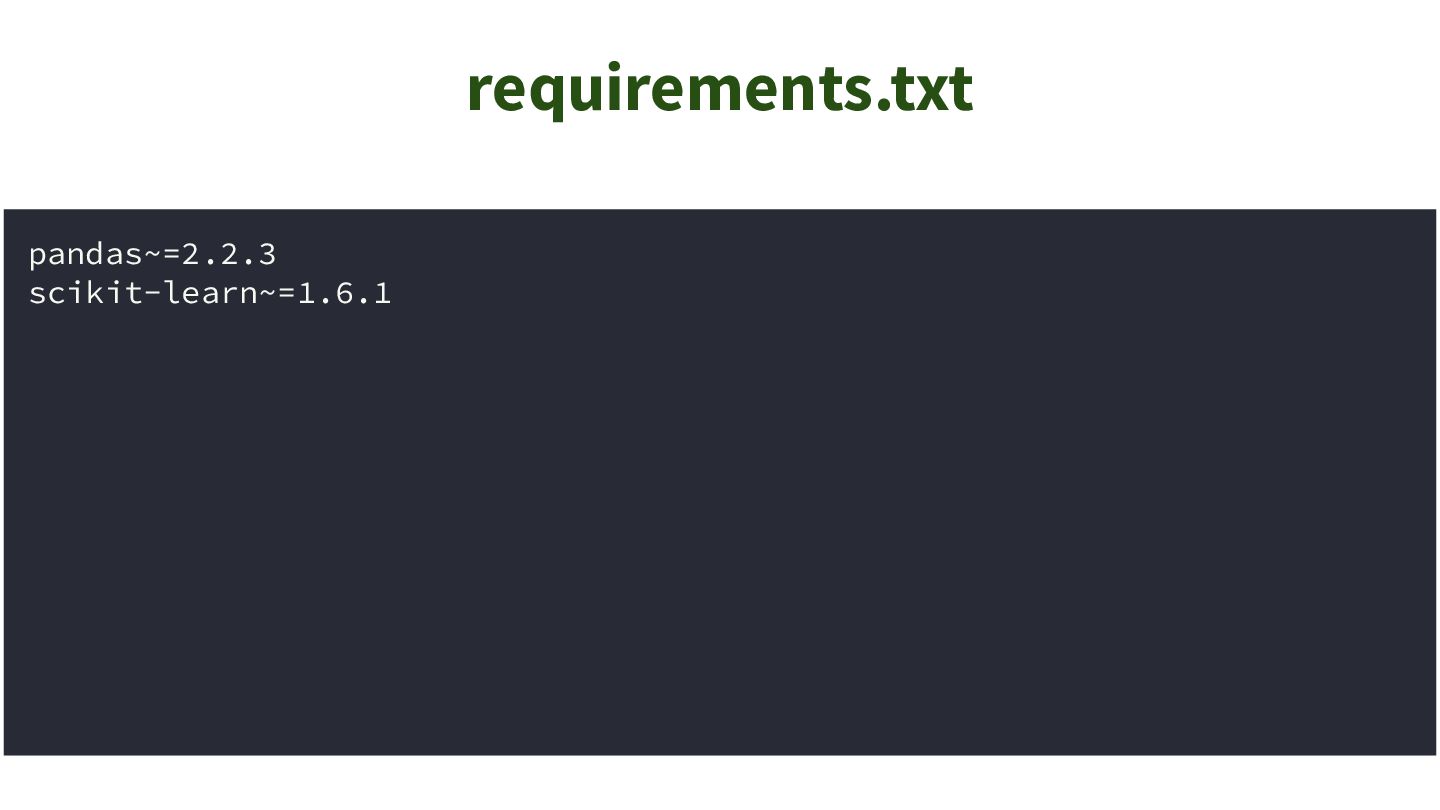
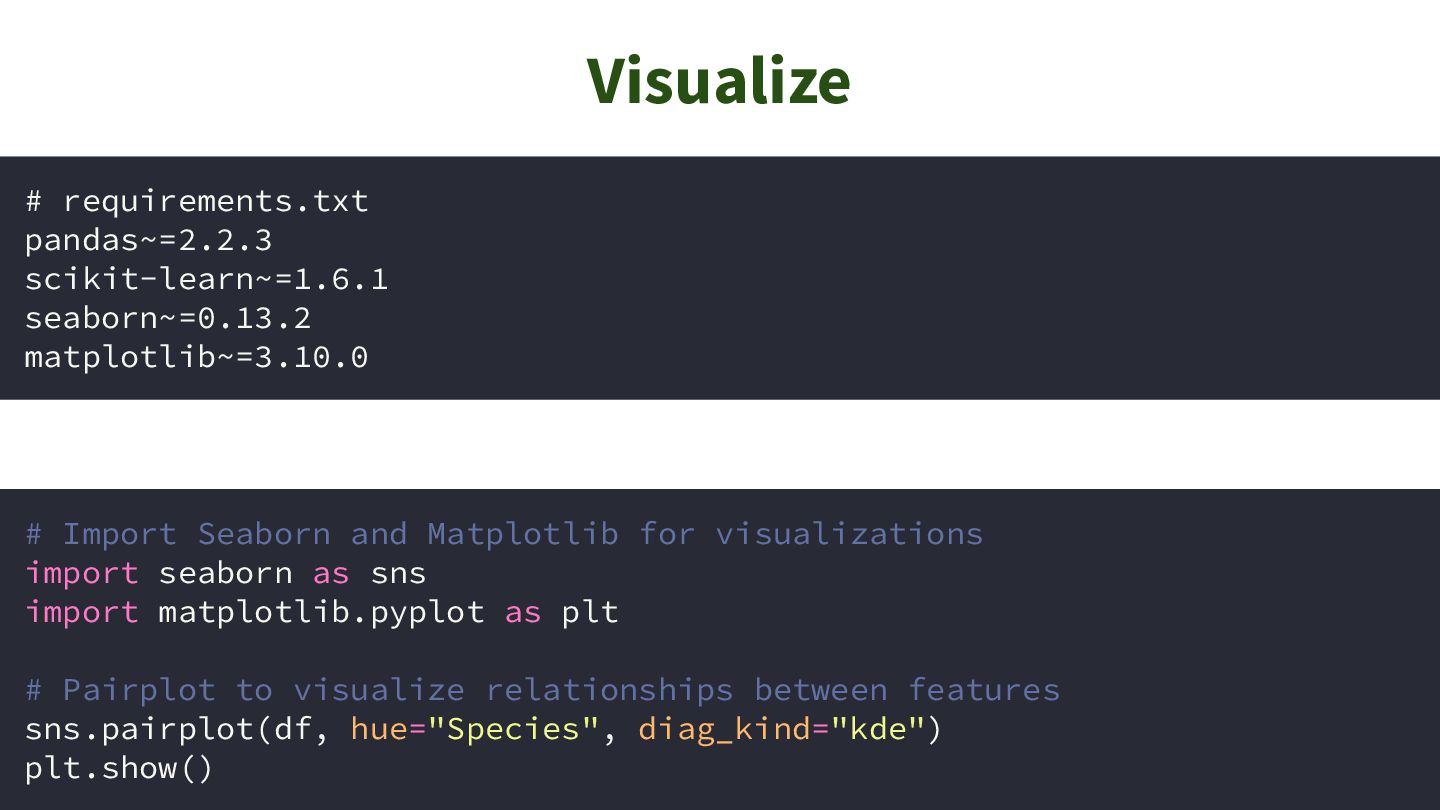
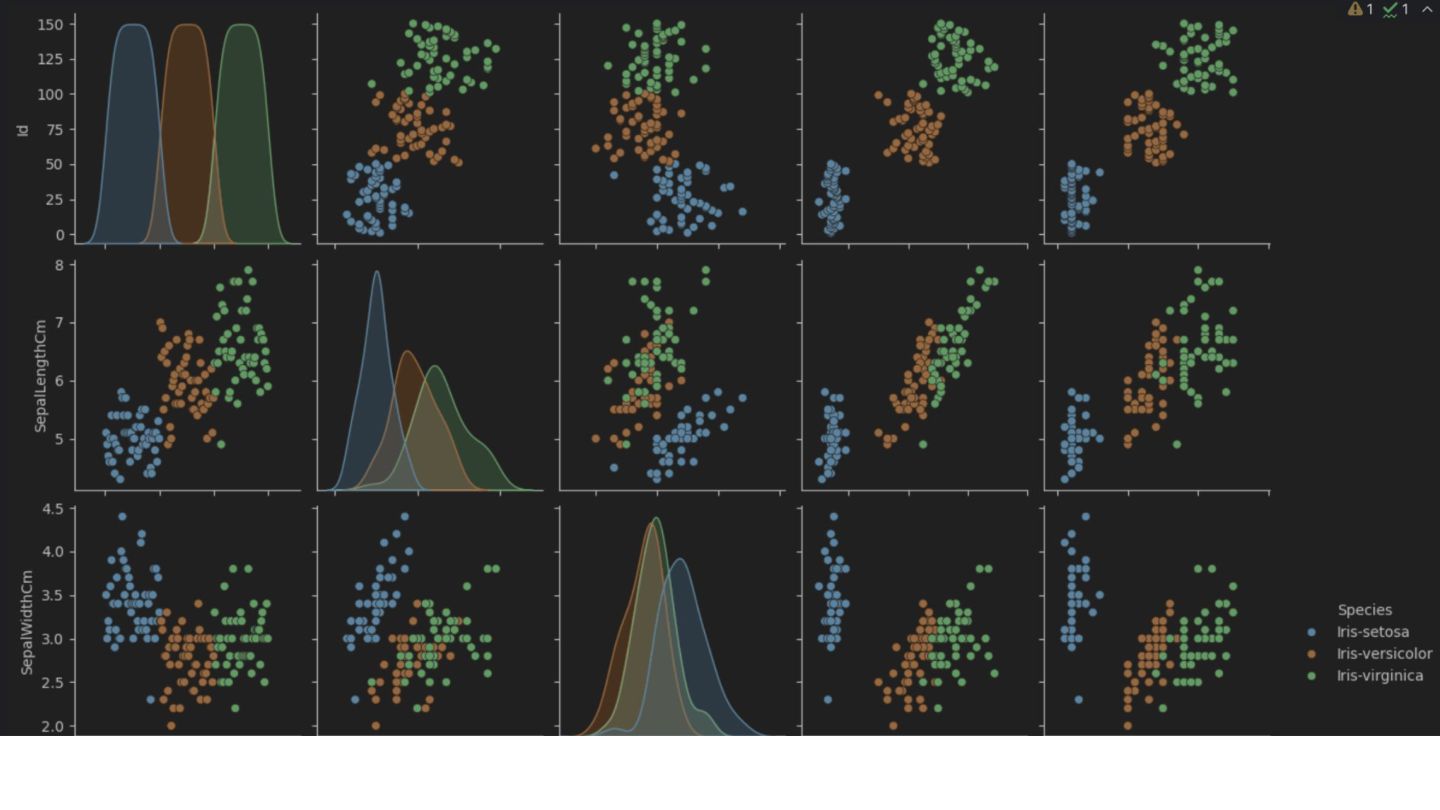
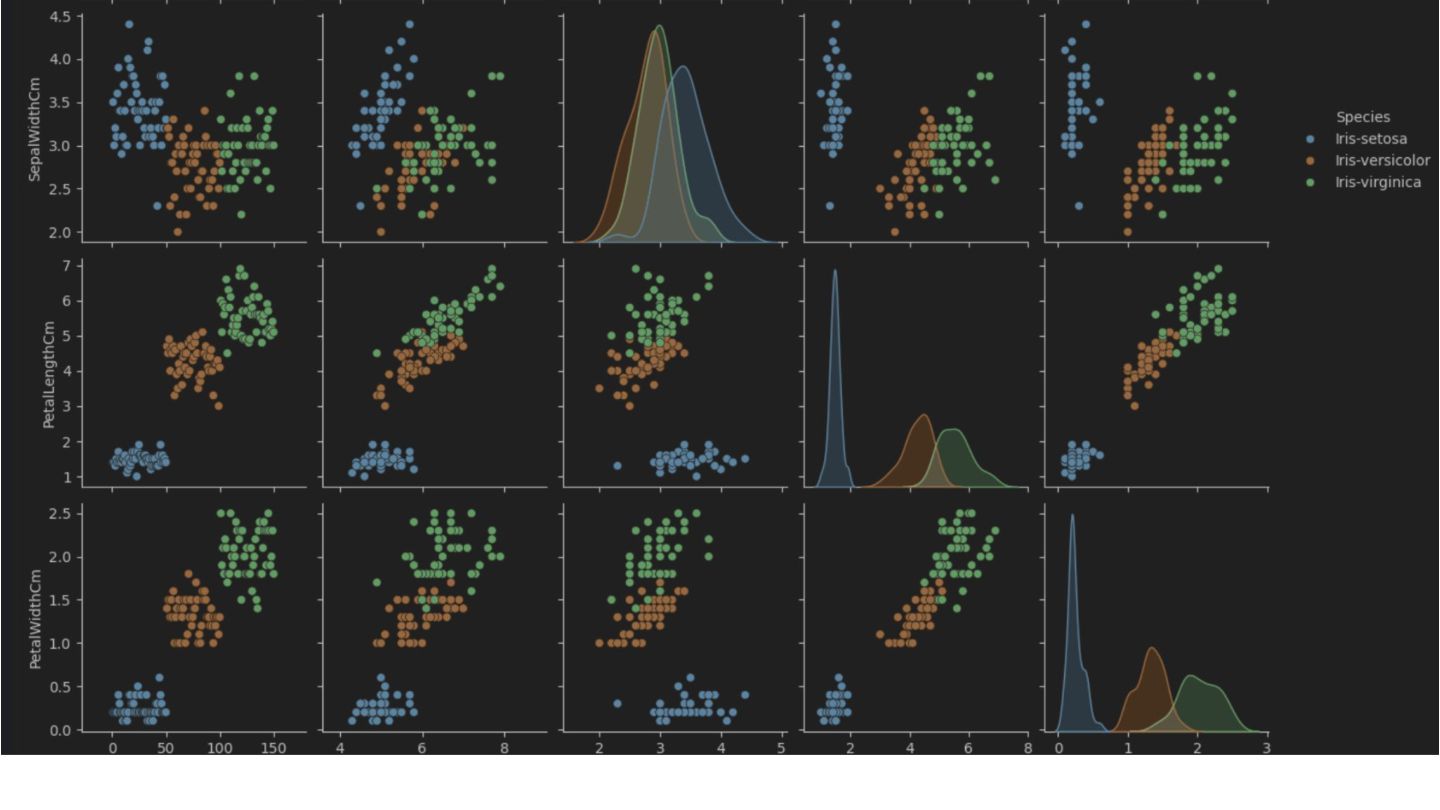
Visualize # requirements.txt pandas~=2.2.3 scikit-learn~=1.6.1 seaborn~=0.13.2 matplotlib~=3.10.0 # Import Seaborn
and Matplotlib for visualizations import seaborn as sns import matplotlib.pyplot as plt # Pairplot to visualize relationships between features sns.pairplot(df, hue="Species", diag_kind="kde") plt.show() -
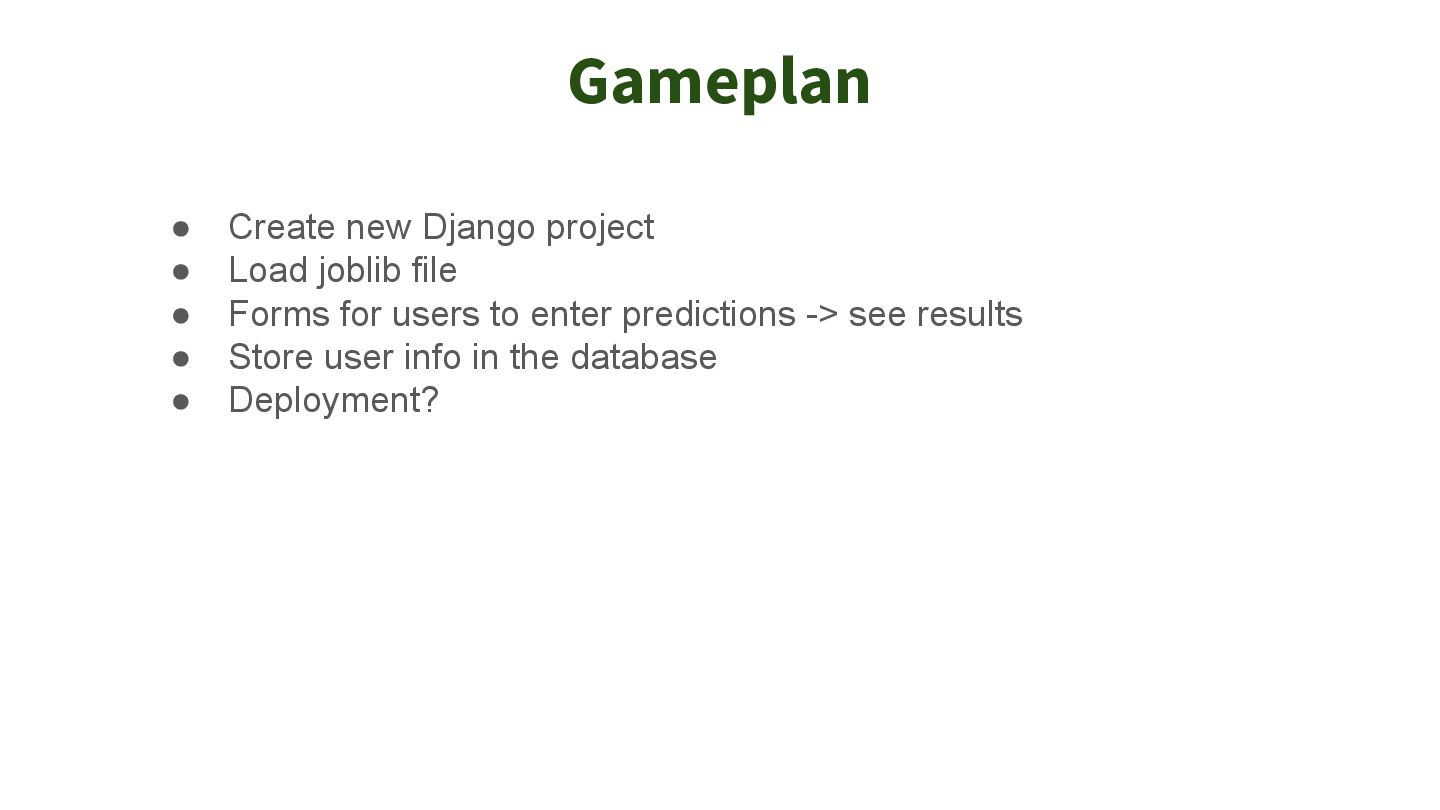
Gameplan • Create new Django project • Load joblib file
• Forms for users to enter predictions -> see results • Store user info in the database • Deployment? -
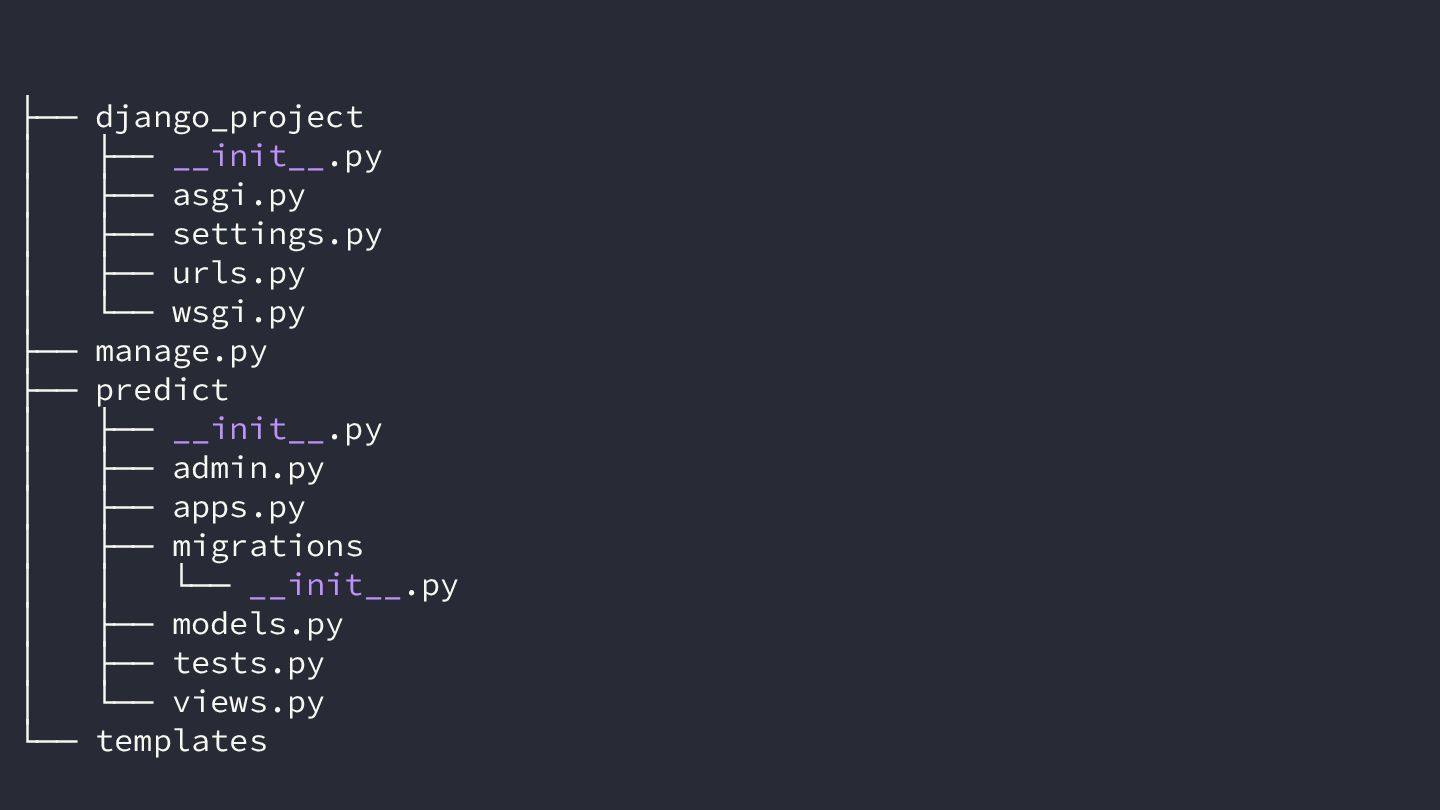
├── django_project │ ├── __init__.py │ ├── asgi.py │ ├──
settings.py │ ├── urls.py │ └── wsgi.py ├── manage.py ├── predict │ ├── __init__.py │ ├── admin.py │ ├── apps.py │ ├── migrations │ │ └── __init__.py │ ├── models.py │ ├── tests.py │ └── views.py └── templates -
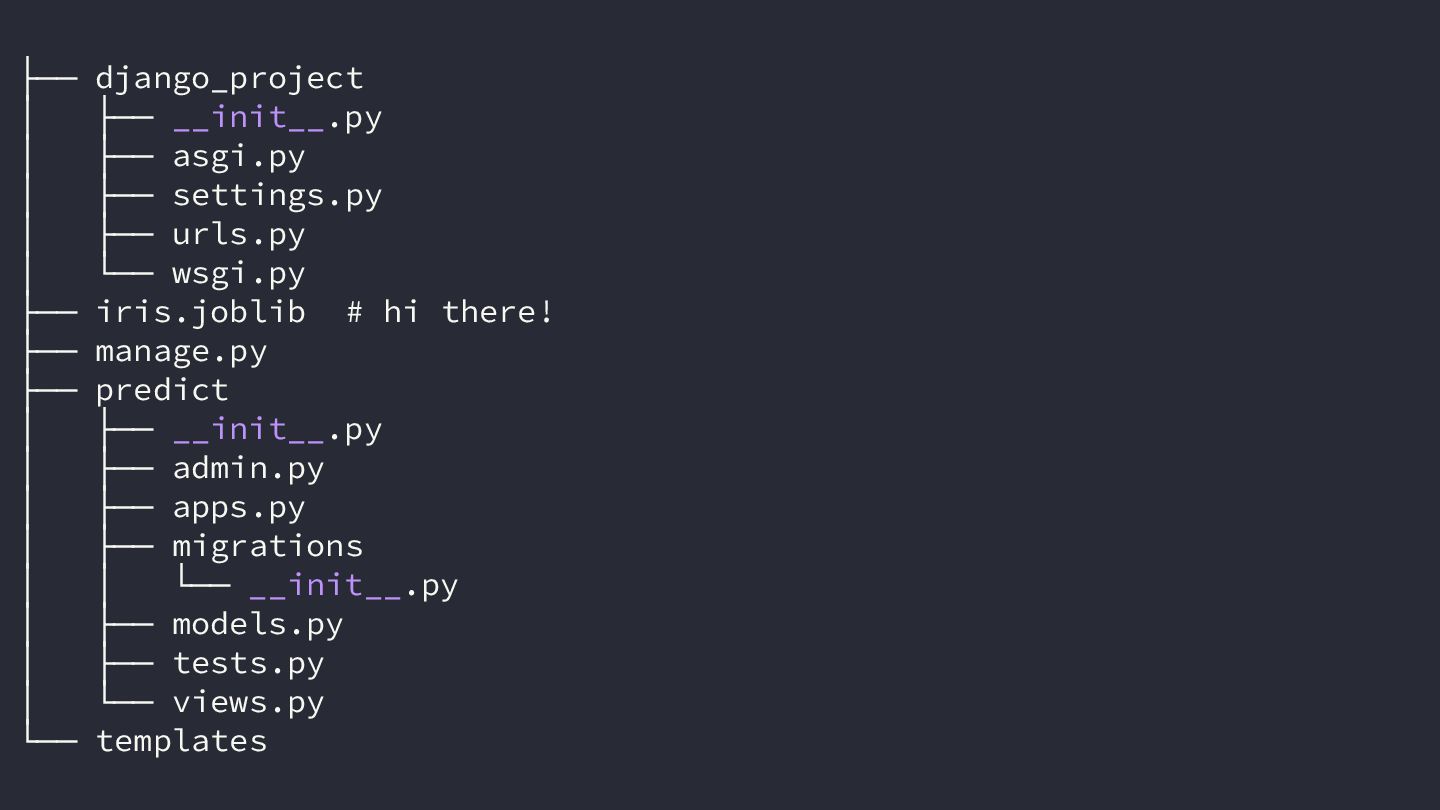
├── django_project │ ├── __init__.py │ ├── asgi.py │ ├──
settings.py │ ├── urls.py │ └── wsgi.py ├── iris.joblib # hi there! ├── manage.py ├── predict │ ├── __init__.py │ ├── admin.py │ ├── apps.py │ ├── migrations │ │ └── __init__.py │ ├── models.py │ ├── tests.py │ └── views.py └── templates -
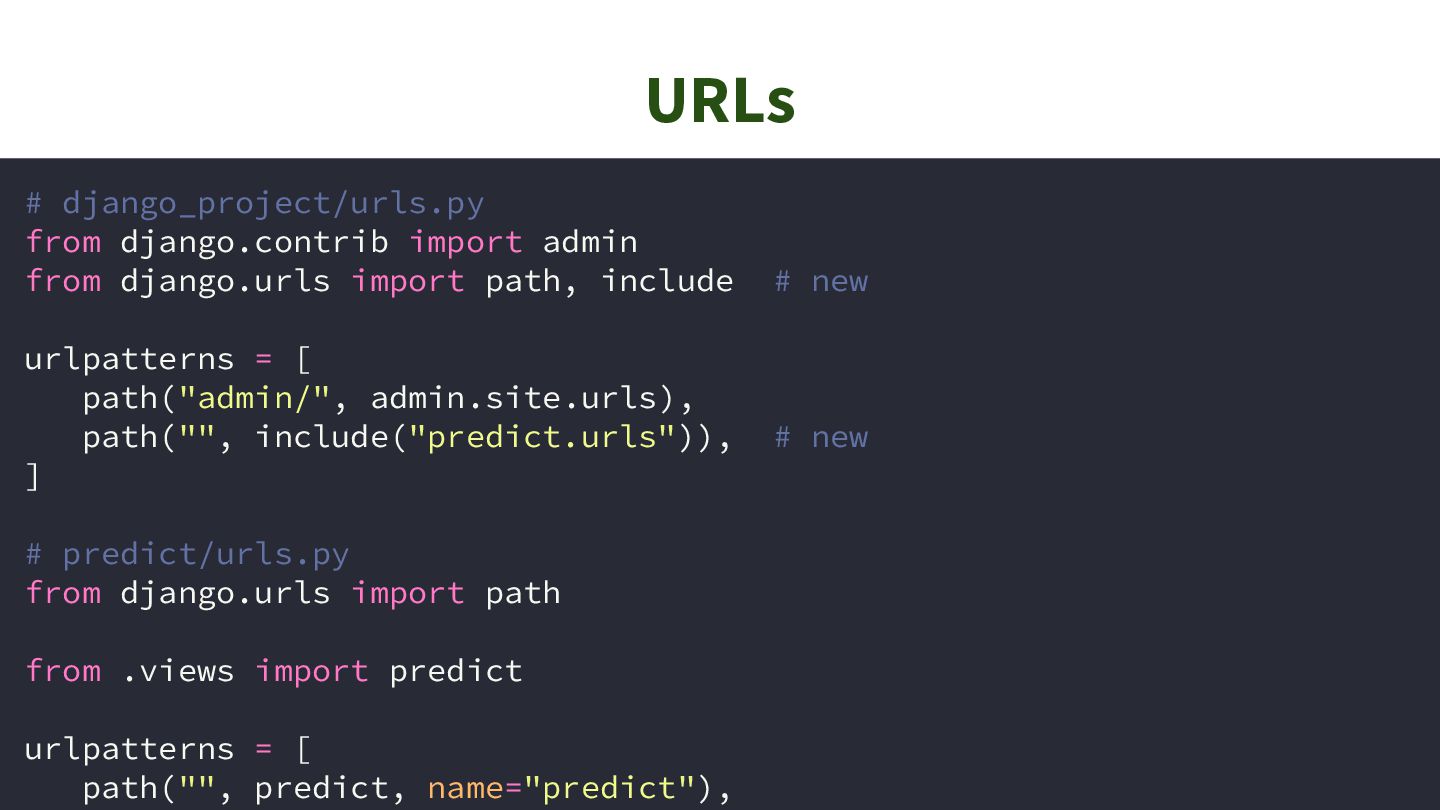
URLs # django_project/urls.py from django.contrib import admin from django.urls import
path, include # new urlpatterns = [ path("admin/", admin.site.urls), path("", include("predict.urls")), # new ] # predict/urls.py from django.urls import path from .views import predict urlpatterns = [ path("", predict, name="predict"), -
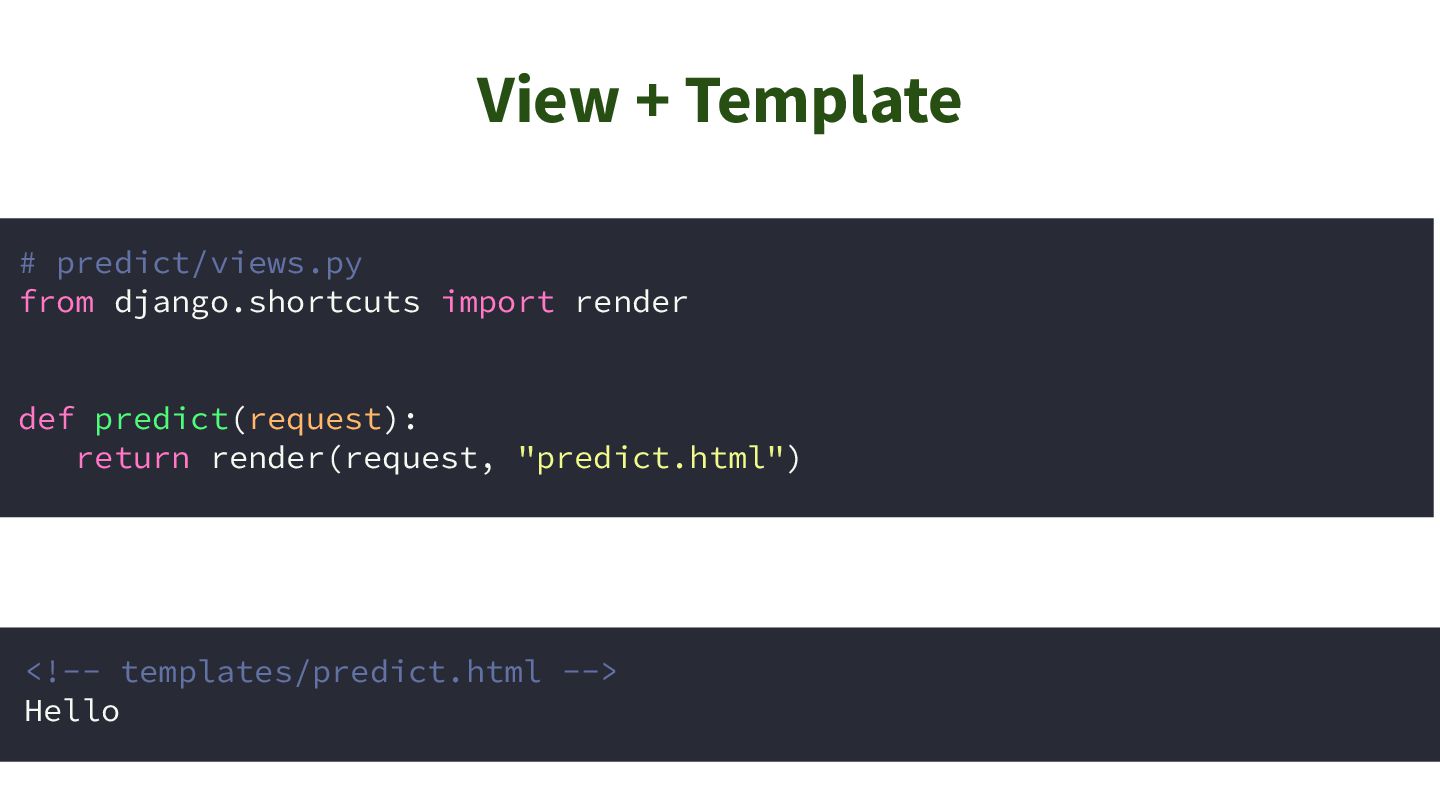
View + Template # predict/views.py from django.shortcuts import render def
predict(request): return render(request, "predict.html") <!-- templates/predict.html --> Hello -
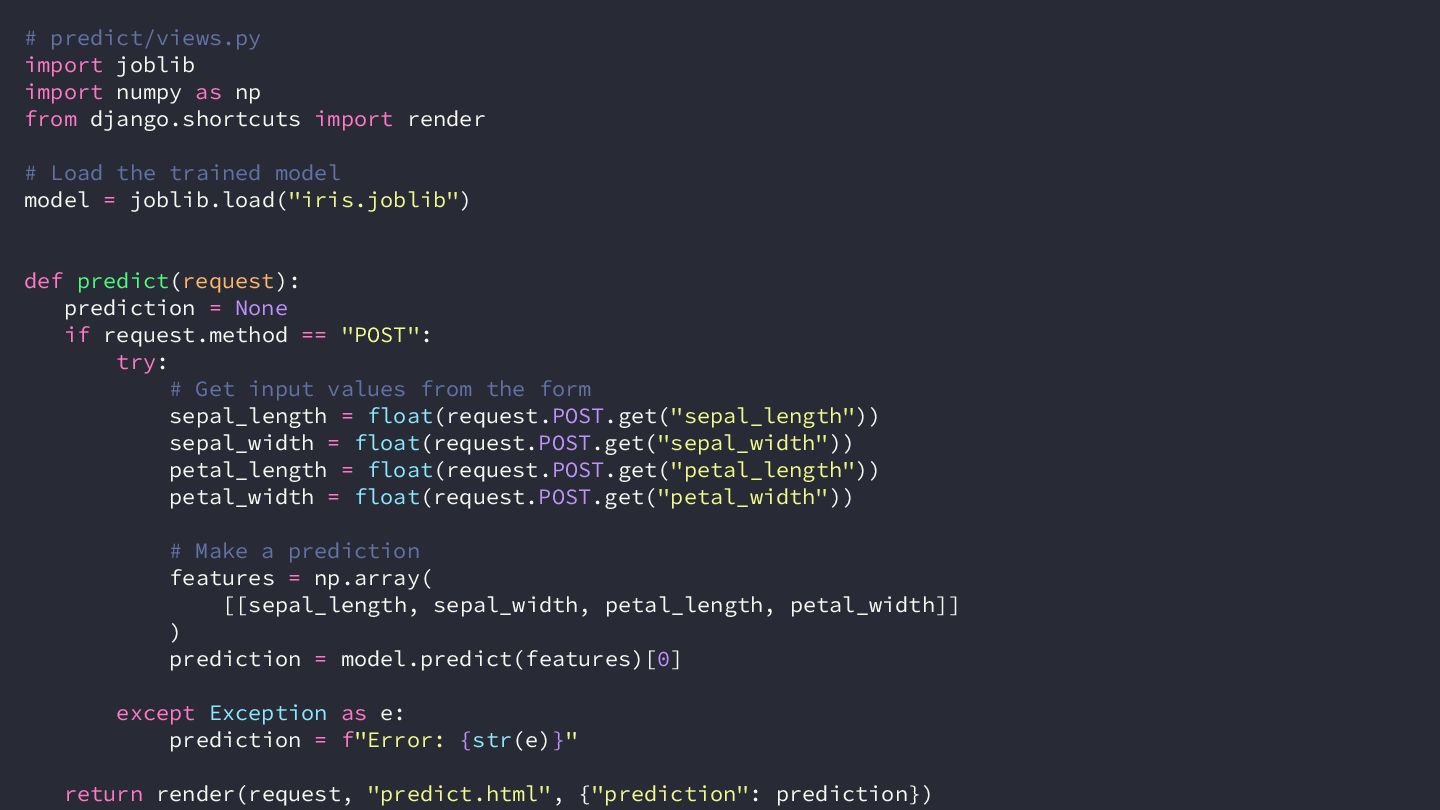
# predict/views.py import joblib import numpy as np from django.shortcuts
import render # Load the trained model model = joblib.load("iris.joblib") def predict(request): prediction = None if request.method == "POST": try: # Get input values from the form sepal_length = float(request.POST.get("sepal_length")) sepal_width = float(request.POST.get("sepal_width")) petal_length = float(request.POST.get("petal_length")) petal_width = float(request.POST.get("petal_width")) # Make a prediction features = np.array( [[sepal_length, sepal_width, petal_length, petal_width]] ) prediction = model.predict(features)[0] except Exception as e: prediction = f"Error: {str(e)}" return render(request, "predict.html", {"prediction": prediction}) -
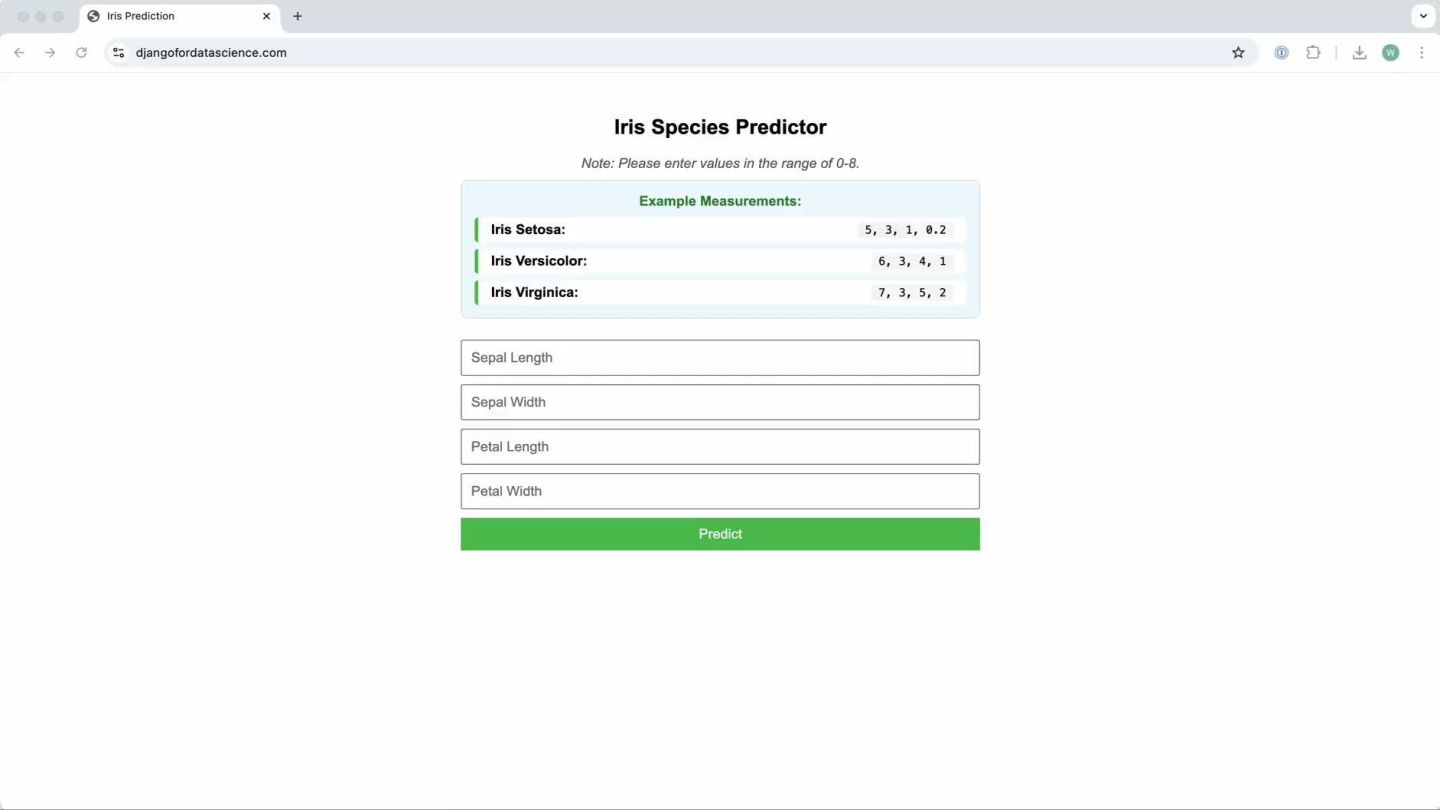
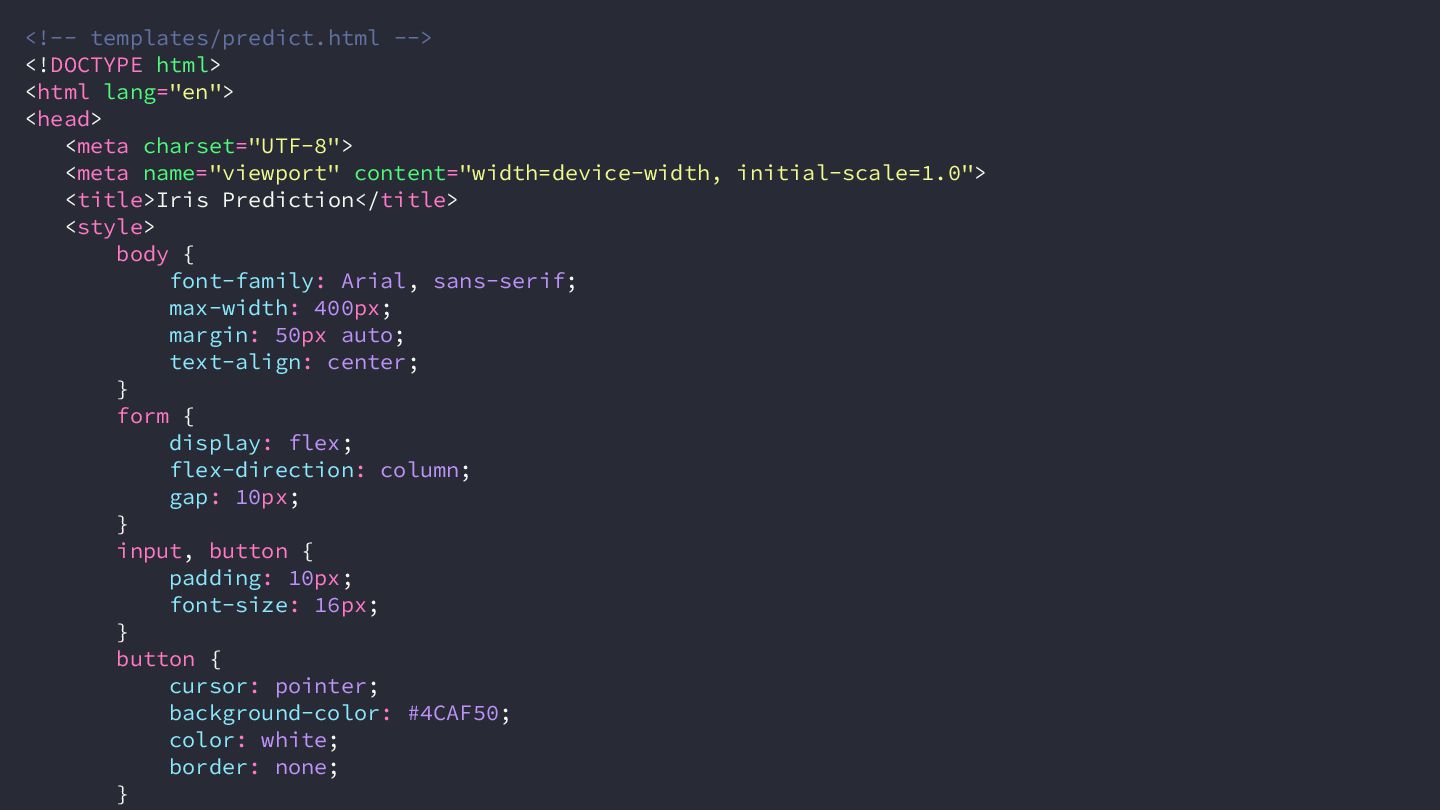
<!-- templates/predict.html --> <!DOCTYPE html> <html lang="en"> <head> <meta charset="UTF-8">
<meta name="viewport" content="width=device-width, initial-scale=1.0"> <title>Iris Prediction</title> <style> body { font-family: Arial, sans-serif; max-width: 400px; margin: 50px auto; text-align: center; } form { display: flex; flex-direction: column; gap: 10px; } input, button { padding: 10px; font-size: 16px; } button { cursor: pointer; background-color: #4CAF50; color: white; border: none; } -
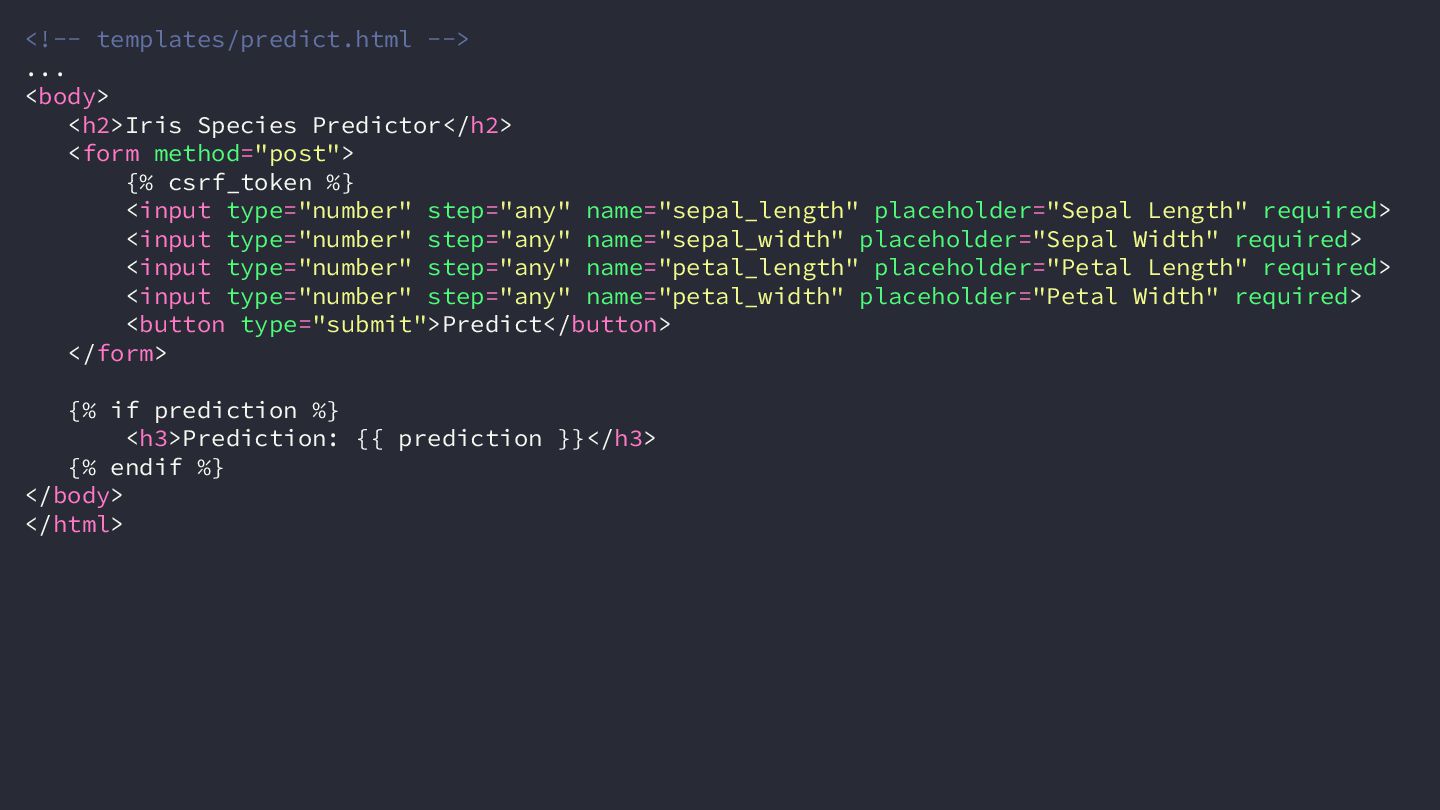
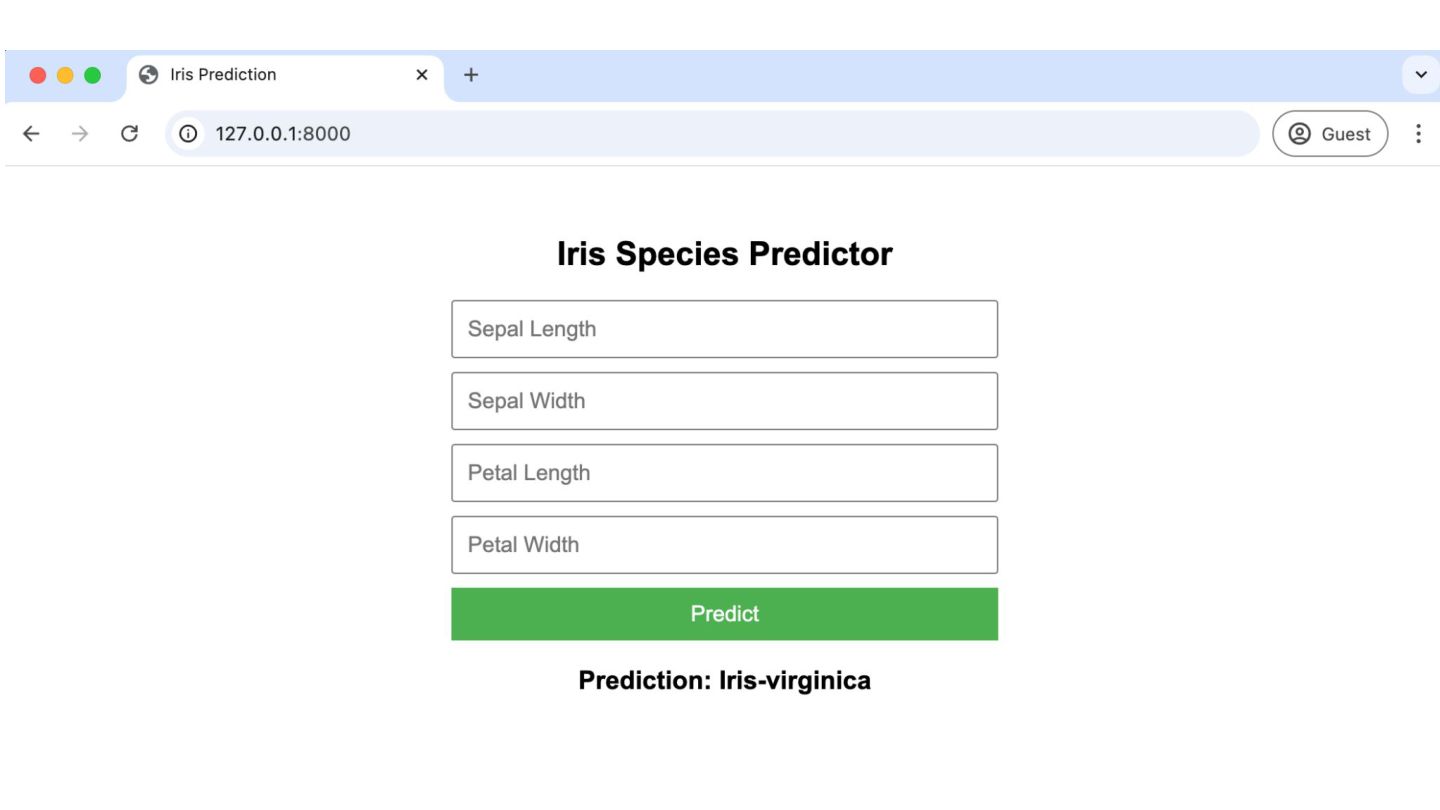
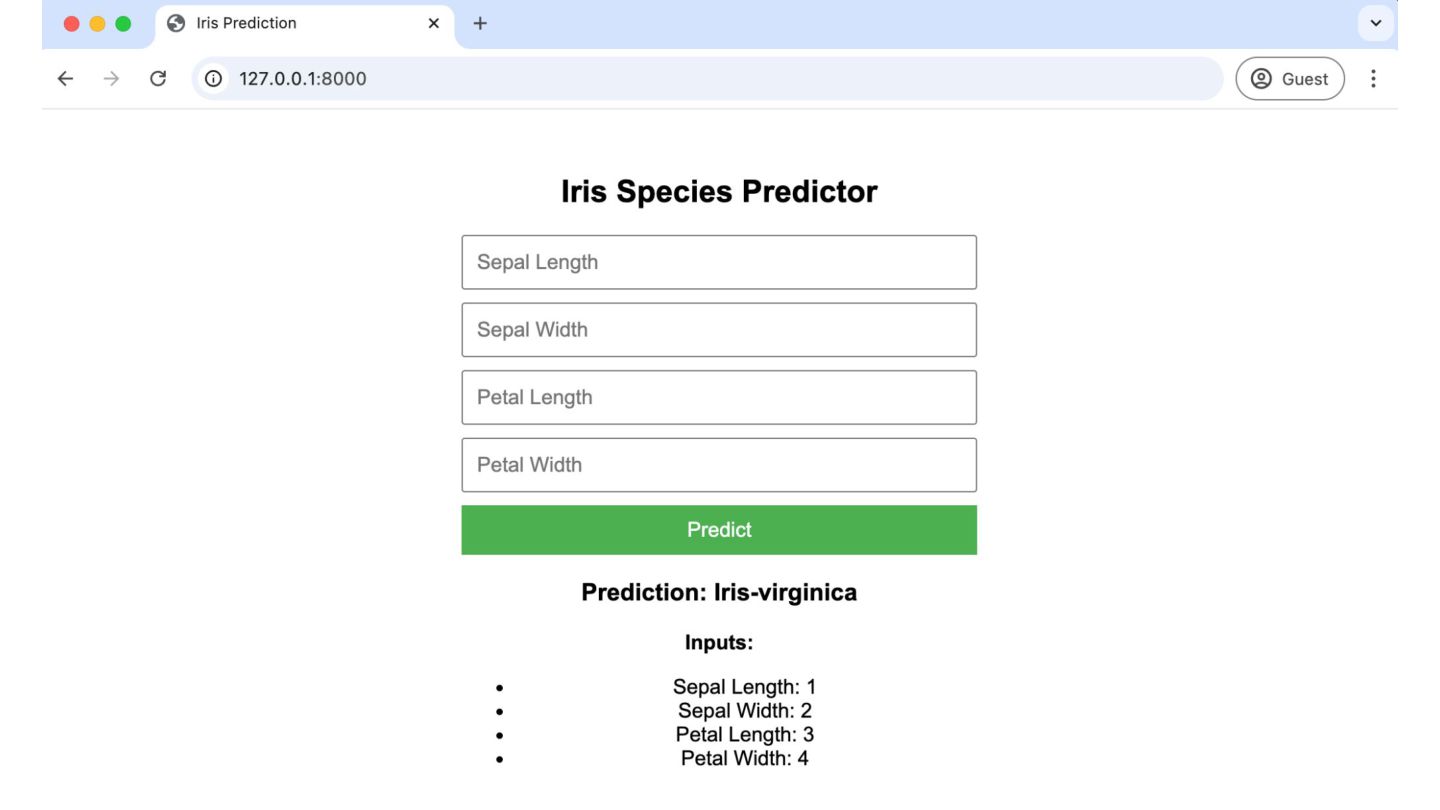
<!-- templates/predict.html --> ... <body> <h2>Iris Species Predictor</h2> <form method="post">
{% csrf_token %} <input type="number" step="any" name="sepal_length" placeholder="Sepal Length" required> <input type="number" step="any" name="sepal_width" placeholder="Sepal Width" required> <input type="number" step="any" name="petal_length" placeholder="Petal Length" required> <input type="number" step="any" name="petal_width" placeholder="Petal Width" required> <button type="submit">Predict</button> </form> {% if prediction %} <h3>Prediction: {{ prediction }}</h3> {% endif %} </body> </html> -
Store User Inputs # predict/views.py ... def predict(request): prediction =
None form_data = {} # To store user inputs if request.method == "POST": try: # Store form inputs form_data = { "sepal_length": request.POST.get("sepal_length"), "sepal_width": request.POST.get("sepal_width"), "petal_length": request.POST.get("petal_length"), "petal_width": request.POST.get("petal_width"), } # Convert inputs to float and make a prediction features = np.array([[float(v) for v in form_data.values()]]) prediction = model.predict(features)[0] except Exception as e: prediction = f"Error: {str(e)}" return render( request, "predict.html", {"prediction": prediction, "form_data": form_data} -
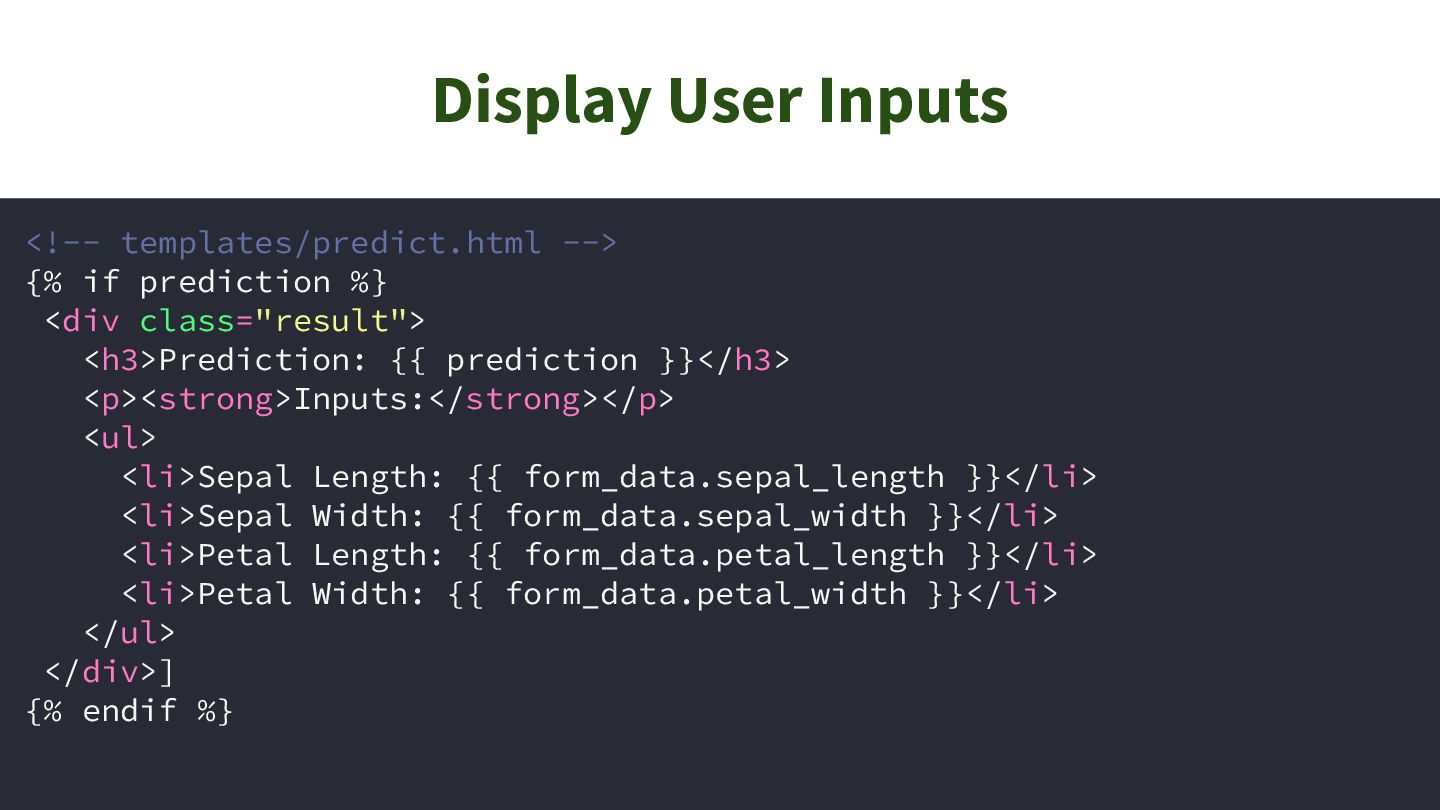
Display User Inputs <!-- templates/predict.html --> {% if prediction %}
<div class="result"> <h3>Prediction: {{ prediction }}</h3> <p><strong>Inputs:</strong></p> <ul> <li>Sepal Length: {{ form_data.sepal_length }}</li> <li>Sepal Width: {{ form_data.sepal_width }}</li> <li>Petal Length: {{ form_data.petal_length }}</li> <li>Petal Width: {{ form_data.petal_width }}</li> </ul> </div>] {% endif %} -
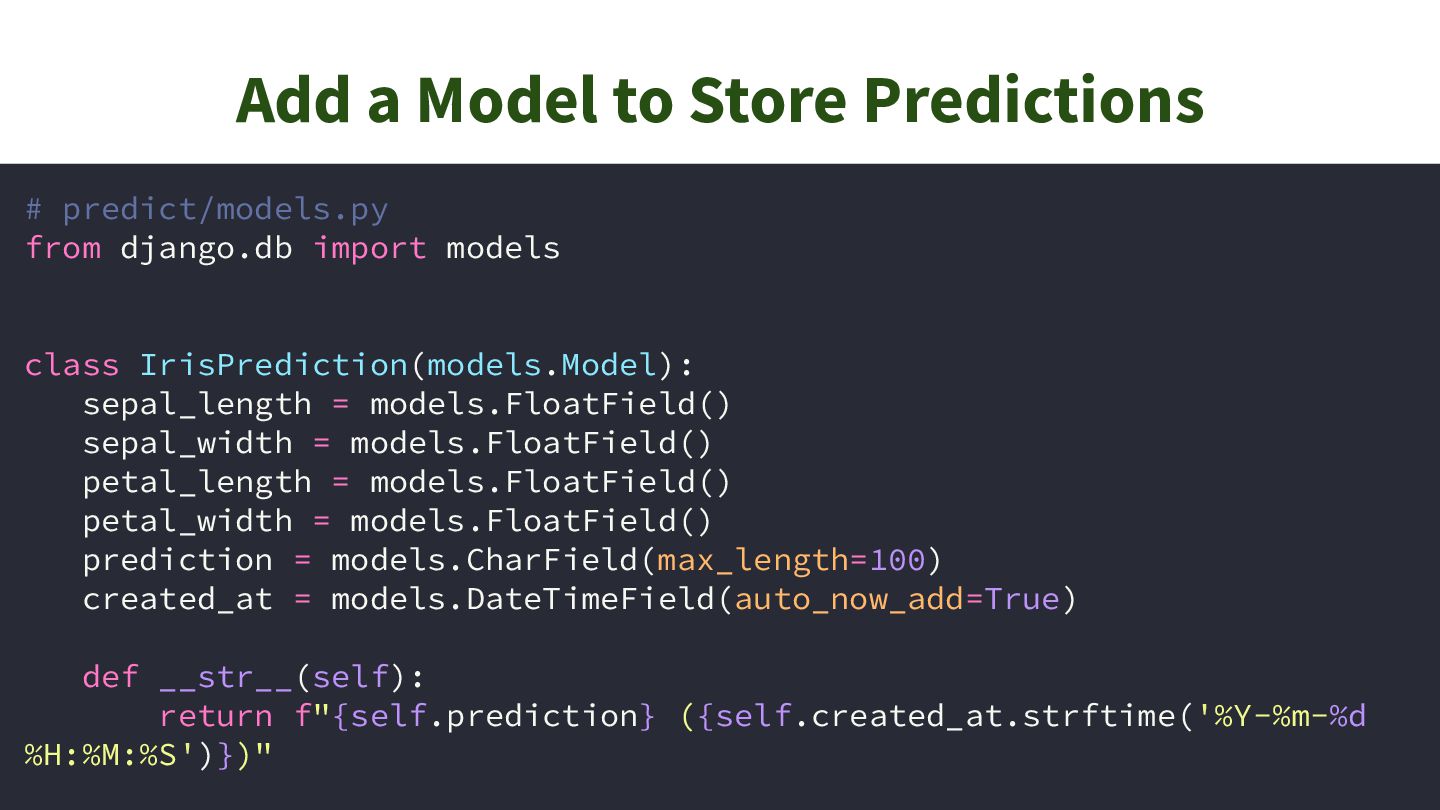
Add a Model to Store Predictions # predict/models.py from django.db
import models class IrisPrediction(models.Model): sepal_length = models.FloatField() sepal_width = models.FloatField() petal_length = models.FloatField() petal_width = models.FloatField() prediction = models.CharField(max_length=100) created_at = models.DateTimeField(auto_now_add=True) def __str__(self): return f"{self.prediction} ({self.created_at.strftime('%Y-%m-%d %H:%M:%S')})" -
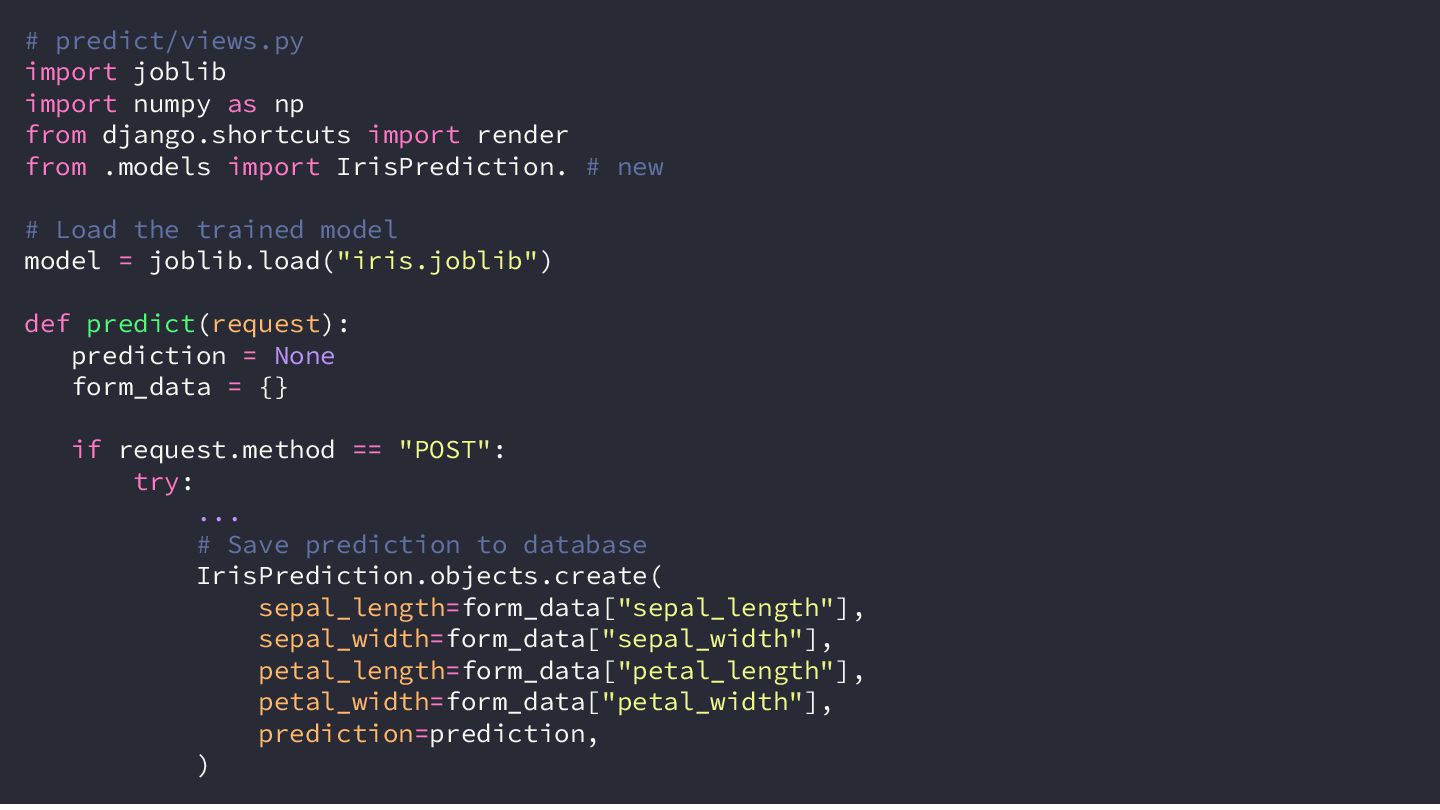
# predict/views.py import joblib import numpy as np from django.shortcuts
import render from .models import IrisPrediction. # new # Load the trained model model = joblib.load("iris.joblib") def predict(request): prediction = None form_data = {} if request.method == "POST": try: ... # Save prediction to database IrisPrediction.objects.create( sepal_length=form_data["sepal_length"], sepal_width=form_data["sepal_width"], petal_length=form_data["petal_length"], petal_width=form_data["petal_width"], prediction=prediction, ) -
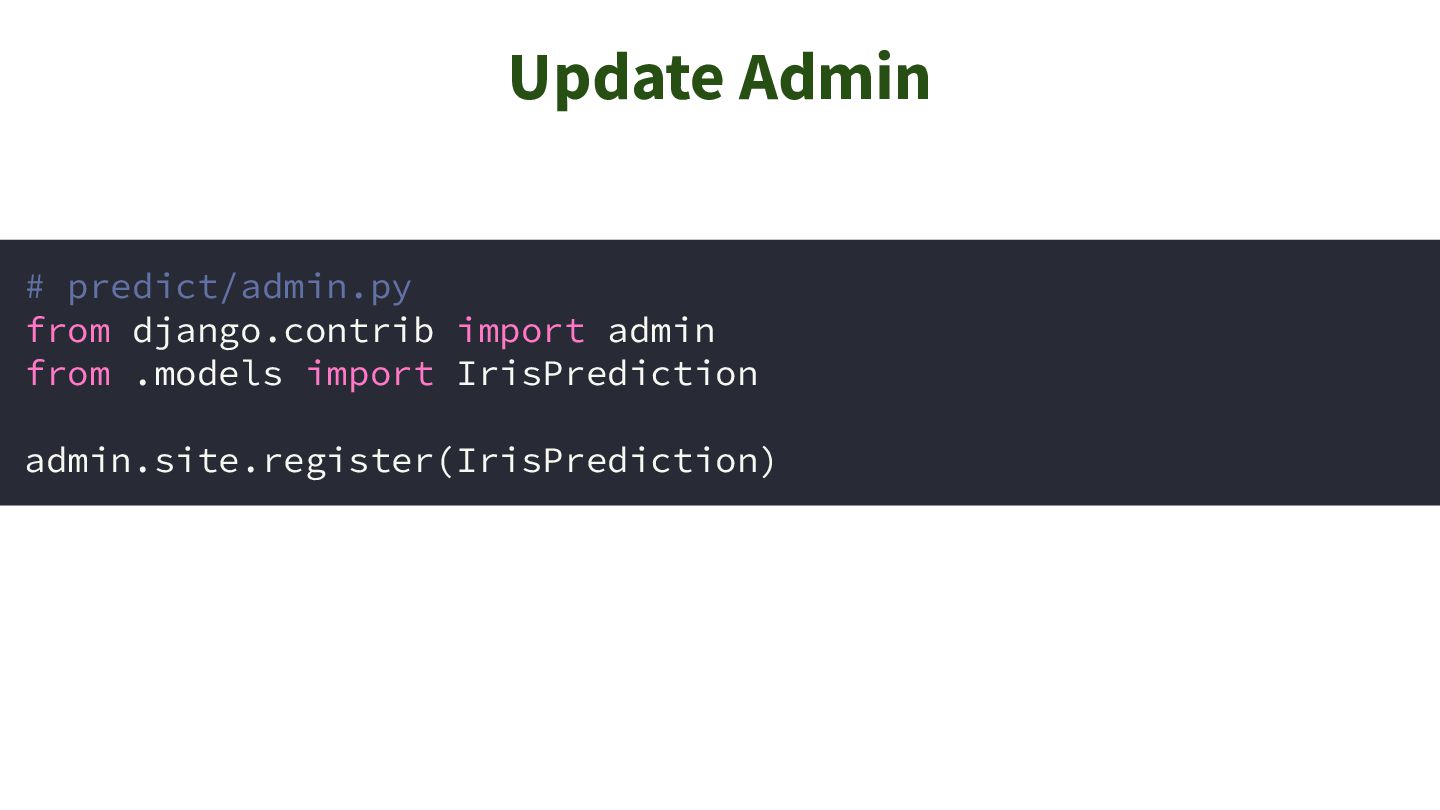
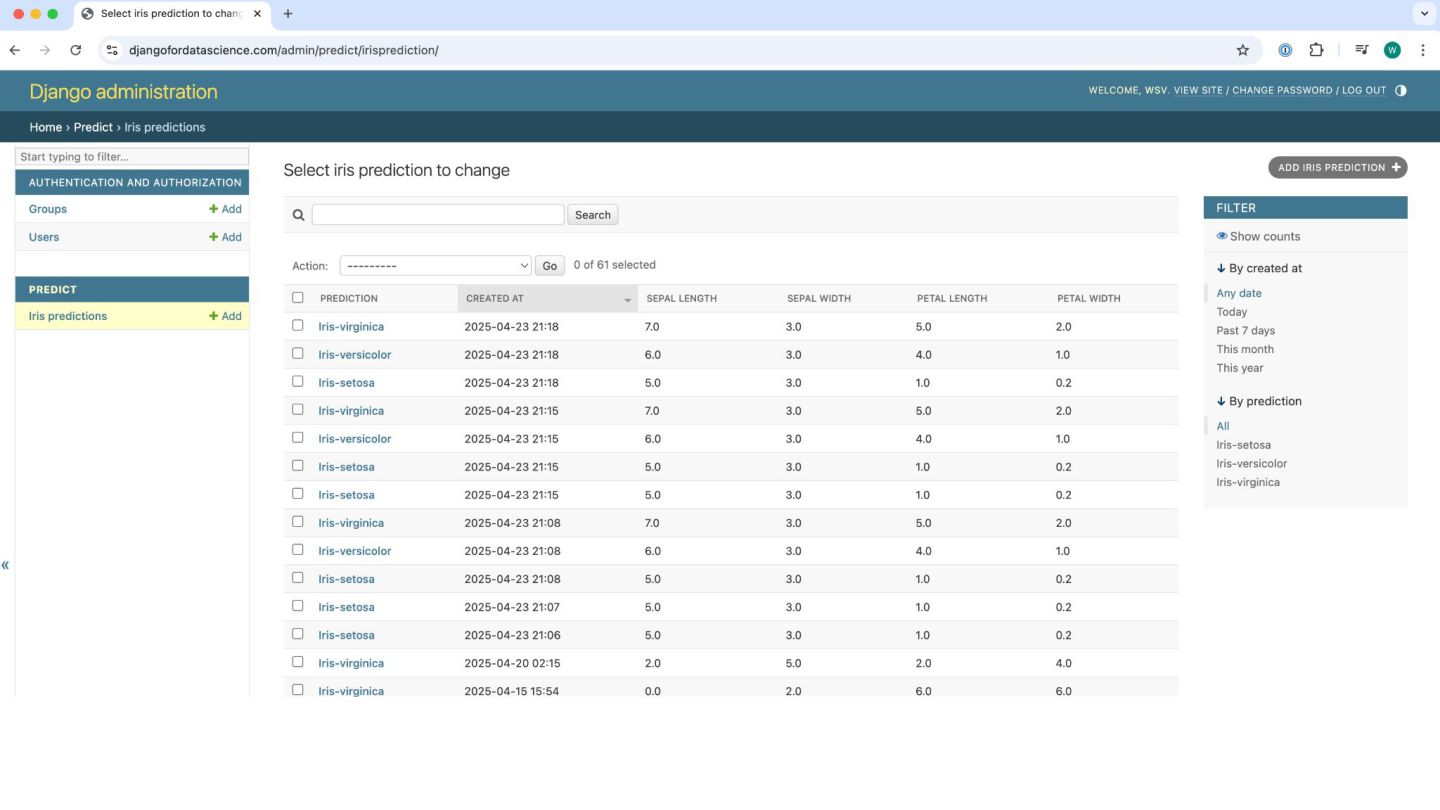
Update Admin # predict/admin.py from django.contrib import admin from .models
import IrisPrediction admin.site.register(IrisPrediction) -
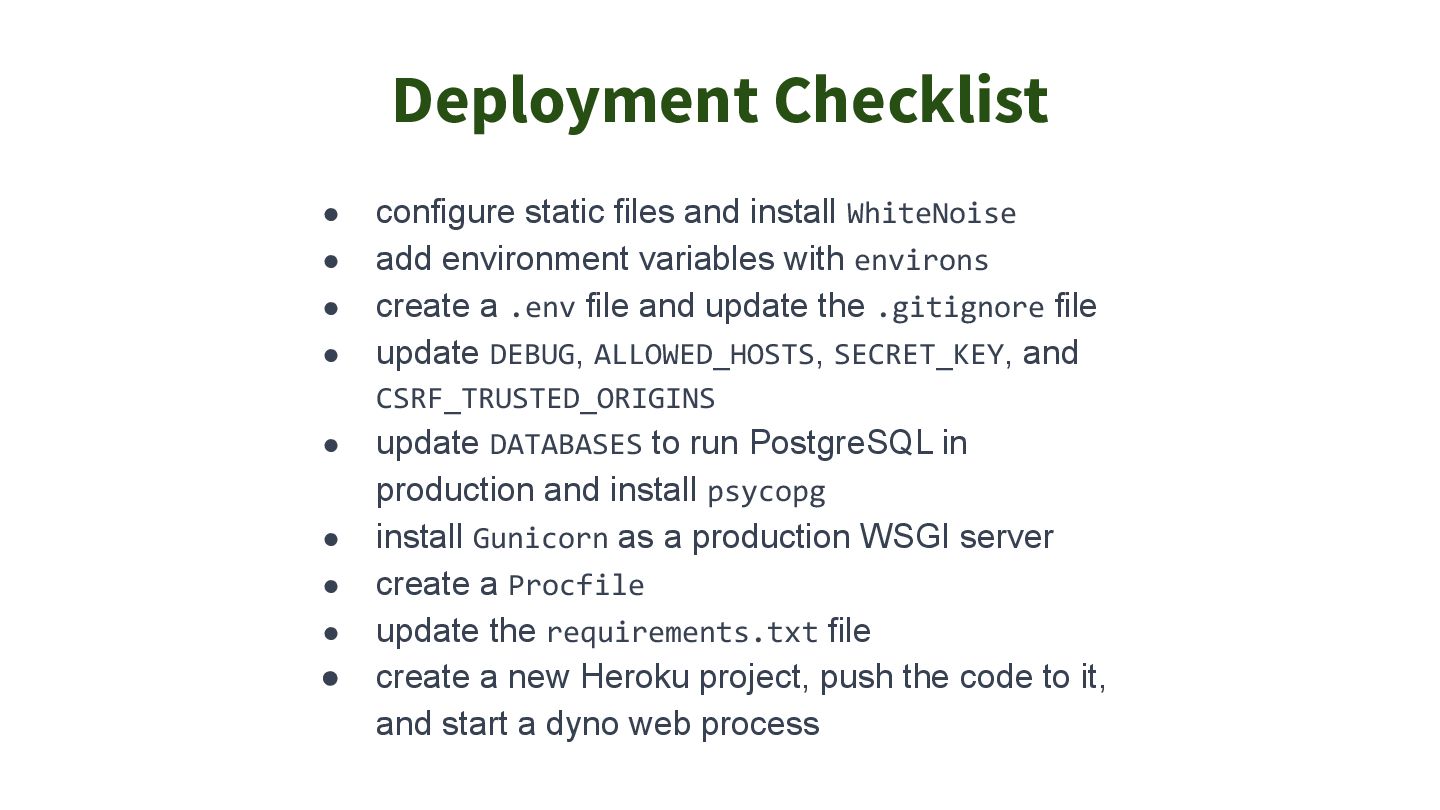
Deployment Checklist • configure static files and install WhiteNoise •
add environment variables with environs • create a .env file and update the .gitignore file • update DEBUG, ALLOWED_HOSTS, SECRET_KEY, and CSRF_TRUSTED_ORIGINS • update DATABASES to run PostgreSQL in production and install psycopg • install Gunicorn as a production WSGI server • create a Procfile • update the requirements.txt file • create a new Heroku project, push the code to it, and start a dyno web process -
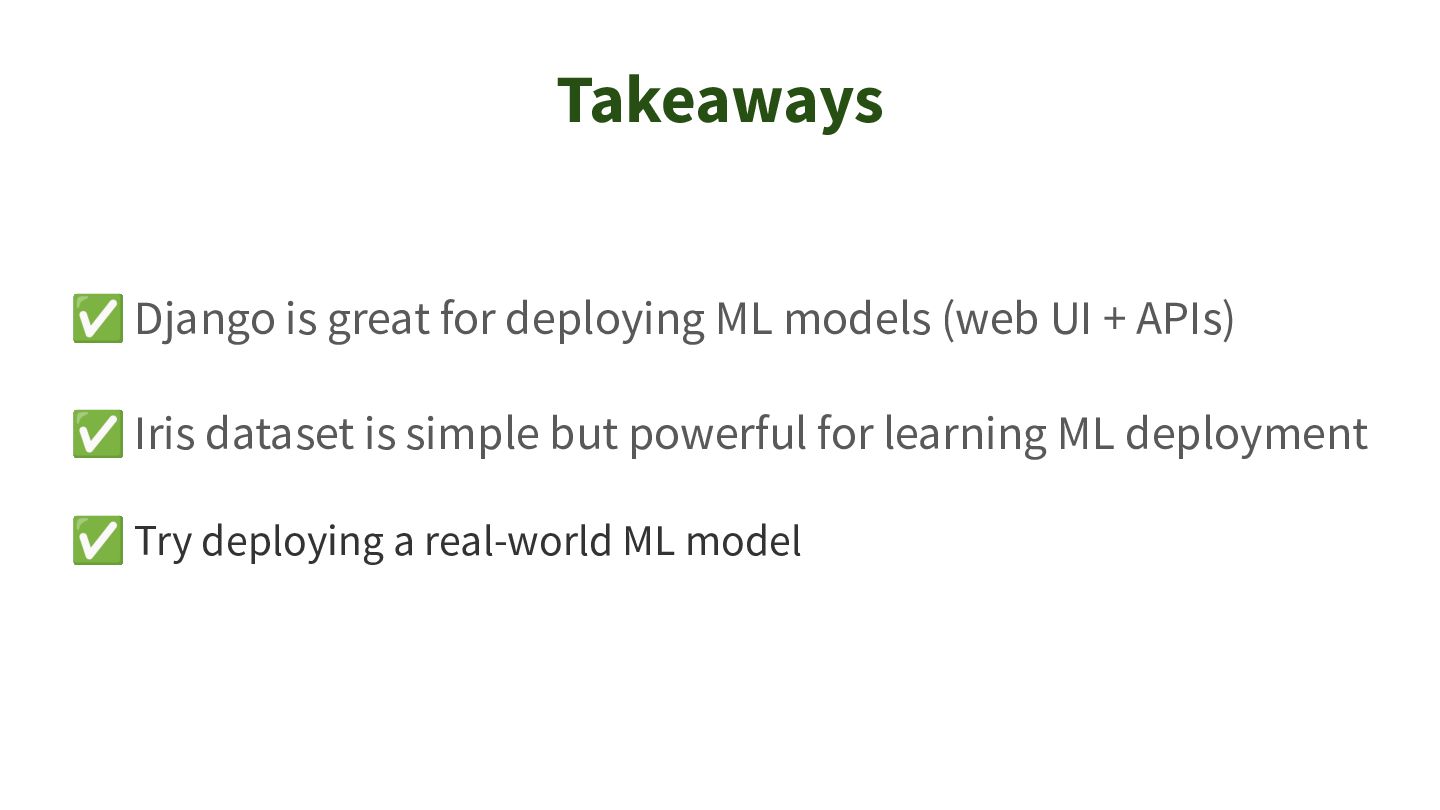
Takeaways ✅ Django is great for deploying ML models (web
UI + APIs) ✅ Iris dataset is simple but powerful for learning ML deployment ✅ Try deploying a real-world ML model