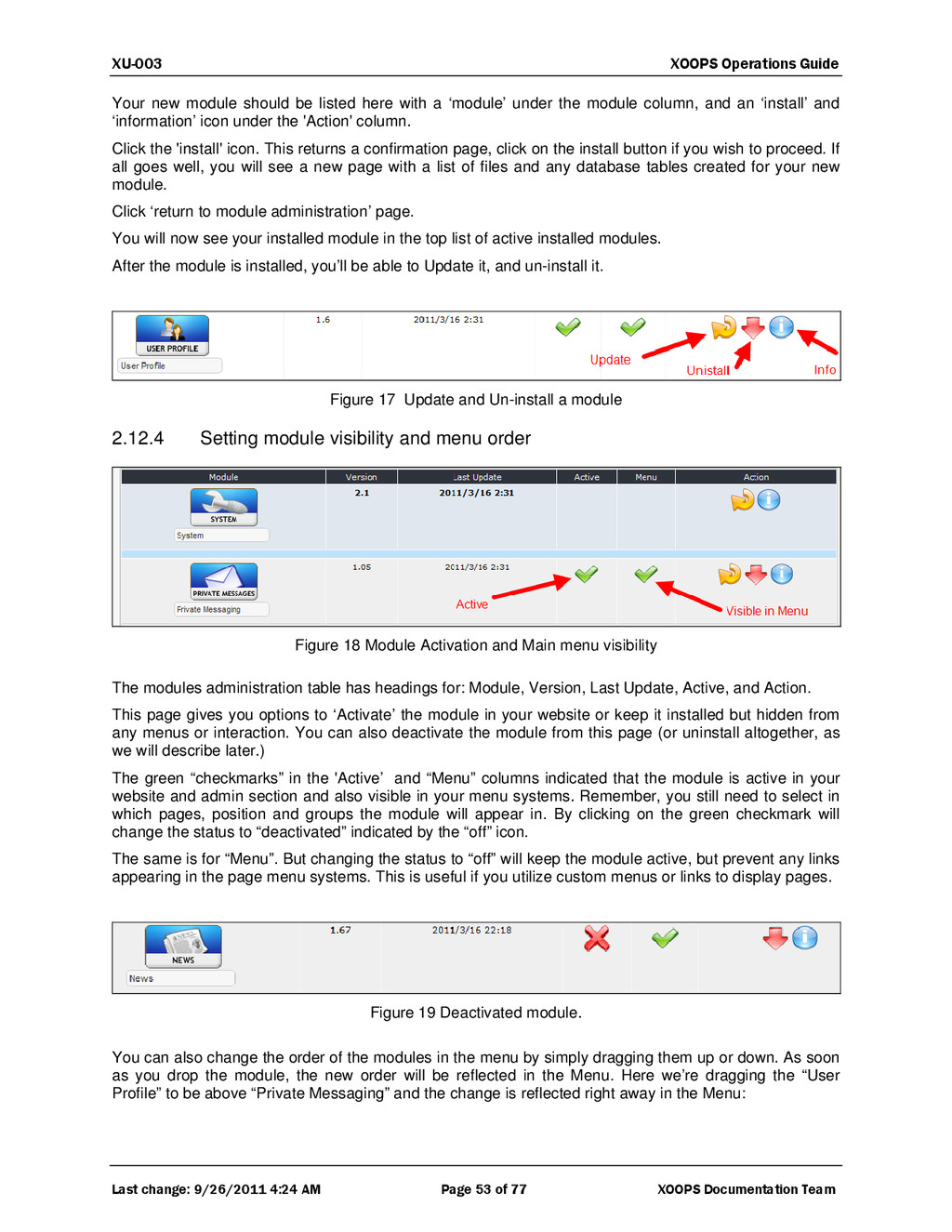
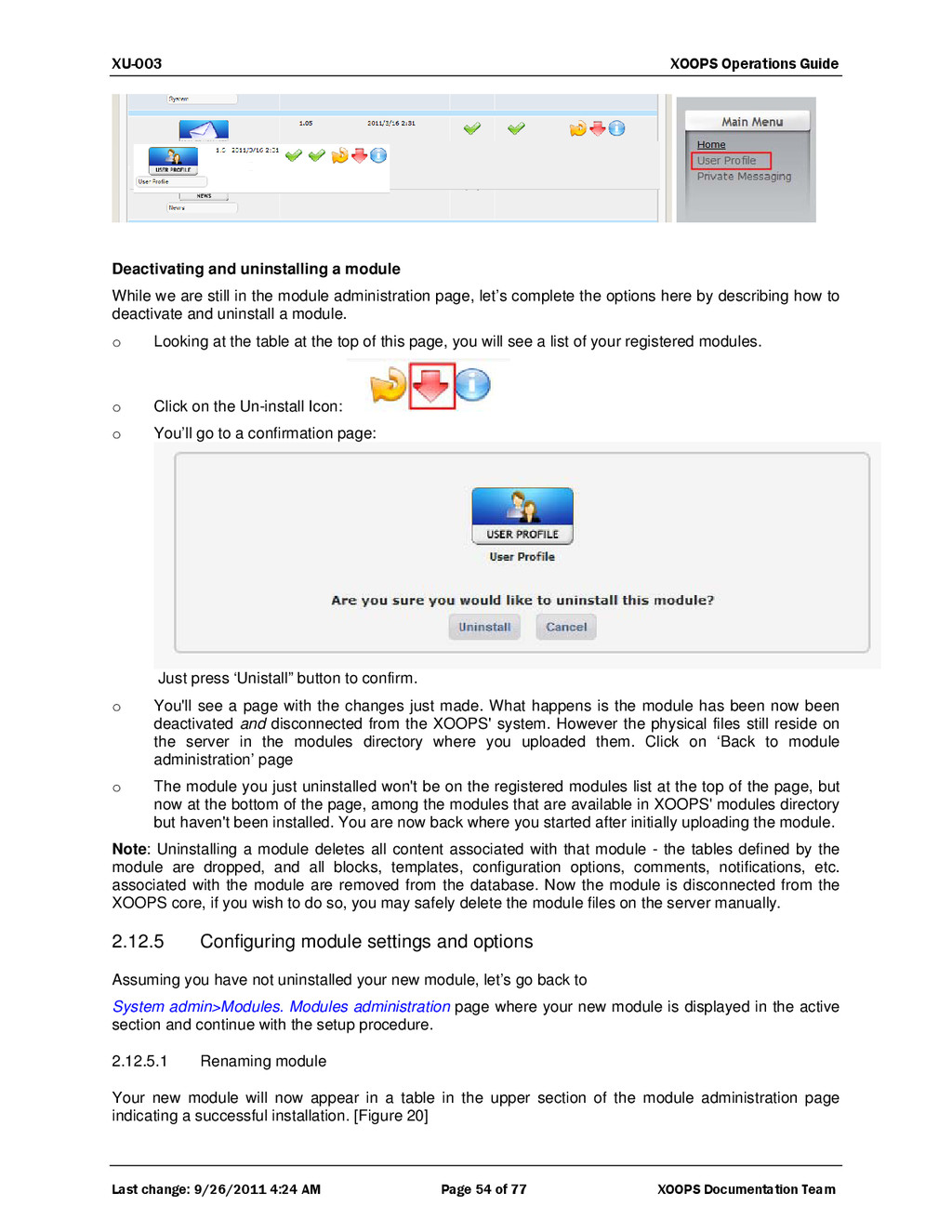
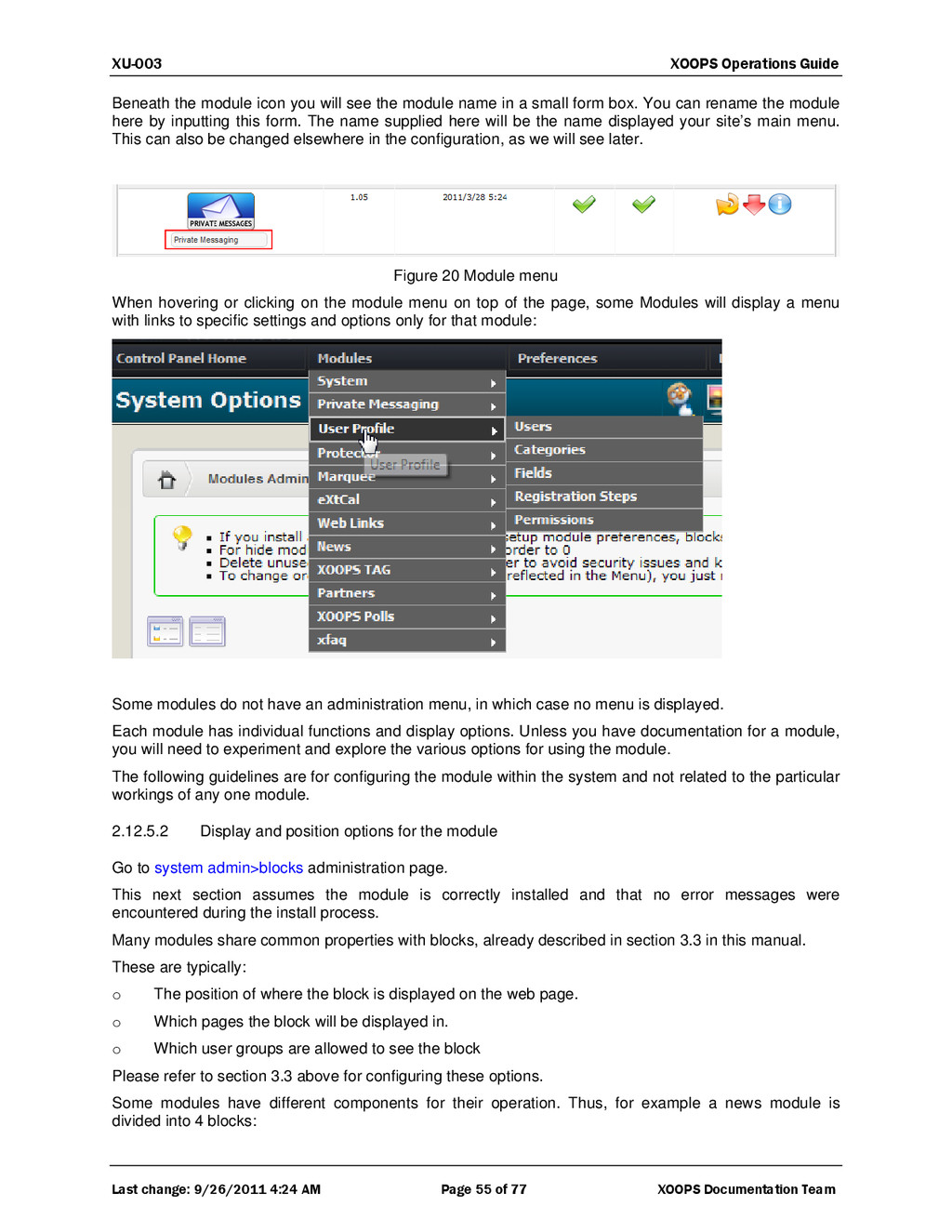
7 of 77 XOOPS Documentation Team gallery; another one, a discussion forum; yet one more, an area to download files. All these offer reasons for users to visit the site. And the general idea, as in a physical mall, is that the result is greater than the arithmetic sum of the parts. In what other way are modules like the mall’s tenants? Well, to get installed in the site they must follow some rules. Some of them are coding rules: if a module doesn’t have a xoops_version.php file, XOOPS doesn’t even know it’s there. If the module doesn’t take advantage of the mall’s services, it would need a lot of code to accomplish common things. XOOPS, the mall, provides the modules things like user management, security, structure, functions and classes, and so on. There are also some presentation rules. Just as a mall’s store has to follow some of the building codes, a XOOPS module has to follow rules to create blocks and rules to present content using the Smarty template engine. In the outer wall, a mall showcases the stores within. In its homepage, a XOOPS site showcases the modules within. The mall does it with shop windows; XOOPS does it with blocks. The mall administrator decides what merchandise to highlight in the shop windows. The equivalent, which is the XOOPS webmaster, decides what blocks to highlight in the home page. Of course, a metaphor can only go so far before it gets s funny. Let’s not pursue this any more, or we’d need to explain that XOOPS the mall has some advantages over the real mall: it can switch between personalities to have a different look (using themes, called skins in other contexts); it can easily change the structure of the home page, the labels of the modules, etc. But the general idea is useful, as it separates clearly three basic components of the XOOPS system: The core, where the general functionalities of the site reside. The core also provides some extra features such as the notification options, that let users be informed about specific changes in a module’s content; the commenting system, that lets users leave on the site comments about specific content items; and the installation routine that makes sure a module complies with the elementary rules to be automatically incorporated to the site. The modules, which hold the actual content of the site, and which can be as simple as a block that displays a daily quote, or as complex as a full e-commerce package that allows the webmaster to make live commercial transactions on the Web. The blocks, which are “windows” to a module’s full content, though some blocks have an existence of their own. The XOOPS core is actually a package of interrelated PHP files that in an appropriate setting provide the functions needed to operate the website. Many of these functions are completely hidden from the end user, and are only used by modules in order to work properly. Many more are visible to the user and to the webmaster through the System module, which gives the user some essential functions such as the login procedure, the main menu and the user menu, a hint of who’s online, access to the search function, and some theme-switching capability, to name a few. The core and the System module also give the webmaster the admin area, the place where most of the control over the site happens. To sum up, then, the XOOPS core comprises a lot of power hidden under calls to classes or functions, provides the functional framework, the templating engine, the handling of languages and much more. It accomplishes part this through the System module, which is the only one installed in a default XOOPS package, as it’s through this module that the webmaster decides what other modules will be part of the live site. 1.2 Modules As mentioned before, modules are the software constructs that, taking advantage of the infrastructure that XOOPS provides, let the webmaster offer the site’s users dynamic or static content generated using a Web interface that more often that not is very easy to use. Part of the power of XOOPS resides in the way modules are managed. The webmaster can easily install, uninstall, activate or deactivate any specific module (except the System module, for obvious reasons). It’s also possible to rename modules, and to determine the order in which they will appear to the end user in the site’s menu –if you want them to appear at all–, because you can also provide hidden functionality, defining active modules that have no visible presence to the casual user. For instance, you could install a


 xoops
xoops
 findyinc
 tomokon
 gam0022
 rkaga
rkaga
 lynnswap
 tanahiro2010
 satoshi256kbyte
 a_matsuda
 akase244
 y0hgi
y0hgi
 rollbear
 shpigford
 inesmontani
 frankvandijk
 szymonslowik
 chriscoyier
 tomoyanonymous
 techseoconnect
 pedronauck
 honzajavorek
 davetheseo
 kimpetersen