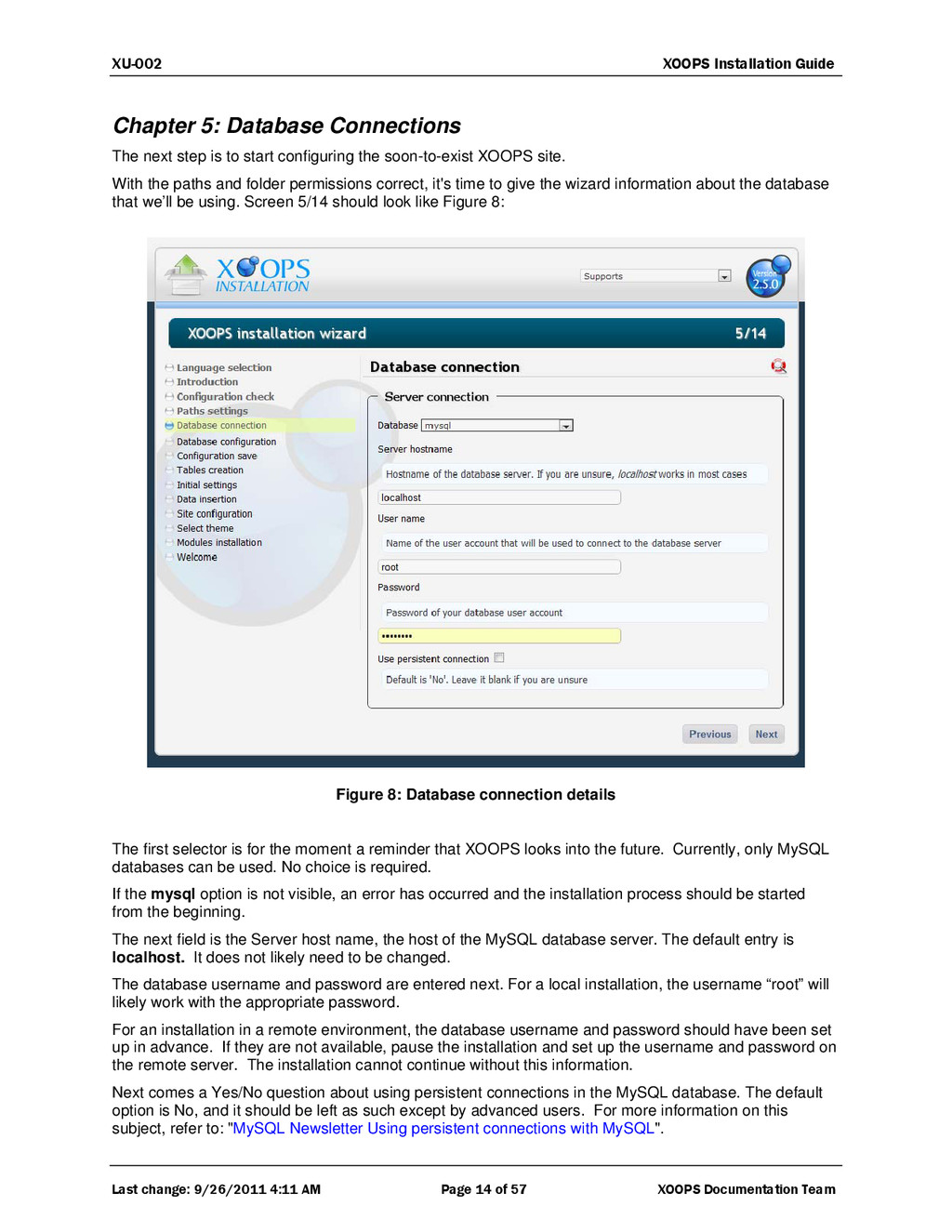
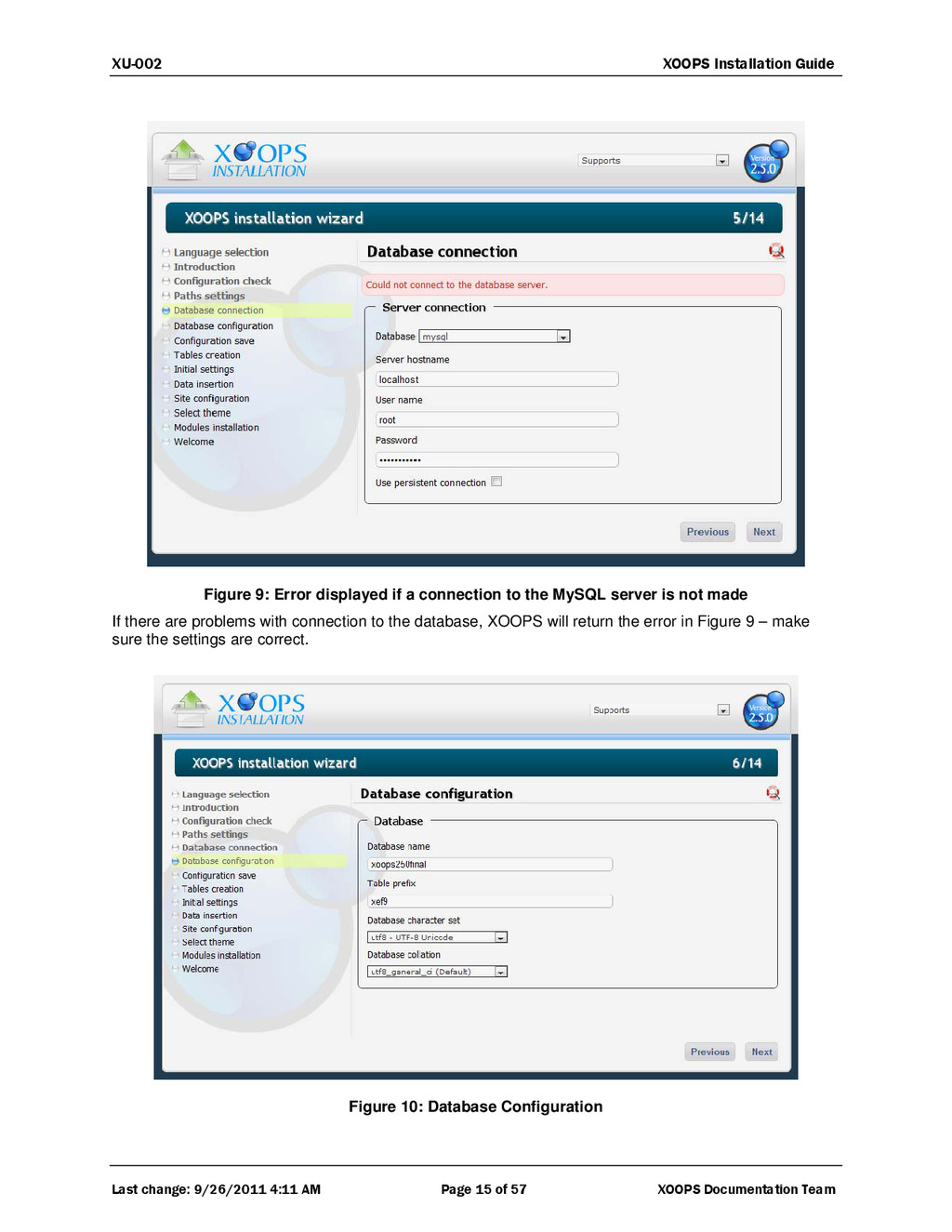
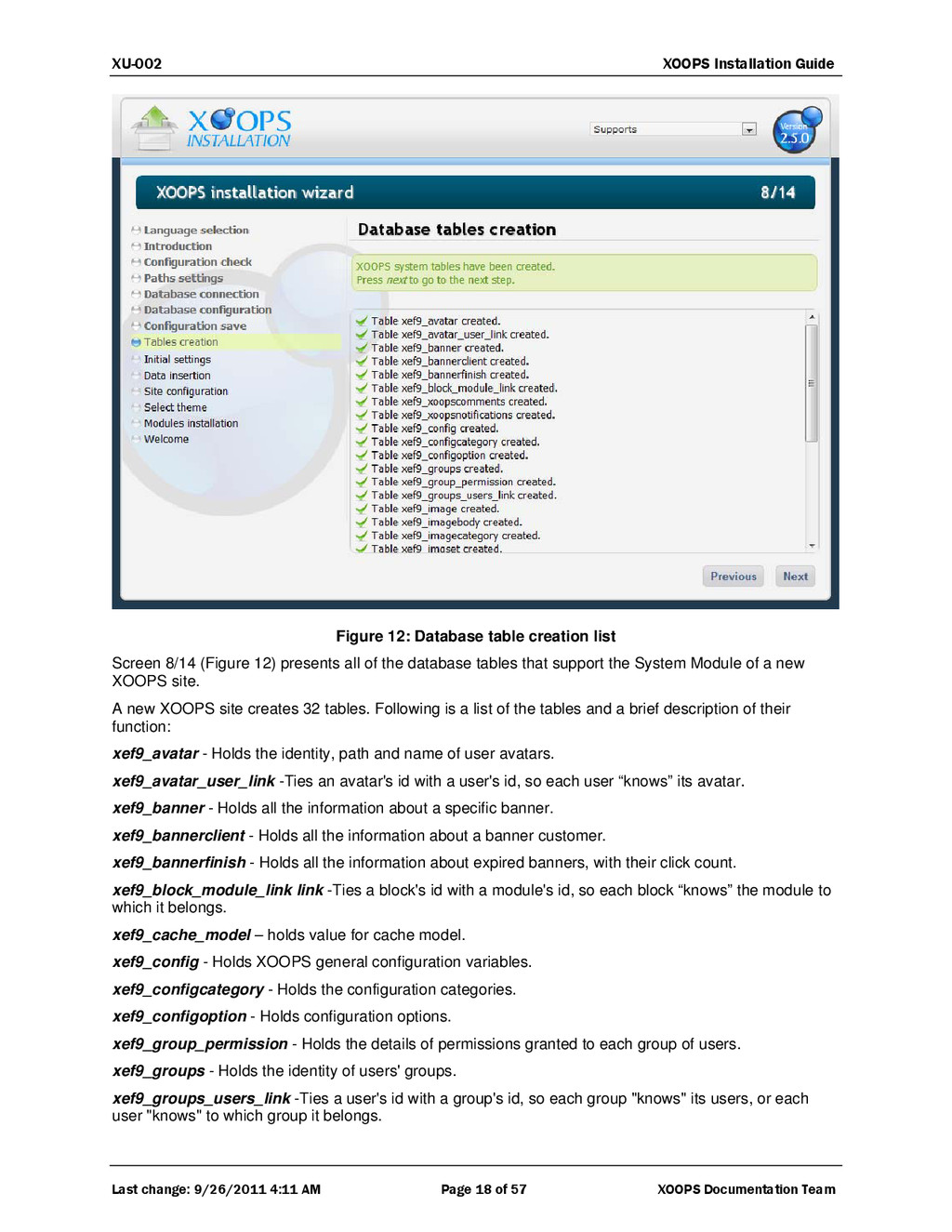
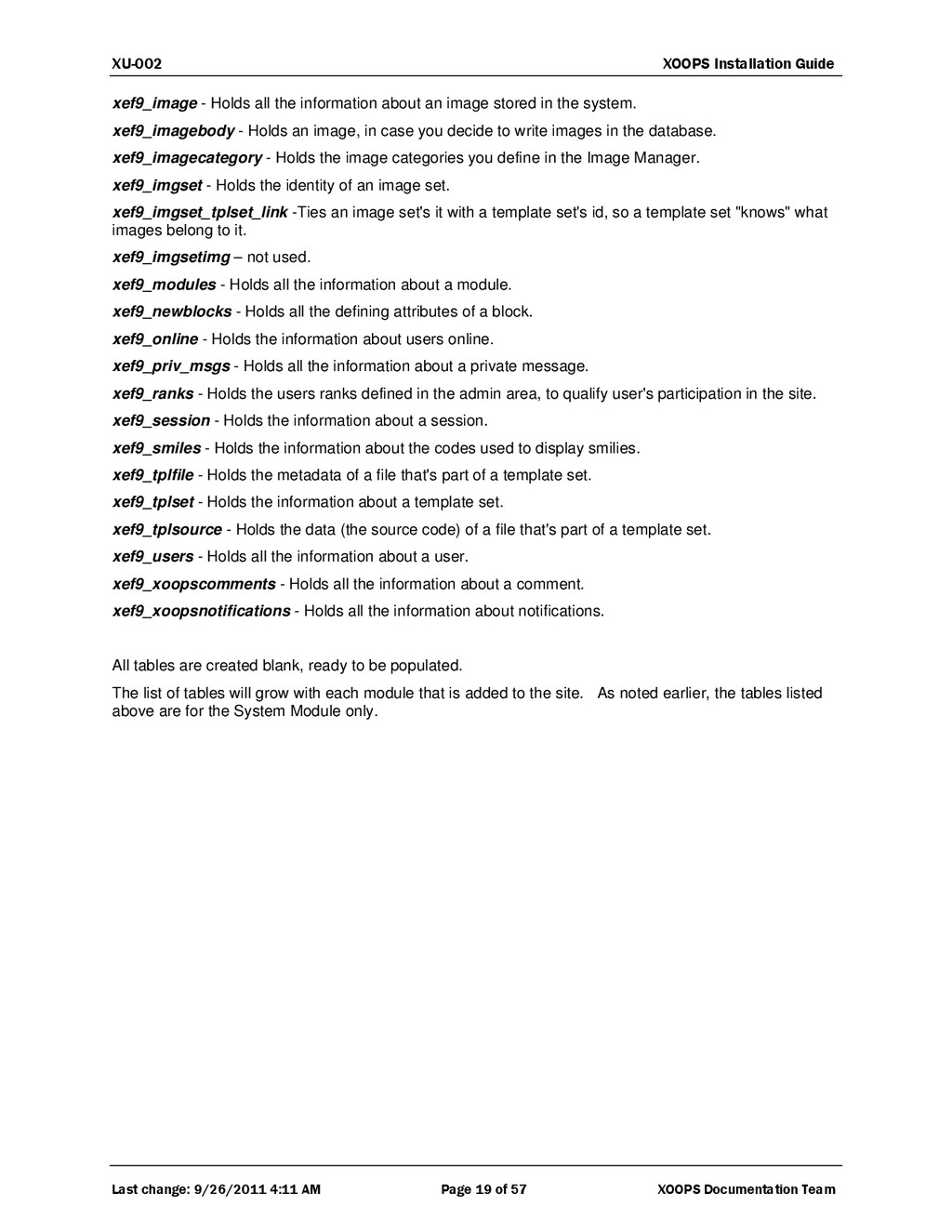
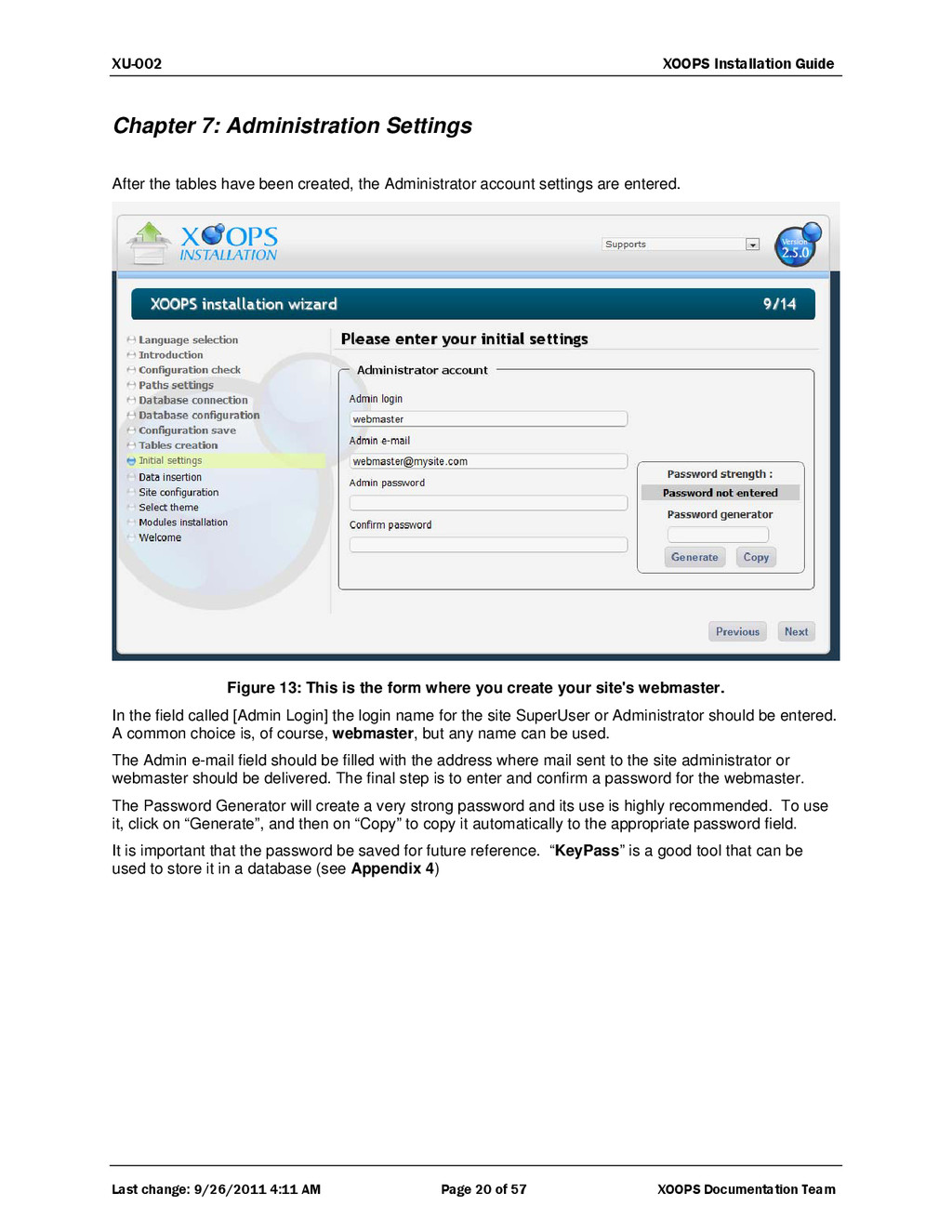
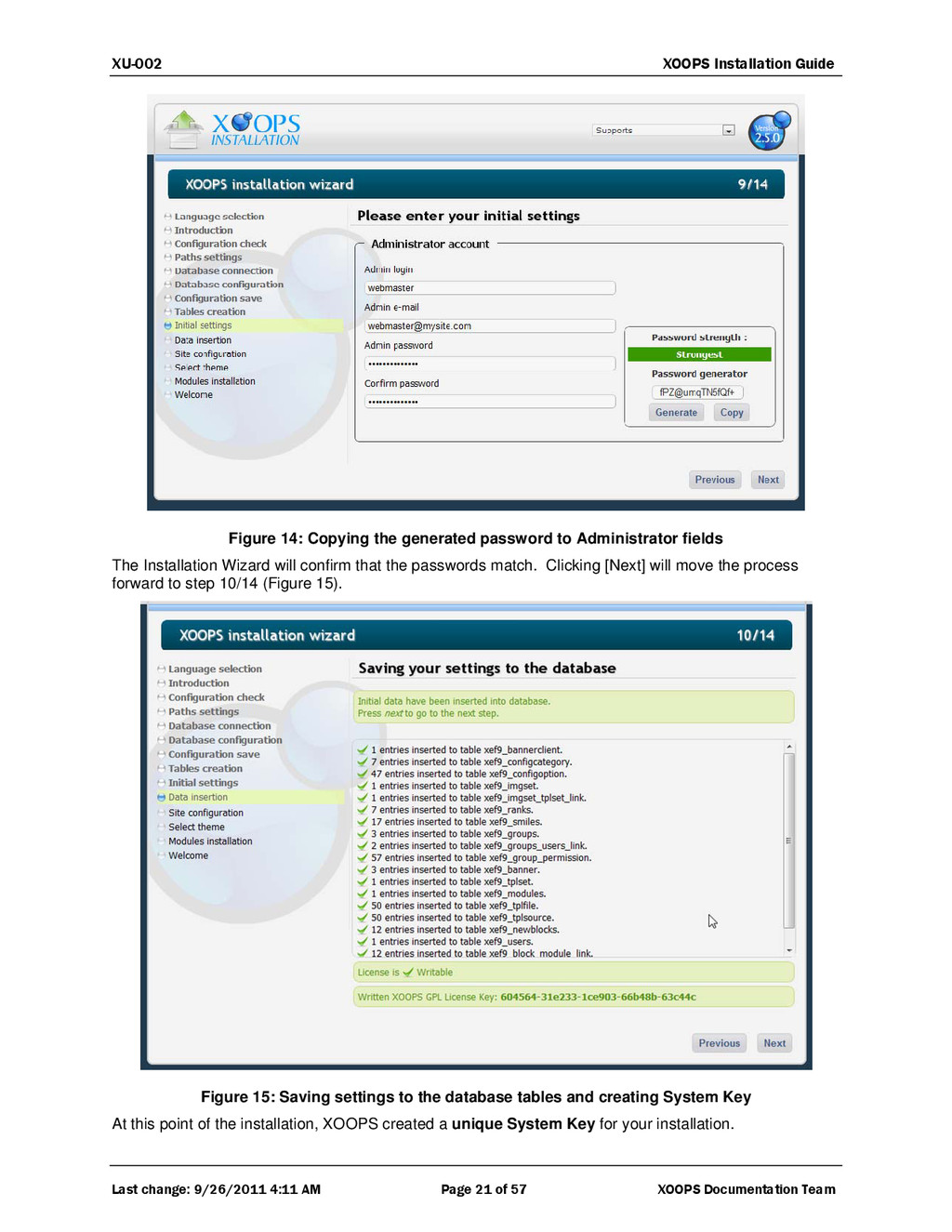
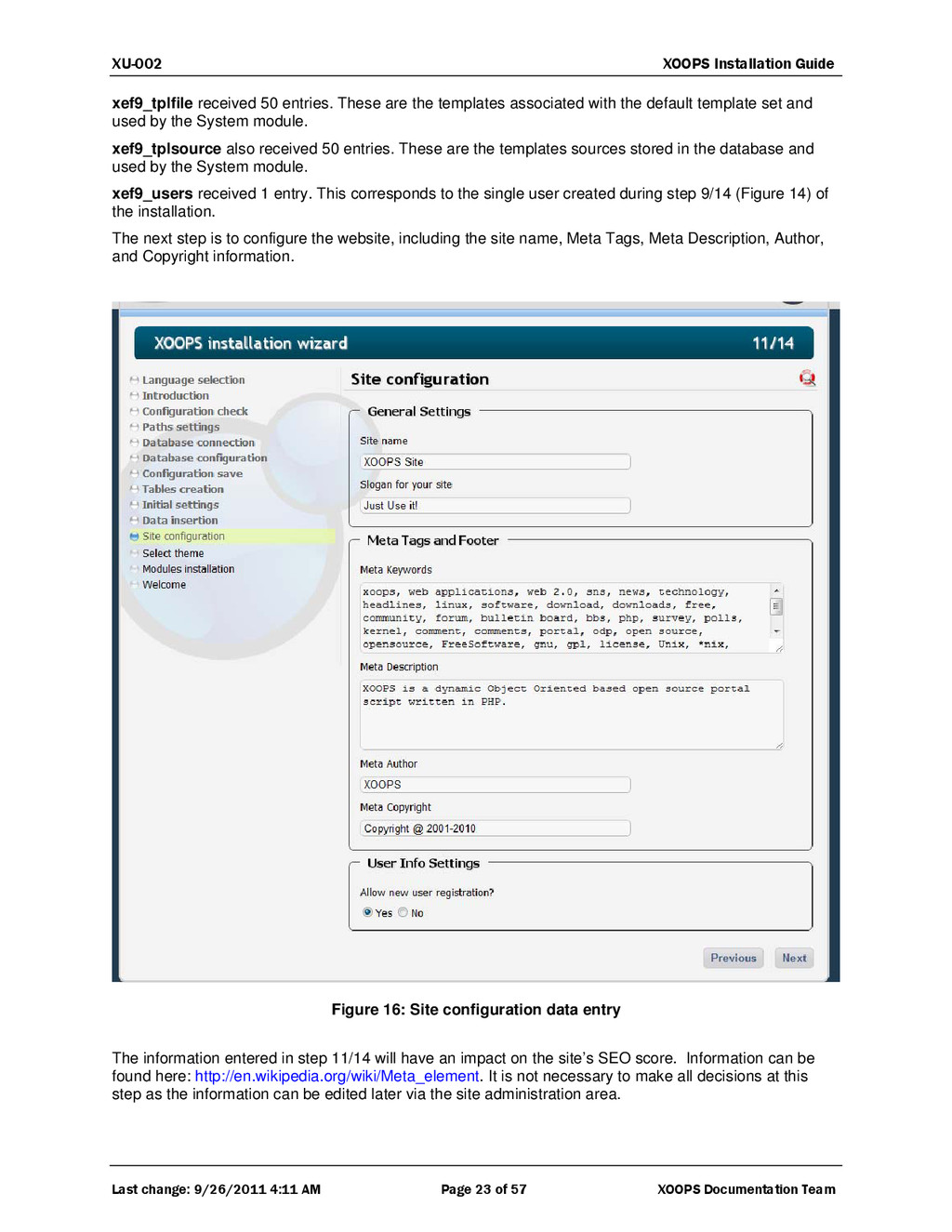
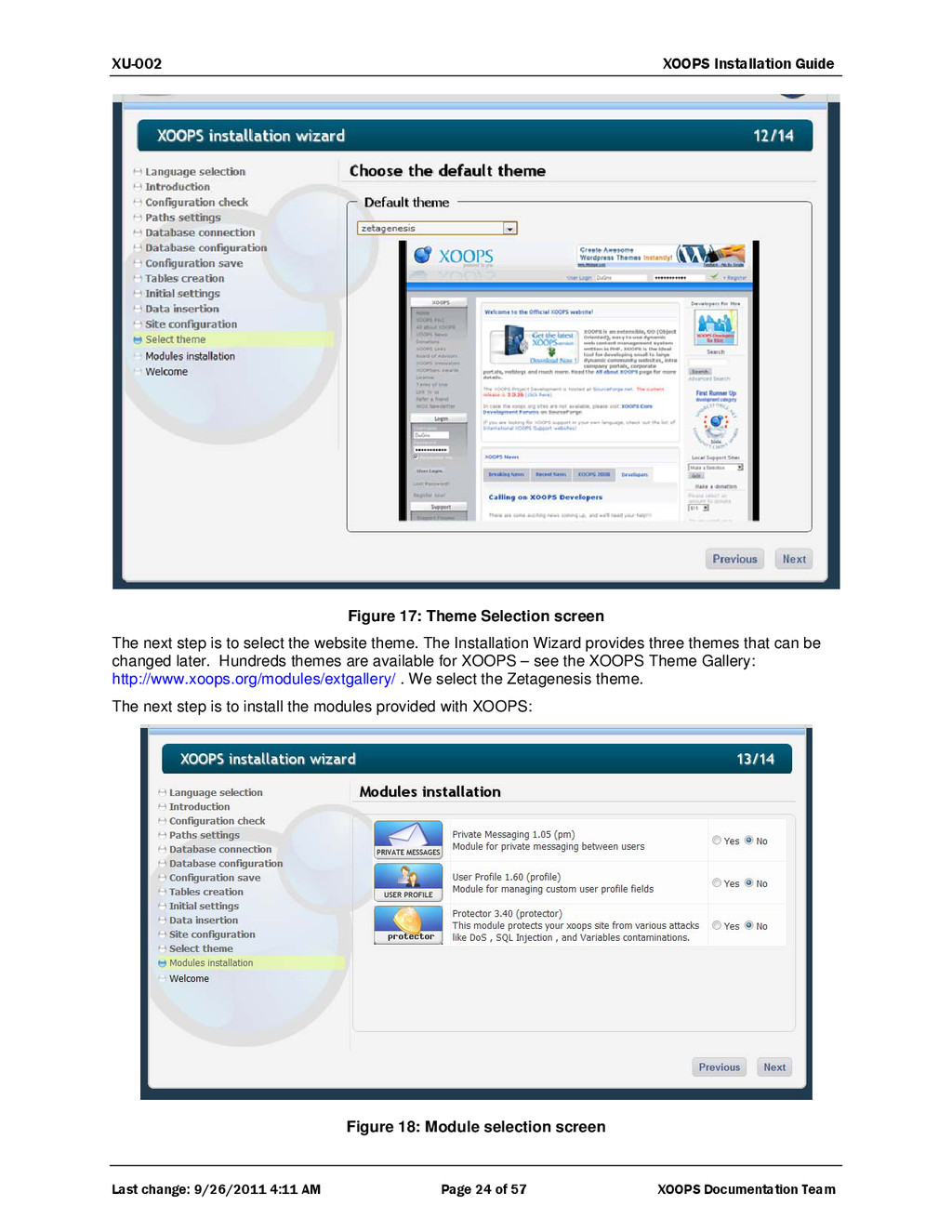
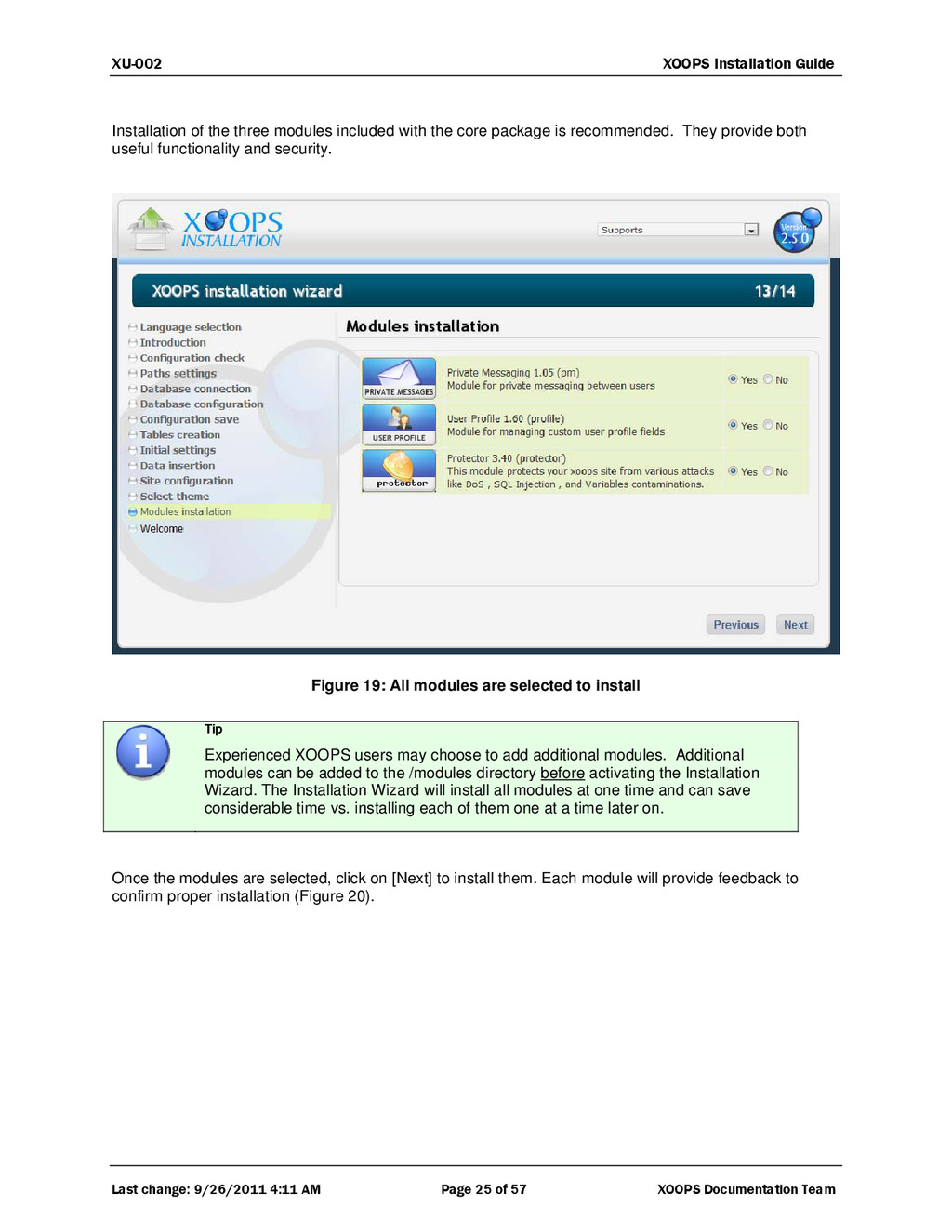
22 of 57 XOOPS Documentation Team Note XOOPS 2.5.x includes a License System Key that is stored in /include/license.php This file has to be writeable by the Installation Wizard, the same way as “mainfile.php”. On most system the Installer is able to write files, but if it isn't, you will have to chmod /include/license.php to 777. Just like the mainfile.php, you have to be careful with this file in later upgrades. The file is chmod'd back to 444 when it is finalized. Do not write over this file, you can generate it again if you do by running the upgrade. Also, 19 of 32 tables have received data. The following list provides an outline of the data added to the tables: xef9_banner received 3 entries. These are located in the folder images/banners and are xef9_banner.gif, xef9_banner_2.gif and banner.swf. Flash files can also be included as banners. xef9_bannerclient received 1 entry. This particular client is no other than XOOPS itself. The three banners inserted into the database belong to XOOPS. The new site will go live with three XOOPS banners, which can be changed or removed. xef9_block_module_link received 12 entries. This corresponds with the 12 entries also inserted into xef9_newblocks. This means the System module has 12 blocks defined: “User Menu”, “Login”, “Search”, “Waiting Contents”, “Main Menu”, “Site Info”, “Who's Online”, “Top Posters”, “New Members”, “Recent Comments”, “Notification Options” and “Themes”. These are all blocks that can be managed within the Template Manager. xef9_config received 130 entries. To view what was written to this table, either open MySQL Admin and look at the table, or, look at the file “install/makedata.php” where lines 154-292 show the whole list of entries. Note that number of entries listed in makedata.php does not match the number of inserted entries. This is normal as through the evolution of XOOPS, entries like 25 and 26 were dropped. xef9_configcategory received 7 entries. These categories are “General Settings”, “User Info Settings”, “Meta Tags and Footer”, “Word Censoring Options”, “Search Options” and “Mail Setup”. These options are revealed in the site's preferences in the admin section. xef9_configoption received 47 entries. Information on these entries can be found in lines 44-82 of the file install/ sql/mysql.data.sql. They are default values for a lot of general options of the new site. xef9_groups received 3 entries, corresponding to the three default user groups: webmasters, registered users and anonymous users. xef9_grouppermission received 57 entries, that have to do with permissions for groups for the module installed (System) and its 12 blocks. The 57 entries include: 1 to let webmasters manage the System module, 3 to let the three groups read the System module, and 17 for the System Admin. The other 36 define, for each group and each block of the System module, a permission level (12 x 3 = 36 entries). xef9_groups_users_link received 2 entries. This means the one user created in step 9/14 (Figure 16) belongs to both the webmaster and registered users groups. xef9_imgset received 1 entry. This defines the default image set. xef9_imgset_tplset_link received 1 entry. This links the default image set to the default template set. xef9_modules received 1 entry. This is the entry associated to the System module, the only one installed by XOOPS. xef9_newblocks received 12 entries. These entries are for the 12 blocks associated to the System module. xef9_ranks received 7 entries. They are "Just popping in", "Not too shy to talk", "Quite a regular", "Just can't stay away", "Home away from home", "Moderator" and "Webmaster". These are the default values of user ranking, which can be changed in the administration area. xef9_session received 1 entry. xef9_smiles received 17 entries. These are the 17 smilies first available when using the XOOPS editor. xef9_tplset received 1 entry, the corresponding to the default template set.


 xoops
xoops
 iwiwi
iwiwi
 nokomoro3
 suneo3476
 kmars0605
 prota
prota
 kinopeee
 tosite
 chobishiba
 yutobara
 optim
optim
 artoy
artoy
 iwatsukayura
 keavy
keavy
 mkilby
 aki_iinuma
 sferik
 jonyablonski
 danielanewman
 addyosmani
 caitiem20
 watany
 axbom
axbom
 sergeychernyshev
 varn
varn