Upgrade to Pro
— share decks privately, control downloads, hide ads and more …
Speaker Deck
Sign up for free
Menu
Search
Features
All features
Private URLs
Password Protection
Custom URLS
Scheduled publishing
Remove Branding
Restrict embedding
Deck Collections
Notes
Features
All features
Private URLs
Password Protection
Custom URLS
Scheduled publishing
Remove Branding
Restrict embedding
Deck Collections
Notes
Explore
Featured decks
Featured speakers
Programming
Technology
Storyboards
Explore
Featured decks
Featured speakers
Programming
Technology
Storyboards
Pricing
Search
Sign in
Sign up for free
NTU CCSP 2012Fall - Node.js #2.1 - Simple File ...
Search
Steven Su
October 31, 2012
Programming
470
2
Share
Embed
Copy iframe code
Copy JS code
Copy link
Start on current slide
NTU CCSP 2012Fall - Node.js #2.1 - Simple File Host Service
node.js 0.8 + express 3
Steven Su
October 31, 2012
More Decks by Steven Su
See All by Steven Su
JSDC.TW 2013 Node.js佈署心得
xpsteven
14
1.3k
NTU CCSP 2012Fall - Mobile Web入門 回首網頁開發
xpsteven
3
370
NTU CCSP 2012Fall - Facebook
xpsteven
1
230
NTU CCSP 2012Fall - Node.js #3 - Mongoose
xpsteven
2
780
NTU CCSP 2012Fall - Node.js #2 - express.js
xpsteven
3
590
Y! Open Hack 2012 Taiwan
xpsteven
0
250
NTU CCSP 2012Fall - Node.js #2 - Advanced Javascript and Node.js
xpsteven
1
570
Other Decks in Programming
See All in Programming
KiroのSpecで「五目並べ」を作ってみる
satoshi256kbyte
1
380
[Rails World 2026] Durable orchestration on Rails: from continuation to workflow
palkan
1
750
sbt 2.0: takeoff
eed3si9n
0
160
HTML-in-Canvasで作る未来のWeb UI表現
clockmaker
5
5.1k
Starting & Sustaining Code-Based E2E Testing for Non-Coding QA Teams( #jasstniigata )
teyamagu
PRO
1
1k
SalesForceを内製化!? ~ HR事業を支える顧客管理基盤のインフラを大公開 ~
oku053
0
180
UnityでSystem.Net.WebSocketsなWebSocketサーバが動かないのでUnity Monoのコードを覗いてみた / about implementing websocket server with unity mono
drumath2237
1
610
phperだってパンチカードでコーディングしたい
o0h
PRO
0
340
Next.js: The final boss of Web Performance
guaca
0
260
JAWS-UG 東京支部が始める、JAWS-UG支部コラボ / JAWS-UG lunchtime LT Collaboration
y0hgi
0
280
Web Framework Benchmark Battle 2026, Any%
a_matsuda
2
2.1k
作って学ぶSpring BootのAuto Configuration / JJUG Night Seminar 2026-10-19
rshindo
0
150
Featured
See All Featured
コードの90%をAIが書く世界で何が待っているのか / What awaits us in a world where 90% of the code is written by AI
rkaga
63
46k
Amusing Abliteration
ianozsvald
1
350
Applied NLP in the Age of Generative AI
inesmontani
PRO
4
2.5k
[RailsConf 2023 Opening Keynote] The Magic of Rails
eileencodes
31
10k
Context Engineering - Making Every Token Count
addyosmani
9
1.2k
From Legacy to Launchpad: Building Startup-Ready Communities
dugsong
0
360
KATA
mclloyd
PRO
35
16k
State of Search Keynote: SEO is Dead Long Live SEO
ryanjones
0
320
Learning to Love Humans: Emotional Interface Design
aarron
275
41k
Art, The Web, and Tiny UX
lynnandtonic
304
22k
Joys of Absence: A Defence of Solitary Play
codingconduct
1
550
Testing 201, or: Great Expectations
jmmastey
46
8.3k
Transcript
簡易檔案上傳網站
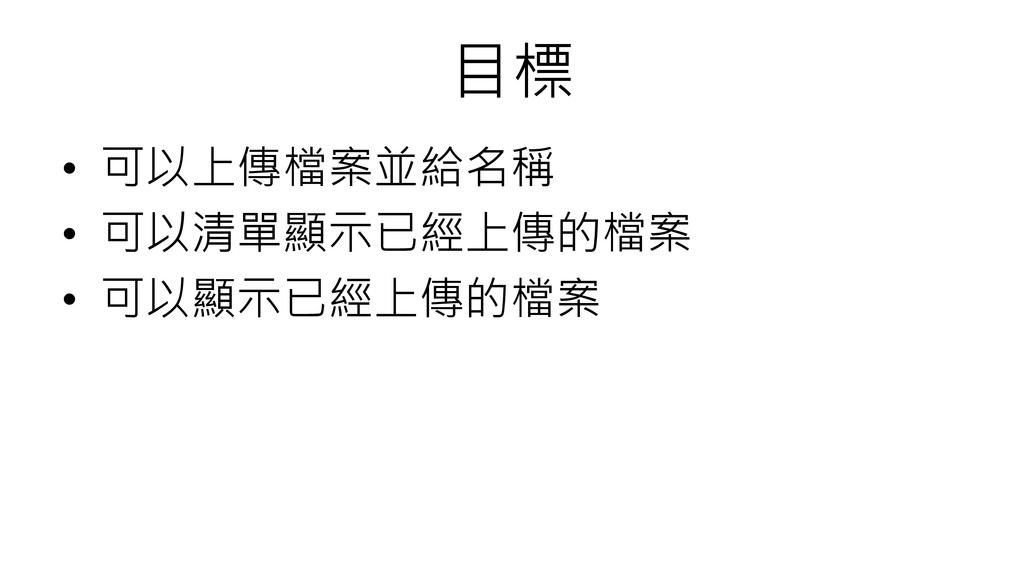
目標 • 可以上傳檔案並給名稱 • 可以清單顯示已經上傳的檔案 • 可以顯示已經上傳的檔案
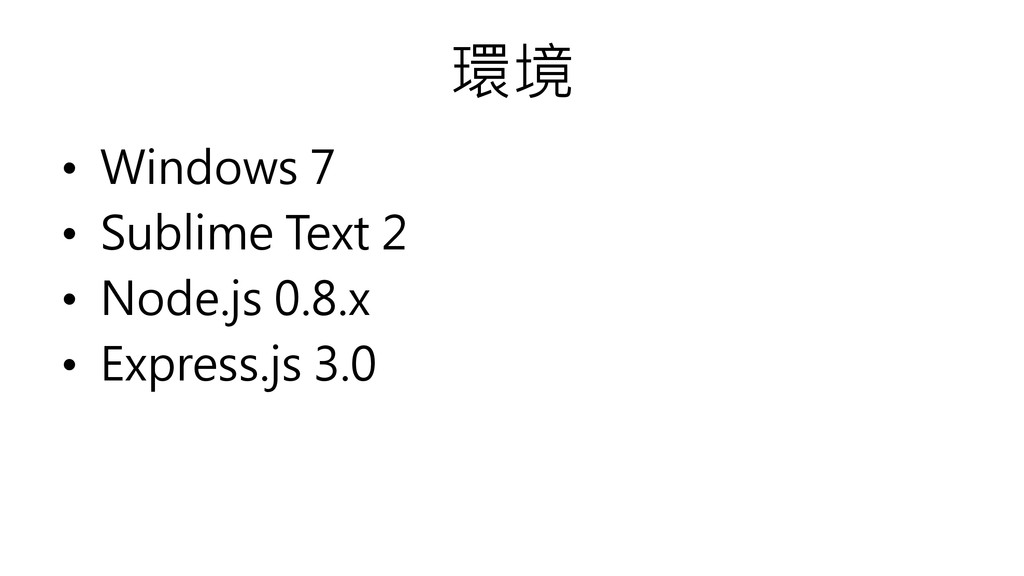
環境 • Windows 7 • Sublime Text 2 • Node.js
0.8.x • Express.js 3.0
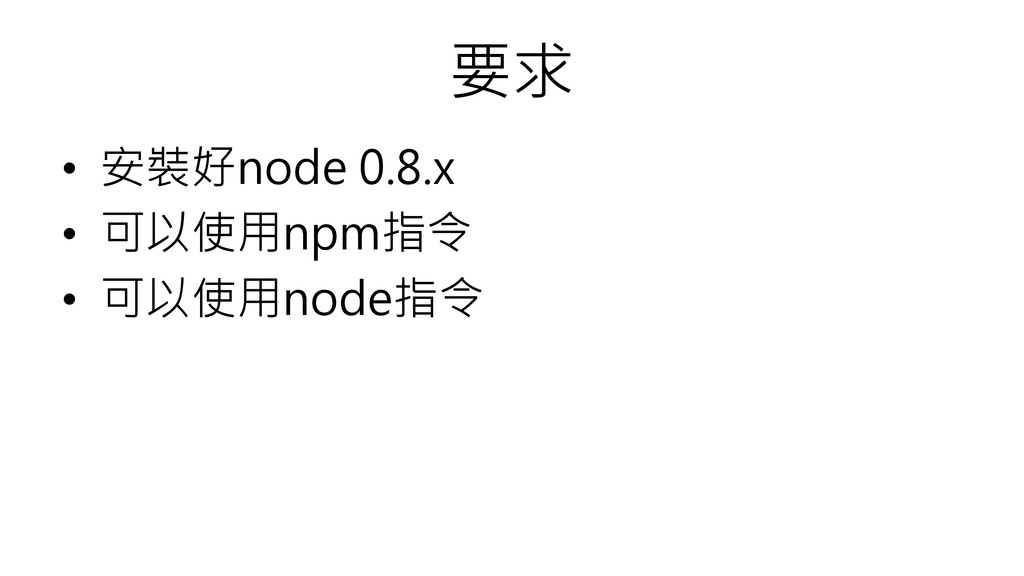
要求 • 安裝好node 0.8.x • 可以使用npm指令 • 可以使用node指令
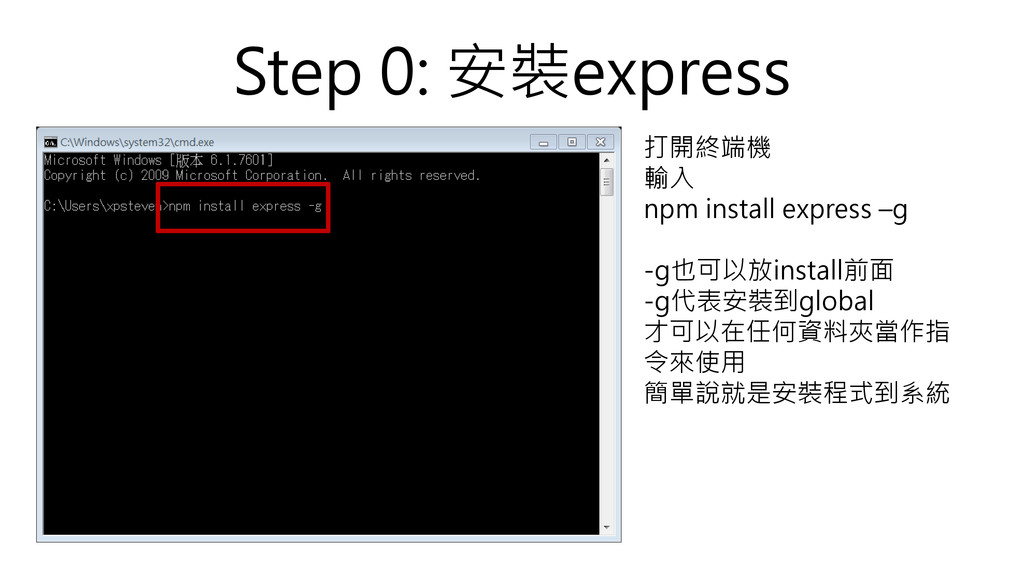
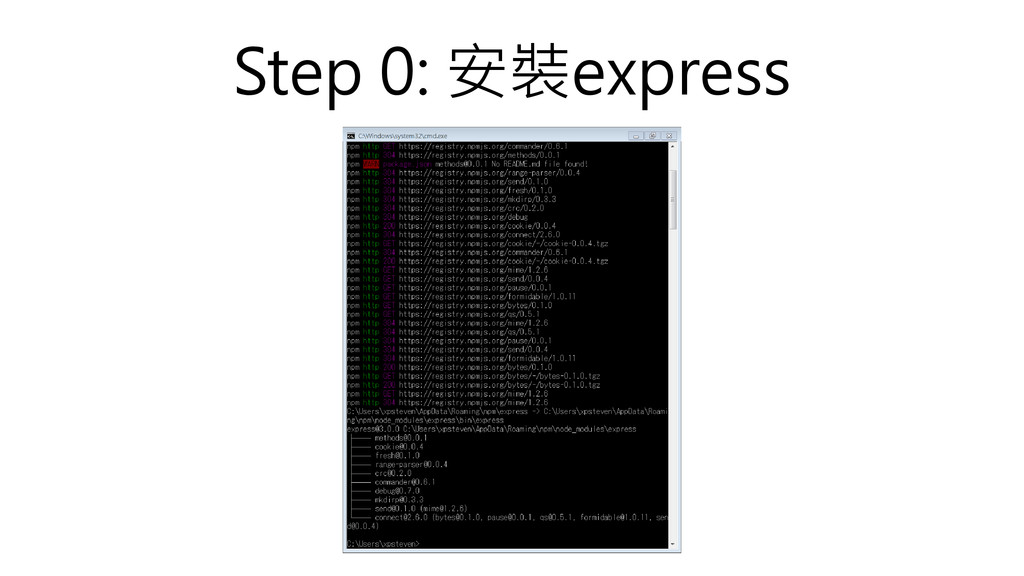
Step 0: 安裝express 打開終端機 輸入 npm install express –g -g也可以放install前面
-g代表安裝到global 才可以在任何資料夾當作指 令來使用 簡單說就是安裝程式到系統
Step 0: 安裝express
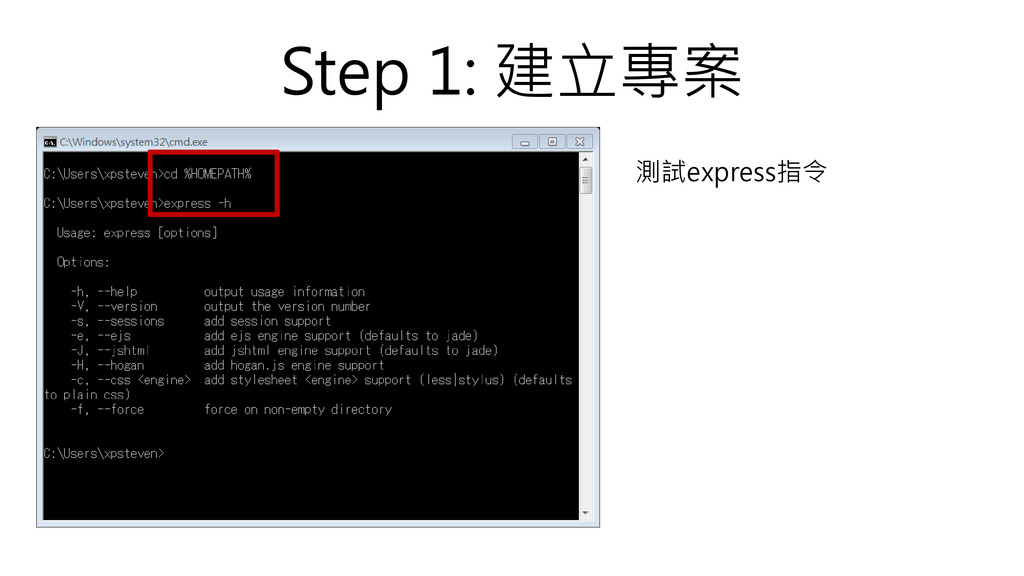
Step 1: 建立專案 測試express指令
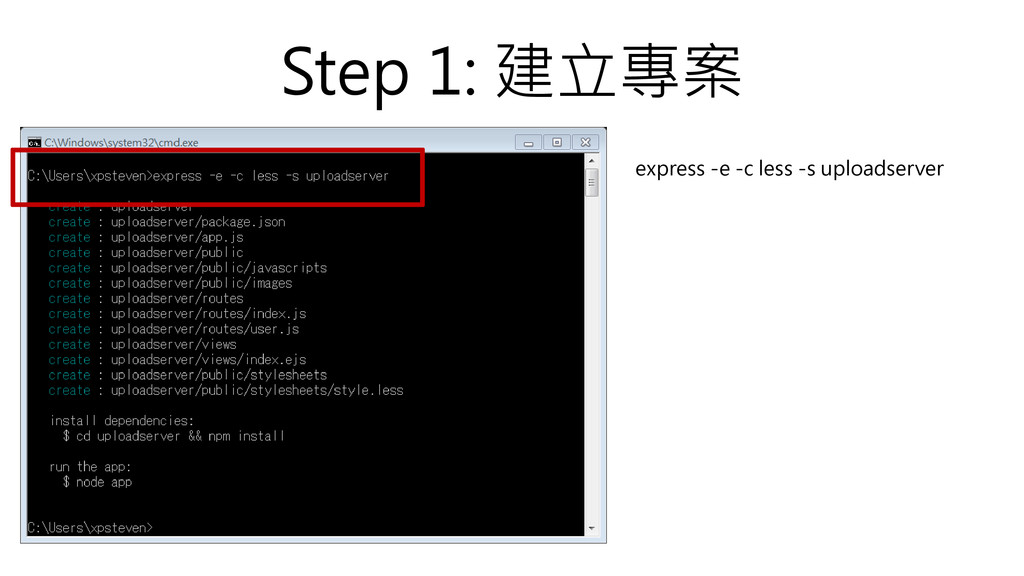
Step 1: 建立專案 express -e -c less -s uploadserver
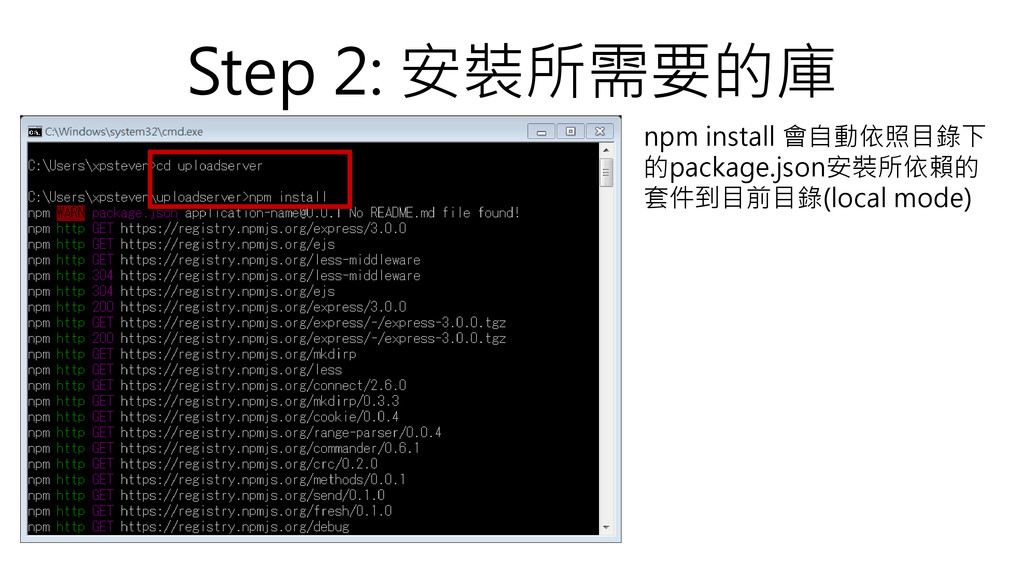
Step 2: 安裝所需要的庫 npm install 會自動依照目錄下 的package.json安裝所依賴的 套件到目前目錄(local mode)
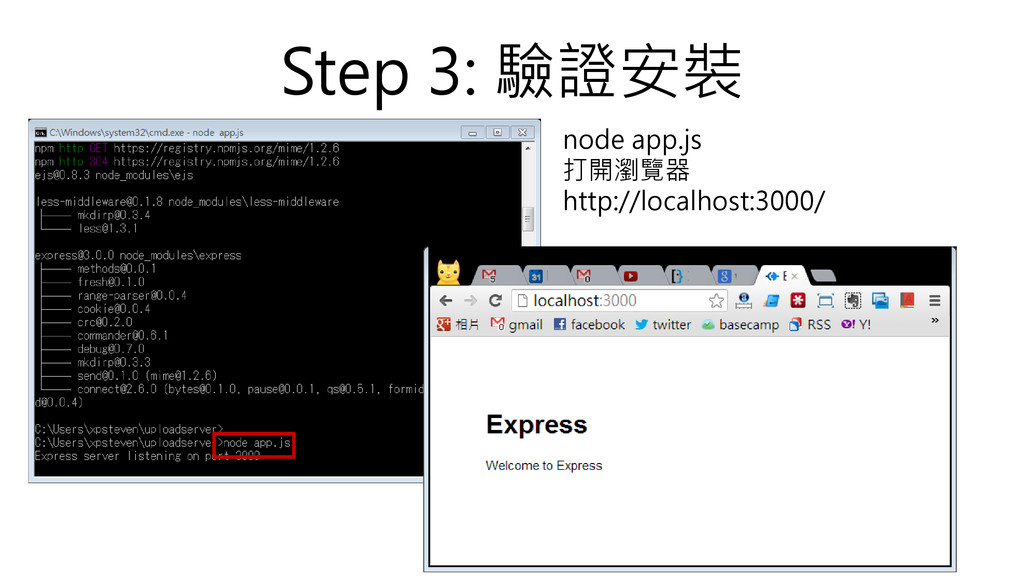
Step 3: 驗證安裝 node app.js 打開瀏覽器 http://localhost:3000/
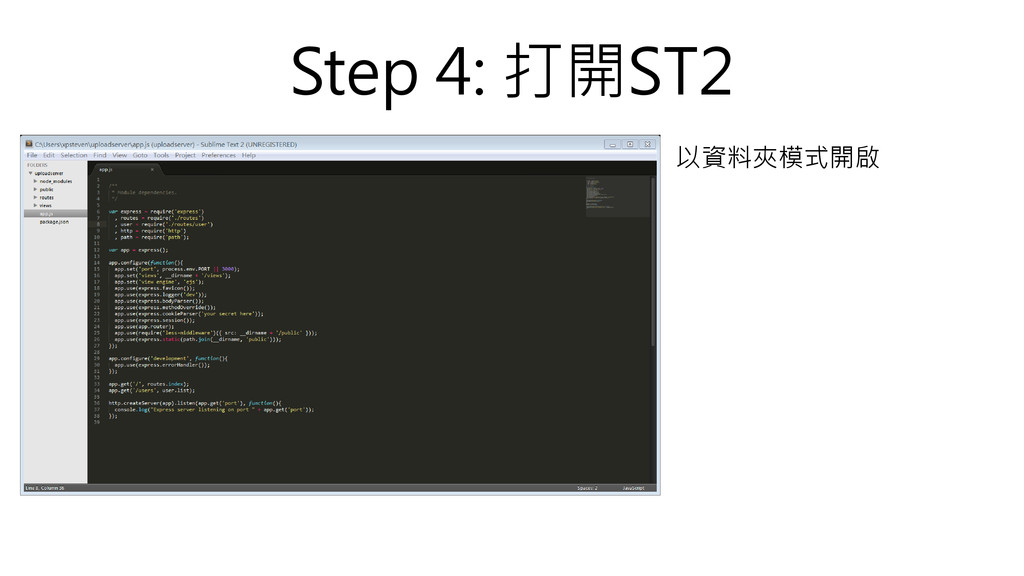
Step 4: 打開ST2 以資料夾模式開啟
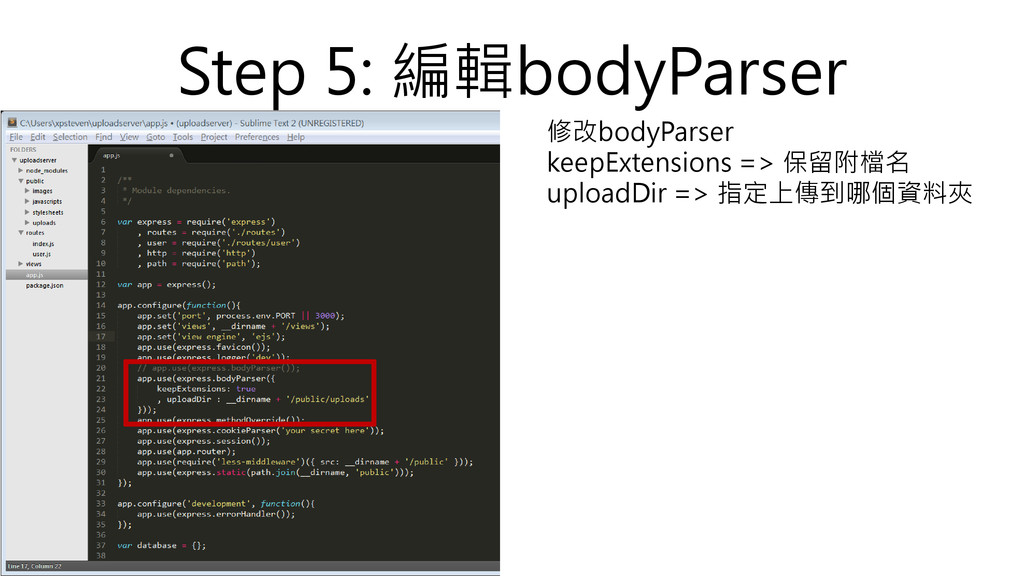
Step 5: 編輯bodyParser 修改bodyParser keepExtensions => 保留附檔名 uploadDir => 指定上傳到哪個資料夾
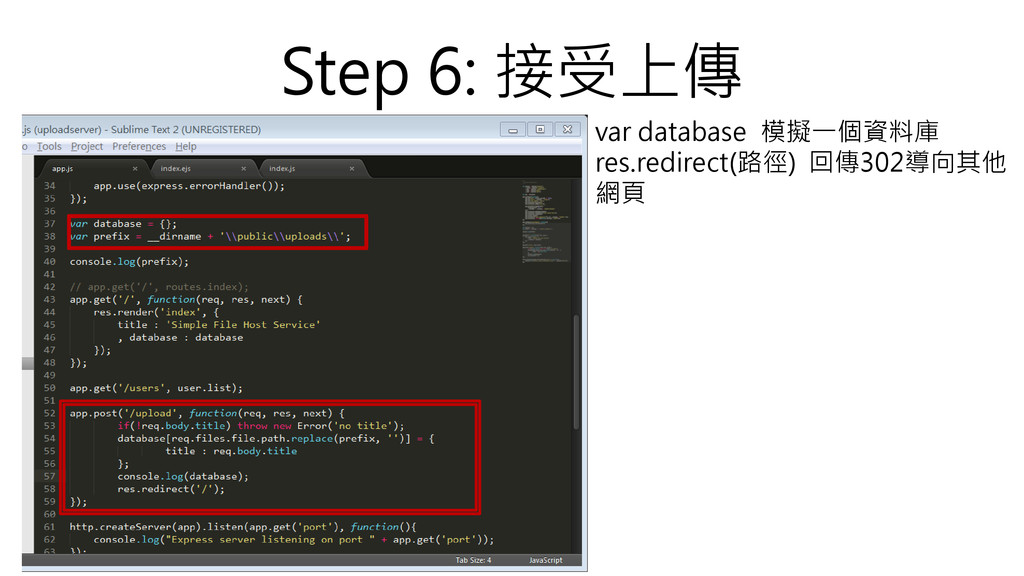
Step 6: 接受上傳 var database 模擬一個資料庫 res.redirect(路徑) 回傳302導向其他 網頁
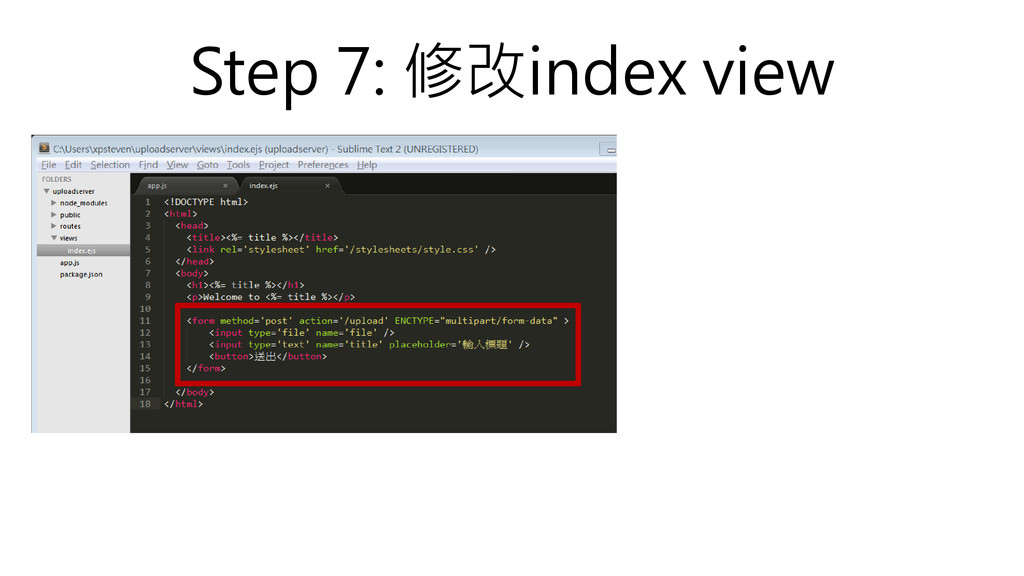
Step 7: 修改index view
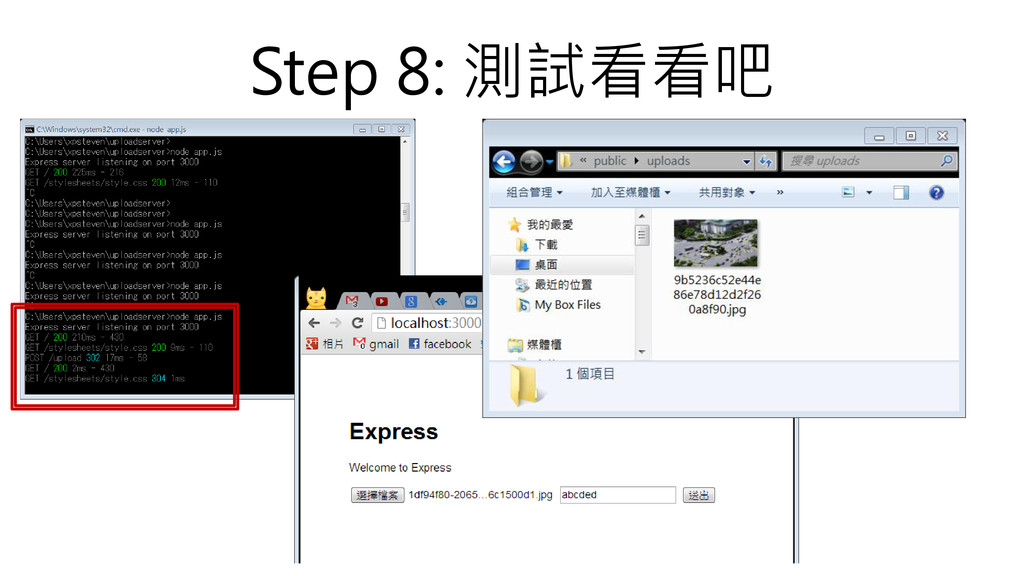
Step 8: 測試看看吧
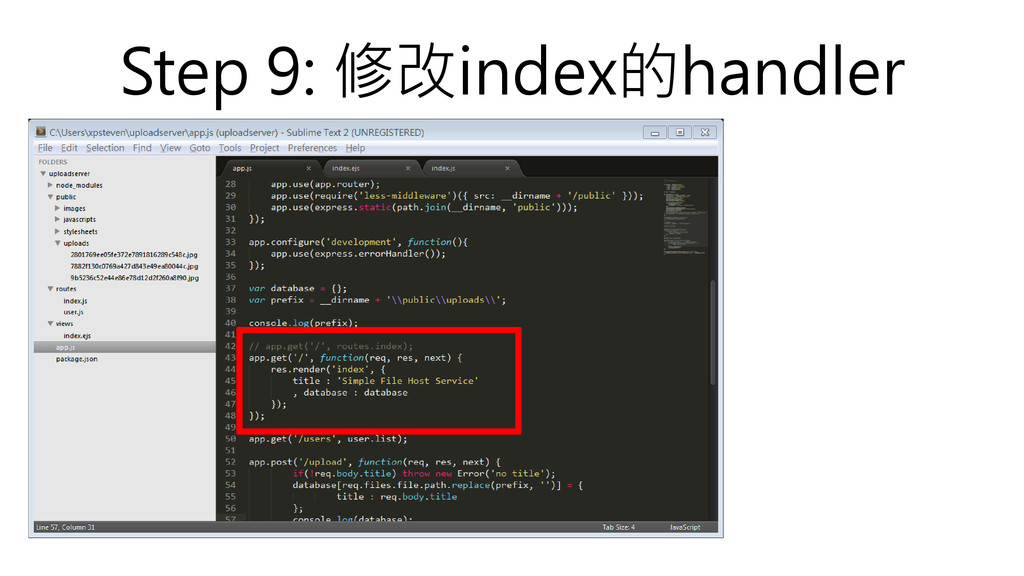
Step 9: 修改index的handler
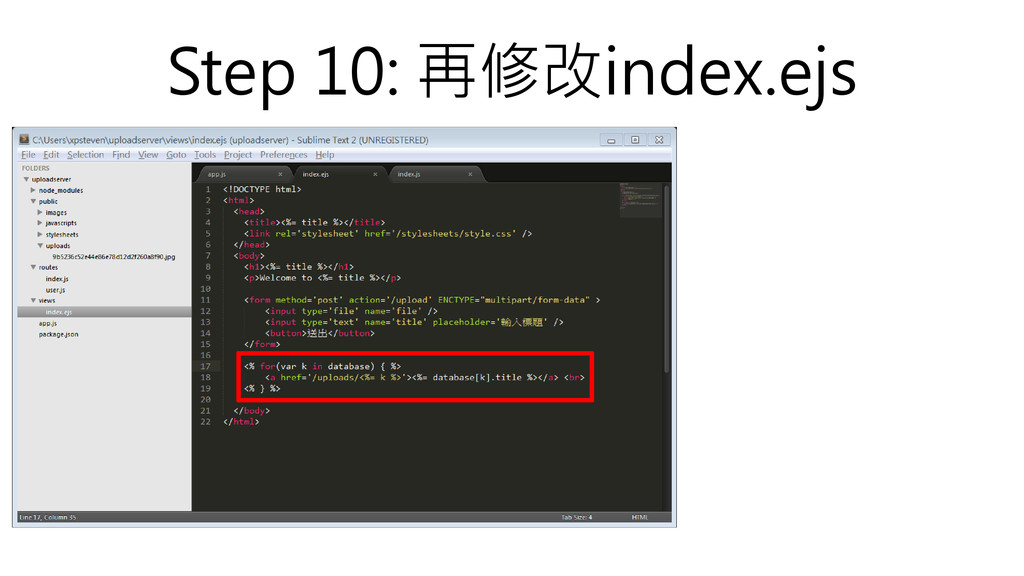
Step 10: 再修改index.ejs
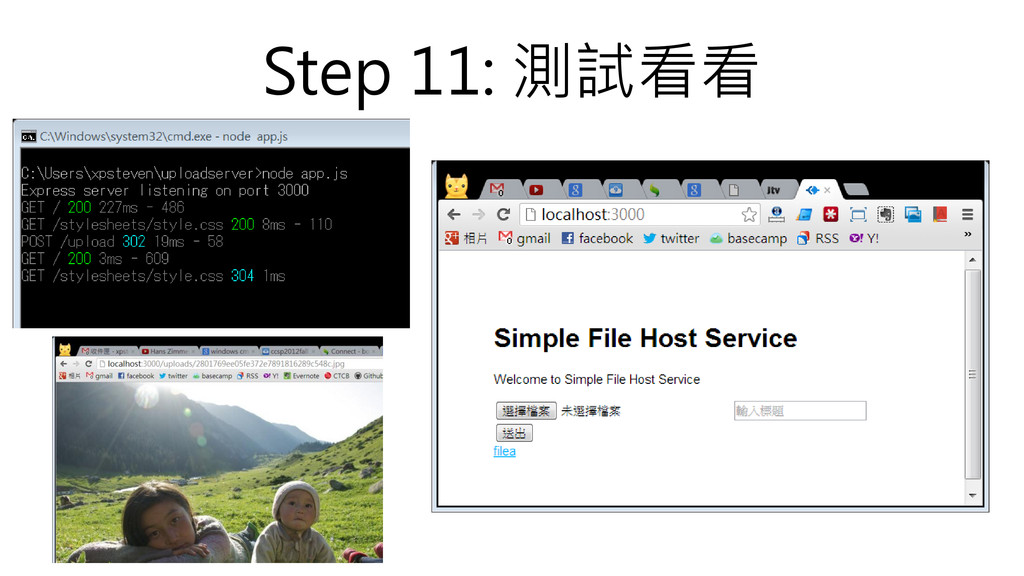
Step 11: 測試看看


 xpsteven
 satoshi256kbyte
 palkan
 eed3si9n
 clockmaker
 teyamagu
 oku053
 drumath2237
 o0h
o0h
 guaca
guaca
 y0hgi
y0hgi
 a_matsuda
 rshindo
 rkaga
rkaga
 ianozsvald
 inesmontani
 eileencodes
 addyosmani
 dugsong
 mclloyd
 ryanjones
 aarron
 lynnandtonic
 codingconduct
 jmmastey