$30 off During Our Annual Pro Sale. View Details »

Ahmed Gad and Michael Bailey: Using Google Clou...

Ahmed Gad and Michael Bailey: Using Google Cloud Test Lab to improve the quality of Android apps: A case study from Amex

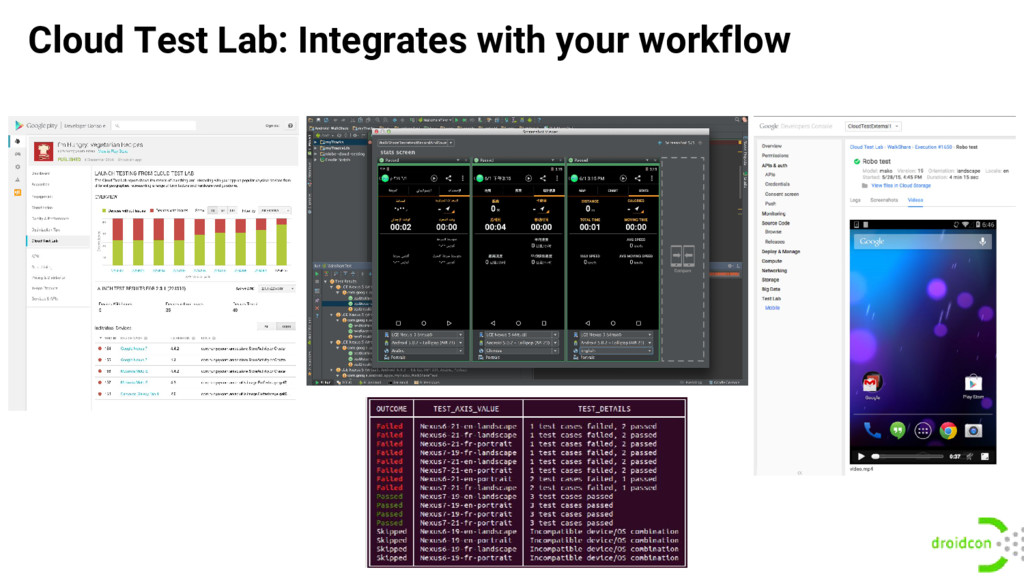
Android testing is hard! With new devices coming out every year, it’s very challenging to ensure the compatibility of your applications across all these form factors. In this talk, we’ll tell you how Cloud Test Lab helps developers address these issues. With a scalable infrastructure that allows you to run automated test on hundreds of devices with one click, a smart Robo that allows you to test your app launches without having to write complex scripts and clients that integrate into your workflow from the web, Android Studio and on your CI environment.

We’ll also be hearing from the lead engineer on American Express Android team on how using Cloud Test Lab significantly reduced their infrastructure investment and allowed them to run tens of thousands of tests every day. He’ll be sharing some of the best practices on using Cloud Test Lab in order to get the most benefit in your project.

Avatar for Michael Bailey

Michael Bailey

March 18, 2016
Tweet

More Decks by Michael Bailey

Other Decks in Programming

Transcript

  1. Using Google Cloud Test Lab to improve the quality of

    Android apps: A case study from Amex Ahmed Gad Product Manager, Google @amounirgad Michael Bailey Senior Staff Engineer, American Express @yogurtearl
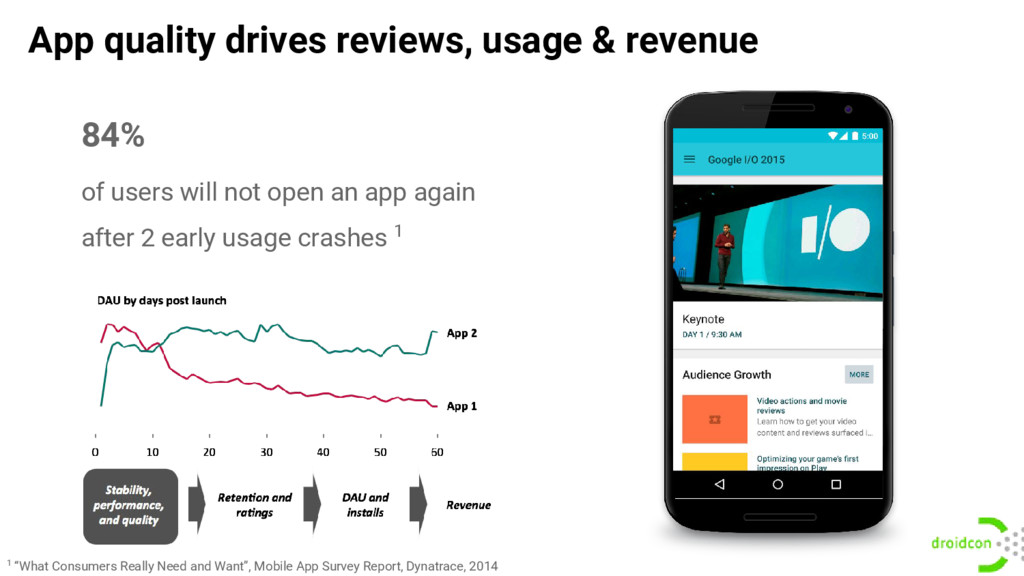
  2. 84% of users will not open an app again after

    2 early usage crashes 1 Source: “What Consumers Really Need and Want”, Mobile App Survey Report, Dynatrace, 2014 App quality drives reviews, usage & revenue 1 “What Consumers Really Need and Want”, Mobile App Survey Report, Dynatrace, 2014
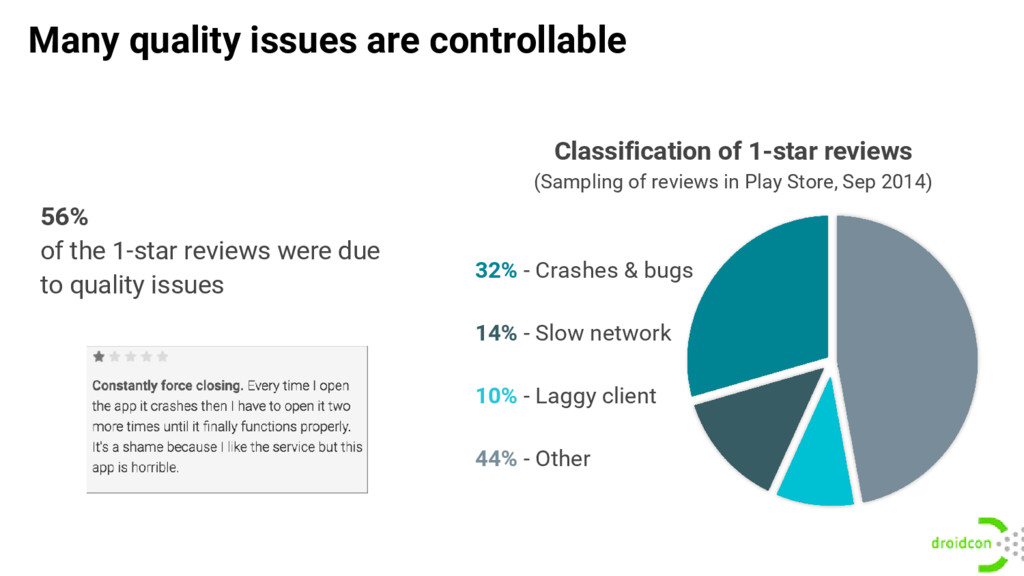
  3. Many quality issues are controllable Classification of 1-star reviews (Sampling

    of reviews in Play Store, Sep 2014) 56% of the 1-star reviews were due to quality issues 32% - Crashes & bugs 14% - Slow network 10% - Laggy client 44% - Other
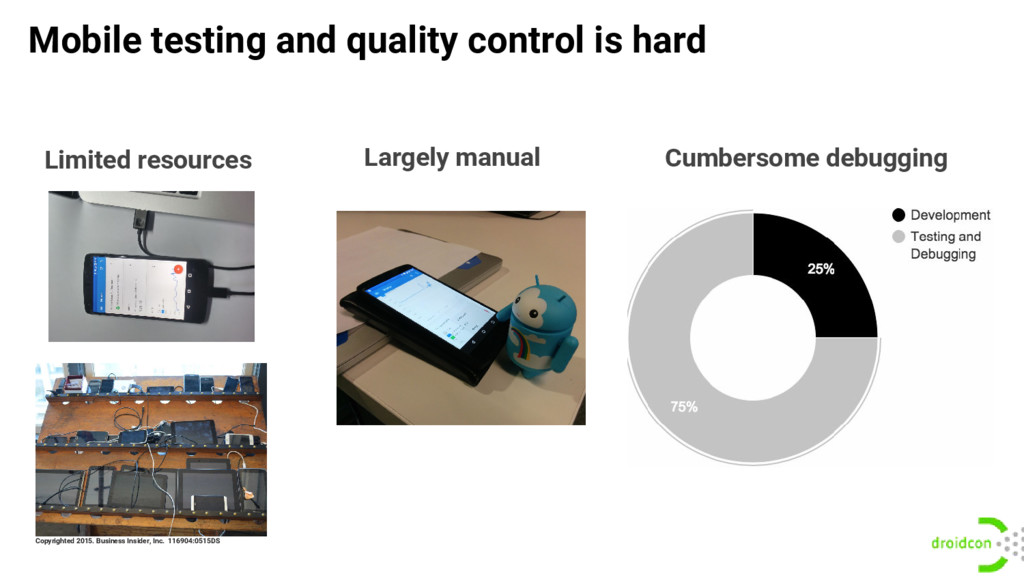
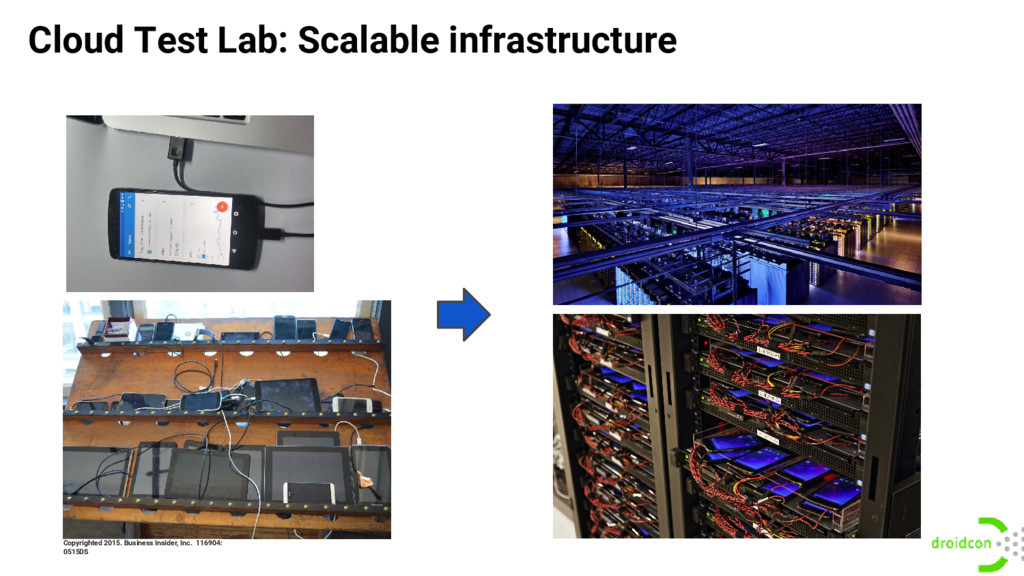
  4. Mobile testing and quality control is hard Limited resources Copyrighted

    2015. Business Insider, Inc. 116904:0515DS Cumbersome debugging Largely manual
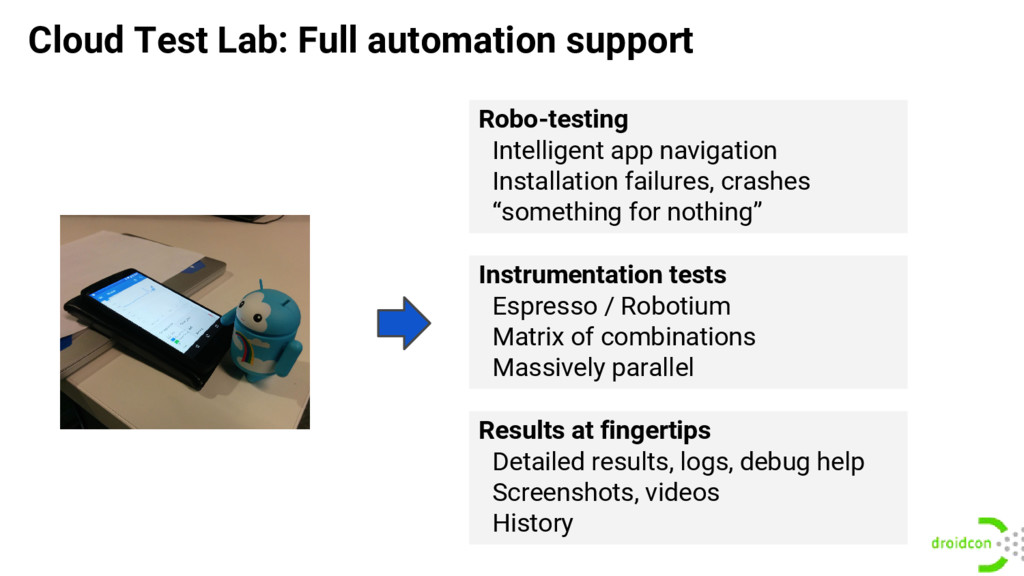
  5. Cloud Test Lab: Full automation support Robo-testing Intelligent app navigation

    Installation failures, crashes “something for nothing” Instrumentation tests Espresso / Robotium Matrix of combinations Massively parallel Results at fingertips Detailed results, logs, debug help Screenshots, videos History
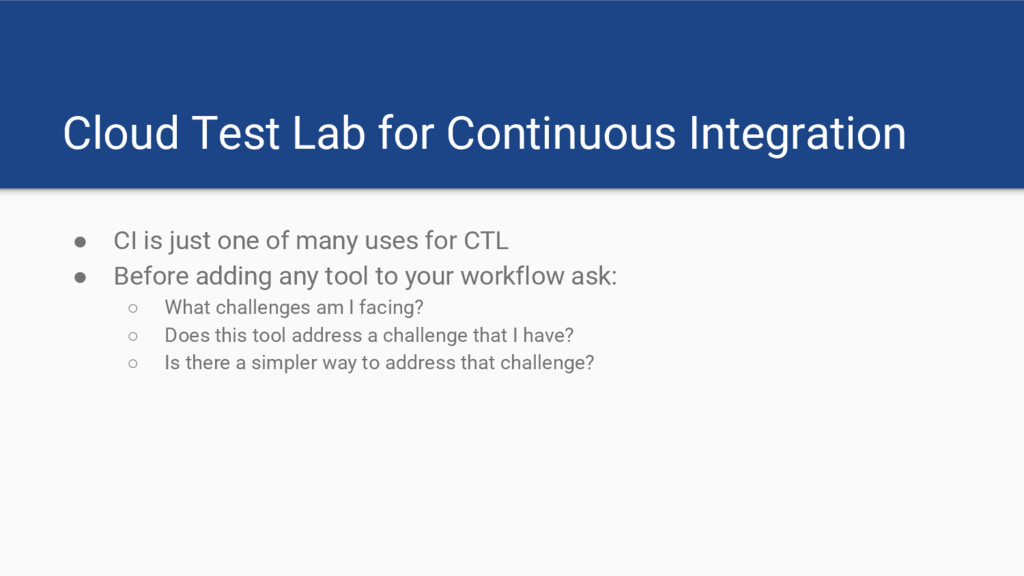
  6. Cloud Test Lab for Continuous Integration • CI is just

    one of many uses for CTL • Before adding any tool to your workflow ask: ◦ What challenges am I facing? ◦ Does this tool address a challenge that I have? ◦ Is there a simpler way to address that challenge?
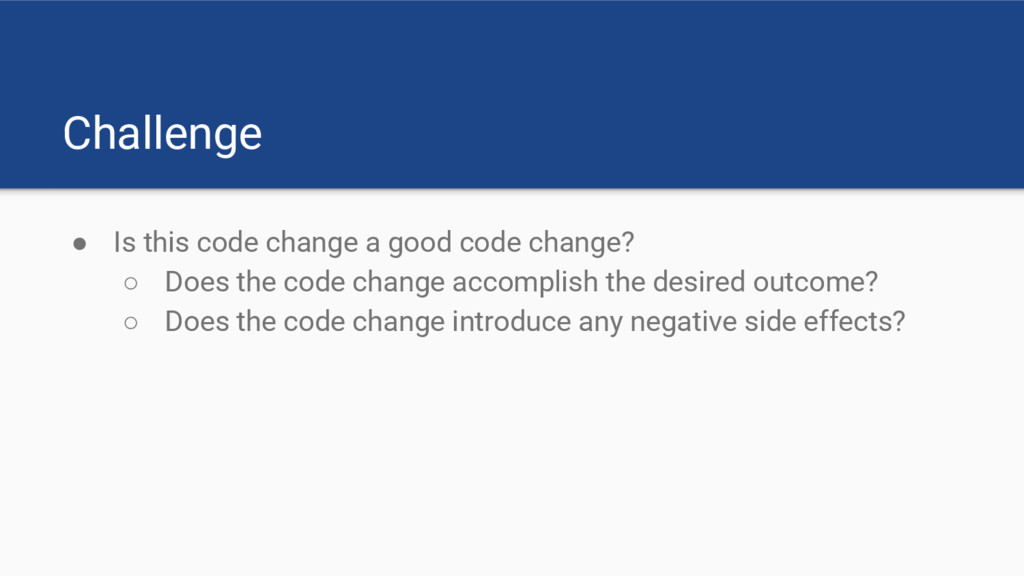
  7. Challenge • Is this code change a good code change?

    ◦ Does the code change accomplish the desired outcome? ◦ Does the code change introduce any negative side effects?
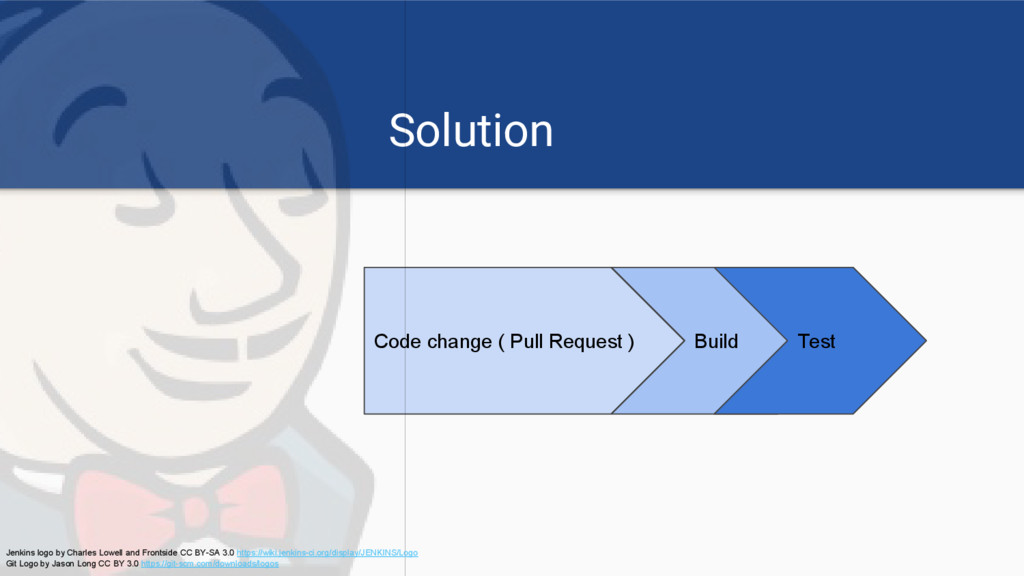
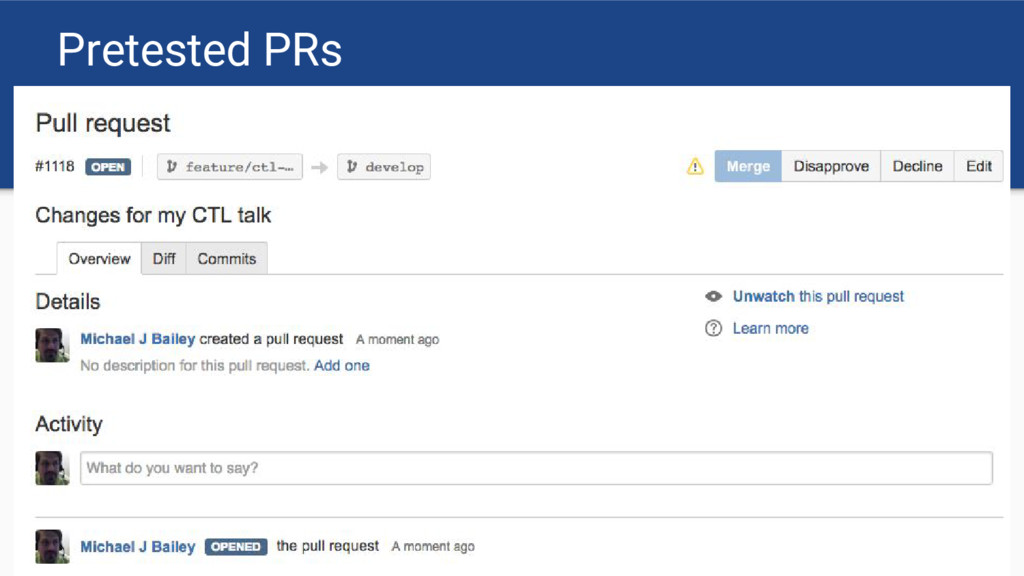
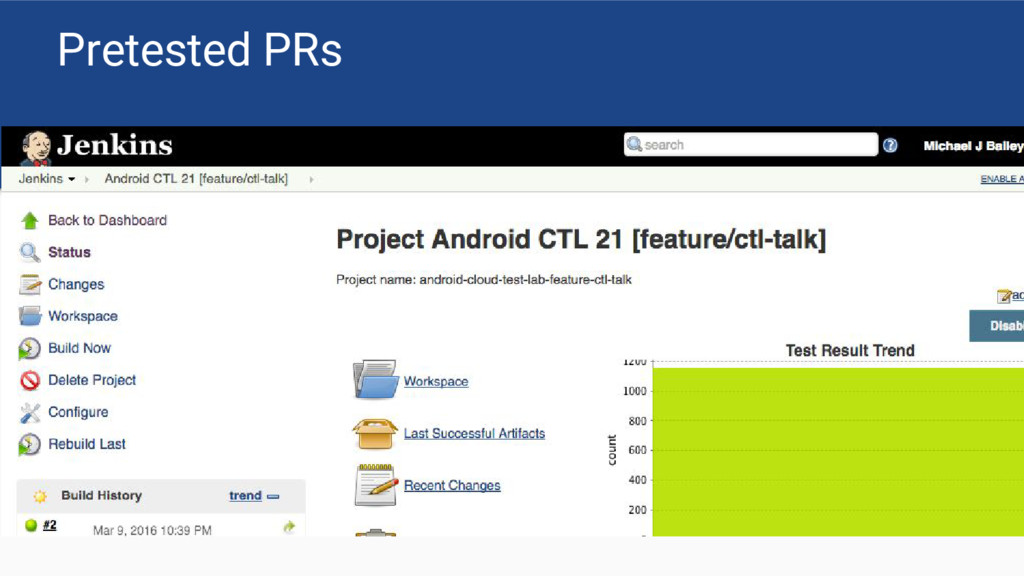
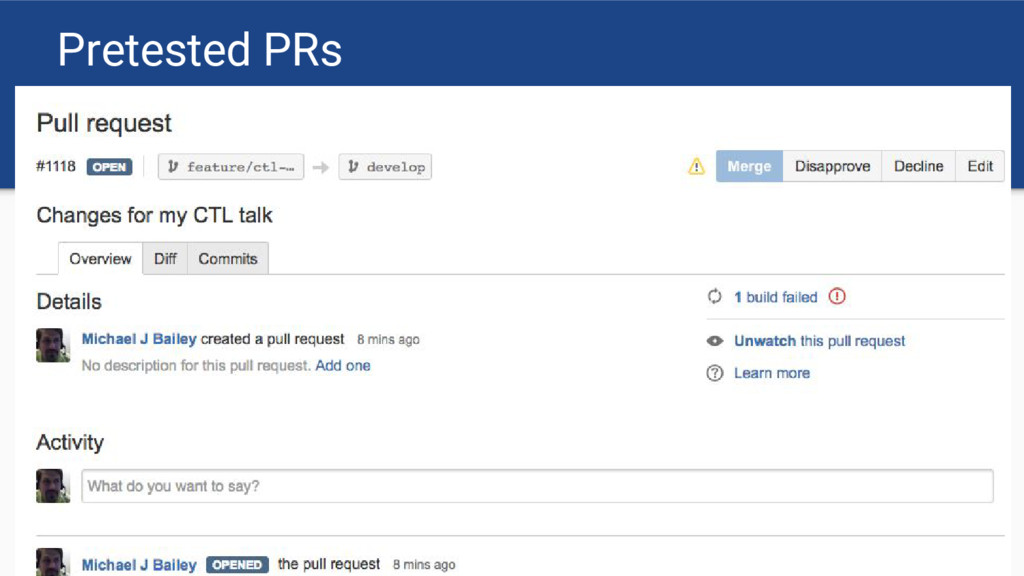
  8. Solution Code change ( Pull Request ) Build Test Jenkins

    logo by Charles Lowell and Frontside CC BY-SA 3.0 https://wiki.jenkins-ci.org/display/JENKINS/Logo Git Logo by Jason Long CC BY 3.0 https://git-scm.com/downloads/logos
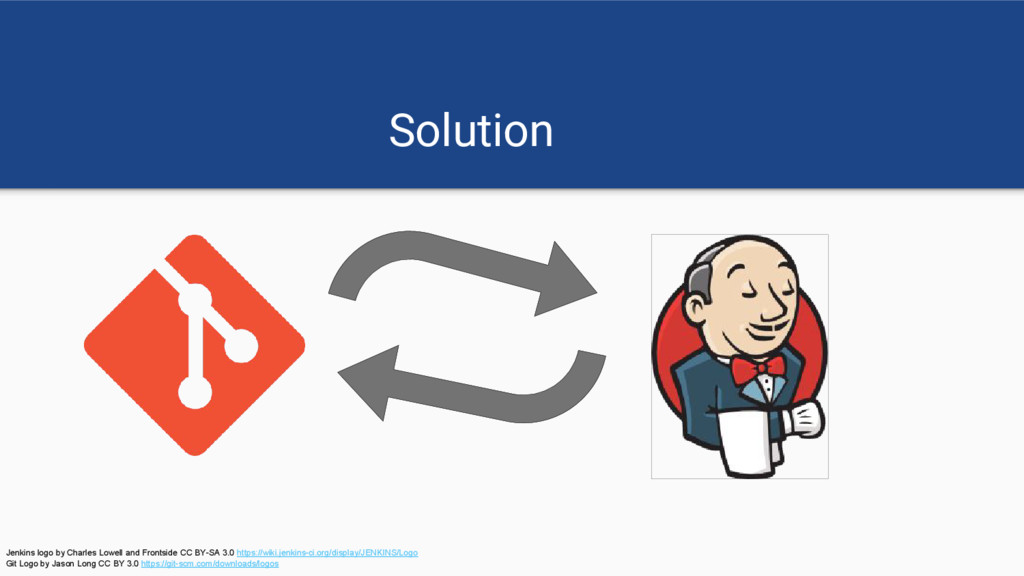
  9. Solution Jenkins logo by Charles Lowell and Frontside CC BY-SA

    3.0 https://wiki.jenkins-ci.org/display/JENKINS/Logo Git Logo by Jason Long CC BY 3.0 https://git-scm.com/downloads/logos
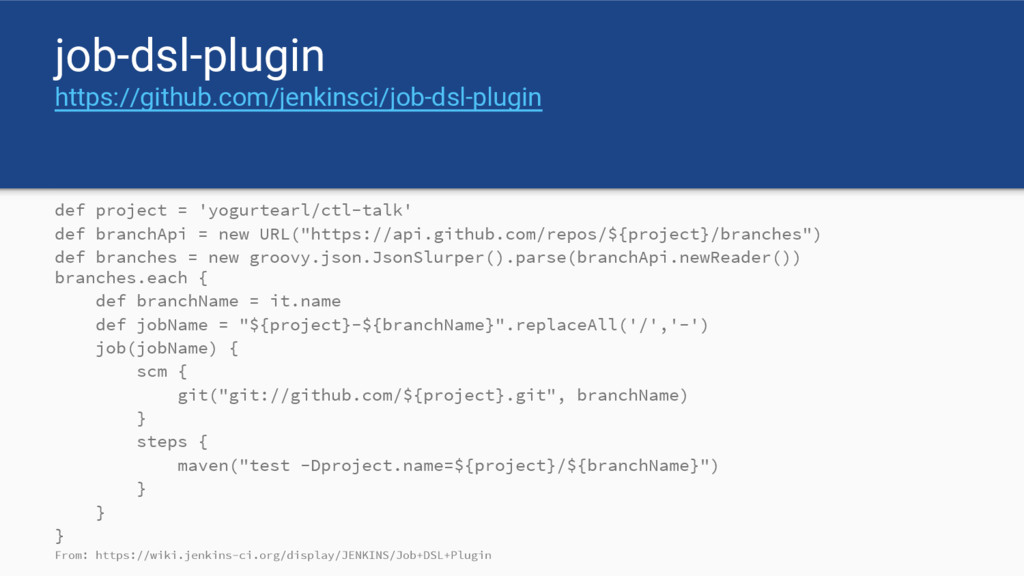
  10. job-dsl-plugin https://github.com/jenkinsci/job-dsl-plugin def project = 'yogurtearl/ctl-talk' def branchApi = new

    URL("https://api.github.com/repos/${project}/branches") def branches = new groovy.json.JsonSlurper().parse(branchApi.newReader()) branches.each { def branchName = it.name def jobName = "${project}-${branchName}".replaceAll('/','-') job(jobName) { scm { git("git://github.com/${project}.git", branchName) } steps { maven("test -Dproject.name=${project}/${branchName}") } } } From: https://wiki.jenkins-ci.org/display/JENKINS/Job+DSL+Plugin
  11. Android Tests • Desktop JVM “unit tests” ( /tests )

    • Instrumentation Tests ( /androidTests )
  12. Physical device problems • ADB is flaky • USB is

    flaky • Keeping devices charged • System level dialogs
  13. Why CTL? • Physical Devices ◦ CTL handles the pain

    of managing physical devices. ◦ Real-world full fidelity • Virtual Devices ◦ “x86 Android Virtual Devices as a Service” maintained by someone else ◦ ADB is not directly exposed ◦ Includes Google Play services
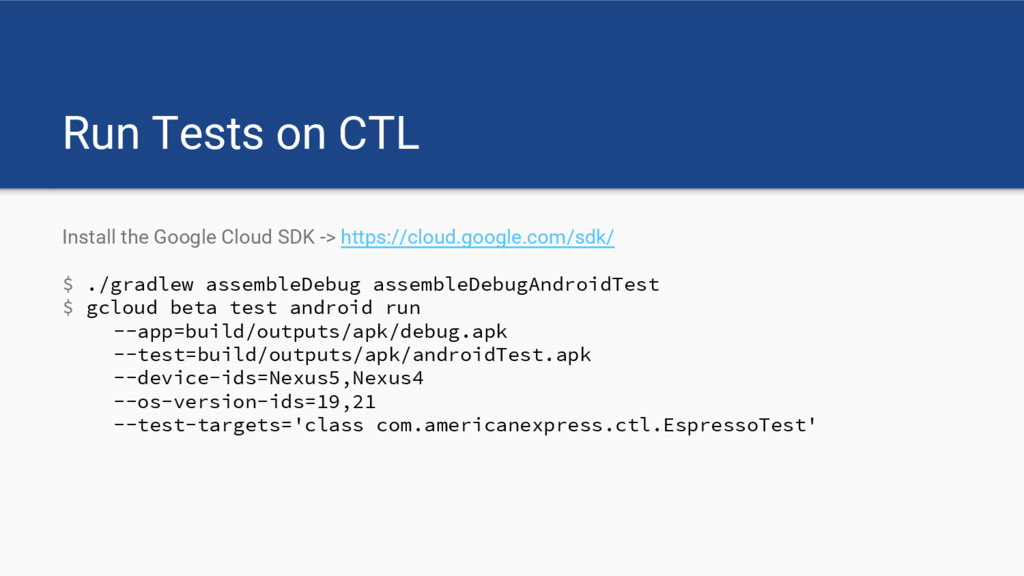
  14. Run Tests on CTL Install the Google Cloud SDK ->

    https://cloud.google.com/sdk/ $ ./gradlew assembleDebug assembleDebugAndroidTest $ gcloud beta test android run --app=build/outputs/apk/debug.apk --test=build/outputs/apk/androidTest.apk --device-ids=Nexus5,Nexus4 --os-version-ids=19,21 --test-targets='class com.americanexpress.ctl.EspressoTest'
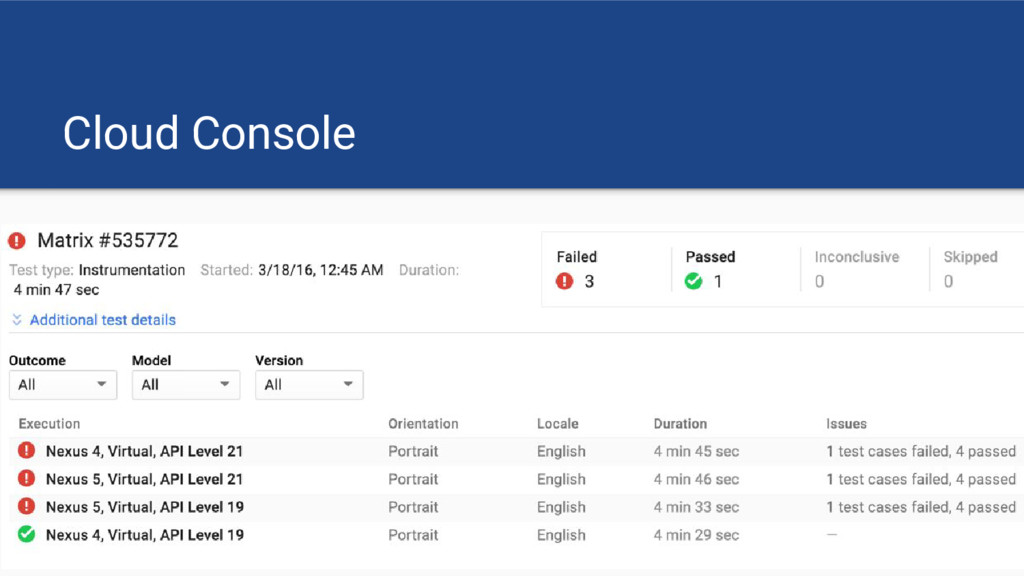
  15. $ gcloud beta test android run … Uploading [app/build/outputs/apk/debug.apk] to

    the Cloud Test Lab... Uploading [app/build/outputs/apk/androidTest.apk] to the Cloud Test Lab... Raw results will be stored in your GCS bucket at [https://google.com/storage/browser/project_bucket/2016-03-15_DCSF/] Test [matrix-droidcon] has been created in the Google Cloud. Cloud Test Lab will execute your instrumentation test on 4 device(s). Creating individual test executions...done. Test results will be streamed to [https://google.com/project/project_id/testlab/mobile/histories/bh.cafebabe/executions/37]. 15:48:55 Test matrix status: Finished:4 Instrumentation testing complete. More details are available at [https://google.com/project/project_id/testlab/mobile/histories/bh.cafebabe/executions/37]. ┌─────────┬───────────────────────┬──────────────┐ │ OUTCOME │ TEST_AXIS_VALUE │ TEST_DETAILS │ ├─────────┼───────────────────────┼──────────────┤ │ Passed │ Nexus4-19-en-portrait │ -- │ │ Passed │ Nexus4-21-en-portrait │ -- │ │ Passed │ Nexus5-19-en-portrait │ -- │ │ Passed │ Nexus5-21-en-portrait │ -- │ └─────────┴───────────────────────┴──────────────┘
  16. $ gcloud beta test android run … Uploading [app/build/outputs/apk/debug.apk] to

    the Cloud Test Lab... Uploading [app/build/outputs/apk/androidTest.apk] to the Cloud Test Lab... Raw results will be stored in your GCS bucket at [https://google.com/storage/browser/project_bucket/2016-03-15_DCSF/] Test [matrix-droidcon] has been created in the Google Cloud. Cloud Test Lab will execute your instrumentation test on 4 device(s). Creating individual test executions...done. Test results will be streamed to [https://google.com/project/project_id/testlab/mobile/histories/bh.cafebabe/executions/37]. 15:48:55 Test matrix status: Finished:4 Instrumentation testing complete. More details are available at [https://google.com/project/project_id/testlab/mobile/histories/bh.cafebabe/executions/37]. ┌─────────┬───────────────────────┬──────────────┐ │ OUTCOME │ TEST_AXIS_VALUE │ TEST_DETAILS │ ├─────────┼───────────────────────┼──────────────┤ │ Passed │ Nexus4-19-en-portrait │ -- │ │ Passed │ Nexus4-21-en-portrait │ -- │ │ Passed │ Nexus5-19-en-portrait │ -- │ │ Passed │ Nexus5-21-en-portrait │ -- │ └─────────┴───────────────────────┴──────────────┘
  17. Start testing today! • Test early and often • Test

    during development and release • Test every submission on Google Play Sign up now: https://developers.google.com/cloud-test-lab/ More tests → Better apps → $$$