Share
Embed
๐ฉ๐ช enterJSย 2024
Web performance APIs you (probably) didn't know existed
Responsiveness to interaction is crucial for our apps and youโve probably heard about the amazing tools we have to measure web performance. But did you know there are many performance APIs native to the Web Platform?
In this talk, weโll see how to leverage the power of some of them to reliably measure responsiveness and correctly identify culprits for bad experiences.
Matheus Albuquerque PRO
May 08, 2024
Transcript
154 slides
-
Hello, enterJS ๐ ๐ฉ๐ช WEB PERFORMANCE APIS THAT YOU (PROBABLY)
NEVER KNEW EXISTED โข MAY 8, 2024. -
WEB PERFORMANCE APIS THAT YOU (PROBABLY) NEVER KNEW EXISTED MATHEUS
ALBUQUERQUE โข @ythecombinator -
Matheus Albuquerque โ ๐ ythecombinator โ ๐จ๐ป Sr. SWE @
Medallia โ โก Google Developer Expert โ โ PC @ React Su m m it NYC โ ๐ง๐ซ Mentor @ TechLabs -
Matheus Albuquerque โ ๐ ythecombinator โ ๐จ๐ป Sr. SWE @
Medallia โ โก Google Developer Expert โ โ PC @ React Su m m it NYC โ ๐ง๐ซ Mentor @ TechLabs โ ALL THE LINKS! -
Why am I here? WEB PERFORMANCE APIS THAT YOU (PROBABLY)
NEVER KNEW EXISTED -
WEB PERFORMANCE APIS THAT YOU (PROBABLY) NEVER KNEW EXISTED MATHEUS
ALBUQUERQUE โข @ythecombinator -
YOU ALREADY KNOWโฆ โ HTTP/2 โ COMPRESS JAVASCRIPT (E.G. WITH
BROTLI/ZSTD) AND USE IMAGE CDNS (40โ80% SAVINGS) โ OPTIMIZE THIRD-PARTIES (DEFER/REPLACE/UPDATE THEM) โ WORKERS TO OFF-LOAD THE MAIN THREAD -
This talk presents Why am I here? Measuring Measuring (with
the platform) Optimizing (with the platform) Why are we here? Closing thoughts -
This talk presents Why am I here? Measuring Measuring (with
the platform) Optimizing (with the platform) Why are we here? Closing thoughts -
#QUESTION ๐ค What does it mean to be fast? If
you were to summarize web performance in one metric, whatโd be your pick? -
#QUESTION ๐ค What does it mean to be fast? If
you were to summarize web performance in one metric, whatโd be your pick? e.g. load time, responsiveness, etc. -
#PROTIP๐ก A lot of loading metrics don't capture user experience.
We need to think about our metrics in terms of what matters. -
#QUESTION ๐ค What does it mean to be fast? If
you were to summarize web performance in one metric, whatโd be your pick? -
WHAT DOES IT MEAN TO BE FAST? PERCEIVED LOAD SPEED
HOW QUICKLY A PAGE CAN LOAD AND RENDER ALL OF ITS VISUAL ELEMENTS TO THE SCREEN LOAD RESPONSIVENESS HOW QUICKLY A PAGE CAN LOAD/RUN ANY REQUIRED JS IN ORDER FOR COMPONENTS TO RESPOND TO USER INTERACTION RUNTIME RESPONSIVENESS AFTER THE PAGE LOAD, HOW QUICKLY CAN THE PAGE RESPOND TO USER INTERACTION? SMOOTHNESS DO TRANSITIONS & ANIMATIONS RENDER AT A CONSISTENT FRAME RATE AND FLOW FLUIDLY? -
#PROTIP๐ก The only way to truly know how your site
performs for your users is to actually measure its performance as those users are loading and interacting with it. -
JEAN-ANTOINE NOLLET โ THE FIRST EVER RUM EXPERIMENT IN 1746
โ HE GATHERED ห200 MONKS IN CIRCUMFERENCE, WIRED USING IRON, AND DISCHARGED A BATTERY THROUGH THE HUMAN CHAIN โ HE WAS TESTING THE LATENCY OF AN ELECTRIC SIGNAL WITH REAL USERS -
#PROTIP๐ก Browsers now provide us with many apis to fetch
performance metrics that help site owners make sites faster. -
WEB PLATFORM PERF APIS I DIDNโT KNOW EXISTED MATHEUS ALBUQUERQUE
โข @ythecombinator -
Measuring with the platform WEB PERFORMANCE APIS THAT YOU (PROBABLY)
NEVER KNEW EXISTED -
MEASUREMENT APIS GENERAL STUFF DOMHighResTimeStamp, PerformanceObserver, PAGE VISIBILITY API &
LAYOUT INSTABILITY API PROFILING LONG TASKS API, UserAgentSpecificMemory & JS SELF- PROFILING API TIMING USER TIMING, ELEMENT TIMING. EVENT TIMING, RESOURCE TIMING, NAVIGATION TIMING & SERVER TIMING SENSORS BATTERY STATUS & NETWORK INFORMATION -
#1 PAGE VISIBILITY document.hidden; document.visibilityState; document.addEventListener("visibilitychange",() = > { if(document.visibilityState==="hidden"){
console.log("This window is hidden") } else{ console.log("This window is visible") } }) -
#1 PAGE VISIBILITY โ CANCEL NETWORK REQUESTS AND OTHER TIME-BASED
EVENTS โ FETCH INCOMPLETE MEDIA OR DOWNLOAD THE REST OF YOUR BUNDLES USING DYNAMIC IMPORTS โ PAUSE VIDEOS AND CAROUSELS, IF THE USER IS NOT WATCHING THEM -
#2 PerformanceObserver โ SUBSCRIBE TO PERFORMANCE-RELATED EVENTS โ CALLBACKS ARE
GENERALLY FIRED DURING IDLE PERIODS โ YOU TELL THE OBSERVER WHAT TYPES OF ENTRIES TO LISTEN FOR -
#2 PerformanceObserver const observer = new PerformanceObserver((list) = > {
for (const entry of list.getEntries()) { console.log(entry.toJSON()); } }); observer.observe({type: 'some-entry-type'}); -
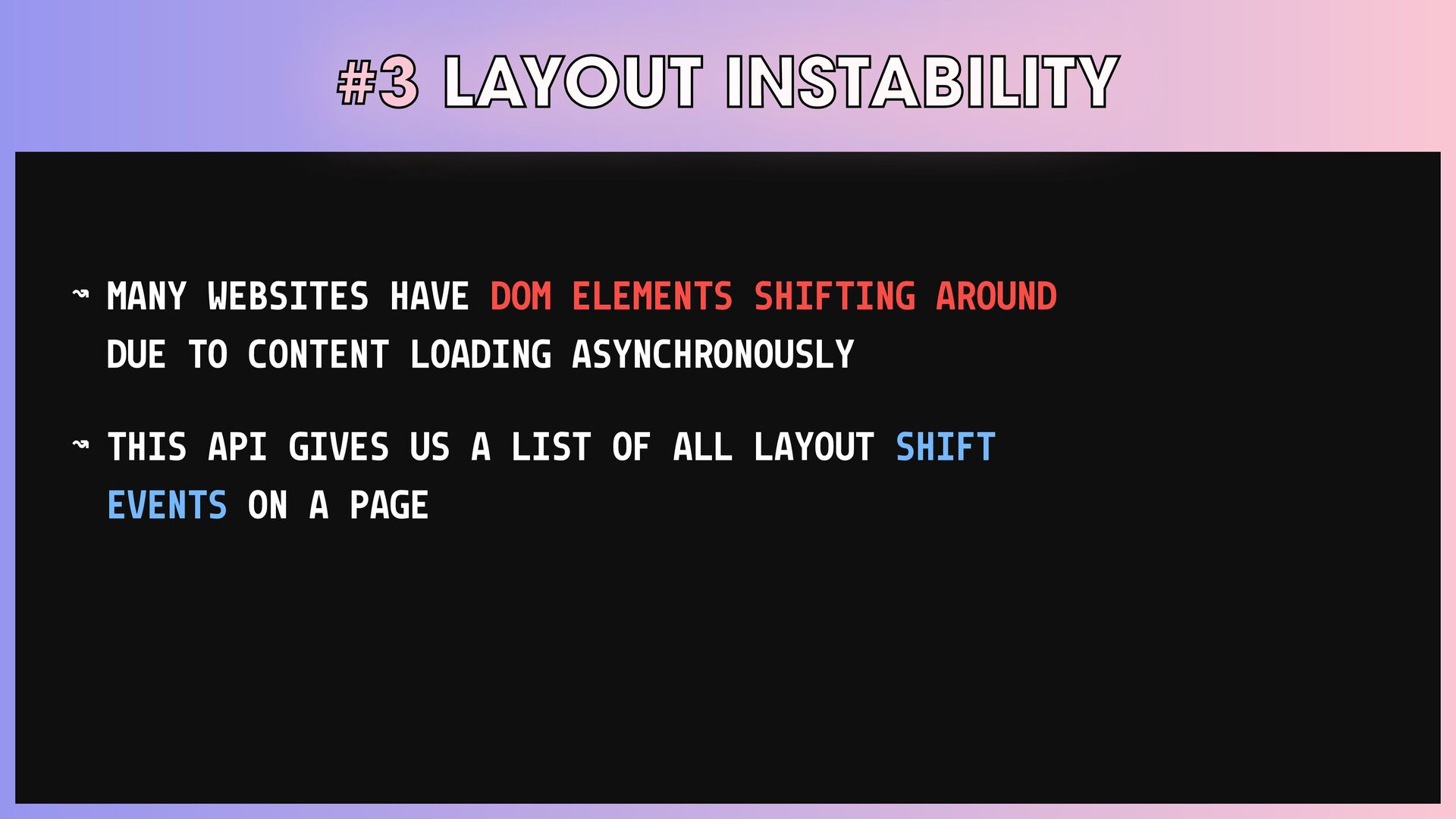
#3 LAYOUT INSTABILITY โ MANY WEBSITES HAVE DOM ELEMENTS SHIFTING
AROUND DUE TO CONTENT LOADING ASYNCHRONOUSLY โ THIS API GIVES US A LIST OF ALL LAYOUT SHIFT EVENTS ON A PAGE -
#3 LAYOUT INSTABILITY const observer = new PerformanceObserver((list) = >
{ const entries = list.getEntries(); / / Shifts that are not preceded by input events const nonInputEntries = entries.filter((entry) = > !entry.hadRecentInput); for (const entry of nonInputEntries) { console.log(entry); } }); observer.observe({type: 'layout-shift'}); -
TIMING โ ACT I USER TIMING ALLOWS YOU TO MARK
POINTS IN TIME AND THEN MEASURE THE DURATION BETWEEN THOSE MARKS. EVENT TIMING EVENT PROCESSING TIME + TIME UNTIL THE NEXT FRAME CAN BE RENDERED. THE BASIS FOR THE FID METRIC. ELEMENT TIMING MEASURE THE RENDER TIME OF SPECIFIC ELEMENTS. THE BASIS FOR THE LCP METRIC. -
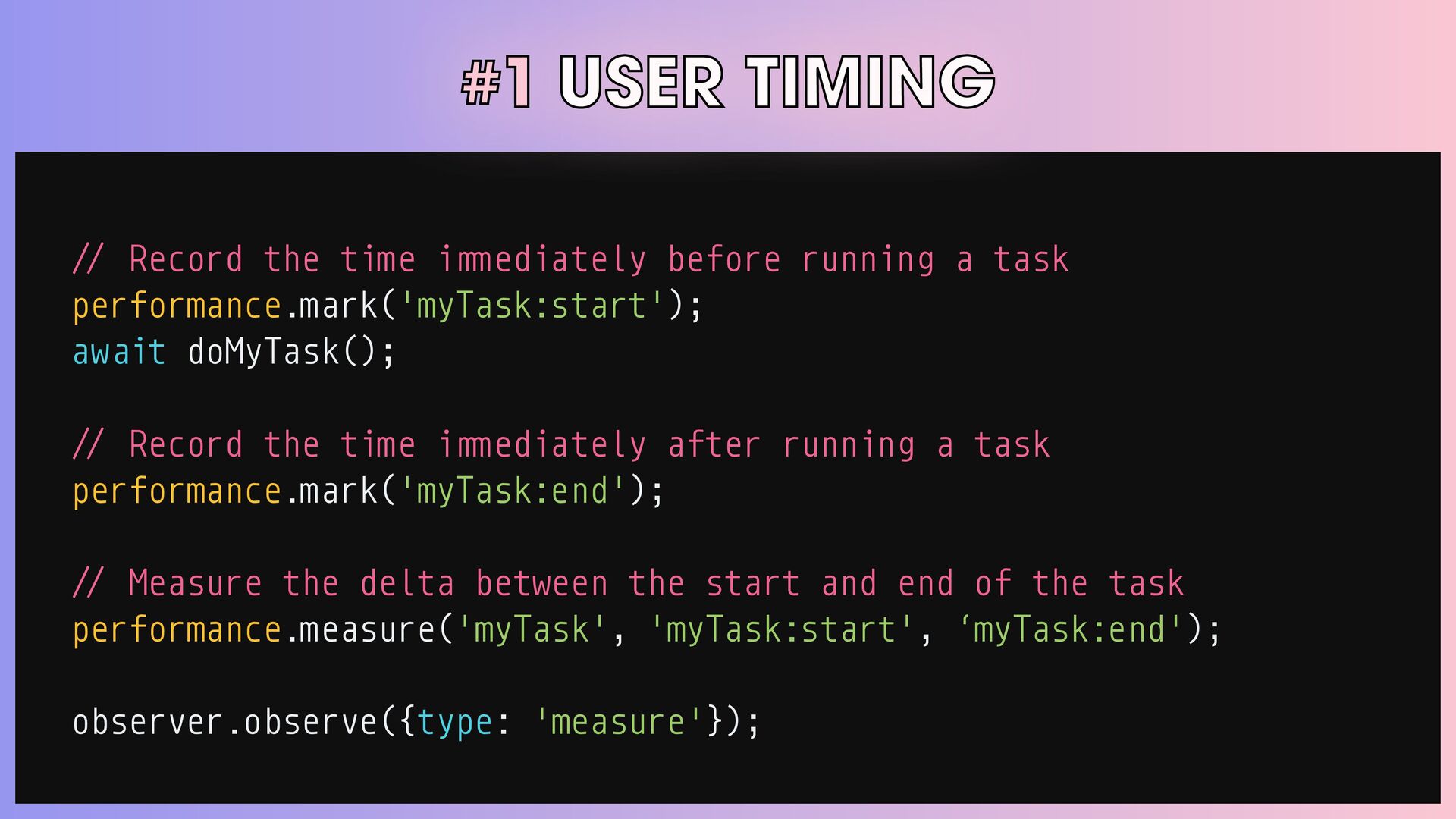
#1 USER TIMING / / Record the time i m
m ediately before running a task performance.mark('myTask:start'); await doMyTask(); / / Record the time i m m ediately after running a task performance.mark('myTask:end'); / / Measure the delta between the start and end of the task performance.measure('myTask', 'myTask:start', โmyTask:end'); observer.observe({type: 'measure'}); -
#1 USER TIMING โ TOOLS โ "USER TIMING AND CUSTOM
METRICS" BY STEVE SOUDERS -
#1 USER TIMING โ TOOLS โ "USER TIMING AND CUSTOM
METRICS" BY STEVE SOUDERS โ "USER TIMING AND CUSTOM METRICS" BY STEVE SOUDERS -
#2 ELEMENT TIMING โ ALLOWS YOU TO MEASURE THE RENDER
TIME OF SPECIFIC ELEMENTS โ USEFUL FOR KNOWING WHEN THE LARGEST IMAGE OR TEXT BLOCK WAS PAINTED TO THE SCREEN โ THE BASIS FOR THE LARGEST CONTENTFUL PAINT (LCP) METRIC -
#2 ELEMENT TIMING <img elementtiming="hero-image" /> <p elementtiming="important-paragraph">This is text
I care about.</p> observer.observe({type: 'element'}); -
#2 ELEMENT TIMING โ TOOLS โ "ELEMENT TIMING: ONE TRUE
METRIC TO RULE THEM ALL?" BY ANDY DAVIES -
#2 ELEMENT TIMING โ USEFUL TO MEASURE THE EVENT PROCESSING
TIME AS WELL AS THE TIME UNTIL THE NEXT FRAME CAN BE RENDERED โ EXPOSES A NUMBER OF TIMESTAMPS IN THE EVENT LIFECYCLE โ THE BASIS FOR THE FIRST INPUT DELAY METRIC -
#3 EVENT TIMING const observer = new PerformanceObserver((entryList) = >
{ const firstInput = entryList.getEntries()[0]; const firstInputDelay = firstInput.processingStart - firstInput.startTime; / / Measure the time it takes to run all event handlers const firstInputProcessingTime = firstInput.processingEnd - firstInput.processingStart; / / Measure the entire duration of the event const firstInputDuration = firstInput.duration; }); observer.observe({type: 'first-input'}); -
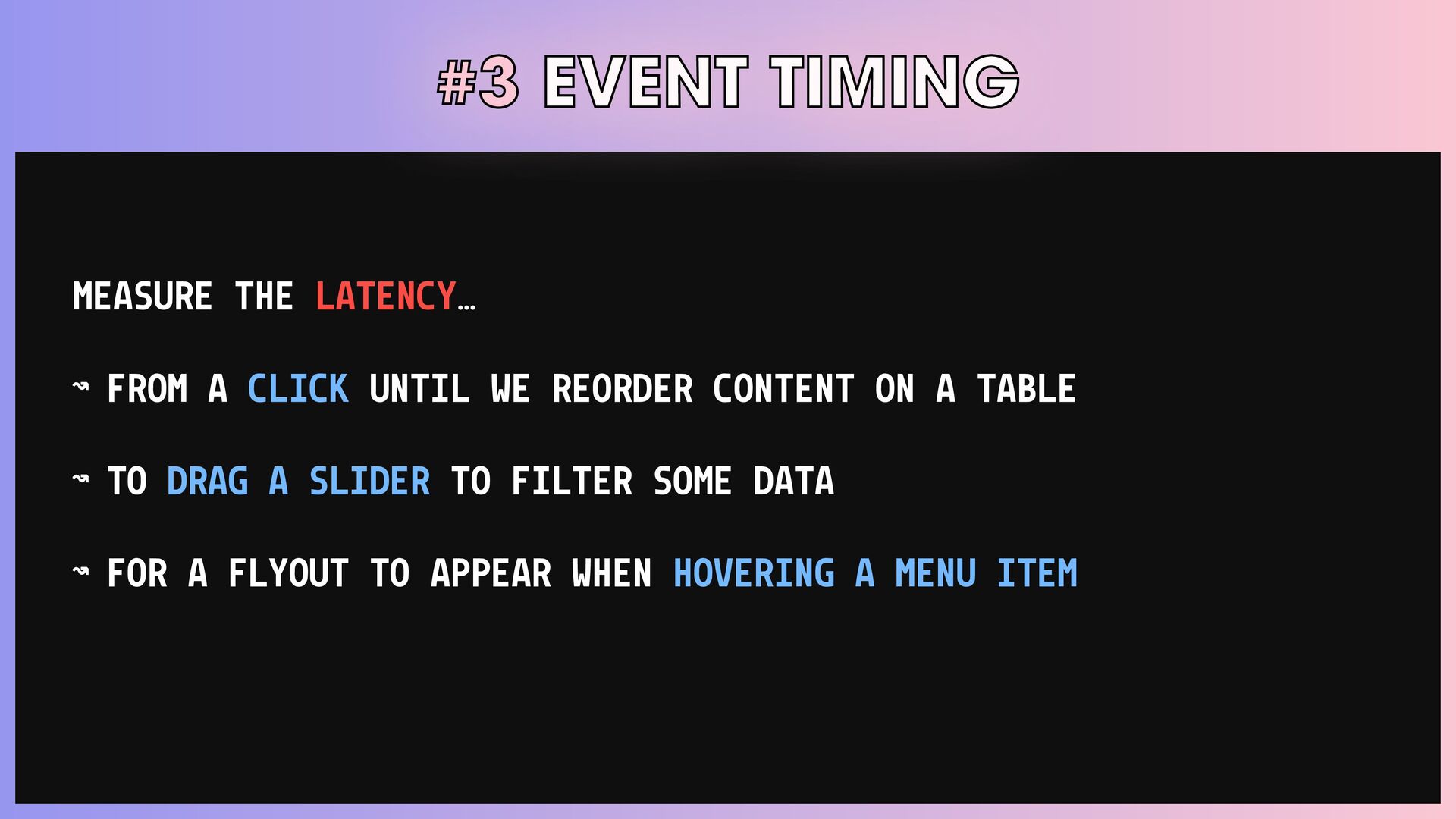
#3 EVENT TIMING MEASURE THE LATENCYโฆ โ FROM A CLICK
UNTIL WE REORDER CONTENT ON A TABLE โ TO DRAG A SLIDER TO FILTER SOME DATA โ FOR A FLYOUT TO APPEAR WHEN HOVERING A MENU ITEM -
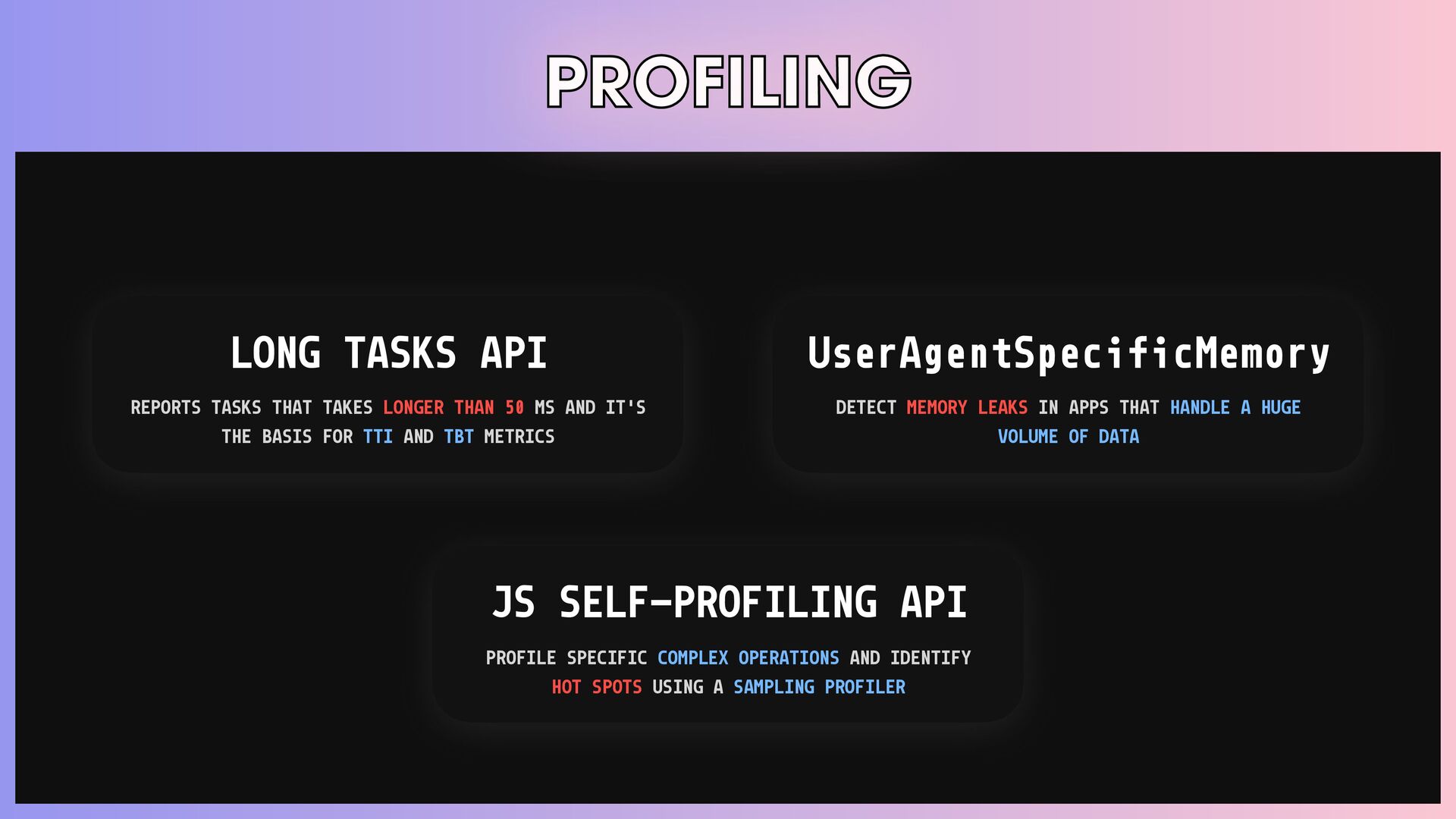
PROFILING LONG TASKS API REPORTS TASKS THAT TAKES LONGER THAN
50 MS AND IT'S THE BASIS FOR TTI AND TBT METRICS JS SELF-PROFILING API PROFILE SPECIFIC COMPLEX OPERATIONS AND IDENTIFY HOT SPOTS USING A SAMPLING PROFILER UserAgentSpecificMemory DETECT MEMORY LEAKS IN APPS THAT HANDLE A HUGE VOLUME OF DATA -
#1 LONG TASKS โ REPORTS TASKS THAT TAKES LONGER THAN
50 MS โ USEFUL TO TRACK WHEN THE BROWSER'S MAIN THREAD IS BLOCKED โ THE BASIS FOR TIME TO INTERACTIVE (TTI) AND TOTAL BLOCKING TIME (TBT) METRICS -
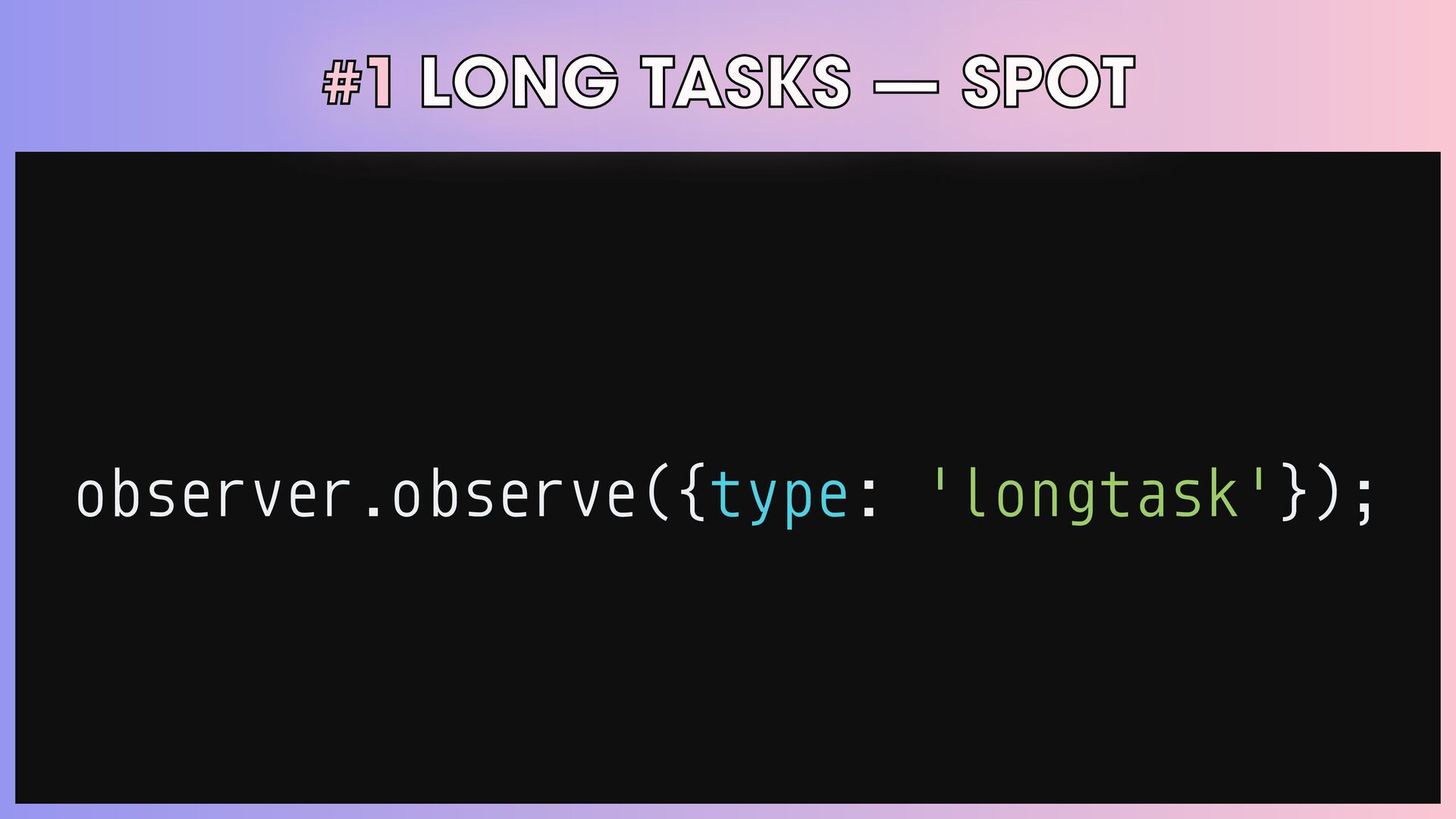
#1 LONG TASKS โ SPOT observer.observe({type: 'longtask'}); { name: "same-origin-descendant",
entryType: "longtask", startTime: 1023.40999995591, duration: 187.19000002602115, attribution: [ { name: "unknown", entryType: "taskattribution", startTime: 0, duration: 0, containerType: "iframe", containerSrc: "child.html", containerId: "", containerName: "child1" } ] }; -
#2 JS SELF - PROFILING const profiler = new Profiler({
sampleInterval: 10, maxBufferSize: 10000 }); / / Do work . . . const trace = await profiler.stop(); sendProfile(trace); -
#2 JS SELF - PROFILING โ PROFILE SPECIFIC COMPLEX OPERATIONS
โ PROFILE THIRD-PARTY SCRIPTS โ COMBINE WITH OTHER EVENTS/IMPORTANT METRICS, LIKE LONG TASKS OR EVENT TIMING APIS -
#3 UserAgentSpecificMemory โ MEASURES THE MEMORY USAGE AND DETECTS MEMORY
LEAKS โ WAITS FOR THE NEXT GC AND THEN MEASURES MEMORY IMMEDIATELY AFTER THE UNNEEDED MEMORY HAS BEEN RELEASED โ FORCES GC IF IT DOES NOT HAPPEN FOR 20S -
MEMORY LEAKS โ FORGETTING TO UNREGISTER AN EVENT LISTENER โ
ACCIDENTALLY CAPTURING OBJECTS FROM AN IFRAME โ NOT CLOSING A WORKER โ ACCUMULATING OBJECTS IN ARRAYS -
MEMORY LEAKS const obj = { a: new Array(1000), b:
new Array(2000) }; setInterval(() = > { console.log(obj.a); }, 1000); -
{ name: "same-origin-descendant", entryType: "longtask", startTime: 1023.40999995591, duration: 187.19000002602115, attribution:
[ { name: "unknown", entryType: "taskattribution", startTime: 0, duration: 0, containerType: "iframe", containerSrc: "child.html", containerId: "", containerName: "child1" } ] } { bytes: 1000000, breakdown: [ { bytes: 1000000, attribution: [ { url: "https://example.com", scope: "Window", }, ], types: ["JS", "DOM"], }, { bytes: 0, attribution: [], types: [], }, ], } { "frames": [ { "name": "Profiler" }, { "column": 0, "line": 100, "name": "", "resourceId": 0 }, { "name": "set innerHTML" }, { "column": 10, "line": 10, "name": "A", "resourceId": 1 } { "column": 20, "line": 20, "name": "B", "resourceId": 1 } ], "resources": [ "https://example.com/page", "https://example.com/app.js", ], "samples": [ { "stackId": 0, "timestamp": 161.99500000476837 }, { "stackId": 2, "timestamp": 182.43499994277954 }, { "timestamp": 197.43499994277954 }, { "timestamp": 213.32999992370605 }, { "stackId": 3, "timestamp": 228.59999990463257 }, ], "stacks": [ { "frameId": 0 }, { "frameId": 2 }, { "frameId": 3 }, { "frameId": 4, "parentId": 2 } ] } LONG TASKS SELF-PROFILING USERAGENT MEMORY -
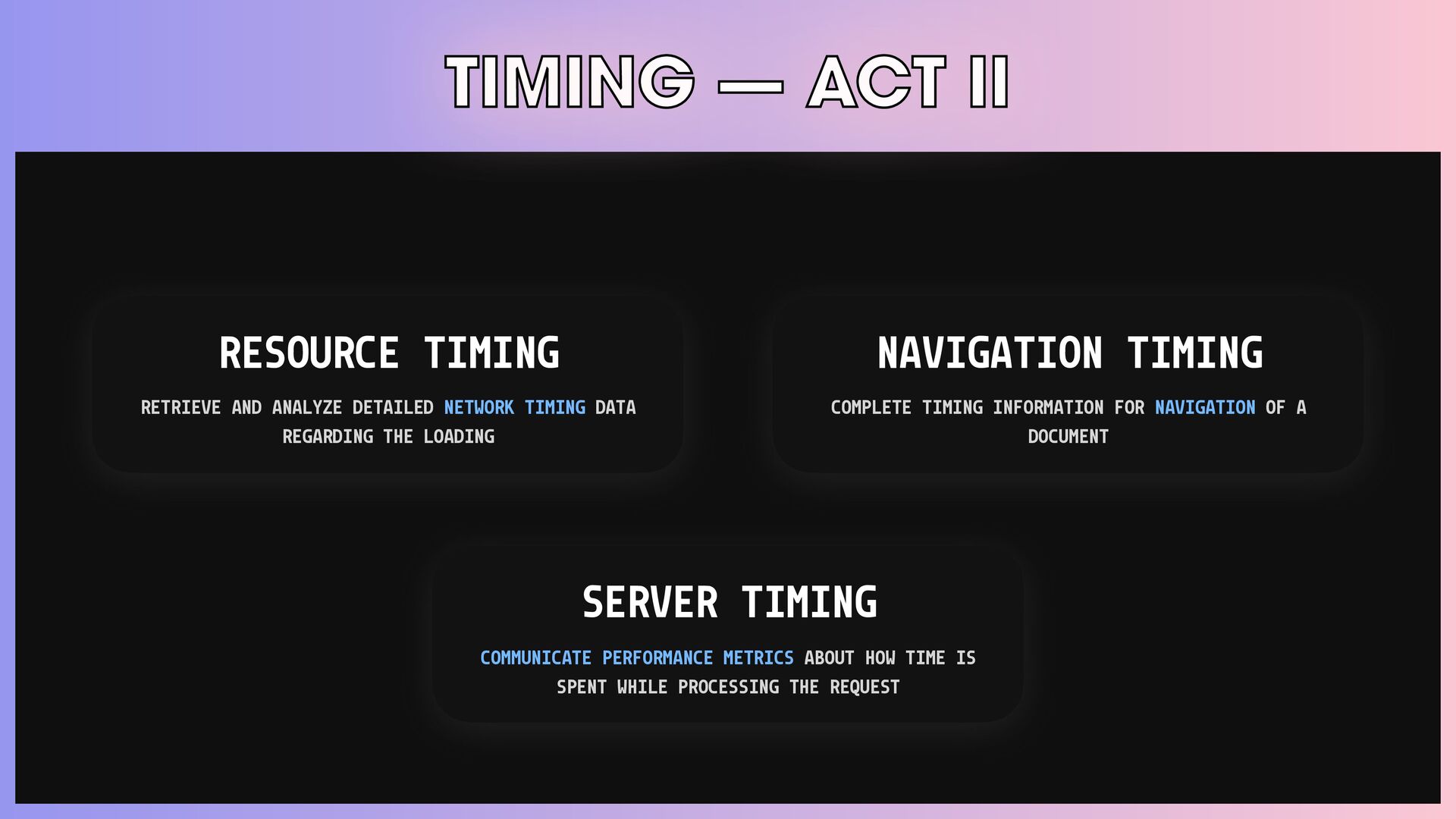
TIMING โ ACT II RESOURCE TIMING RETRIEVE AND ANALYZE DETAILED
NETWORK TIMING DATA REGARDING THE LOADING SERVER TIMING COMMUNICATE PERFORMANCE METRICS ABOUT HOW TIME IS SPENT WHILE PROCESSING THE REQUEST NAVIGATION TIMING COMPLETE TIMING INFORMATION FOR NAVIGATION OF A DOCUMENT -
#1 RESOURCE TIMING const observer = new PerformanceObserver((list) = >
{ for (const entry of list.getEntries()) { / / If transferSize is 0, the resource was fulfilled via the cache. console.log(entry.name, entry.transferSize === 0); } }); observer.observe({type: 'resource'}); -
#2 NAVIGATION TIMING const observer = new PerformanceObserver((list) = >
{ for (const entry of list.getEntries()) { console.log('Time to first byte', entry.responseStart); } }); observer.observe({type: 'navigation'}); -
#2 NAVIGATION TIMING / / ServiceWorker startup time const workerStartupTime
= entry.responseStart - entry.workerStart; / / Request time only (excluding redirects, DNS, and connection/TLS time) const requestTime = entry.responseStart - entry.requestStart; / / Response time only (download) const responseTime = entry.responseEnd - entry.responseStart; / / Request + response time const requestResponseTime = entry.responseEnd - entry.requestStart; -
#3 SERVER TIMING MEASURE ANY WORK THAT THE SERVER DOES
TO COMPLETE A REQUEST: โ ROUTING/AUTHENTICATING THE REQUEST โ RUNNING CONTENT THROUGH TEMPLATING SYSTEMS โ QUERYING DATABASES/API CALLS TO THIRD-PARTY SERVICES -
SENSORS BATTERY STATUS INFORMATION ABOUT THE POWER SOURCE, CHARGE LEVEL,
AND OTHERS NETWORK INFORMATION ADAPT THE USERSโ EXPERIENCE BASED ON THE QUALITY OF THEIR CONNECTION -
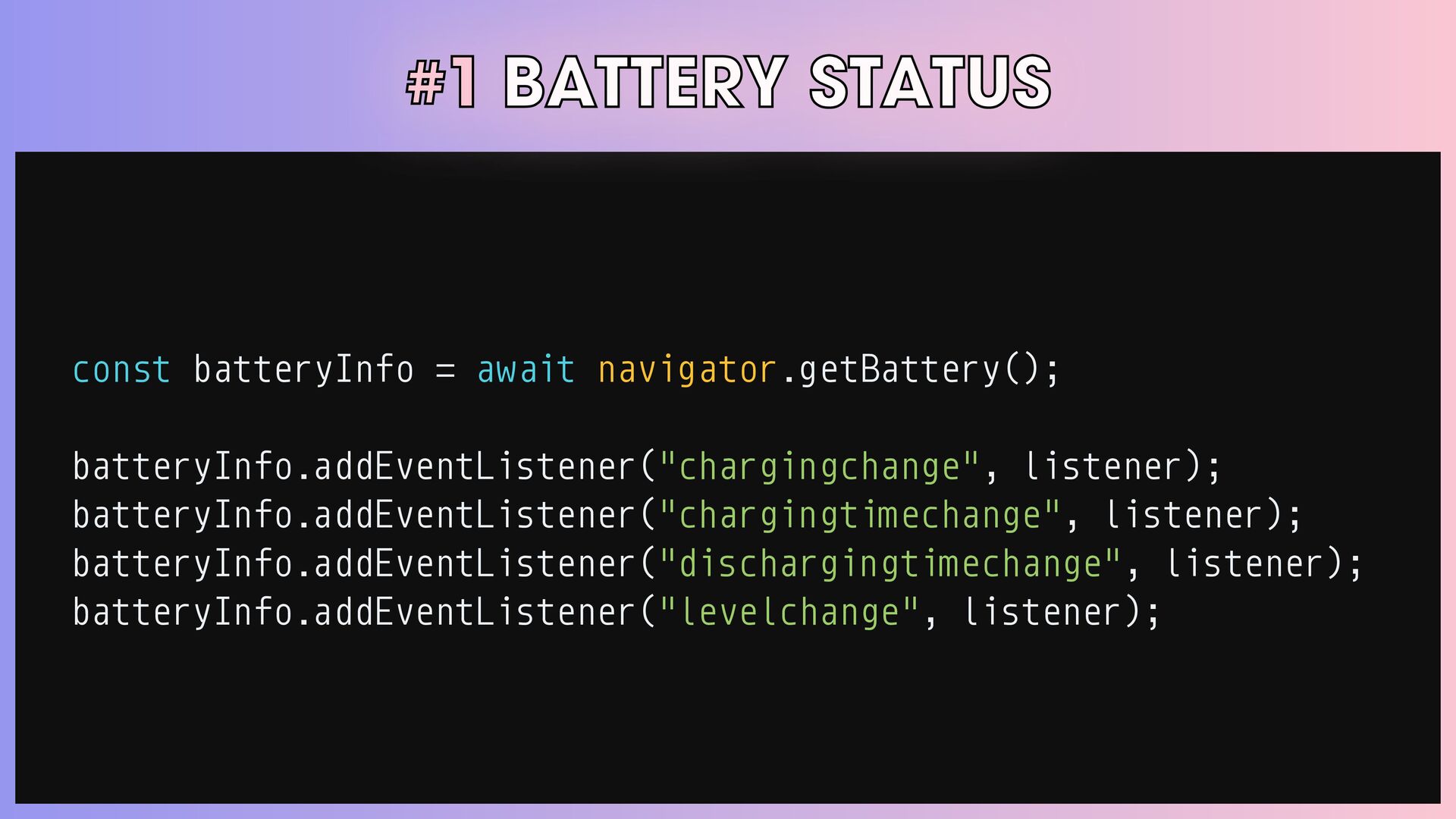
#1 BATTERY STATUS const batteryInfo = await navigator.getBattery(); batteryInfo.addEventListener("chargingchange", listener);
batteryInfo.addEventListener("chargingtimechange", listener); batteryInfo.addEventListener("dischargingtimechange", listener); batteryInfo.addEventListener("levelchange", listener); -
#2 NETWORK INFORMATION const networkInfo = navigator.connection.addEventListener('change', onConnectionChange); { effectiveType:
"4g", rtt: 200, downlink: 1.65, saveData: false, } -
#2 NETWORK INFORMATION โ SWITCH BETWEEN SERVING HIGH/LOW DEFINITION CONTENT
BASED ON THE USER'S NETWORK โ DECIDE WHETHER TO PRELOAD RESOURCES โ DEFER UPLOADS/DOWNLOADS WHEN USERS ARE ON A SLOW CONNECTION โ ADAPT TO SITUATIONS WHEN USERS ARE OFFLINE -
#2 NETWORK INFORMATION switch (connectionType) { case "4g": return <Video
src={videoSrc} />; case "3g": return <Image src={imageSrc.hiRes} alt={alt} />; default: return <Image src={imageSrc.lowRes} alt={alt} />; } -
Improving with the platform WEB PERFORMANCE APIS THAT YOU (PROBABLY)
NEVER KNEW EXISTED -
RESOURCE HINTS โ MANY PERFORMANCE OPTIMIZATIONS CAN BE MADE WHEN
WE CAN PREDICT WHAT USERS MIGHT DO. โ RESOURCE HINTS ARE A SIMPLE BUT EFFECTIVE WAY TO ALLOW DEVELOPERS TO HELP THE BROWSER TO STAY ONE STEP AHEAD OF THE USER AND KEEP PAGES FAST. -
RESOURCE HINTS < ! - - Preconnect - - >
<link rel="preconnect" href="https://fonts.gstatic.com"> <link rel="preconnect" href="https://scripts.example.com"> < ! - - Preloading - - > <link rel="preload" href="https://example.com/fonts/font.woff"> < ! - - DNS Prefetch - - > <link rel="dns-prefetch" href="https://fonts.gstatic.com"> <link rel="dns-prefetch" href="https://images.example.com"> < ! - - Prefetch - - > <link rel="prefetch" href="/uploads/images/pic.png"> <link rel="prefetch" href="https://example.com/news/?page=2"> < ! - - Prerender - - > <link rel="prerender" href="https://example.com/news/?page=2"> -
RESOURCE HINTS < ! - - Preconnect - - >
<link rel="preconnect" href="https://fonts.gstatic.com"> <link rel="preconnect" href="https://scripts.example.com"> < ! - - Preloading - - > <link rel="preload" href="https://example.com/fonts/font.woff"> < ! - - DNS Prefetch - - > <link rel="dns-prefetch" href="https://fonts.gstatic.com"> <link rel="dns-prefetch" href="https://images.example.com"> < ! - - Prefetch - - > <link rel="prefetch" href="/uploads/images/pic.png"> <link rel="prefetch" href="https://example.com/news/?page=2"> < ! - - Prerender - - > <link rel="prerender" href="https://example.com/news/?page=2"> -
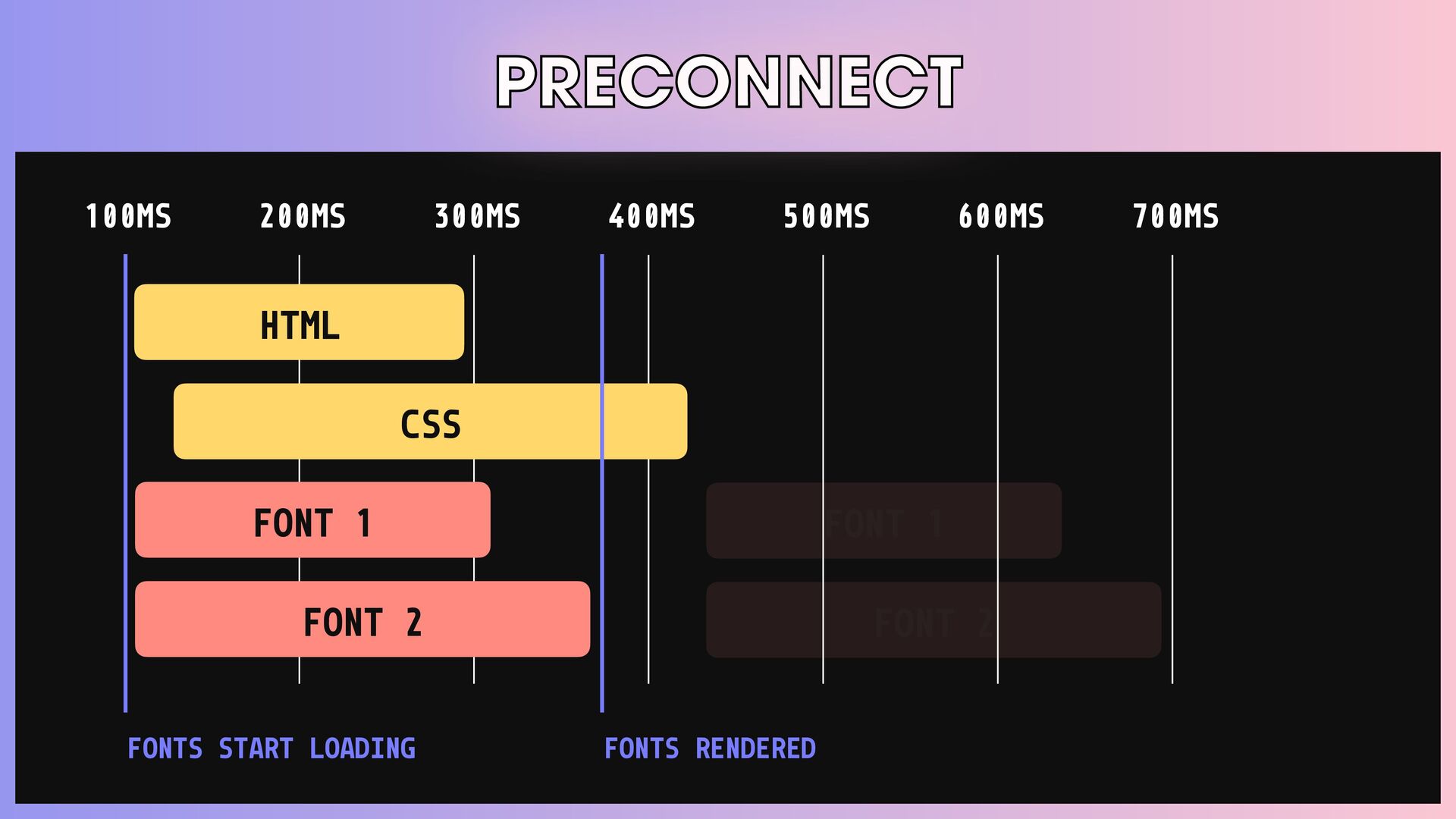
PRECONNECT โ IT ALLOWS THE BROWSER TO SETUP EARLY CONNECTIONS
BEFORE THE REQUEST IS ACTUALLY SENT TO THE SERVER. THIS INCLUDES: โข TLS NEGOTIATIONS โข TCP HANDSHAKES โ ELIMINATES ROUNDTRIP LATENCY -
PRECONNECT 100MS 200MS 300MS 400MS 500MS 600MS 700MS HTML CSS
FONT 1 FONT 2 FONTS START LOADING FONTS RENDERED -
PRECONNECT 100MS 200MS 300MS 400MS 500MS 600MS 700MS HTML CSS
FONT 1 FONT 2 FONTS START LOADING FONTS RENDERED FONT 1 FONT 2 -
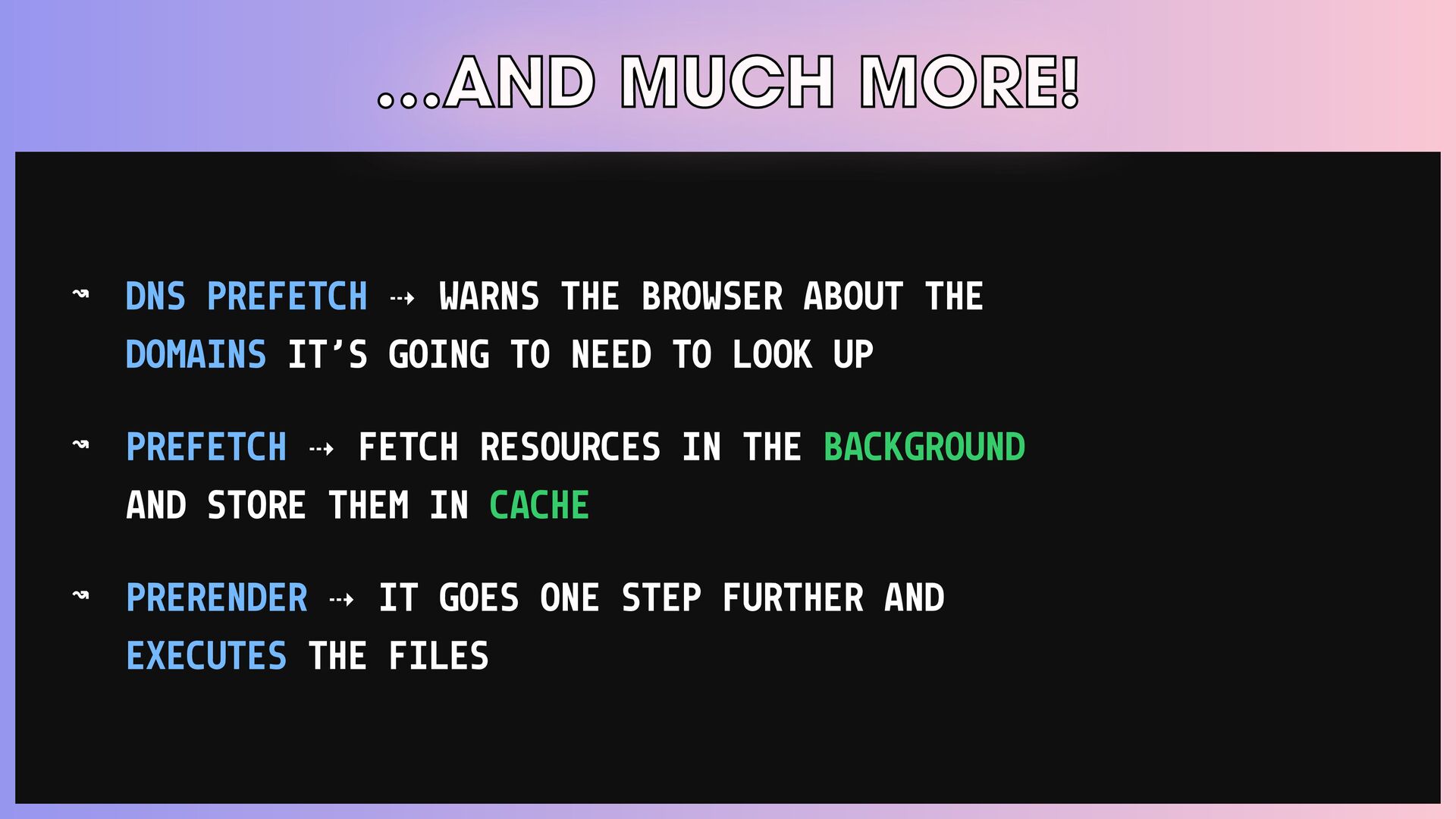
โฆAND MUCH MORE! โ DNS PREFETCH โข WARNS THE BROWSER
ABOUT THE DOMAINS ITโS GOING TO NEED TO LOOK UP โ PREFETCH โข FETCH RESOURCES IN THE BACKGROUND AND STORE THEM IN CACHE โ PRERENDER โข IT GOES ONE STEP FURTHER AND EXECUTES THE FILES -
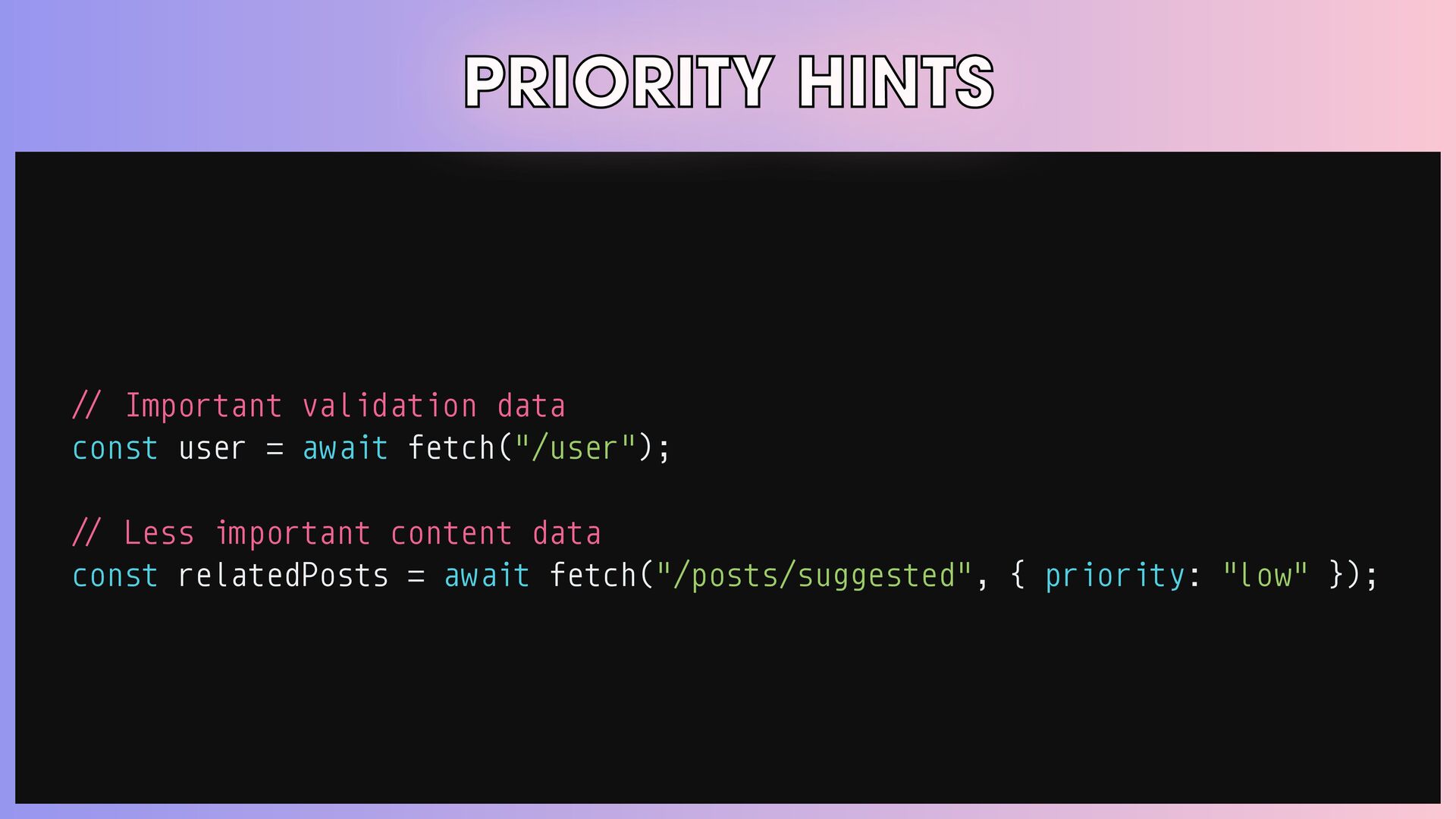
PRIORITY HINTS โ INCREASE THE PRIORITY OF THE LCP IMAGE
โ LOWER THE PRIORITY OF ABOVE-THE-FOLD IMAGES AND PRELOADED RESOURCES โ LOWER THE PRIORITY FOR NON-CRITICAL DATA FETCHES โ REPRIORITIZE SCRIPTS -
PRIORITY HINTS < ! - - Increase the priority of
the LCP image - - > <img src="image.jpg" fetchpriority="high" /> < ! - - Lower the priority of above-the-fold images - - > <ul class="carousel"> <img src="img/carousel-1.jpg" fetchpriority="high" /> <img src="img/carousel-2.jpg" fetchpriority="low" /> <img src="img/carousel-3.jpg" fetchpriority="low" /> </ul> < ! - - Reprioritize scripts - - > <script src="async_but_important.js" async fetchpriority="high"></script> <script src="blocking_but_unimportant.js" fetchpriority="low"></script> -
PRIORITY HINTS < ! - - Increase the priority of
the LCP image - - > <img src="image.jpg" fetchpriority="high" /> < ! - - Lower the priority of above-the-fold images - - > <ul class="carousel"> <img src="img/carousel-1.jpg" fetchpriority="high" /> <img src="img/carousel-2.jpg" fetchpriority="low" /> <img src="img/carousel-3.jpg" fetchpriority="low" /> </ul> < ! - - Reprioritize scripts - - > <script src="async_but_important.js" async fetchpriority="high"></script> <script src="blocking_but_unimportant.js" fetchpriority="low"></script> -
PRIORITY HINTS / / Important validation data const user =
await fetch("/user"); / / Less important content data const relatedPosts = await fetch("/posts/suggested", { priority: "low" }); -
PRIORITY HINTS / / Important validation data const user =
await fetch("/user"); / / Less important content data const relatedPosts = await fetch("/posts/suggested", { priority: "low" }); -
RESPONSIVE IMAGES โ IMAGES FOR DESKTOP AND TABLET CAN BE
ห2-4X LARGER THAN THE MOBILE ONES. โ WITH srcset, THE BROWSER WON'T DOWNLOAD THE LARGER IMAGES UNLESS THEY'RE NEEDED. THAT SAVES BANDWIDTH. -
RESPONSIVE IMAGES <img src="enterJS.png" srcset=" enterJS-300.png 300w, enterJS-600.png 600w, enterJS-1200.png
1200w " /> <img src="enterJS.png" srcset=" enterJS-1x.png 1x, enterJS-2x.png 2x, enterJS-3x.png 3x " /> -
RESPONSIVE IMAGES <img src="enterJS.png" srcset=" enterJS-300.png 300w, enterJS-600.png 600w, enterJS-1200.png
1200w " /> <img src="enterJS.png" srcset=" enterJS-1x.png 1x, enterJS-2x.png 2x, enterJS-3x.png 3x " /> -
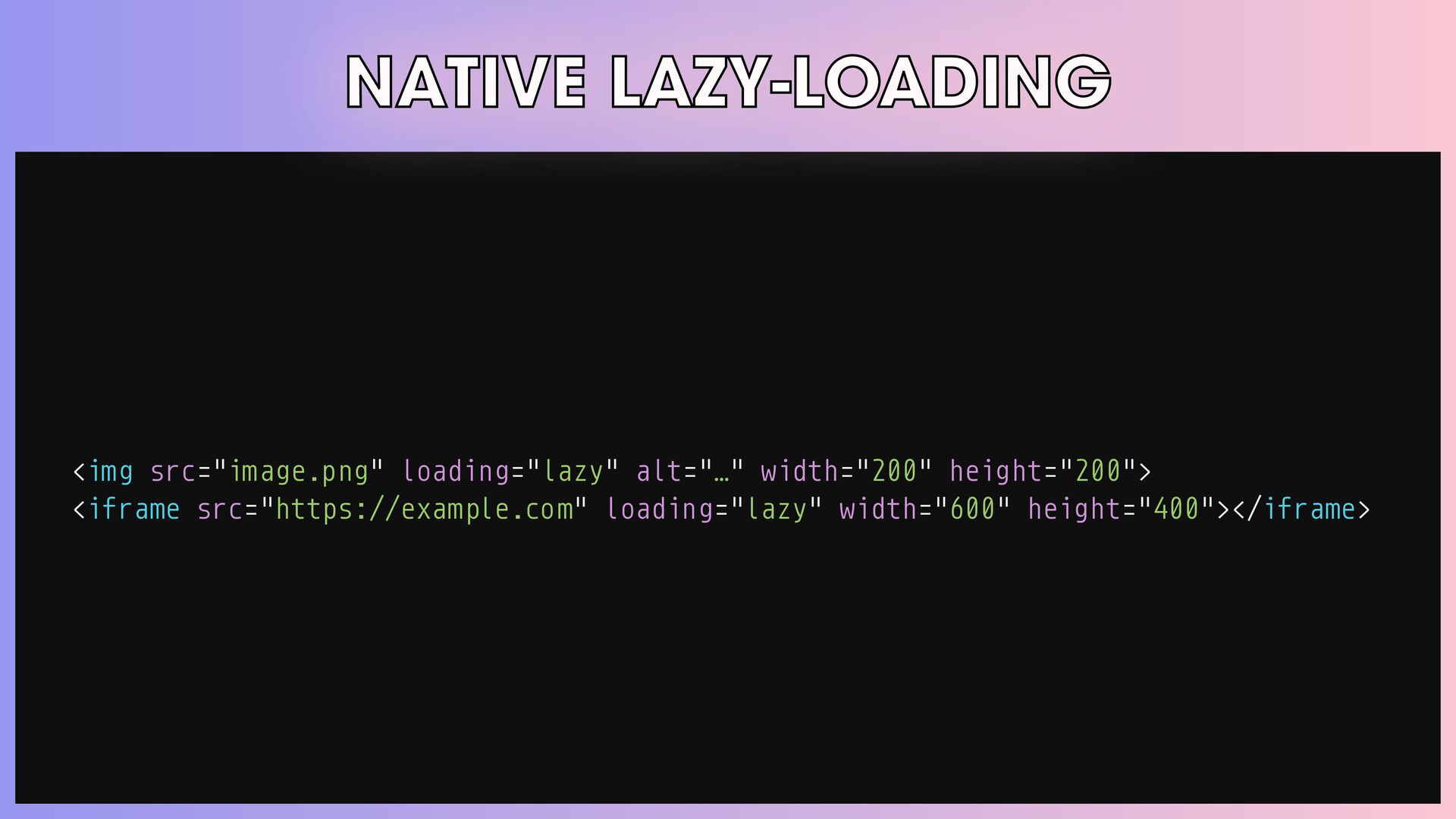
NATIVE LAZY-LOADING <img src="image.png" loading="lazy" alt="โฆ" width="200" height="200"> <iframe src="https://example.com"
loading="lazy" width="600" height="400"></iframe> -
NATIVE LAZY-LOADING <img src="image.png" loading="lazy" alt="โฆ" width="200" height="200"> <iframe src="https://example.com"
loading="lazy" width="600" height="400"></iframe> -
#PROTIP ๐ก Lazy-loading iframes can lead to 2-3% median data
savings, 1-2% FCP reductions, and 2% FID improvements at the 95th percentile. โโChrome teamโs research, 2019 -
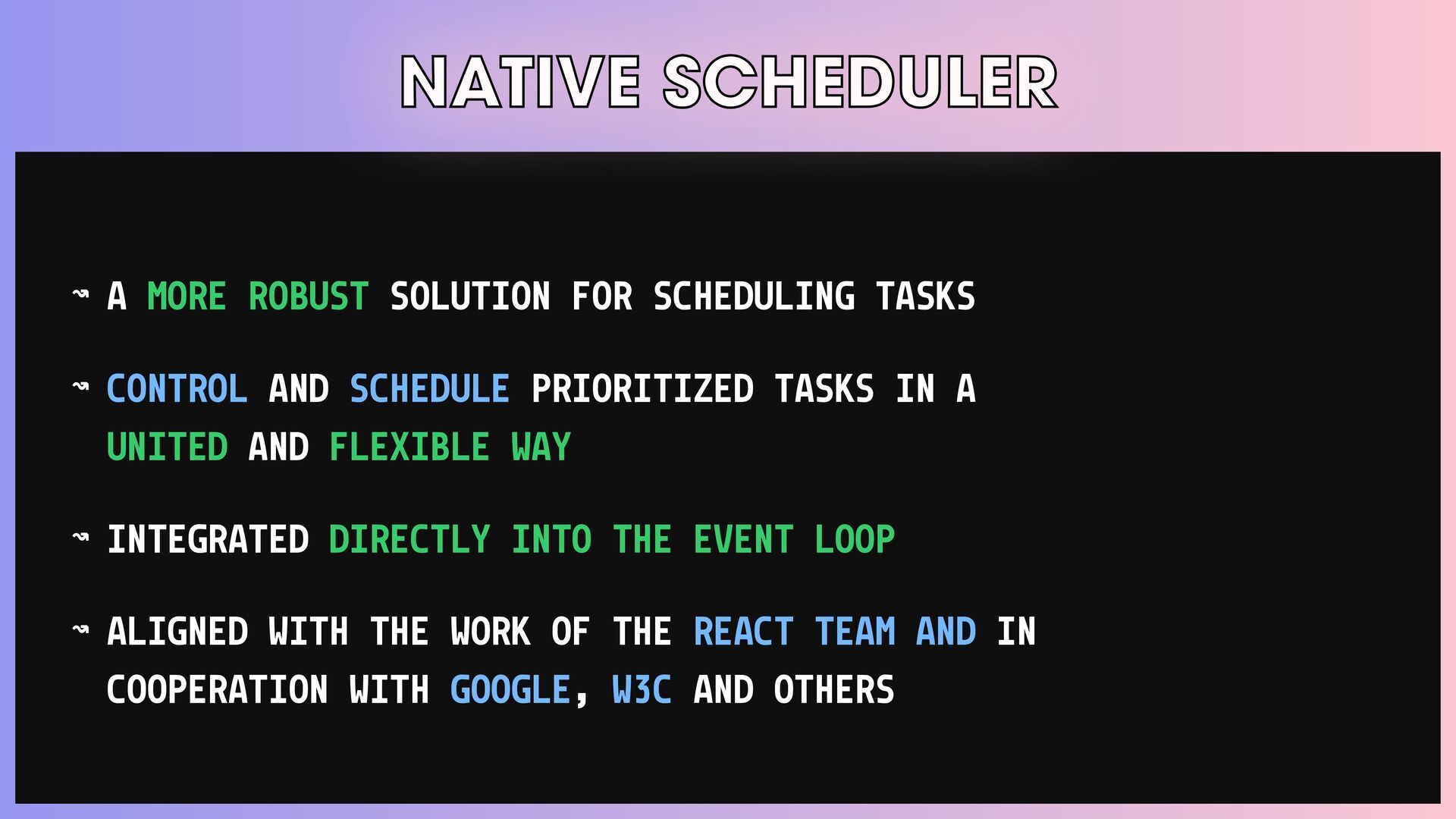
NATIVE SCHEDULER โ A MORE ROBUST SOLUTION FOR SCHEDULING TASKS
โ CONTROL AND SCHEDULE PRIORITIZED TASKS IN A UNITED AND FLEXIBLE WAY โ INTEGRATED DIRECTLY INTO THE EVENT LOOP โ ALIGNED WITH THE WORK OF THE REACT TEAM AND IN COOPERATION WITH GOOGLE, W3C AND OTHERS -
NATIVE SCHEDULER scheduler.postTask() SCHEDULE AND CONTROL PRIORITIZING TASKS. scheduler.wait() YIELD
AND RESUME AFTER SOME AMOUNT OF TIME OR PERHAPS AFTER AN EVENT HAS OCCURRED. scheduler.yield() BREAK UP LONG TASKS BY YIELDING TO THE BROWSER AND CONTINUING AFTER BEING RESCHEDULED. isInputPending() DETERMINE IF THE CURRENT TASK IS BLOCKING INPUT EVENTS. -
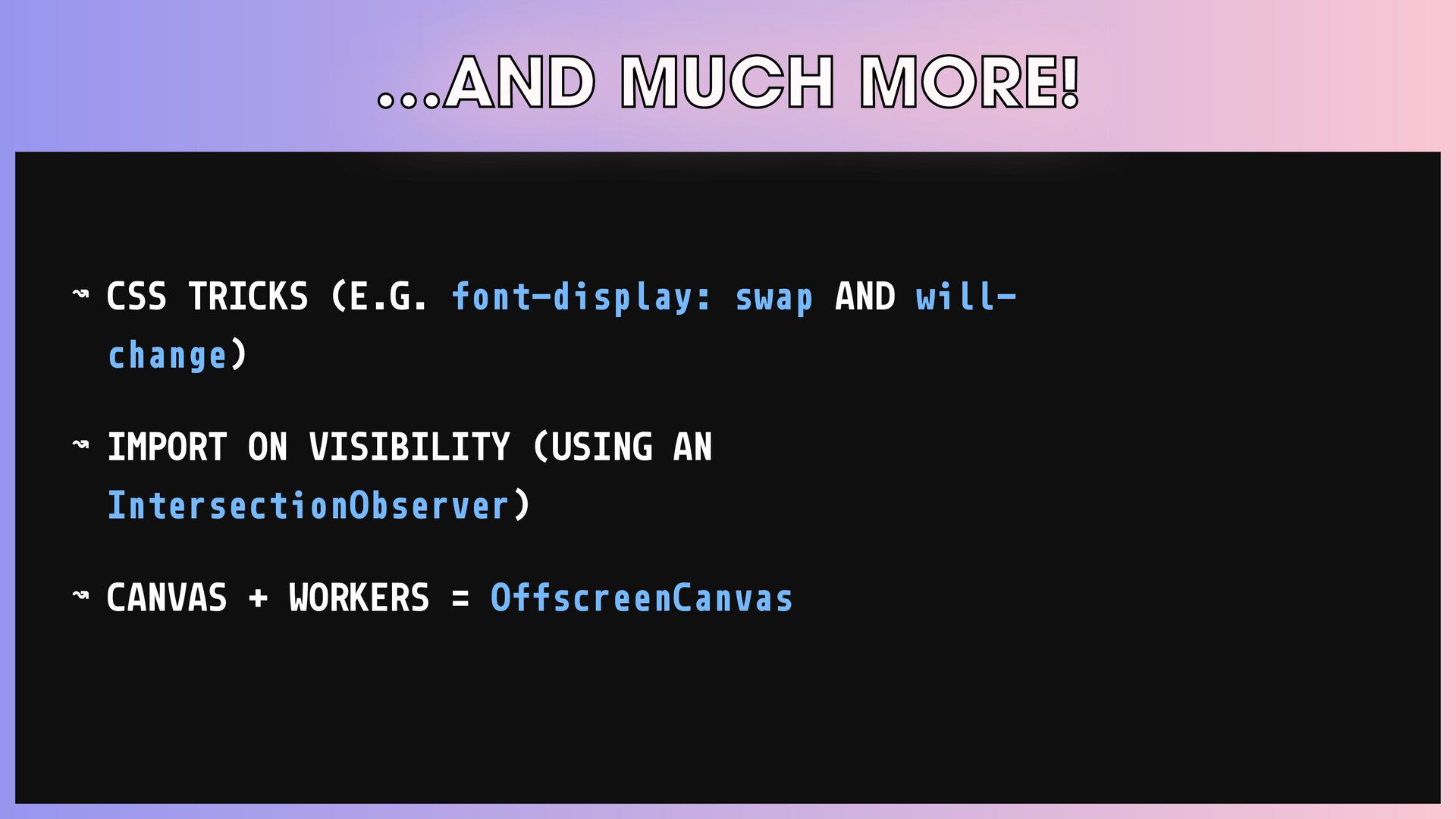
โฆAND MUCH MORE! โ CSS TRICKS (E.G. font-display: swap AND
will- change) โ IMPORT ON VISIBILITY (USING AN IntersectionObserver) โ CANVAS + WORKERS = OffscreenCanvas -
โฆAND MUCH MORE! โ AVOID THE INITIAL HTTP TO HTTPS
REDIRECTS SO THAT PAGES LOAD FASTER USING HTTP STRICT TRANSPORT SECURITY (HSTS) โ SEND DATA WITHOUT EXTRA ROUND TRIPS WITH QUIC -
Move Fast & Break Nothing โข WEB PERFORMANCE APIS THAT
YOU (PROBABLY) NEVER KNEW EXISTED -
BROWSER COMPATIBILITY PERFORMANCE OBSERVER USER TIMING LONG TASKS ELEMENT TIMING
RESOURCE TIMING NAVIGATION TIMING -
BROWSER COMPATIBILITY SERVER TIMING LAYOUT SHIFT JS SELF-PROFILING PAGE VISIBILITY
BATTERY STATUS NETWORK INFORMATION -
MOVE FAST & BREAK NOTHING โข const Video = lazy(()
= > import("./Video")); const Preview = lazy(() = > import("./Preview")); const networkInfo = useNetworkStatus(); const { With, Switch, Otherwise } = usePatternMatch(networkInfo); -
MOVE FAST & BREAK NOTHING โข <Suspense fallback={<div>Loading . .
. </div>}> <With unsupported> <NetworkStatus networkInfo="unsupported" /> <Video /> </With> <With effectiveConnectionType="2g"> <NetworkStatus networkInfo="2g" /> <Preview /> </With> </Suspense> -
Why are we here? WEB PERFORMANCE APIS THAT YOU (PROBABLY)
NEVER KNEW EXISTED -
WEB PERFORMANCE APIS THAT YOU (PROBABLY) NEVER KNEW EXISTED Which
browsers are visiting our app? โโAPP DYNAMICS REPORT -
#REALITYCHECK ๐ณ Phone users experience slow First Input Delay on
7x more websites. โโWeb Almanac By HTTP Archive, 2021 -
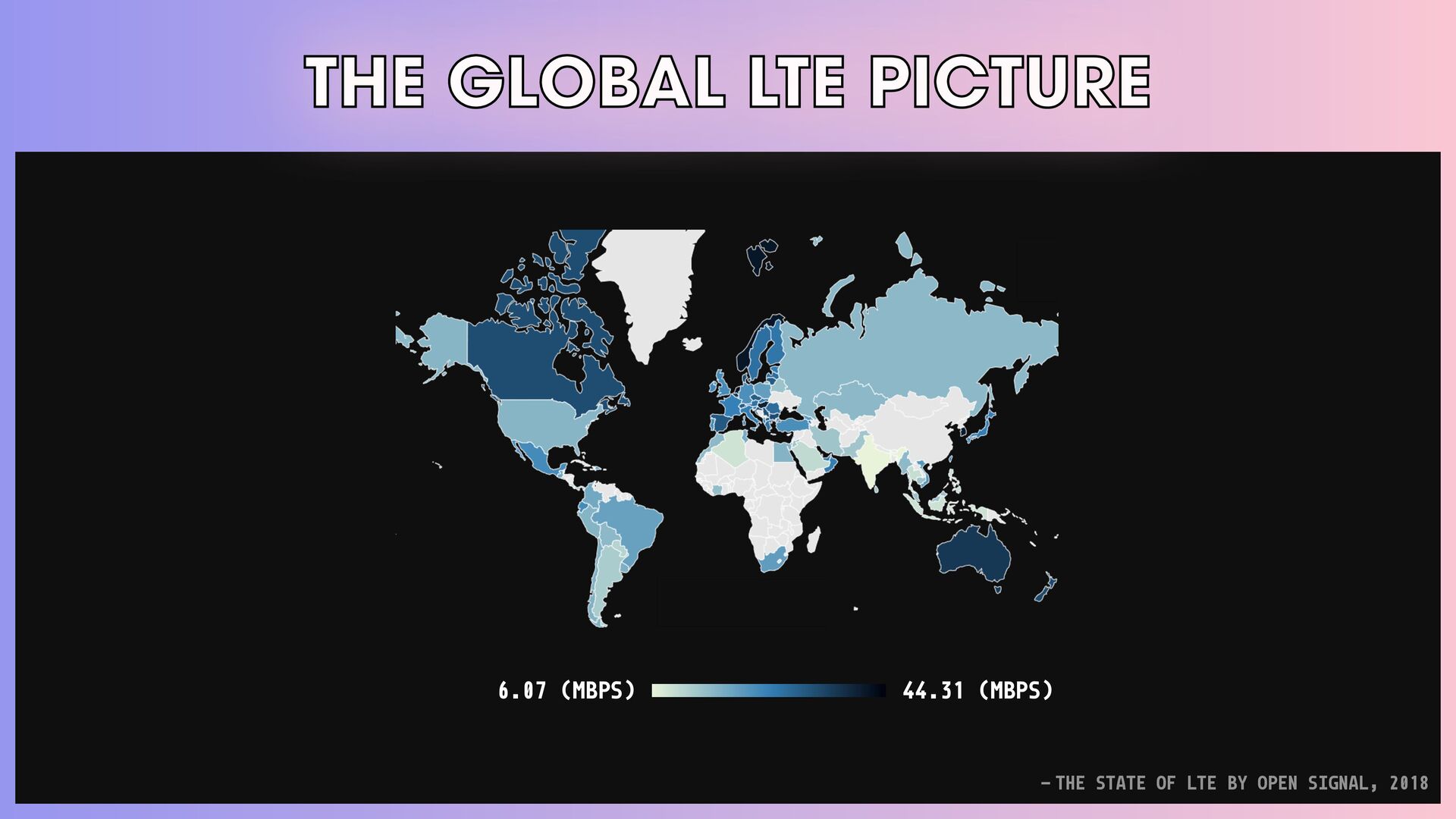
THE GLOBAL LTE PICTURE 6.07 (MBPS) 44.31 (MBPS) โโTHE STATE
OF LTE BY OPEN SIGNAL, 2018 -
British Psychology Society, 2009 40% of Brits reported that they
had become physically violent toward their computers. -
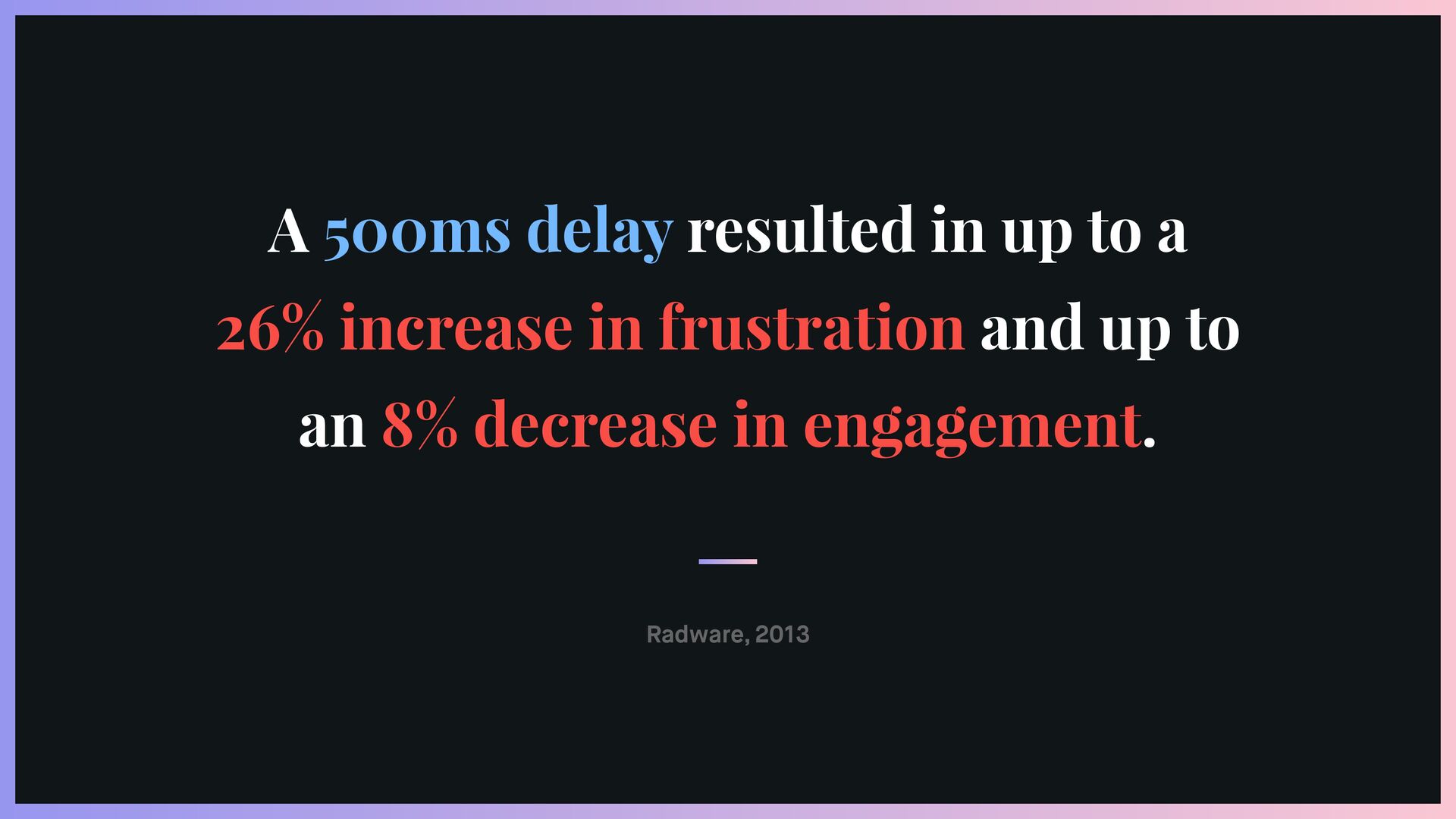
Radware, 2013 A 500ms delay resulted in up to a
26% increase in frustration and up to an 8% decrease in engagement. -
Ericsson ConsumerLab, 2015 Delayed web pages caused a 38% rise
in mobile users' heart rates โ equivalent to the anxiety of watching a horror movie alone. -
DoubleClick, 2020 53% of mobile users abandon sites that take
over 3 seconds to load. -
BUSINESS OUTCOMES โโAKAMAI AND CHROME RESEARCH, 2017 โ LONG TASKS
DELAYED TTI โ AS FIRST-PAGE LONG TASK TIME INCREASED, OVERALL CONVERSION RATES DECREASED โ MOBILE HAD UP TO ห12X LONGER LONG TASKS โ OLDER DEVICES COULD BE SPENDING HALF OF THEIR LOAD-TIME ON LONG TASKS -
WEB PERFORMANCE APIS THAT YOU (PROBABLY) NEVER KNEW EXISTED ALWAYS
TRY TO CORRELATE BUSINESS METRICS WITH PERFORMANCE. #1 of 6 -
WEB PERFORMANCE APIS THAT YOU (PROBABLY) NEVER KNEW EXISTED DON'T
TAKE FAST NETWORKS, CPUS AND RAM FOR GRANTED. #2 of 6 -
WEB PERFORMANCE APIS THAT YOU (PROBABLY) NEVER KNEW EXISTED TEST
ON REAL PHONES AND NETWORKS. #3 of 6 -
WEB PERFORMANCE APIS THAT YOU (PROBABLY) NEVER KNEW EXISTED AVOID
THE OBSERVER EFFECT. #4 of 6 -
WEB PERFORMANCE APIS THAT YOU (PROBABLY) NEVER KNEW EXISTED GET
RID OF THE NOISE IN YOUR METRICS. #5 of 6 -
WEB PERFORMANCE APIS THAT YOU (PROBABLY) NEVER KNEW EXISTED THERE'S
NO SILVER BULLET. IDENTIFY YOUR CORE METRICS. #6 of 6 -
THATโS ALL, FOLKS! THANKS! ๐ ๐ฉ๐ช QUESTIONS? MATHEUS ALBUQUERQUE โข
@ythecombinator โ ALL THE LINKS!