Software Engineer, Pinterest Hey Welcome. I'm Zach and this is Sam, we are both engineers that worked on the Pinterest Android app. Today we are going to talk about Model View Presenters but with a slight twist. While we will dive into some technical aspects of migrating the app over we will also spend some time talking about how to get buy in from a large organization, and more importantly some of the lessons we learned along the way.
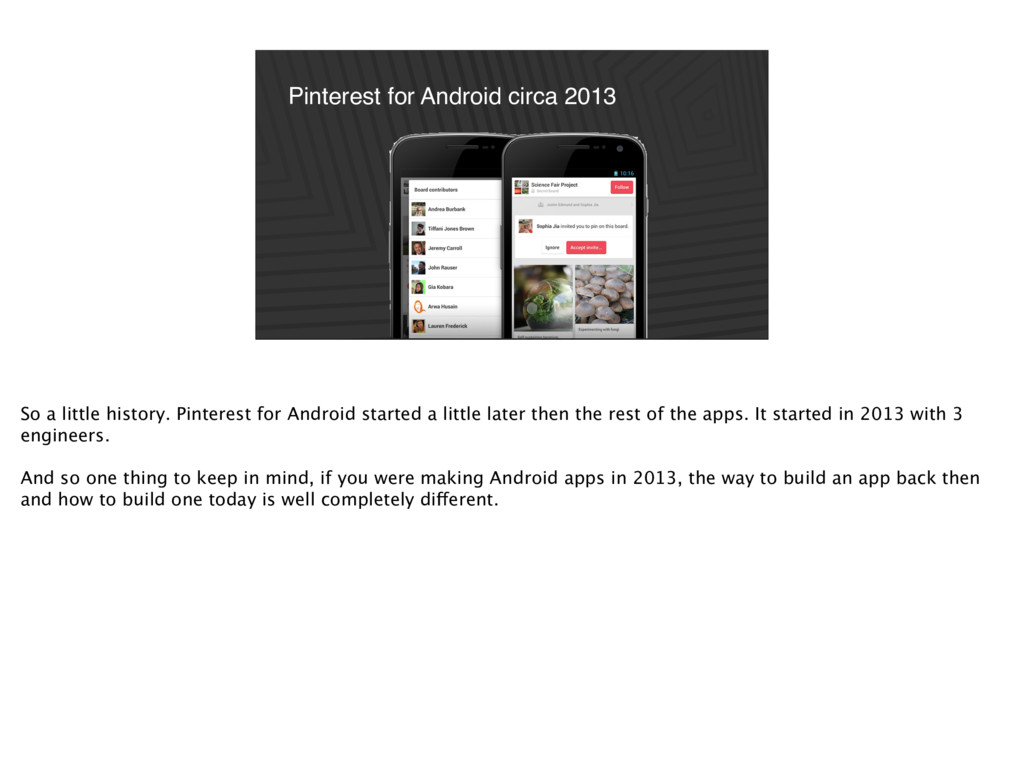
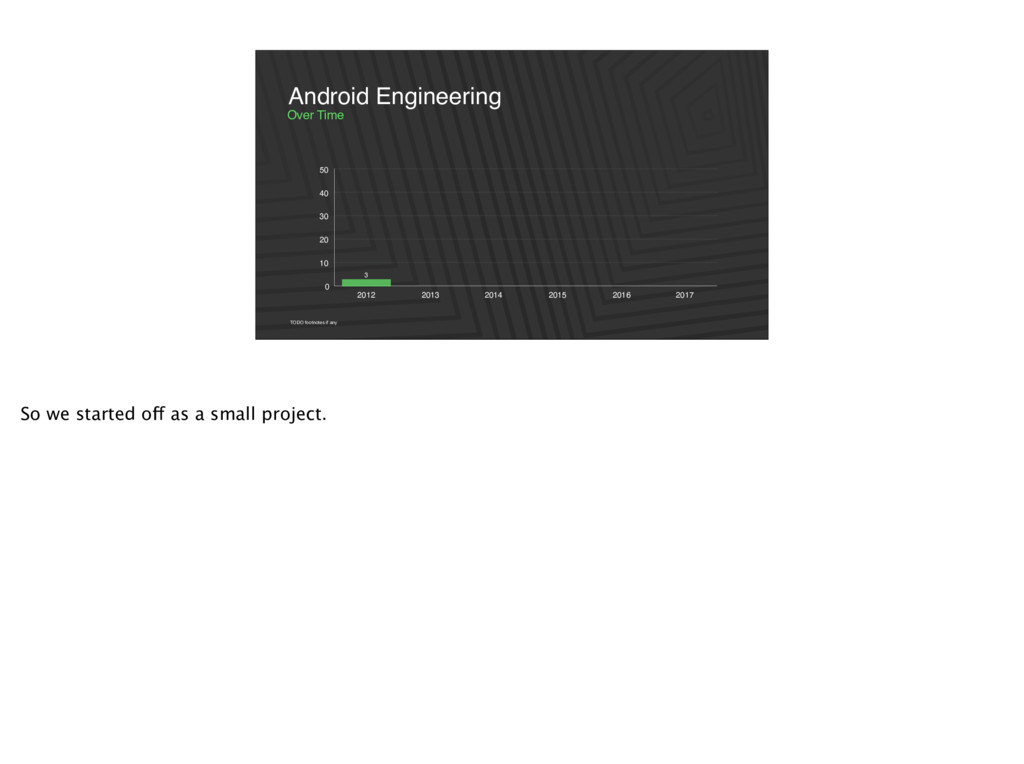
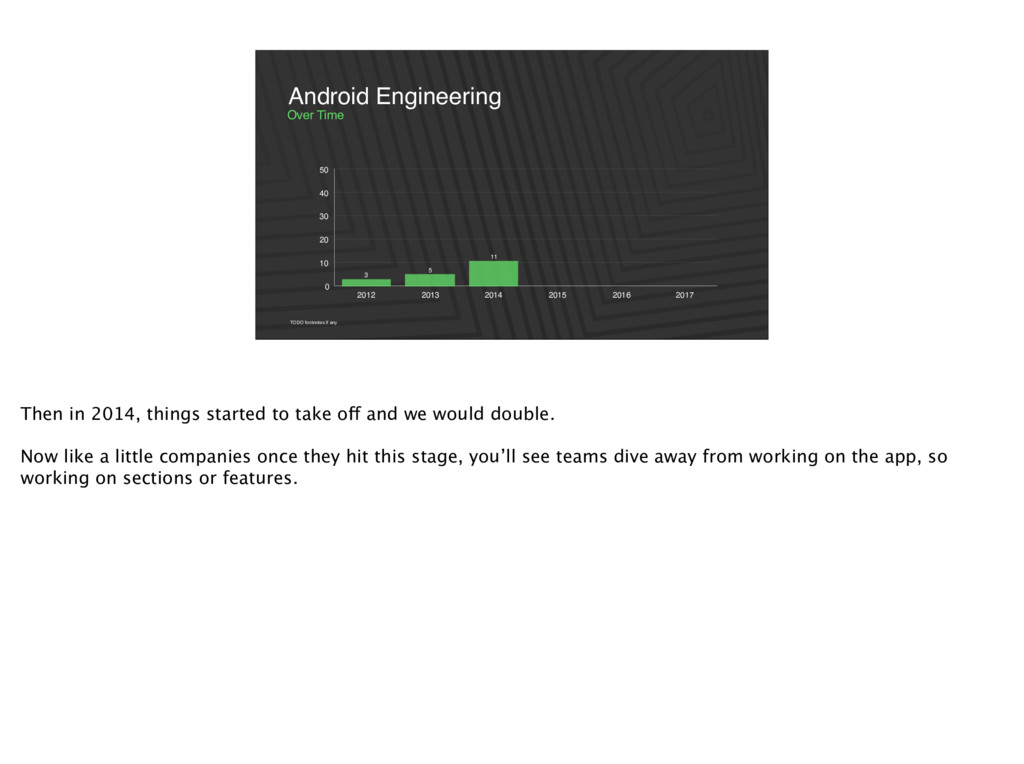
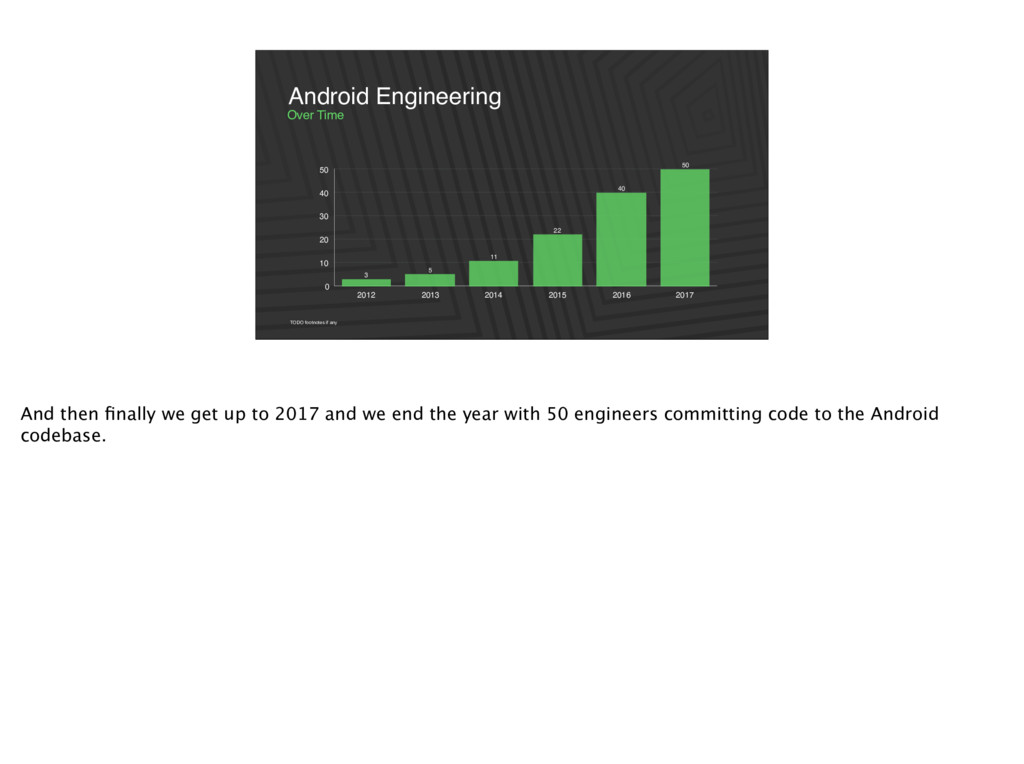
for Android started a little later then the rest of the apps. It started in 2013 with 3 engineers. And so one thing to keep in mind, if you were making Android apps in 2013, the way to build an app back then and how to build one today is well completely different.
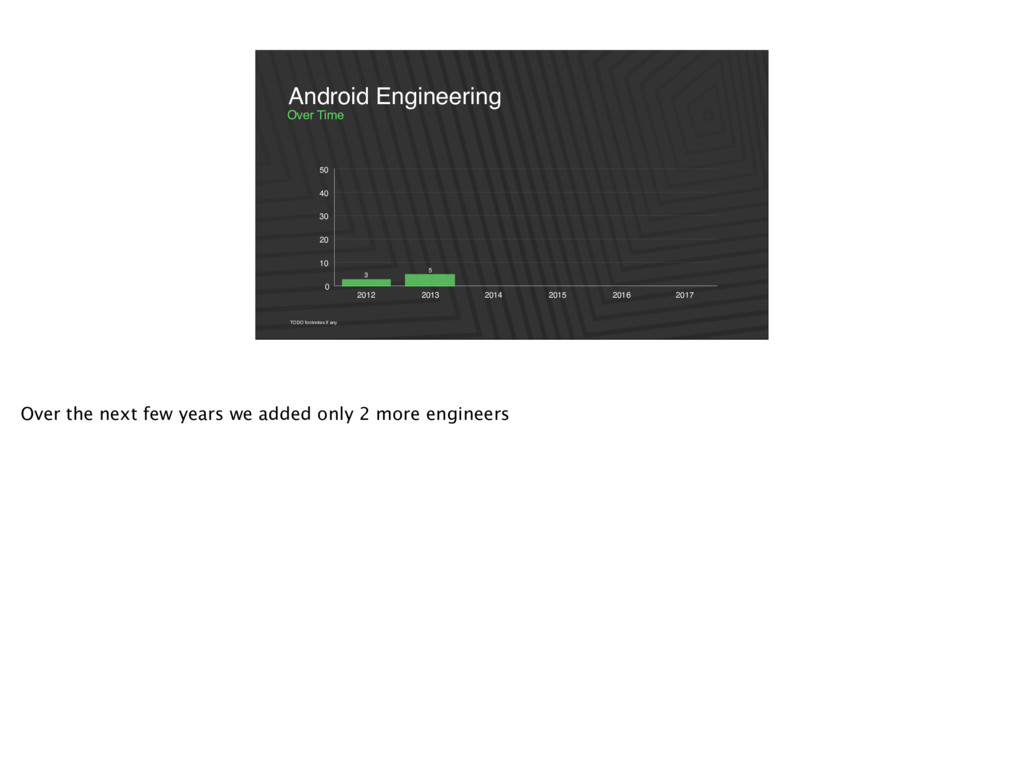
2016 2017 11 5 3 TODO footnotes if any Over Time Android Engineering Then in 2014, things started to take off and we would double. Now like a little companies once they hit this stage, you’ll see teams dive away from working on the app, so working on sections or features.
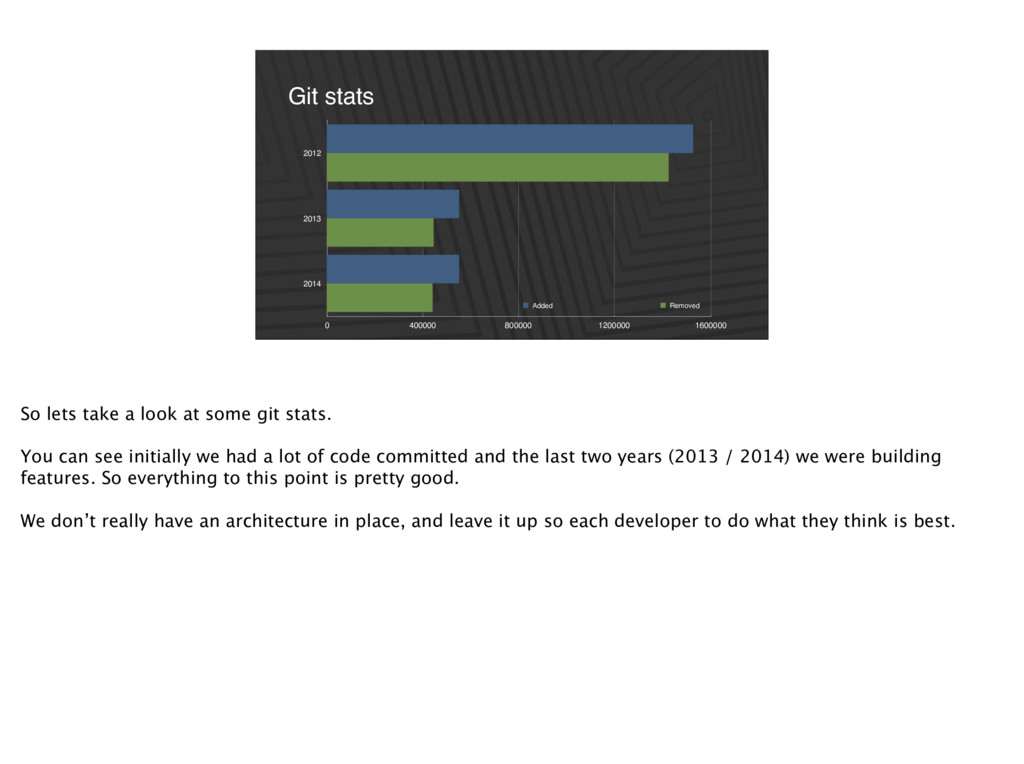
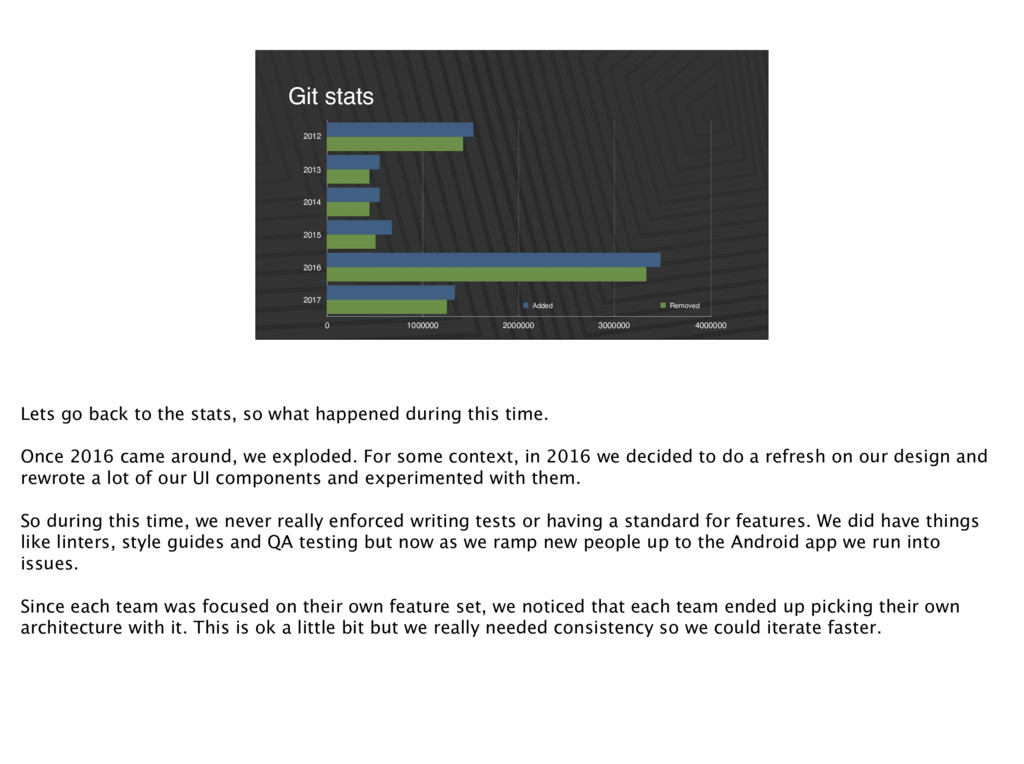
Added Removed So lets take a look at some git stats. You can see initially we had a lot of code committed and the last two years (2013 / 2014) we were building features. So everything to this point is pretty good. We don’t really have an architecture in place, and leave it up so each developer to do what they think is best.
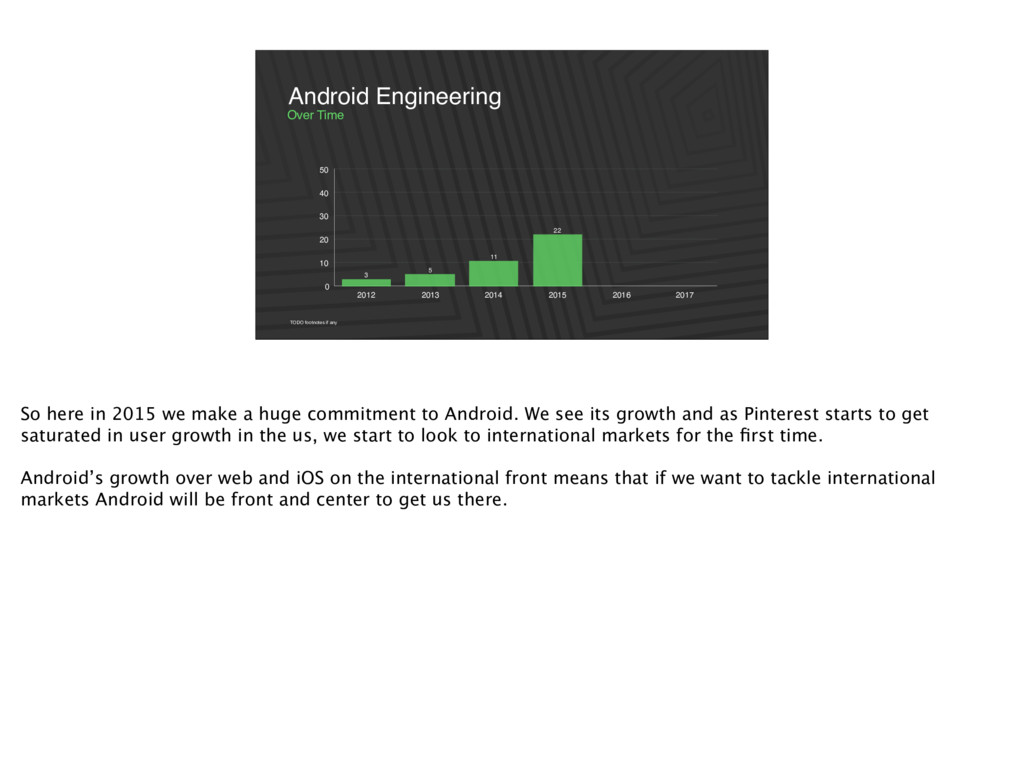
2016 2017 22 11 5 3 TODO footnotes if any Over Time Android Engineering So here in 2015 we make a huge commitment to Android. We see its growth and as Pinterest starts to get saturated in user growth in the us, we start to look to international markets for the first time. Android’s growth over web and iOS on the international front means that if we want to tackle international markets Android will be front and center to get us there.
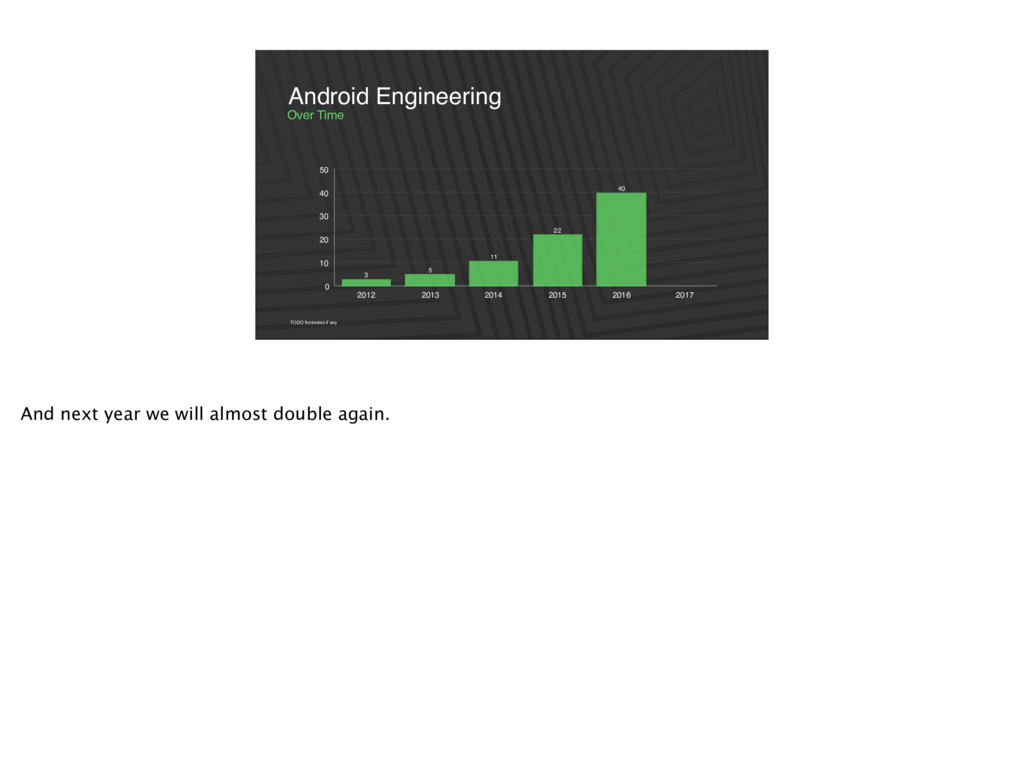
2016 2017 50 40 22 11 5 3 TODO footnotes if any Over Time Android Engineering And then finally we get up to 2017 and we end the year with 50 engineers committing code to the Android codebase.
2000000 3000000 4000000 Added Removed Lets go back to the stats, so what happened during this time. Once 2016 came around, we exploded. For some context, in 2016 we decided to do a refresh on our design and rewrote a lot of our UI components and experimented with them. So during this time, we never really enforced writing tests or having a standard for features. We did have things like linters, style guides and QA testing but now as we ramp new people up to the Android app we run into issues. Since each team was focused on their own feature set, we noticed that each team ended up picking their own architecture with it. This is ok a little bit but we really needed consistency so we could iterate faster.
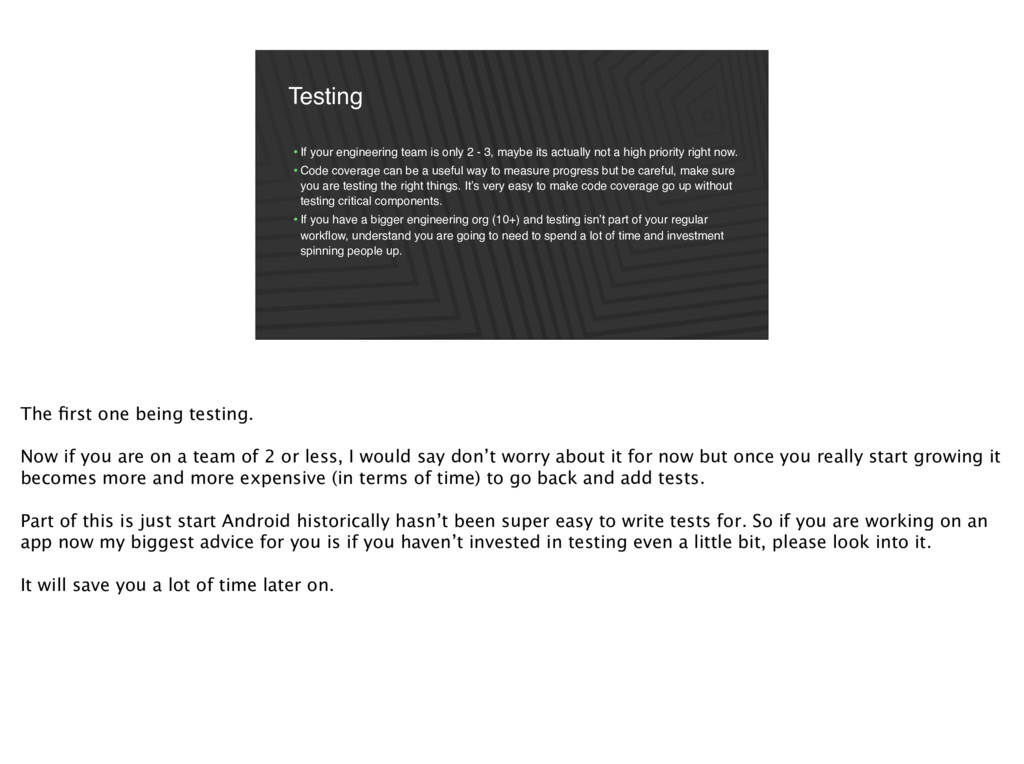
maybe its actually not a high priority right now. •Code coverage can be a useful way to measure progress but be careful, make sure you are testing the right things. It’s very easy to make code coverage go up without testing critical components. •If you have a bigger engineering org (10+) and testing isn’t part of your regular workflow, understand you are going to need to spend a lot of time and investment spinning people up. The first one being testing. Now if you are on a team of 2 or less, I would say don’t worry about it for now but once you really start growing it becomes more and more expensive (in terms of time) to go back and add tests. Part of this is just start Android historically hasn’t been super easy to write tests for. So if you are working on an app now my biggest advice for you is if you haven’t invested in testing even a little bit, please look into it. It will save you a lot of time later on.
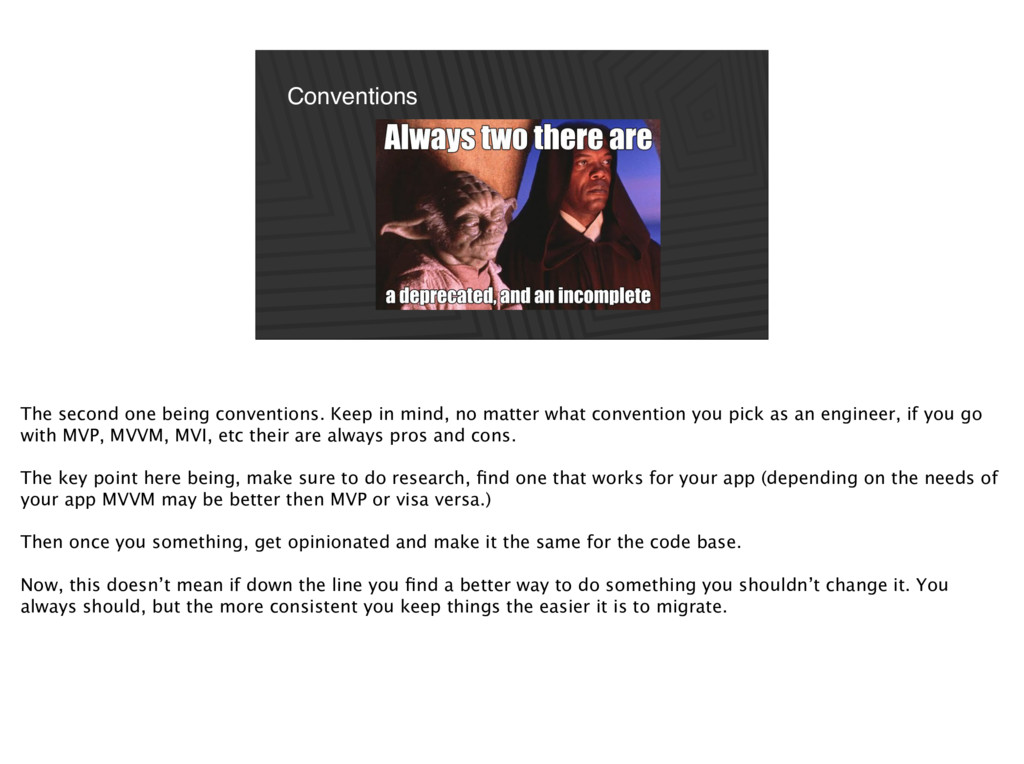
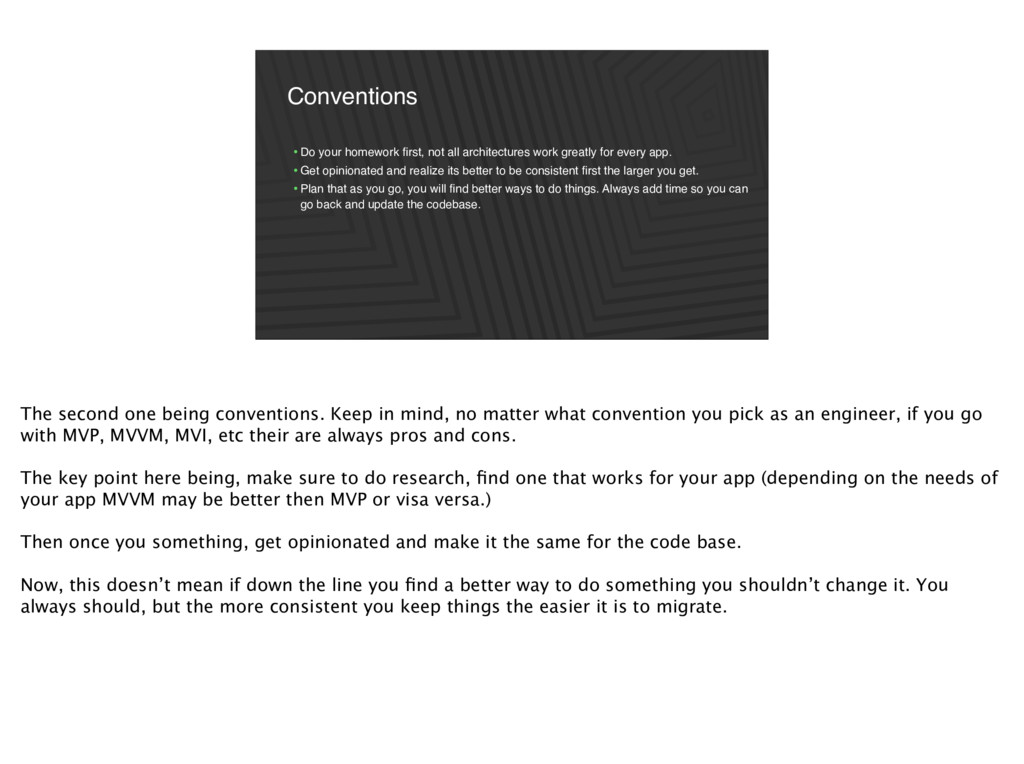
matter what convention you pick as an engineer, if you go with MVP, MVVM, MVI, etc their are always pros and cons. The key point here being, make sure to do research, find one that works for your app (depending on the needs of your app MVVM may be better then MVP or visa versa.) Then once you something, get opinionated and make it the same for the code base. Now, this doesn’t mean if down the line you find a better way to do something you shouldn’t change it. You always should, but the more consistent you keep things the easier it is to migrate.
for every app. •Get opinionated and realize its better to be consistent first the larger you get. •Plan that as you go, you will find better ways to do things. Always add time so you can go back and update the codebase. The second one being conventions. Keep in mind, no matter what convention you pick as an engineer, if you go with MVP, MVVM, MVI, etc their are always pros and cons. The key point here being, make sure to do research, find one that works for your app (depending on the needs of your app MVVM may be better then MVP or visa versa.) Then once you something, get opinionated and make it the same for the code base. Now, this doesn’t mean if down the line you find a better way to do something you shouldn’t change it. You always should, but the more consistent you keep things the easier it is to migrate.
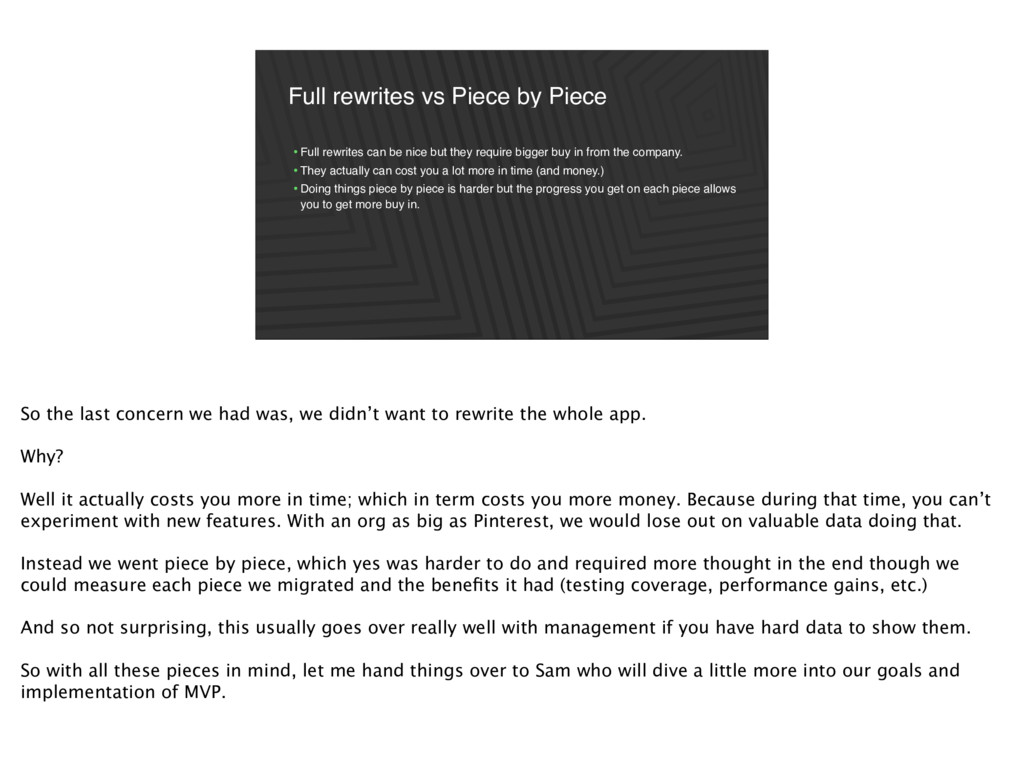
nice but they require bigger buy in from the company. •They actually can cost you a lot more in time (and money.) •Doing things piece by piece is harder but the progress you get on each piece allows you to get more buy in. So the last concern we had was, we didn’t want to rewrite the whole app. Why? Well it actually costs you more in time; which in term costs you more money. Because during that time, you can’t experiment with new features. With an org as big as Pinterest, we would lose out on valuable data doing that. Instead we went piece by piece, which yes was harder to do and required more thought in the end though we could measure each piece we migrated and the benefits it had (testing coverage, performance gains, etc.) And so not surprising, this usually goes over really well with management if you have hard data to show them. So with all these pieces in mind, let me hand things over to Sam who will dive a little more into our goals and implementation of MVP.
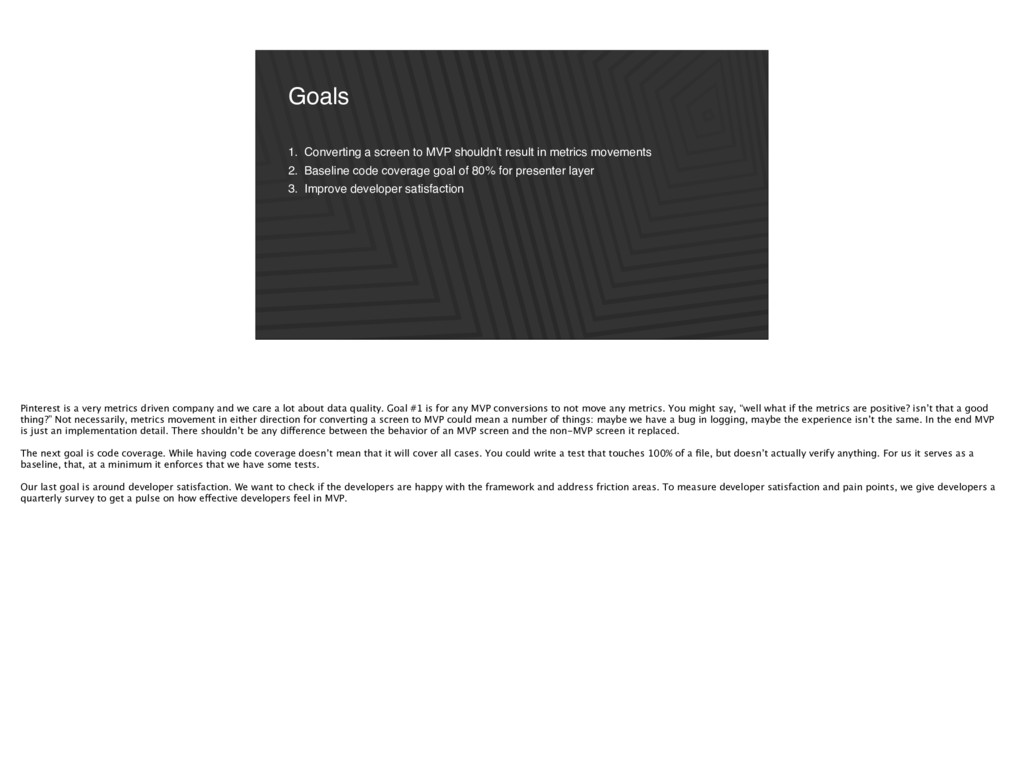
metrics movements 2. Baseline code coverage goal of 80% for presenter layer 3. Improve developer satisfaction Pinterest is a very metrics driven company and we care a lot about data quality. Goal #1 is for any MVP conversions to not move any metrics. You might say, “well what if the metrics are positive? isn’t that a good thing?” Not necessarily, metrics movement in either direction for converting a screen to MVP could mean a number of things: maybe we have a bug in logging, maybe the experience isn’t the same. In the end MVP is just an implementation detail. There shouldn’t be any difference between the behavior of an MVP screen and the non-MVP screen it replaced. The next goal is code coverage. While having code coverage doesn’t mean that it will cover all cases. You could write a test that touches 100% of a file, but doesn’t actually verify anything. For us it serves as a baseline, that, at a minimum it enforces that we have some tests. Our last goal is around developer satisfaction. We want to check if the developers are happy with the framework and address friction areas. To measure developer satisfaction and pain points, we give developers a quarterly survey to get a pulse on how effective developers feel in MVP.
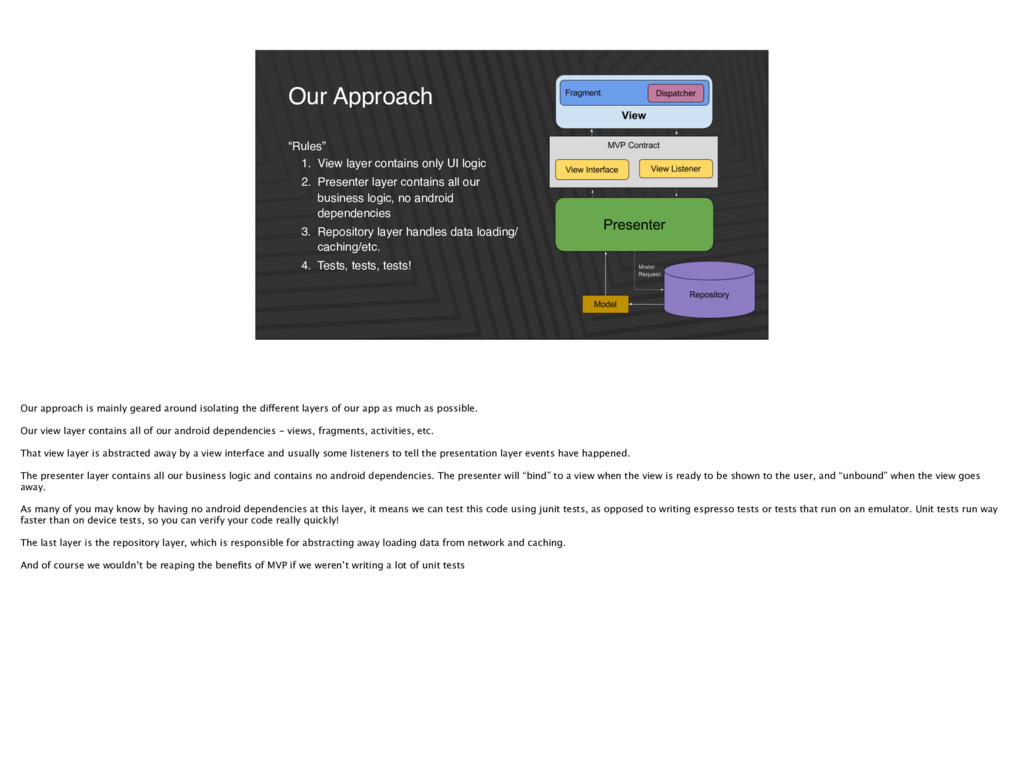
layer contains all our business logic, no android dependencies 3. Repository layer handles data loading/ caching/etc. 4. Tests, tests, tests! Our Approach Our approach is mainly geared around isolating the different layers of our app as much as possible. Our view layer contains all of our android dependencies - views, fragments, activities, etc. That view layer is abstracted away by a view interface and usually some listeners to tell the presentation layer events have happened. The presenter layer contains all our business logic and contains no android dependencies. The presenter will “bind” to a view when the view is ready to be shown to the user, and “unbound” when the view goes away. As many of you may know by having no android dependencies at this layer, it means we can test this code using junit tests, as opposed to writing espresso tests or tests that run on an emulator. Unit tests run way faster than on device tests, so you can verify your code really quickly! The last layer is the repository layer, which is responsible for abstracting away loading data from network and caching. And of course we wouldn’t be reaping the benefits of MVP if we weren’t writing a lot of unit tests
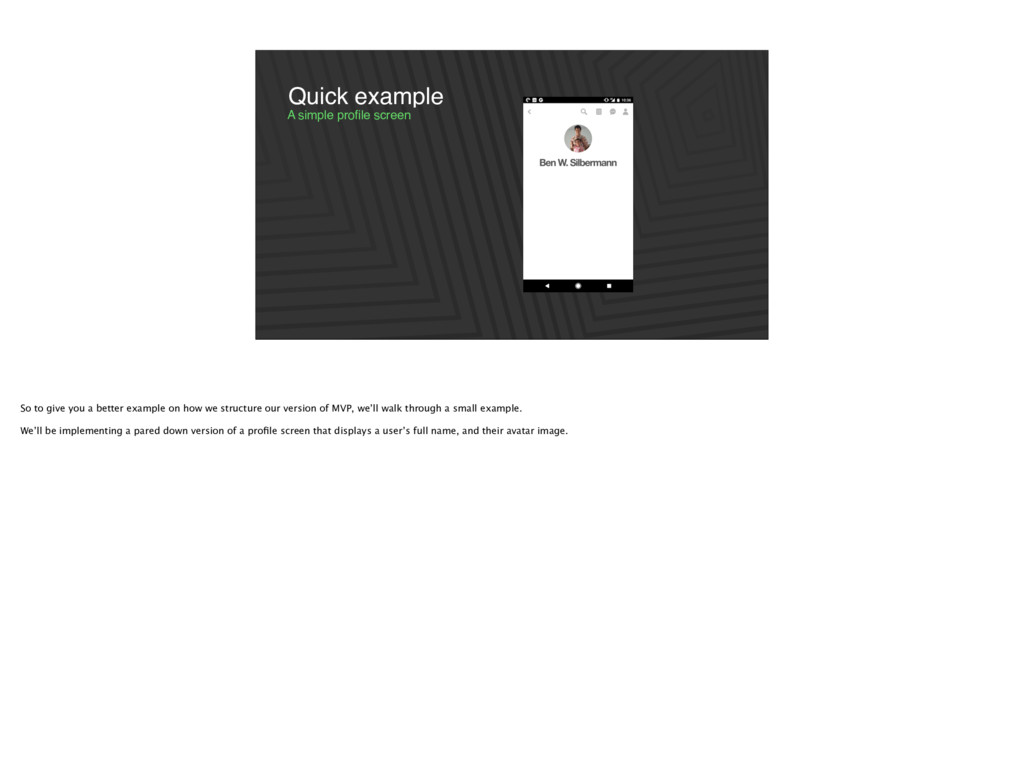
a better example on how we structure our version of MVP, we’ll walk through a small example. We’ll be implementing a pared down version of a profile screen that displays a user’s full name, and their avatar image.
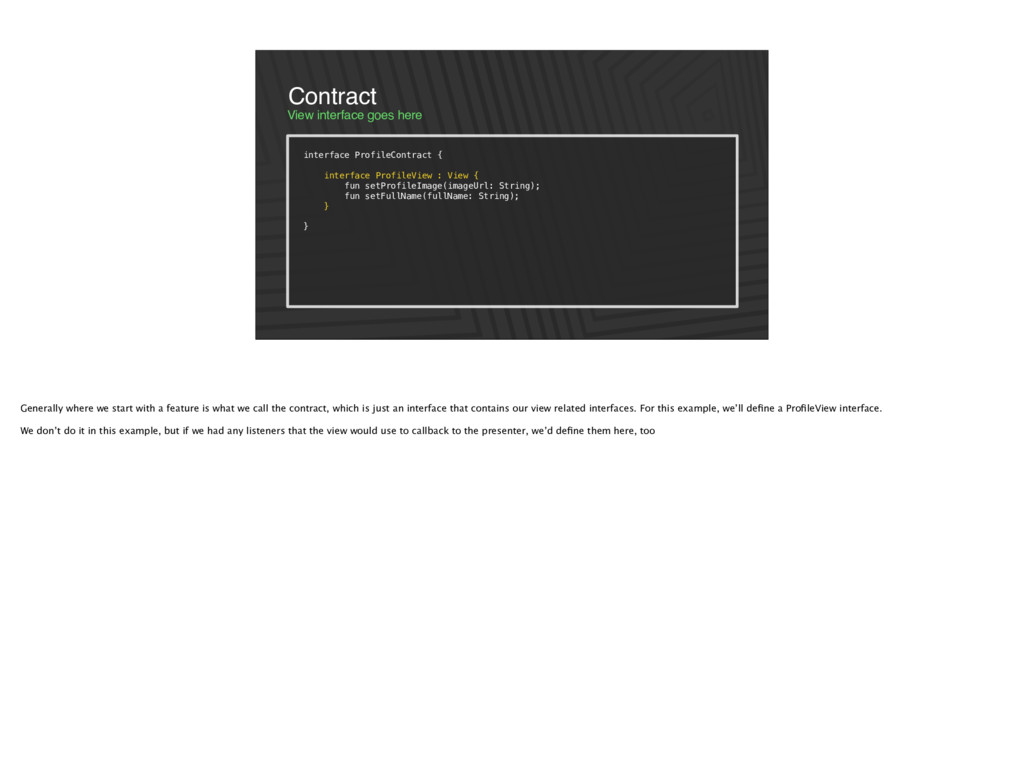
: View { fun setProfileImage(imageUrl: String); fun setFullName(fullName: String); } } Generally where we start with a feature is what we call the contract, which is just an interface that contains our view related interfaces. For this example, we’ll define a ProfileView interface. We don’t do it in this example, but if we had any listeners that the view would use to callback to the presenter, we’d define them here, too
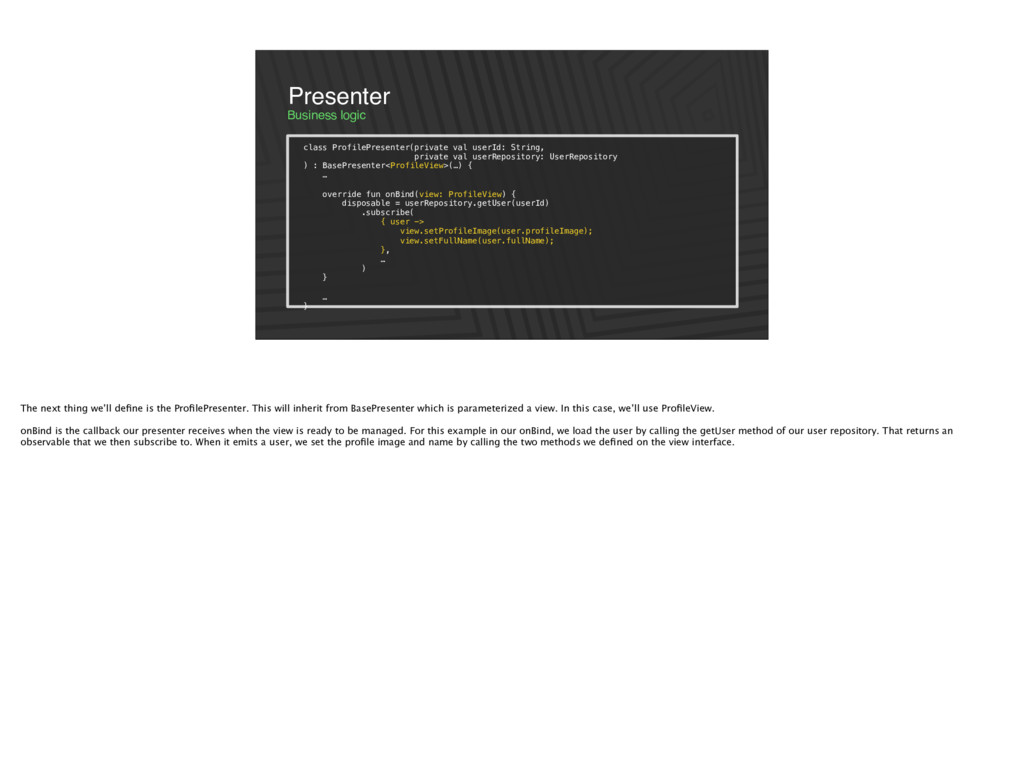
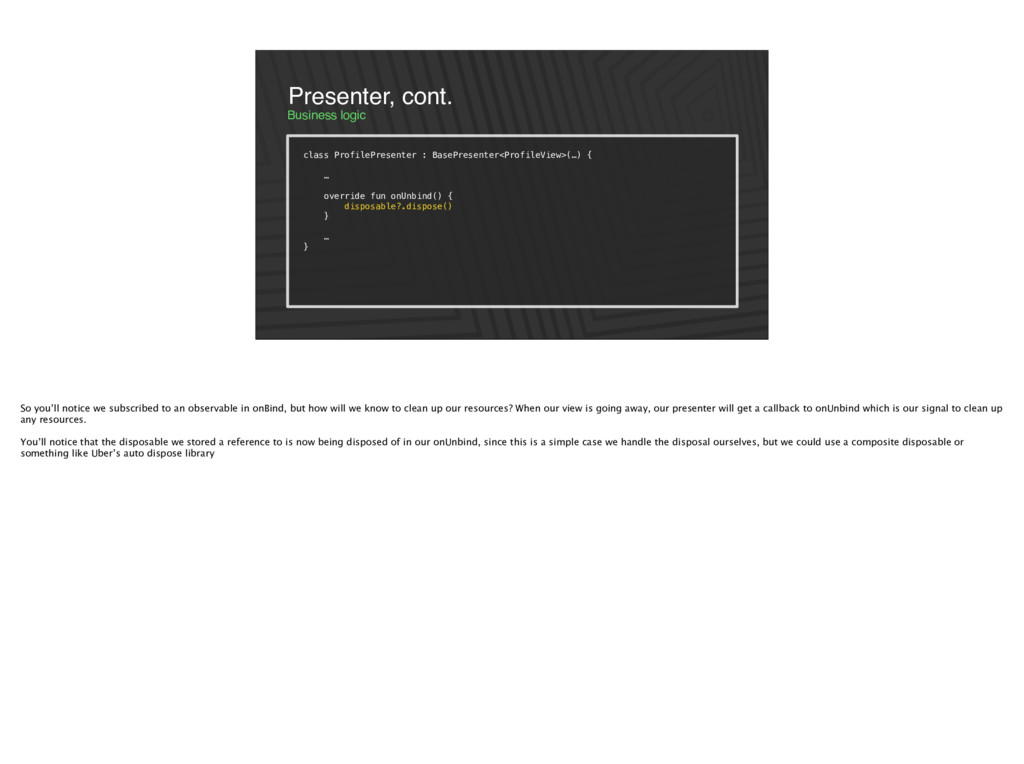
userRepository: UserRepository ) : BasePresenter<ProfileView>(…) { … override fun onBind(view: ProfileView) { disposable = userRepository.getUser(userId) .subscribe( { user -> view.setProfileImage(user.profileImage); view.setFullName(user.fullName); }, … ) } … } The next thing we’ll define is the ProfilePresenter. This will inherit from BasePresenter which is parameterized a view. In this case, we’ll use ProfileView. onBind is the callback our presenter receives when the view is ready to be managed. For this example in our onBind, we load the user by calling the getUser method of our user repository. That returns an observable that we then subscribe to. When it emits a user, we set the profile image and name by calling the two methods we defined on the view interface.
override fun onUnbind() { disposable?.dispose() } … } So you’ll notice we subscribed to an observable in onBind, but how will we know to clean up our resources? When our view is going away, our presenter will get a callback to onUnbind which is our signal to clean up any resources. You’ll notice that the disposable we stored a reference to is now being disposed of in our onUnbind, since this is a simple case we handle the disposal ourselves, but we could use a composite disposable or something like Uber’s auto dispose library
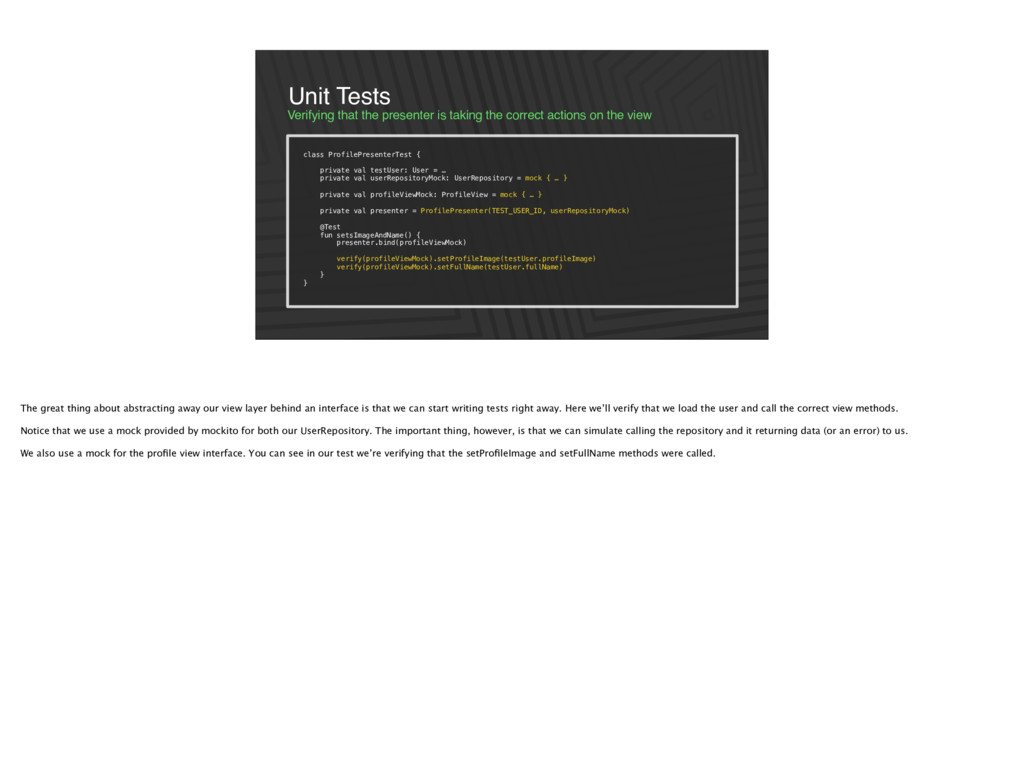
the view Unit Tests class ProfilePresenterTest { private val testUser: User = … private val userRepositoryMock: UserRepository = mock { … } private val profileViewMock: ProfileView = mock { … } private val presenter = ProfilePresenter(TEST_USER_ID, userRepositoryMock) @Test fun setsImageAndName() { presenter.bind(profileViewMock) verify(profileViewMock).setProfileImage(testUser.profileImage) verify(profileViewMock).setFullName(testUser.fullName) } } The great thing about abstracting away our view layer behind an interface is that we can start writing tests right away. Here we’ll verify that we load the user and call the correct view methods. Notice that we use a mock provided by mockito for both our UserRepository. The important thing, however, is that we can simulate calling the repository and it returning data (or an error) to us. We also use a mock for the profile view interface. You can see in our test we’re verifying that the setProfileImage and setFullName methods were called.
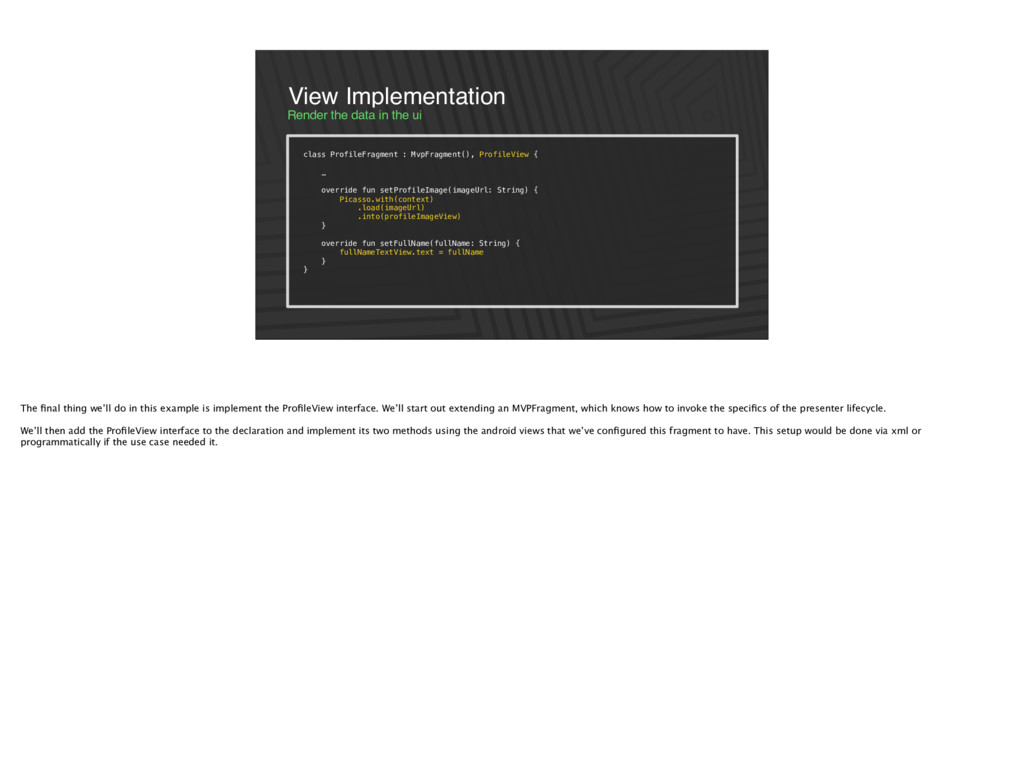
: MvpFragment(), ProfileView { … override fun setProfileImage(imageUrl: String) { Picasso.with(context) .load(imageUrl) .into(profileImageView) } override fun setFullName(fullName: String) { fullNameTextView.text = fullName } } The final thing we’ll do in this example is implement the ProfileView interface. We’ll start out extending an MVPFragment, which knows how to invoke the specifics of the presenter lifecycle. We’ll then add the ProfileView interface to the declaration and implement its two methods using the android views that we’ve configured this fragment to have. This setup would be done via xml or programmatically if the use case needed it.
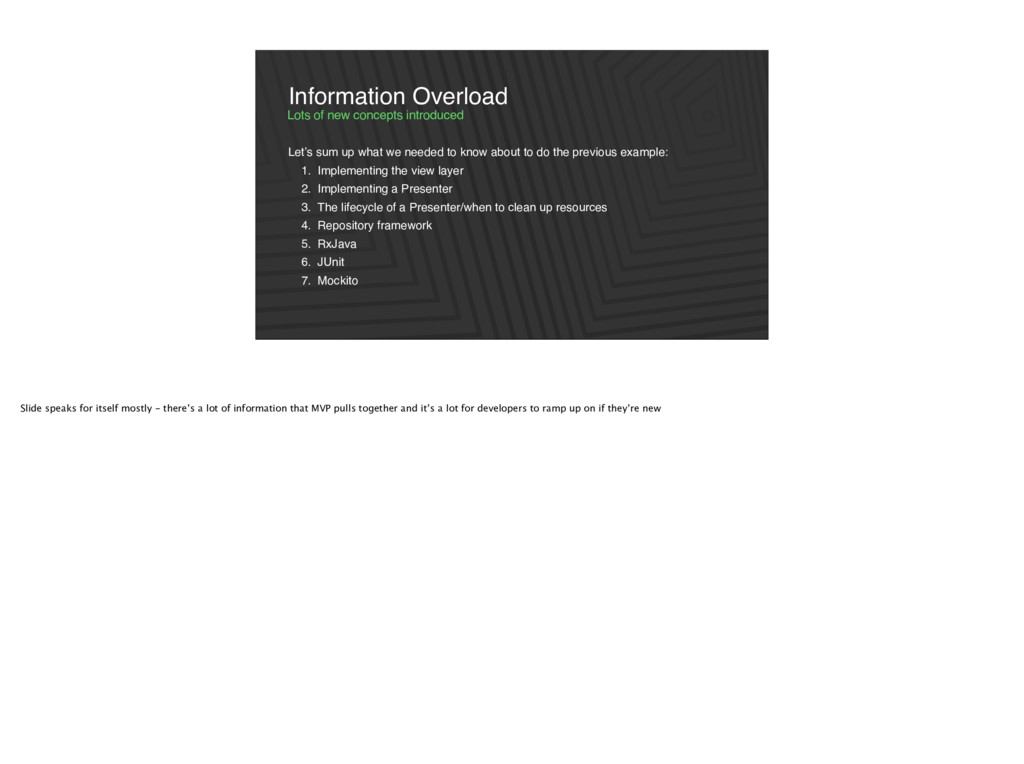
do the previous example: 1. Implementing the view layer 2. Implementing a Presenter 3. The lifecycle of a Presenter/when to clean up resources 4. Repository framework 5. RxJava 6. JUnit 7. Mockito Lots of new concepts introduced Information Overload Slide speaks for itself mostly - there’s a lot of information that MVP pulls together and it’s a lot for developers to ramp up on if they’re new
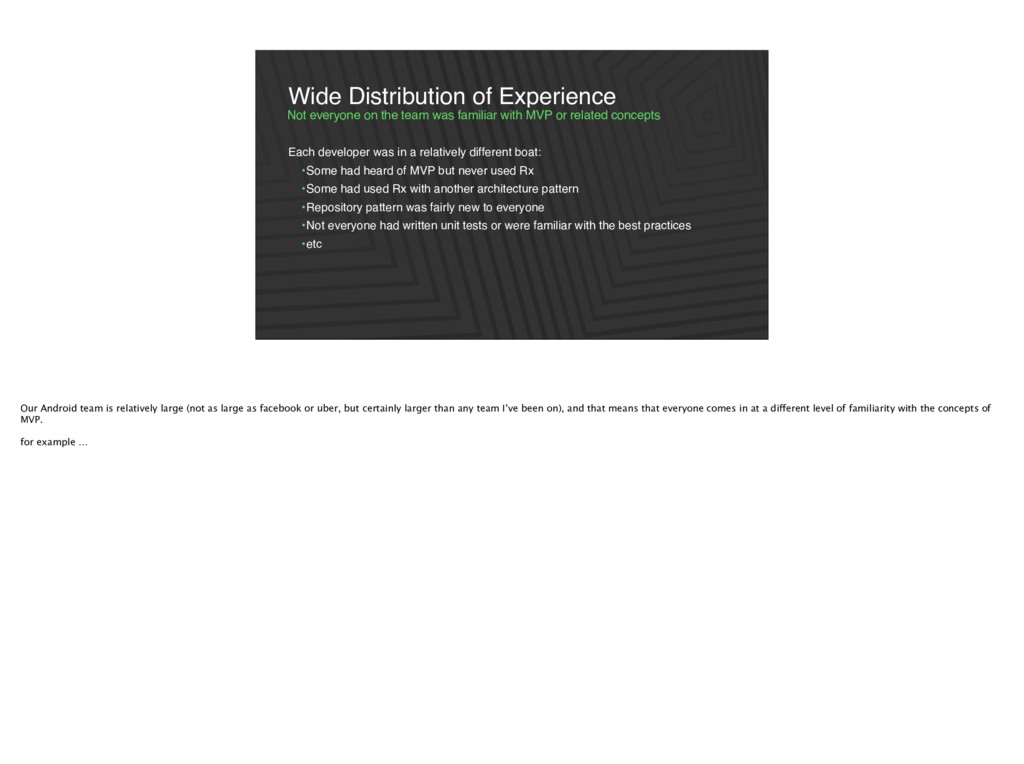
related concepts Wide Distribution of Experience Each developer was in a relatively different boat: •Some had heard of MVP but never used Rx •Some had used Rx with another architecture pattern •Repository pattern was fairly new to everyone •Not everyone had written unit tests or were familiar with the best practices •etc Our Android team is relatively large (not as large as facebook or uber, but certainly larger than any team I’ve been on), and that means that everyone comes in at a different level of familiarity with the concepts of MVP. for example …
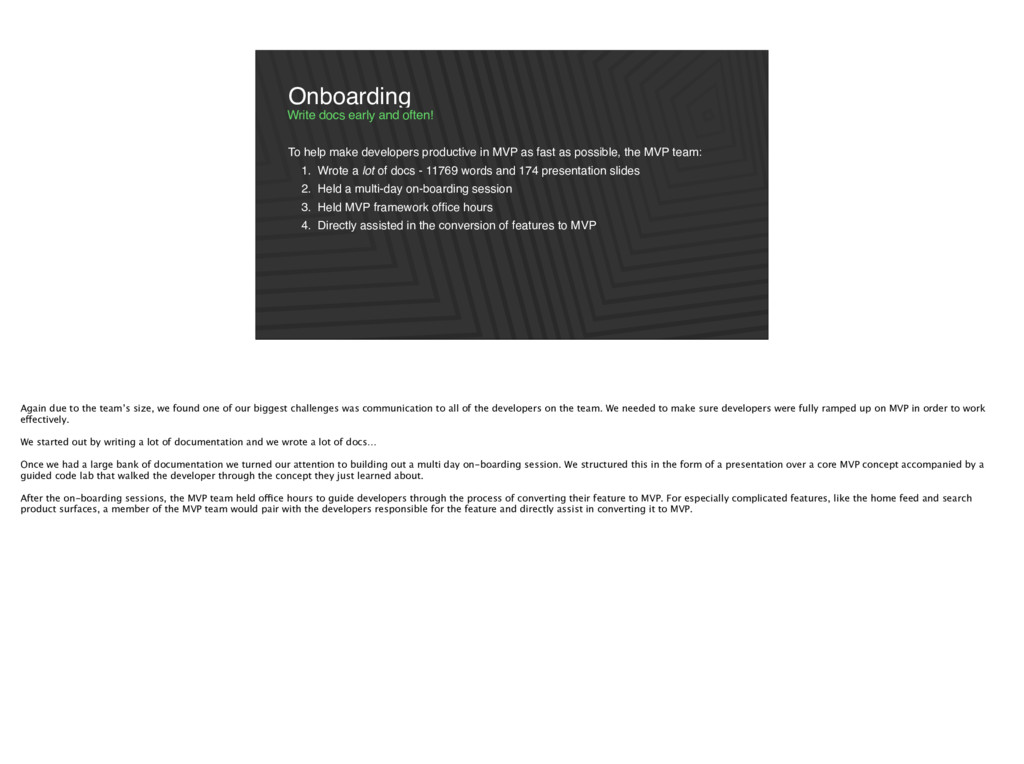
possible, the MVP team: 1. Wrote a lot of docs - 11769 words and 174 presentation slides 2. Held a multi-day on-boarding session 3. Held MVP framework office hours 4. Directly assisted in the conversion of features to MVP Write docs early and often! Onboarding Again due to the team’s size, we found one of our biggest challenges was communication to all of the developers on the team. We needed to make sure developers were fully ramped up on MVP in order to work effectively. We started out by writing a lot of documentation and we wrote a lot of docs… Once we had a large bank of documentation we turned our attention to building out a multi day on-boarding session. We structured this in the form of a presentation over a core MVP concept accompanied by a guided code lab that walked the developer through the concept they just learned about. After the on-boarding sessions, the MVP team held office hours to guide developers through the process of converting their feature to MVP. For especially complicated features, like the home feed and search product surfaces, a member of the MVP team would pair with the developers responsible for the feature and directly assist in converting it to MVP.
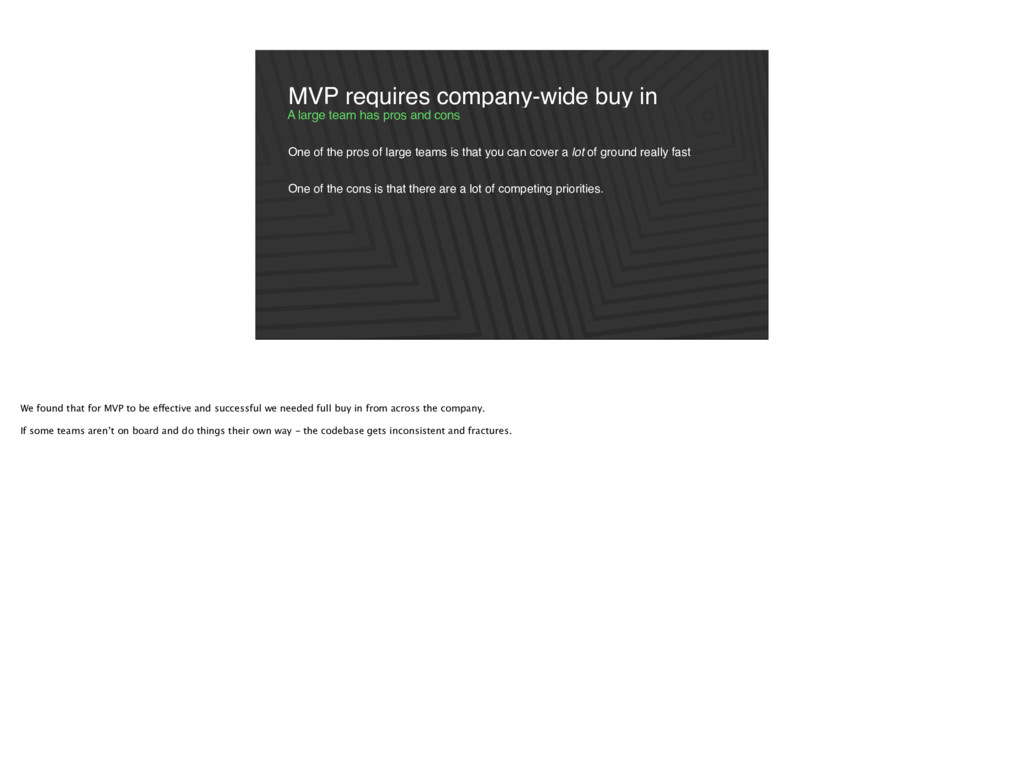
can cover a lot of ground really fast One of the cons is that there are a lot of competing priorities. A large team has pros and cons MVP requires company-wide buy in We found that for MVP to be effective and successful we needed full buy in from across the company. If some teams aren’t on board and do things their own way - the codebase gets inconsistent and fractures.
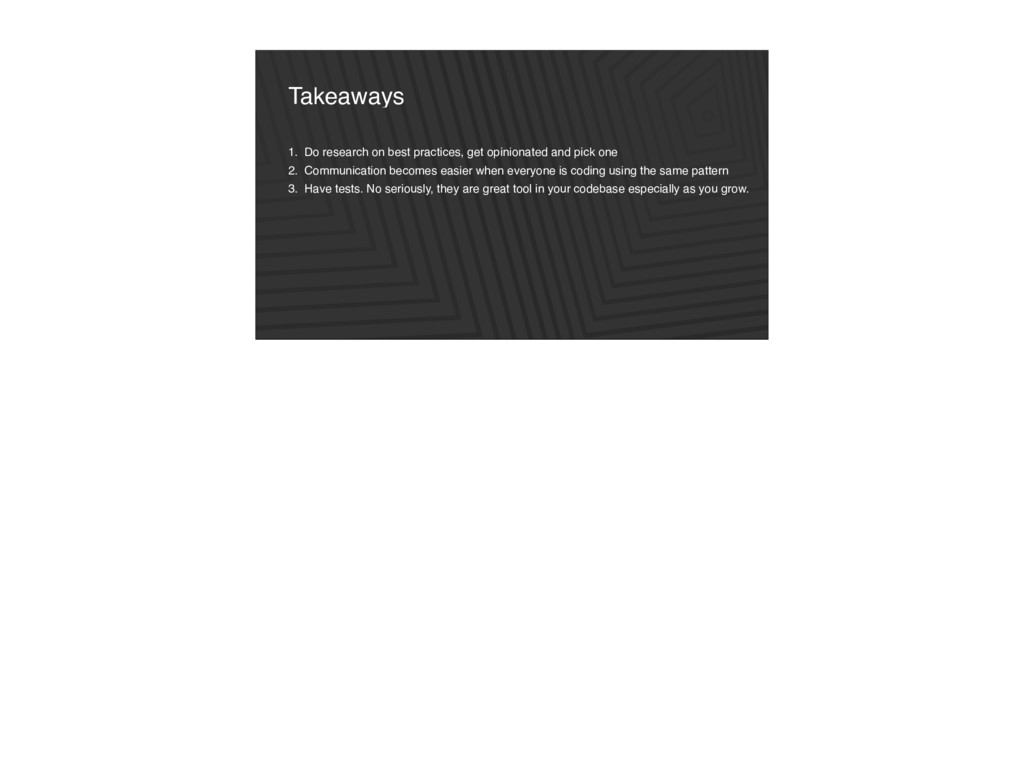
pick one 2. Communication becomes easier when everyone is coding using the same pattern 3. Have tests. No seriously, they are great tool in your codebase especially as you grow.

 SiteGround - Reliable hosting with speed, security, and support you can count on.


 andpad
 neuecc
 takai
takai
 kawashimo0
 marcoroth
 deka_morita
 kaityo256
 suneo3476
 gam0022
 akase244
 yub0n
yub0n
 palkan
 inesmontani
 ryanjones
 bkeepers
 carmenintech
 skipperchong
 lcolladotor
 mkilby
 gurzu
gurzu
 codingconduct
 baasie
 eileencodes