Upgrade to Pro — share decks privately, control downloads, hide ads and more …

One Command for All Server Environment Settings

Sponsored · Your Podcast. Everywhere. Effortlessly. Share. Educate. Inspire. Entertain. You do you. We'll handle the rest. →
Avatar for Allen Allen
September 29, 2026

One Command for All Server Environment Settings

A simple introduction to Ansible

Avatar for Allen

Allen

September 29, 2026

More Decks by Allen

Other Decks in Programming

Transcript

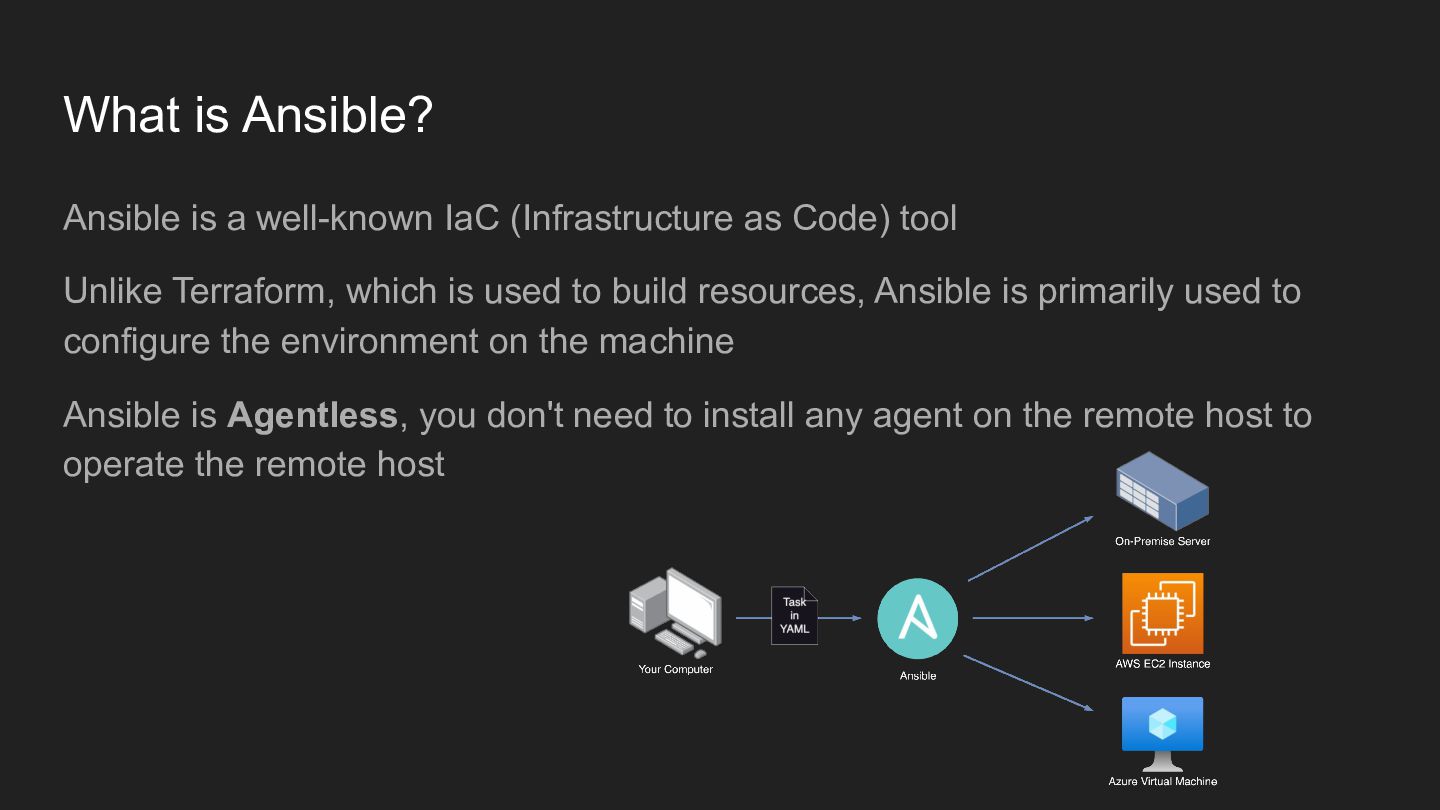
  1. What is Ansible? Ansible is a well-known IaC (Infrastructure as

    Code) tool Unlike Terraform, which is used to build resources, Ansible is primarily used to configure the environment on the machine Ansible is Agentless, you don't need to install any agent on the remote host to operate the remote host
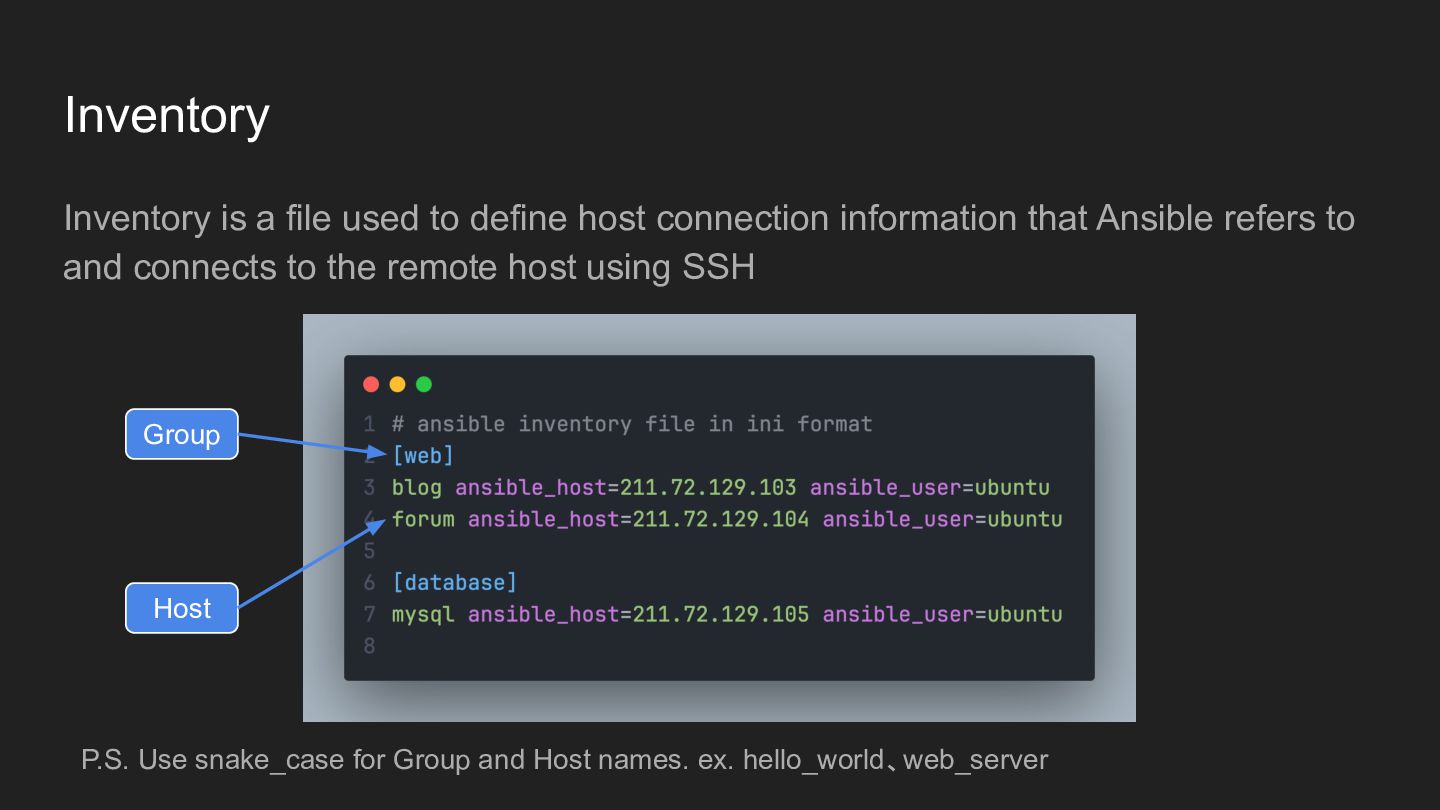
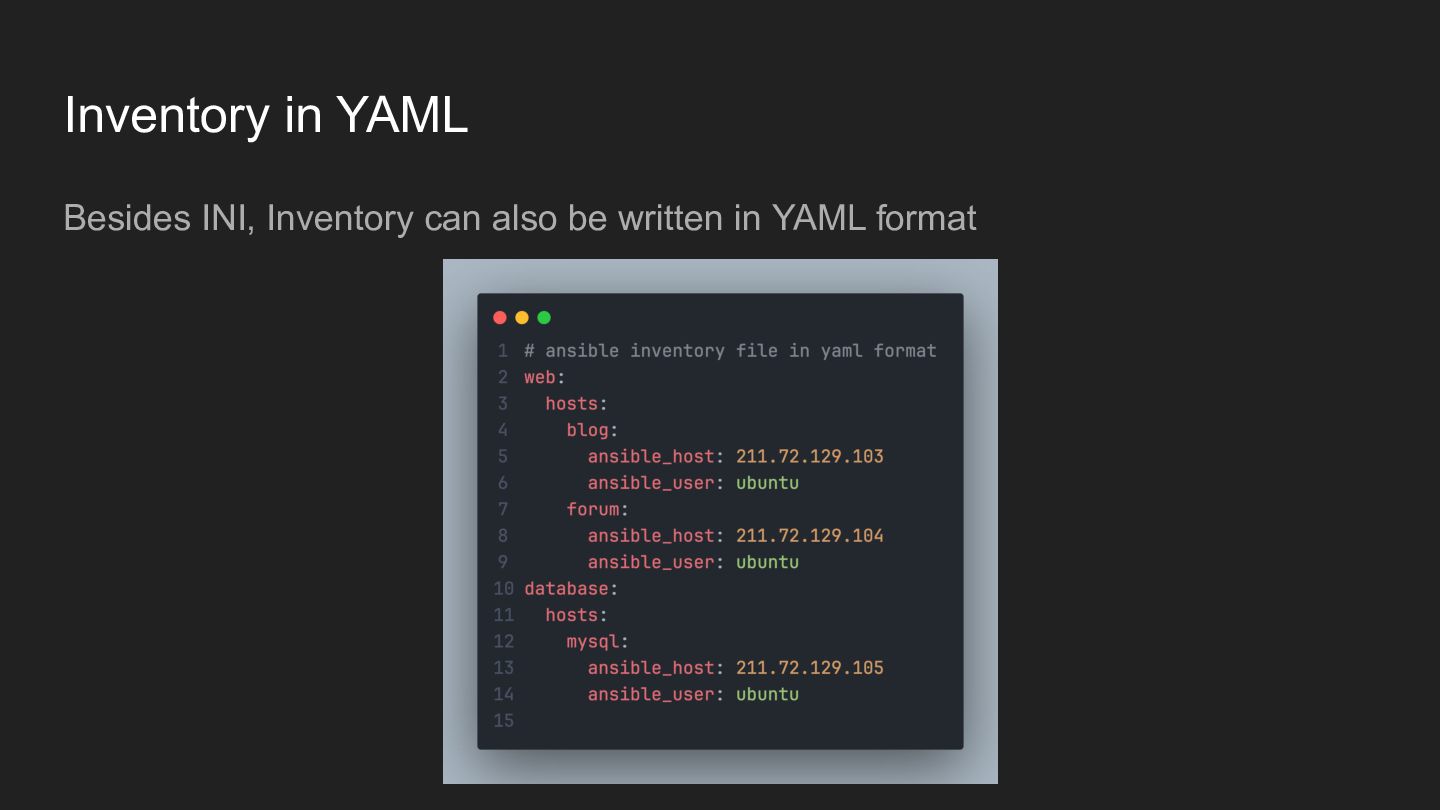
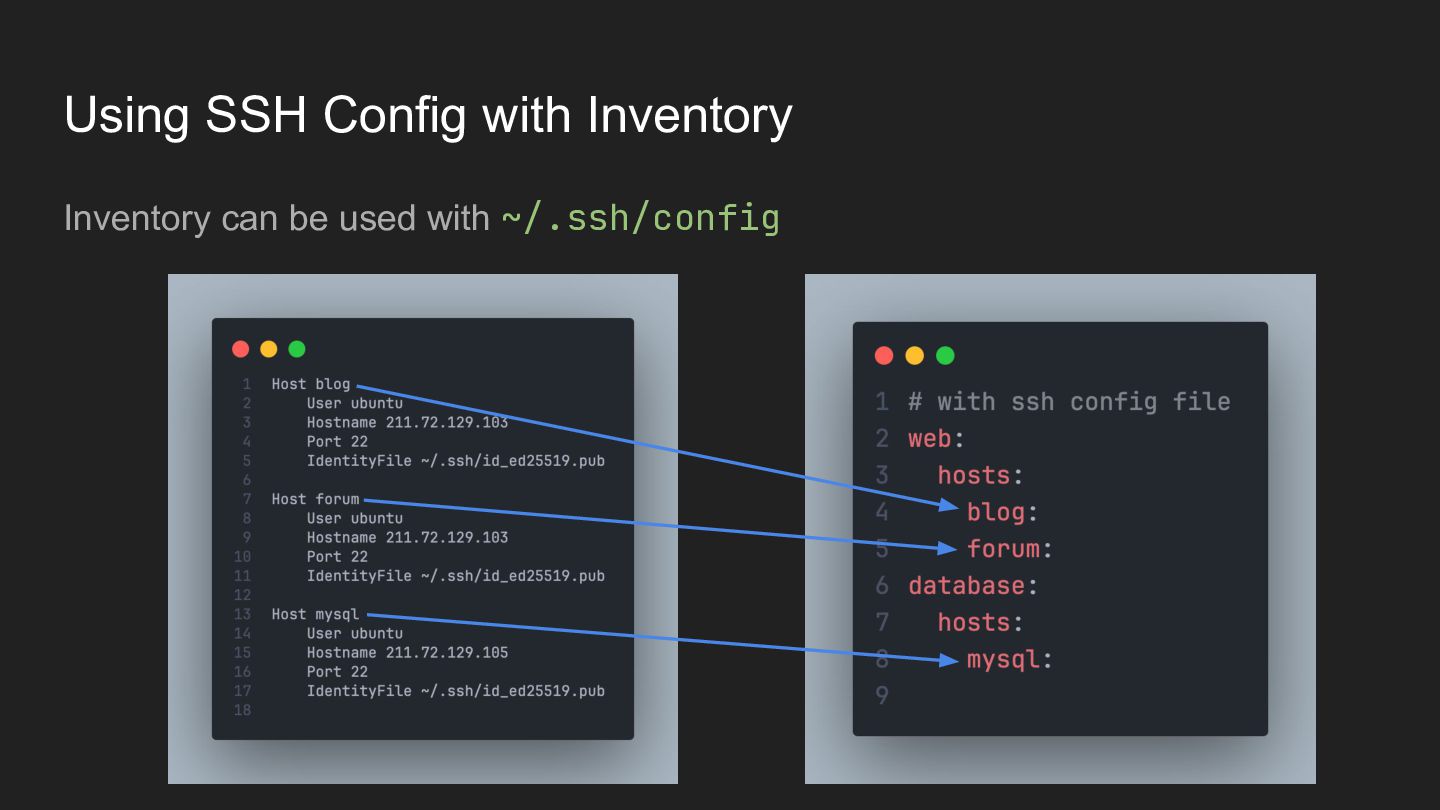
  2. Inventory Inventory is a file used to define host connection

    information that Ansible refers to and connects to the remote host using SSH Group Host P.S. Use snake_case for Group and Host names. ex. hello_world、web_server
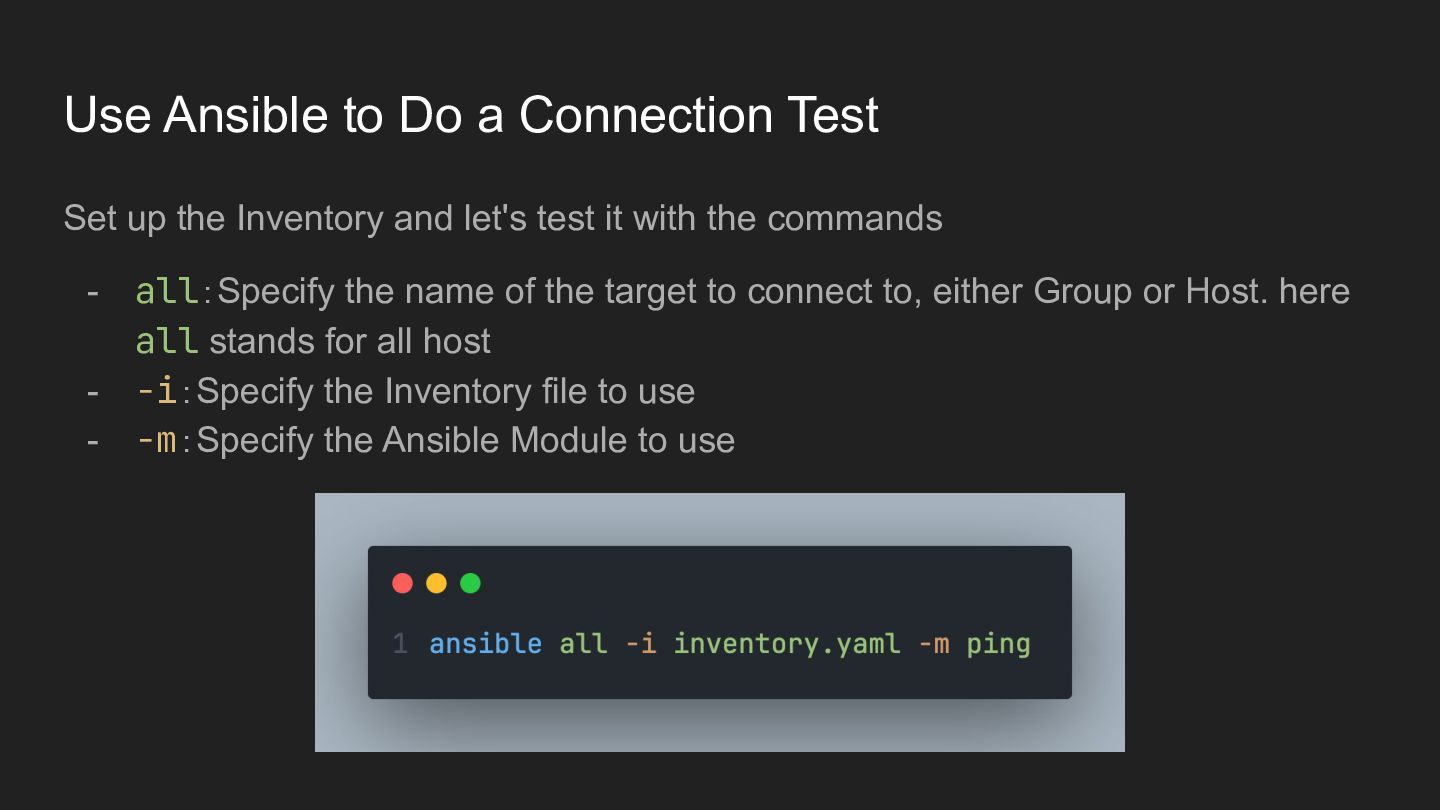
  3. Use Ansible to Do a Connection Test Set up the

    Inventory and let's test it with the commands - all:Specify the name of the target to connect to, either Group or Host. here all stands for all host -i:Specify the Inventory file to use -m:Specify the Ansible Module to use
  4. Module Ansible has a number of different modules that can

    be used, such as the ping module that we just used And many other modules … - apt:Managing apt packages on the host (for Ubuntu or Debian) command:Execute commands on the host file:Managing the contents of files on the host fetch:Pulling files from the host to the local machine
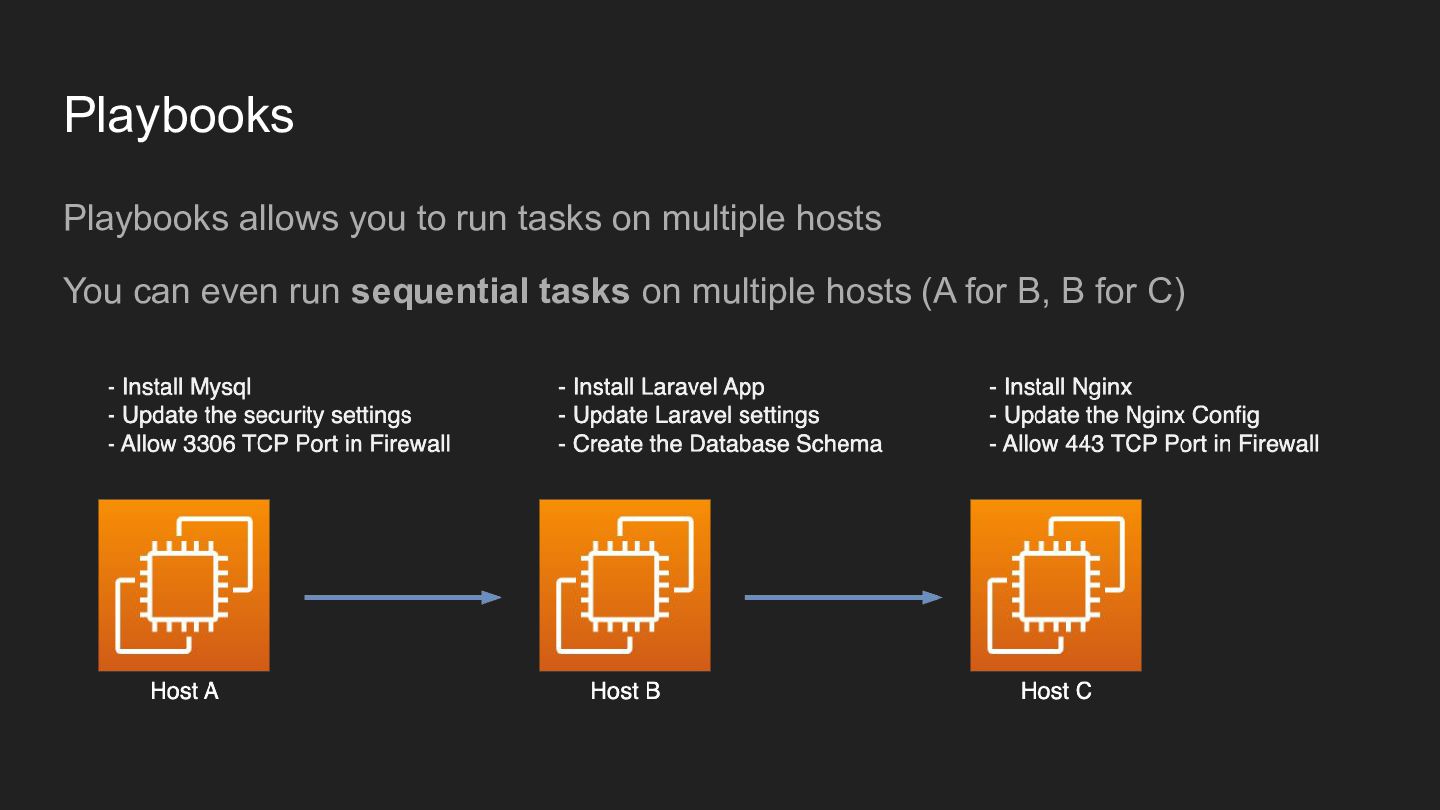
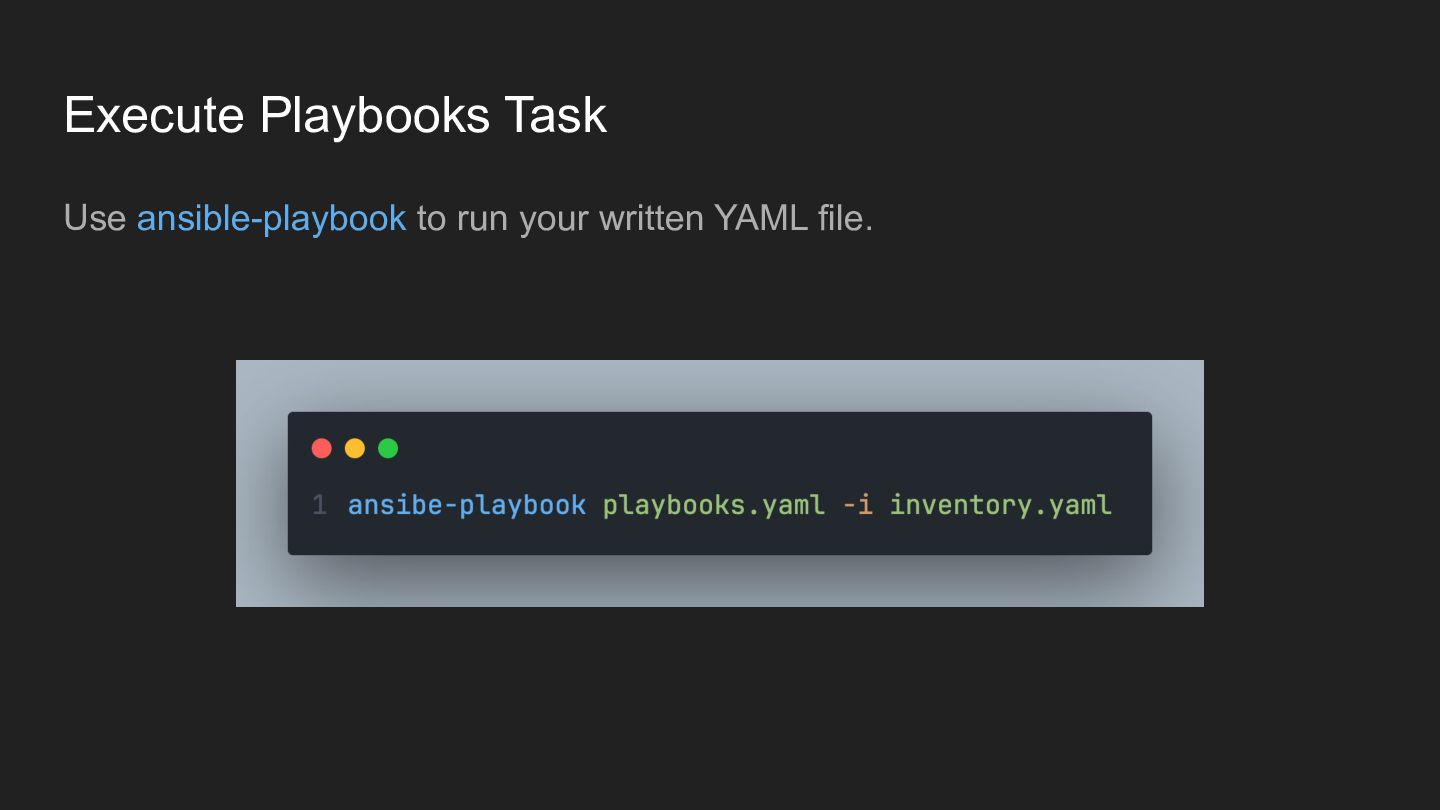
  5. Playbooks Playbooks allows you to run tasks on multiple hosts

    You can even run sequential tasks on multiple hosts (A for B, B for C)
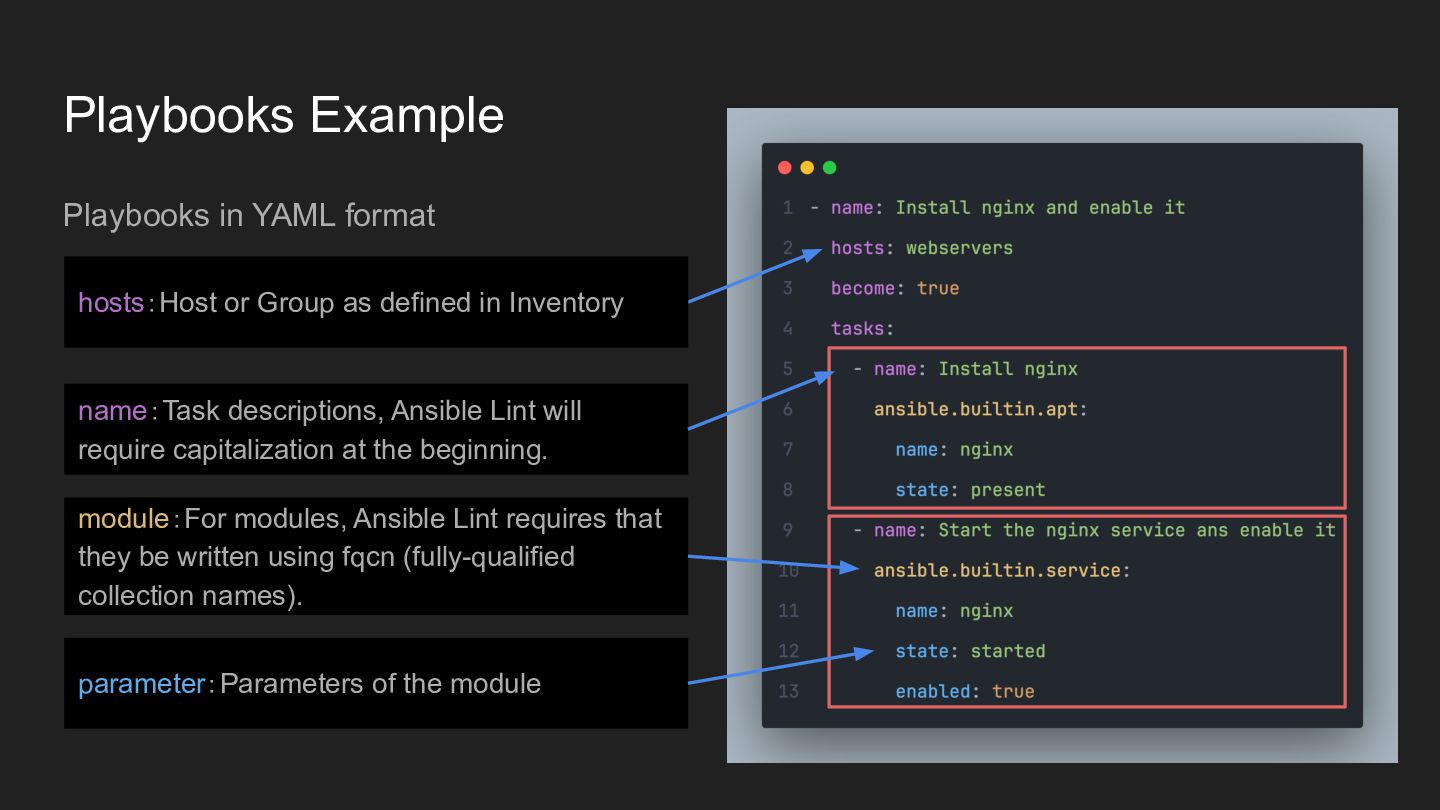
  6. Playbooks Example Playbooks in YAML format hosts:Host or Group as

    defined in Inventory name:Task descriptions, Ansible Lint will require capitalization at the beginning. module:For modules, Ansible Lint requires that they be written using fqcn (fully-qualified collection names). parameter:Parameters of the module
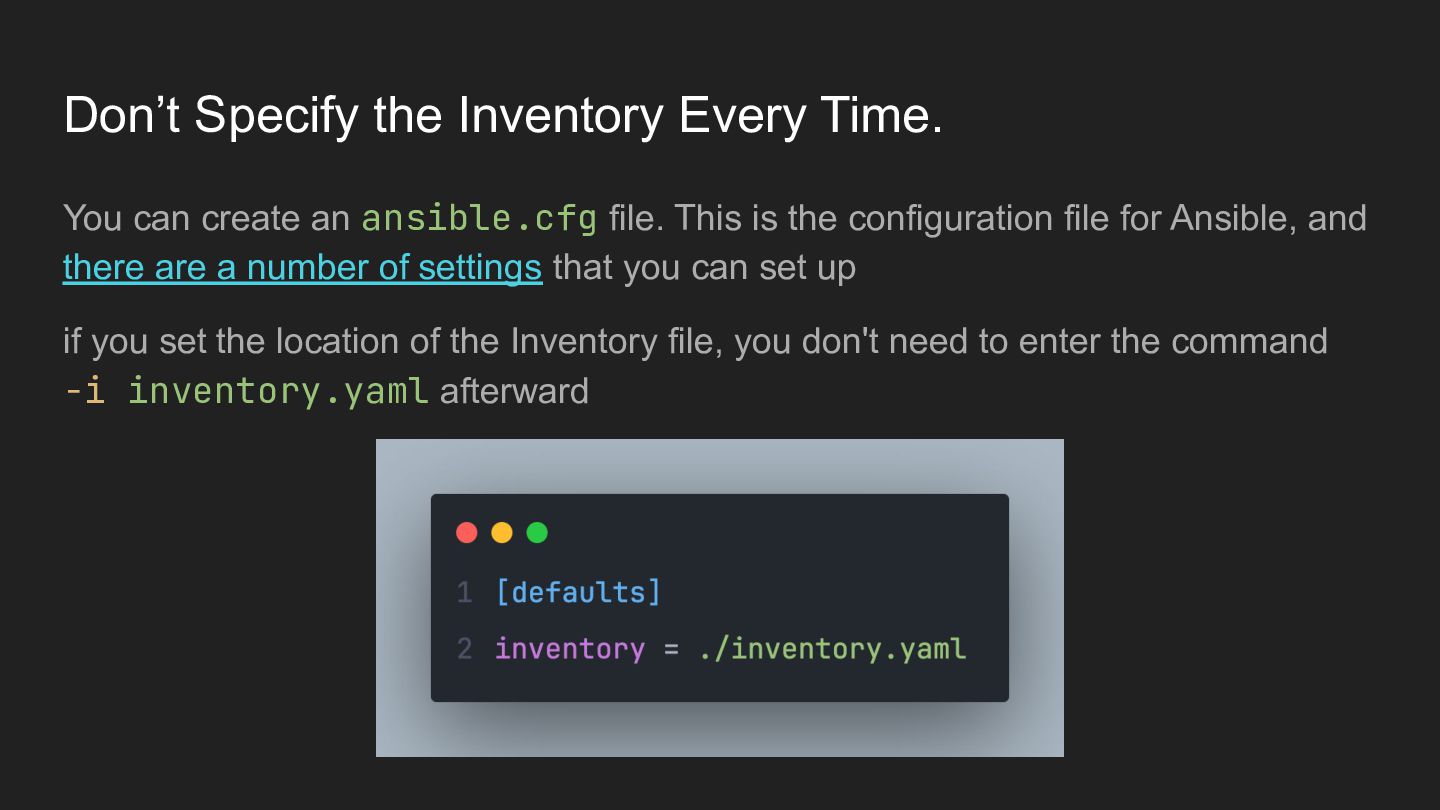
  7. Don’t Specify the Inventory Every Time. You can create an

    ansible.cfg file. This is the configuration file for Ansible, and there are a number of settings that you can set up if you set the location of the Inventory file, you don't need to enter the command -i inventory.yaml afterward
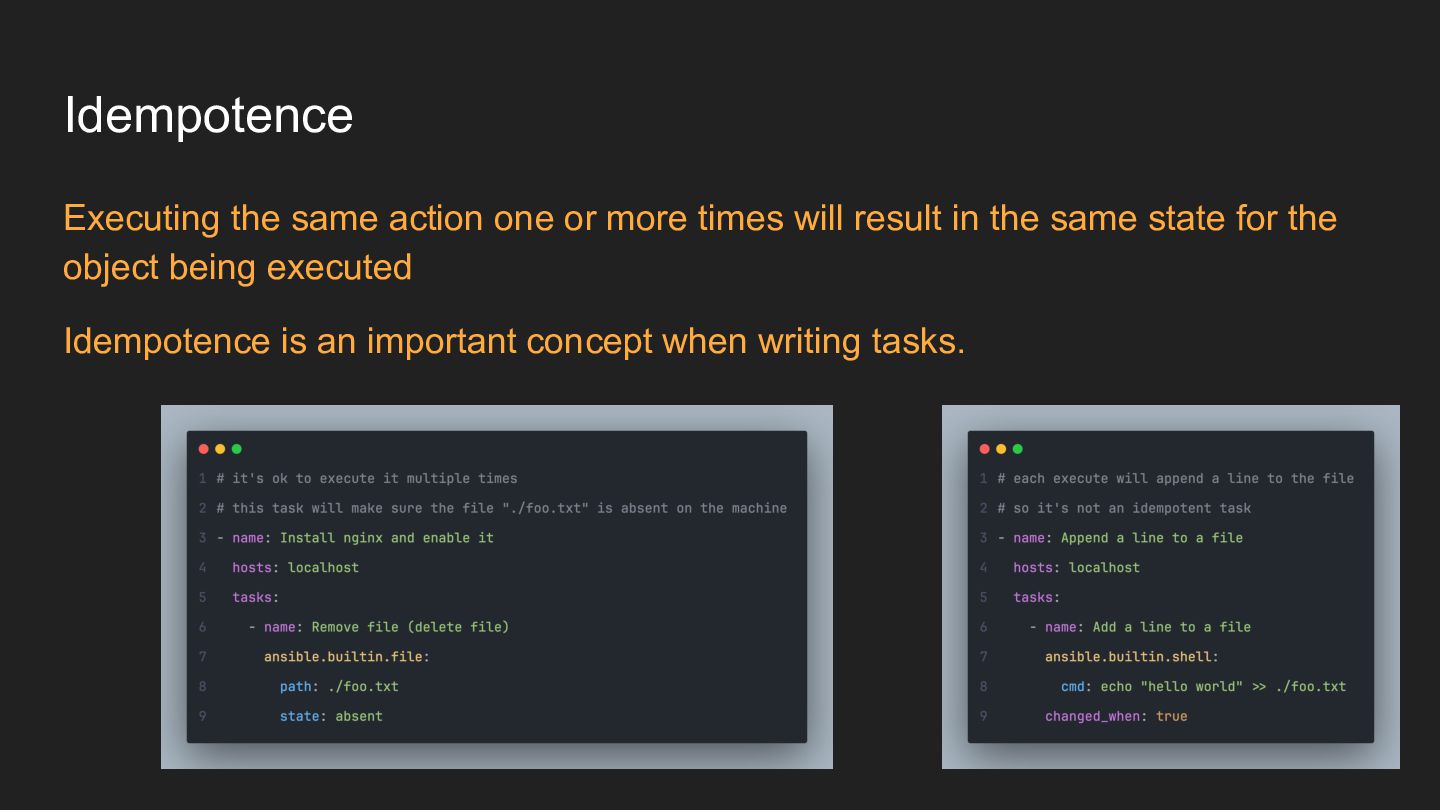
  8. Idempotence Executing the same action one or more times will

    result in the same state for the object being executed Idempotence is an important concept when writing tasks. �� ��
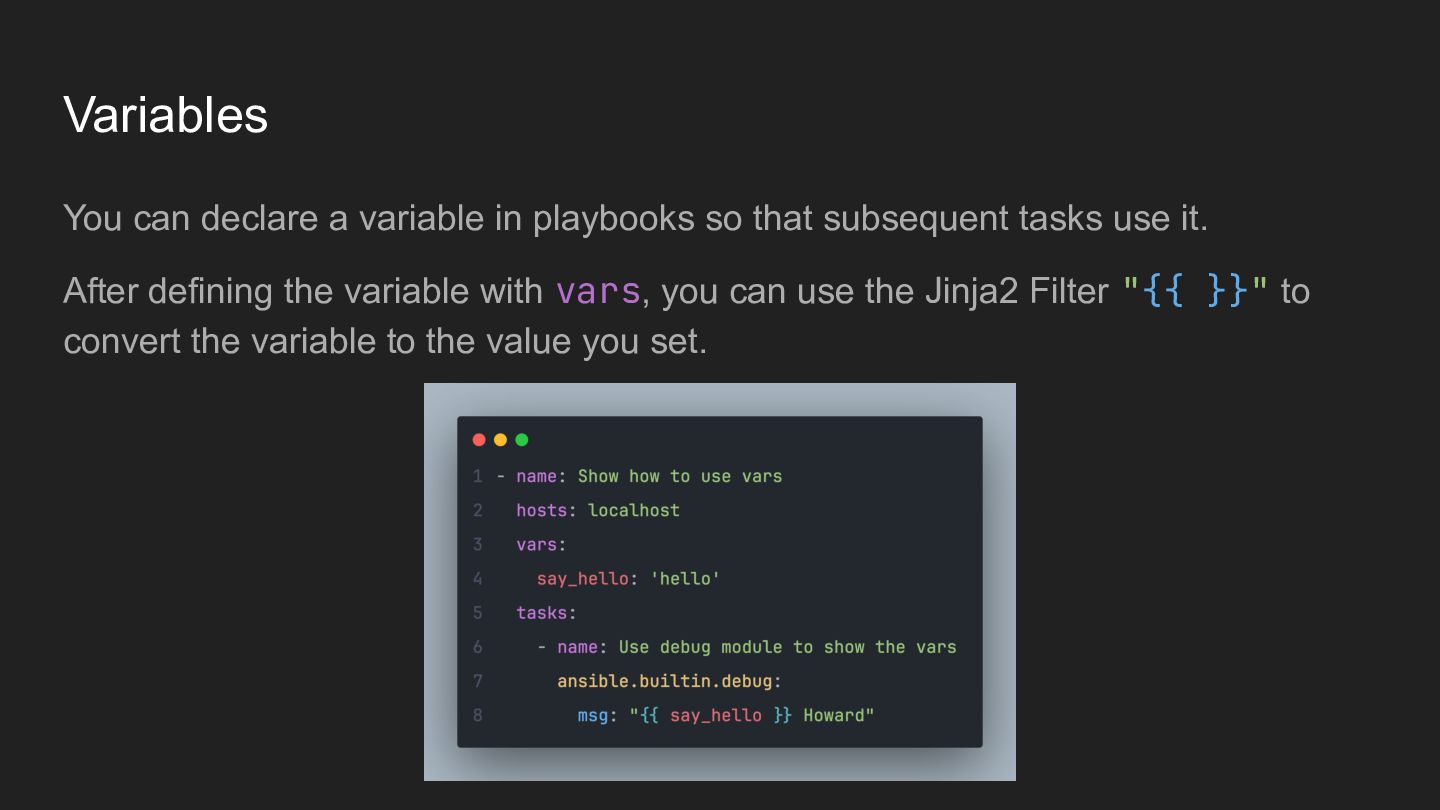
  9. Variables You can declare a variable in playbooks so that

    subsequent tasks use it. After defining the variable with vars, you can use the Jinja2 Filter "{{ }}" to convert the variable to the value you set.
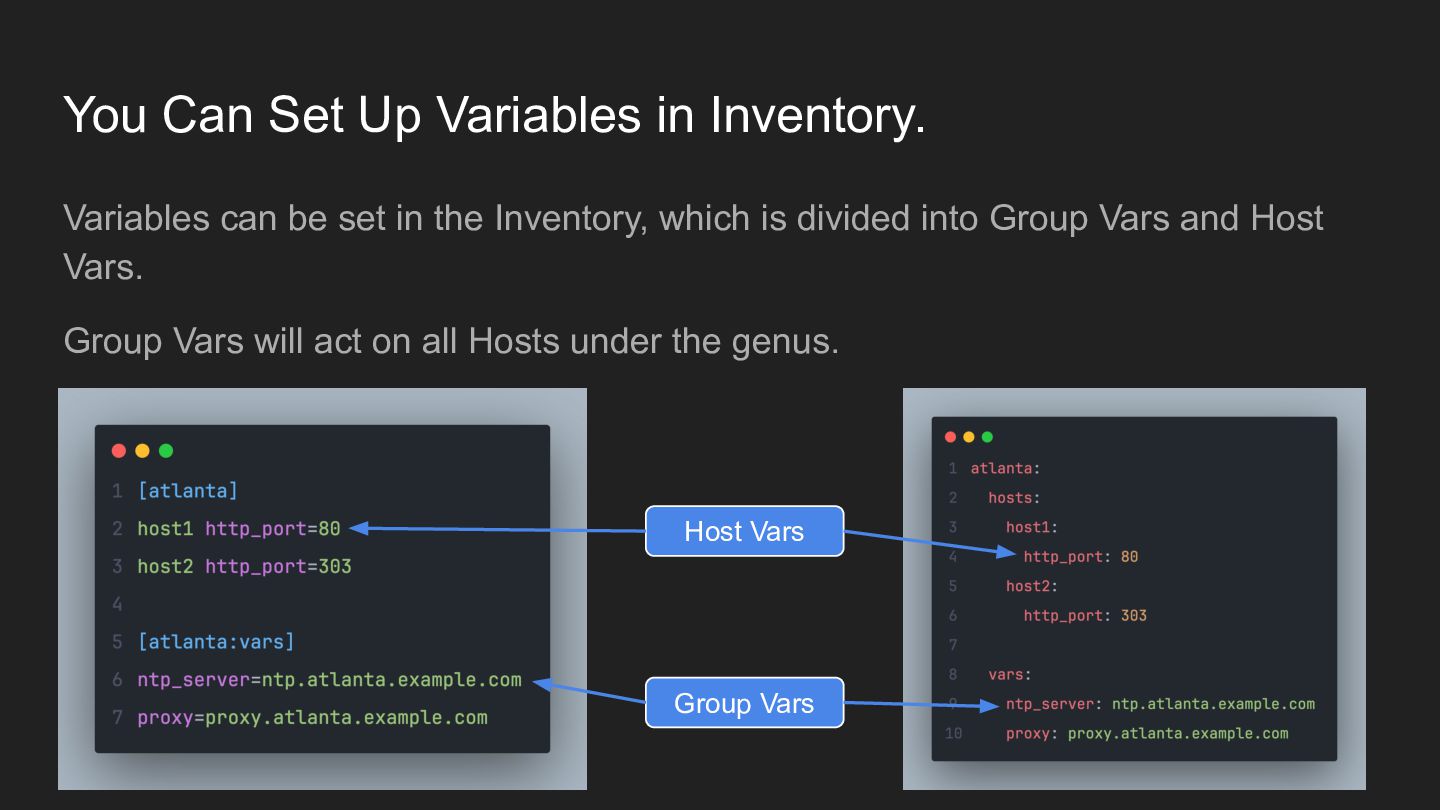
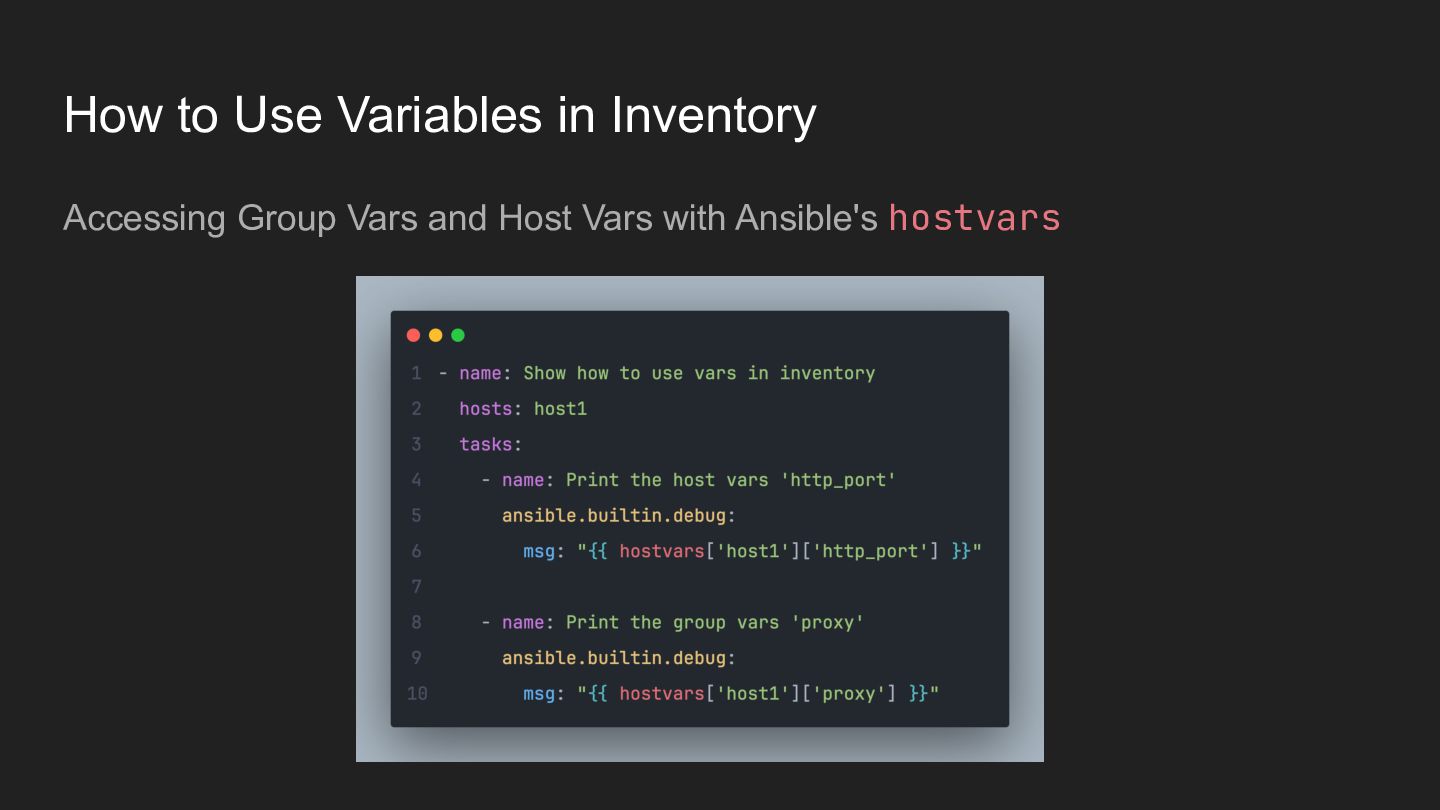
  10. You Can Set Up Variables in Inventory. Variables can be

    set in the Inventory, which is divided into Group Vars and Host Vars. Group Vars will act on all Hosts under the genus. Host Vars Group Vars
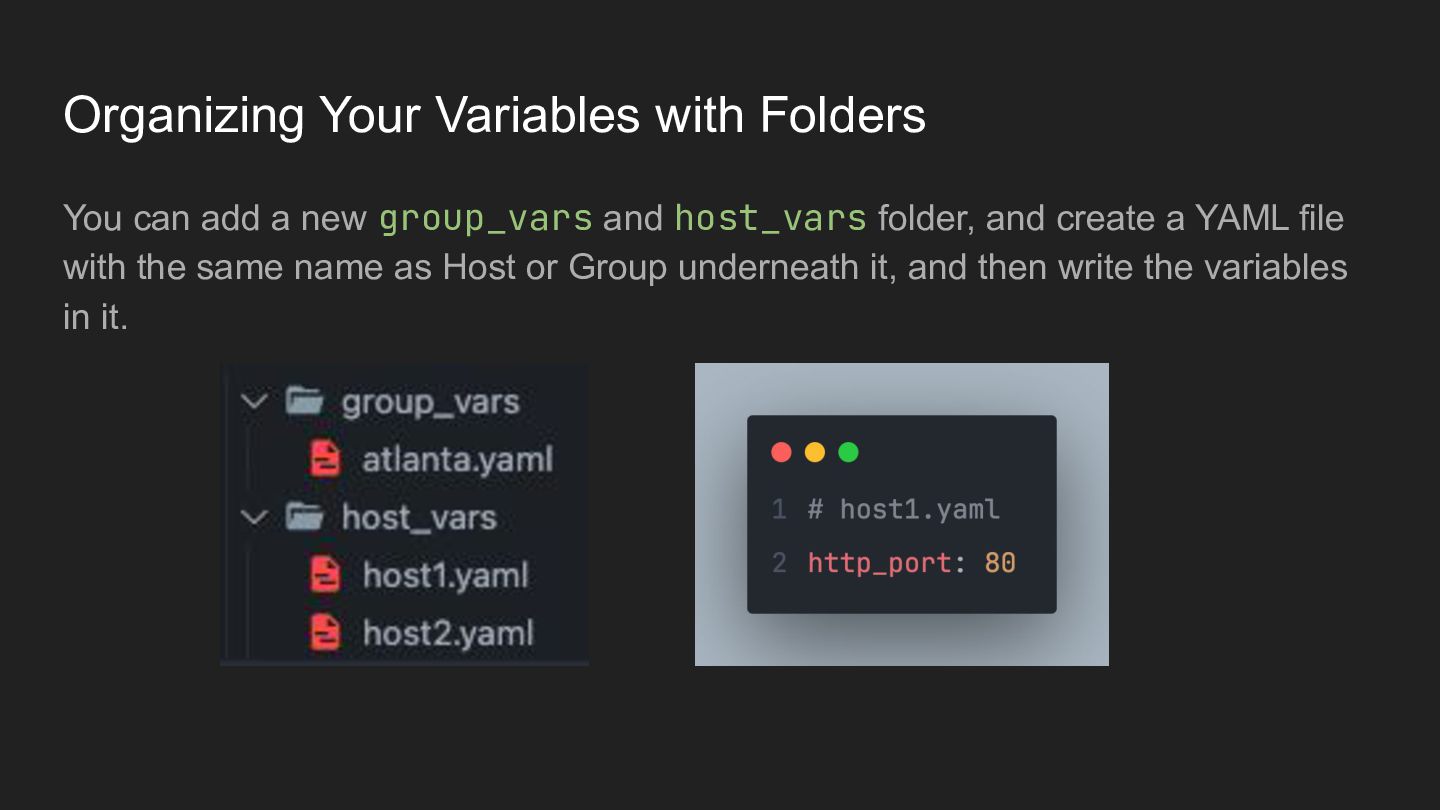
  11. Organizing Your Variables with Folders You can add a new

    group_vars and host_vars folder, and create a YAML file with the same name as Host or Group underneath it, and then write the variables in it.
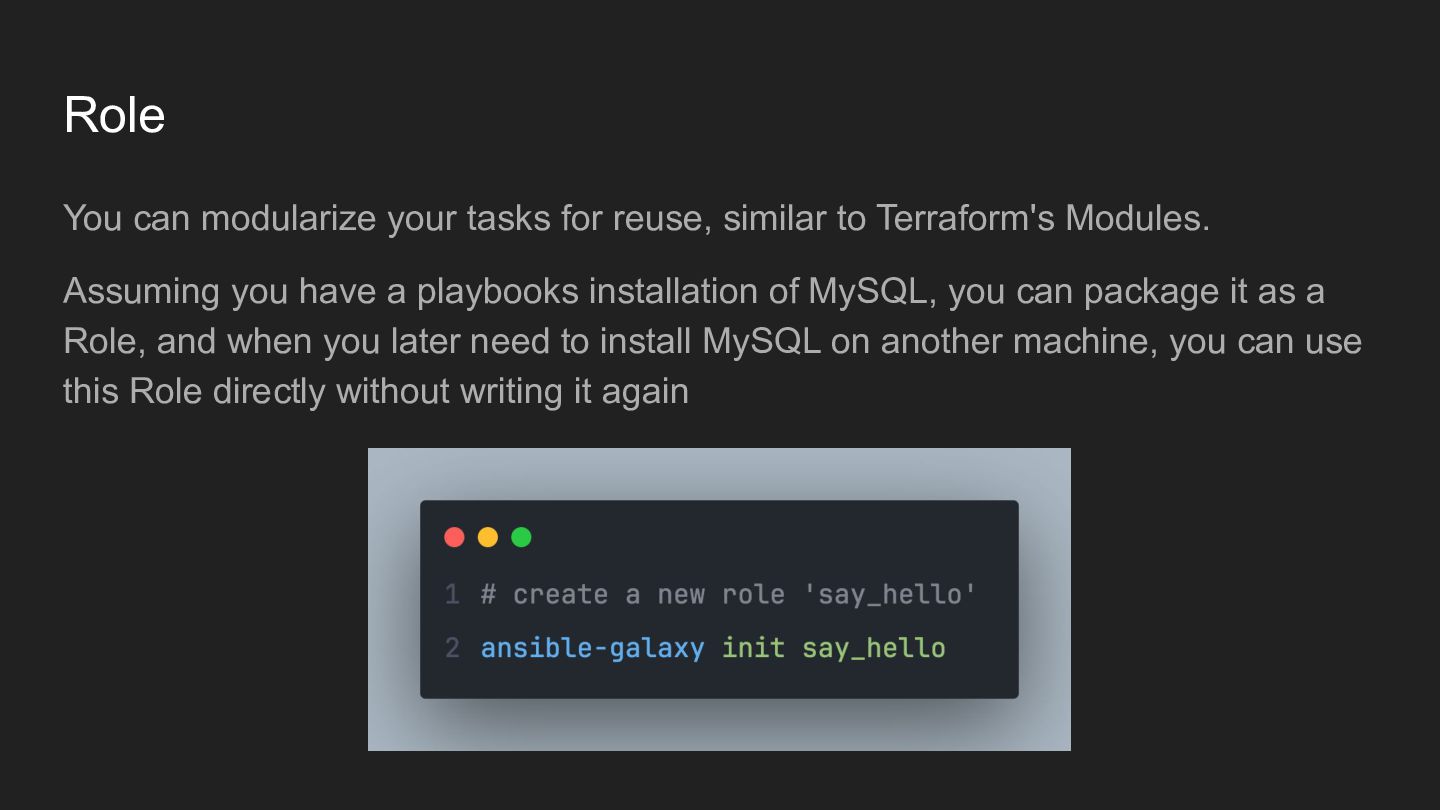
  12. Role You can modularize your tasks for reuse, similar to

    Terraform's Modules. Assuming you have a playbooks installation of MySQL, you can package it as a Role, and when you later need to install MySQL on another machine, you can use this Role directly without writing it again
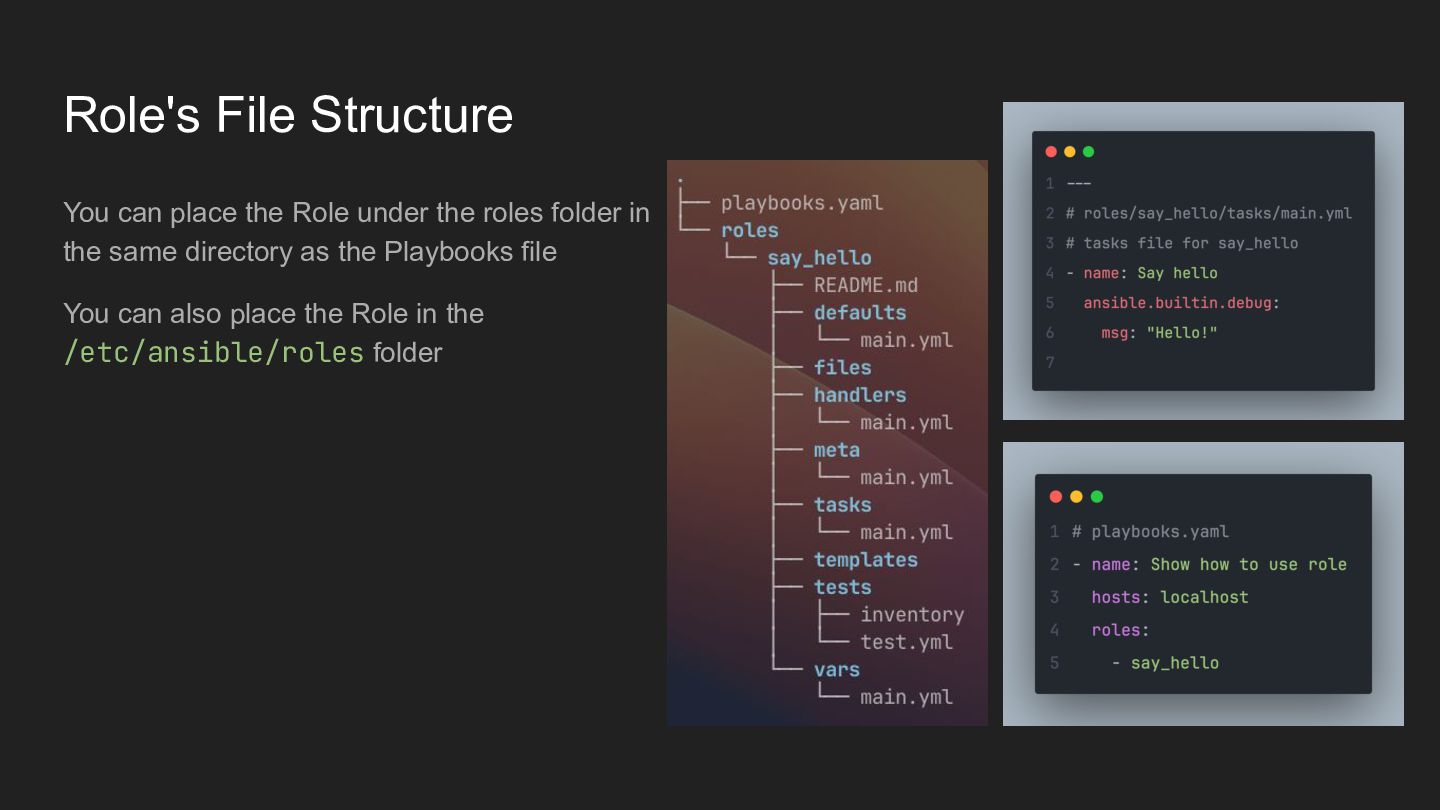
  13. Role's File Structure You can place the Role under the

    roles folder in the same directory as the Playbooks file You can also place the Role in the /etc/ansible/roles folder
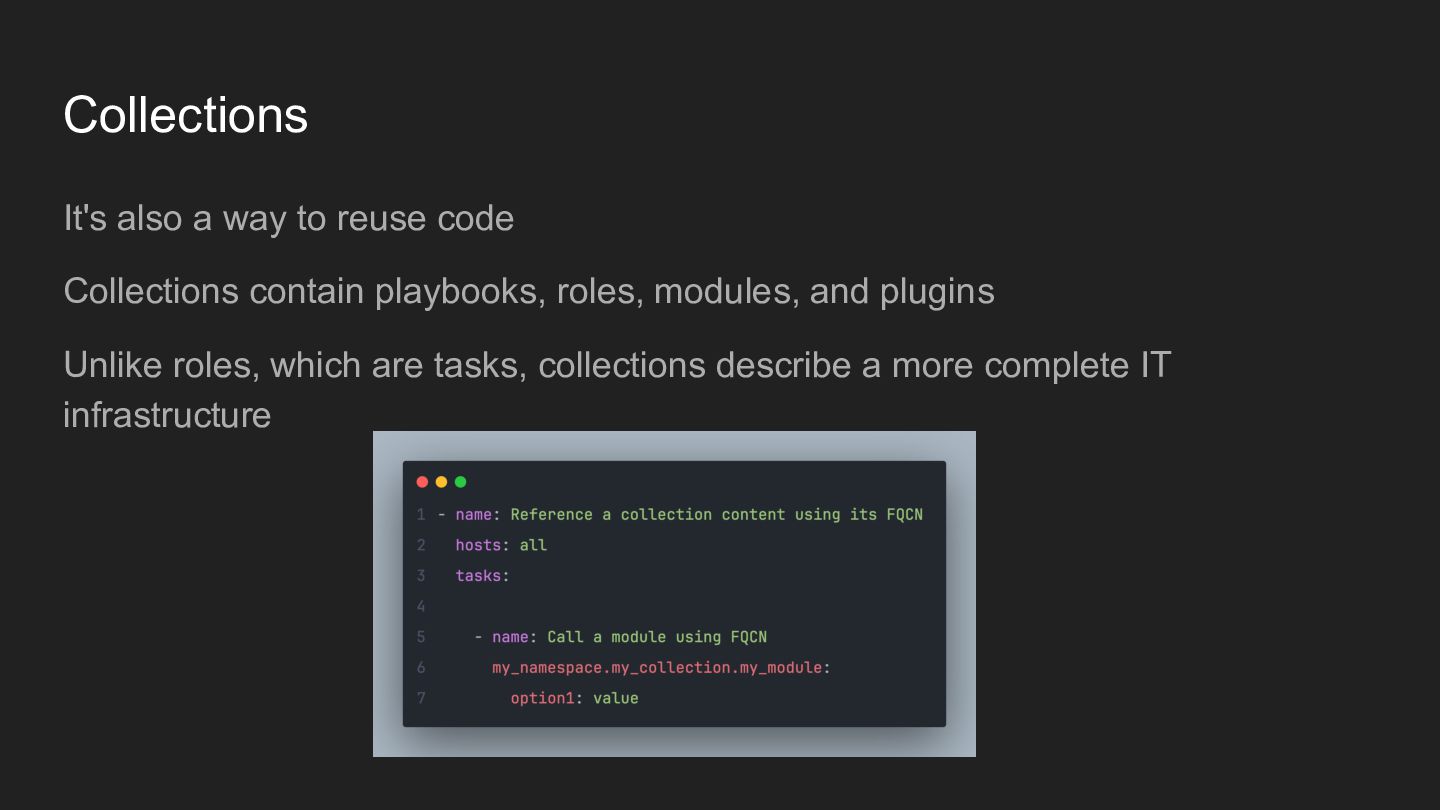
  14. Collections It's also a way to reuse code Collections contain

    playbooks, roles, modules, and plugins Unlike roles, which are tasks, collections describe a more complete IT infrastructure
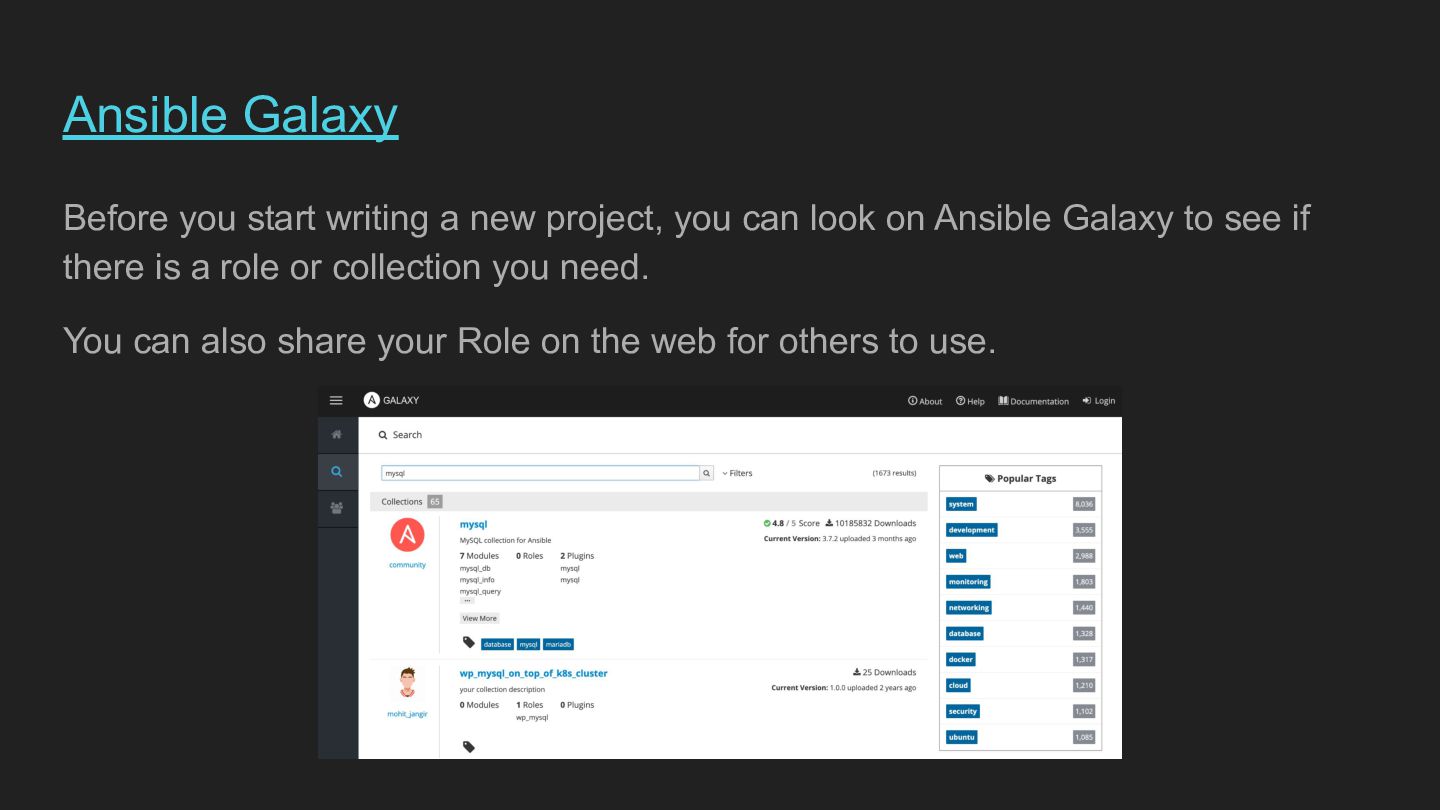
  15. Ansible Galaxy Before you start writing a new project, you

    can look on Ansible Galaxy to see if there is a role or collection you need. You can also share your Role on the web for others to use.
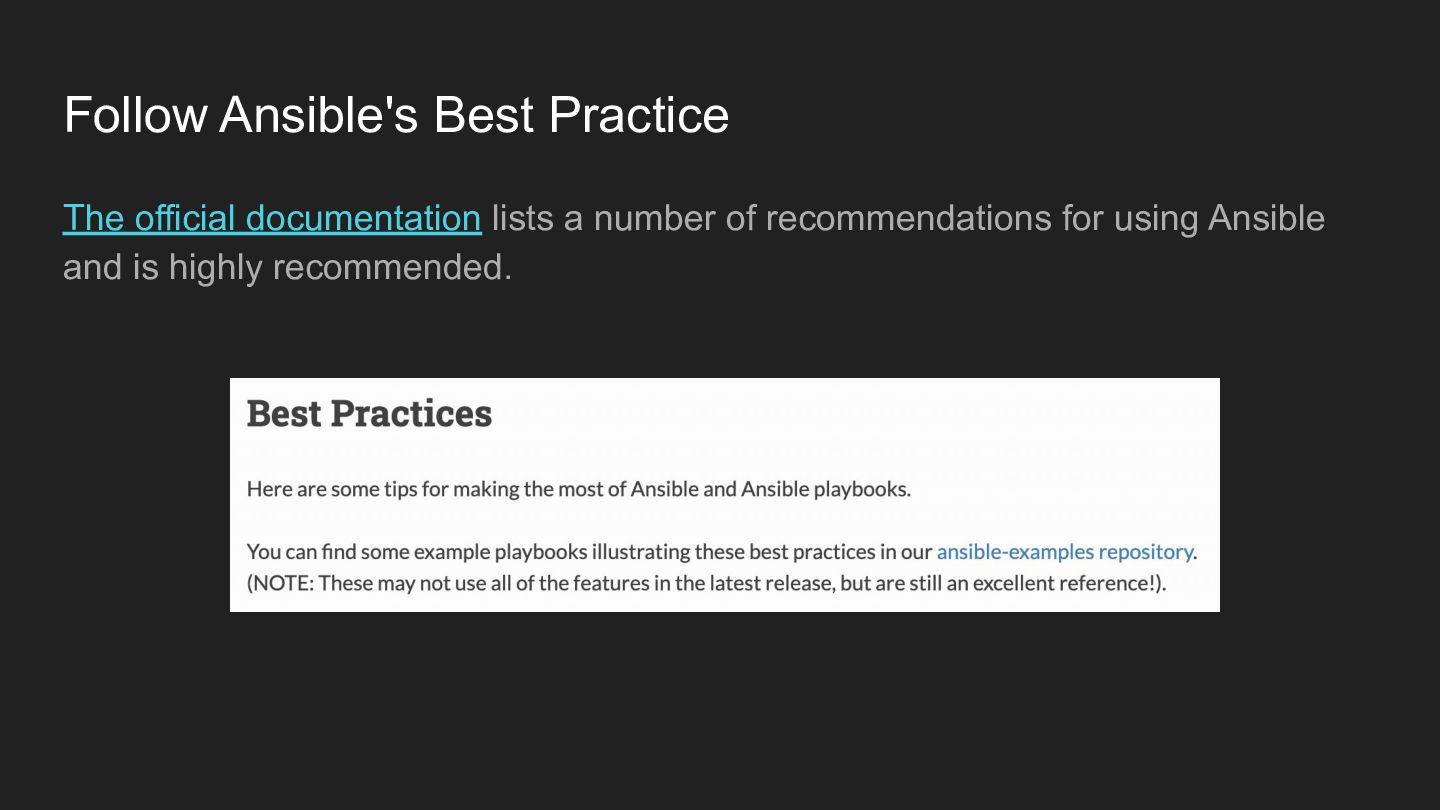
  16. Follow Ansible's Best Practice The official documentation lists a number

    of recommendations for using Ansible and is highly recommended.
  17. After We Talk About Ansible I just want to say

    … Long Live the IMMUTABLE !!!