Upgrade to Pro — share decks privately, control downloads, hide ads and more …

Mastering AOSP Development with Android Studio ...

Sponsored · Your Podcast. Everywhere. Effortlessly. Share. Educate. Inspire. Entertain. You do you. We'll handle the rest. →
Avatar for AmniX AmniX
September 08, 2026
10

Mastering AOSP Development with Android Studio for Platform (ASfP)

Avatar for AmniX

AmniX

September 08, 2026

Transcript

  1. DroidKaigi 2026 Mastering AOSP Development with Android Studio for Platform

    (ASfP) Aman Tonk Lead Android Engineer @ PayPay
  2. DroidKaigi 2026 About Me! The Paradox: • • Current Role:

    Application Developer. Current Topic: AOSP Engineering. Flashback • • • • • Started as a Custom Rom Developer CyanogenMod, OmniROM, AOKP Xda Developer forums Plain Text Editors And So on…
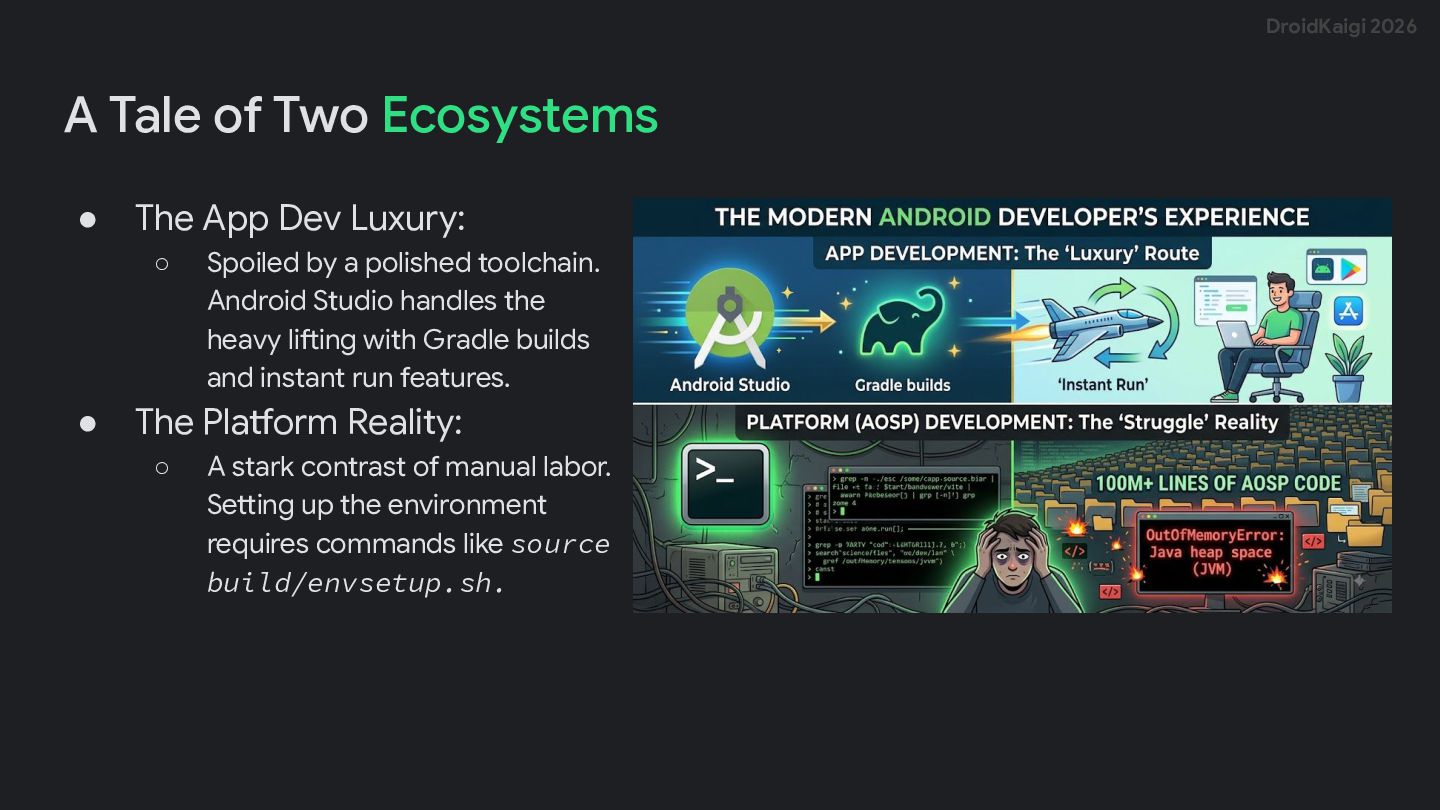
  3. DroidKaigi 2026 A Tale of Two Ecosystems • The App

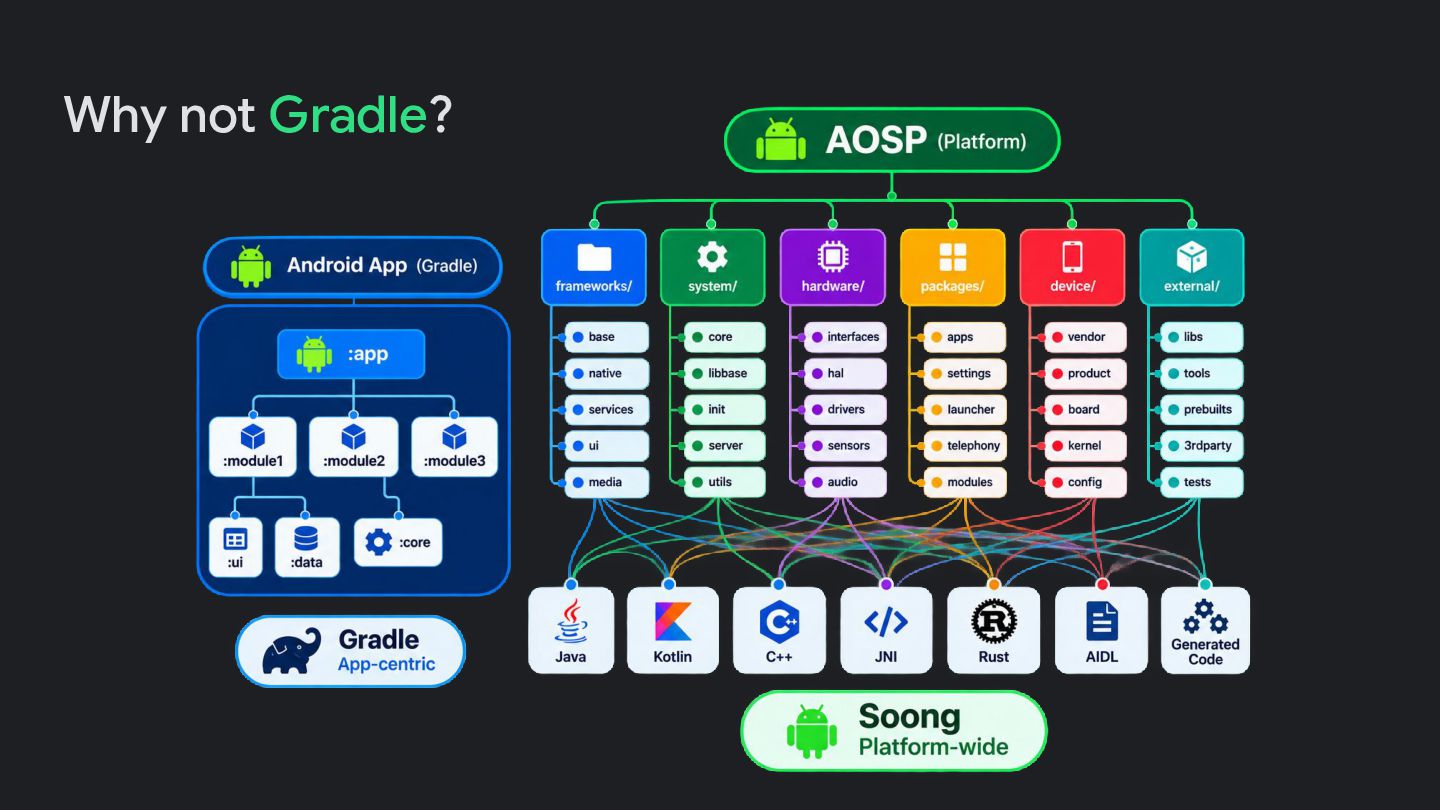
    Dev Luxury: ◦ • Spoiled by a polished toolchain. Android Studio handles the heavy lifting with Gradle builds and instant run features. The Platform Reality: ◦ A stark contrast of manual labor. Setting up the environment requires commands like source build/envsetup.sh.
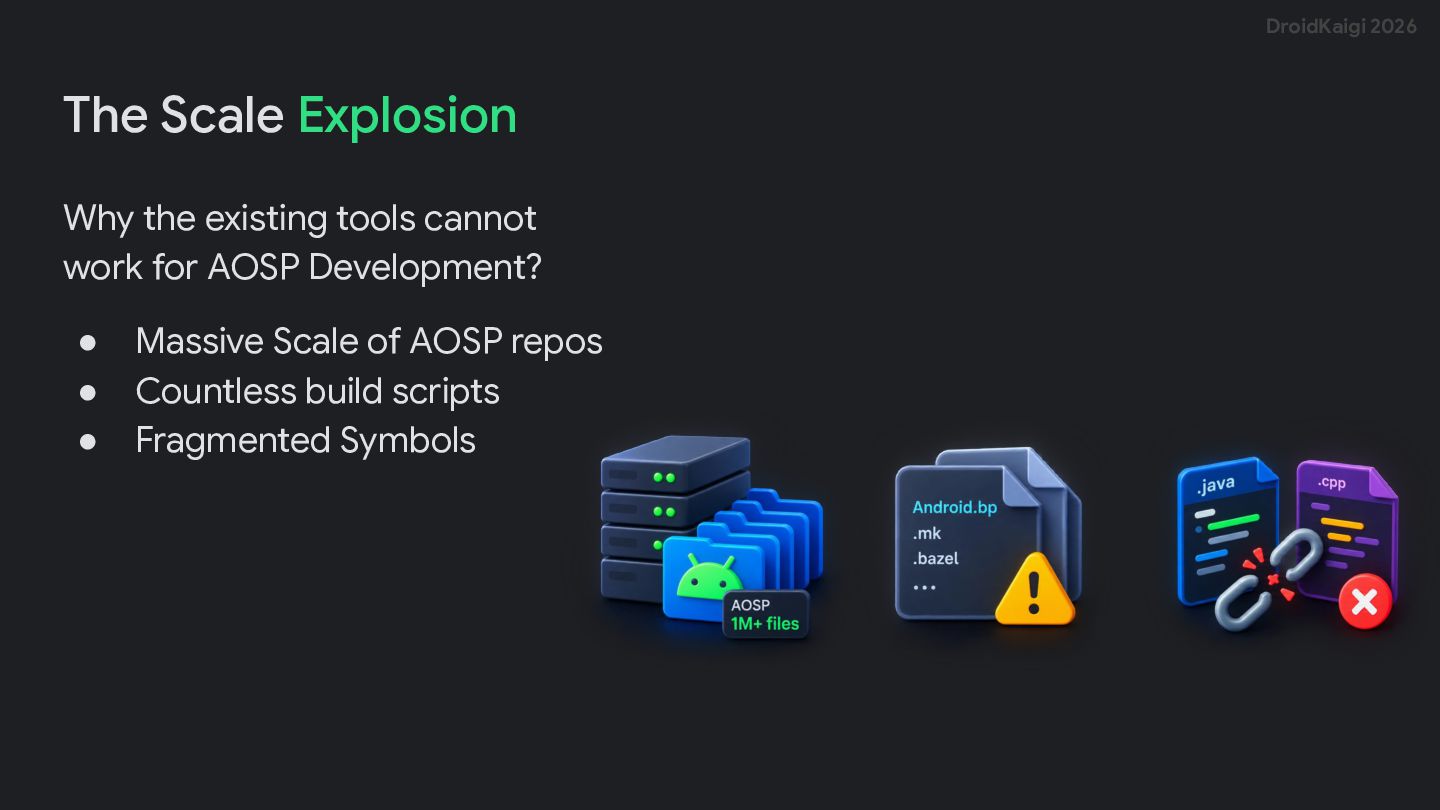
  4. DroidKaigi 2026 The Scale Explosion Why the existing tools cannot

    work for AOSP Development? • • • Massive Scale of AOSP repos Countless build scripts Fragmented Symbols
  5. DroidKaigi 2026 Then Enter ASfP! ASfP Core Pillars • •

    • • • The Zero-Gradle Engine Native Soong Engine Parser Multi-Language AST Zero-Gradle Architecture Selective Scopes
  6. DroidKaigi 2026 One small requirement! • • • • 64-bit

    Linux environment x86_64 CPU Supported AOSP build environment ASfP runs alongside the AOSP toolchain
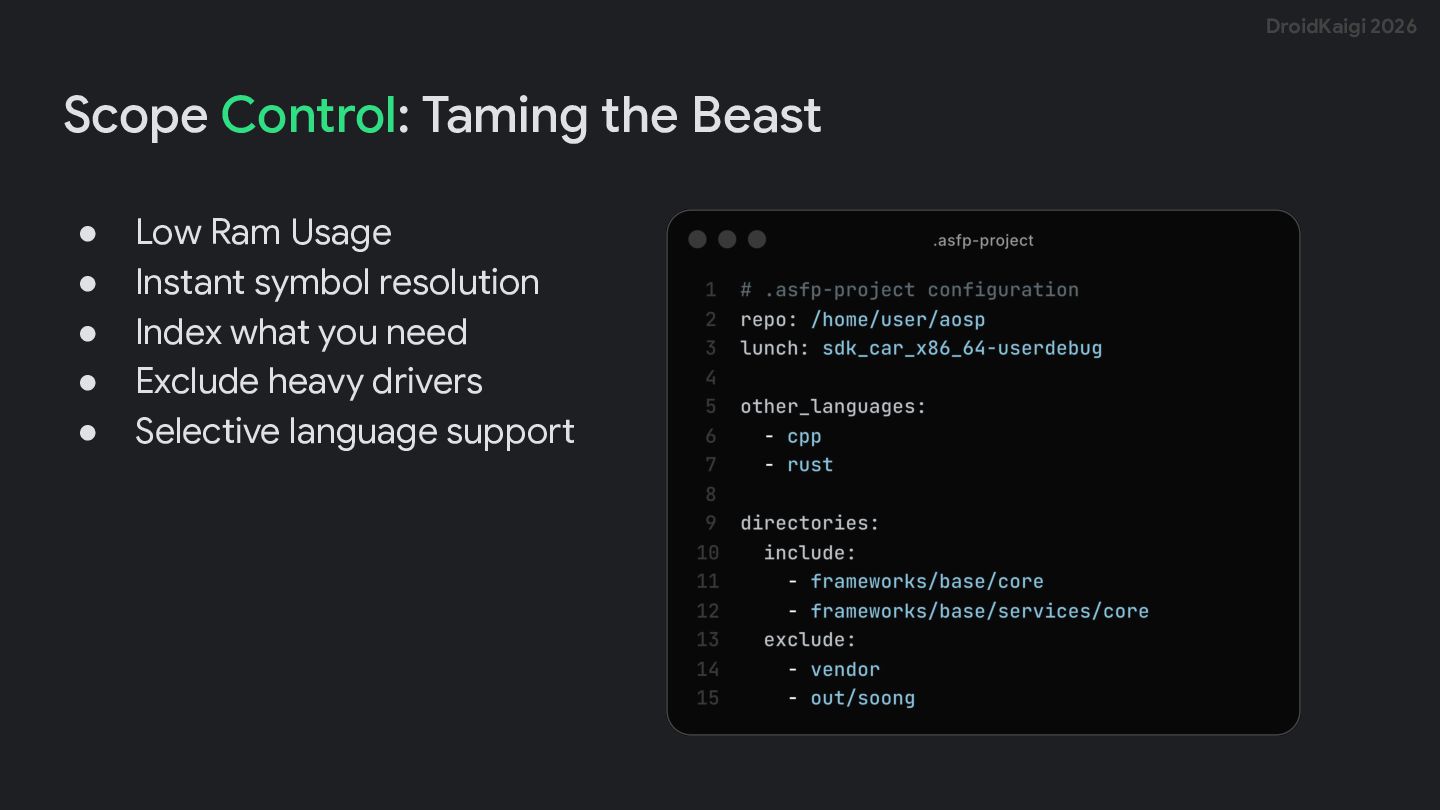
  7. DroidKaigi 2026 Scope Control: Taming the Beast • • •

    • • Low Ram Usage Instant symbol resolution Index what you need Exclude heavy drivers Selective language support
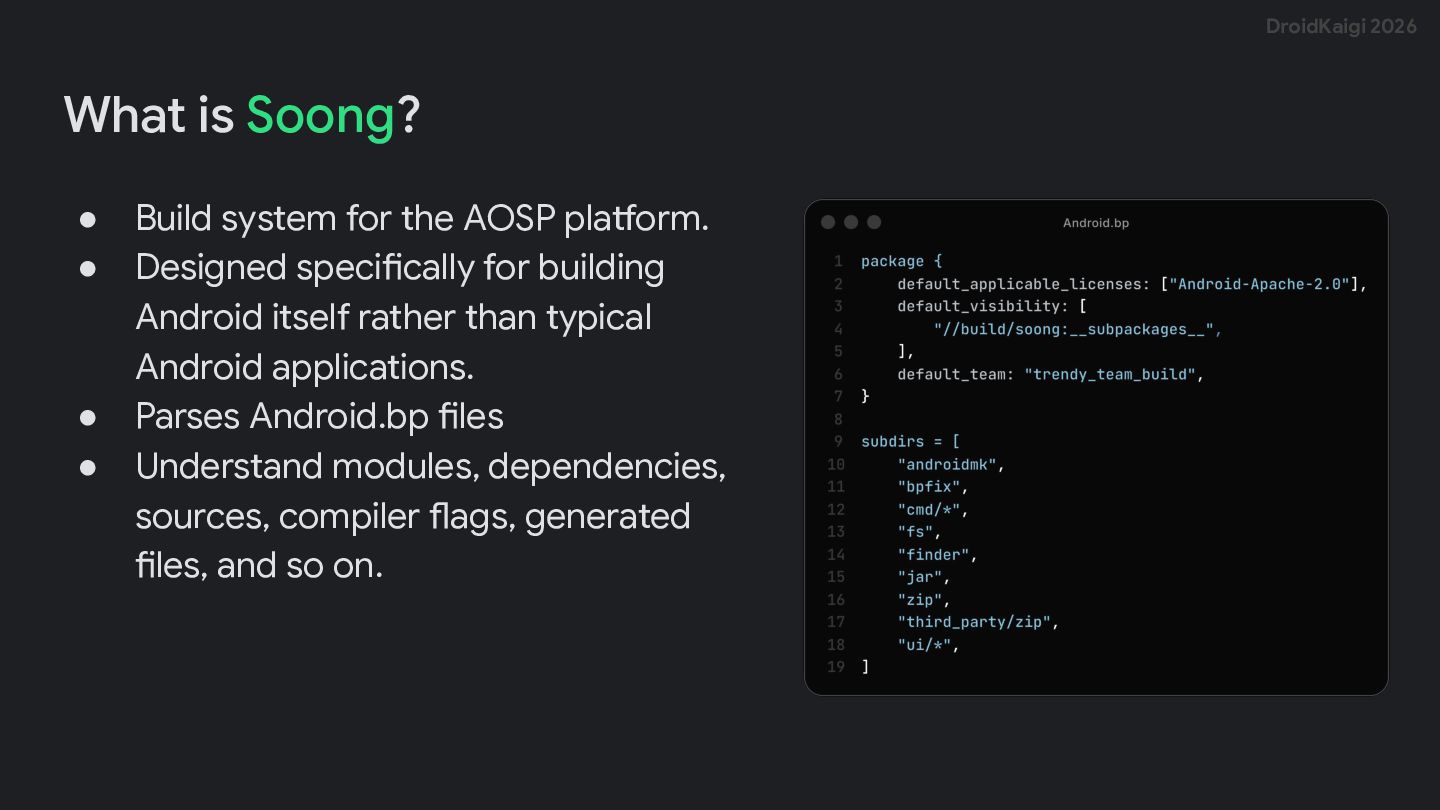
  8. DroidKaigi 2026 What is Soong? • • • • Build

    system for the AOSP platform. Designed specifically for building Android itself rather than typical Android applications. Parses Android.bp files Understand modules, dependencies, sources, compiler flags, generated files, and so on.
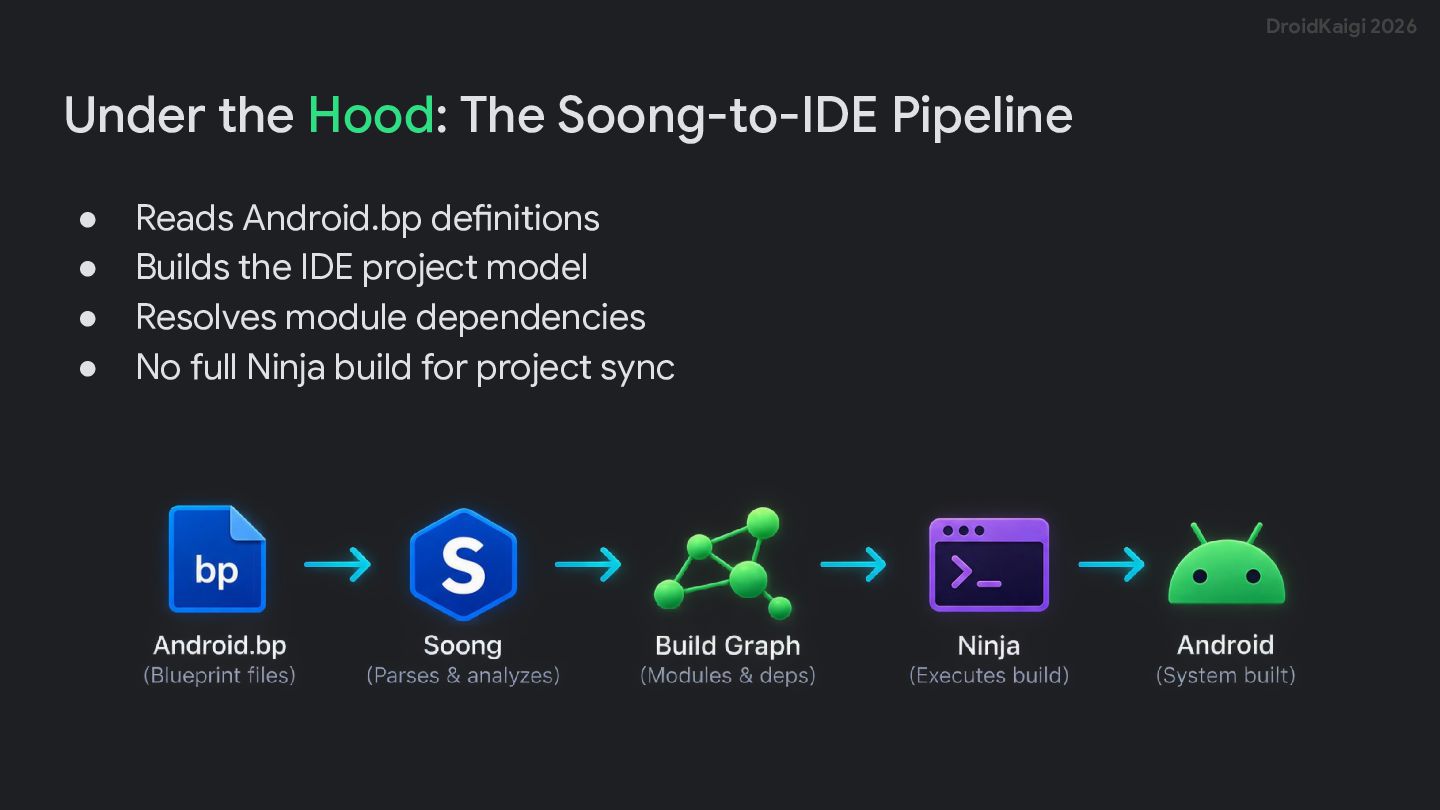
  9. DroidKaigi 2026 Under the Hood: The Soong-to-IDE Pipeline • •

    • • Reads Android.bp definitions Builds the IDE project model Resolves module dependencies No full Ninja build for project sync
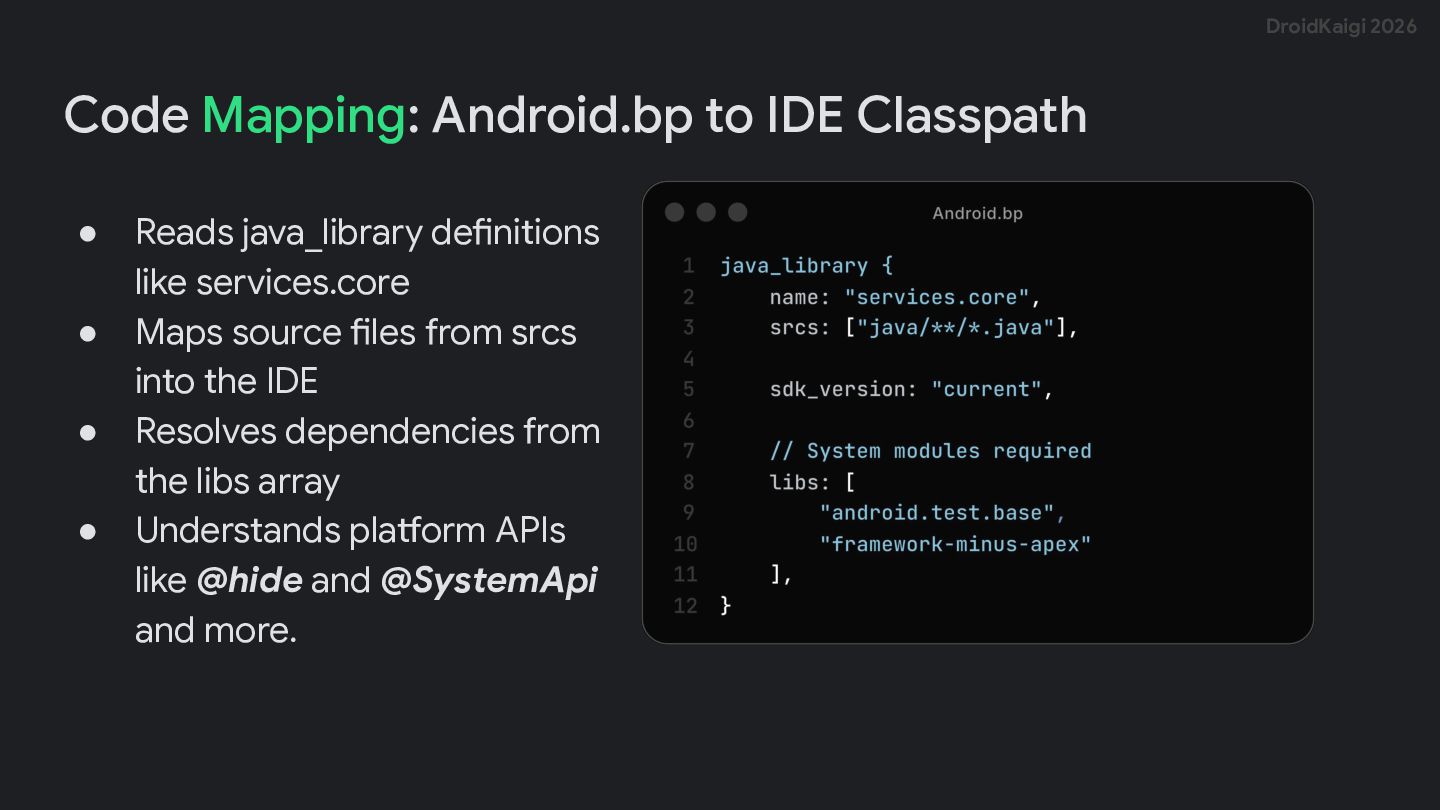
  10. DroidKaigi 2026 Code Mapping: Android.bp to IDE Classpath • •

    • • Reads java_library definitions like services.core Maps source files from srcs into the IDE Resolves dependencies from the libs array Understands platform APIs like @hide and @SystemApi and more.
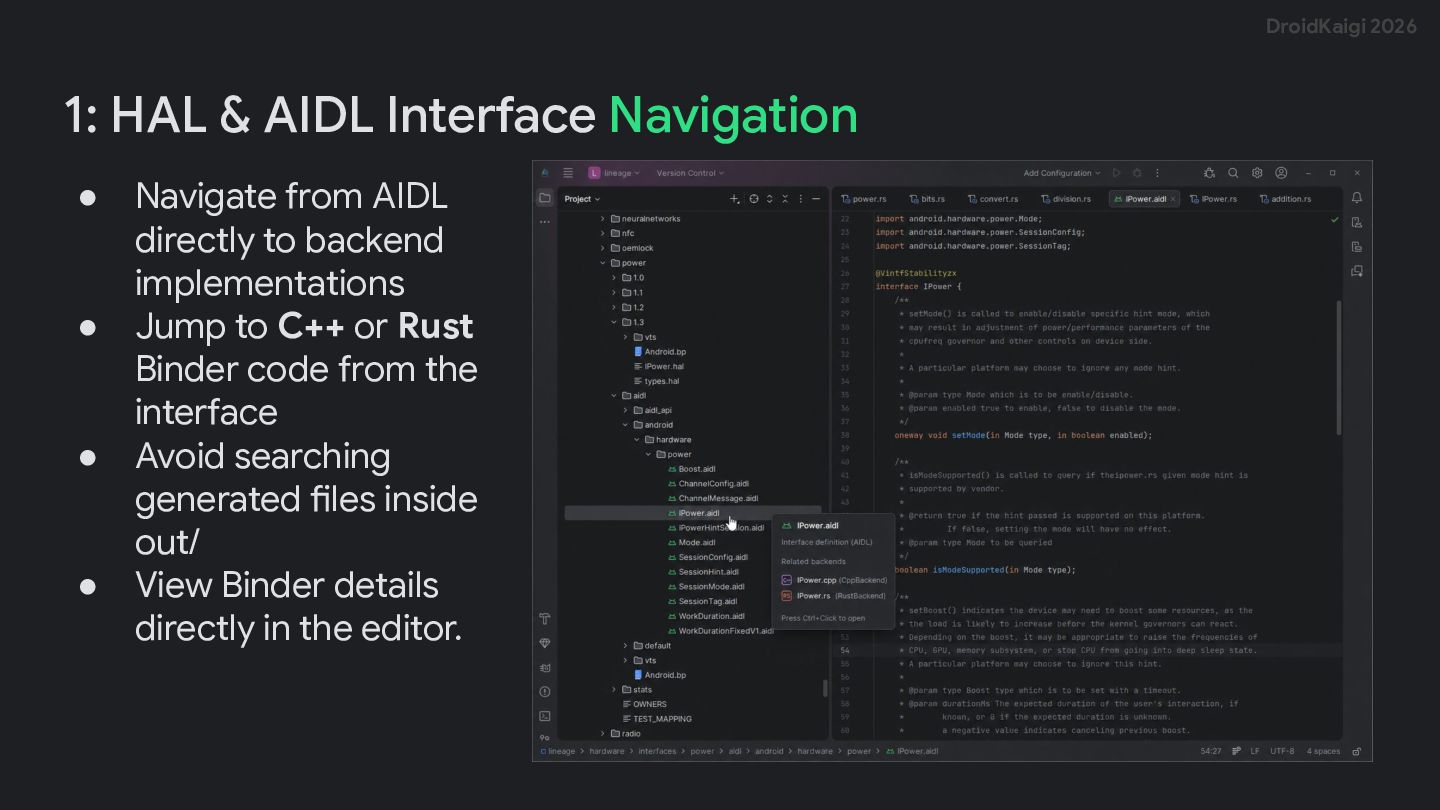
  11. DroidKaigi 2026 1: HAL & AIDL Interface Navigation • •

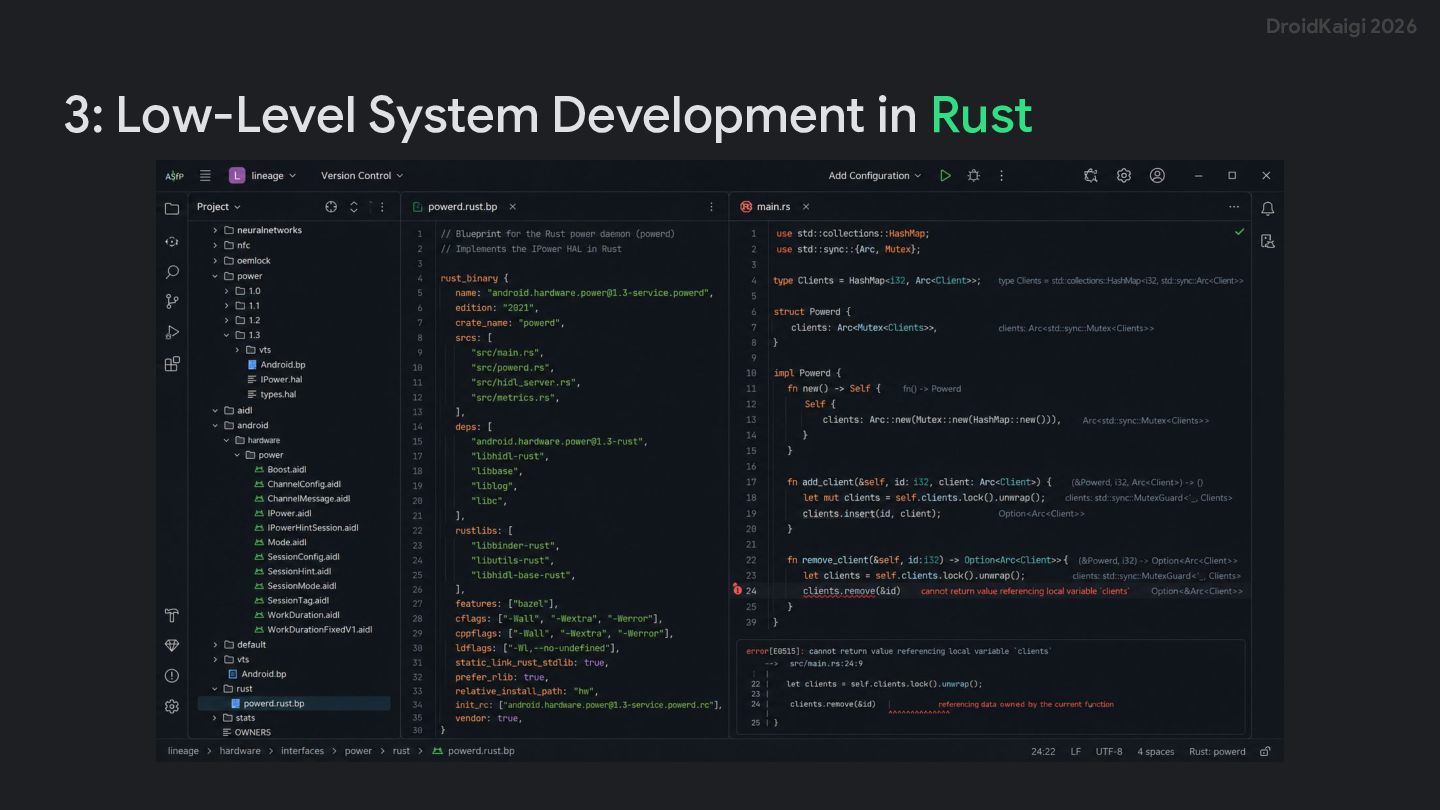
    • • Navigate from AIDL directly to backend implementations Jump to C++ or Rust Binder code from the interface Avoid searching generated files inside out/ View Binder details directly in the editor.
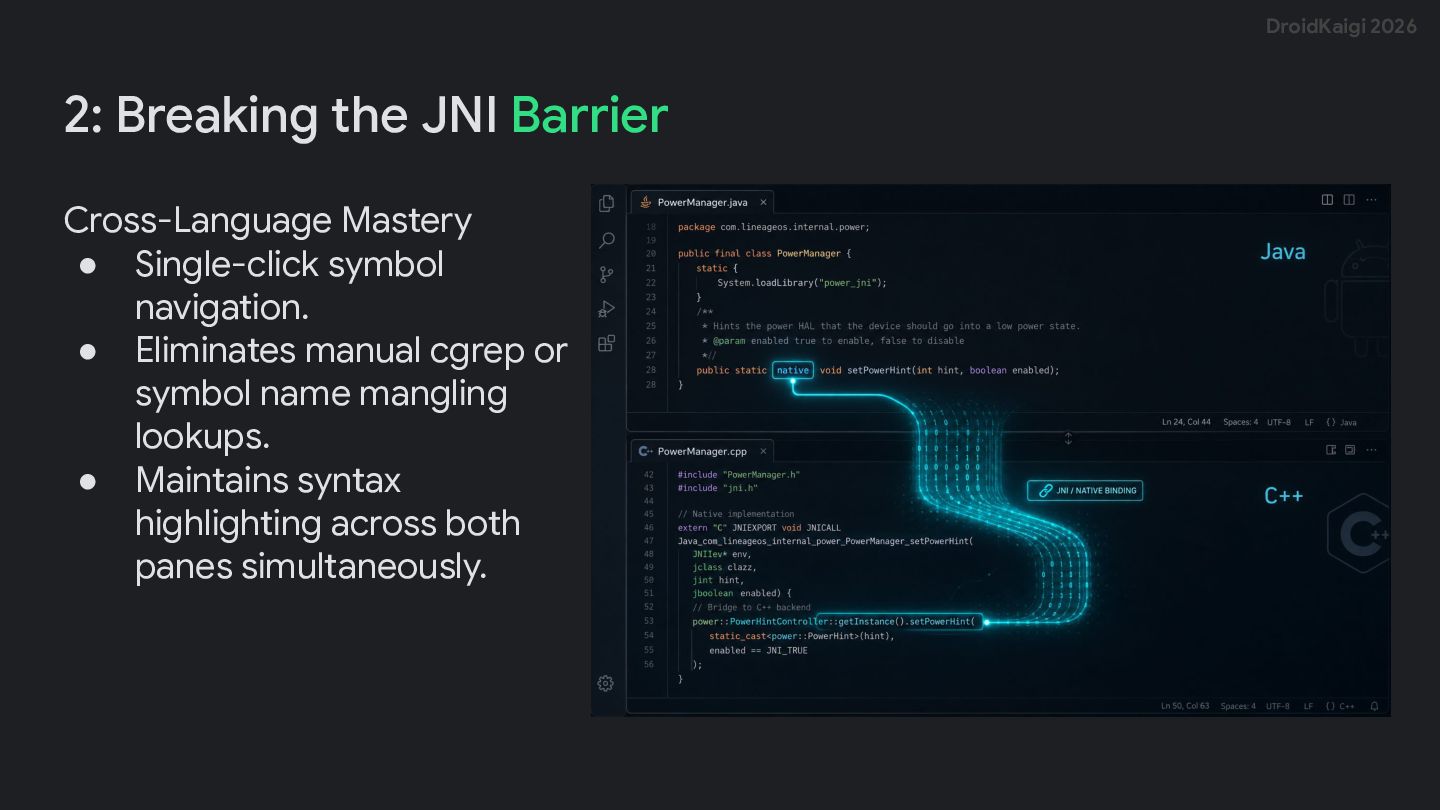
  12. DroidKaigi 2026 2: Breaking the JNI Barrier Cross-Language Mastery •

    Single-click symbol navigation. • Eliminates manual cgrep or symbol name mangling lookups. • Maintains syntax highlighting across both panes simultaneously.
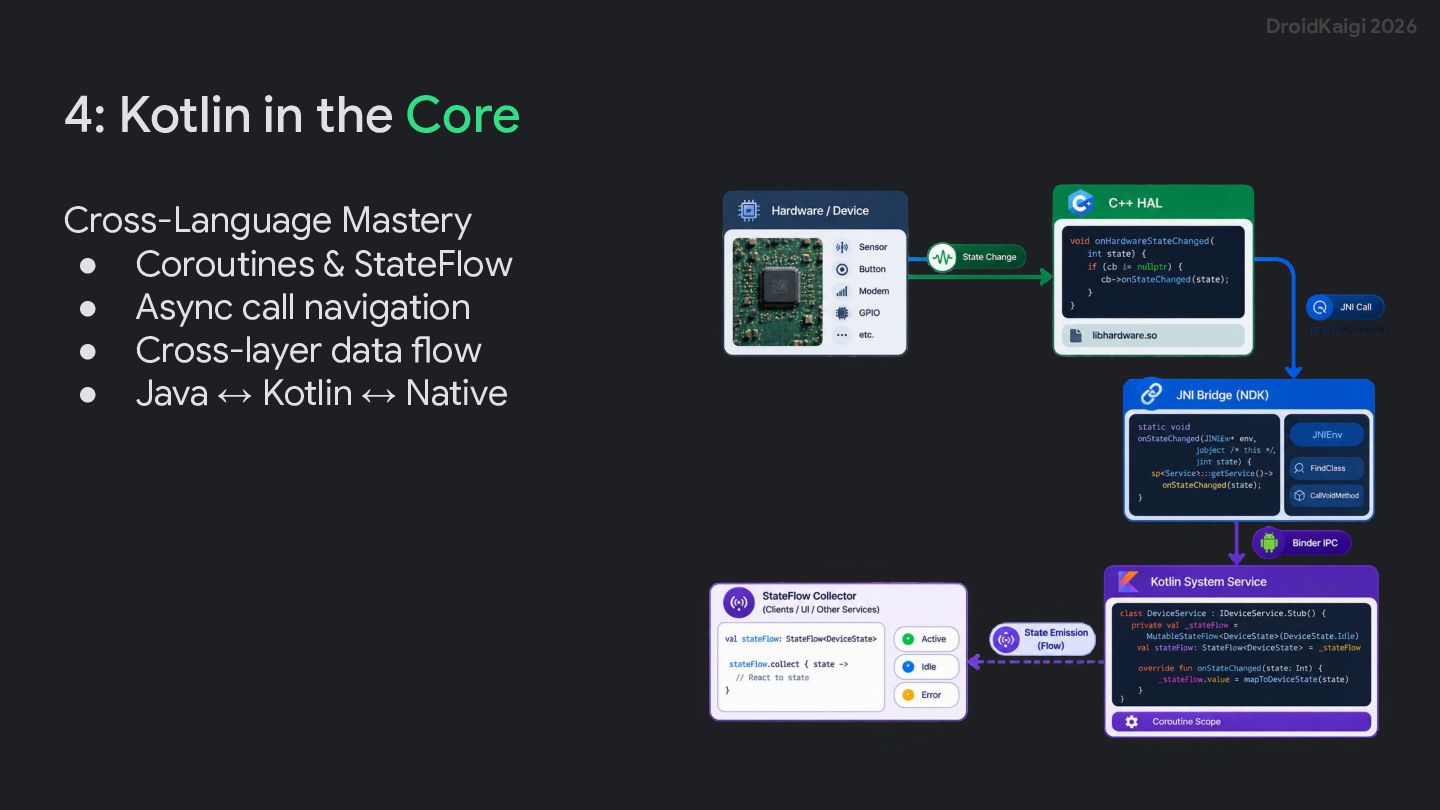
  13. DroidKaigi 2026 4: Kotlin in the Core Cross-Language Mastery •

    Coroutines & StateFlow • Async call navigation • Cross-layer data flow • Java ↔ Kotlin ↔ Native
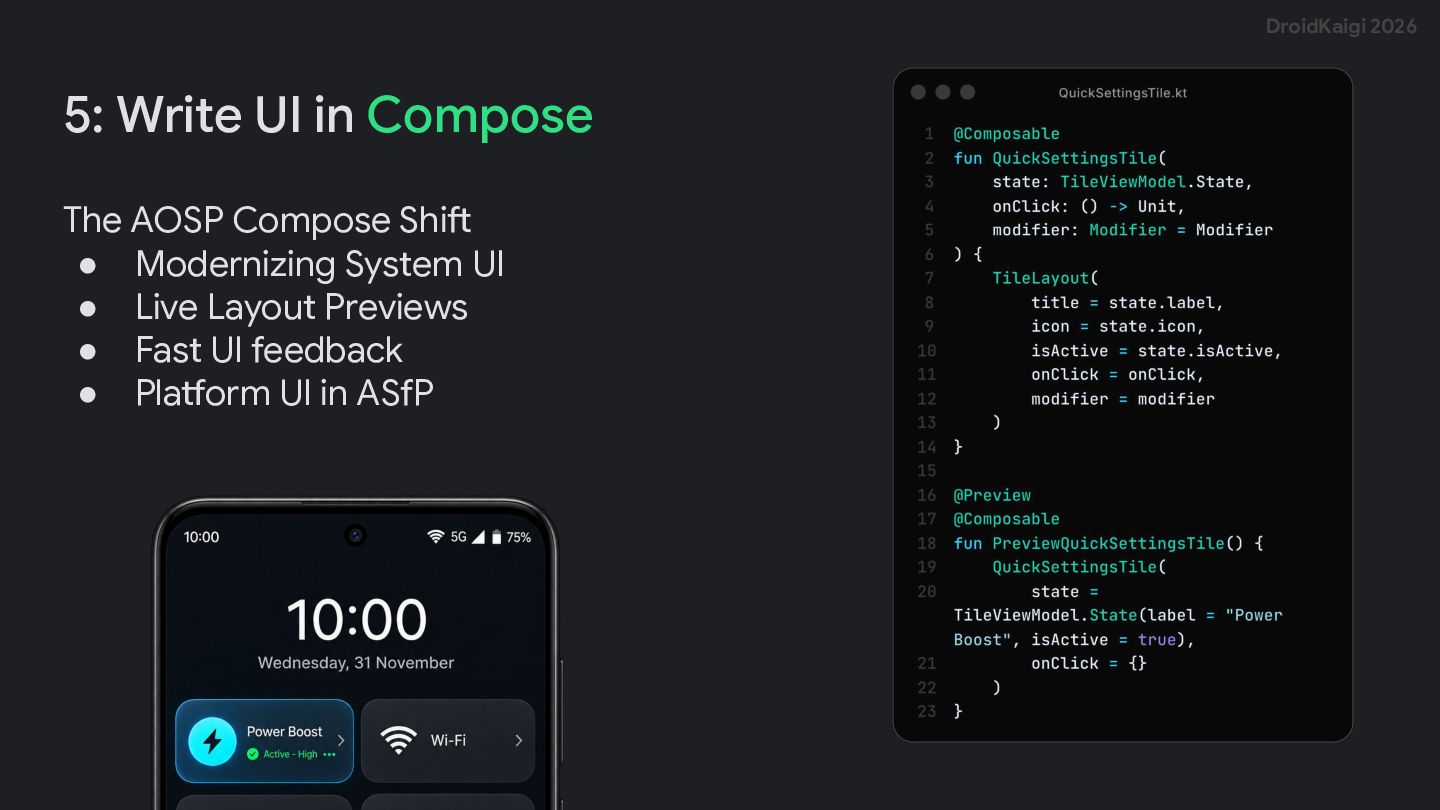
  14. DroidKaigi 2026 5: Write UI in Compose The AOSP Compose

    Shift • Modernizing System UI • Live Layout Previews • Fast UI feedback • Platform UI in ASfP
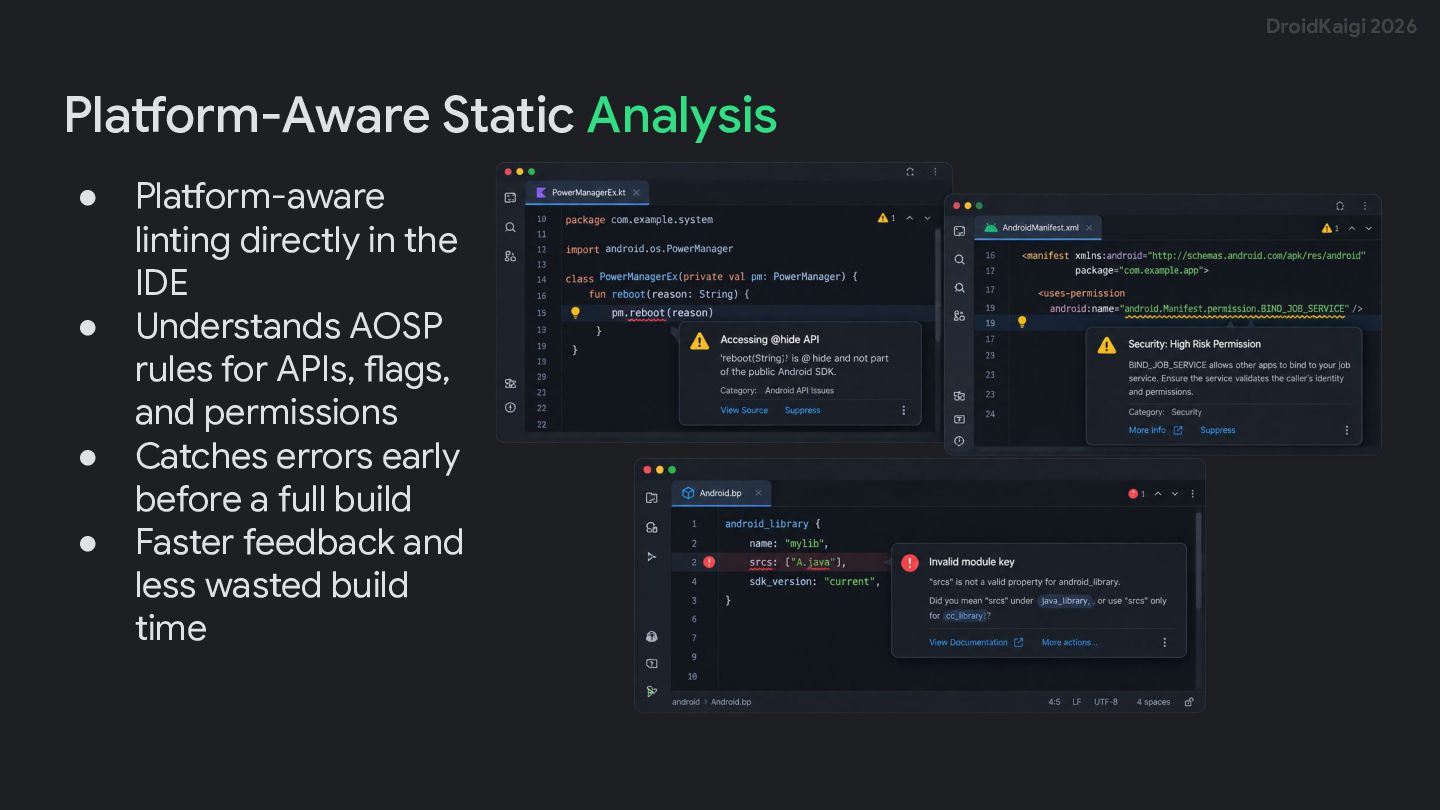
  15. DroidKaigi 2026 Platform-Aware Static Analysis • • • • Platform-aware

    linting directly in the IDE Understands AOSP rules for APIs, flags, and permissions Catches errors early before a full build Faster feedback and less wasted build time
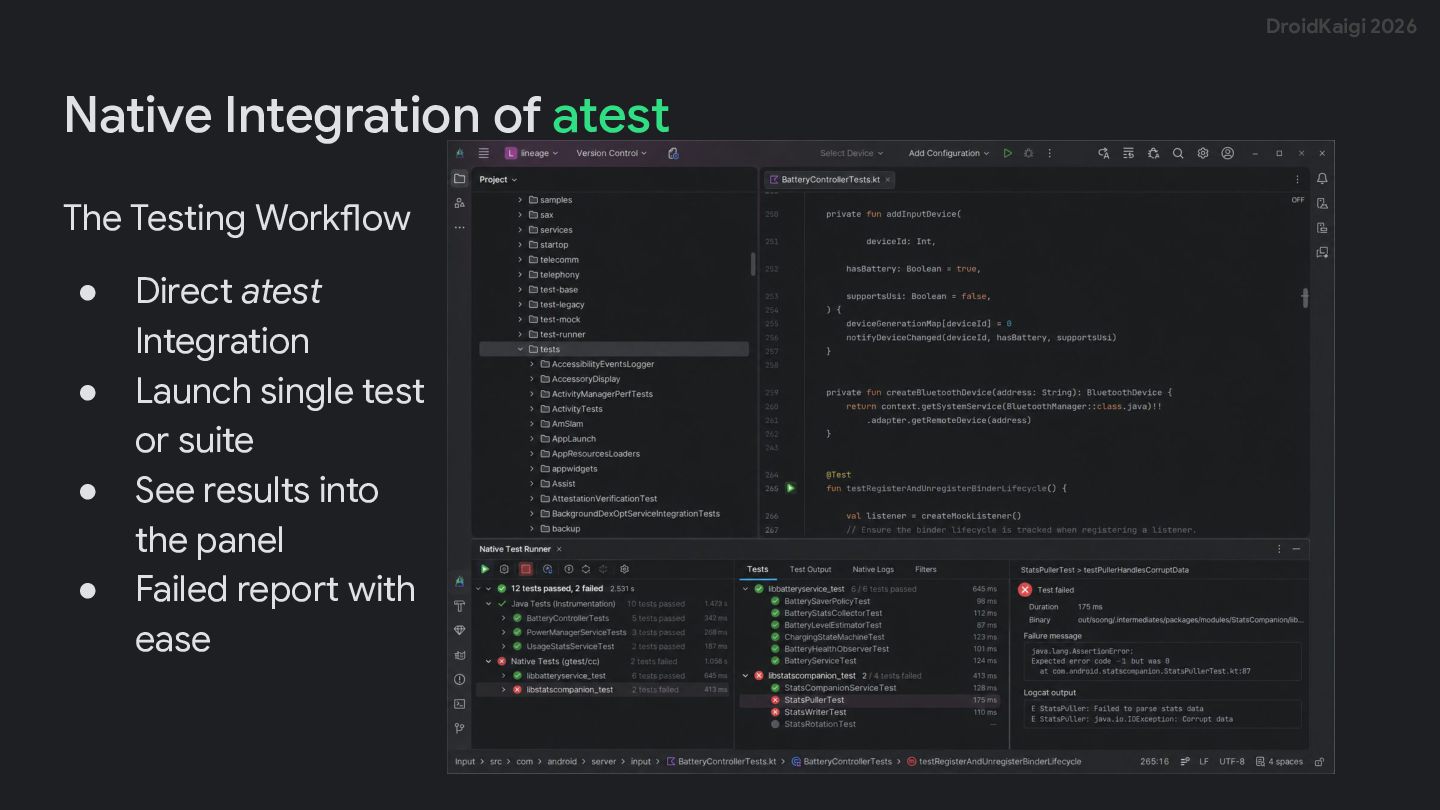
  16. DroidKaigi 2026 Native Integration of atest The Testing Workflow •

    • • • Direct atest Integration Launch single test or suite See results into the panel Failed report with ease
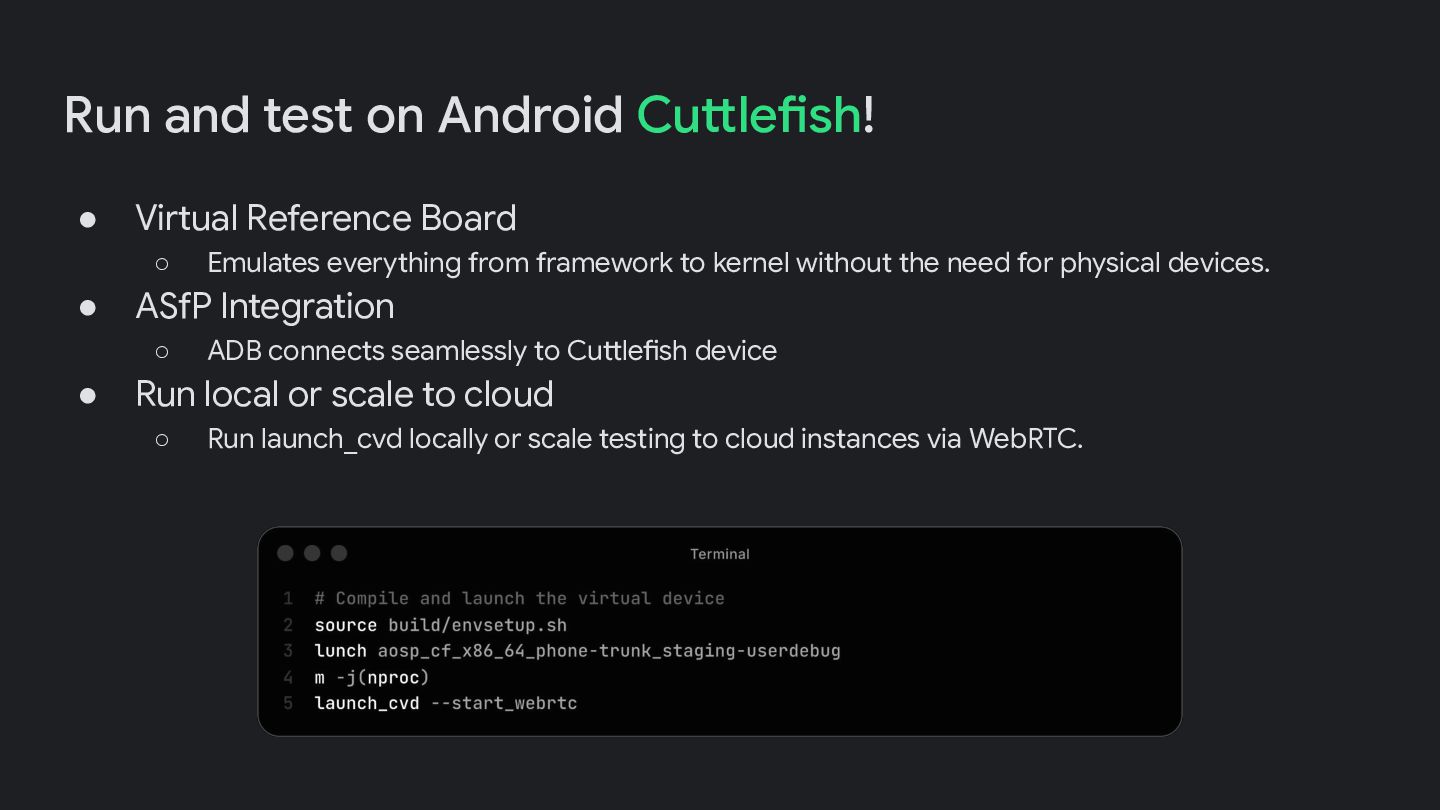
  17. Run and test on Android Cuttlefish! • Virtual Reference Board

    ◦ • ASfP Integration ◦ • Emulates everything from framework to kernel without the need for physical devices. ADB connects seamlessly to Cuttlefish device Run local or scale to cloud ◦ Run launch_cvd locally or scale testing to cloud instances via WebRTC.
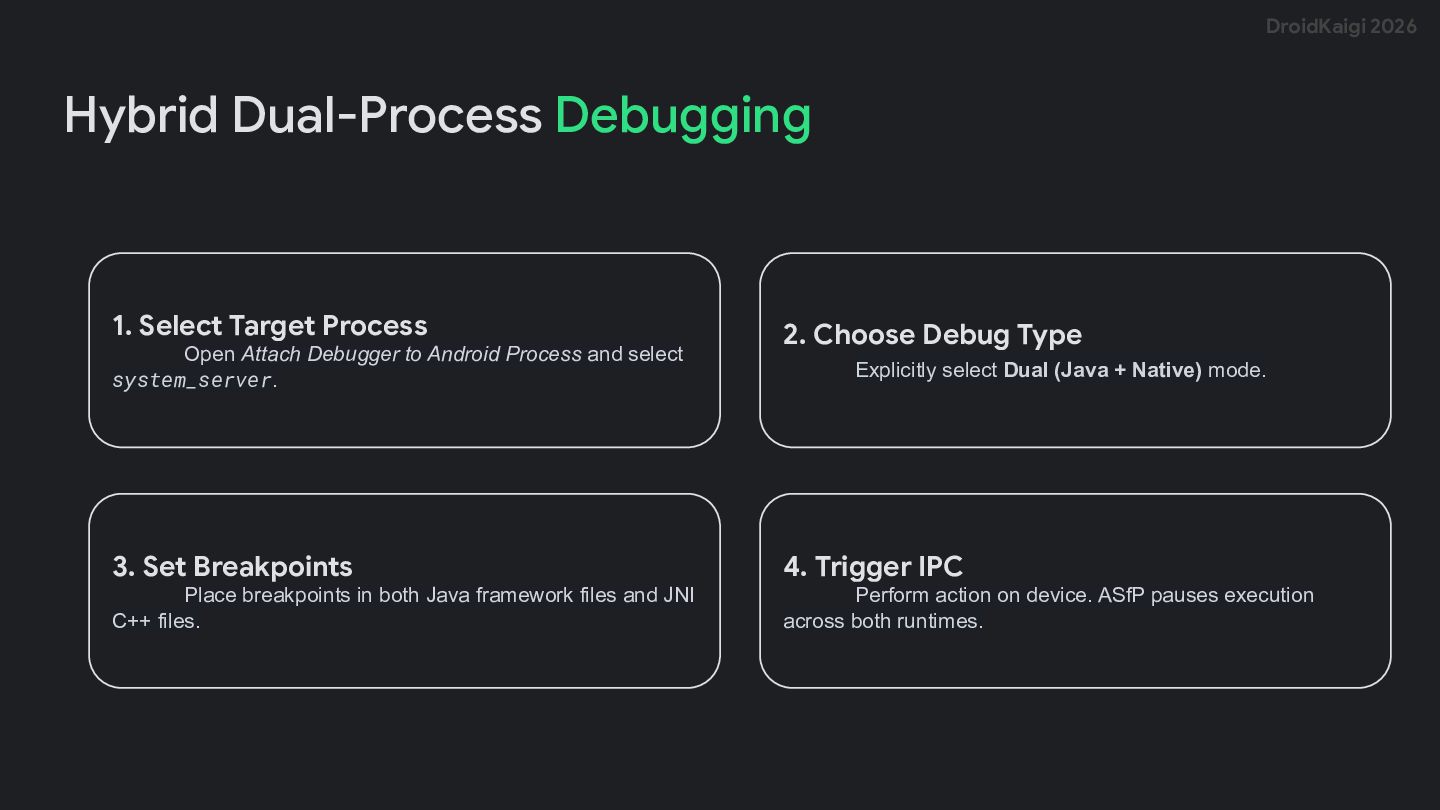
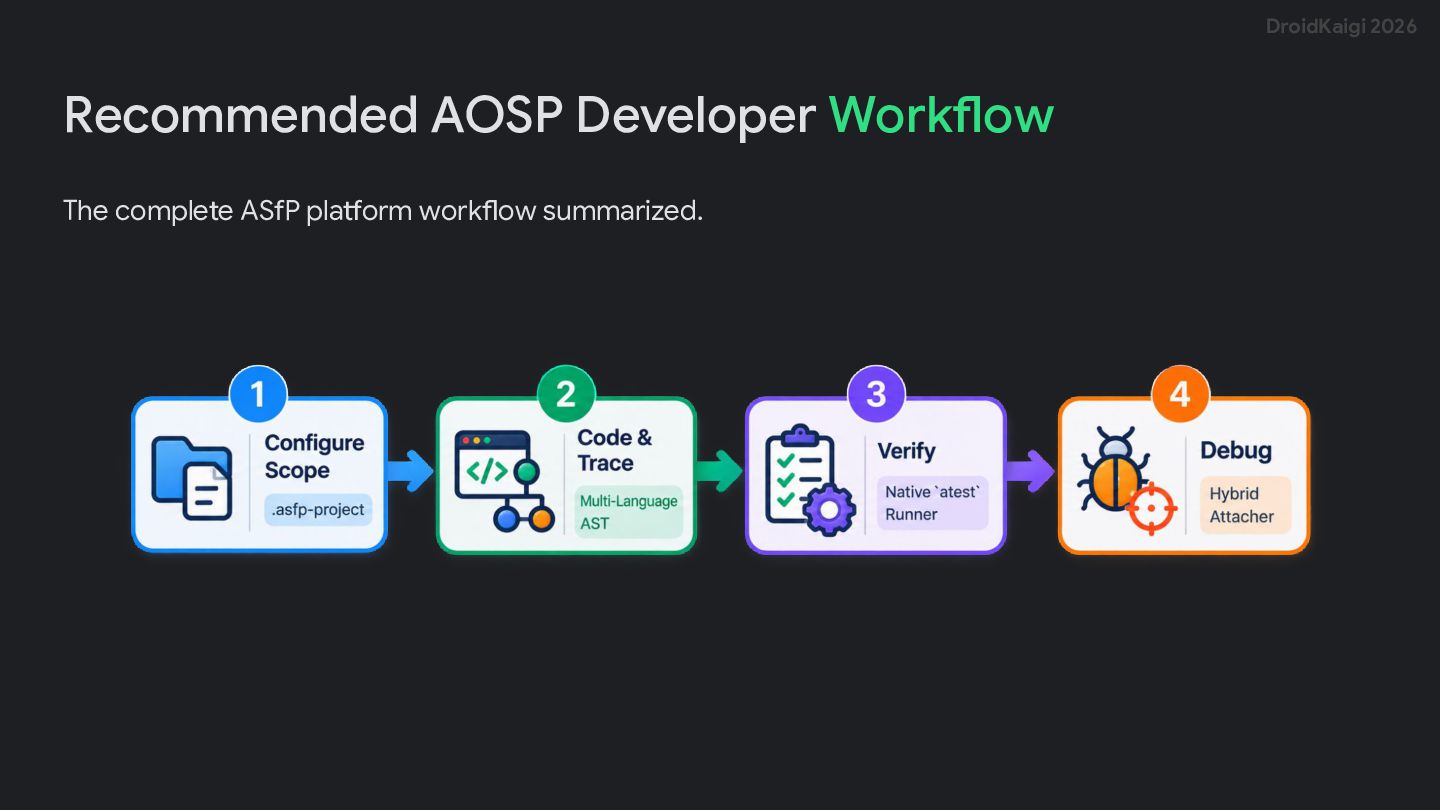
  18. DroidKaigi 2026 Hybrid Dual-Process Debugging 1. Select Target Process Open

    Attach Debugger to Android Process and select system_server. 2. Choose Debug Type Explicitly select Dual (Java + Native) mode. 3. Set Breakpoints 4. Trigger IPC Place breakpoints in both Java framework files and JNI C++ files. Perform action on device. ASfP pauses execution across both runtimes.
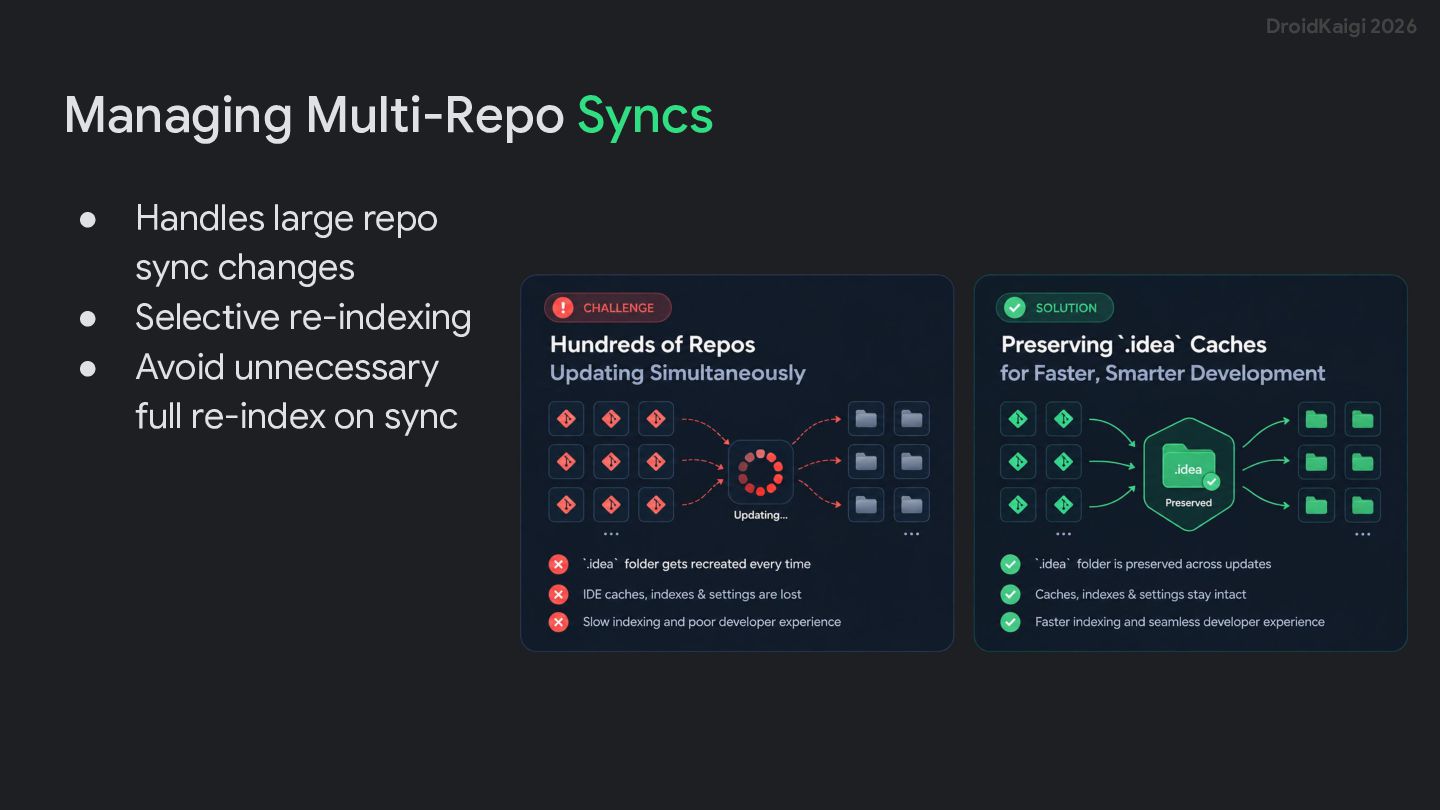
  19. DroidKaigi 2026 Managing Multi-Repo Syncs • • • Handles large

    repo sync changes Selective re-indexing Avoid unnecessary full re-index on sync
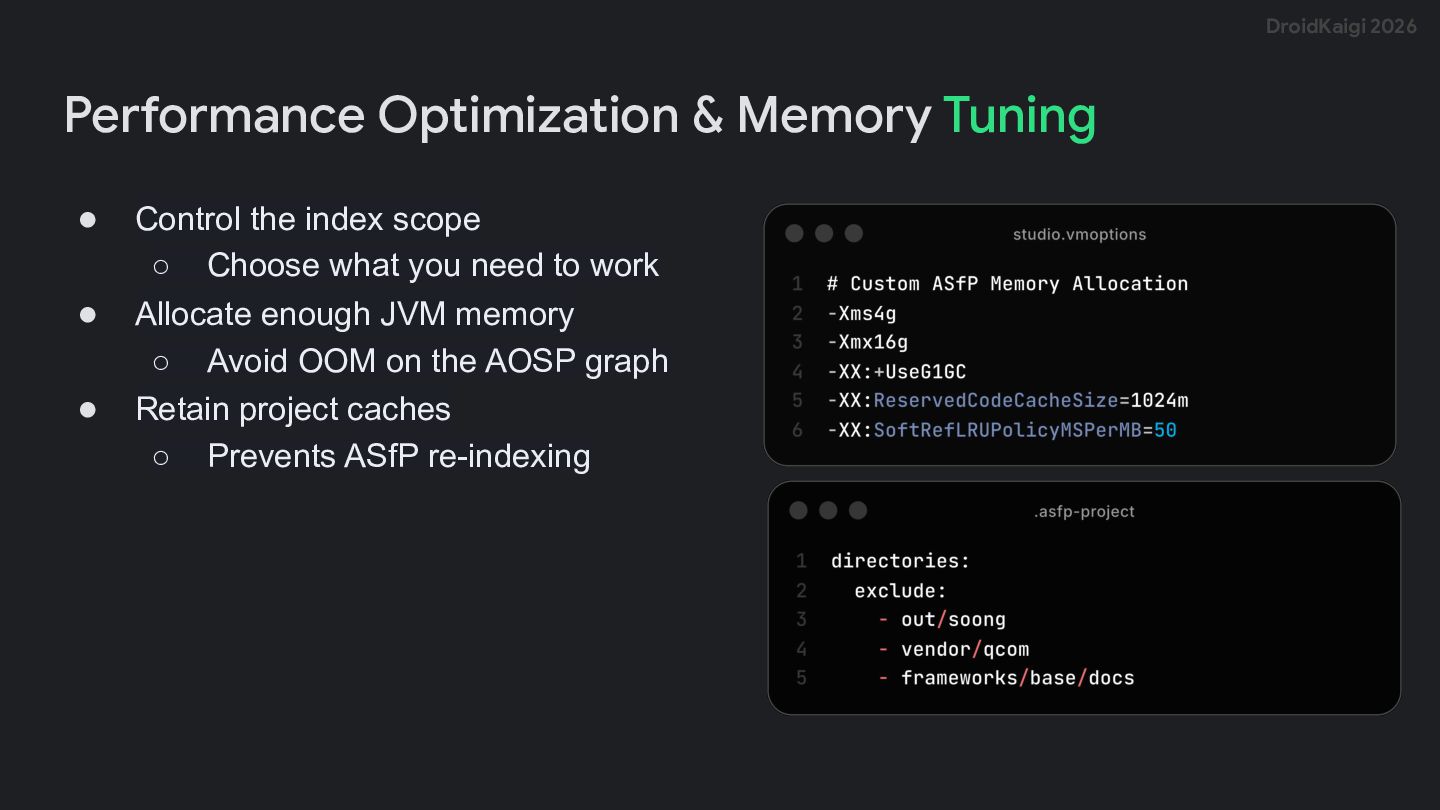
  20. DroidKaigi 2026 Performance Optimization & Memory Tuning • • •

    Control the index scope ◦ Choose what you need to work Allocate enough JVM memory ◦ Avoid OOM on the AOSP graph Retain project caches ◦ Prevents ASfP re-indexing
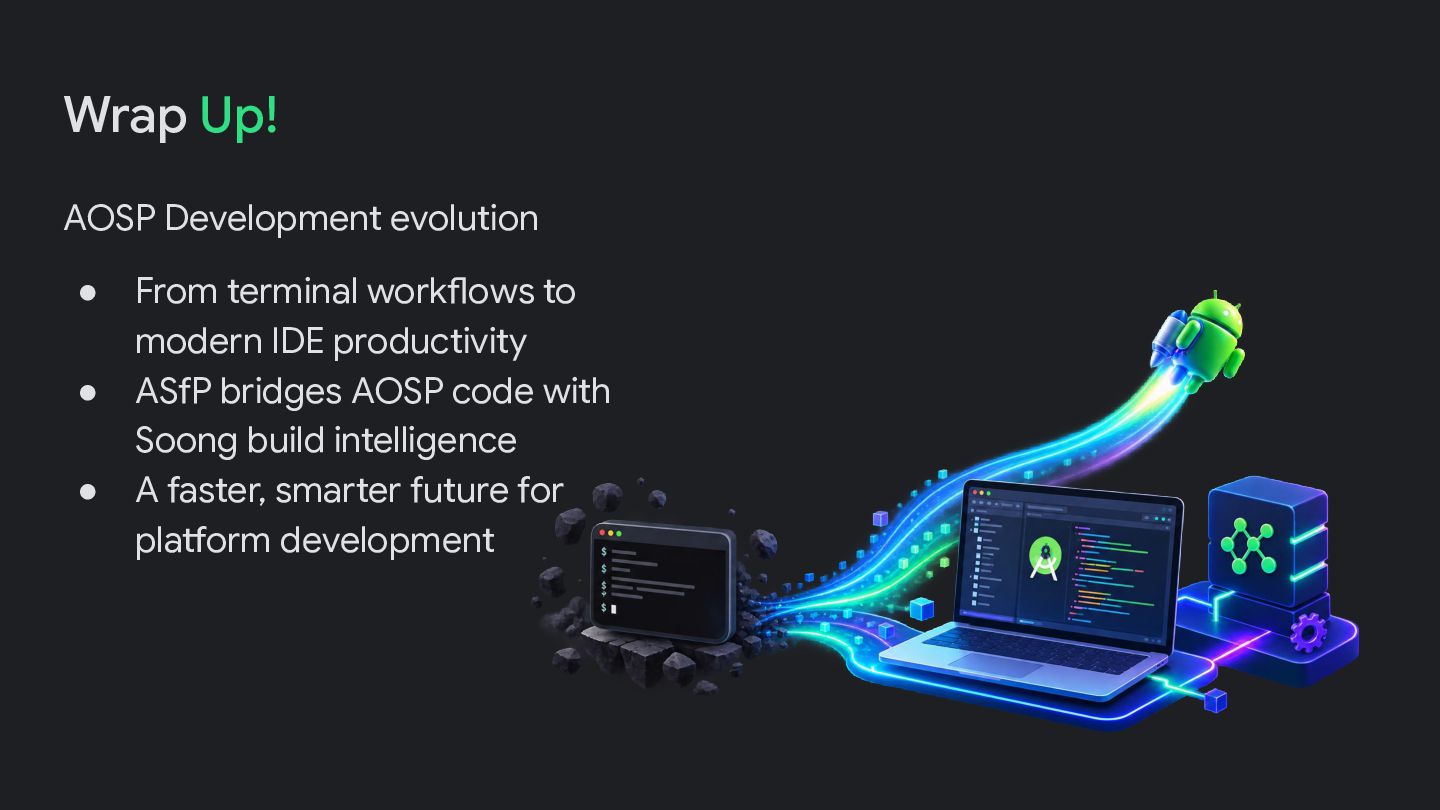
  21. Wrap Up! AOSP Development evolution • • • From terminal

    workflows to modern IDE productivity ASfP bridges AOSP code with Soong build intelligence A faster, smarter future for platform development
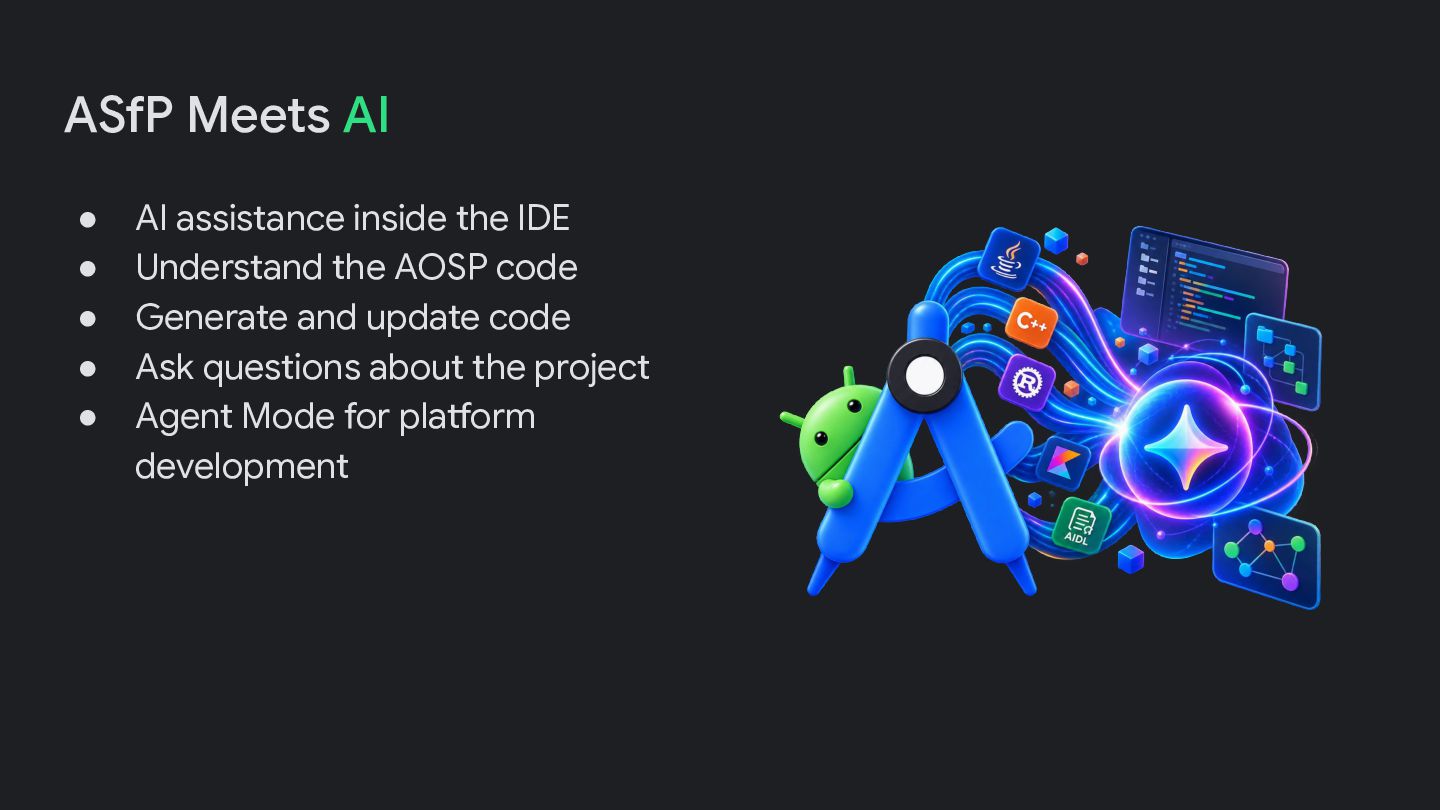
  22. ASfP Meets AI • • • • • AI assistance

    inside the IDE Understand the AOSP code Generate and update code Ask questions about the project Agent Mode for platform development