Upgrade to Pro
— share decks privately, control downloads, hide ads and more …
Speaker Deck
Sign up for free
Menu
Search
Features
All features
Private URLs
Password Protection
Custom URLS
Scheduled publishing
Remove Branding
Restrict embedding
Deck Collections
Notes
Features
All features
Private URLs
Password Protection
Custom URLS
Scheduled publishing
Remove Branding
Restrict embedding
Deck Collections
Notes
Explore
Featured decks
Featured speakers
Programming
Technology
Storyboards
Explore
Featured decks
Featured speakers
Programming
Technology
Storyboards
Pricing
Search
Sign in
Sign up for free
How to Document Well*
Search
Sponsored
·
Ship Features Fearlessly
Turn features on and off without deploys. Used by thousands of Ruby developers.
→
Asher Glick
January 30, 2013
Technology
81
1
Share
Embed
Copy iframe code
Copy JS code
Copy link
Start on current slide
How to Document Well*
Version 1 of how to document programs well
Asher Glick
January 30, 2013
Other Decks in Technology
See All in Technology
オントロジーって 結局なにもの? AI エージェントに「意味」を渡す知識設計の話
greenmidori
0
220
『SAR衛星データ解析入門』の ご紹介とその応用
syuchimu
0
120
Getting Started with Google Antigravity
glaforge
0
310
V8のArray.prototype.flatを最大約20倍速くするまでと、巨大OSSへの大規模コミットの道のり
riyaamemiya
0
300
How to Design Configuration for Rails Applications
willnet
1
810
事業成長とデータ活用を止めないためのマネジメントへ挑戦
hiracky16
0
390
Temporal 最高!でも改めて「日付」について調べたら人類の負債すぎる件
riyaamemiya
0
150
Running Kotlin + Quarkus with Lambda
nealle
1
3.8k
実践!Cloud Run ハンズオン!! / Cloud Run handson
y0hgi
2
280
二歩目のフロントエンド・ウェブアクセシビリティ
camiha
2
640
AI コーディングと人間の認知スループット / CTO Night & Day 2026 Morning Session / AI Coding and Human Cognitive Throughput
prog893
4
1.2k
ソフトウェア ファクトリー - 再現性のあるソフトウェアの工場づくり / Software factory
iktakahiro
6
5k
Featured
See All Featured
10 Git Anti Patterns You Should be Aware of
lemiorhan
PRO
659
62k
Let's Do A Bunch of Simple Stuff to Make Websites Faster
chriscoyier
508
140k
Exploring the relationship between traditional SERPs and Gen AI search
raygrieselhuber
PRO
4
4.4k
Imperfection Machines: The Place of Print at Facebook
scottboms
270
14k
Documentation Writing (for coders)
carmenintech
77
5.6k
The untapped power of vector embeddings
frankvandijk
2
1.9k
Context Engineering - Making Every Token Count
addyosmani
9
1.2k
Code Reviewing Like a Champion
maltzj
529
40k
Being A Developer After 40
akosma
92
590k
Accessibility Awareness
sabderemane
1
250
Design of three-dimensional binary manipulators for pick-and-place task avoiding obstacles (IECON2024)
konakalab
0
620
The Art of Programming - Codeland 2020
erikaheidi
57
14k
Transcript
How to Document Well* Asher Glick V1.0
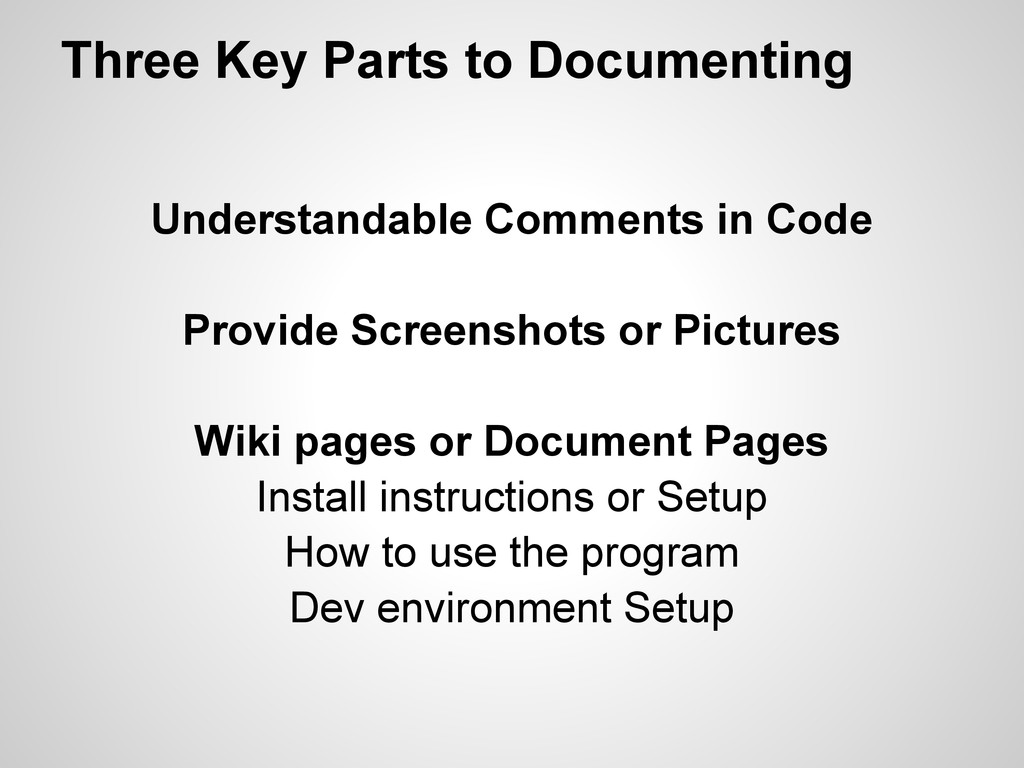
Three Key Parts to Documenting Understandable Comments in Code Provide
Screenshots or Pictures Wiki pages or Document Pages Install instructions or Setup How to use the program Dev environment Setup
Understandable Comments in Code When people are reading your code,
including yourself, they need to be able to understand what the code does without analyzing each line of code
Understandable Comments in Code Don't Comment Every Line This is
worse than no comments because now whomever is reading the code has to read twice as many lines
Understandable Comments in Code Don't only comment parts you don't
understand You will forget even the lines you did understand
Understandable Comments in Code Write a short statement what each
function does If you see that function called you can easily figure out what it does
Understandable Comments in Code Write a short statement what each
function does If that function is spitting out the wrong result you can easily discover that it is the problem
Understandable Comments in Code Write a short statement for large
blocks of code or conditional statements Because those should really be separate functions
Provide Screenshots or Pictures Screenshots help the user decide if
they want to use the program before they download or install it
Provide Screenshots or Pictures Screenshots help developers figure out what
is wrong when they see something that is out of place
Provide Screenshots or Pictures Don't provide fake screenshots or UI
that does not exist This confuses users disappoints them when they install or use the software They can be used as a "planned feature mockup" with proper identification
Wiki Pages or Document Pages The first three pages of
documentation 1) Install instructions or Setup 2) How to use the program 3) Dev environment Setup
The most important page! Wiki Pages or Document Pages Install
instructions or Setup
Wiki Pages or Document Pages Install instructions or Setup If
the user does not know how to get the program on their computer they can't fathom using it
Wiki Pages or Document Pages How to Use the Program
The user must know how to use the program How can they use it if they don't know how
Wiki Pages or Document Pages Developer Environment Setup After the
end-users are taken care of make sure the developers know how to setup the environment to develop in
Next Version (2.0) Examples with and without good comments Pictures
(Screenshots) because I said I should Example documentation pages Better Graphics, less words


 greenmidori
 syuchimu
 glaforge
 riyaamemiya
 willnet
 hiracky16
 nealle
 y0hgi
y0hgi
 camiha
 prog893
 iktakahiro
 lemiorhan
 chriscoyier
 raygrieselhuber
 scottboms
 carmenintech
 frankvandijk
 addyosmani
 maltzj
 akosma
 sabderemane
 konakalab
 erikaheidi