Upgrade to Pro — share decks privately, control downloads, hide ads and more …

Lint の層を組み直した話

Lint の層を組み直した話

Vue Fes Japan 2026 After Talk における、プロダクト開発本部 SWE 神戸 信亮 (@wahuwahu3dev) による登壇資料です。

【Vue Fes Japan 2026 After Talk】
https://uniquevision.connpass.com/event/409085/

■ 弁護士ドットコム株式会社 CompanyDeck for Engineers
https://speakerdeck.com/bengo4com/2026-companydeck-for-engineers

■ 採用情報
https://hrmos.co/pages/bengo4/jobs

■ テックブログ:弁護士ドットコム CREATORS’ BLOG
https://creators.bengo4.com/

■ X(Twitter):弁護士ドットコム CREATORS
https://x.com/bengo4_creators

Avatar for 弁護士ドットコム

弁護士ドットコム

October 30, 2026

More Decks by 弁護士ドットコム

Other Decks in Technology

Transcript

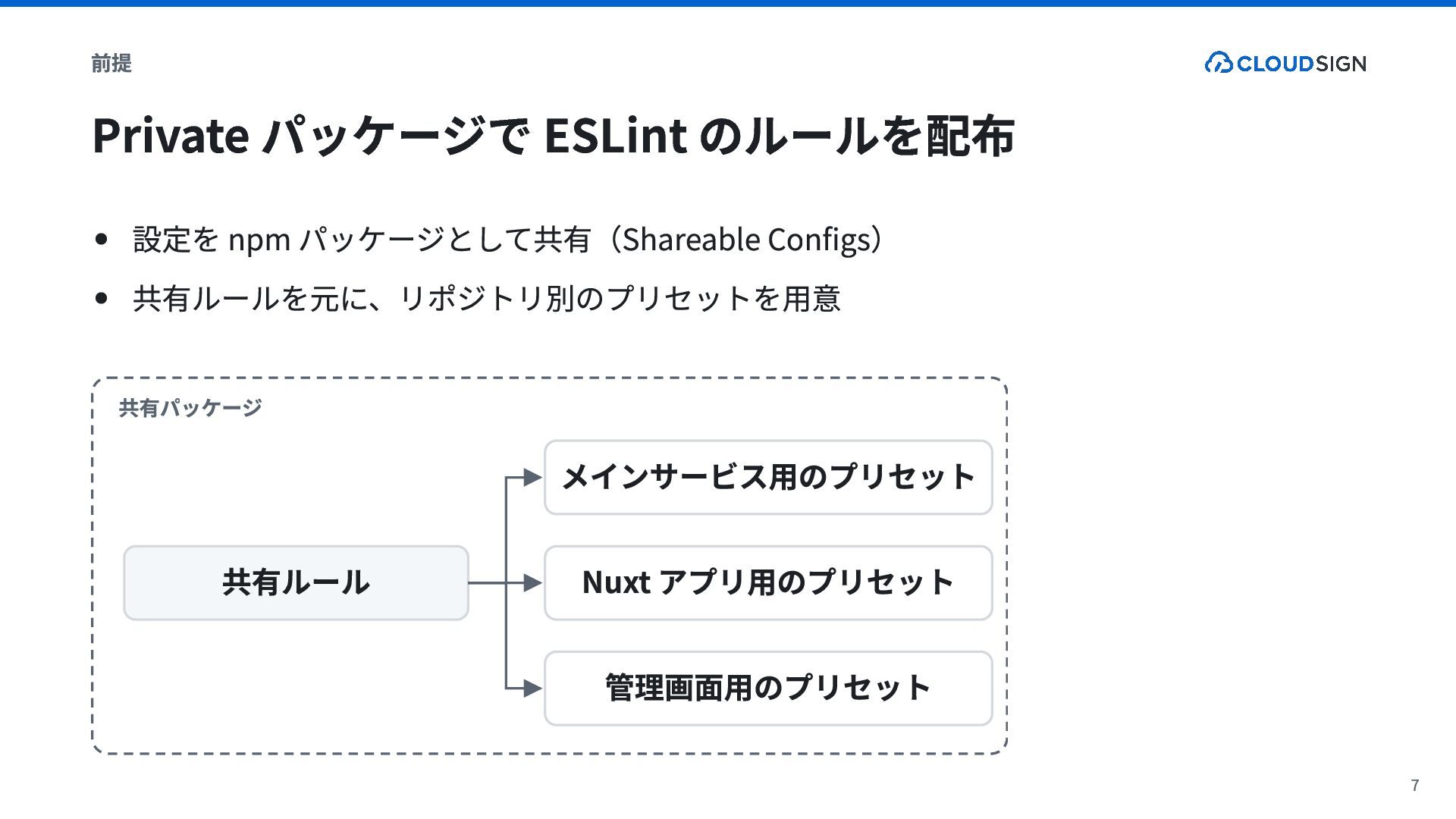
  1. 前提 Private パッケージで ESLint のルールを配布 設定を npm パッケージとして共有(Shareable Configs) 共有ルールを元に、リポジトリ別のプリセットを用意

    共有パッケージ メインサービス用のプリセット 共有ルール Nuxt アプリ用のプリセット 管理画面用のプリセット 7
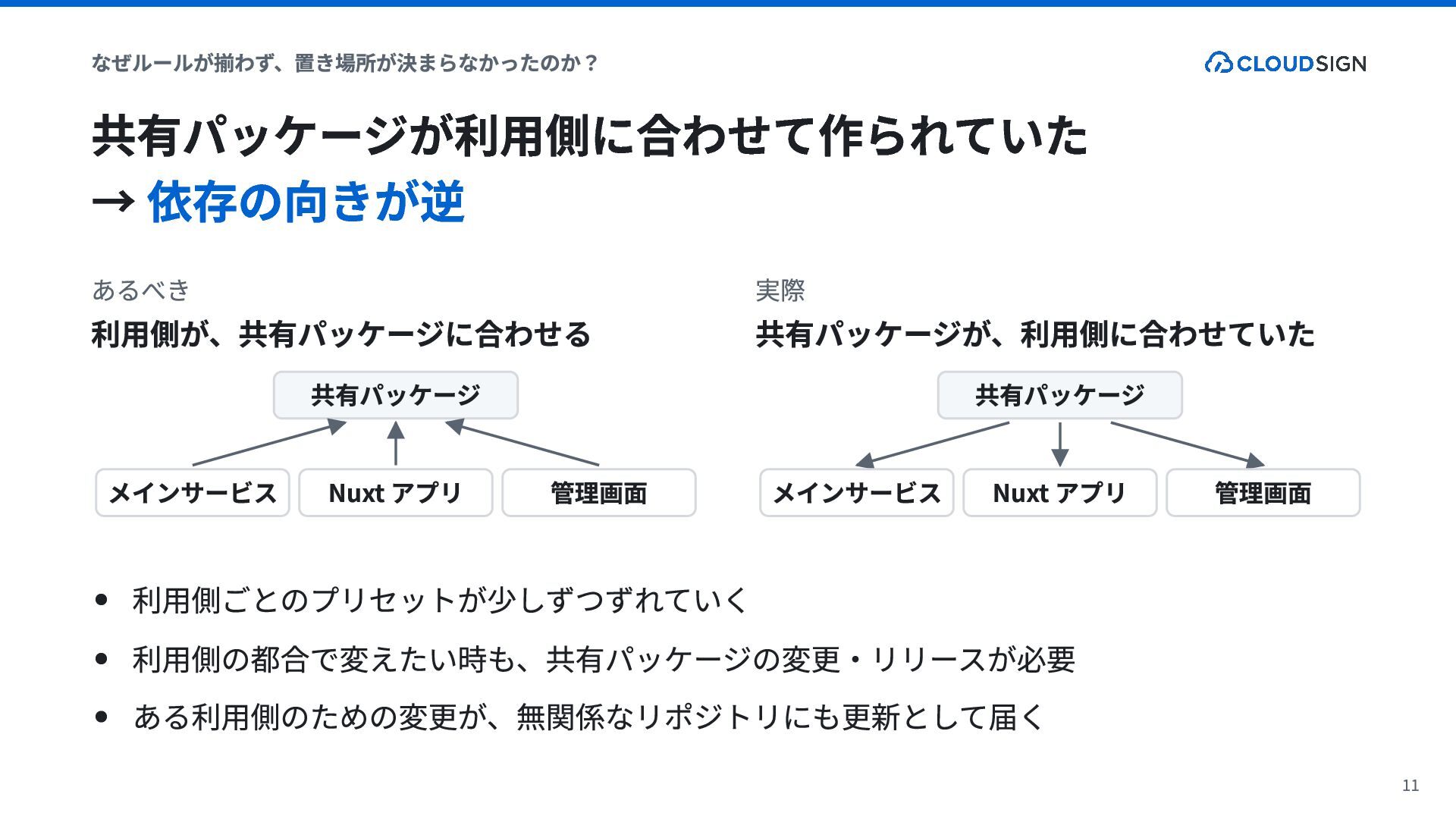
  2. なぜルールが揃わず、置き場所が決まらなかったのか? 共有パッケージが利用側に合わせて作られていた → 依存の向きが逆 あるべき 利用側が、共有パッケージに合わせる 共有パッケージ メインサービス Nuxt アプリ

    管理画面 実際 共有パッケージが、利用側に合わせていた 共有パッケージ メインサービス Nuxt アプリ 管理画面 利用側ごとのプリセットが少しずつずれていく 利用側の都合で変えたい時も、共有パッケージの変更・リリースが必要 ある利用側のための変更が、無関係なリポジトリにも更新として届く 11
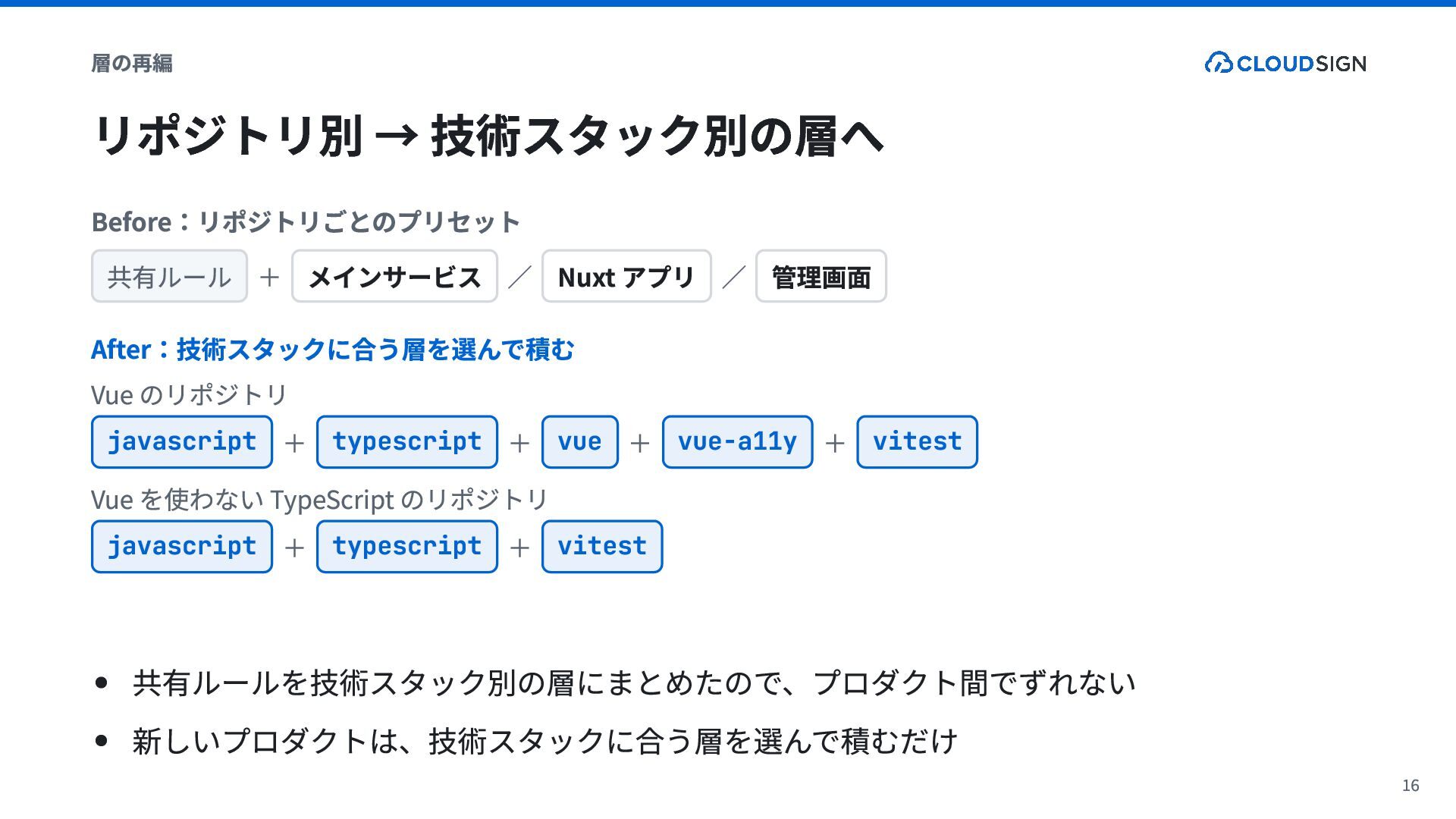
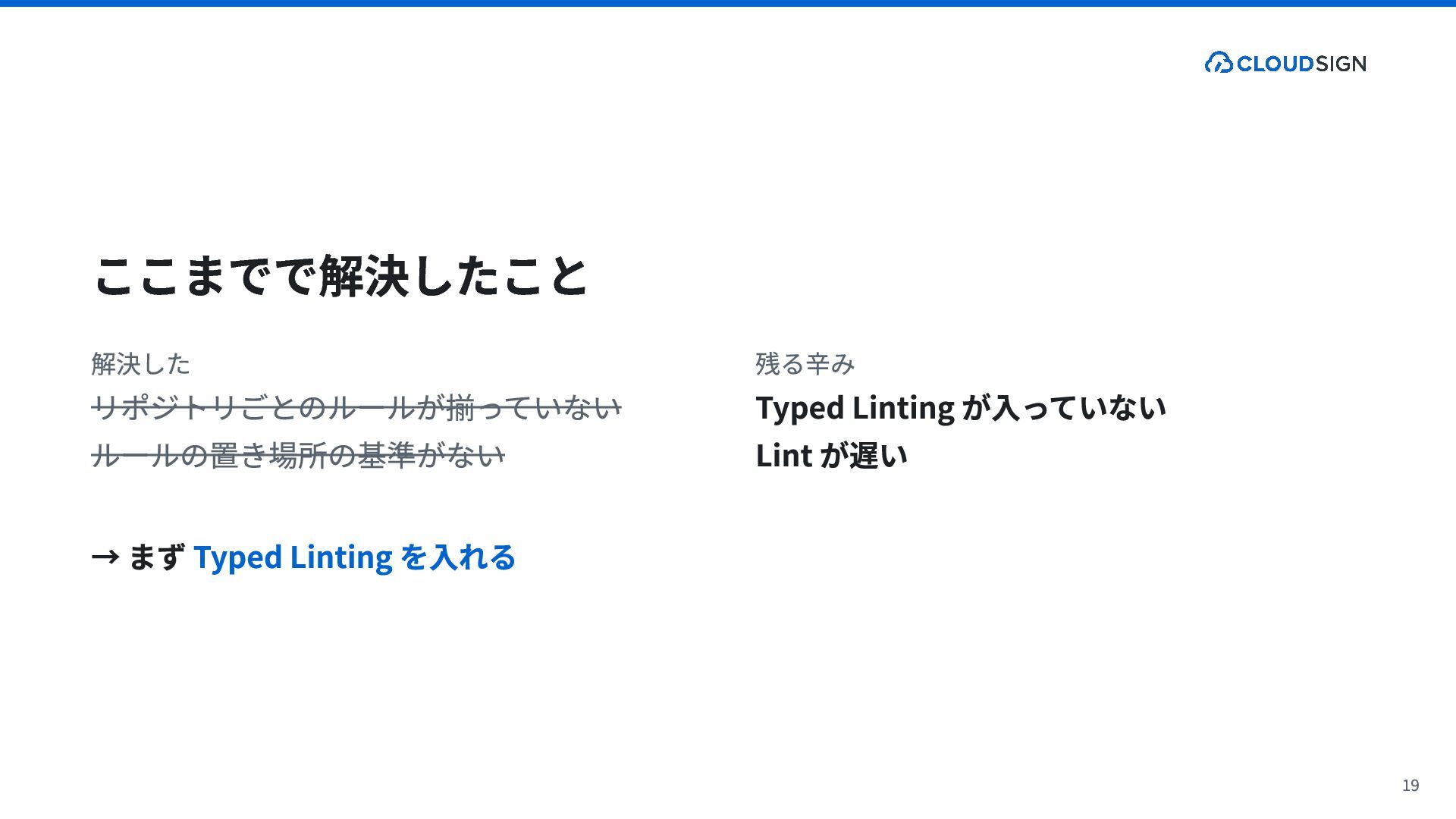
  3. 層の再編 リポジトリ別 → 技術スタック別の層へ Before:リポジトリごとのプリセット 共有ルール + メインサービス / Nuxt

    アプリ / 管理画面 After:技術スタックに合う層を選んで積む Vue のリポジトリ javascript + typescript + vue + vue-a11y + vitest Vue を使わない TypeScript のリポジトリ javascript + typescript + vitest 共有ルールを技術スタック別の層にまとめたので、プロダクト間でずれない 新しいプロダクトは、技術スタックに合う層を選んで積むだけ 16
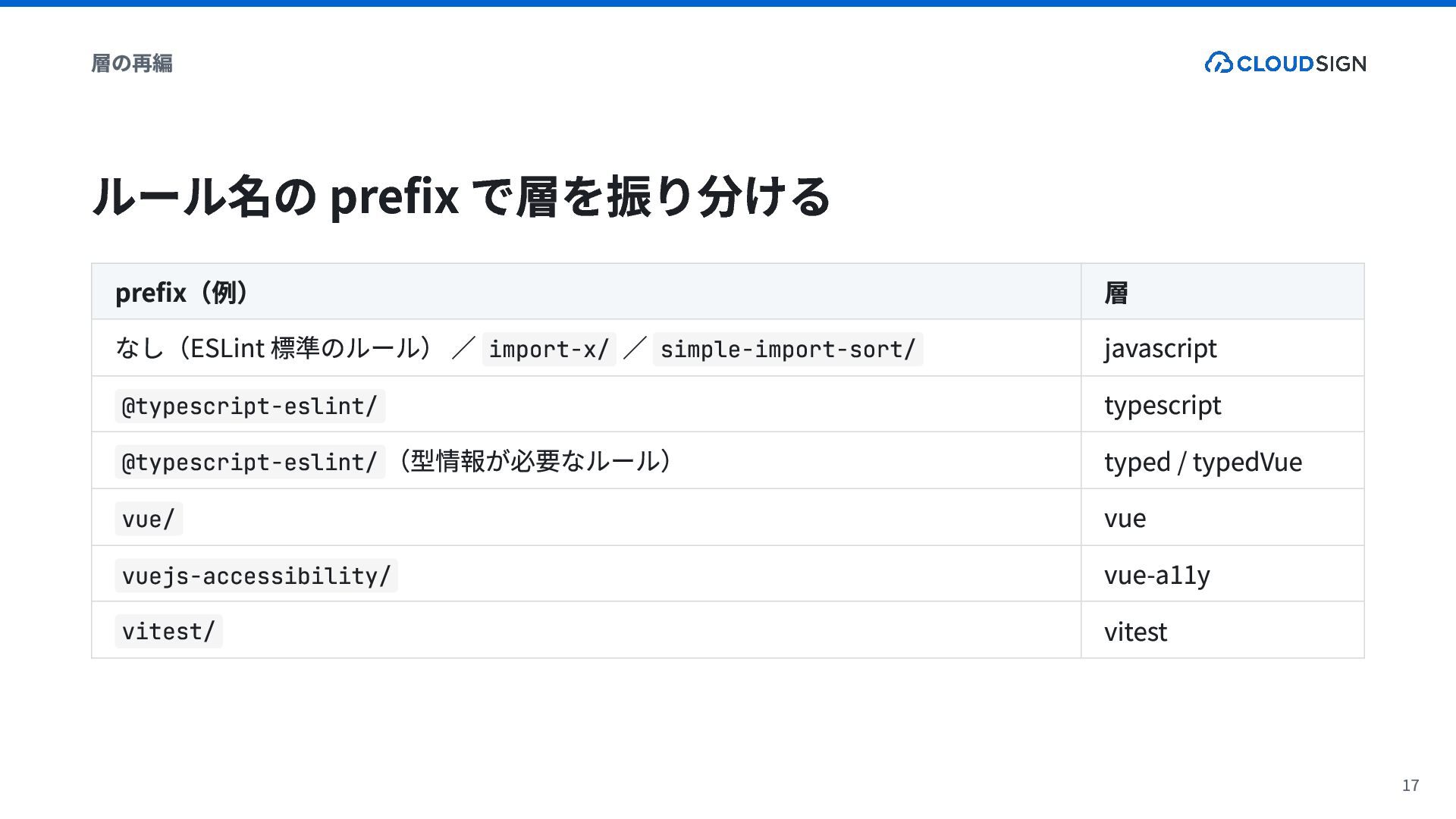
  4. 層の再編 ルール名の prefix で層を振り分ける prefix(例) なし(ESLint 標準のルール) / import-x/ /

    simple-import-sort/ @typescript-eslint/ @typescript-eslint/ (型情報が必要なルール) vue/ vuejs-accessibility/ vitest/ 層 javascript typescript typed / typedVue vue vue-a11y vitest 17
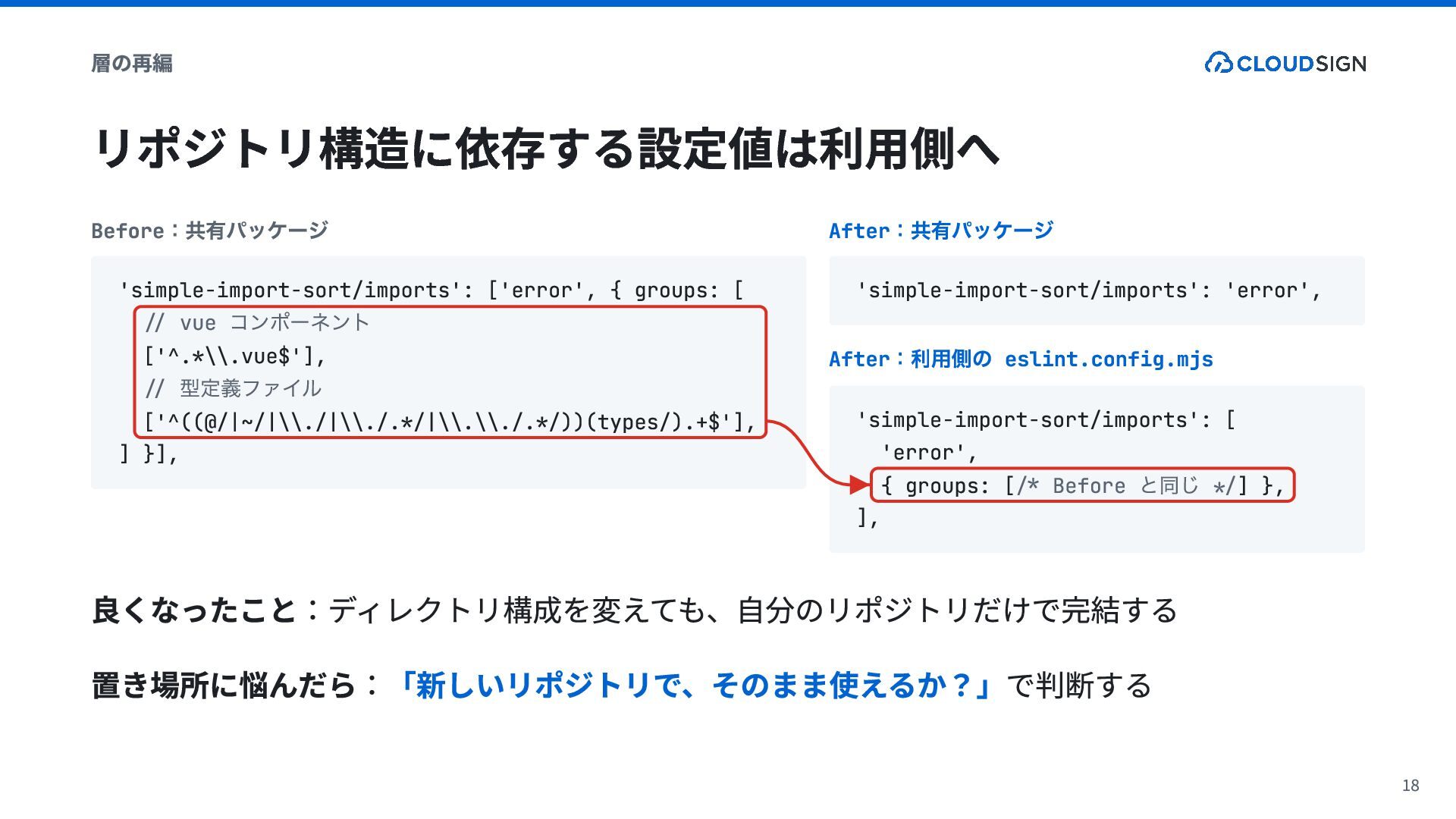
  5. 層の再編 リポジトリ構造に依存する設定値は利用側へ :共有パッケージ Before 'simple-import-sort/imports': ['error', { groups: [ //

    vue ['^.*\\.vue$'], // ['^((@/|~/|\\./|\\./.*/|\\.\\./.*/))(types/).+$'], ] }], コンポーネント 型定義ファイル :共有パッケージ After 'simple-import-sort/imports': 'error', :利用側の eslint.config.mjs After 'simple-import-sort/imports': [ 'error', { groups: [/* Before */] }, ], と同じ 良くなったこと:ディレクトリ構成を変えても、自分のリポジトリだけで完結する 置き場所に悩んだら:「新しいリポジトリで、そのまま使えるか?」で判断する 18
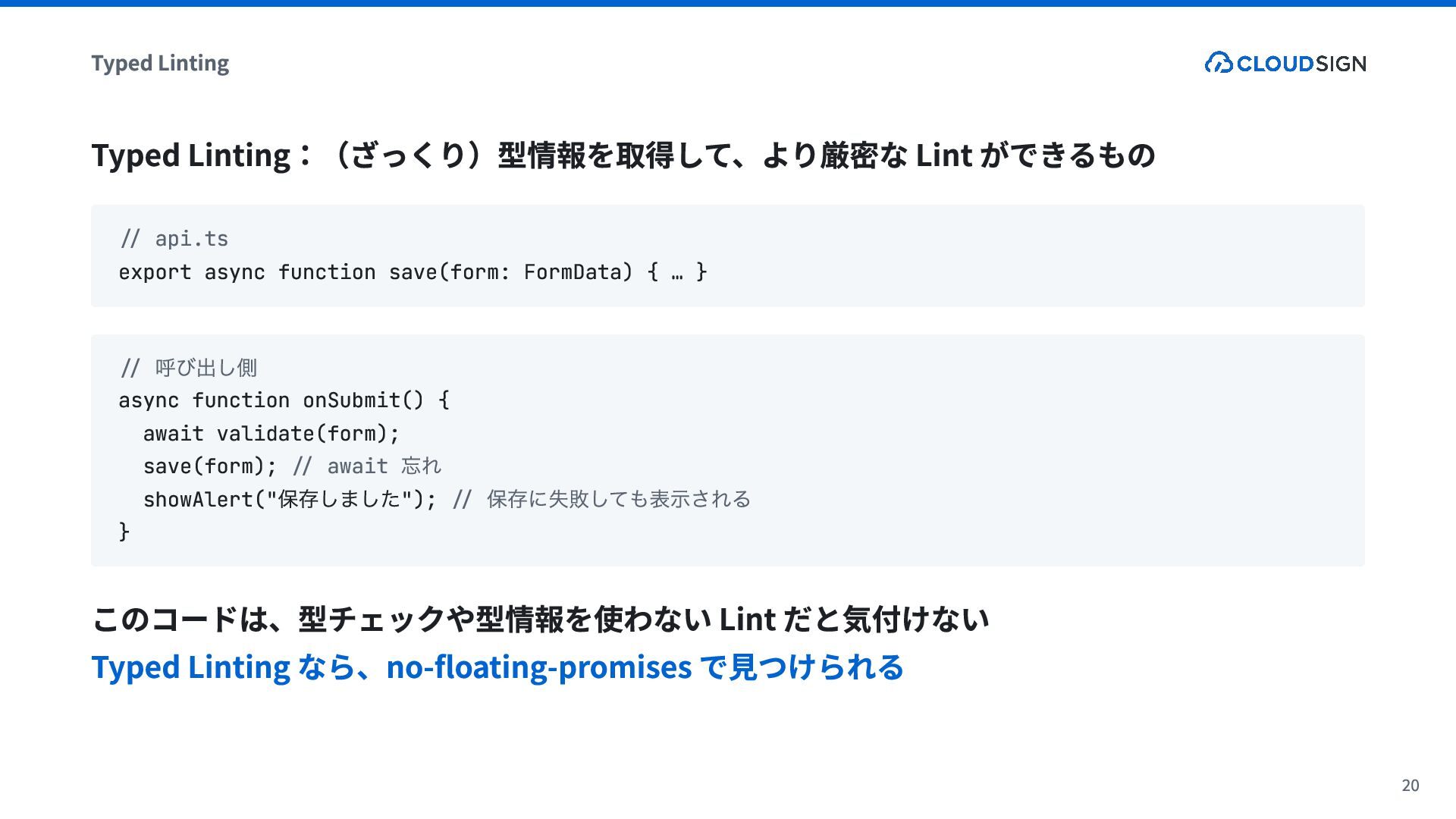
  6. Typed Linting Typed Linting:(ざっくり)型情報を取得して、より厳密な Lint ができるもの // api.ts export async

    function save(form: FormData) { … } 呼び出し側 // async function onSubmit() { await validate(form); save(form); // await showAlert(" "); // } 忘れ 保存しました 保存に失敗しても表示される このコードは、型チェックや型情報を使わない Lint だと気付けない Typed Linting なら、no-floating-promises で見つけられる 20
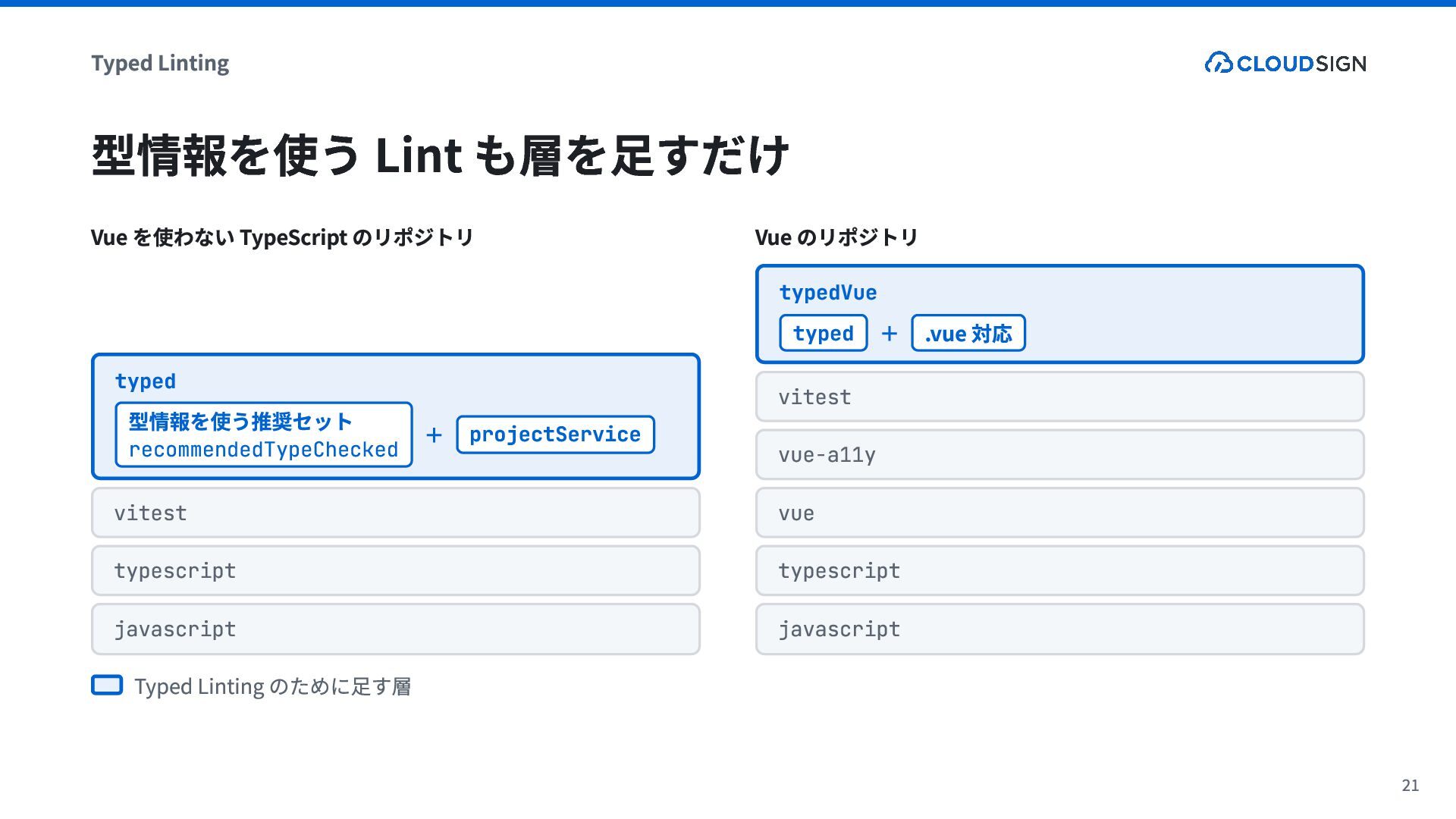
  7. Typed Linting 型情報を使う Lint も層を足すだけ Vue を使わない TypeScript のリポジトリ Vue

    のリポジトリ typedVue typed typed 型情報を使う推奨セット recommendedTypeChecked + projectService + .vue 対応 vitest vue-a11y vitest vue typescript typescript javascript javascript Typed Linting のために足す層 21
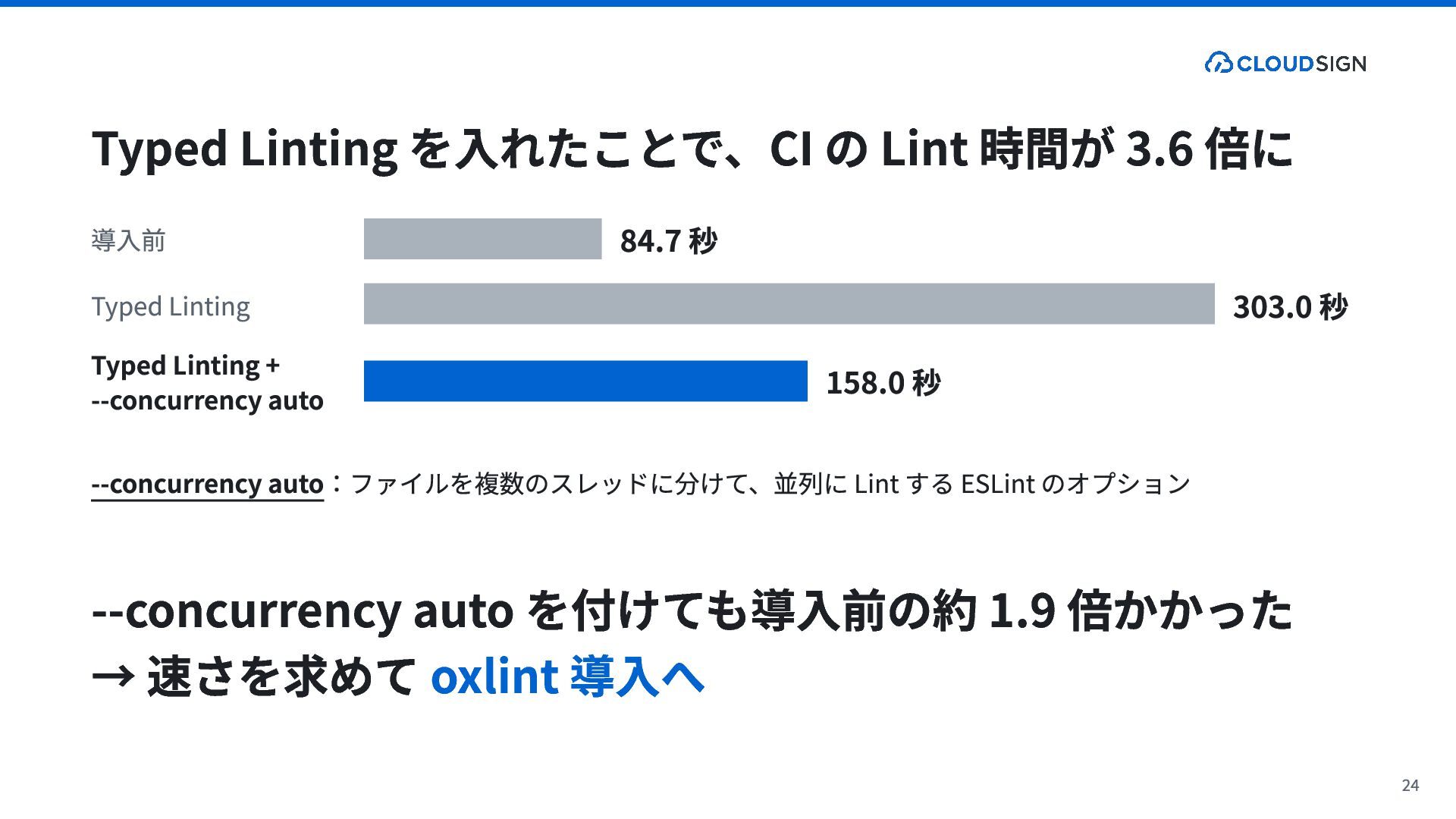
  8. Typed Linting を入れたことで、CI の Lint 時間が 3.6 倍に 導入前 Typed

    Linting Typed Linting + --concurrency auto 84.7 秒 158.0 秒 303.0 秒 --concurrency auto:ファイルを複数のスレッドに分けて、並列に Lint する ESLint のオプション --concurrency auto を付けても導入前の約 1.9 倍かかった → 速さを求めて oxlint 導入へ 24
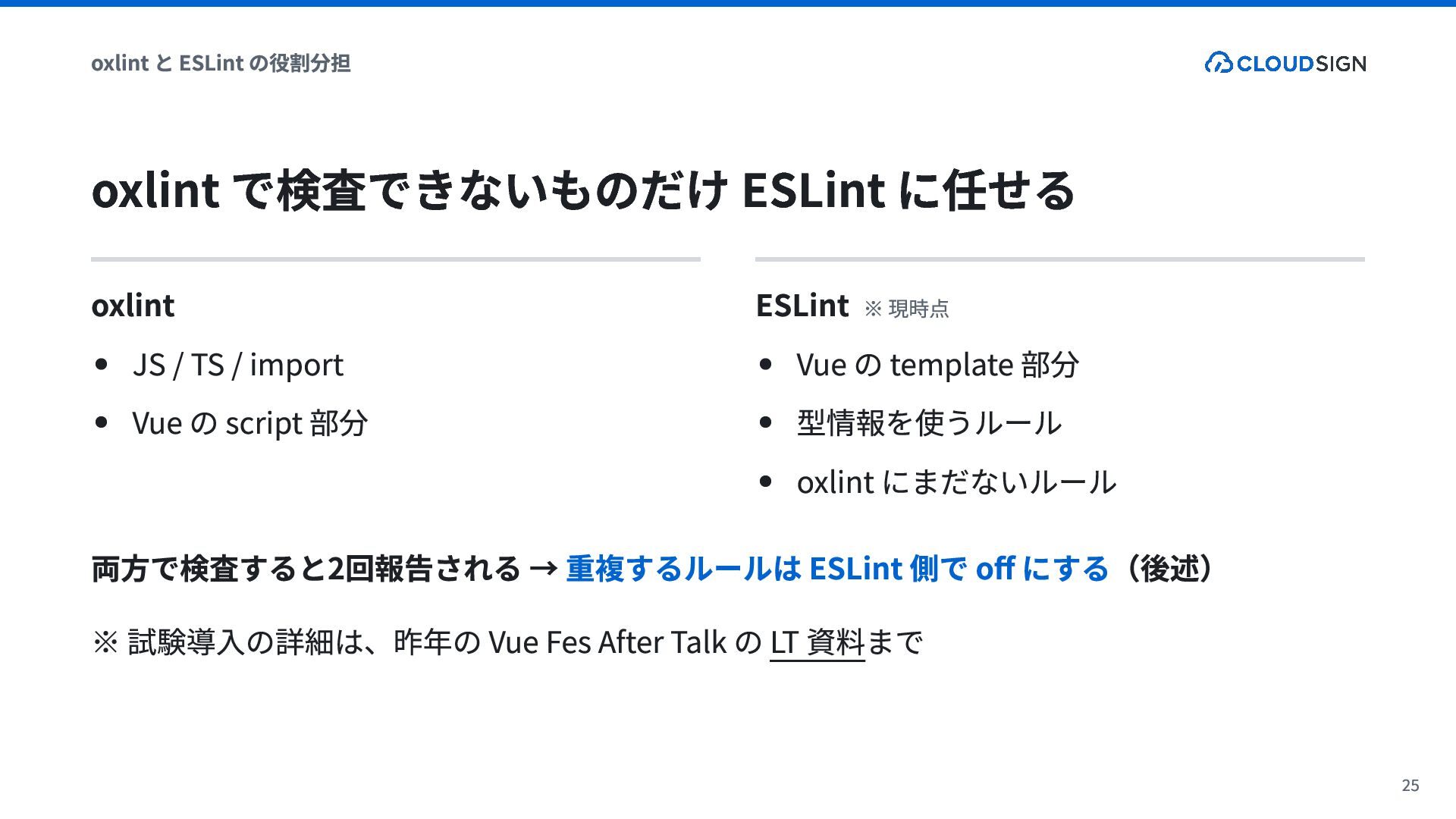
  9. oxlint と ESLint の役割分担 oxlint で検査できないものだけ ESLint に任せる oxlint JS

    / TS / import Vue の script 部分 ESLint ※ 現時点 Vue の template 部分 型情報を使うルール oxlint にまだないルール 両方で検査すると2回報告される → 重複するルールは ESLint 側で off にする(後述) ※ 試験導入の詳細は、昨年の Vue Fes After Talk の LT 資料まで 25
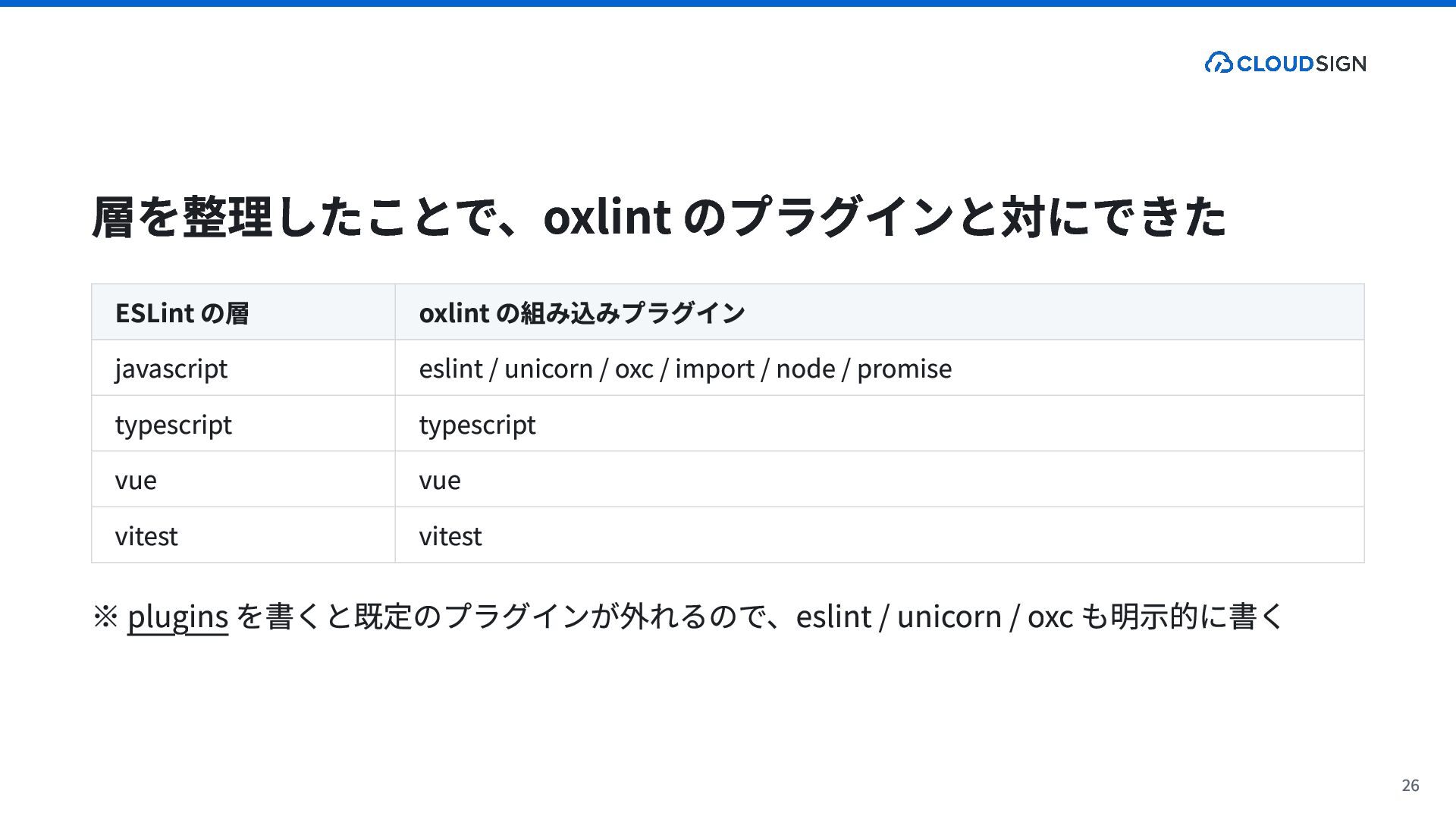
  10. 層を整理したことで、oxlint のプラグインと対にできた ESLint の層 javascript typescript vue vitest oxlint の組み込みプラグイン

    eslint / unicorn / oxc / import / node / promise typescript vue vitest ※ plugins を書くと既定のプラグインが外れるので、eslint / unicorn / oxc も明示的に書く 26
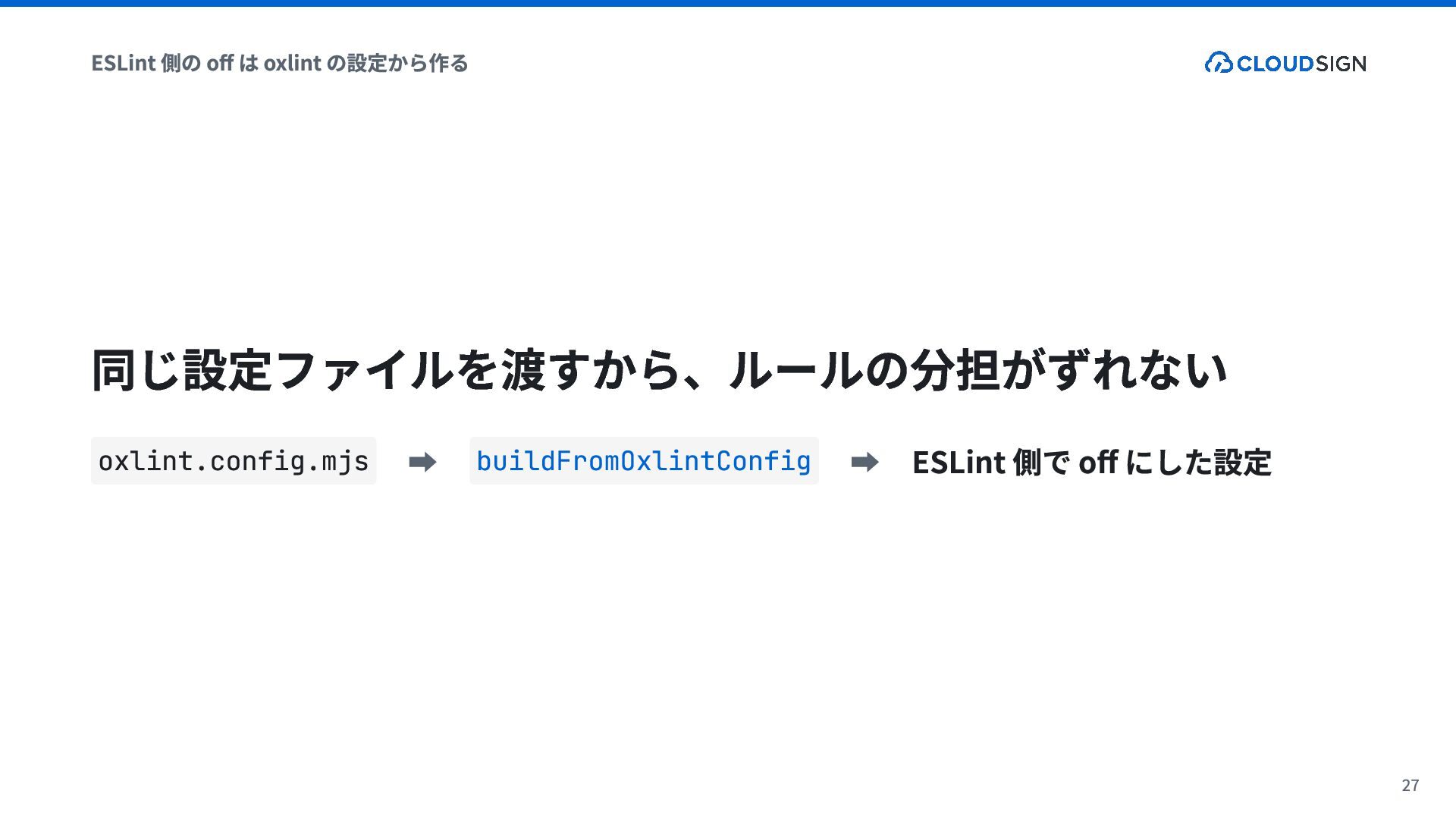
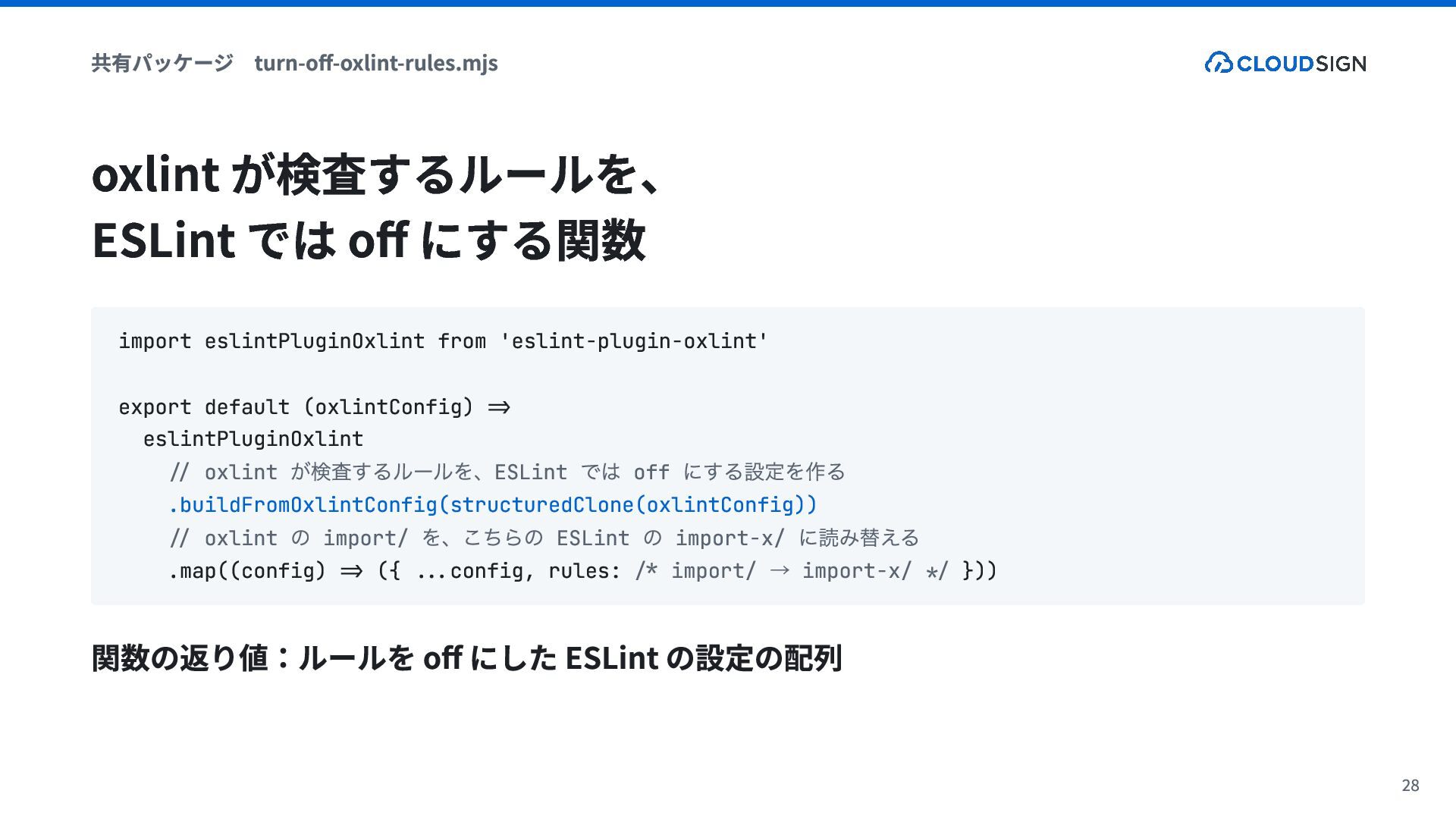
  11. 共有パッケージ turn-off-oxlint-rules.mjs oxlint が検査するルールを、 ESLint では off にする関数 import eslintPluginOxlint

    from 'eslint-plugin-oxlint' export default (oxlintConfig) => eslintPluginOxlint // oxlint ESLint off .buildFromOxlintConfig(structuredClone(oxlintConfig)) // oxlint import/ ESLint import-x/ .map((config) => ({ ...config, rules: /* import/ import-x/ */ })) が検査するルールを、 の を、こちらの では にする設定を作る の → に読み替える 関数の返り値:ルールを off にした ESLint の設定の配列 28
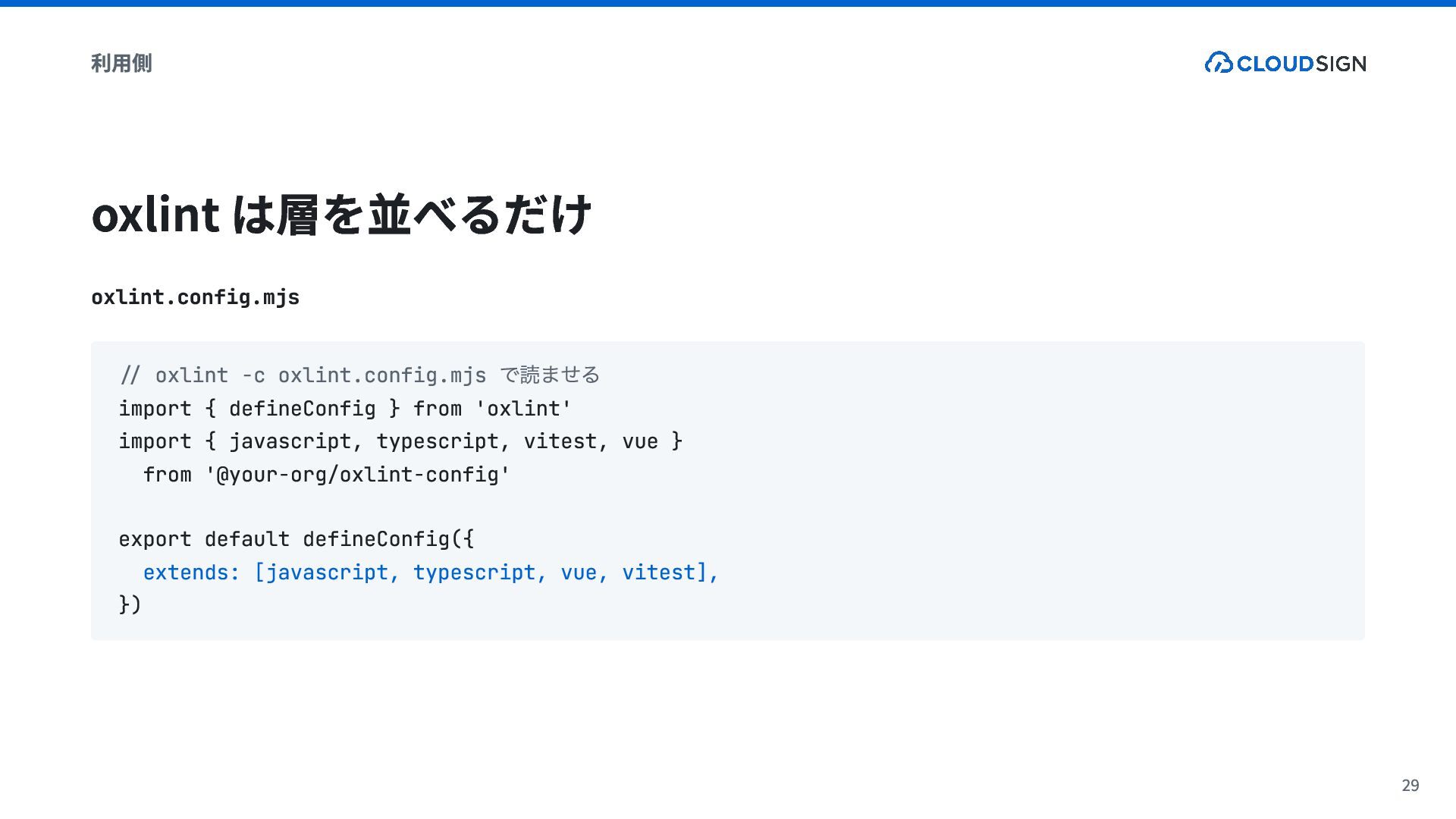
  12. 利用側 oxlint は層を並べるだけ oxlint.config.mjs で読ませる // oxlint -c oxlint.config.mjs import

    { defineConfig } from 'oxlint' import { javascript, typescript, vitest, vue } from '@your-org/oxlint-config' export default defineConfig({ extends: [javascript, typescript, vue, vitest], }) 29
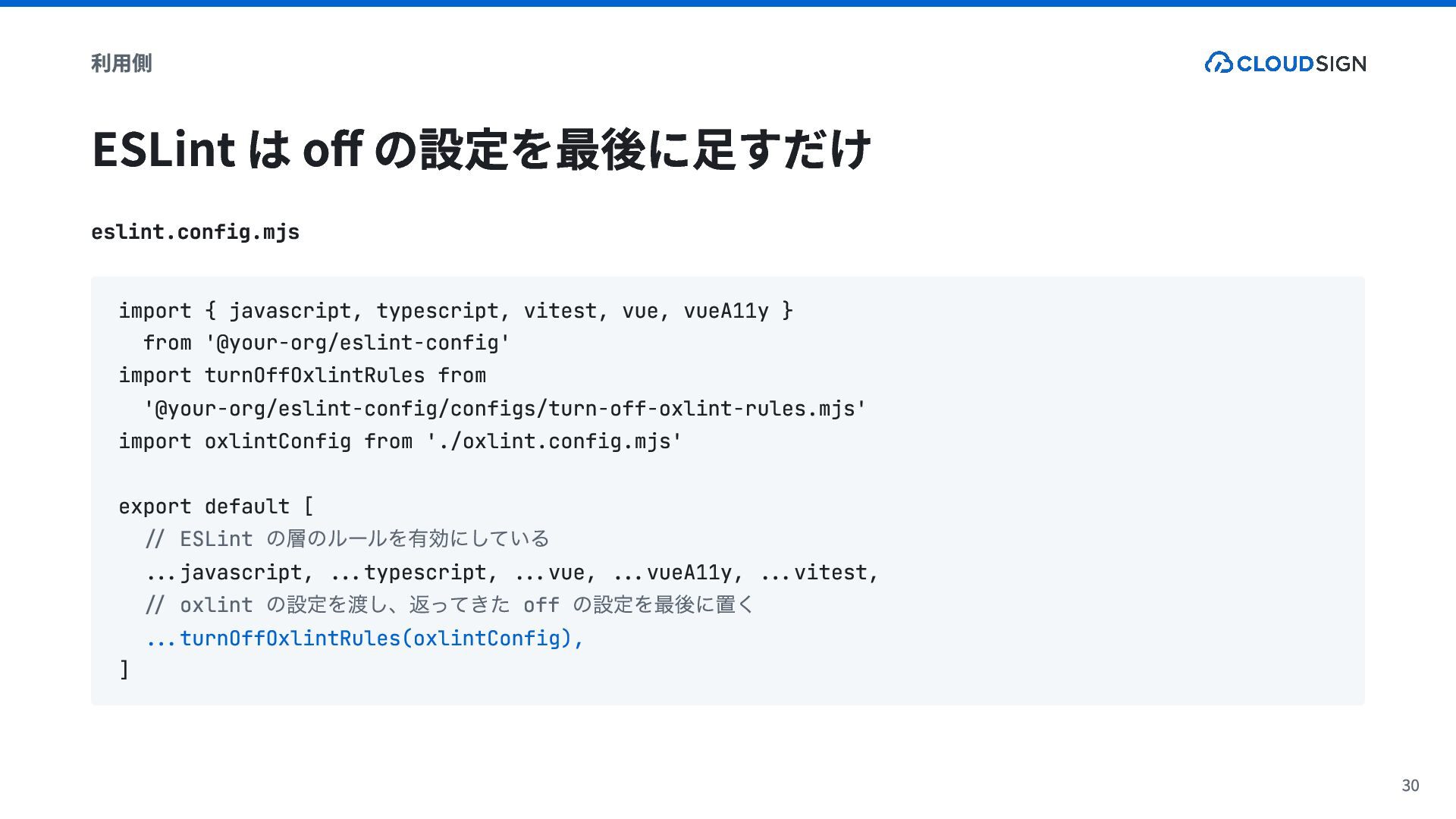
  13. 利用側 ESLint は off の設定を最後に足すだけ eslint.config.mjs import { javascript, typescript,

    vitest, vue, vueA11y } from '@your-org/eslint-config' import turnOffOxlintRules from '@your-org/eslint-config/configs/turn-off-oxlint-rules.mjs' import oxlintConfig from './oxlint.config.mjs' export default [ // ESLint ...javascript, ...typescript, ...vue, ...vueA11y, ...vitest, // oxlint off ...turnOffOxlintRules(oxlintConfig), ] の層のルールを有効にしている の設定を渡し、返ってきた の設定を最後に置く 30
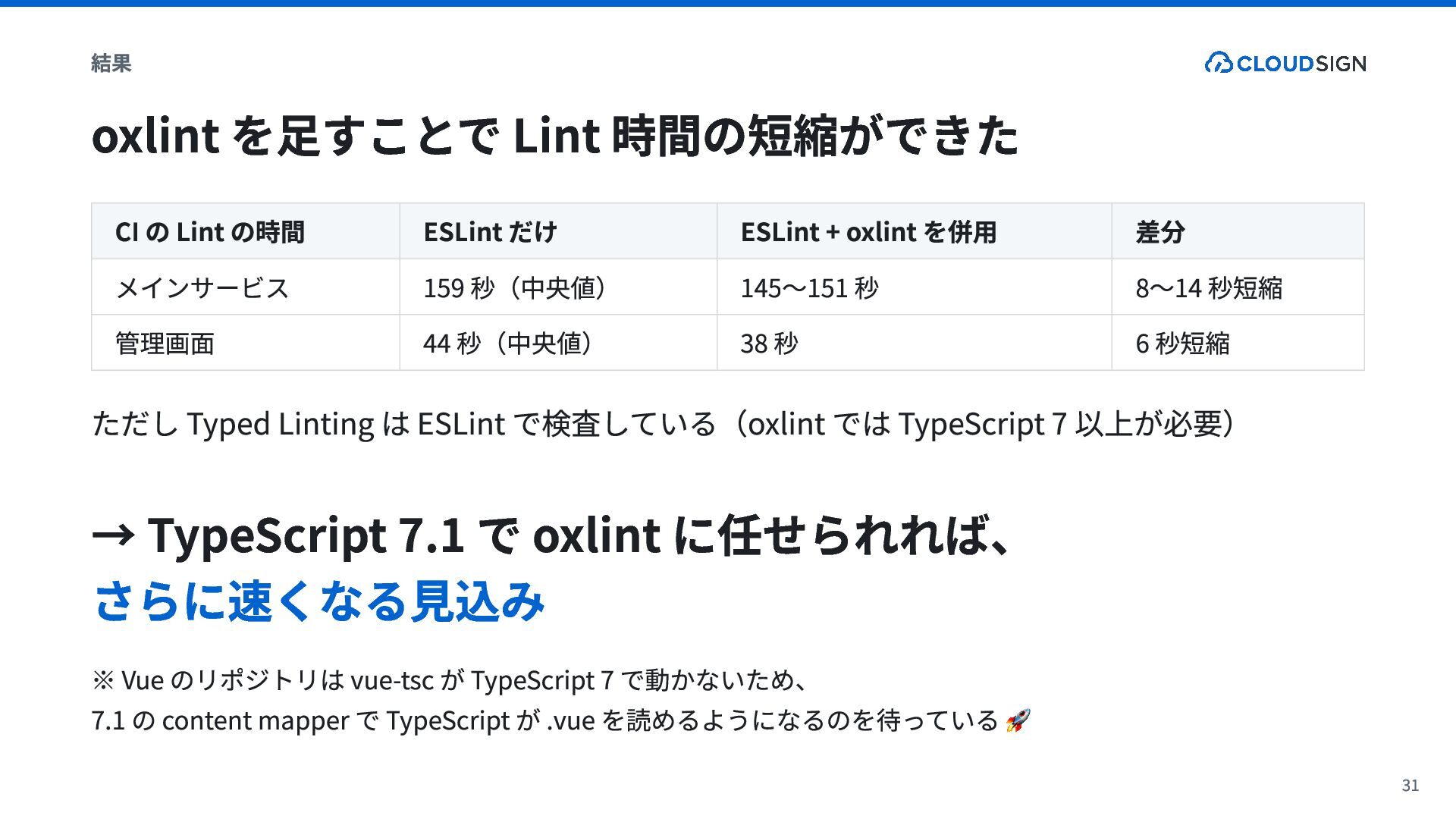
  14. 結果 oxlint を足すことで Lint 時間の短縮ができた CI の Lint の時間 メインサービス

    管理画面 ESLint だけ 159 秒(中央値) 44 秒(中央値) ESLint + oxlint を併用 145〜151 秒 38 秒 差分 8〜14 秒短縮 6 秒短縮 ただし Typed Linting は ESLint で検査している(oxlint では TypeScript 7 以上が必要) → TypeScript 7.1 で oxlint に任せられれば、 さらに速くなる見込み ※ Vue のリポジトリは vue-tsc が TypeScript 7 で動かないため、 7.1 の content mapper で TypeScript が .vue を読めるようになるのを待っている 🚀 31
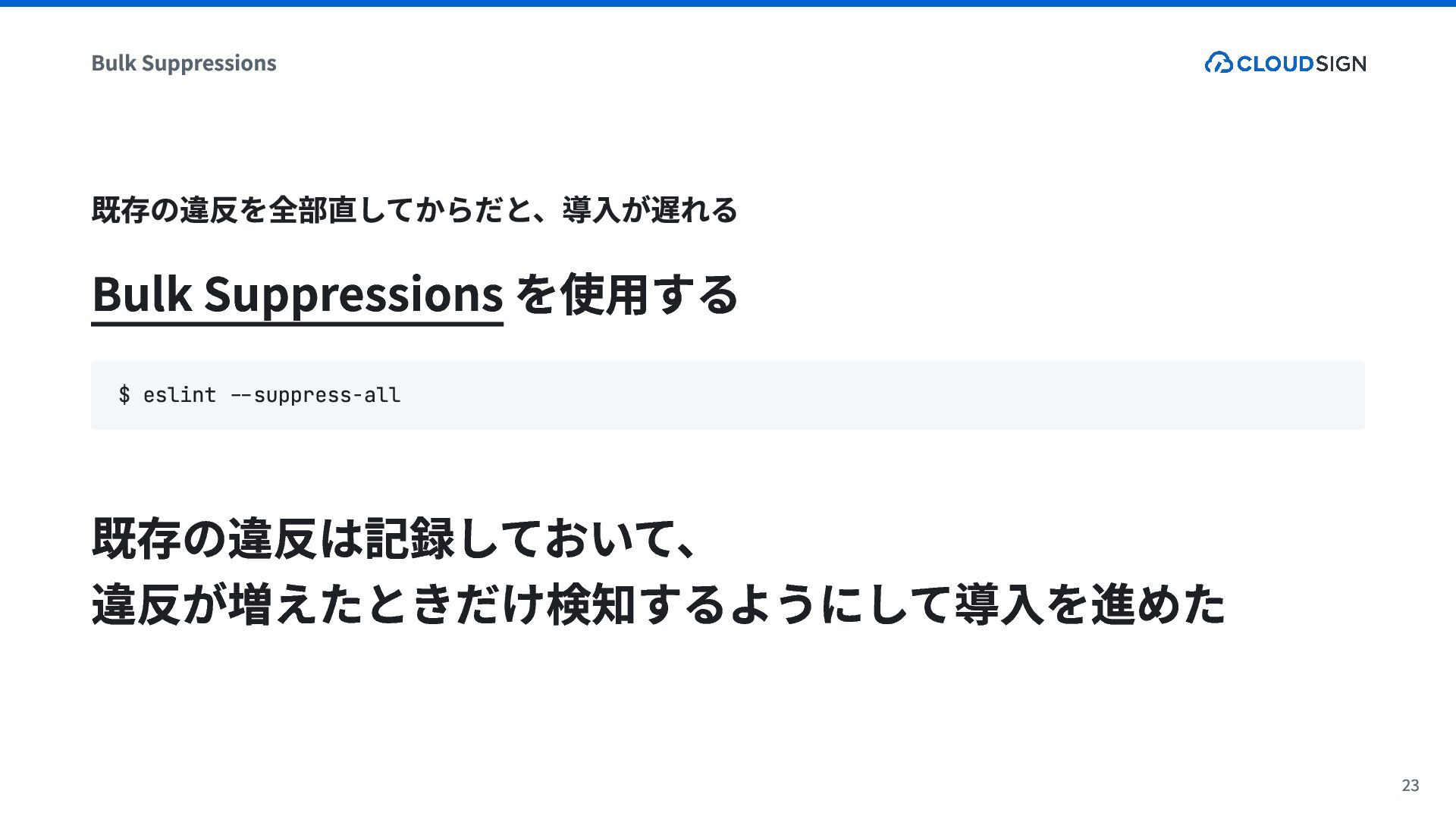
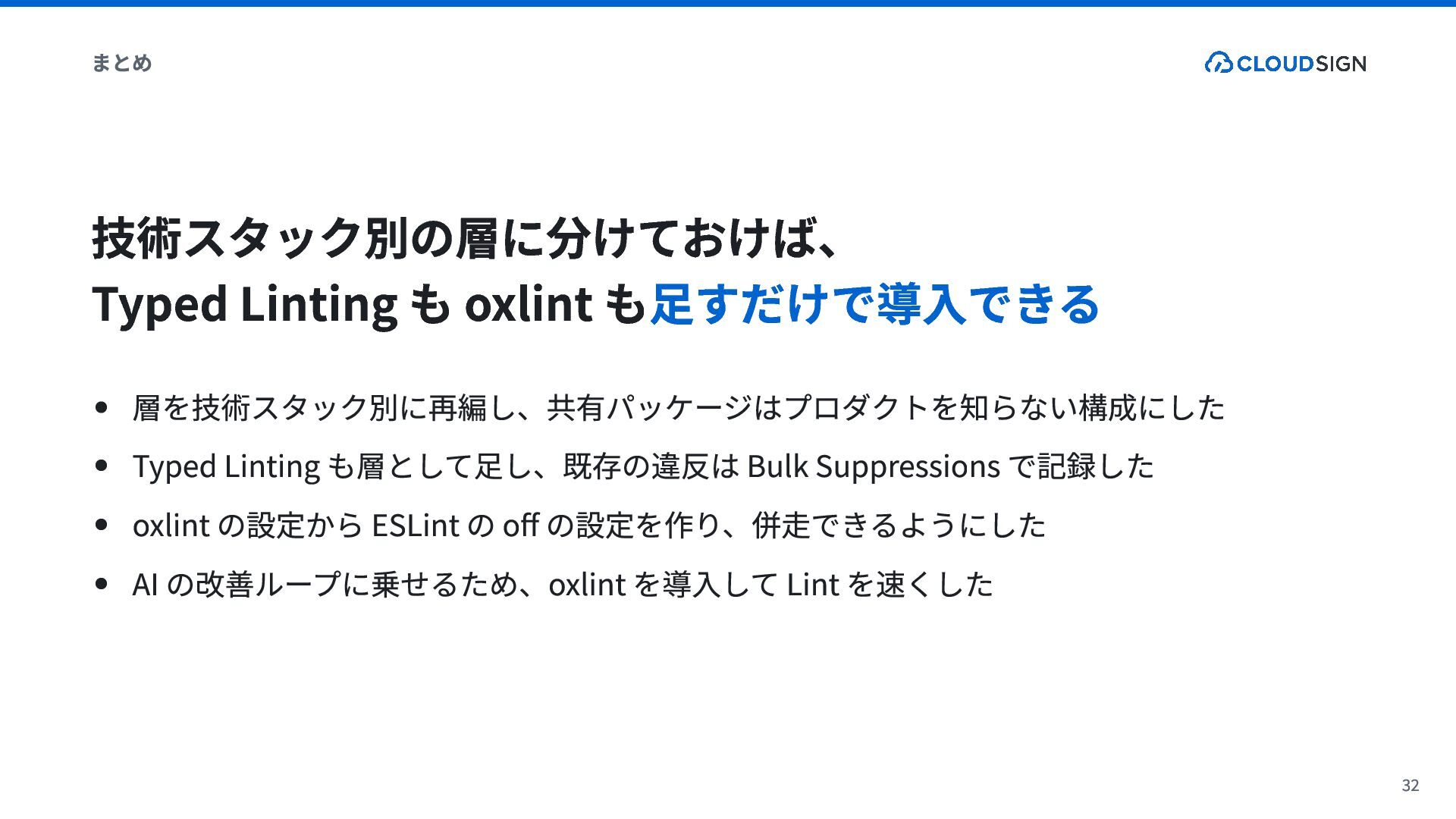
  15. まとめ 技術スタック別の層に分けておけば、 Typed Linting も oxlint も足すだけで導入できる 層を技術スタック別に再編し、共有パッケージはプロダクトを知らない構成にした Typed Linting

    も層として足し、既存の違反は Bulk Suppressions で記録した oxlint の設定から ESLint の off の設定を作り、併走できるようにした AI の改善ループに乗せるため、oxlint を導入して Lint を速くした 32