Share
Embed
Annual Pro sale · Save $30
Have presentations of your own?
Share with private links, password protection, and more control over your work.
Transcript
54 slides
-
Memory Upload • OOP (object oriented programming) • Class Item
• Linked lists • Method add() • Method get() -
Grocery List • In the first few lectures of this
class, we created an array-based grocery list • Now that we know about object oriented programming (OOP) and linked nodes, let’s see how to apply these concepts to create another grocery list that will demonstrate the advantages of OOP -
Writing a Program • Three (3) steps to write a
program 1. Identify the objects and their attributes and behaviors 2. Design classes with data fields and methods (and an algorithm for each method) to create the objects 3. Debug and test the classes as you write the classes -
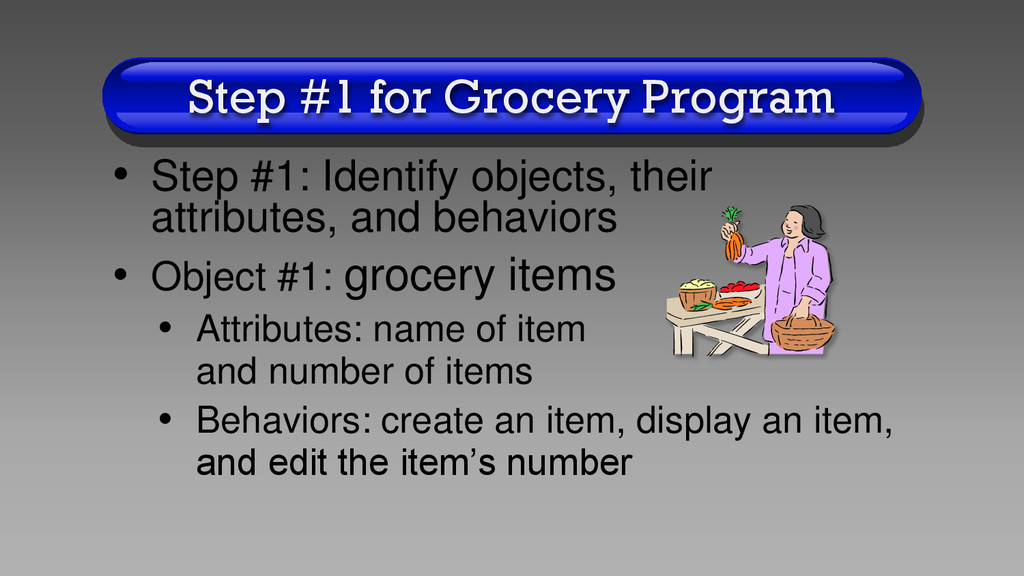
Step #1 for Grocery Program • Step #1: Identify objects,
their attributes, and behaviors • Object #1: grocery items • Attributes: name of item and number of items • Behaviors: create an item, display an item, and edit the item’s number -
Step #1 for Grocery Program • Object #2: grocery list
• Attributes: list of objects, which are grocery items • Behaviors: add an item, get an item (for editing), delete an item, and display all items -
Step #1 for Grocery Program • Object #3: menu (client
program) • Attributes: grocery list containing grocery items • Behaviors: prompt user to add, edit, remove, or display items -
Step #2 for Item • Step #2: Design classes with
data fields and methods (and an algorithm for each method) to create objects • See Item.java for data fields and methods of class Item Data fields: String name and Integer number Methods: Item(), toString(), and setNumber() -
Step #3 for Item • Step #3: Debug and test
the classes as you write the classes • This is done by simply writing a main method that tests all of the constructors and methods of a class • See main() method in Item.java for a driver (test program) for class Item -
ItemException • Class ItemException is a very small class, so
it is included at the end of the Item.java file • Class ItemException is also tested in the main() method of class Item -
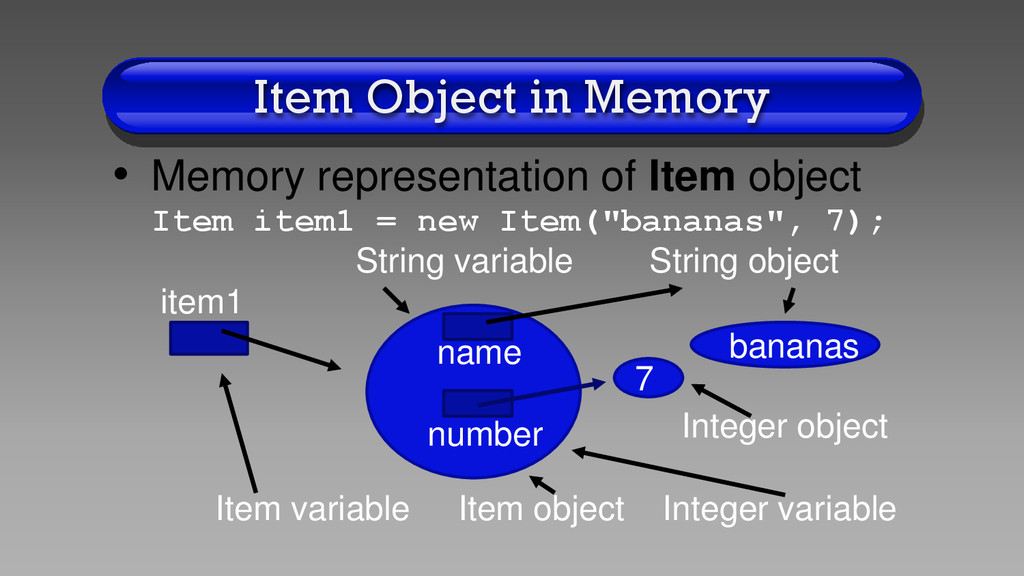
Item Object in Memory • Memory representation of Item object
Item item1 = new Item("bananas", 7); String variable String object item1 Integer object Item variable Item object Integer variable bananas 7 name number -
Step #2 for Grocery List • Step #2: Design classes
with data fields and methods (and an algorithm for each method) to create objects -
Step #2 for Grocery List • See LinkedList.java for data
fields and methods of class LinkedList • Data fields: Node<T> head, which points to linked nodes • Methods: LinkedList(), add(), get(), delete(), and toString() -
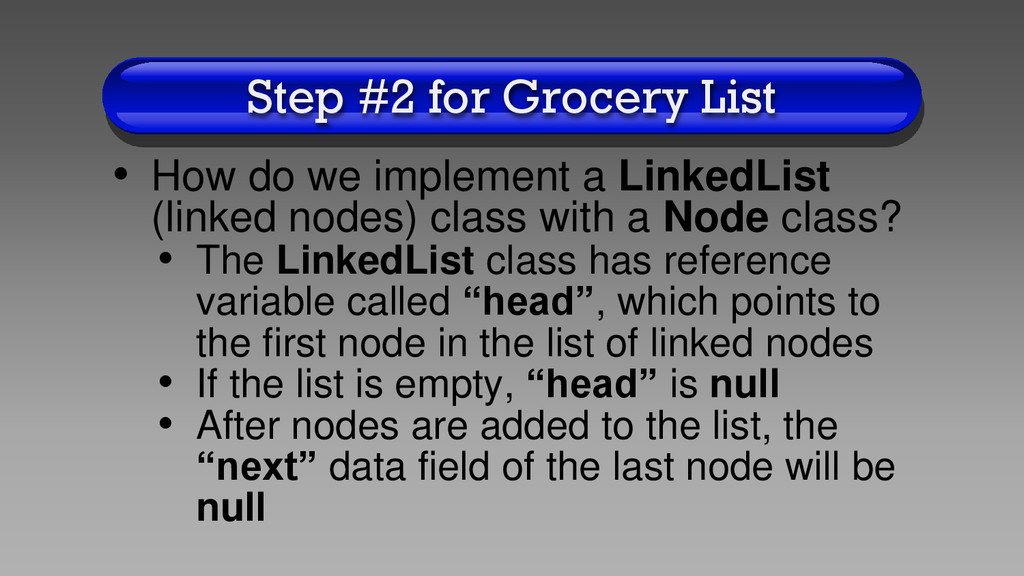
Step #2 for Grocery List • How do we implement
a LinkedList (linked nodes) class with a Node class? • The LinkedList class has reference variable called “head”, which points to the first node in the list of linked nodes • If the list is empty, “head” is null • After nodes are added to the list, the “next” data field of the last node will be null -
LinkedList Implementation • See file LinkedList.java • Private data fields
• Need a variable that contains the address of the first node in the linked list of nodes -
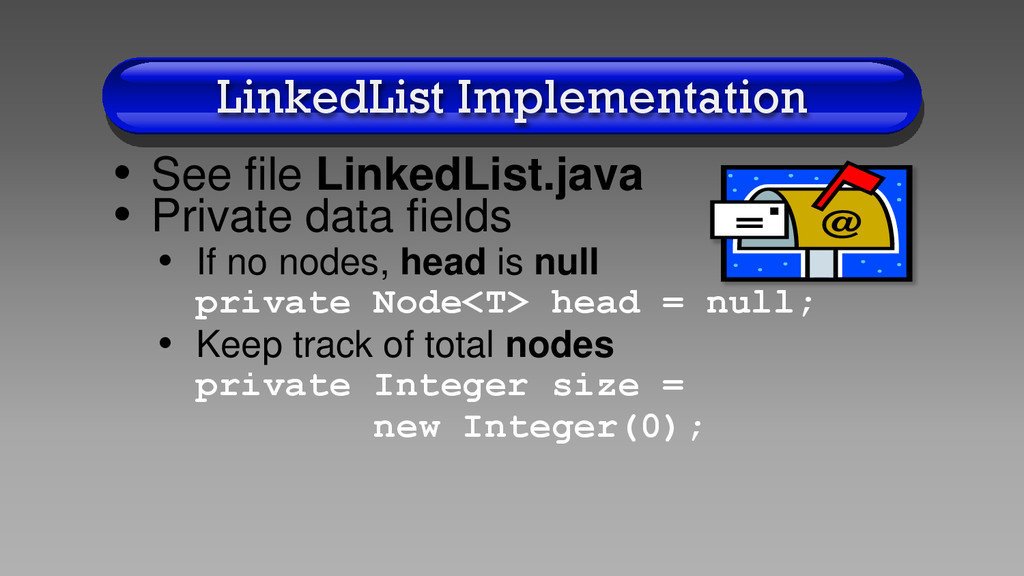
LinkedList Implementation • See file LinkedList.java • Private data fields
• If no nodes, head is null private Node<T> head = null; • Keep track of total nodes private Integer size = new Integer(0); -
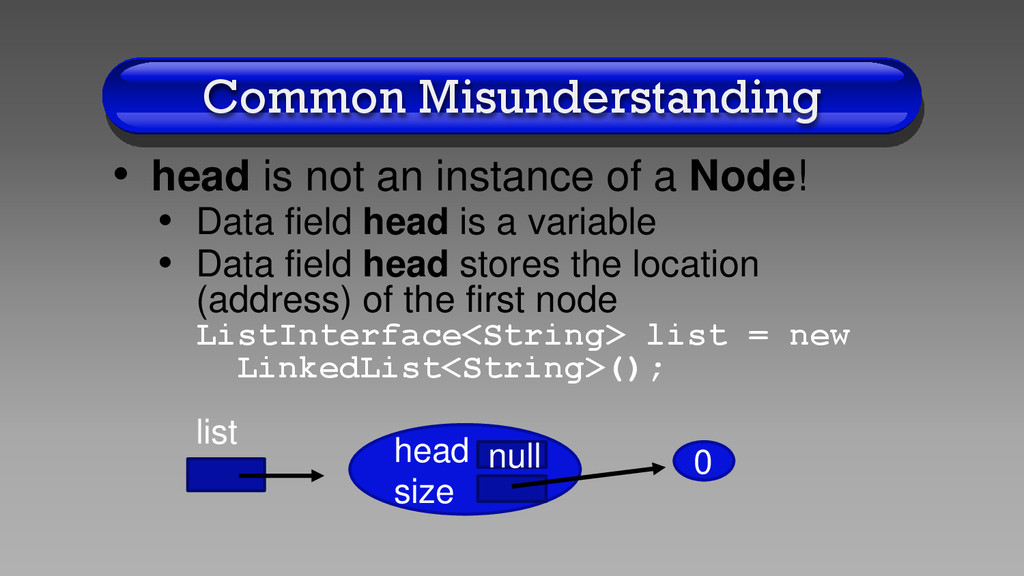
Common Misunderstanding • head is not an instance of a
Node! • Data field head is a variable • Data field head stores the location (address) of the first node ListInterface<String> list = new LinkedList<String>(); list 0 head size null -
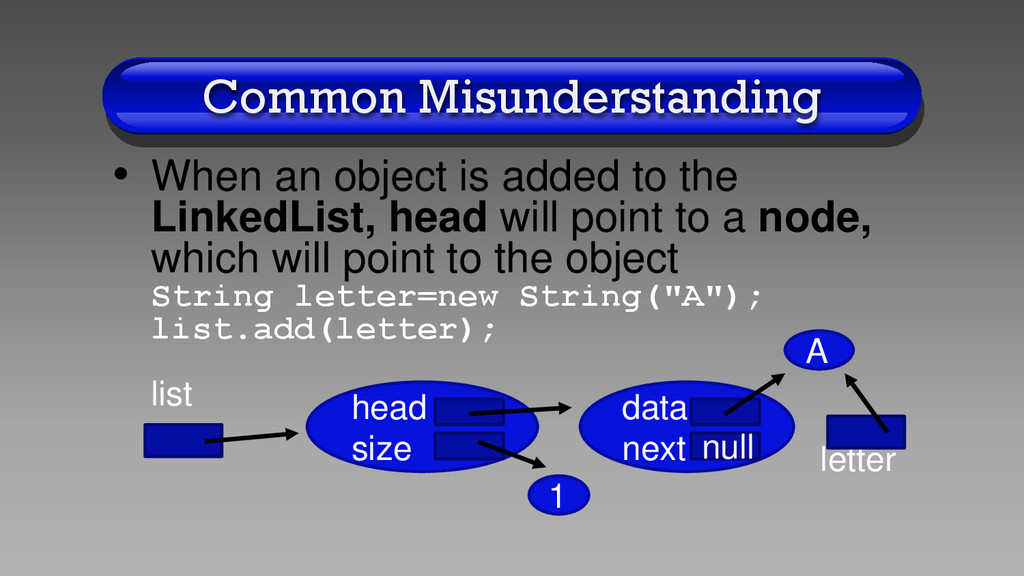
Common Misunderstanding • When an object is added to the
LinkedList, head will point to a node, which will point to the object String letter=new String("A"); list.add(letter); list letter 1 head size A data next null -
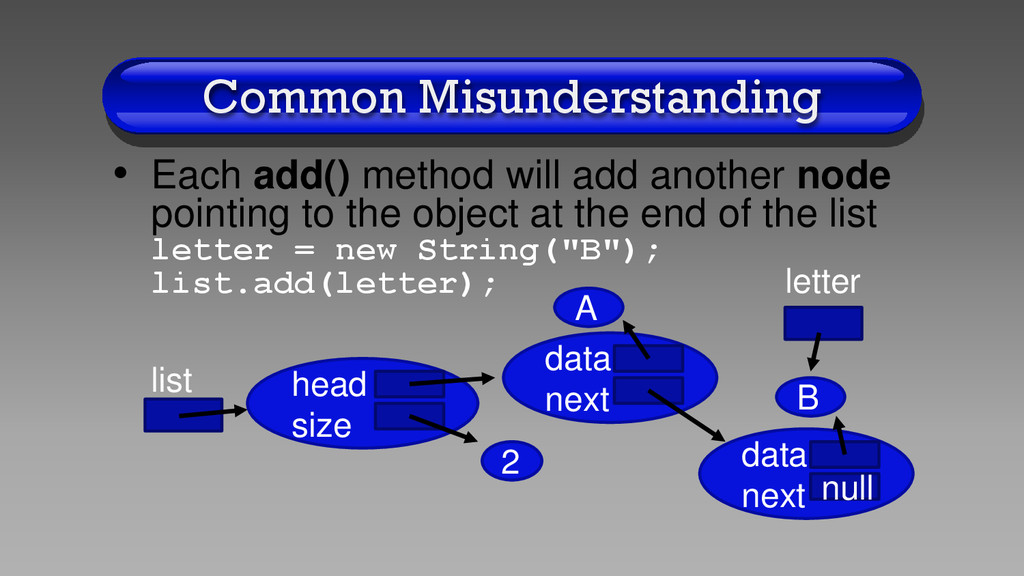
Common Misunderstanding • Each add() method will add another node
pointing to the object at the end of the list letter = new String("B"); list.add(letter); letter list 2 head size A data next data next null B -
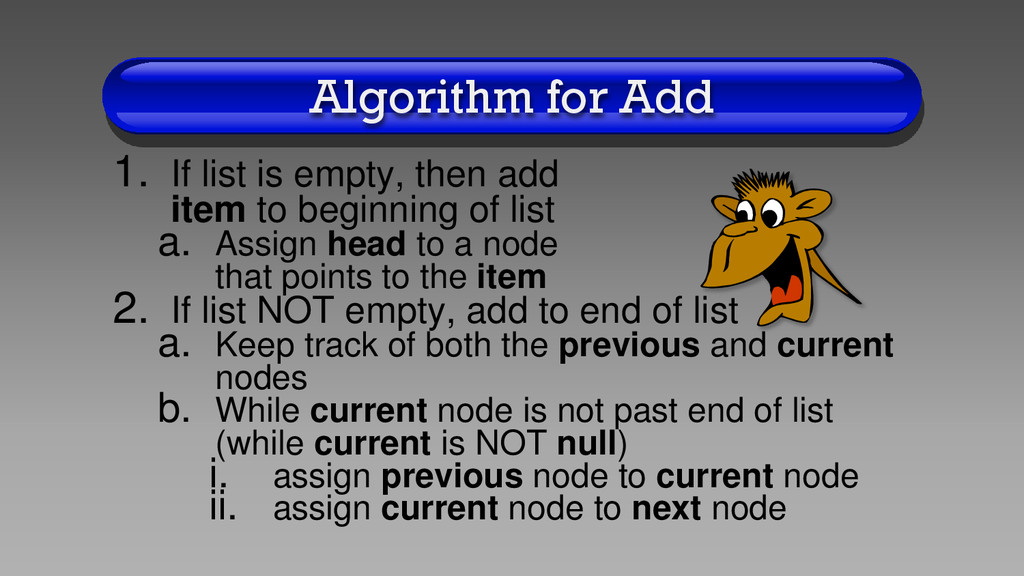
Algorithm for Add 1. If list is empty, then add
item to beginning of list a. Assign head to a node that points to the item 2. If list NOT empty, add to end of list a. Keep track of both the previous and current nodes b. While current node is not past end of list (while current is NOT null) i. assign previous node to current node ii. assign current node to next node -
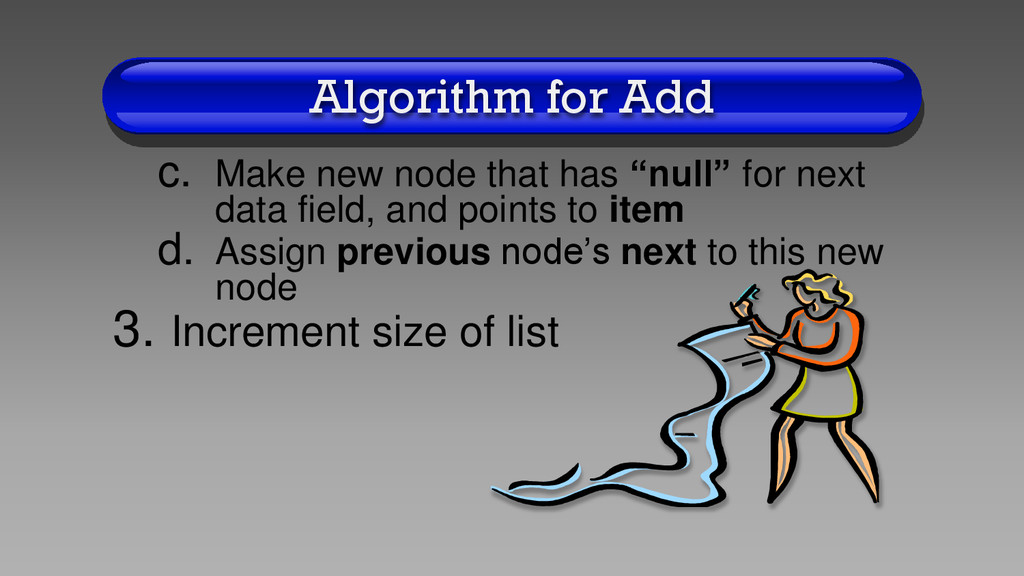
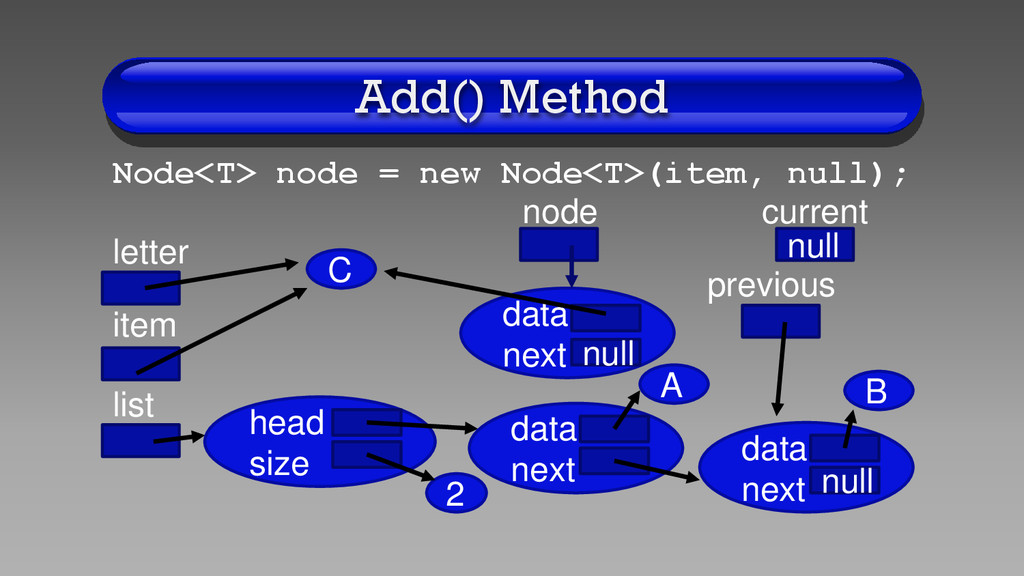
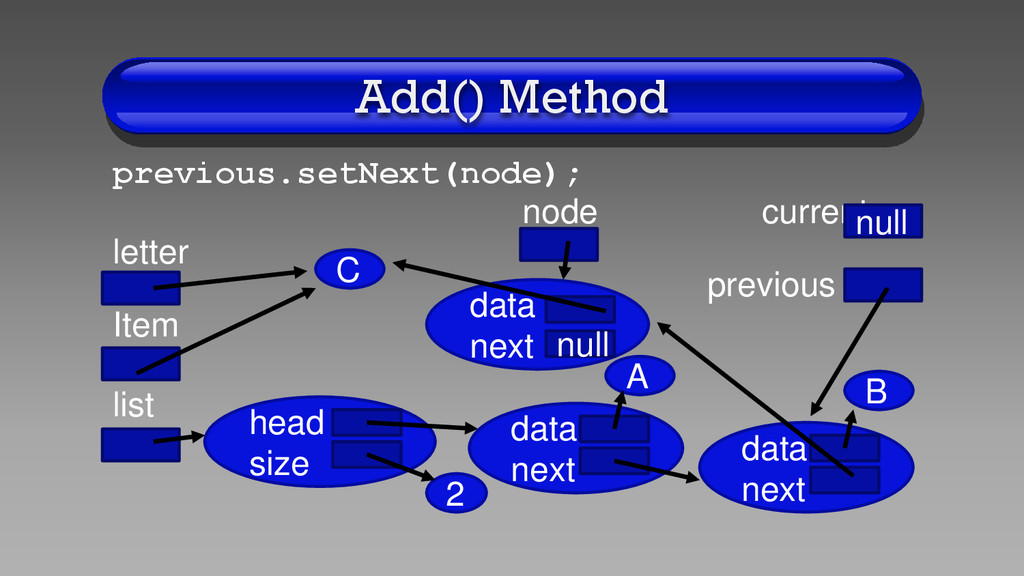
Algorithm for Add c. Make new node that has “null”
for next data field, and points to item d. Assign previous node’s next to this new node 3. Increment size of list -
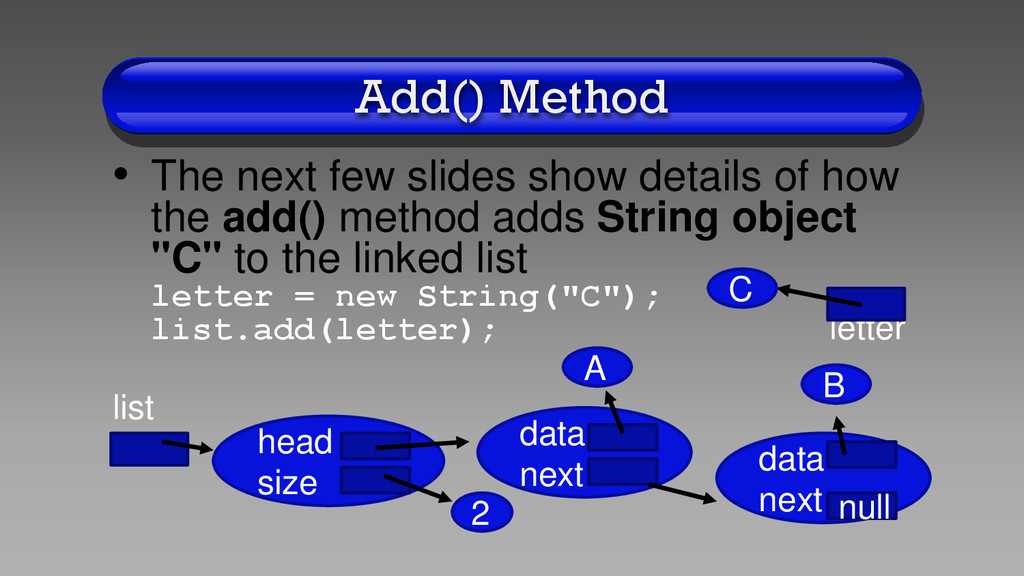
Add() Method • The next few slides show details of
how the add() method adds String object "C" to the linked list letter = new String("C"); list.add(letter); letter list 2 head size A data next data next null B C -
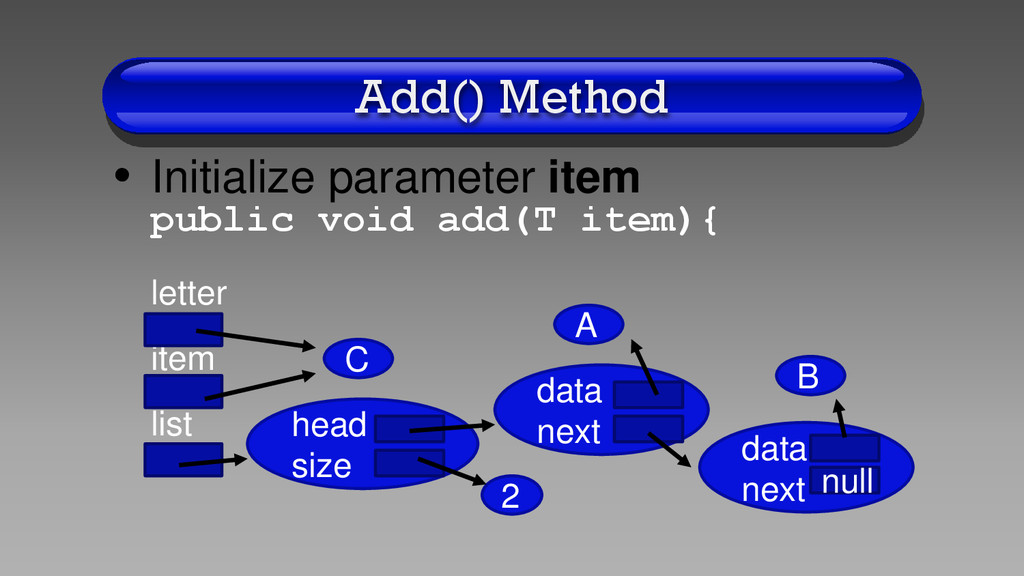
Add() Method • Initialize parameter item public void add(T item){
letter item list 2 head size A data next data next null B C -
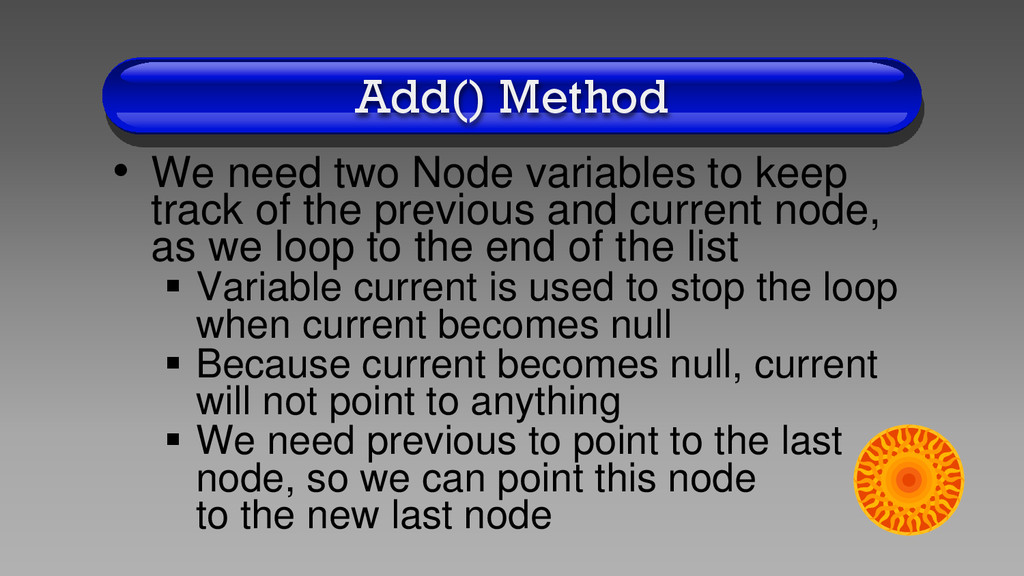
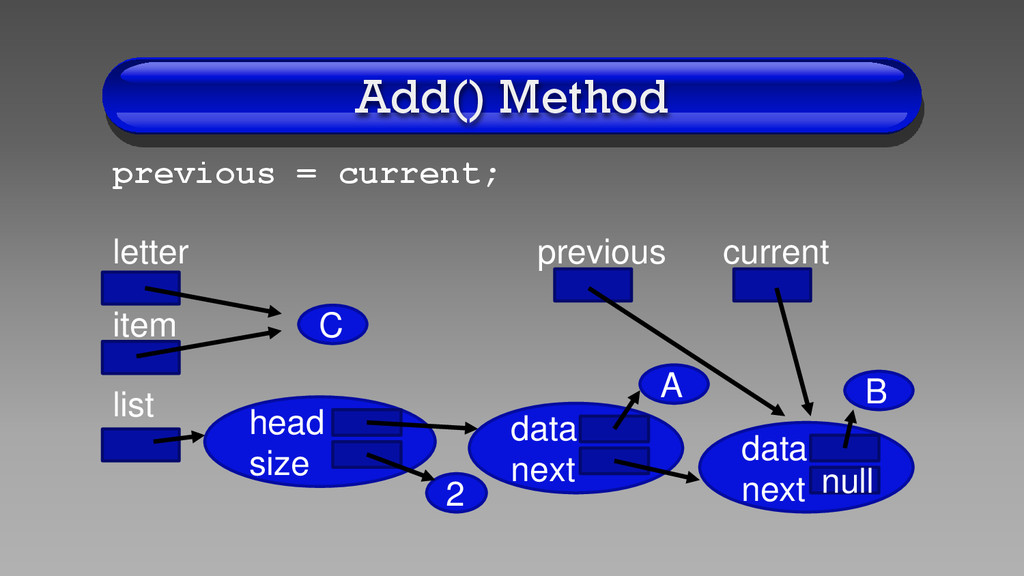
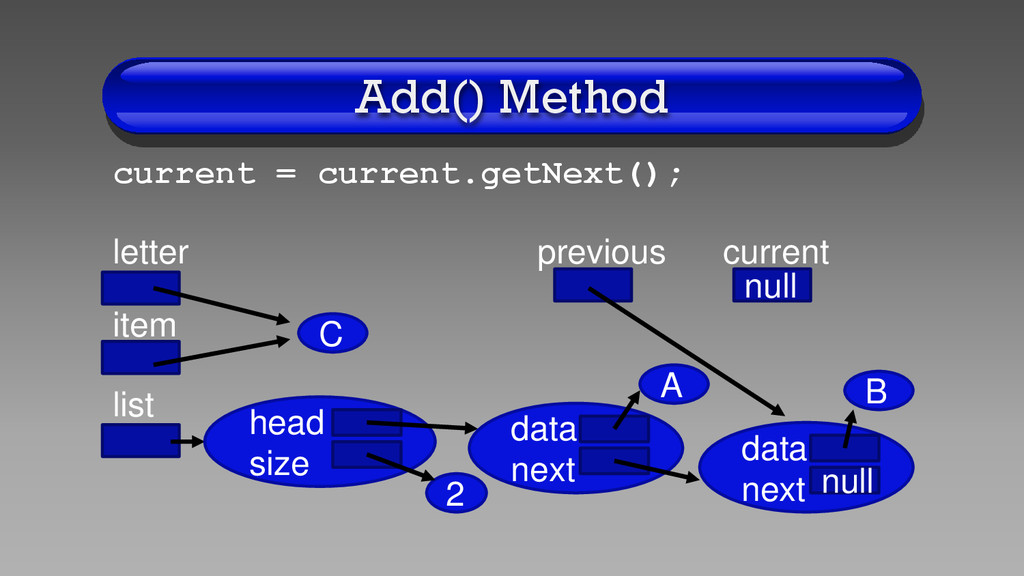
Add() Method • We need two Node variables to keep
track of the previous and current node, as we loop to the end of the list Variable current is used to stop the loop when current becomes null Because current becomes null, current will not point to anything We need previous to point to the last node, so we can point this node to the new last node -
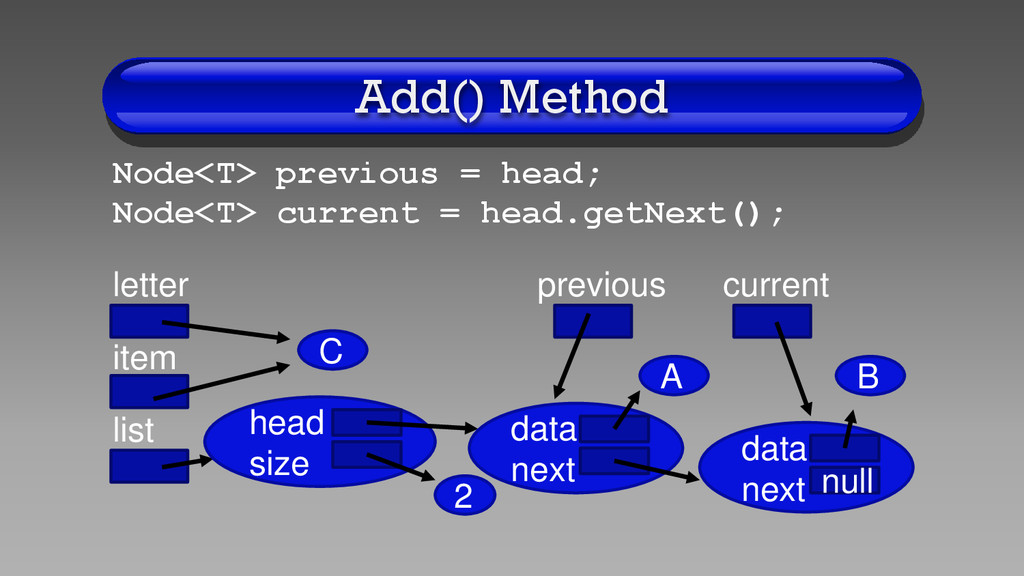
Add() Method Node<T> previous = head; Node<T> current = head.getNext();
letter previous current item list 2 head size A data next data next null B C -
Add() Method previous = current; letter previous current item list
2 head size A data next data next null B C -
Add() Method current = current.getNext(); letter previous current item list
2 head size A data next data next null B C null -
Add() Method Node<T> node = new Node<T>(item, null); node current
letter previous item list 2 head size A data next data next null B C null data next null -
Add() Method previous.setNext(node); node current letter previous Item list 2
head size A data next data next B C null data next null -
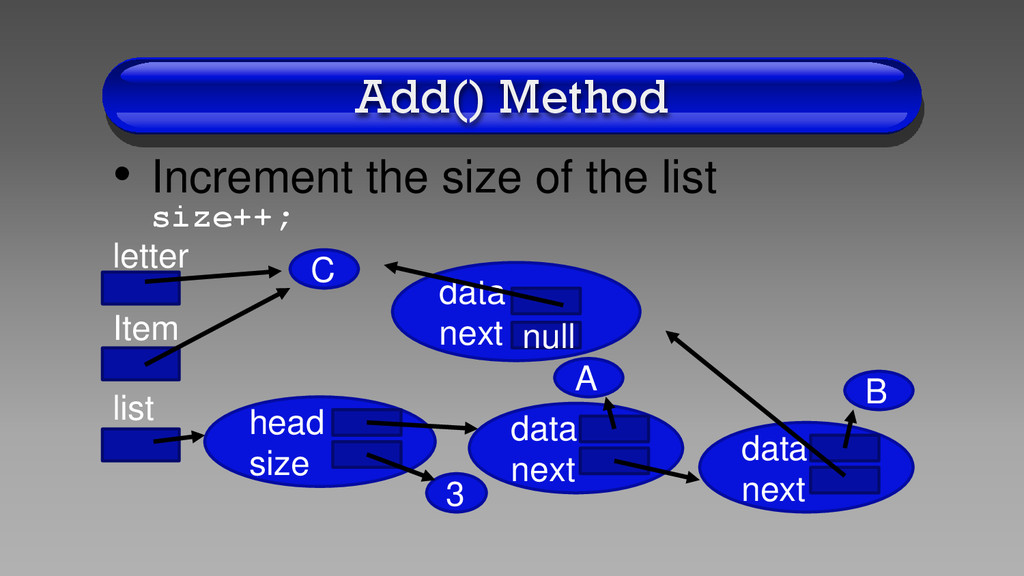
Add() Method • Increment the size of the list size++;
letter Item list 3 head size A data next data next B C data next null -
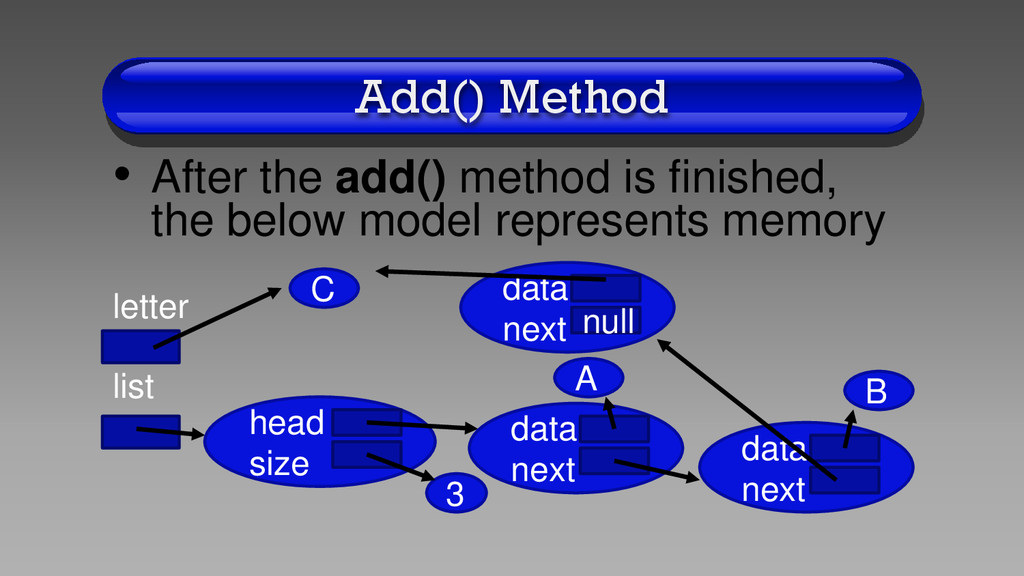
Add() Method • After the add() method is finished, the
below model represents memory letter list 3 head size A data next data next B C data next null -
Big-O Break • In the best case, method add() adds
an item to the beginning of list, so O(1) • However, in the worst case, we add to the end of the linked list, so O(n) • This is because we have to loop through all the nodes to access the last node • Therefore, Big-O for add() is O(n) -
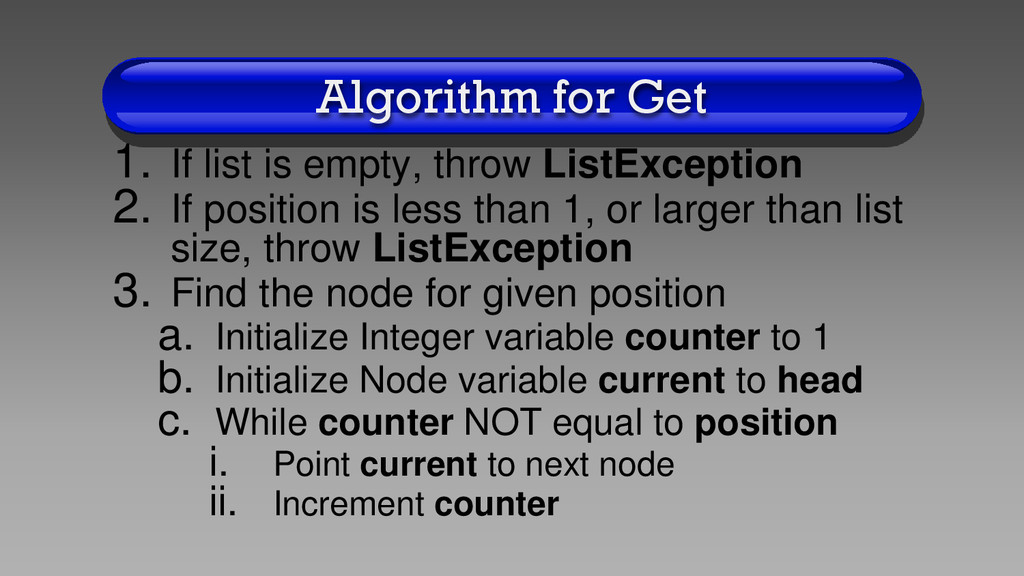
Algorithm for Get 1. If list is empty, throw ListException
2. If position is less than 1, or larger than list size, throw ListException 3. Find the node for given position a. Initialize Integer variable counter to 1 b. Initialize Node variable current to head c. While counter NOT equal to position i. Point current to next node ii. Increment counter -
Algorithm for Get 4. Return the data in the node
that current points to -
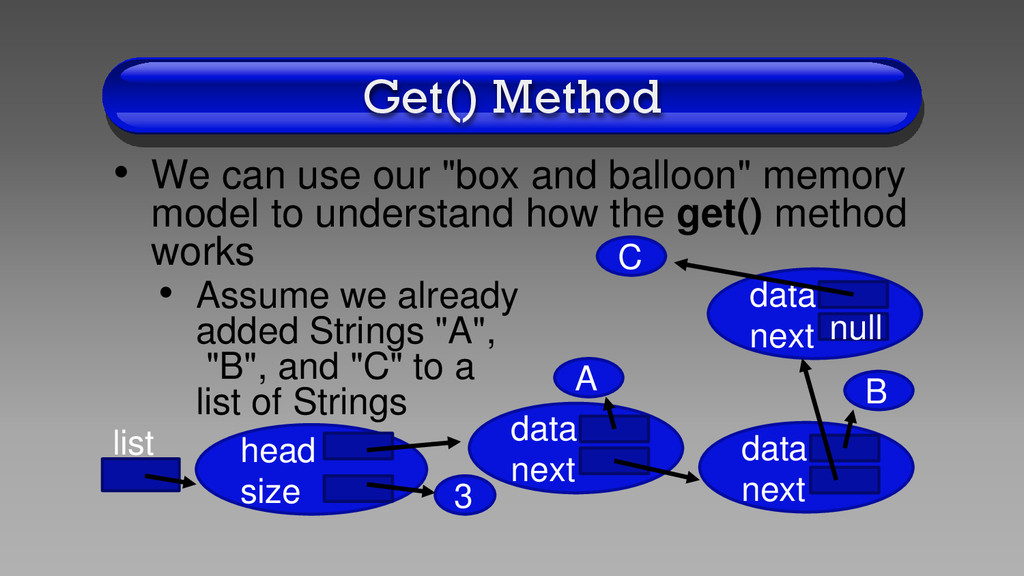
Get() Method • We can use our "box and balloon"
memory model to understand how the get() method works • Assume we already added Strings "A", "B", and "C" to a list of Strings list 3 head size A data next data next B C data next null -
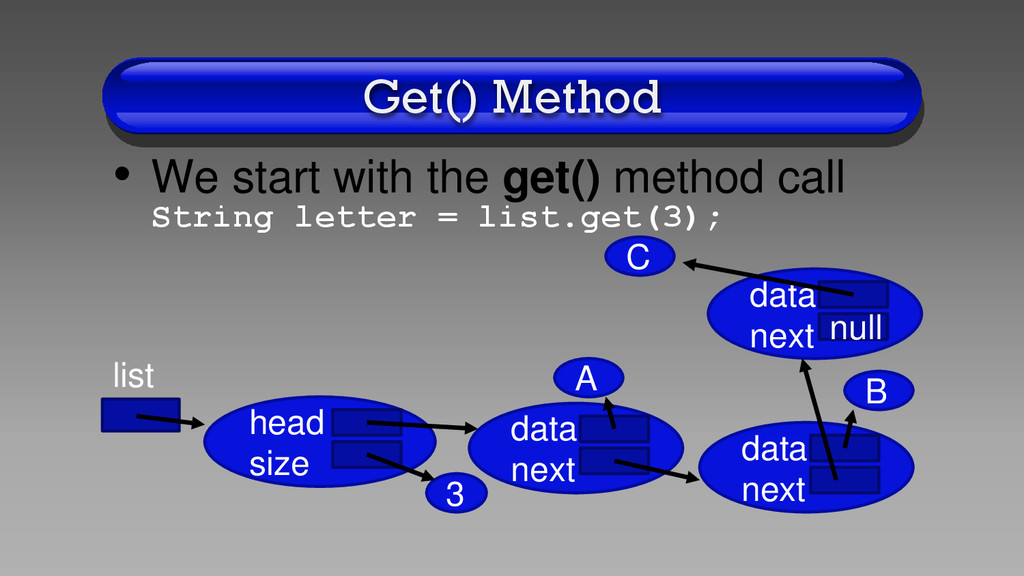
Get() Method • We start with the get() method call
String letter = list.get(3); list 3 head size A data next data next B C data next null -
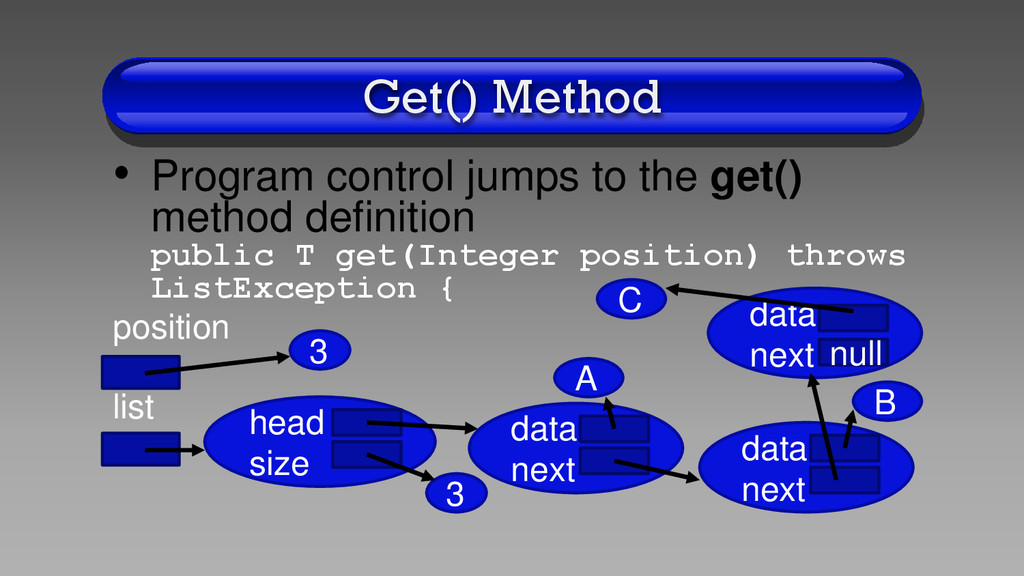
Get() Method • Program control jumps to the get() method
definition public T get(Integer position) throws ListException { position list 3 head size A data next data next B C data next null 3 -
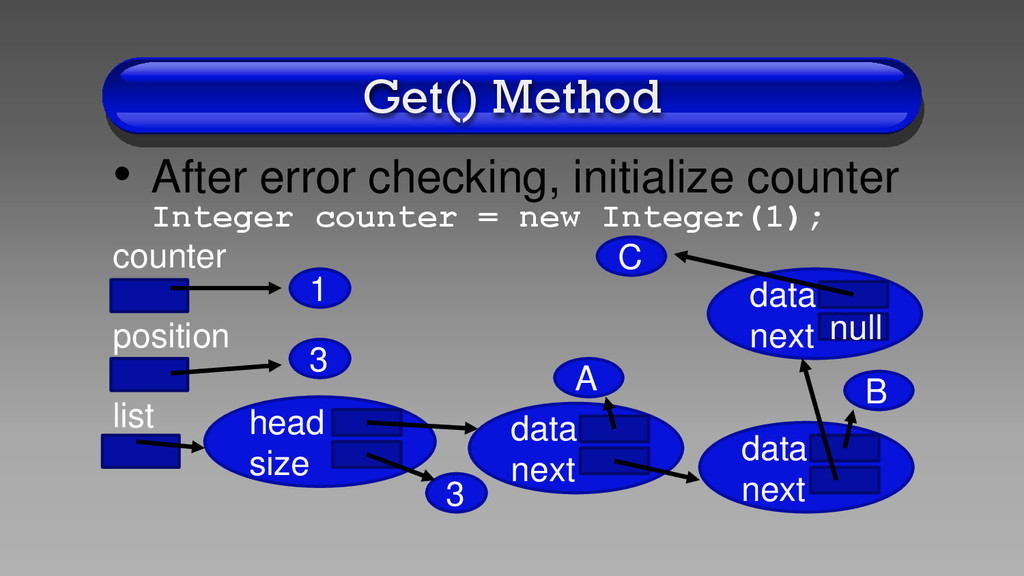
Get() Method • After error checking, initialize counter Integer counter
= new Integer(1); counter position list 3 head size A data next data next B C data next null 3 1 -
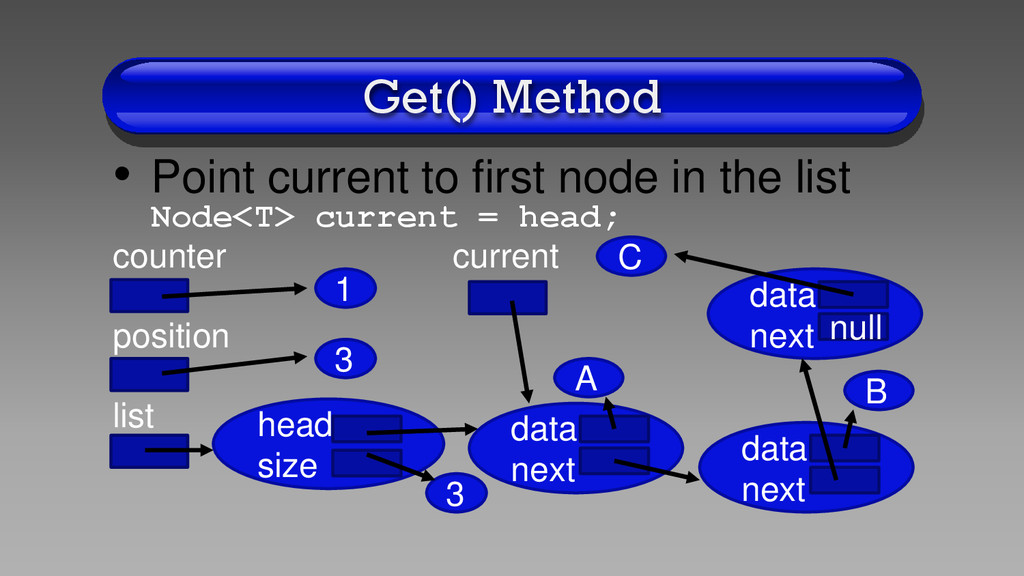
Get() Method • Point current to first node in the
list Node<T> current = head; counter current position list 3 head size A data next data next B C data next null 3 1 -
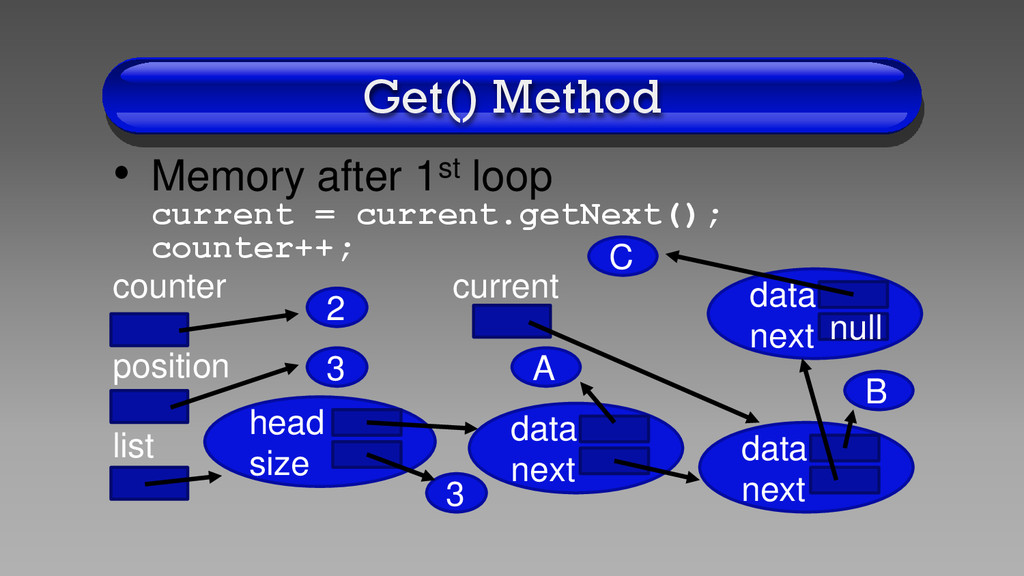
Get() Method • Memory after 1st loop current = current.getNext();
counter++; counter current position list 3 head size A data next data next B C data next null 3 2 -
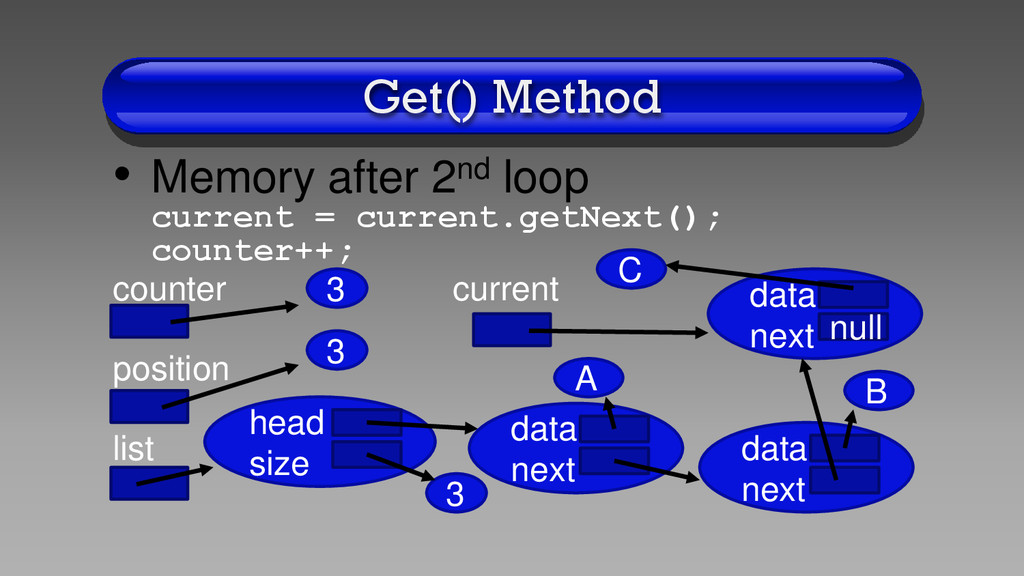
Get() Method • Memory after 2nd loop current = current.getNext();
counter++; counter current position list 3 head size A data next data next B C data next null 3 3 -
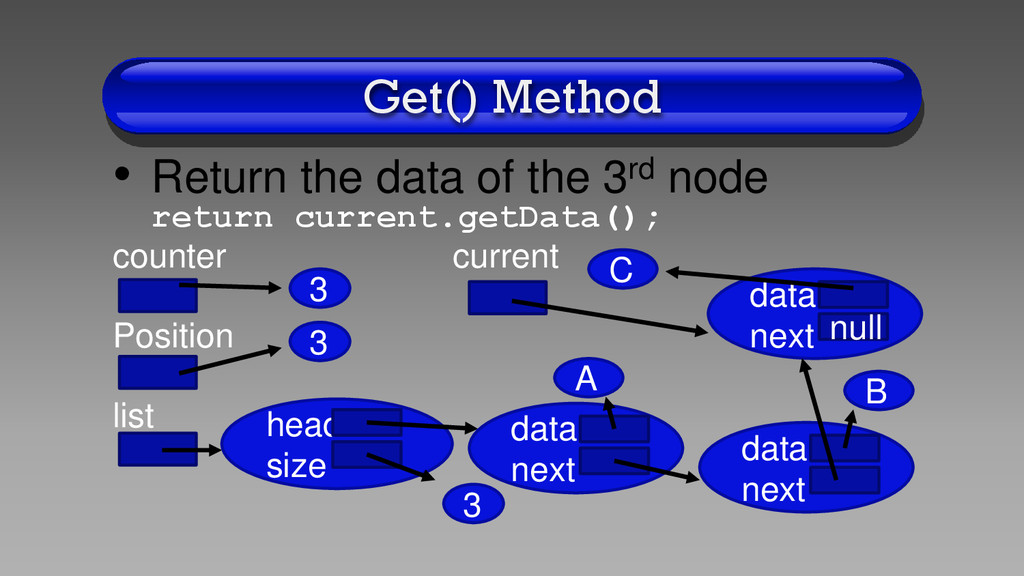
Get() Method • Return the data of the 3rd node
return current.getData(); counter current Position list 3 head size A data next data next B C data next null 3 3 -
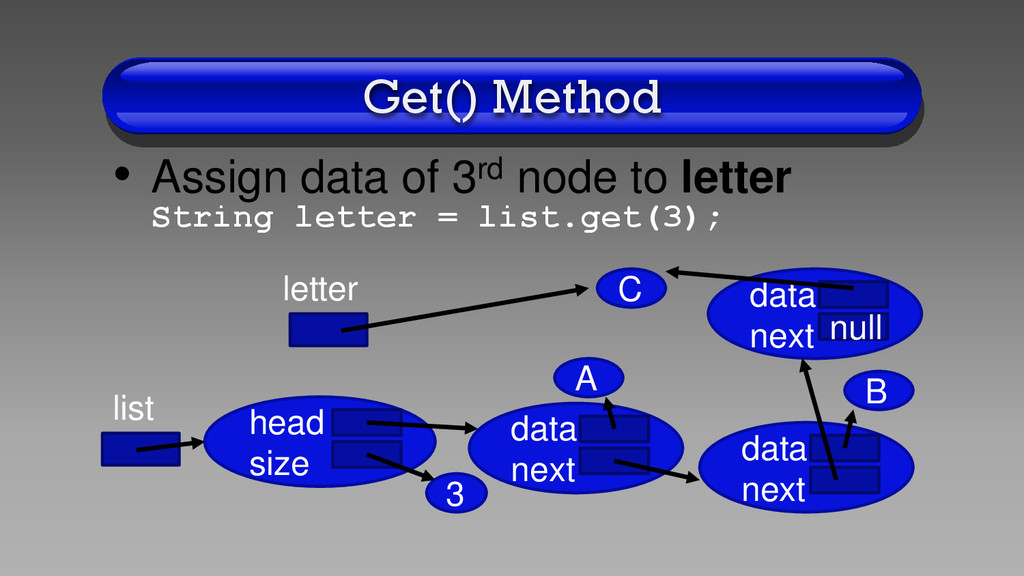
Get() Method • Assign data of 3rd node to letter
String letter = list.get(3); letter list 3 head size A data next data next B C data next null -
Method Get() • Method get() is useful for editing a
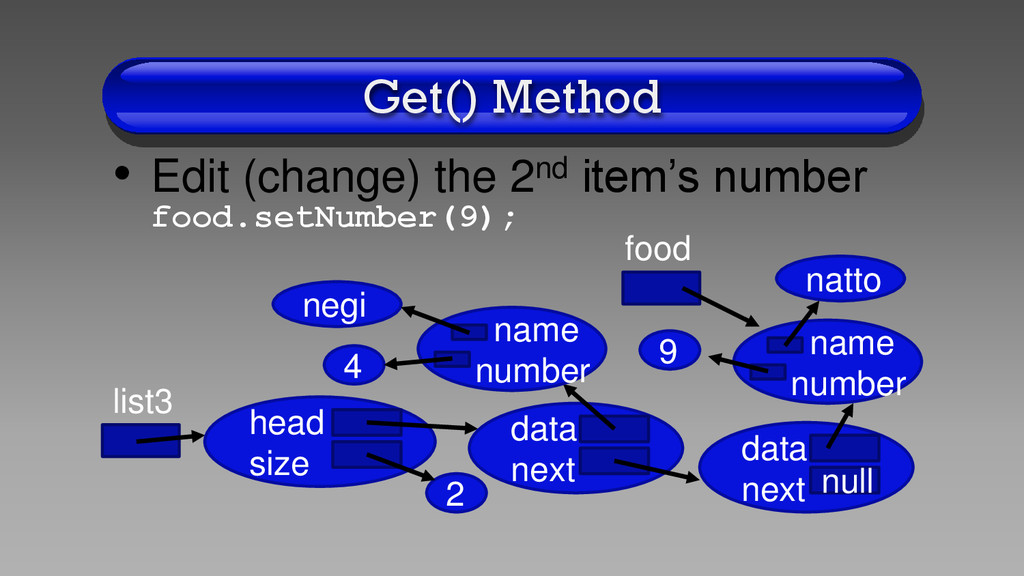
specific object in the list • For example, we add 2 items to the list, and then we want to change the item’s number for the 2nd item • The following slides show how this is done in memory by using the “box and balloon” model -
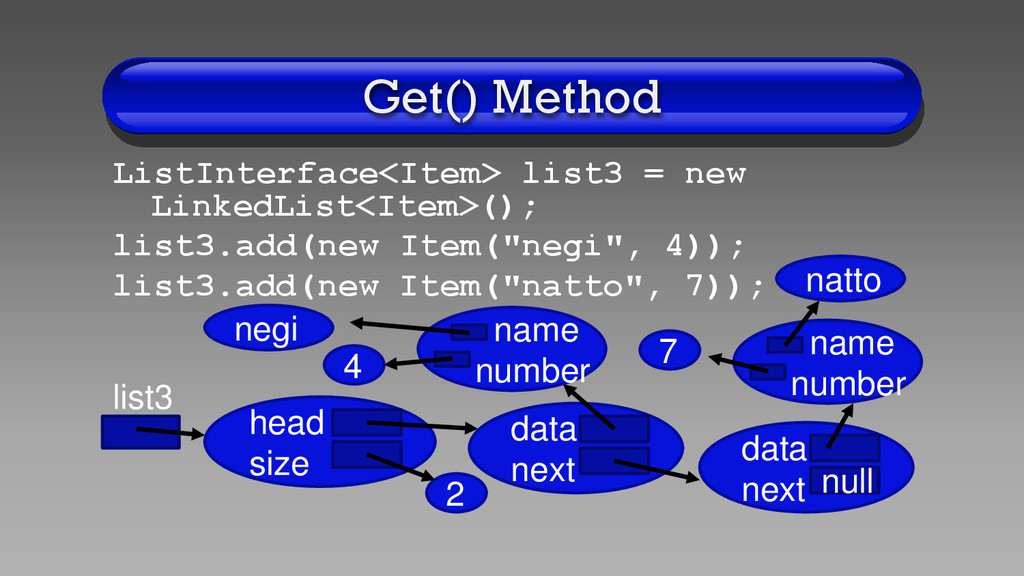
Get() Method ListInterface<Item> list3 = new LinkedList<Item>(); list3.add(new Item("negi", 4));
list3.add(new Item("natto", 7)); list3 2 head size data next data next null name number name number natto 7 negi 4 -
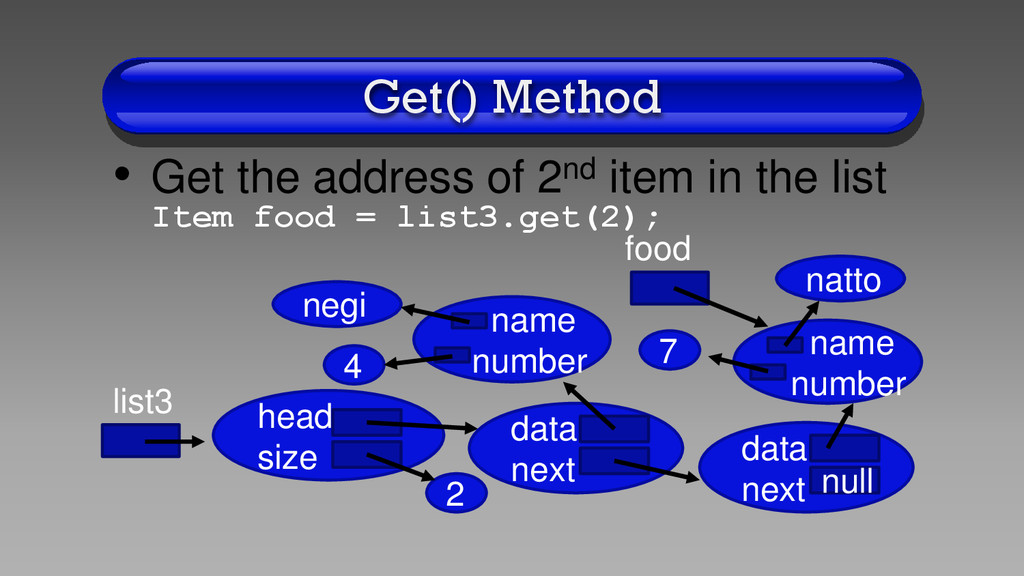
Get() Method • Get the address of 2nd item in
the list Item food = list3.get(2); food list3 2 head size data next data next null name number name number natto 7 negi 4 -
Get() Method • Edit (change) the 2nd item’s number food.setNumber(9);
food list3 2 head size data next data next null name number name number natto 9 negi 4 -
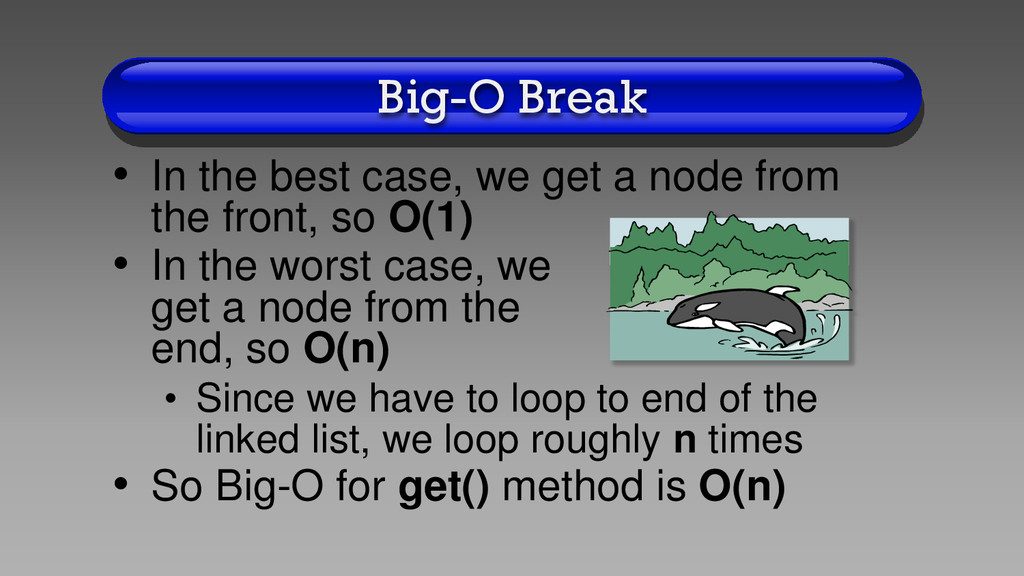
Big-O Break • In the best case, we get a
node from the front, so O(1) • In the worst case, we get a node from the end, so O(n) • Since we have to loop to end of the linked list, we loop roughly n times • So Big-O for get() method is O(n) -
Bug for equals() or == • Be careful when you
design loops, because it is easy for your program to have a bug when your loop tests for equals or NOT equals • To compare objects, use equals() method • To compare addresses, use == (or !=) operators • To compare two primitive data types, use == (or !=) operators -
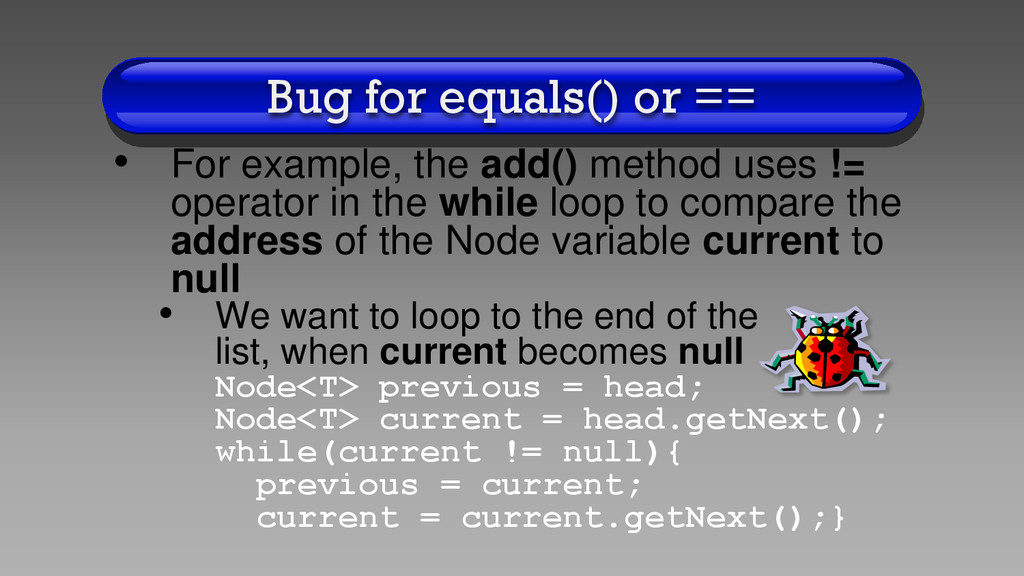
Bug for equals() or == • For example, the add()
method uses != operator in the while loop to compare the address of the Node variable current to null • We want to loop to the end of the list, when current becomes null Node<T> previous = head; Node<T> current = head.getNext(); while(current != null){ previous = current; current = current.getNext();} -
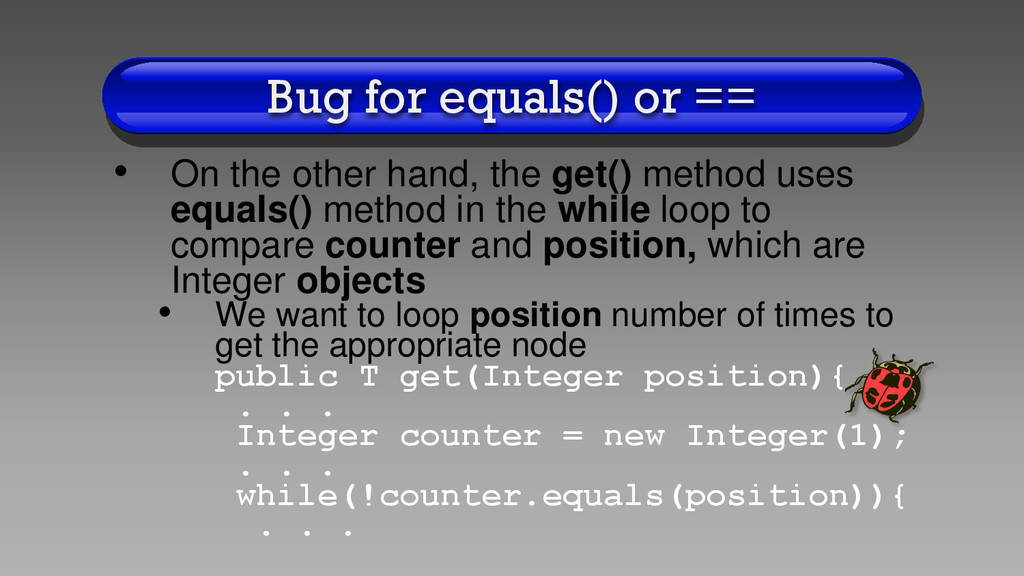
Bug for equals() or == • On the other hand,
the get() method uses equals() method in the while loop to compare counter and position, which are Integer objects • We want to loop position number of times to get the appropriate node public T get(Integer position){ . . . Integer counter = new Integer(1); . . . while(!counter.equals(position)){ . . . -
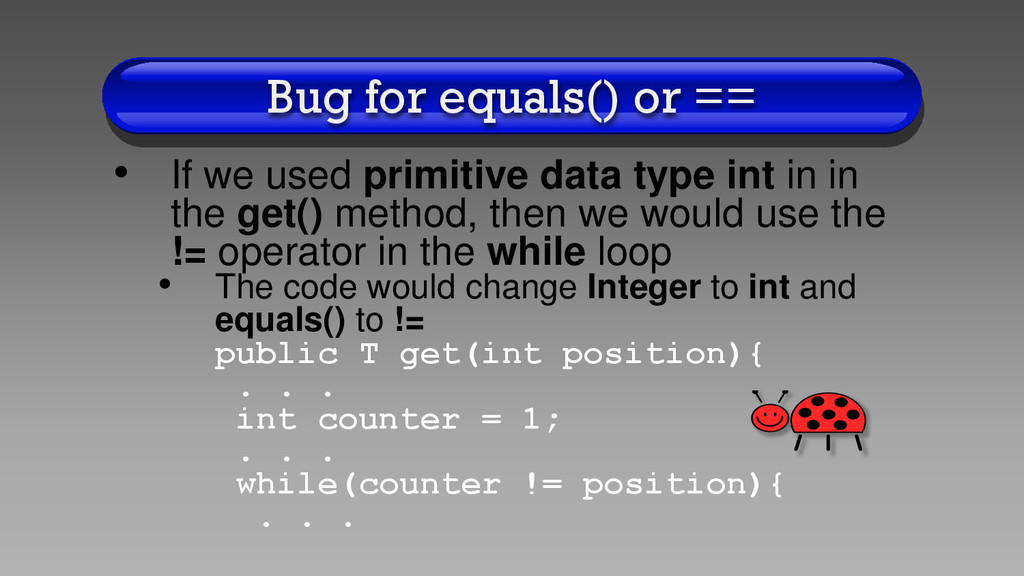
Bug for equals() or == • If we used primitive
data type int in in the get() method, then we would use the != operator in the while loop • The code would change Integer to int and equals() to != public T get(int position){ . . . int counter = 1; . . . while(counter != position){ . . . -
Memory Defragmenter • 3 basic steps for writing an object
oriented program • Class Item • Class LinkedList • Method add() • Method get() -
Task Manager • Before the next class, you need to:
1.Do the assignment corresponding to this lecture 2.Email me any questions you may have about the material 3.Turn in the assignment before the next lecture