Upgrade to Pro
— share decks privately, control downloads, hide ads and more …
Speaker Deck
Sign up for free
Menu
Search
Features
All features
Private URLs
Password Protection
Custom URLS
Scheduled publishing
Remove Branding
Restrict embedding
Deck Collections
Notes
Features
All features
Private URLs
Password Protection
Custom URLS
Scheduled publishing
Remove Branding
Restrict embedding
Deck Collections
Notes
Explore
Featured decks
Featured speakers
Programming
Technology
Storyboards
Explore
Featured decks
Featured speakers
Programming
Technology
Storyboards
Pricing
Search
Sign in
Sign up for free
田村康介
Search
Sponsored
·
Your Podcast. Everywhere. Effortlessly.
Share. Educate. Inspire. Entertain. You do you. We'll handle the rest.
→
Kosuke Tamura
June 07, 2018
140
0
Share
Embed
Copy iframe code
Copy JS code
Copy link
Start on current slide
田村康介
空間情報課題② #sis2018
Kosuke Tamura
June 07, 2018
More Decks by Kosuke Tamura
See All by Kosuke Tamura
フィールドスタディ プレゼン資料
char1ie
0
48
田村康介
char1ie
0
58
Featured
See All Featured
Un-Boring Meetings
codingconduct
0
460
Building a Scalable Design System with Sketch
lauravandoore
464
34k
Ethics towards AI in product and experience design
skipperchong
2
430
A brief & incomplete history of UX Design for the World Wide Web: 1989–2019
jct
2
530
Fantastic passwords and where to find them - at NoRuKo
philnash
53
4k
コードの90%をAIが書く世界で何が待っているのか / What awaits us in a world where 90% of the code is written by AI
rkaga
63
46k
We Are The Robots
honzajavorek
0
400
JavaScript: Past, Present, and Future - NDC Porto 2020
reverentgeek
52
6.1k
Reality Check: Gamification 10 Years Later
codingconduct
0
2.3k
How to build a perfect <img>
jonoalderson
1
6.1k
XXLCSS - How to scale CSS and keep your sanity
sugarenia
250
1.3M
What Being in a Rock Band Can Teach Us About Real World SEO
427marketing
0
1.1k
Transcript
None
HOT TASKING MANEGER を立ち上げる 左クリック
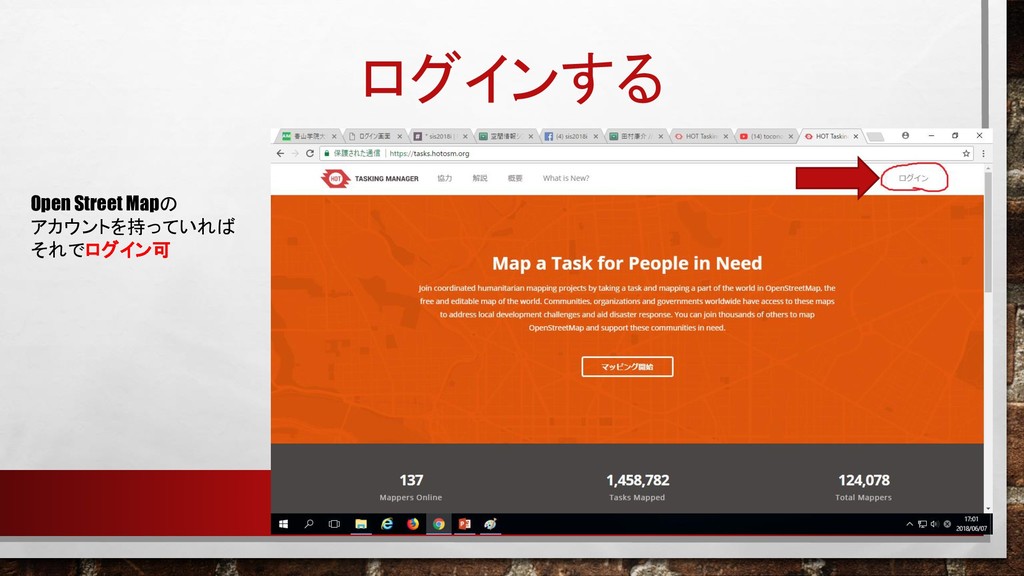
ログインする Open Street Mapの アカウントを持っていれば それでログイン可
表示されるプロジェクト一覧から一項目 選択
こんな画面が表示されます
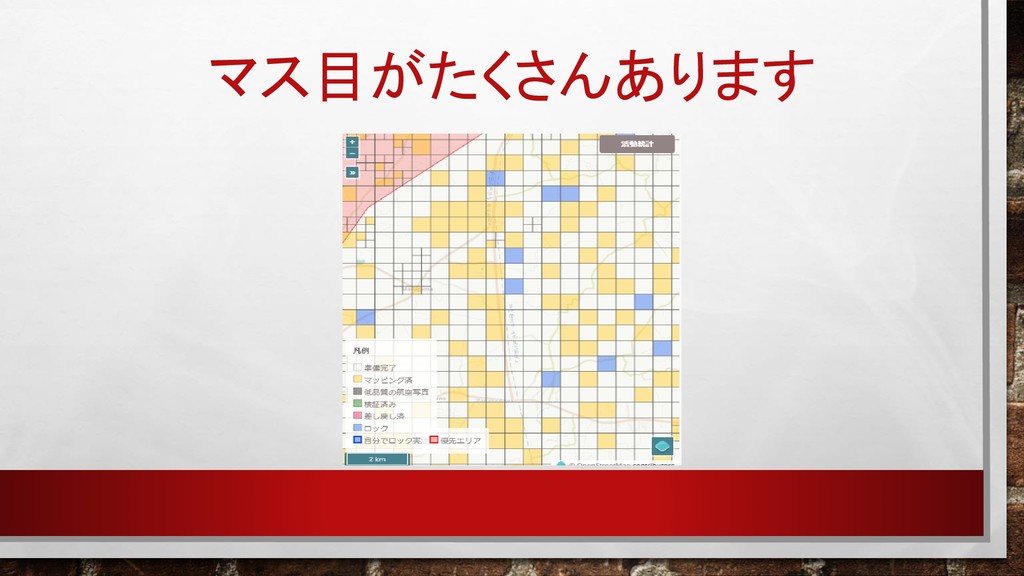
右の地図を拡大すると…
マス目がたくさんあります
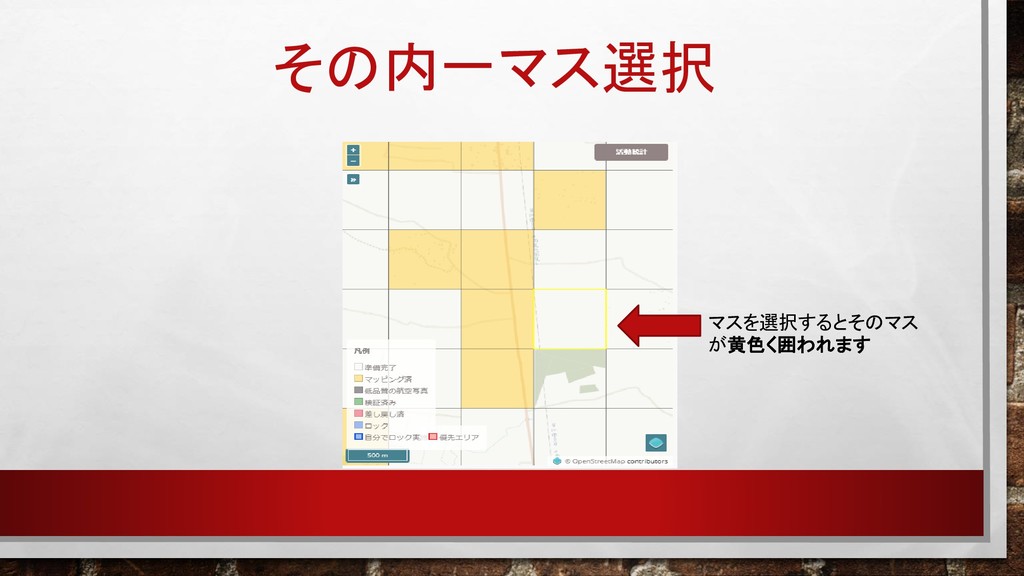
その内一マス選択 マスを選択するとそのマス が黄色く囲われます
マス指定後、マッピング開始を選択
「エディタを起動」を選択
選択すると…
OPEN STREET MAP に移動します ピンクの枠内で編集を行 いましょう
OPEN STREET MAP の使い方は以下の URLを参照 https://speakerdeck.com/char1ie/tian-cun-kang-jie
編集終了後、HOT TASKING MANEGERの ページに戻る
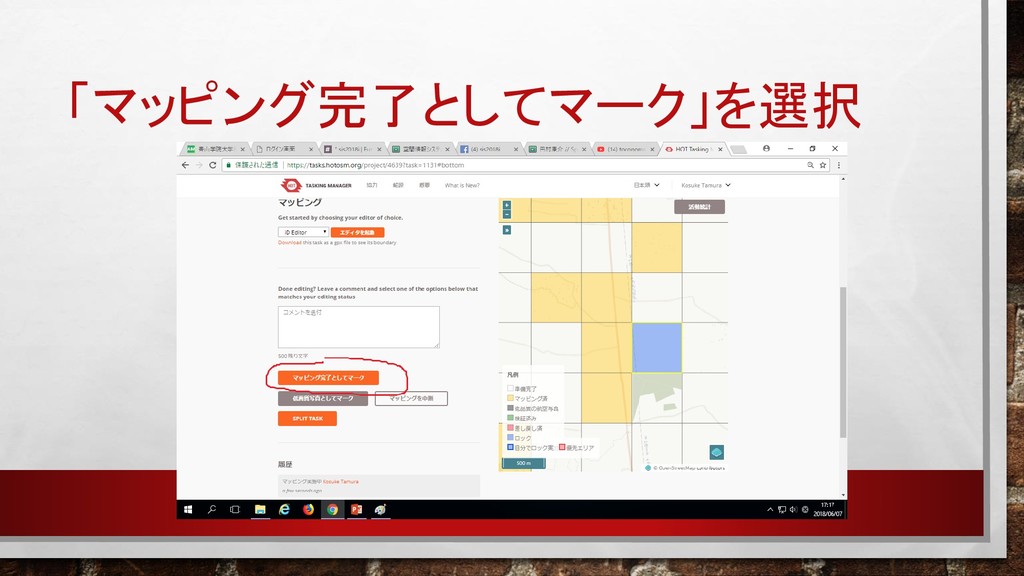
「マッピング完了としてマーク」を選択
マッピング完了!


 char1ie
 codingconduct
 lauravandoore
 skipperchong
 jct
jct
 philnash
 rkaga
rkaga
 honzajavorek
 reverentgeek
 jonoalderson
 sugarenia
 427marketing