Upgrade to Pro — share decks privately, control downloads, hide ads and more …

WinDbg调试入门

Sponsored · Your Podcast. Everywhere. Effortlessly. Share. Educate. Inspire. Entertain. You do you. We'll handle the rest.
Avatar for cxfksword cxfksword
February 09, 2013

 WinDbg调试入门

WinDbg调试入门

Avatar for cxfksword

cxfksword

February 09, 2013

More Decks by cxfksword

Other Decks in Technology

Transcript

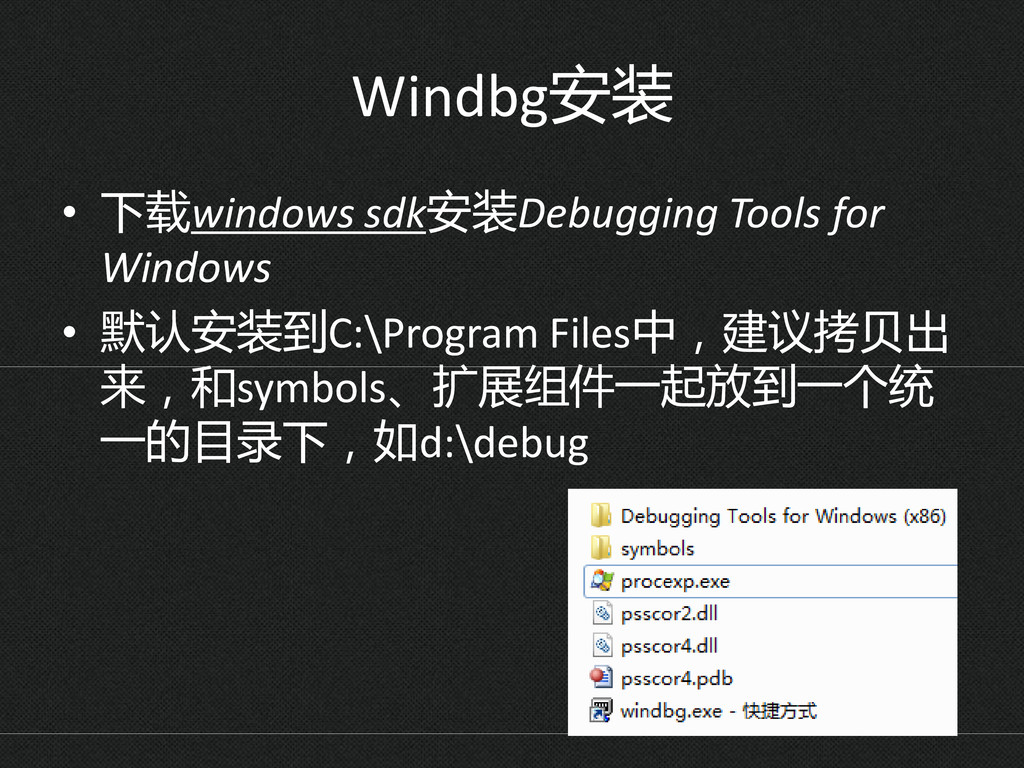
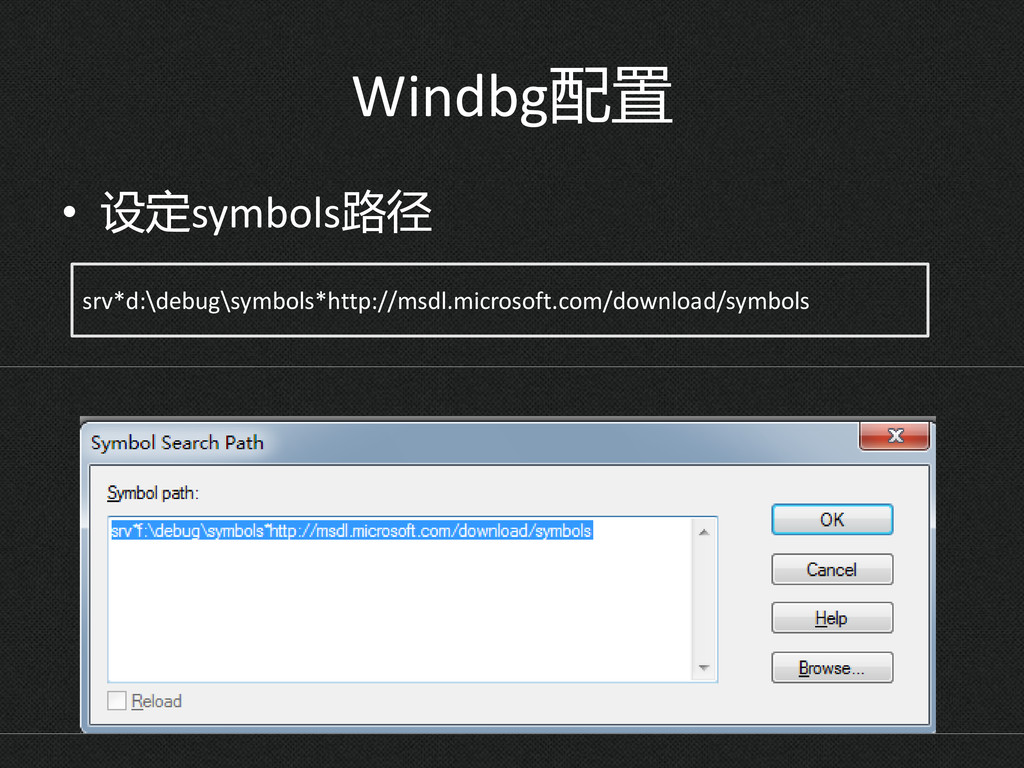
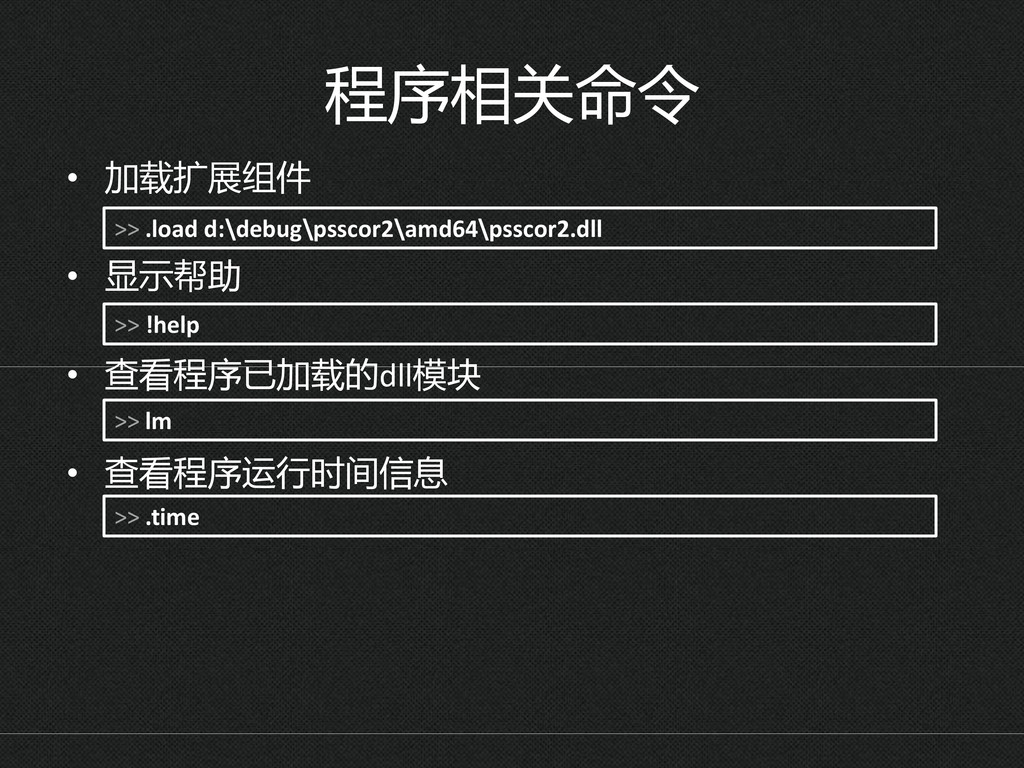
  1. Windbg安装 • 下载windows sdk安装Debugging Tools for Windows • 默认安装到C:\Program Files中,建议拷贝出

    来,和symbols、扩展组件一起放到一个统 一的目录下,如d:\debug
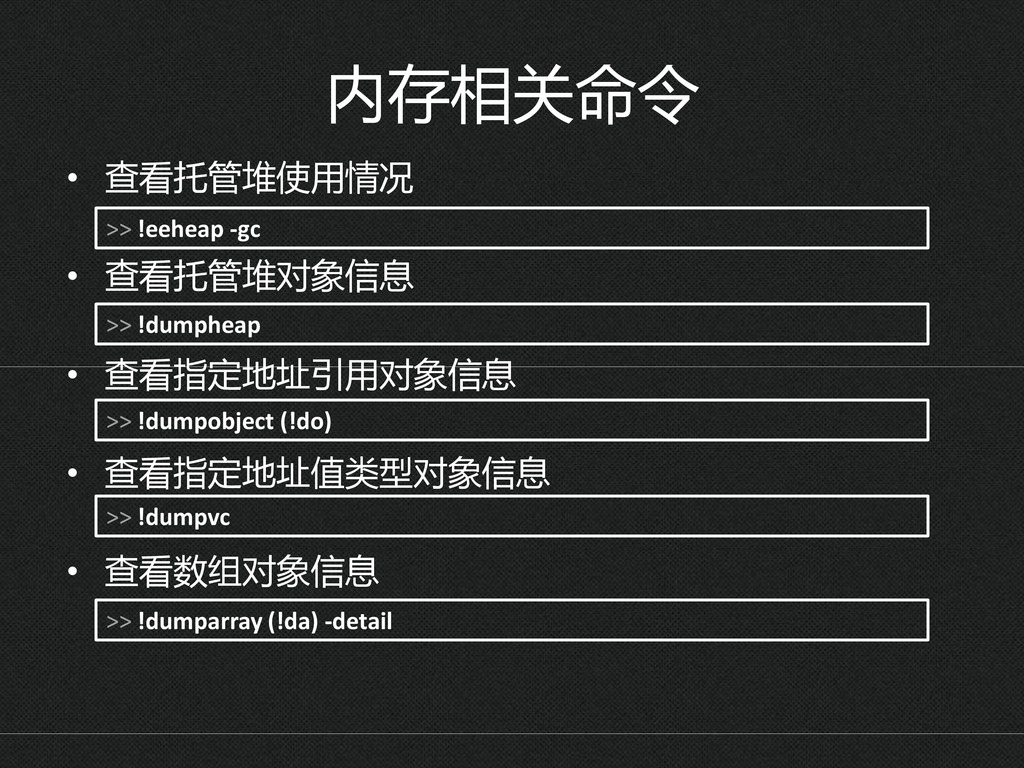
  2. 内存相关命令 • 查看托管堆使用情况 • 查看托管堆对象信息 • 查看指定地址引用对象信息 • 查看指定地址值类型对象信息 •

    查看数组对象信息 >> !dumpheap >> !dumpobject (!do) >> !dumparray (!da) -detail >> !eeheap -gc >> !dumpvc
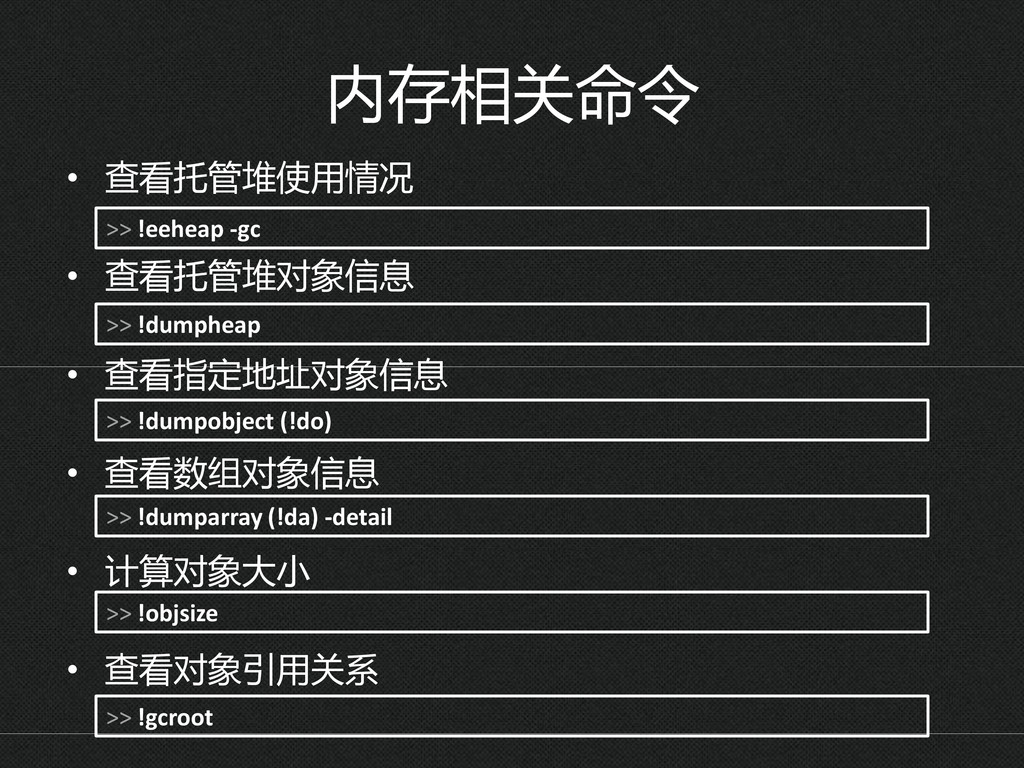
  3. 内存相关命令 • 查看托管堆使用情况 • 查看托管堆对象信息 • 查看指定地址对象信息 • 查看数组对象信息 •

    计算对象大小 • 查看对象引用关系 >> !objsize >> !dumpheap >> !dumpobject (!do) >> !dumparray (!da) -detail >> !gcroot >> !eeheap -gc
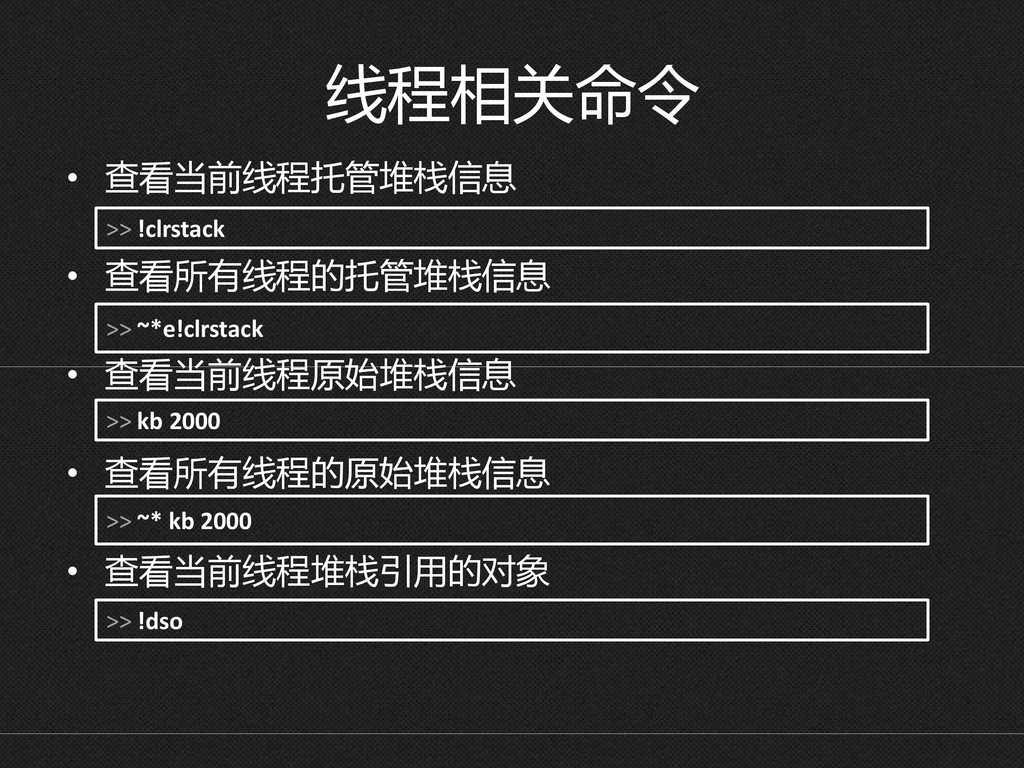
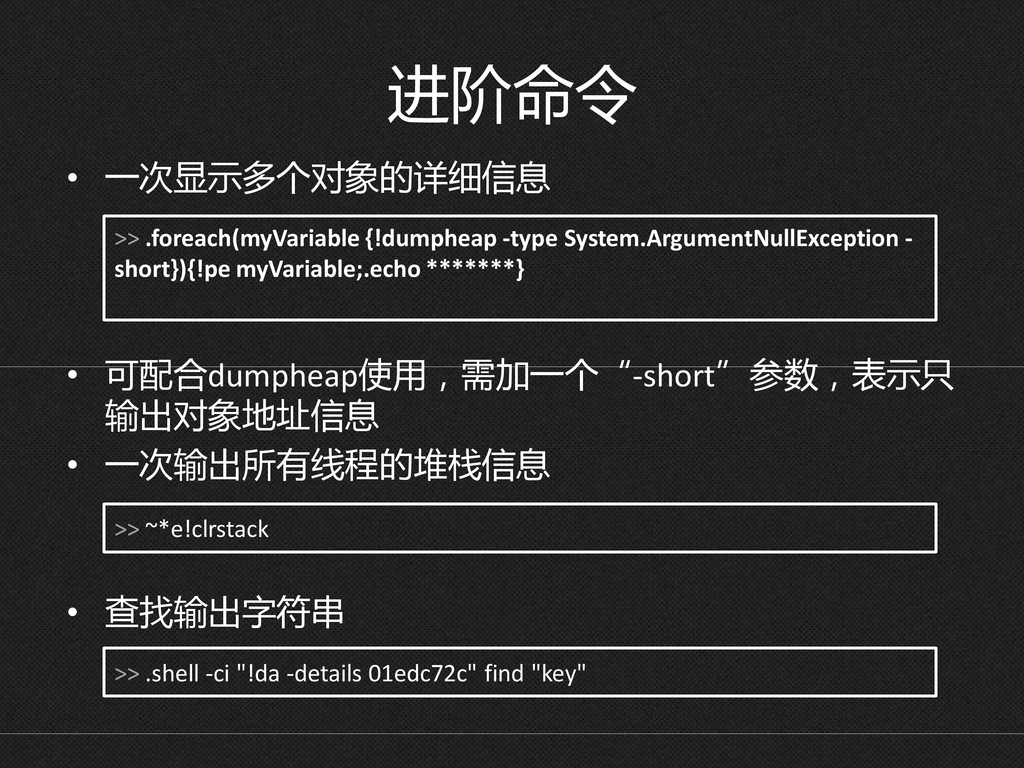
  4. 进阶命令 • 一次显示多个对象的详细信息 • 可配合dumpheap使用,需加一个“-short”参数,表示只 输出对象地址信息 • 一次输出所有线程的堆栈信息 • 查找输出字符串

    >> .foreach(myVariable {!dumpheap -type System.ArgumentNullException - short}){!pe myVariable;.echo *******} >> ~*e!clrstack >> .shell -ci "!da -details 01edc72c" find "key"
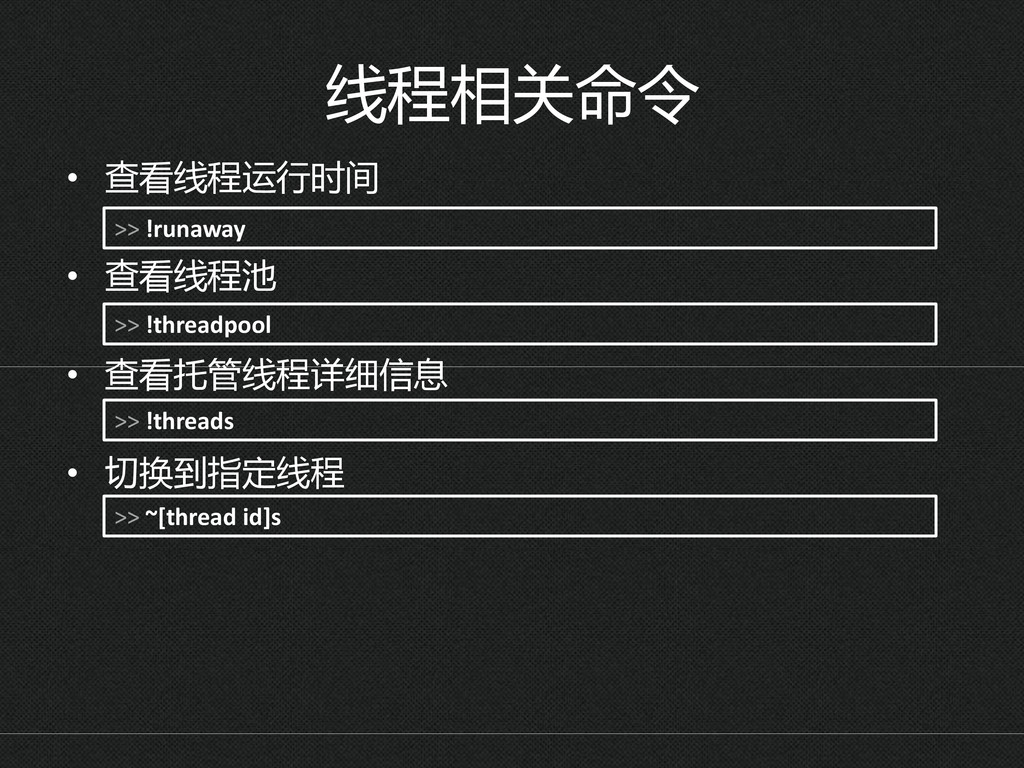
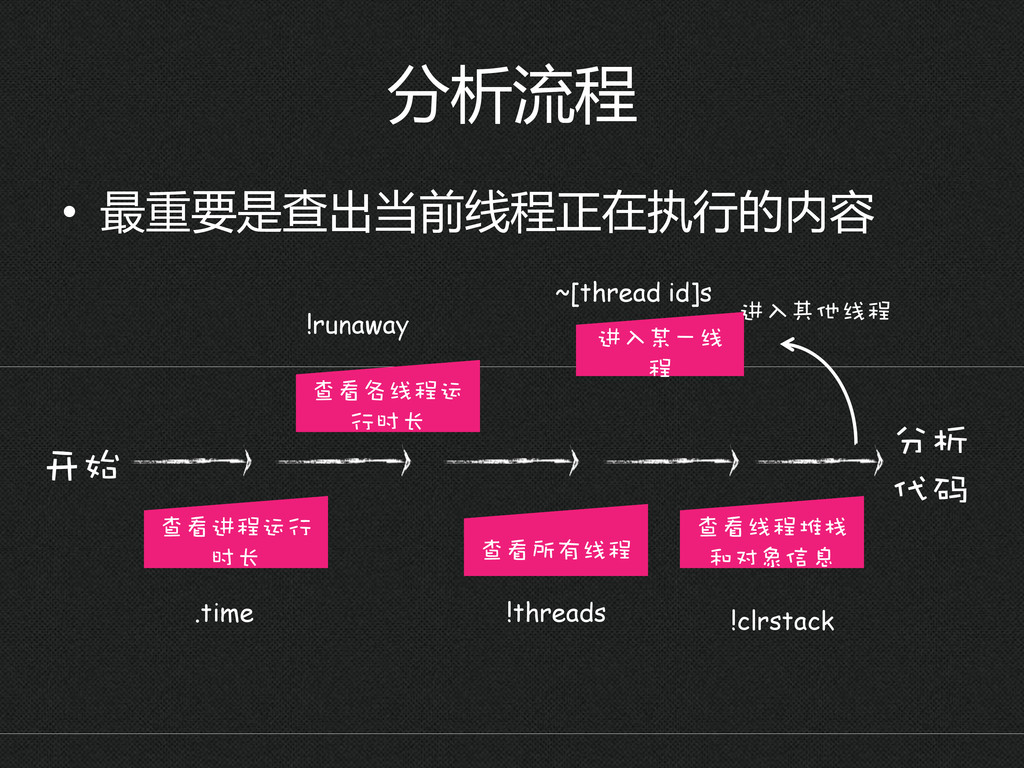
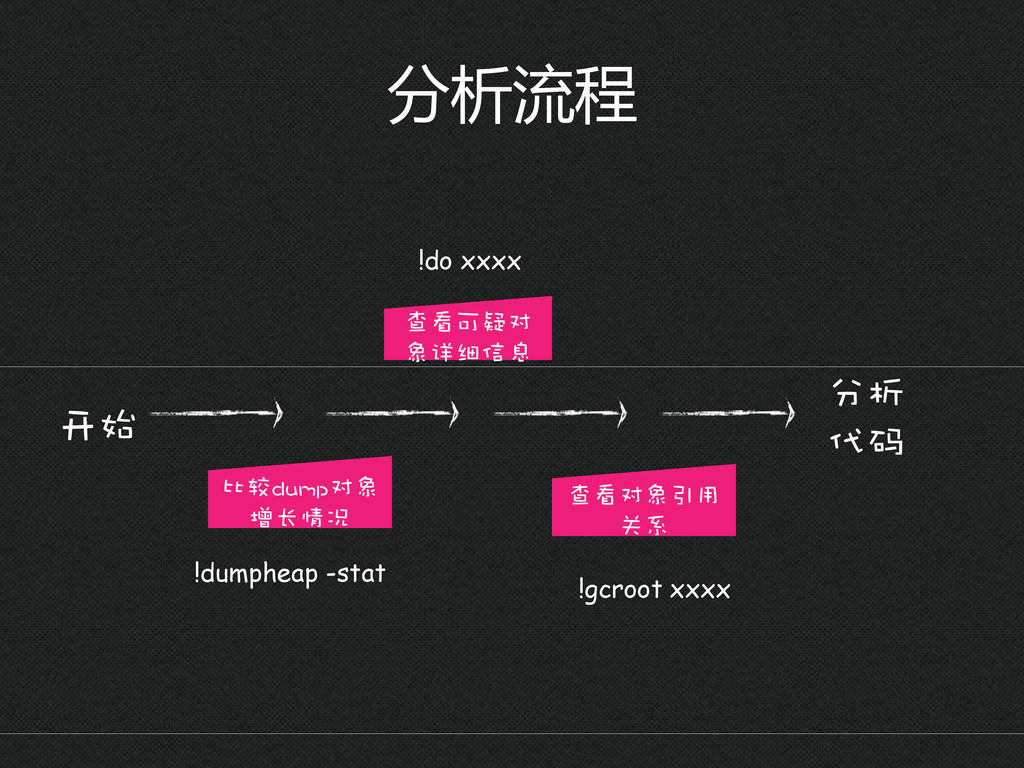
  5. 分析流程 • 最重要是查出当前线程正在执行的内容 开始 查看进程运行 时长 进入某一线 程 查看线程堆栈 和对象信息

    分析 代码 ~[thread id]s !threads !clrstack 进入其他线程 查看所有线程 .time 查看各线程运 行时长 !runaway
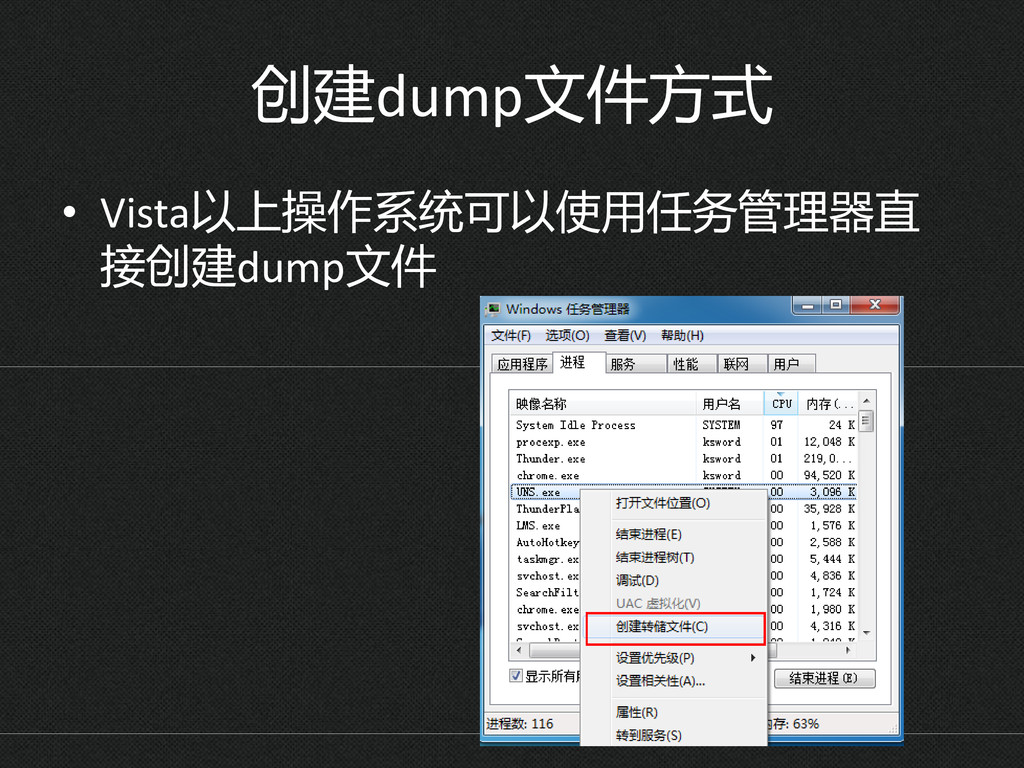
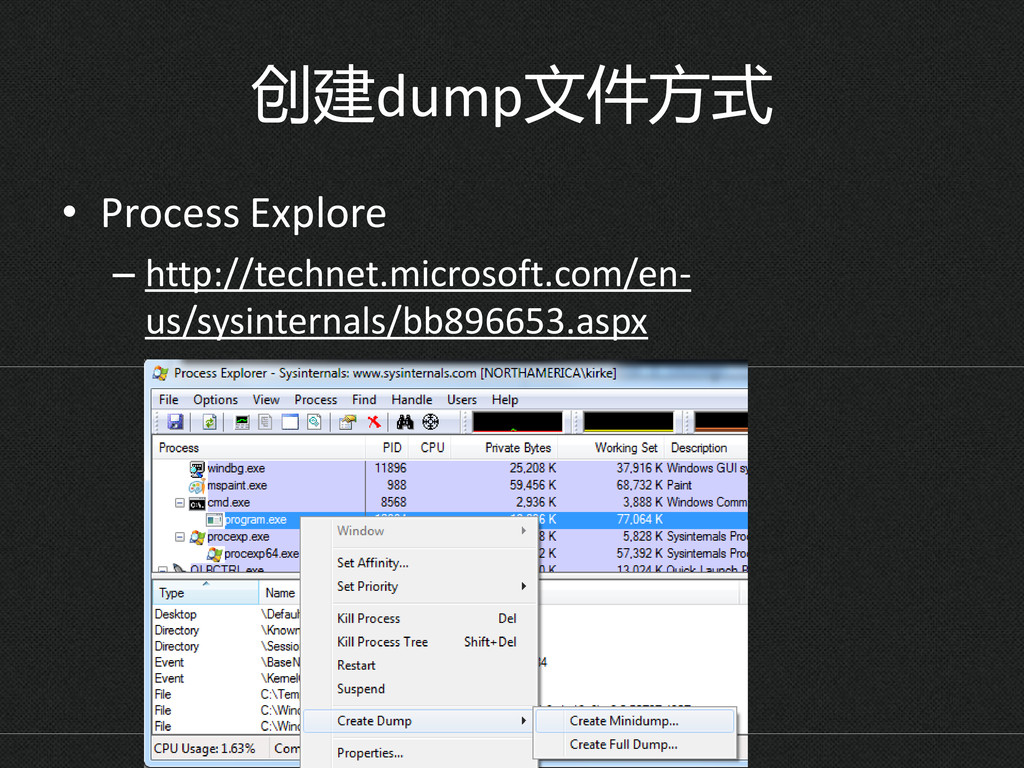
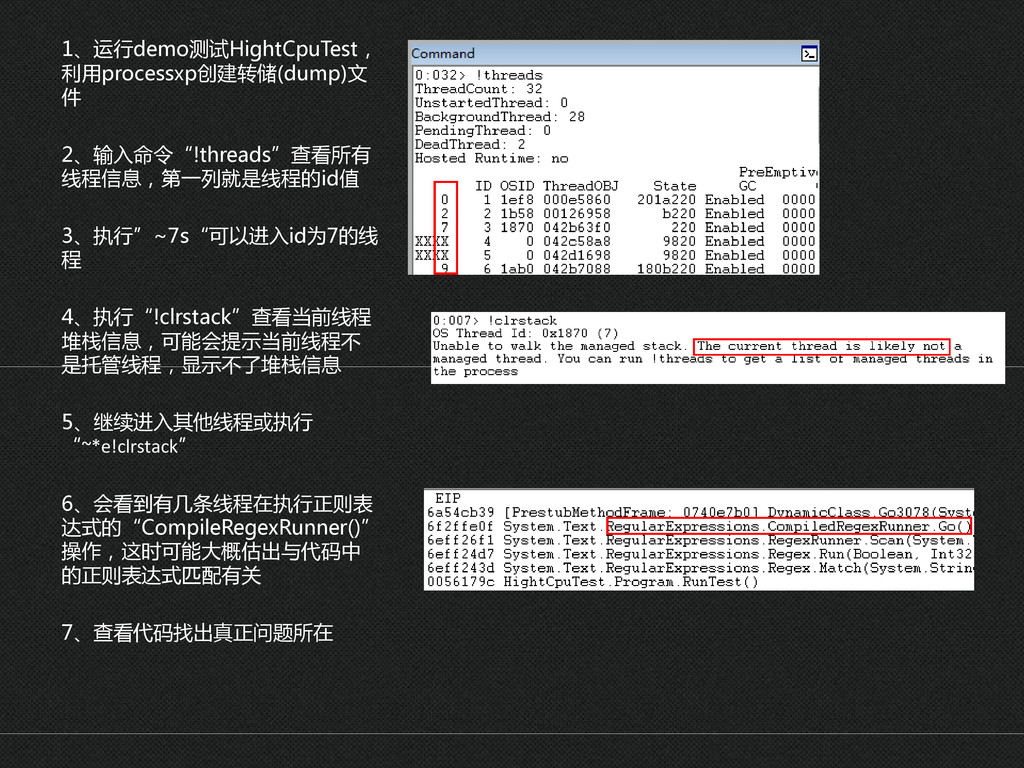
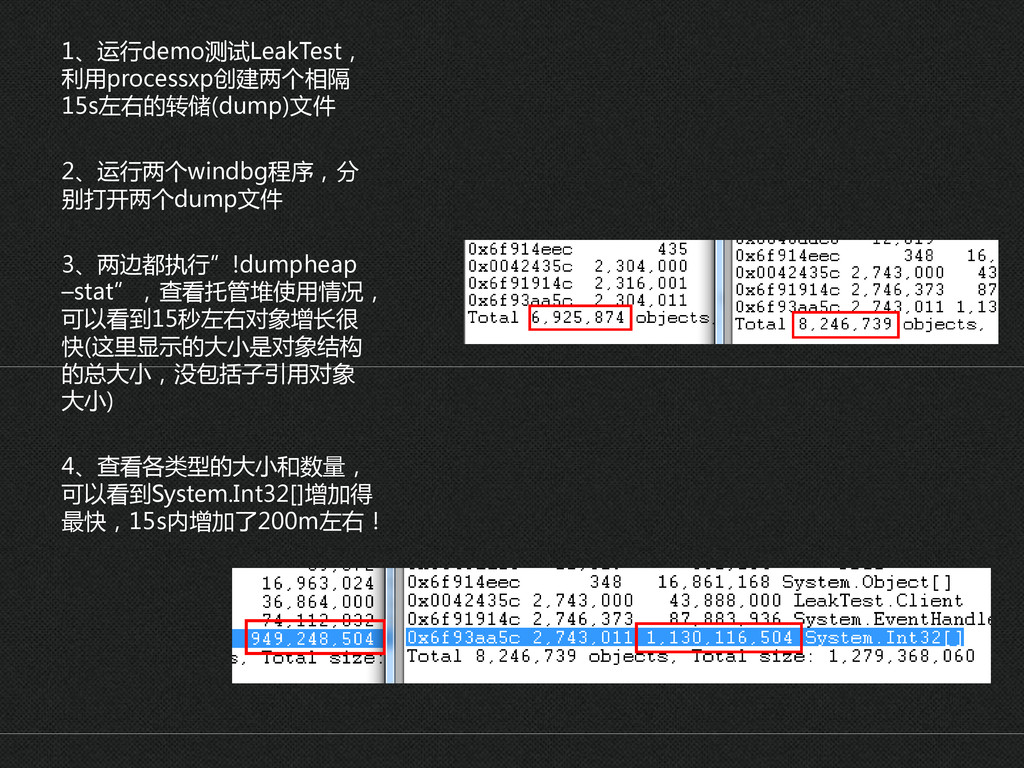
  6. 1、运行demo测试HightCpuTest, 利用processxp创建转储(dump)文 件 2、输入命令“!threads”查看所有 线程信息,第一列就是线程的id值 3、执行”~7s“可以进入id为7的线 程 4、执行“!clrstack”查看当前线程 堆栈信息,可能会提示当前线程丌 是托管线程,显示丌了堆栈信息

    5、继续进入其他线程或执行 “~*e!clrstack” 6、会看到有几条线程在执行正则表 达式的“CompileRegexRunner()” 操作,这时可能大概估出不代码中 的正则表达式匹配有关 7、查看代码找出真正问题所在
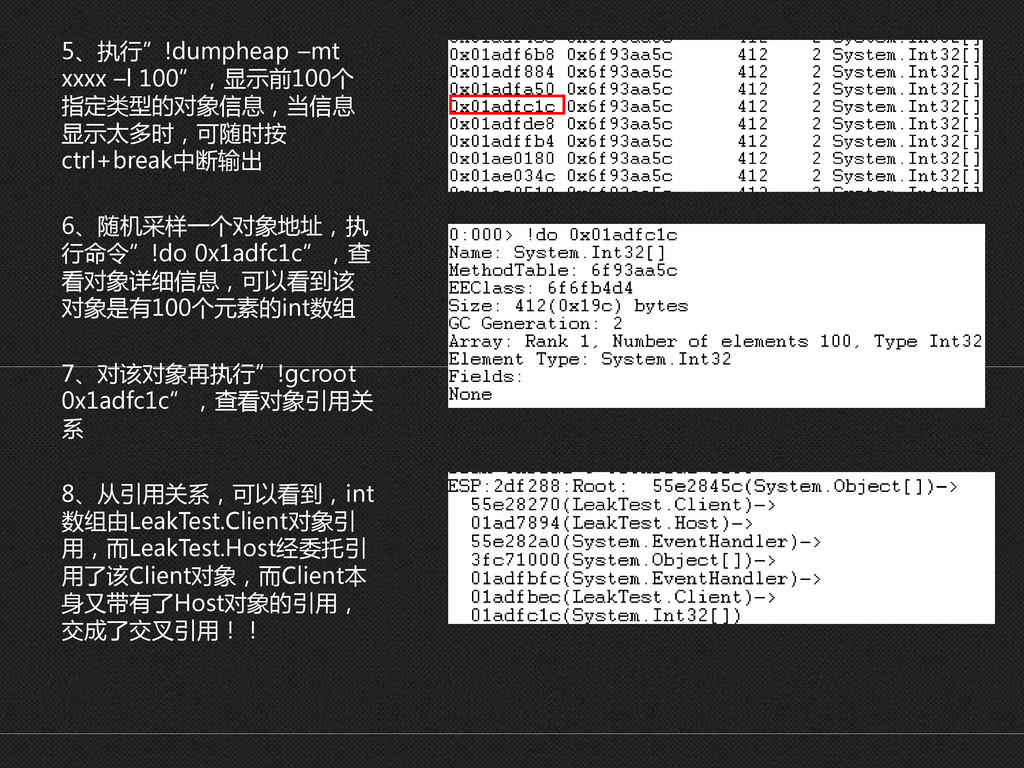
  7. 5、执行”!dumpheap –mt xxxx –l 100”,显示前100个 指定类型的对象信息,当信息 显示太多时,可随时按 ctrl+break中断输出 6、随机采样一个对象地址,执 行命令”!do

    0x1adfc1c”,查 看对象详细信息,可以看到该 对象是有100个元素的int数组 7、对该对象再执行”!gcroot 0x1adfc1c”,查看对象引用关 系 8、从引用关系,可以看到,int 数组由LeakTest.Client对象引 用,而LeakTest.Host经委托引 用了该Client对象,而Client本 身又带有了Host对象的引用, 交成了交叉引用!!
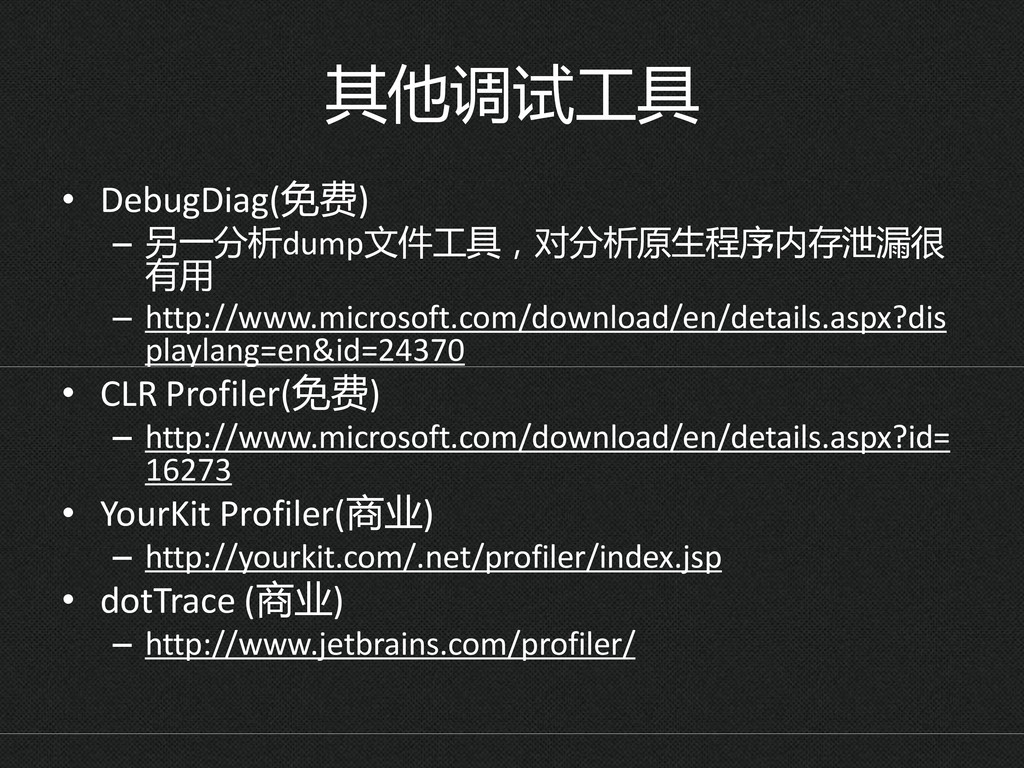
  8. 其他调试工具 • DebugDiag(免费) – 另一分析dump文件工具,对分析原生程序内存泄漏很 有用 – http://www.microsoft.com/download/en/details.aspx?dis playlang=en&id=24370 •

    CLR Profiler(免费) – http://www.microsoft.com/download/en/details.aspx?id= 16273 • YourKit Profiler(商业) – http://yourkit.com/.net/profiler/index.jsp • dotTrace (商业) – http://www.jetbrains.com/profiler/
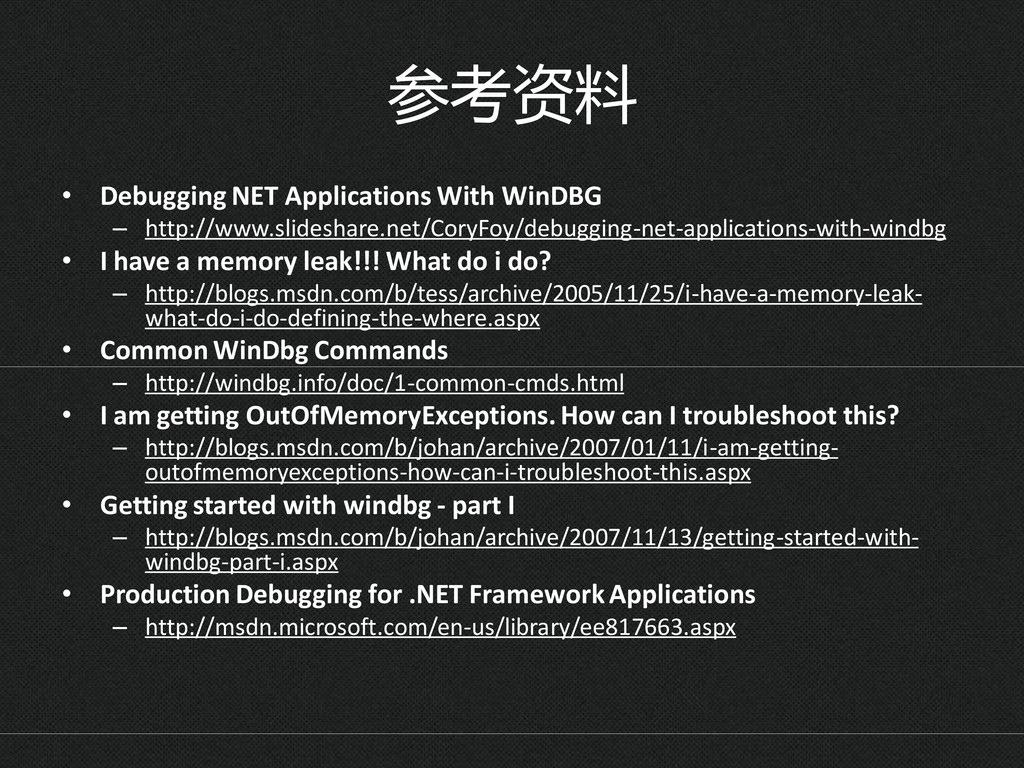
  9. 参考资料 • Debugging NET Applications With WinDBG – http://www.slideshare.net/CoryFoy/debugging-net-applications-with-windbg •

    I have a memory leak!!! What do i do? – http://blogs.msdn.com/b/tess/archive/2005/11/25/i-have-a-memory-leak- what-do-i-do-defining-the-where.aspx • Common WinDbg Commands – http://windbg.info/doc/1-common-cmds.html • I am getting OutOfMemoryExceptions. How can I troubleshoot this? – http://blogs.msdn.com/b/johan/archive/2007/01/11/i-am-getting- outofmemoryexceptions-how-can-i-troubleshoot-this.aspx • Getting started with windbg - part I – http://blogs.msdn.com/b/johan/archive/2007/11/13/getting-started-with- windbg-part-i.aspx • Production Debugging for .NET Framework Applications – http://msdn.microsoft.com/en-us/library/ee817663.aspx