Upgrade to Pro — share decks privately, control downloads, hide ads and more …

HTML e CSS para iniciantes

HTML e CSS para iniciantes

CONTEÚDO

- HTML
história
elementos básicos
alguns exemplos

- CSS
classes, identificadores e encadeamentos
ordem e pesos na declaração
padding e margin
unidades de medida
displays e float
positions e z-index
prefixos de extensão

veja online (e atualizado) em http://dpedoneze.github.io/htmlcss4dummies

Avatar for David Pedoneze

David Pedoneze

October 22, 2015
Tweet

Other Decks in Programming

Transcript

  1. DAVID PEDONEZE Engenheiro de Software @ Caiena UNESP RIO CLARO

    @ 2009 github/dpedoneze fb/dpedoneze twitter/dpedoneze dpedoneze@gmail
  2. CONTEÚDO HTML história elementos básicos alguns exemplos CSS classes, identificadores

    e encadeamentos ordem e pesos na declaração padding e margin unidades de medida displays e float positions e z-index prefixos de extensão
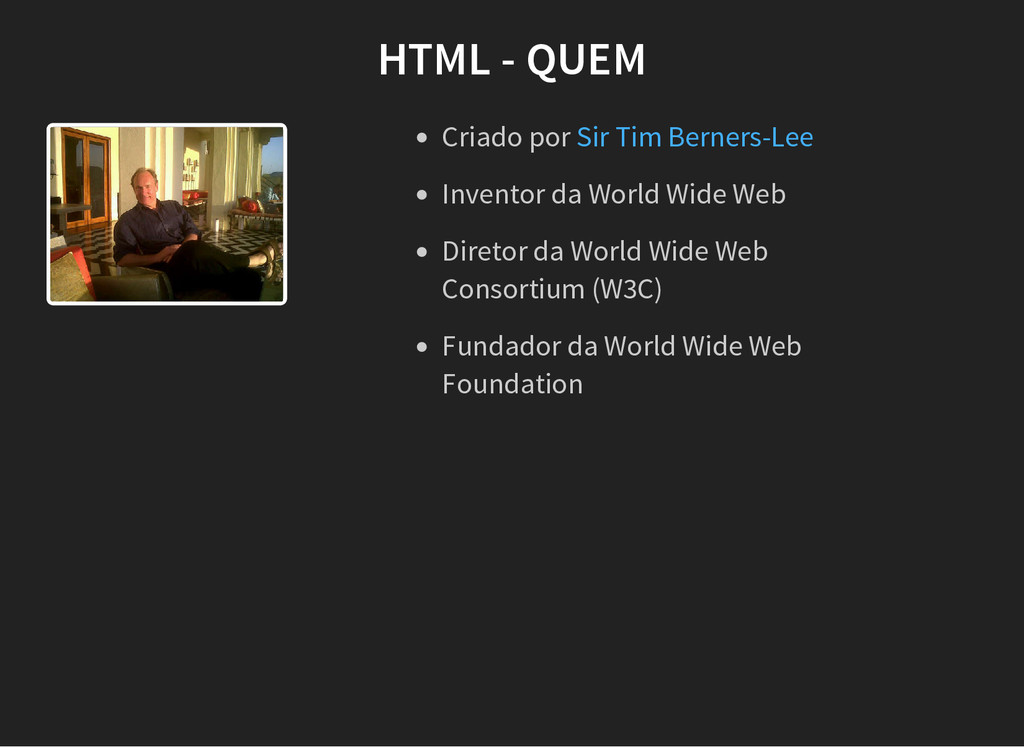
  3. HTML - QUEM Criado por Inventor da World Wide Web

    Diretor da World Wide Web Consortium (W3C) Fundador da World Wide Web Foundation Sir Tim Berners-Lee
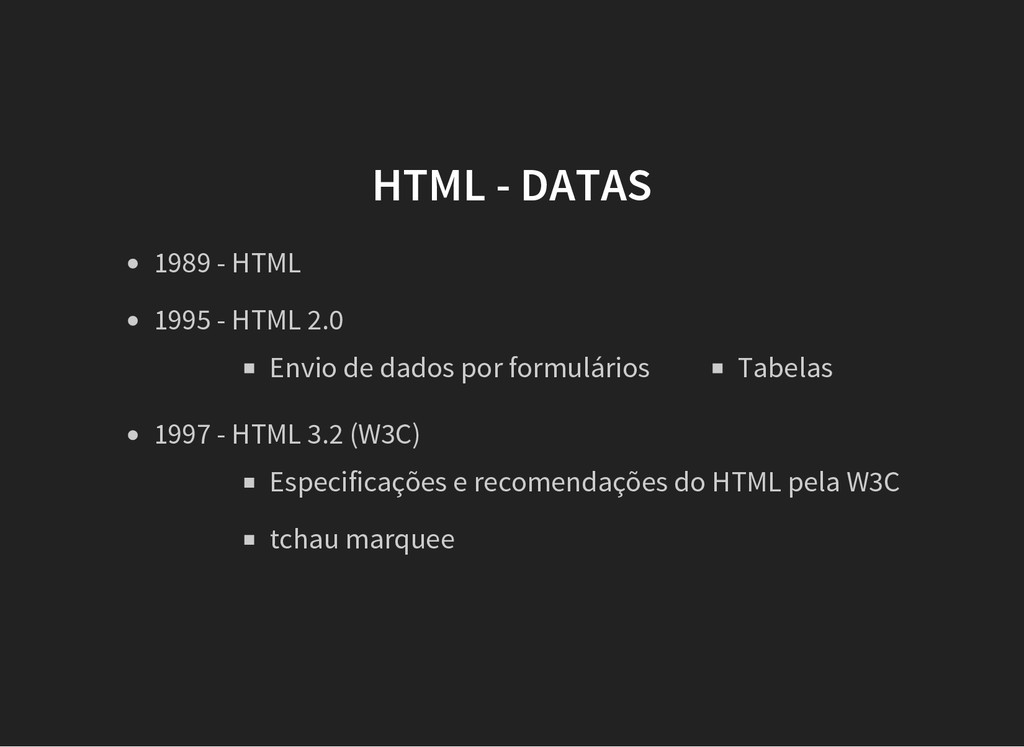
  4. HTML - DATAS 1989 - HTML Envio de dados por

    formulários Tabelas 1995 - HTML 2.0 Especificações e recomendações do HTML pela W3C tchau marquee 1997 - HTML 3.2 (W3C)
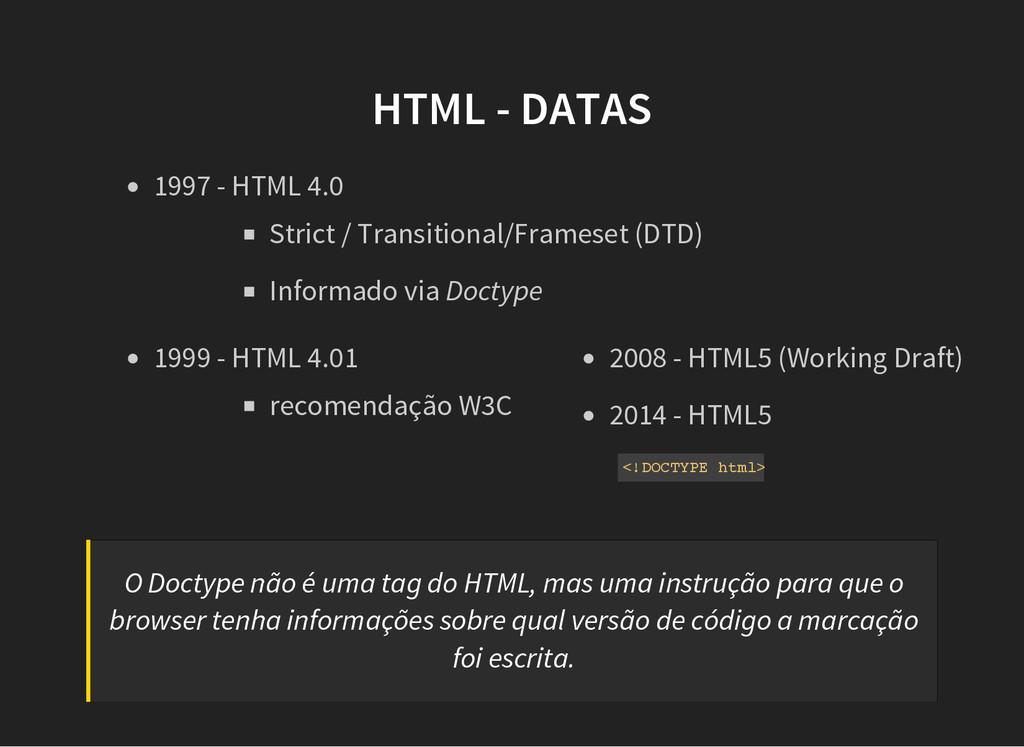
  5. HTML - DATAS Strict / Transitional/Frameset (DTD) Informado via Doctype

    1997 - HTML 4.0 recomendação W3C 1999 - HTML 4.01 2008 - HTML5 (Working Draft) 2014 - HTML5 < ! D O C T Y P E h t m l > O Doctype não é uma tag do HTML, mas uma instrução para que o browser tenha informações sobre qual versão de código a marcação foi escrita.
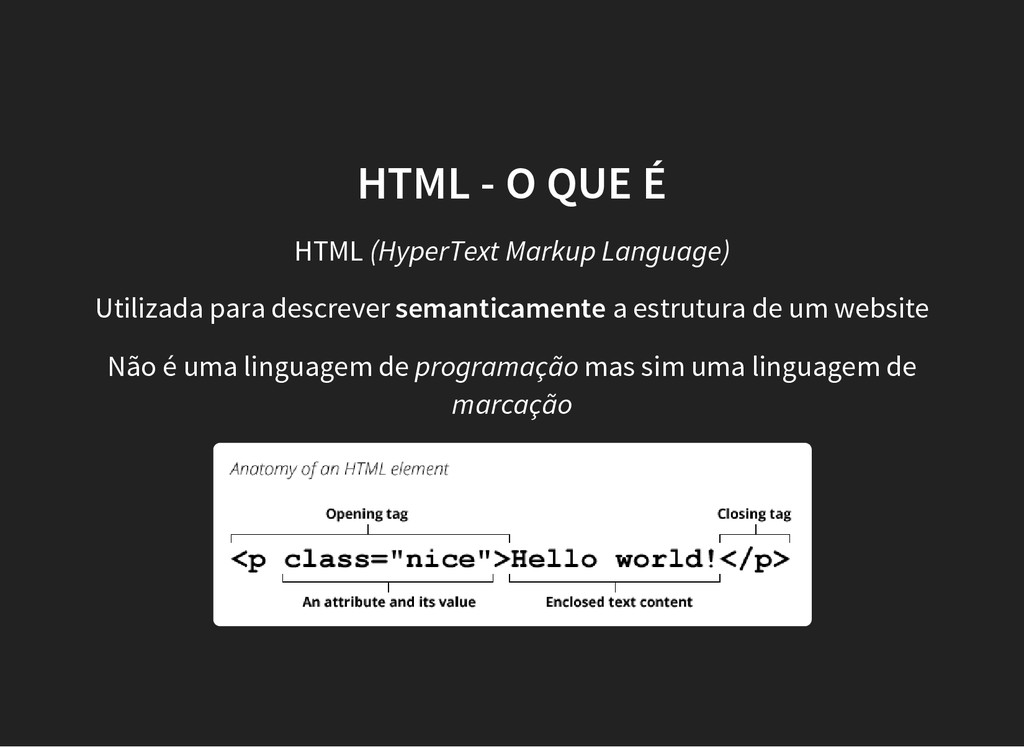
  6. HTML - O QUE É HTML (HyperText Markup Language) Utilizada

    para descrever semanticamente a estrutura de um website Não é uma linguagem de programação mas sim uma linguagem de marcação
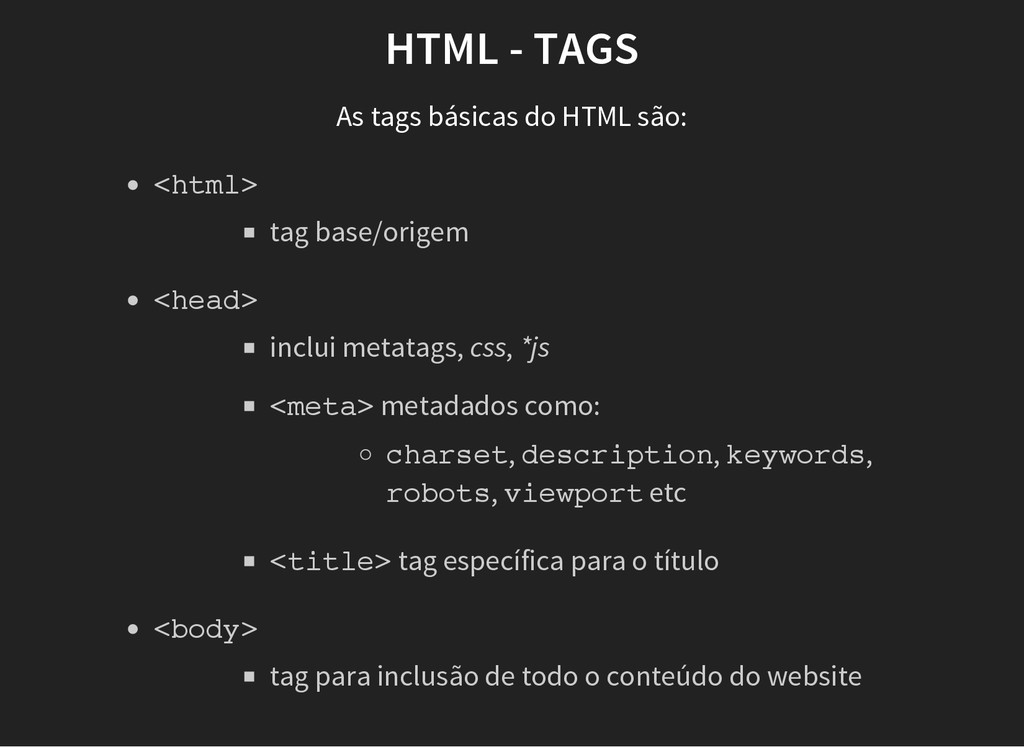
  7. HTML - TAGS As tags básicas do HTML são: tag

    base/origem < h t m l > inclui metatags, css, *js c h a r s e t , d e s c r i p t i o n , k e y w o r d s , r o b o t s , v i e w p o r t etc < m e t a > metadados como: < t i t l e > tag específica para o título < h e a d > tag para inclusão de todo o conteúdo do website < b o d y >
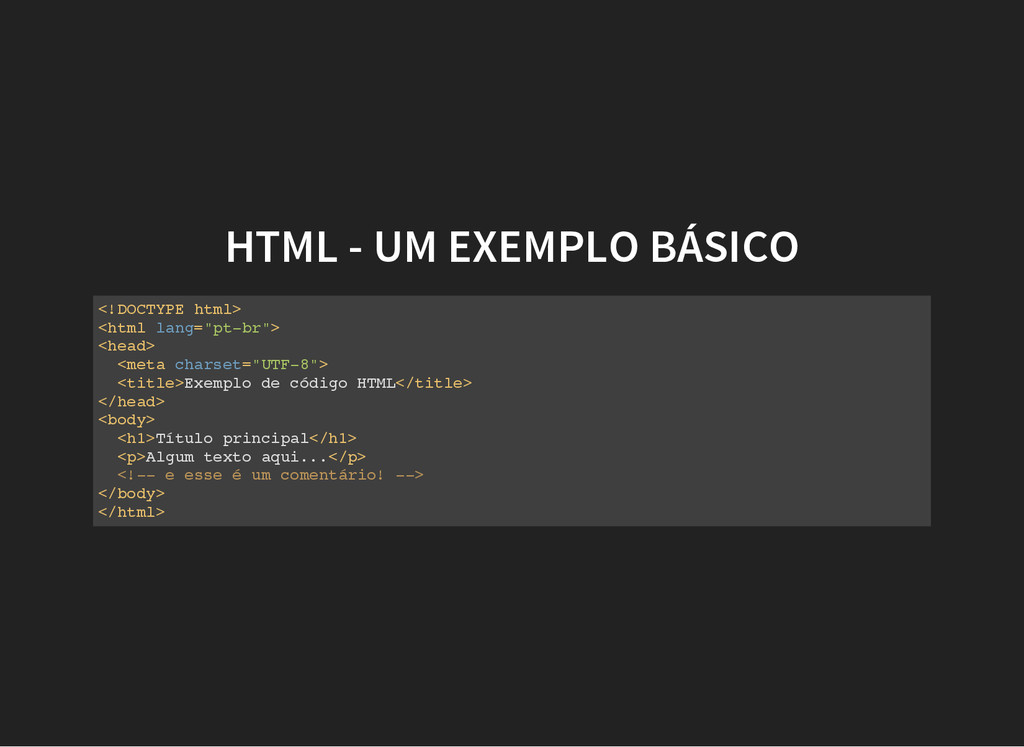
  8. HTML - UM EXEMPLO BÁSICO < ! D O C

    T Y P E h t m l > < h t m l l a n g = " p t - b r " > < h e a d > < m e t a c h a r s e t = " U T F - 8 " > < t i t l e > E x e m p l o d e c ó d i g o H T M L < / t i t l e > < / h e a d > < b o d y > < h 1 > T í t u l o p r i n c i p a l < / h 1 > < p > A l g u m t e x t o a q u i . . . < / p > < ! - - e e s s e é u m c o m e n t á r i o ! - - > < / b o d y > < / h t m l >
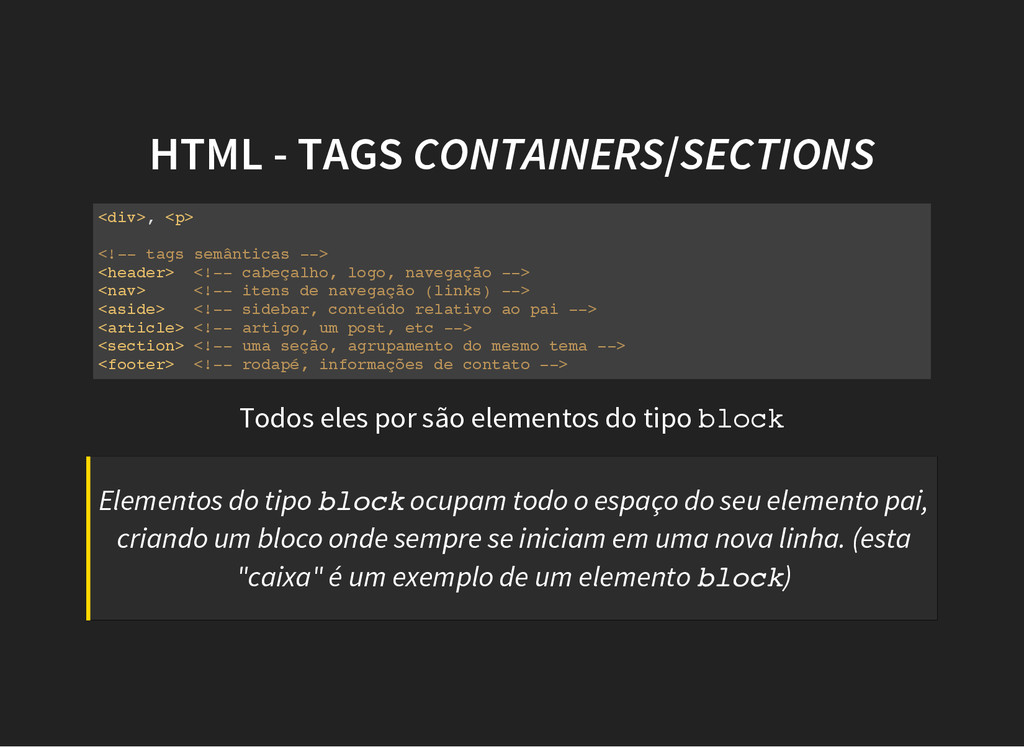
  9. HTML - TAGS CONTAINERS/SECTIONS < d i v > ,

    < p > < ! - - t a g s s e m â n t i c a s - - > < h e a d e r > < ! - - c a b e ç a l h o , l o g o , n a v e g a ç ã o - - > < n a v > < ! - - i t e n s d e n a v e g a ç ã o ( l i n k s ) - - > < a s i d e > < ! - - s i d e b a r , c o n t e ú d o r e l a t i v o a o p a i - - > < a r t i c l e > < ! - - a r t i g o , u m p o s t , e t c - - > < s e c t i o n > < ! - - u m a s e ç ã o , a g r u p a m e n t o d o m e s m o t e m a - - > < f o o t e r > < ! - - r o d a p é , i n f o r m a ç õ e s d e c o n t a t o - - > Todos eles por são elementos do tipo b l o c k Elementos do tipo b l o c k ocupam todo o espaço do seu elemento pai, criando um bloco onde sempre se iniciam em uma nova linha. (esta "caixa" é um exemplo de um elemento b l o c k )
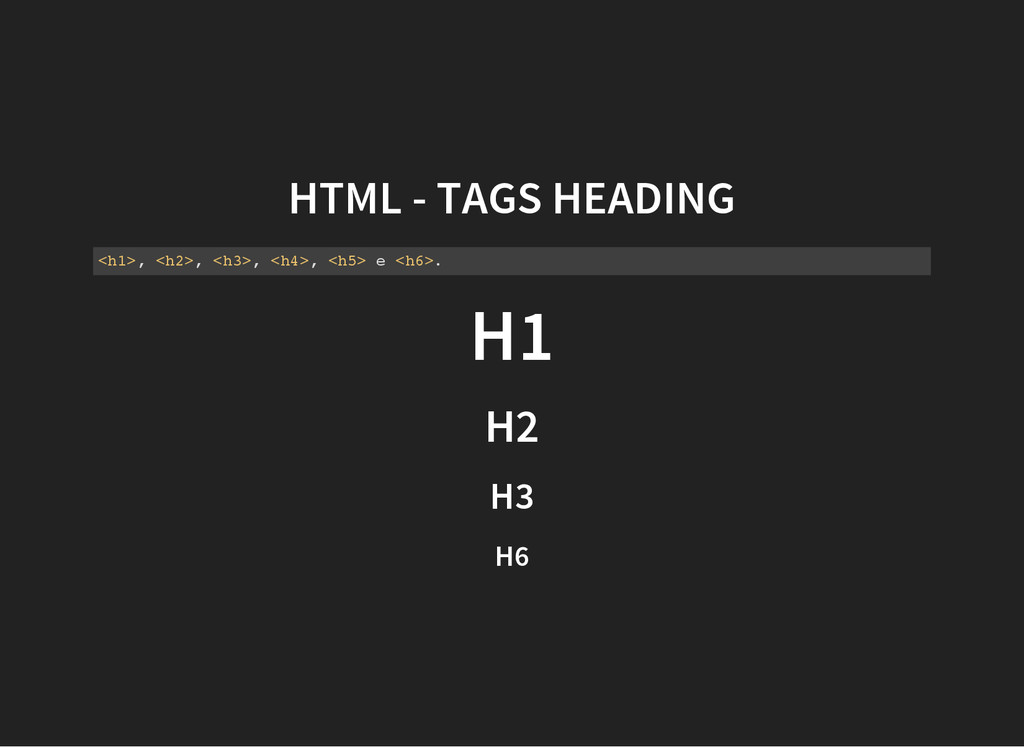
  10. HTML - TAGS HEADING < h 1 > , <

    h 2 > , < h 3 > , < h 4 > , < h 5 > e < h 6 > . H1 H2 H3 H6
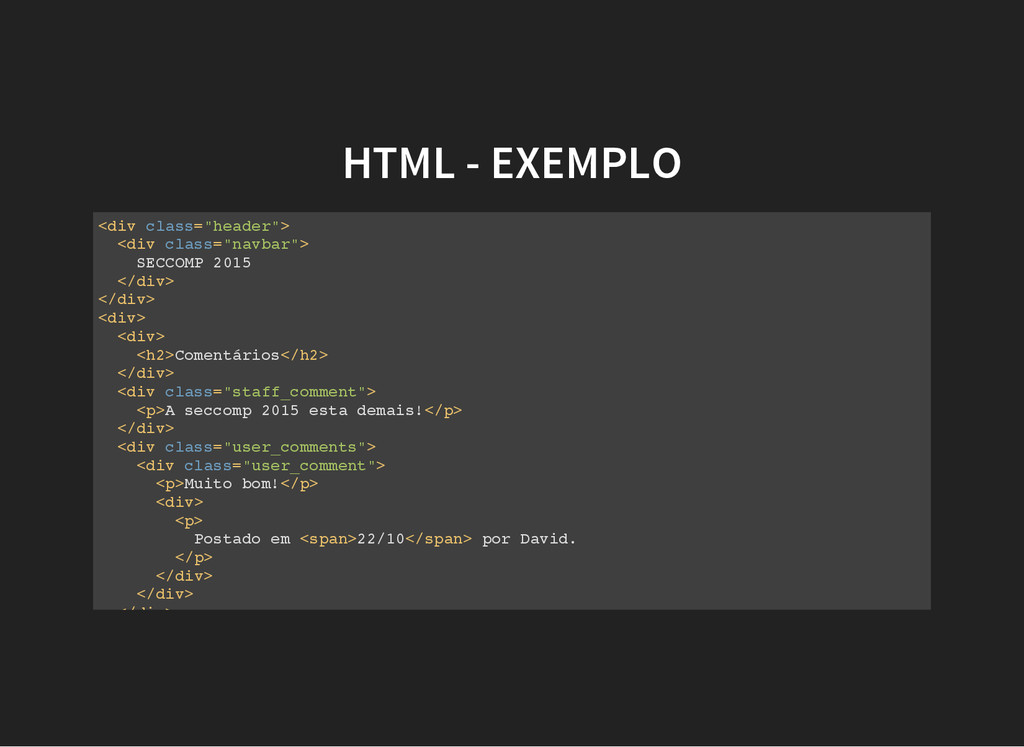
  11. HTML - EXEMPLO < d i v c l a

    s s = " h e a d e r " > < d i v c l a s s = " n a v b a r " > S E C C O M P 2 0 1 5 < / d i v > < / d i v > < d i v > < d i v > < h 2 > C o m e n t á r i o s < / h 2 > < / d i v > < d i v c l a s s = " s t a f f _ c o m m e n t " > < p > A s e c c o m p 2 0 1 5 e s t a d e m a i s ! < / p > < / d i v > < d i v c l a s s = " u s e r _ c o m m e n t s " > < d i v c l a s s = " u s e r _ c o m m e n t " > < p > M u i t o b o m ! < / p > < d i v > < p > P o s t a d o e m < s p a n > 2 2 / 1 0 < / s p a n > p o r D a v i d . < / p > < / d i v > < / d i v > < / d i v >
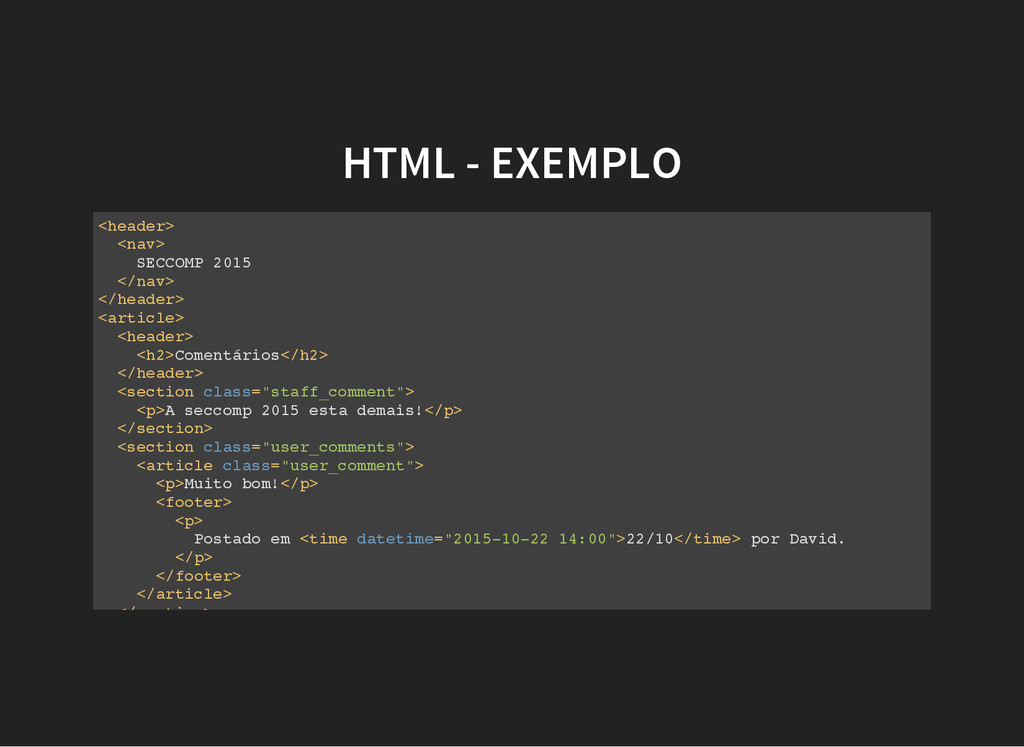
  12. HTML - EXEMPLO < h e a d e r

    > < n a v > S E C C O M P 2 0 1 5 < / n a v > < / h e a d e r > < a r t i c l e > < h e a d e r > < h 2 > C o m e n t á r i o s < / h 2 > < / h e a d e r > < s e c t i o n c l a s s = " s t a f f _ c o m m e n t " > < p > A s e c c o m p 2 0 1 5 e s t a d e m a i s ! < / p > < / s e c t i o n > < s e c t i o n c l a s s = " u s e r _ c o m m e n t s " > < a r t i c l e c l a s s = " u s e r _ c o m m e n t " > < p > M u i t o b o m ! < / p > < f o o t e r > < p > P o s t a d o e m < t i m e d a t e t i m e = " 2 0 1 5 - 1 0 - 2 2 1 4 : 0 0 " > 2 2 / 1 0 < / t i m e > p o r D a v i d . < / p > < / f o o t e r > < / a r t i c l e > < / s e c t i o n >
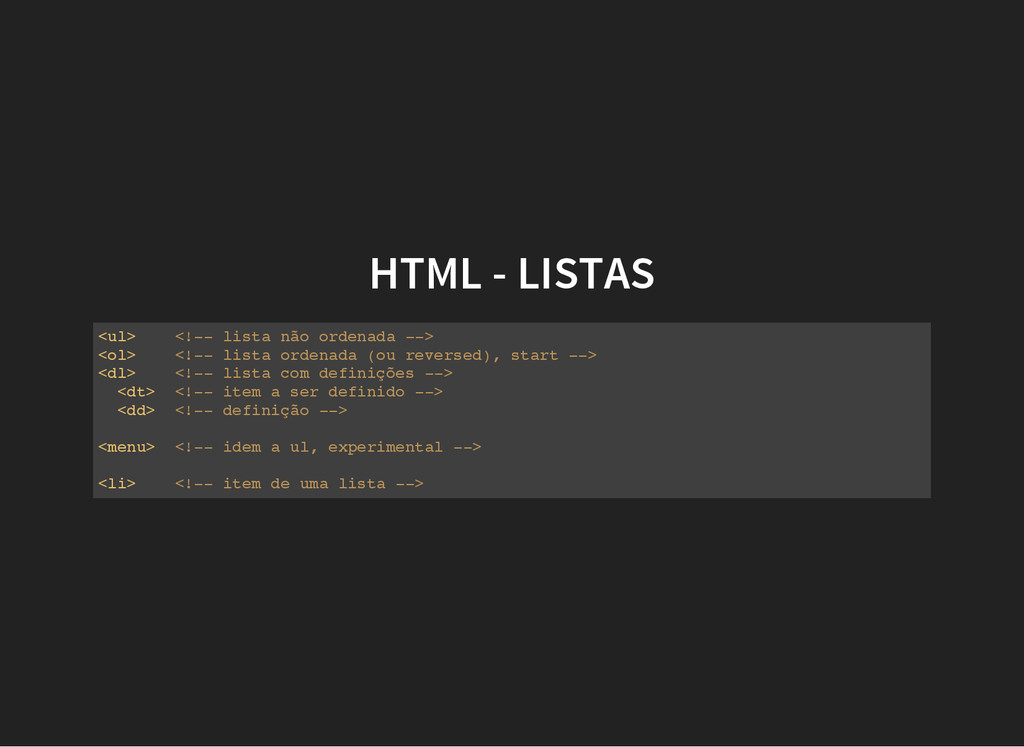
  13. HTML - LISTAS < u l > < ! -

    - l i s t a n ã o o r d e n a d a - - > < o l > < ! - - l i s t a o r d e n a d a ( o u r e v e r s e d ) , s t a r t - - > < d l > < ! - - l i s t a c o m d e f i n i ç õ e s - - > < d t > < ! - - i t e m a s e r d e f i n i d o - - > < d d > < ! - - d e f i n i ç ã o - - > < m e n u > < ! - - i d e m a u l , e x p e r i m e n t a l - - > < l i > < ! - - i t e m d e u m a l i s t a - - >
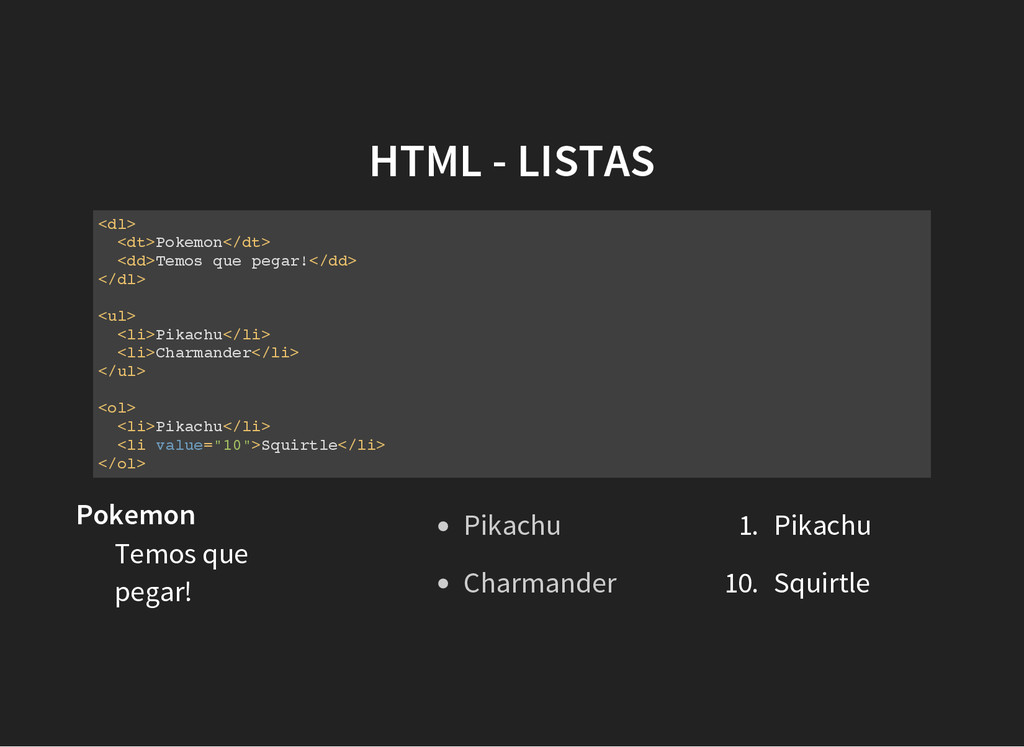
  14. HTML - LISTAS < d l > < d t

    > P o k e m o n < / d t > < d d > T e m o s q u e p e g a r ! < / d d > < / d l > < u l > < l i > P i k a c h u < / l i > < l i > C h a r m a n d e r < / l i > < / u l > < o l > < l i > P i k a c h u < / l i > < l i v a l u e = " 1 0 " > S q u i r t l e < / l i > < / o l > Pokemon Temos que pegar! Pikachu Charmander 1. Pikachu 10. Squirtle
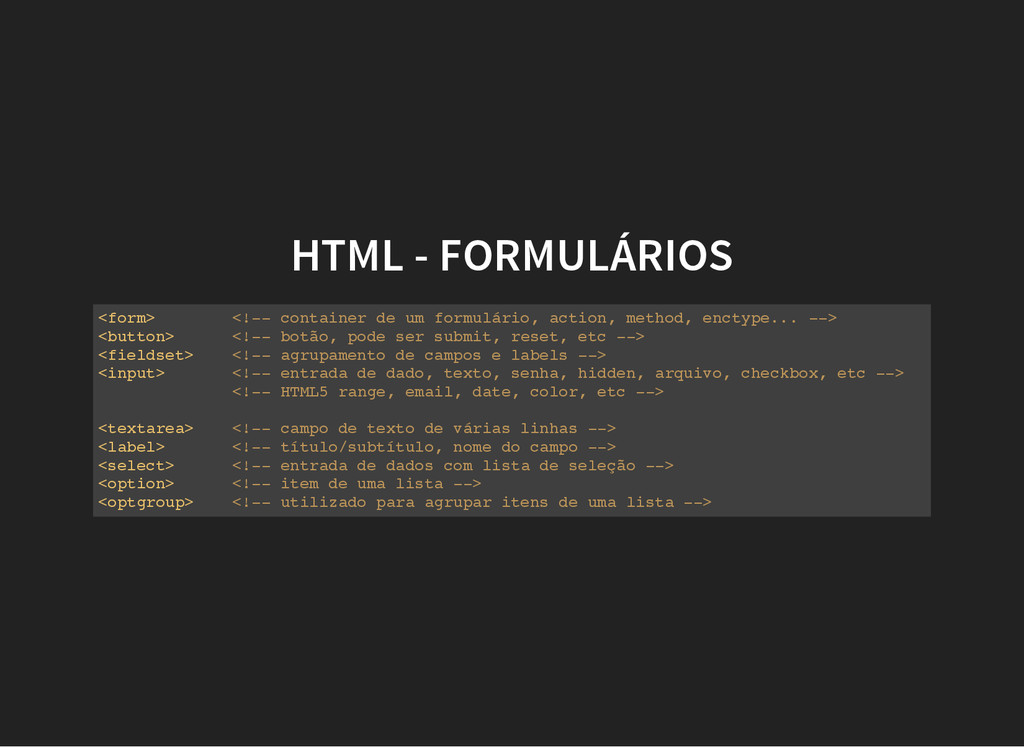
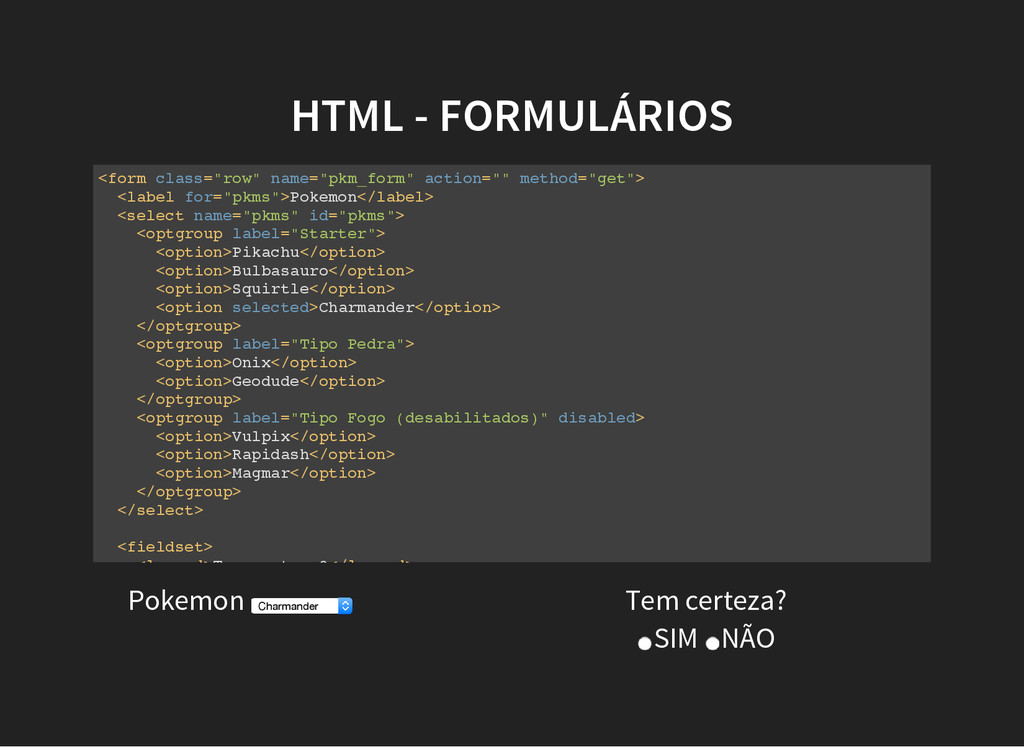
  15. HTML - FORMULÁRIOS < f o r m > <

    ! - - c o n t a i n e r d e u m f o r m u l á r i o , a c t i o n , m e t h o d , e n c t y p e . . . - - > < b u t t o n > < ! - - b o t ã o , p o d e s e r s u b m i t , r e s e t , e t c - - > < f i e l d s e t > < ! - - a g r u p a m e n t o d e c a m p o s e l a b e l s - - > < i n p u t > < ! - - e n t r a d a d e d a d o , t e x t o , s e n h a , h i d d e n , a r q u i v o , c h e c k b o x , e t c - - > < ! - - H T M L 5 r a n g e , e m a i l , d a t e , c o l o r , e t c - - > < t e x t a r e a > < ! - - c a m p o d e t e x t o d e v á r i a s l i n h a s - - > < l a b e l > < ! - - t í t u l o / s u b t í t u l o , n o m e d o c a m p o - - > < s e l e c t > < ! - - e n t r a d a d e d a d o s c o m l i s t a d e s e l e ç ã o - - > < o p t i o n > < ! - - i t e m d e u m a l i s t a - - > < o p t g r o u p > < ! - - u t i l i z a d o p a r a a g r u p a r i t e n s d e u m a l i s t a - - >
  16. HTML - FORMULÁRIOS < f o r m c l

    a s s = " r o w " n a m e = " p k m _ f o r m " a c t i o n = " " m e t h o d = " g e t " > < l a b e l f o r = " p k m s " > P o k e m o n < / l a b e l > < s e l e c t n a m e = " p k m s " i d = " p k m s " > < o p t g r o u p l a b e l = " S t a r t e r " > < o p t i o n > P i k a c h u < / o p t i o n > < o p t i o n > B u l b a s a u r o < / o p t i o n > < o p t i o n > S q u i r t l e < / o p t i o n > < o p t i o n s e l e c t e d > C h a r m a n d e r < / o p t i o n > < / o p t g r o u p > < o p t g r o u p l a b e l = " T i p o P e d r a " > < o p t i o n > O n i x < / o p t i o n > < o p t i o n > G e o d u d e < / o p t i o n > < / o p t g r o u p > < o p t g r o u p l a b e l = " T i p o F o g o ( d e s a b i l i t a d o s ) " d i s a b l e d > < o p t i o n > V u l p i x < / o p t i o n > < o p t i o n > R a p i d a s h < / o p t i o n > < o p t i o n > M a g m a r < / o p t i o n > < / o p t g r o u p > < / s e l e c t > < f i e l d s e t > < l e g e n d > T e m c e r t e z a ? < / l e g e n d > Pokemon Charmander Tem certeza? SIM NÃO
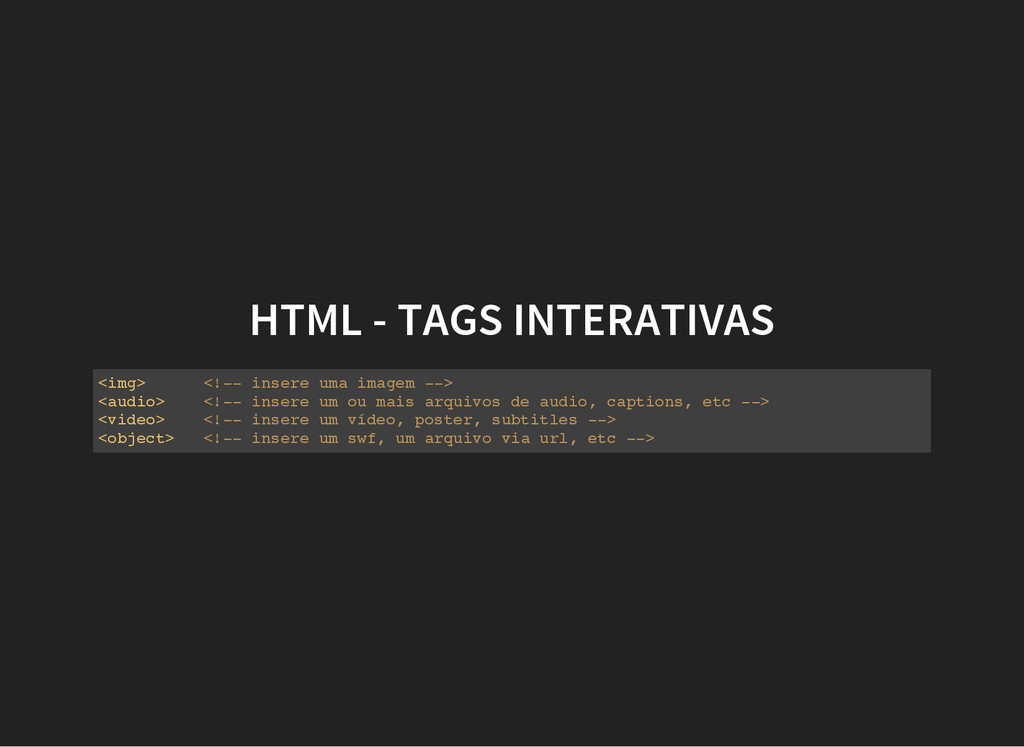
  17. HTML - TAGS INTERATIVAS < i m g > <

    ! - - i n s e r e u m a i m a g e m - - > < a u d i o > < ! - - i n s e r e u m o u m a i s a r q u i v o s d e a u d i o , c a p t i o n s , e t c - - > < v i d e o > < ! - - i n s e r e u m v í d e o , p o s t e r , s u b t i t l e s - - > < o b j e c t > < ! - - i n s e r e u m s w f , u m a r q u i v o v i a u r l , e t c - - >
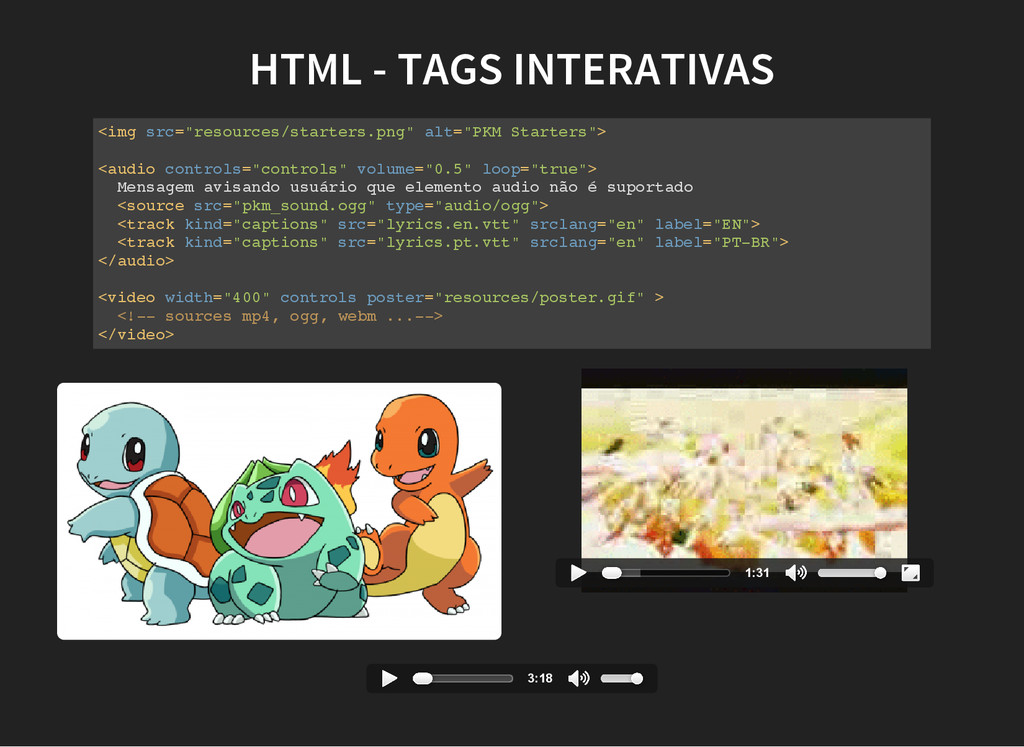
  18. HTML - TAGS INTERATIVAS < i m g s r

    c = " r e s o u r c e s / s t a r t e r s . p n g " a l t = " P K M S t a r t e r s " > < a u d i o c o n t r o l s = " c o n t r o l s " v o l u m e = " 0 . 5 " l o o p = " t r u e " > M e n s a g e m a v i s a n d o u s u á r i o q u e e l e m e n t o a u d i o n ã o é s u p o r t a d o < s o u r c e s r c = " p k m _ s o u n d . o g g " t y p e = " a u d i o / o g g " > < t r a c k k i n d = " c a p t i o n s " s r c = " l y r i c s . e n . v t t " s r c l a n g = " e n " l a b e l = " E N " > < t r a c k k i n d = " c a p t i o n s " s r c = " l y r i c s . p t . v t t " s r c l a n g = " e n " l a b e l = " P T - B R " > < / a u d i o > < v i d e o w i d t h = " 4 0 0 " c o n t r o l s p o s t e r = " r e s o u r c e s / p o s t e r . g i f " > < ! - - s o u r c e s m p 4 , o g g , w e b m . . . - - > < / v i d e o > 1:31 3:18
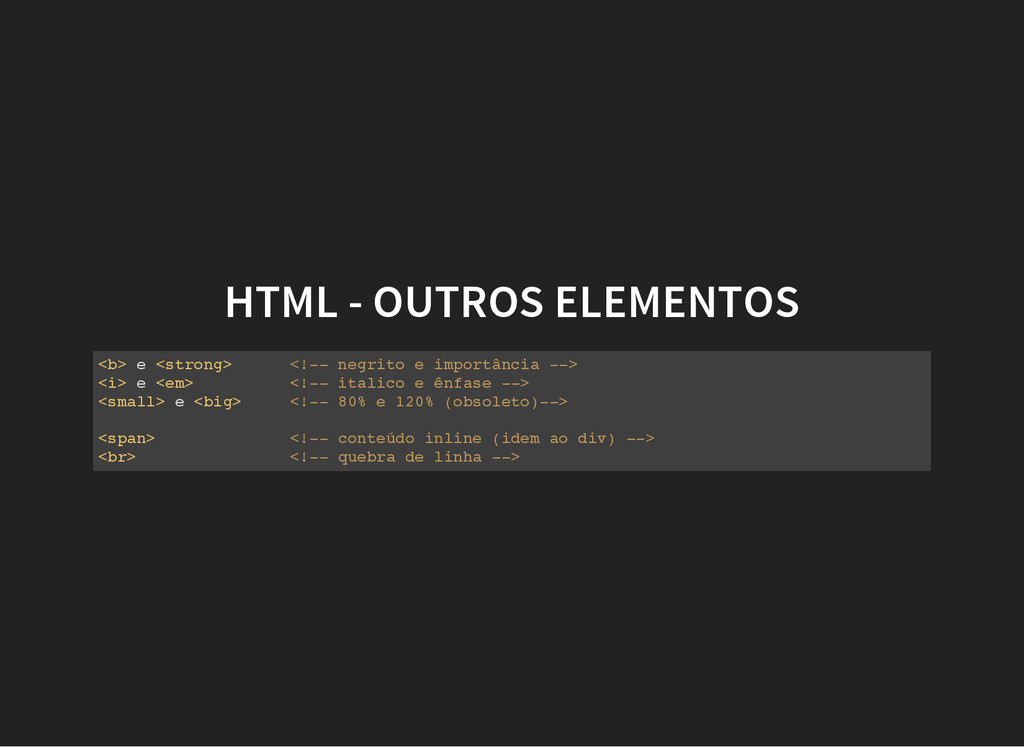
  19. HTML - OUTROS ELEMENTOS < b > e < s

    t r o n g > < ! - - n e g r i t o e i m p o r t â n c i a - - > < i > e < e m > < ! - - i t a l i c o e ê n f a s e - - > < s m a l l > e < b i g > < ! - - 8 0 % e 1 2 0 % ( o b s o l e t o ) - - > < s p a n > < ! - - c o n t e ú d o i n l i n e ( i d e m a o d i v ) - - > < b r > < ! - - q u e b r a d e l i n h a - - >
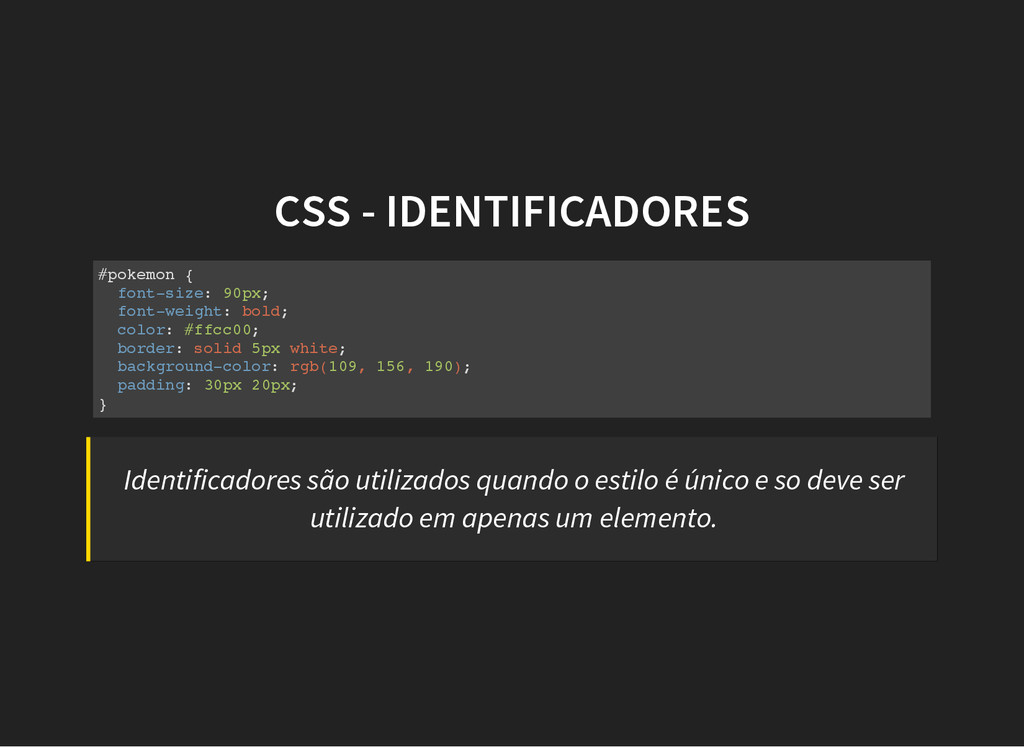
  20. CSS - IDENTIFICADORES # p o k e m o

    n { f o n t - s i z e : 9 0 p x ; f o n t - w e i g h t : b o l d ; c o l o r : # f f c c 0 0 ; b o r d e r : s o l i d 5 p x w h i t e ; b a c k g r o u n d - c o l o r : r g b ( 1 0 9 , 1 5 6 , 1 9 0 ) ; p a d d i n g : 3 0 p x 2 0 p x ; } Identificadores são utilizados quando o estilo é único e so deve ser utilizado em apenas um elemento.
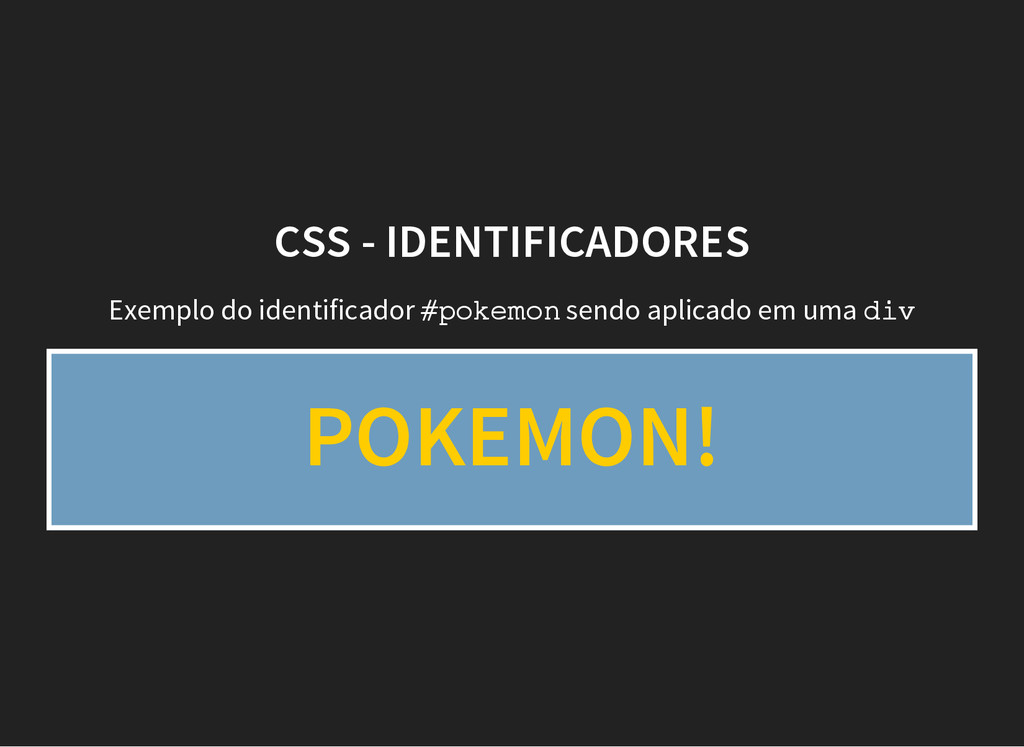
  21. CSS - IDENTIFICADORES Exemplo do identificador # p o k

    e m o n sendo aplicado em uma d i v POKEMON!
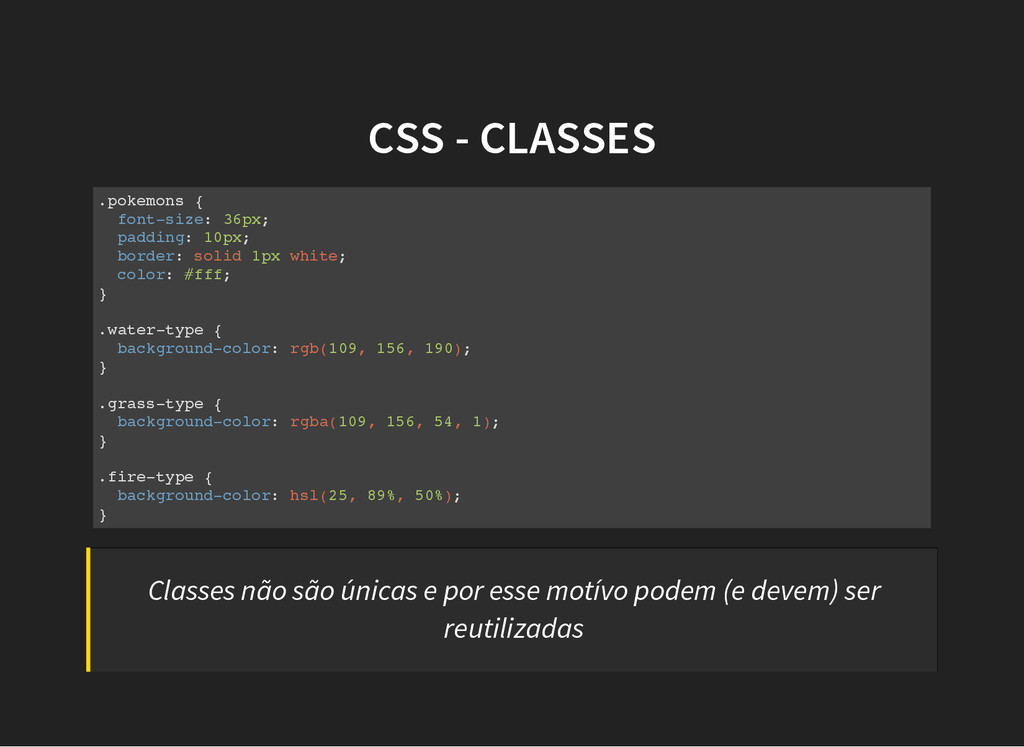
  22. CSS - CLASSES . p o k e m o

    n s { f o n t - s i z e : 3 6 p x ; p a d d i n g : 1 0 p x ; b o r d e r : s o l i d 1 p x w h i t e ; c o l o r : # f f f ; } . w a t e r - t y p e { b a c k g r o u n d - c o l o r : r g b ( 1 0 9 , 1 5 6 , 1 9 0 ) ; } . g r a s s - t y p e { b a c k g r o u n d - c o l o r : r g b a ( 1 0 9 , 1 5 6 , 5 4 , 1 ) ; } . f i r e - t y p e { b a c k g r o u n d - c o l o r : h s l ( 2 5 , 8 9 % , 5 0 % ) ; } Classes não são únicas e por esse motívo podem (e devem) ser reutilizadas
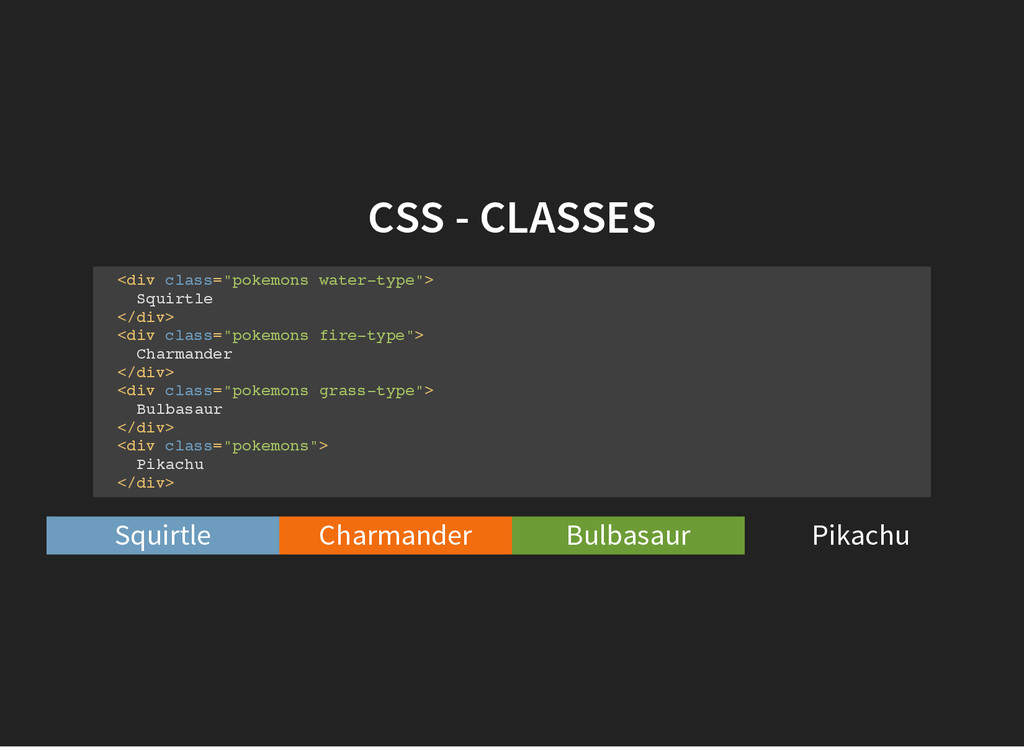
  23. CSS - CLASSES < d i v c l a

    s s = " p o k e m o n s w a t e r - t y p e " > S q u i r t l e < / d i v > < d i v c l a s s = " p o k e m o n s f i r e - t y p e " > C h a r m a n d e r < / d i v > < d i v c l a s s = " p o k e m o n s g r a s s - t y p e " > B u l b a s a u r < / d i v > < d i v c l a s s = " p o k e m o n s " > P i k a c h u < / d i v > Squirtle Charmander Bulbasaur Pikachu
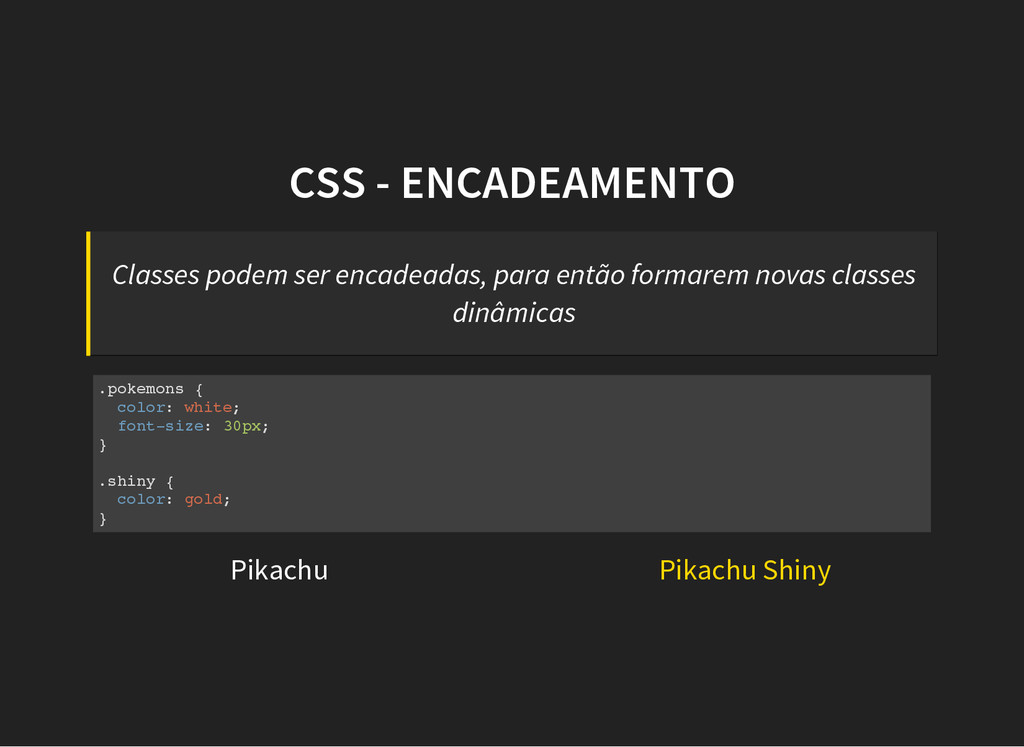
  24. CSS - ENCADEAMENTO Classes podem ser encadeadas, para então formarem

    novas classes dinâmicas . p o k e m o n s { c o l o r : w h i t e ; f o n t - s i z e : 3 0 p x ; } . s h i n y { c o l o r : g o l d ; } Pikachu Pikachu Shiny
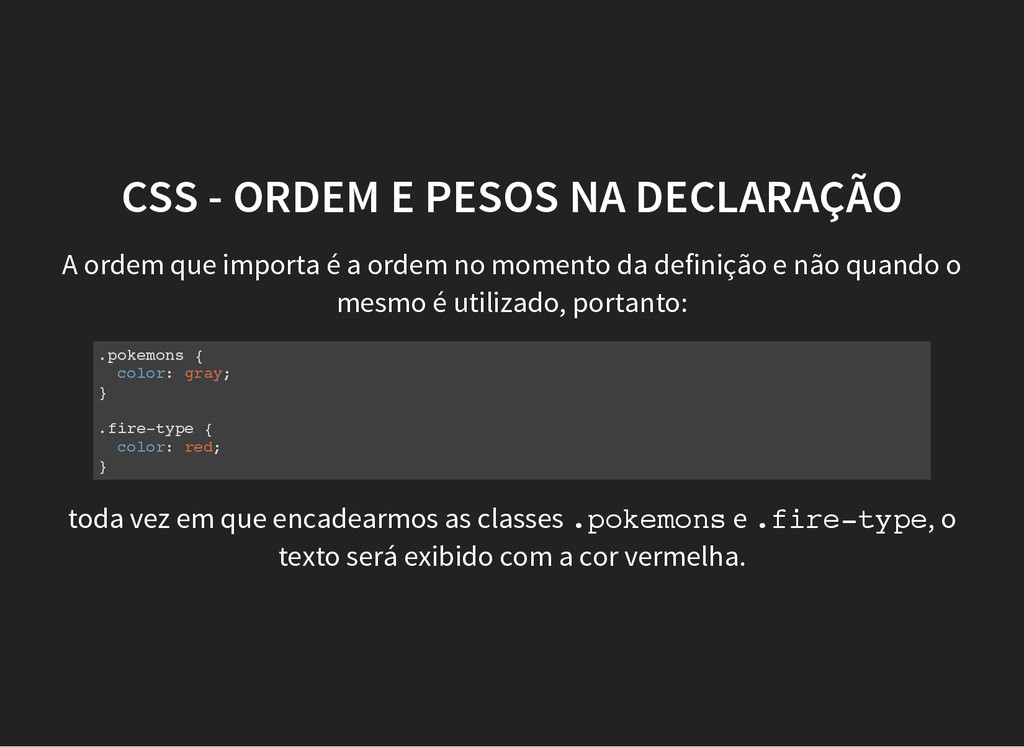
  25. CSS - ORDEM E PESOS NA DECLARAÇÃO A ordem que

    importa é a ordem no momento da definição e não quando o mesmo é utilizado, portanto: . p o k e m o n s { c o l o r : g r a y ; } . f i r e - t y p e { c o l o r : r e d ; } toda vez em que encadearmos as classes . p o k e m o n s e . f i r e - t y p e , o texto será exibido com a cor vermelha.
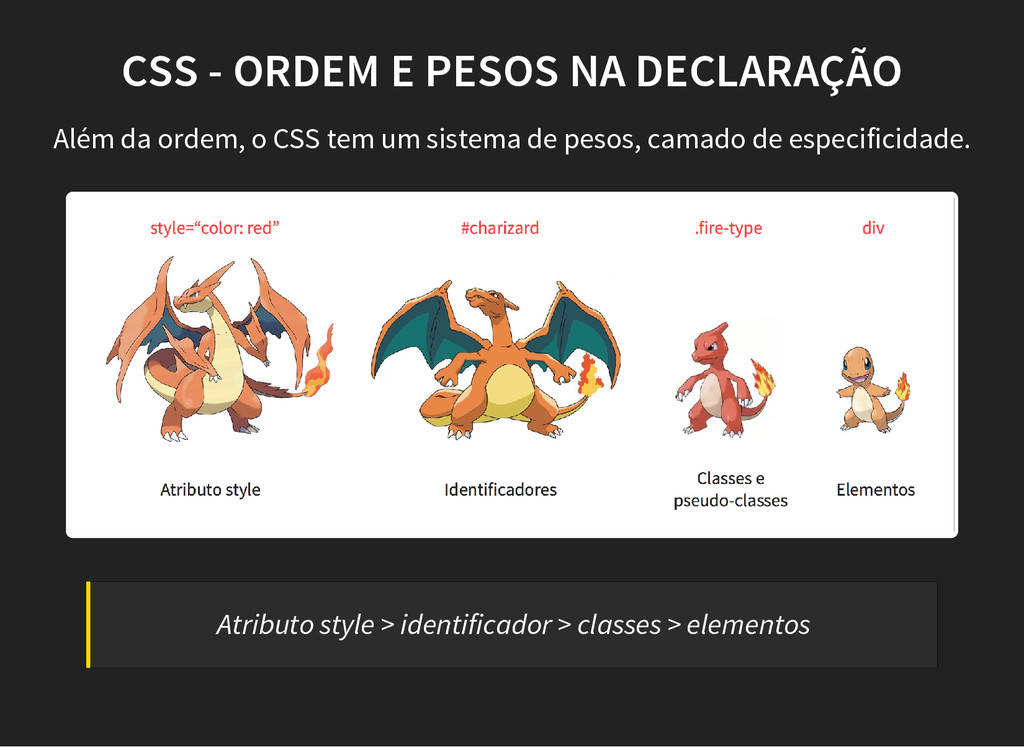
  26. CSS - ORDEM E PESOS NA DECLARAÇÃO Além da ordem,
    o CSS tem um sistema de pesos, camado de especificidade. Atributo style > identificador > classes > elementos
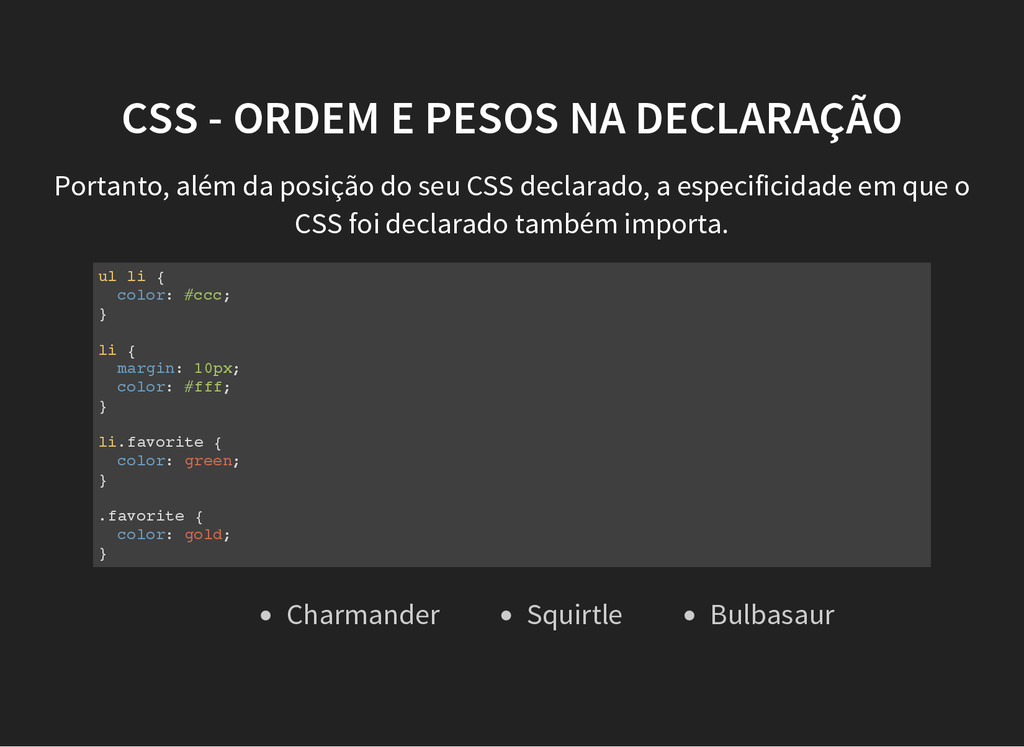
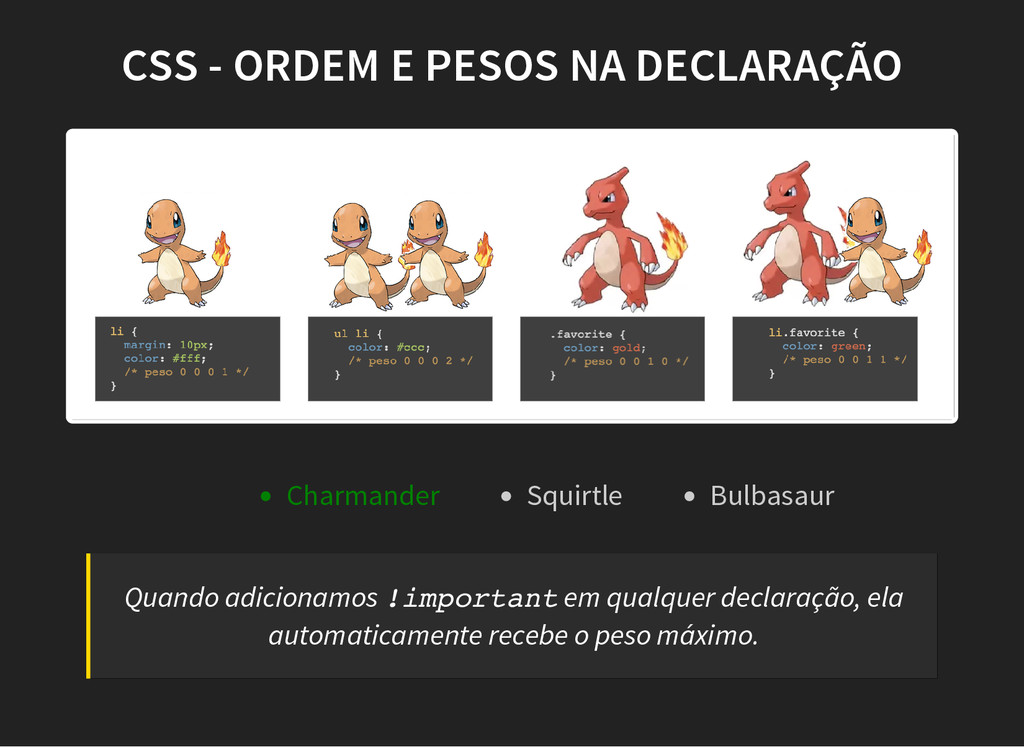
  27. CSS - ORDEM E PESOS NA DECLARAÇÃO Portanto, além da

    posição do seu CSS declarado, a especificidade em que o CSS foi declarado também importa. u l l i { c o l o r : # c c c ; } l i { m a r g i n : 1 0 p x ; c o l o r : # f f f ; } l i . f a v o r i t e { c o l o r : g r e e n ; } . f a v o r i t e { c o l o r : g o l d ; } Charmander Squirtle Bulbasaur
  28. CSS - ORDEM E PESOS NA DECLARAÇÃO Charmander Squirtle Bulbasaur

    Quando adicionamos ! i m p o r t a n t em qualquer declaração, ela automaticamente recebe o peso máximo.
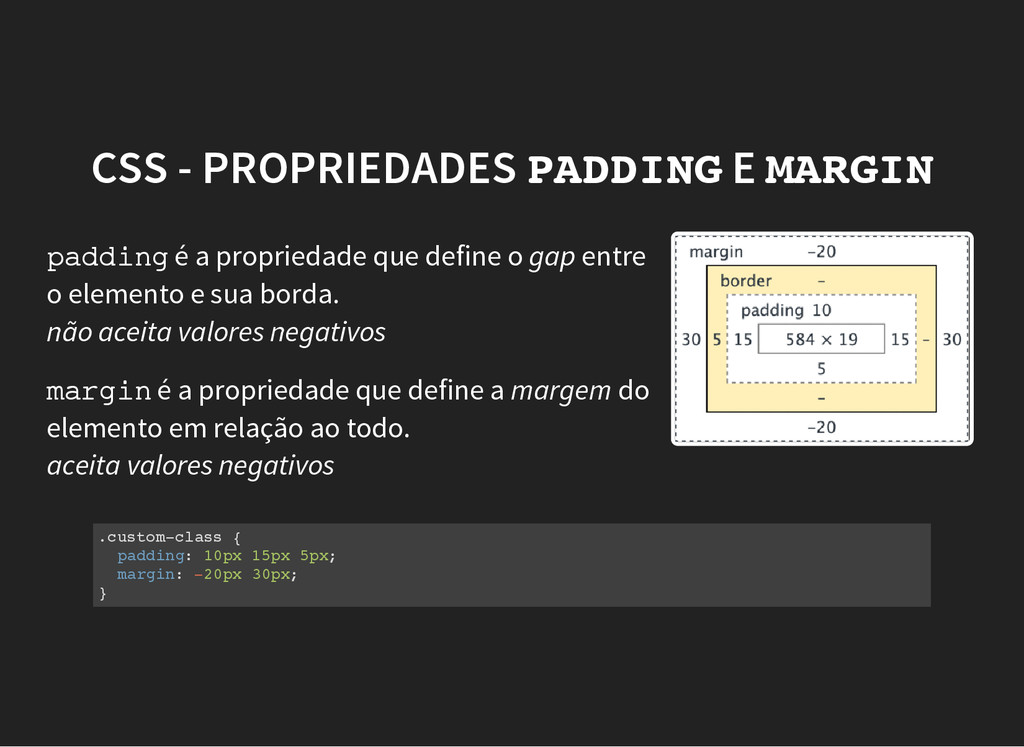
  29. CSS - PROPRIEDADES P A D D I N G

    E M A R G I N p a d d i n g é a propriedade que define o gap entre o elemento e sua borda. não aceita valores negativos m a r g i n é a propriedade que define a margem do elemento em relação ao todo. aceita valores negativos . c u s t o m - c l a s s { p a d d i n g : 1 0 p x 1 5 p x 5 p x ; m a r g i n : - 2 0 p x 3 0 p x ; }
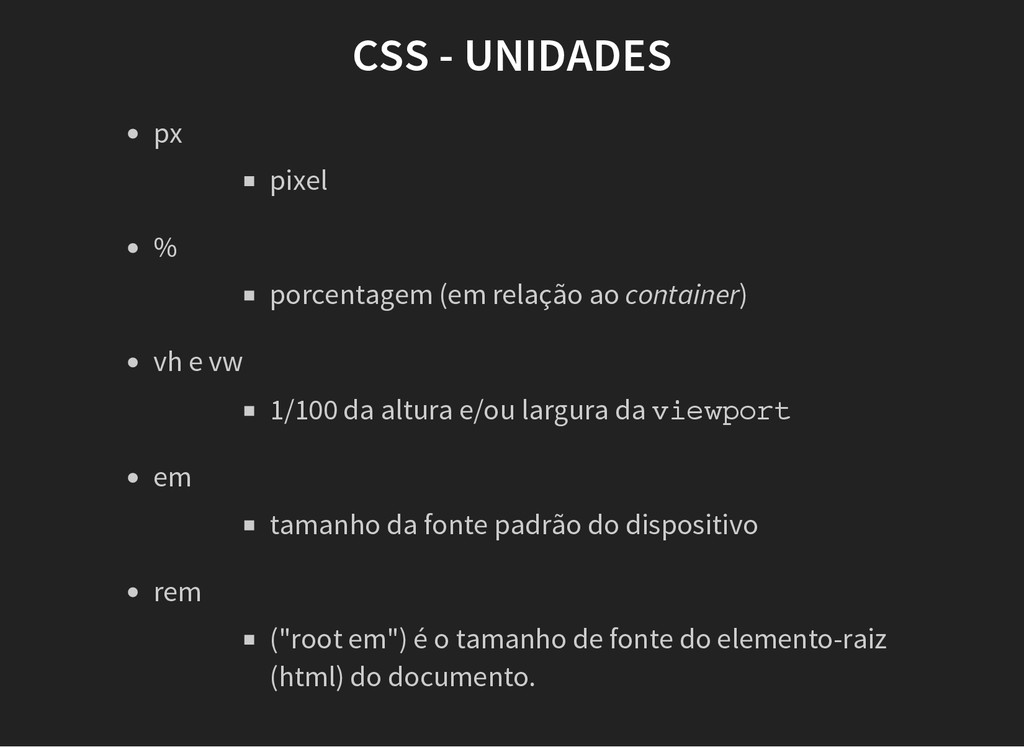
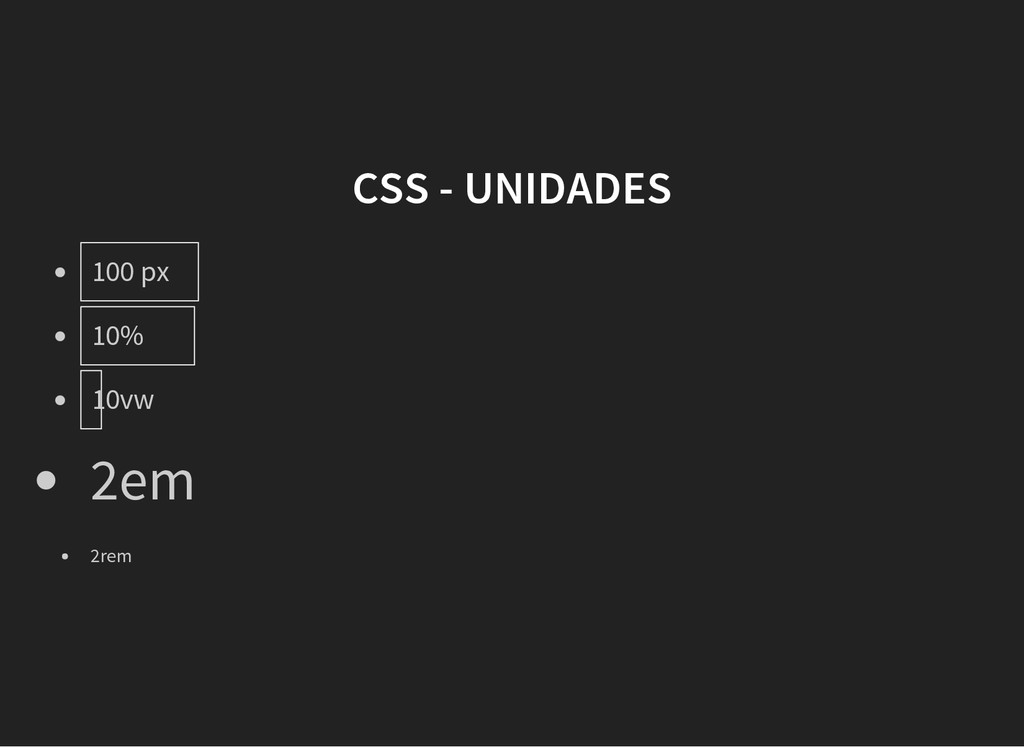
  30. CSS - UNIDADES pixel px porcentagem (em relação ao container)

    % 1/100 da altura e/ou largura da v i e w p o r t vh e vw tamanho da fonte padrão do dispositivo em ("root em") é o tamanho de fonte do elemento-raiz (html) do documento. rem
  31. CSS - DISPLAY d i s p l a y

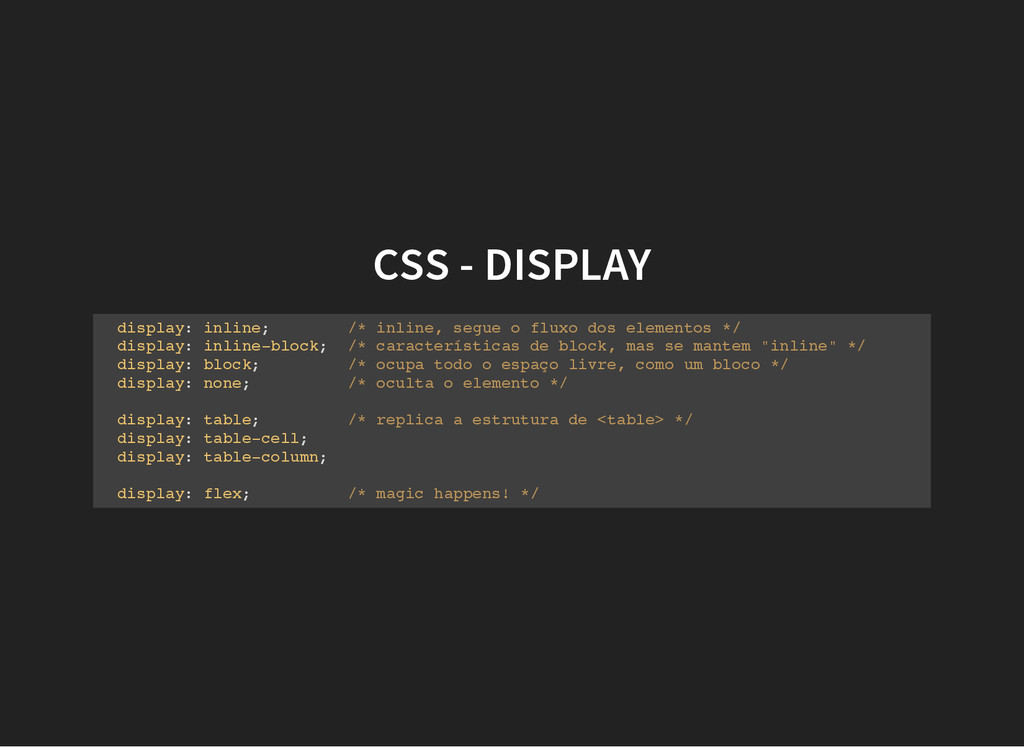
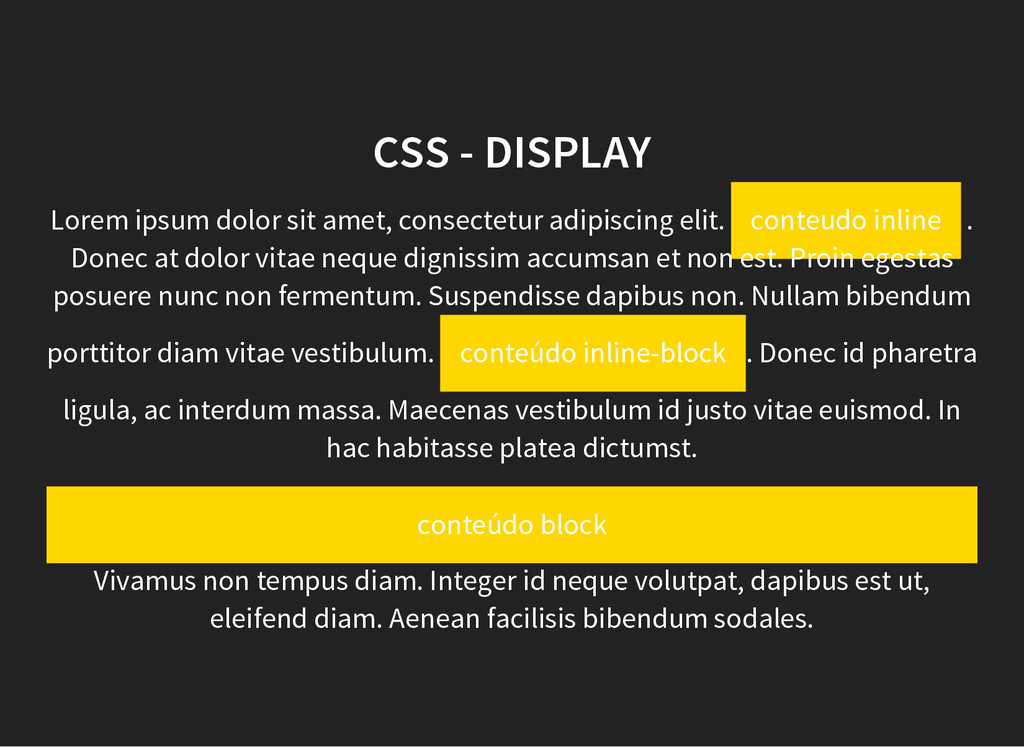
    : i n l i n e ; / * i n l i n e , s e g u e o f l u x o d o s e l e m e n t o s * / d i s p l a y : i n l i n e - b l o c k ; / * c a r a c t e r í s t i c a s d e b l o c k , m a s s e m a n t e m " i n l i n e " * / d i s p l a y : b l o c k ; / * o c u p a t o d o o e s p a ç o l i v r e , c o m o u m b l o c o * / d i s p l a y : n o n e ; / * o c u l t a o e l e m e n t o * / d i s p l a y : t a b l e ; / * r e p l i c a a e s t r u t u r a d e < t a b l e > * / d i s p l a y : t a b l e - c e l l ; d i s p l a y : t a b l e - c o l u m n ; d i s p l a y : f l e x ; / * m a g i c h a p p e n s ! * /
  32. Vivamus non tempus diam. Integer id neque volutpat, dapibus est

    ut, eleifend diam. Aenean facilisis bibendum sodales. CSS - DISPLAY Lorem ipsum dolor sit amet, consectetur adipiscing elit. conteudo inline . Donec at dolor vitae neque dignissim accumsan et non est. Proin egestas posuere nunc non fermentum. Suspendisse dapibus non. Nullam bibendum porttitor diam vitae vestibulum. conteúdo inline-block . Donec id pharetra ligula, ac interdum massa. Maecenas vestibulum id justo vitae euismod. In hac habitasse platea dictumst. conteúdo block
  33. CSS - DISPLAY . p a r e n t

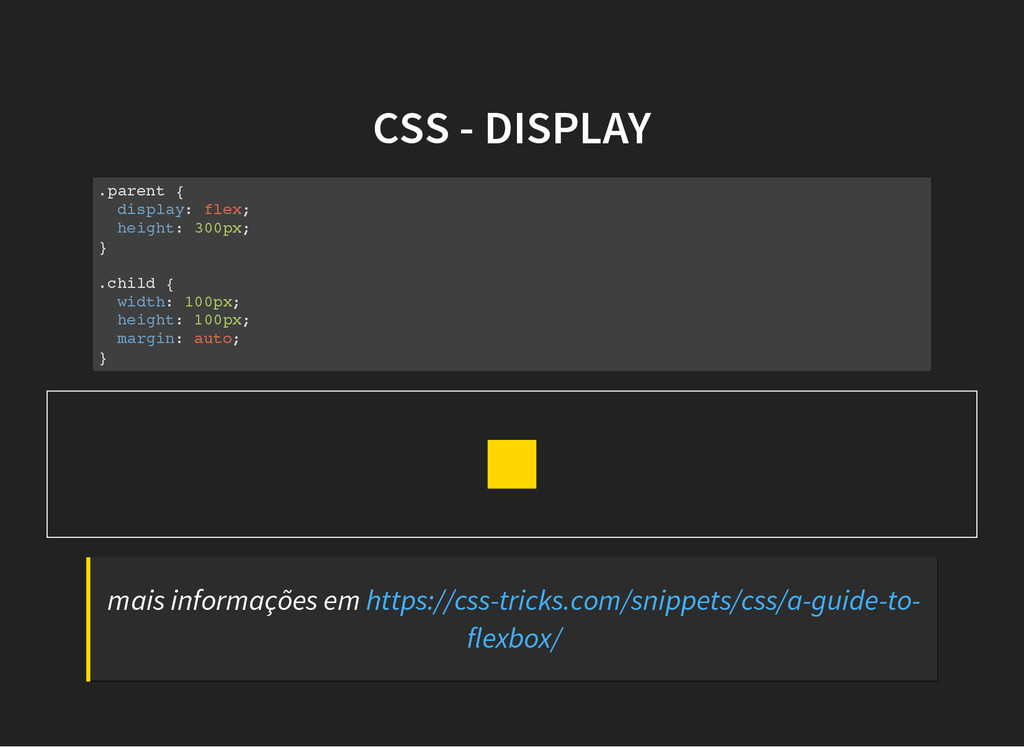
    { d i s p l a y : f l e x ; h e i g h t : 3 0 0 p x ; } . c h i l d { w i d t h : 1 0 0 p x ; h e i g h t : 1 0 0 p x ; m a r g i n : a u t o ; } mais informações em https://css-tricks.com/snippets/css/a-guide-to- flexbox/
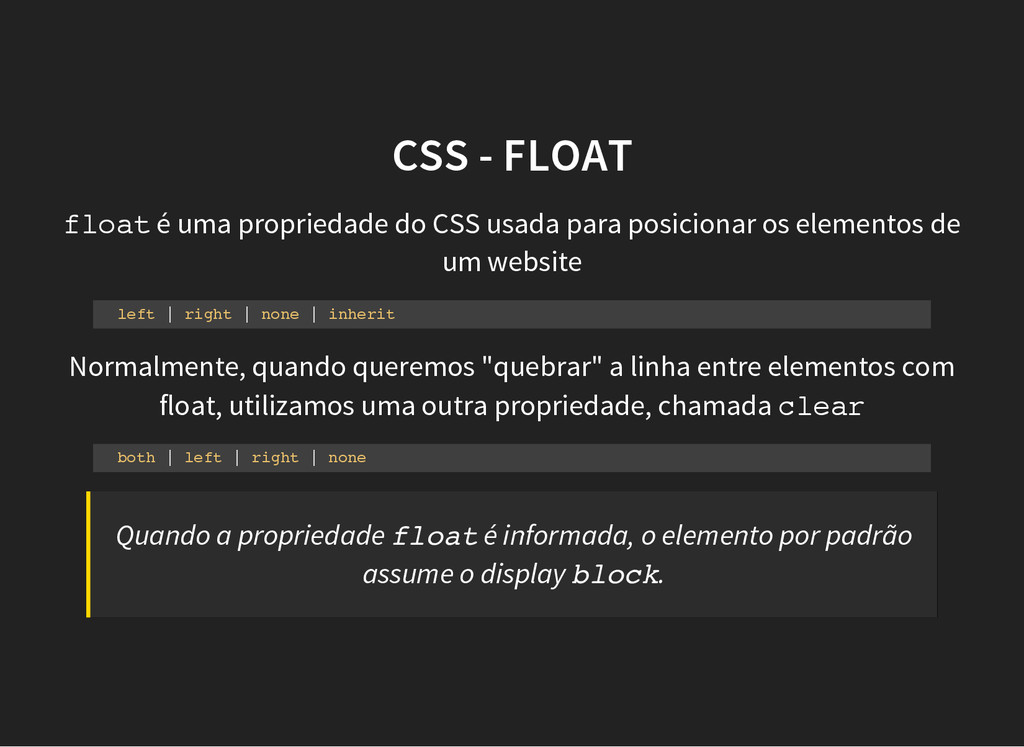
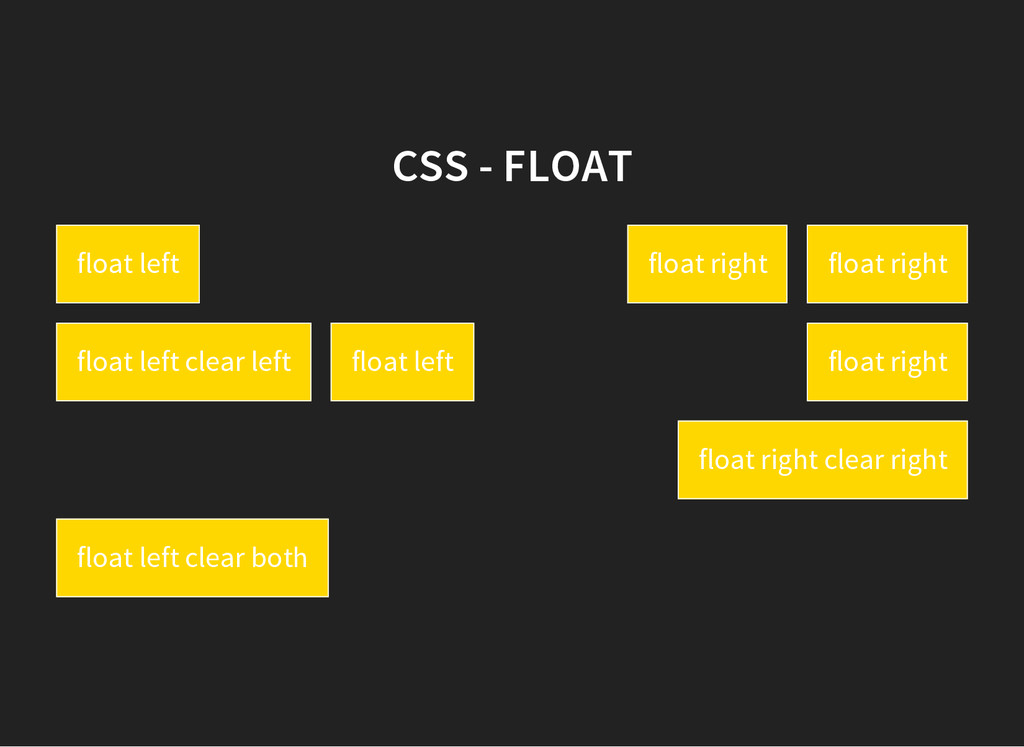
  34. CSS - FLOAT f l o a t é uma

    propriedade do CSS usada para posicionar os elementos de um website l e f t | r i g h t | n o n e | i n h e r i t Normalmente, quando queremos "quebrar" a linha entre elementos com float, utilizamos uma outra propriedade, chamada c l e a r b o t h | l e f t | r i g h t | n o n e Quando a propriedade f l o a t é informada, o elemento por padrão assume o display b l o c k .
  35. CSS - FLOAT float left float right float right float

    left clear left float left float right float right clear right float left clear both
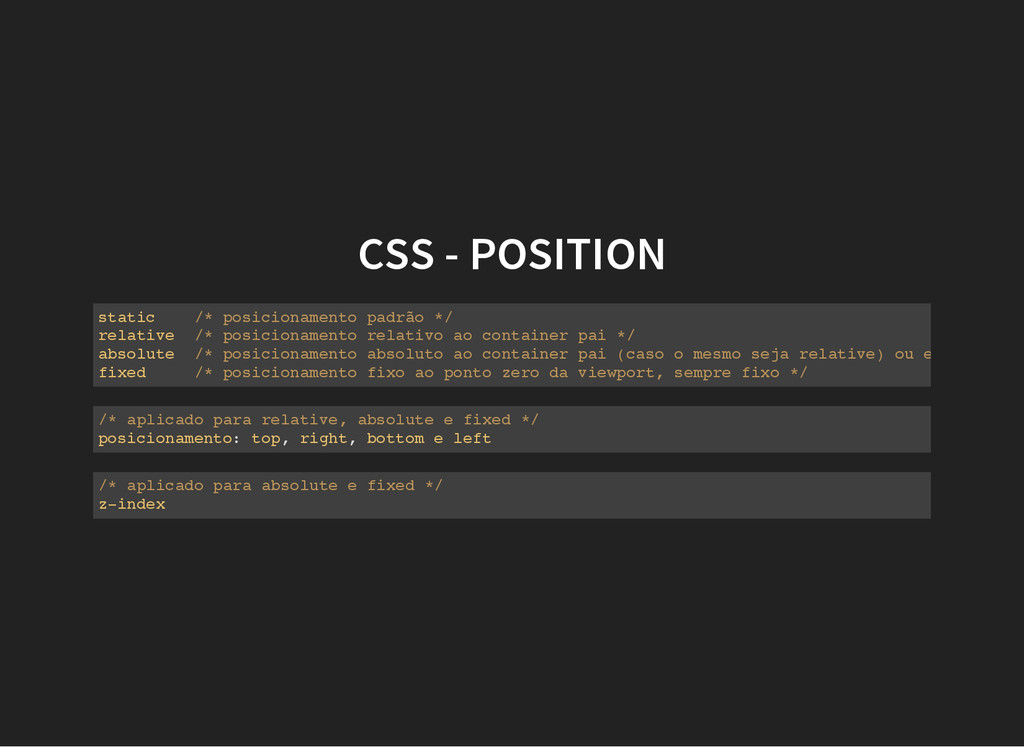
  36. CSS - POSITION s t a t i c /

    * p o s i c i o n a m e n t o p a d r ã o * / r e l a t i v e / * p o s i c i o n a m e n t o r e l a t i v o a o c o n t a i n e r p a i * / a b s o l u t e / * p o s i c i o n a m e n t o a b s o l u t o a o c o n t a i n e r p a i ( c a s o o m e s m o s e j a r e l a t i v e ) o u e n t ã o é r e l f i x e d / * p o s i c i o n a m e n t o f i x o a o p o n t o z e r o d a v i e w p o r t , s e m p r e f i x o * / / * a p l i c a d o p a r a r e l a t i v e , a b s o l u t e e f i x e d * / p o s i c i o n a m e n t o : t o p , r i g h t , b o t t o m e l e f t / * a p l i c a d o p a r a a b s o l u t e e f i x e d * / z - i n d e x
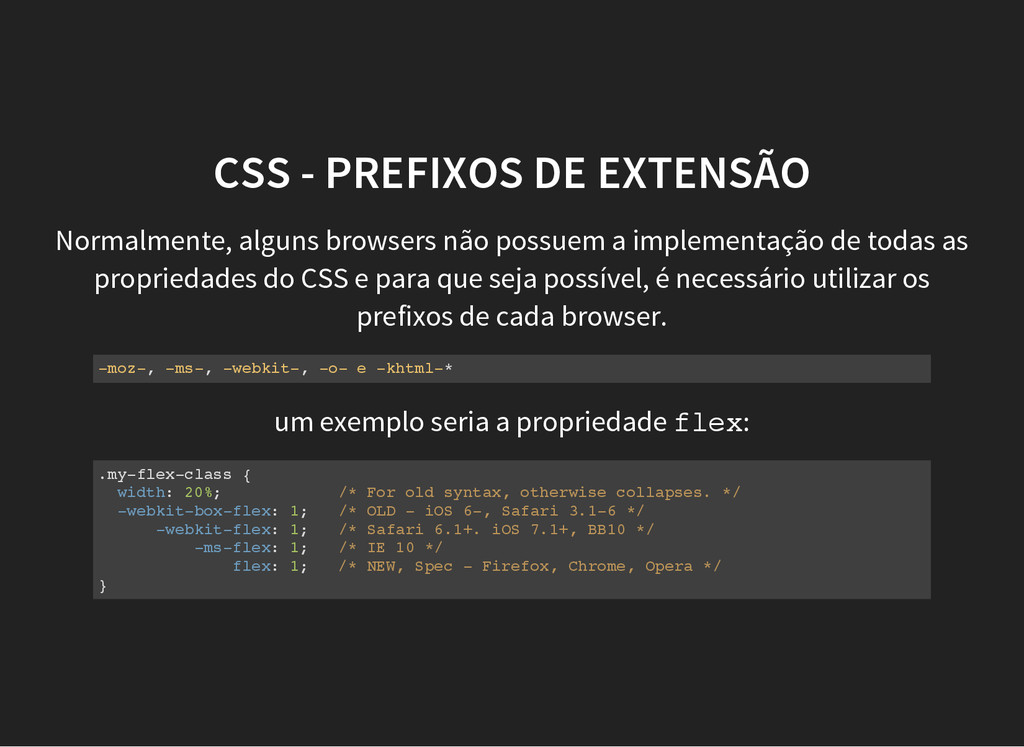
  37. CSS - PREFIXOS DE EXTENSÃO Normalmente, alguns browsers não possuem

    a implementação de todas as propriedades do CSS e para que seja possível, é necessário utilizar os prefixos de cada browser. - m o z - , - m s - , - w e b k i t - , - o - e - k h t m l - * um exemplo seria a propriedade f l e x : . m y - f l e x - c l a s s { w i d t h : 2 0 % ; / * F o r o l d s y n t a x , o t h e r w i s e c o l l a p s e s . * / - w e b k i t - b o x - f l e x : 1 ; / * O L D - i O S 6 - , S a f a r i 3 . 1 - 6 * / - w e b k i t - f l e x : 1 ; / * S a f a r i 6 . 1 + . i O S 7 . 1 + , B B 1 0 * / - m s - f l e x : 1 ; / * I E 1 0 * / f l e x : 1 ; / * N E W , S p e c - F i r e f o x , C h r o m e , O p e r a * / }
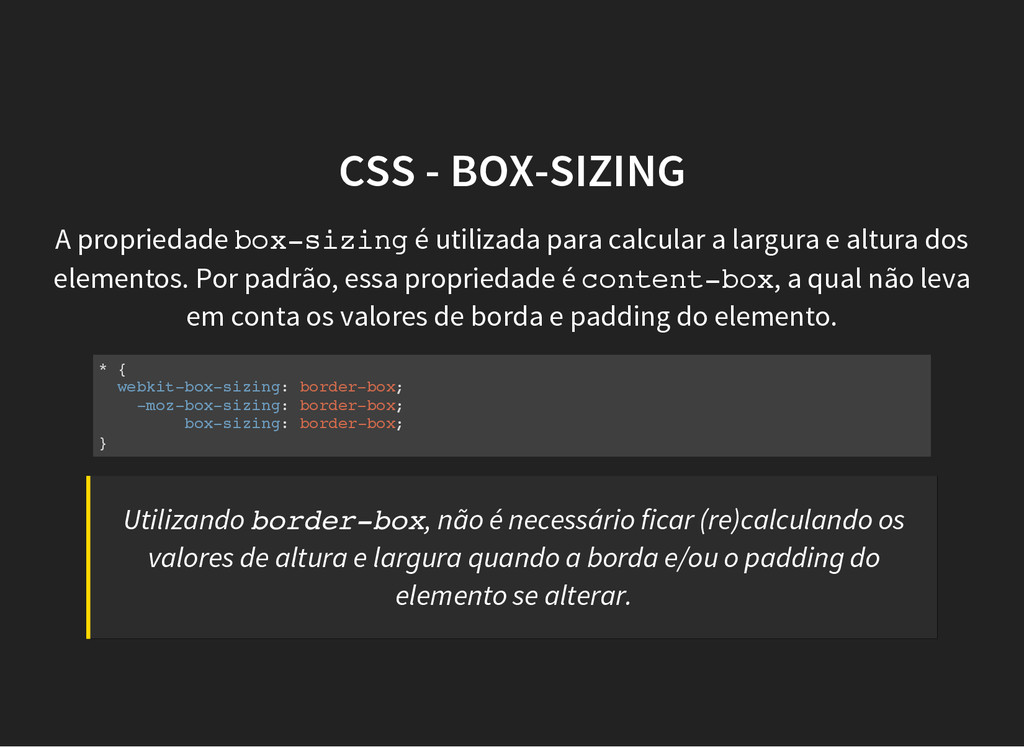
  38. CSS - BOX-SIZING A propriedade b o x - s

    i z i n g é utilizada para calcular a largura e altura dos elementos. Por padrão, essa propriedade é c o n t e n t - b o x , a qual não leva em conta os valores de borda e padding do elemento. * { w e b k i t - b o x - s i z i n g : b o r d e r - b o x ; - m o z - b o x - s i z i n g : b o r d e r - b o x ; b o x - s i z i n g : b o r d e r - b o x ; } Utilizando b o r d e r - b o x , não é necessário ficar (re)calculando os valores de altura e largura quando a borda e/ou o padding do elemento se alterar.
  39. INFORMAÇÕES EXTRAS Can I Use CSS Tricks Mozilla Docs todos

    os direitos reservados ao seus respectivos autores.