Lock in $30 Savings on PRO—Offer Ends Soon! ⏳

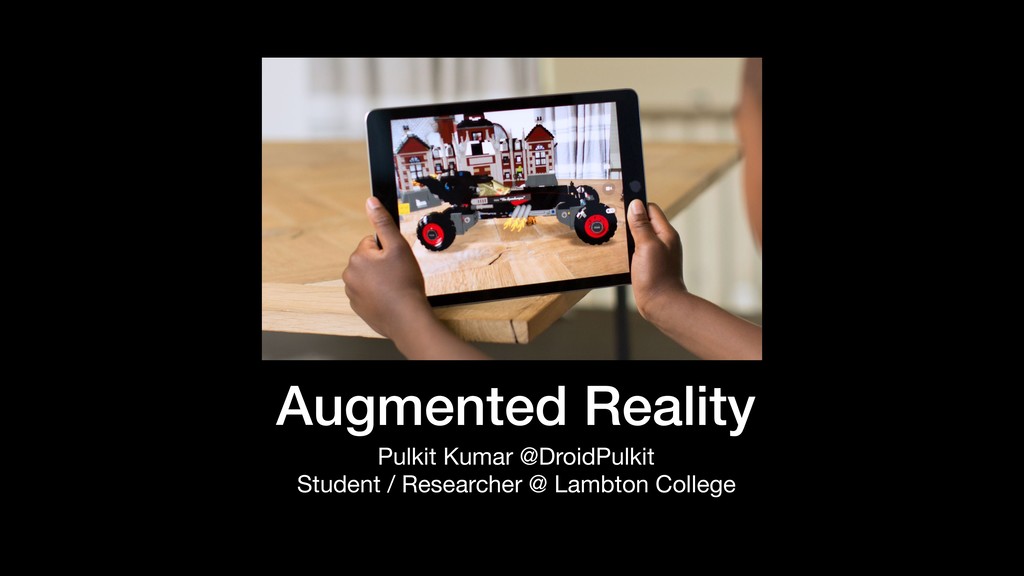
Augmented Reality

Avatar for Pulkit Pulkit
November 21, 2018

Augmented Reality

Basics of Building an Android app using AR features.

Avatar for Pulkit

Pulkit

November 21, 2018
Tweet

Other Decks in Education

Transcript

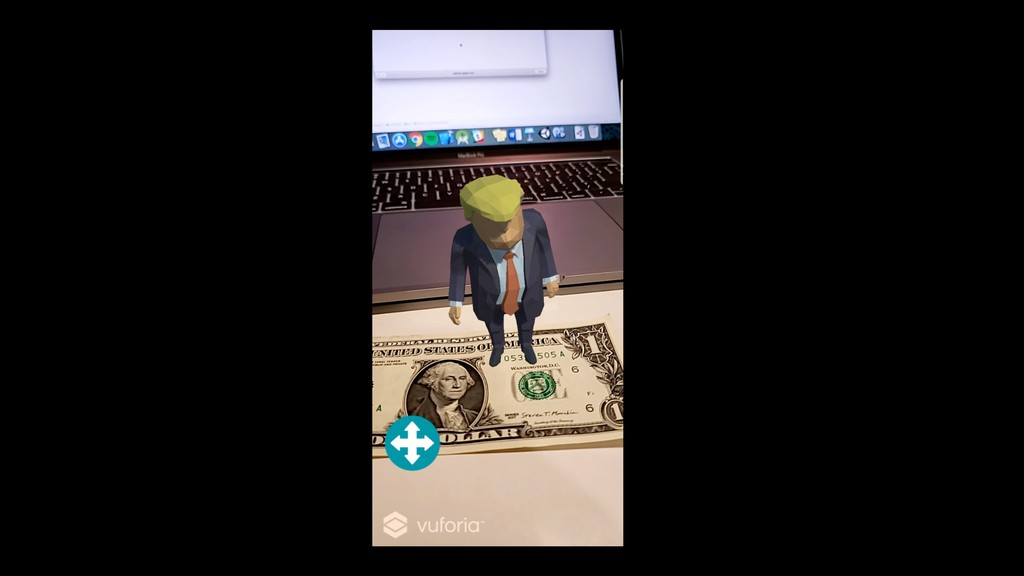
  1. What is Augmented Reality? It adds digital elements in our

    world, with the help of camera of our smartphone.
  2. Disclaimer This is just a fun game in no way,

    the author is affiliated to any political organization
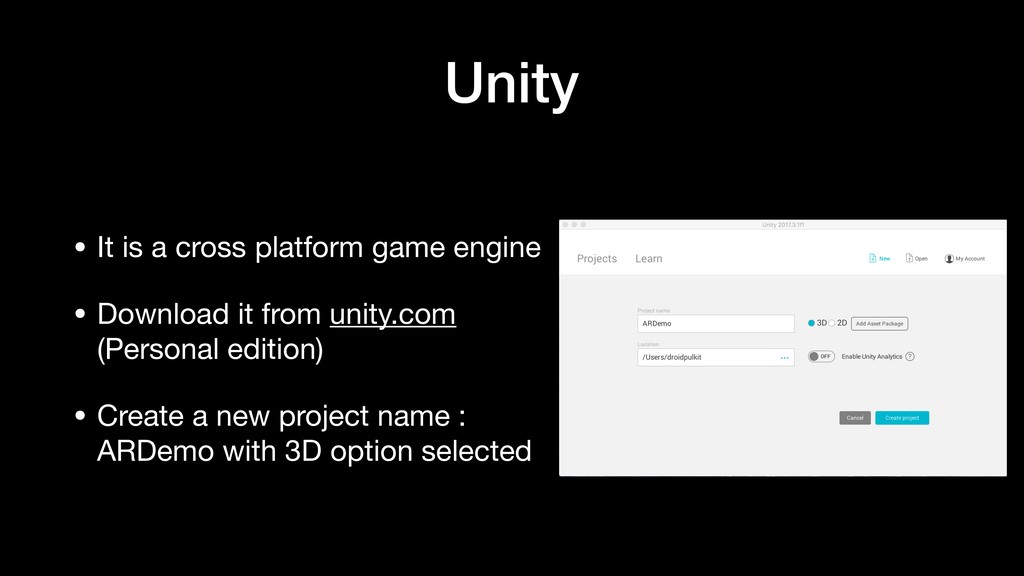
  3. Unity • It is a cross platform game engine •

    Download it from unity.com (Personal edition) • Create a new project name : ARDemo with 3D option selected
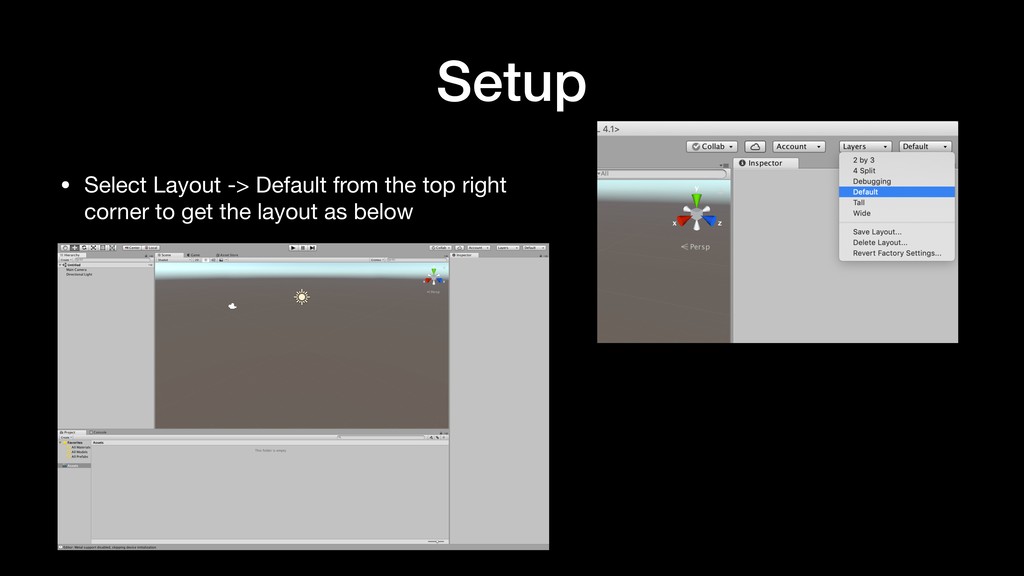
  4. Setup • Select Layout -> Default from the top right

    corner to get the layout as below
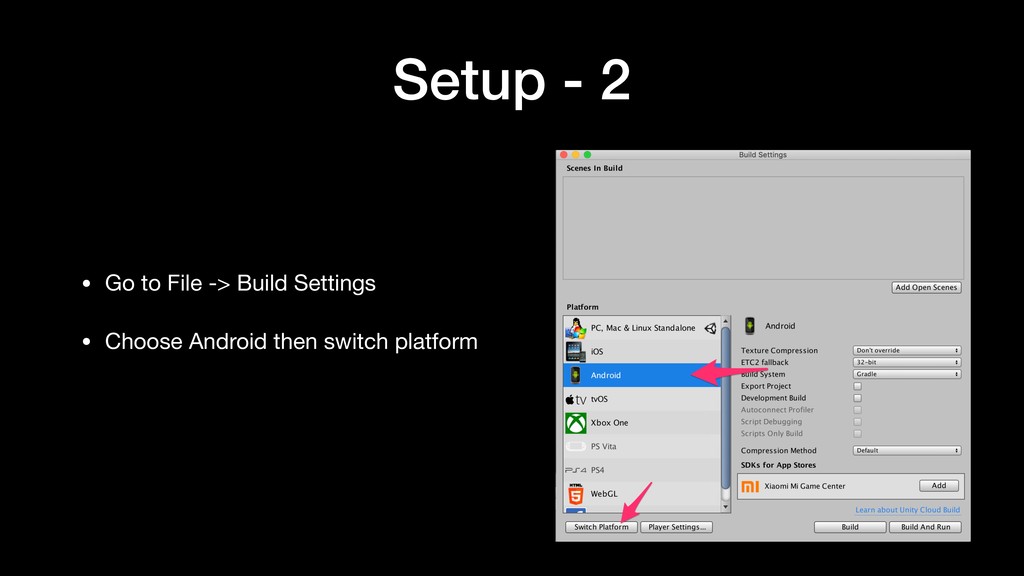
  5. Setup - 2 • Go to File -> Build Settings

    • Choose Android then switch platform
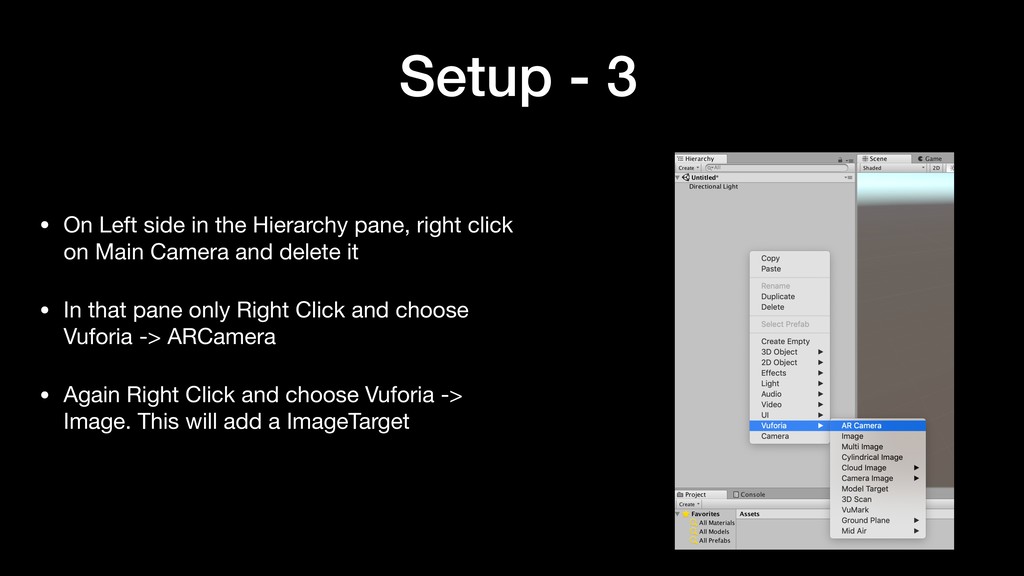
  6. Setup - 3 • On Left side in the Hierarchy

    pane, right click on Main Camera and delete it • In that pane only Right Click and choose Vuforia -> ARCamera • Again Right Click and choose Vuforia -> Image. This will add a ImageTarget
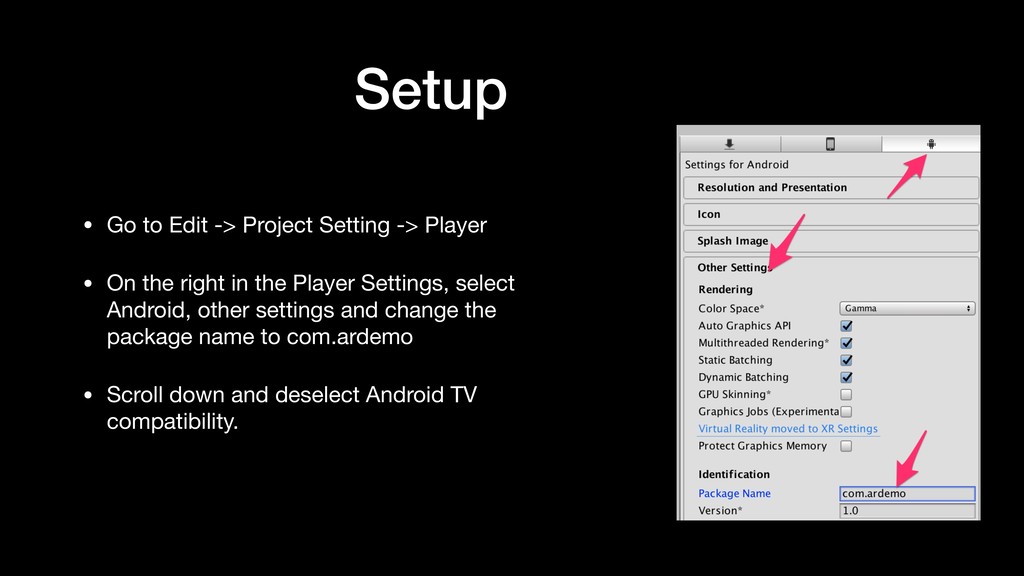
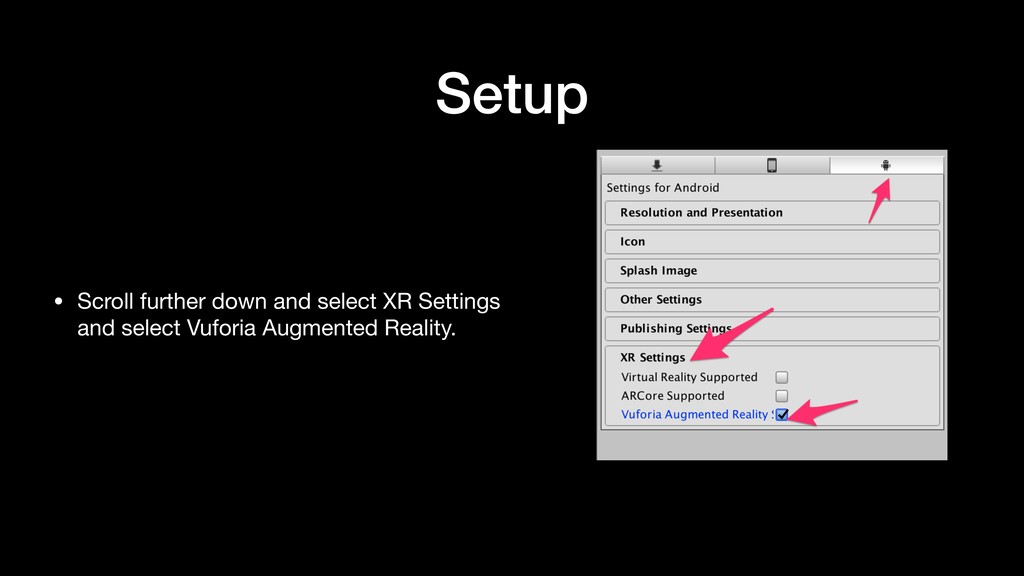
  7. Setup • Go to Edit -> Project Setting -> Player

    • On the right in the Player Settings, select Android, other settings and change the package name to com.ardemo • Scroll down and deselect Android TV compatibility.
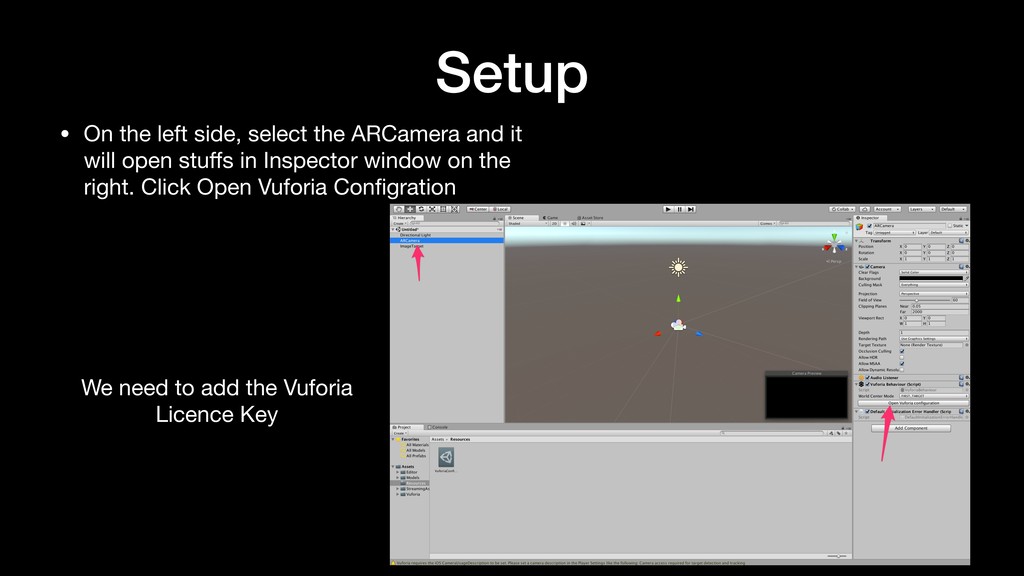
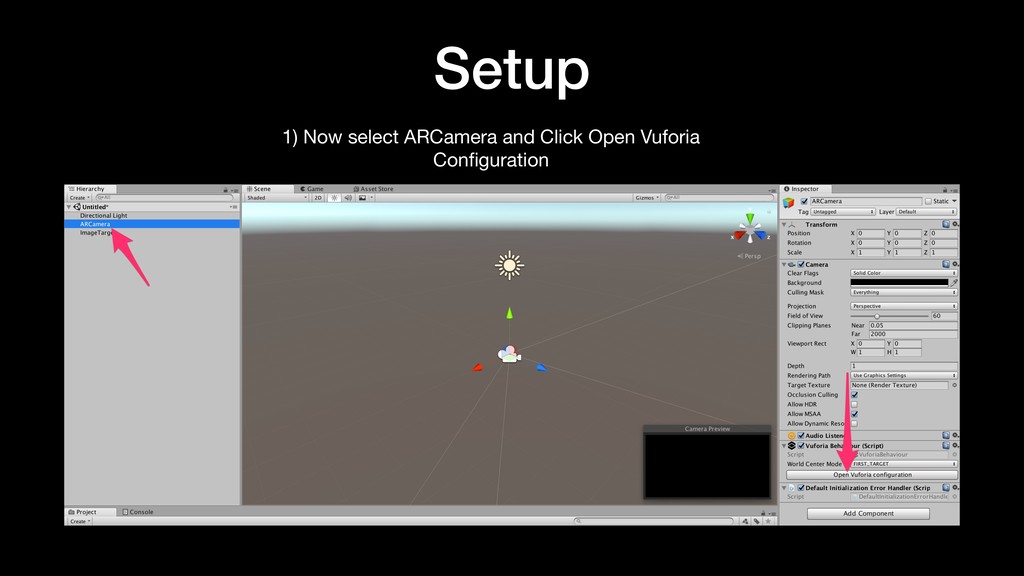
  8. Setup • On the left side, select the ARCamera and

    it will open stuffs in Inspector window on the right. Click Open Vuforia Configration We need to add the Vuforia Licence Key

  9. Vuforia Vuforia is an augmented reality software development kit for

    mobile devices that enables the creation of augmented reality applications
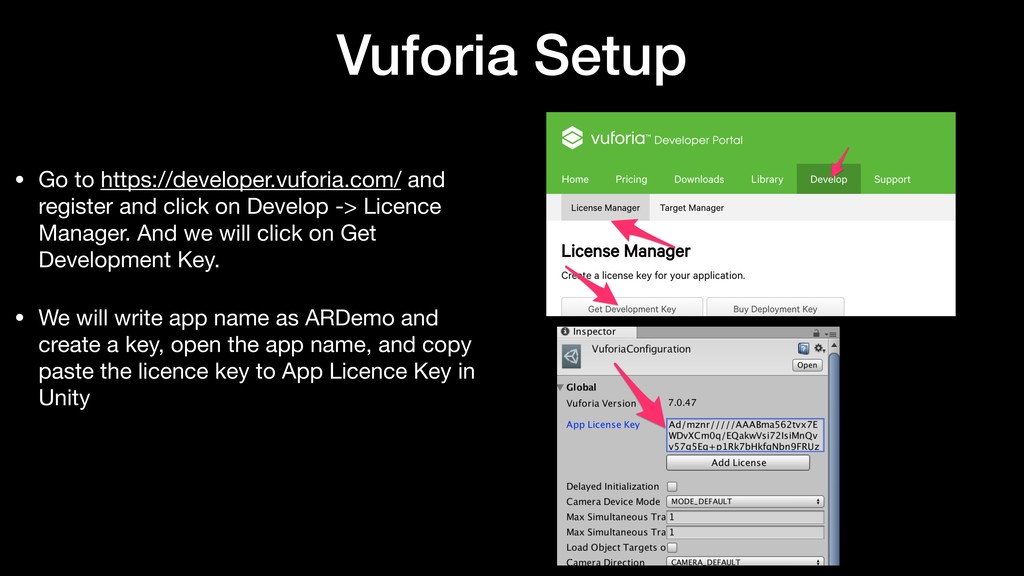
  10. Vuforia Setup • Go to https://developer.vuforia.com/ and register and click

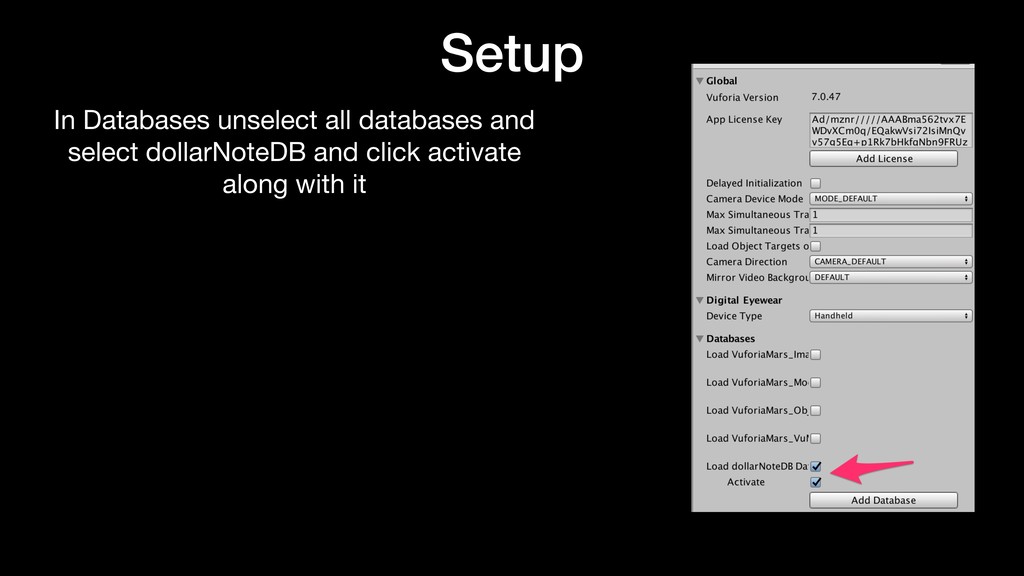
    on Develop -> Licence Manager. And we will click on Get Development Key. • We will write app name as ARDemo and create a key, open the app name, and copy paste the licence key to App Licence Key in Unity
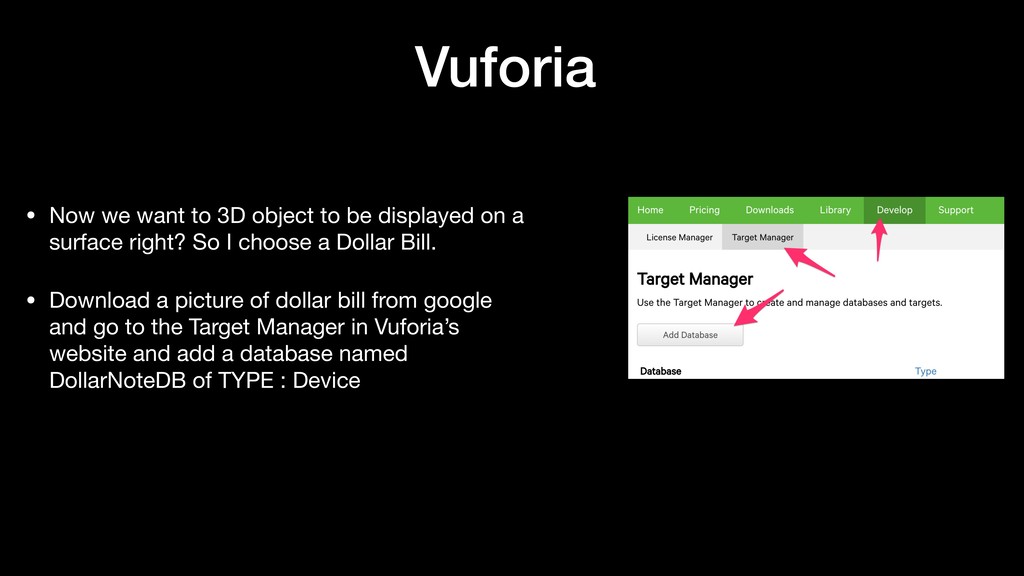
  11. Vuforia • Now we want to 3D object to be

    displayed on a surface right? So I choose a Dollar Bill. • Download a picture of dollar bill from google and go to the Target Manager in Vuforia’s website and add a database named DollarNoteDB of TYPE : Device
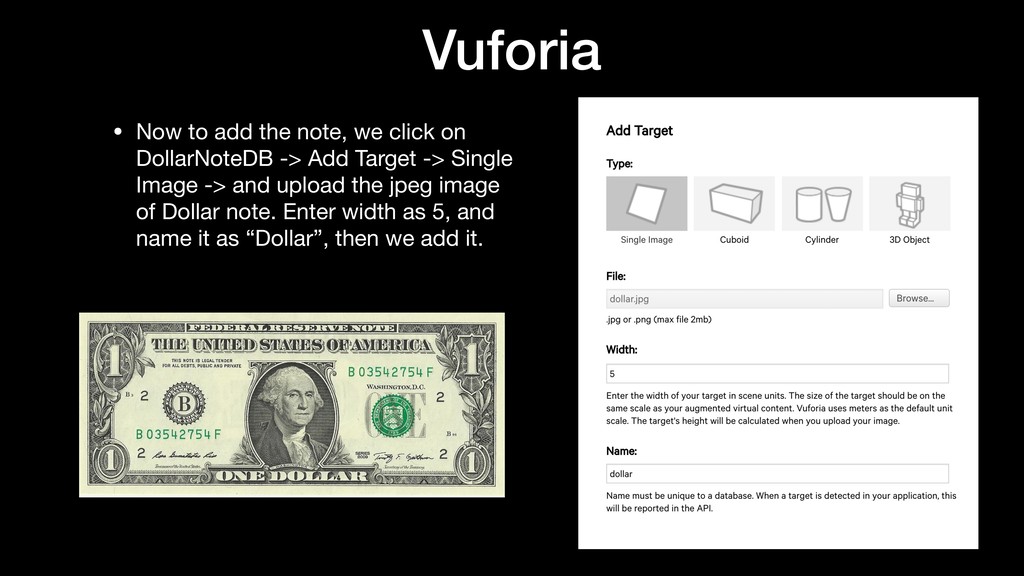
  12. Vuforia • Now to add the note, we click on

    DollarNoteDB -> Add Target -> Single Image -> and upload the jpeg image of Dollar note. Enter width as 5, and name it as “Dollar”, then we add it.
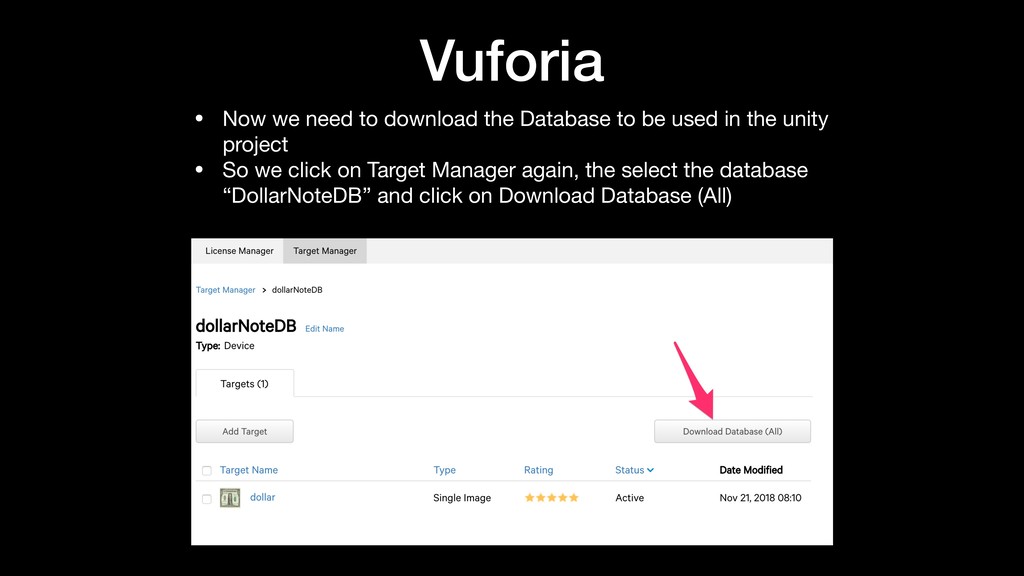
  13. Vuforia • Now we need to download the Database to

    be used in the unity project • So we click on Target Manager again, the select the database “DollarNoteDB” and click on Download Database (All)
  14. Downloading Assets Now we need to download the Donald Trump

    Low Poly 3D Figure. All credit goes to Denny for making this possible by developing this 3D model
 We can download the model from the link below. https://bit.ly/2S6LTs2 * Unzip the assets
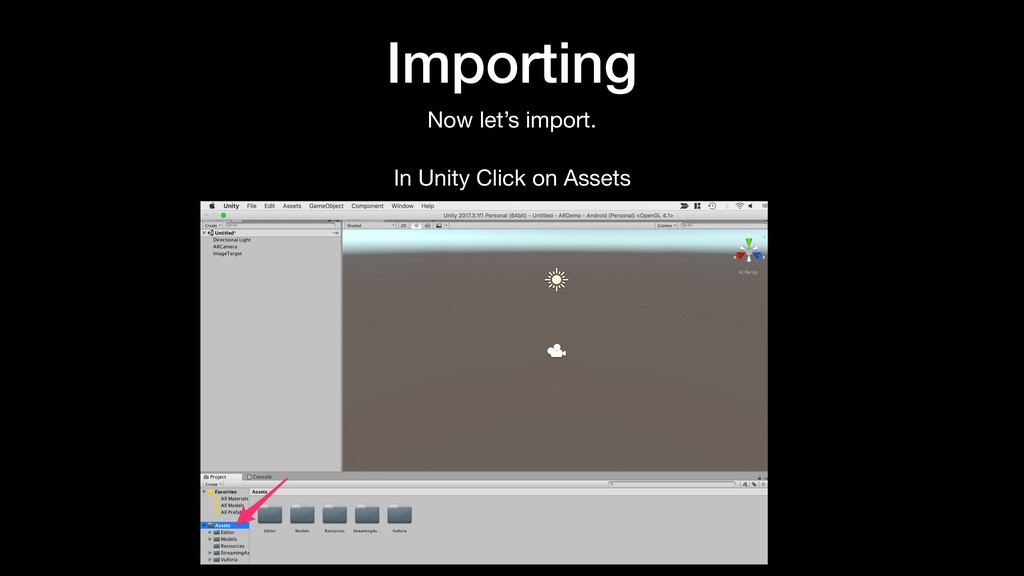
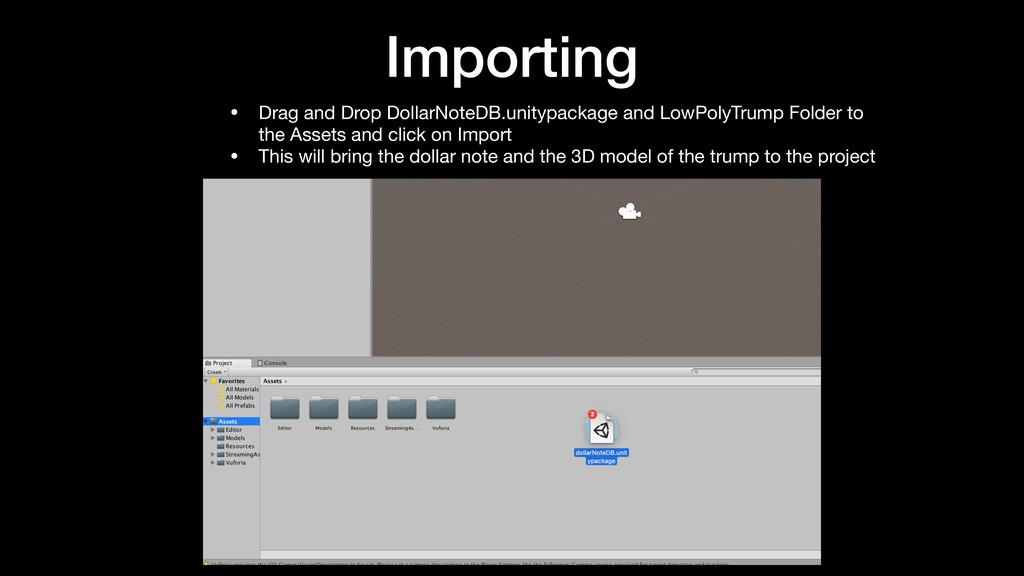
  15. Importing • Drag and Drop DollarNoteDB.unitypackage and LowPolyTrump Folder to

    the Assets and click on Import • This will bring the dollar note and the 3D model of the trump to the project
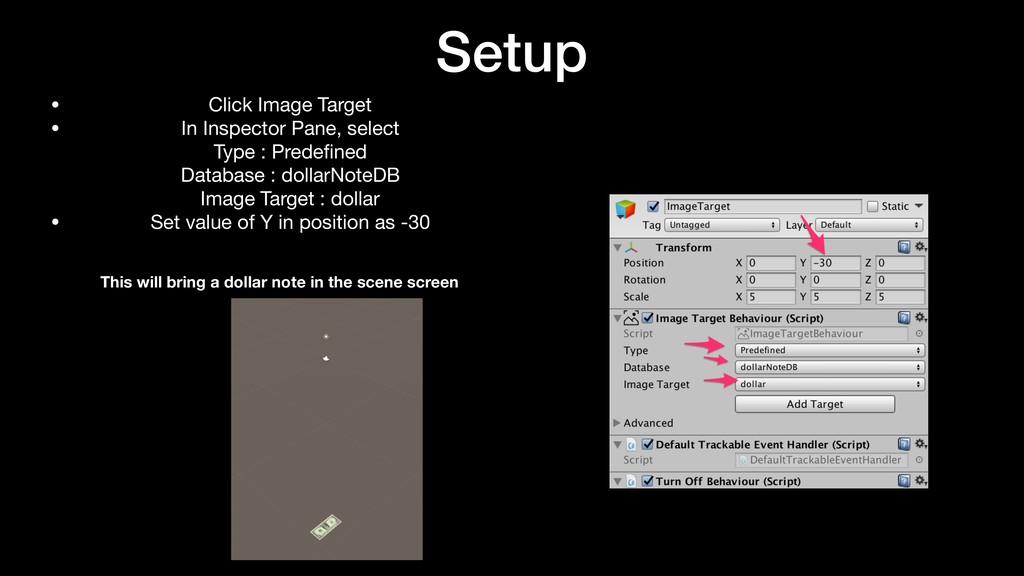
  16. Setup • Click Image Target • In Inspector Pane, select

    
 Type : Predefined
 Database : dollarNoteDB
 Image Target : dollar • Set value of Y in position as -30
 
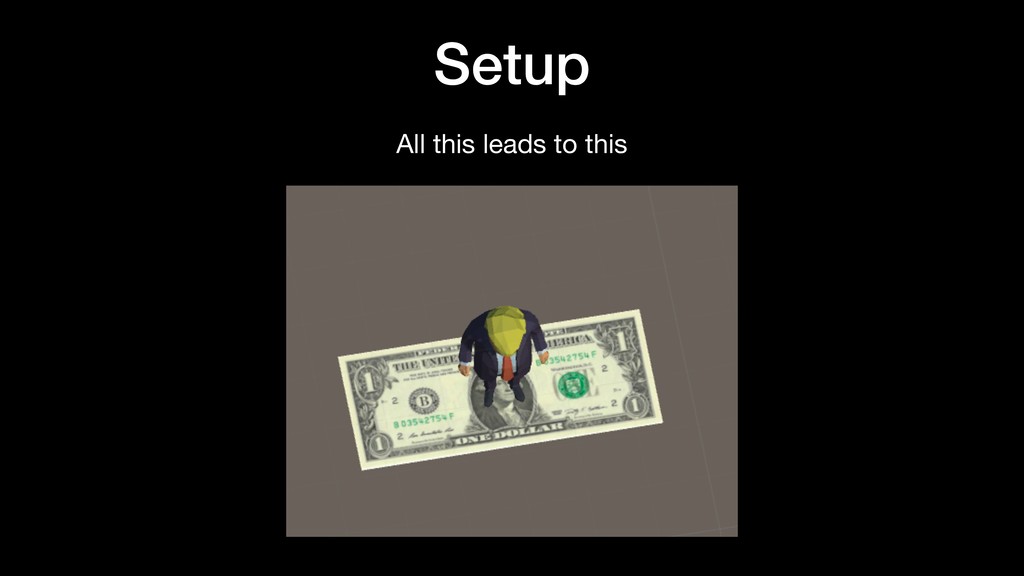
 This will bring a dollar note in the scene screen
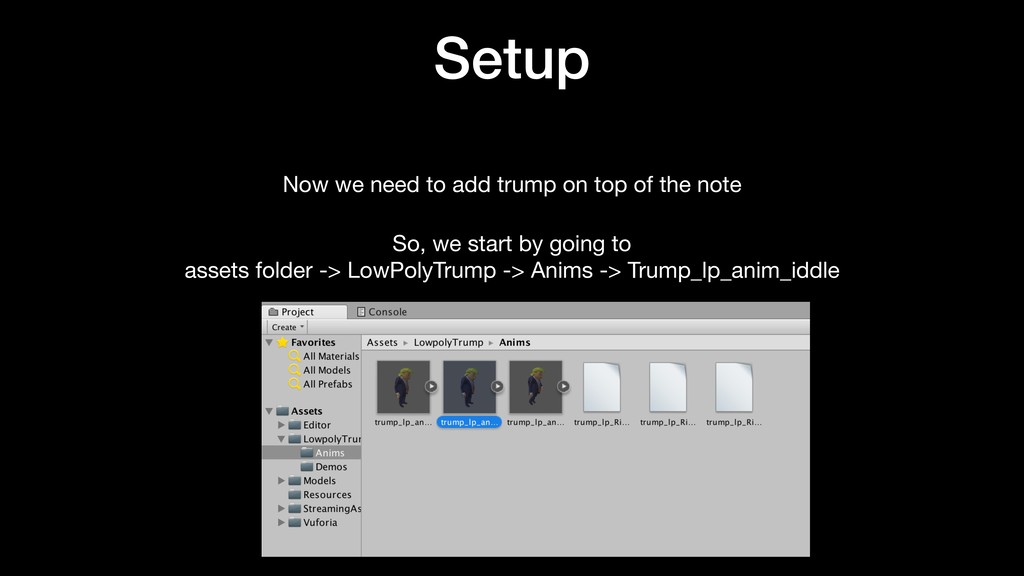
  17. Now we need to add trump on top of the

    note So, we start by going to assets folder -> LowPolyTrump -> Anims -> Trump_lp_anim_iddle Setup
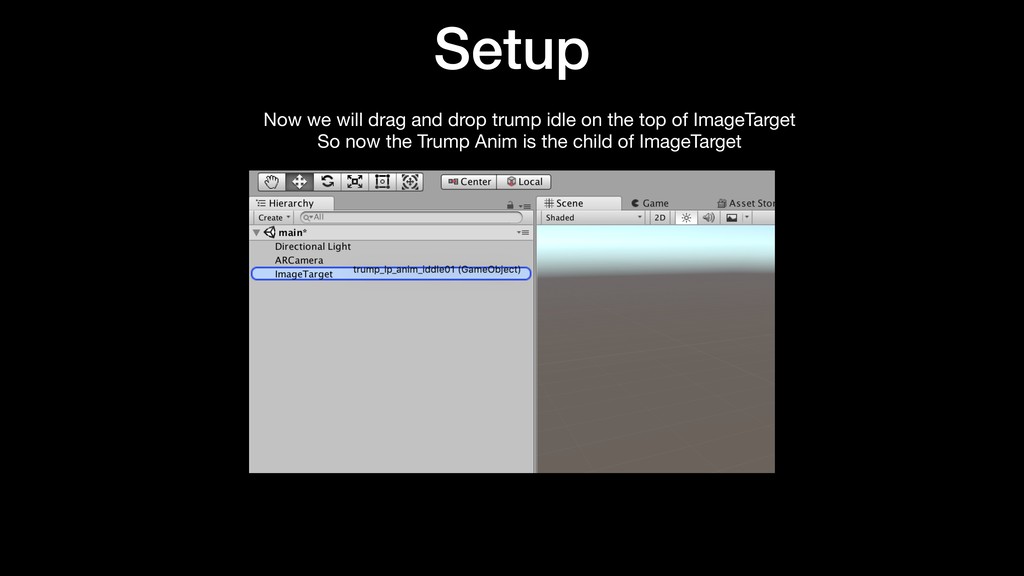
  18. Setup Now we will drag and drop trump idle on

    the top of ImageTarget
 So now the Trump Anim is the child of ImageTarget
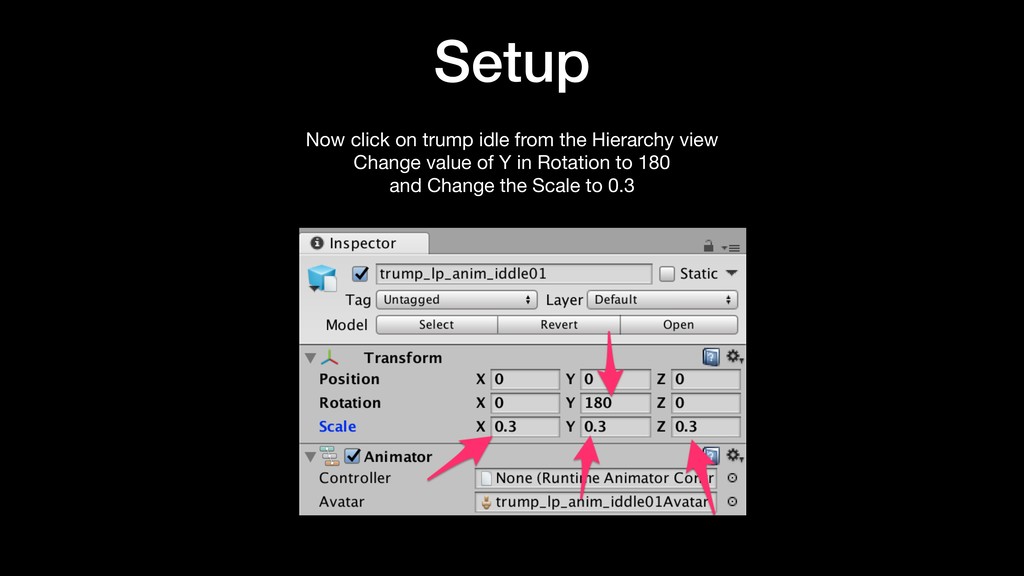
  19. Setup Now click on trump idle from the Hierarchy view

    
 Change value of Y in Rotation to 180
 and Change the Scale to 0.3
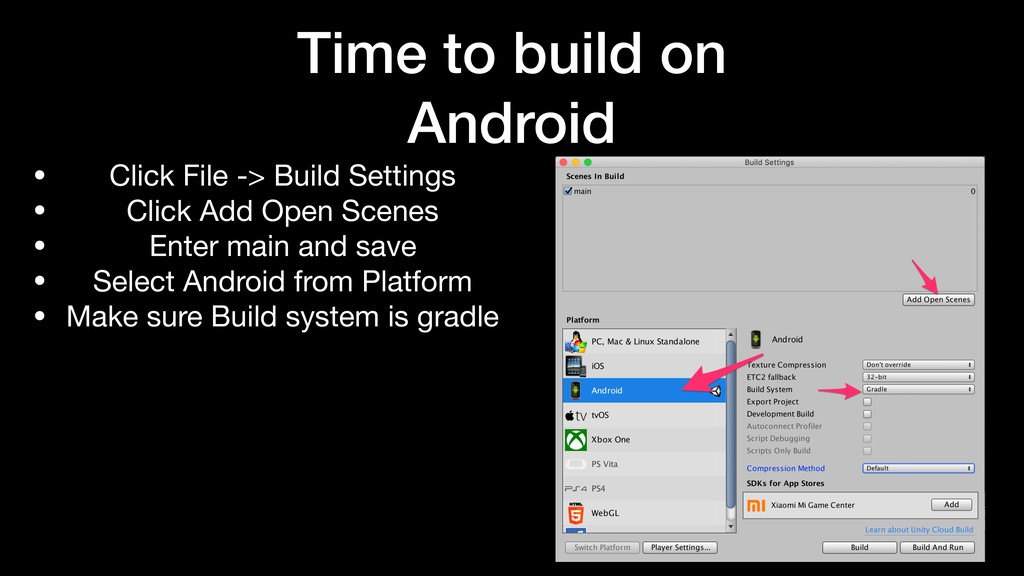
  20. Time to build on Android • Click File -> Build

    Settings • Click Add Open Scenes • Enter main and save • Select Android from Platform • Make sure Build system is gradle
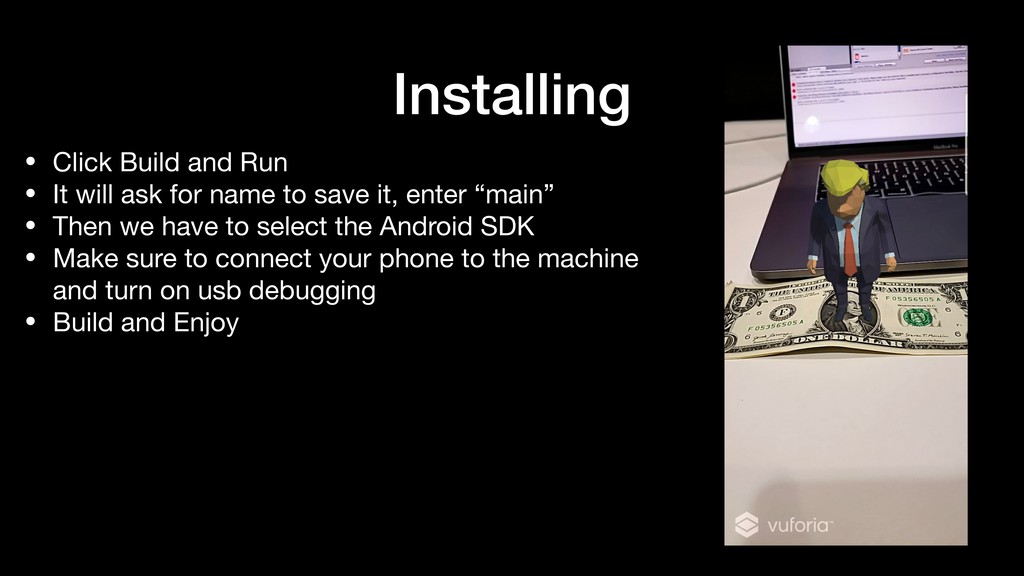
  21. Installing • Click Build and Run • It will ask

    for name to save it, enter “main” • Then we have to select the Android SDK • Make sure to connect your phone to the machine and turn on usb debugging • Build and Enjoy
  22. Downloads The final code for this tutorial can be found

    at http://bit.ly/2AaFEfK APK to download to Android Phone http://bit.ly/2Kou5pK
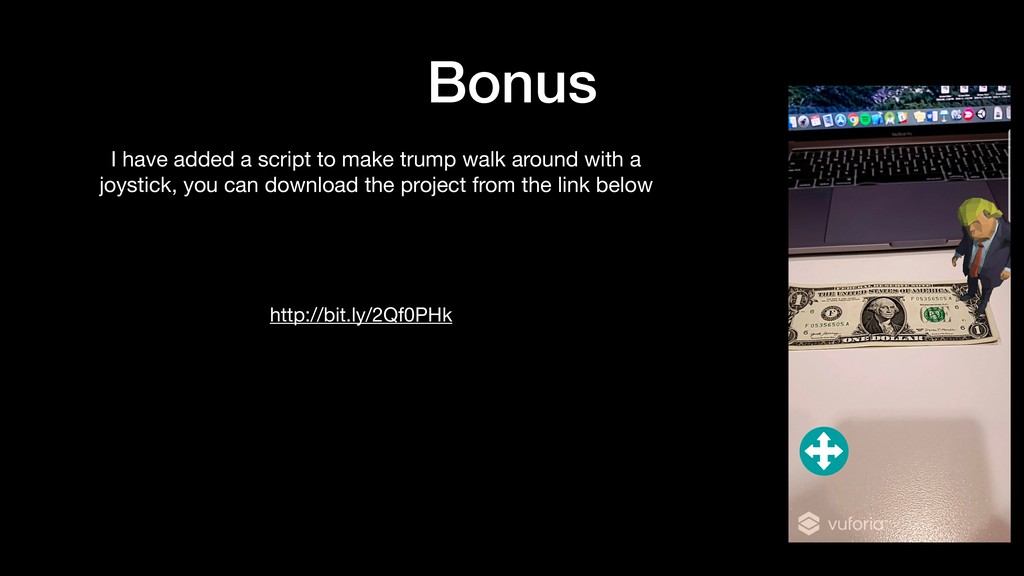
  23. Bonus I have added a script to make trump walk

    around with a joystick, you can download the project from the link below http://bit.ly/2Qf0PHk
  24. Credits • This presentation is possible because of this author

    on YouTube. • Feel free to watch his Tutorial method also http://bit.ly/2Dz3oNE