Upgrade to Pro — share decks privately, control downloads, hide ads and more …

World of CSS Flexbox

Sponsored · Ship Features Fearlessly Turn features on and off without deploys. Used by thousands of Ruby developers. →

World of CSS Flexbox

CSS Flexbox are around 6 years, but only in the last few years they got standardize.
this lecture, getting deep in all the parts of CSS Flexbox! welcome to the “World of Flexbox”!

– Properties types
– How It Works
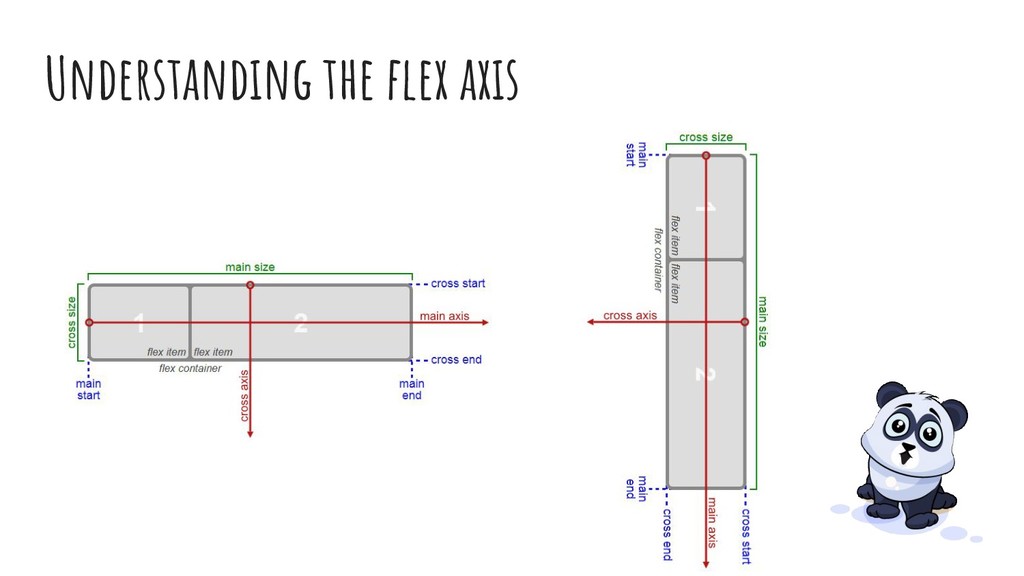
– Understanding Flex Axis
– Ordering flex items
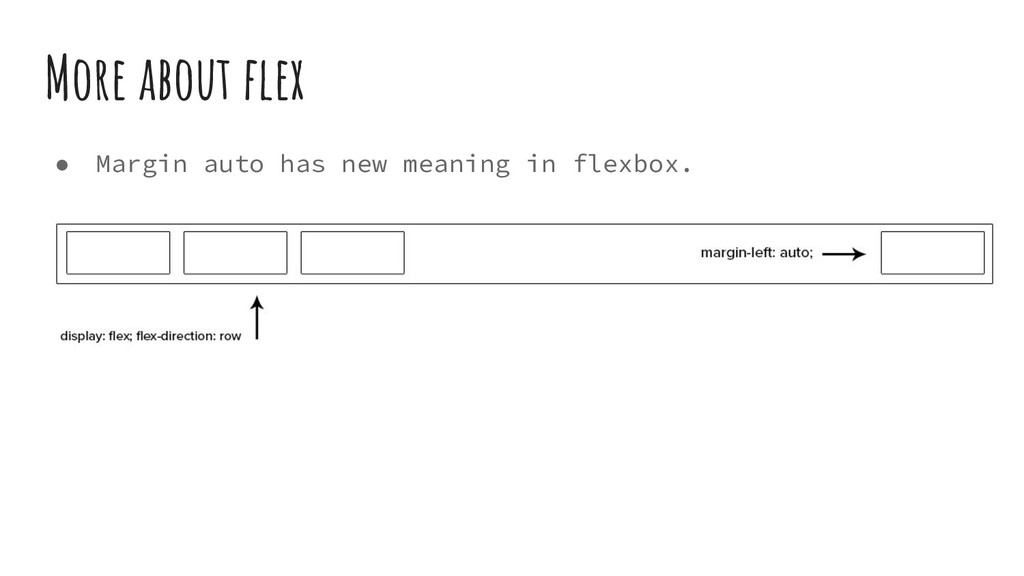
– The Power of auto value in Flexbox

Avatar for Elad Shechter

Elad Shechter

October 25, 2018

Other Decks in Technology

Transcript

  1. Who Am I? • I’m CSS/HTML Architect at Investing.com (3/2018

    - now) • Founder of CSS Masters Israel Facebook Group (June 2013) • Writer at medium.com/@elad • Speaker
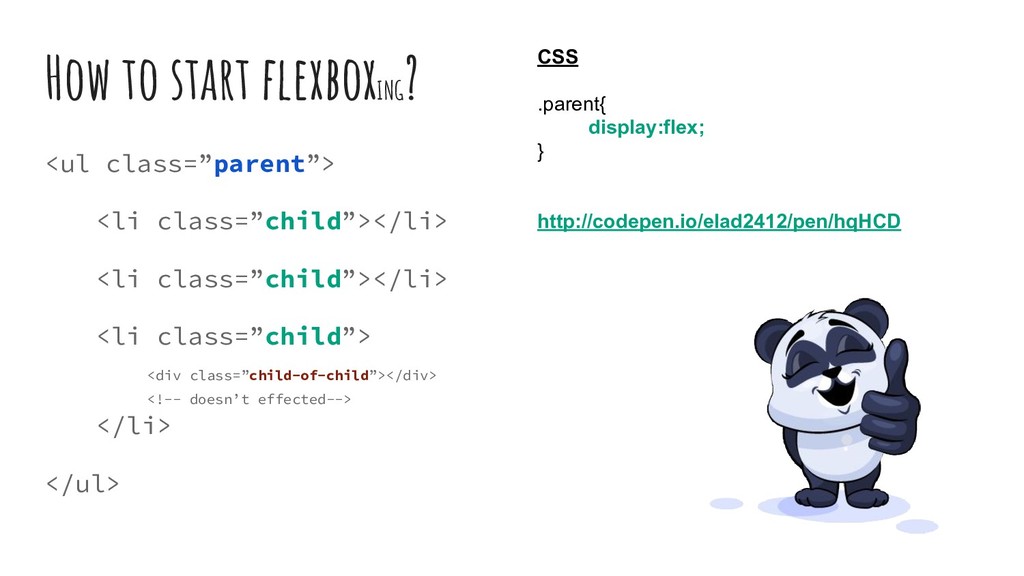
  2. How to start flexboxING ? <ul class=”parent”> <li class=”child”></li> <li

    class=”child”></li> <li class=”child”> <div class=”child-of-child”></div> <!-- doesn’t effected--> </li> </ul> CSS .parent{ display:flex; } http://codepen.io/elad2412/pen/hqHCD
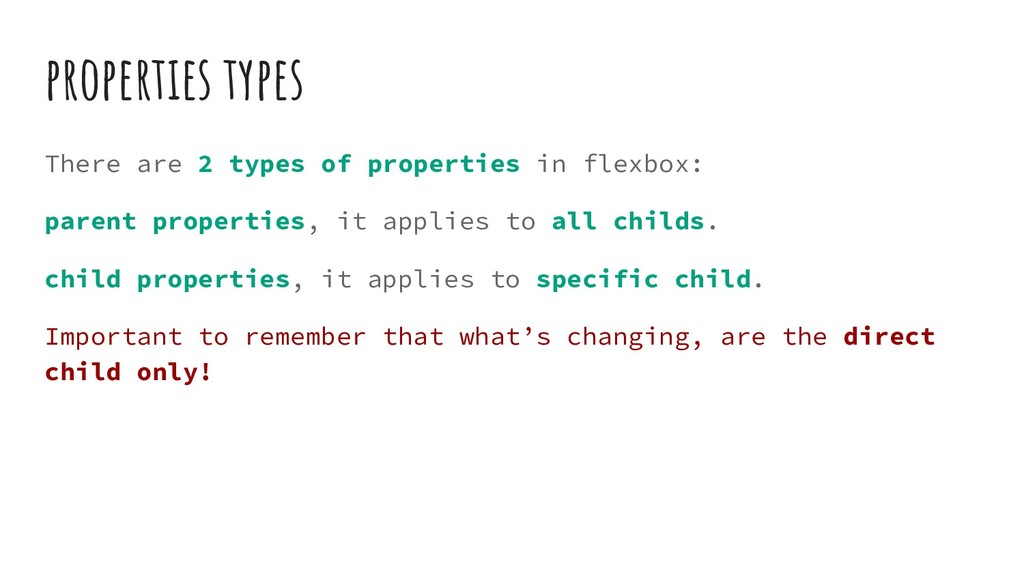
  3. properties types There are 2 types of properties in flexbox:

    parent properties, it applies to all childs. child properties, it applies to specific child. Important to remember that what’s changing, are the direct child only!
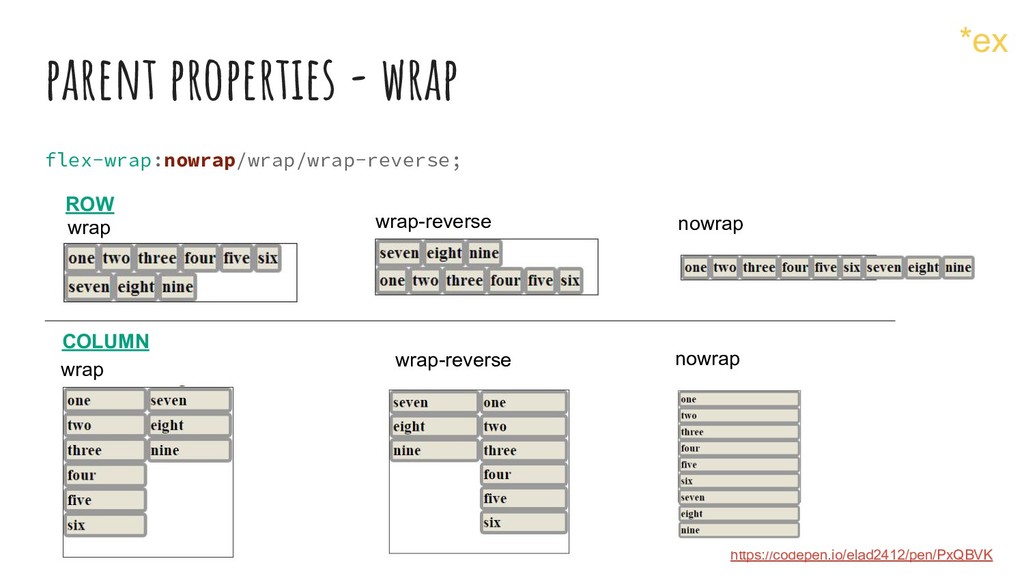
  4. parent properties - wrap flex-wrap:nowrap/wrap/wrap-reverse; ROW COLUMN wrap nowrap wrap

    nowrap https://codepen.io/elad2412/pen/PxQBVK wrap-reverse wrap-reverse *ex
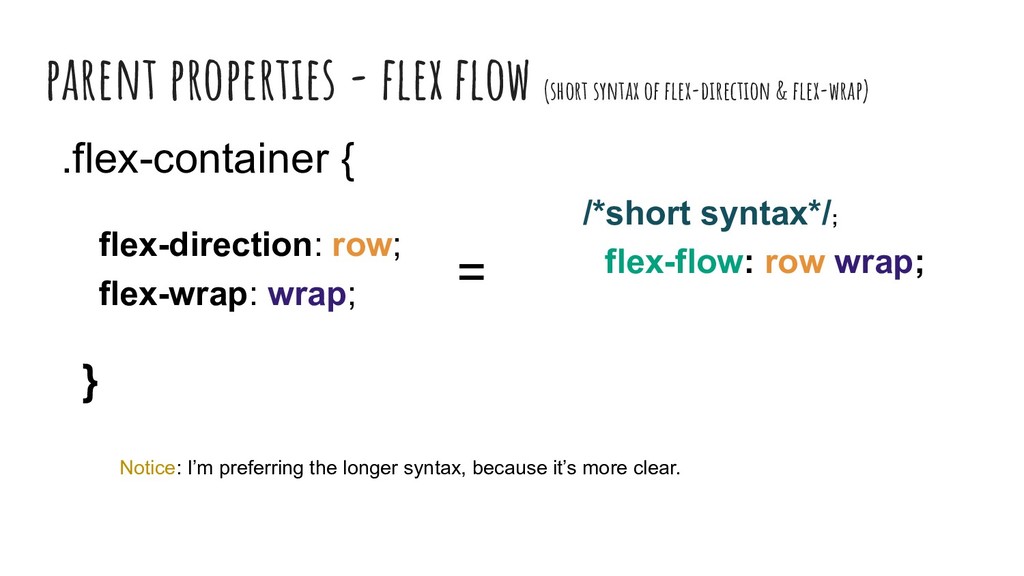
  5. parent properties - flex flow (short syntax of flex-direction &

    flex-wrap) .flex-container { flex-direction: row; flex-wrap: wrap; } = /*short syntax*/; flex-flow: row wrap; Notice: I’m preferring the longer syntax, because it’s more clear.
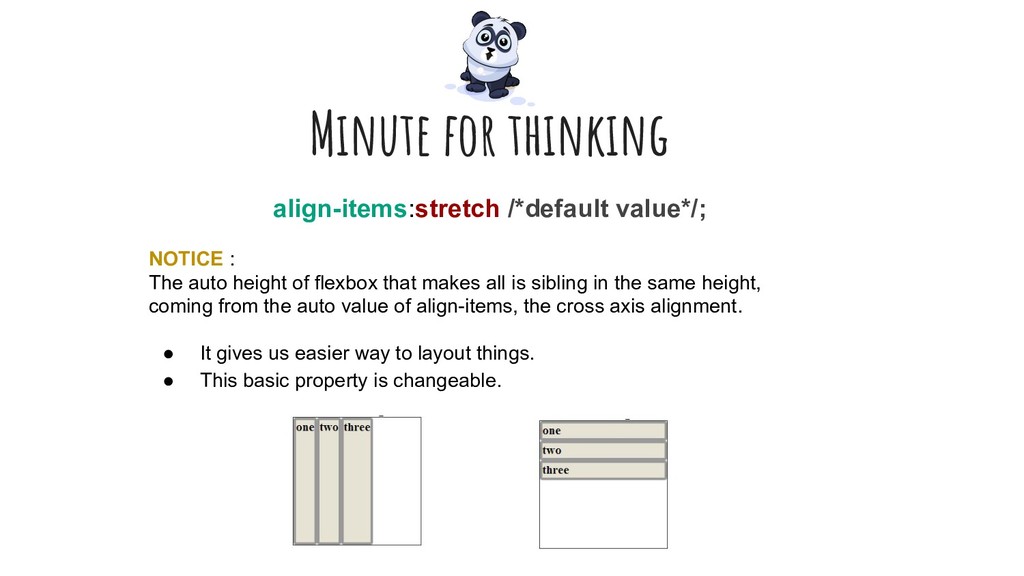
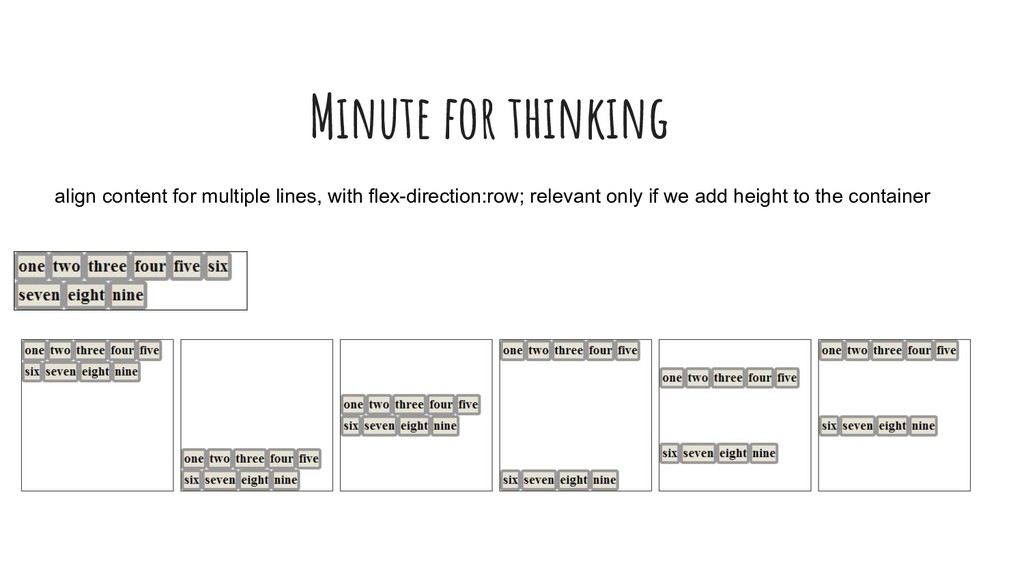
  6. Minute for thinking align-items:stretch /*default value*/; NOTICE : The auto

    height of flexbox that makes all is sibling in the same height, coming from the auto value of align-items, the cross axis alignment. • It gives us easier way to layout things. • This basic property is changeable.
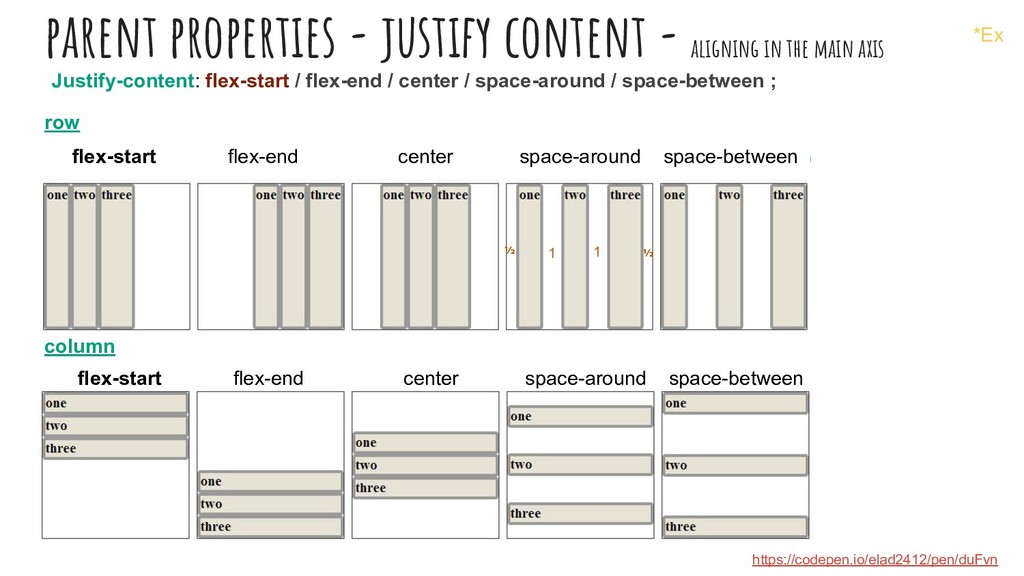
  7. parent properties - justify content - aligning in the main

    axis row flex-start flex-end center space-around space-between (flex:1 for the items) column flex-start flex-end center space-around space-between (flex:1 for the items) https://codepen.io/elad2412/pen/duFvn Justify-content: flex-start / flex-end / center / space-around / space-between ; ½ ½ 1 1 *Ex
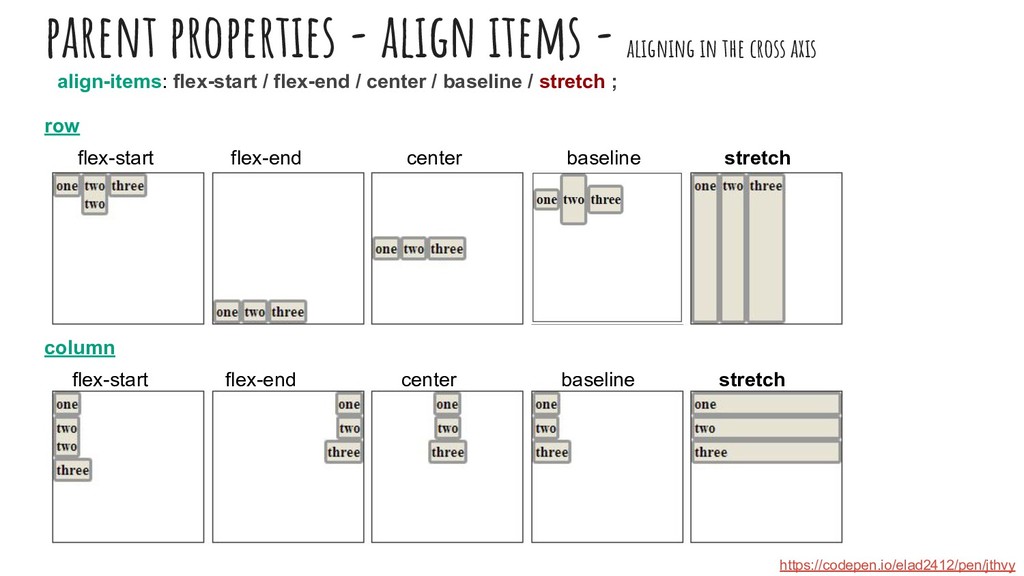
  8. parent properties - align items - aligning in the cross

    axis row flex-start flex-end center baseline stretch column flex-start flex-end center baseline stretch align-items: flex-start / flex-end / center / baseline / stretch ; https://codepen.io/elad2412/pen/jthvy
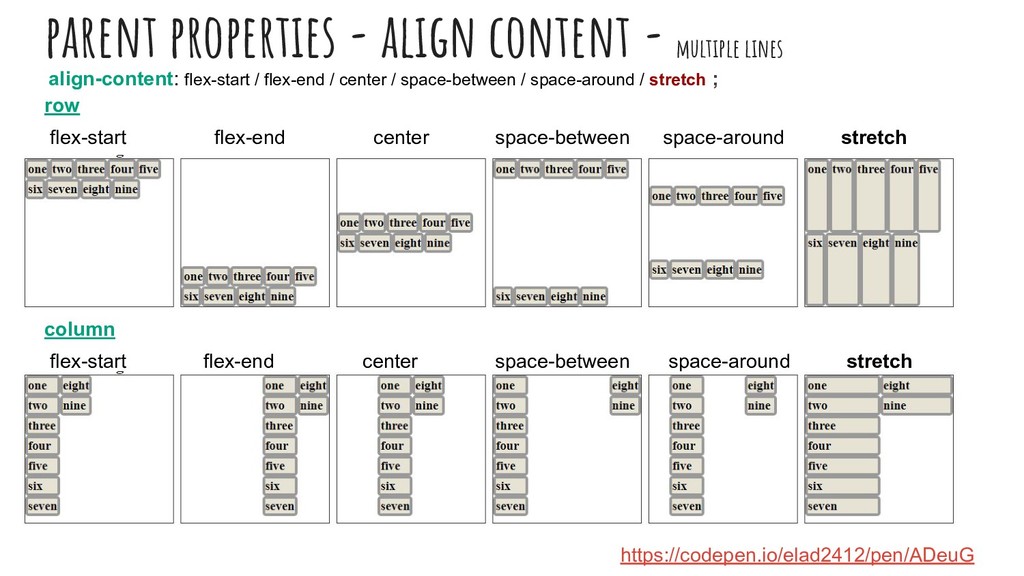
  9. parent properties - align content - multiple lines row flex-start

    flex-end center space-between space-around stretch F column flex-start flex-end center space-between space-around stretch align-content: flex-start / flex-end / center / space-between / space-around / stretch ; https://codepen.io/elad2412/pen/ADeuG
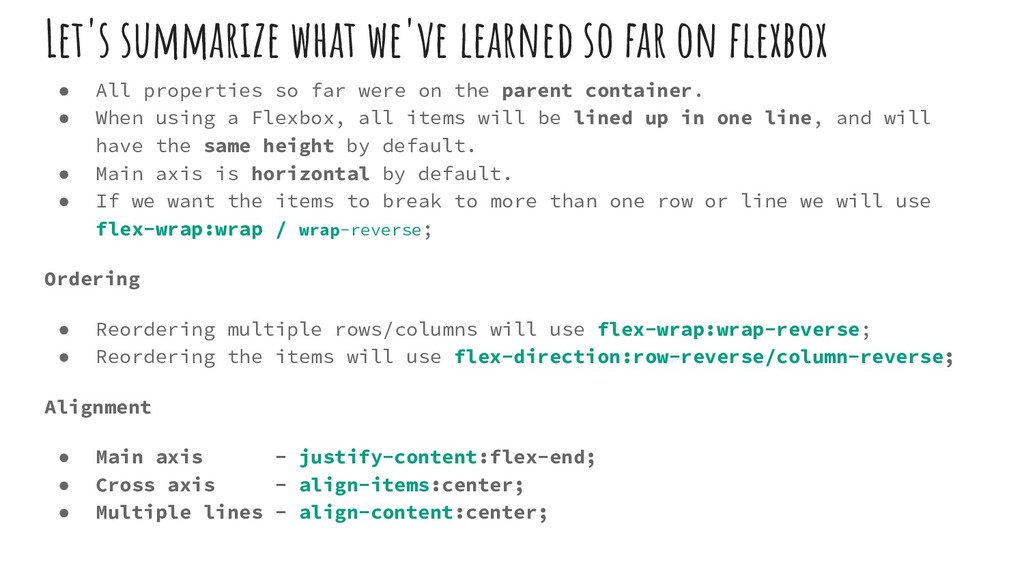
  10. Let's summarize what we've learned so far on flexbox •

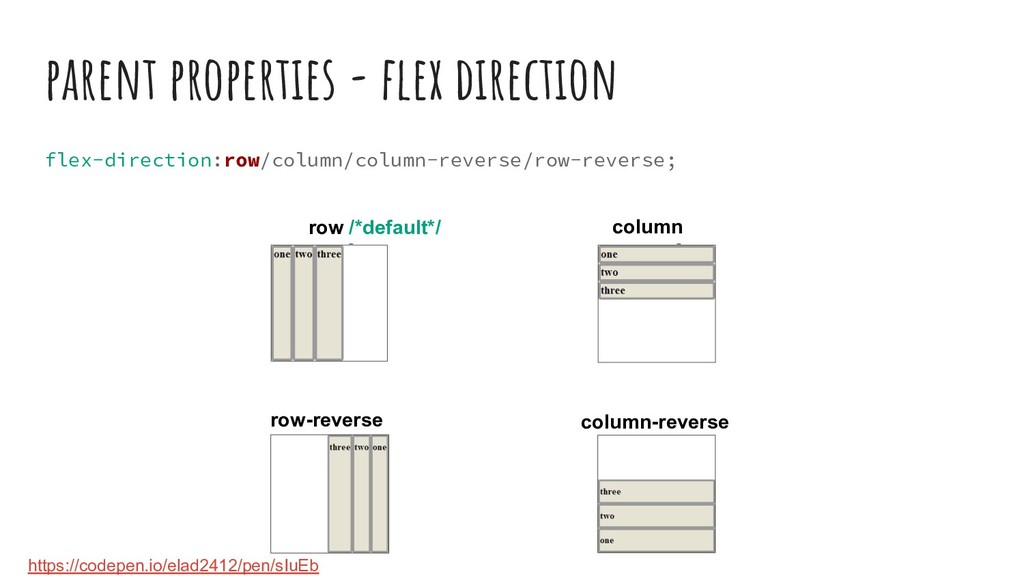
    All properties so far were on the parent container. • When using a Flexbox, all items will be lined up in one line, and will have the same height by default. • Main axis is horizontal by default. • If we want the items to break to more than one row or line we will use flex-wrap:wrap / wrap-reverse; Ordering • Reordering multiple rows/columns will use flex-wrap:wrap-reverse; • Reordering the items will use flex-direction:row-reverse/column-reverse; Alignment • Main axis - justify-content:flex-end; • Cross axis - align-items:center; • Multiple lines - align-content:center;
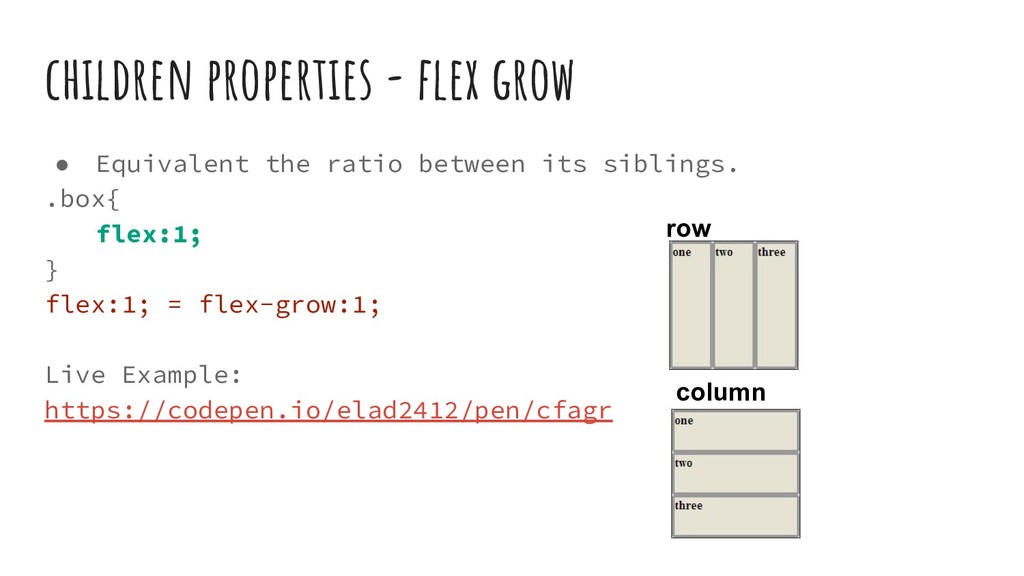
  11. children properties - flex grow • Equivalent the ratio between

    its siblings. .box{ flex:1; } flex:1; = flex-grow:1; Live Example: https://codepen.io/elad2412/pen/cfagr row column
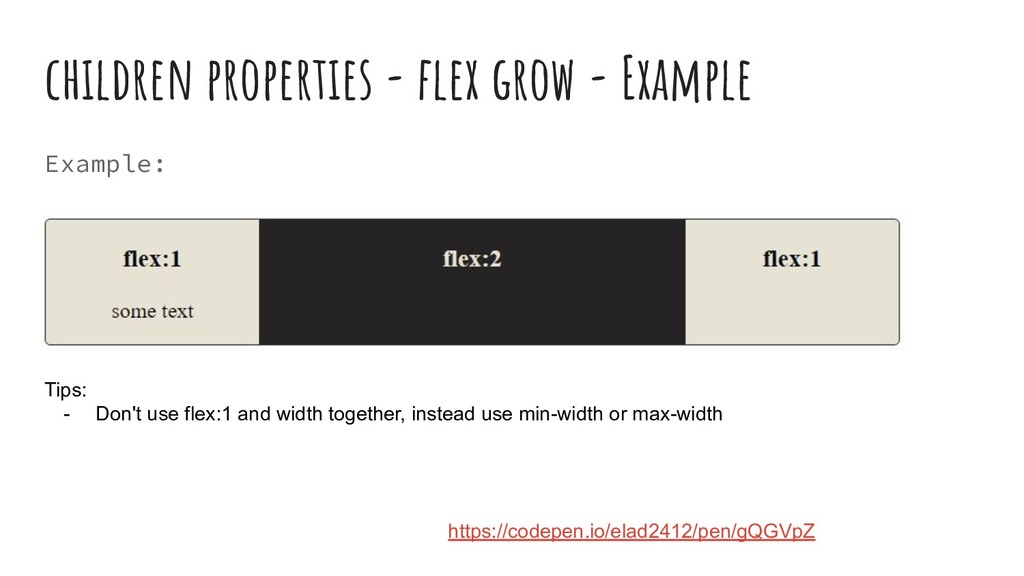
  12. children properties - flex grow - Example Example: Tips: -

    Don't use flex:1 and width together, instead use min-width or max-width https://codepen.io/elad2412/pen/gQGVpZ
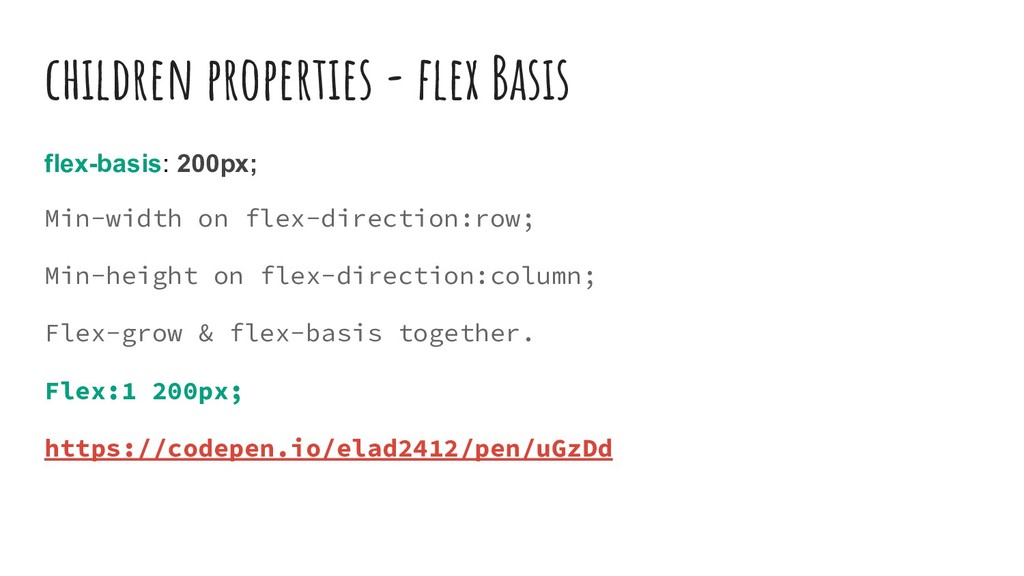
  13. children properties - flex Basis flex-basis: 200px; Min-width on flex-direction:row;

    Min-height on flex-direction:column; Flex-grow & flex-basis together. Flex:1 200px; https://codepen.io/elad2412/pen/uGzDd
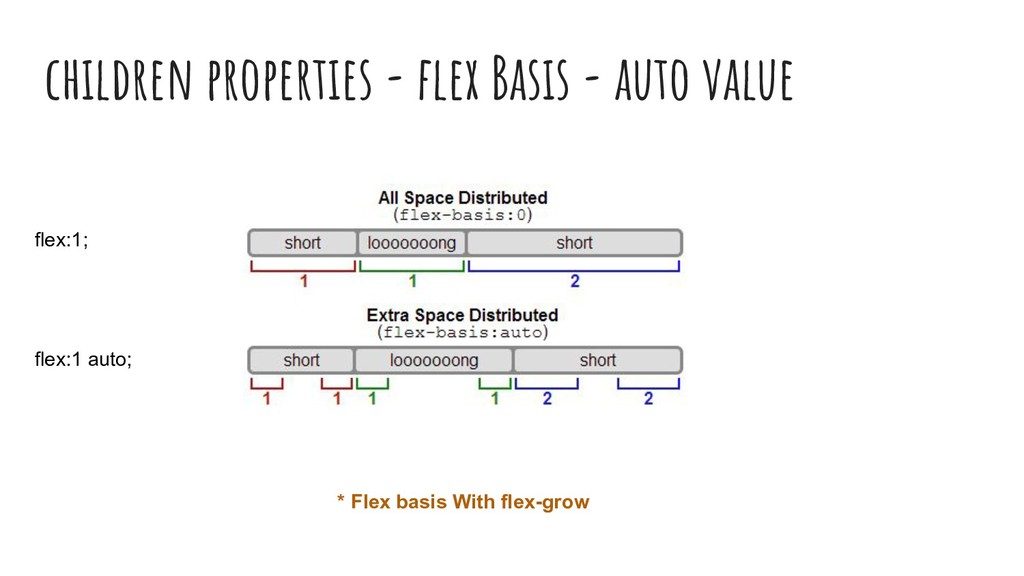
  14. children properties - flex Basis - auto value * Flex

    basis With flex-grow flex:1; flex:1 auto;
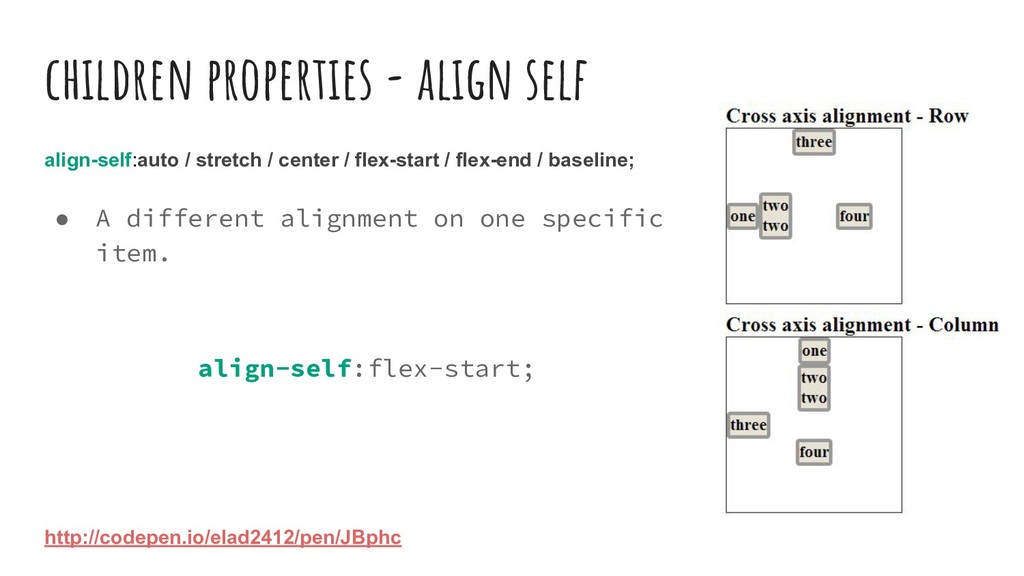
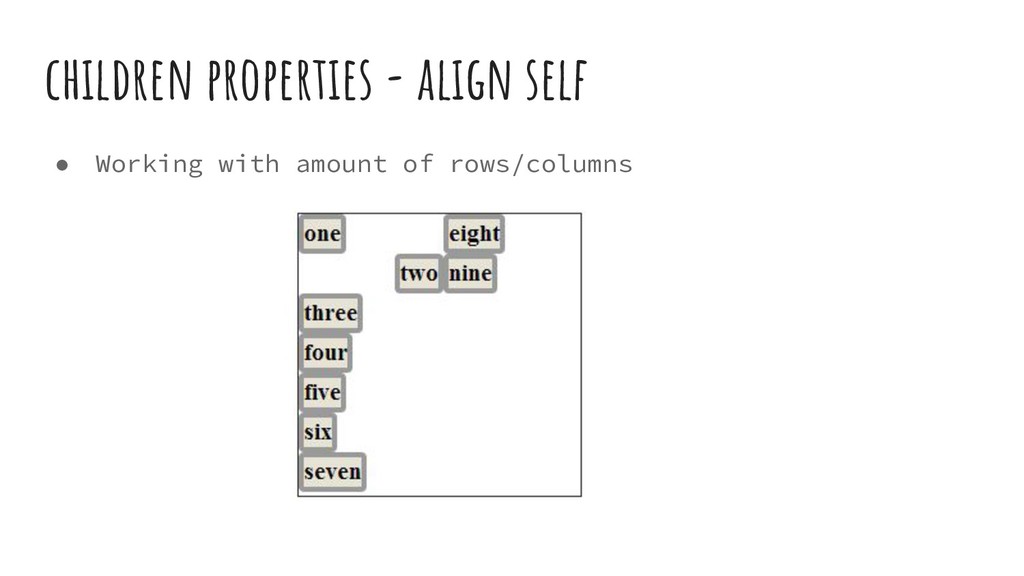
  15. children properties - align self align-self:auto / stretch / center

    / flex-start / flex-end / baseline; • A different alignment on one specific item. align-self:flex-start; http://codepen.io/elad2412/pen/JBphc
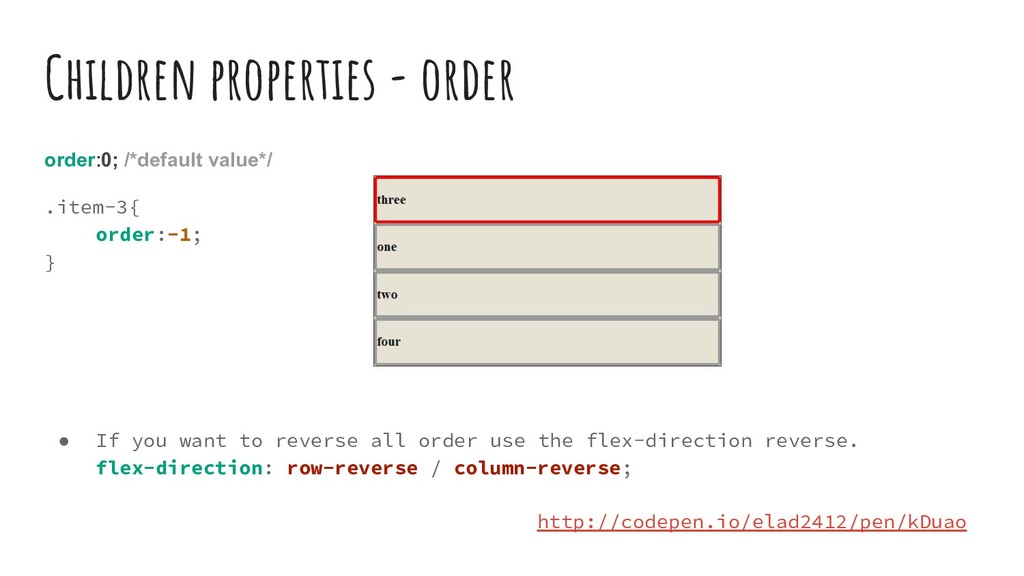
  16. Children properties - order order:0; /*default value*/ .item-3{ order:-1; }

    • If you want to reverse all order use the flex-direction reverse. flex-direction: row-reverse / column-reverse; http://codepen.io/elad2412/pen/kDuao
  17. - THE END - https://www.facebook.com/groups/css.masters.israel/ Join! CSS Masters Israel Facebook

    Group Let’s Keep Talking Facebook Groups CSS Masters Israel My Twitter https://twitter.com/eladsc More of My Stuff https://medium.com/@elad https://codepen.io/elad2412/ LinkedIn https://il.linkedin.com/in/eladshechter @eladsc