Upgrade to Pro
— share decks privately, control downloads, hide ads and more …
Speaker Deck
Sign up for free
Menu
Search
Features
All features
Private URLs
Password Protection
Custom URLS
Scheduled publishing
Remove Branding
Restrict embedding
Deck Collections
Notes
Features
All features
Private URLs
Password Protection
Custom URLS
Scheduled publishing
Remove Branding
Restrict embedding
Deck Collections
Notes
Explore
Featured decks
Featured speakers
Programming
Technology
Storyboards
Explore
Featured decks
Featured speakers
Programming
Technology
Storyboards
Pricing
Search
Sign in
Sign up for free
Learn git
Search
Sponsored
·
Ship Features Fearlessly
Turn features on and off without deploys. Used by thousands of Ruby developers.
→
李甘
February 21, 2013
Technology
310
1
Share
Embed
Copy iframe code
Copy JS code
Copy link
Start on current slide
Learn git
git初学简要教程
李甘
February 21, 2013
More Decks by 李甘
See All by 李甘
How we make tests
flypiggy
0
87
Other Decks in Technology
See All in Technology
AI駆動開発の時代になったのでトヨタ生産方式から見直す
terurou
7
6k
実践!Cloud Run ハンズオン!! / Cloud Run handson
y0hgi
2
280
アウトプット初心者、半年間のふりかえり
4o1sobblue
0
430
脆弱性診断って、何をしているの? 〜弱点を見つけて、会社の改善につなげるまで〜
keeg
0
920
⾮構造化データを価値に変える AI エージェント基盤とその組織
ivry_presentationmaterials
0
190
大型犬好きによるPugの紹介
yamanoku
1
160
サブエージェントと Claude Mods で作る独自 Advisor ツールの話
kenichiodo
2
160
「Docker Desktop不要の時代」は 来たのか?
ueponx
0
770
継続的なAIコスト最適化
bgpat
1
340
Temporal 最高!でも改めて「日付」について調べたら人類の負債すぎる件
riyaamemiya
0
140
USB PDを使ってスマホを労わりたい
raspython3
0
180
AI コーディングと人間の認知スループット / CTO Night & Day 2026 Morning Session / AI Coding and Human Cognitive Throughput
prog893
4
1k
Featured
See All Featured
Fantastic passwords and where to find them - at NoRuKo
philnash
53
4k
We Have a Design System, Now What?
morganepeng
55
8.4k
Designing Dashboards & Data Visualisations in Web Apps
destraynor
232
55k
Accessibility Awareness
sabderemane
1
250
A Tale of Four Properties
chriscoyier
163
24k
How Fast Is Fast Enough? [PerfNow 2025]
tammyeverts
3
940
Heart Work Chapter 1 - Part 1
lfama
PRO
10
37k
Typedesign – Prime Four
hannesfritz
42
3.2k
Navigating the Design Leadership Dip - Product Design Week Design Leaders+ Conference 2024
apolaine
2
480
Highjacked: Video Game Concept Design
rkendrick25
PRO
1
480
What the history of the web can teach us about the future of AI
inesmontani
PRO
2
740
Getting science done with accelerated Python computing platforms
jacobtomlinson
2
540
Transcript
learn git git基础教学 ! !
[email protected]
! (⼤大部分内容基于《Pro Git》整理⽽而成)
• Git 简介 • Git 101 • Git work-flow •
Resources
• Git简史 • Git设计原则 • Git特点 • Git原理 Git简介
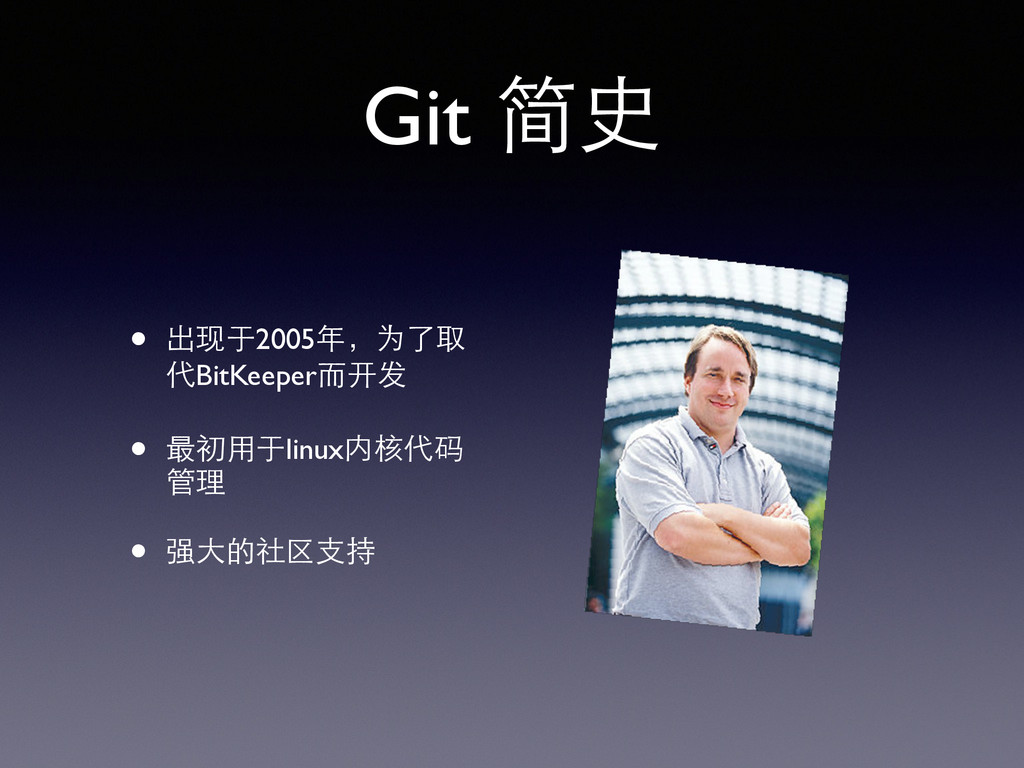
Git 简史 • 出现于2005年,为了取 代BitKeeper⽽而开发 • 最初⽤用于linux内核代码 管理 • 强⼤大的社区⽀支持
设计原则 • 速度 • 简单的设计 • 对⾮非线性开发模式的强⼒力⽀支持(允许上千个并 ⾏行开发的分⽀支) • 完全分布式
• 有能⼒力⾼高效管理类似 Linux 内核⼀一样的超⼤大规 模项⺫⽬目(速度和数据量)
Git 特点 • ⼏几乎所有操作都在本地执⾏行 • 每⼀一份clone都是⼀一个完整的版本库 • 时刻保持数据的完整性 • 不依赖中⼼心服务器
• 更好的多⼈人协作 • 更多的惊喜等待发现
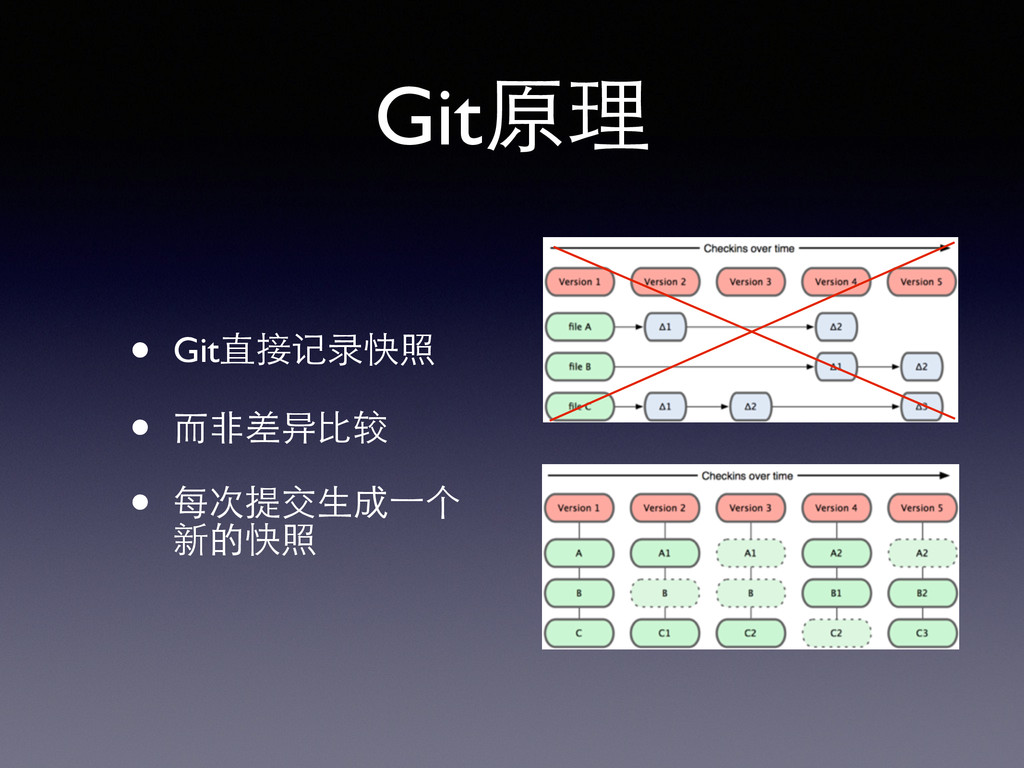
Git原理 • Git直接记录快照 • ⽽而⾮非差异⽐比较 • 每次提交⽣生成⼀一个 新的快照
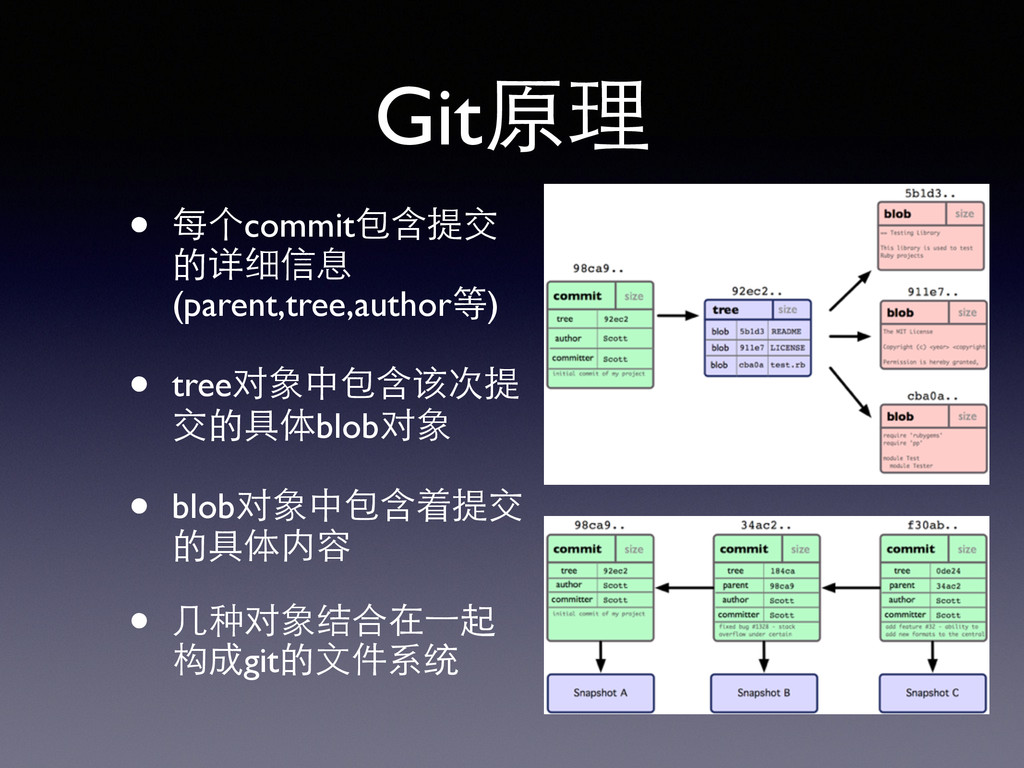
Git原理 • 每个commit包含提交 的详细信息 (parent,tree,author等) • tree对象中包含该次提 交的具体blob对象 • blob对象中包含着提交
的具体内容 • ⼏几种对象结合在⼀一起 构成git的⽂文件系统
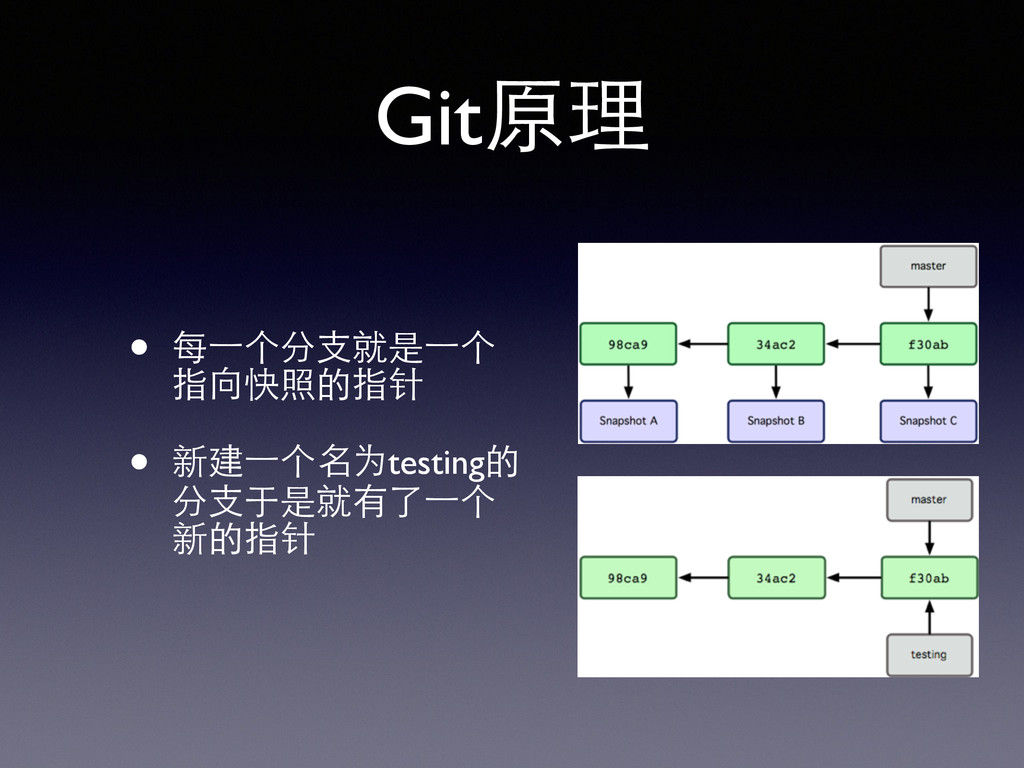
Git原理 • 每⼀一个分⽀支就是⼀一个 指向快照的指针 • 新建⼀一个名为testing的 分⽀支于是就有了⼀一个 新的指针
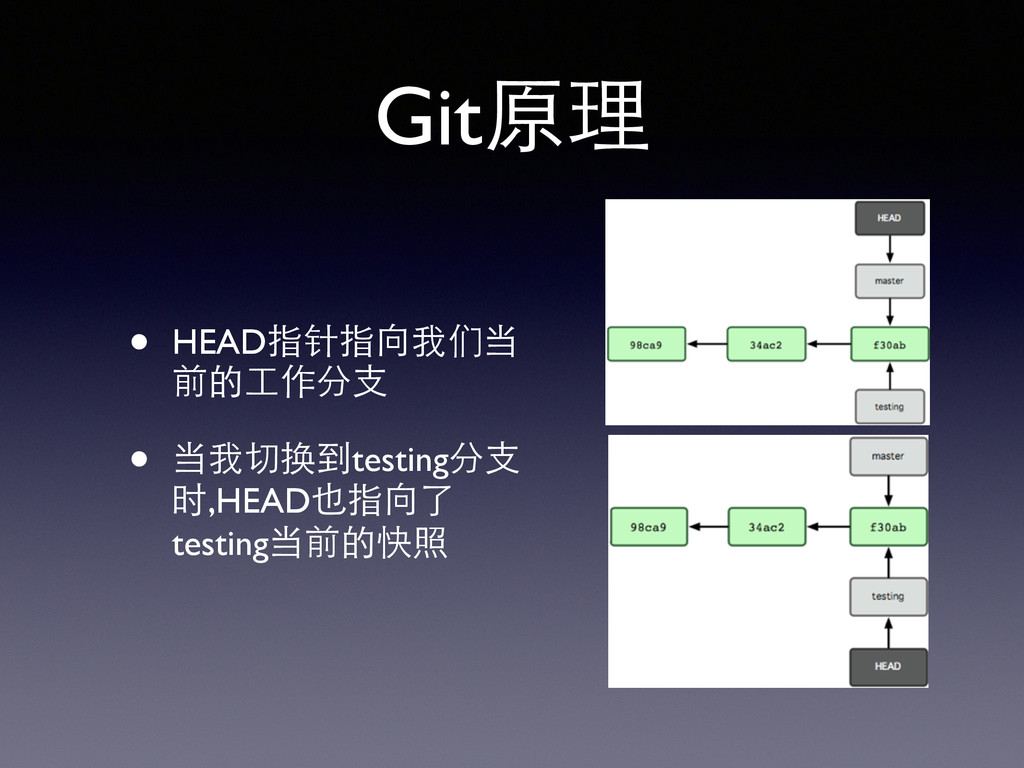
Git原理 • HEAD指针指向我们当 前的⼯工作分⽀支 • 当我切换到testing分⽀支 时,HEAD也指向了 testing当前的快照
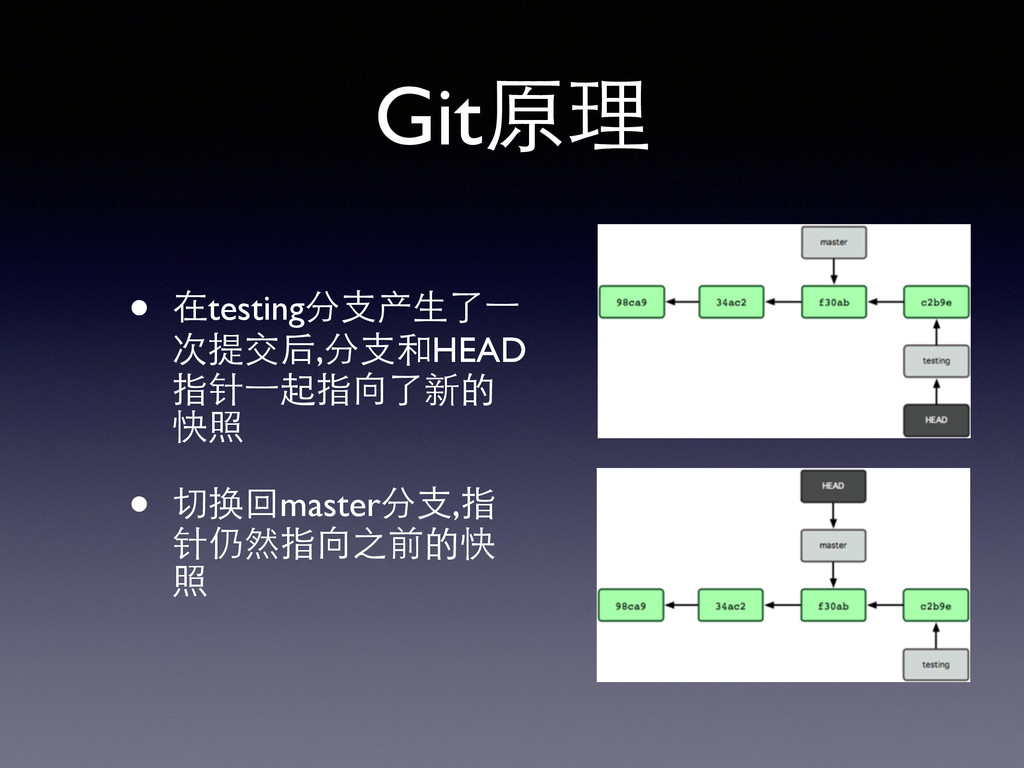
Git原理 • 在testing分⽀支产⽣生了⼀一 次提交后,分⽀支和HEAD 指针⼀一起指向了新的 快照 • 切换回master分⽀支,指 针仍然指向之前的快 照
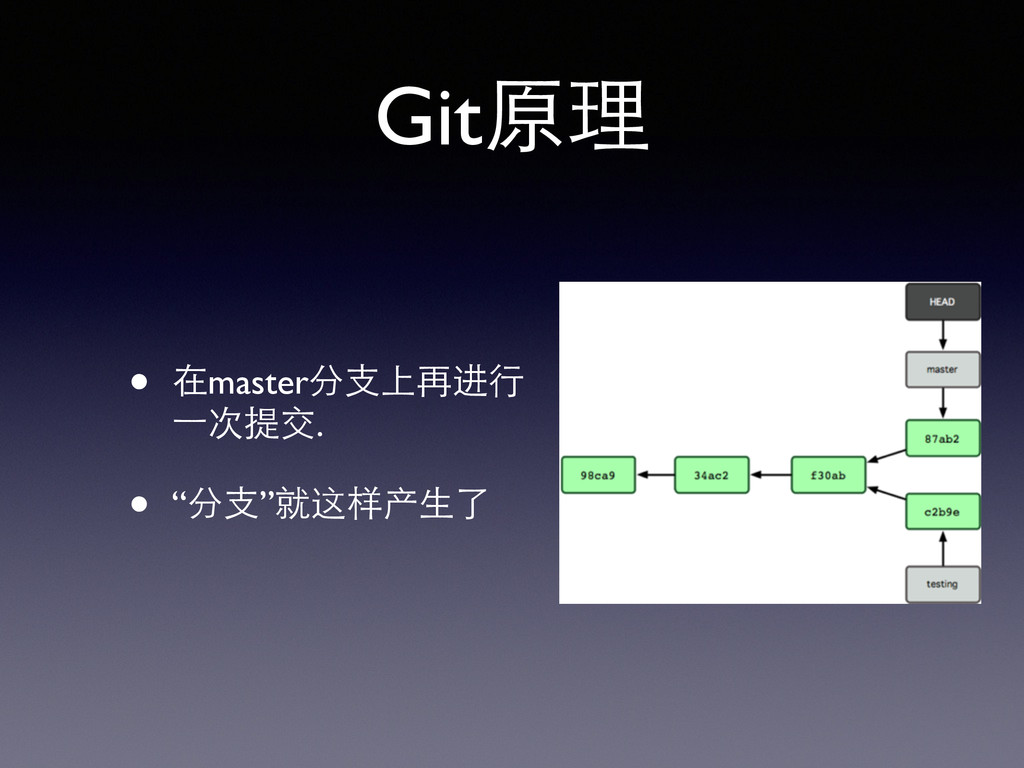
Git原理 • 在master分⽀支上再进⾏行 ⼀一次提交. • “分⽀支”就这样产⽣生了
Git 101 • git config • git clone/remote • git
add/commit • git status • git log • ...
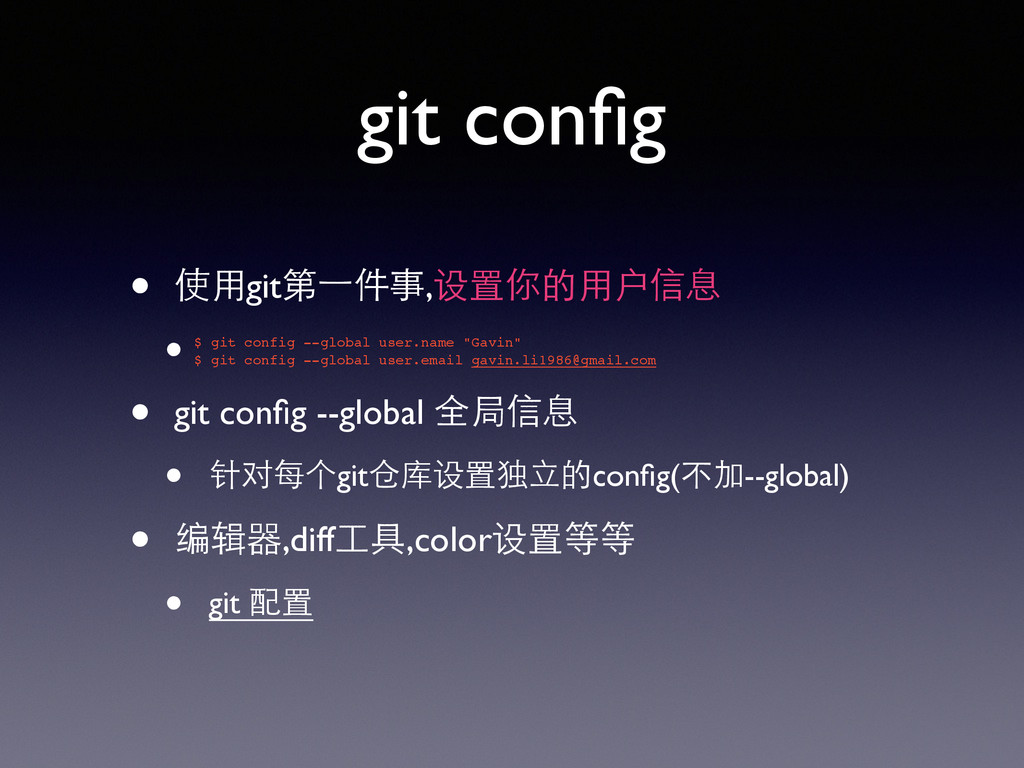
git config • 使⽤用git第⼀一件事,设置你的⽤用户信息 • • git config --global 全局信息
• 针对每个git仓库设置独⽴立的config(不加--global) • 编辑器,diff⼯工具,color设置等等 • git 配置 $ git config --global user.name "Gavin"! $ git config --global user.email
[email protected]
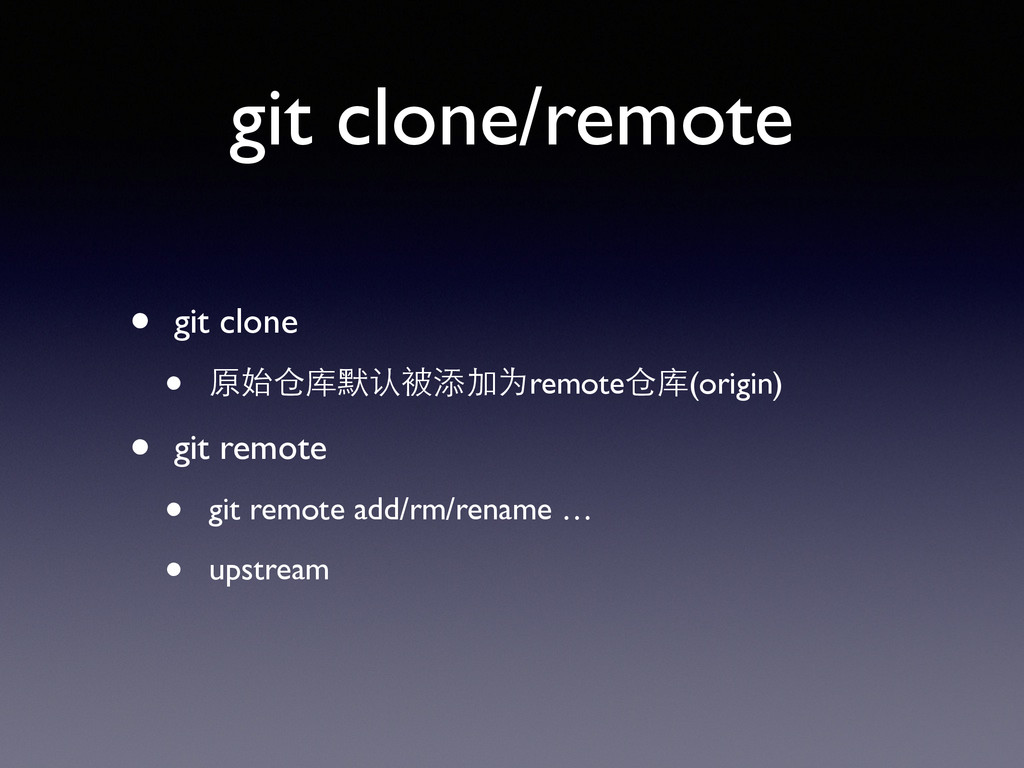
git clone/remote • git clone • 原始仓库默认被添加为remote仓库(origin) • git remote
• git remote add/rm/rename … • upstream
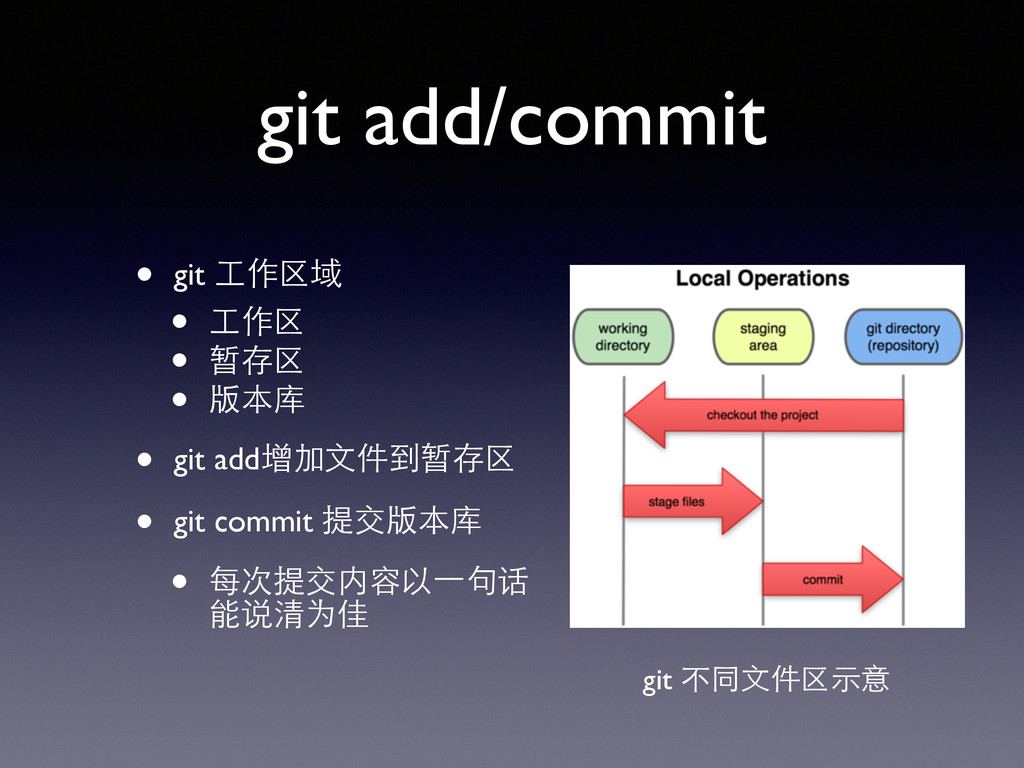
git add/commit • git ⼯工作区域 • ⼯工作区 • 暂存区 •
版本库 • git add增加⽂文件到暂存区 • git commit 提交版本库 • 每次提交内容以⼀一句话 能说清为佳 git 不同⽂文件区⽰示意
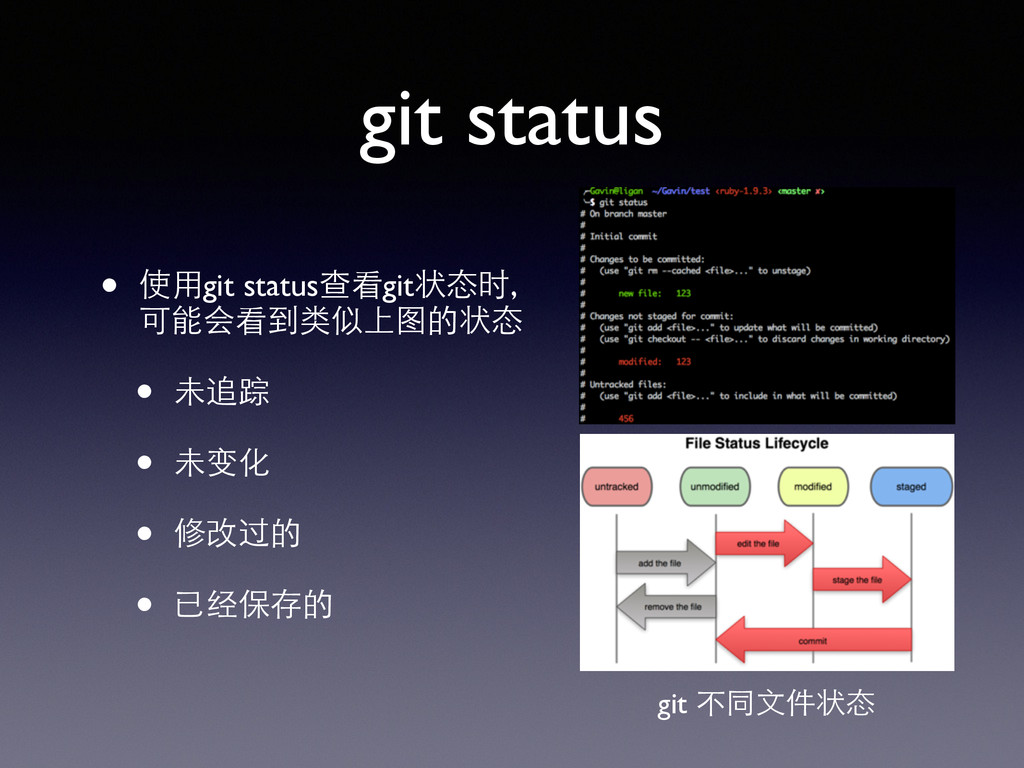
git status • 使⽤用git status查看git状态时, 可能会看到类似上图的状态 • 未追踪 • 未变化
• 修改过的 • 已经保存的 git 不同⽂文件状态
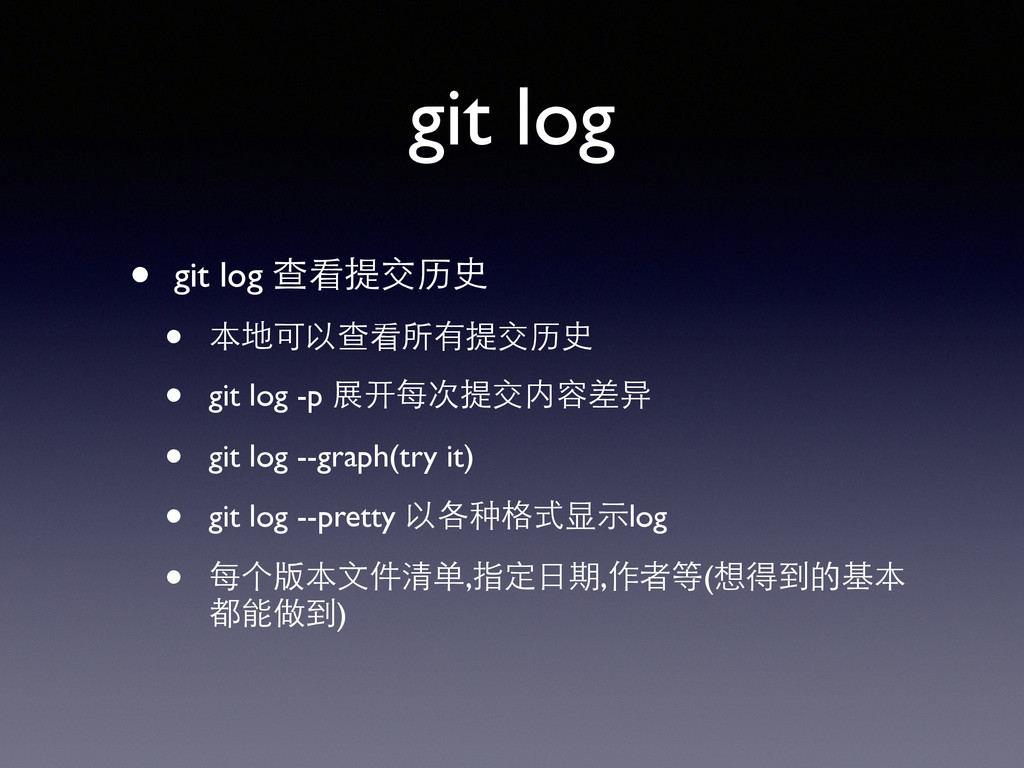
git log • git log 查看提交历史 • 本地可以查看所有提交历史 • git
log -p 展开每次提交内容差异 • git log --graph(try it) • git log --pretty 以各种格式显⽰示log • 每个版本⽂文件清单,指定⽇日期,作者等(想得到的基本 都能做到)
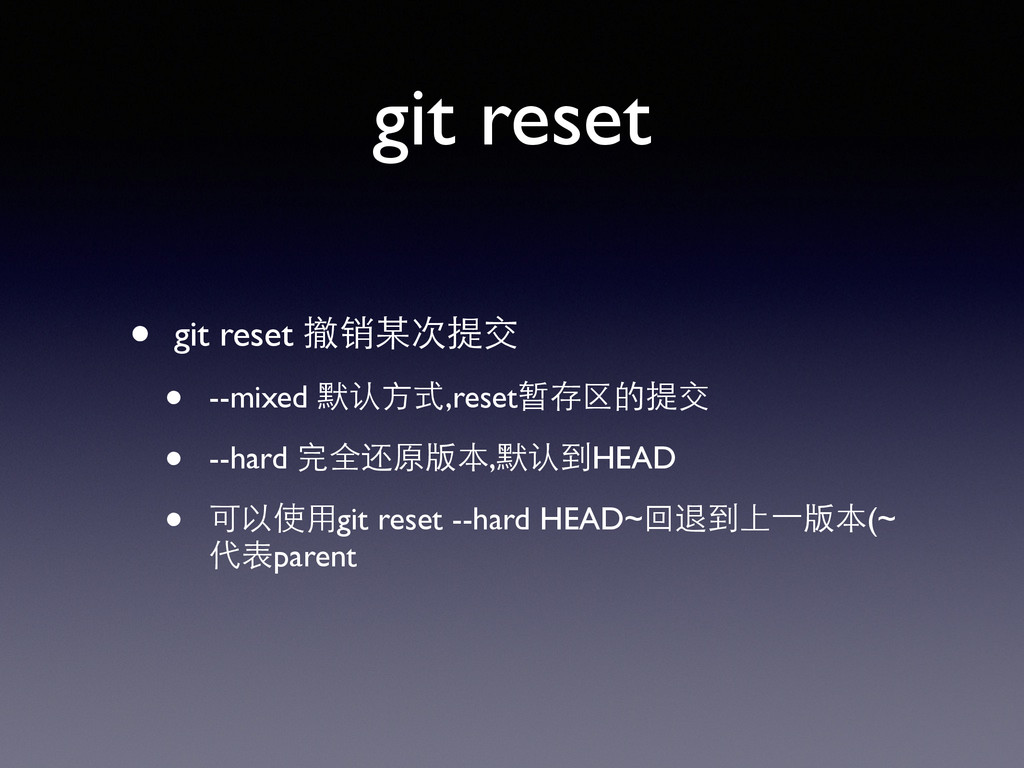
git reset • git reset 撤销某次提交 • --mixed 默认⽅方式,reset暂存区的提交 •
--hard 完全还原版本,默认到HEAD • 可以使⽤用git reset --hard HEAD~回退到上⼀一版本(~ 代表parent
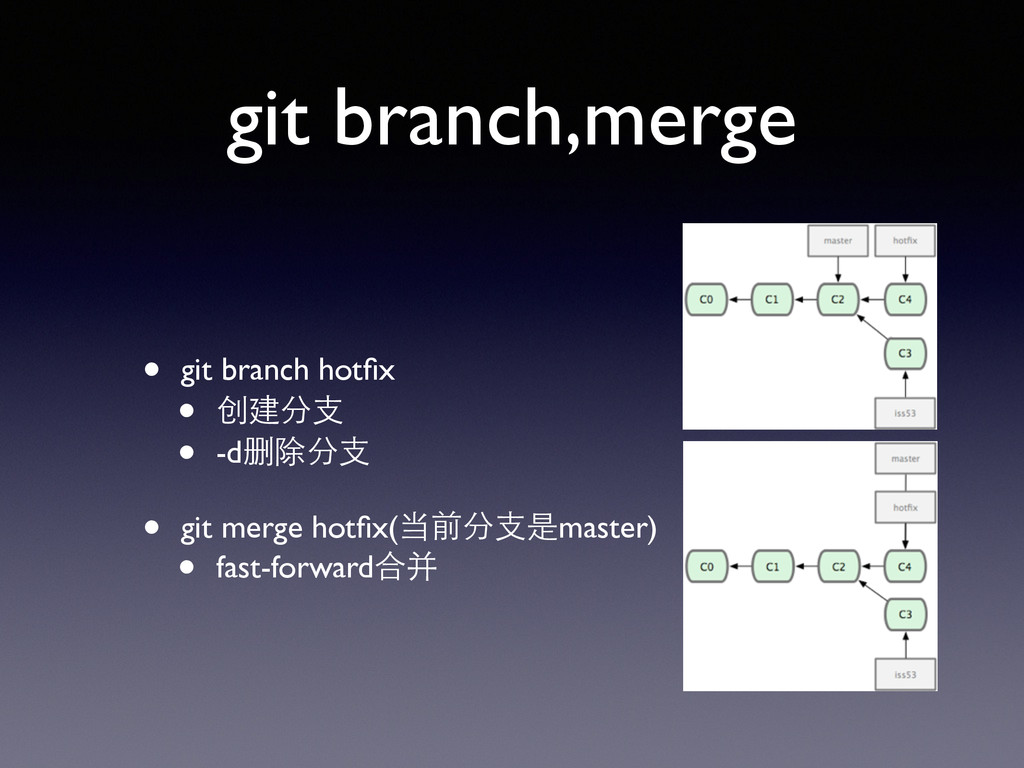
git branch,merge • git branch hotfix • 创建分⽀支 • -d删除分⽀支
• git merge hotfix(当前分⽀支是master) • fast-forward合并
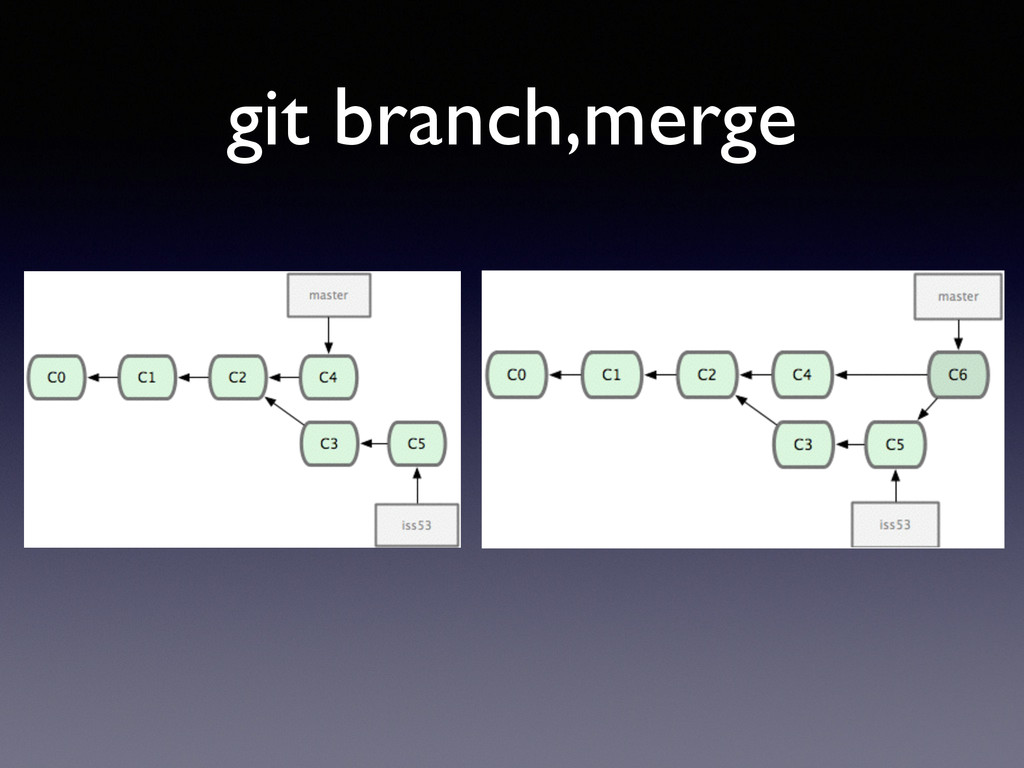
git branch,merge
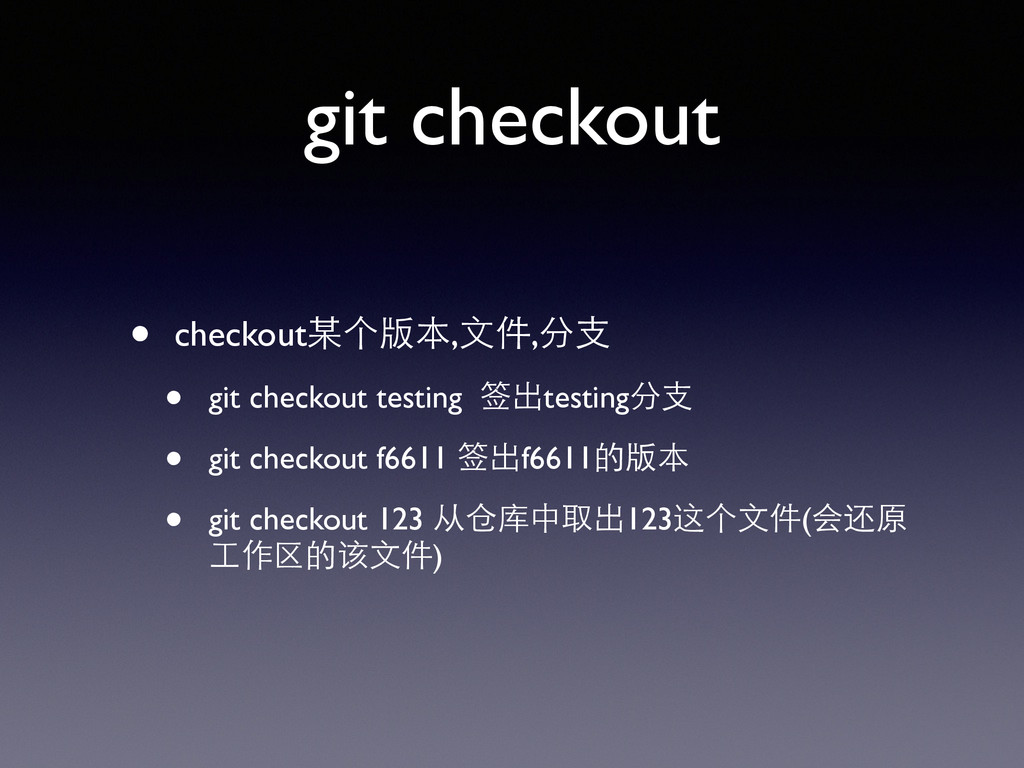
git checkout • checkout某个版本,⽂文件,分⽀支 • git checkout testing 签出testing分⽀支 •
git checkout f6611 签出f6611的版本 • git checkout 123 从仓库中取出123这个⽂文件(会还原 ⼯工作区的该⽂文件)
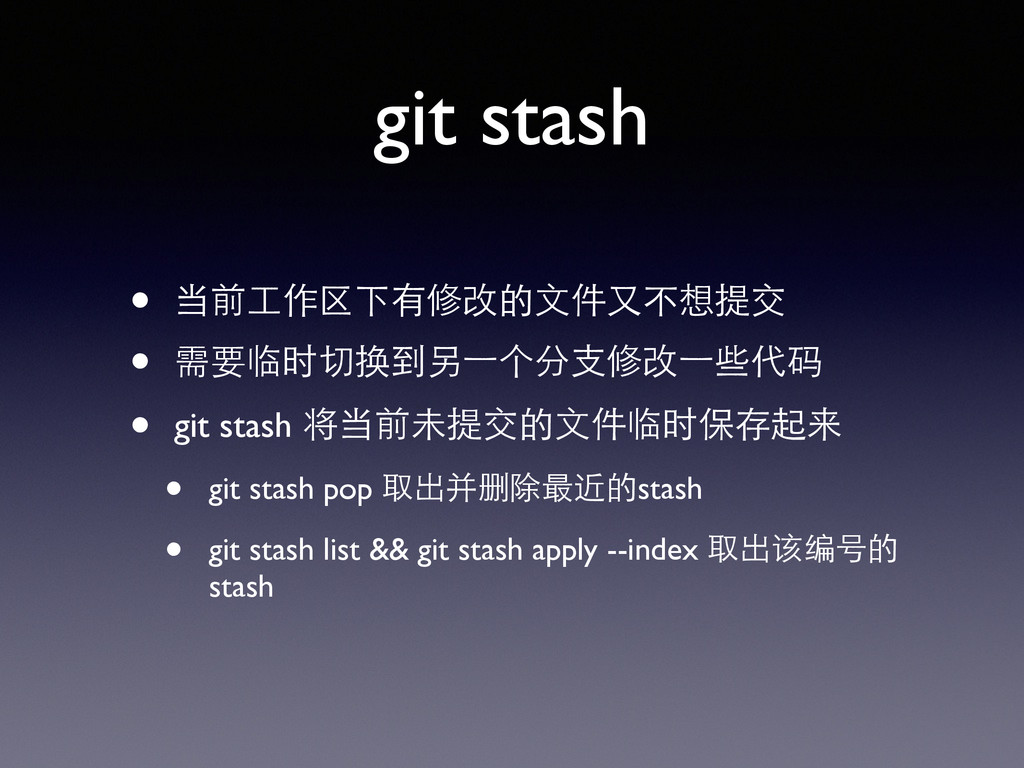
git stash • 当前⼯工作区下有修改的⽂文件⼜又不想提交 • 需要临时切换到另⼀一个分⽀支修改⼀一些代码 • git stash 将当前未提交的⽂文件临时保存起来
• git stash pop 取出并删除最近的stash • git stash list && git stash apply --index 取出该编号的 stash
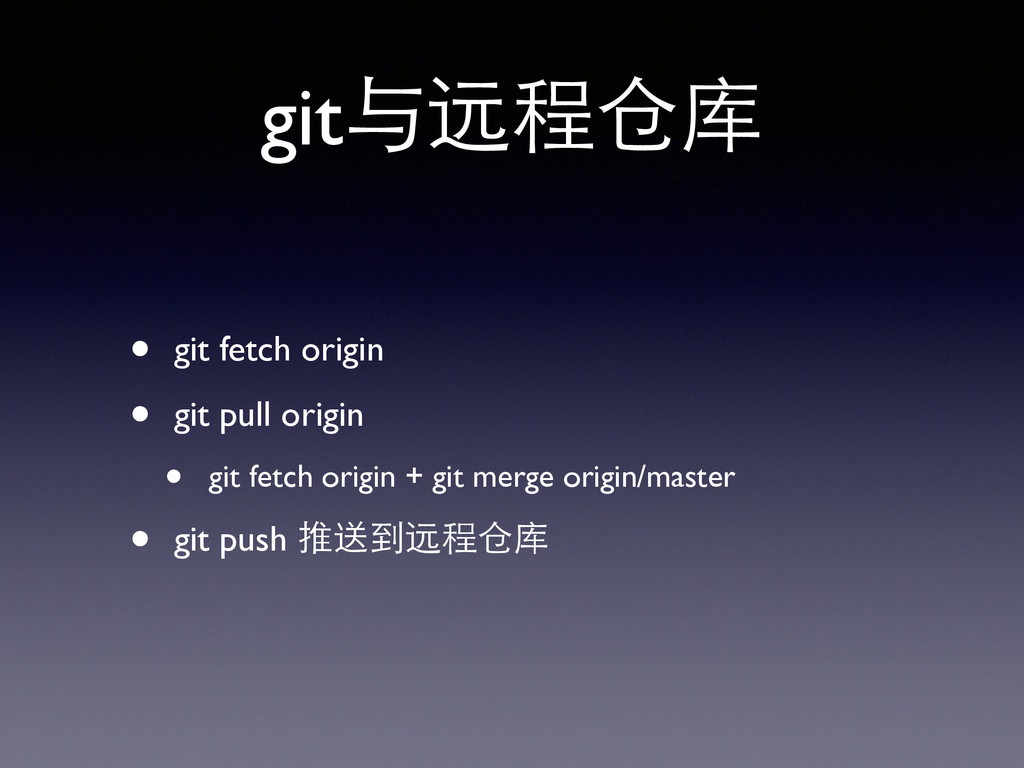
git与远程仓库 • git fetch origin • git pull origin •
git fetch origin + git merge origin/master • git push 推送到远程仓库
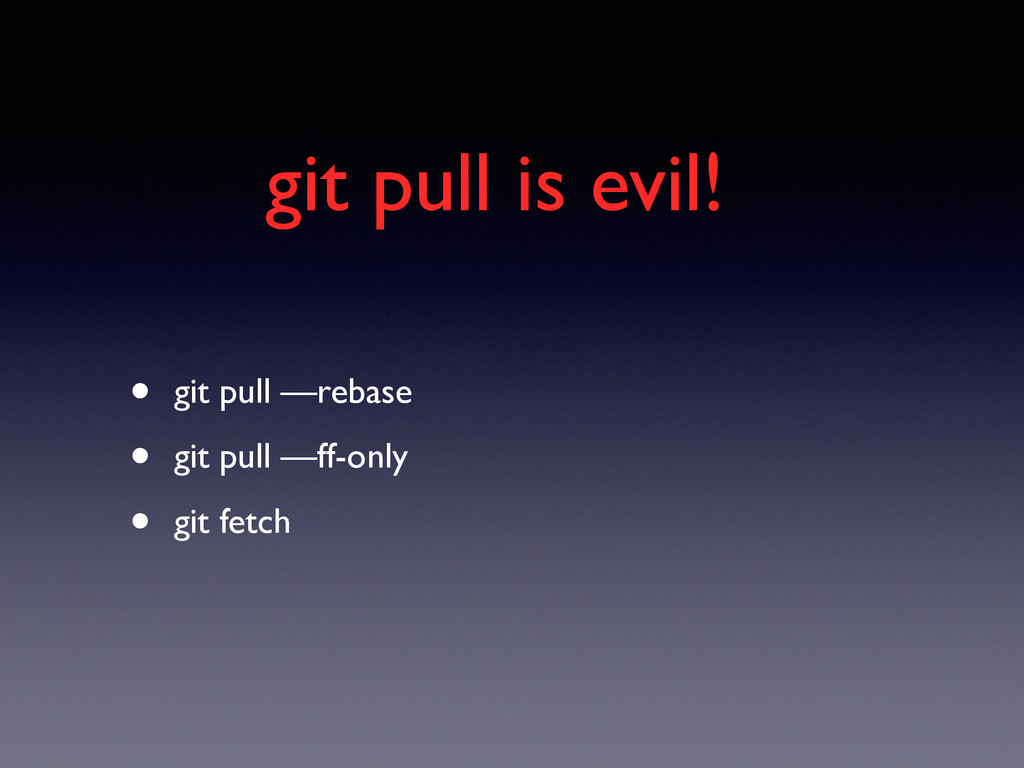
git pull is evil! • git pull —rebase • git
pull —ff-only • git fetch
更多的git • 还有很多没有介绍... • 很多⽅方便的功能,如 git blame • 重要的功能,如 git
rebase ,git submodule, git revert
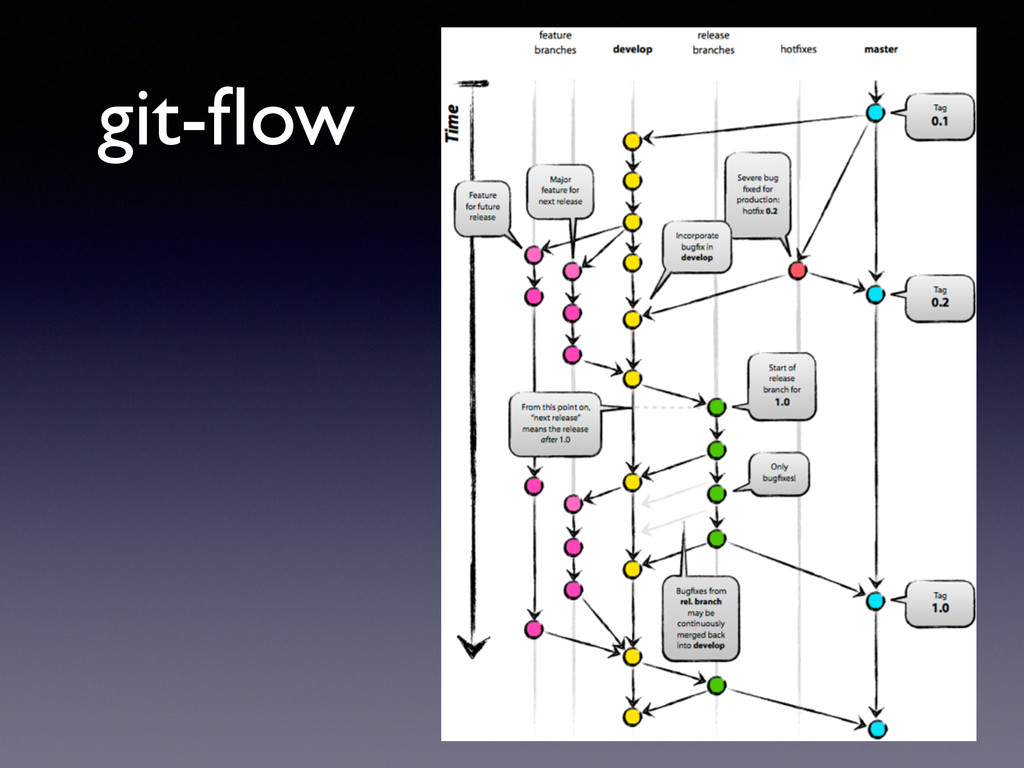
Git work-flow • 集中式⼯工作流(svn) • 集成管理员式⼯工作流(github flow)
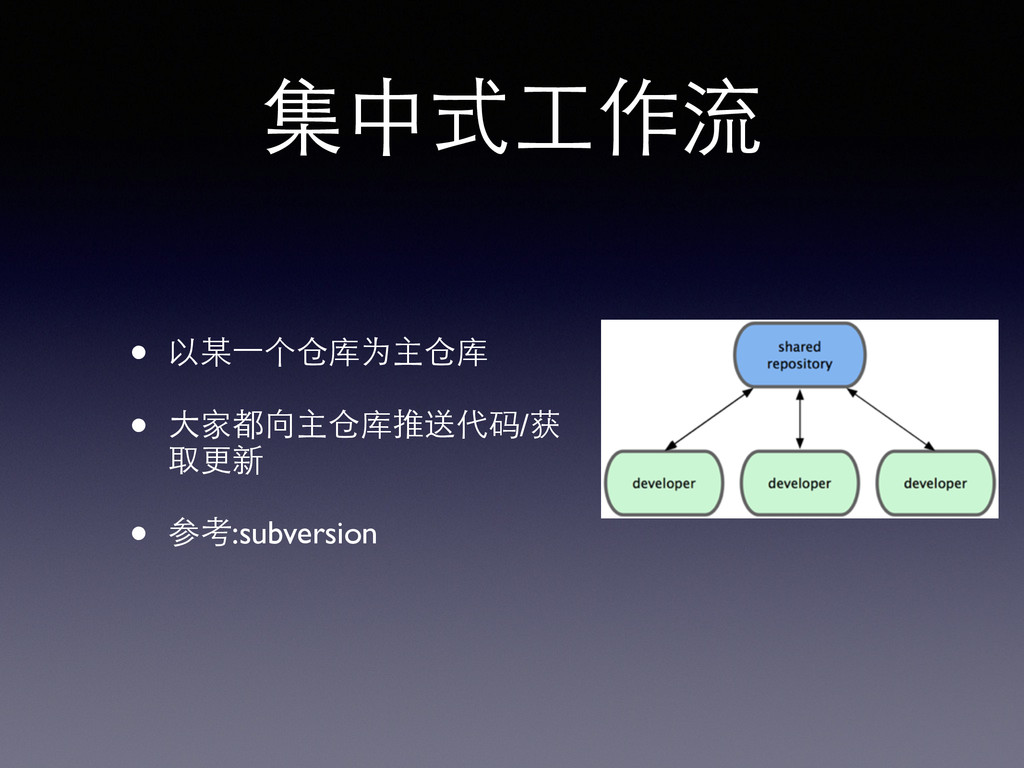
集中式⼯工作流 • 以某⼀一个仓库为主仓库 • ⼤大家都向主仓库推送代码/获 取更新 • 参考:subversion
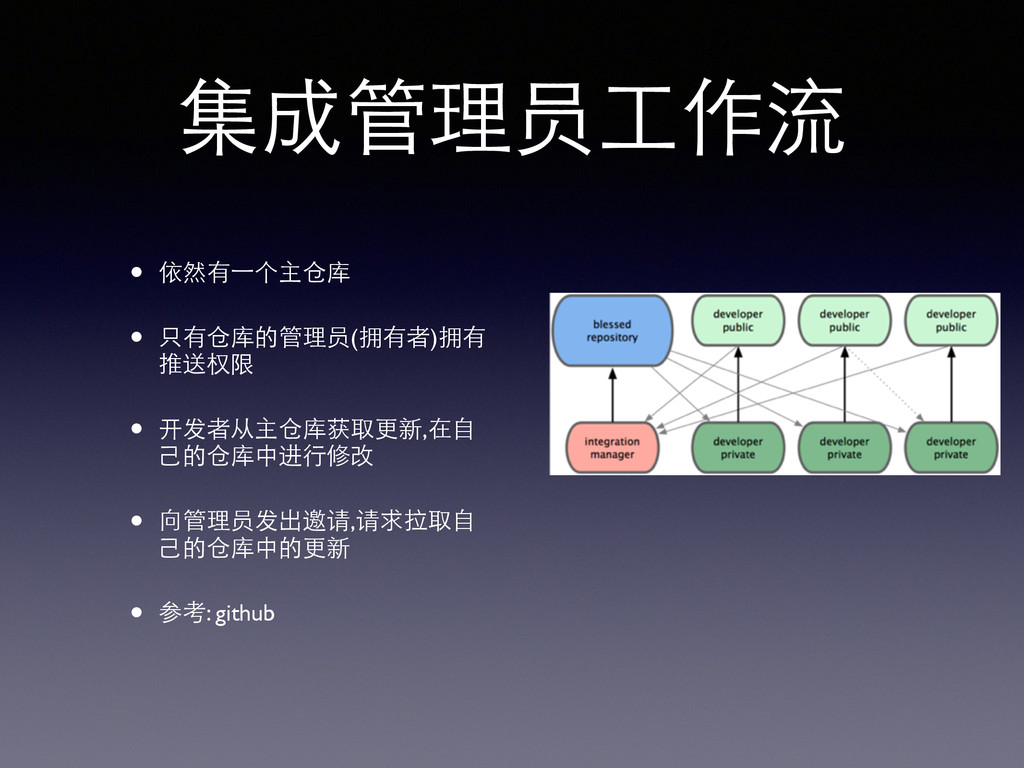
集成管理员⼯工作流 • 依然有⼀一个主仓库 • 只有仓库的管理员(拥有者)拥有 推送权限 • 开发者从主仓库获取更新,在⾃自 ⼰己的仓库中进⾏行修改 •
向管理员发出邀请,请求拉取⾃自 ⼰己的仓库中的更新 • 参考: github
git-flow
Resources
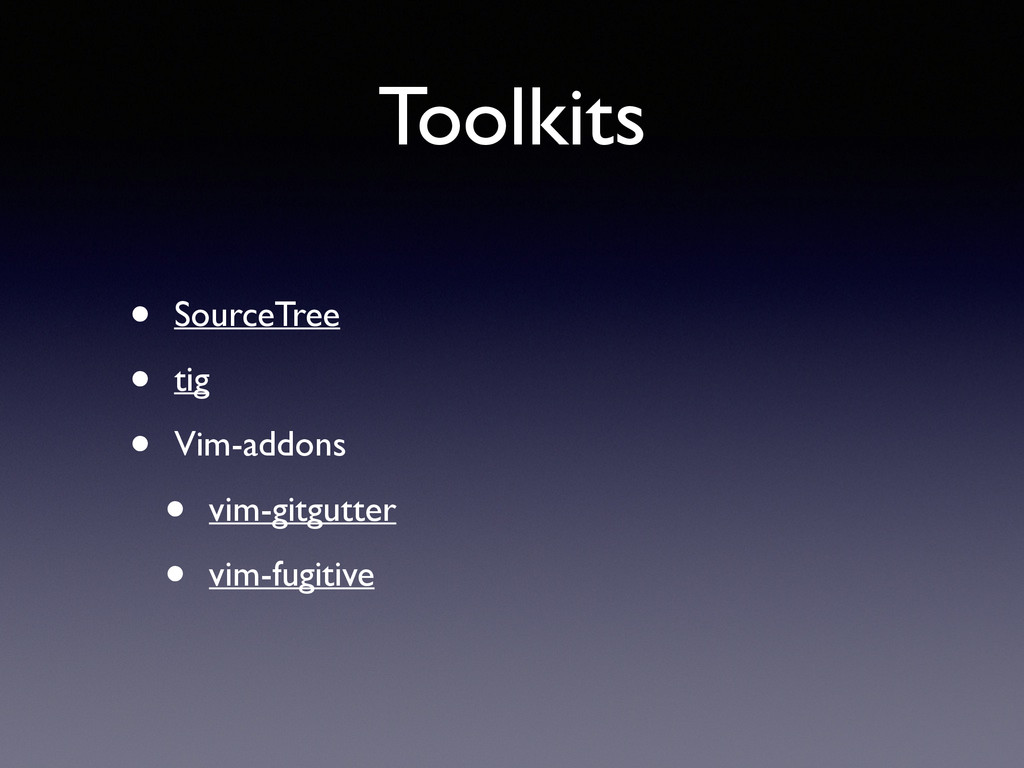
Toolkits • SourceTree • tig • Vim-addons • vim-gitgutter •
vim-fugitive
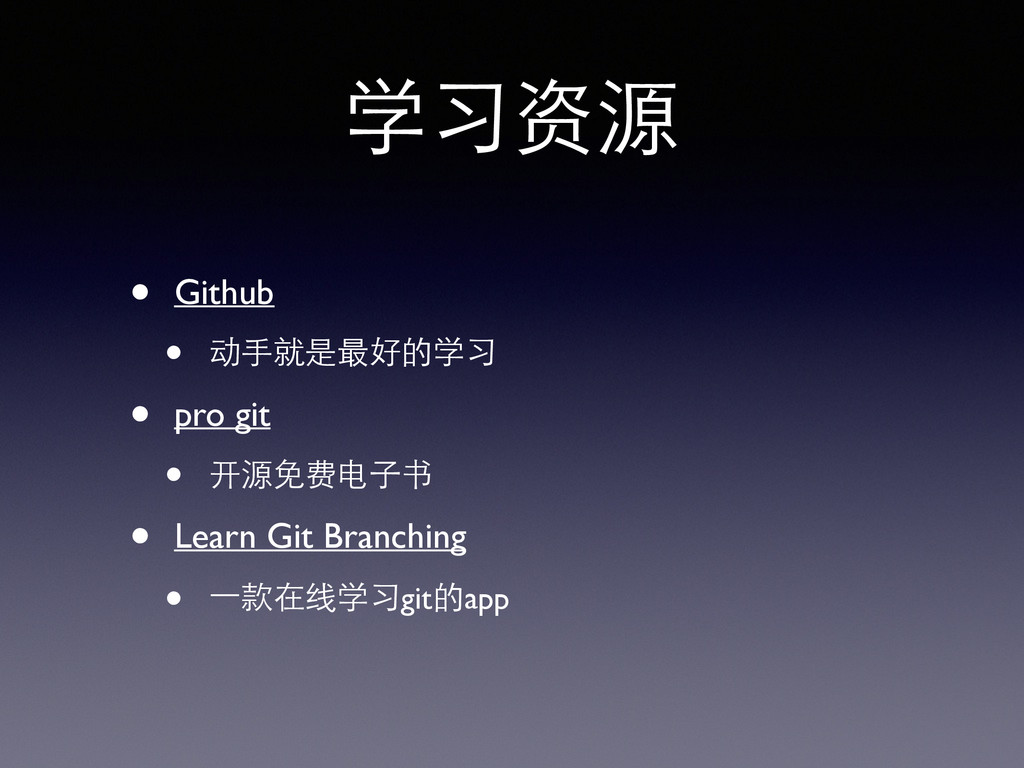
学习资源 • Github • 动⼿手就是最好的学习 • pro git • 开源免费电⼦子书
• Learn Git Branching • ⼀一款在线学习git的app


 flypiggy
 terurou
 y0hgi
y0hgi
 4o1sobblue
 keeg
keeg
 ivry_presentationmaterials
 yamanoku
 kenichiodo
 ueponx
 bgpat
bgpat
 riyaamemiya
 raspython3
 prog893
 philnash
 morganepeng
 destraynor
 sabderemane
 chriscoyier
 tammyeverts
 lfama
lfama
 hannesfritz
 apolaine
 rkendrick25
 inesmontani
 jacobtomlinson
![learn git git基础教学 ! ! [email protected] ! (⼤大部分内容基于《Pro Git》整理⽽而成)](https://files.speakerdeck.com/presentations/816318a05df901303574123138156380/slide_0.jpg)