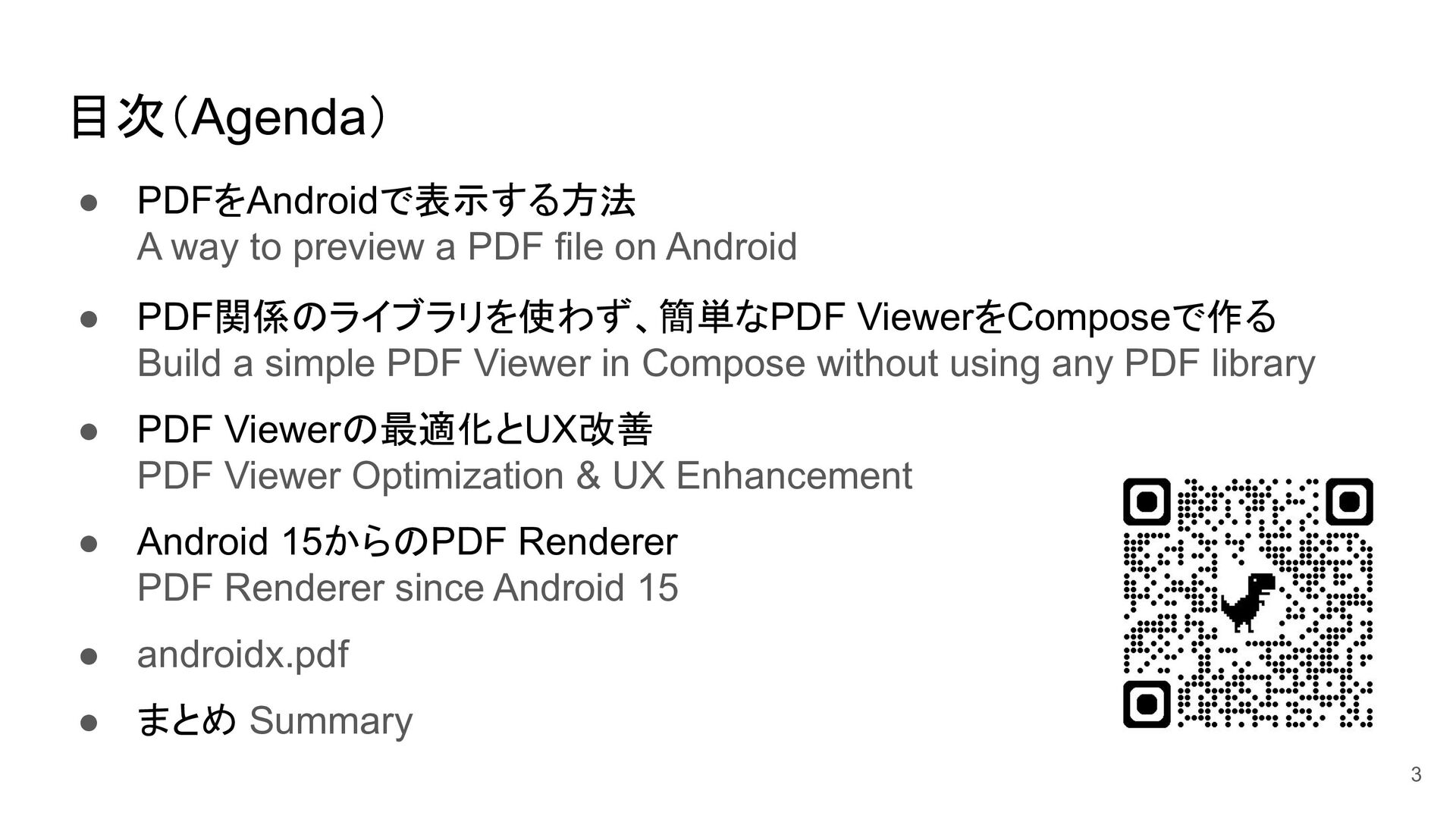
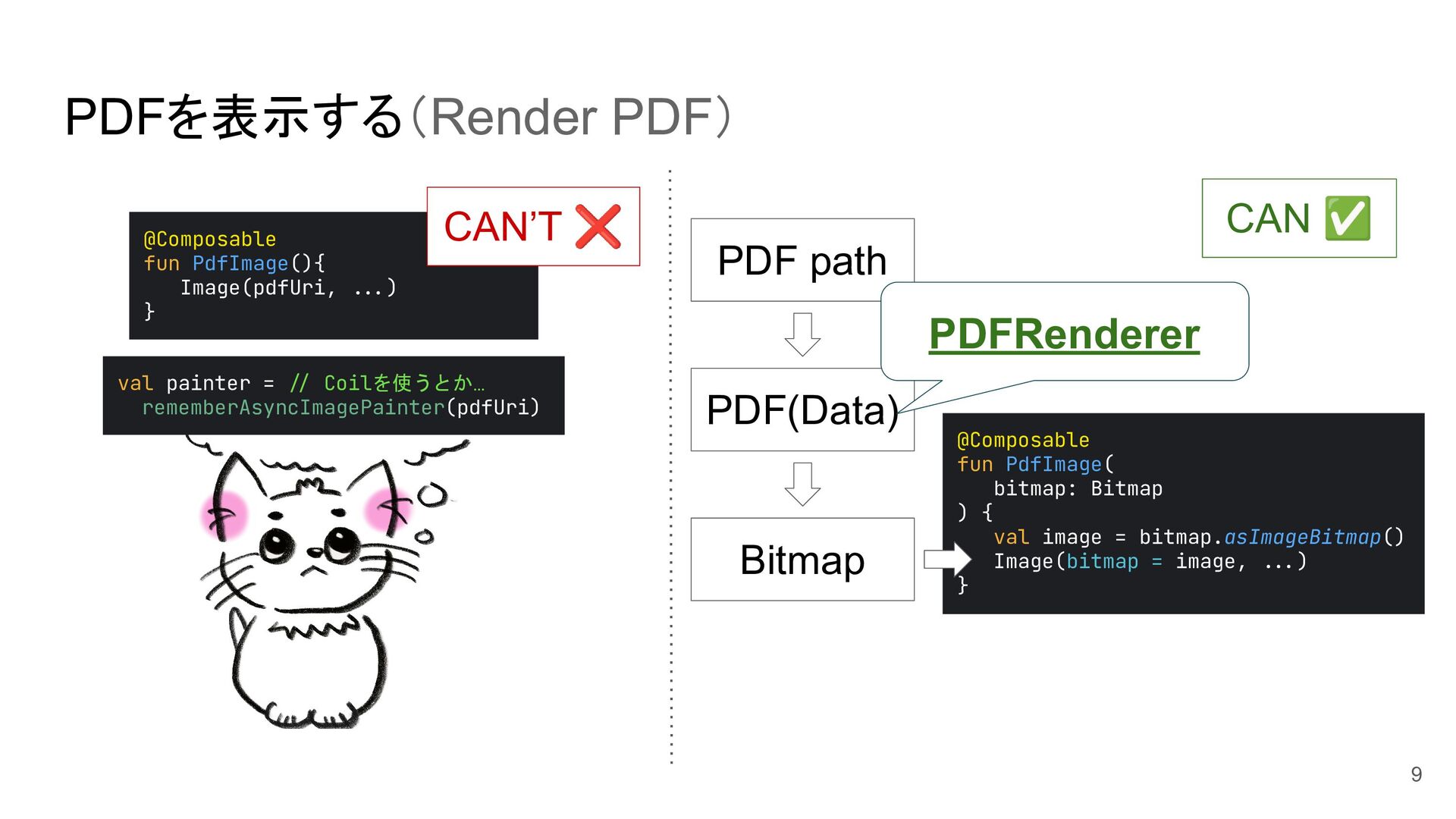
on Android • PDF関係のライブラリを使わず、簡単なPDF ViewerをComposeで作る Build a simple PDF Viewer in Compose without using any PDF library • PDF Viewerの最適化とUX改善 PDF Viewer Optimization & UX Enhancement • Android 15からのPDF Renderer PDF Renderer since Android 15 • androidx.pdf • まとめ Summary 3
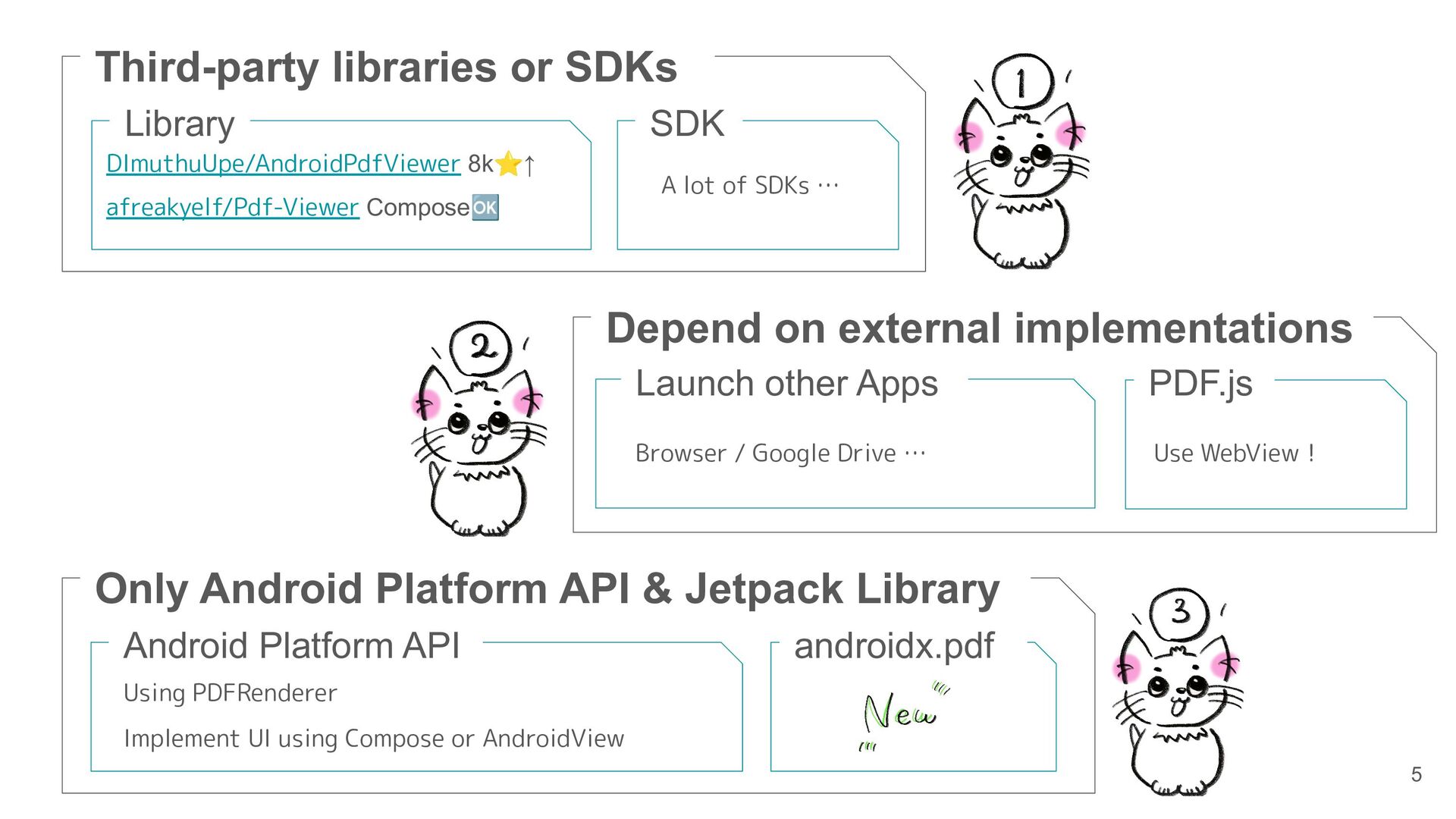
Drive … PDF.js Use WebView! Only Android Platform API & Jetpack Library Android Platform API Using PDFRenderer Implement UI using Compose or AndroidView androidx.pdf Third-party libraries or SDKs Library SDK DImuthuUpe/AndroidPdfViewer 8k⭐↑ afreakyelf/Pdf-Viewer Compose🆗 A lot of SDKs … 5
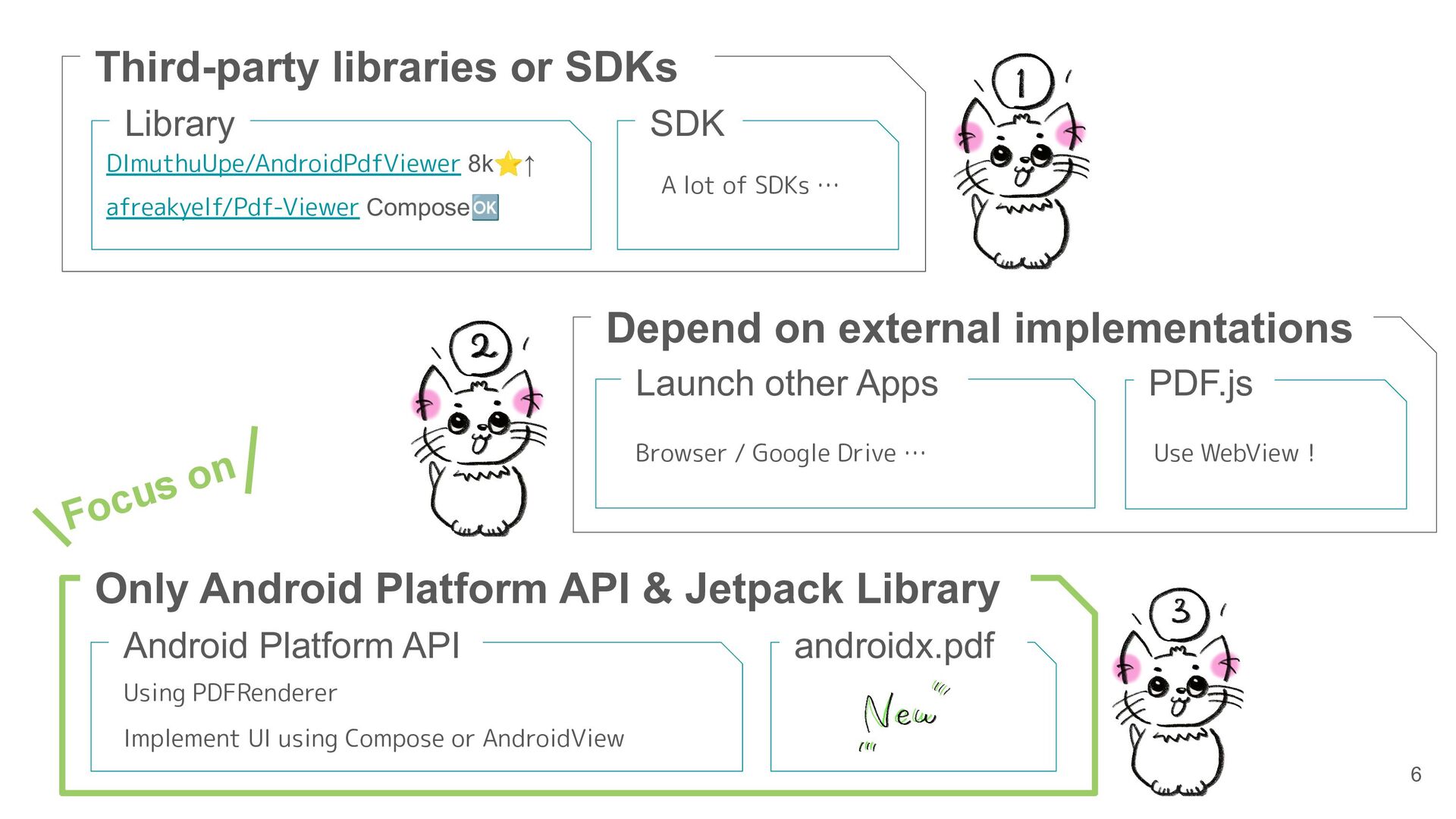
Drive … PDF.js Use WebView! Only Android Platform API & Jetpack Library Android Platform API Using PDFRenderer Implement UI using Compose or AndroidView androidx.pdf Third-party libraries or SDKs Library SDK DImuthuUpe/AndroidPdfViewer 8k⭐↑ afreakyelf/Pdf-Viewer Compose🆗 A lot of SDKs … Focus on 6
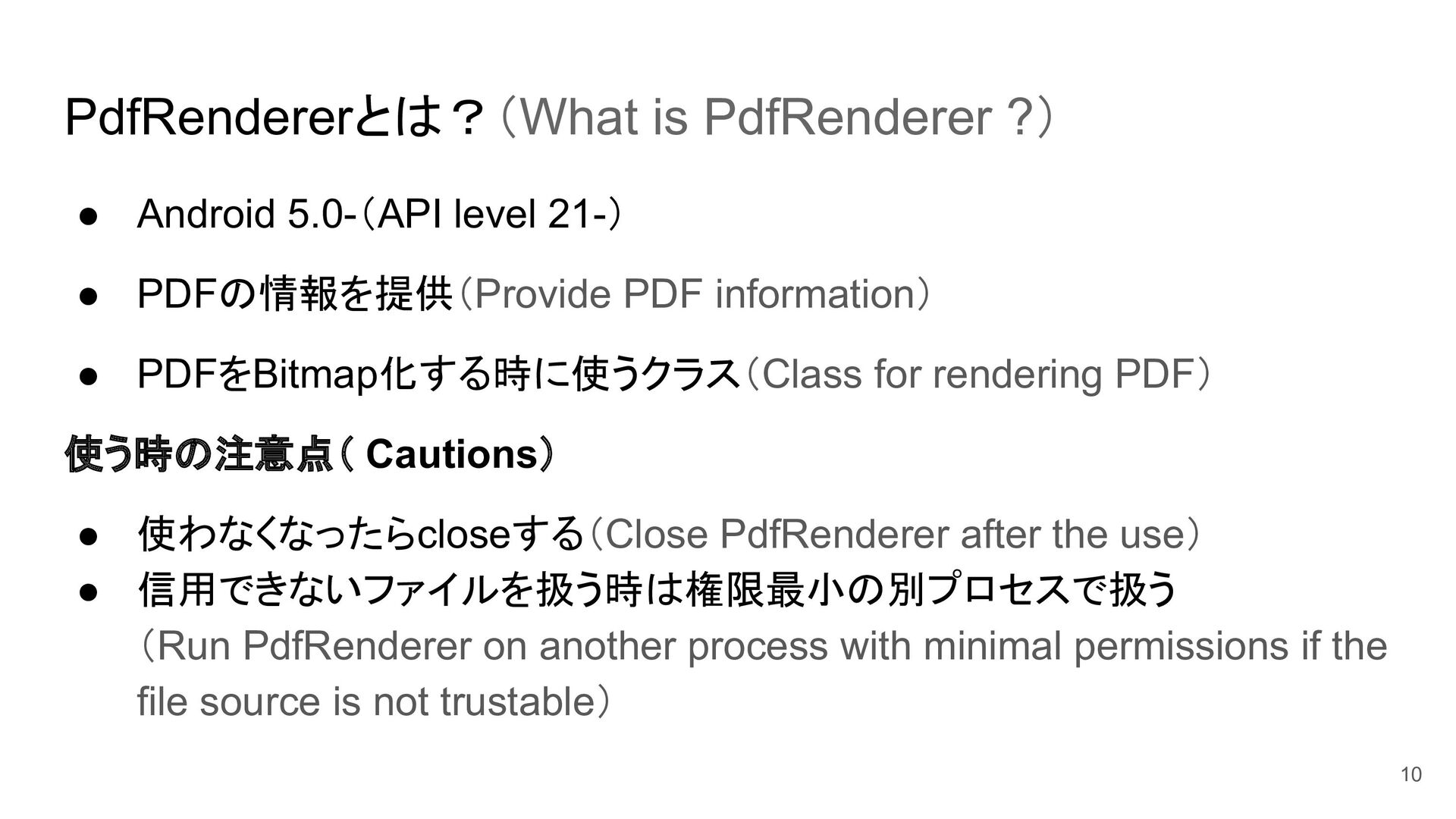
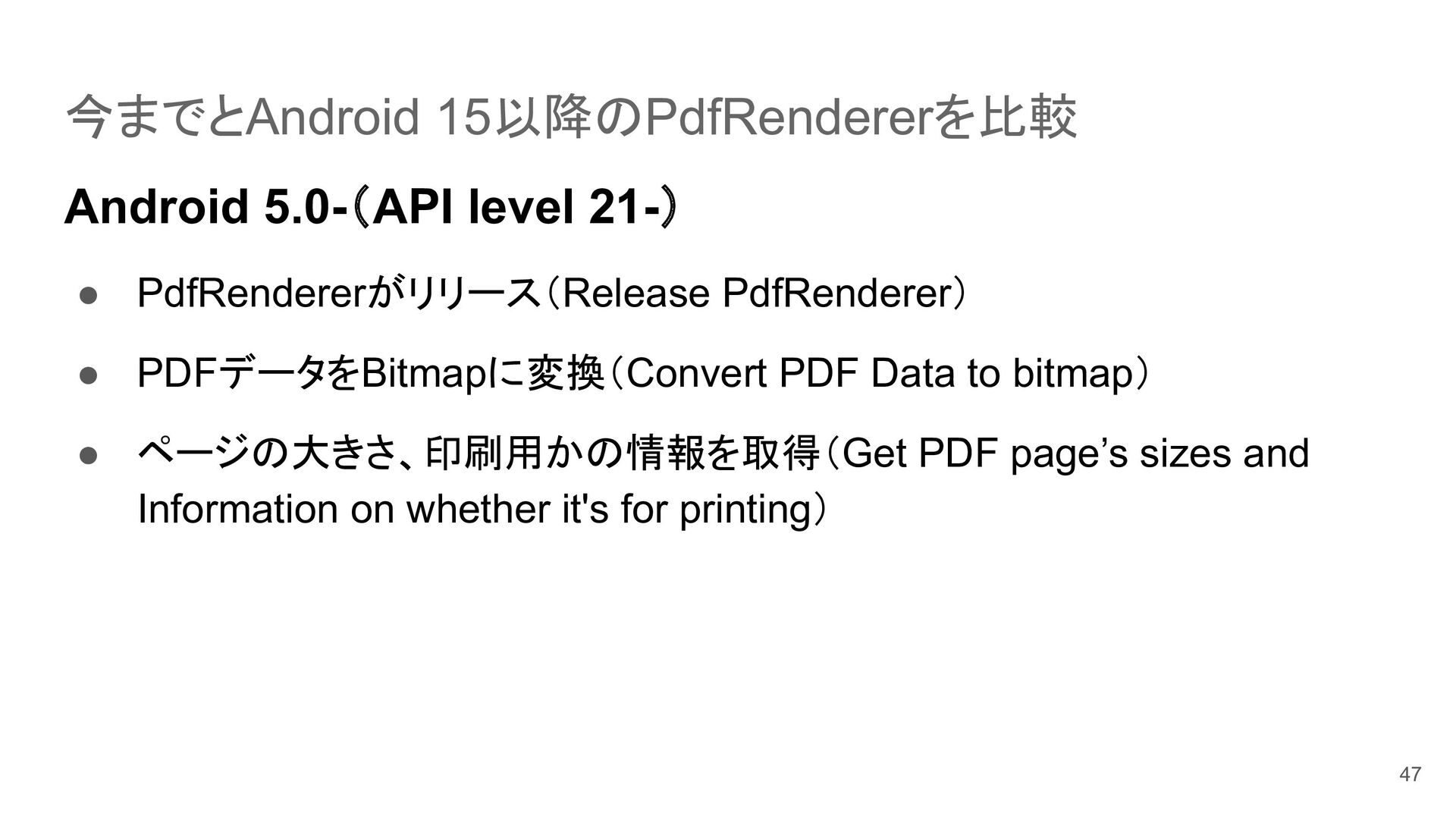
PDFの情報を提供(Provide PDF information) • PDFをBitmap化する時に使うクラス(Class for rendering PDF) 使う時の注意点( Cautions) • 使わなくなったらcloseする(Close PdfRenderer after the use) • 信用できないファイルを扱う時は権限最小の別プロセスで扱う (Run PdfRenderer on another process with minimal permissions if the file source is not trustable) 10
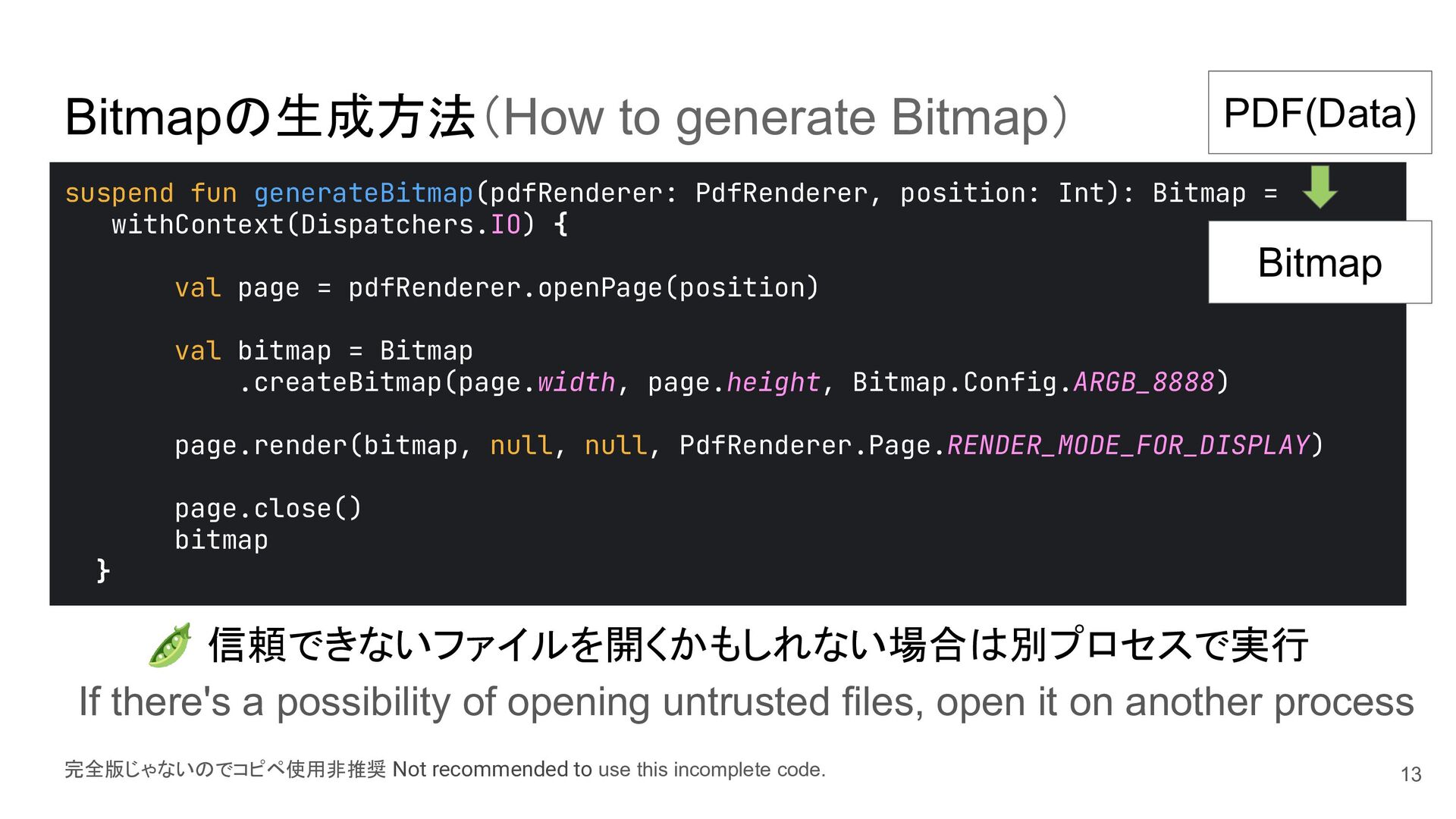
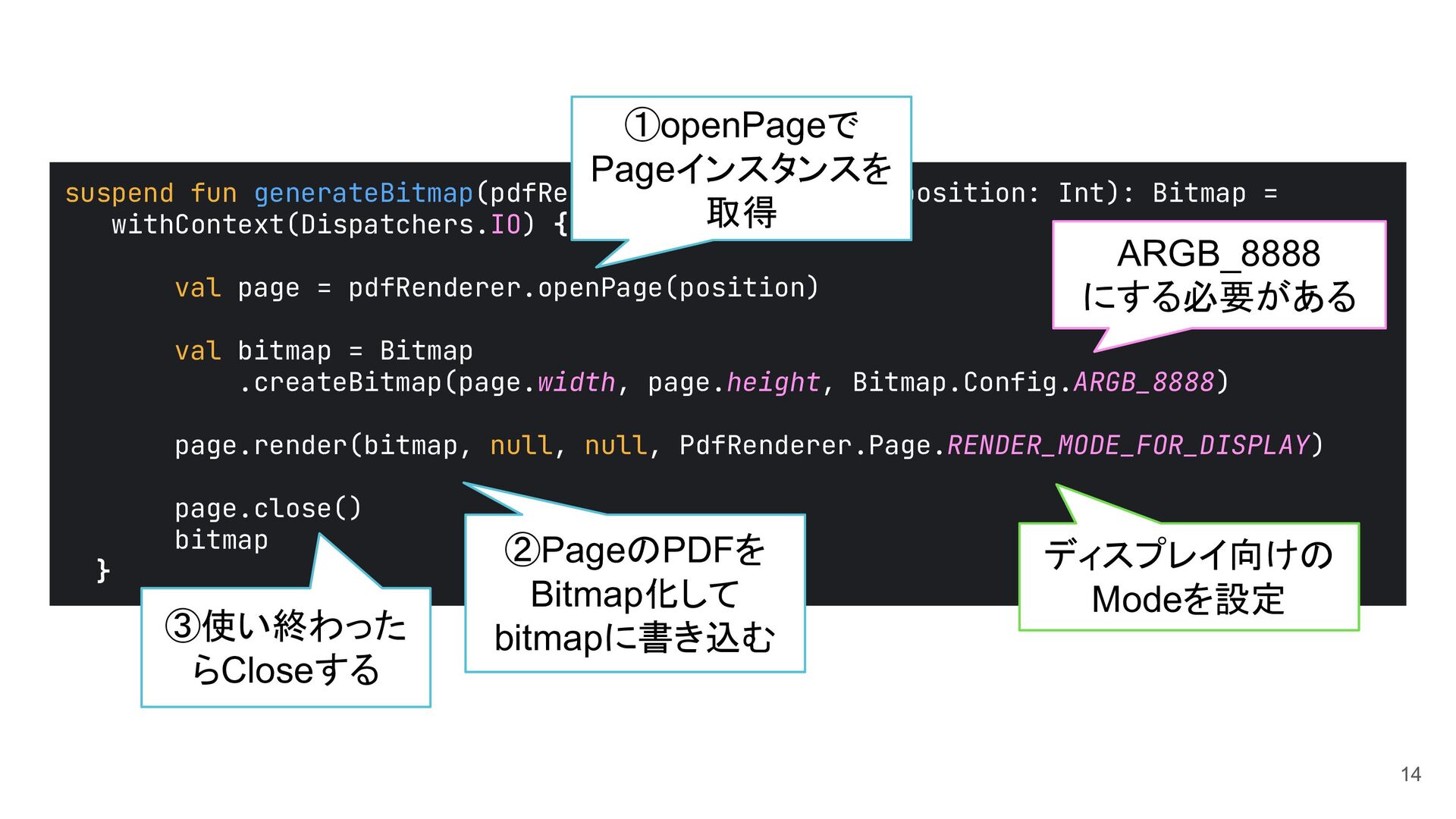
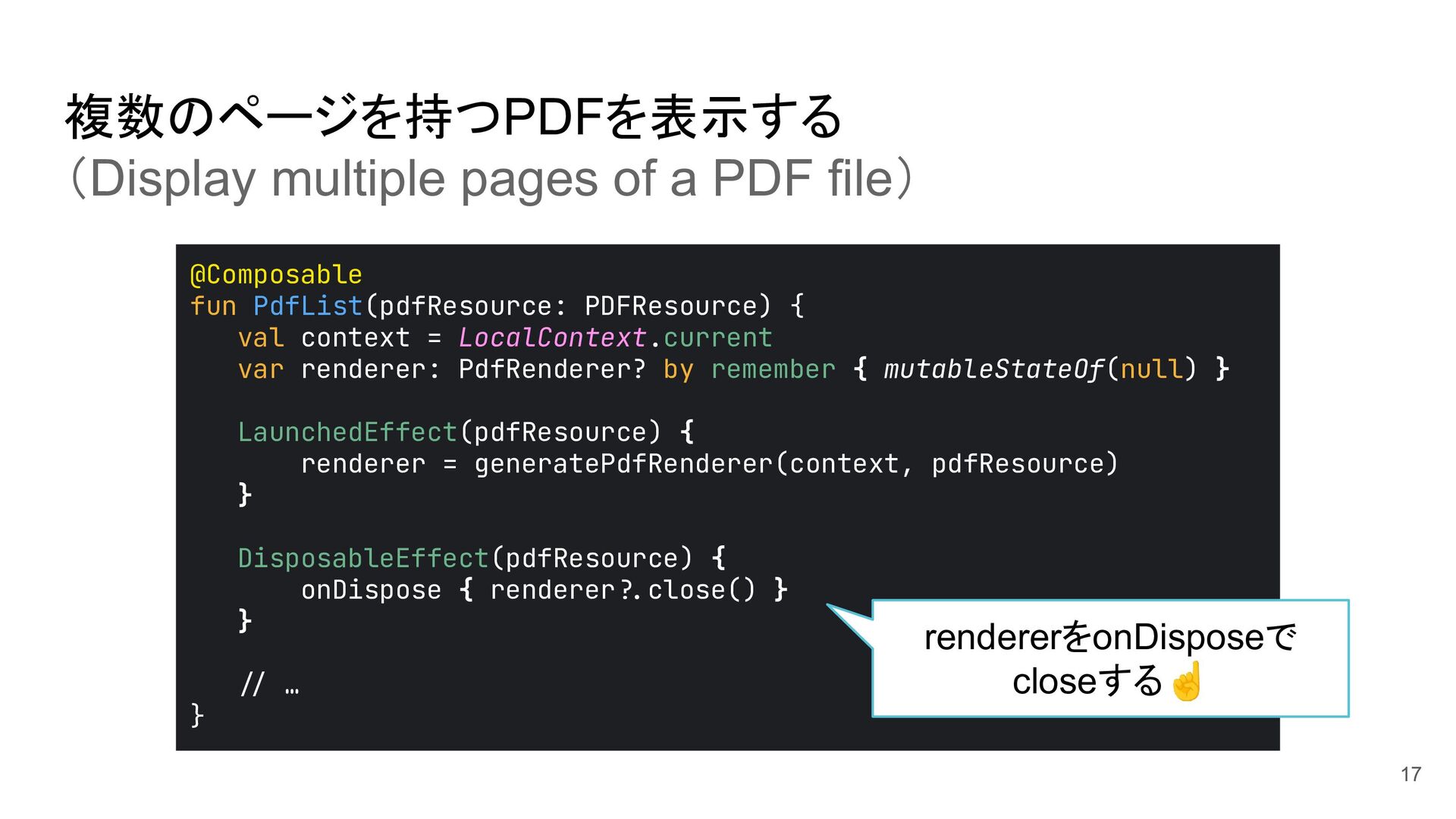
val page = pdfRenderer.openPage(position) val bitmap = Bitmap .createBitmap(page.width, page.height, Bitmap.Config.ARGB_8888) page.render(bitmap, null, null, PdfRenderer.Page.RENDER_MODE_FOR_DISPLAY) page.close() bitmap } Bitmapの生成方法(How to generate Bitmap) 完全版じゃないのでコピペ使用非推奨 Not recommended to use this incomplete code. PDF(Data) Bitmap 🫛 信頼できないファイルを開くかもしれない場合は別プロセスで実行 If there's a possibility of opening untrusted files, open it on another process 13
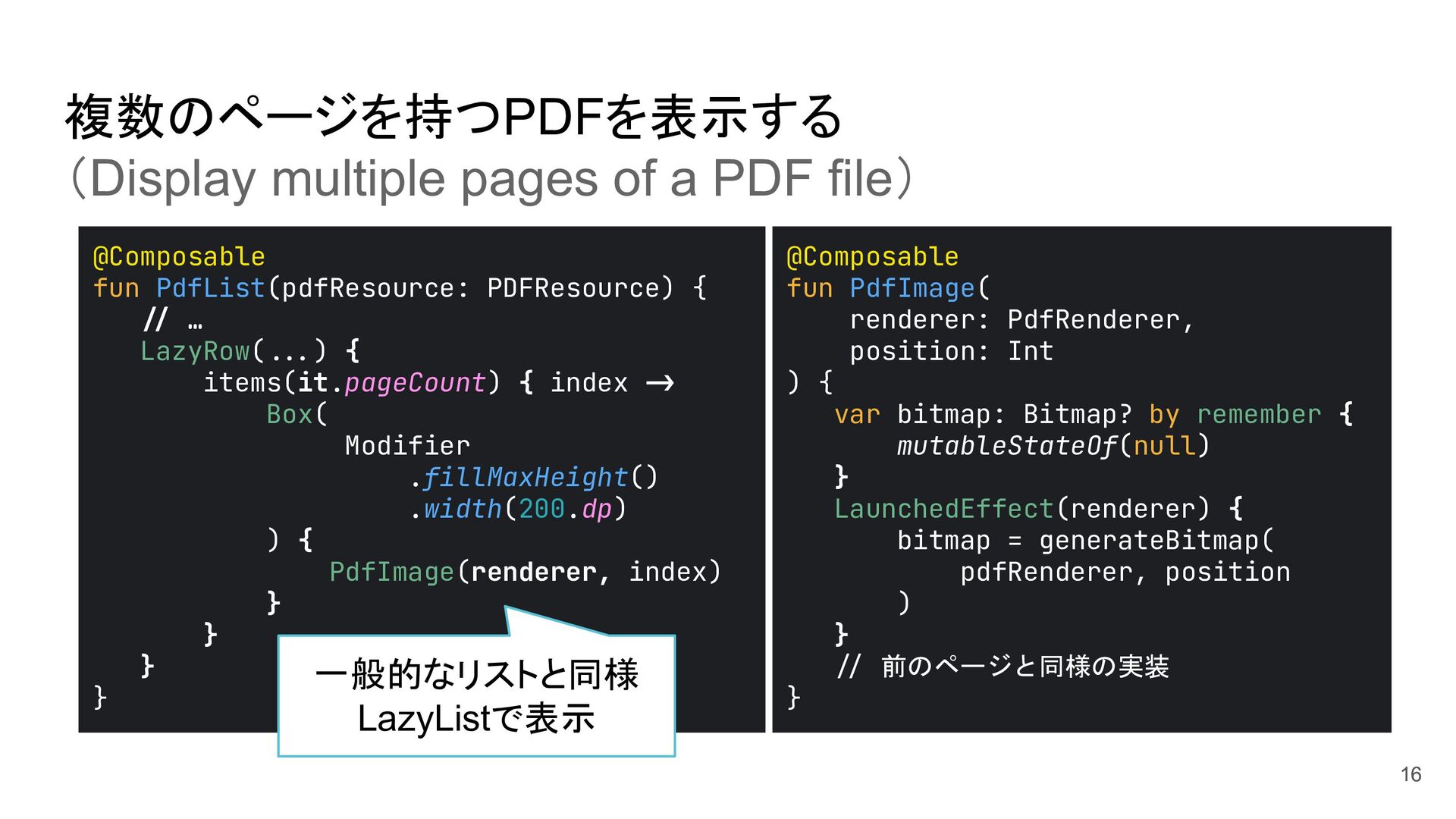
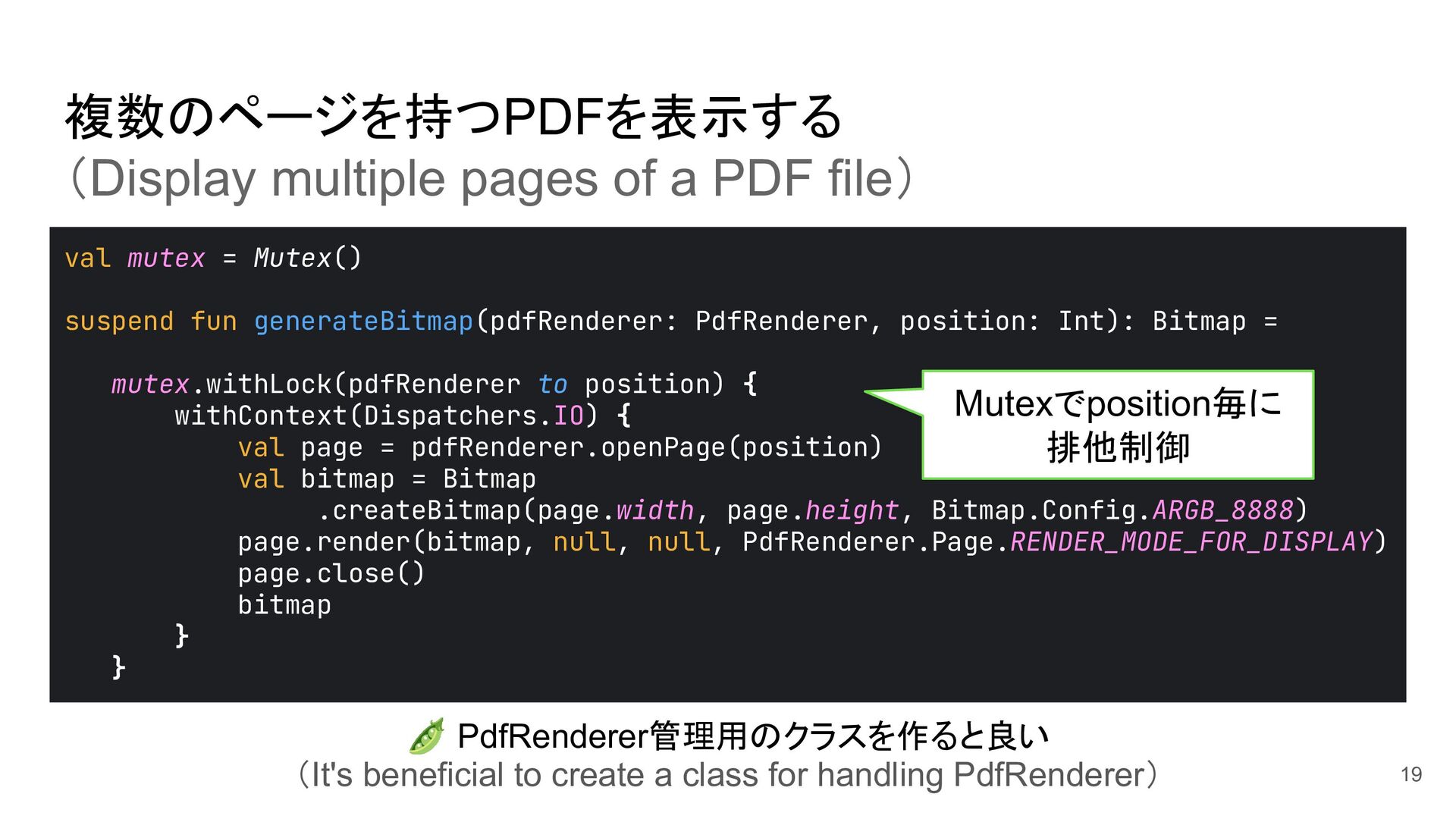
Bitmap = mutex.withLock(pdfRenderer to position) { withContext(Dispatchers.IO) { val page = pdfRenderer.openPage(position) val bitmap = Bitmap .createBitmap(page.width, page.height, Bitmap.Config.ARGB_8888) page.render(bitmap, null, null, PdfRenderer.Page.RENDER_MODE_FOR_DISPLAY) page.close() bitmap } } Mutexでposition毎に 排他制御 複数のページを持つPDFを表示する (Display multiple pages of a PDF file) 19 🫛 PdfRenderer管理用のクラスを作ると良い (It's beneficial to create a class for handling PdfRenderer)
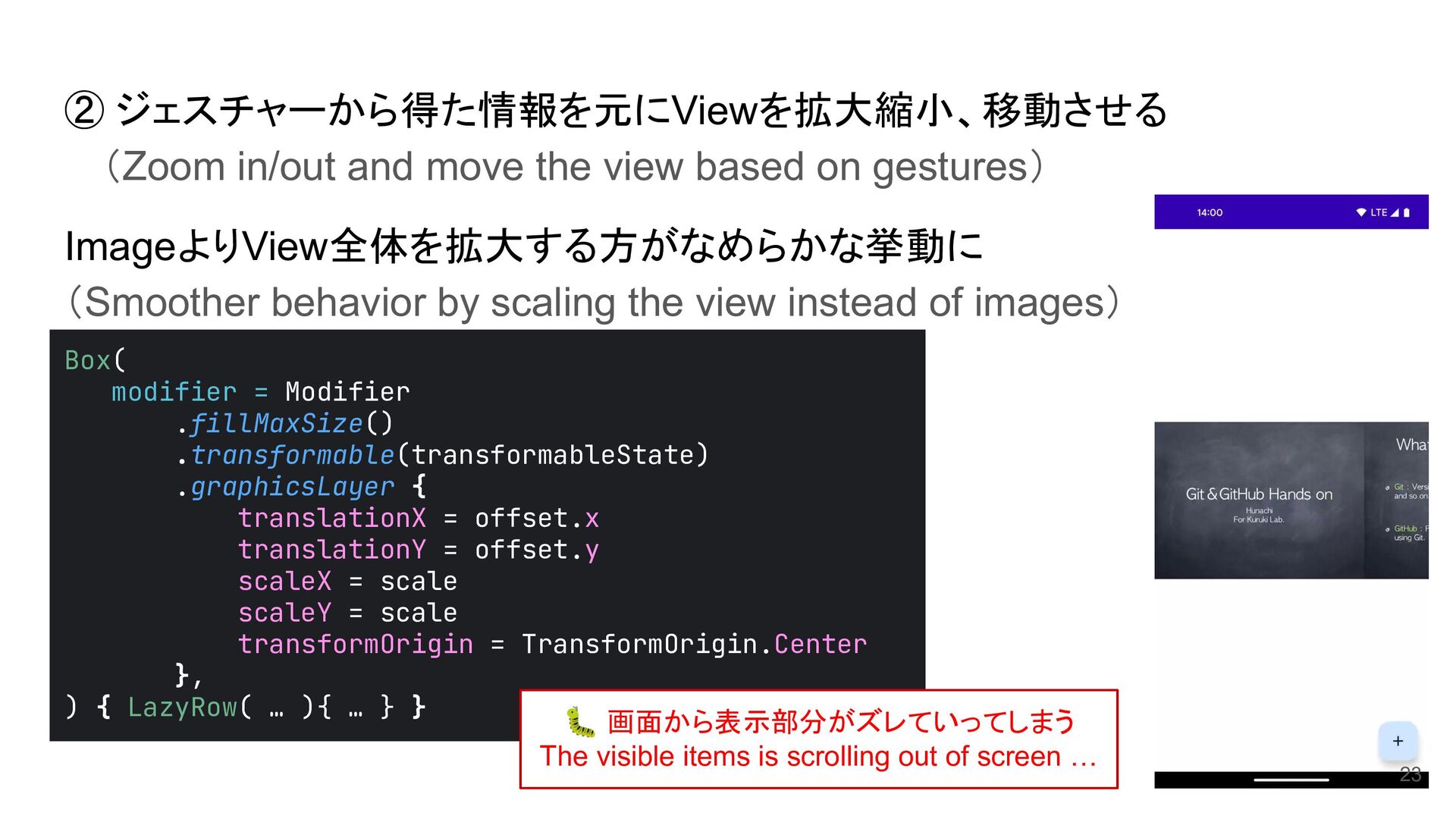
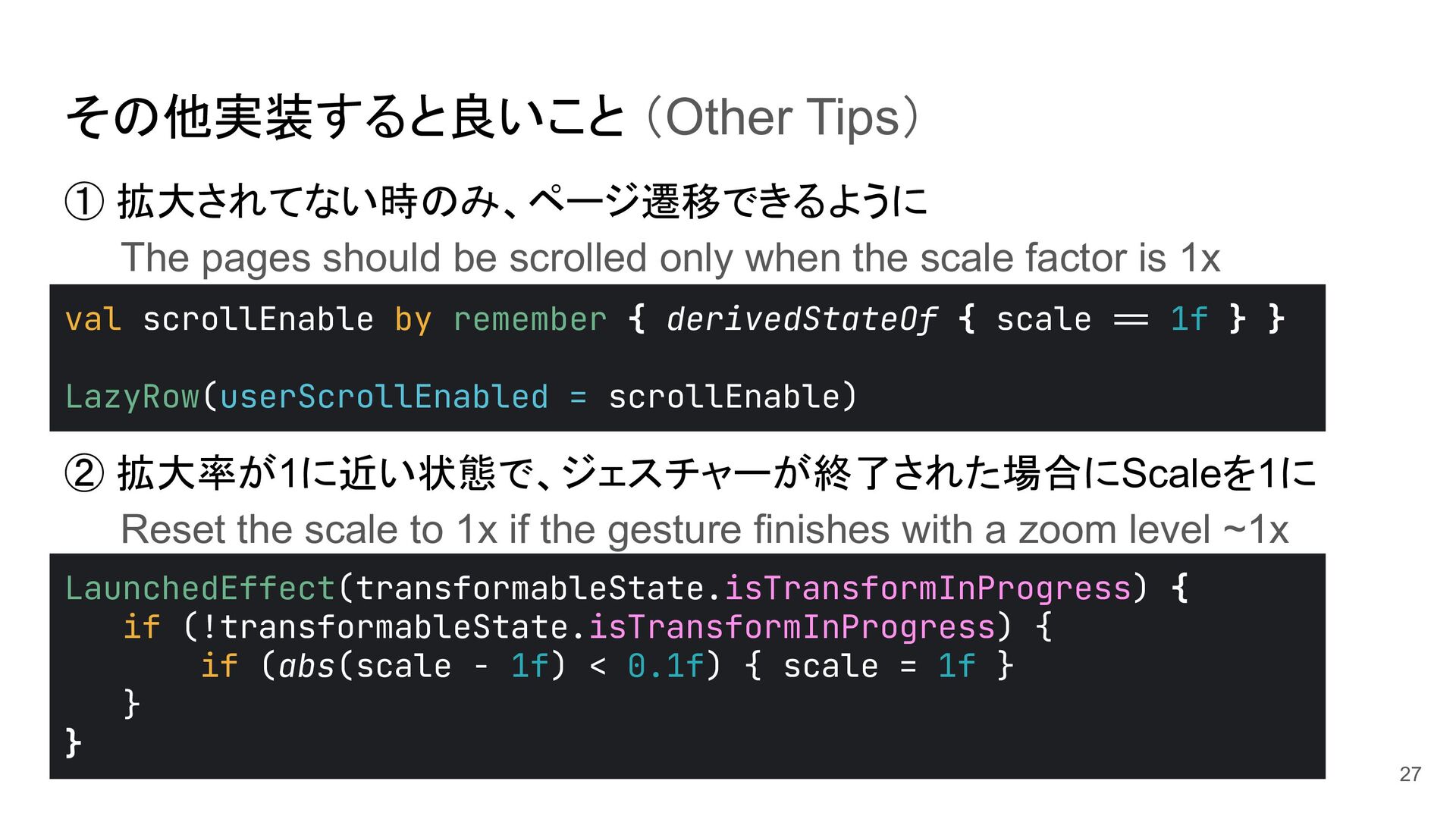
only when the scale factor is 1x ② 拡大率が1に近い状態で、ジェスチャーが終了された場合にScaleを1に Reset the scale to 1x if the gesture finishes with a zoom level ~1x val scrollEnable by remember { derivedStateOf { scale >= 1f } } LazyRow(userScrollEnabled = scrollEnable) LaunchedEffect(transformableState.isTransformInProgress) { if (!transformableState.isTransformInProgress) { if (abs(scale - 1f) < 0.1f) { scale = 1f } } } 27
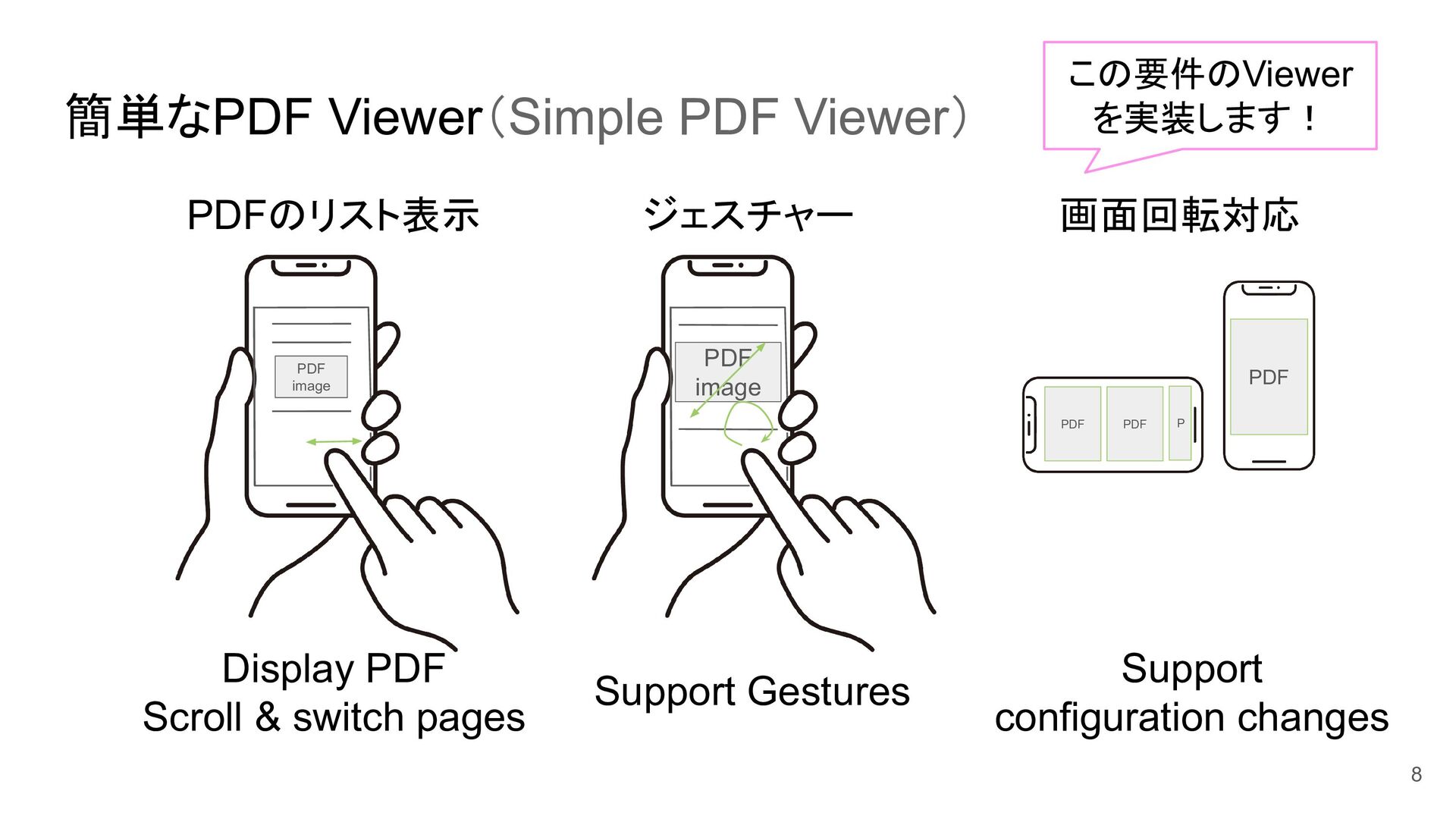
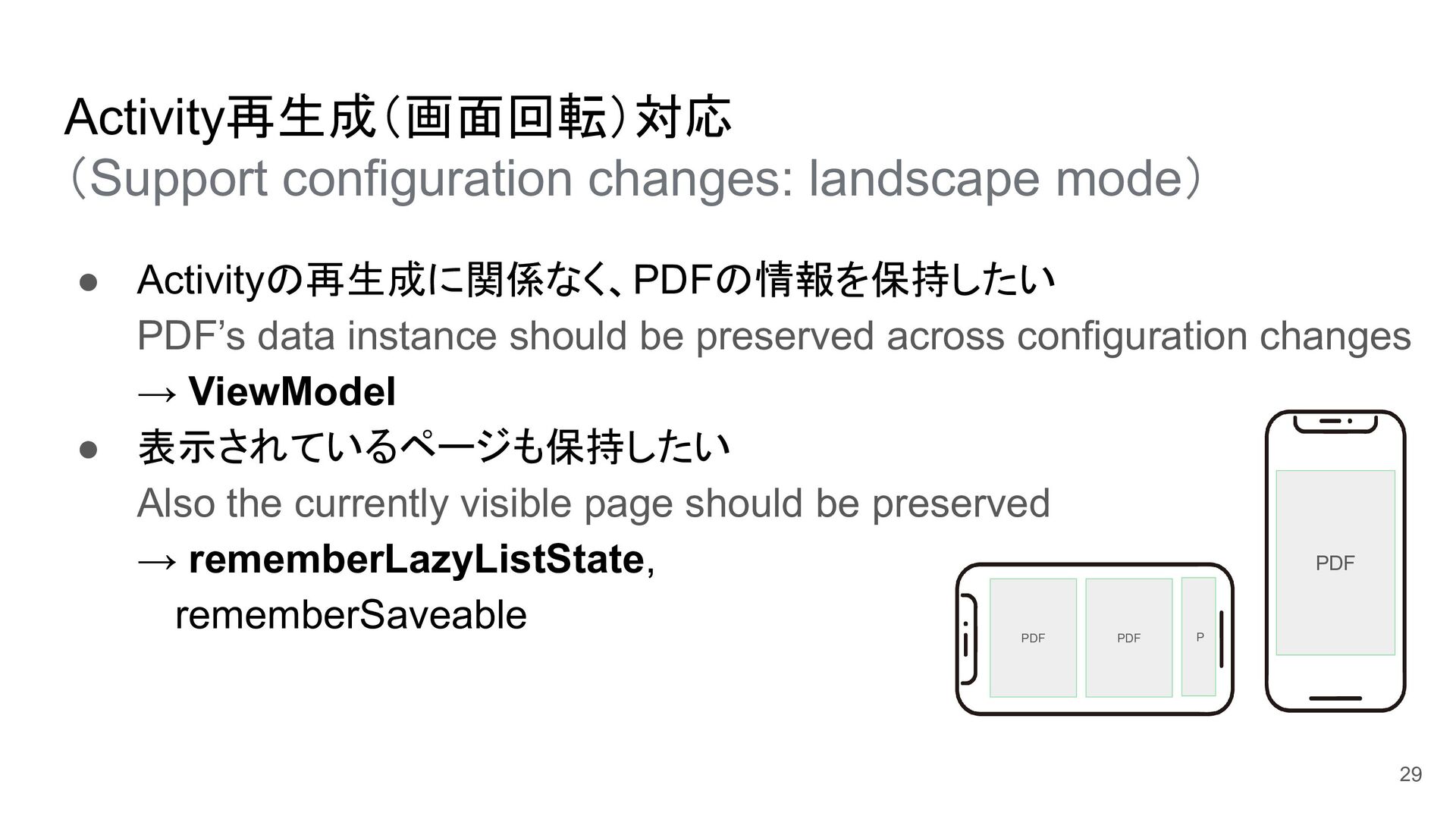
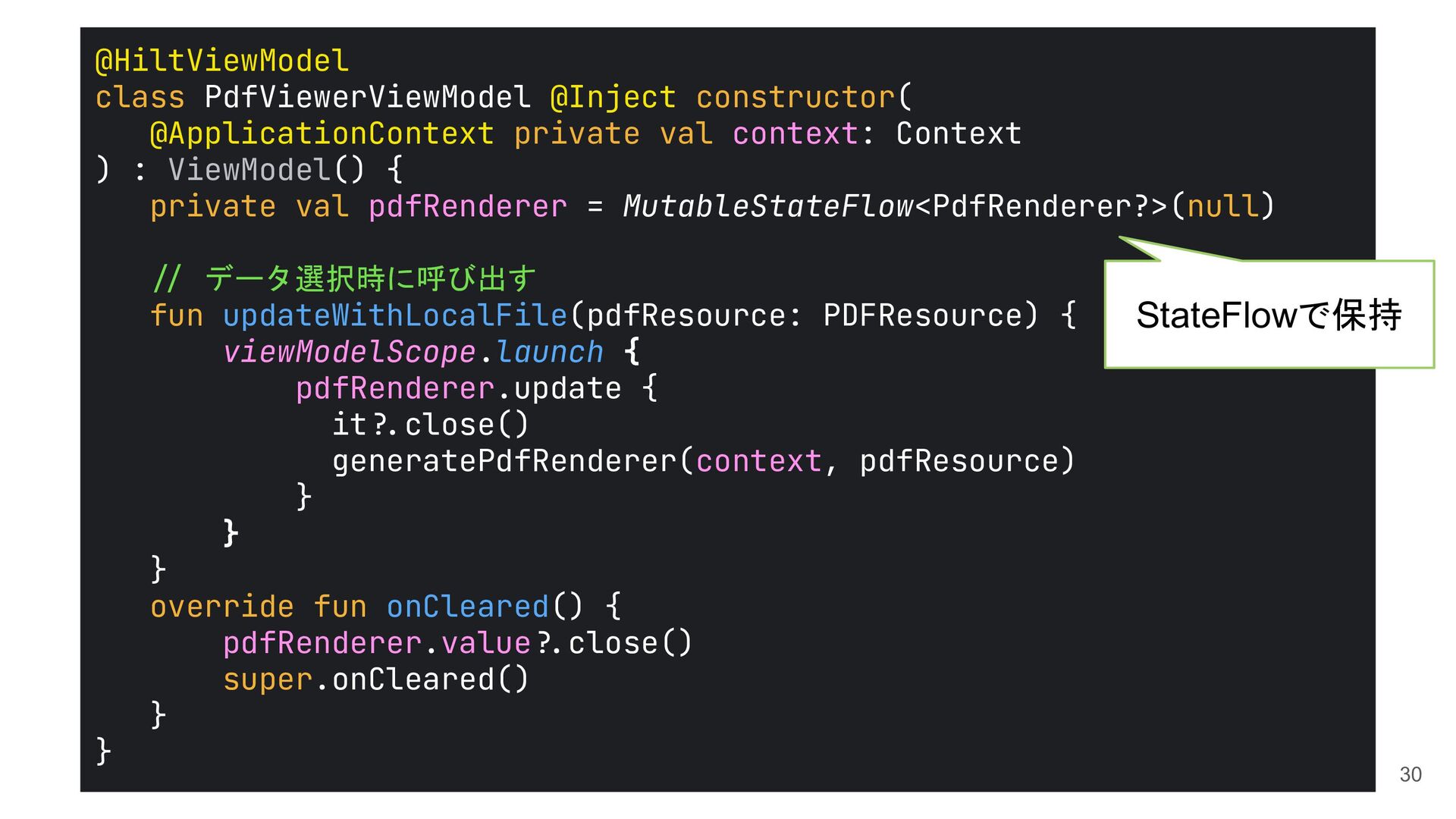
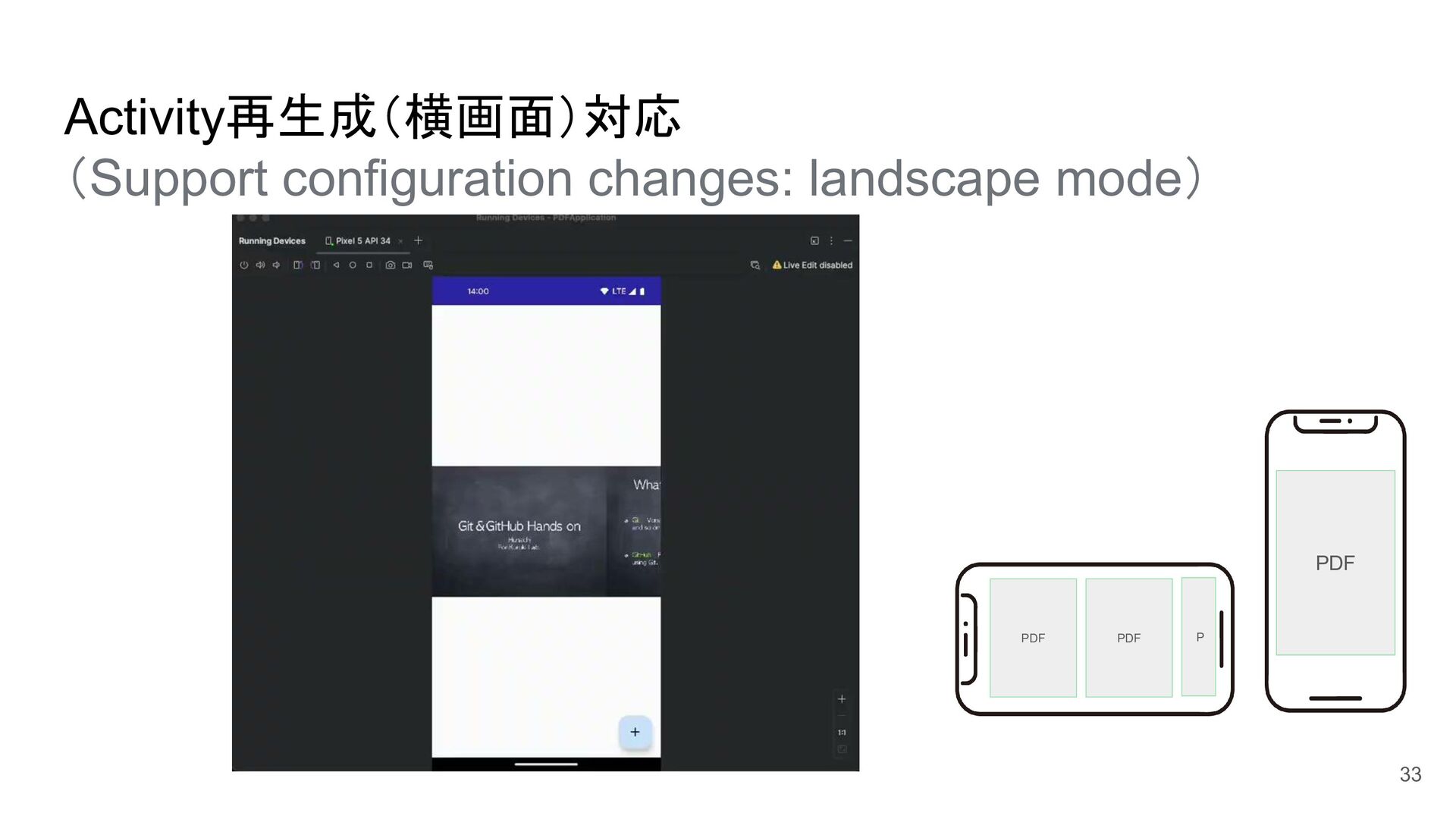
instance should be preserved across configuration changes → ViewModel • 表示されているページも保持したい Also the currently visible page should be preserved → rememberLazyListState, rememberSaveable PDF PDF P PDF 29
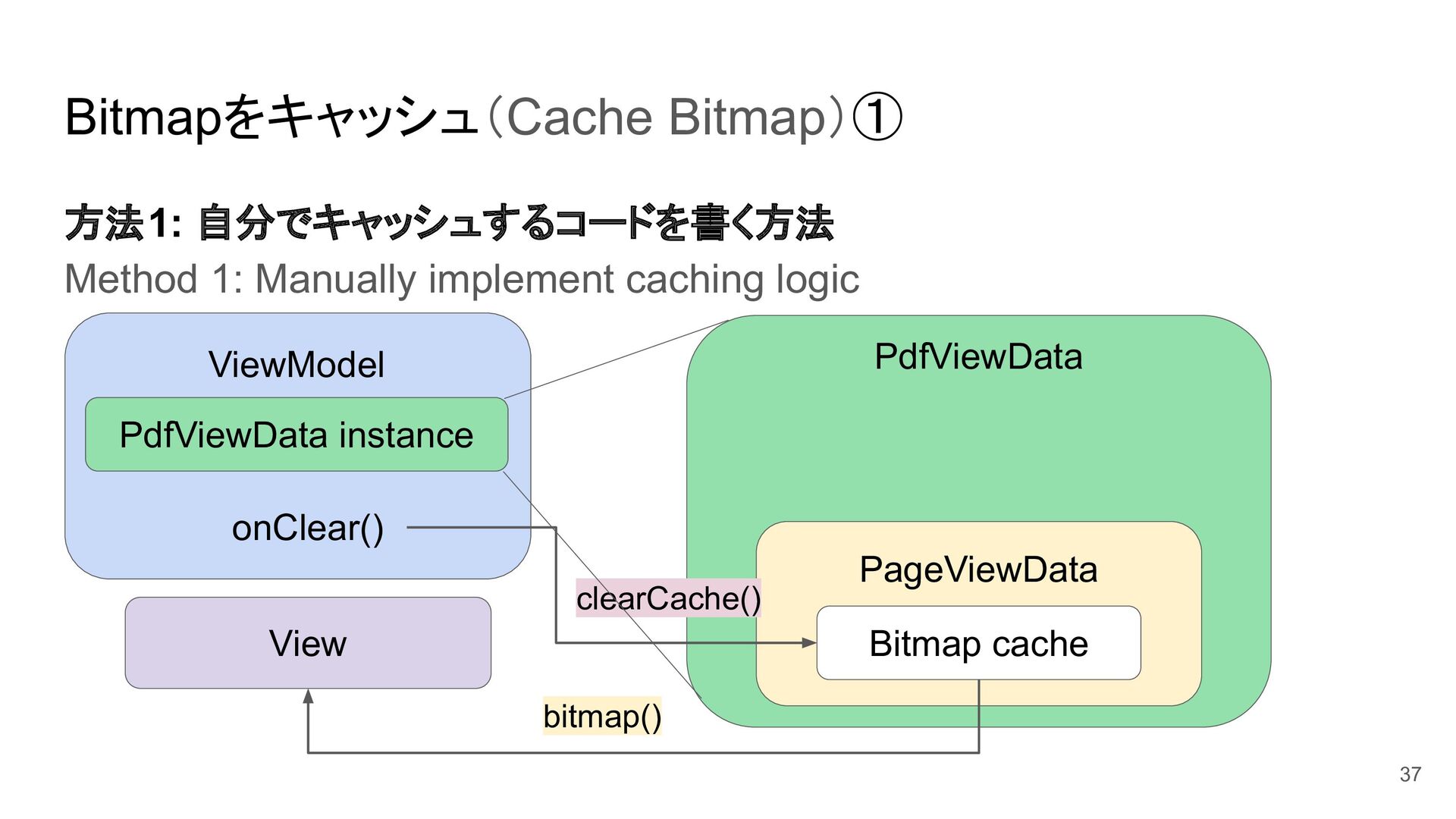
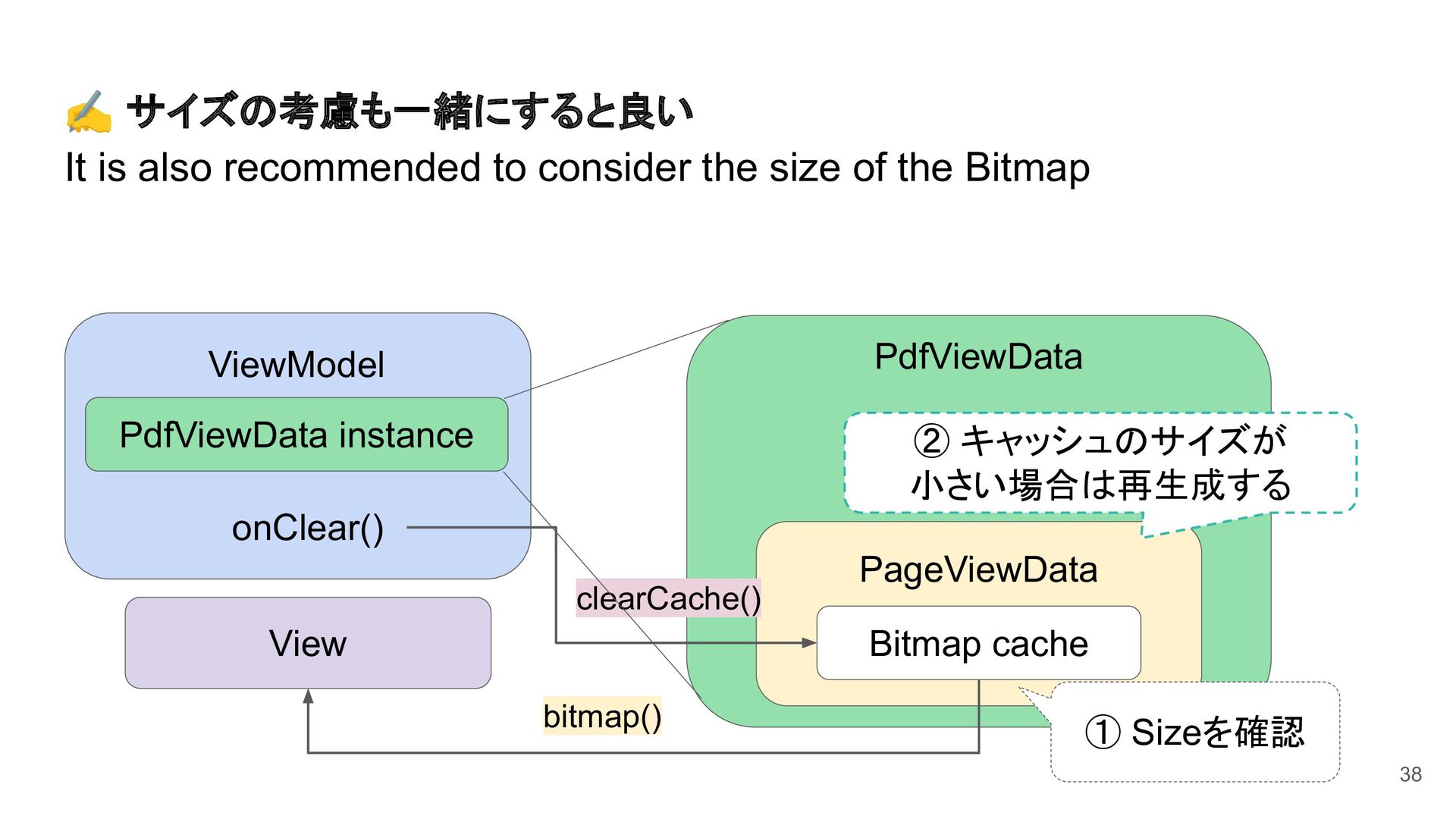
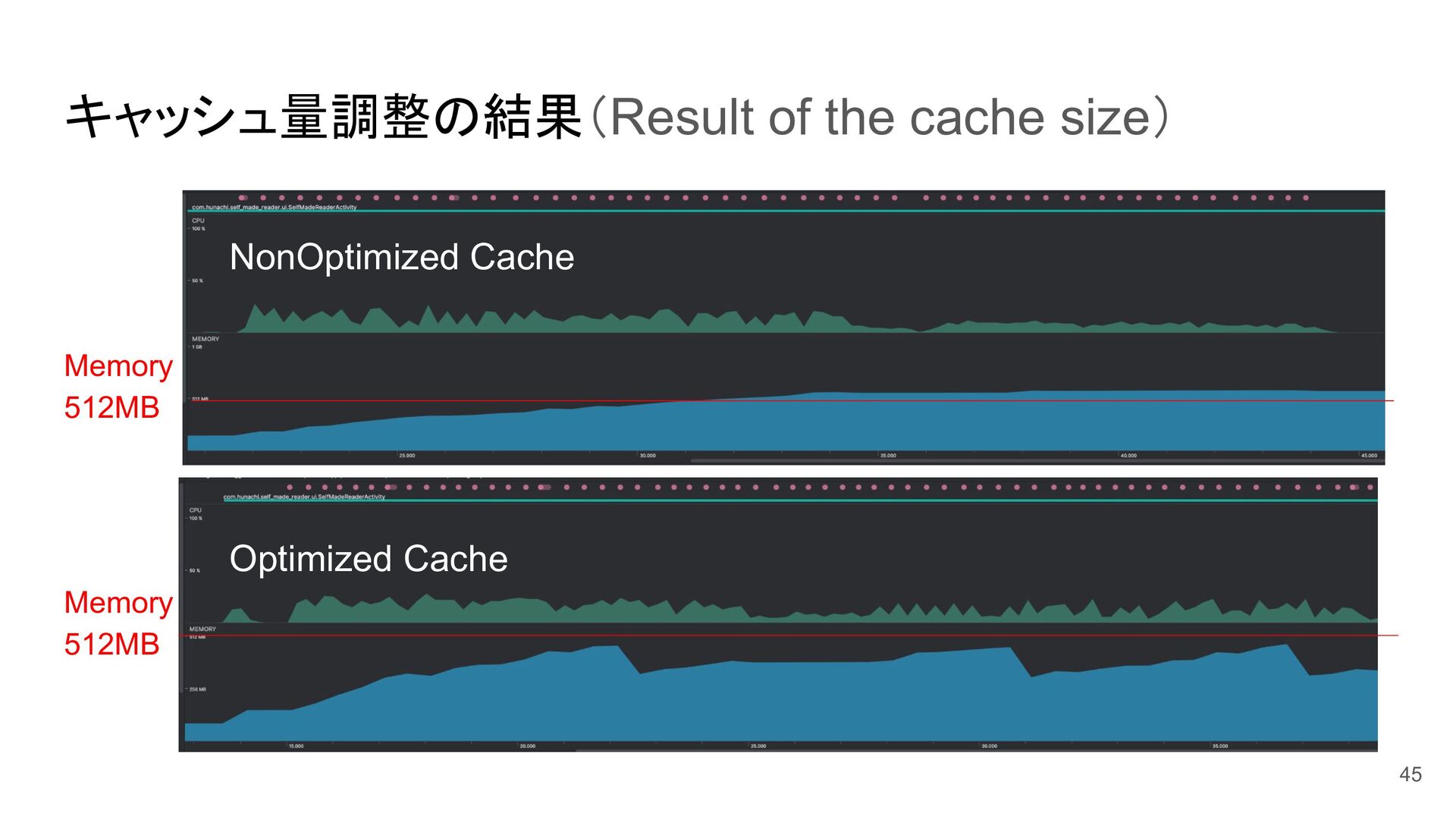
Bitmaps ◦ CPUとメモリの無駄遣いをやめる Stop wasting CPU and memory resources 2. Bitmapをキャッシュ Cache Bitmap ◦ Bitmapが再生成される回数を減らす Reduce the number of times regenerating Bitmaps ◦ UX改善にもなる This also leads to UX improvements 35
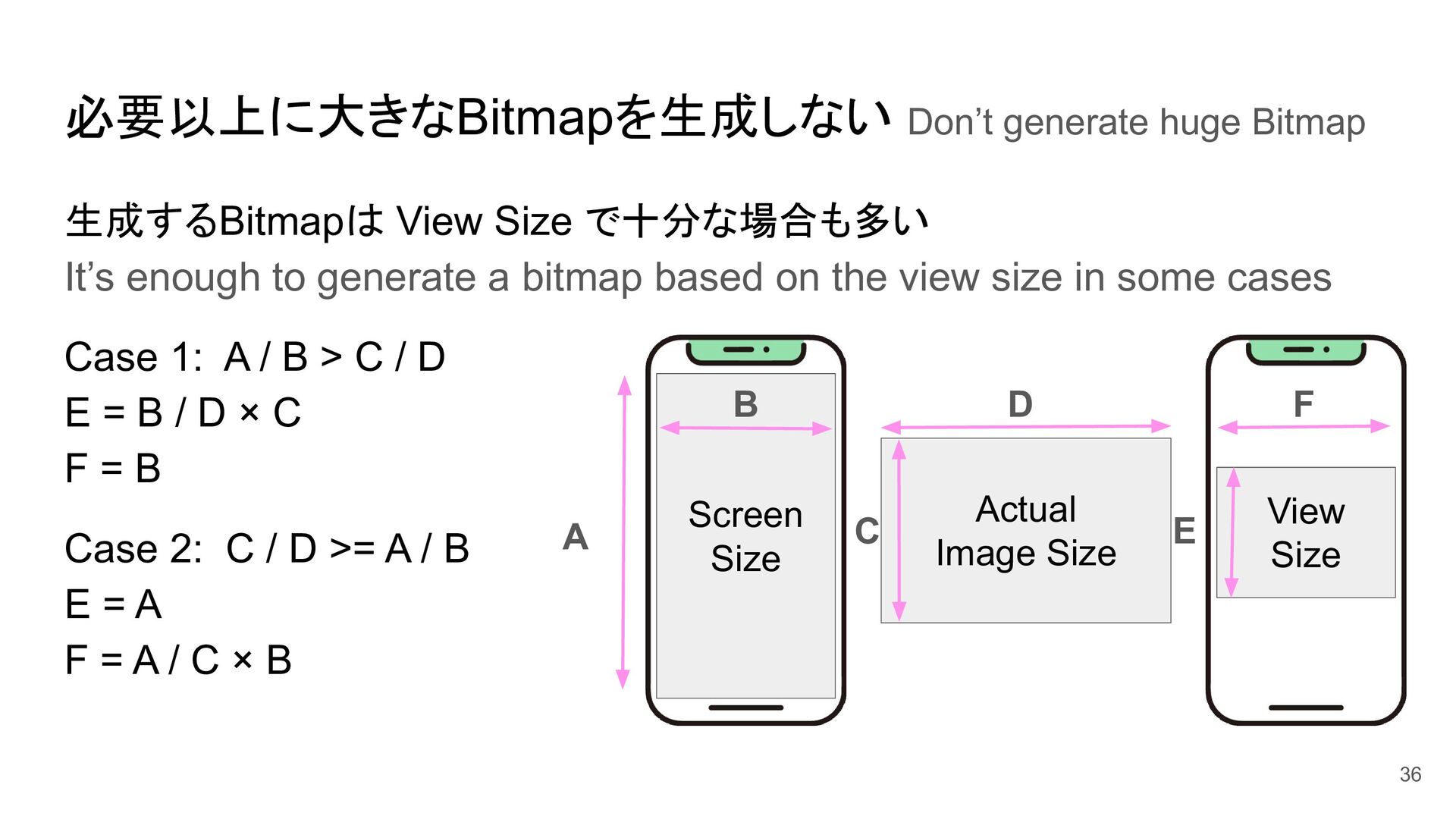
based on the view size in some cases Case 1: A / B > C / D E = B / D × C F = B Case 2: C / D >= A / B E = A F = A / C × B 必要以上に大きなBitmapを生成しない Don’t generate huge Bitmap Actual Image Size Screen Size View Size F E D C B A 36
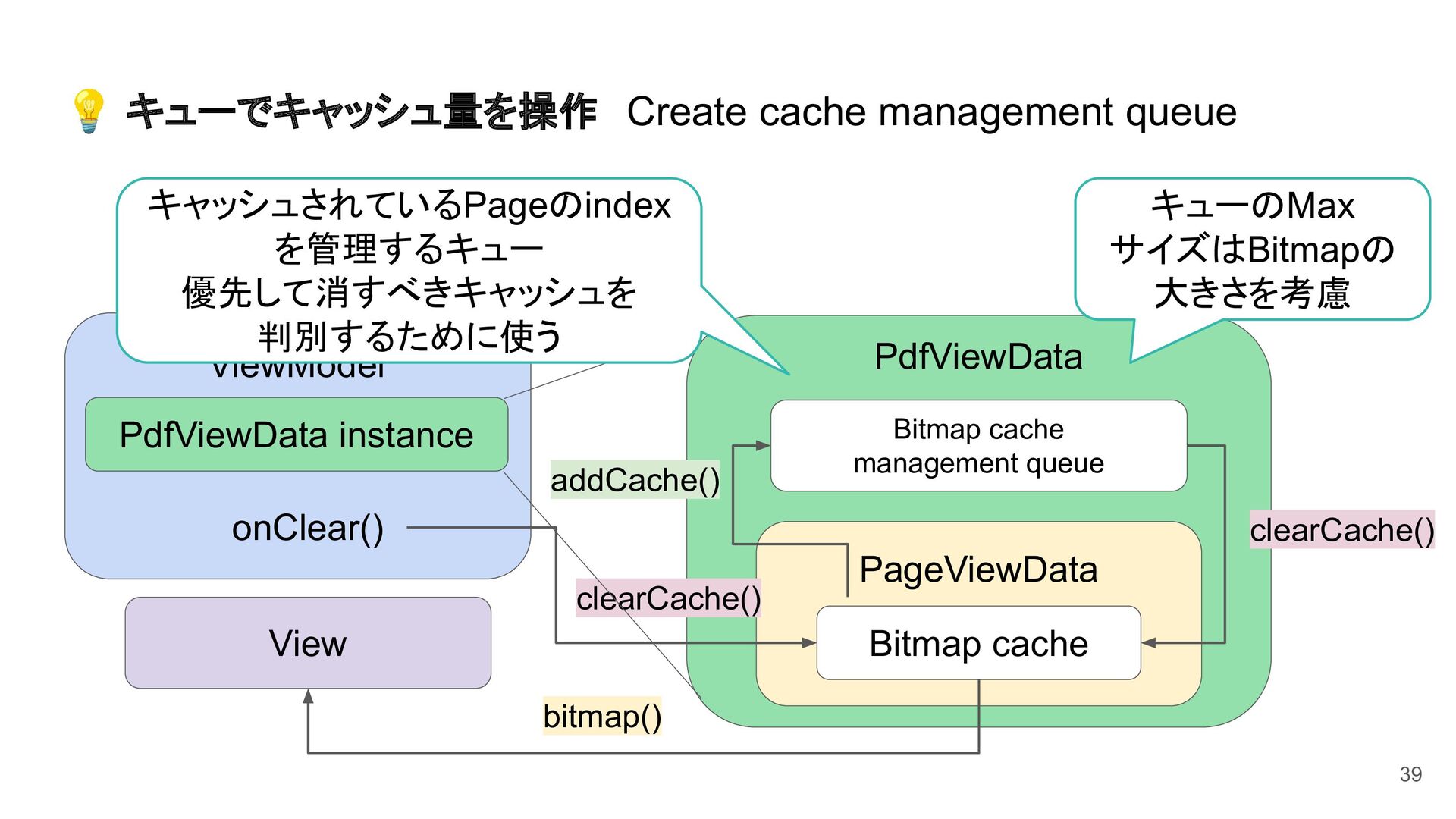
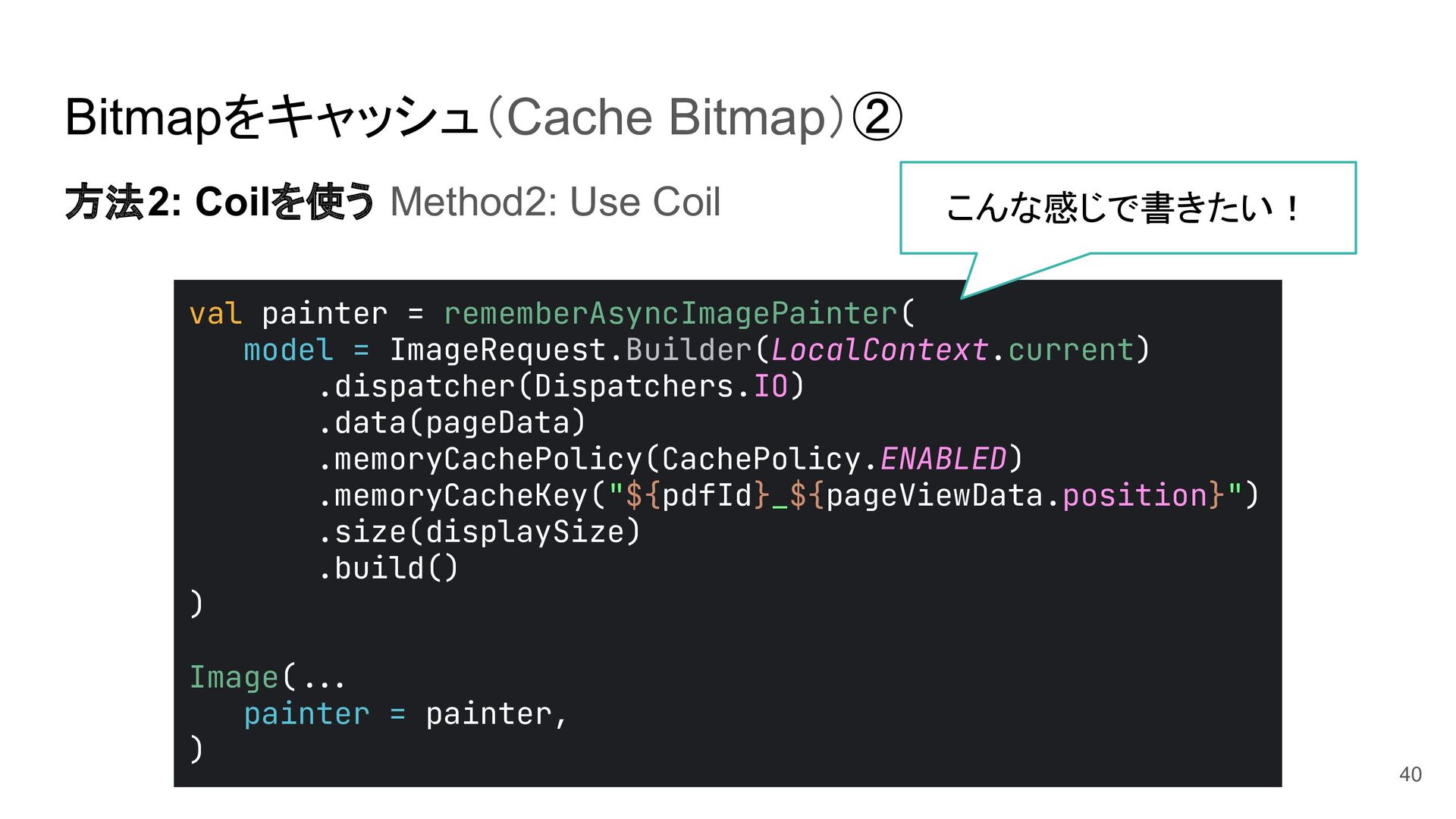
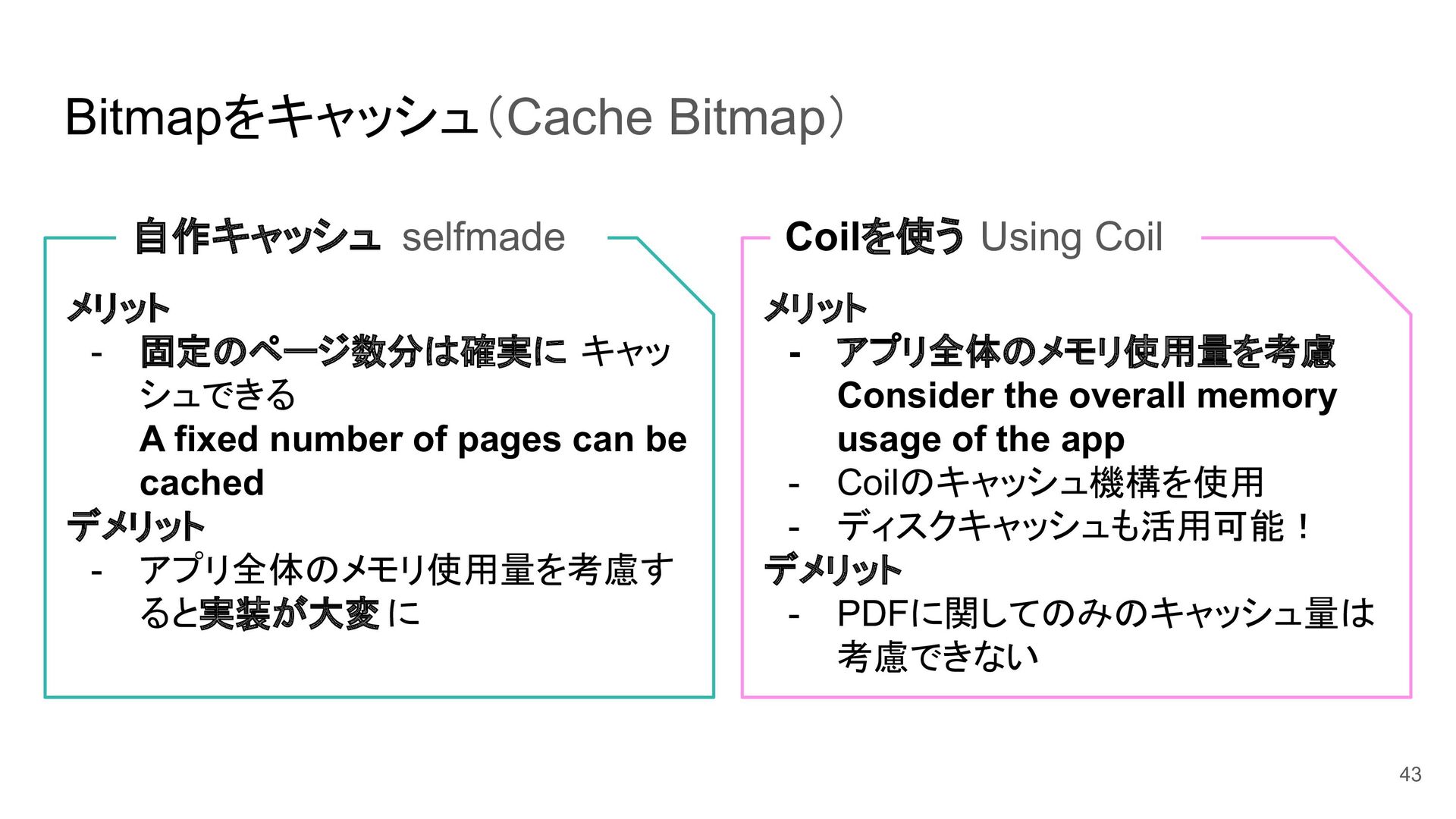
キャッ シュできる A fixed number of pages can be cached デメリット - アプリ全体のメモリ使用量を考慮す ると実装が大変 に メリット - アプリ全体のメモリ使用量を考慮 Consider the overall memory usage of the app - Coilのキャッシュ機構を使用 - ディスクキャッシュも活用可能! デメリット - PDFに関してのみのキャッシュ量は 考慮できない 43
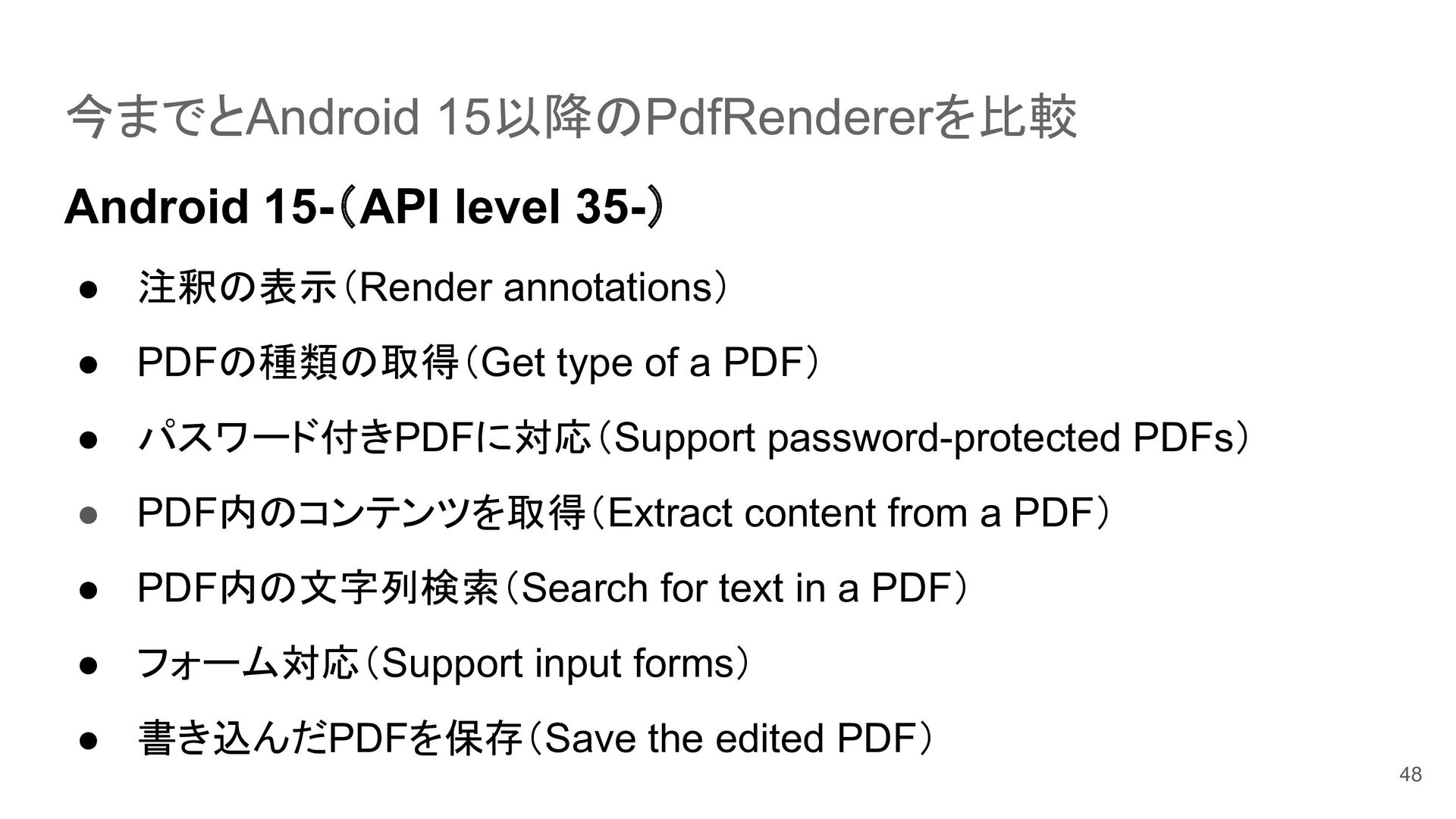
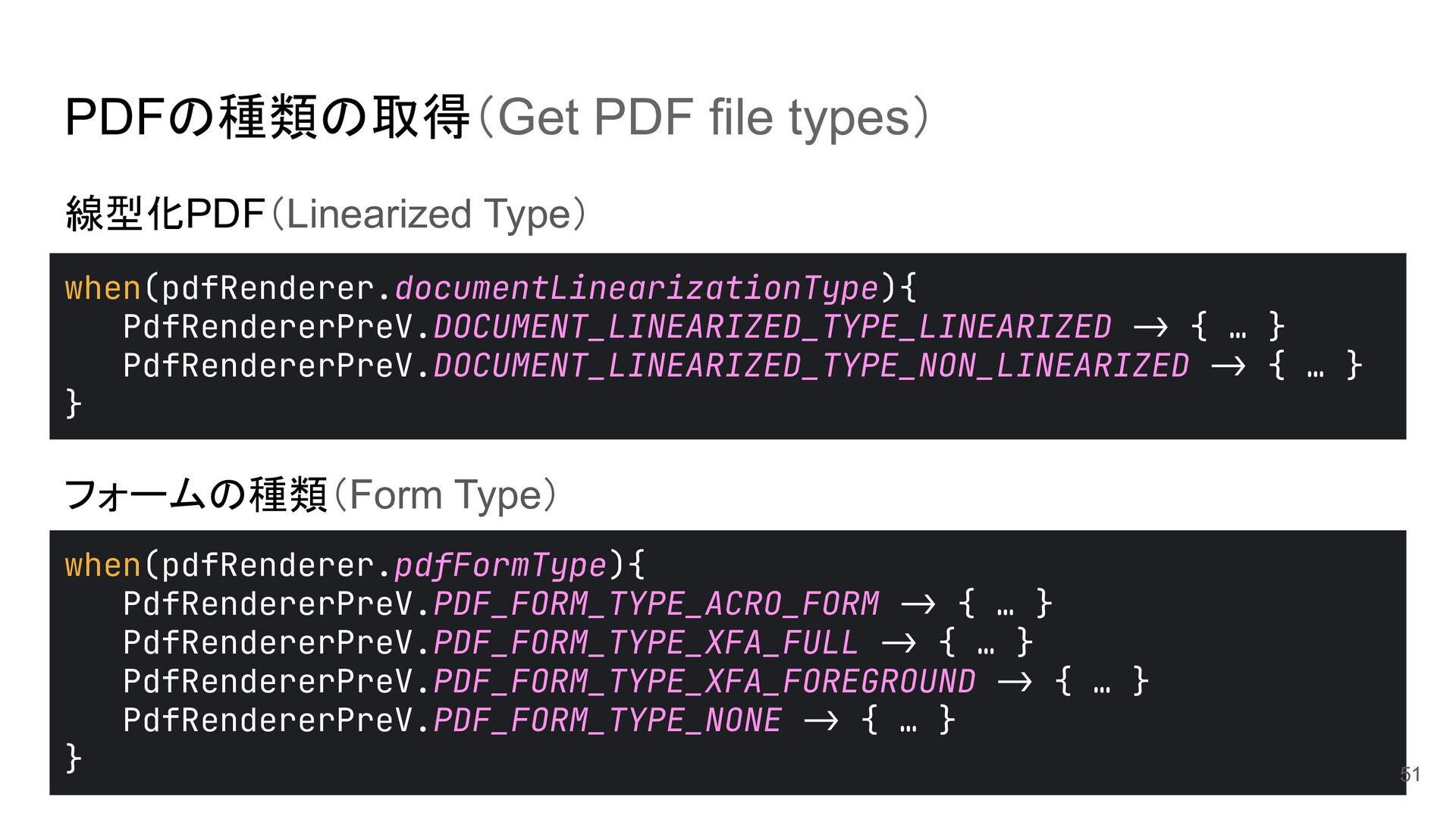
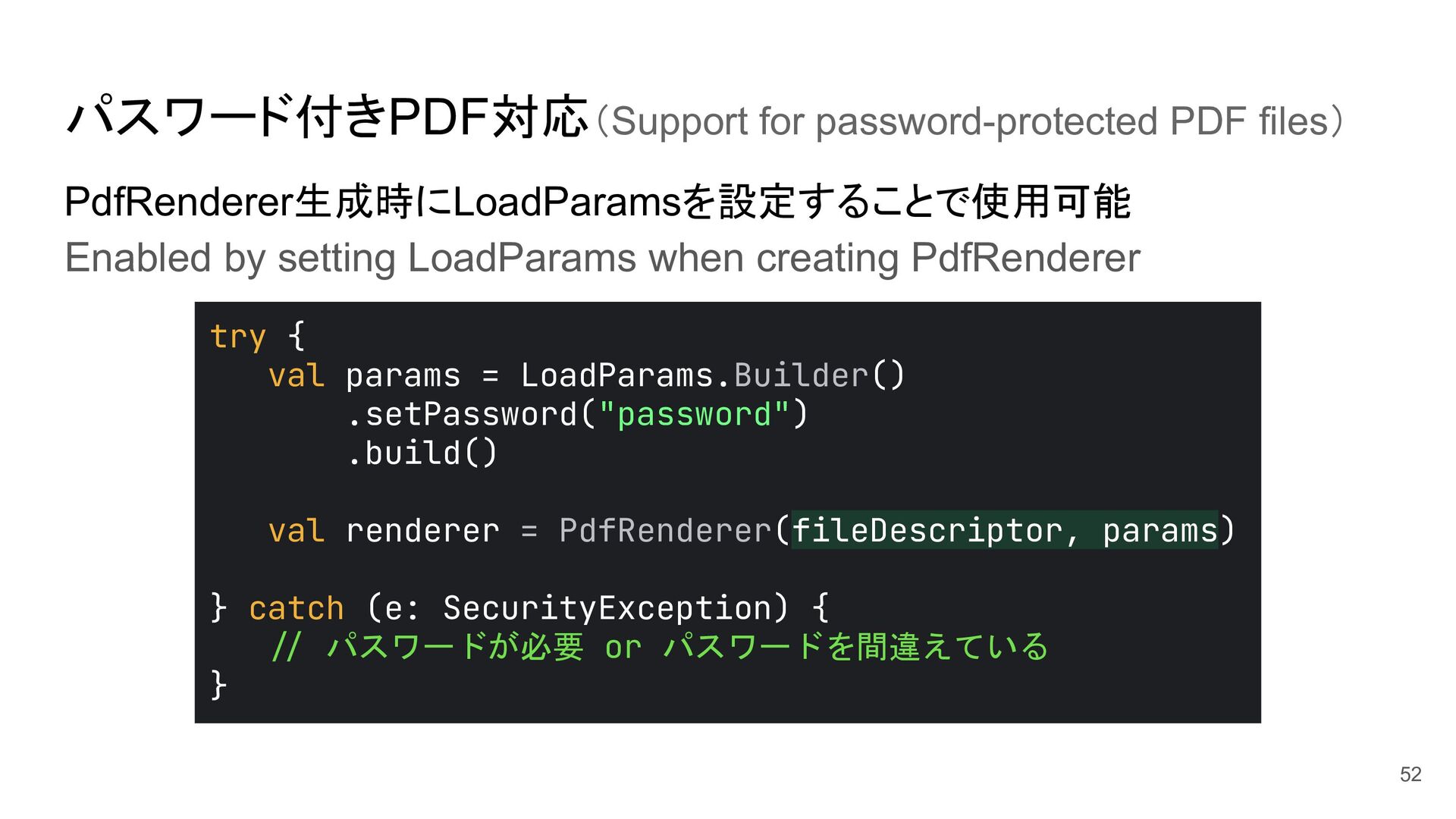
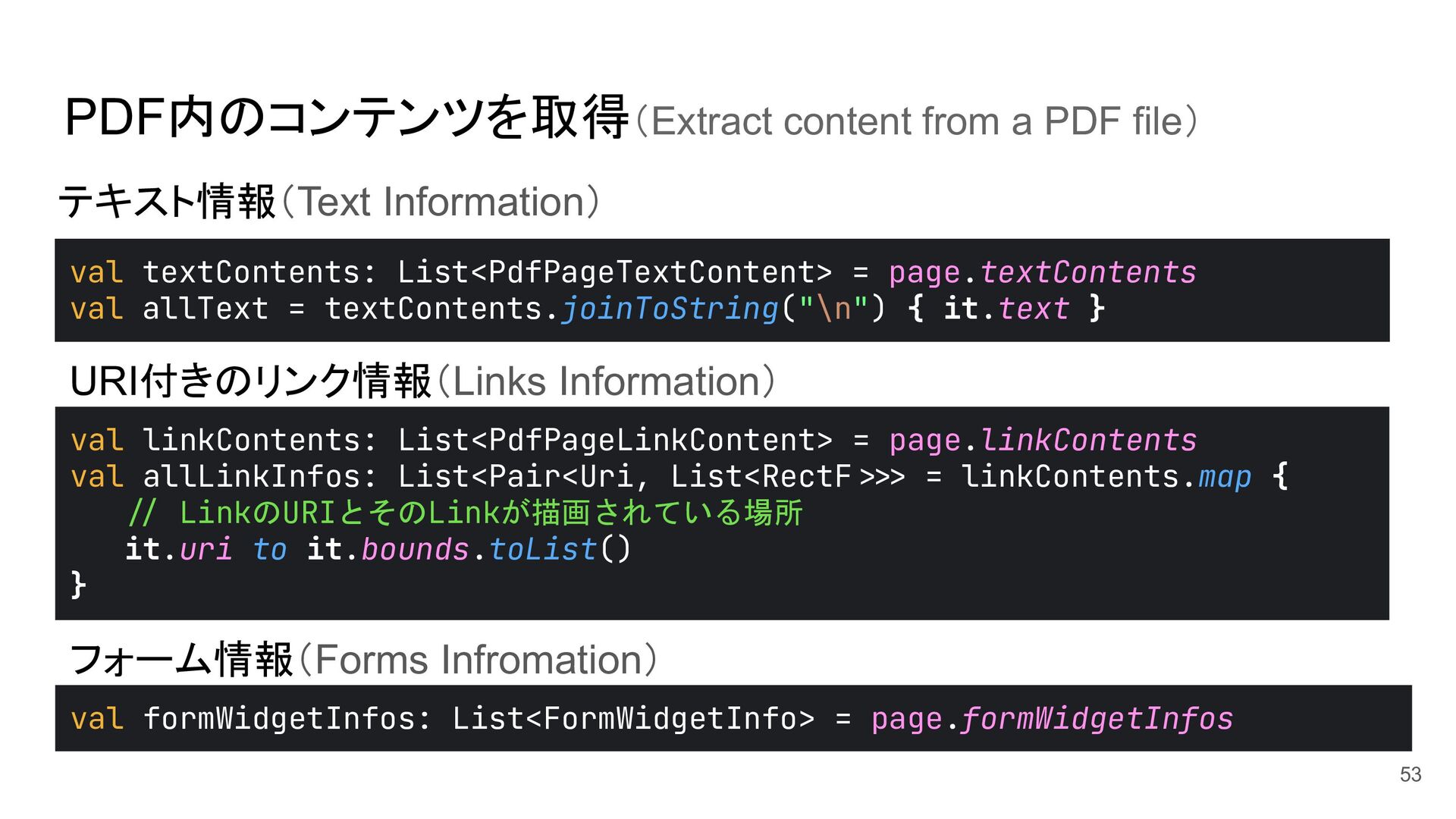
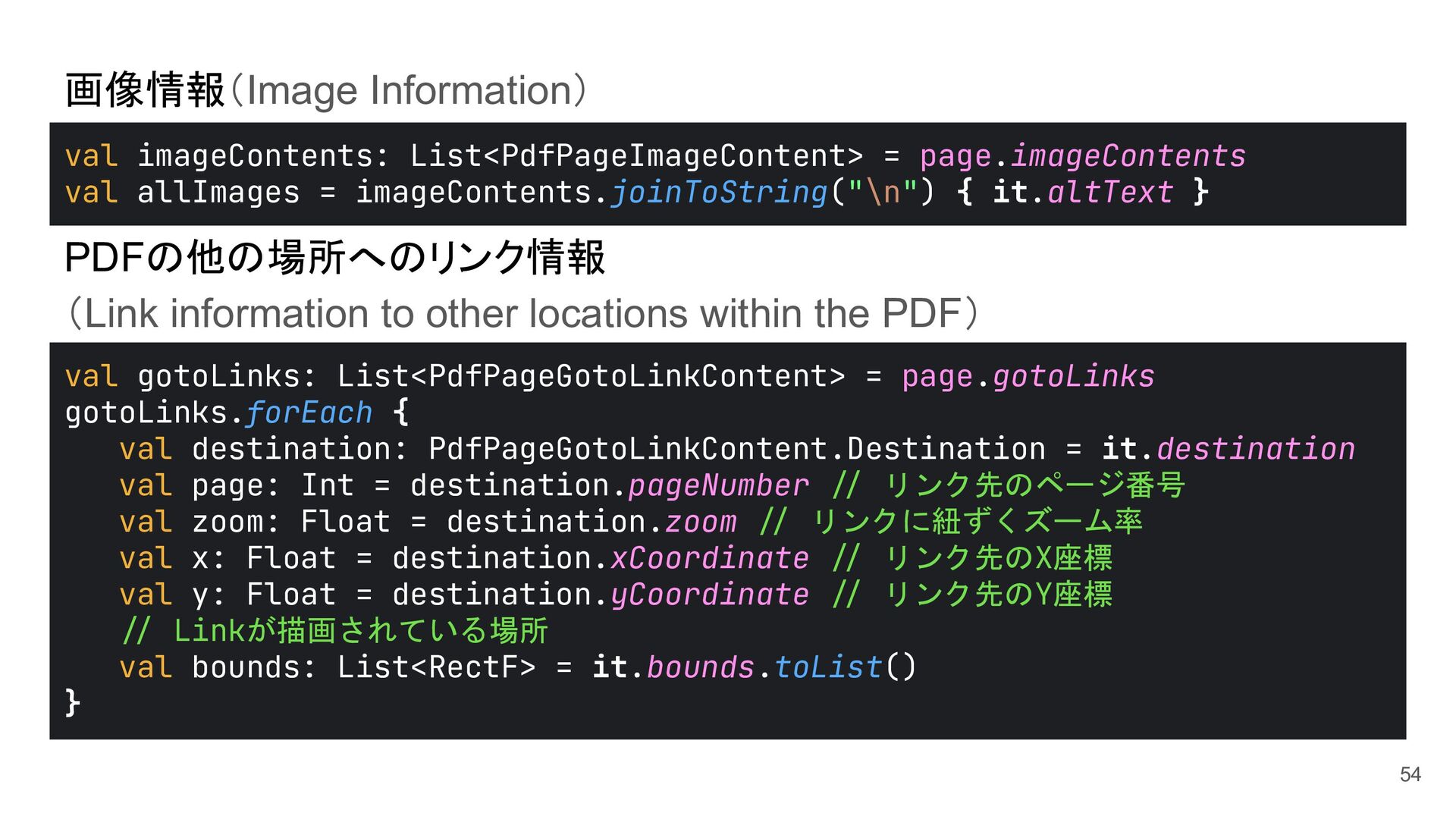
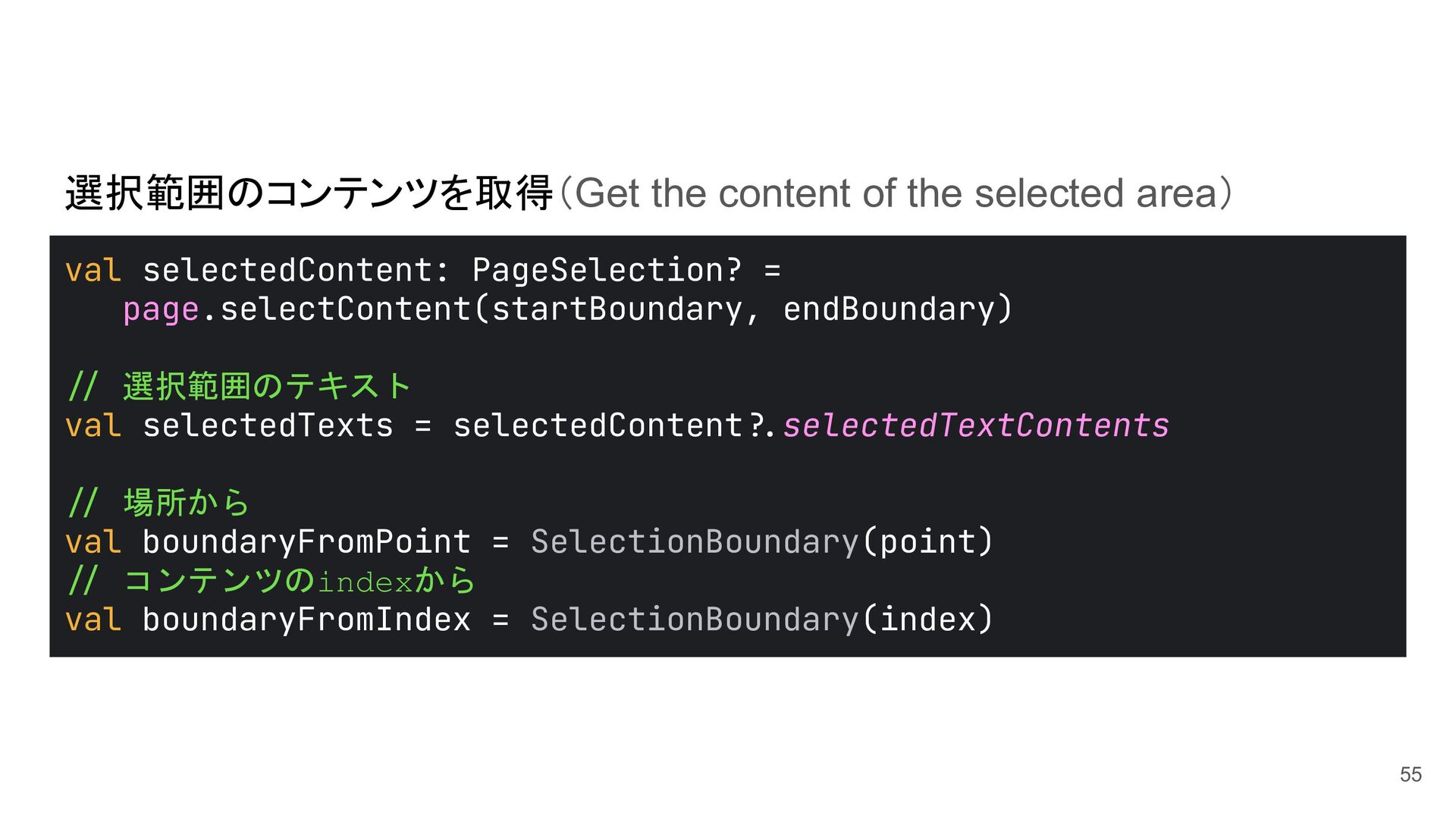
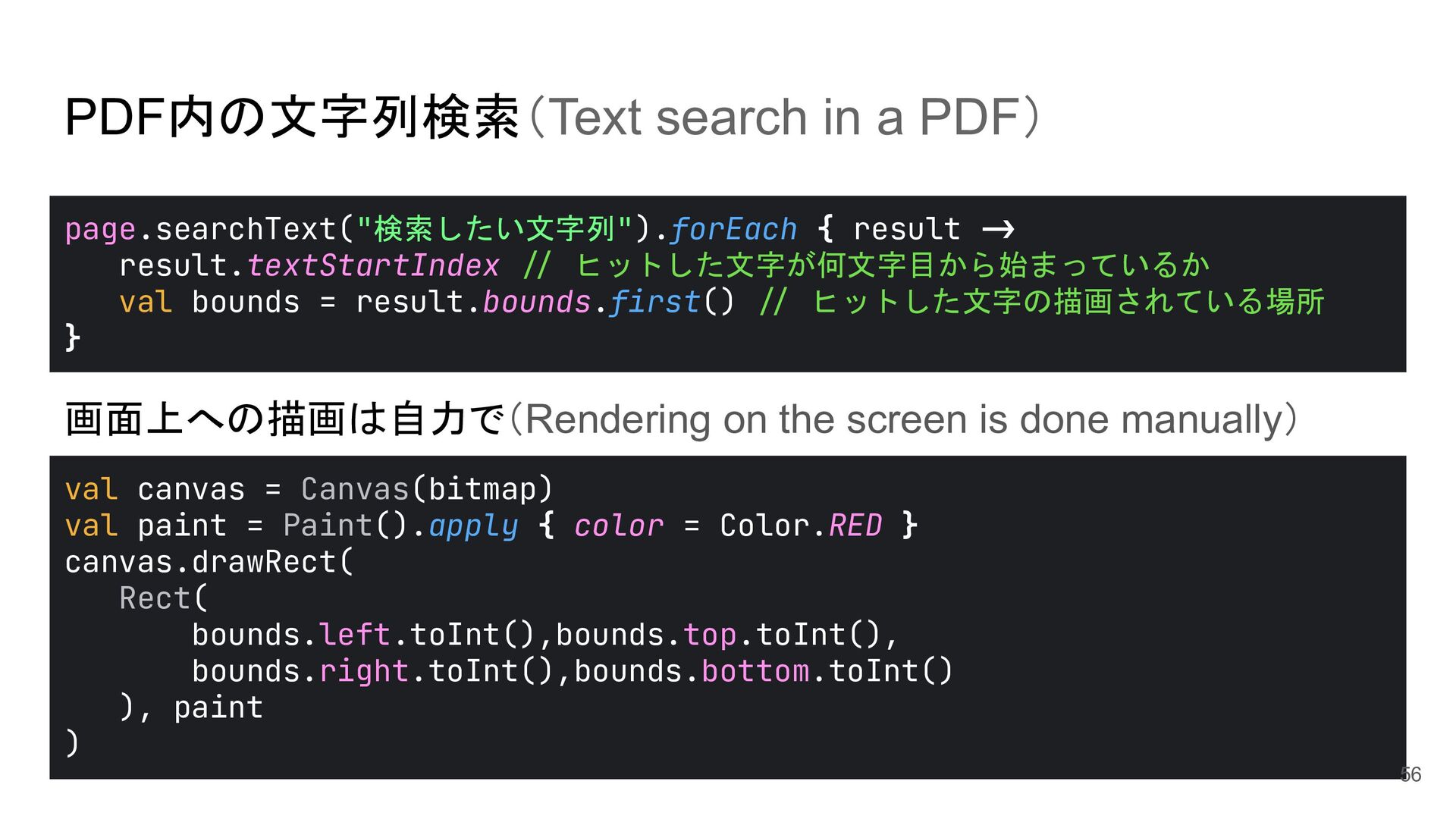
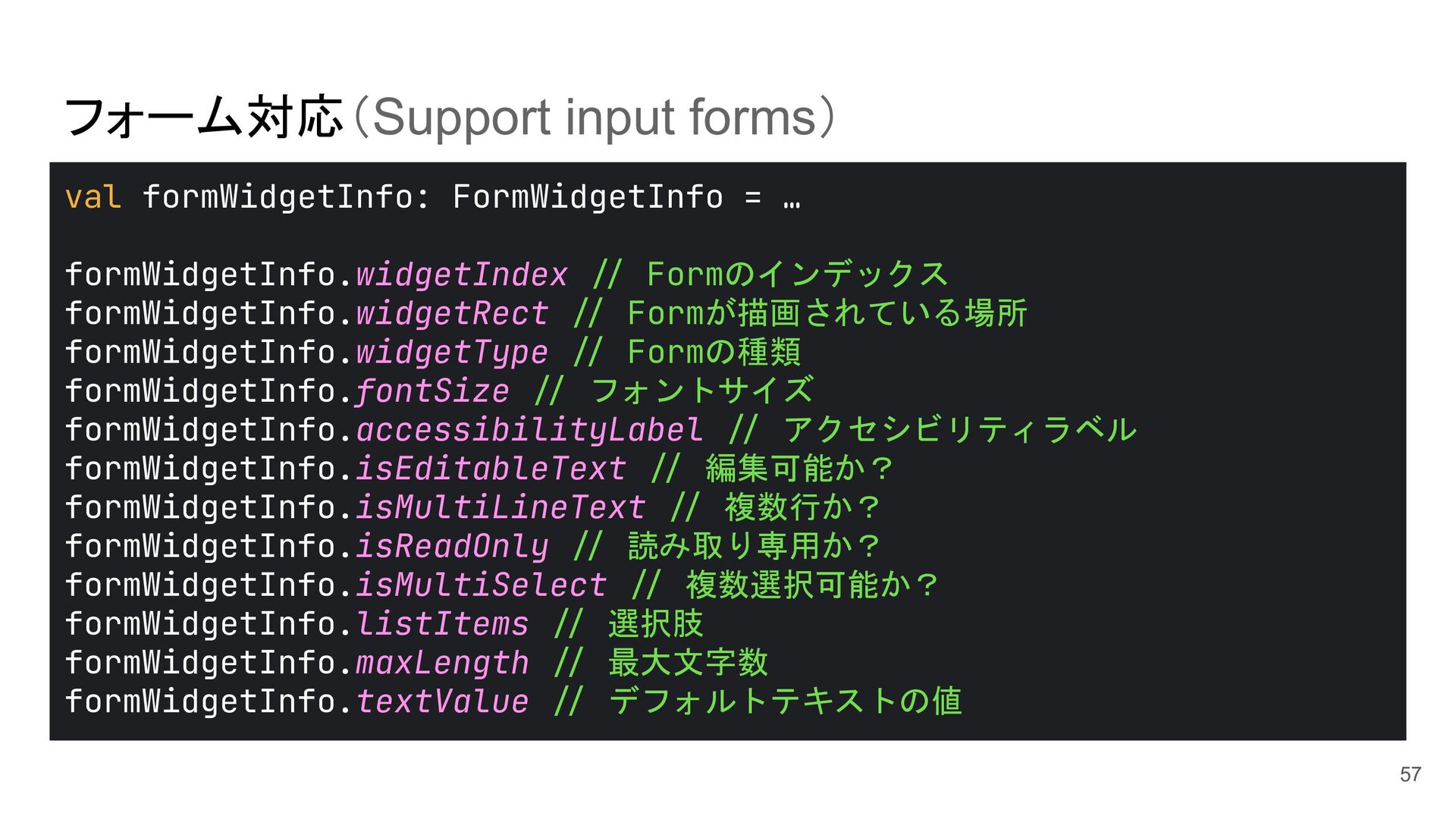
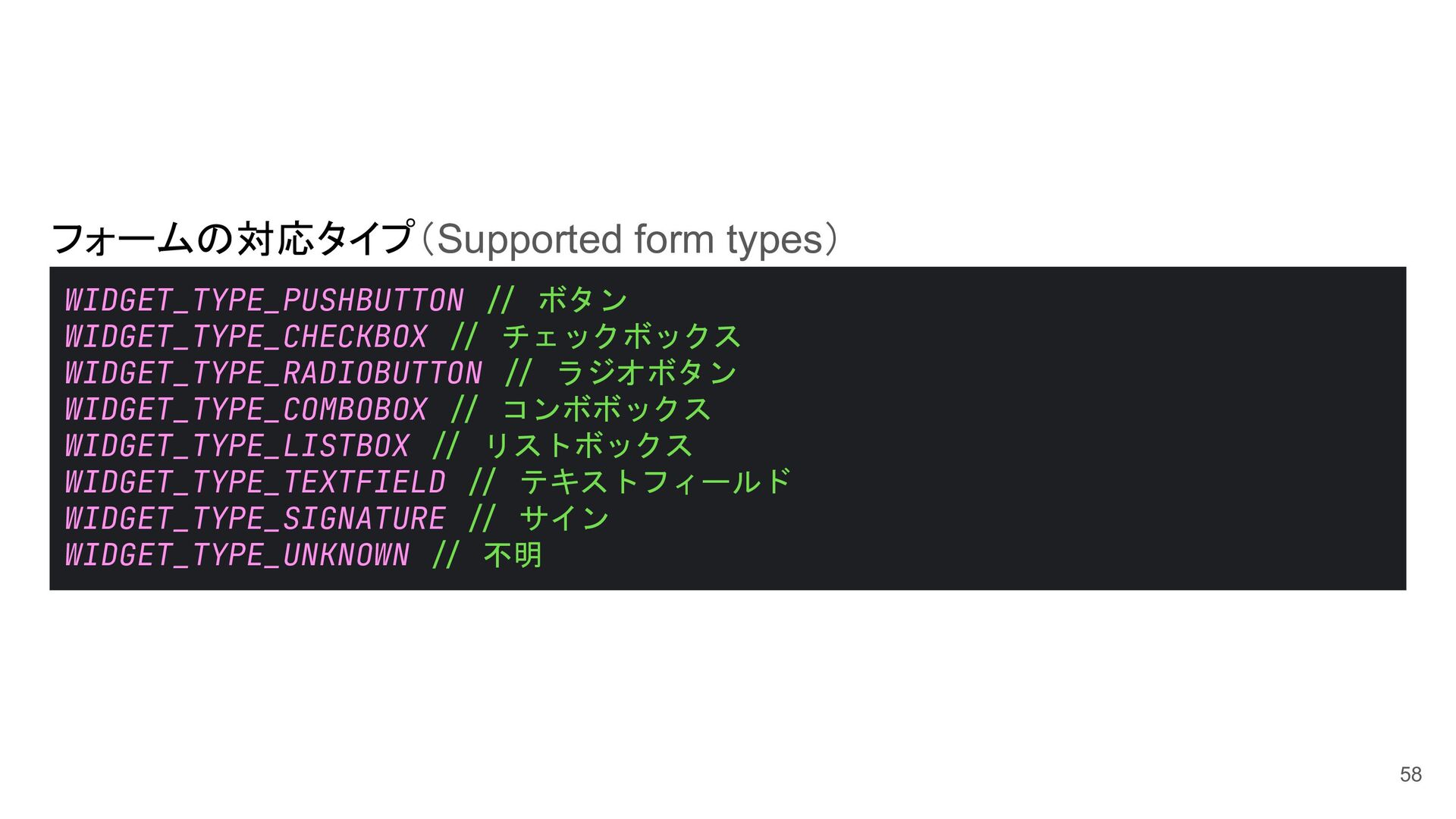
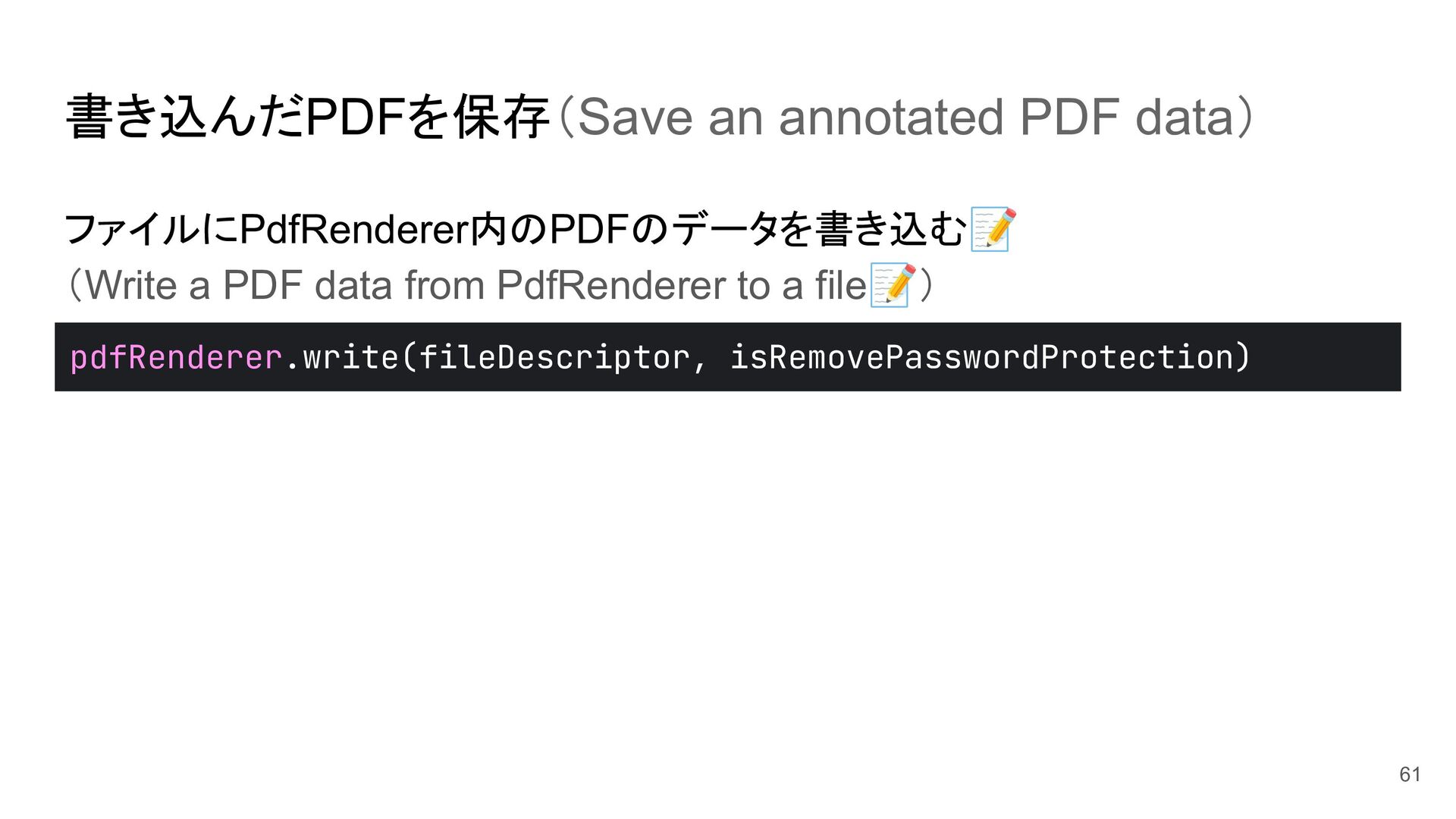
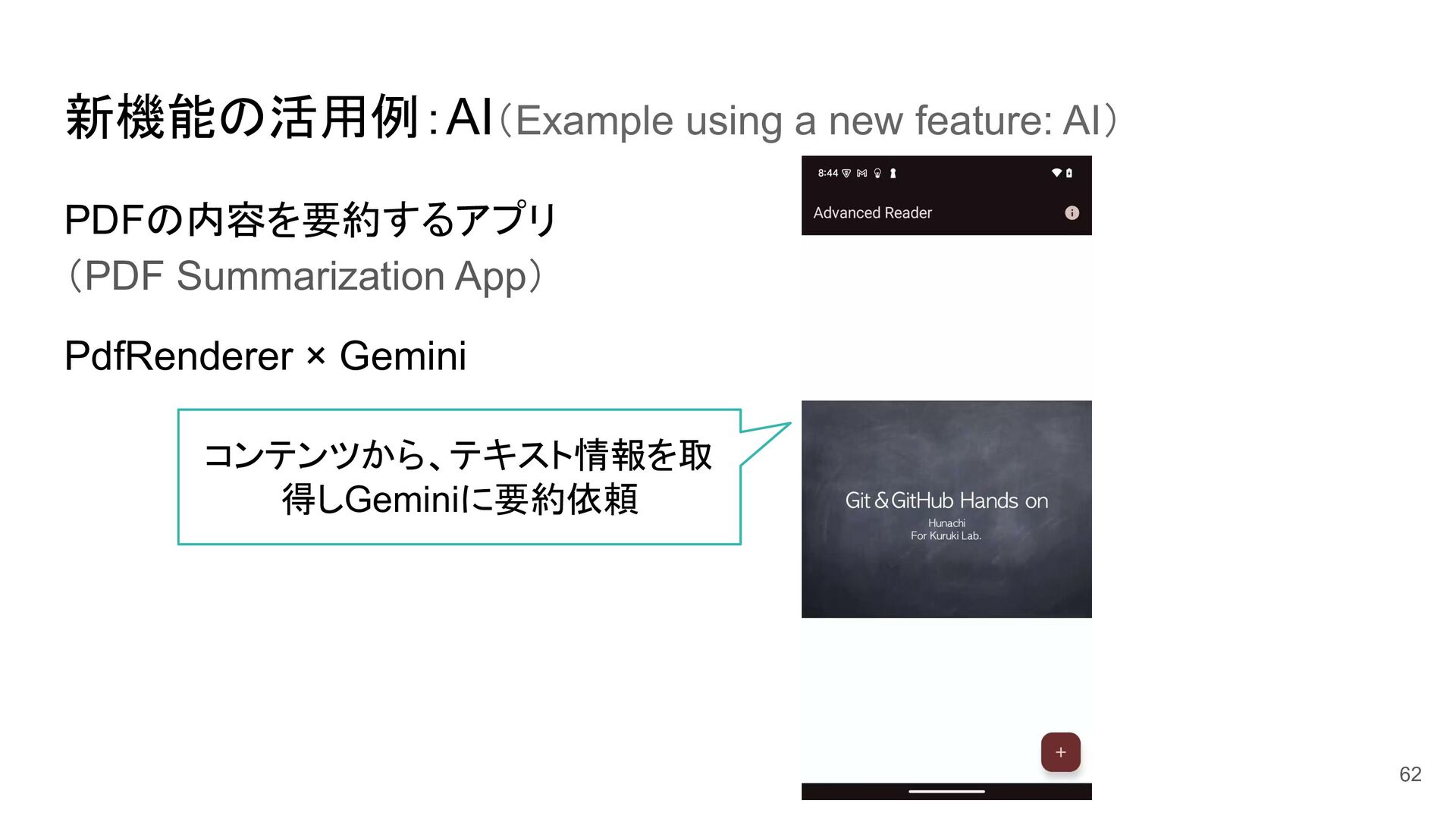
PDFの種類の取得(Get type of a PDF) • パスワード付きPDFに対応(Support password-protected PDFs) • PDF内のコンテンツを取得(Extract content from a PDF) • PDF内の文字列検索(Search for text in a PDF) • フォーム対応(Support input forms) • 書き込んだPDFを保存(Save the edited PDF) 48
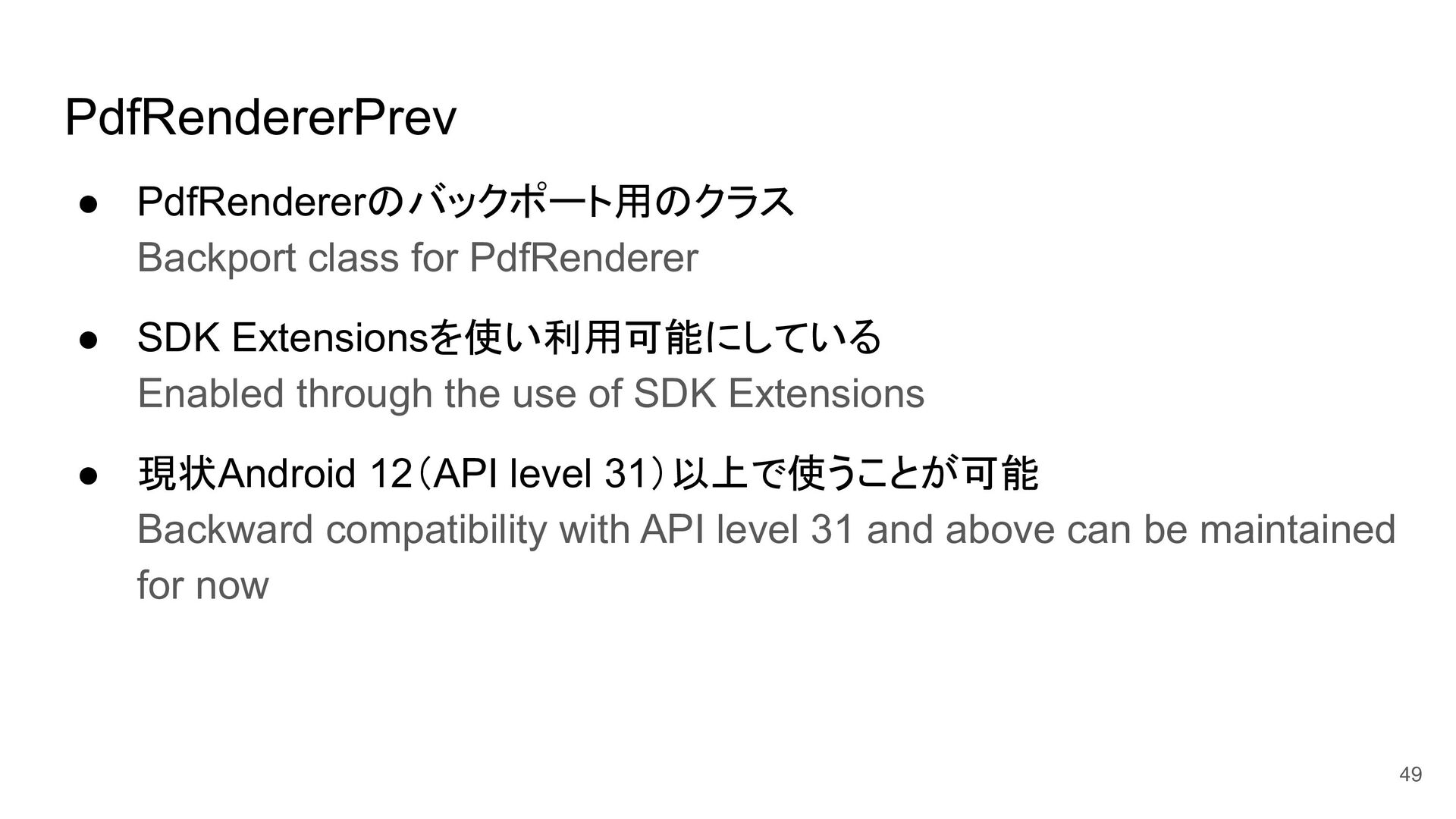
Enabled through the use of SDK Extensions • 現状Android 12(API level 31)以上で使うことが可能 Backward compatibility with API level 31 and above can be maintained for now 49
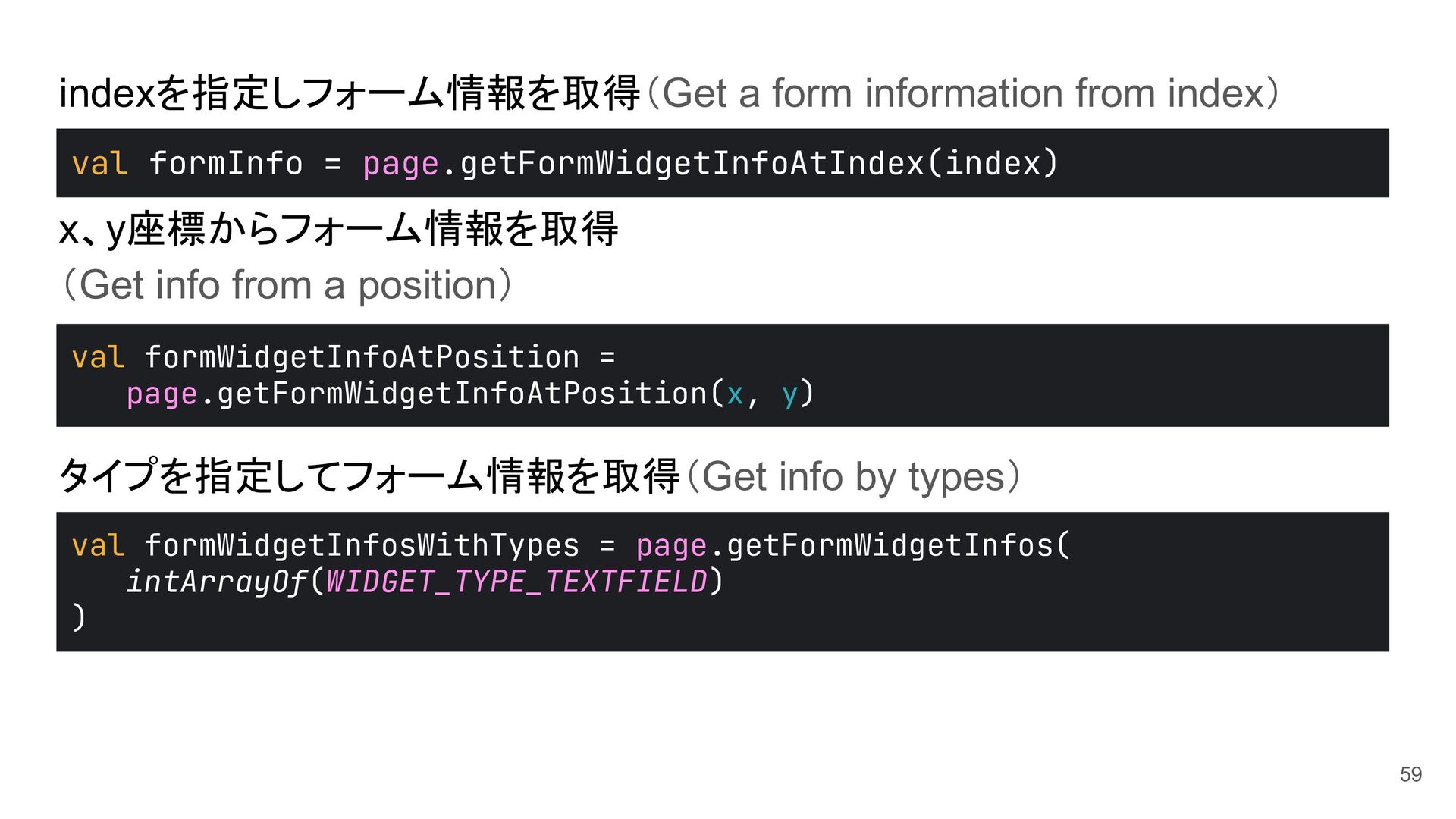
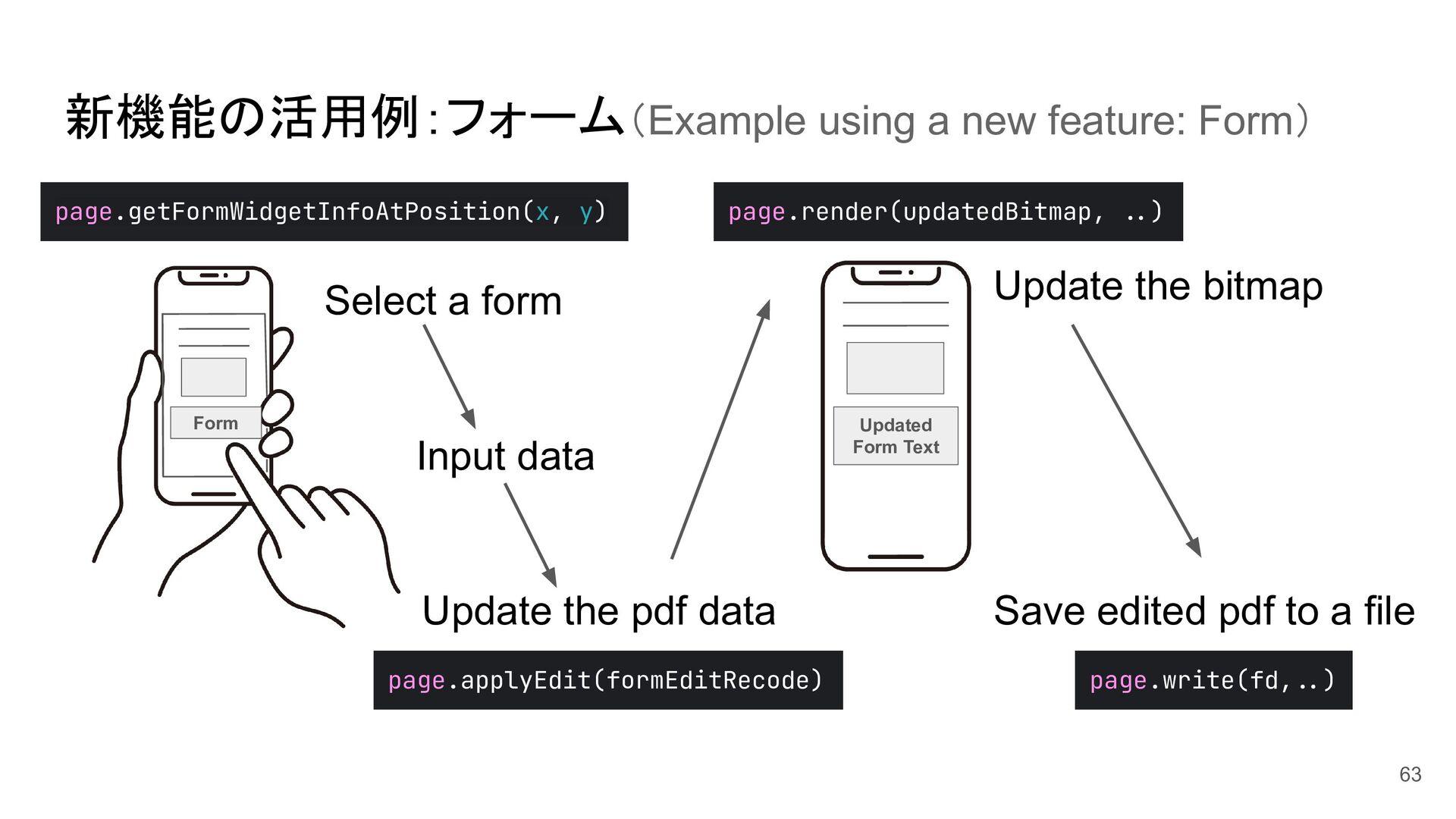
a position) タイプを指定してフォーム情報を取得(Get info by types) val formWidgetInfoAtPosition = page.getFormWidgetInfoAtPosition(x, y) val formInfo = page.getFormWidgetInfoAtIndex(index) val formWidgetInfosWithTypes = page.getFormWidgetInfos( intArrayOf(WIDGET_TYPE_TEXTFIELD) ) 59
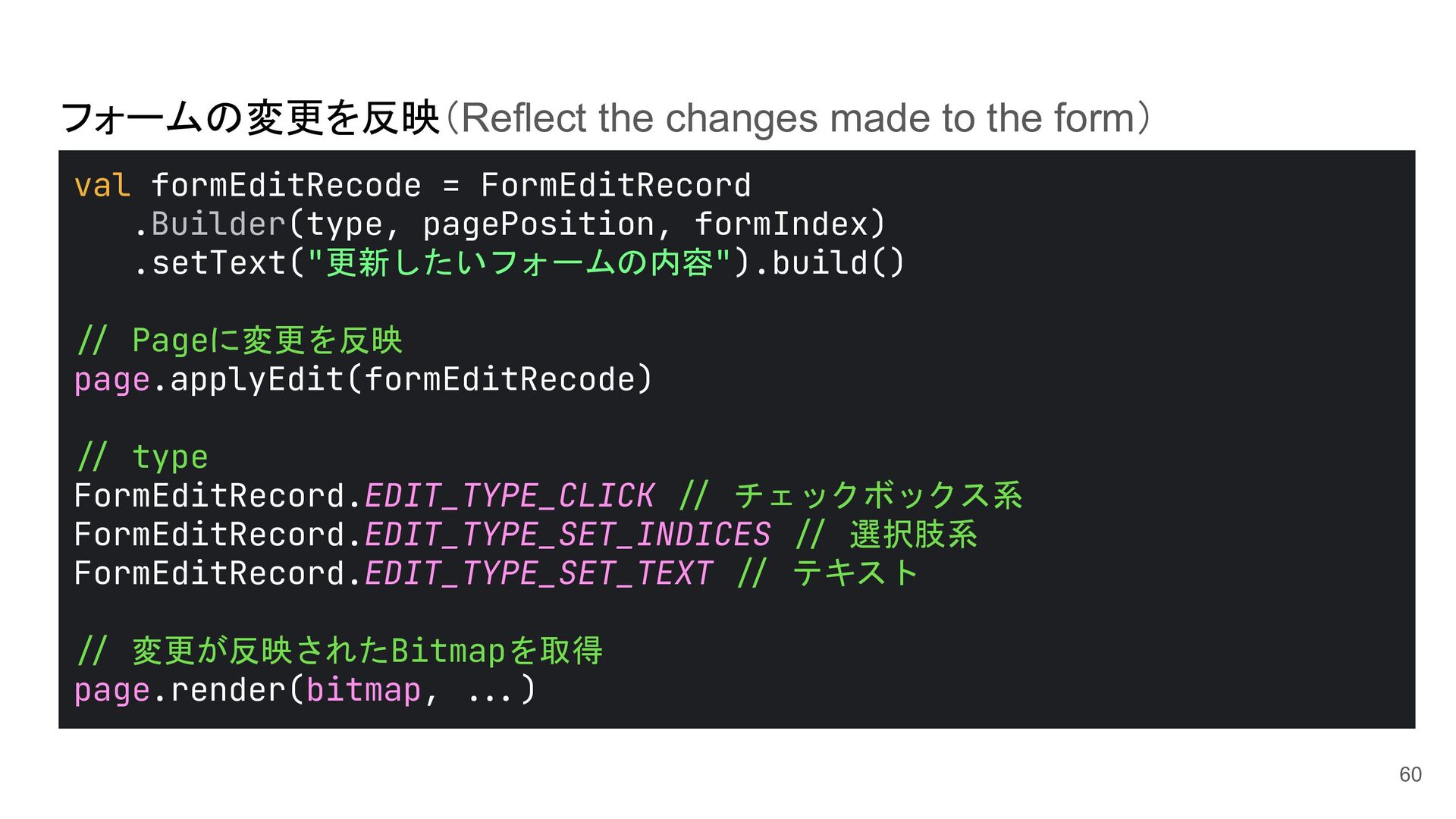
Form Text page.applyEdit(formEditRecode) Update the pdf data page.render(updatedBitmap, >.) page.write(fd,>.) Select a form Update the bitmap Save edited pdf to a file Input data 63
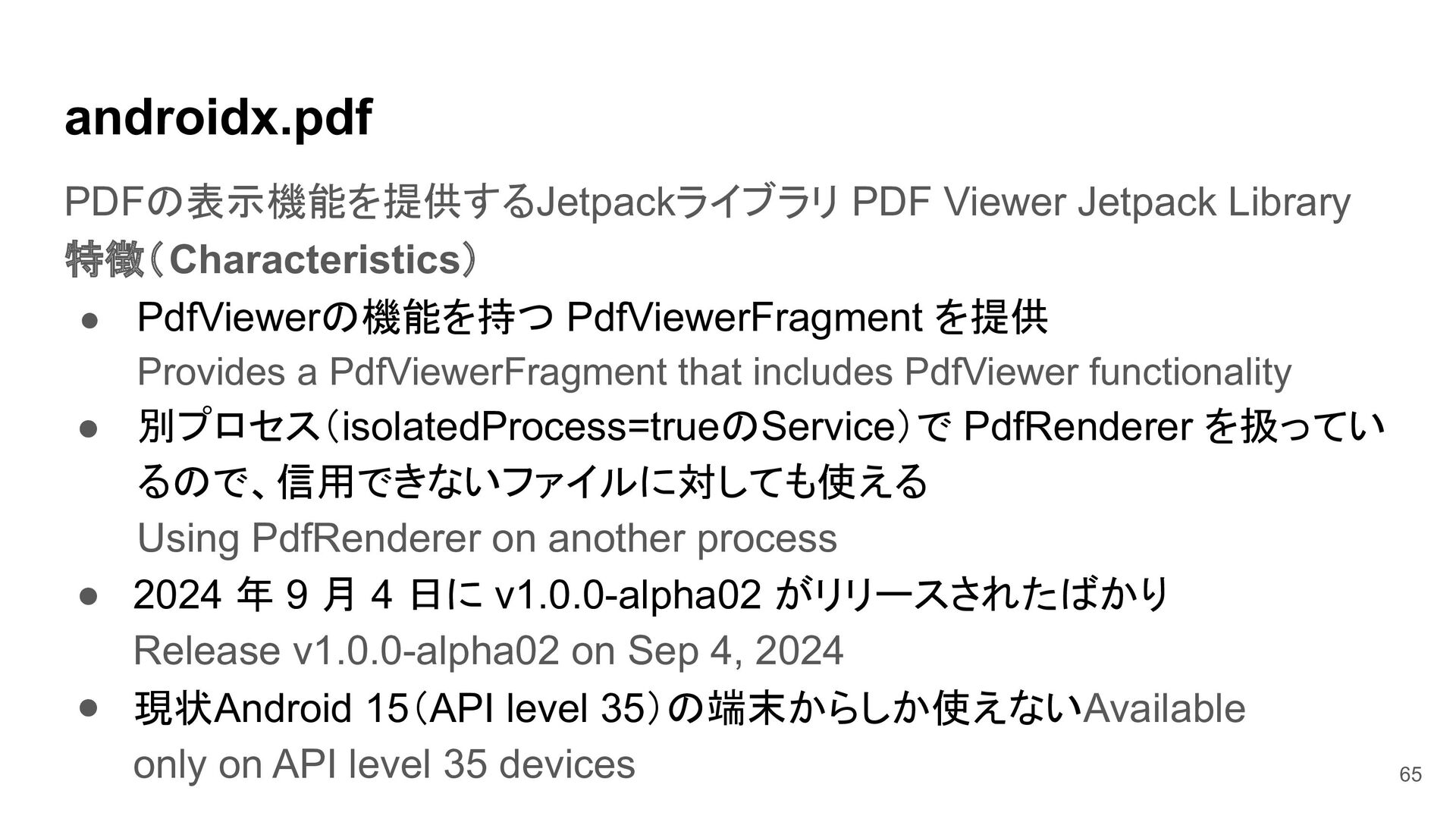
を提供 Provides a PdfViewerFragment that includes PdfViewer functionality • 別プロセス(isolatedProcess=trueのService)で PdfRenderer を扱ってい るので、信用できないファイルに対しても使える Using PdfRenderer on another process • • 2024 年 9 月 4 日に v1.0.0-alpha02 がリリースされたばかり Release v1.0.0-alpha02 on Sep 4, 2024 現状Android 15(API level 35)の端末からしか使えないAvailable only on API level 35 devices 65
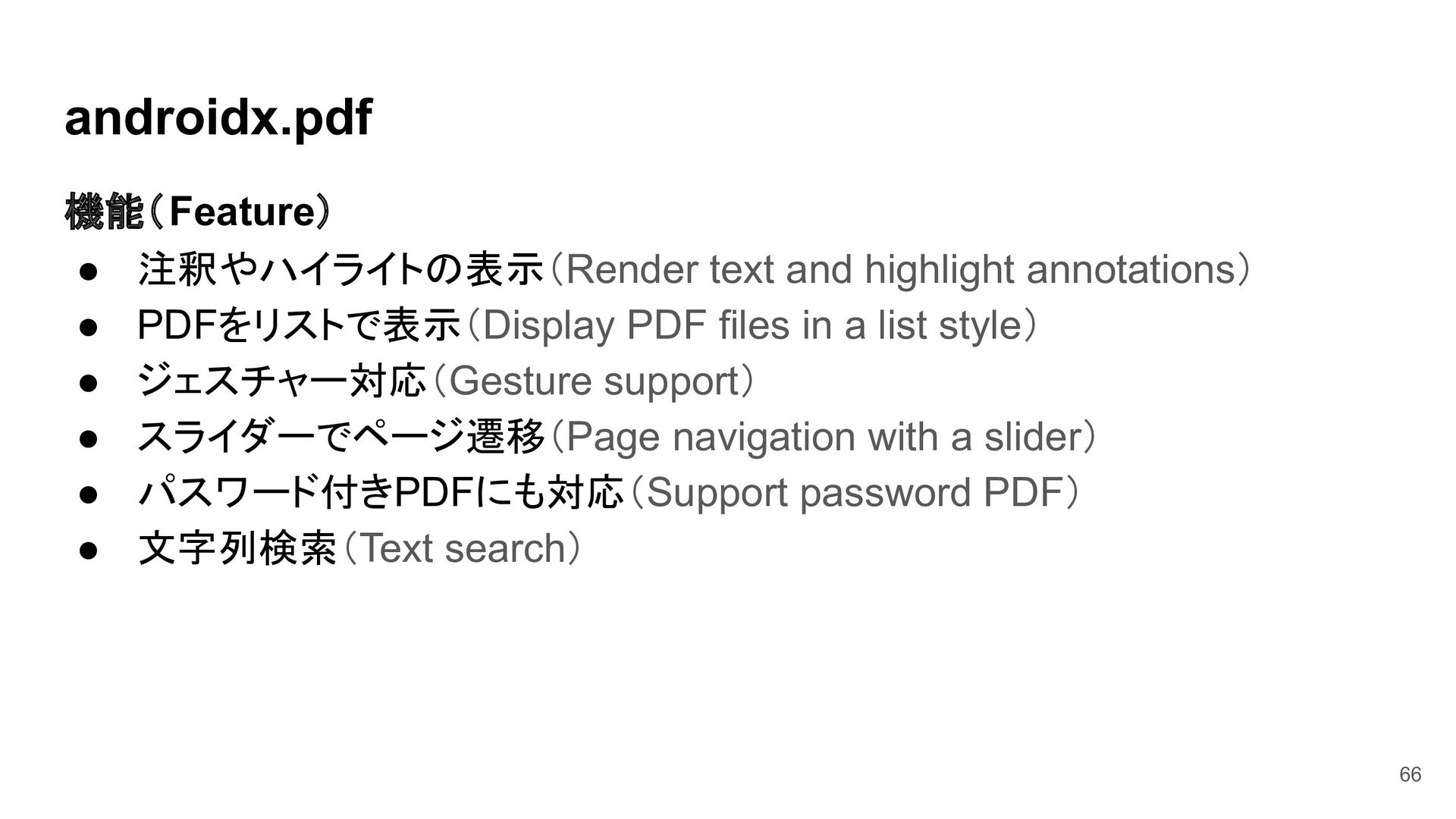
PDF files in a list style) • ジェスチャー対応(Gesture support) • スライダーでページ遷移(Page navigation with a slider) • パスワード付きPDFにも対応(Support password PDF) • 文字列検索(Text search) 66
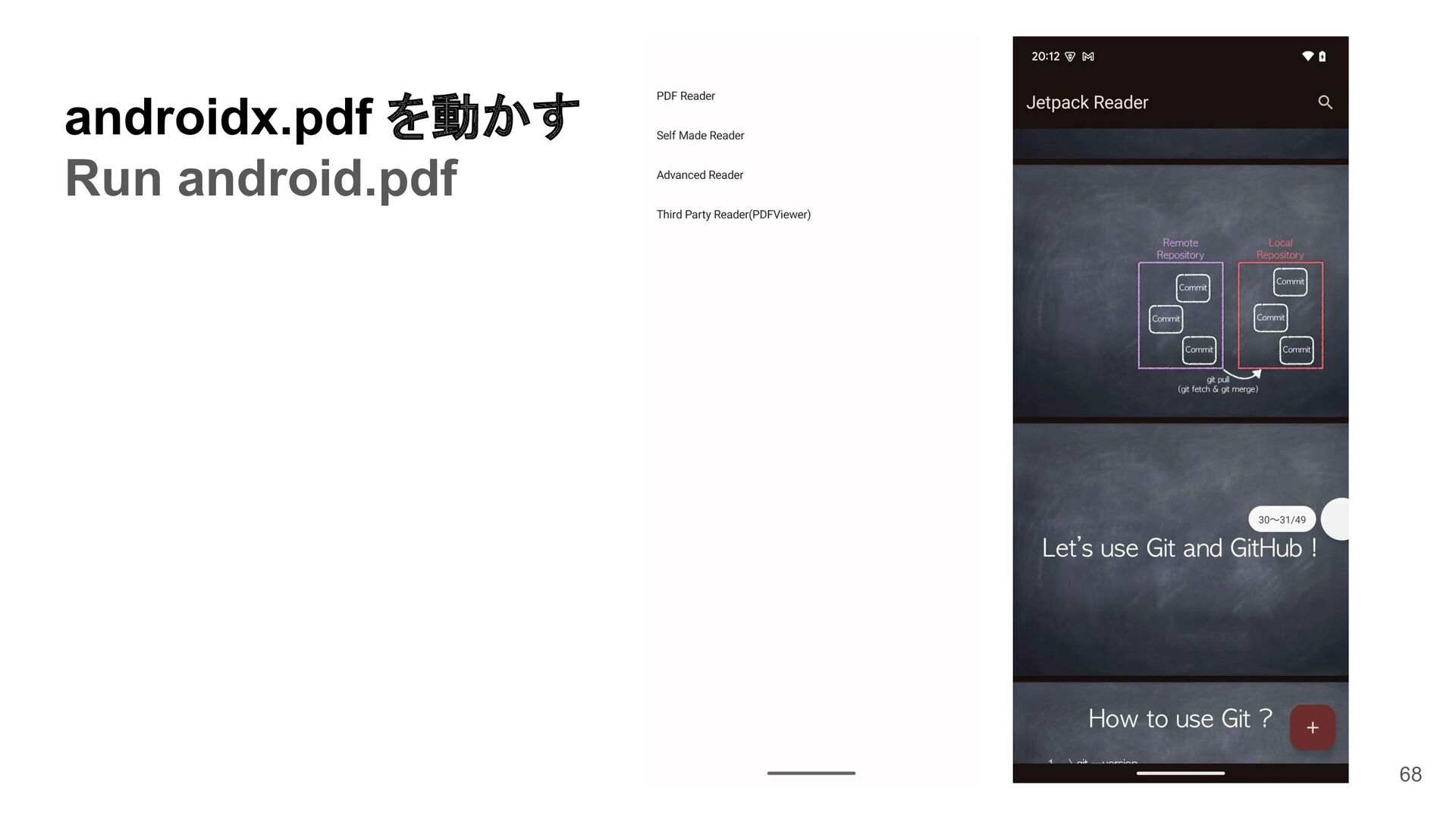
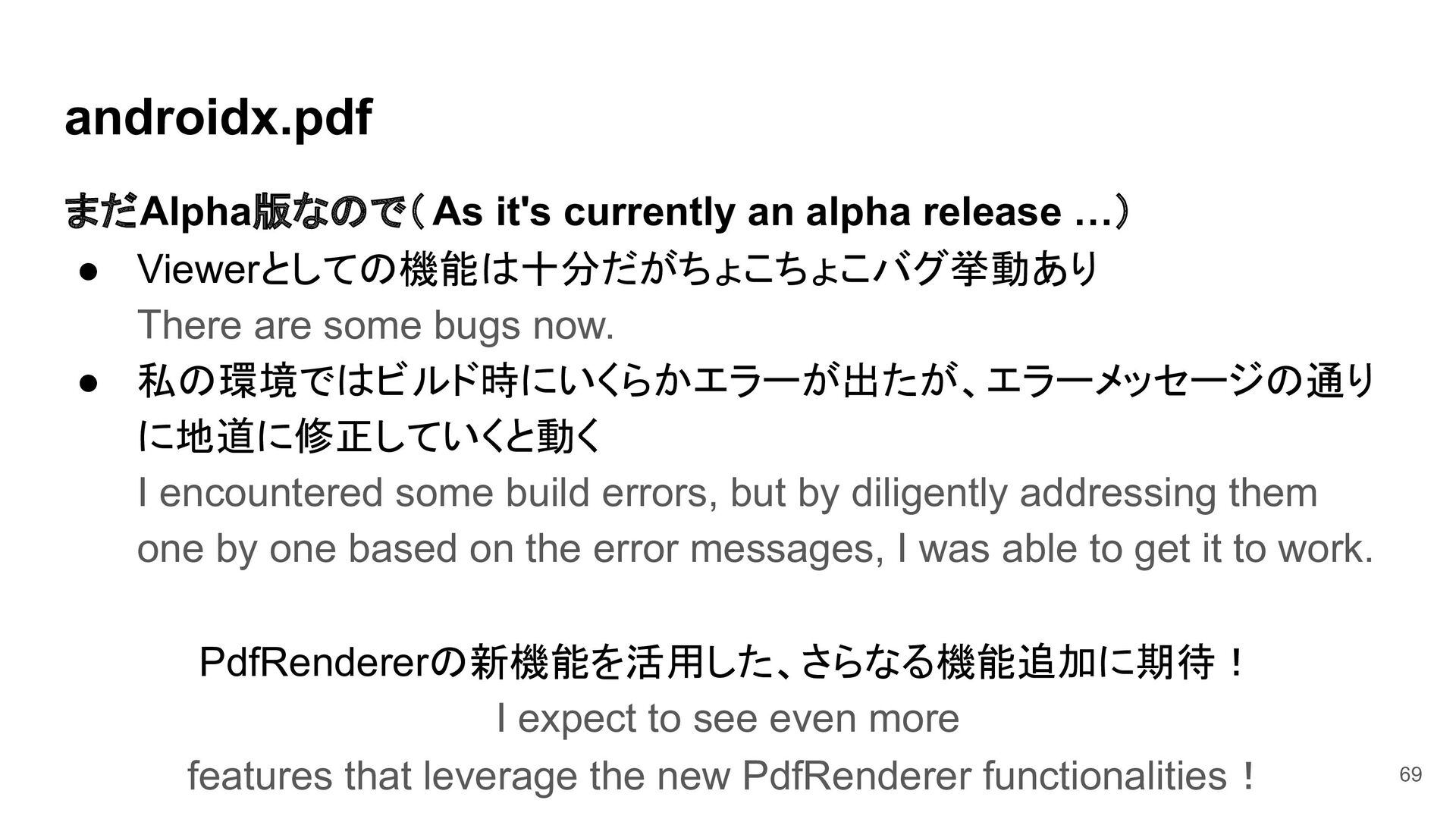
Viewerとしての機能は十分だがちょこちょこバグ挙動あり There are some bugs now. • 私の環境ではビルド時にいくらかエラーが出たが、エラーメッセージの通り に地道に修正していくと動く I encountered some build errors, but by diligently addressing them one by one based on the error messages, I was able to get it to work. PdfRendererの新機能を活用した、さらなる機能追加に期待! I expect to see even more features that leverage the new PdfRenderer functionalities! 69
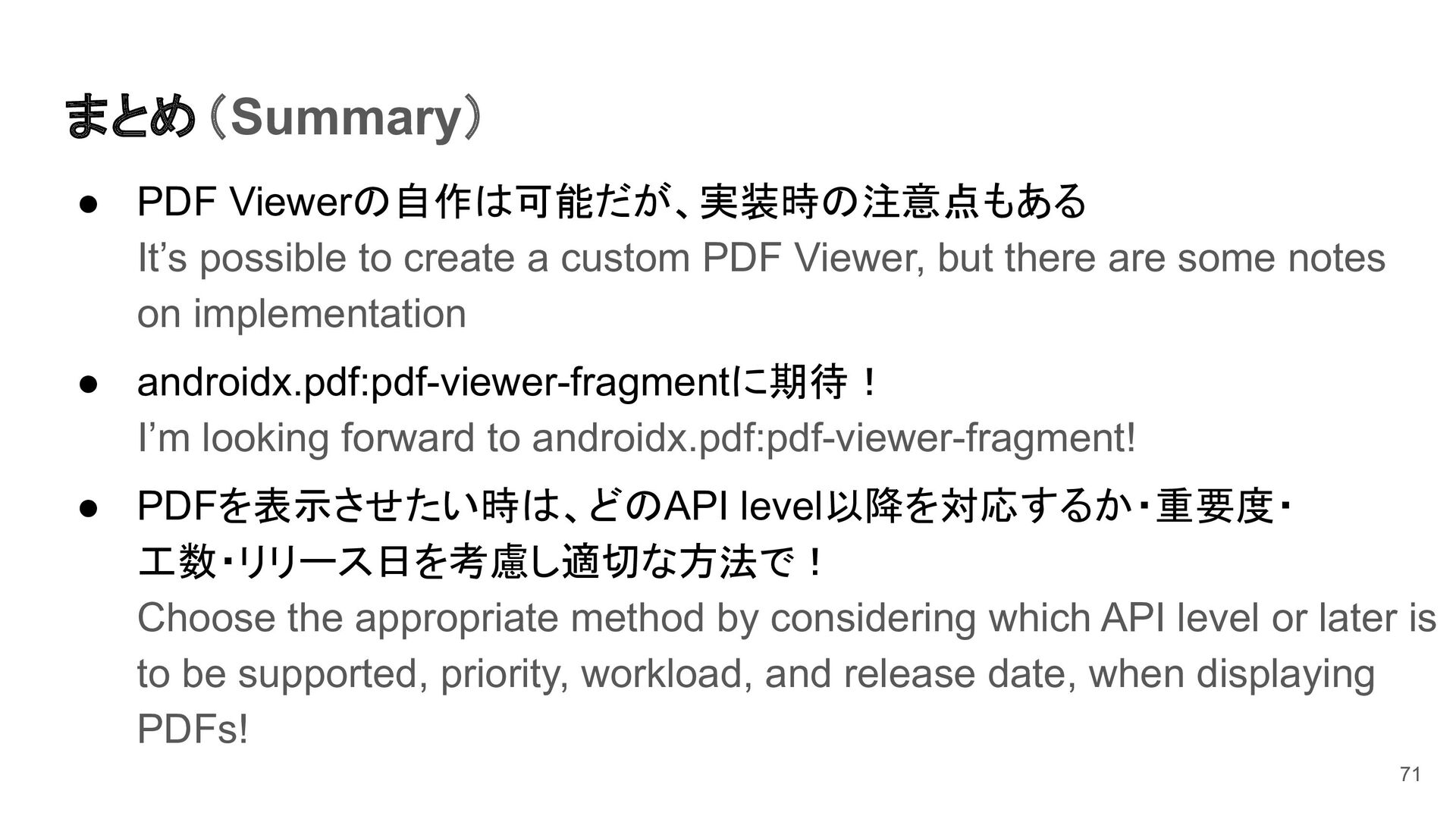
PDF Viewer, but there are some notes on implementation • androidx.pdf:pdf-viewer-fragmentに期待! I’m looking forward to androidx.pdf:pdf-viewer-fragment! • PDFを表示させたい時は、どのAPI level以降を対応するか・重要度・ 工数・リリース日を考慮し適切な方法で! Choose the appropriate method by considering which API level or later is to be supported, priority, workload, and release date, when displaying PDFs! 71


 hunachi
 ufried
 moznion
 kairim0
 glaforge
 harutiro
 thkt
thkt
 keeg
keeg
 mtpooh
 ymrl
ymrl
 yamanoku
 yakumo
 brainpadpr
 codingconduct
 scottboms
 katiecoart
 reverentgeek
 szymonslowik
 mongodb
 brettharned
 keathley
 katarinadahlin
 afnizarnur
 mkilby
 retrage