Share
Embed
Rules and context (Steering, Skills, Powers, and code intelligence) | Learn Harness Engineering with Kiro 02
Level 200. Context is a limited resource, so this deck shows where to put the rules for Kiro: steering that is always read, steering read with matching files, and skills and powers opened only when needed. It also shows what to write (what Kiro missed and what the code can't tell it) and, on a small booking app, how to check whether the rules worked. This is deck 02 (Guide pillar) of the "Learn Harness Engineering with Kiro" series.

Riku INADA PRO
November 11, 2026
Annual Pro sale · Save $30
Have presentations of your own?
Share with private links, password protection, and more control over your work.
Transcript
39 slides
-
Learn Harness Engineering with Kiro Guide Level 200 Rules and
context Steering, Skills, Powers, and code intelligence 02 As of November 2026 November 2026 Riku Inada Amazon Web Services Japan + Kiro + Harness Engineering © 2026, Amazon Web Services, Inc. or its affiliates. All rights reserved. 1 -
Introduction About me Riku Inada Amazon Web Services Japan G.K.
Solutions Architect Works mainly with manufacturing customers Recent work Promoting the AI-Driven Development Life Cycle (AI-DLC) Writing and speaking about Kiro and AWS Amplify © 2026, Amazon Web Services, Inc. or its affiliates. All rights reserved. X @inada_riku Speaker Deck speakerdeck.com/inariku Zenn zenn.dev/inariku GitHub github.com/inariku 2 -
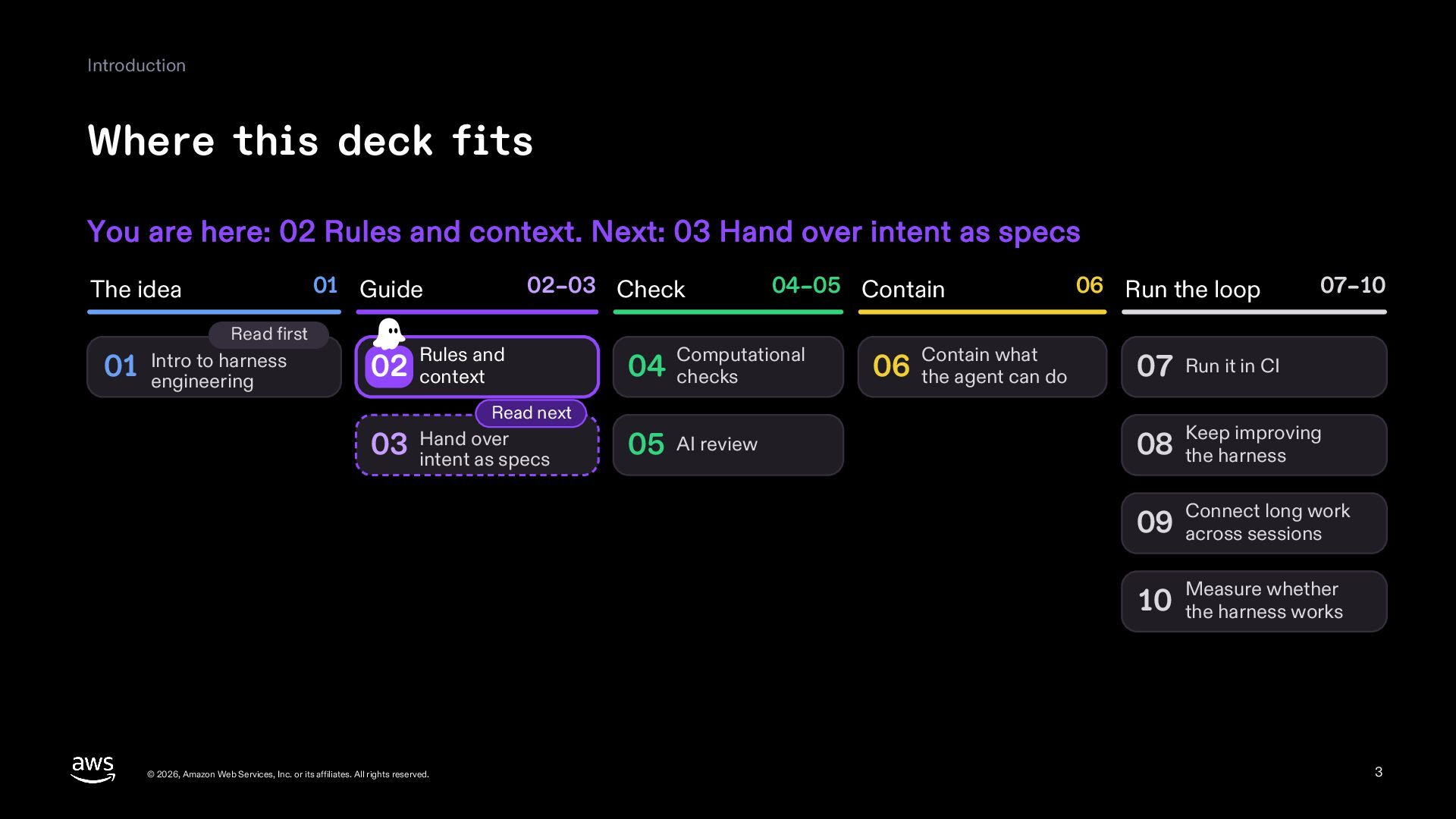
Introduction Where this deck fits You are here: 02 Rules
and context. Next: 03 Hand over intent as specs 01 Guide The idea Read first to harness 01 Intro engineering 02–03 Check Rules and 02 context Computational 04 checks Read next over 03 Hand intent as specs 04–05 Contain 05 AI review Contain what 06 the agent can do 06 Run the loop 07–10 07 Run it in CI Keep improving 08 the harness long work 09 Connect across sessions whether 10 Measure the harness works © 2026, Amazon Web Services, Inc. or its affiliates. All rights reserved. 3 -
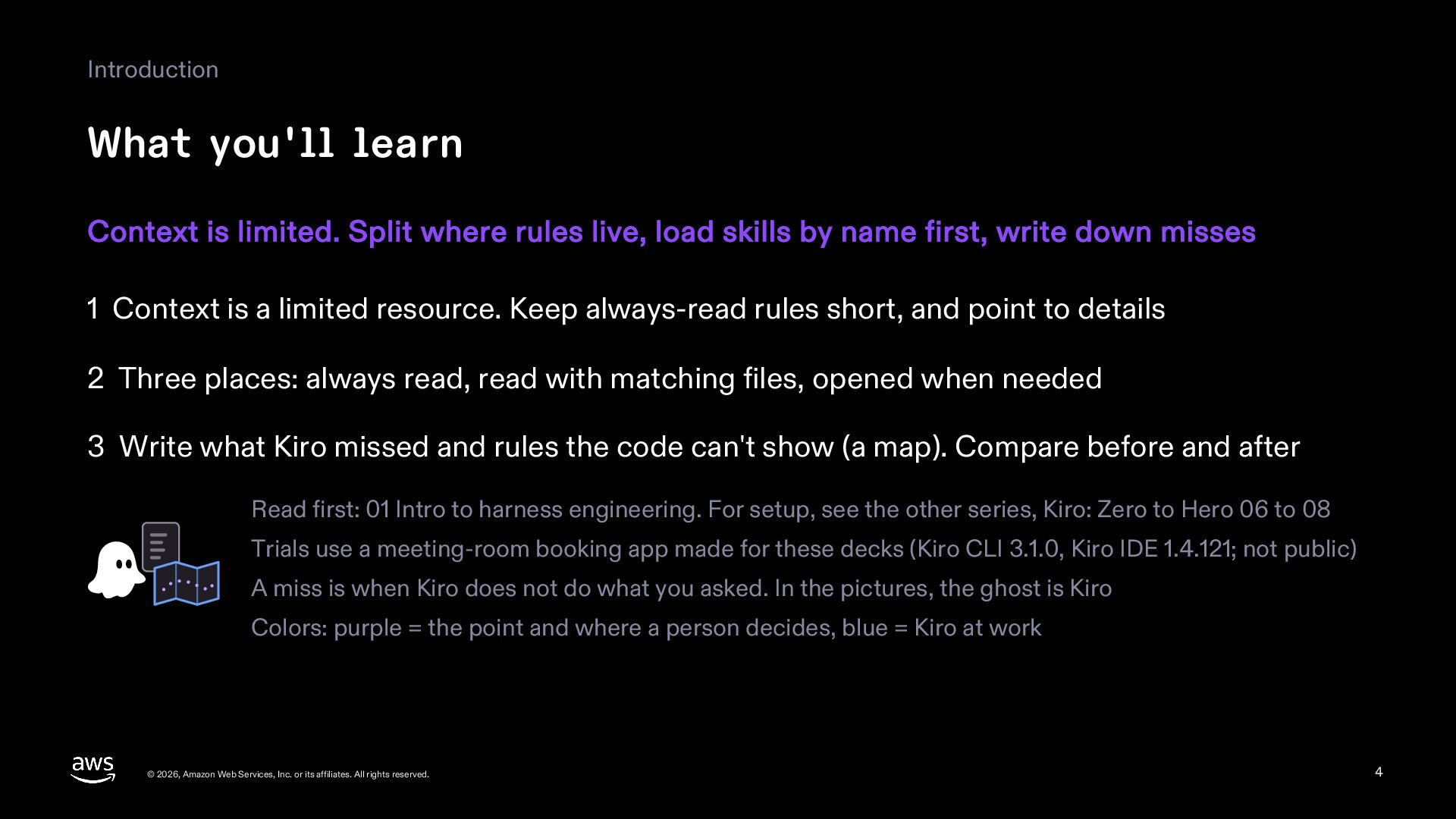
Introduction What you'll learn Context is limited. Split where rules
live, load skills by name first, write down misses 1 Context is a limited resource. Keep always-read rules short, and point to details 2 Three places: always read, read with matching files, opened when needed 3 Write what Kiro missed and rules the code can't show (a map). Compare before and after Read first: 01 Intro to harness engineering. For setup, see the other series, Kiro: Zero to Hero 06 to 08 Trials use a meeting-room booking app made for these decks (Kiro CLI 3.1.0, Kiro IDE 1.4.121; not public) A miss is when Kiro does not do what you asked. In the pictures, the ghost is Kiro Colors: purple = the point and where a person decides, blue = Kiro at work © 2026, Amazon Web Services, Inc. or its affiliates. All rights reserved. 4 -
Part 1 The idea © 2026, Amazon Web Services, Inc.
or its affiliates. All rights reserved. 5 -
The idea Context is a limited resource Recall drops as
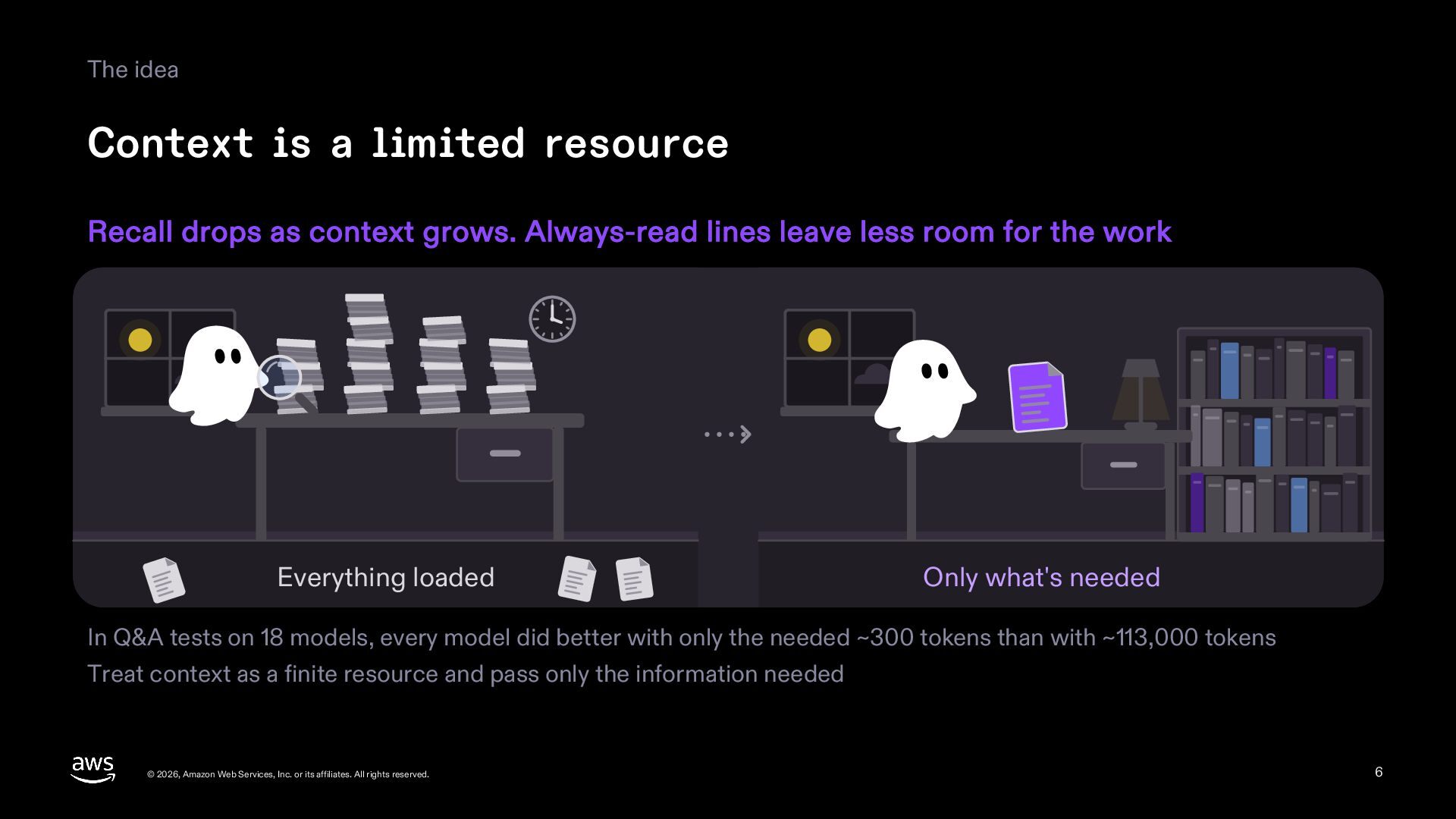
context grows. Always-read lines leave less room for the work Everything loaded Only what's needed In Q&A tests on 18 models, every model did better with only the needed ~300 tokens than with ~113,000 tokens Treat context as a finite resource and pass only the information needed © 2026, Amazon Web Services, Inc. or its affiliates. All rights reserved. 6 -
The idea Why one big file fails Make the big
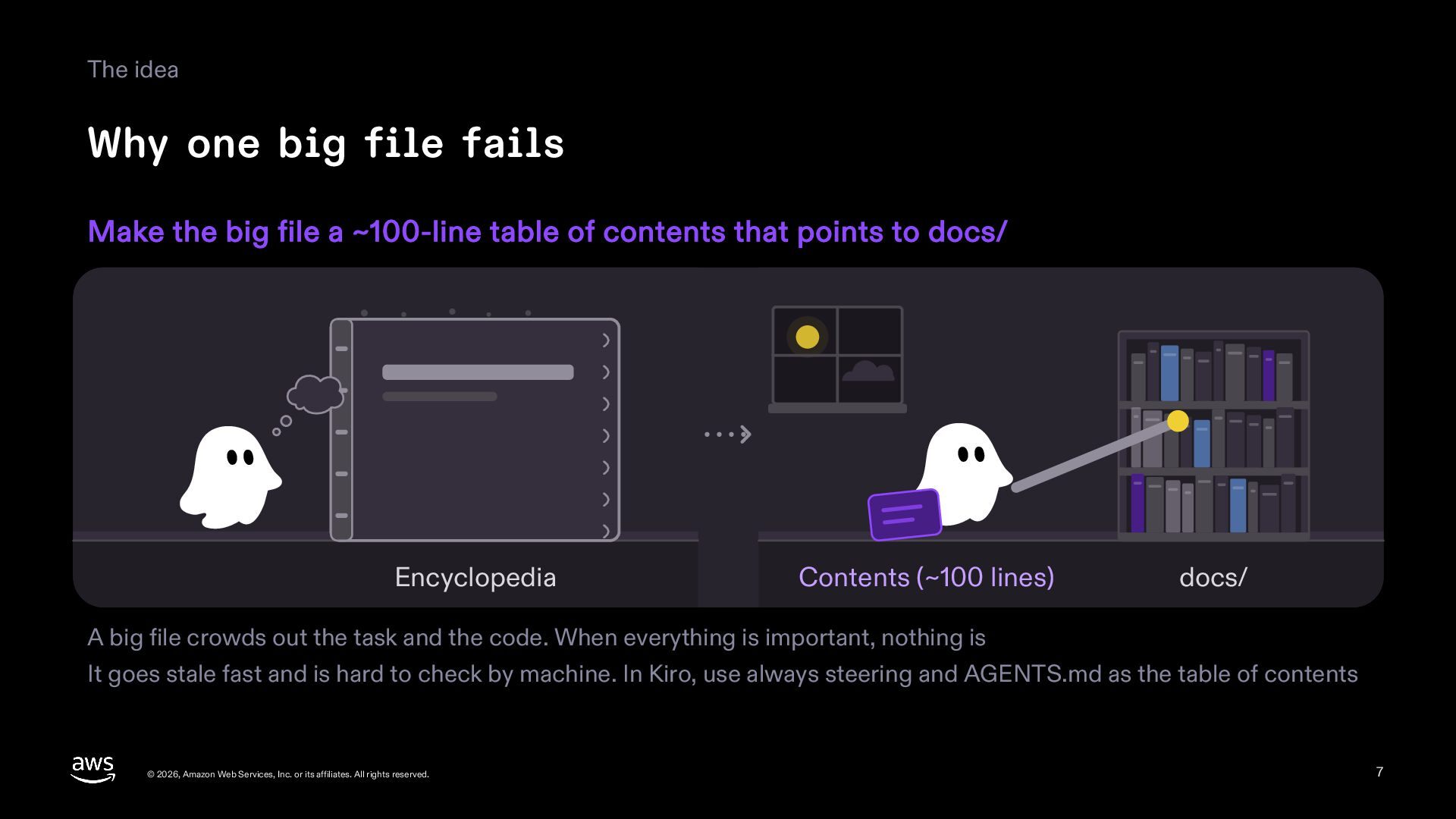
file a ~100-line table of contents that points to docs/ Encyclopedia Contents (~100 lines) docs/ A big file crowds out the task and the code. When everything is important, nothing is It goes stale fast and is hard to check by machine. In Kiro, use always steering and AGENTS.md as the table of contents © 2026, Amazon Web Services, Inc. or its affiliates. All rights reserved. 7 -
Part 2 Where and how to write © 2026, Amazon
Web Services, Inc. or its affiliates. All rights reserved. 8 -
Where and how to write Where guides live Split them
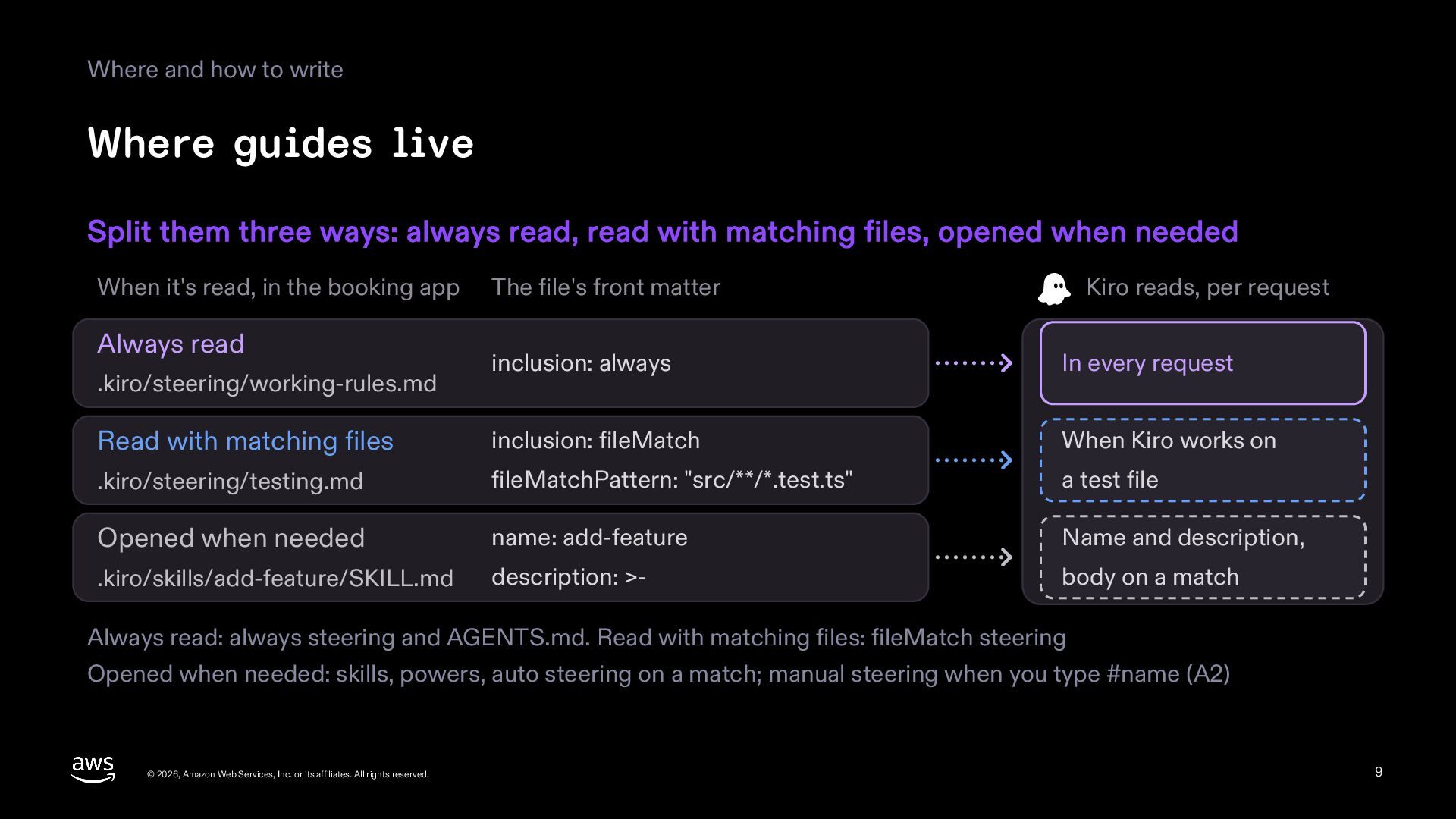
three ways: always read, read with matching files, opened when needed When it's read, in the booking app Always read The file's front matter Kiro reads, per request inclusion: always In every request Read with matching files inclusion: fileMatch When Kiro works on .kiro/steering/testing.md fileMatchPattern: "src/**/*.test.ts" a test file Opened when needed name: add-feature Name and description, .kiro/skills/add-feature/SKILL.md description: >- body on a match .kiro/steering/working-rules.md Always read: always steering and AGENTS.md. Read with matching files: fileMatch steering Opened when needed: skills, powers, auto steering on a match; manual steering when you type #name (A2) © 2026, Amazon Web Services, Inc. or its affiliates. All rights reserved. 9 -
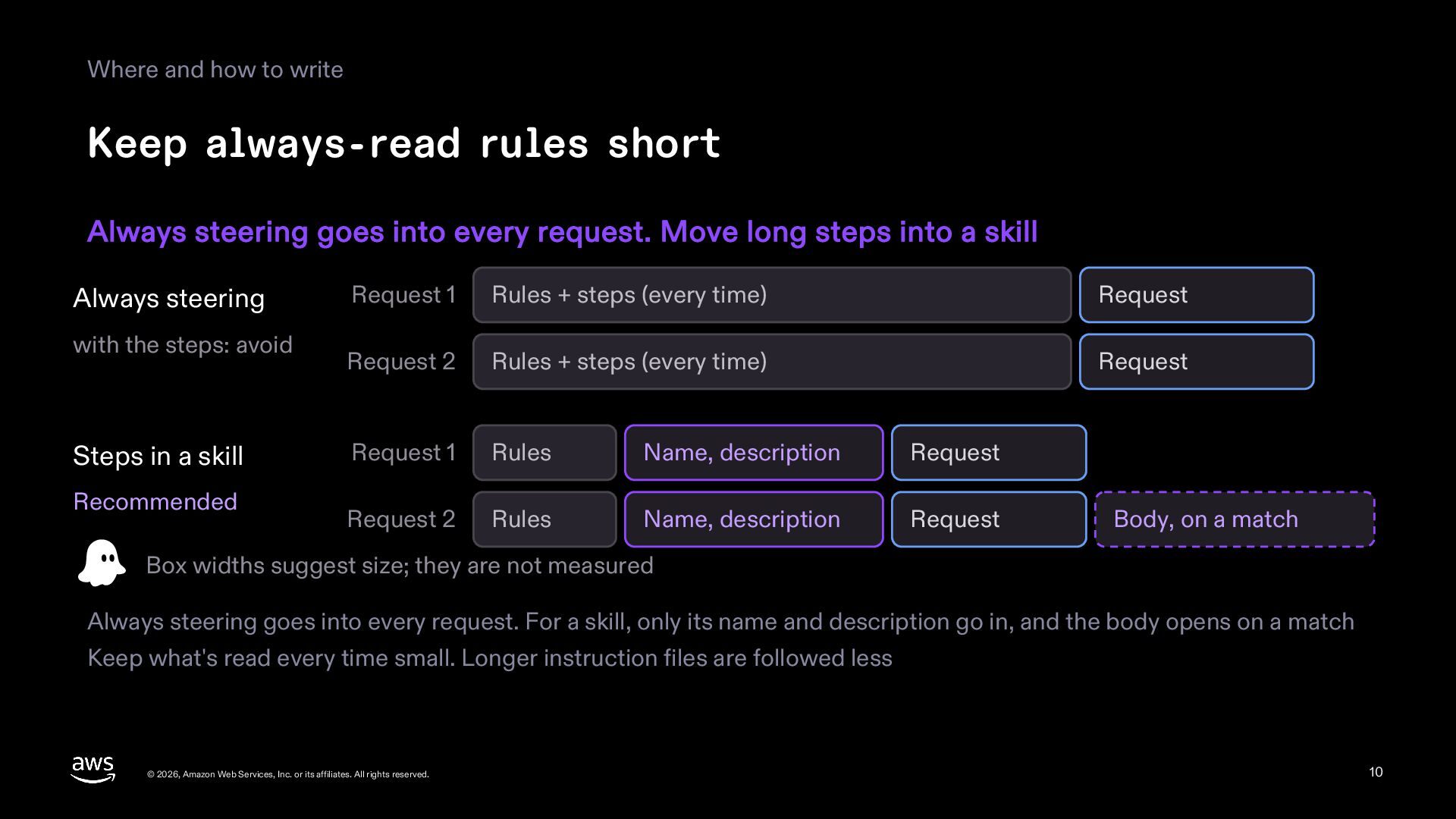
Where and how to write Keep always-read rules short Always
steering goes into every request. Move long steps into a skill Always steering with the steps: avoid Steps in a skill Recommended Request 1 Rules + steps (every time) Request Request 2 Rules + steps (every time) Request Request 1 Rules Name, description Request Request 2 Rules Name, description Request Body, on a match Box widths suggest size; they are not measured Always steering goes into every request. For a skill, only its name and description go in, and the body opens on a match Keep what's read every time small. Longer instruction files are followed less © 2026, Amazon Web Services, Inc. or its affiliates. All rights reserved. 10 -
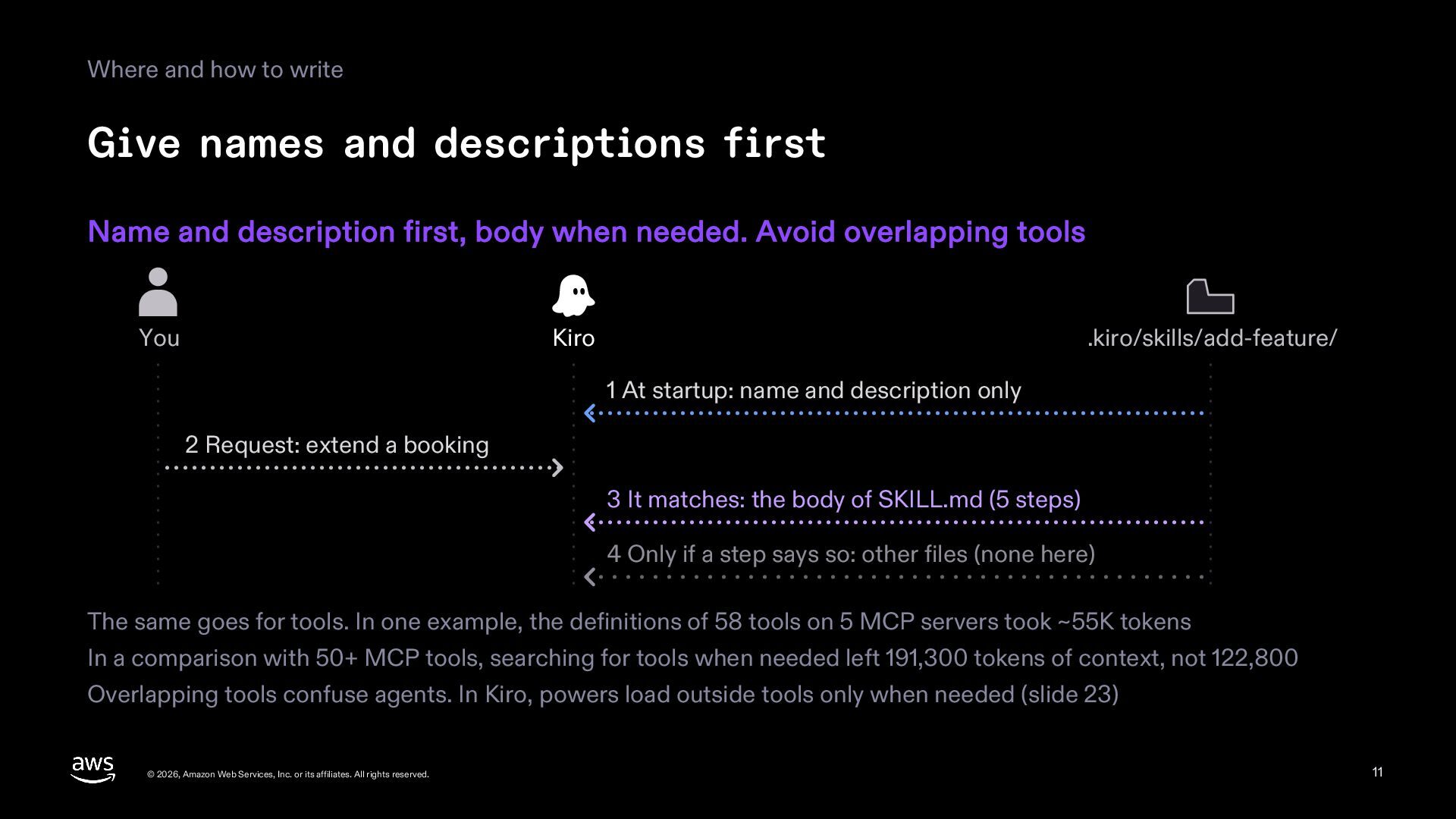
Where and how to write Give names and descriptions first
Name and description first, body when needed. Avoid overlapping tools You Kiro .kiro/skills/add-feature/ 1 At startup: name and description only 2 Request: extend a booking 3 It matches: the body of SKILL.md (5 steps) 4 Only if a step says so: other files (none here) The same goes for tools. In one example, the definitions of 58 tools on 5 MCP servers took ~55K tokens In a comparison with 50+ MCP tools, searching for tools when needed left 191,300 tokens of context, not 122,800 Overlapping tools confuse agents. In Kiro, powers load outside tools only when needed (slide 23) © 2026, Amazon Web Services, Inc. or its affiliates. All rights reserved. 11 -
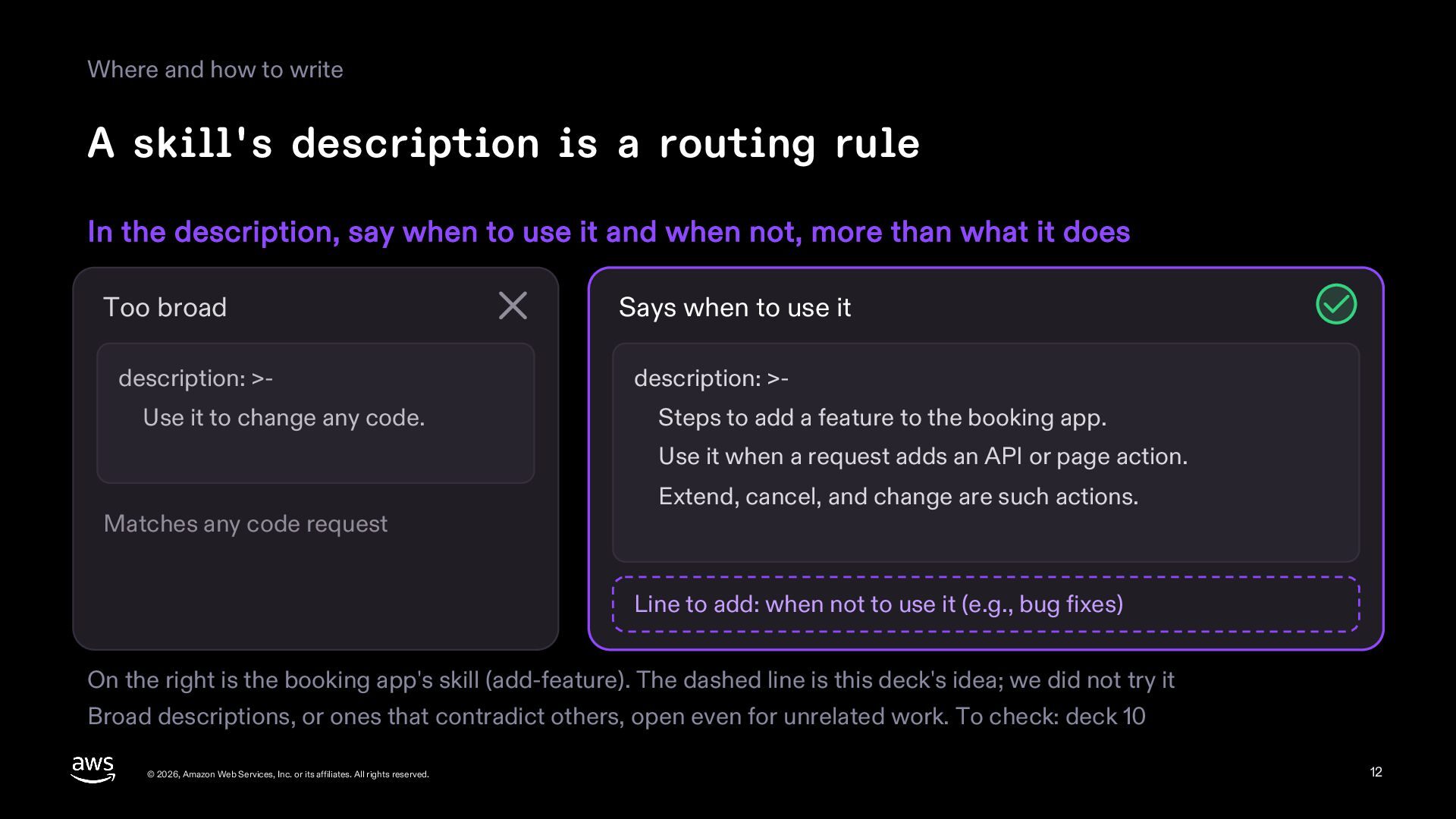
Where and how to write A skill's description is a
routing rule In the description, say when to use it and when not, more than what it does Too broad Says when to use it description: >- description: >- Use it to change any code. Steps to add a feature to the booking app. Use it when a request adds an API or page action. Matches any code request Extend, cancel, and change are such actions. Line to add: when not to use it (e.g., bug fixes) On the right is the booking app's skill (add-feature). The dashed line is this deck's idea; we did not try it Broad descriptions, or ones that contradict others, open even for unrelated work. To check: deck 10 © 2026, Amazon Web Services, Inc. or its affiliates. All rights reserved. 12 -
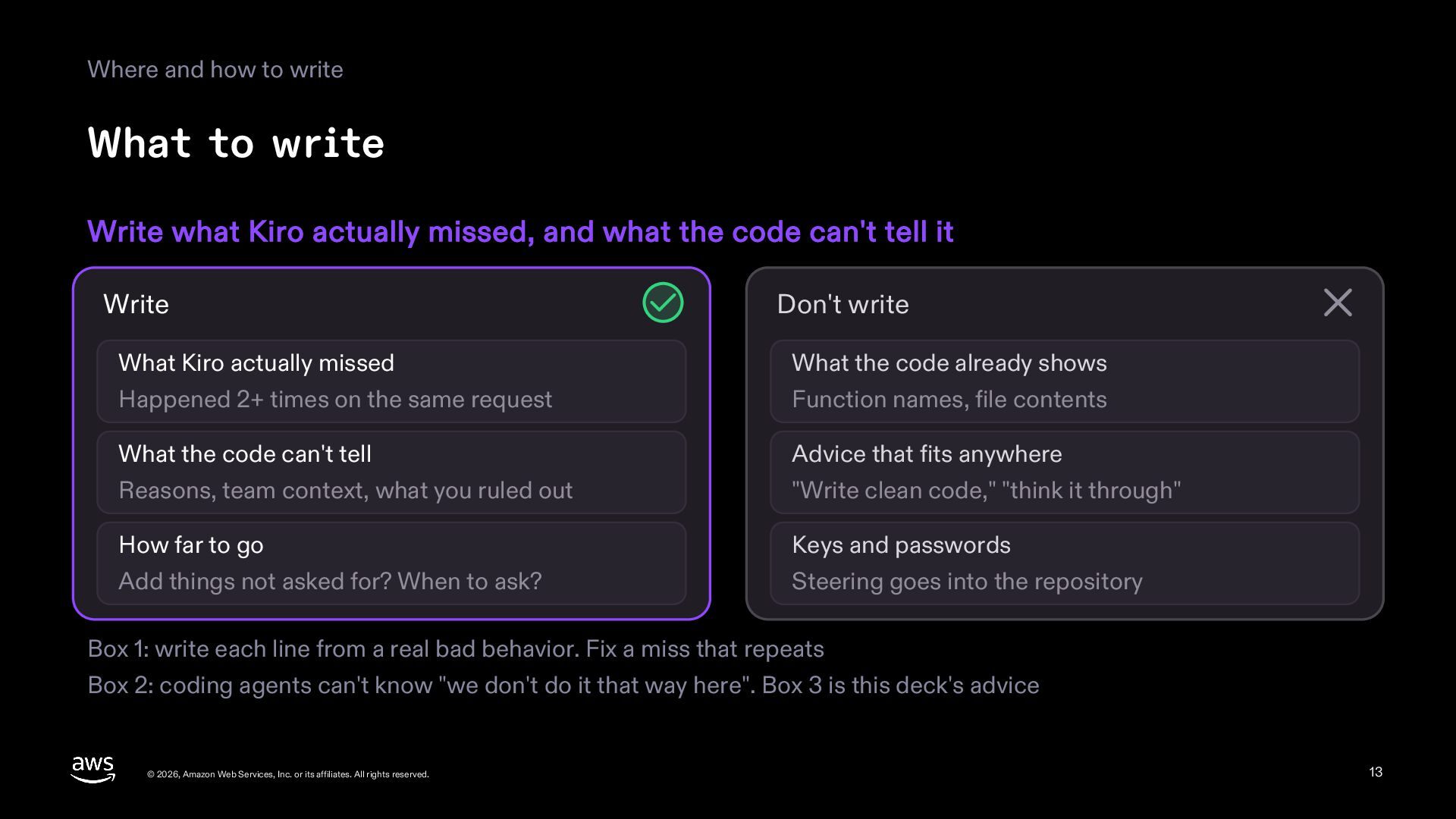
Where and how to write What to write Write what
Kiro actually missed, and what the code can't tell it Write Don't write What Kiro actually missed What the code already shows Happened 2+ times on the same request Function names, file contents What the code can't tell Advice that fits anywhere Reasons, team context, what you ruled out "Write clean code," "think it through" How far to go Keys and passwords Add things not asked for? When to ask? Steering goes into the repository Box 1: write each line from a real bad behavior. Fix a miss that repeats Box 2: coding agents can't know "we don't do it that way here". Box 3 is this deck's advice © 2026, Amazon Web Services, Inc. or its affiliates. All rights reserved. 13 -
Where and how to write Knowledge Kiro can't see doesn't
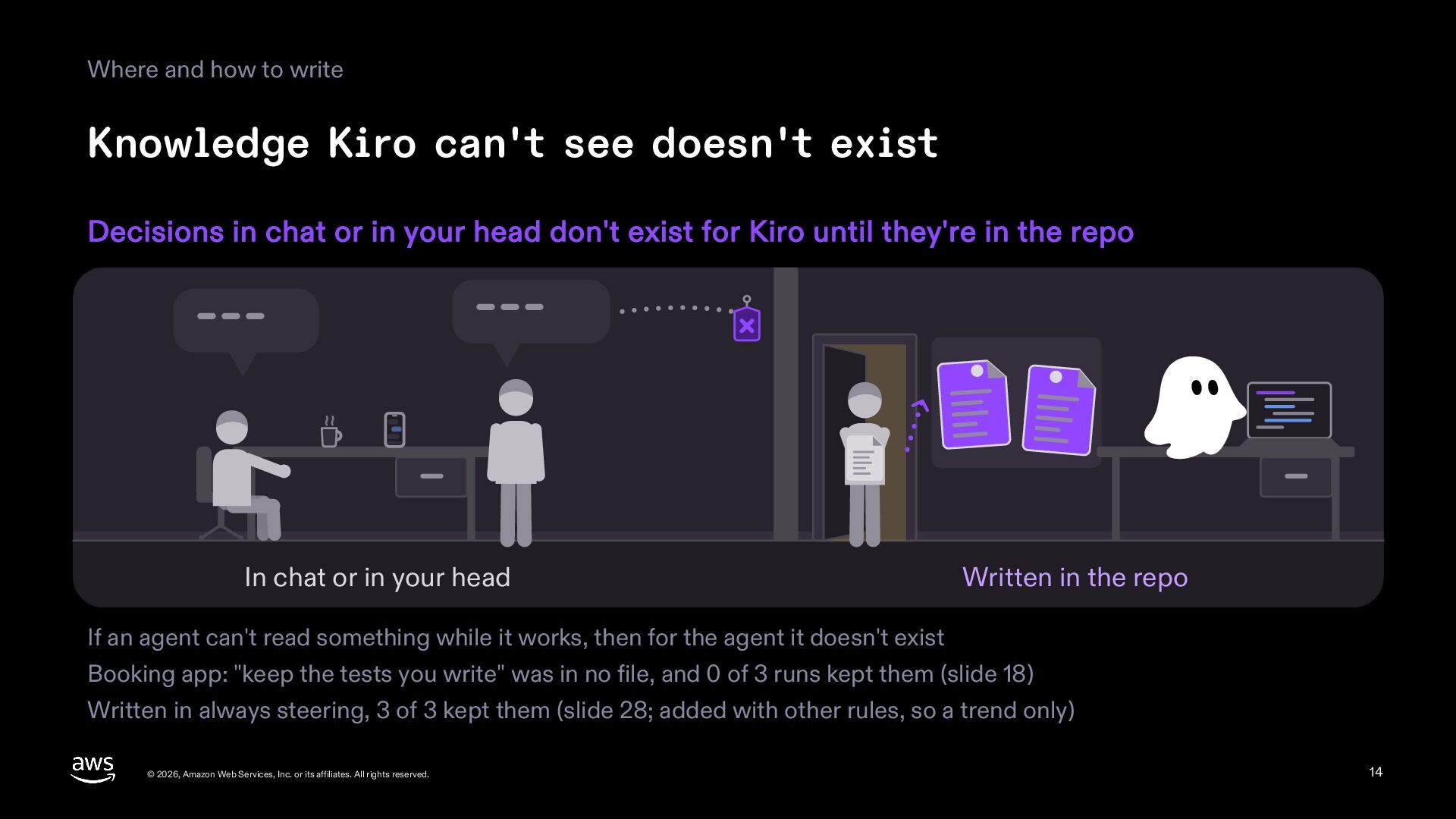
exist Decisions in chat or in your head don't exist for Kiro until they're in the repo In chat or in your head Written in the repo If an agent can't read something while it works, then for the agent it doesn't exist Booking app: "keep the tests you write" was in no file, and 0 of 3 runs kept them (slide 18) Written in always steering, 3 of 3 kept them (slide 28; added with other rules, so a trend only) © 2026, Amazon Web Services, Inc. or its affiliates. All rights reserved. 14 -
Where and how to write AGENTS.md is read, too AGENTS.md
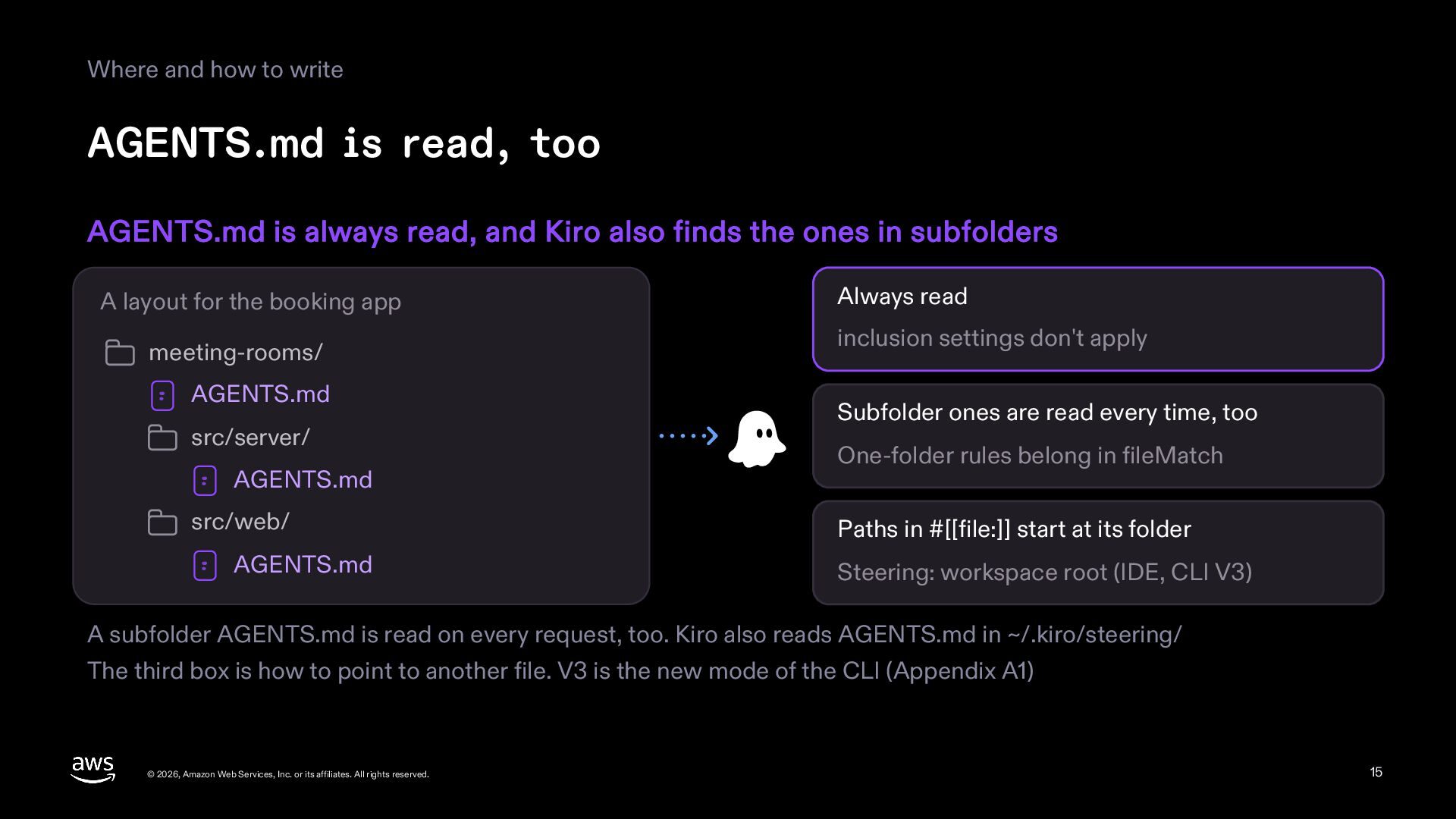
is always read, and Kiro also finds the ones in subfolders A layout for the booking app meeting-rooms/ AGENTS.md src/server/ AGENTS.md src/web/ AGENTS.md Always read inclusion settings don't apply Subfolder ones are read every time, too One-folder rules belong in fileMatch Paths in #[[file:]] start at its folder Steering: workspace root (IDE, CLI V3) A subfolder AGENTS.md is read on every request, too. Kiro also reads AGENTS.md in ~/.kiro/steering/ The third box is how to point to another file. V3 is the new mode of the CLI (Appendix A1) © 2026, Amazon Web Services, Inc. or its affiliates. All rights reserved. 15 -
Where and how to write Sort the steering you have
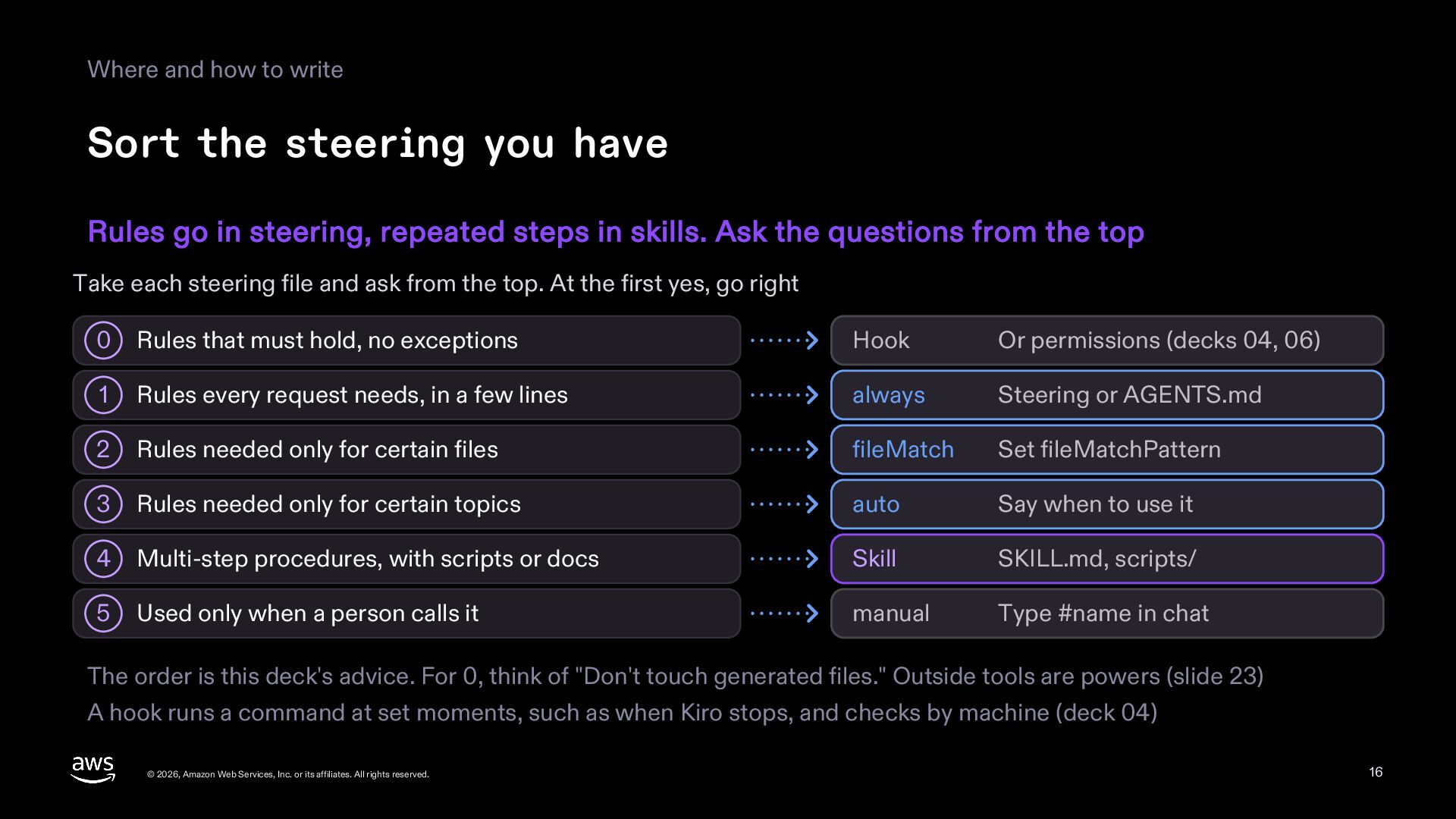
Rules go in steering, repeated steps in skills. Ask the questions from the top Take each steering file and ask from the top. At the first yes, go right 0 Rules that must hold, no exceptions Hook Or permissions (decks 04, 06) 1 Rules every request needs, in a few lines always Steering or AGENTS.md 2 Rules needed only for certain files fileMatch Set fileMatchPattern 3 Rules needed only for certain topics auto Say when to use it 4 Multi-step procedures, with scripts or docs Skill SKILL.md, scripts/ 5 Used only when a person calls it manual Type #name in chat The order is this deck's advice. For 0, think of "Don't touch generated files." Outside tools are powers (slide 23) A hook runs a command at set moments, such as when Kiro stops, and checks by machine (deck 04) © 2026, Amazon Web Services, Inc. or its affiliates. All rights reserved. 16 -
Part 3 Trying it on the booking app © 2026,
Amazon Web Services, Inc. or its affiliates. All rights reserved. 17 -
Trying it on the booking app Misses in the booking
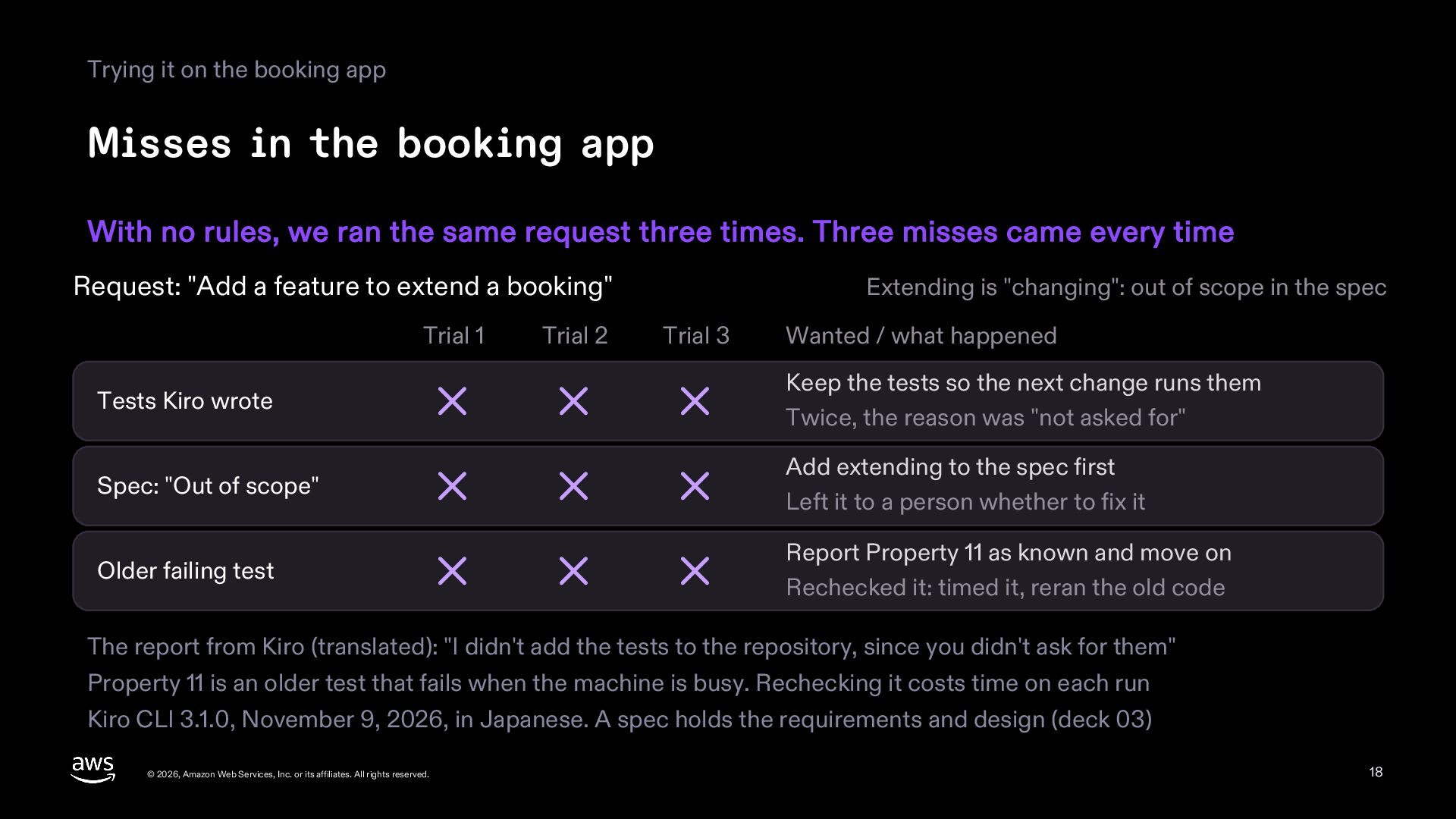
app With no rules, we ran the same request three times. Three misses came every time Request: "Add a feature to extend a booking" Trial 1 Trial 2 Extending is "changing": out of scope in the spec Trial 3 Wanted / what happened Tests Kiro wrote Keep the tests so the next change runs them Twice, the reason was "not asked for" Spec: "Out of scope" Add extending to the spec first Left it to a person whether to fix it Older failing test Report Property 11 as known and move on Rechecked it: timed it, reran the old code The report from Kiro (translated): "I didn't add the tests to the repository, since you didn't ask for them" Property 11 is an older test that fails when the machine is busy. Rechecking it costs time on each run Kiro CLI 3.1.0, November 9, 2026, in Japanese. A spec holds the requirements and design (deck 03) © 2026, Amazon Web Services, Inc. or its affiliates. All rights reserved. 18 -
Trying it on the booking app Add two always-read rules
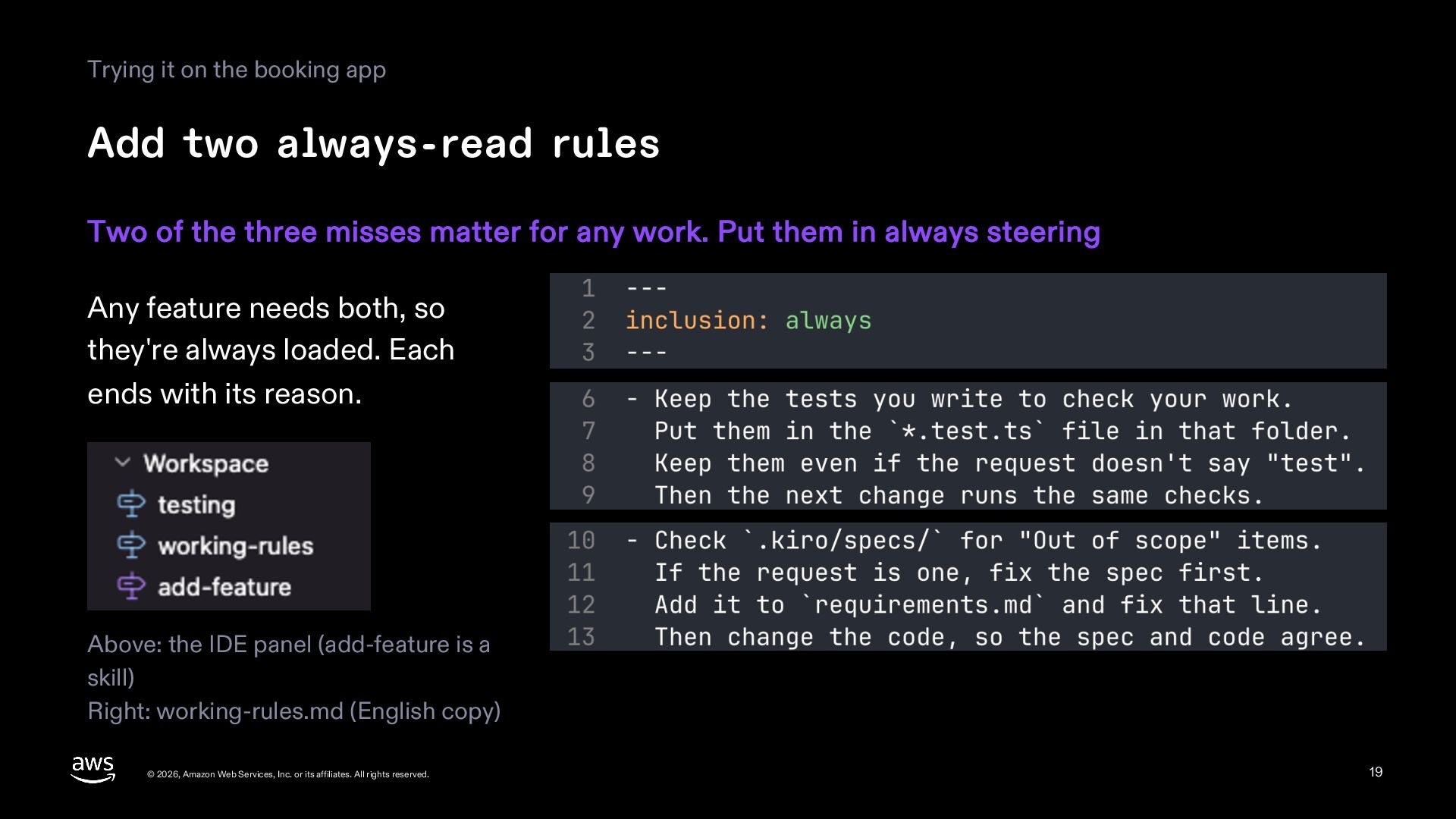
Two of the three misses matter for any work. Put them in always steering Any feature needs both, so they're always loaded. Each ends with its reason. Above: the IDE panel (add-feature is a skill) Right: working-rules.md (English copy) © 2026, Amazon Web Services, Inc. or its affiliates. All rights reserved. 19 -
Trying it on the booking app Rules read only for
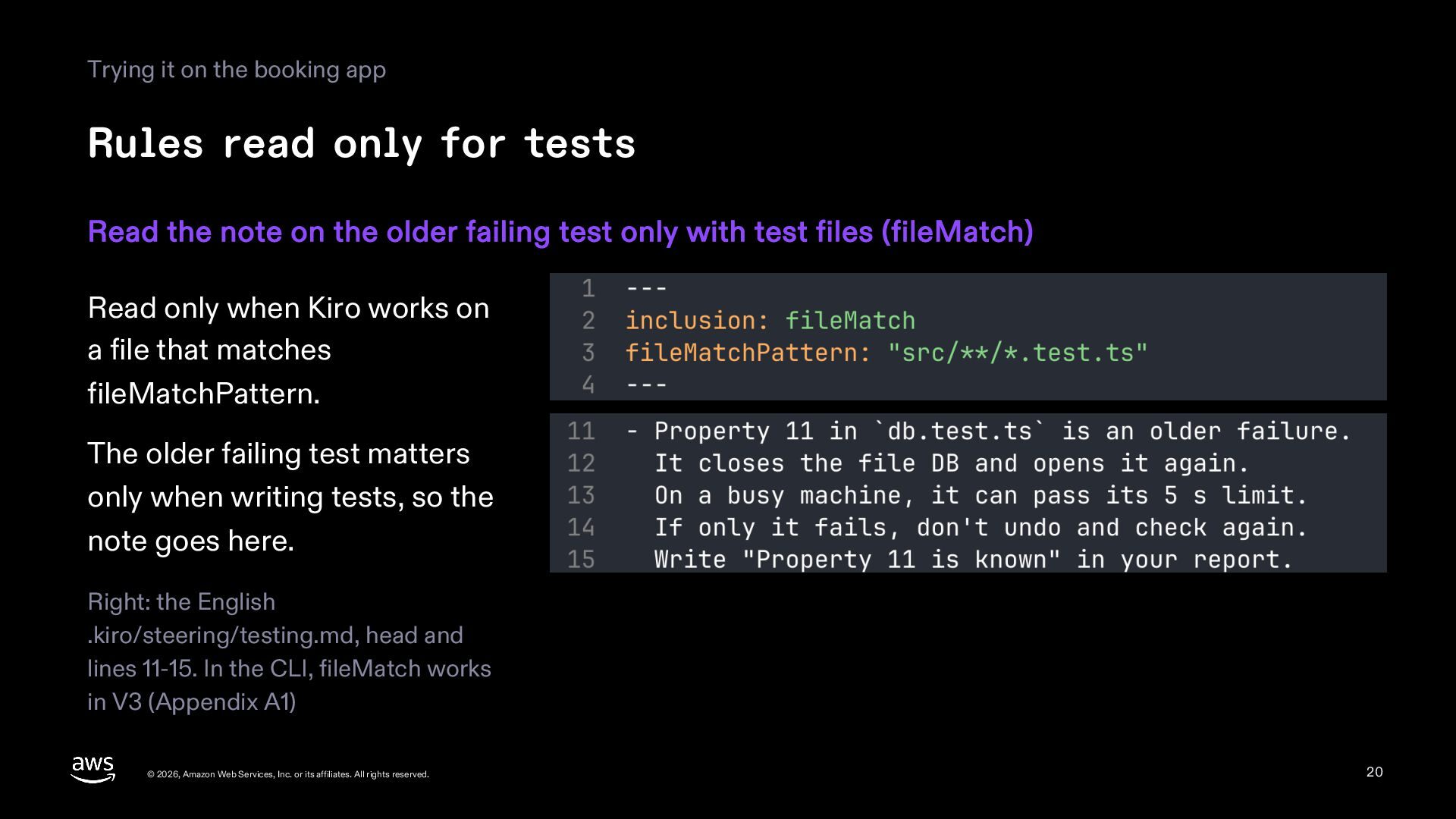
tests Read the note on the older failing test only with test files (fileMatch) Read only when Kiro works on a file that matches fileMatchPattern. The older failing test matters only when writing tests, so the note goes here. Right: the English .kiro/steering/testing.md, head and lines 11-15. In the CLI, fileMatch works in V3 (Appendix A1) © 2026, Amazon Web Services, Inc. or its affiliates. All rights reserved. 20 -
Trying it on the booking app Put long steps in
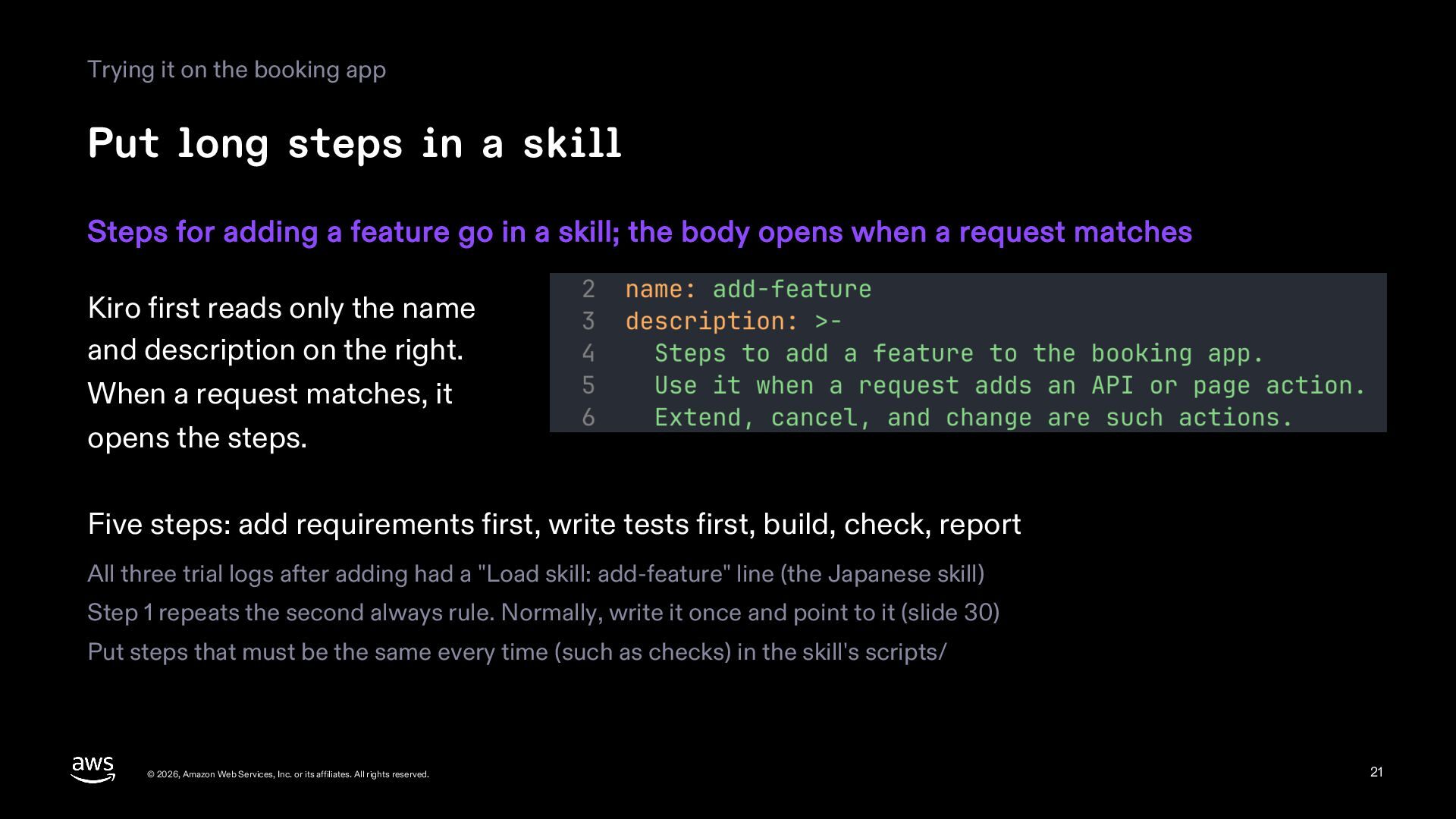
a skill Steps for adding a feature go in a skill; the body opens when a request matches Kiro first reads only the name and description on the right. When a request matches, it opens the steps. Five steps: add requirements first, write tests first, build, check, report All three trial logs after adding had a "Load skill: add-feature" line (the Japanese skill) Step 1 repeats the second always rule. Normally, write it once and point to it (slide 30) Put steps that must be the same every time (such as checks) in the skill's scripts/ © 2026, Amazon Web Services, Inc. or its affiliates. All rights reserved. 21 -
Part 4 Outside tools © 2026, Amazon Web Services, Inc.
or its affiliates. All rights reserved. 22 -
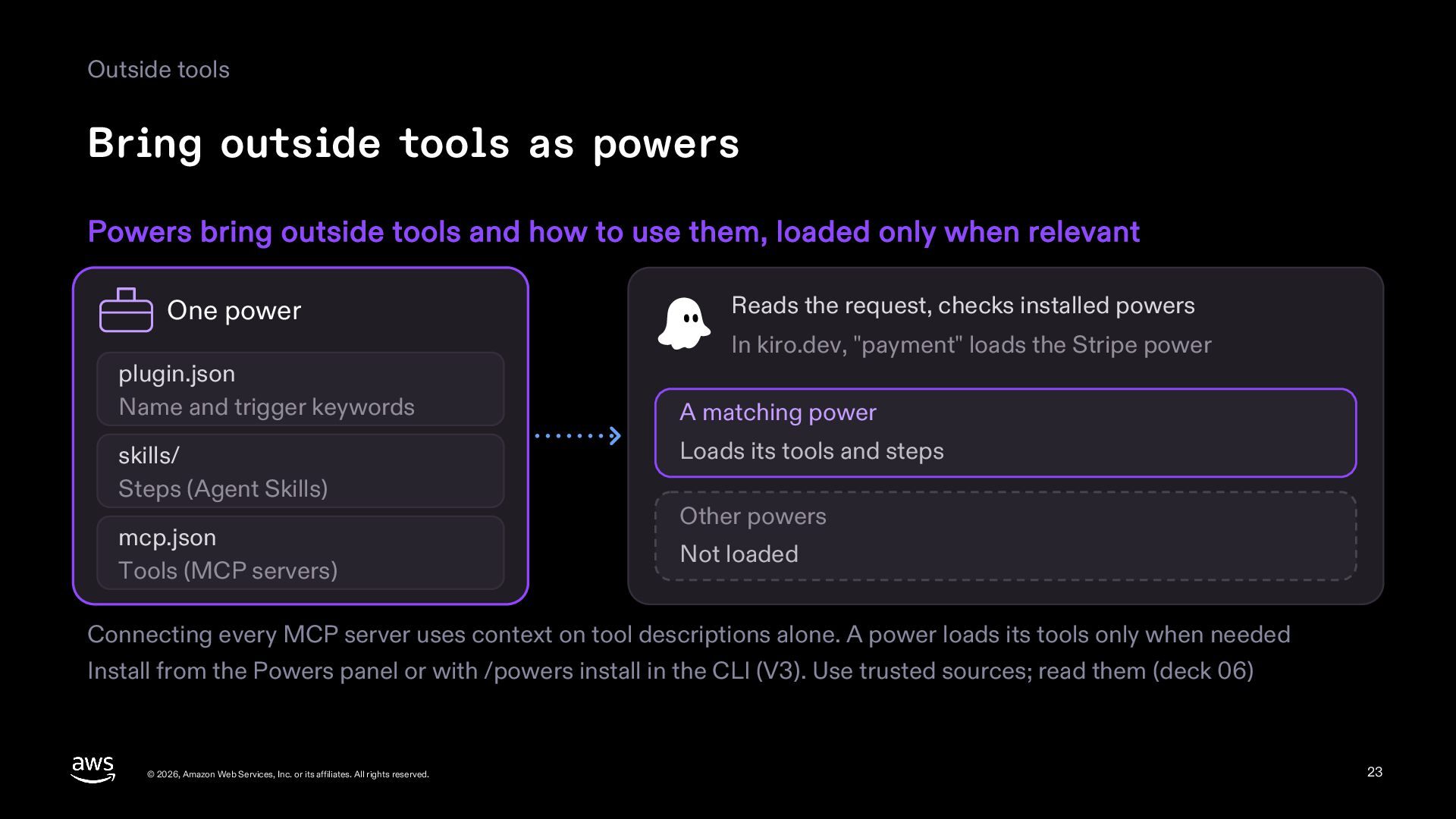
Outside tools Bring outside tools as powers Powers bring outside
tools and how to use them, loaded only when relevant One power plugin.json Name and trigger keywords skills/ Steps (Agent Skills) mcp.json Tools (MCP servers) Reads the request, checks installed powers In kiro.dev, "payment" loads the Stripe power A matching power Loads its tools and steps Other powers Not loaded Connecting every MCP server uses context on tool descriptions alone. A power loads its tools only when needed Install from the Powers panel or with /powers install in the CLI (V3). Use trusted sources; read them (deck 06) © 2026, Amazon Web Services, Inc. or its affiliates. All rights reserved. 23 -
Part 5 Hand over a map © 2026, Amazon Web
Services, Inc. or its affiliates. All rights reserved. 24 -
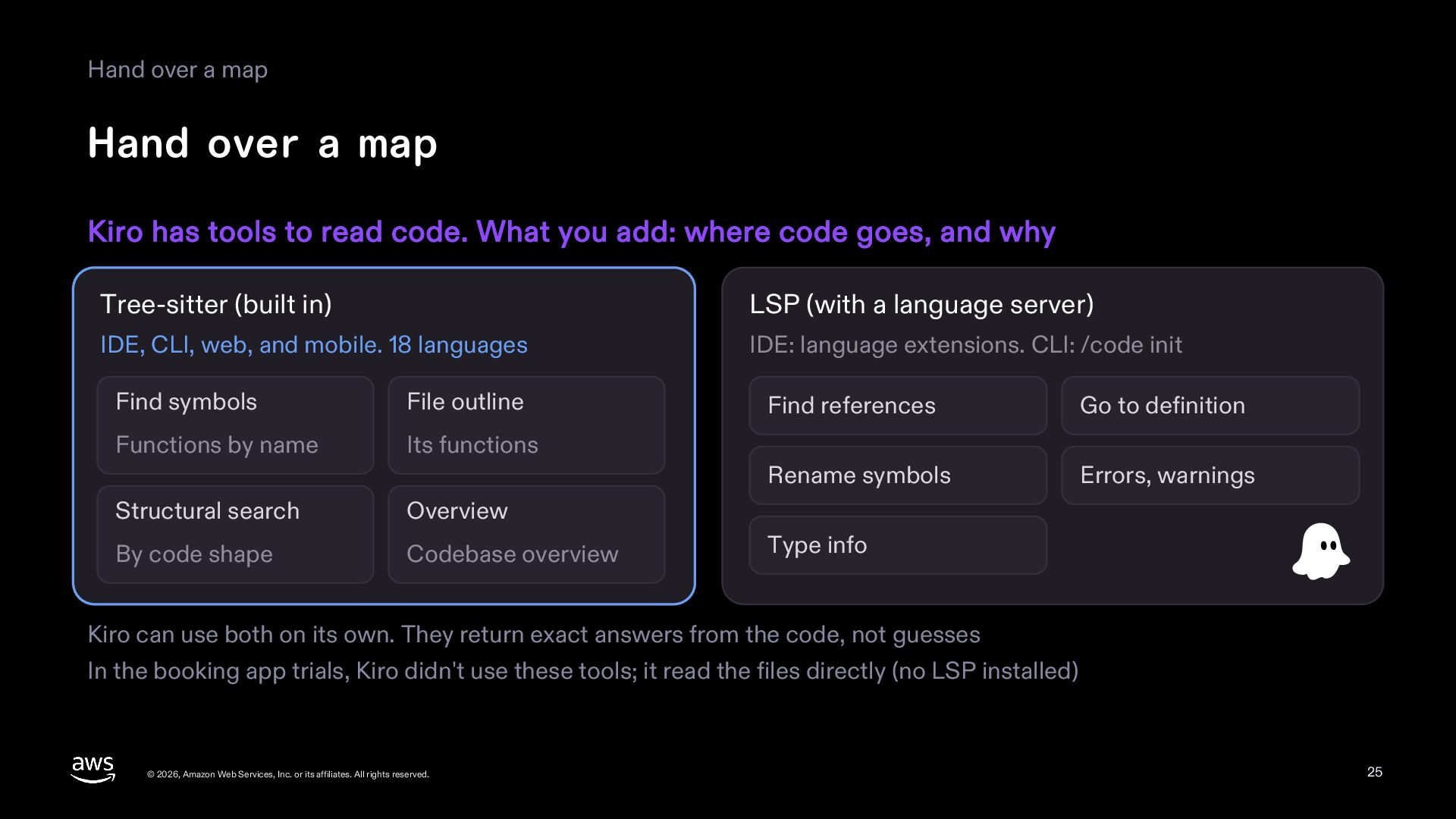
Hand over a map Hand over a map Kiro has
tools to read code. What you add: where code goes, and why Tree-sitter (built in) LSP (with a language server) IDE, CLI, web, and mobile. 18 languages IDE: language extensions. CLI: /code init Find symbols File outline Functions by name Its functions Structural search Overview By code shape Codebase overview Find references Go to definition Rename symbols Errors, warnings Type info Kiro can use both on its own. They return exact answers from the code, not guesses In the booking app trials, Kiro didn't use these tools; it read the files directly (no LSP installed) © 2026, Amazon Web Services, Inc. or its affiliates. All rights reserved. 25 -
Hand over a map What a map looks like Write
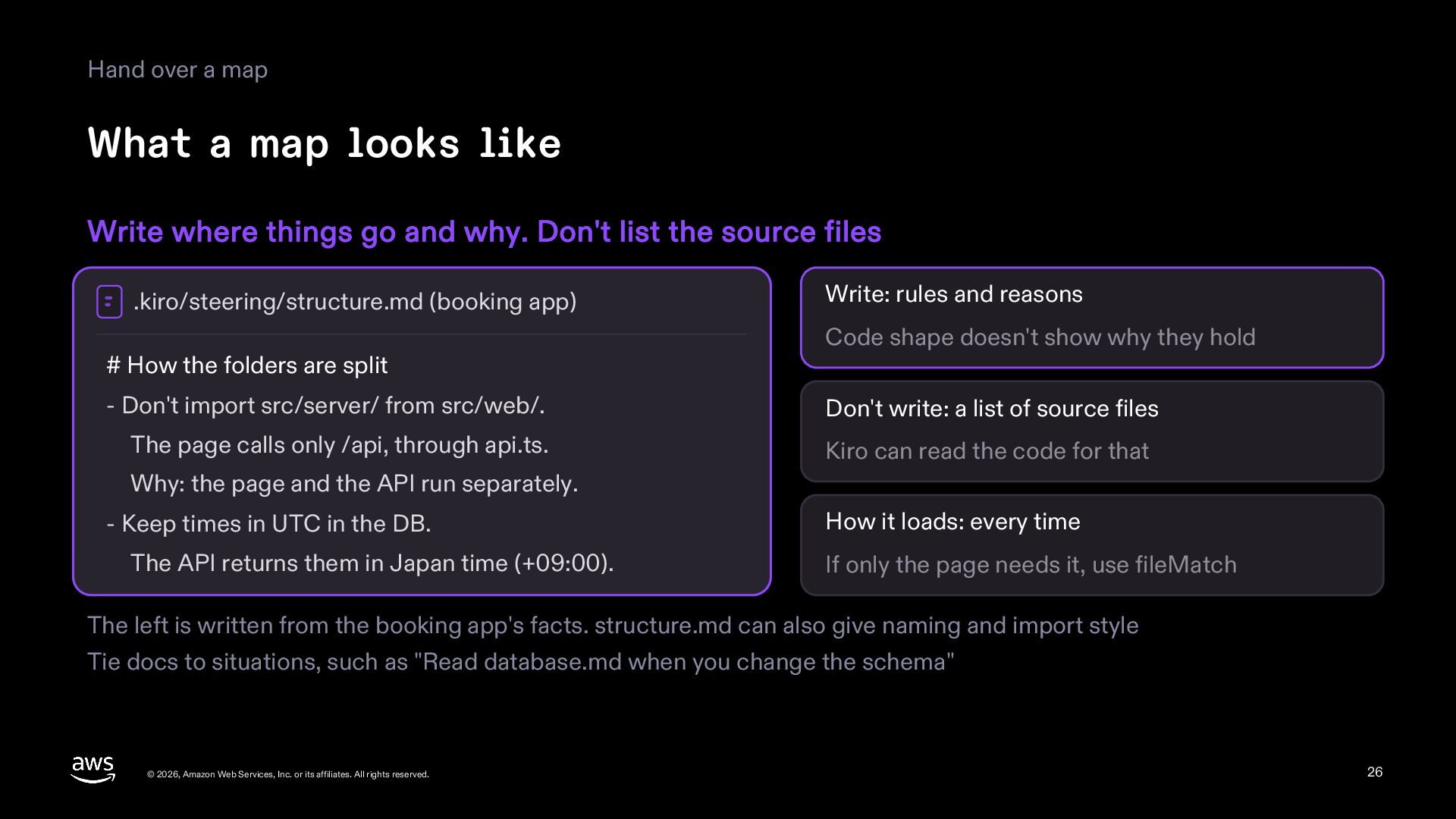
where things go and why. Don't list the source files .kiro/steering/structure.md (booking app) # How the folders are split Write: rules and reasons Code shape doesn't show why they hold - Don't import src/server/ from src/web/. Don't write: a list of source files The page calls only /api, through api.ts. Kiro can read the code for that Why: the page and the API run separately. - Keep times in UTC in the DB. The API returns them in Japan time (+09:00). How it loads: every time If only the page needs it, use fileMatch The left is written from the booking app's facts. structure.md can also give naming and import style Tie docs to situations, such as "Read database.md when you change the schema" © 2026, Amazon Web Services, Inc. or its affiliates. All rights reserved. 26 -
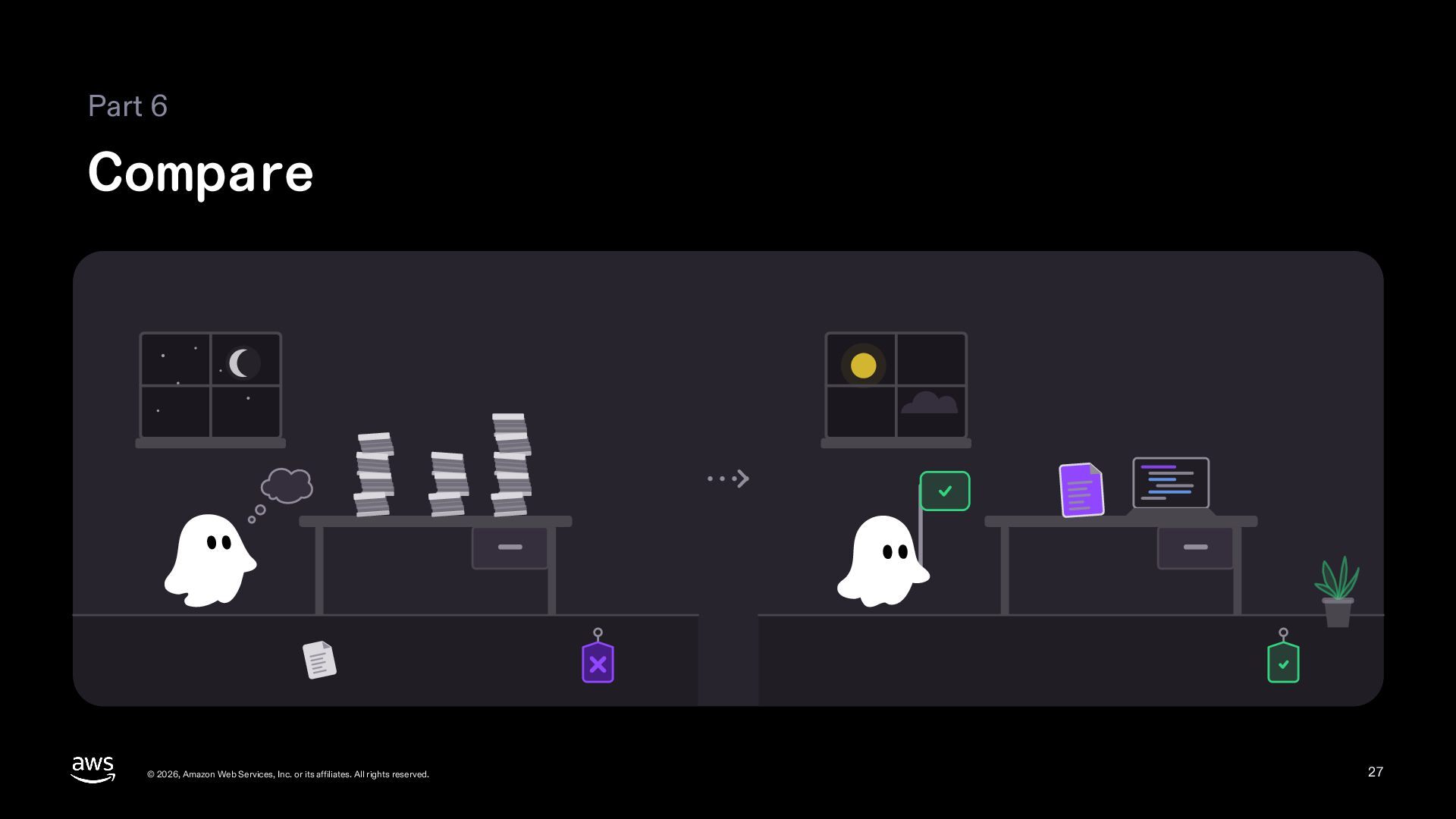
Part 6 Compare © 2026, Amazon Web Services, Inc. or
its affiliates. All rights reserved. 27 -
Compare Check whether it worked Run one request three times
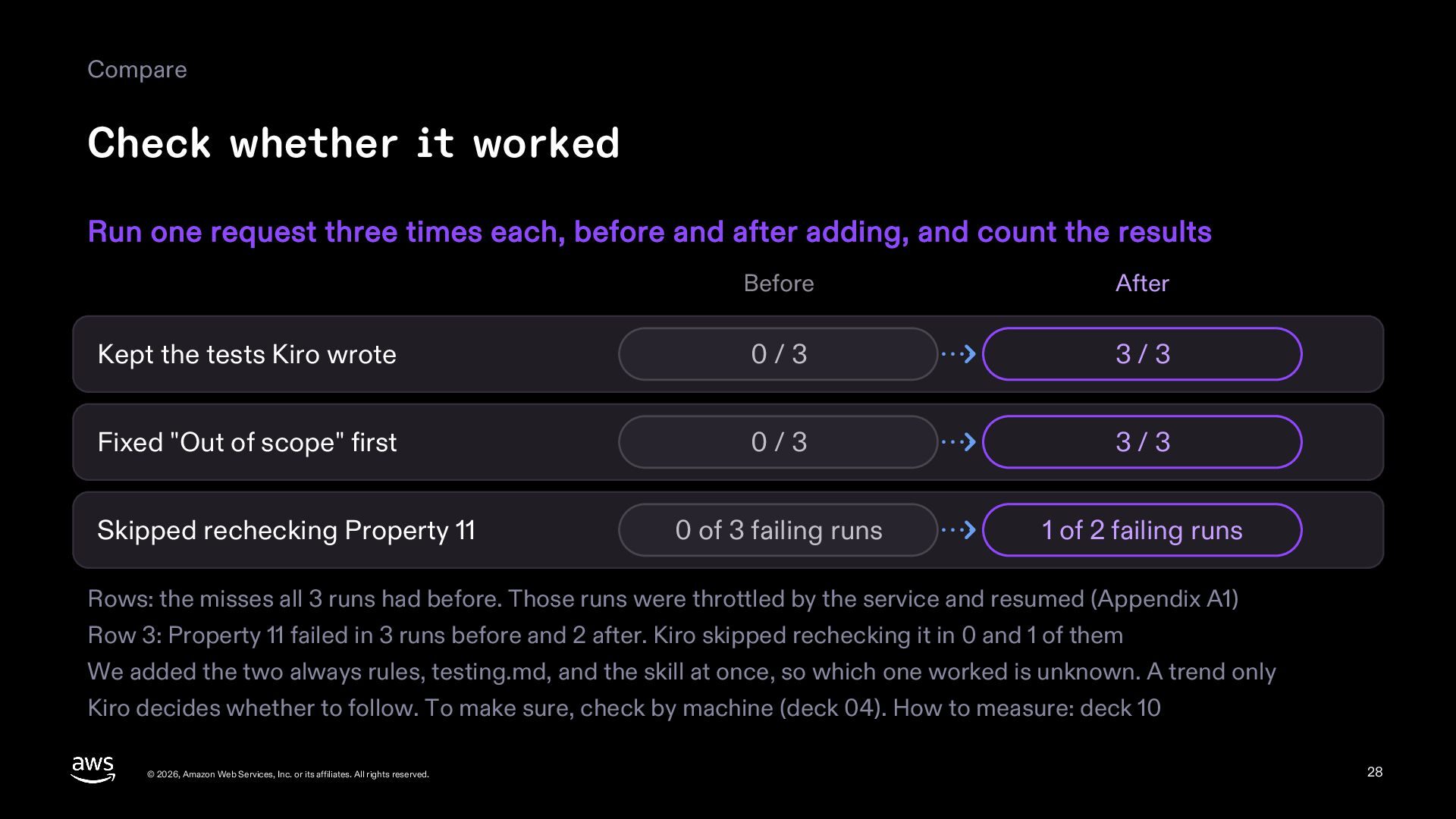
each, before and after adding, and count the results Before After Kept the tests Kiro wrote 0/3 3/3 Fixed "Out of scope" first 0/3 3/3 0 of 3 failing runs 1 of 2 failing runs Skipped rechecking Property 11 Rows: the misses all 3 runs had before. Those runs were throttled by the service and resumed (Appendix A1) Row 3: Property 11 failed in 3 runs before and 2 after. Kiro skipped rechecking it in 0 and 1 of them We added the two always rules, testing.md, and the skill at once, so which one worked is unknown. A trend only Kiro decides whether to follow. To make sure, check by machine (deck 04). How to measure: deck 10 © 2026, Amazon Web Services, Inc. or its affiliates. All rights reserved. 28 -
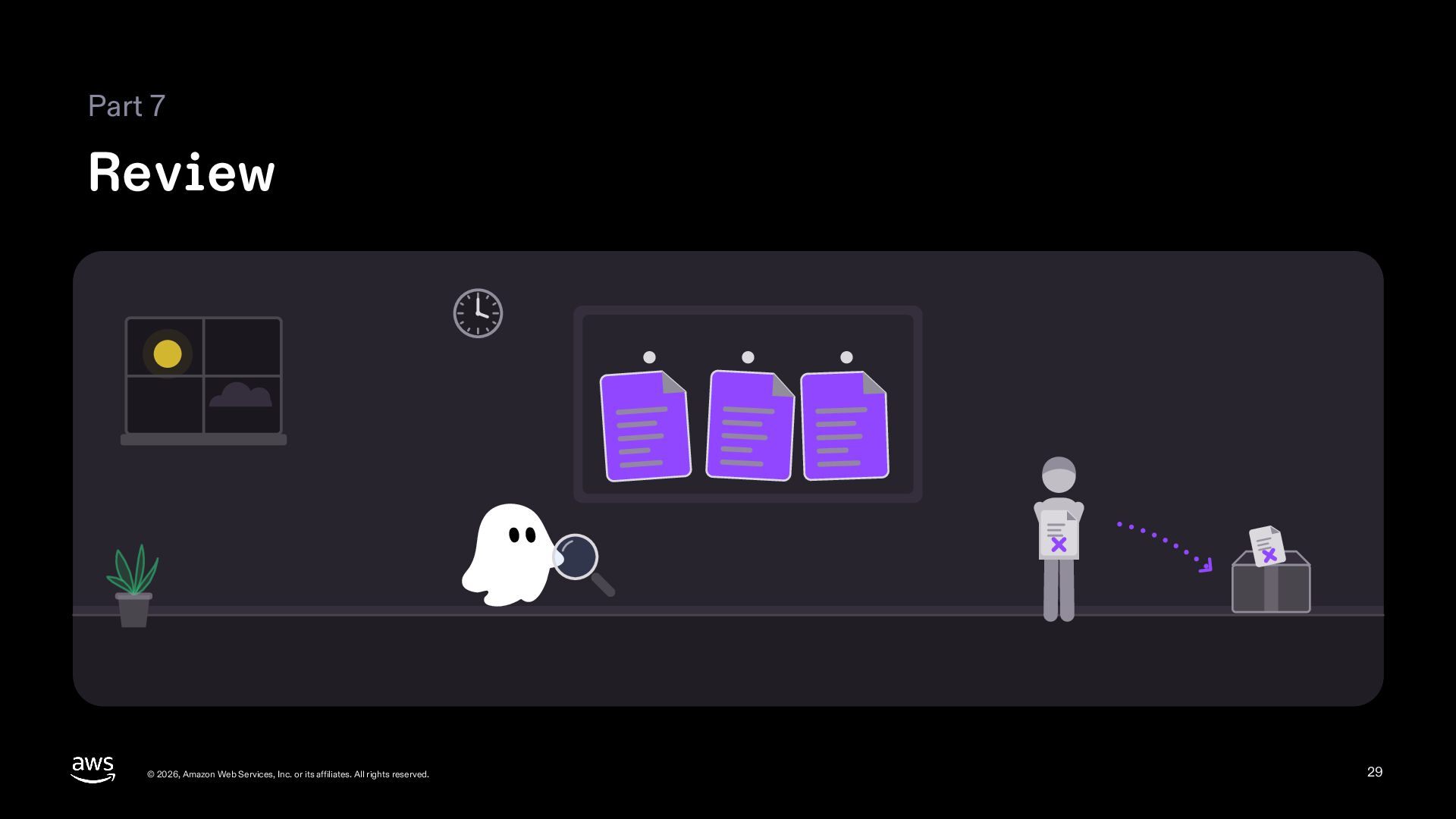
Part 7 Review © 2026, Amazon Web Services, Inc. or
its affiliates. All rights reserved. 29 -
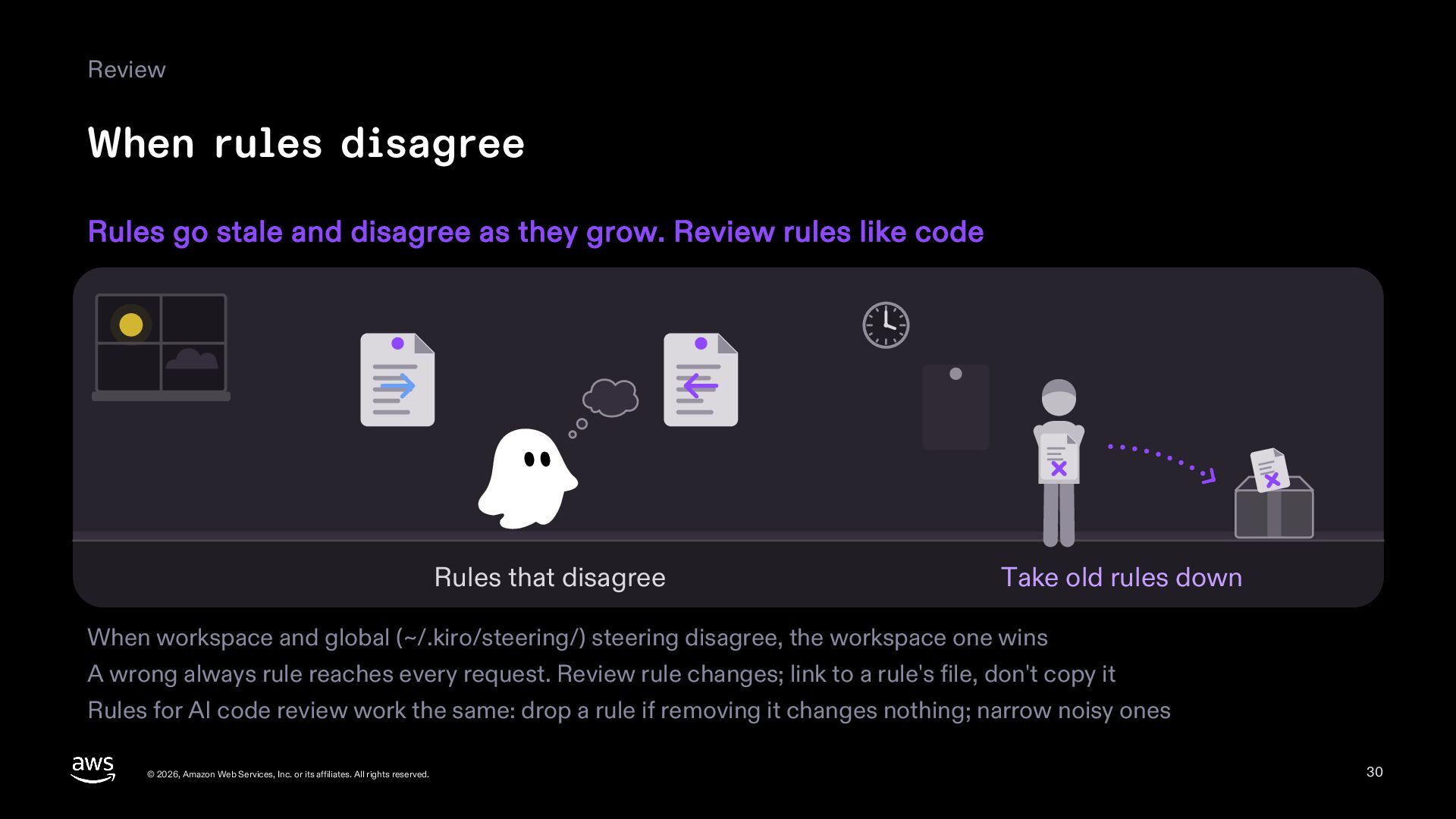
Review When rules disagree Rules go stale and disagree as
they grow. Review rules like code Rules that disagree Take old rules down When workspace and global (~/.kiro/steering/) steering disagree, the workspace one wins A wrong always rule reaches every request. Review rule changes; link to a rule's file, don't copy it Rules for AI code review work the same: drop a rule if removing it changes nothing; narrow noisy ones © 2026, Amazon Web Services, Inc. or its affiliates. All rights reserved. 30 -
Part 8 Summary © 2026, Amazon Web Services, Inc. or
its affiliates. All rights reserved. 31 -
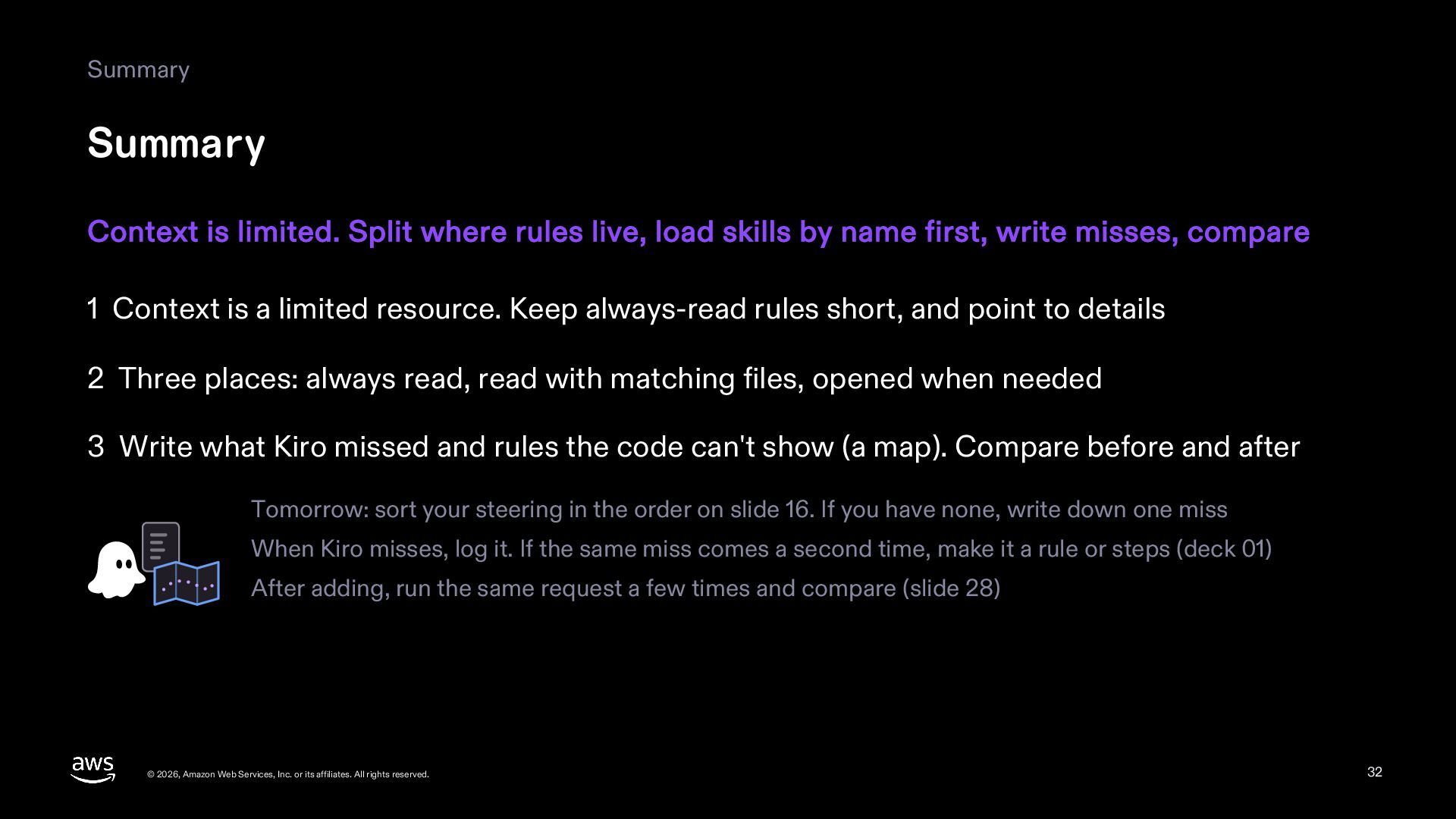
Summary Summary Context is limited. Split where rules live, load
skills by name first, write misses, compare 1 Context is a limited resource. Keep always-read rules short, and point to details 2 Three places: always read, read with matching files, opened when needed 3 Write what Kiro missed and rules the code can't show (a map). Compare before and after Tomorrow: sort your steering in the order on slide 16. If you have none, write down one miss When Kiro misses, log it. If the same miss comes a second time, make it a rule or steps (deck 01) After adding, run the same request a few times and compare (slide 28) © 2026, Amazon Web Services, Inc. or its affiliates. All rights reserved. 32 -
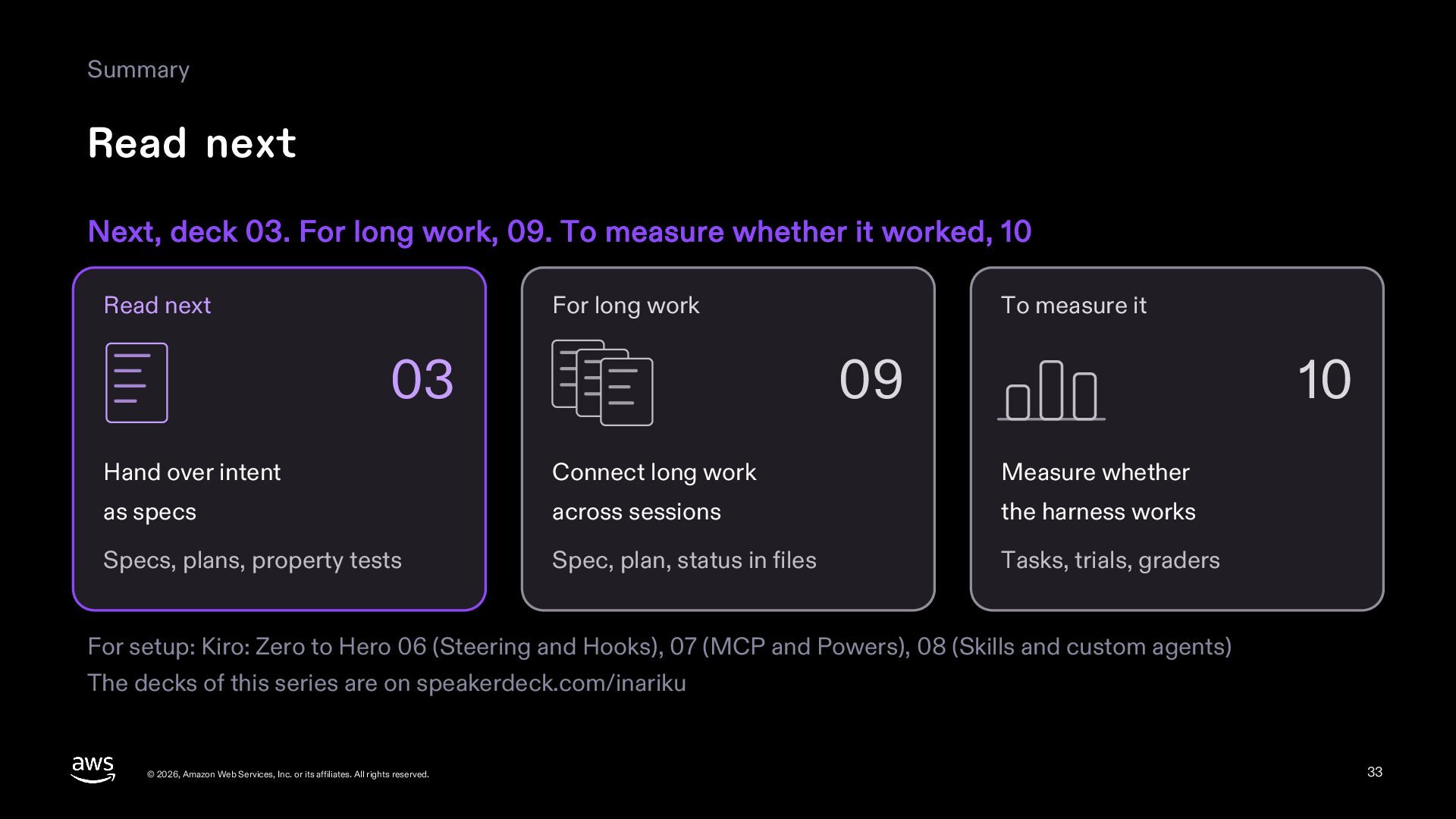
Summary Read next Next, deck 03. For long work, 09.
To measure whether it worked, 10 Read next For long work 03 To measure it 09 10 Hand over intent Connect long work Measure whether as specs across sessions the harness works Specs, plans, property tests Spec, plan, status in files Tasks, trials, graders For setup: Kiro: Zero to Hero 06 (Steering and Hooks), 07 (MCP and Powers), 08 (Skills and custom agents) The decks of this series are on speakerdeck.com/inariku © 2026, Amazon Web Services, Inc. or its affiliates. All rights reserved. 33 -
Appendix How we tried it, terms, and sources © 2026,
Amazon Web Services, Inc. or its affiliates. All rights reserved. 34 -
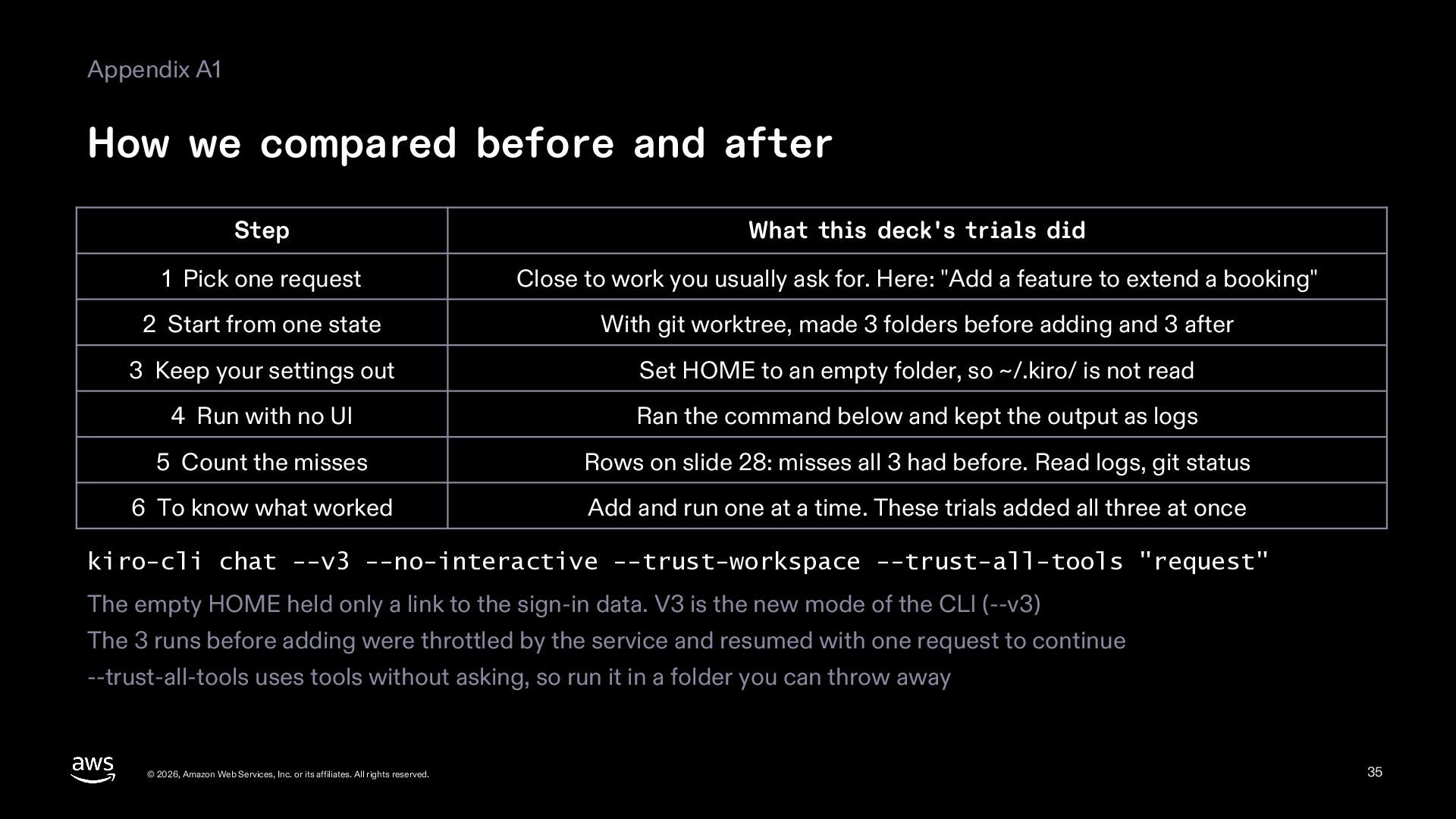
Appendix A1 How we compared before and after Step What
this deck's trials did 1 Pick one request Close to work you usually ask for. Here: "Add a feature to extend a booking" 2 Start from one state With git worktree, made 3 folders before adding and 3 after 3 Keep your settings out Set HOME to an empty folder, so ~/.kiro/ is not read 4 Run with no UI Ran the command below and kept the output as logs 5 Count the misses Rows on slide 28: misses all 3 had before. Read logs, git status 6 To know what worked Add and run one at a time. These trials added all three at once kiro-cli chat --v3 --no-interactive --trust-workspace --trust-all-tools "request" The empty HOME held only a link to the sign-in data. V3 is the new mode of the CLI (--v3) The 3 runs before adding were throttled by the service and resumed with one request to continue --trust-all-tools uses tools without asking, so run it in a folder you can throw away © 2026, Amazon Web Services, Inc. or its affiliates. All rights reserved. 35 -
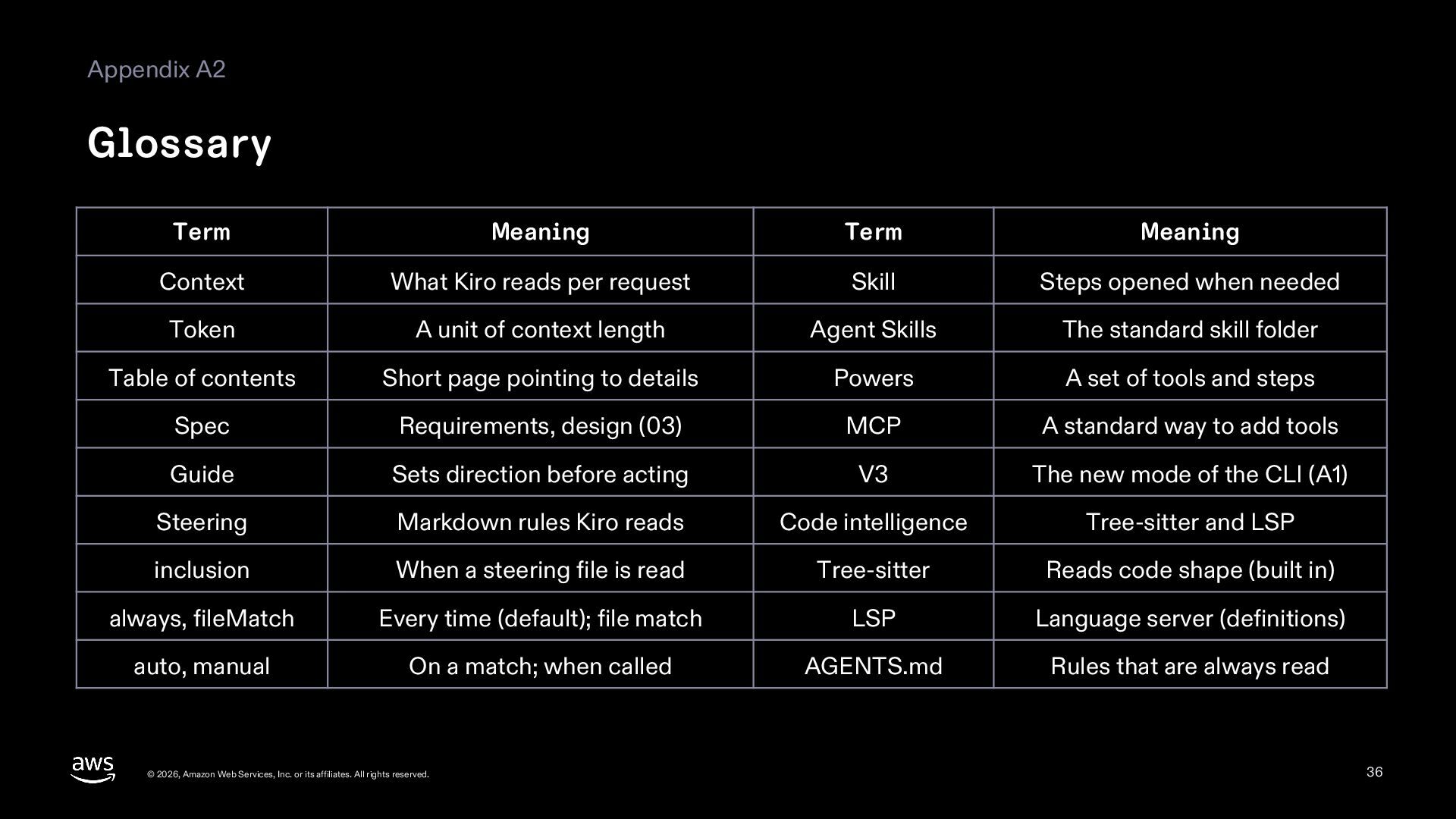
Appendix A2 Glossary Term Meaning Term Meaning Context What Kiro
reads per request Skill Steps opened when needed Token A unit of context length Agent Skills The standard skill folder Table of contents Short page pointing to details Powers A set of tools and steps Spec Requirements, design (03) MCP A standard way to add tools Guide Sets direction before acting V3 The new mode of the CLI (A1) Steering Markdown rules Kiro reads Code intelligence Tree-sitter and LSP inclusion When a steering file is read Tree-sitter Reads code shape (built in) always, fileMatch Every time (default); file match LSP Language server (definitions) auto, manual On a match; when called AGENTS.md Rules that are always read © 2026, Amazon Web Services, Inc. or its affiliates. All rights reserved. 36 -
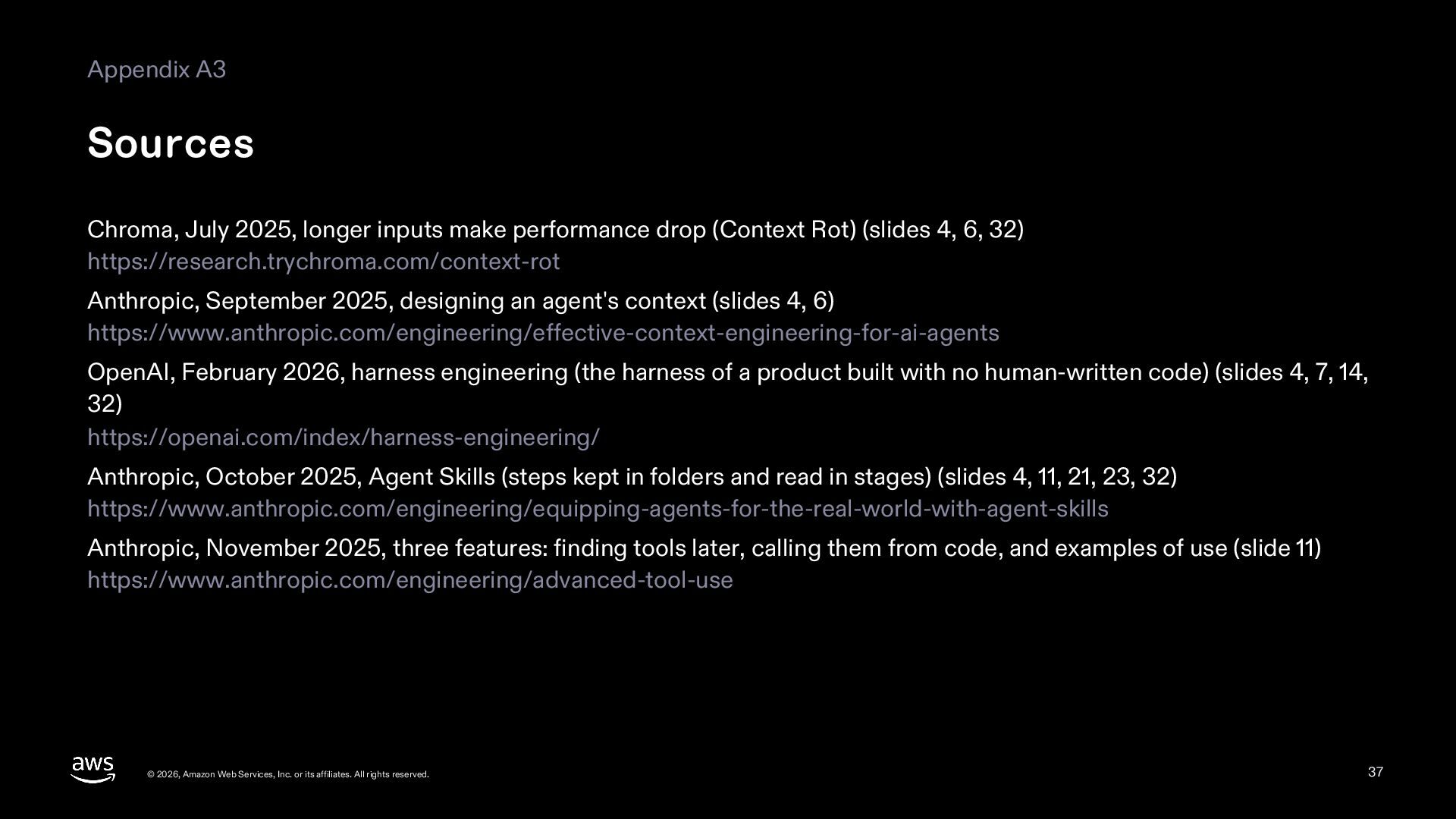
Appendix A3 Sources Chroma, July 2025, longer inputs make performance
drop (Context Rot) (slides 4, 6, 32) https://research.trychroma.com/context-rot Anthropic, September 2025, designing an agent's context (slides 4, 6) https://www.anthropic.com/engineering/effective-context-engineering-for-ai-agents OpenAI, February 2026, harness engineering (the harness of a product built with no human-written code) (slides 4, 7, 14, 32) https://openai.com/index/harness-engineering/ Anthropic, October 2025, Agent Skills (steps kept in folders and read in stages) (slides 4, 11, 21, 23, 32) https://www.anthropic.com/engineering/equipping-agents-for-the-real-world-with-agent-skills Anthropic, November 2025, three features: finding tools later, calling them from code, and examples of use (slide 11) https://www.anthropic.com/engineering/advanced-tool-use © 2026, Amazon Web Services, Inc. or its affiliates. All rights reserved. 37 -
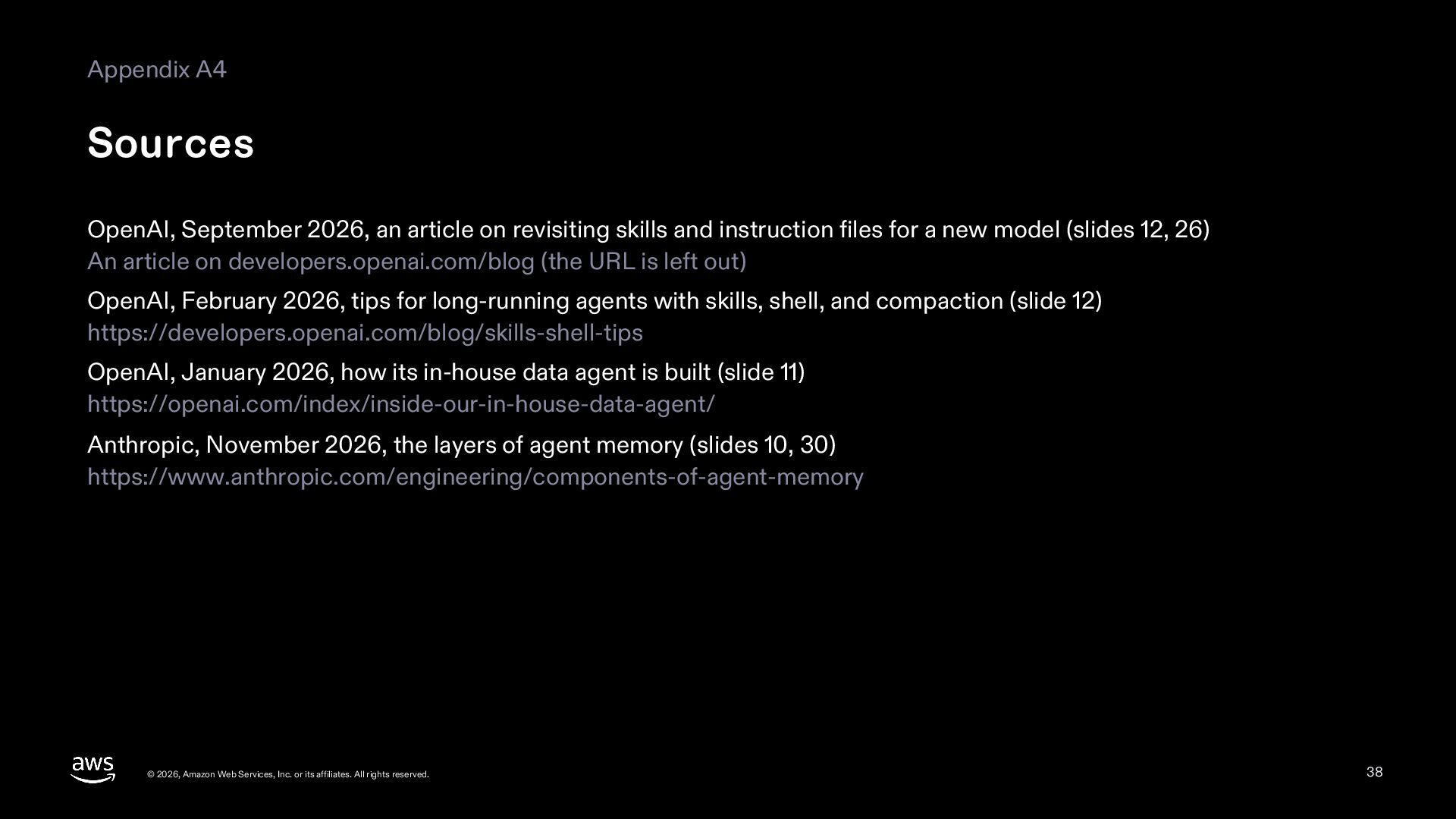
Appendix A4 Sources OpenAI, September 2026, an article on revisiting
skills and instruction files for a new model (slides 12, 26) An article on developers.openai.com/blog (the URL is left out) OpenAI, February 2026, tips for long-running agents with skills, shell, and compaction (slide 12) https://developers.openai.com/blog/skills-shell-tips OpenAI, January 2026, how its in-house data agent is built (slide 11) https://openai.com/index/inside-our-in-house-data-agent/ Anthropic, November 2026, the layers of agent memory (slides 10, 30) https://www.anthropic.com/engineering/components-of-agent-memory © 2026, Amazon Web Services, Inc. or its affiliates. All rights reserved. 38 -
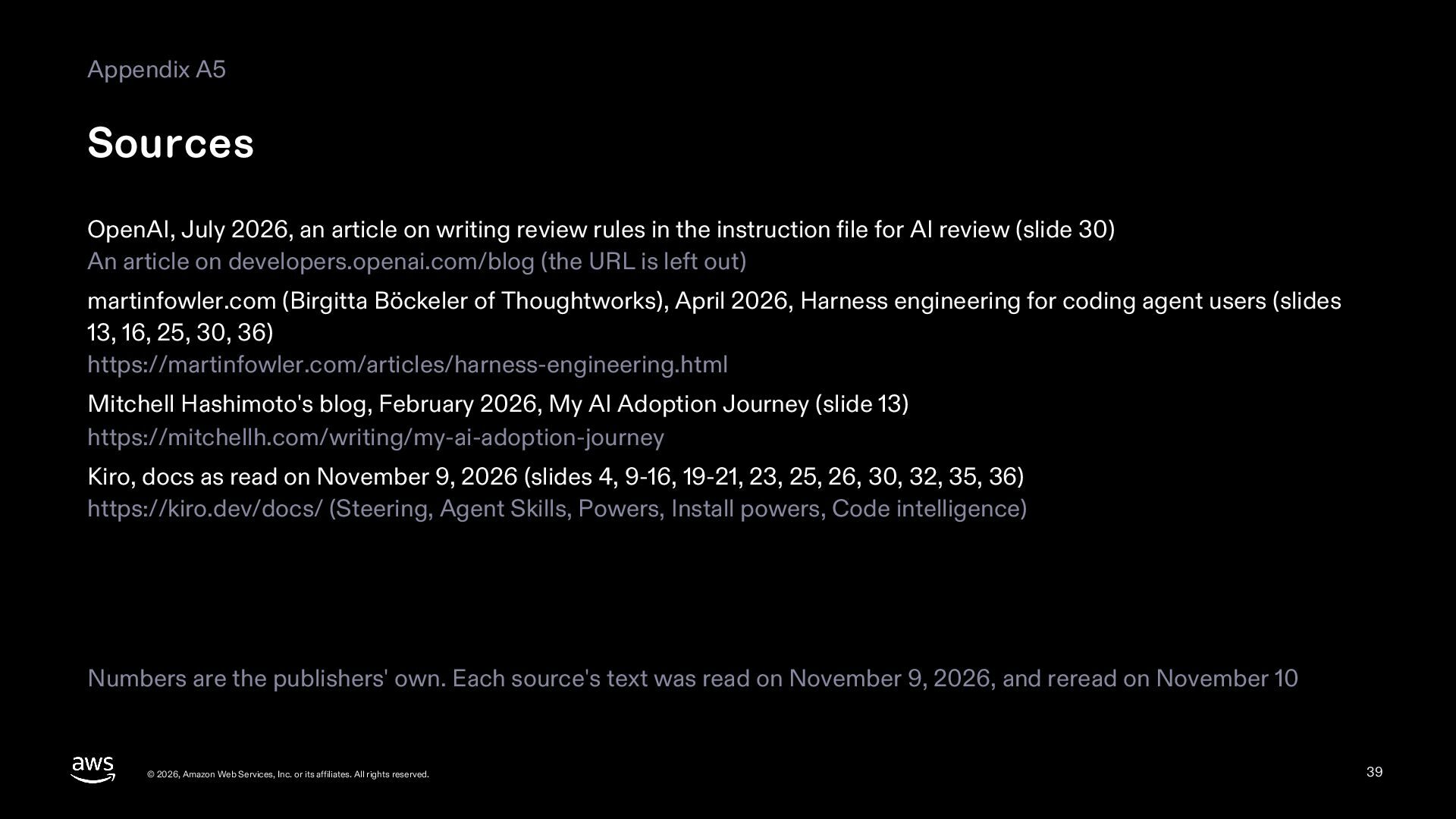
Appendix A5 Sources OpenAI, July 2026, an article on writing
review rules in the instruction file for AI review (slide 30) An article on developers.openai.com/blog (the URL is left out) martinfowler.com (Birgitta Böckeler of Thoughtworks), April 2026, Harness engineering for coding agent users (slides 13, 16, 25, 30, 36) https://martinfowler.com/articles/harness-engineering.html Mitchell Hashimoto's blog, February 2026, My AI Adoption Journey (slide 13) https://mitchellh.com/writing/my-ai-adoption-journey Kiro, docs as read on November 9, 2026 (slides 4, 9-16, 19-21, 23, 25, 26, 30, 32, 35, 36) https://kiro.dev/docs/ (Steering, Agent Skills, Powers, Install powers, Code intelligence) Numbers are the publishers' own. Each source's text was read on November 9, 2026, and reread on November 10 © 2026, Amazon Web Services, Inc. or its affiliates. All rights reserved. 39
 inariku
 nenonaninu
 tombo
 tarappo
 takaha4k
 kaminashi
 zenta
 sansan33
 copia
 ar_tama
 kyotomon
 anatofuz
 _kotobuki_
 mayatellez
 marcelosomers
 tamaranovitovic
 helmedeiros
 mlcsv
 kristinabergwall1
 gurzu
 reverentgeek
 inesmontani
 baasie
 tenderlove
 brad_frost