I’m Irvi Aini Software Engineer @ Motional Traveloka, Indonesia Software Engineer Previous Spotify, Sweden Software Engineer University of Edinburgh, The United Kingdom Master Student, Data Science Current Motional, Singapore Software Engineer Irvi Aini Software Engineer @ Motional
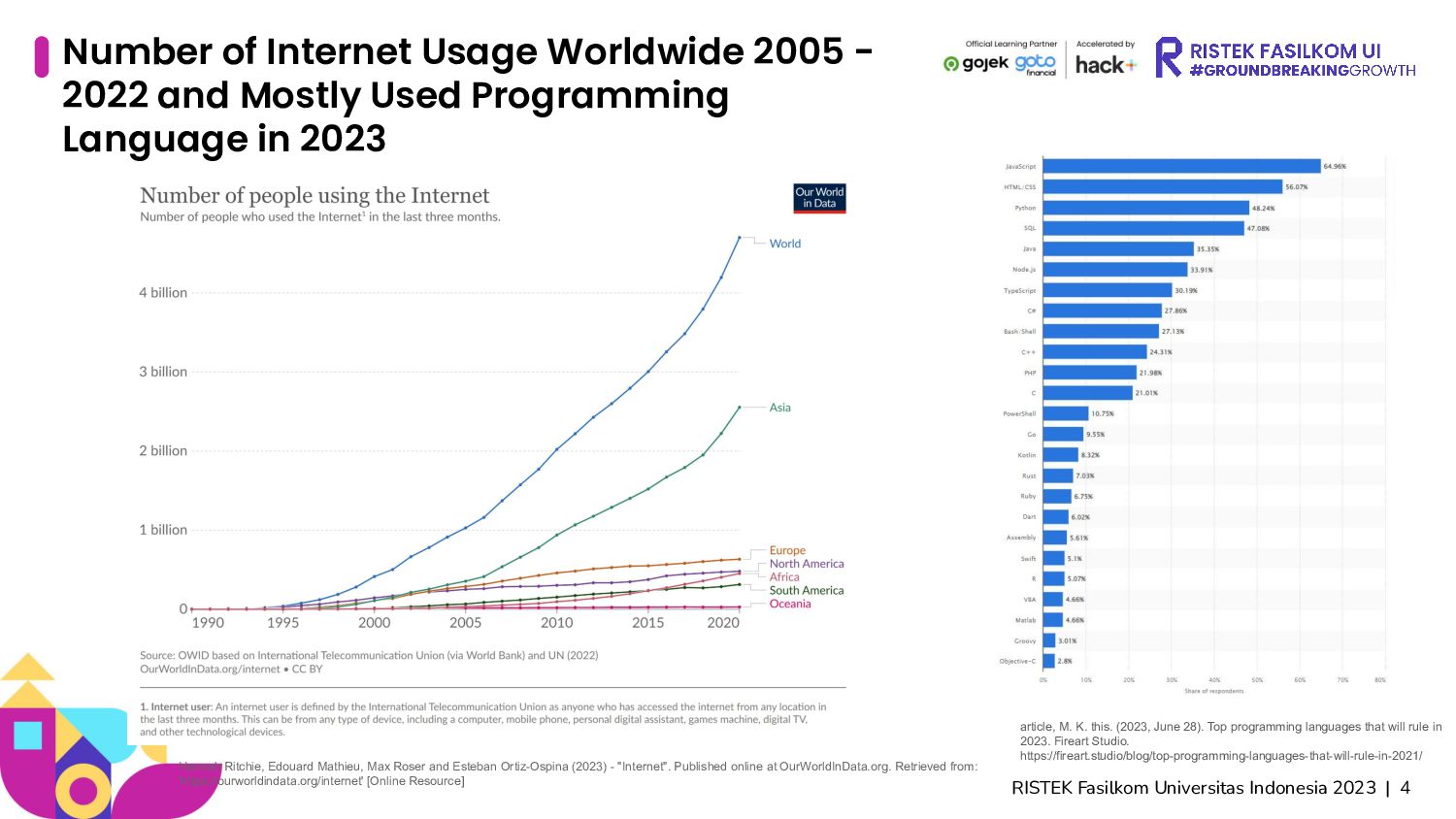
Usage Worldwide 2005 - 2022 and Mostly Used Programming Language in 2023 Hannah Ritchie, Edouard Mathieu, Max Roser and Esteban Ortiz-Ospina (2023) - "Internet". Published online at OurWorldInData.org. Retrieved from: 'https://ourworldindata.org/internet' [Online Resource] article, M. K. this. (2023, June 28). Top programming languages that will rule in 2023. Fireart Studio. https://fireart.studio/blog/top-programming-languages-that-will-rule-in-2021/
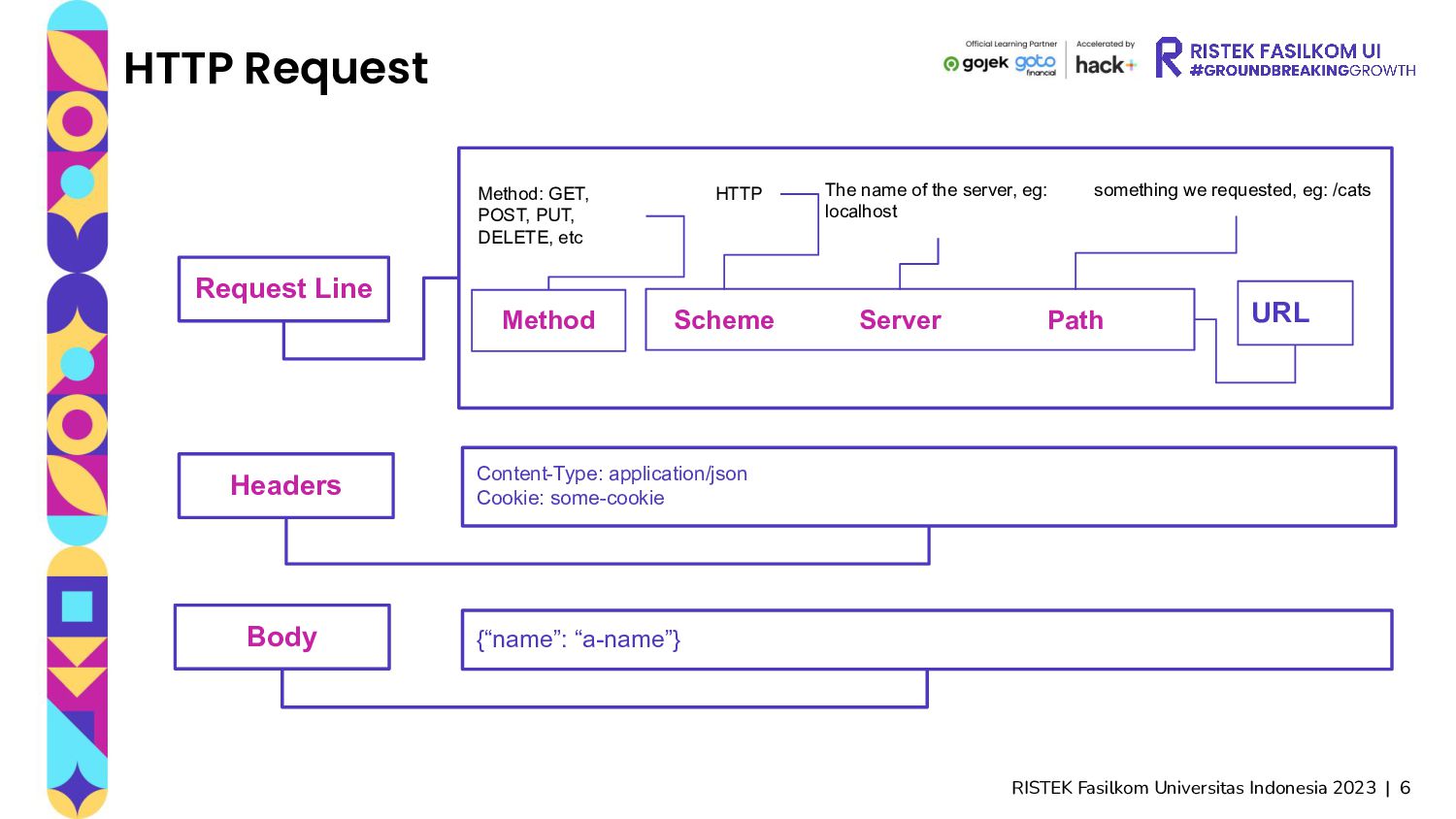
Line Headers Body Method: GET, POST, PUT, DELETE, etc Server HTTP The name of the server, eg: localhost something we requested, eg: /cats URL Content-Type: application/json Cookie: some-cookie {“name”: “a-name”} Scheme Path Method
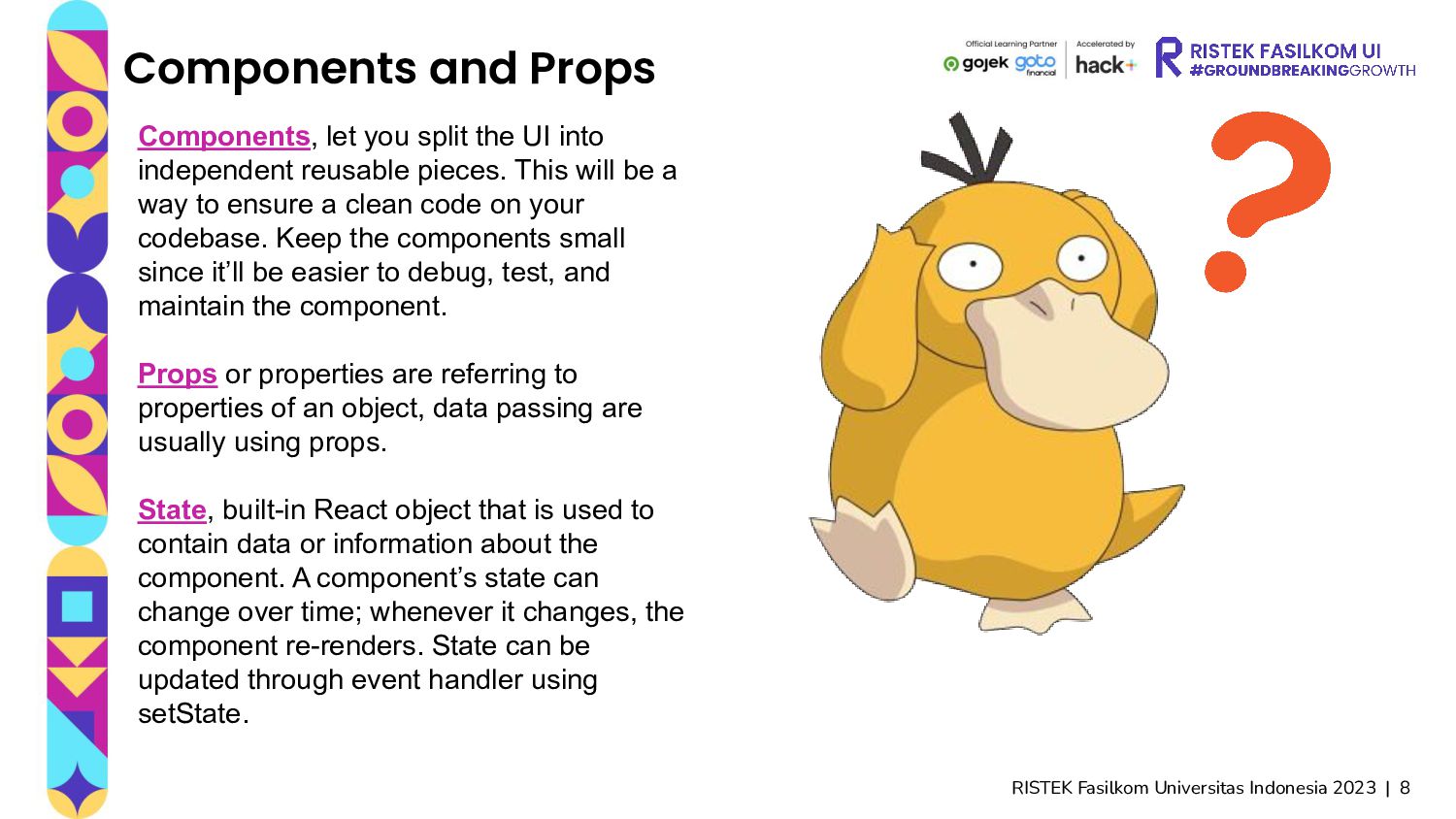
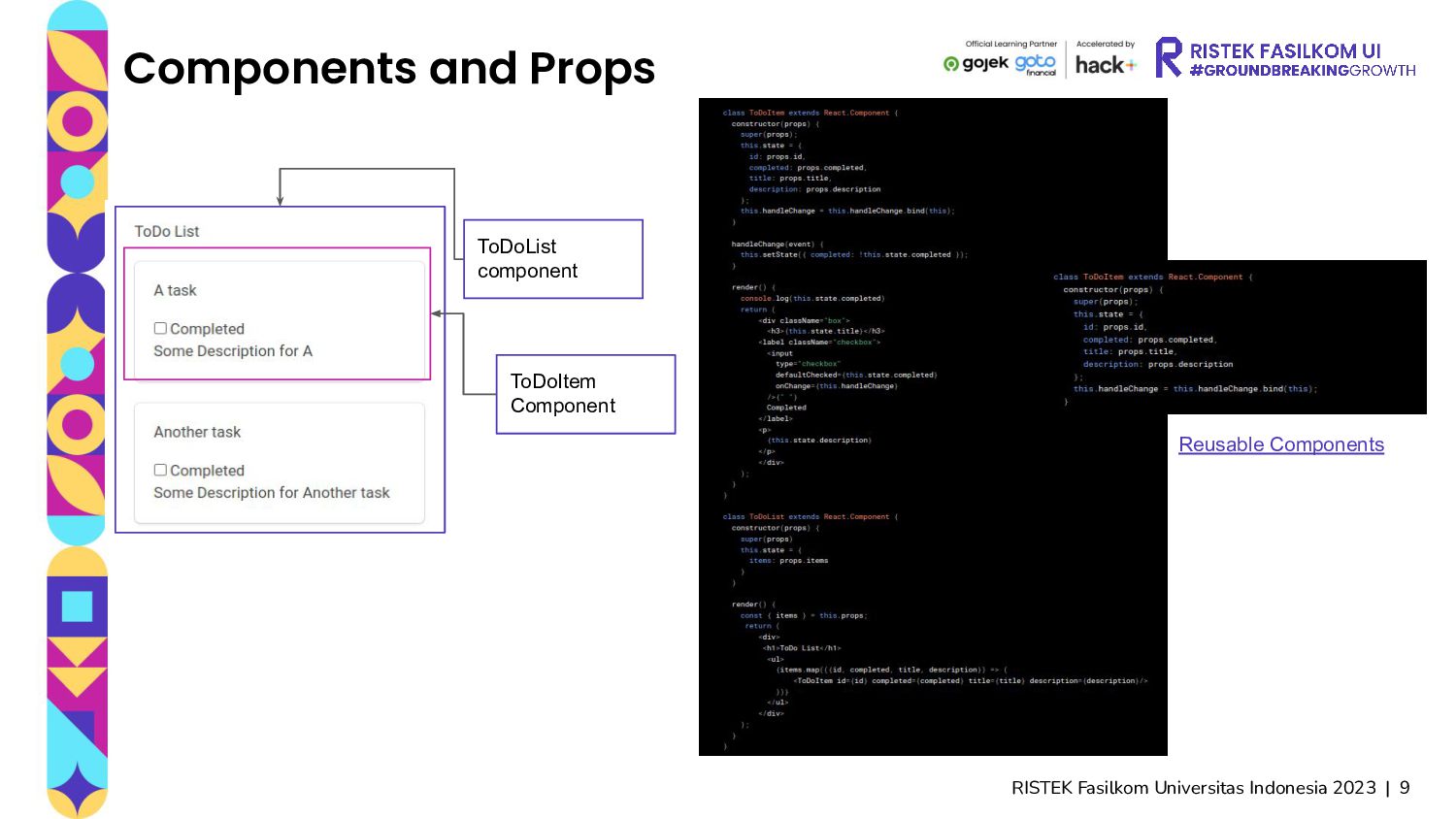
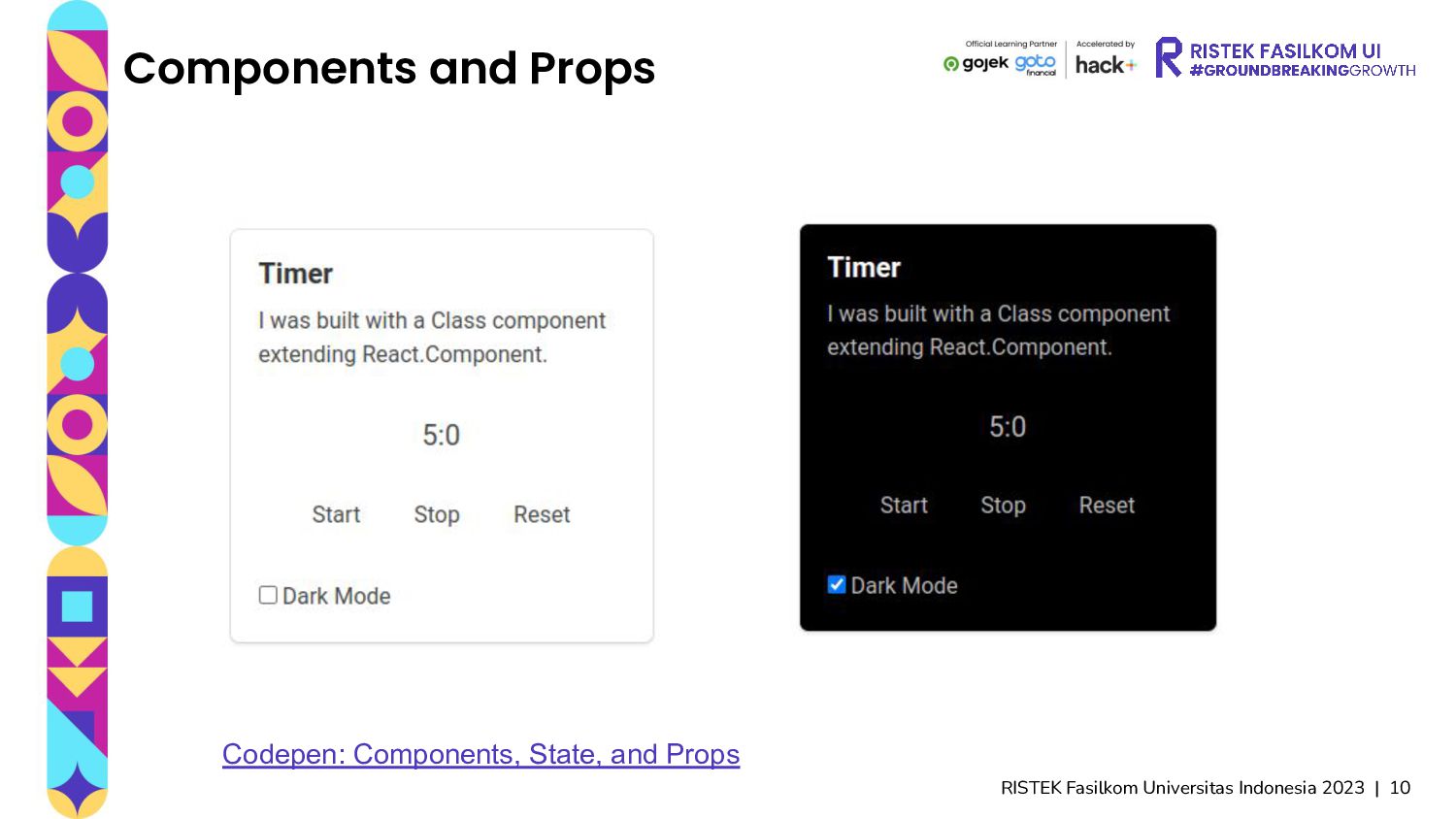
Components, let you split the UI into independent reusable pieces. This will be a way to ensure a clean code on your codebase. Keep the components small since it’ll be easier to debug, test, and maintain the component. Props or properties are referring to properties of an object, data passing are usually using props. State, built-in React object that is used to contain data or information about the component. A component’s state can change over time; whenever it changes, the component re-renders. State can be updated through event handler using setState.
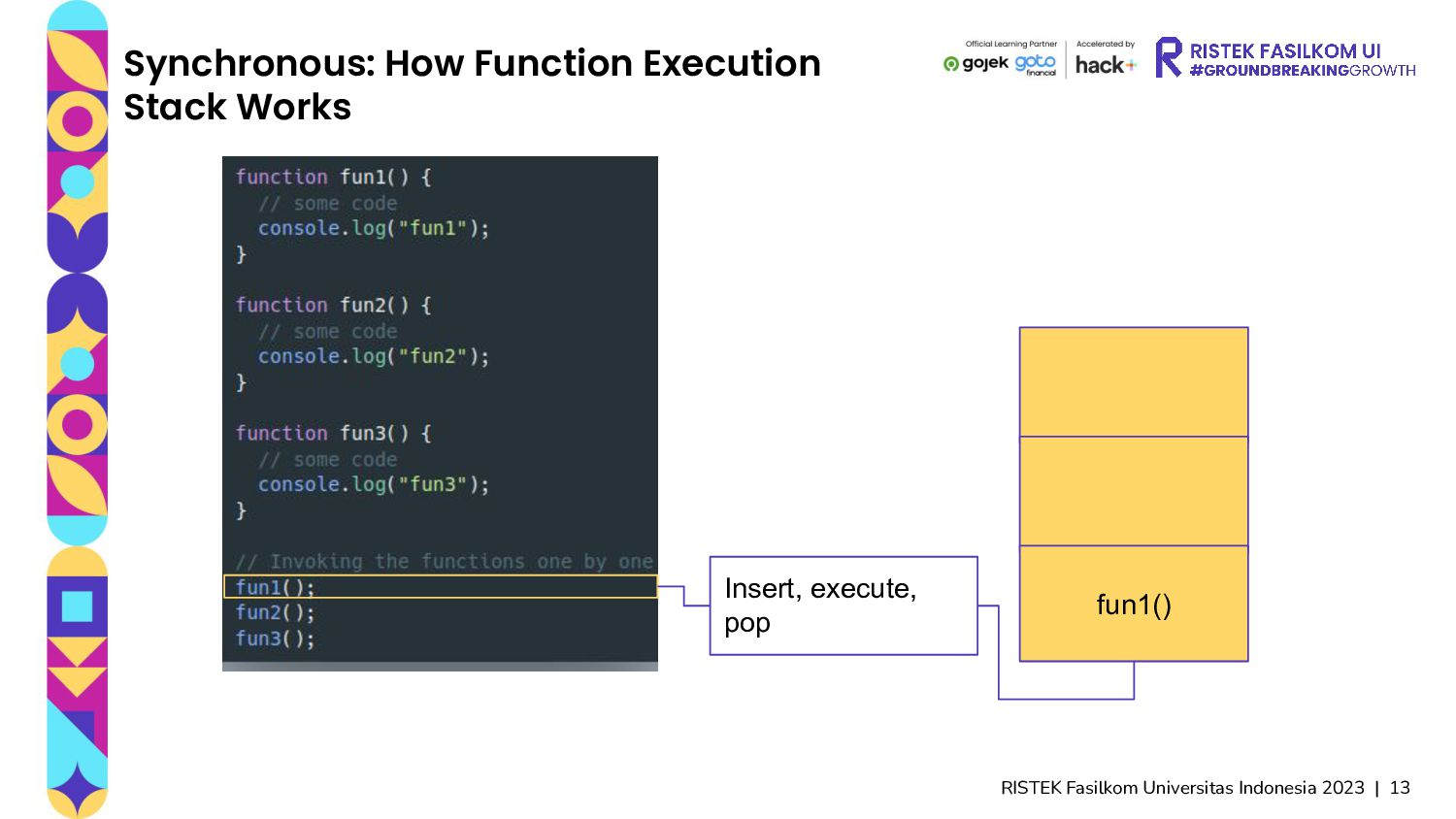
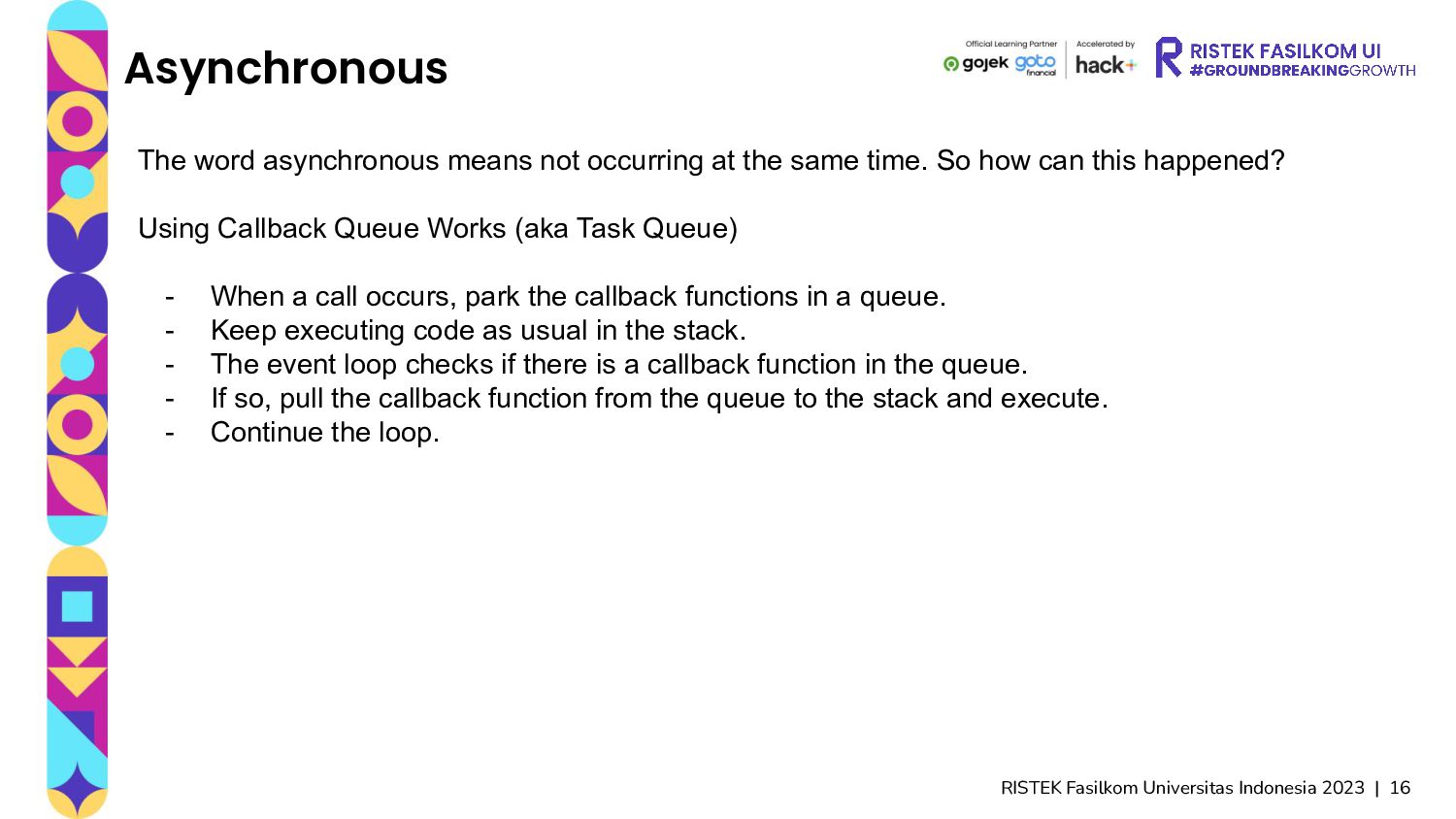
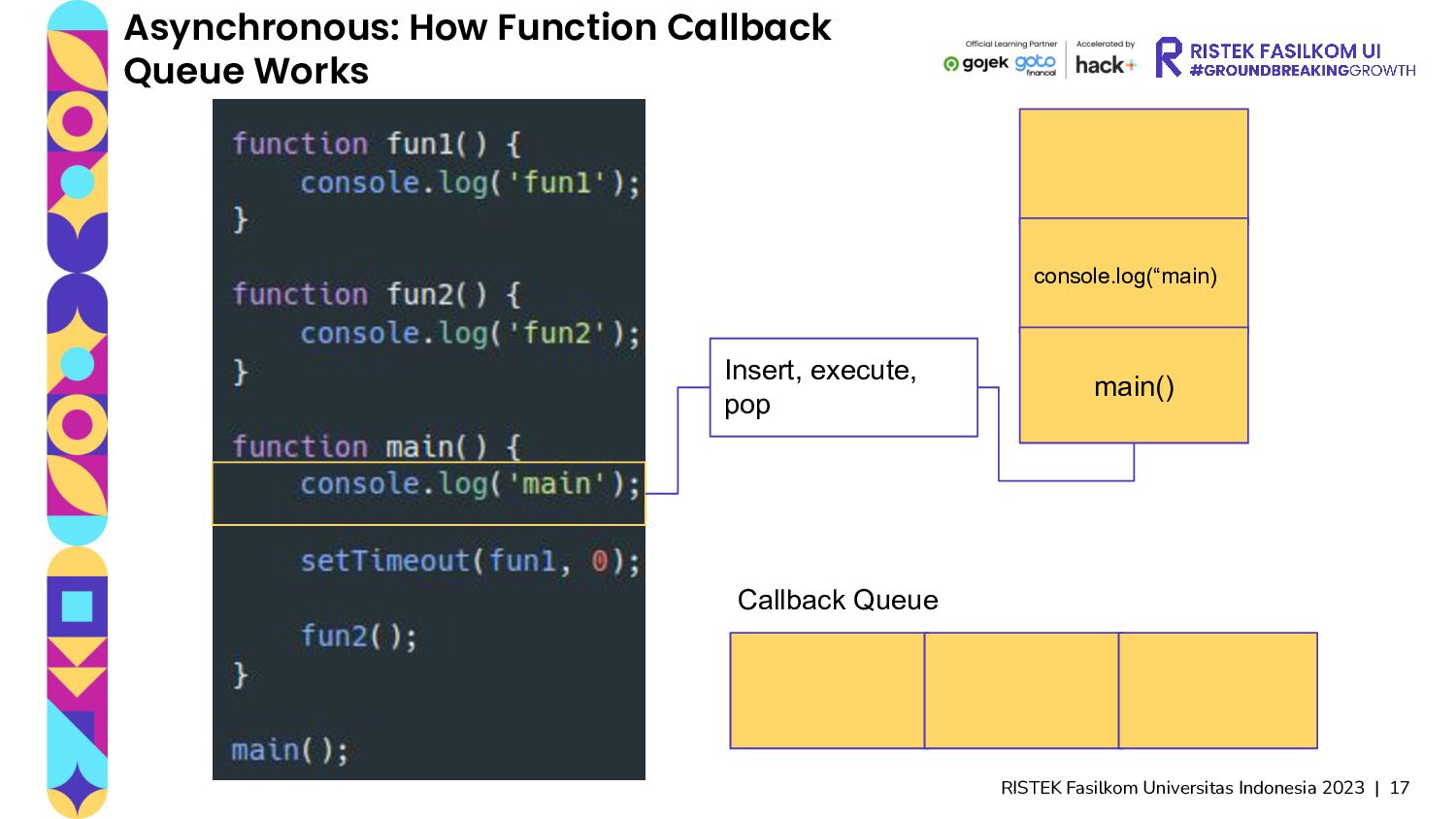
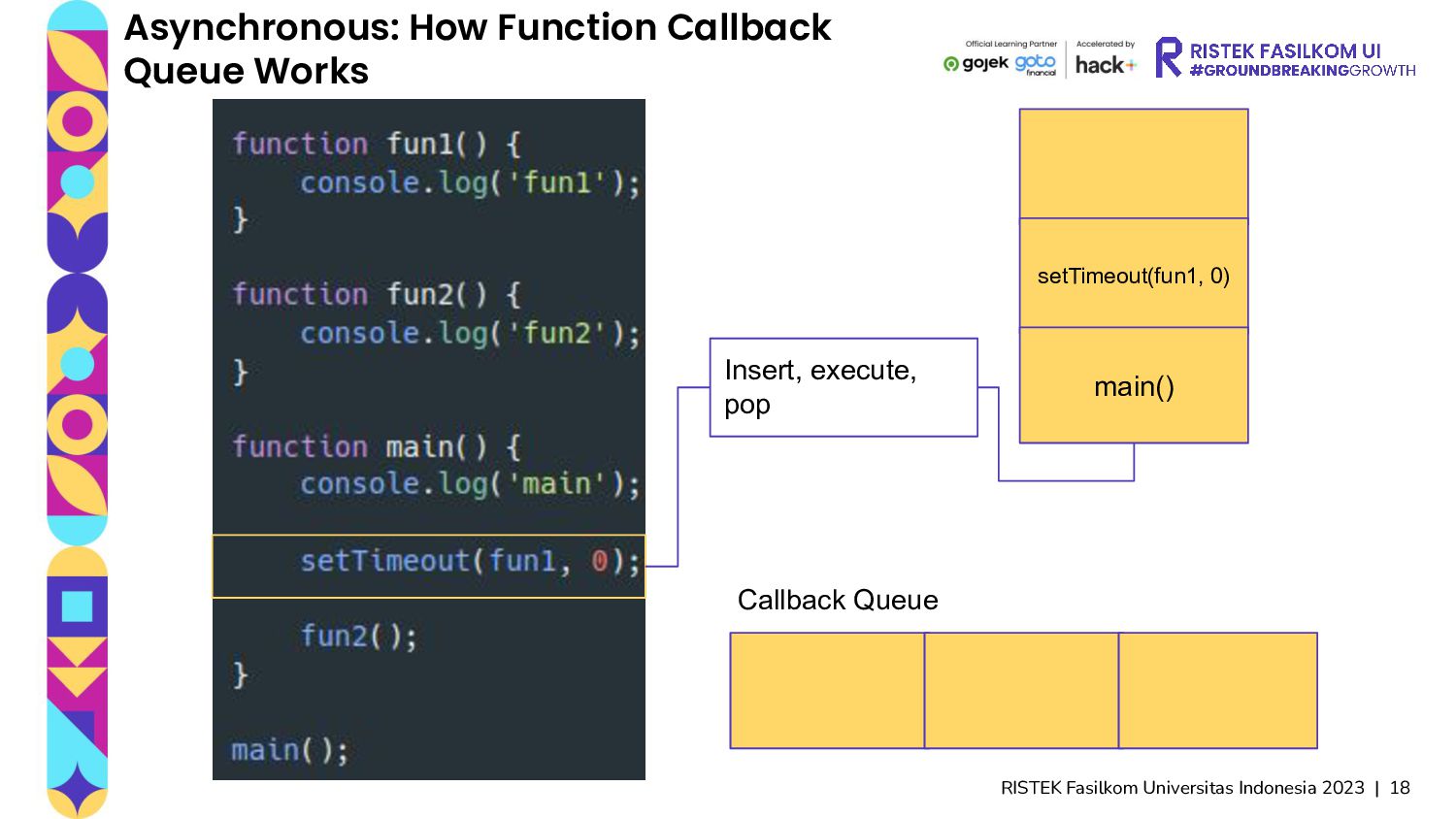
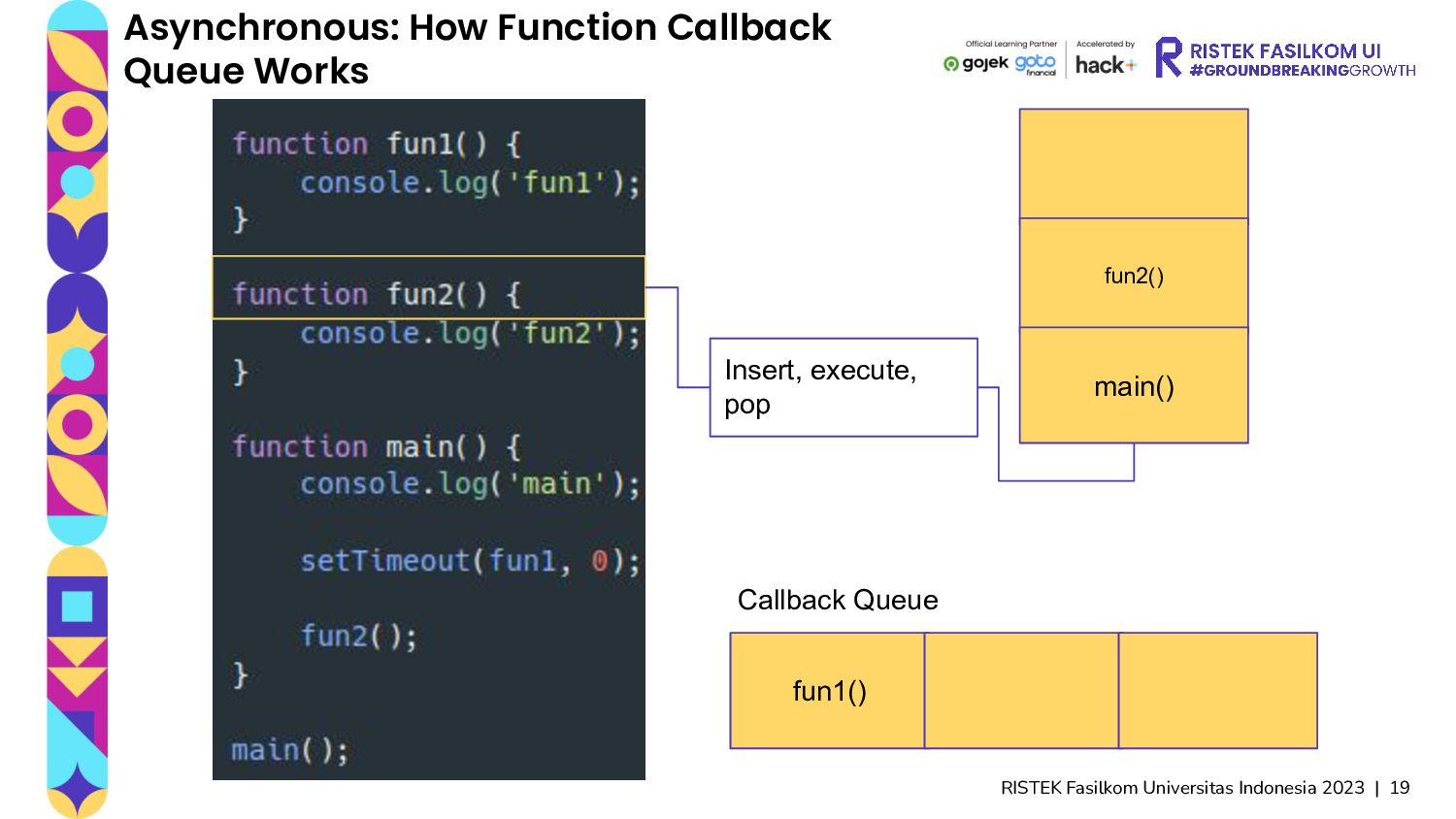
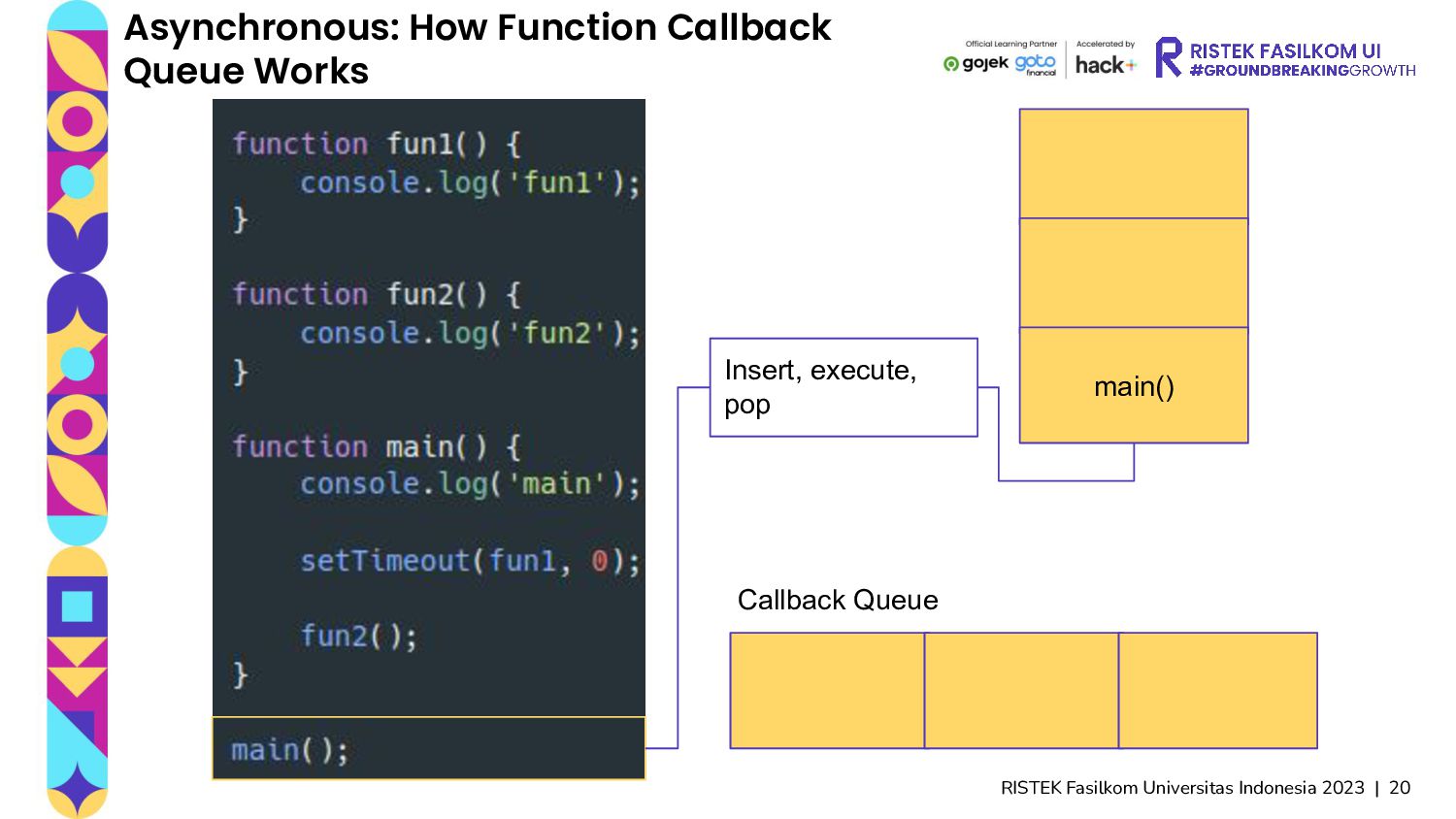
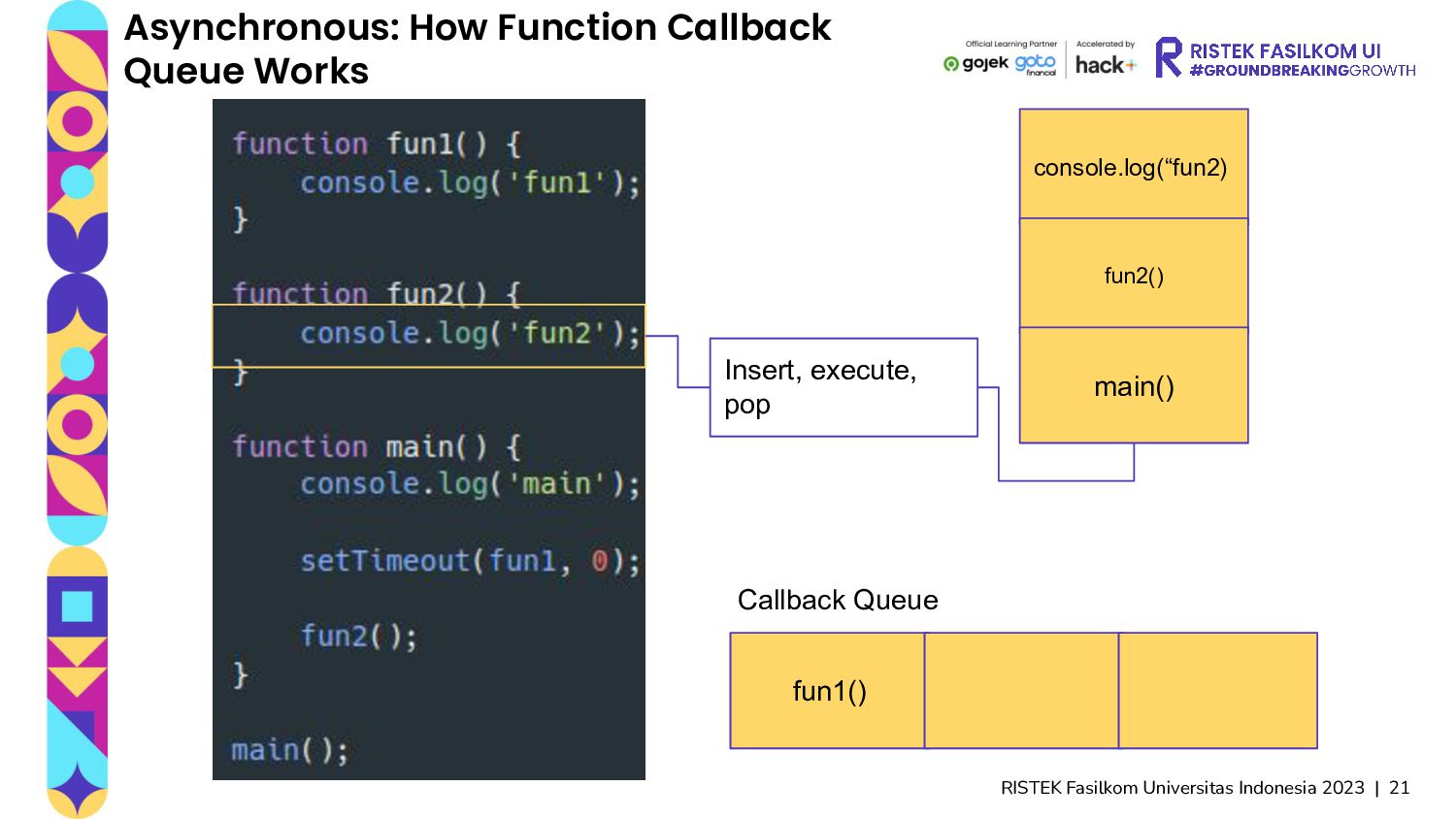
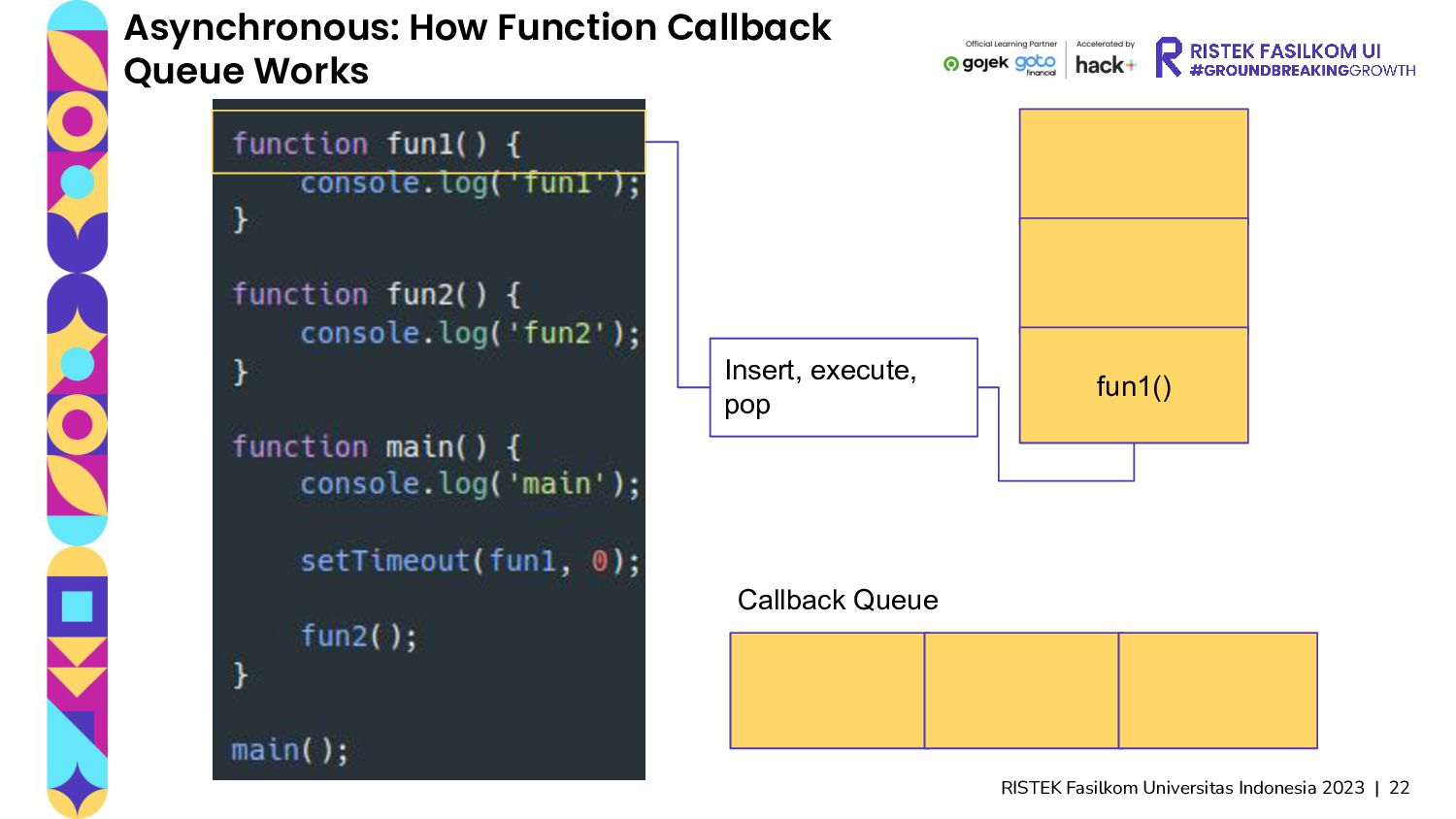
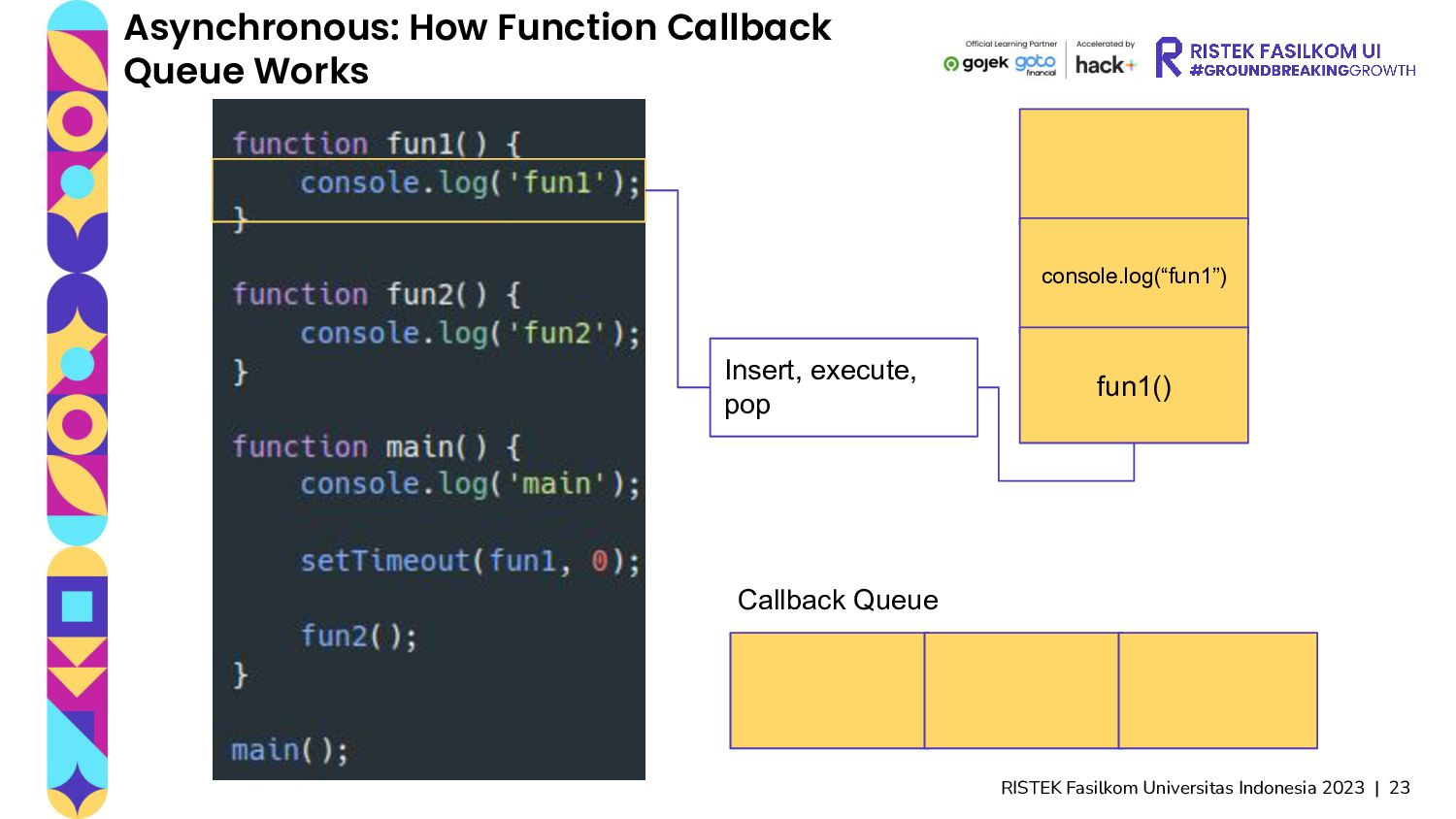
asynchronous means not occurring at the same time. So how can this happened? Using Callback Queue Works (aka Task Queue) - When a call occurs, park the callback functions in a queue. - Keep executing code as usual in the stack. - The event loop checks if there is a callback function in the queue. - If so, pull the callback function from the queue to the stack and execute. - Continue the loop.
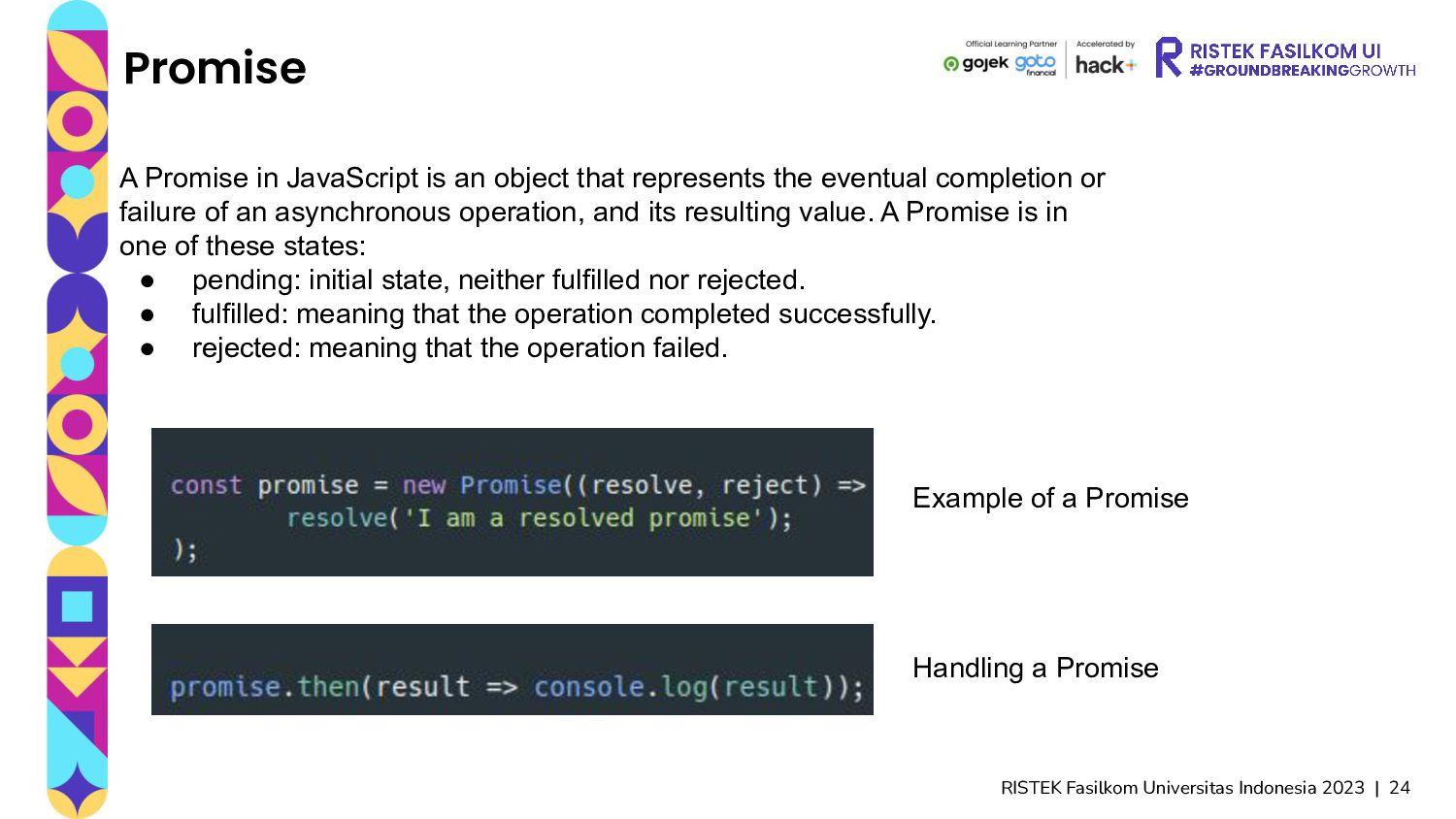
in JavaScript is an object that represents the eventual completion or failure of an asynchronous operation, and its resulting value. A Promise is in one of these states: • pending: initial state, neither fulfilled nor rejected. • fulfilled: meaning that the operation completed successfully. • rejected: meaning that the operation failed. Example of a Promise Handling a Promise
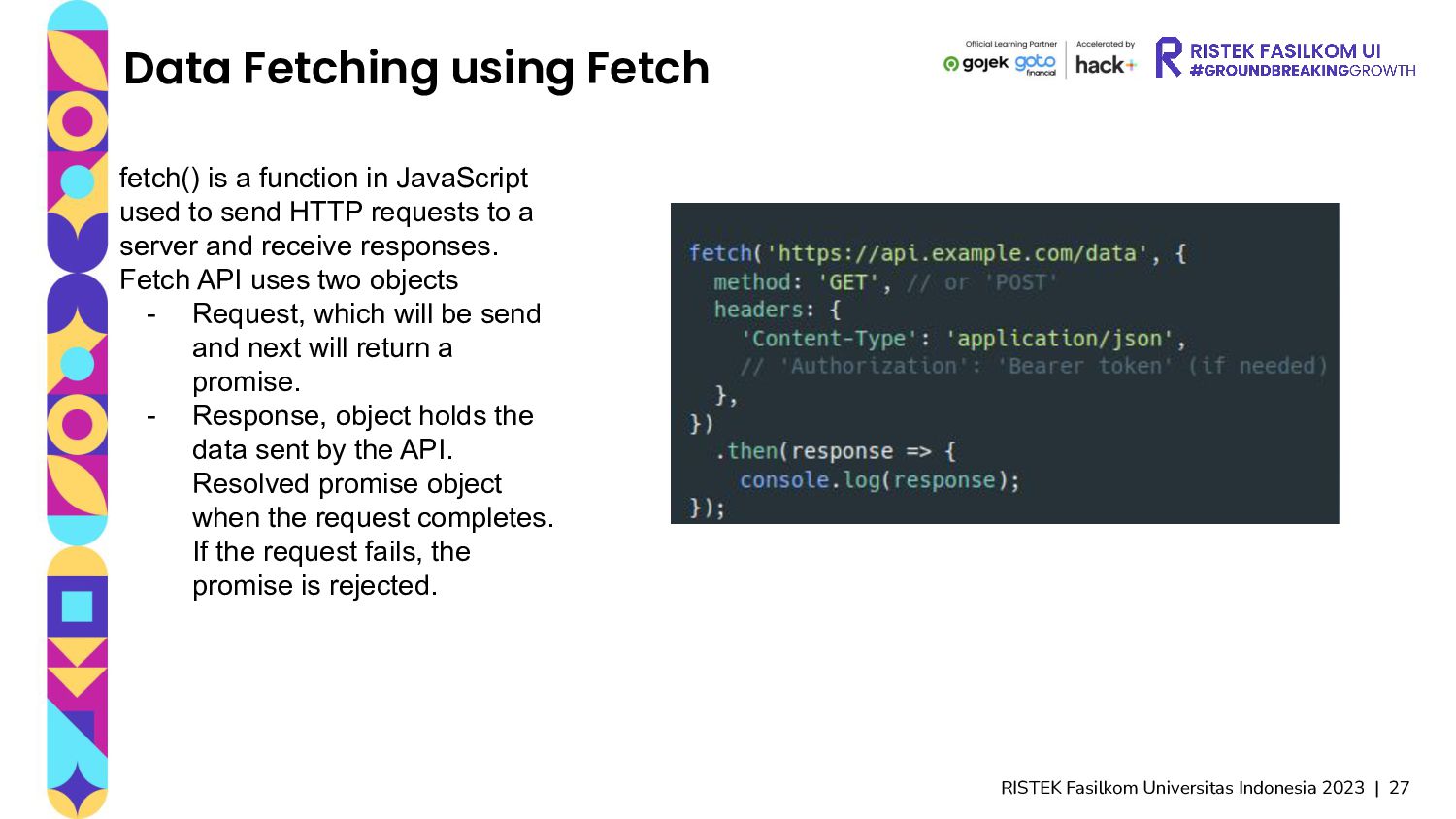
Fetch fetch() is a function in JavaScript used to send HTTP requests to a server and receive responses. Fetch API uses two objects - Request, which will be send and next will return a promise. - Response, object holds the data sent by the API. Resolved promise object when the request completes. If the request fails, the promise is rejected.
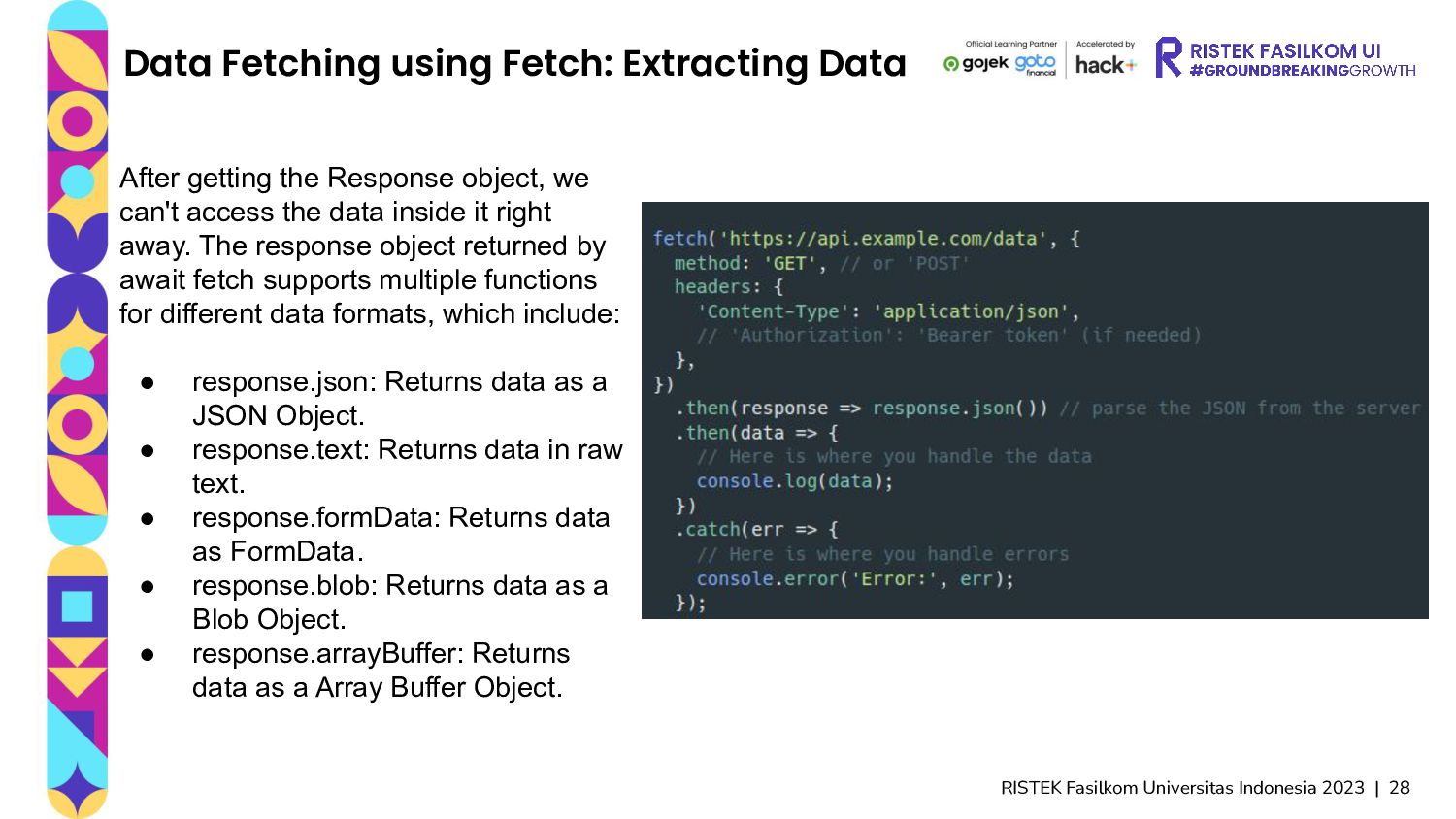
Fetch: Extracting Data After getting the Response object, we can't access the data inside it right away. The response object returned by await fetch supports multiple functions for different data formats, which include: • response.json: Returns data as a JSON Object. • response.text: Returns data in raw text. • response.formData: Returns data as FormData. • response.blob: Returns data as a Blob Object. • response.arrayBuffer: Returns data as a Array Buffer Object.
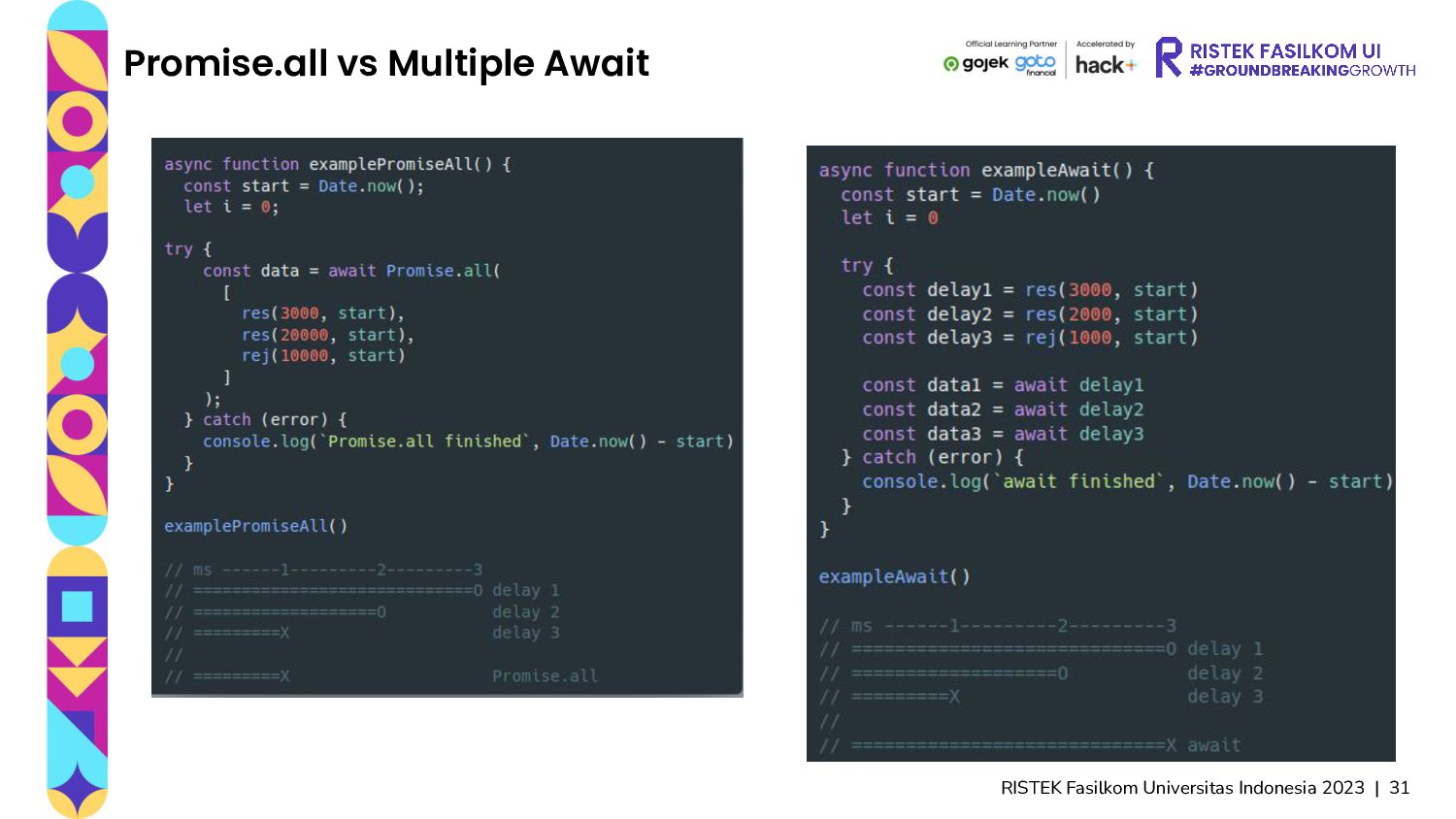
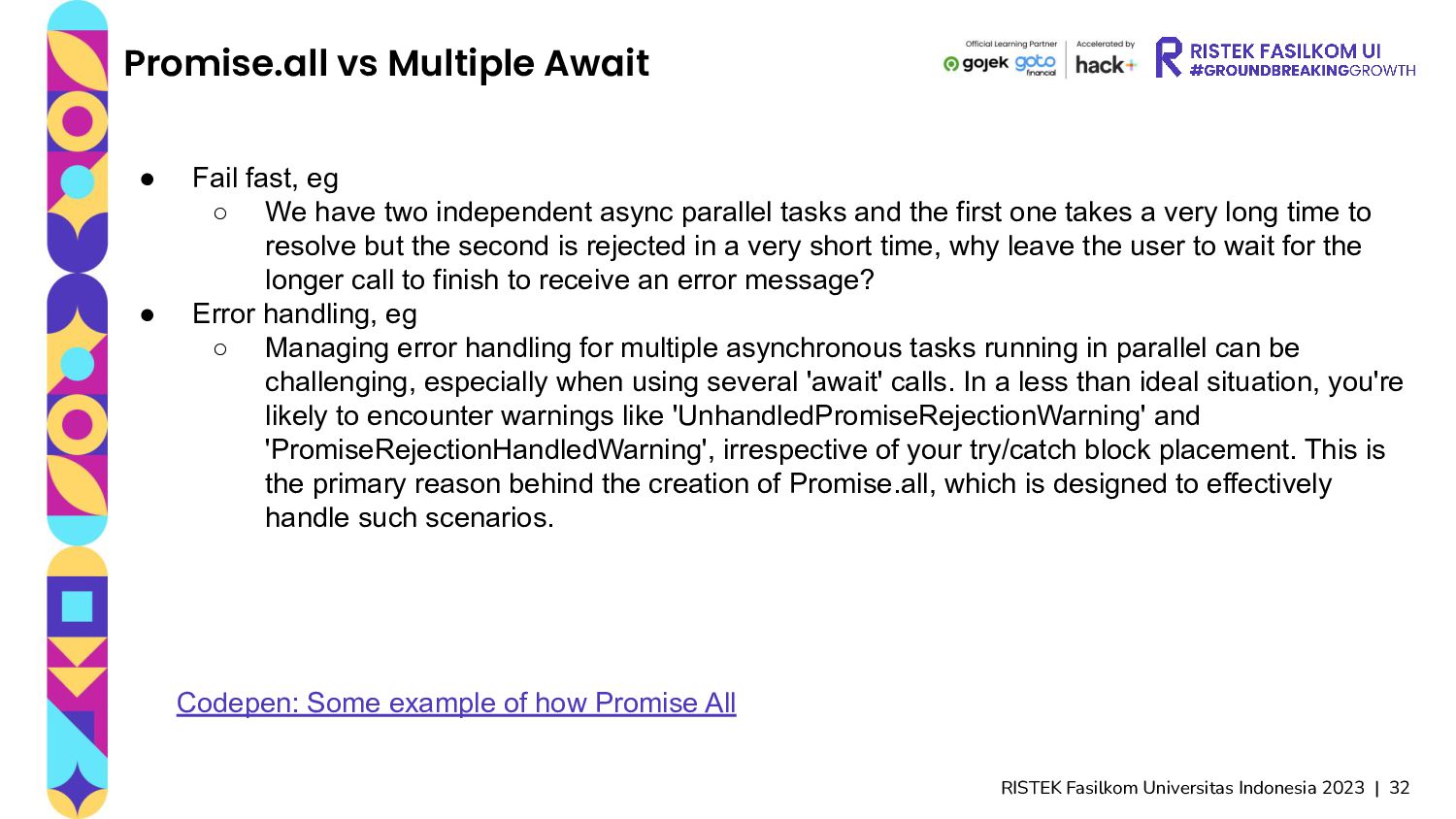
Await • Fail fast, eg ◦ We have two independent async parallel tasks and the first one takes a very long time to resolve but the second is rejected in a very short time, why leave the user to wait for the longer call to finish to receive an error message? • Error handling, eg ◦ Managing error handling for multiple asynchronous tasks running in parallel can be challenging, especially when using several 'await' calls. In a less than ideal situation, you're likely to encounter warnings like 'UnhandledPromiseRejectionWarning' and 'PromiseRejectionHandledWarning', irrespective of your try/catch block placement. This is the primary reason behind the creation of Promise.all, which is designed to effectively handle such scenarios. Codepen: Some example of how Promise All
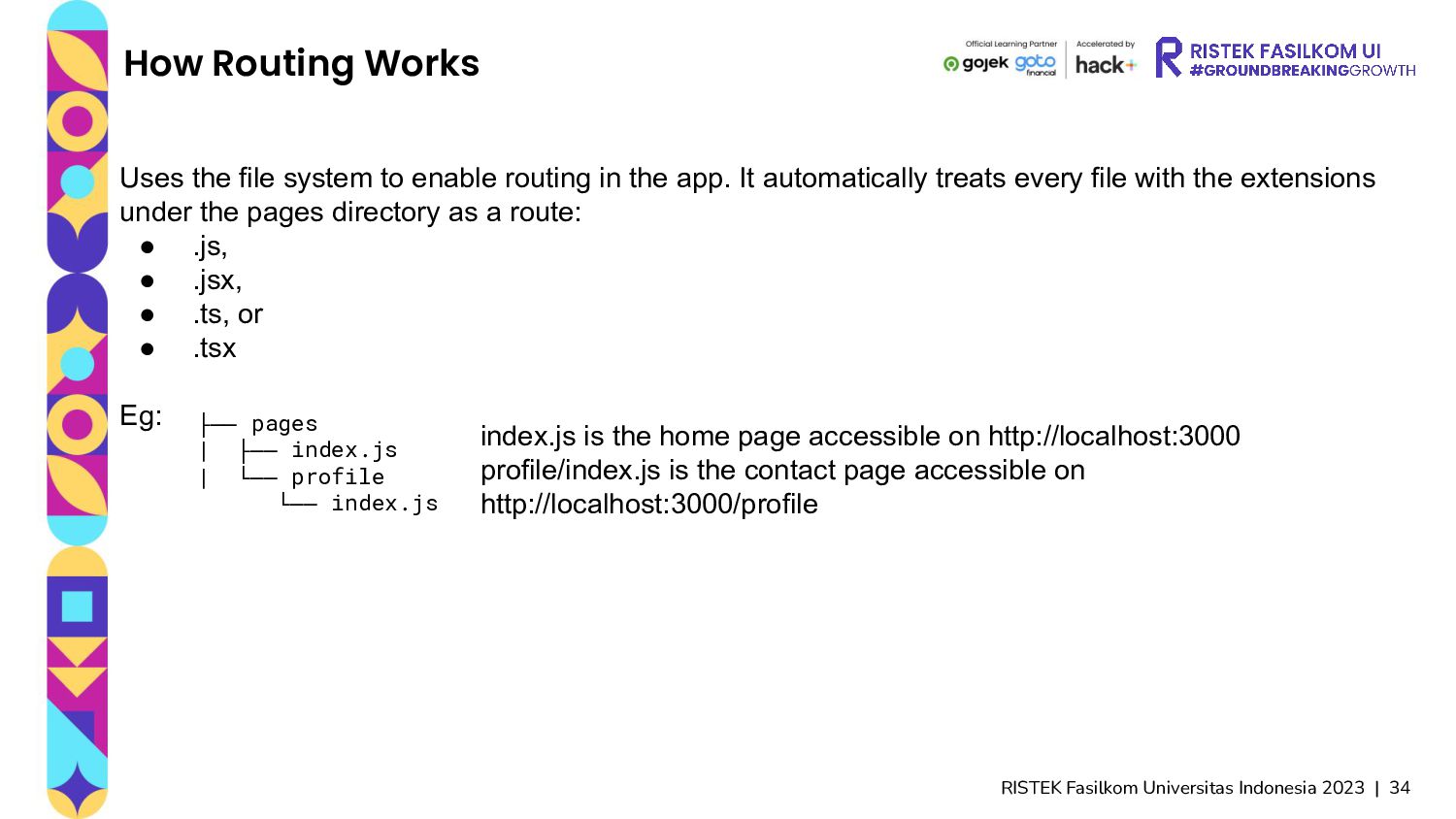
Uses the file system to enable routing in the app. It automatically treats every file with the extensions under the pages directory as a route: • .js, • .jsx, • .ts, or • .tsx Eg: ├── pages | ├── index.js | └── profile └── index.js index.js is the home page accessible on http://localhost:3000 profile/index.js is the contact page accessible on http://localhost:3000/profile
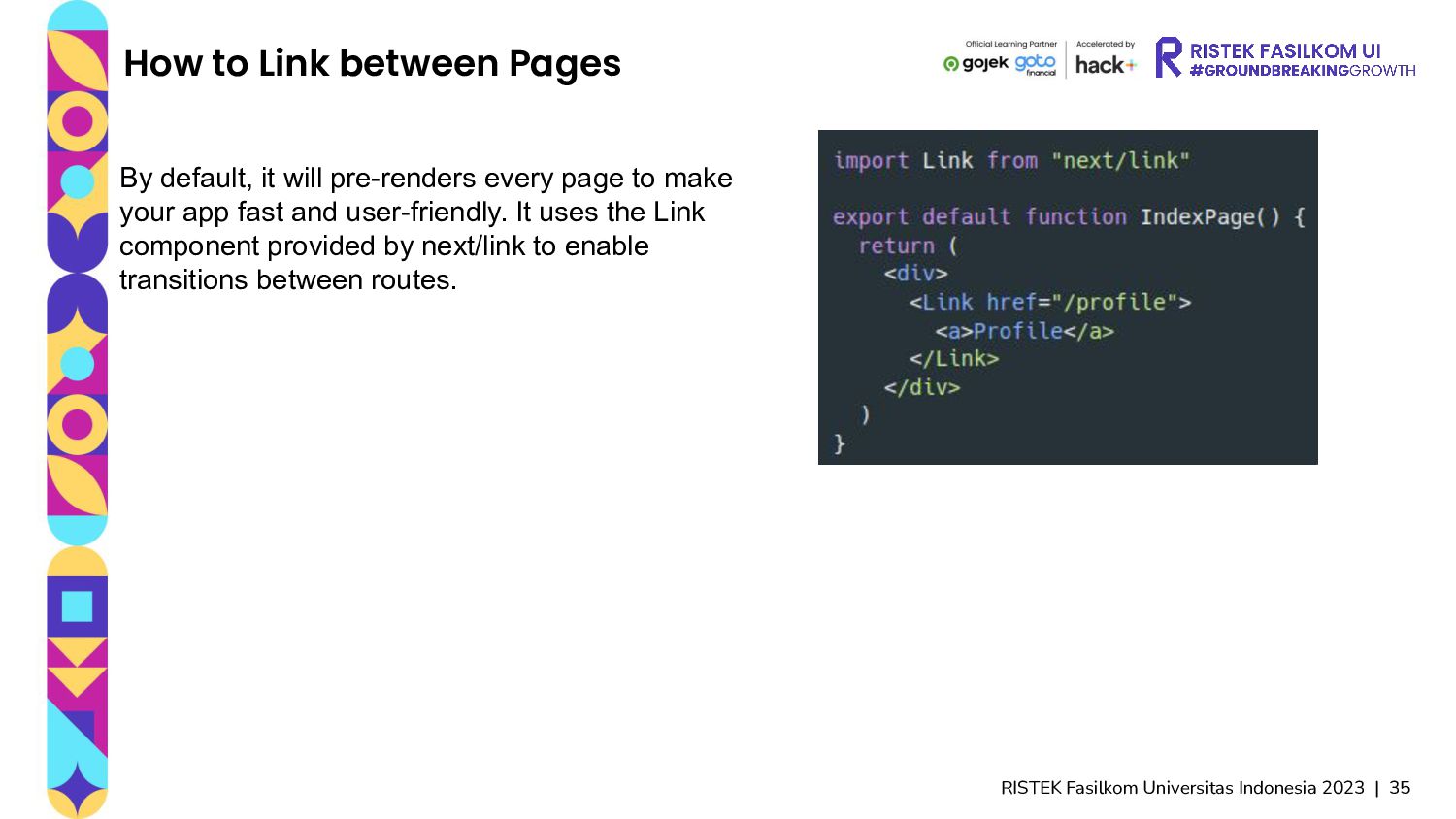
between Pages By default, it will pre-renders every page to make your app fast and user-friendly. It uses the Link component provided by next/link to enable transitions between routes.
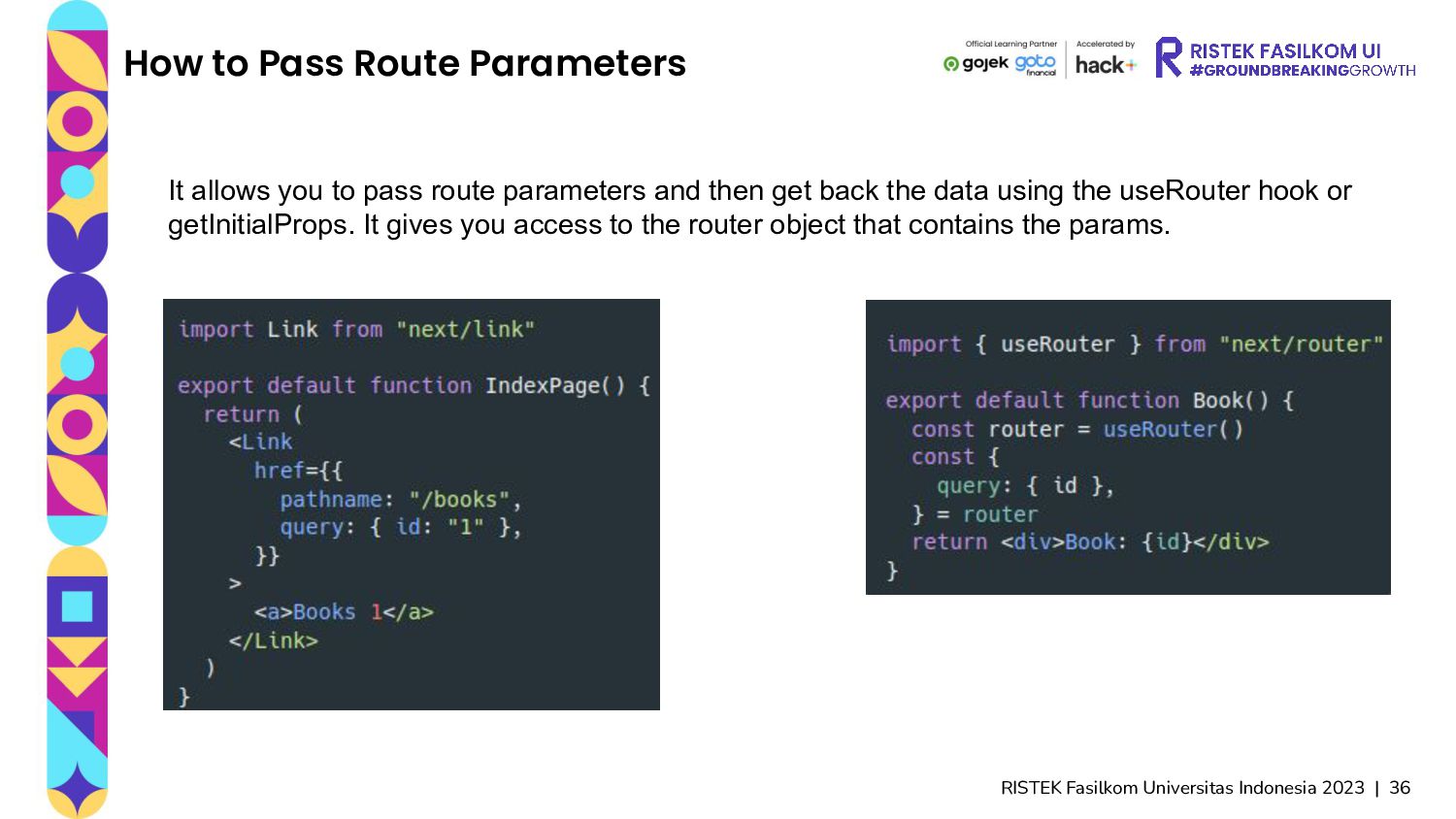
Route Parameters It allows you to pass route parameters and then get back the data using the useRouter hook or getInitialProps. It gives you access to the router object that contains the params.
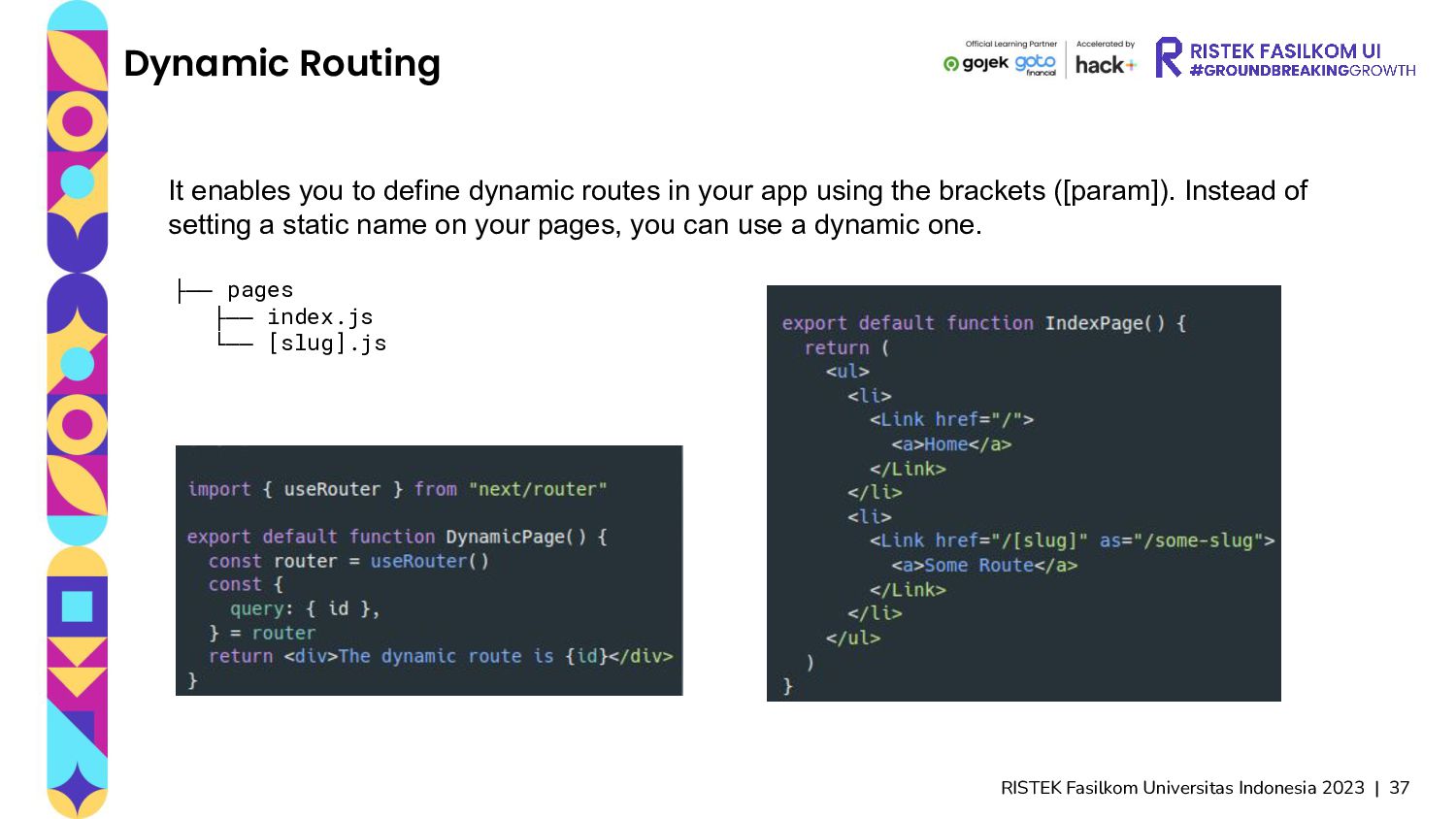
enables you to define dynamic routes in your app using the brackets ([param]). Instead of setting a static name on your pages, you can use a dynamic one. ├── pages ├── index.js └── [slug].js
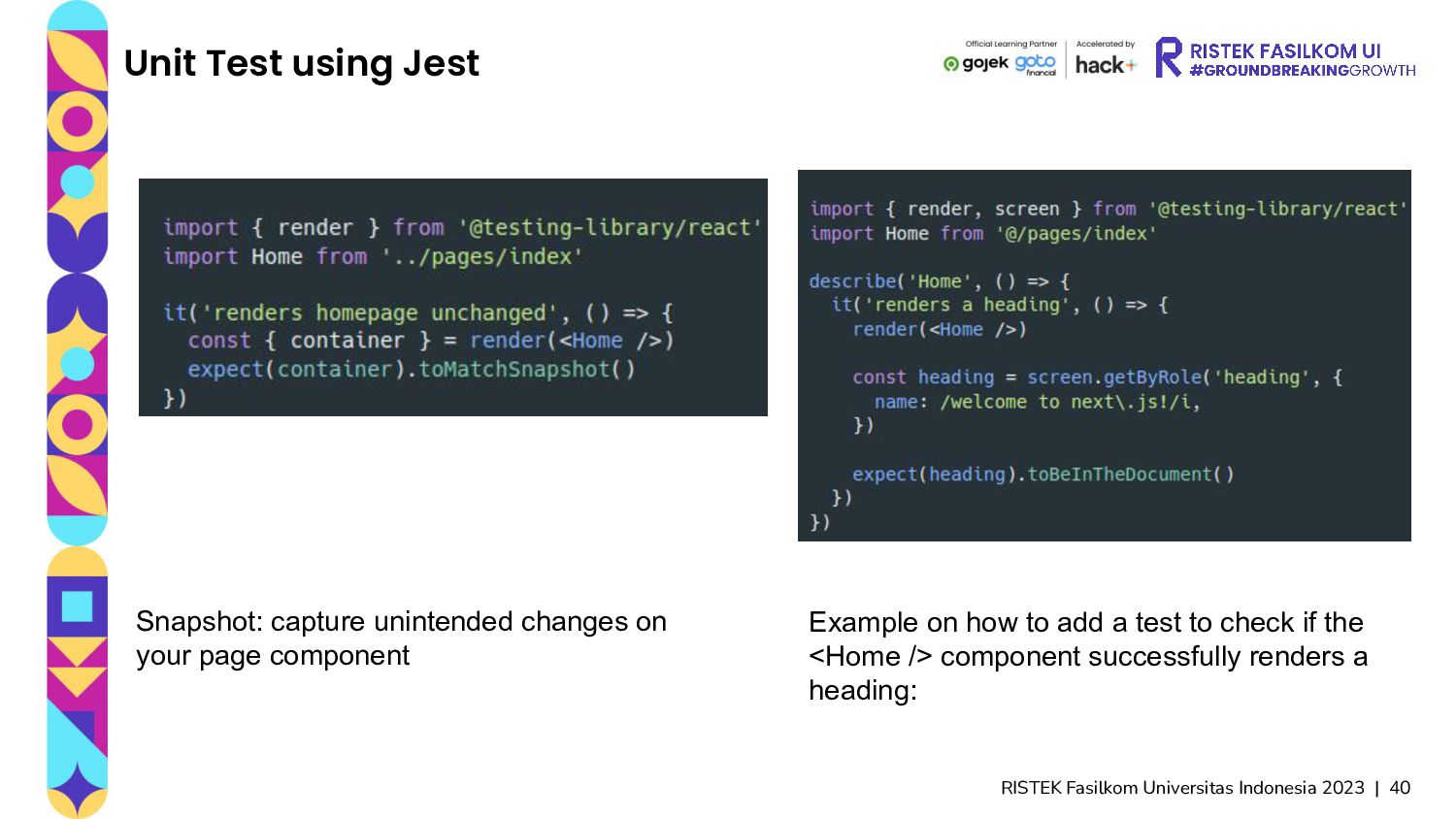
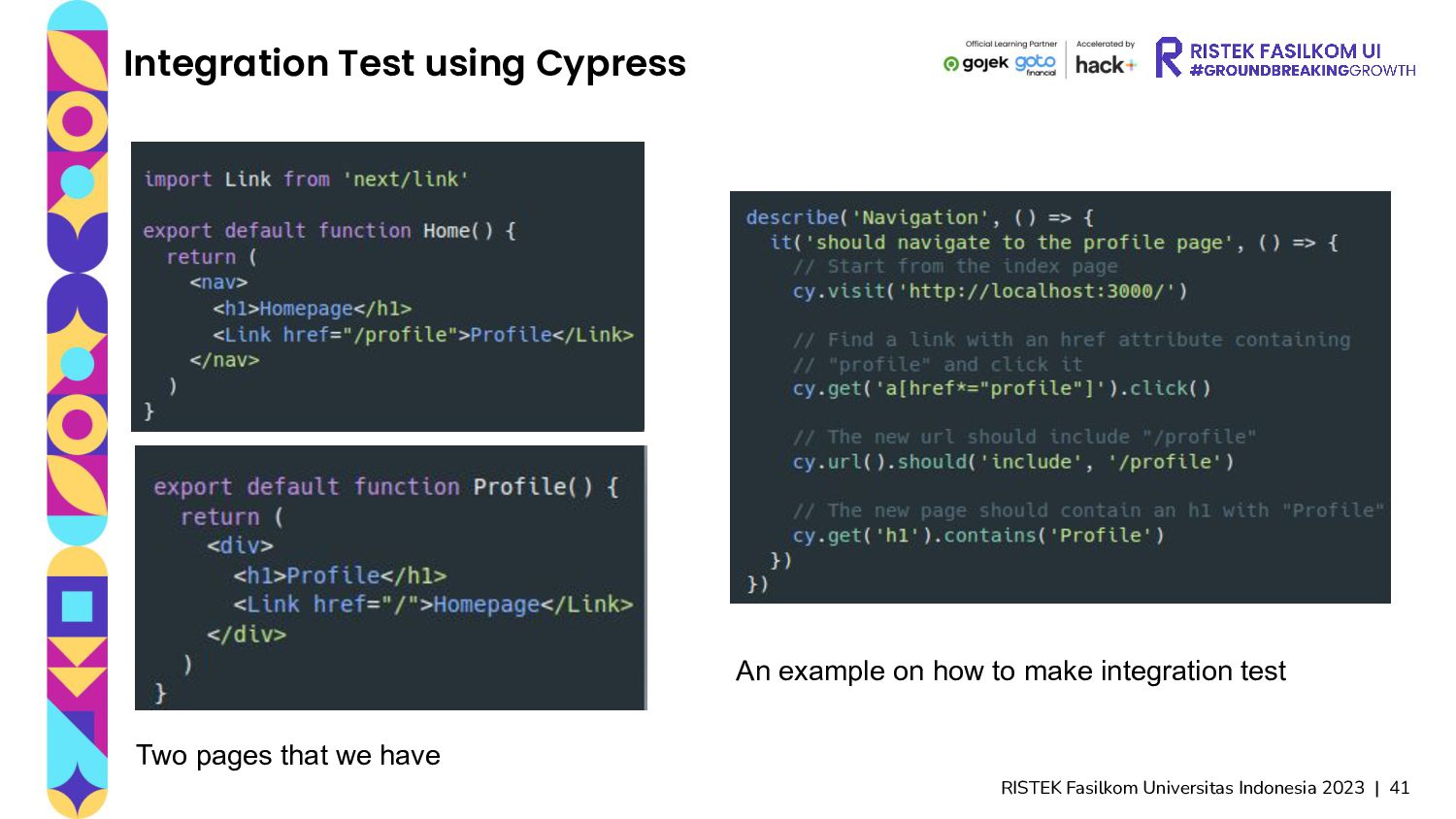
Rendering component tree, mostly asserting the output. Unit testing is also the crucial part of a software development process called test-driven development. Libraries are including jest. • End to End test, running the complete application. In practice, the isolation property of unit tests may not be enough for some functions. In this case, one solution is to test how parts of the application work together as a whole. This approach is called integration testing. Some libraries including cypress.
Jest Snapshot: capture unintended changes on your page component Example on how to add a test to check if the <Home /> component successfully renders a heading:


 irvifa
 moznion
 kaminashi
 jtakeda
 nttcom
 maimyyym
 usanchuu
 kzkhykw1991
 greenmidori
 yuuuuuuu168
.png) yamad
yamad
 odashi
 makocchi
 jlugia
 sachag
 tomoyanonymous
 afnizarnur
 rasagy
 addyosmani
 danielanewman
 sarafernandez
 geoffreycrofte
 garrettdimon
 davidcarrasco
.jpg) cargoodrich
cargoodrich