Upgrade to Pro — share decks privately, control downloads, hide ads and more …

Building a Study Buddy AI Agent from Scratch: F...

Building a Study Buddy AI Agent from Scratch: From Passive Chatbots to Autonomous Systems

Move beyond passive chatbots and discover how autonomous AI agents perceive, reason, and act in the real world by connecting to custom data and external tools.

In this comprehensive presentation and workshop guide, Patrick Eichler (Cloud Architect & SRE at YunaCloud) breaks down the massive ecosystem required to build production-grade AI agents. Whether you are looking to automate data analytics, streamline software development, or build a personalized AI assistant, this deck provides both the theoretical foundation and the practical code architecture to get started.

Key Topics Covered:
- The Anatomy of an Agent: Understanding the shift from "Talkers" to "Doers" and the four core pillars of autonomous systems: The Brain (LLMs), Memory, Planning, and Tools.
- The ReAct Loop: How agents continuously operate using the Reasoning + Acting pattern (Think, Act, Observe) to achieve complex goals.
- Retrieval-Augmented Generation (RAG): Transforming LLMs from a "closed-book" state to an "open-book" system. Learn the pipeline of document chunking, text embeddings, and vector database retrieval to ground AI responses and prevent hallucinations.
- Model Context Protocol (MCP): A deep dive into the "USB-C for AI." Learn how this open standard solves the complex integration problem, allowing AI models to safely and standardly connect to APIs, databases, and local filesystems.
- Practical Workshop (The Autonomous Study Buddy): A step-by-step walkthrough on building a local AI agent using Node.js, the Gemini API, and Docker (for Redis persistent memory).
- Production Security & Guardrails: Real-world challenges like unintended loops, compounding errors, and over-permissioning, and how to solve them using observability, human-in-the-loop designs, and enterprise tools like GCP Model Armor.

Perfect For: Cloud architects, software developers, and AI enthusiasts looking to bridge the gap between basic generative AI and autonomous, tool-wielding agentic workflows.

Avatar for Patrick Eichler

Patrick Eichler

April 30, 2026

More Decks by Patrick Eichler

Other Decks in Technology

Transcript

  1. Move beyond passive chatbots. Discover how autonomous AI agents perceive,

    reason, and act in the real world by connecting to custom data and external tools. AI Workshop: Building an AI Agent from Scratch Patrick Eichler YunaCloud
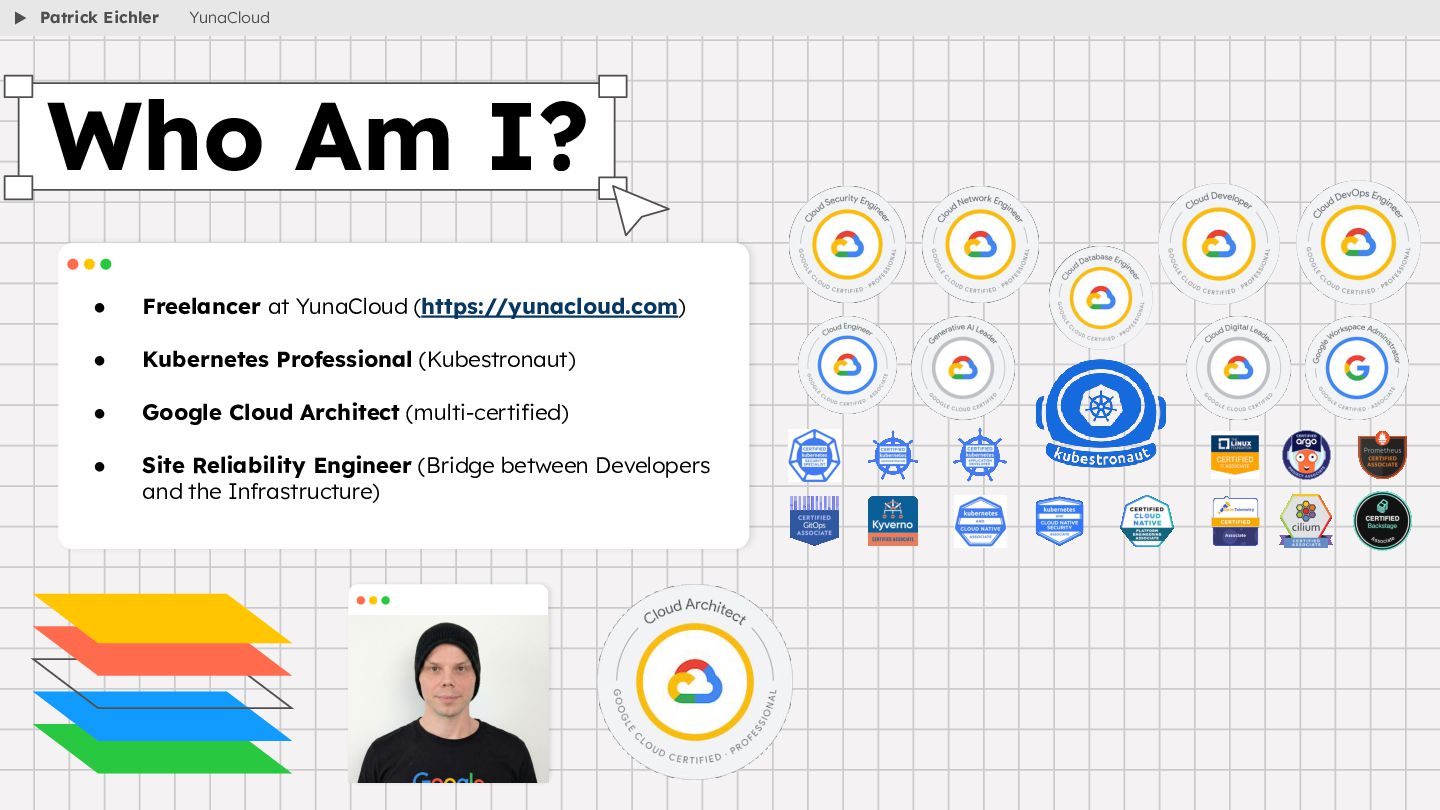
  2. • Freelancer at YunaCloud (https://yunacloud.com) • Kubernetes Professional (Kubestronaut) •

    Google Cloud Architect (multi-certified) • Site Reliability Engineer (Bridge between Developers and the Infrastructure) Who Am I? Patrick Eichler YunaCloud
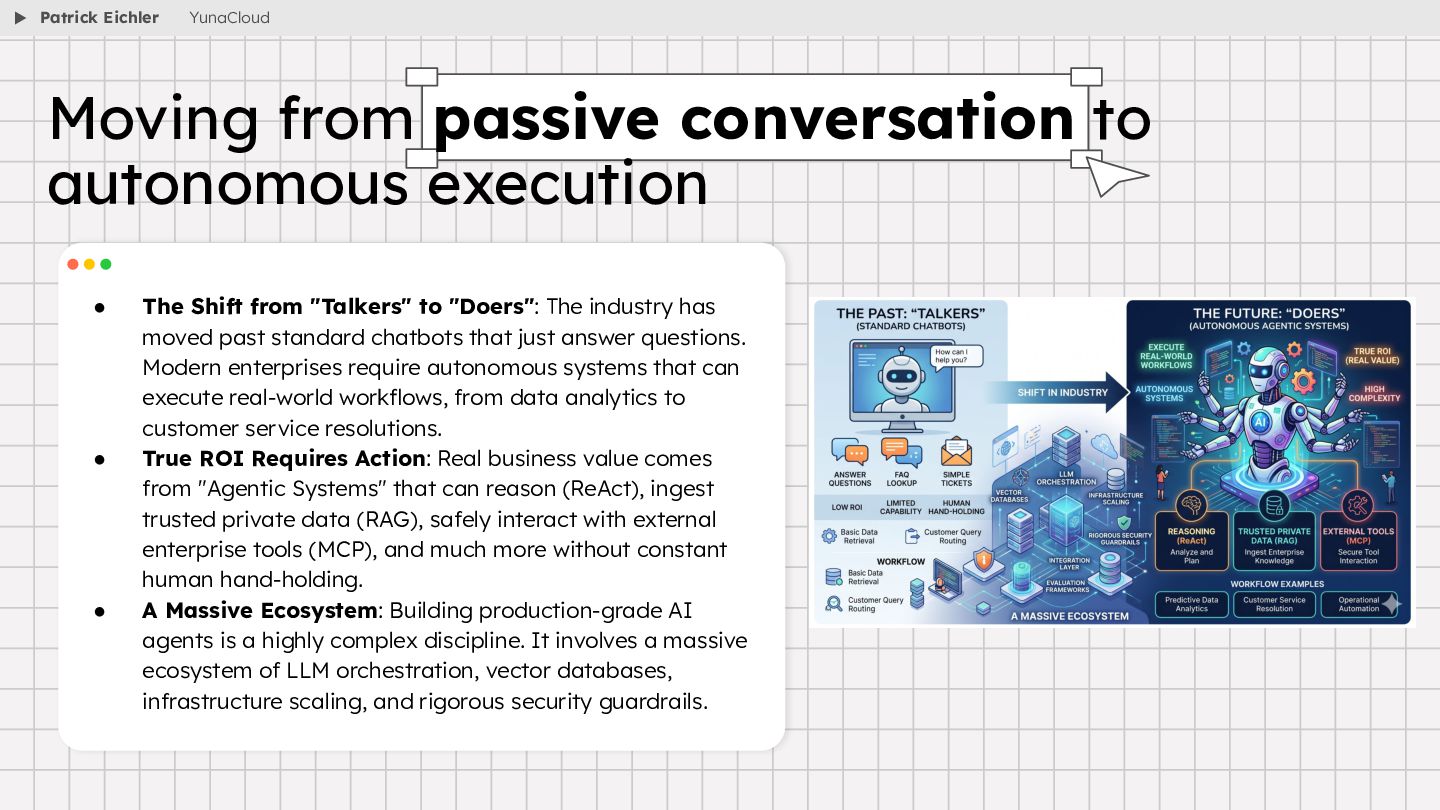
  3. • The Shift from "Talkers" to "Doers": The industry has

    moved past standard chatbots that just answer questions. Modern enterprises require autonomous systems that can execute real-world workflows, from data analytics to customer service resolutions. • True ROI Requires Action: Real business value comes from "Agentic Systems" that can reason (ReAct), ingest trusted private data (RAG), safely interact with external enterprise tools (MCP), and much more without constant human hand-holding. • A Massive Ecosystem: Building production-grade AI agents is a highly complex discipline. It involves a massive ecosystem of LLM orchestration, vector databases, infrastructure scaling, and rigorous security guardrails. Moving from passive conversation to autonomous execution Patrick Eichler YunaCloud
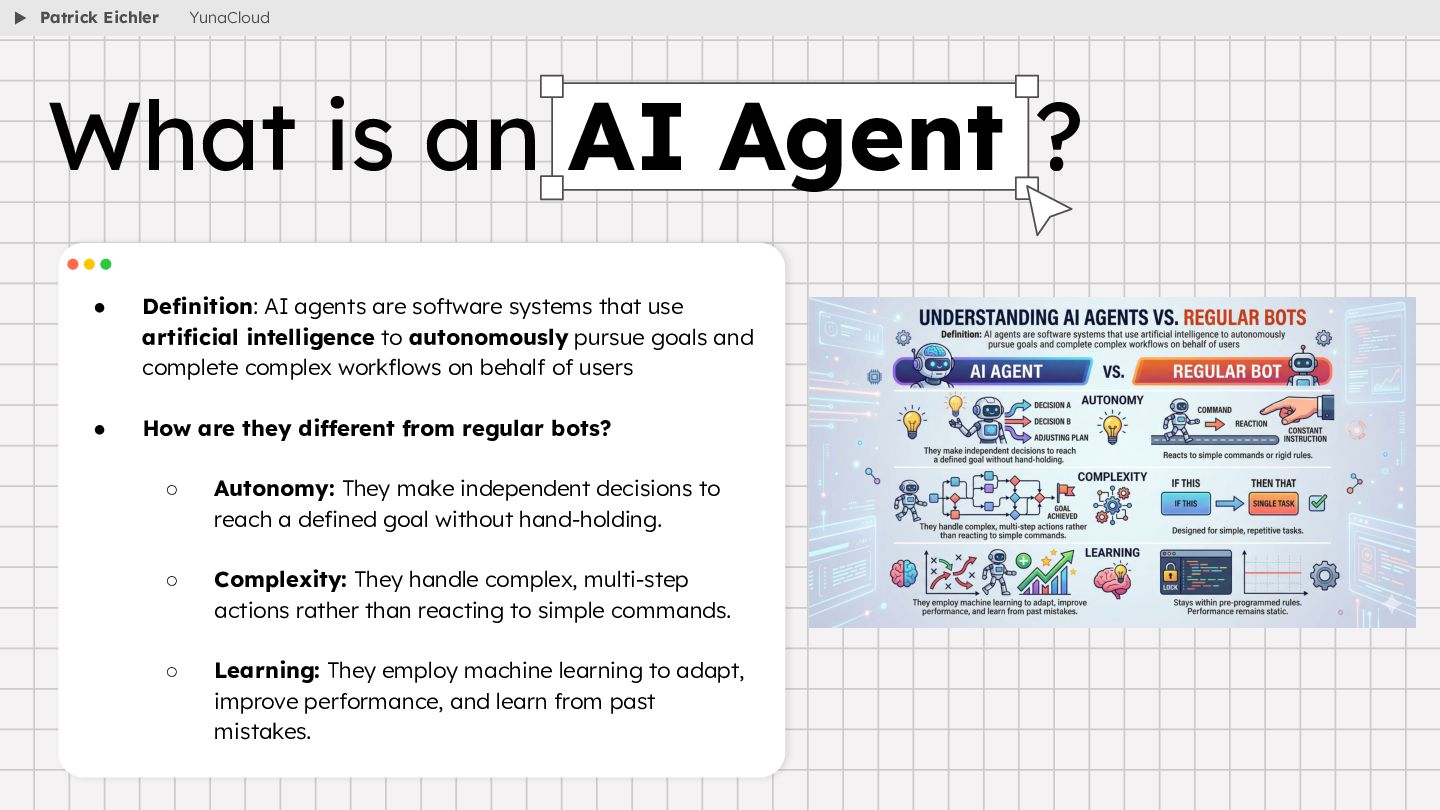
  4. • Definition: AI agents are software systems that use artificial

    intelligence to autonomously pursue goals and complete complex workflows on behalf of users • How are they different from regular bots? ◦ Autonomy: They make independent decisions to reach a defined goal without hand-holding. ◦ Complexity: They handle complex, multi-step actions rather than reacting to simple commands. ◦ Learning: They employ machine learning to adapt, improve performance, and learn from past mistakes. What is an AI Agent ? Patrick Eichler YunaCloud
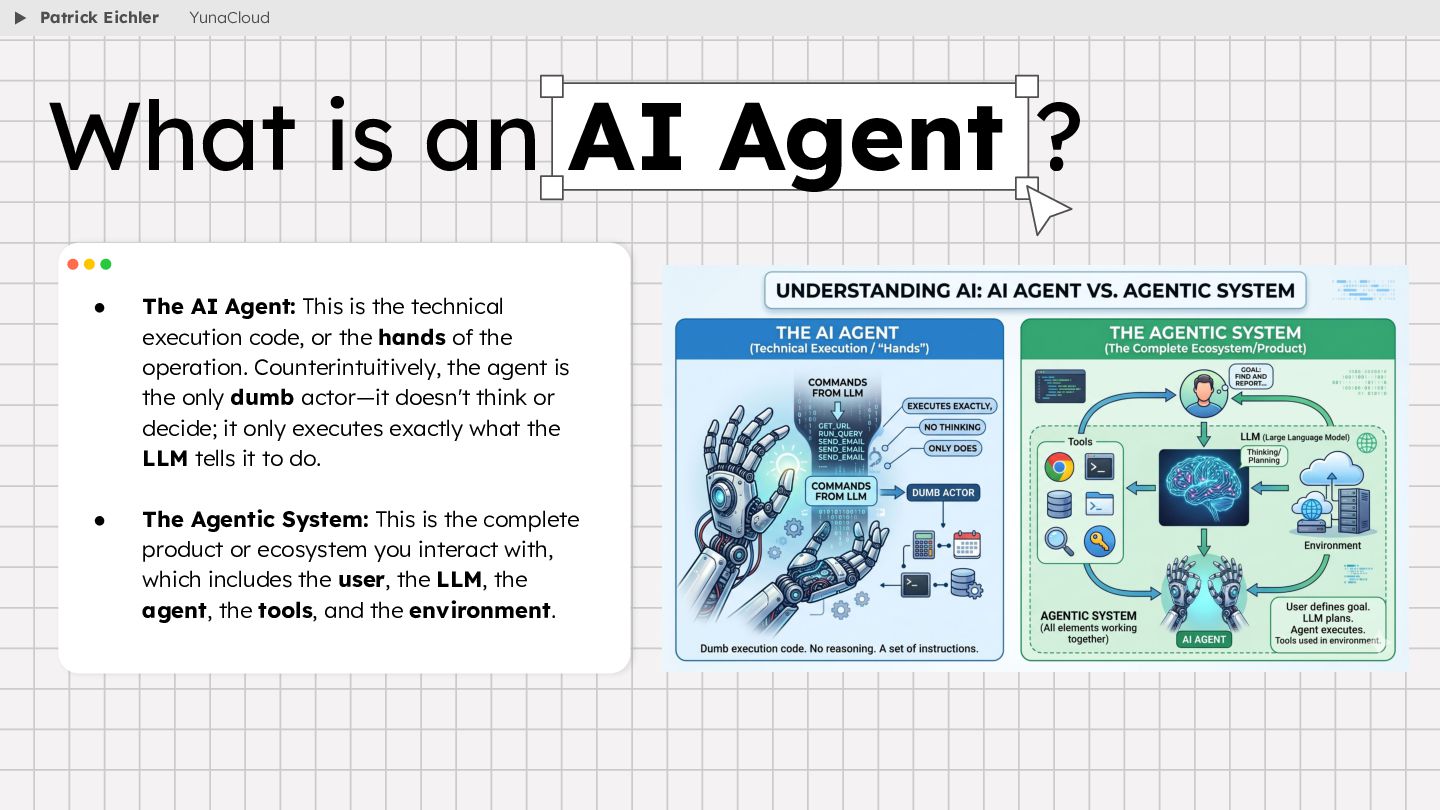
  5. • The AI Agent: This is the technical execution code,

    or the hands of the operation. Counterintuitively, the agent is the only dumb actor—it doesn't think or decide; it only executes exactly what the LLM tells it to do. • The Agentic System: This is the complete product or ecosystem you interact with, which includes the user, the LLM, the agent, the tools, and the environment. What is an AI Agent ? Patrick Eichler YunaCloud
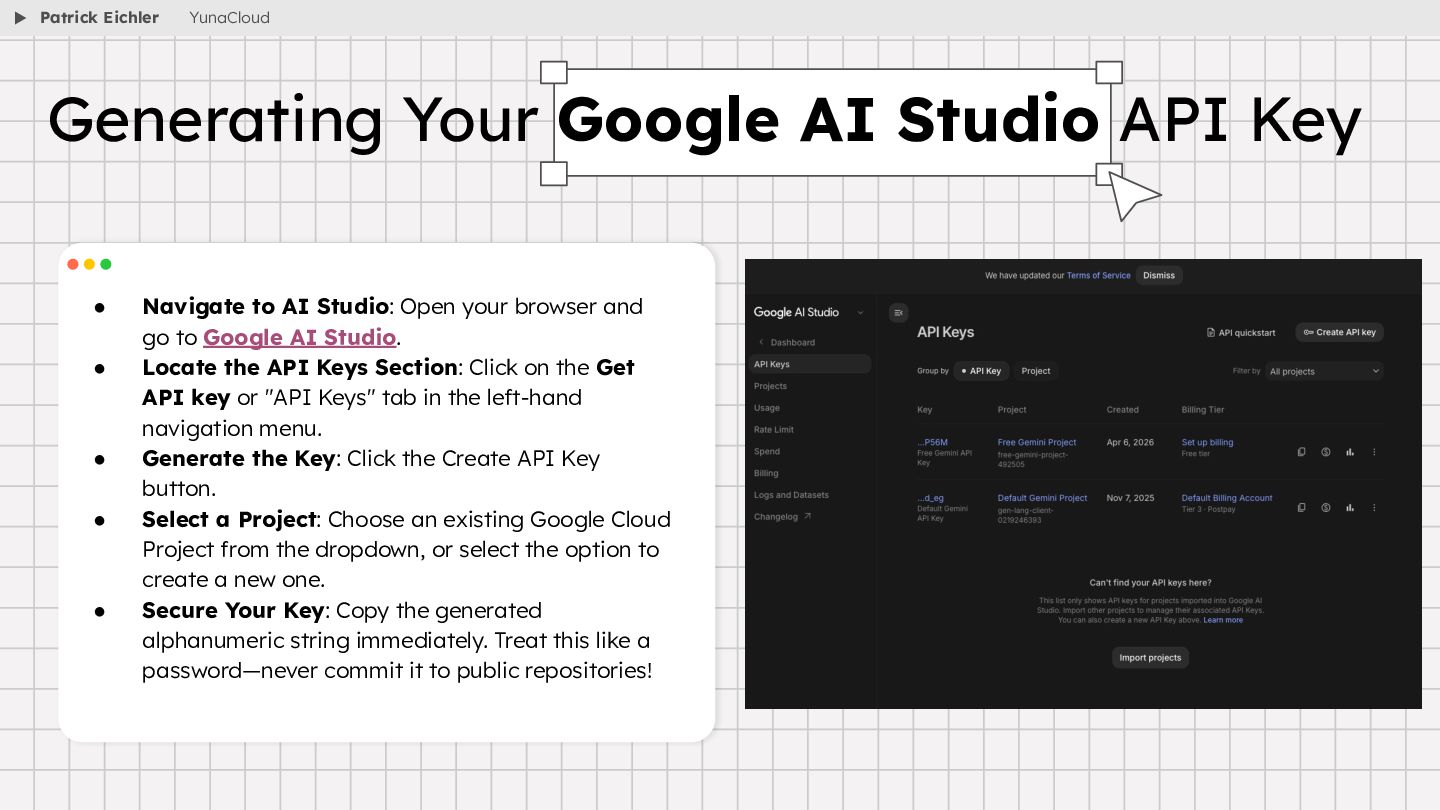
  6. • Navigate to AI Studio: Open your browser and go

    to Google AI Studio. • Locate the API Keys Section: Click on the Get API key or "API Keys" tab in the left-hand navigation menu. • Generate the Key: Click the Create API Key button. • Select a Project: Choose an existing Google Cloud Project from the dropdown, or select the option to create a new one. • Secure Your Key: Copy the generated alphanumeric string immediately. Treat this like a password—never commit it to public repositories! Generating Your Google AI Studio API Key Patrick Eichler YunaCloud
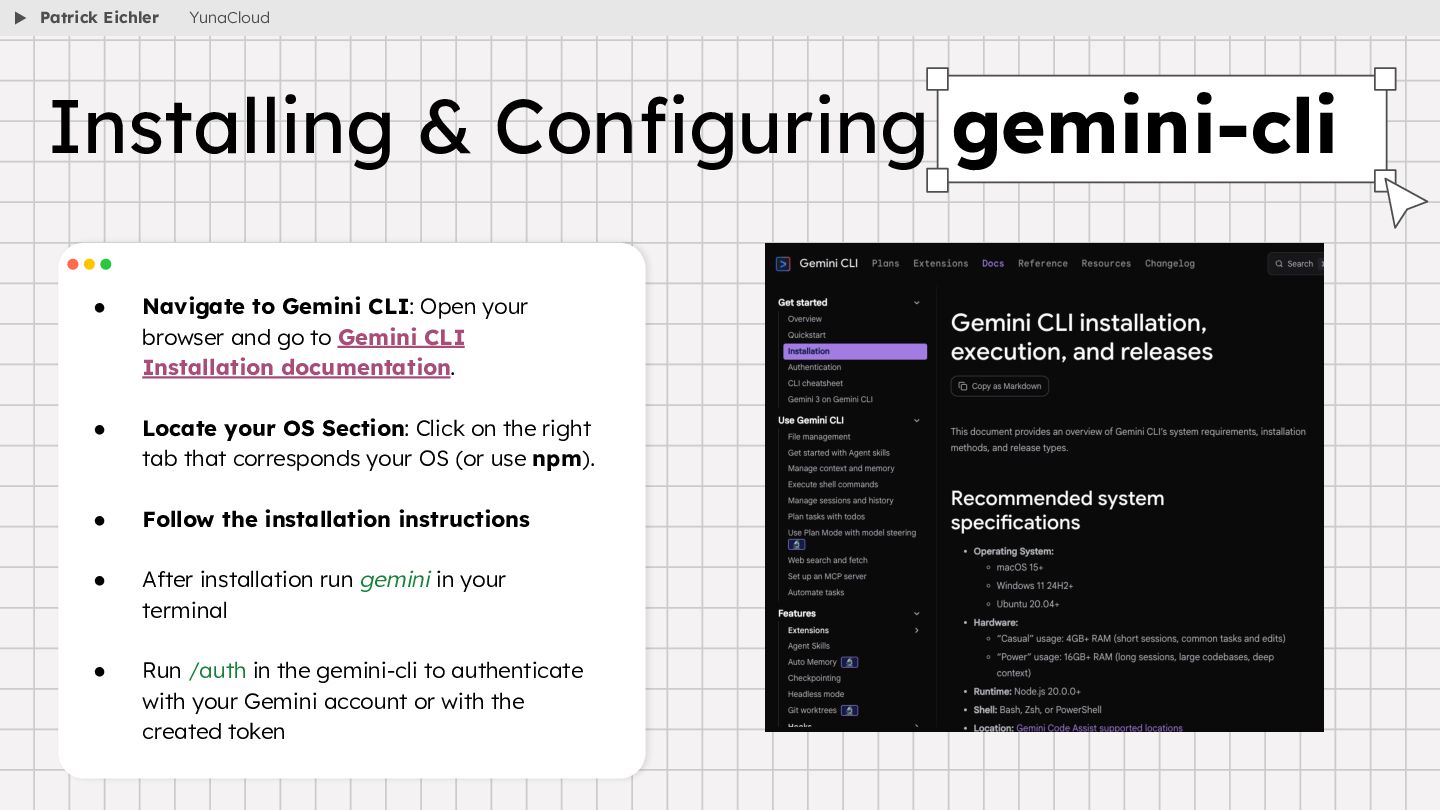
  7. • Navigate to Gemini CLI: Open your browser and go
    to Gemini CLI Installation documentation. • Locate your OS Section: Click on the right tab that corresponds your OS (or use npm). • Follow the installation instructions • After installation run gemini in your terminal • Run /auth in the gemini-cli to authenticate with your Gemini account or with the created token Installing & Configuring gemini-cli Patrick Eichler YunaCloud
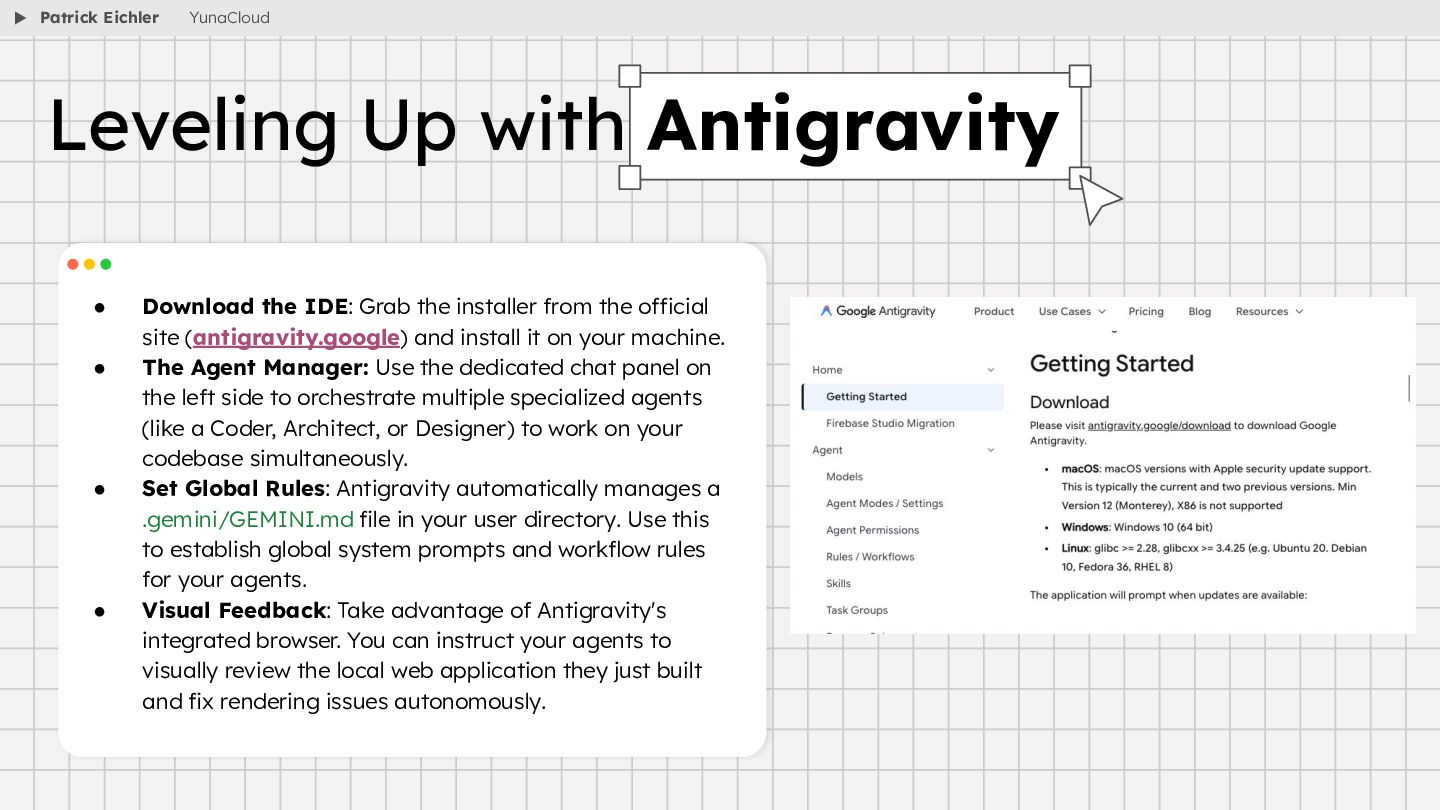
  8. • Download the IDE: Grab the installer from the official

    site (antigravity.google) and install it on your machine. • The Agent Manager: Use the dedicated chat panel on the left side to orchestrate multiple specialized agents (like a Coder, Architect, or Designer) to work on your codebase simultaneously. • Set Global Rules: Antigravity automatically manages a .gemini/GEMINI.md file in your user directory. Use this to establish global system prompts and workflow rules for your agents. • Visual Feedback: Take advantage of Antigravity's integrated browser. You can instruct your agents to visually review the local web application they just built and fix rendering issues autonomously. Leveling Up with Antigravity Patrick Eichler YunaCloud
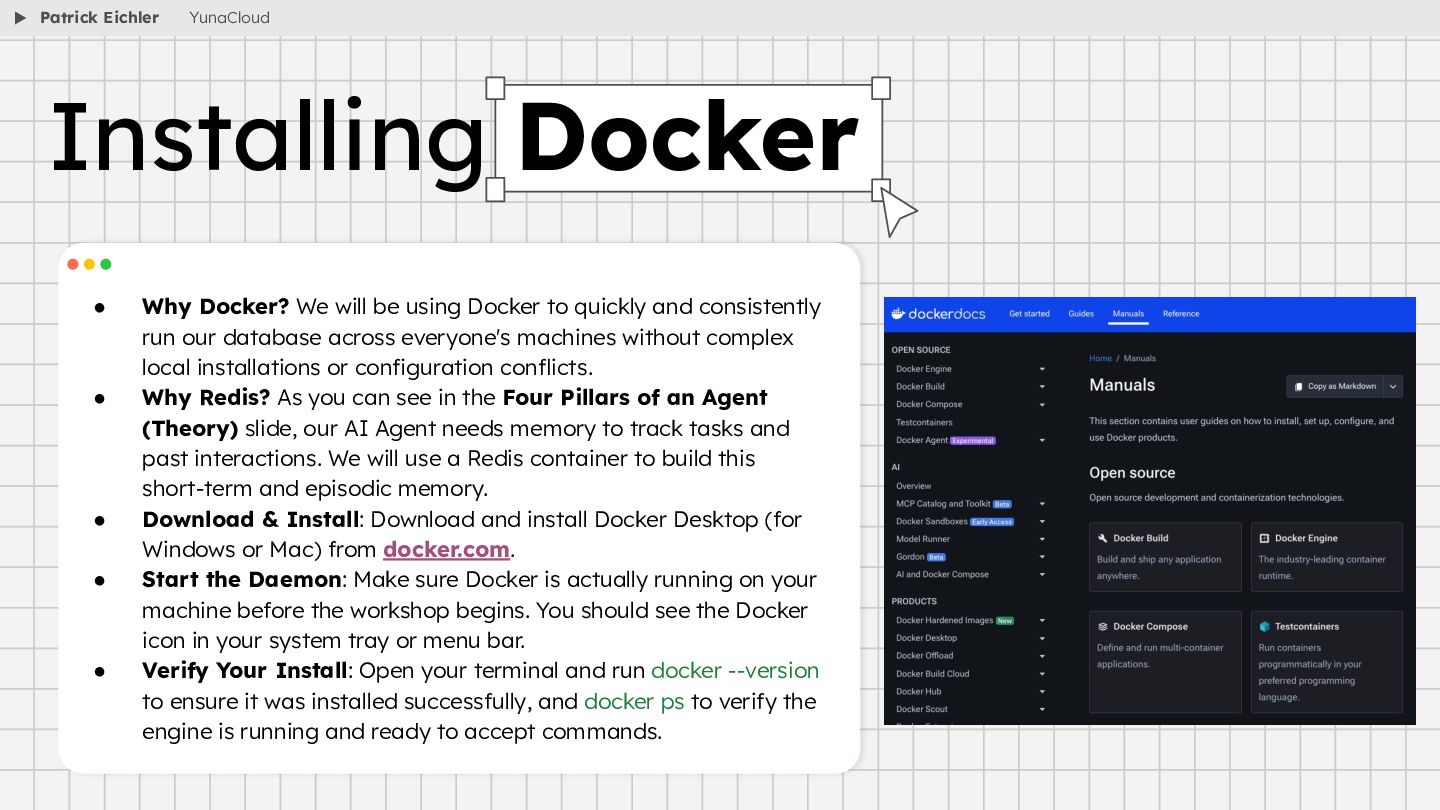
  9. • Why Docker? We will be using Docker to quickly

    and consistently run our database across everyone's machines without complex local installations or configuration conflicts. • Why Redis? As you can see in the Four Pillars of an Agent (Theory) slide, our AI Agent needs memory to track tasks and past interactions. We will use a Redis container to build this short-term and episodic memory. • Download & Install: Download and install Docker Desktop (for Windows or Mac) from docker.com. • Start the Daemon: Make sure Docker is actually running on your machine before the workshop begins. You should see the Docker icon in your system tray or menu bar. • Verify Your Install: Open your terminal and run docker --version to ensure it was installed successfully, and docker ps to verify the engine is running and ready to accept commands. Installing Docker Patrick Eichler YunaCloud
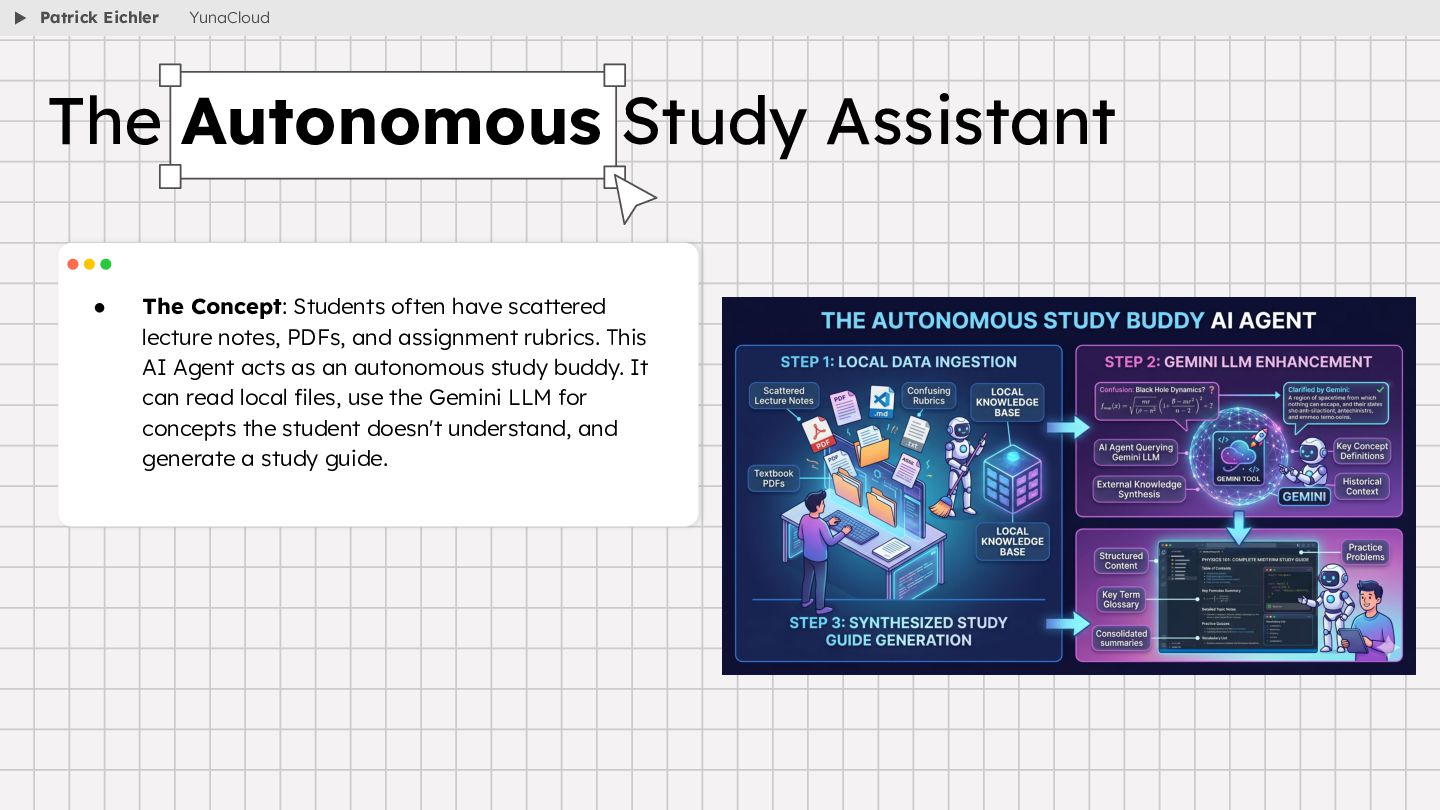
  10. • The Concept: Students often have scattered lecture notes, PDFs,

    and assignment rubrics. This AI Agent acts as an autonomous study buddy. It can read local files, use the Gemini LLM for concepts the student doesn't understand, and generate a study guide. The Autonomous Study Assistant Patrick Eichler YunaCloud
  11. • The Brain (LLM): You, as a student, will be

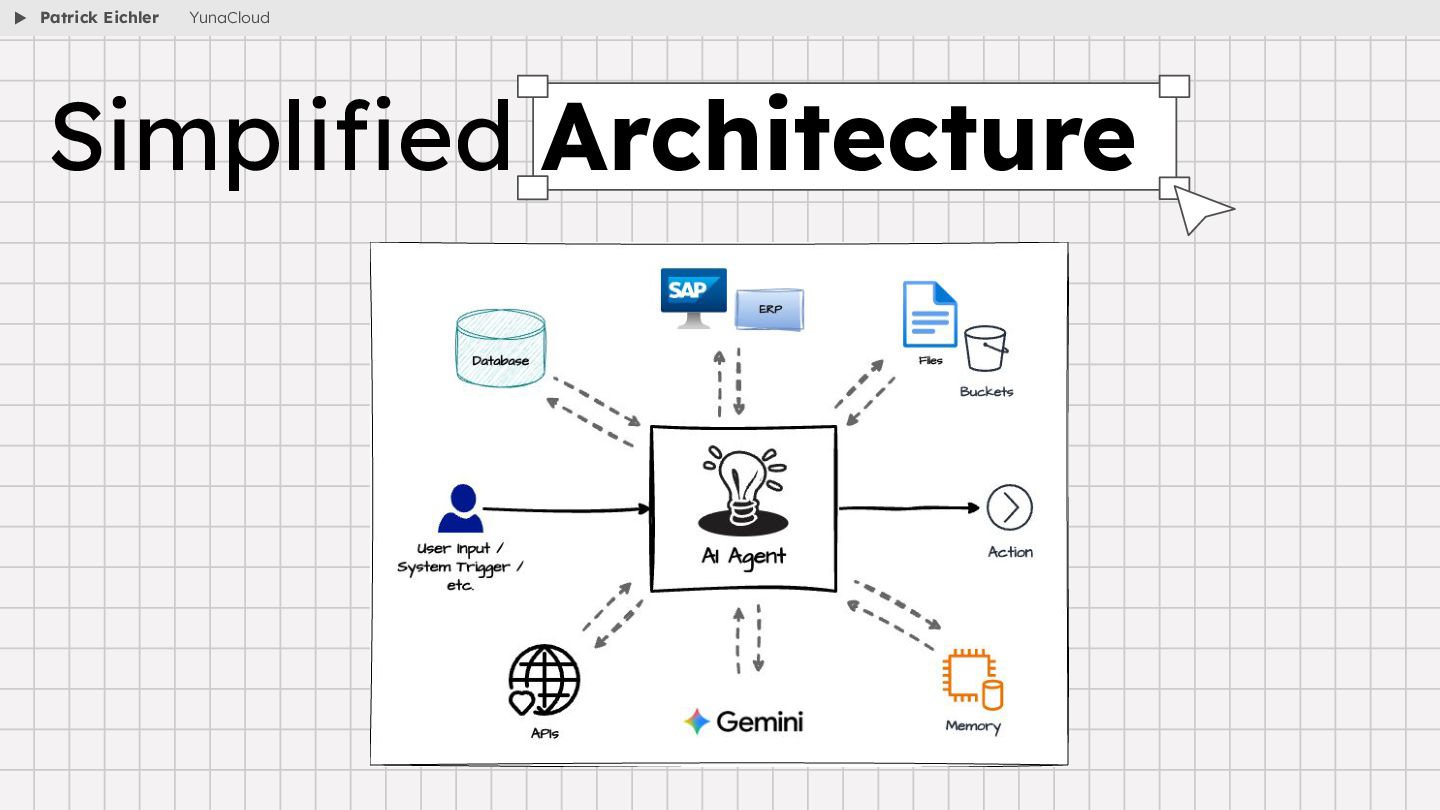
    using an LLM (like Gemini) to process your questions, understand language, and reason through study problems. • Memory (Redis): Agents need short-term and episodic memory to track tasks and past interactions. The Redis container will allow the Study Helper AI Agent to remember what you asked five minutes ago. • Tools (MCP): By integrating the Model Context Protocol (MCP), you are giving the agent hands to interact with the real world safely. Connecting to the local file system or web search (not included in this workshop) allows the agent to pull in outside context dynamically without custom glue code. • Planning & RAG: RAG is the perfect solution for a Study Helper AI Agent. Instead of relying on the LLM's memorized training data (which might hallucinate facts), the agent will ingest your lecture_notes PDFs. It will chop them into chunks, convert them to embeddings, and retrieve the exact facts needed to answer your student questions. The Architecture of Our Agent Patrick Eichler YunaCloud
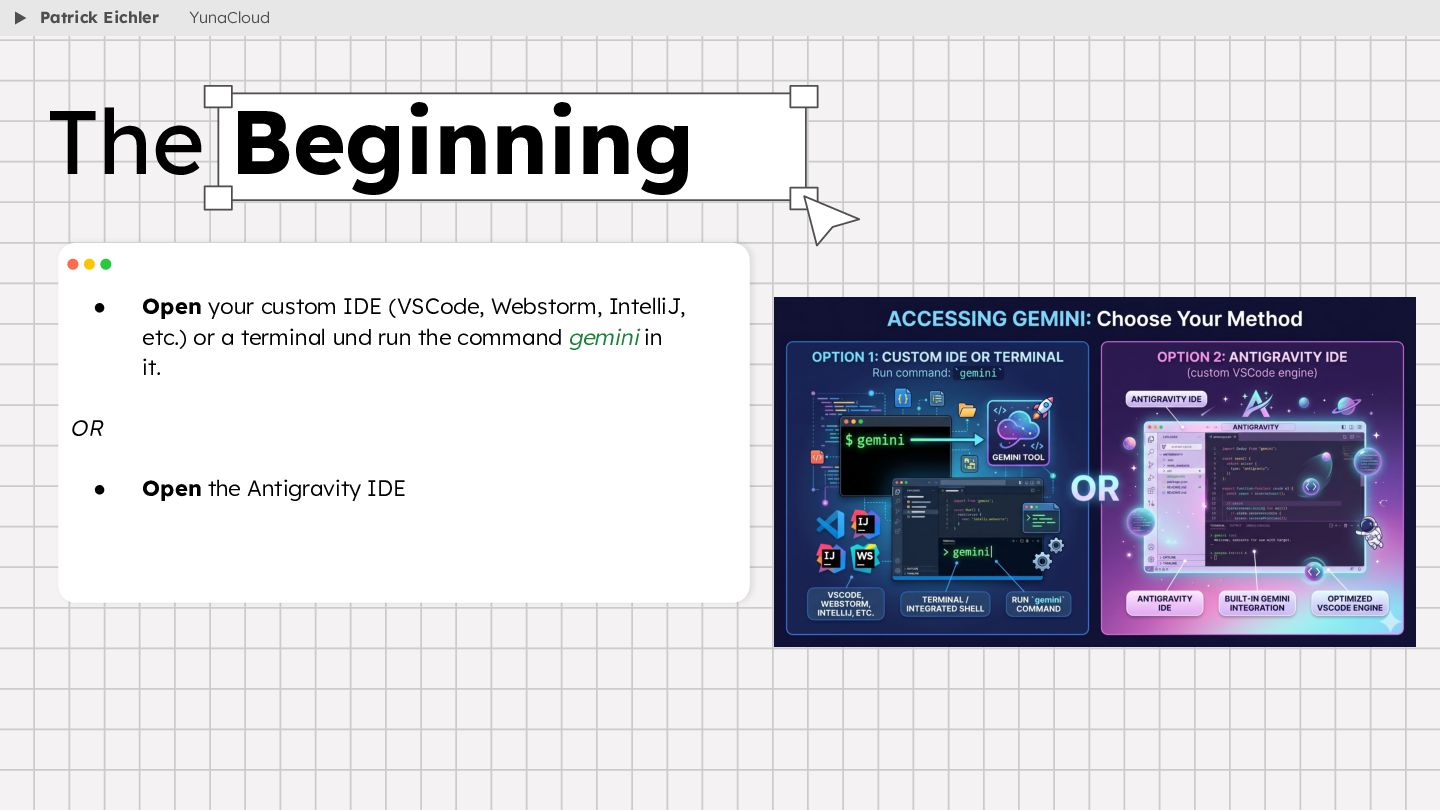
  12. • Open your custom IDE (VSCode, Webstorm, IntelliJ, etc.) or

    a terminal und run the command gemini in it. OR • Open the Antigravity IDE The Beginning Patrick Eichler YunaCloud
  13. • The gemini-cli prompt: ◦ Create a .gemini/GEMINI.md file in

    the root of my project. This file must instruct all AI agents working on this codebase to follow these rules: ▪ Write all code in modern, asynchronous Node.js. ▪ Prioritize writing clean, modular, and well-documented code. ▪ Strictly prioritize using Node.js standard libraries over external third-party packages whenever possible to minimize dependencies. ▪ Handle errors gracefully and log them clearly. Establishing the Global Rules Patrick Eichler YunaCloud
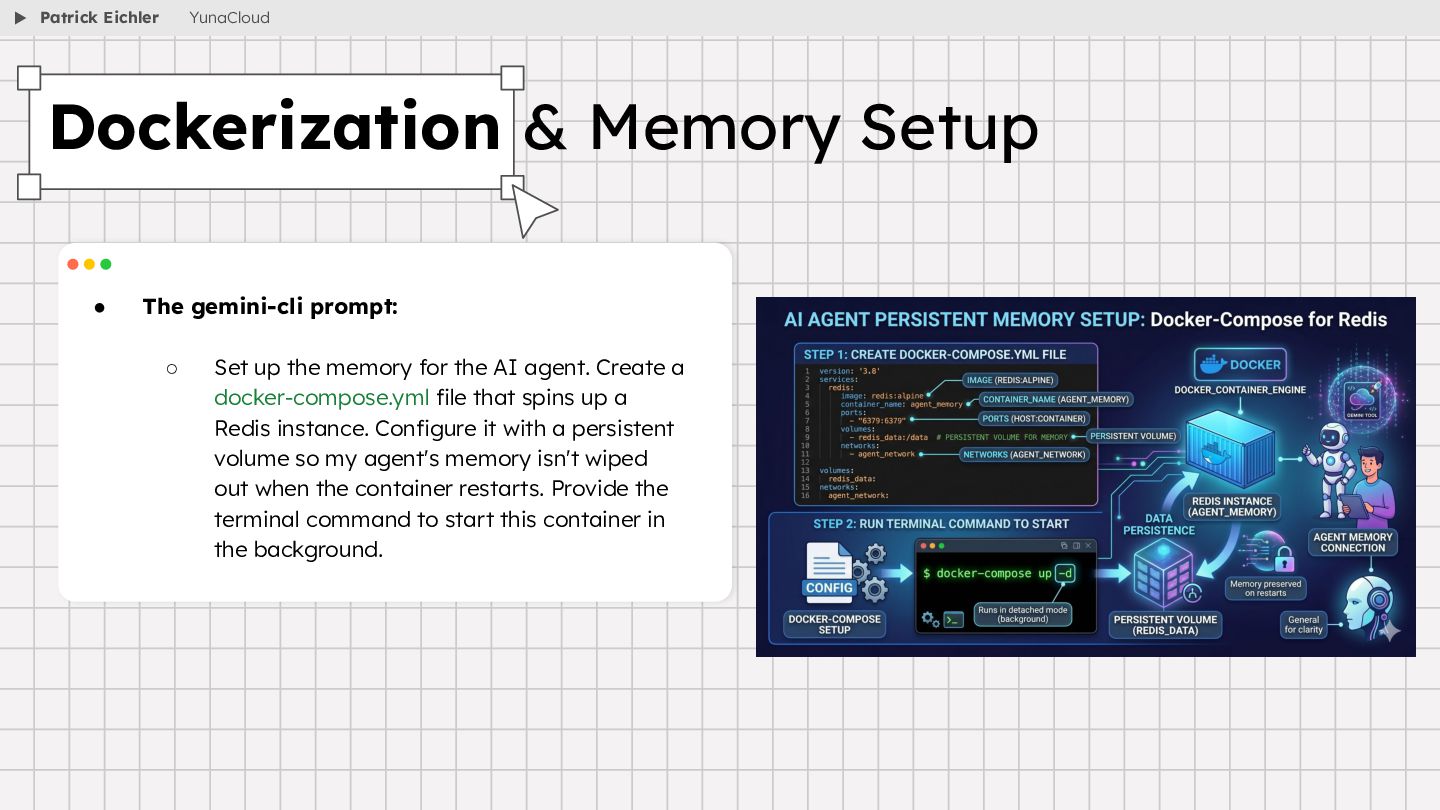
  14. • The gemini-cli prompt: ◦ Set up the memory for

    the AI agent. Create a docker-compose.yml file that spins up a Redis instance. Configure it with a persistent volume so my agent's memory isn't wiped out when the container restarts. Provide the terminal command to start this container in the background. Dockerization & Memory Setup Patrick Eichler YunaCloud
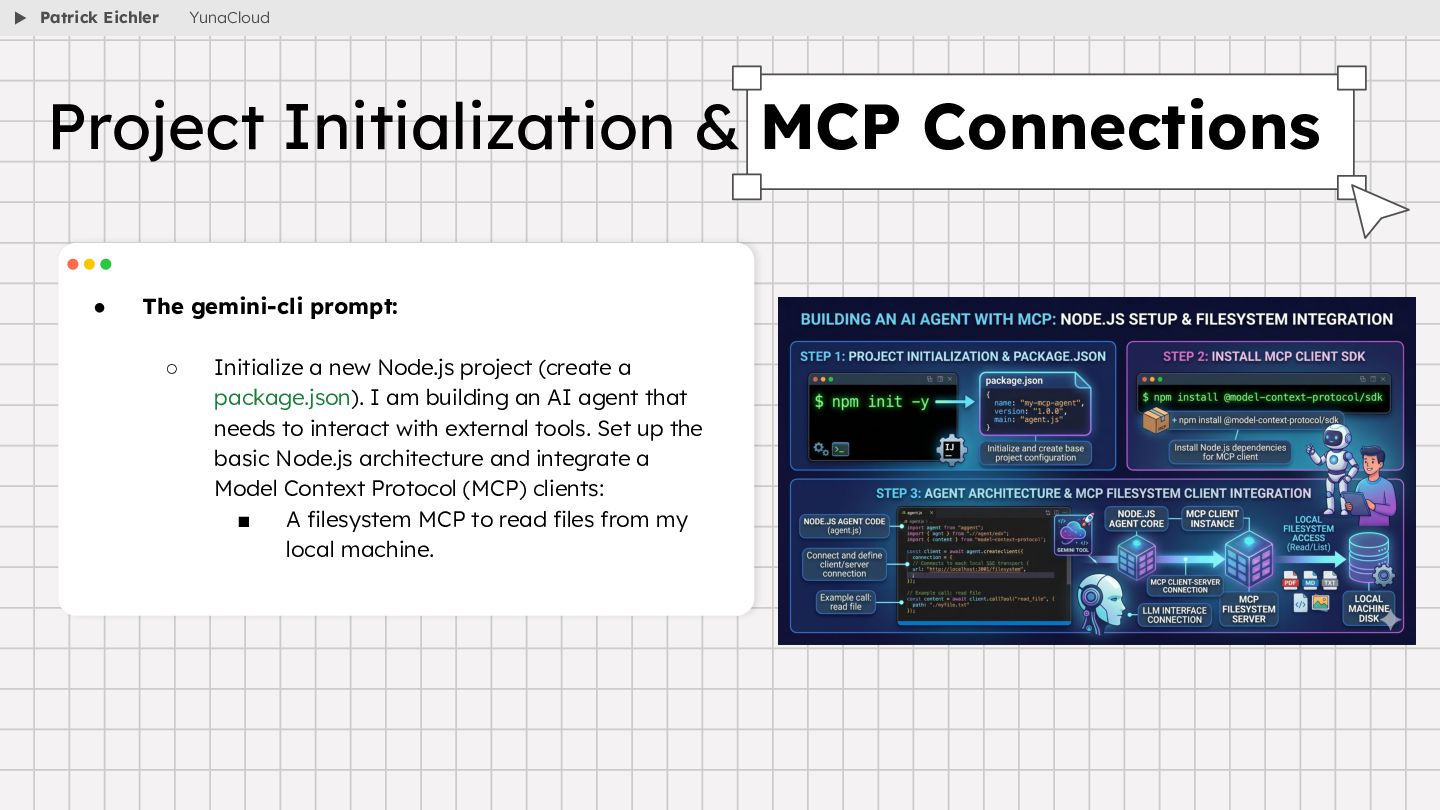
  15. • The gemini-cli prompt: ◦ Initialize a new Node.js project

    (create a package.json). I am building an AI agent that needs to interact with external tools. Set up the basic Node.js architecture and integrate a Model Context Protocol (MCP) clients: ▪ A filesystem MCP to read files from my local machine. Project Initialization & MCP Connections Patrick Eichler YunaCloud
  16. • The gemini-cli prompt: ◦ Build the Retrieval-Augmented Generation (RAG)

    pipeline for my study helper. I have a folder in my root directory called lecture_notes containing PDF files. Write a Node.js script that: ▪ Reads all PDFs from the lecture_notes folder. ▪ Embed model: gemini-embedding-2 ▪ Parses the text and chunks it into smaller, meaningful segments (about a paragraph each). ▪ Generates vector embeddings for these chunks. ▪ Stores these embeddings into our running Redis container (using Redis as a vector database). Please include whatever lightweight PDF parsing library is best suited for Node.js. Building the RAG Pipeline Patrick Eichler YunaCloud
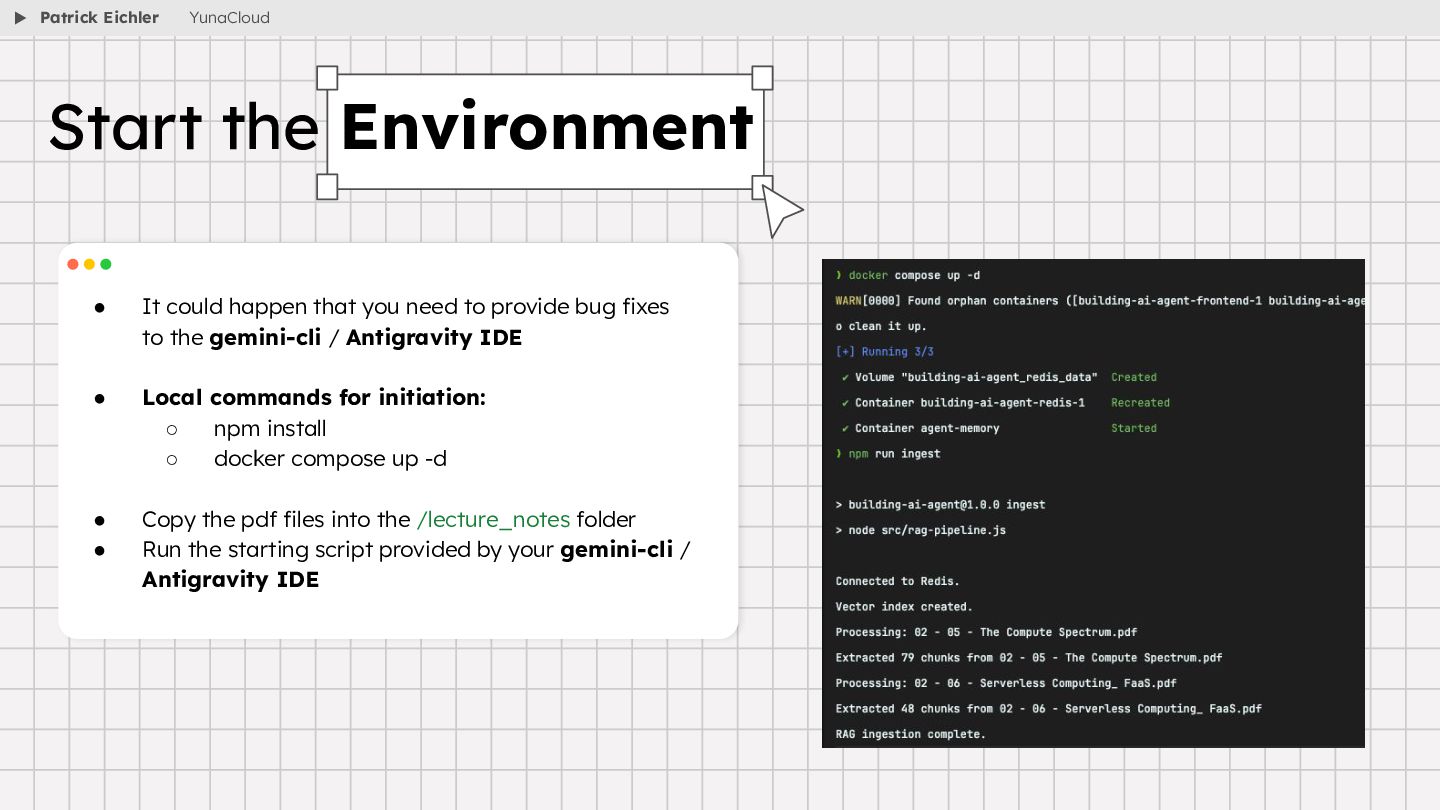
  17. • It could happen that you need to provide bug

    fixes to the gemini-cli / Antigravity IDE • Local commands for initiation: ◦ npm install ◦ docker compose up -d • Copy the pdf files into the /lecture_notes folder • Run the starting script provided by your gemini-cli / Antigravity IDE Start the Environment Patrick Eichler YunaCloud
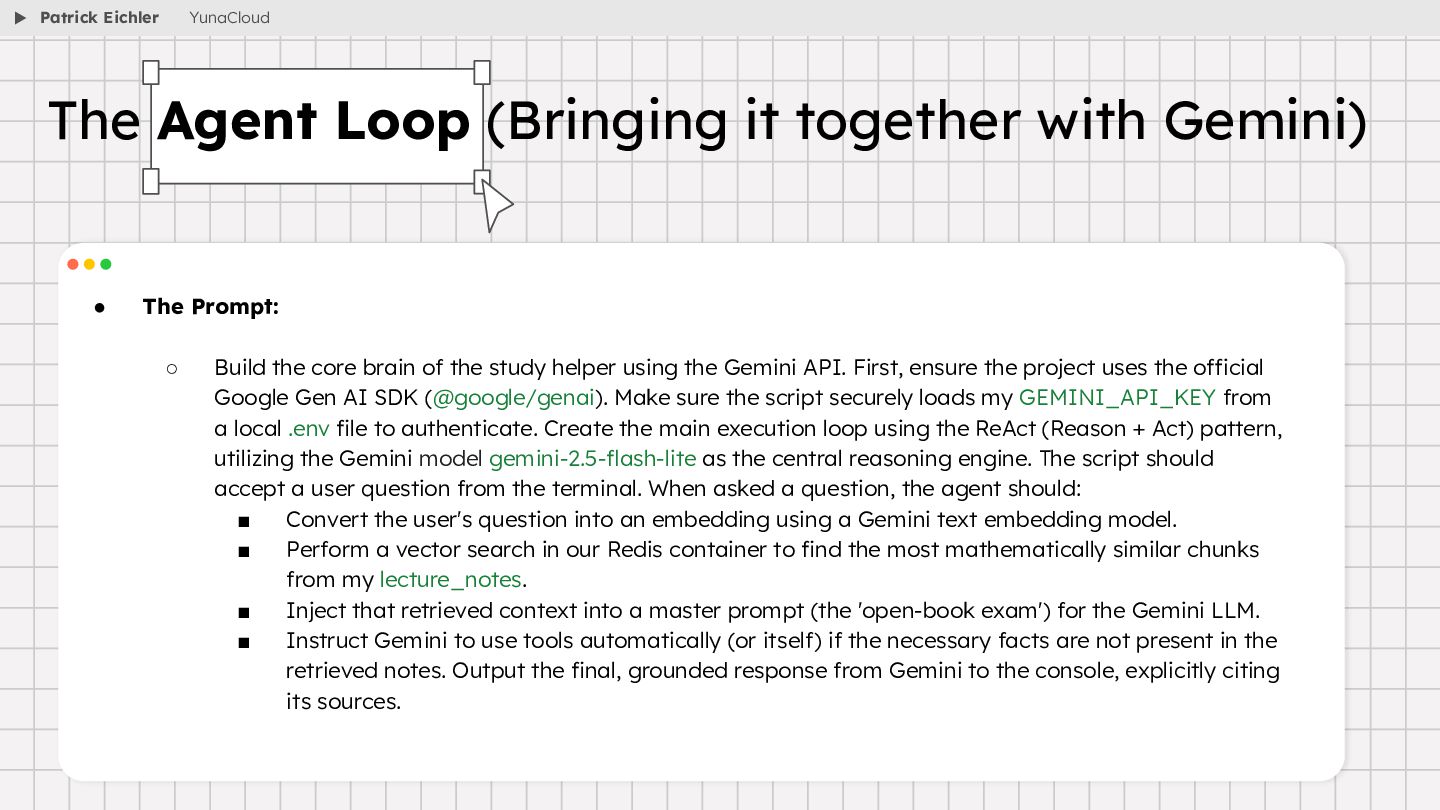
  18. • The Prompt: ◦ Build the core brain of the

    study helper using the Gemini API. First, ensure the project uses the official Google Gen AI SDK (@google/genai). Make sure the script securely loads my GEMINI_API_KEY from a local .env file to authenticate. Create the main execution loop using the ReAct (Reason + Act) pattern, utilizing the Gemini model gemini-2.5-flash-lite as the central reasoning engine. The script should accept a user question from the terminal. When asked a question, the agent should: ▪ Convert the user's question into an embedding using a Gemini text embedding model. ▪ Perform a vector search in our Redis container to find the most mathematically similar chunks from my lecture_notes. ▪ Inject that retrieved context into a master prompt (the 'open-book exam') for the Gemini LLM. ▪ Instruct Gemini to use tools automatically (or itself) if the necessary facts are not present in the retrieved notes. Output the final, grounded response from Gemini to the console, explicitly citing its sources. The Agent Loop (Bringing it together with Gemini) Patrick Eichler YunaCloud
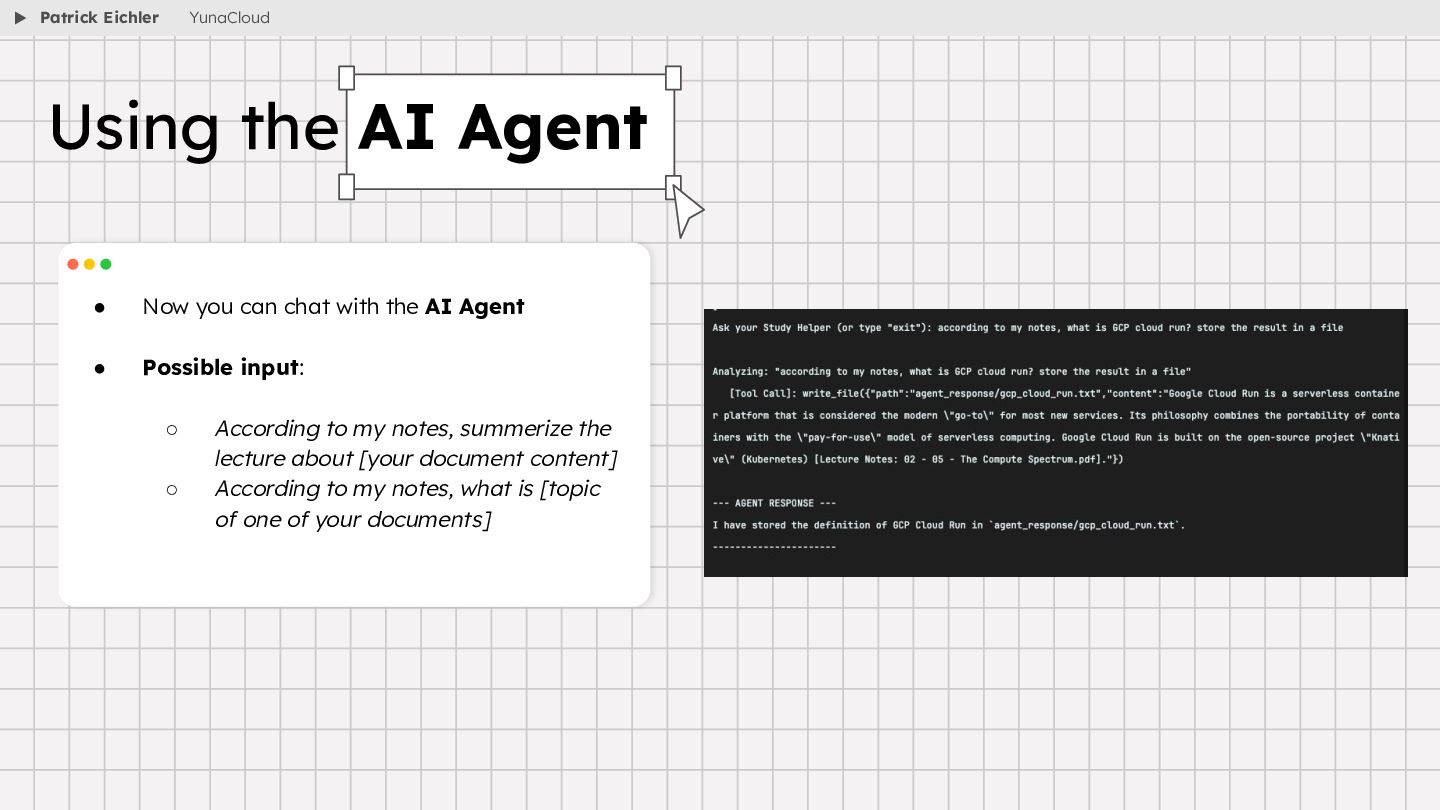
  19. • Now you can chat with the AI Agent •

    Possible input: ◦ According to my notes, summerize the lecture about [your document content] ◦ According to my notes, what is [topic of one of your documents] Using the AI Agent Patrick Eichler YunaCloud
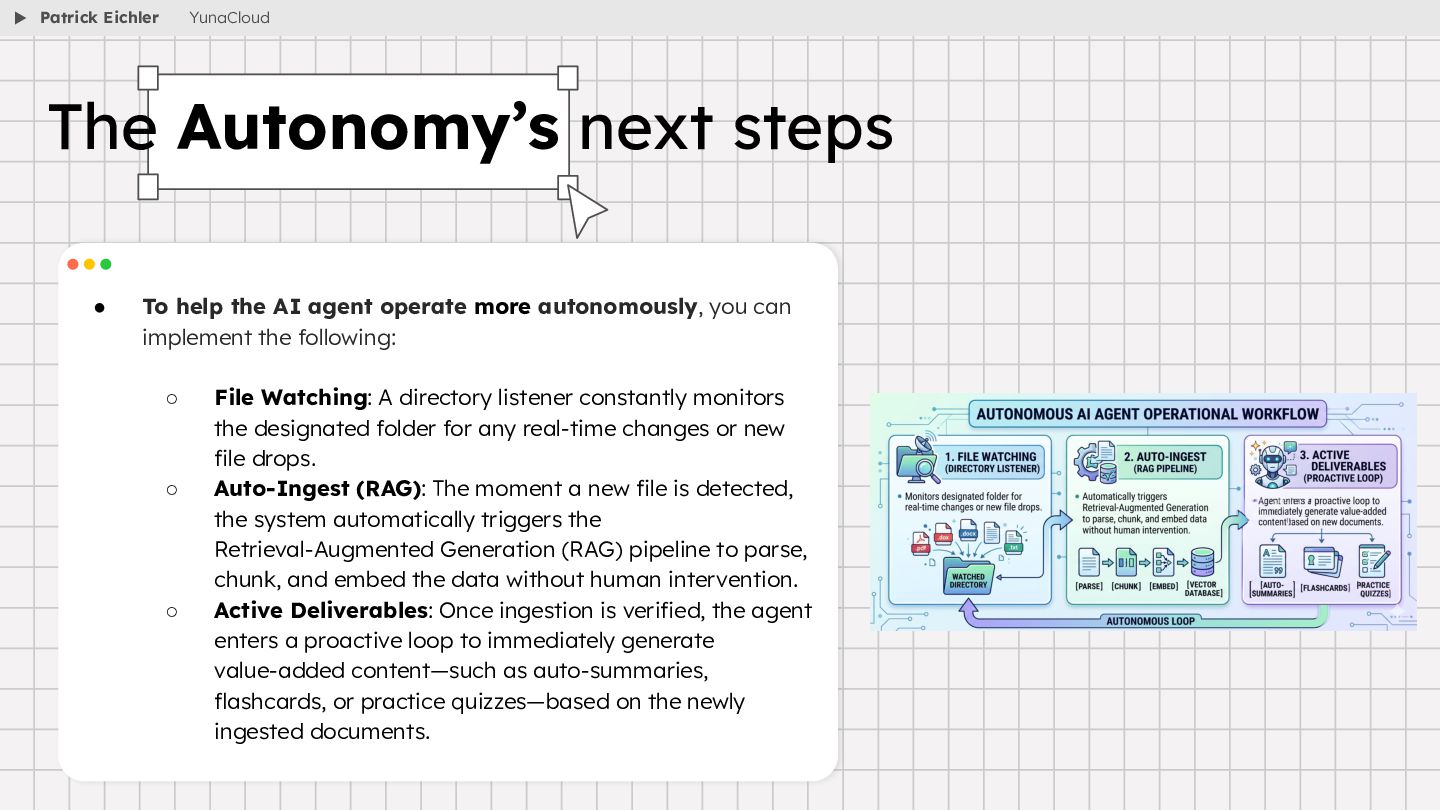
  20. • To help the AI agent operate more autonomously, you

    can implement the following: ◦ File Watching: A directory listener constantly monitors the designated folder for any real-time changes or new file drops. ◦ Auto-Ingest (RAG): The moment a new file is detected, the system automatically triggers the Retrieval-Augmented Generation (RAG) pipeline to parse, chunk, and embed the data without human intervention. ◦ Active Deliverables: Once ingestion is verified, the agent enters a proactive loop to immediately generate value-added content—such as auto-summaries, flashcards, or practice quizzes—based on the newly ingested documents. The Autonomy’s next steps Patrick Eichler YunaCloud
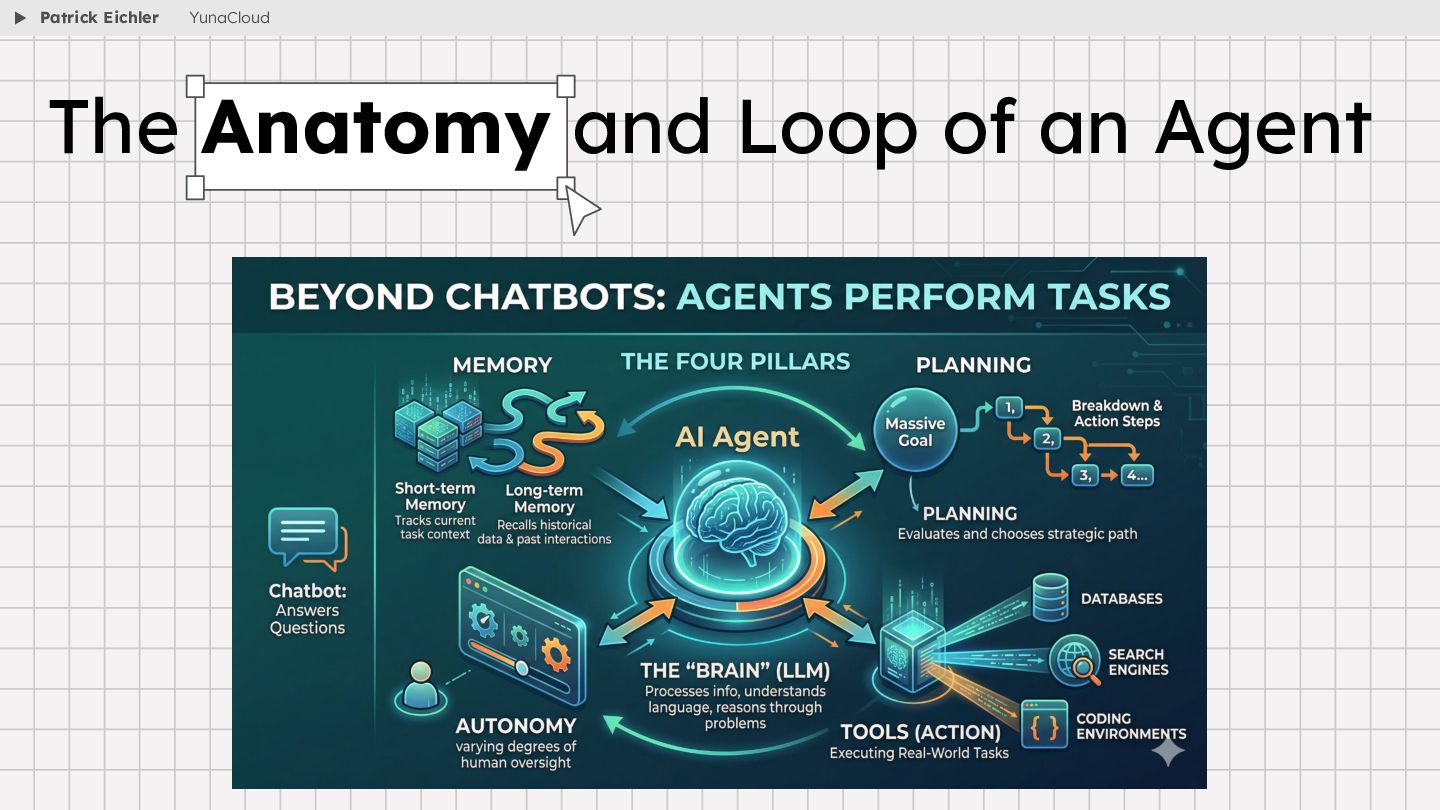
  21. • Beyond Chatbots: Agents don't just answer questions; they perform

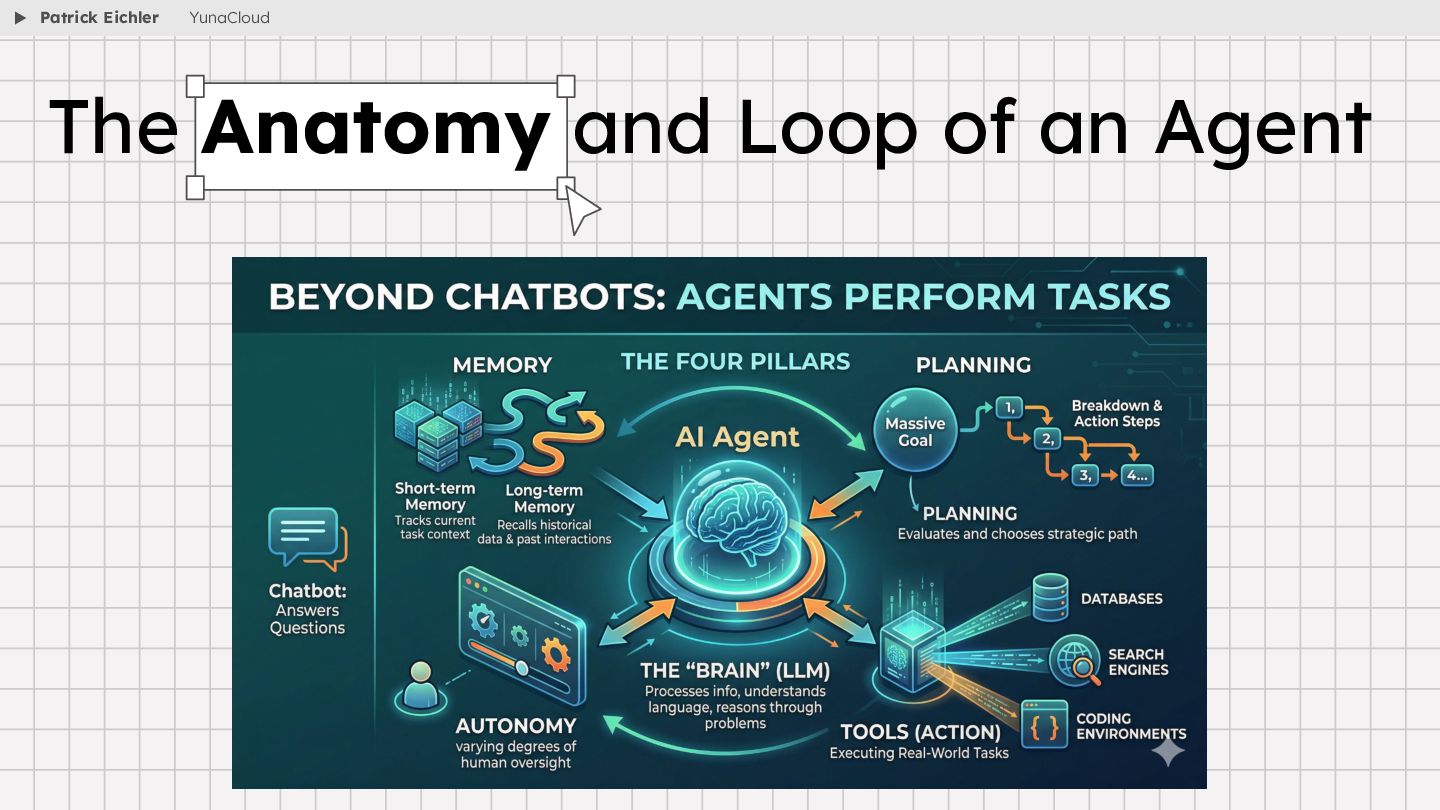
    tasks. • The Four Pillars: • The "Brain" (The AI Model): At the center of an AI agent is usually a Large Language Model (LLM). This acts as the brain, giving the agent the ability to process information, understand language, and reason through problems. • Memory: Just like humans, agents need memory to be effective. They use short-term memory to keep track of a current task, and long-term memory to recall historical data and past interactions so they don't have to start from scratch every time. • Planning: An agent can take a massive goal and break it down into smaller, actionable steps. It evaluates potential actions and chooses the best strategic path forward based on the desired outcome. • Tools (Action): An agent isn't trapped in a chat box. It can be connected to outside software—like databases, search engines, or coding environments—allowing it to execute real-world tasks. • Autonomy: Capable of operating with varying degrees of human oversight. The Anatomy and Loop of an Agent Patrick Eichler YunaCloud
  22. • AI agents generally operate on a continuous, intelligent loop:

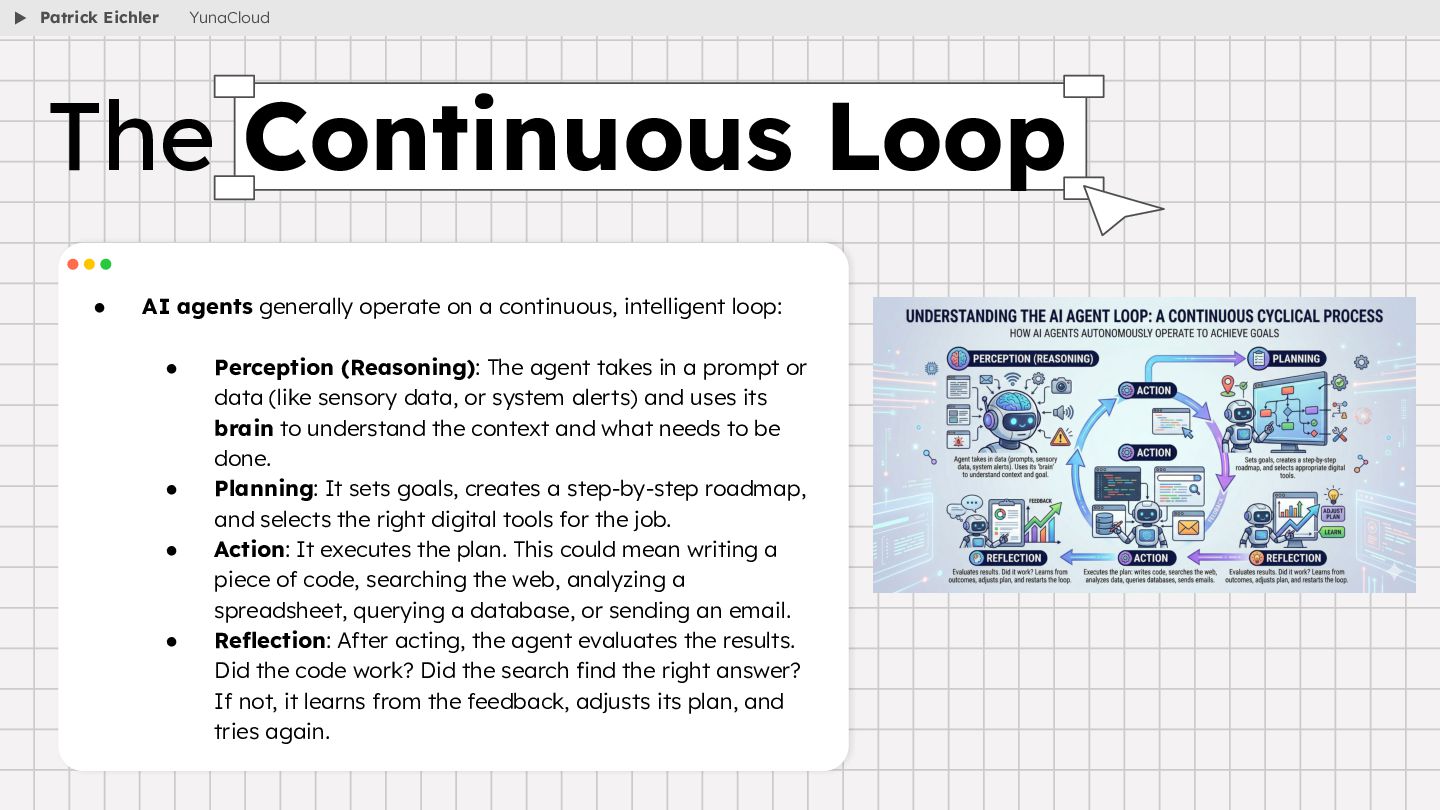
    • Perception (Reasoning): The agent takes in a prompt or data (like sensory data, or system alerts) and uses its brain to understand the context and what needs to be done. • Planning: It sets goals, creates a step-by-step roadmap, and selects the right digital tools for the job. • Action: It executes the plan. This could mean writing a piece of code, searching the web, analyzing a spreadsheet, querying a database, or sending an email. • Reflection: After acting, the agent evaluates the results. Did the code work? Did the search find the right answer? If not, it learns from the feedback, adjusts its plan, and tries again. The Continuous Loop Patrick Eichler YunaCloud
  23. • The foundational pattern powering almost every modern agent is

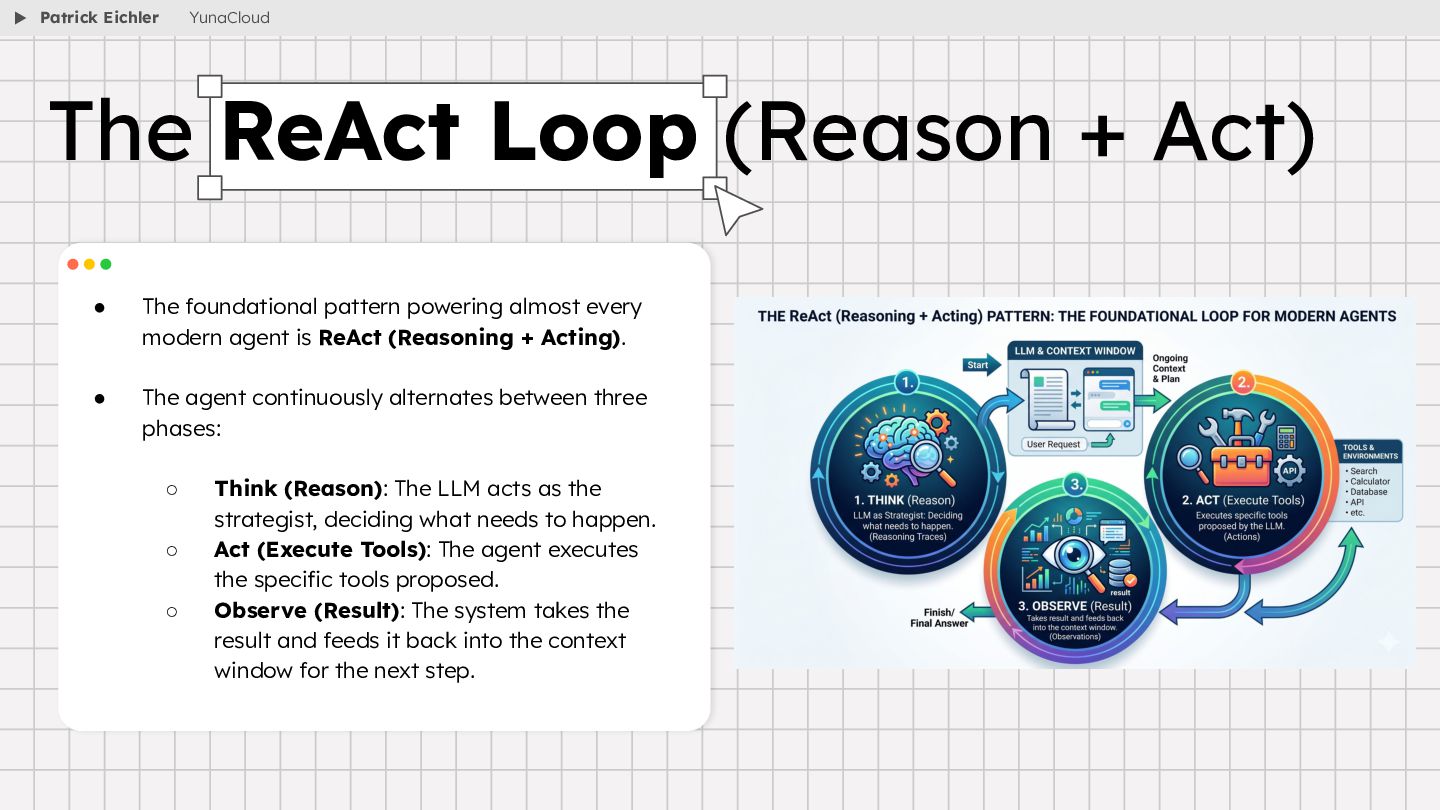
    ReAct (Reasoning + Acting). • The agent continuously alternates between three phases: ◦ Think (Reason): The LLM acts as the strategist, deciding what needs to happen. ◦ Act (Execute Tools): The agent executes the specific tools proposed. ◦ Observe (Result): The system takes the result and feeds it back into the context window for the next step. The ReAct Loop (Reason + Act) Patrick Eichler YunaCloud
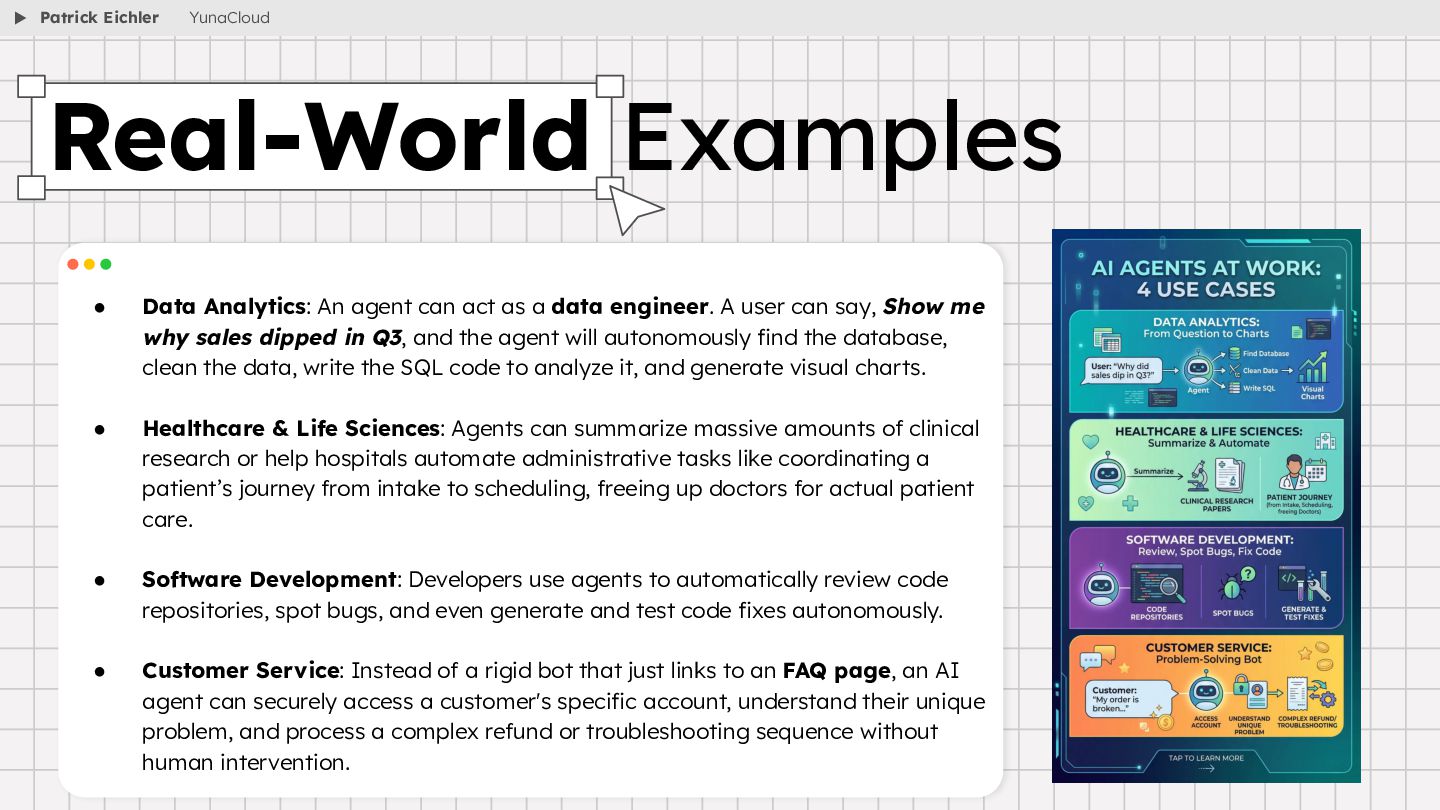
  24. • Data Analytics: An agent can act as a data

    engineer. A user can say, Show me why sales dipped in Q3, and the agent will autonomously find the database, clean the data, write the SQL code to analyze it, and generate visual charts. • Healthcare & Life Sciences: Agents can summarize massive amounts of clinical research or help hospitals automate administrative tasks like coordinating a patient’s journey from intake to scheduling, freeing up doctors for actual patient care. • Software Development: Developers use agents to automatically review code repositories, spot bugs, and even generate and test code fixes autonomously. • Customer Service: Instead of a rigid bot that just links to an FAQ page, an AI agent can securely access a customer's specific account, understand their unique problem, and process a complex refund or troubleshooting sequence without human intervention. Real-World Examples Patrick Eichler YunaCloud
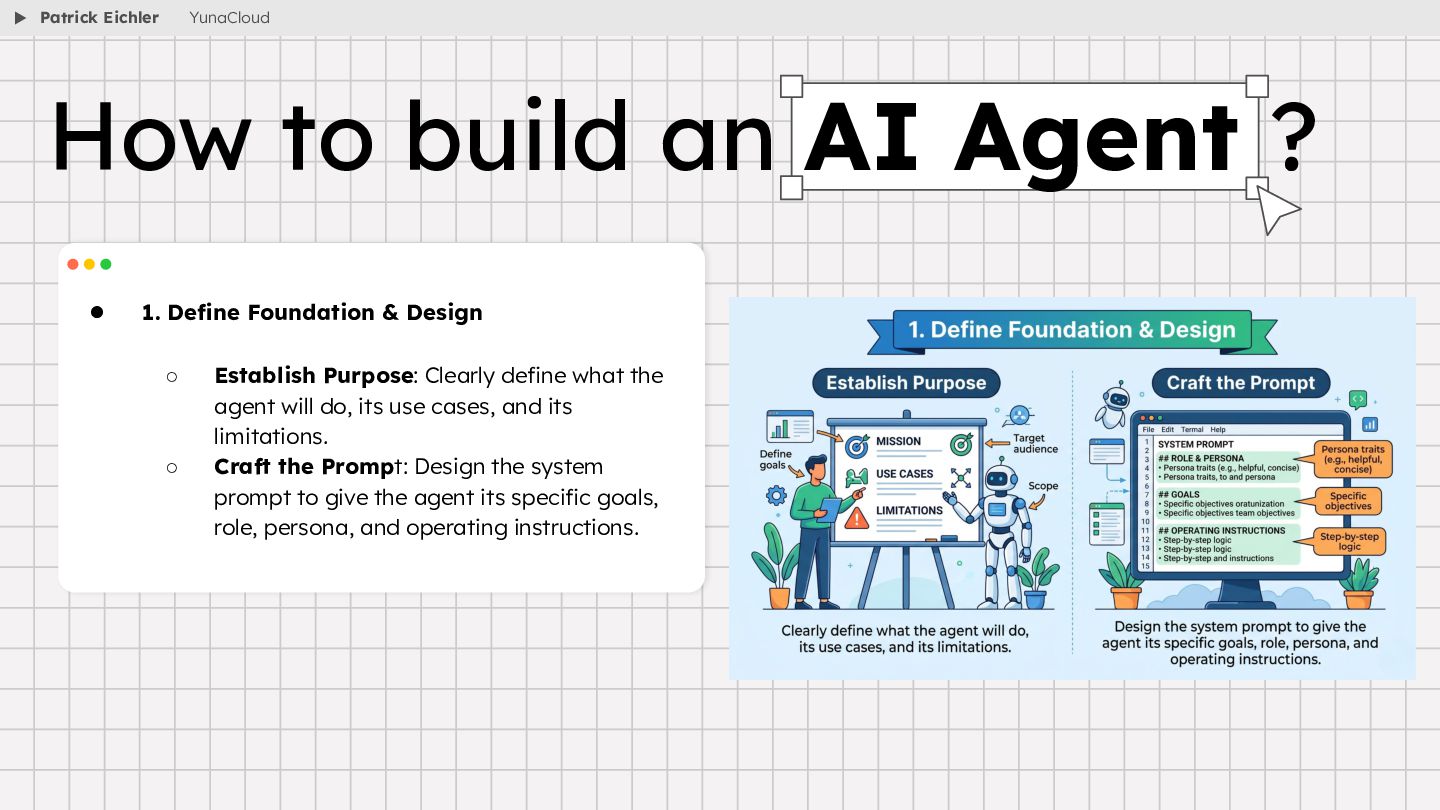
  25. • 1. Define Foundation & Design ◦ Establish Purpose: Clearly

    define what the agent will do, its use cases, and its limitations. ◦ Craft the Prompt: Design the system prompt to give the agent its specific goals, role, persona, and operating instructions. How to build an AI Agent ? Patrick Eichler YunaCloud
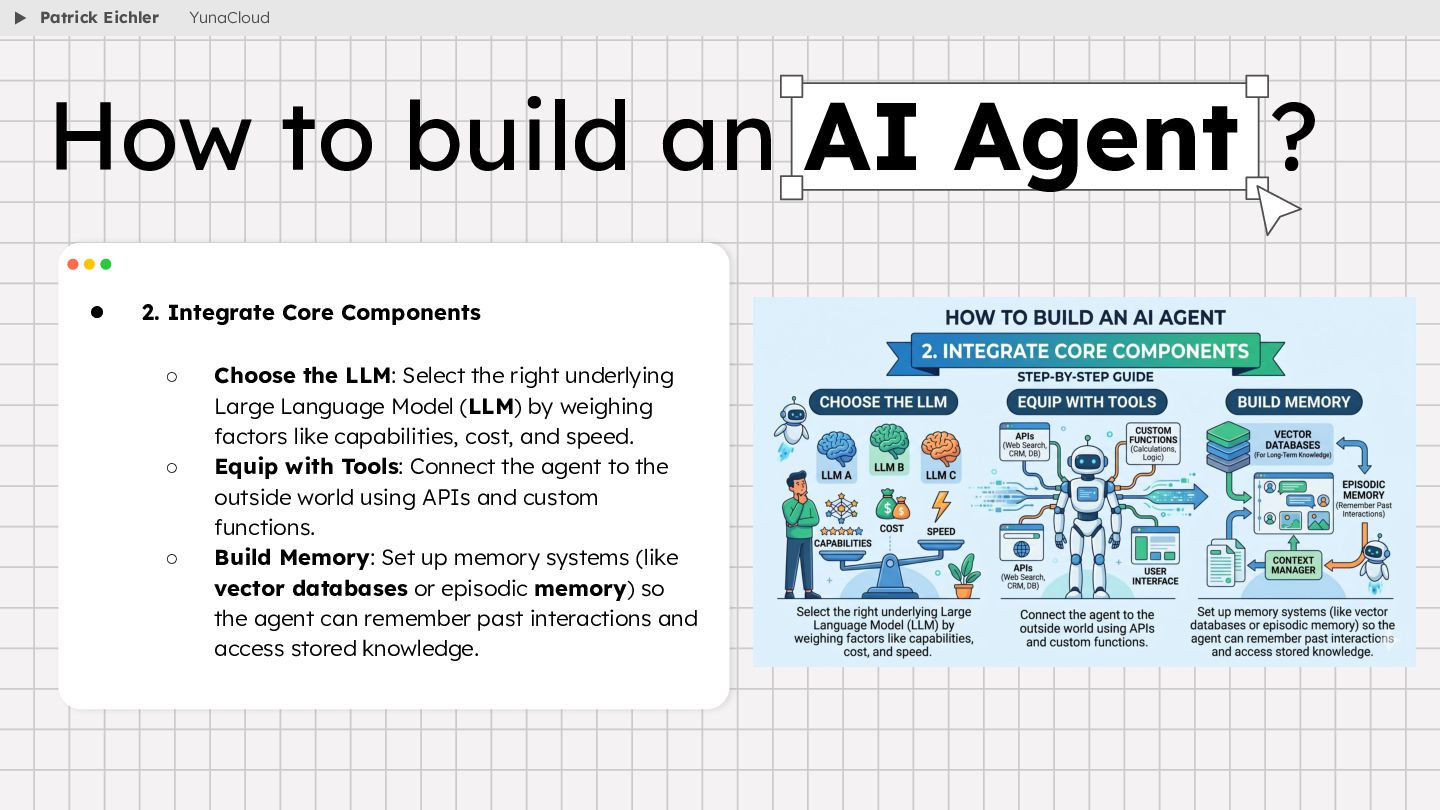
  26. • 2. Integrate Core Components ◦ Choose the LLM: Select

    the right underlying Large Language Model (LLM) by weighing factors like capabilities, cost, and speed. ◦ Equip with Tools: Connect the agent to the outside world using APIs and custom functions. ◦ Build Memory: Set up memory systems (like vector databases or episodic memory) so the agent can remember past interactions and access stored knowledge. How to build an AI Agent ? Patrick Eichler YunaCloud
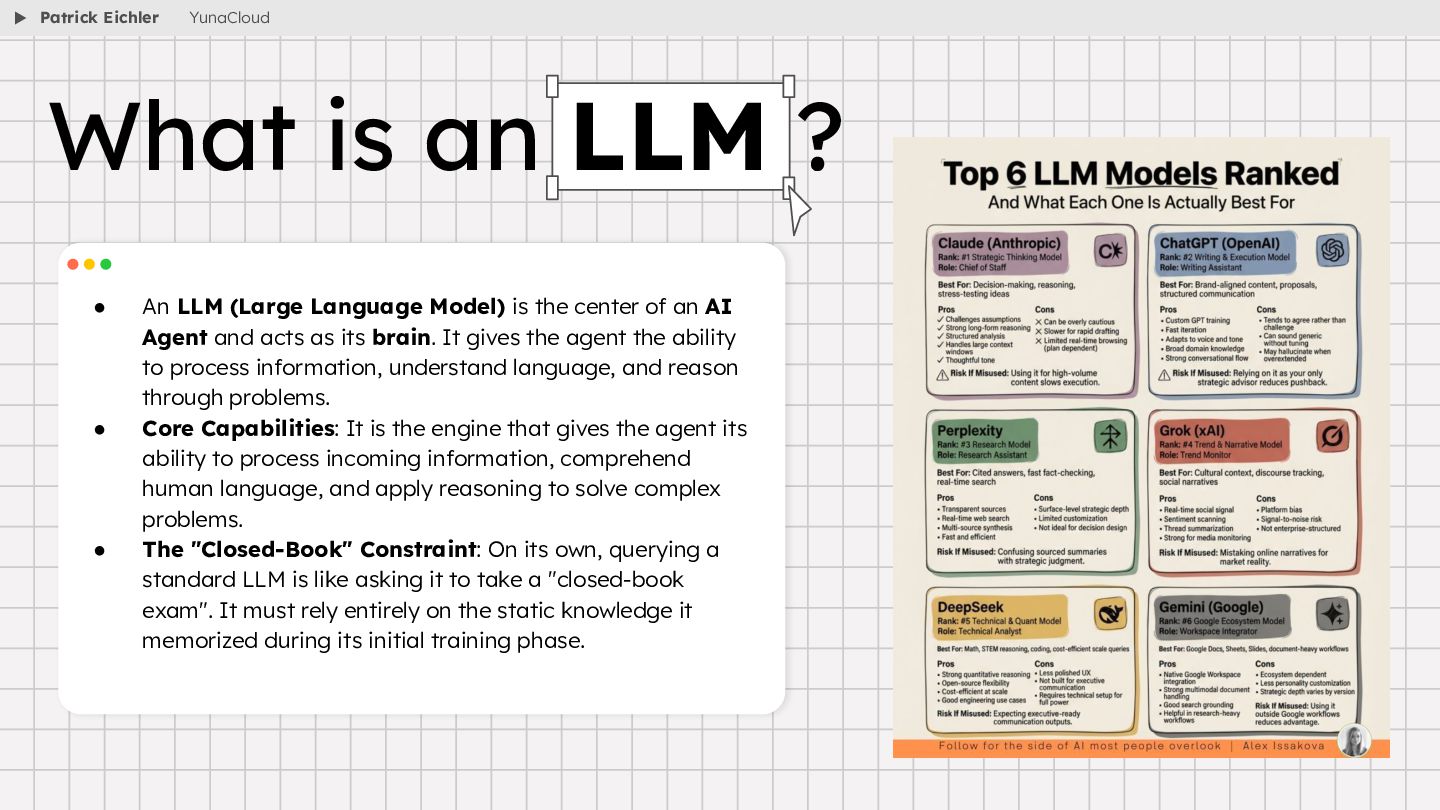
  27. • An LLM (Large Language Model) is the center of

    an AI Agent and acts as its brain. It gives the agent the ability to process information, understand language, and reason through problems. • Core Capabilities: It is the engine that gives the agent its ability to process incoming information, comprehend human language, and apply reasoning to solve complex problems. • The "Closed-Book" Constraint: On its own, querying a standard LLM is like asking it to take a "closed-book exam". It must rely entirely on the static knowledge it memorized during its initial training phase. What is an LLM ? Patrick Eichler YunaCloud
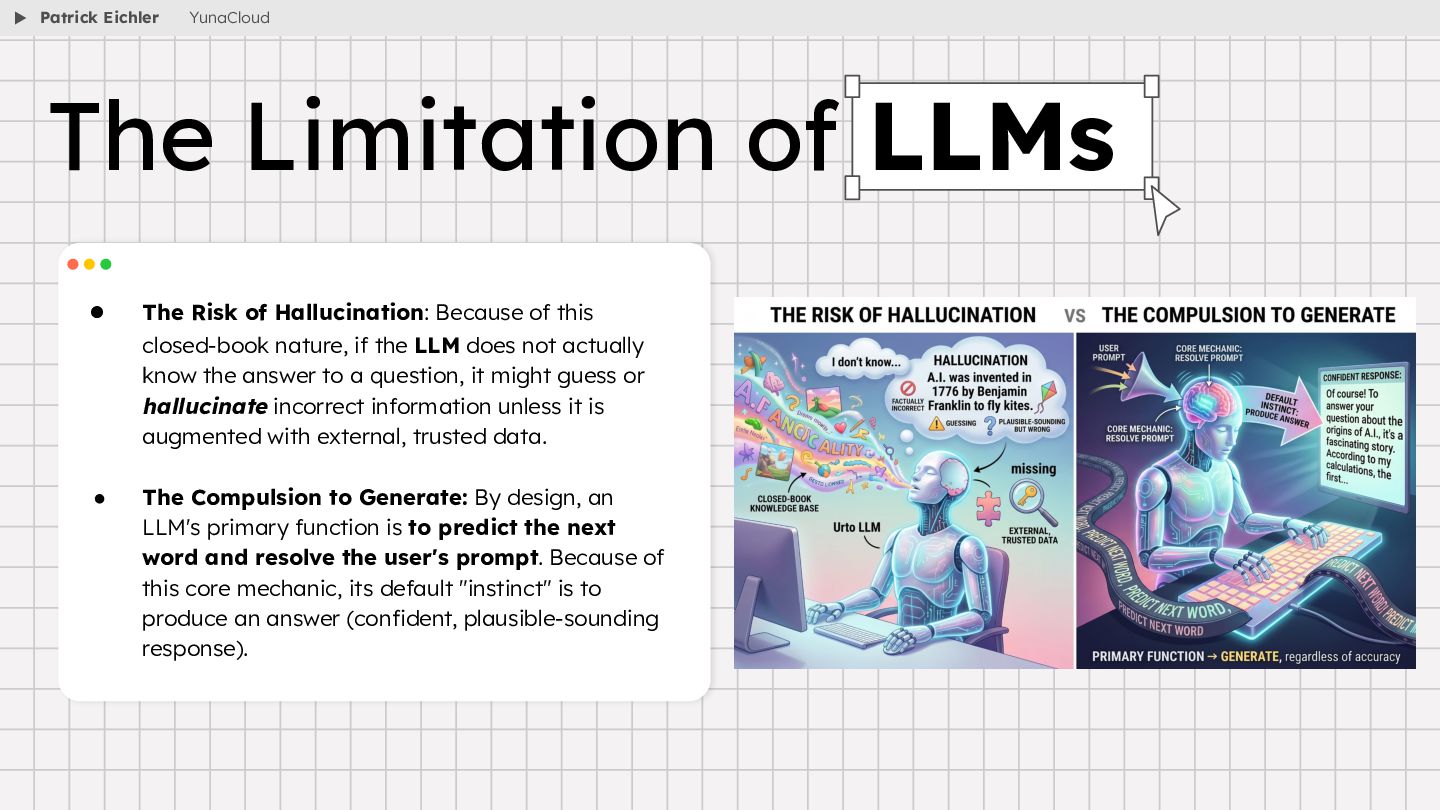
  28. • The Risk of Hallucination: Because of this closed-book nature,

    if the LLM does not actually know the answer to a question, it might guess or hallucinate incorrect information unless it is augmented with external, trusted data. • The Compulsion to Generate: By design, an LLM's primary function is to predict the next word and resolve the user's prompt. Because of this core mechanic, its default "instinct" is to produce an answer (confident, plausible-sounding response). The Limitation of LLMs Patrick Eichler YunaCloud
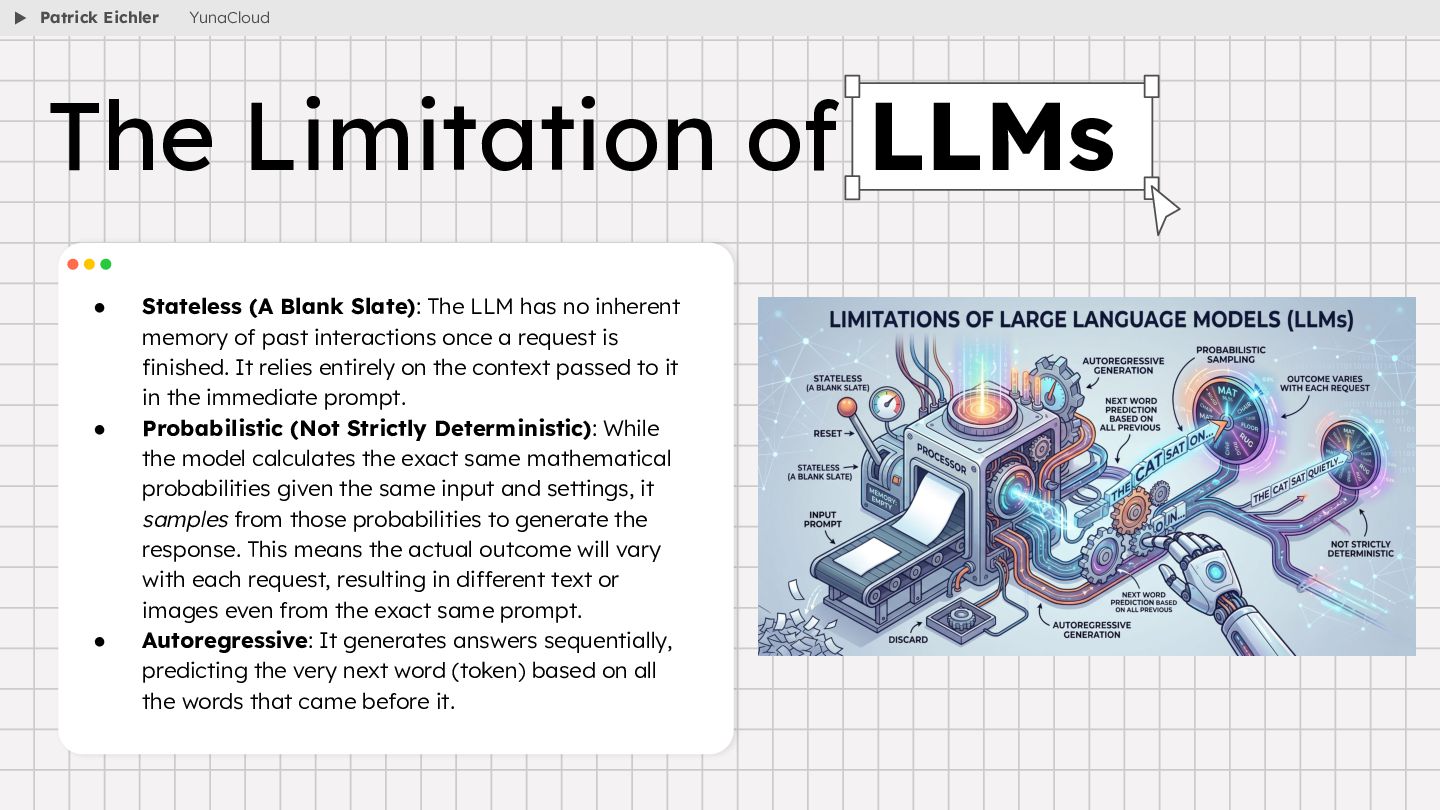
  29. • Stateless (A Blank Slate): The LLM has no inherent

    memory of past interactions once a request is finished. It relies entirely on the context passed to it in the immediate prompt. • Probabilistic (Not Strictly Deterministic): While the model calculates the exact same mathematical probabilities given the same input and settings, it samples from those probabilities to generate the response. This means the actual outcome will vary with each request, resulting in different text or images even from the exact same prompt. • Autoregressive: It generates answers sequentially, predicting the very next word (token) based on all the words that came before it. Patrick Eichler YunaCloud The Limitation of LLMs
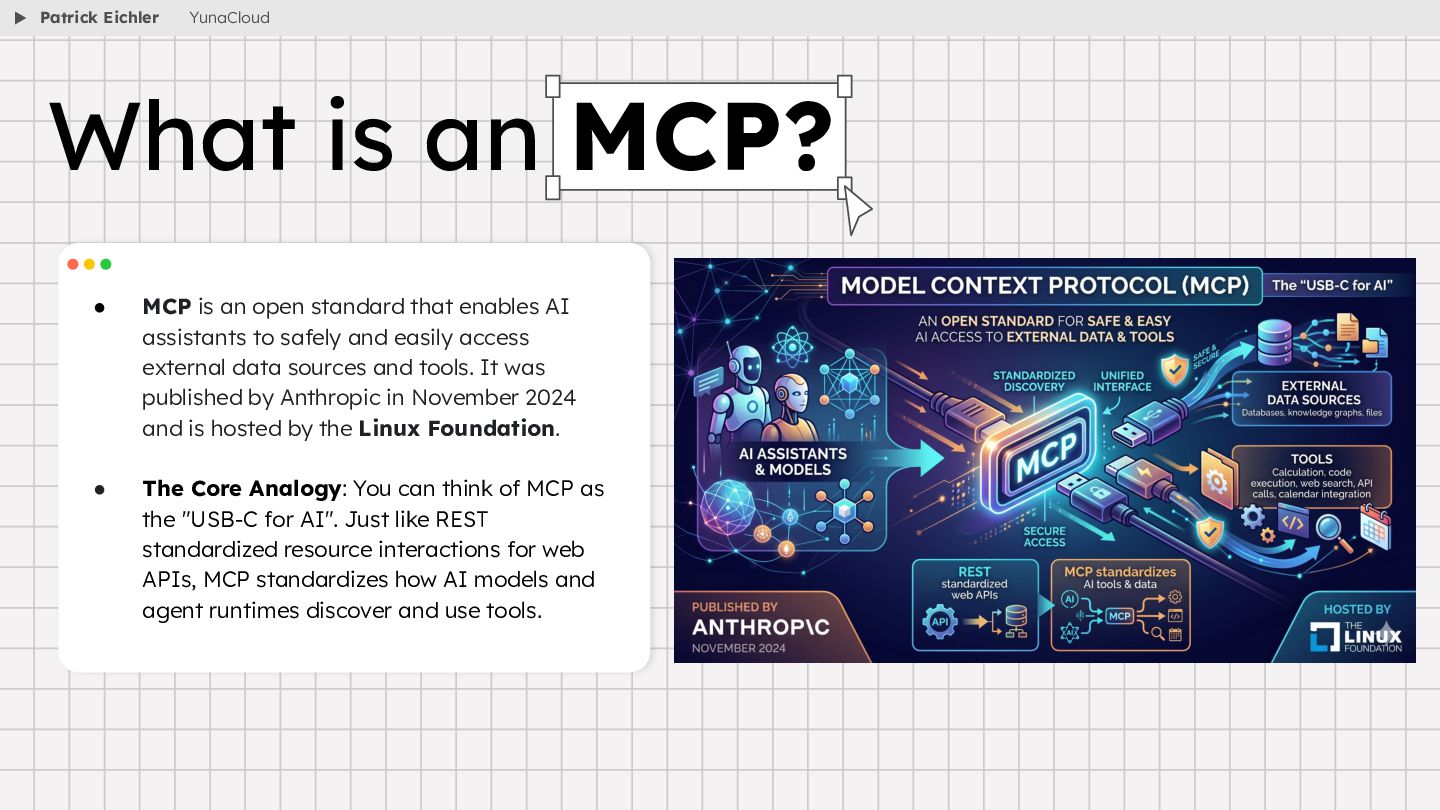
  30. • MCP is an open standard that enables AI assistants

    to safely and easily access external data sources and tools. It was published by Anthropic in November 2024 and is hosted by the Linux Foundation. • The Core Analogy: You can think of MCP as the "USB-C for AI". Just like REST standardized resource interactions for web APIs, MCP standardizes how AI models and agent runtimes discover and use tools. What is an MCP? Patrick Eichler YunaCloud
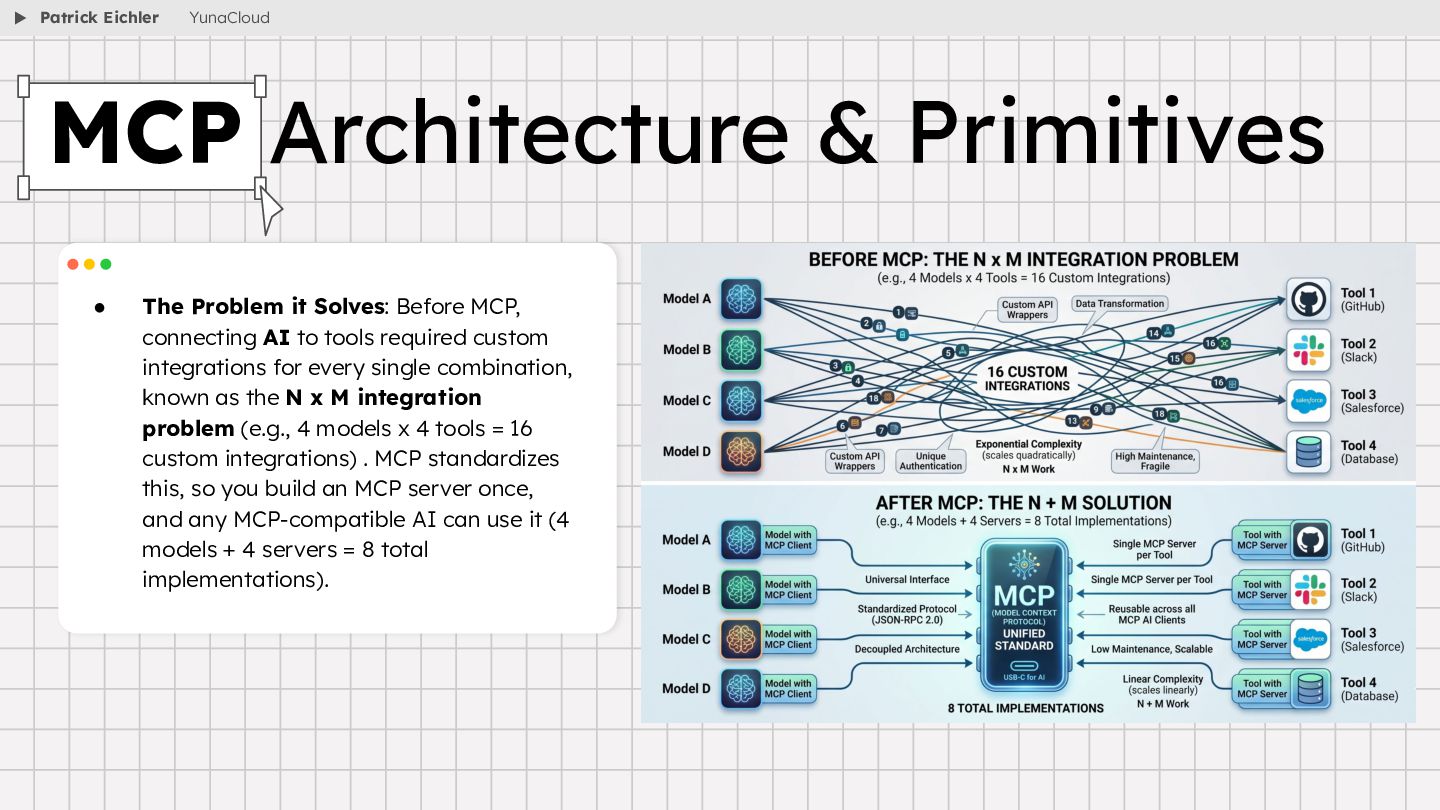
  31. • The Problem it Solves: Before MCP, connecting AI to

    tools required custom integrations for every single combination, known as the N x M integration problem (e.g., 4 models x 4 tools = 16 custom integrations) . MCP standardizes this, so you build an MCP server once, and any MCP-compatible AI can use it (4 models + 4 servers = 8 total implementations). MCP Architecture & Primitives Patrick Eichler YunaCloud
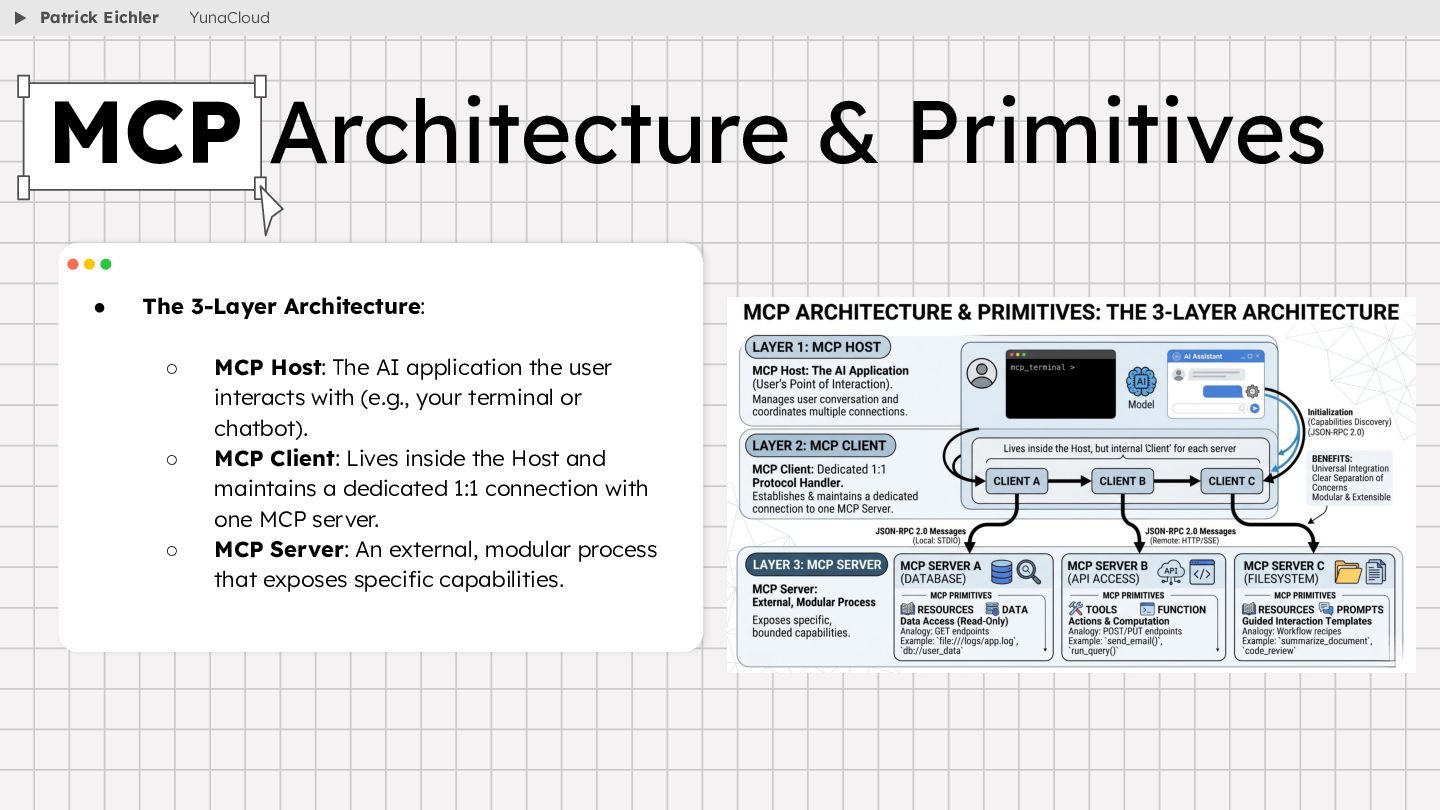
  32. • The 3-Layer Architecture: ◦ MCP Host: The AI application

    the user interacts with (e.g., your terminal or chatbot). ◦ MCP Client: Lives inside the Host and maintains a dedicated 1:1 connection with one MCP server. ◦ MCP Server: An external, modular process that exposes specific capabilities. MCP Architecture & Primitives Patrick Eichler YunaCloud
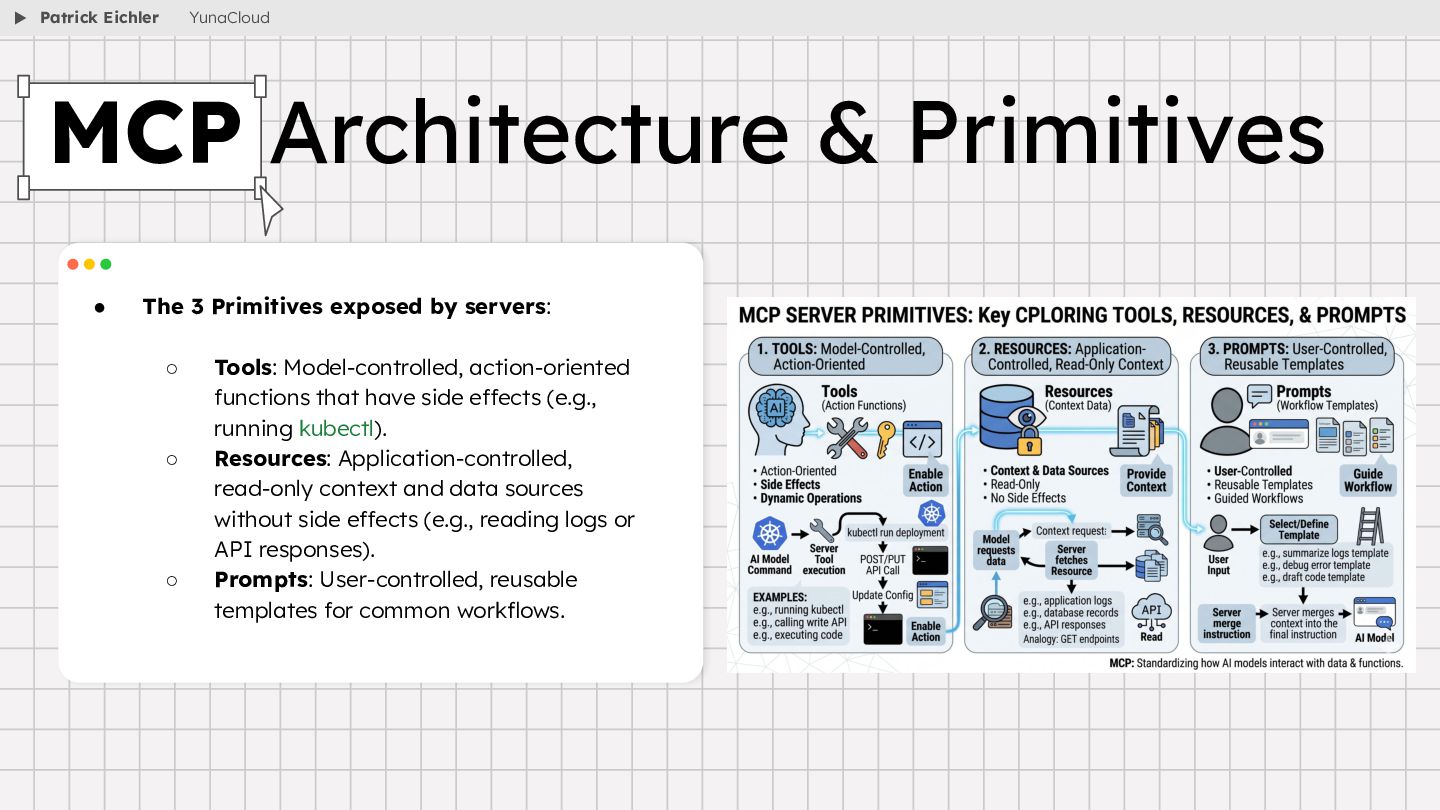
  33. • The 3 Primitives exposed by servers: ◦ Tools: Model-controlled,

    action-oriented functions that have side effects (e.g., running kubectl). ◦ Resources: Application-controlled, read-only context and data sources without side effects (e.g., reading logs or API responses). ◦ Prompts: User-controlled, reusable templates for common workflows. MCP Architecture & Primitives Patrick Eichler YunaCloud
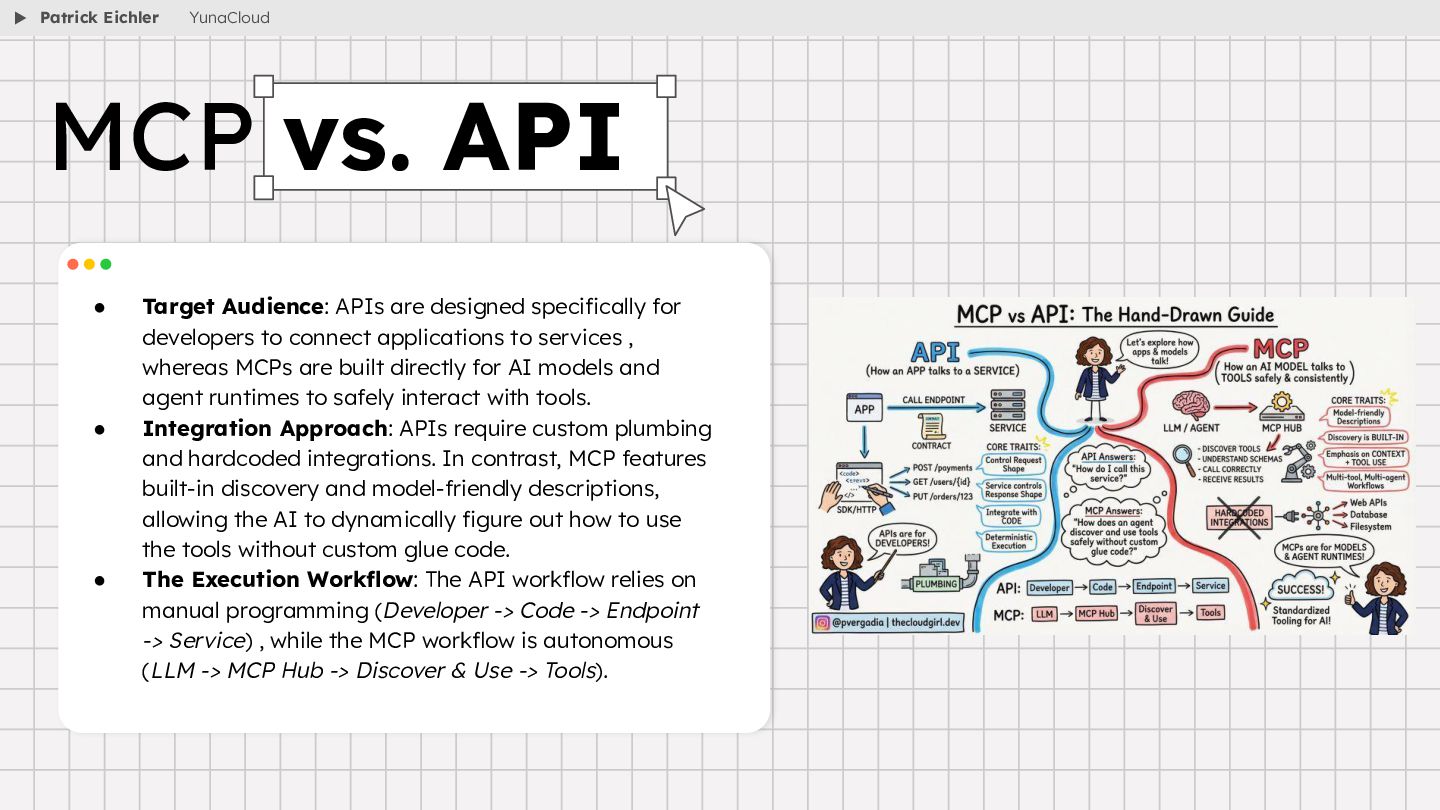
  34. • Target Audience: APIs are designed specifically for developers to

    connect applications to services , whereas MCPs are built directly for AI models and agent runtimes to safely interact with tools. • Integration Approach: APIs require custom plumbing and hardcoded integrations. In contrast, MCP features built-in discovery and model-friendly descriptions, allowing the AI to dynamically figure out how to use the tools without custom glue code. • The Execution Workflow: The API workflow relies on manual programming (Developer -> Code -> Endpoint -> Service) , while the MCP workflow is autonomous (LLM -> MCP Hub -> Discover & Use -> Tools). MCP vs. API Patrick Eichler YunaCloud
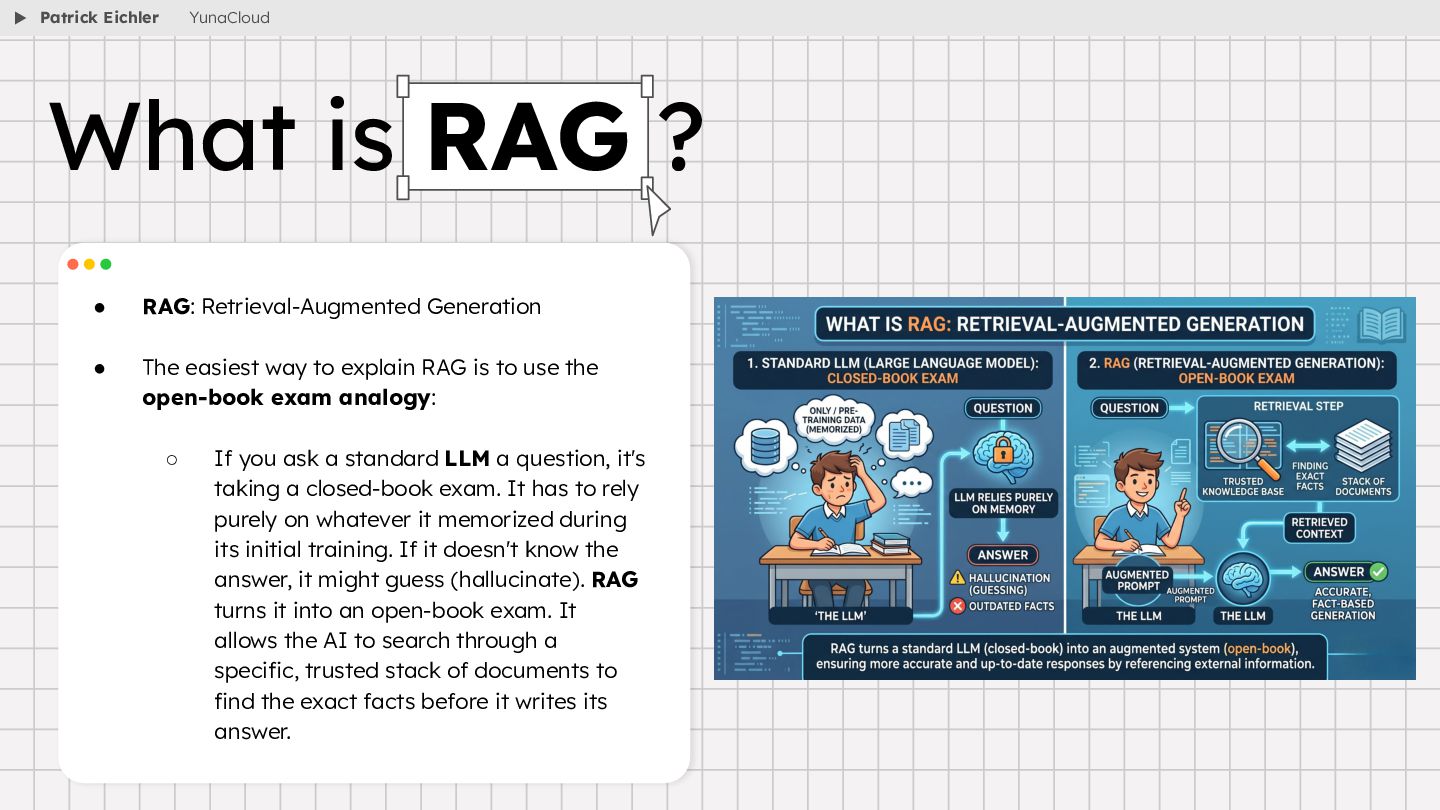
  35. • RAG: Retrieval-Augmented Generation • The easiest way to explain

    RAG is to use the open-book exam analogy: ◦ If you ask a standard LLM a question, it's taking a closed-book exam. It has to rely purely on whatever it memorized during its initial training. If it doesn't know the answer, it might guess (hallucinate). RAG turns it into an open-book exam. It allows the AI to search through a specific, trusted stack of documents to find the exact facts before it writes its answer. What is RAG ? Patrick Eichler YunaCloud
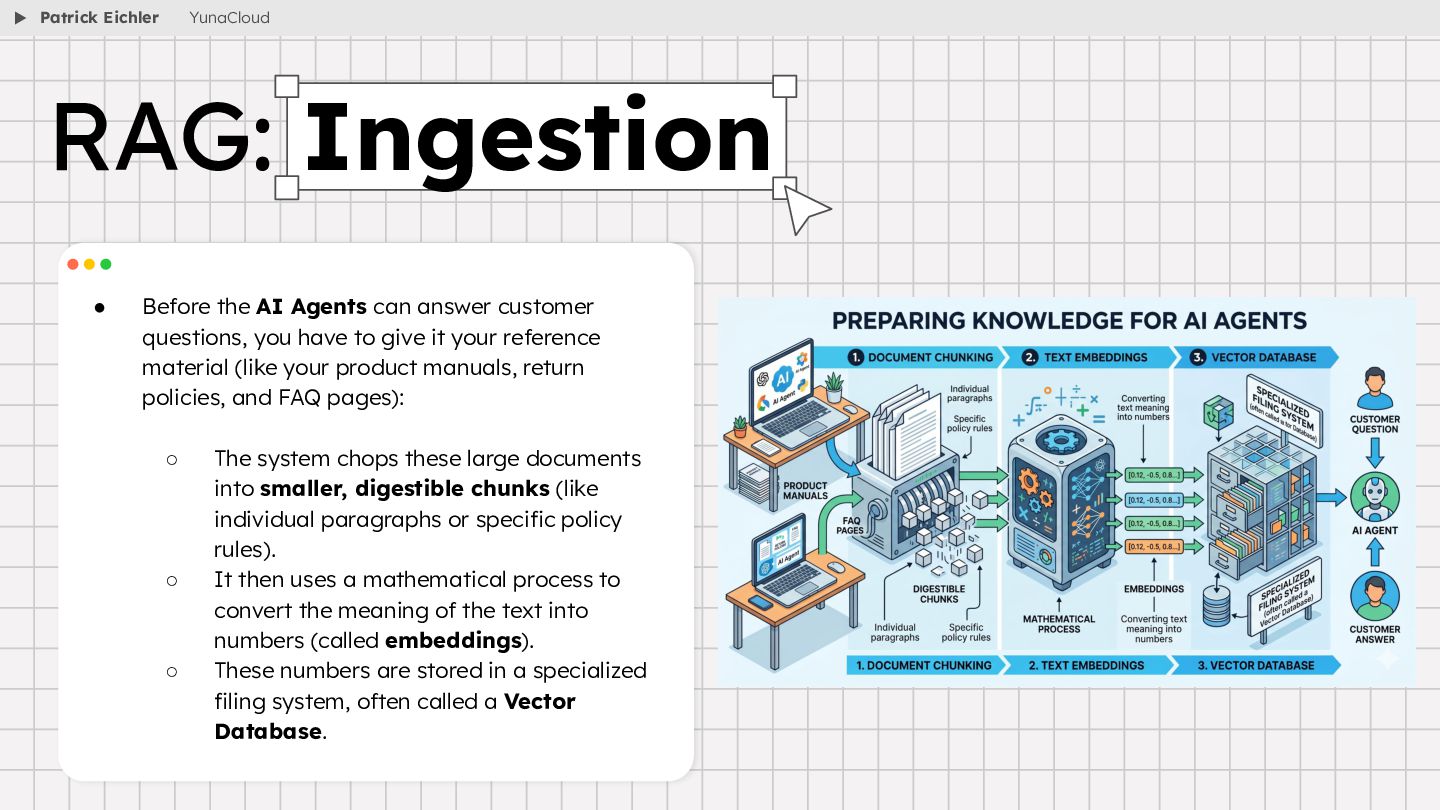
  36. • Before the AI Agents can answer customer questions, you

    have to give it your reference material (like your product manuals, return policies, and FAQ pages): ◦ The system chops these large documents into smaller, digestible chunks (like individual paragraphs or specific policy rules). ◦ It then uses a mathematical process to convert the meaning of the text into numbers (called embeddings). ◦ These numbers are stored in a specialized filing system, often called a Vector Database. RAG: Ingestion Patrick Eichler YunaCloud
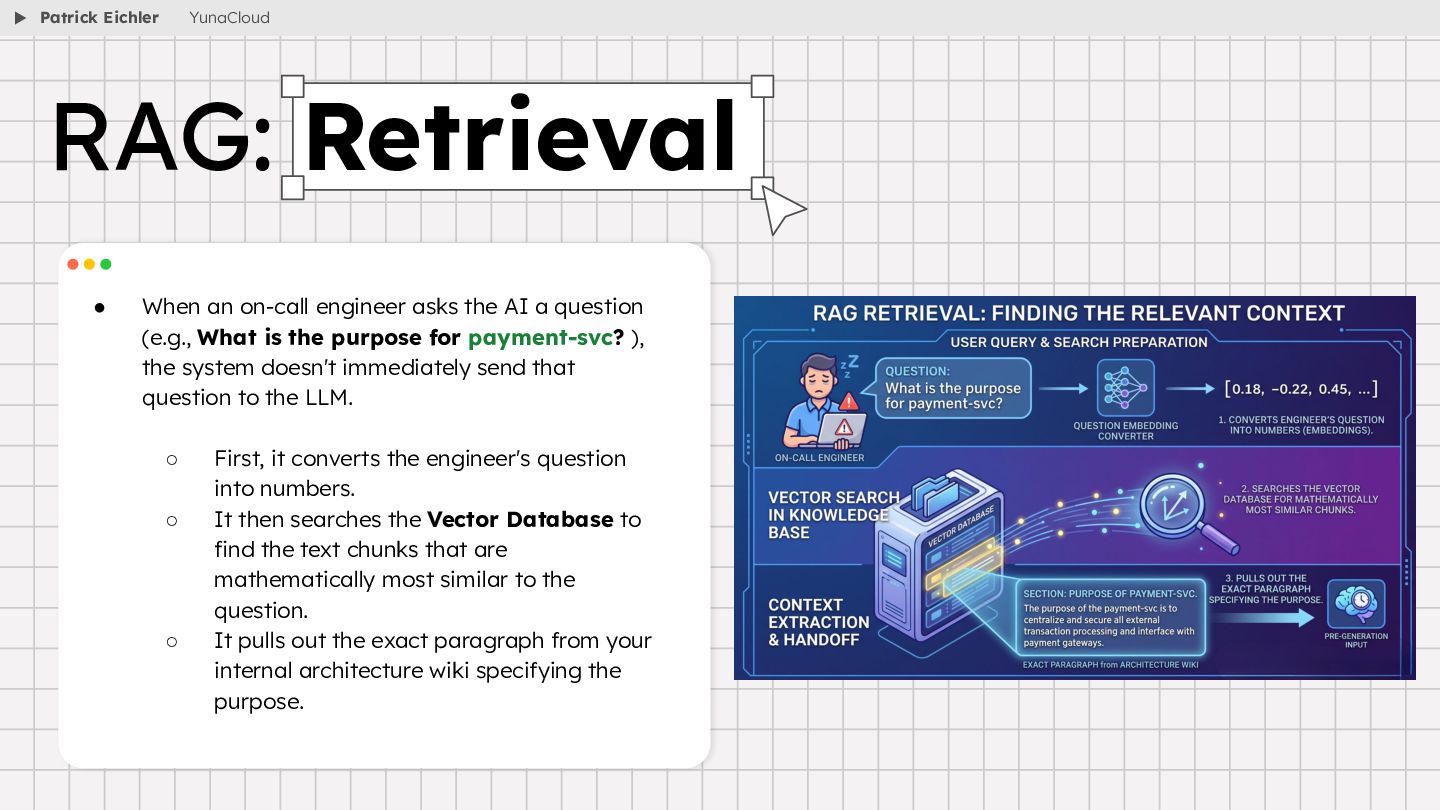
  37. • When an on-call engineer asks the AI a question

    (e.g., What is the purpose for payment-svc? ), the system doesn't immediately send that question to the LLM. ◦ First, it converts the engineer's question into numbers. ◦ It then searches the Vector Database to find the text chunks that are mathematically most similar to the question. ◦ It pulls out the exact paragraph from your internal architecture wiki specifying the purpose. RAG: Retrieval Patrick Eichler YunaCloud
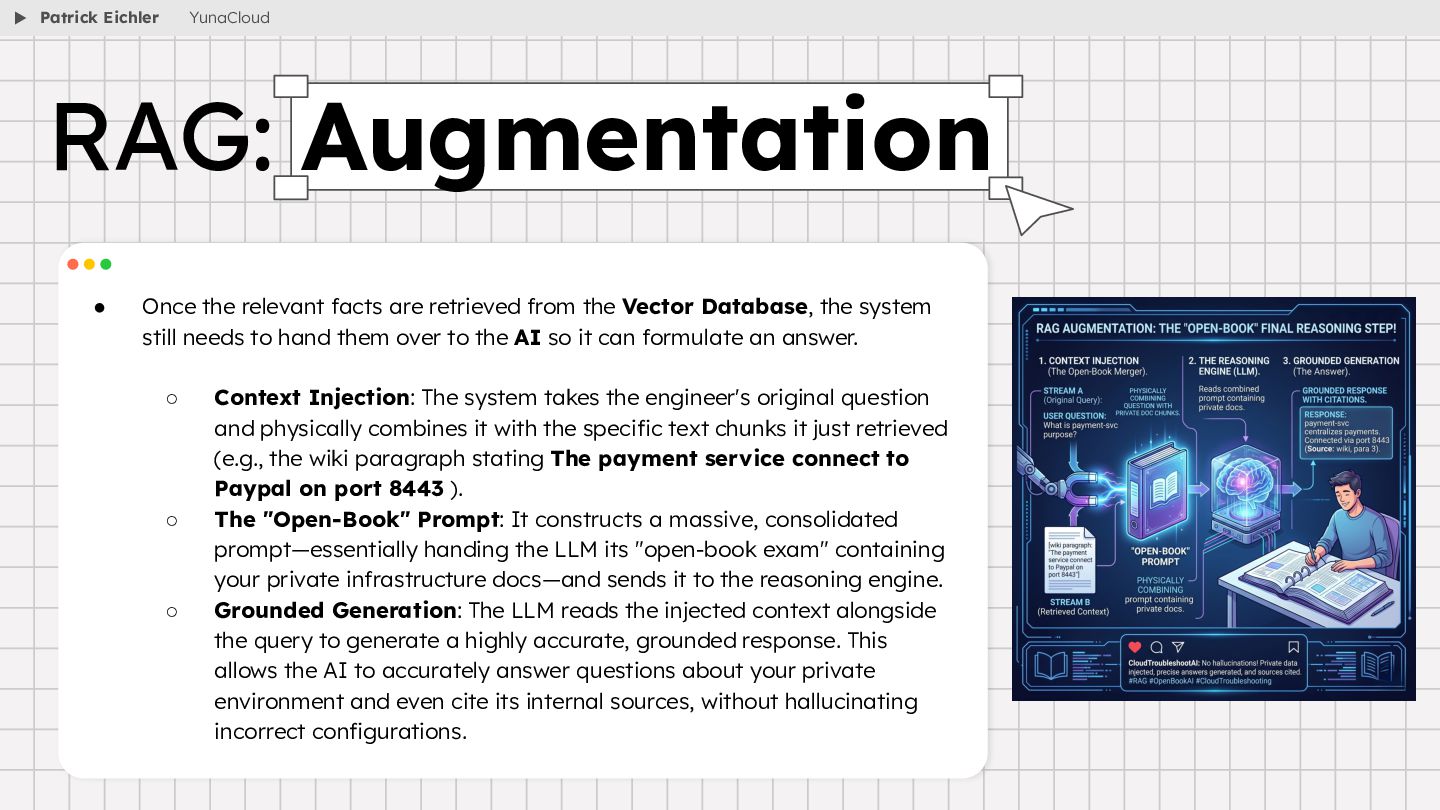
  38. • Once the relevant facts are retrieved from the Vector

    Database, the system still needs to hand them over to the AI so it can formulate an answer. ◦ Context Injection: The system takes the engineer's original question and physically combines it with the specific text chunks it just retrieved (e.g., the wiki paragraph stating The payment service connect to Paypal on port 8443 ). ◦ The "Open-Book" Prompt: It constructs a massive, consolidated prompt—essentially handing the LLM its "open-book exam" containing your private infrastructure docs—and sends it to the reasoning engine. ◦ Grounded Generation: The LLM reads the injected context alongside the query to generate a highly accurate, grounded response. This allows the AI to accurately answer questions about your private environment and even cite its internal sources, without hallucinating incorrect configurations. RAG: Augmentation Patrick Eichler YunaCloud
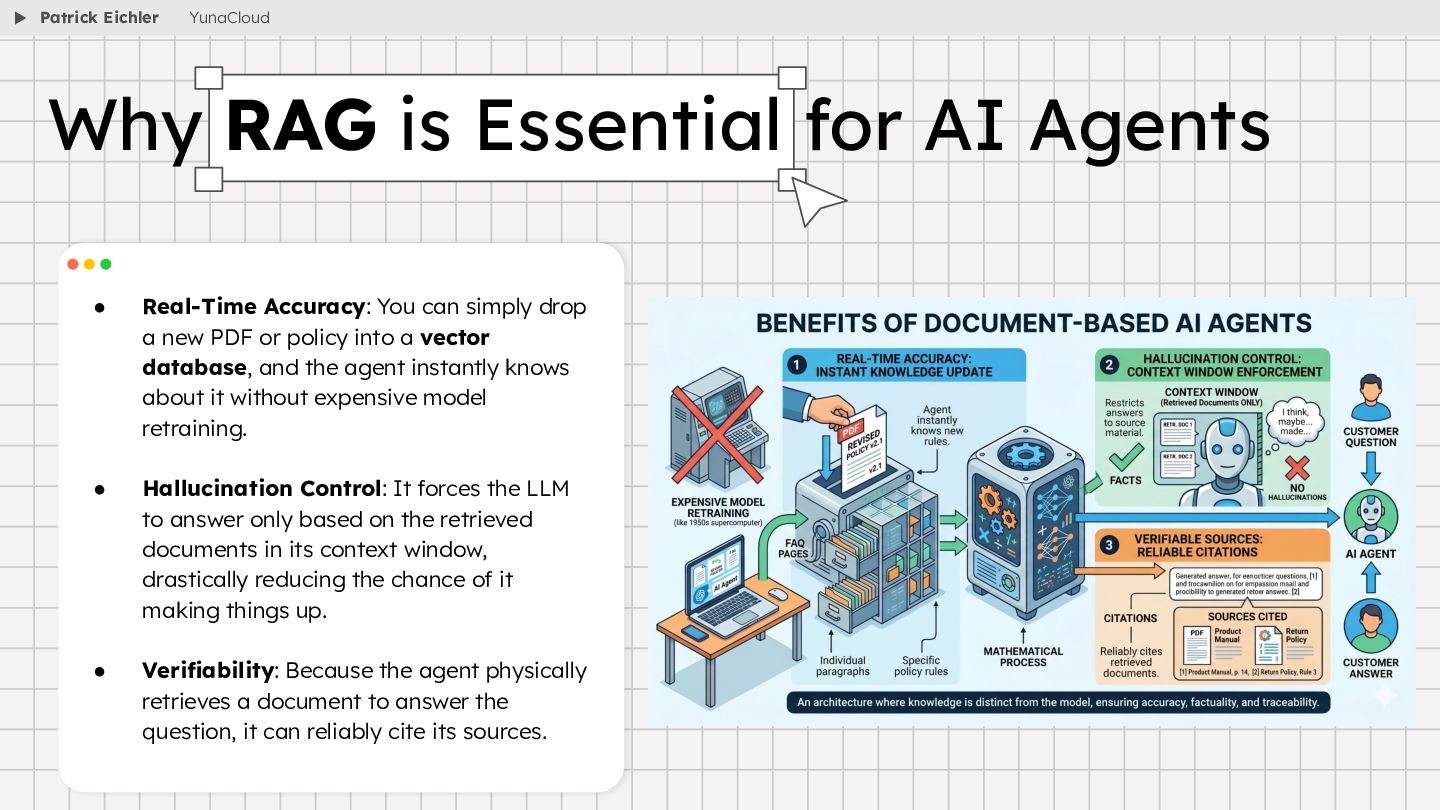
  39. • Real-Time Accuracy: You can simply drop a new PDF

    or policy into a vector database, and the agent instantly knows about it without expensive model retraining. • Hallucination Control: It forces the LLM to answer only based on the retrieved documents in its context window, drastically reducing the chance of it making things up. • Verifiability: Because the agent physically retrieves a document to answer the question, it can reliably cite its sources. Why RAG is Essential for AI Agents Patrick Eichler YunaCloud
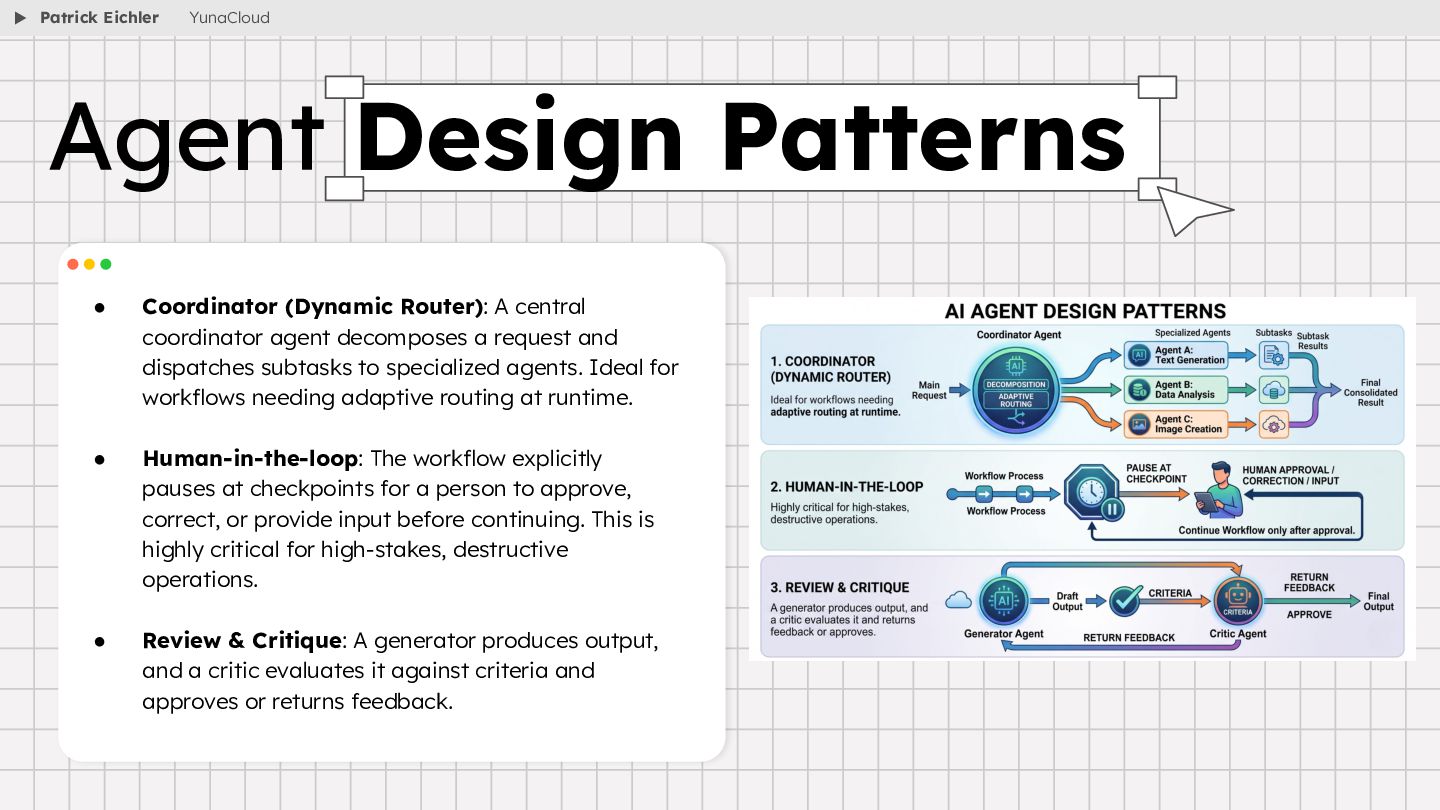
  40. • Coordinator (Dynamic Router): A central coordinator agent decomposes a

    request and dispatches subtasks to specialized agents. Ideal for workflows needing adaptive routing at runtime. • Human-in-the-loop: The workflow explicitly pauses at checkpoints for a person to approve, correct, or provide input before continuing. This is highly critical for high-stakes, destructive operations. • Review & Critique: A generator produces output, and a critic evaluates it against criteria and approves or returns feedback. Agent Design Patterns Patrick Eichler YunaCloud
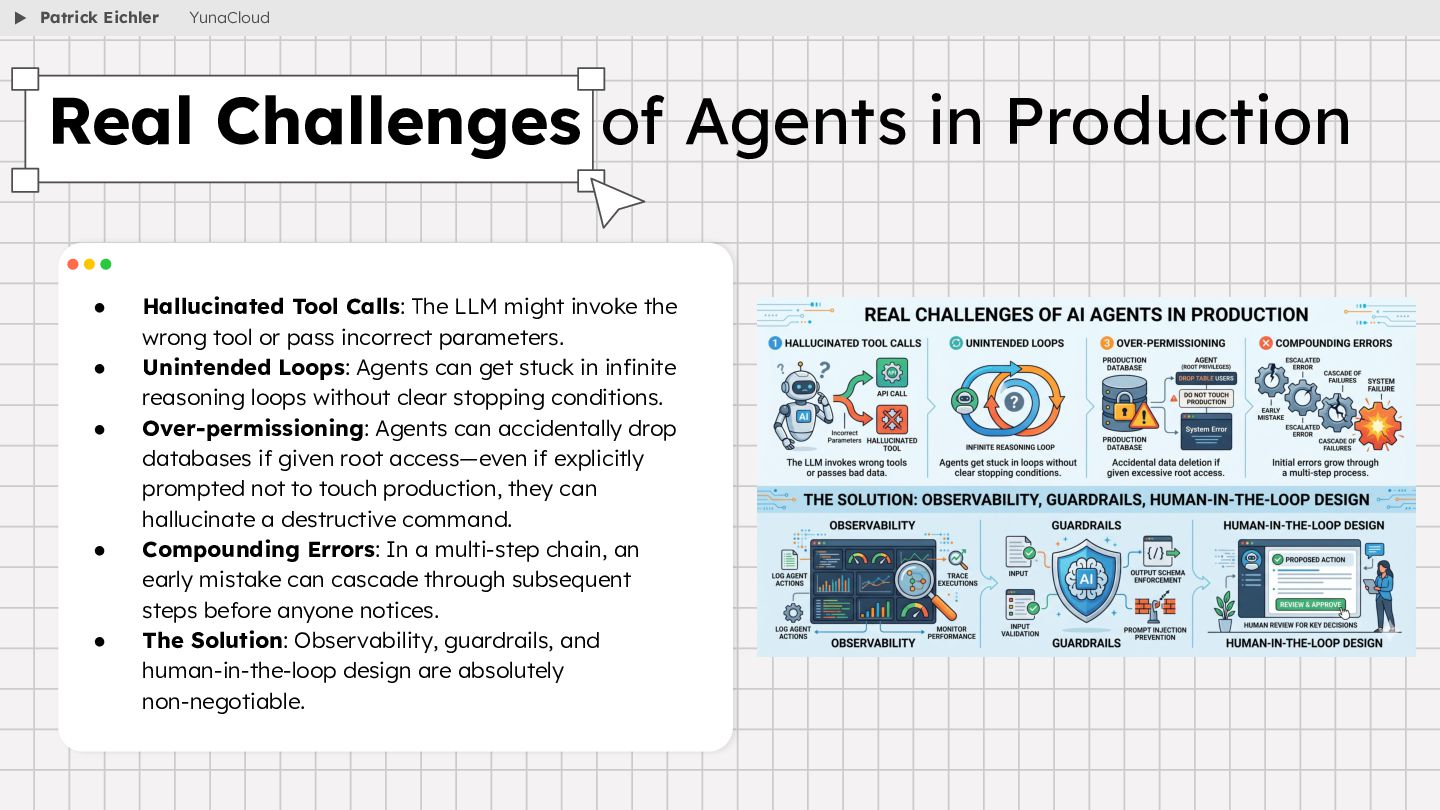
  41. • Hallucinated Tool Calls: The LLM might invoke the wrong

    tool or pass incorrect parameters. • Unintended Loops: Agents can get stuck in infinite reasoning loops without clear stopping conditions. • Over-permissioning: Agents can accidentally drop databases if given root access—even if explicitly prompted not to touch production, they can hallucinate a destructive command. • Compounding Errors: In a multi-step chain, an early mistake can cascade through subsequent steps before anyone notices. • The Solution: Observability, guardrails, and human-in-the-loop design are absolutely non-negotiable. Real Challenges of Agents in Production Patrick Eichler YunaCloud
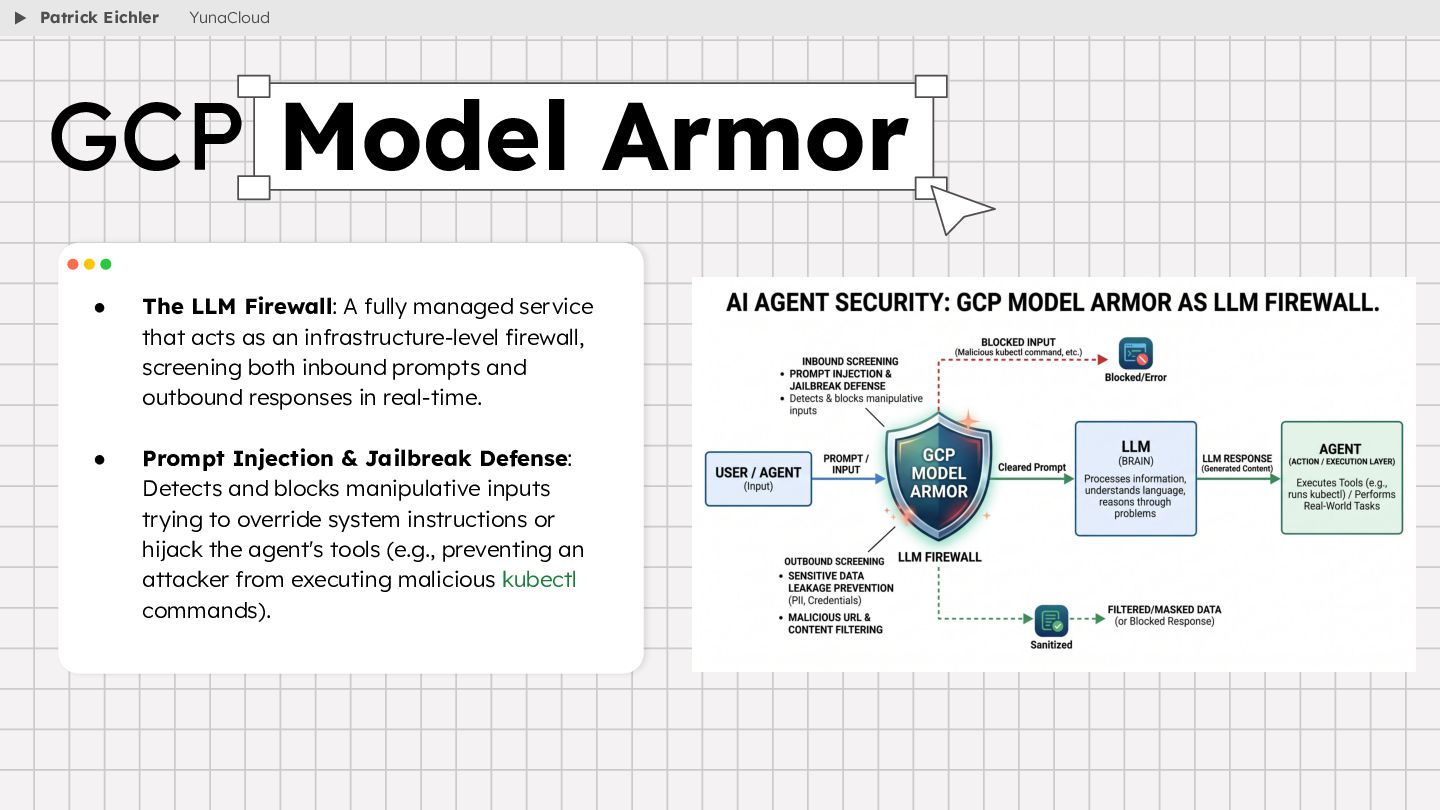
  42. • The LLM Firewall: A fully managed service that acts

    as an infrastructure-level firewall, screening both inbound prompts and outbound responses in real-time. • Prompt Injection & Jailbreak Defense: Detects and blocks manipulative inputs trying to override system instructions or hijack the agent's tools (e.g., preventing an attacker from executing malicious kubectl commands). GCP Model Armor Patrick Eichler YunaCloud
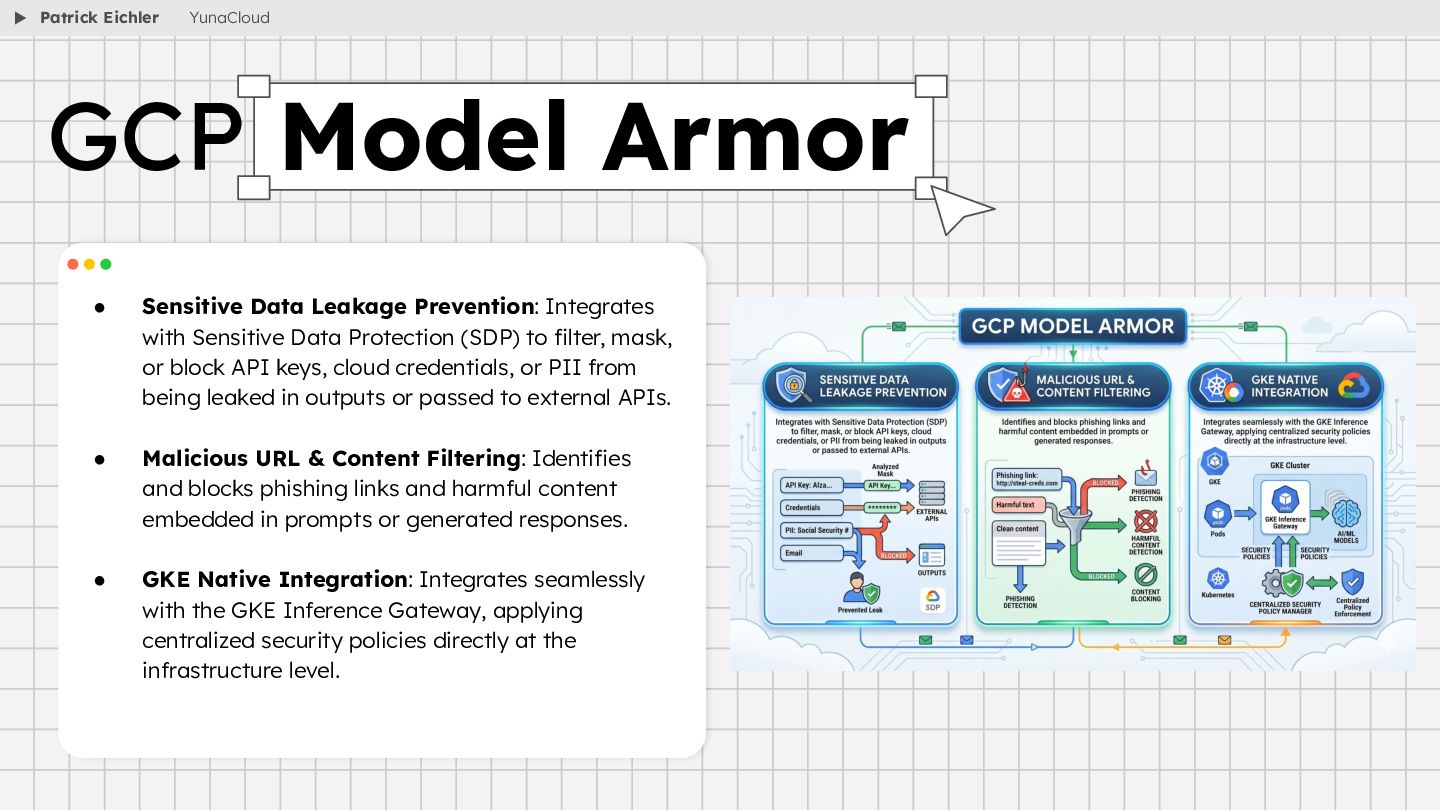
  43. • Sensitive Data Leakage Prevention: Integrates with Sensitive Data Protection

    (SDP) to filter, mask, or block API keys, cloud credentials, or PII from being leaked in outputs or passed to external APIs. • Malicious URL & Content Filtering: Identifies and blocks phishing links and harmful content embedded in prompts or generated responses. • GKE Native Integration: Integrates seamlessly with the GKE Inference Gateway, applying centralized security policies directly at the infrastructure level. GCP Model Armor Patrick Eichler YunaCloud
  44. ▶ Resources https://cloud.google.com/ use-cases/ai-agents Patrick Eichler Cloud Computing, Cloud Technologies

    & IoT - SRH Berlin https://cloud.google.com/secu rity/products/model-armor https://modelcontextprotocol.io https://github.com/modelcontextprotocol/servers