Upgrade to Pro — share decks privately, control downloads, hide ads and more …

Operational Intelligence with AI Agents and Inf...

Avatar for Ivo Andreev Ivo Andreev
September 12, 2026

Operational Intelligence with AI Agents and InfluxDB 3 MCP

Beyond dashboards, beyond reports. The future of industrial and digital systems is moving from monitoring of what happens to understanding it and root cause analysis. By combining a modern open time series DB and AI agents, organizations can build systems that analyze their own behavior and explain themselves.
This session explores how InfluxDB 3 - the most popular time series DB is open source and supporting operational intelligence out of the box with MCP, AI agent reasoning and relevant recommendations.

Avatar for Ivo Andreev

Ivo Andreev

September 12, 2026

More Decks by Ivo Andreev

Other Decks in Technology

Transcript

  1. AI Industrial Summit Bulgaria 2026 12 September 2026 At 09:30

    AM Labs Building 2 floor, Sofia Tech Park
  2. About ◆ ◆ ◆ ◆ ◆ Solution Architect @ Microsoft
    AI Foundry MVP External Expert Eurostars-Eureka, Horizon Europe External Expert InnoFund Denmark, RIF Cyprus Business Interests ◦ ◦ ◦ ◆ Cloud, IoT, Integration Agentic AI, Machine Learning Security & Performance Optimization Contact ◦ ◦ ◦ [email protected] www.linkedin.com/in/ivelin www.slideshare.net/ivoandreev
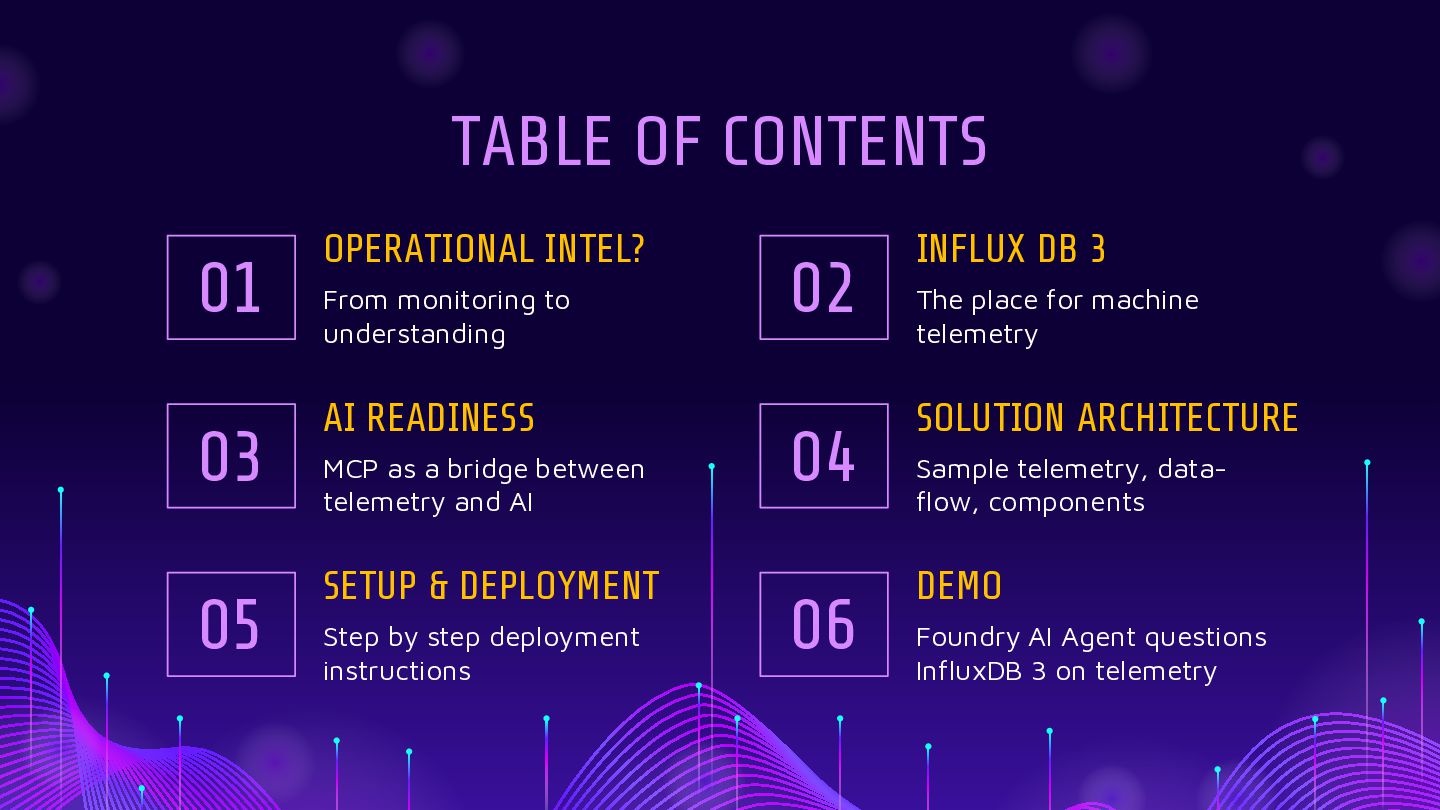
  3. TABLE OF CONTENTS 01 03 05 OPERATIONAL INTEL? From monitoring

    to understanding AI READINESS MCP as a bridge between telemetry and AI SETUP & DEPLOYMENT Step by step deployment instructions 02 04 06 INFLUX DB 3 The place for machine telemetry SOLUTION ARCHITECTURE Sample telemetry, dataflow, components DEMO Foundry AI Agent questions InfluxDB 3 on telemetry
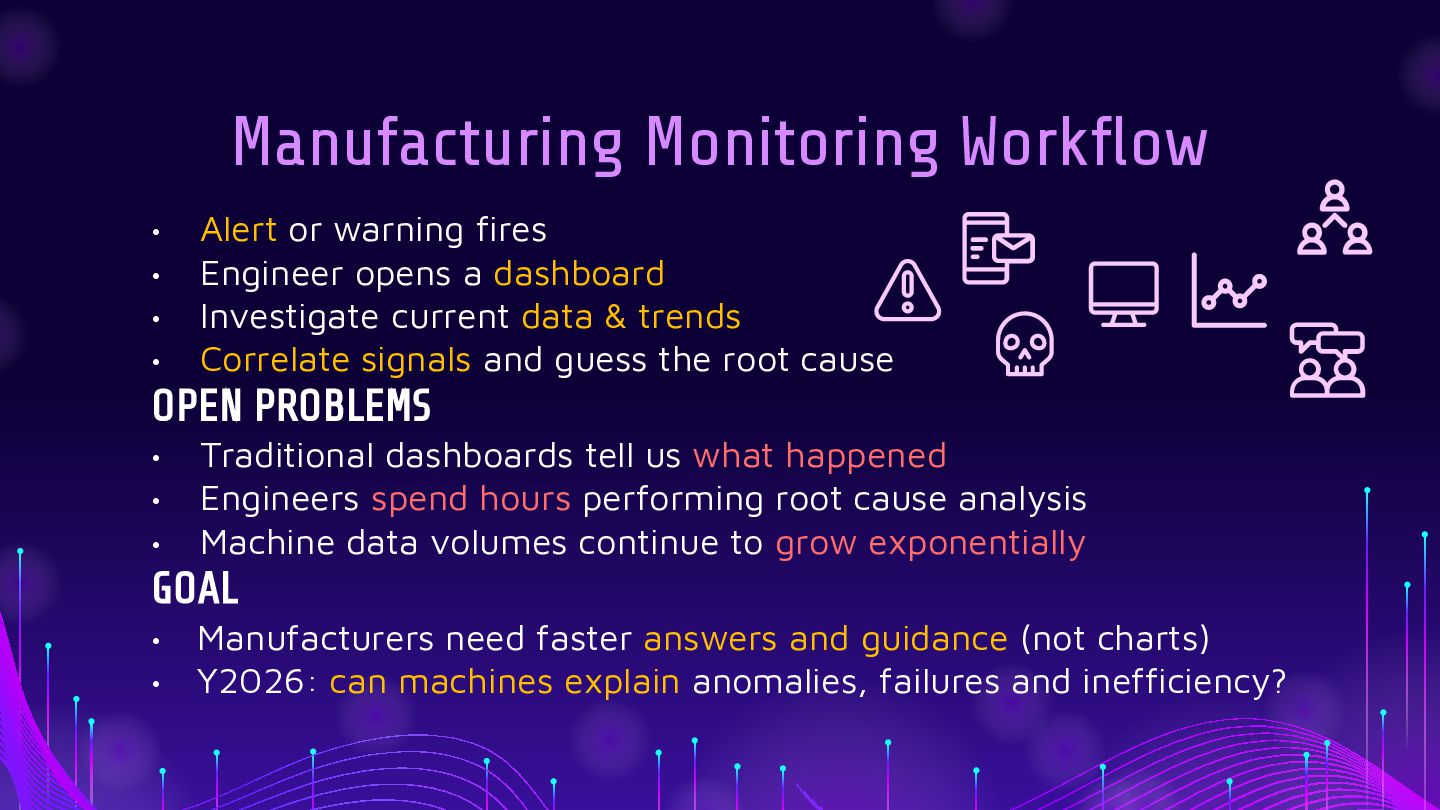
  4. Manufacturing Monitoring Workflow • • • • Alert or warning

    fires Engineer opens a dashboard Investigate current data & trends Correlate signals and guess the root cause OPEN PROBLEMS • • • Traditional dashboards tell us what happened Engineers spend hours performing root cause analysis Machine data volumes continue to grow exponentially GOAL • • Manufacturers need faster answers and guidance (not charts) Y2026: can machines explain anomalies, failures and inefficiency?
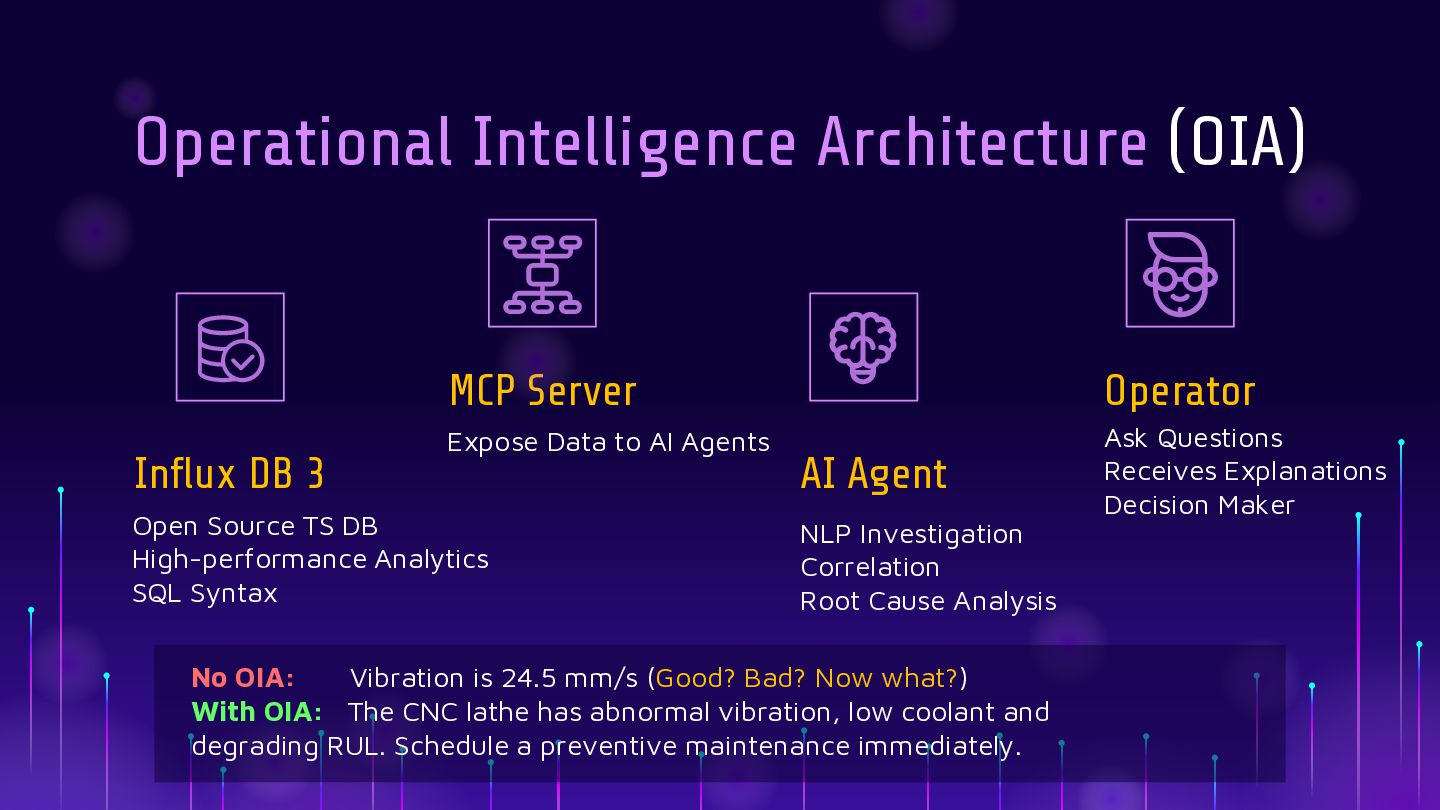
  5. Operational Intelligence Architecture (OIA) Influx DB 3 MCP Server Operator

    Expose Data to AI Agents Ask Questions Receives Explanations Decision Maker Open Source TS DB High-performance Analytics SQL Syntax AI Agent NLP Investigation Correlation Root Cause Analysis No OIA: Vibration is 24.5 mm/s (Good? Bad? Now what?) With OIA: The CNC lathe has abnormal vibration, low coolant and degrading RUL. Schedule a preventive maintenance immediately.
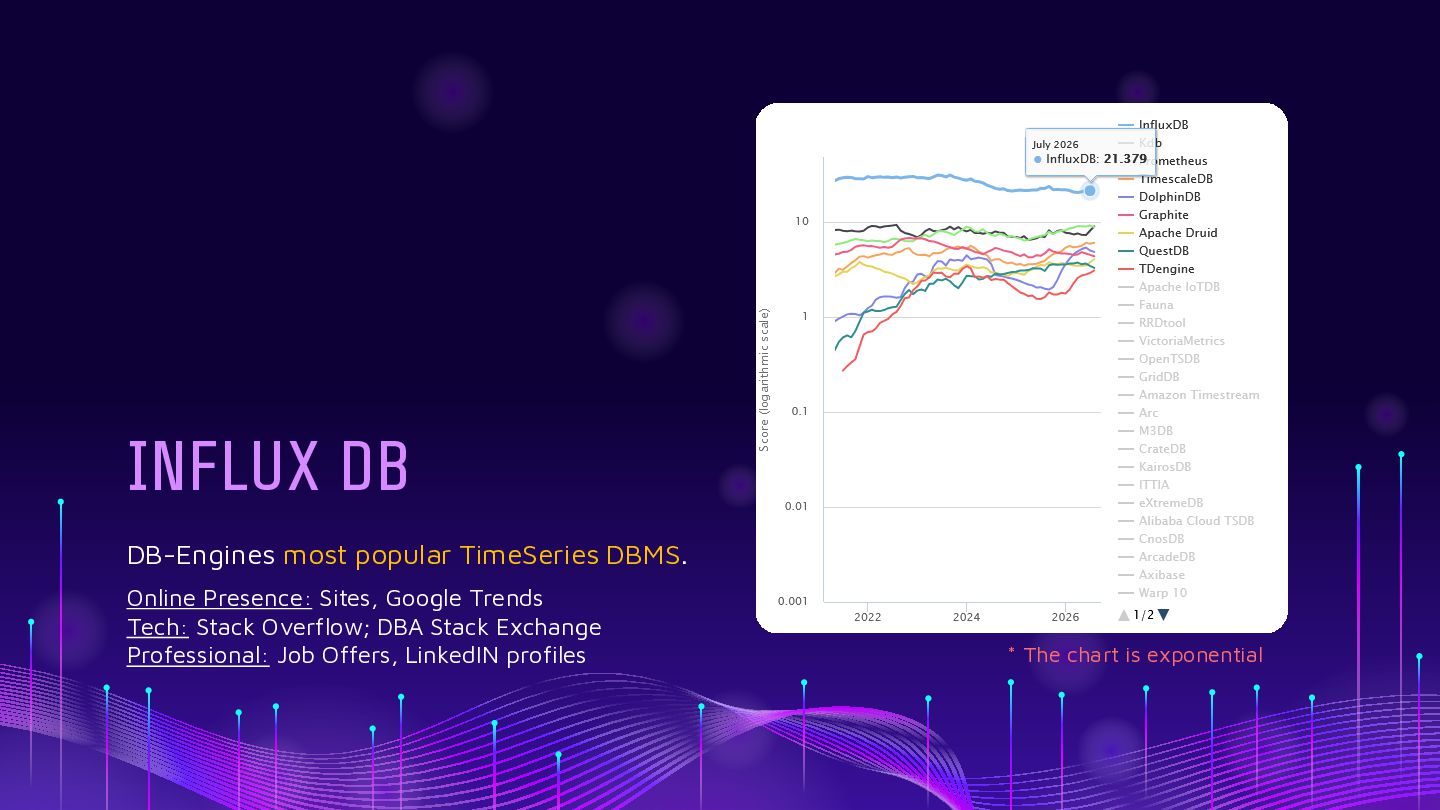
  6. INFLUX DB DB-Engines most popular TimeSeries DBMS. Online Presence: Sites,

    Google Trends Tech: Stack Overflow; DBA Stack Exchange Professional: Job Offers, LinkedIN profiles * The chart is exponential
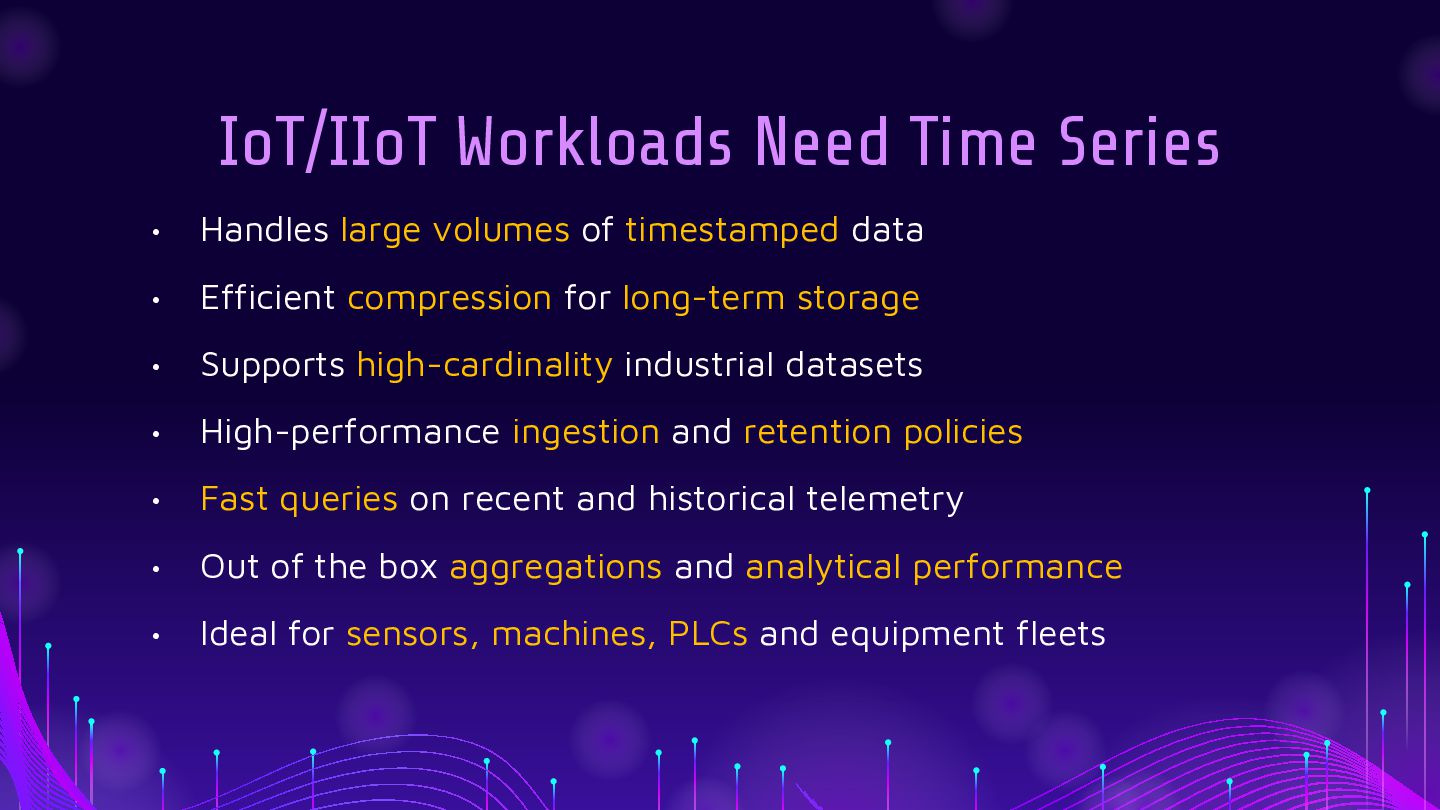
  7. IoT/IIoT Workloads Need Time Series • Handles large volumes of

    timestamped data • Efficient compression for long-term storage • Supports high-cardinality industrial datasets • High-performance ingestion and retention policies • Fast queries on recent and historical telemetry • Out of the box aggregations and analytical performance • Ideal for sensors, machines, PLCs and equipment fleets
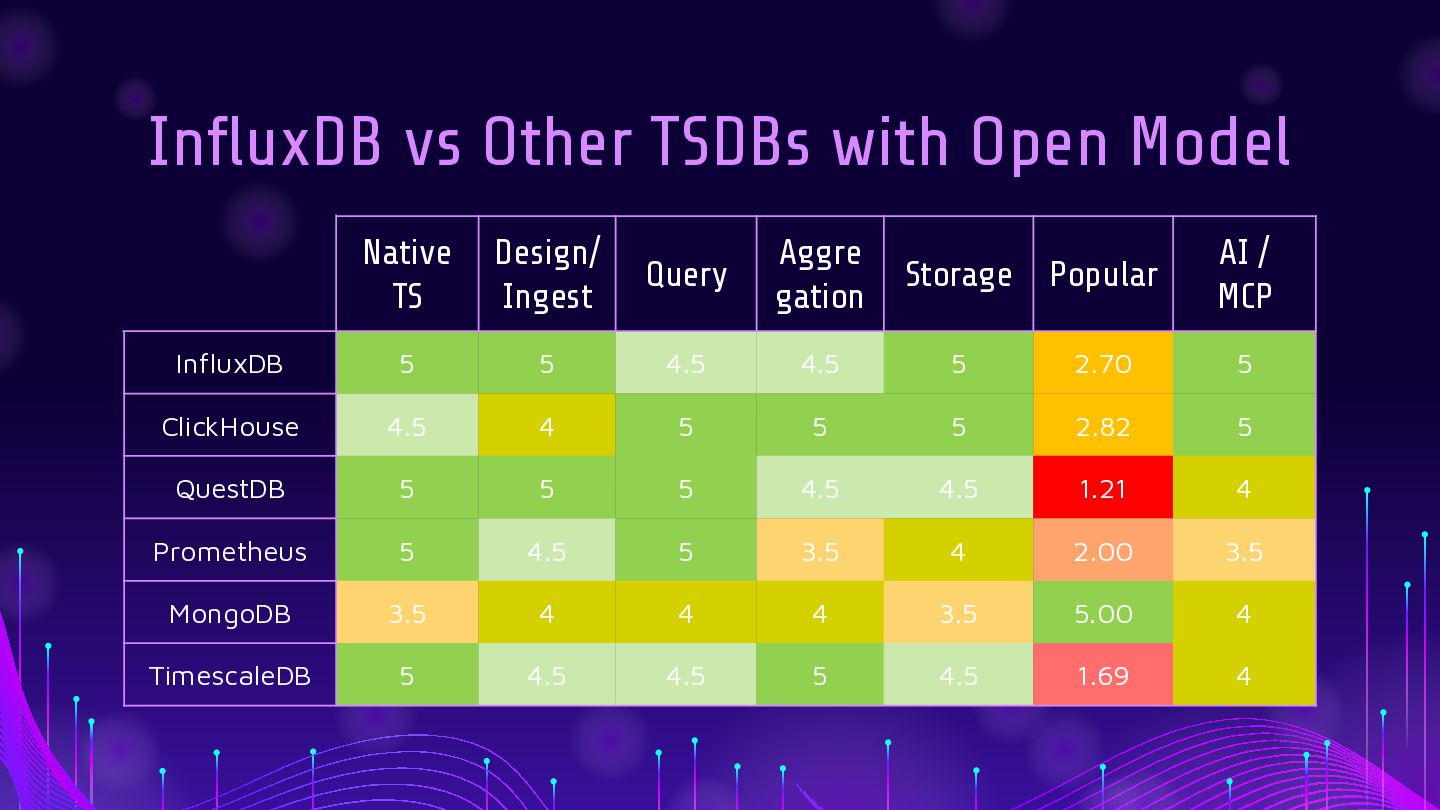
  8. InfluxDB vs Other TSDBs with Open Model Native TS Design/

    Ingest Query Aggre gation Storage Popular AI / MCP InfluxDB 5 5 4.5 4.5 5 2.70 5 ClickHouse 4.5 4 5 5 5 2.82 5 QuestDB 5 5 5 4.5 4.5 1.21 4 Prometheus 5 4.5 5 3.5 4 2.00 3.5 MongoDB 3.5 4 4 4 3.5 5.00 4 TimescaleDB 5 4.5 4.5 5 4.5 1.69 4
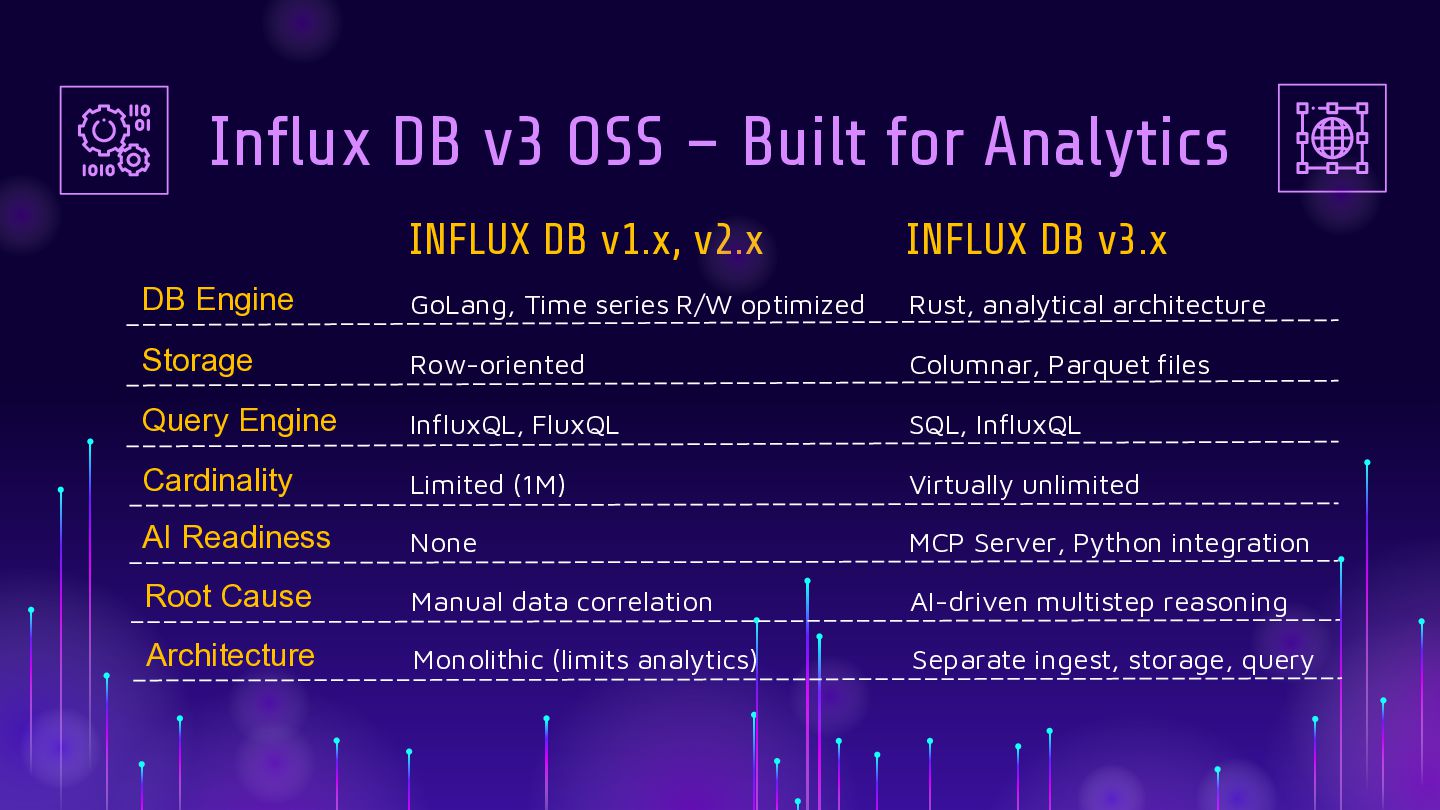
  9. Influx DB v3 OSS – Built for Analytics INFLUX DB

    v1.x, v2.x INFLUX DB v3.x DB Engine GoLang, Time series R/W optimized Rust, analytical architecture Storage Row-oriented Columnar, Parquet files Query Engine InfluxQL, FluxQL SQL, InfluxQL Cardinality Limited (1M) Virtually unlimited AI Readiness None MCP Server, Python integration Root Cause Manual data correlation AI-driven multistep reasoning Architecture Monolithic (limits analytics) Separate ingest, storage, query
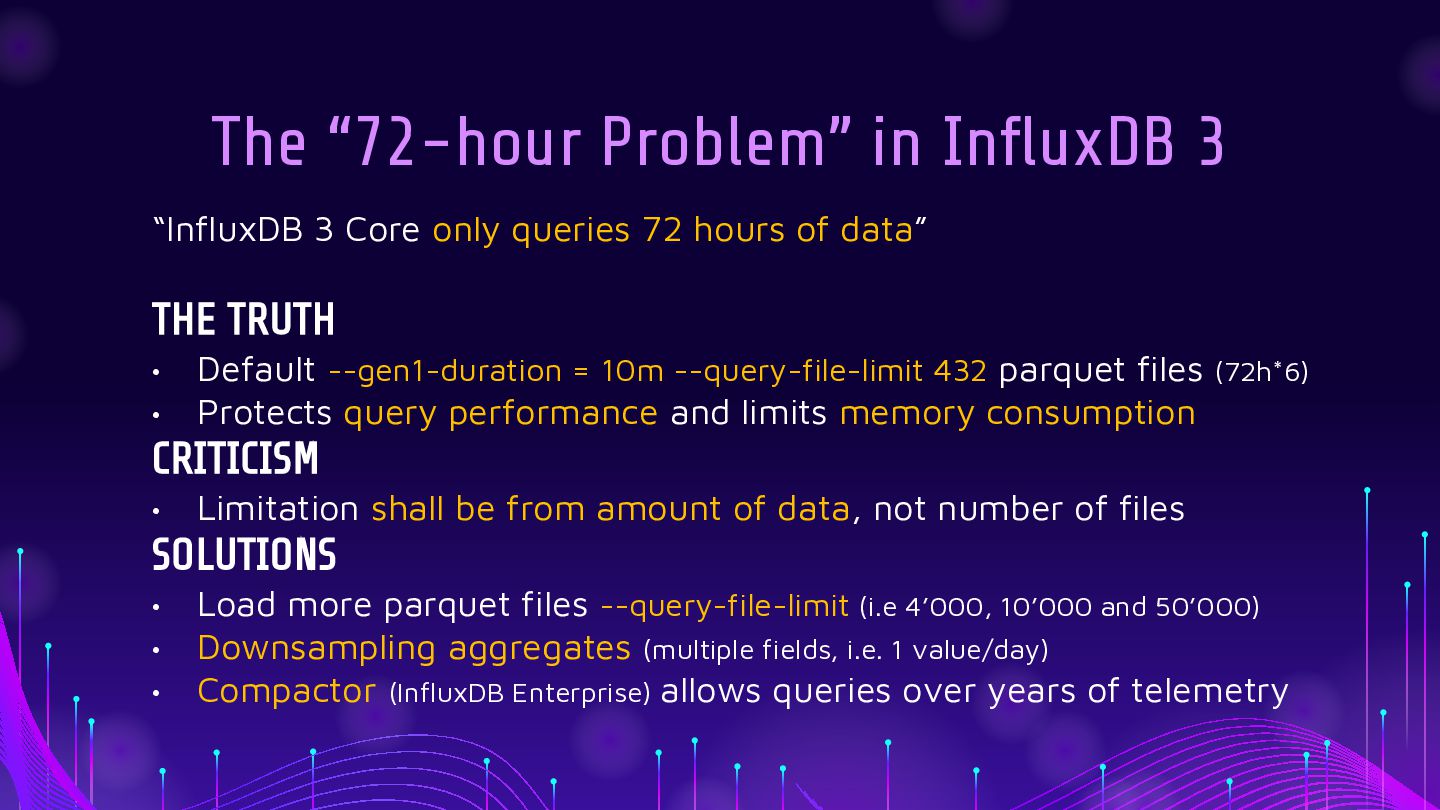
  10. The “72-hour Problem” in InfluxDB 3 “InfluxDB 3 Core only

    queries 72 hours of data” THE TRUTH • • Default --gen1-duration = 10m --query-file-limit 432 parquet files (72h*6) Protects query performance and limits memory consumption CRITICISM • Limitation shall be from amount of data, not number of files SOLUTIONS • • • Load more parquet files --query-file-limit (i.e 4’000, 10’000 and 50’000) Downsampling aggregates (multiple fields, i.e. 1 value/day) Compactor (InfluxDB Enterprise) allows queries over years of telemetry
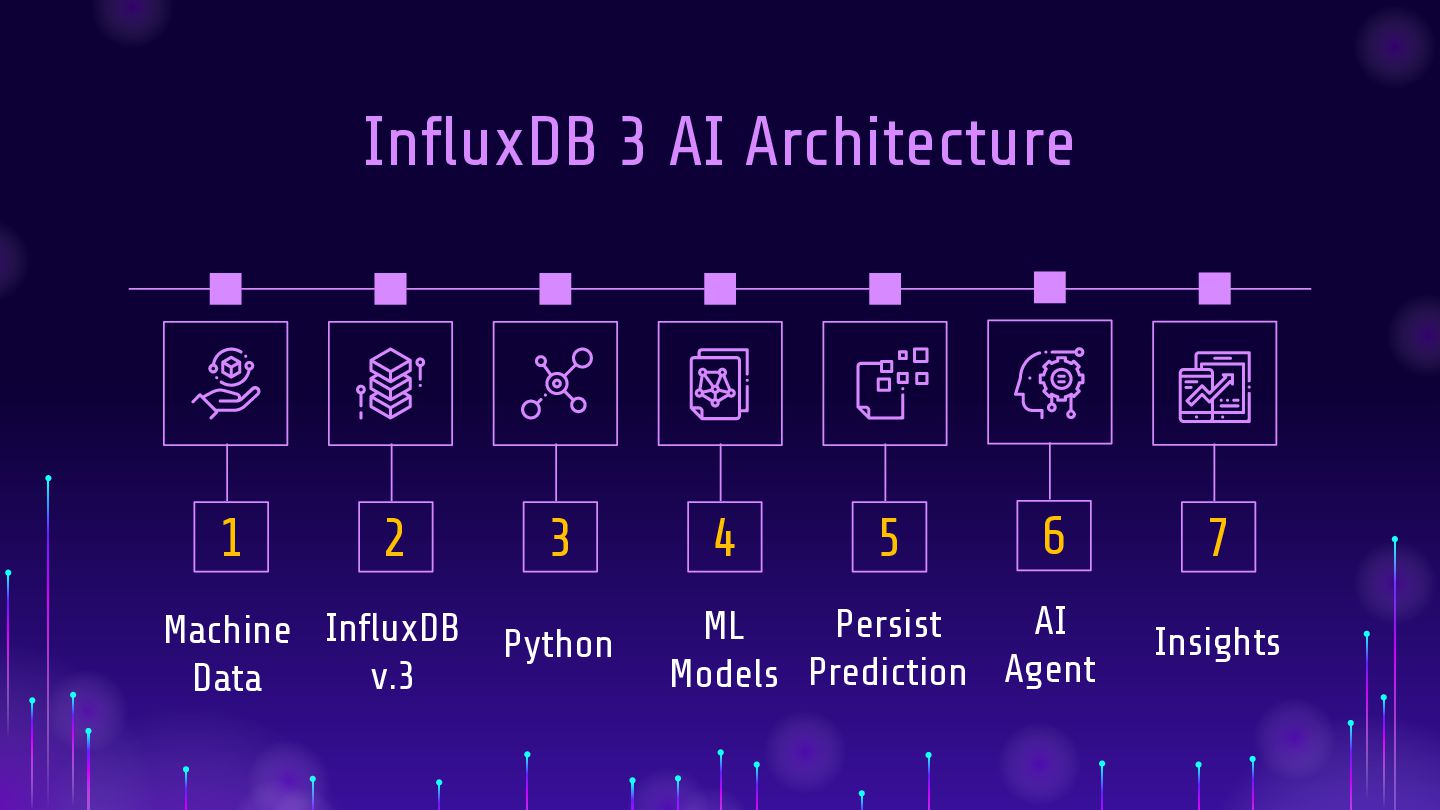
  11. InfluxDB 3 AI Architecture 1 2 Machine InfluxDB v.3 Data

    3 Python 4 5 6 AI Persist ML Models Prediction Agent 7 Insights
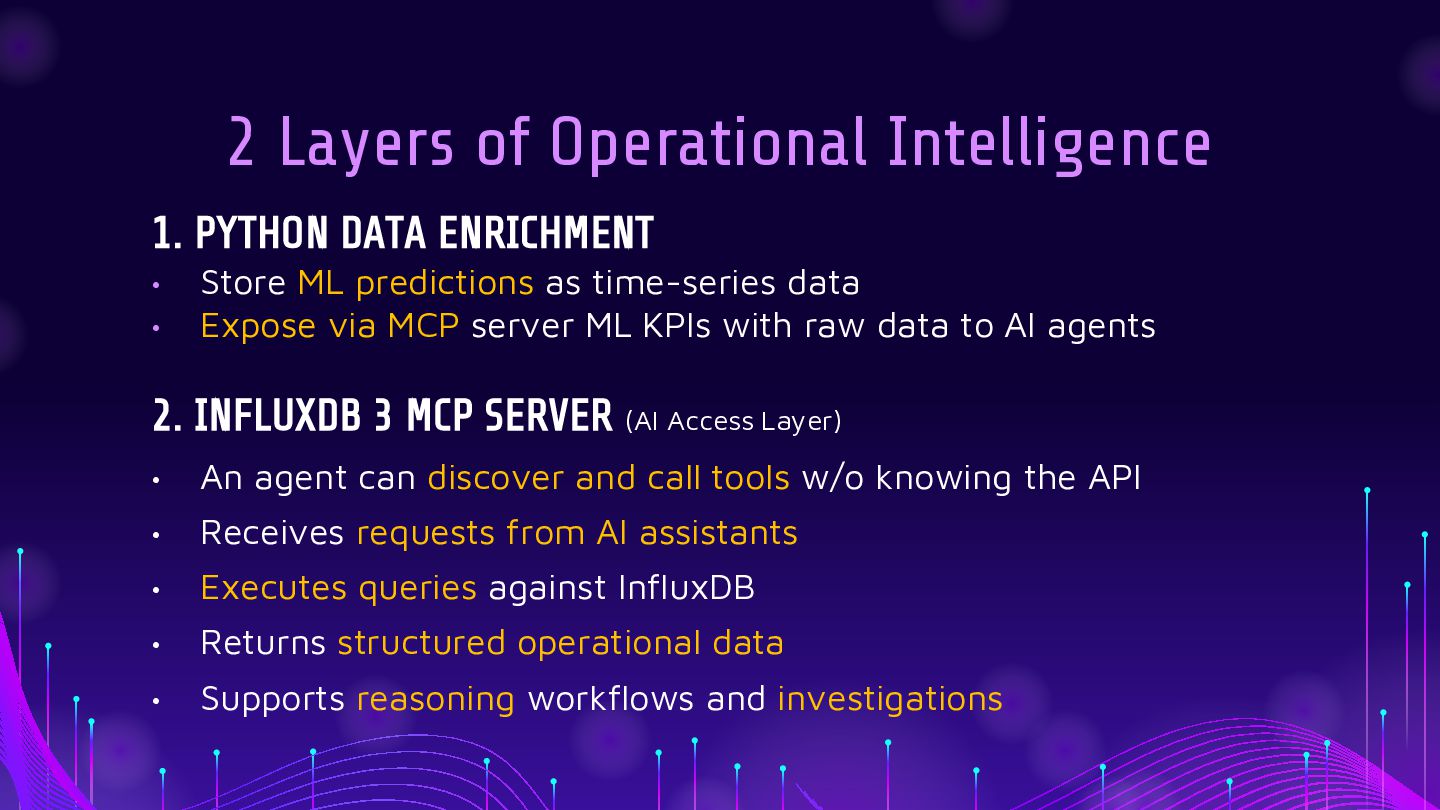
  12. 2 Layers of Operational Intelligence 1. PYTHON DATA ENRICHMENT •

    • Store ML predictions as time-series data Expose via MCP server ML KPIs with raw data to AI agents 2. INFLUXDB 3 MCP SERVER (AI Access Layer) • An agent can discover and call tools w/o knowing the API • Receives requests from AI assistants • Executes queries against InfluxDB • Returns structured operational data • Supports reasoning workflows and investigations
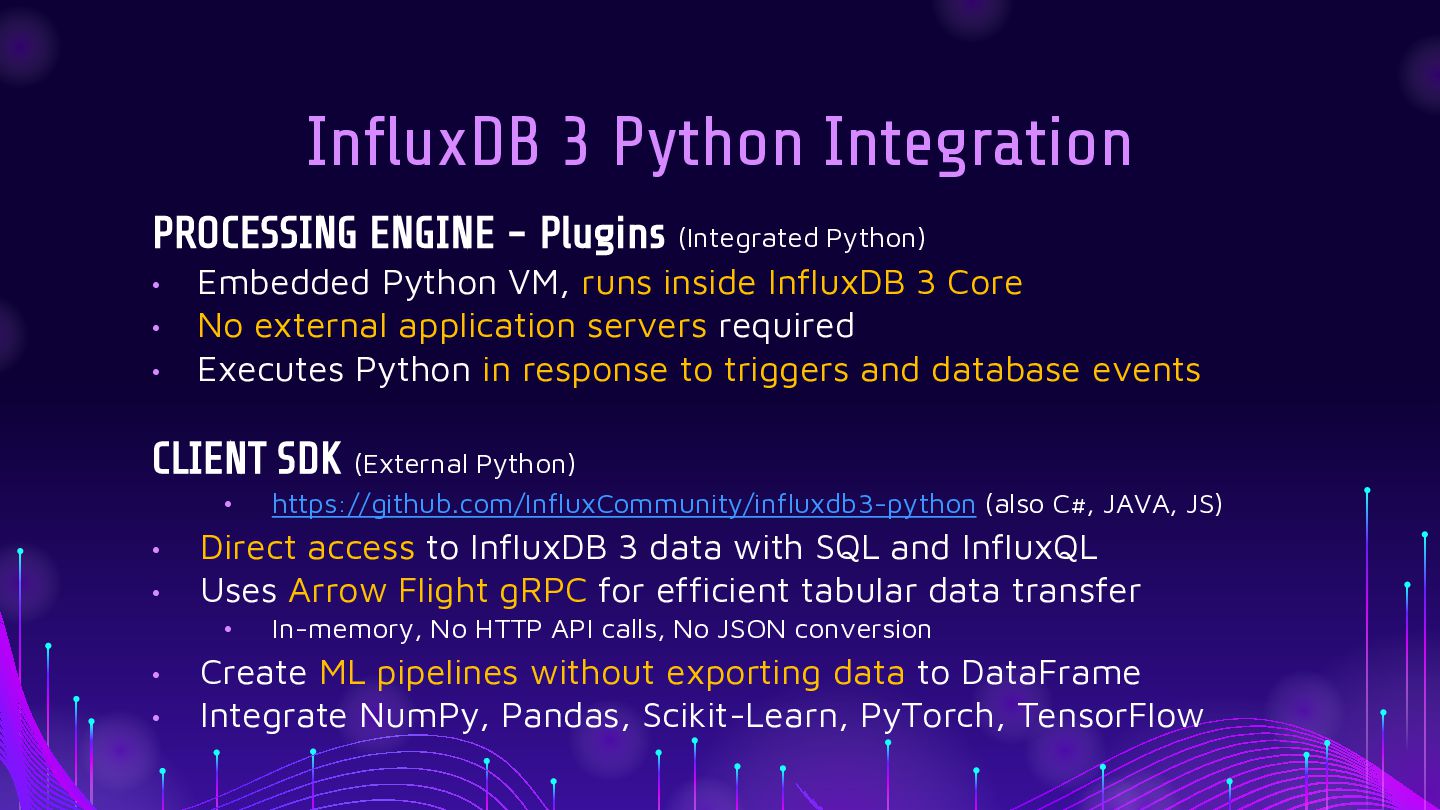
  13. InfluxDB 3 Python Integration PROCESSING ENGINE - Plugins (Integrated Python)

    • • • Embedded Python VM, runs inside InfluxDB 3 Core No external application servers required Executes Python in response to triggers and database events CLIENT SDK (External Python) • • • Direct access to InfluxDB 3 data with SQL and InfluxQL Uses Arrow Flight gRPC for efficient tabular data transfer • • • https://github.com/InfluxCommunity/influxdb3-python (also C#, JAVA, JS) In-memory, No HTTP API calls, No JSON conversion Create ML pipelines without exporting data to DataFrame Integrate NumPy, Pandas, Scikit-Learn, PyTorch, TensorFlow
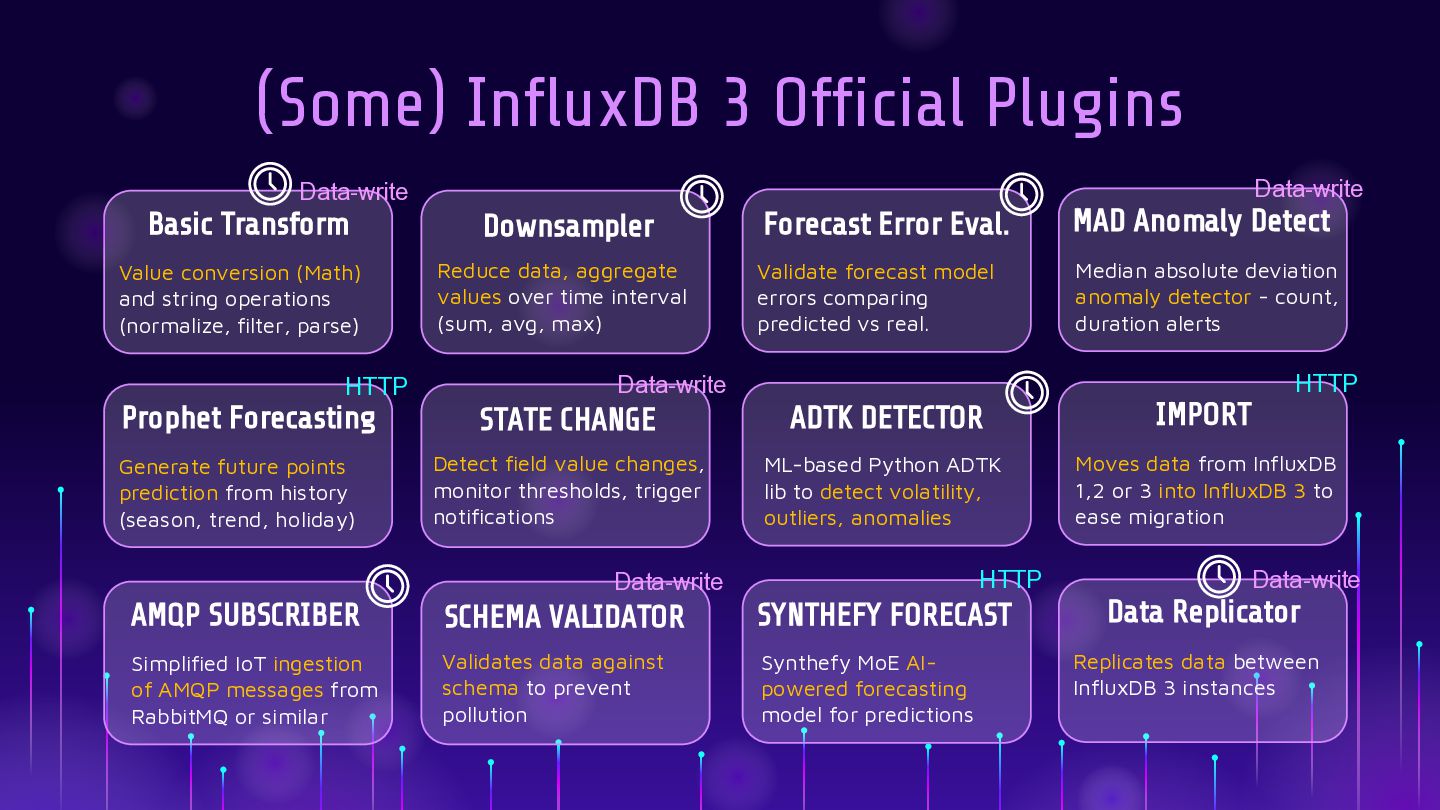
  14. (Some) InfluxDB 3 Official Plugins Data-write Data-write Basic Transform Downsampler

    Forecast Error Eval. MAD Anomaly Detect Value conversion (Math) and string operations (normalize, filter, parse) Reduce data, aggregate values over time interval (sum, avg, max) Validate forecast model errors comparing predicted vs real. Median absolute deviation anomaly detector - count, duration alerts HTTP Data-write HTTP Prophet Forecasting STATE CHANGE ADTK DETECTOR IMPORT Generate future points prediction from history (season, trend, holiday) Detect field value changes, monitor thresholds, trigger notifications ML-based Python ADTK lib to detect volatility, outliers, anomalies Moves data from InfluxDB 1,2 or 3 into InfluxDB 3 to ease migration HTTP Data-write AMQP SUBSCRIBER SCHEMA VALIDATOR SYNTHEFY FORECAST Simplified IoT ingestion of AMQP messages from RabbitMQ or similar Validates data against schema to prevent pollution Synthefy MoE AIpowered forecasting model for predictions Data-write Data Replicator Replicates data between InfluxDB 3 instances
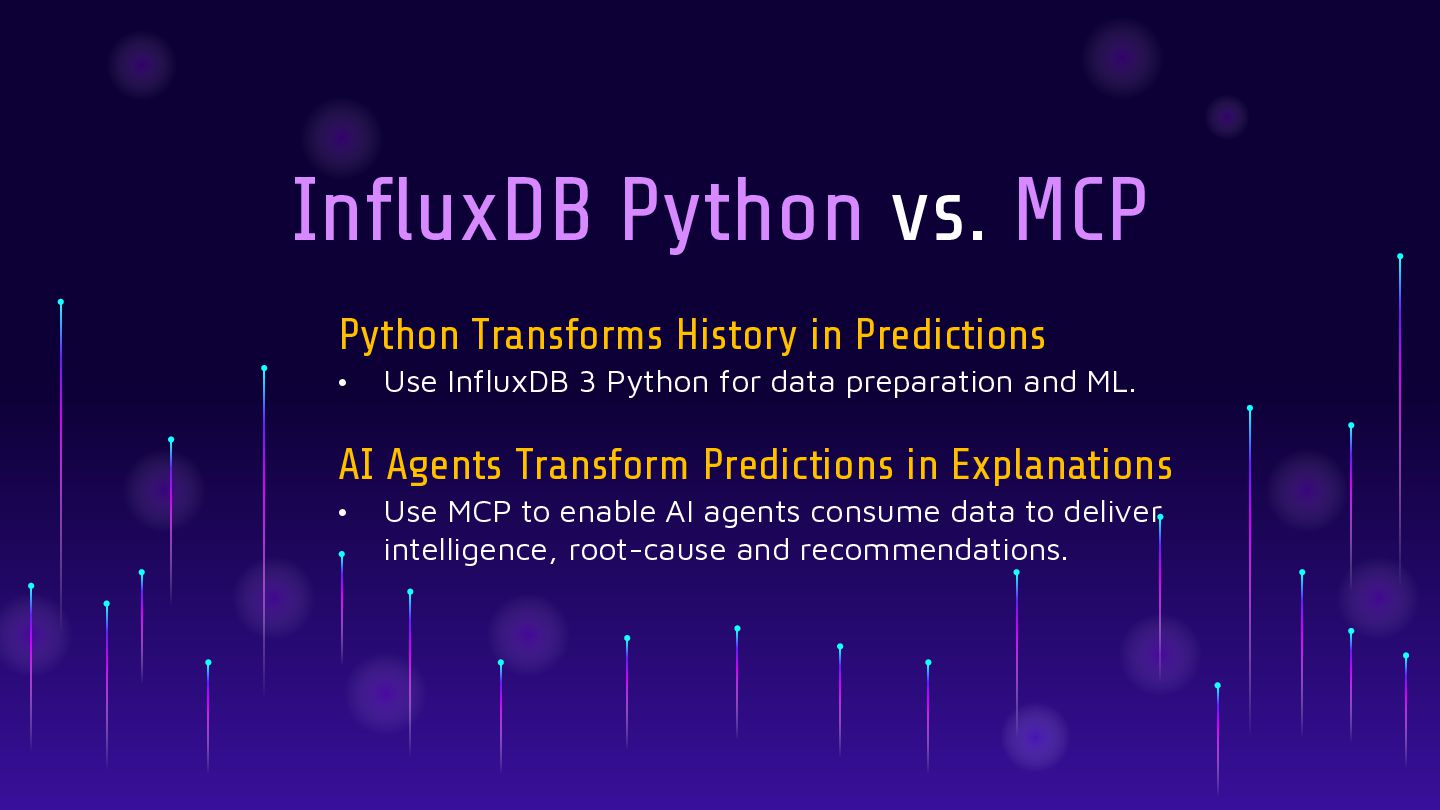
  15. InfluxDB Python vs. MCP Python Transforms History in Predictions •

    Use InfluxDB 3 Python for data preparation and ML. AI Agents Transform Predictions in Explanations • Use MCP to enable AI agents consume data to deliver intelligence, root-cause and recommendations.
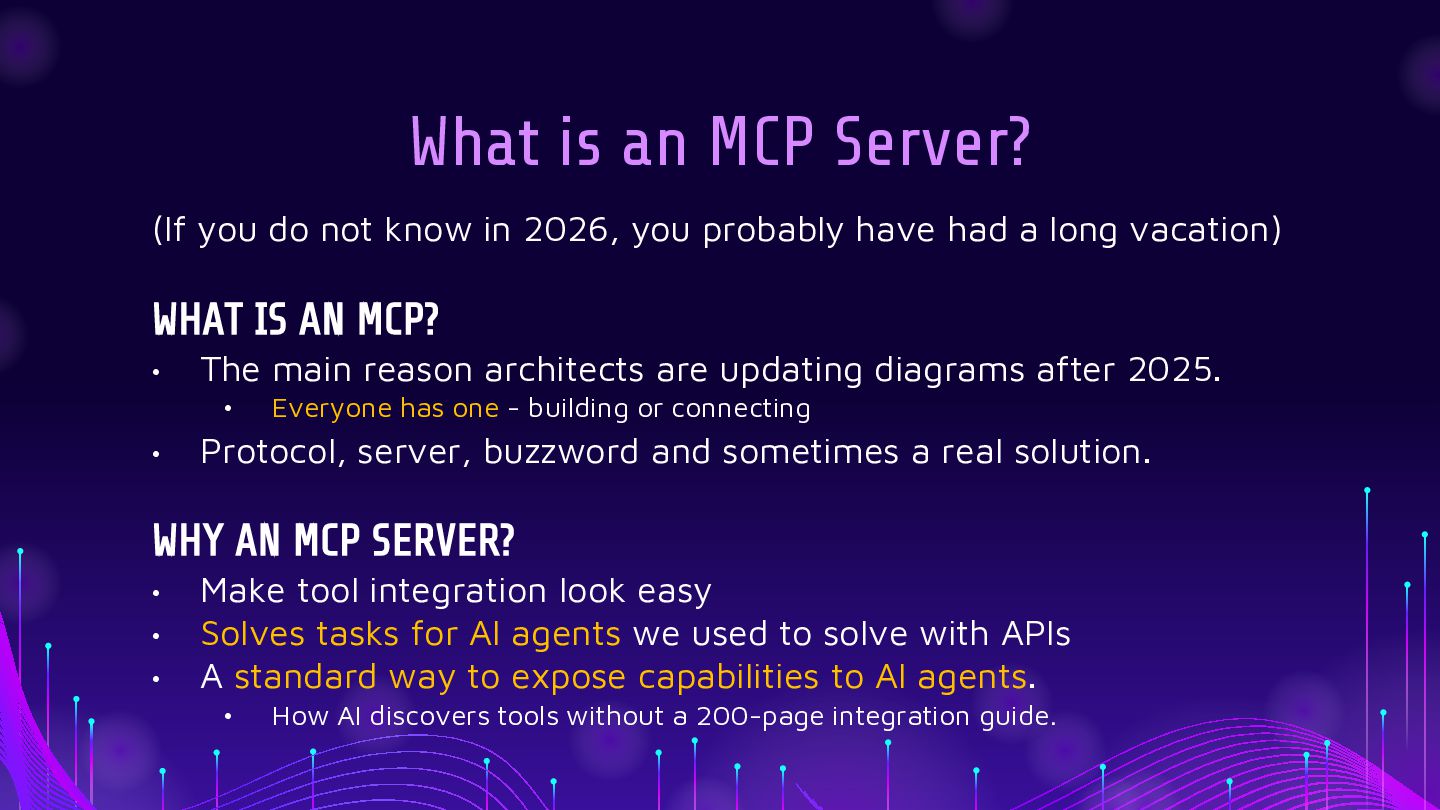
  16. What is an MCP Server? (If you do not know

    in 2026, you probably have had a long vacation) WHAT IS AN MCP? • The main reason architects are updating diagrams after 2025. • • Everyone has one - building or connecting Protocol, server, buzzword and sometimes a real solution. WHY AN MCP SERVER? • • • Make tool integration look easy Solves tasks for AI agents we used to solve with APIs A standard way to expose capabilities to AI agents. • How AI discovers tools without a 200-page integration guide.
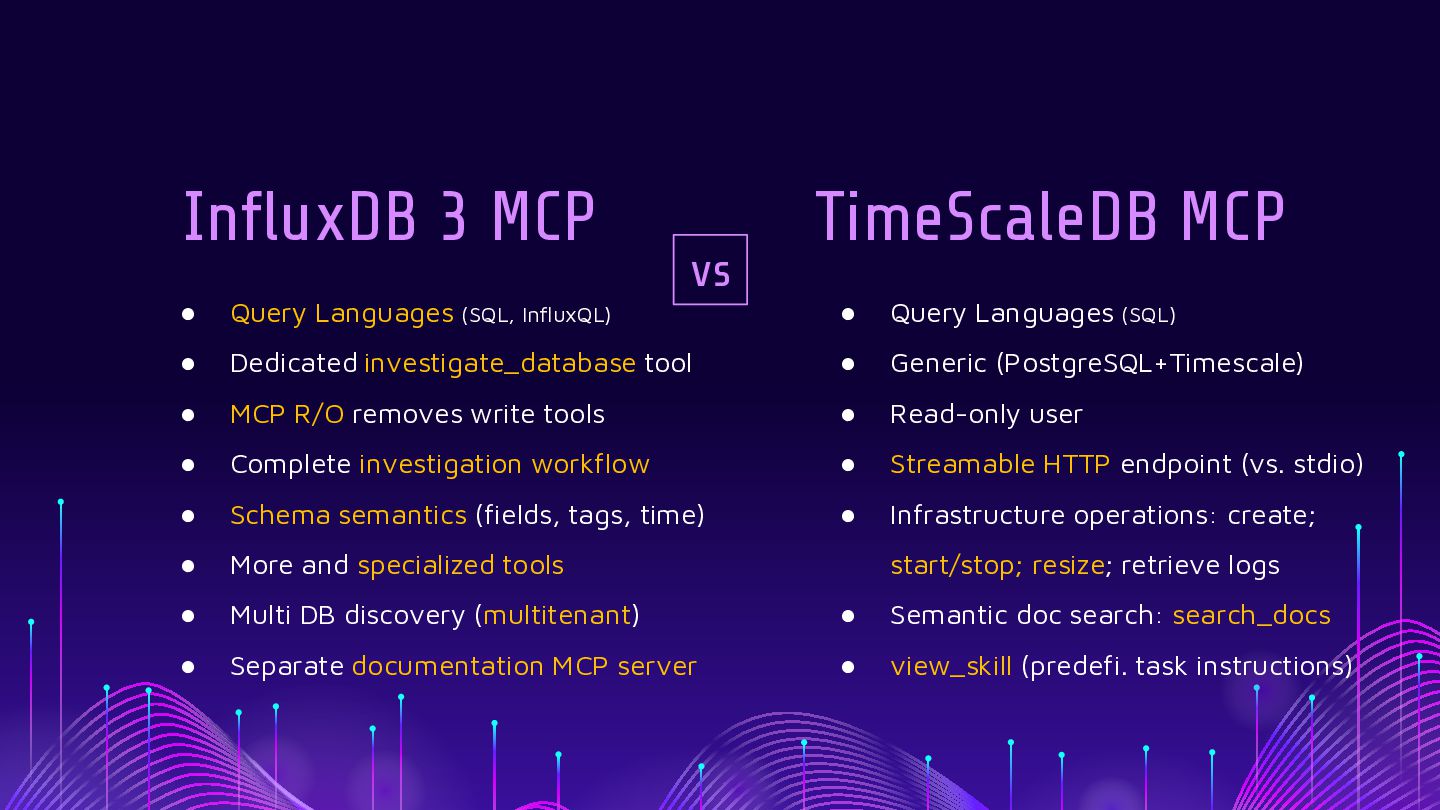
  17. InfluxDB 3 MCP • Query Languages (SQL, InfluxQL) • vs

    TimeScaleDB MCP • Query Languages (SQL) Dedicated investigate_database tool • Generic (PostgreSQL+Timescale) • MCP R/O removes write tools • Read-only user • Complete investigation workflow • Streamable HTTP endpoint (vs. stdio) • Schema semantics (fields, tags, time) • Infrastructure operations: create; • More and specialized tools • Multi DB discovery (multitenant) • Semantic doc search: search_docs • Separate documentation MCP server • view_skill (predefi. task instructions) start/stop; resize; retrieve logs
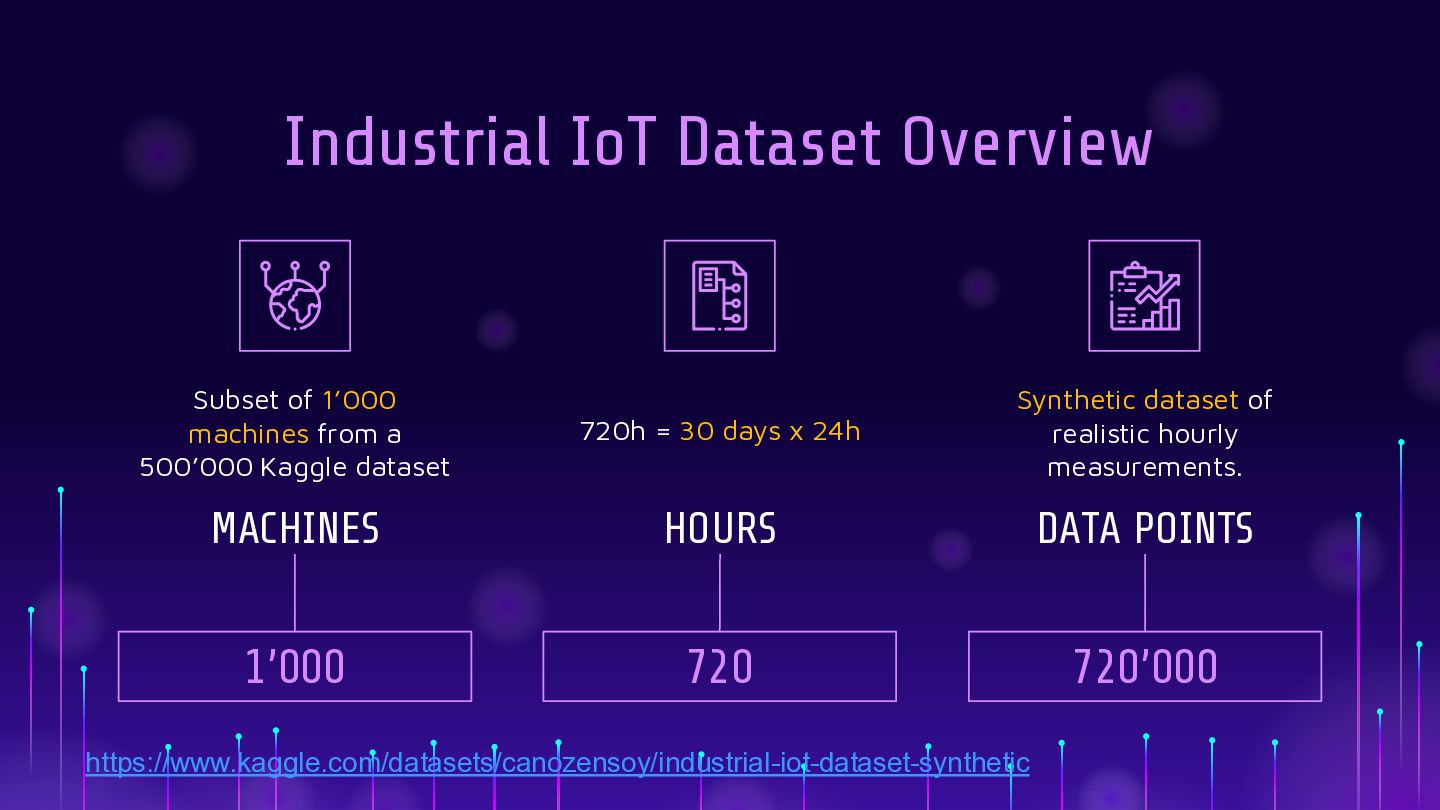
  18. Industrial IoT Dataset Overview Subset of 1’000 machines from a

    500’000 Kaggle dataset 720h = 30 days x 24h Synthetic dataset of realistic hourly measurements. MACHINES HOURS DATA POINTS 1’000 720 720’000 https://www.kaggle.com/datasets/canozensoy/industrial-iot-dataset-synthetic
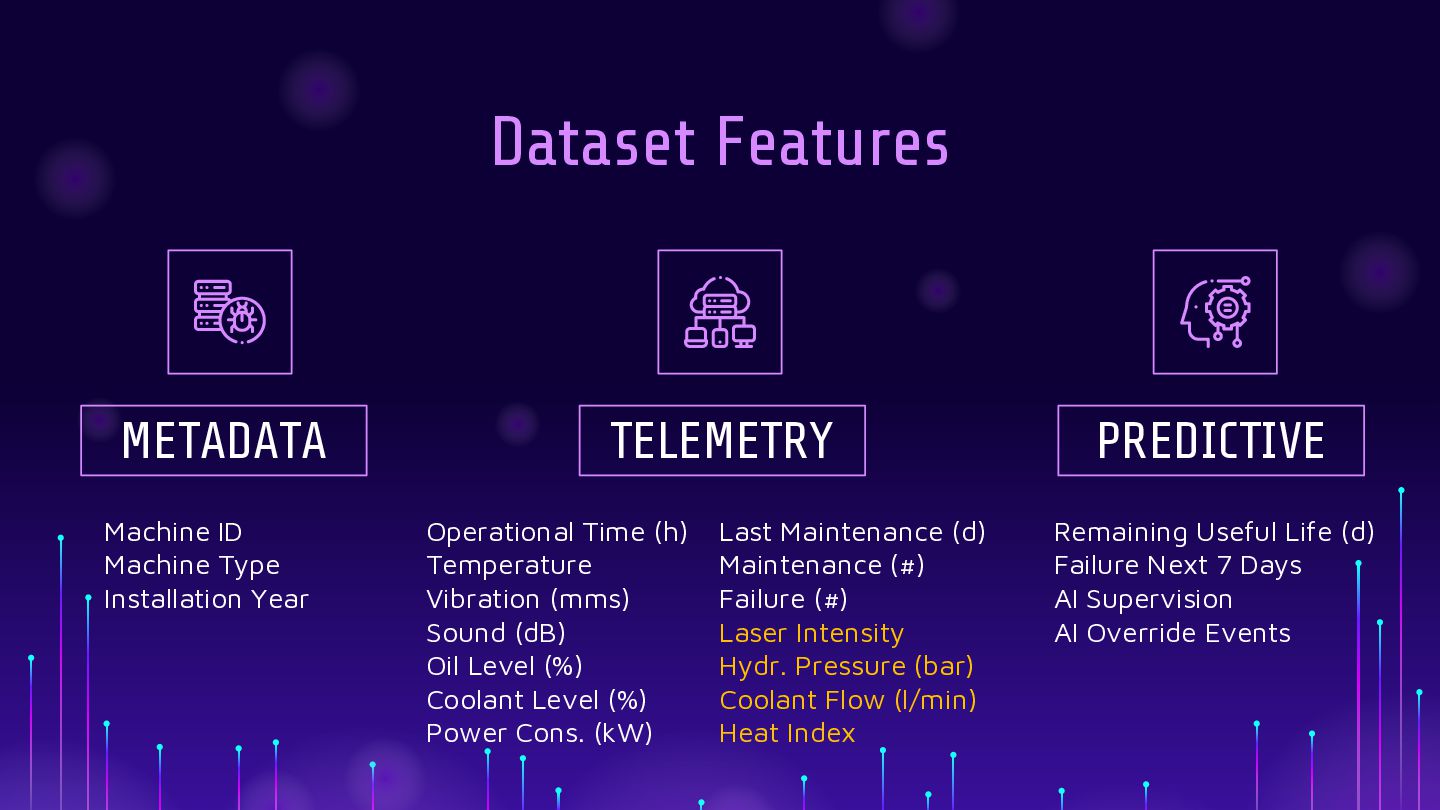
  19. Dataset Features METADATA Machine ID Machine Type Installation Year TELEMETRY

    Operational Time (h) Temperature Vibration (mms) Sound (dB) Oil Level (%) Coolant Level (%) Power Cons. (kW) Last Maintenance (d) Maintenance (#) Failure (#) Laser Intensity Hydr. Pressure (bar) Coolant Flow (l/min) Heat Index PREDICTIVE Remaining Useful Life (d) Failure Next 7 Days AI Supervision AI Override Events
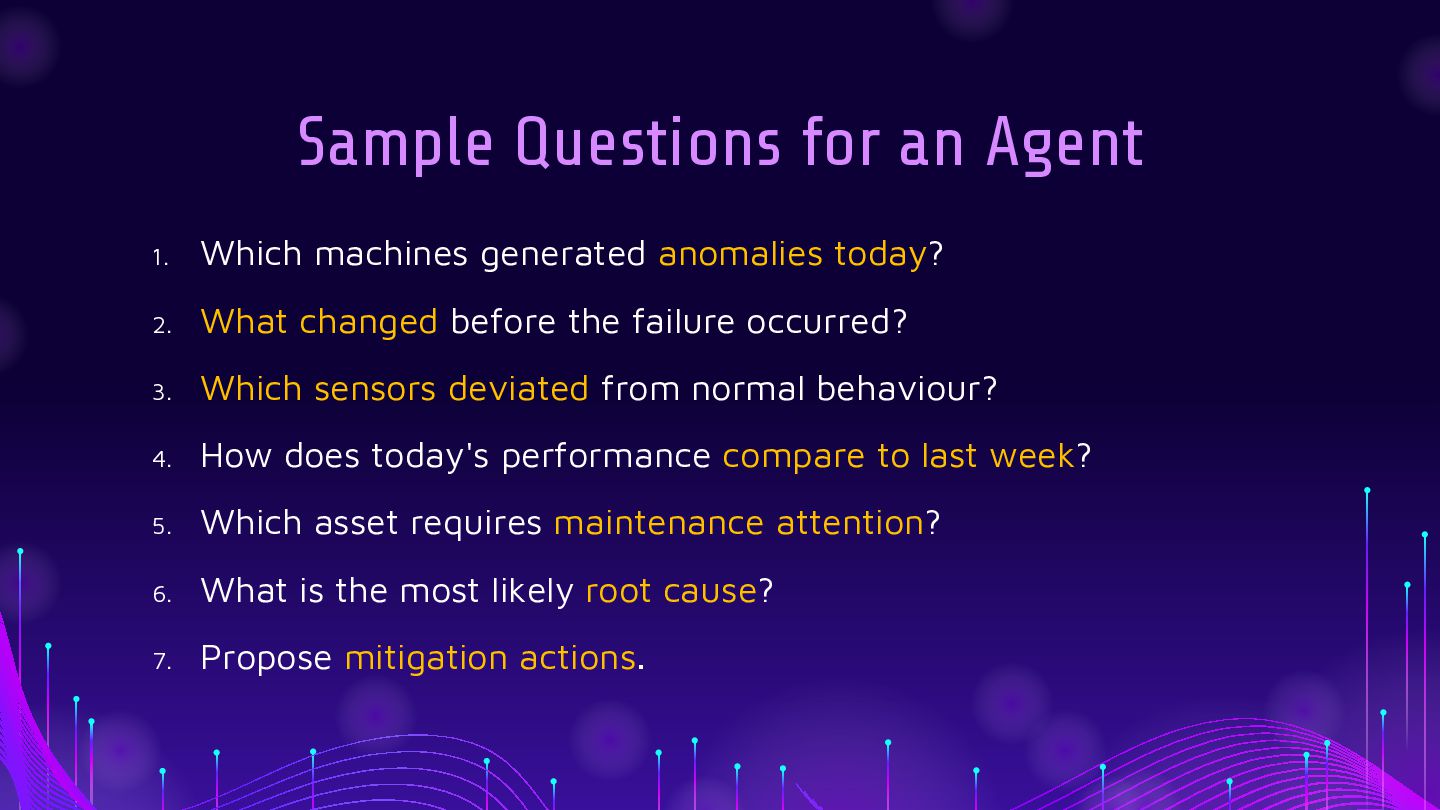
  20. Sample Questions for an Agent 1. Which machines generated anomalies

    today? 2. What changed before the failure occurred? 3. Which sensors deviated from normal behaviour? 4. How does today's performance compare to last week? 5. Which asset requires maintenance attention? 6. What is the most likely root cause? 7. Propose mitigation actions.
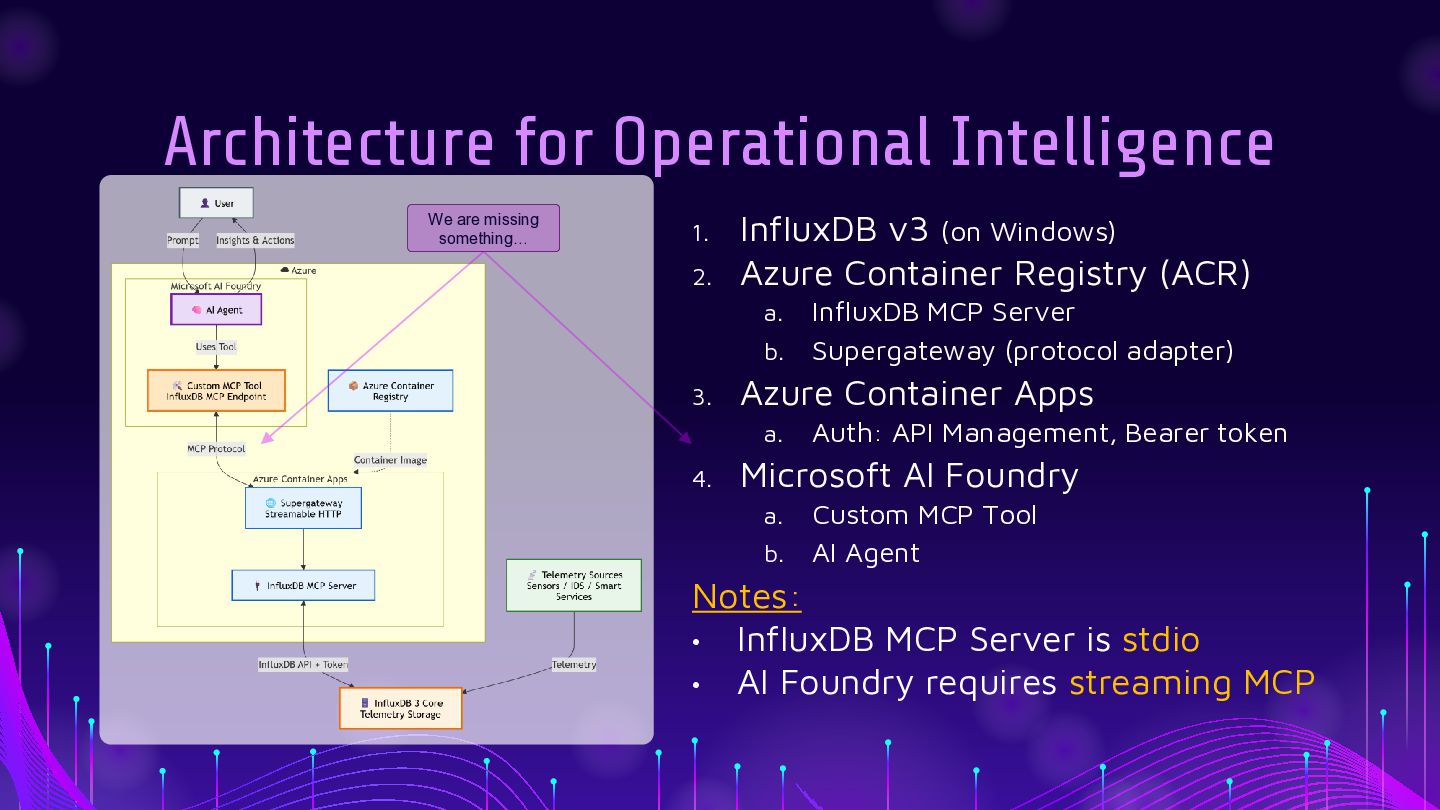
  21. Architecture for Operational Intelligence We are missing something… 1. 2.

    InfluxDB v3 (on Windows) Azure Container Registry (ACR) a. b. 3. Azure Container Apps a. 4. InfluxDB MCP Server Supergateway (protocol adapter) Auth: API Management, Bearer token Microsoft AI Foundry a. b. Custom MCP Tool AI Agent Notes: • InfluxDB MCP Server is stdio • AI Foundry requires streaming MCP
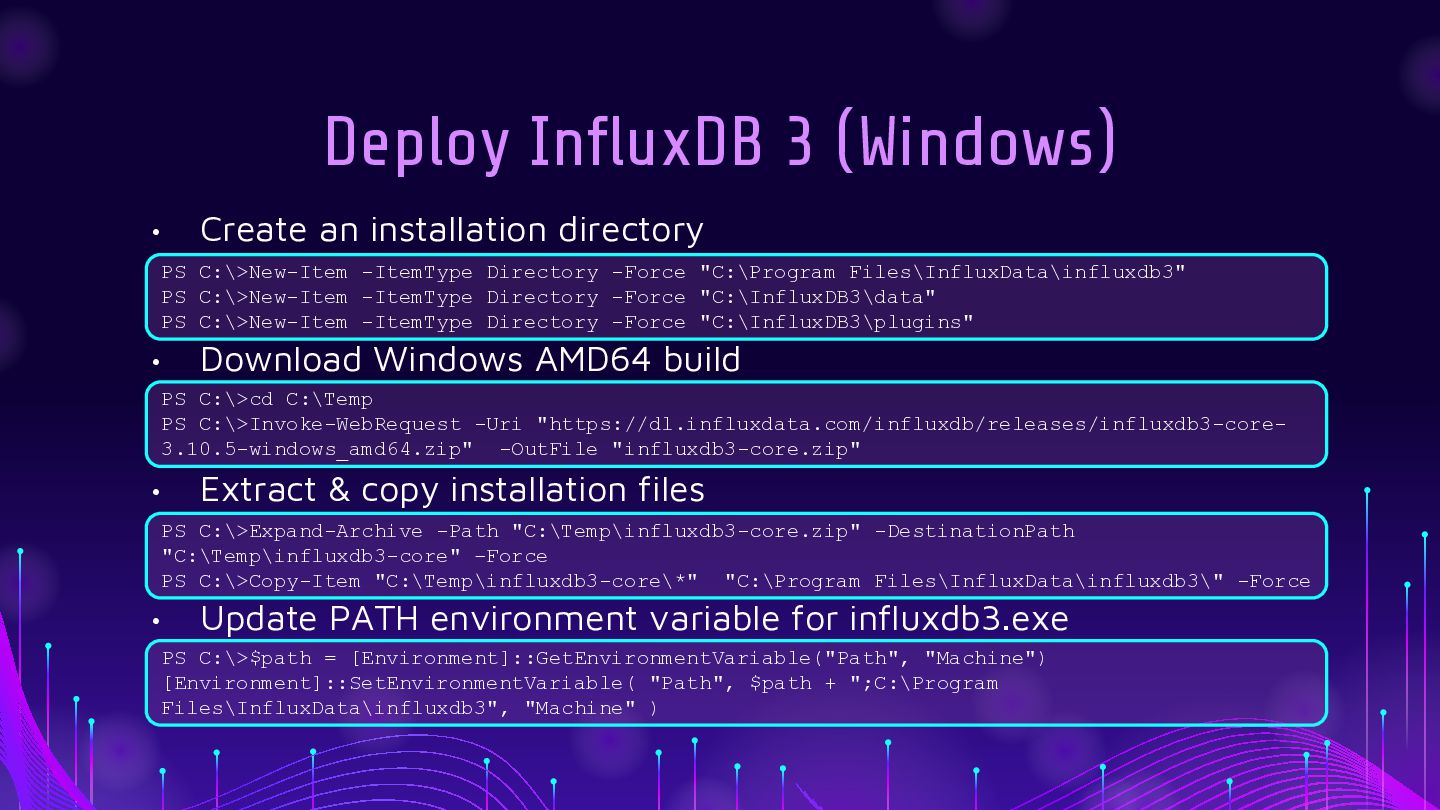
  22. Deploy InfluxDB 3 (Windows) • Create an installation directory PS

    C:\>New-Item -ItemType Directory -Force "C:\Program Files\InfluxData\influxdb3" PS C:\>New-Item -ItemType Directory -Force "C:\InfluxDB3\data" PS C:\>New-Item -ItemType Directory -Force "C:\InfluxDB3\plugins" • Download Windows AMD64 build PS C:\>cd C:\Temp PS C:\>Invoke-WebRequest -Uri "https://dl.influxdata.com/influxdb/releases/influxdb3-core3.10.5-windows_amd64.zip" -OutFile "influxdb3-core.zip" • Extract & copy installation files PS C:\>Expand-Archive -Path "C:\Temp\influxdb3-core.zip" -DestinationPath "C:\Temp\influxdb3-core" –Force PS C:\>Copy-Item "C:\Temp\influxdb3-core\*" "C:\Program Files\InfluxData\influxdb3\" -Force • Update PATH environment variable for influxdb3.exe PS C:\>$path = [Environment]::GetEnvironmentVariable("Path", "Machine") [Environment]::SetEnvironmentVariable( "Path", $path + ";C:\Program Files\InfluxData\influxdb3", "Machine" )
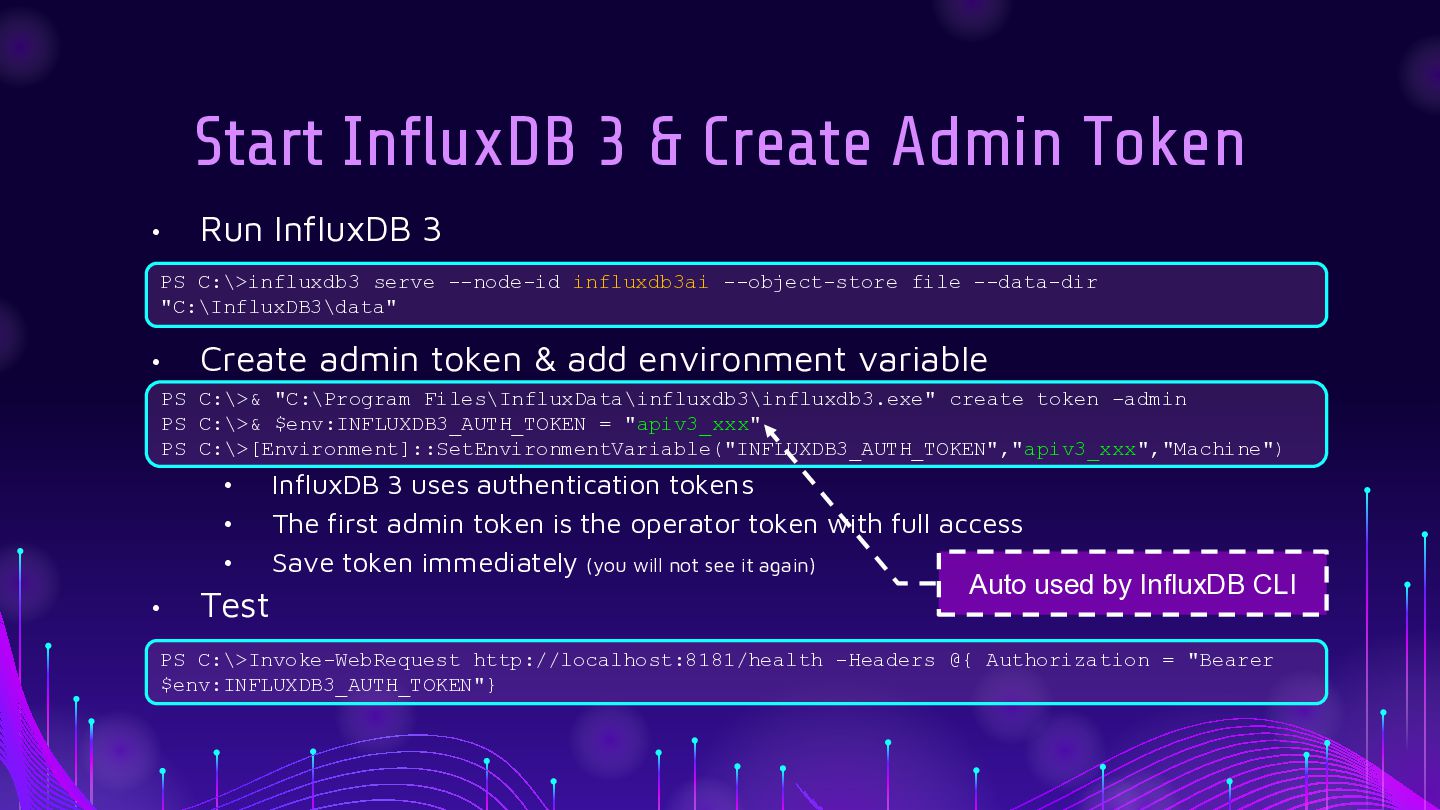
  23. Start InfluxDB 3 & Create Admin Token • Run InfluxDB

    3 PS C:\>influxdb3 serve --node-id influxdb3ai --object-store file --data-dir "C:\InfluxDB3\data" • Create admin token & add environment variable PS C:\>& "C:\Program Files\InfluxData\influxdb3\influxdb3.exe" create token –admin PS C:\>& $env:INFLUXDB3_AUTH_TOKEN = "apiv3_xxx" PS C:\>[Environment]::SetEnvironmentVariable("INFLUXDB3_AUTH_TOKEN","apiv3_xxx","Machine") • • • • Test InfluxDB 3 uses authentication tokens The first admin token is the operator token with full access Save token immediately (you will not see it again) Auto used by InfluxDB CLI PS C:\>Invoke-WebRequest http://localhost:8181/health -Headers @{ Authorization = "Bearer $env:INFLUXDB3_AUTH_TOKEN"}
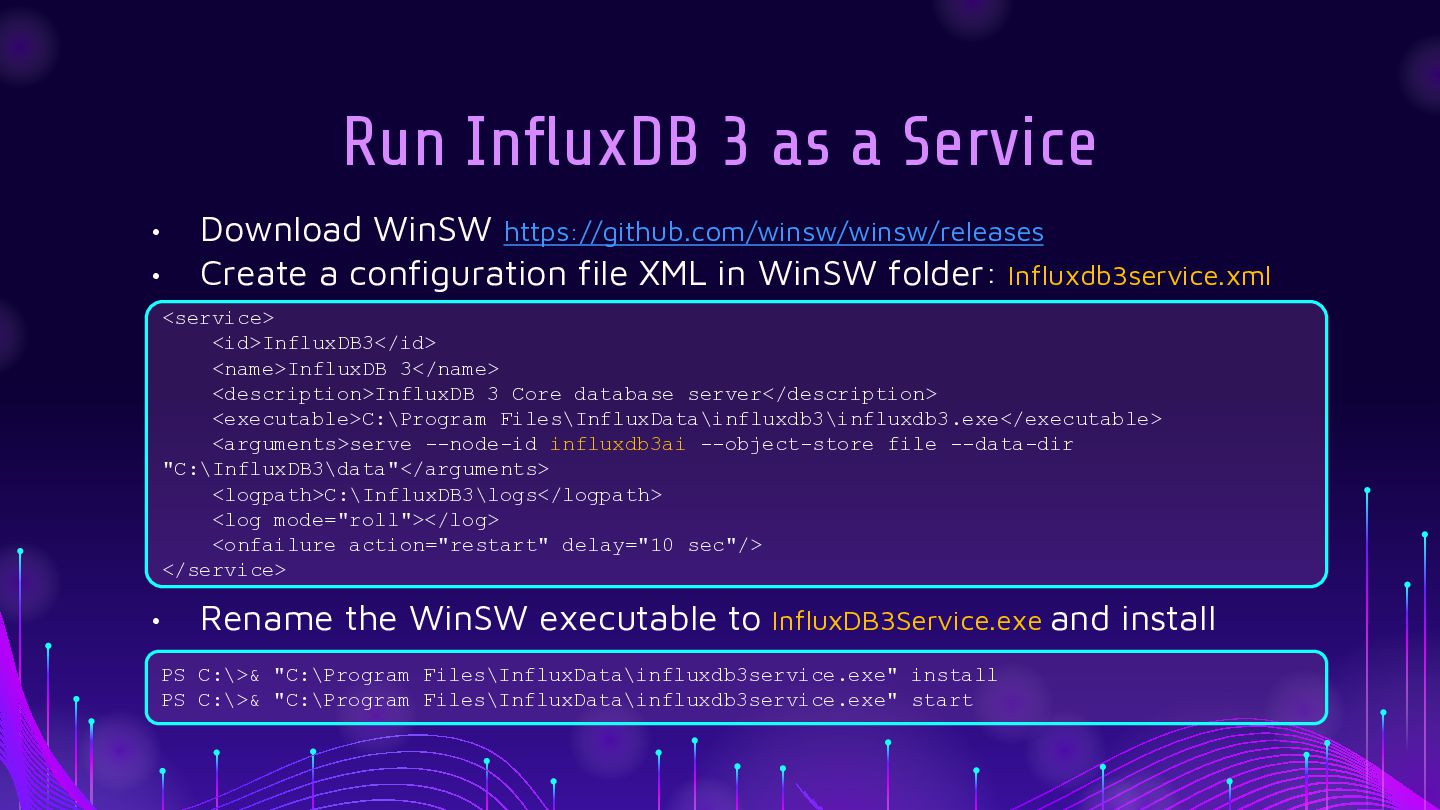
  24. Run InfluxDB 3 as a Service • • Download WinSW

    https://github.com/winsw/winsw/releases Create a configuration file XML in WinSW folder: Influxdb3service.xml <service> <id>InfluxDB3</id> <name>InfluxDB 3</name> <description>InfluxDB 3 Core database server</description> <executable>C:\Program Files\InfluxData\influxdb3\influxdb3.exe</executable> <arguments>serve --node-id influxdb3ai --object-store file --data-dir "C:\InfluxDB3\data"</arguments> <logpath>C:\InfluxDB3\logs</logpath> <log mode="roll"></log> <onfailure action="restart" delay="10 sec"/> </service> • Rename the WinSW executable to InfluxDB3Service.exe and install PS C:\>& "C:\Program Files\InfluxData\influxdb3service.exe" install PS C:\>& "C:\Program Files\InfluxData\influxdb3service.exe" start
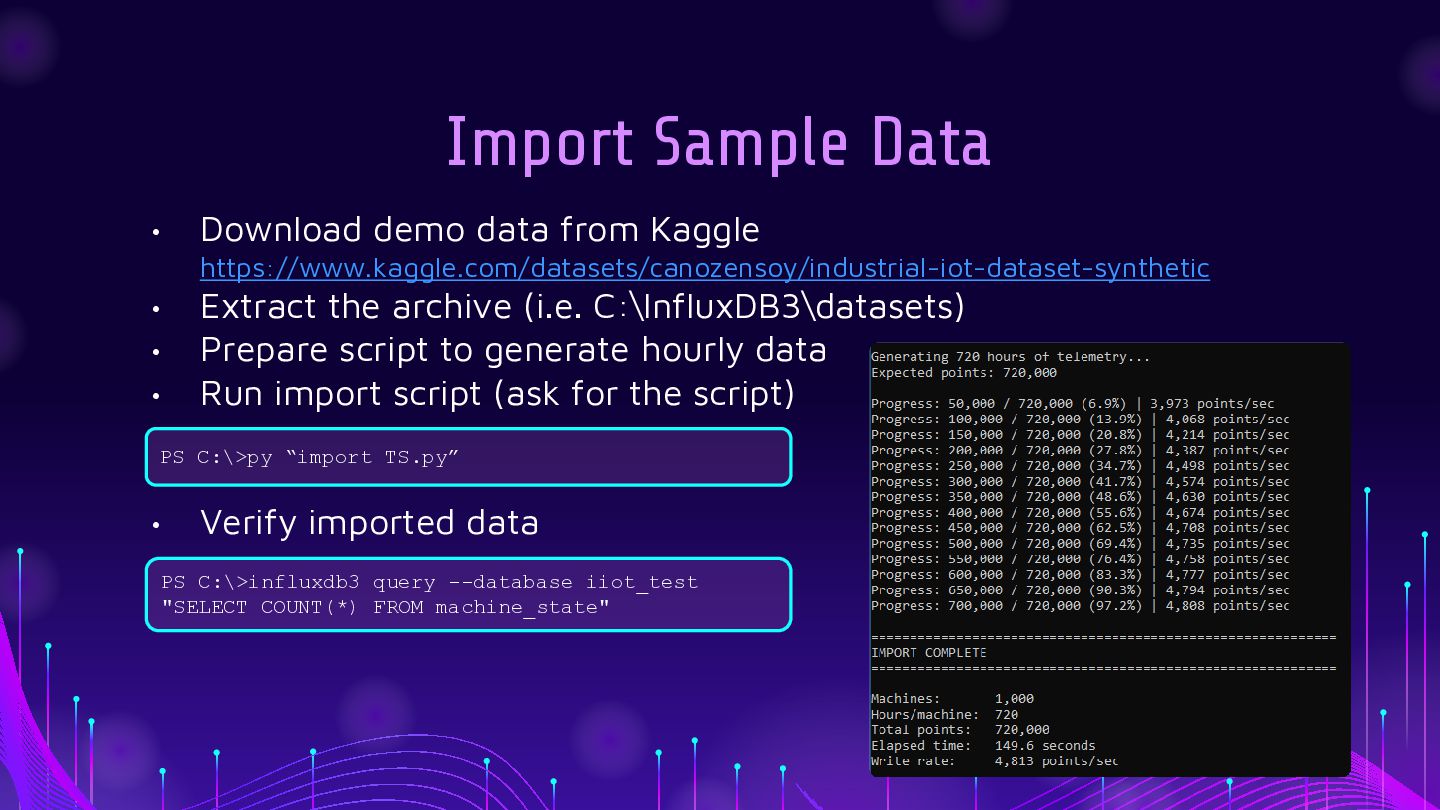
  25. Import Sample Data • Download demo data from Kaggle https://www.kaggle.com/datasets/canozensoy/industrial-iot-dataset-synthetic

    • • • Extract the archive (i.e. C:\InfluxDB3\datasets) Prepare script to generate hourly data Run import script (ask for the script) PS C:\>py “import TS.py” • Verify imported data PS C:\>influxdb3 query --database iiot_test "SELECT COUNT(*) FROM machine_state"
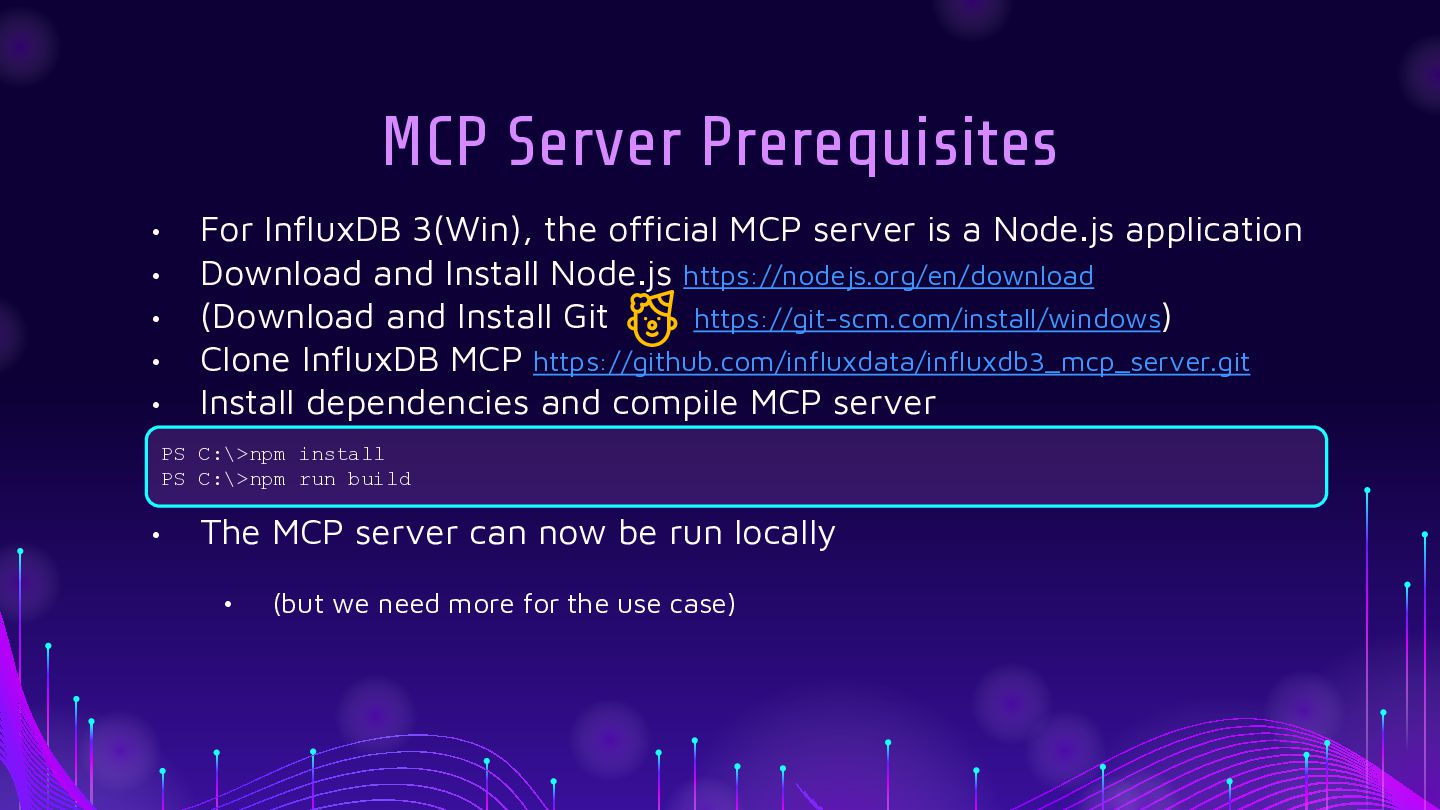
  26. MCP Server Prerequisites • • • • • For InfluxDB

    3(Win), the official MCP server is a Node.js application Download and Install Node.js https://nodejs.org/en/download (Download and Install Git https://git-scm.com/install/windows) Clone InfluxDB MCP https://github.com/influxdata/influxdb3_mcp_server.git Install dependencies and compile MCP server PS C:\>npm install PS C:\>npm run build • The MCP server can now be run locally • (but we need more for the use case)
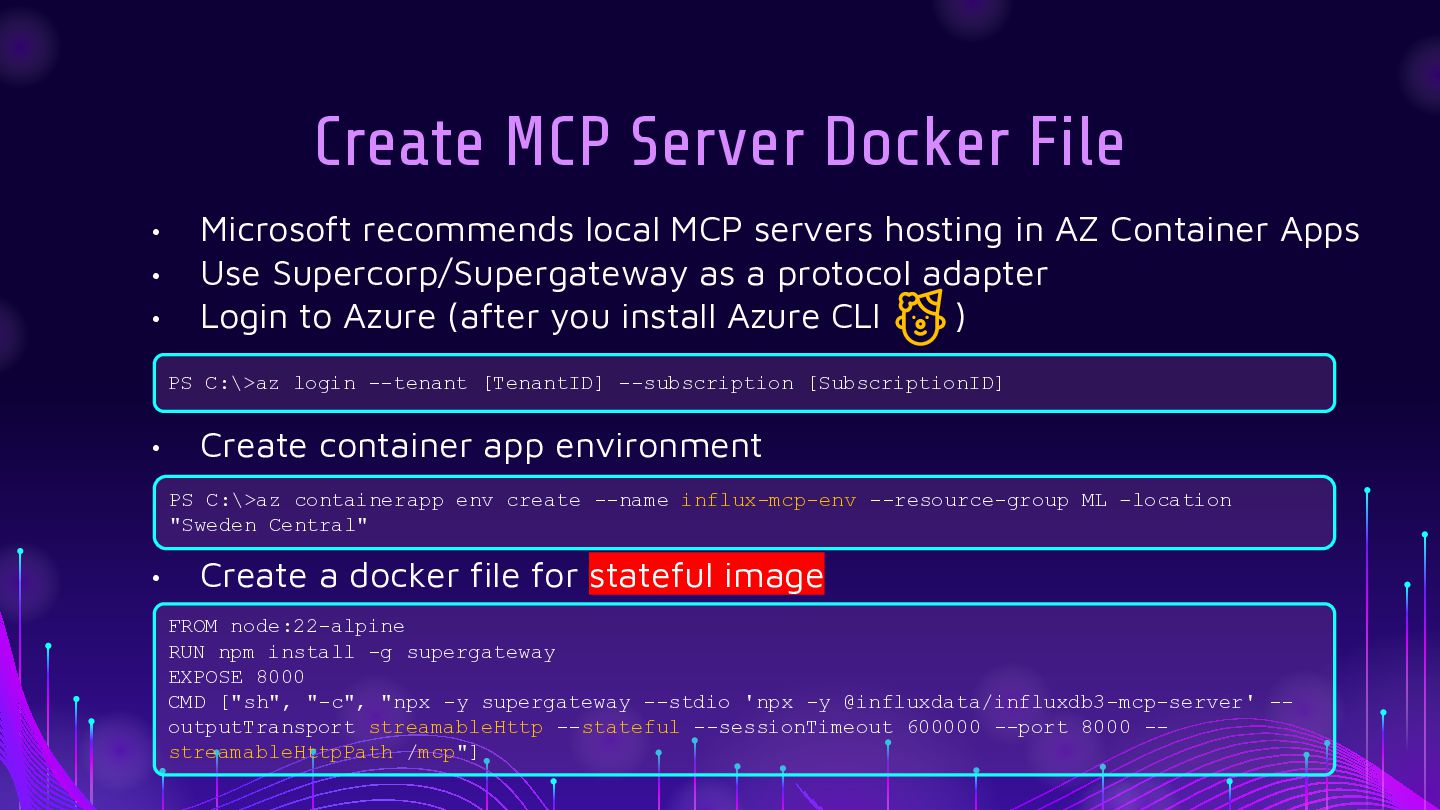
  27. Create MCP Server Docker File • • • Microsoft recommends

    local MCP servers hosting in AZ Container Apps Use Supercorp/Supergateway as a protocol adapter Login to Azure (after you install Azure CLI ) PS C:\>az login --tenant [TenantID] --subscription [SubscriptionID] • Create container app environment PS C:\>az containerapp env create --name influx-mcp-env --resource-group ML –location "Sweden Central" • Create a docker file for stateful image FROM node:22-alpine RUN npm install -g supergateway EXPOSE 8000 CMD ["sh", "-c", "npx -y supergateway --stdio 'npx -y @influxdata/influxdb3-mcp-server' -outputTransport streamableHttp --stateful --sessionTimeout 600000 --port 8000 -streamableHttpPath /mcp"]
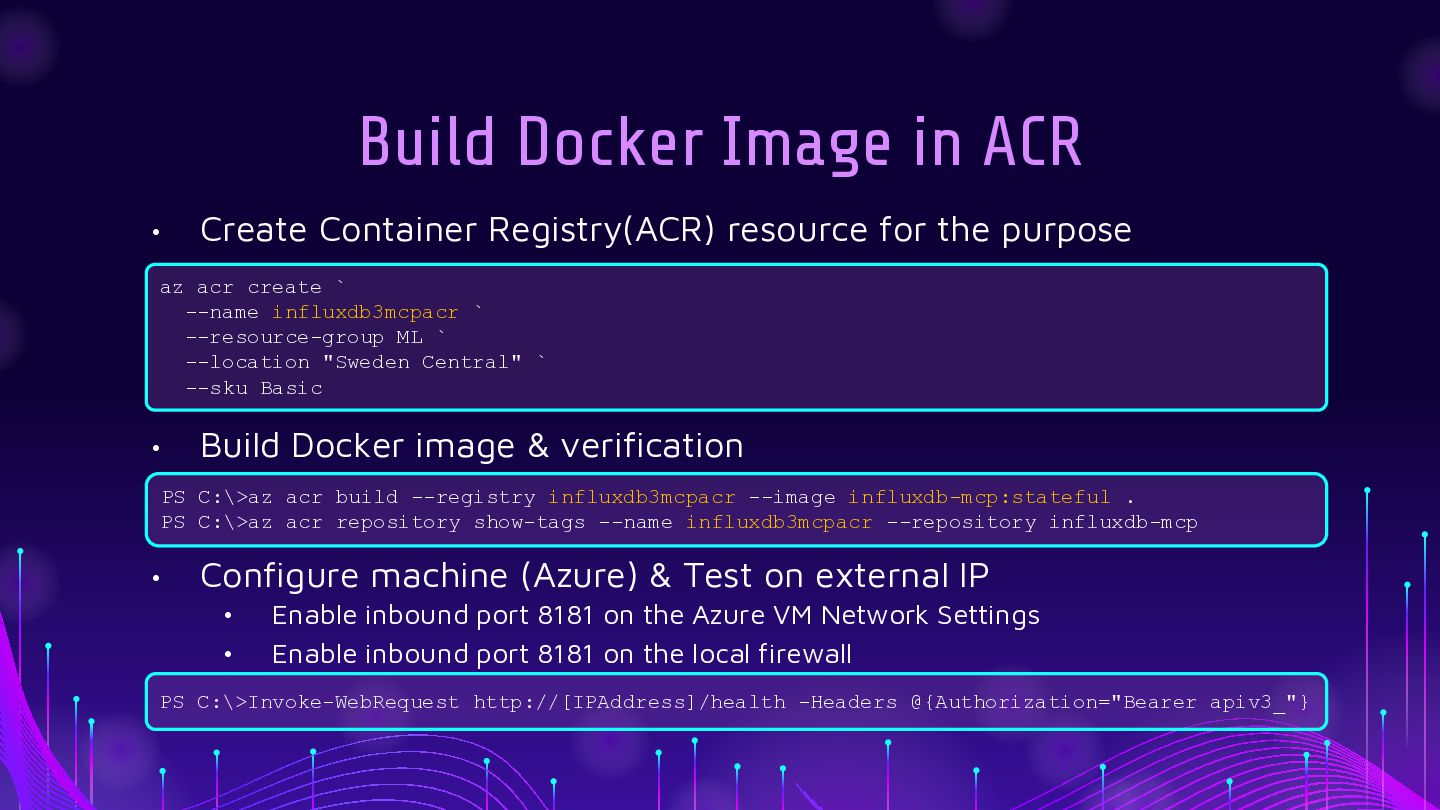
  28. Build Docker Image in ACR • Create Container Registry(ACR) resource

    for the purpose az acr create ` --name influxdb3mcpacr ` --resource-group ML ` --location "Sweden Central" ` --sku Basic • Build Docker image & verification PS C:\>az acr build --registry influxdb3mcpacr --image influxdb-mcp:stateful . PS C:\>az acr repository show-tags --name influxdb3mcpacr --repository influxdb-mcp • Configure machine (Azure) & Test on external IP • • Enable inbound port 8181 on the Azure VM Network Settings Enable inbound port 8181 on the local firewall PS C:\>Invoke-WebRequest http://[IPAddress]/health -Headers @{Authorization="Bearer apiv3_"}
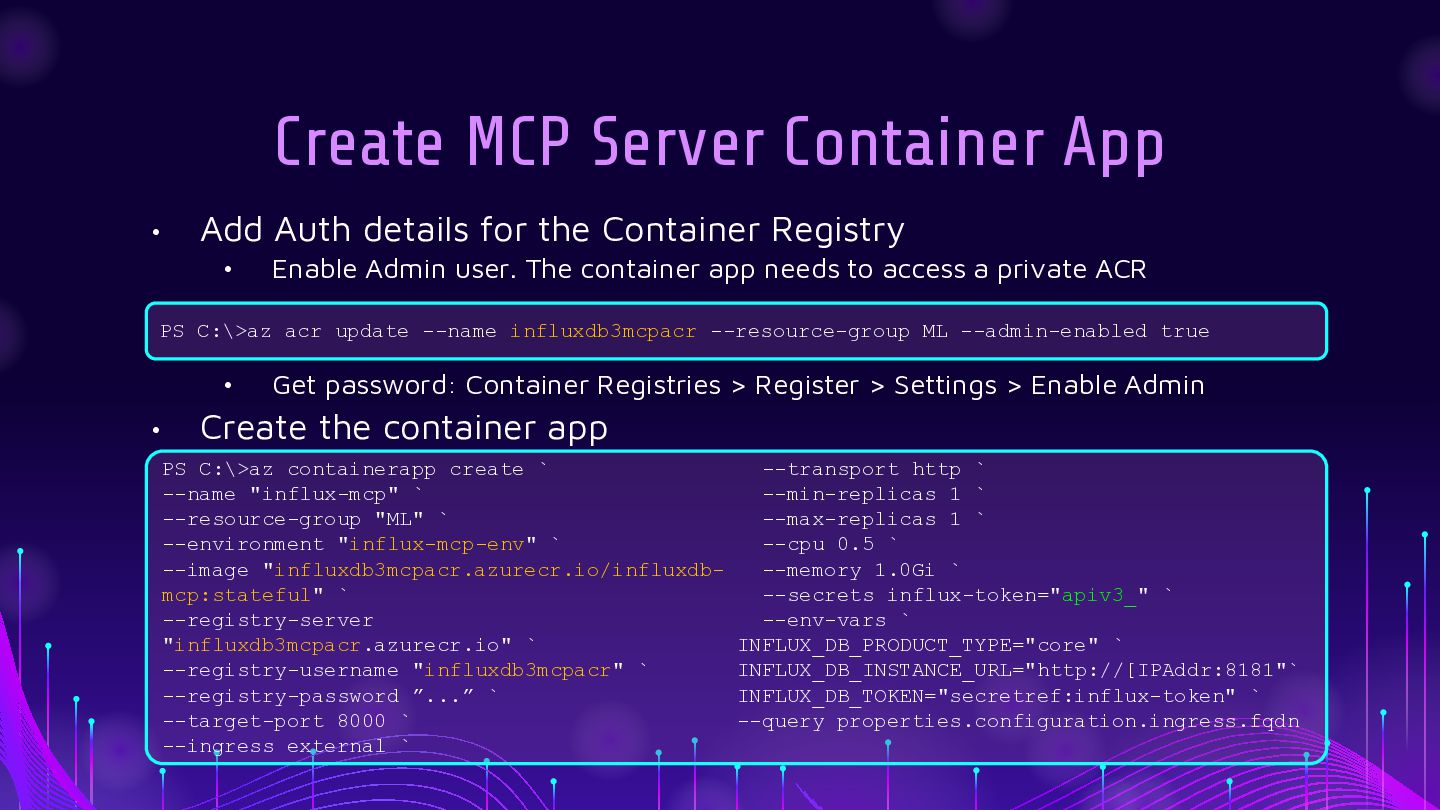
  29. Create MCP Server Container App • Add Auth details for

    the Container Registry • Enable Admin user. The container app needs to access a private ACR PS C:\>az acr update --name influxdb3mcpacr --resource-group ML --admin-enabled true • • Get password: Container Registries > Register > Settings > Enable Admin Create the container app PS C:\>az containerapp create ` --transport http ` --name "influx-mcp" ` --min-replicas 1 ` --resource-group "ML" ` --max-replicas 1 ` --environment "influx-mcp-env" ` --cpu 0.5 ` --image "influxdb3mcpacr.azurecr.io/influxdb--memory 1.0Gi ` mcp:stateful" ` --secrets influx-token="apiv3_" ` --registry-server --env-vars ` "influxdb3mcpacr.azurecr.io" ` INFLUX_DB_PRODUCT_TYPE="core" ` --registry-username "influxdb3mcpacr" ` INFLUX_DB_INSTANCE_URL="http://[IPAddr:8181"` --registry-password ”...” ` INFLUX_DB_TOKEN="secretref:influx-token" ` --target-port 8000 ` --query properties.configuration.ingress.fqdn --ingress external `
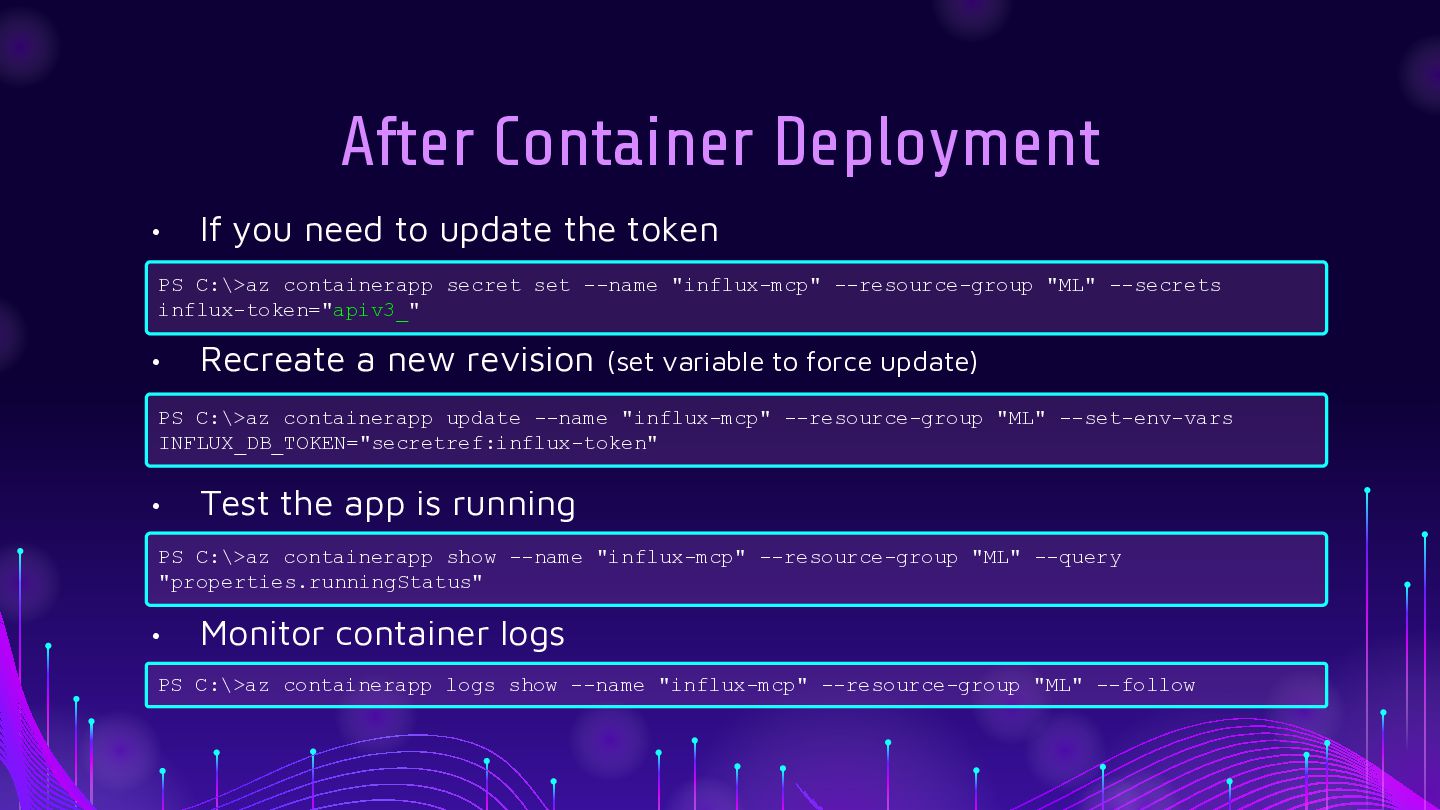
  30. After Container Deployment • If you need to update the

    token PS C:\>az containerapp secret set --name "influx-mcp" --resource-group "ML" --secrets influx-token="apiv3_" • Recreate a new revision (set variable to force update) PS C:\>az containerapp update --name "influx-mcp" --resource-group "ML" --set-env-vars INFLUX_DB_TOKEN="secretref:influx-token" • Test the app is running PS C:\>az containerapp show --name "influx-mcp" --resource-group "ML" --query "properties.runningStatus" • Monitor container logs PS C:\>az containerapp logs show --name "influx-mcp" --resource-group "ML" --follow
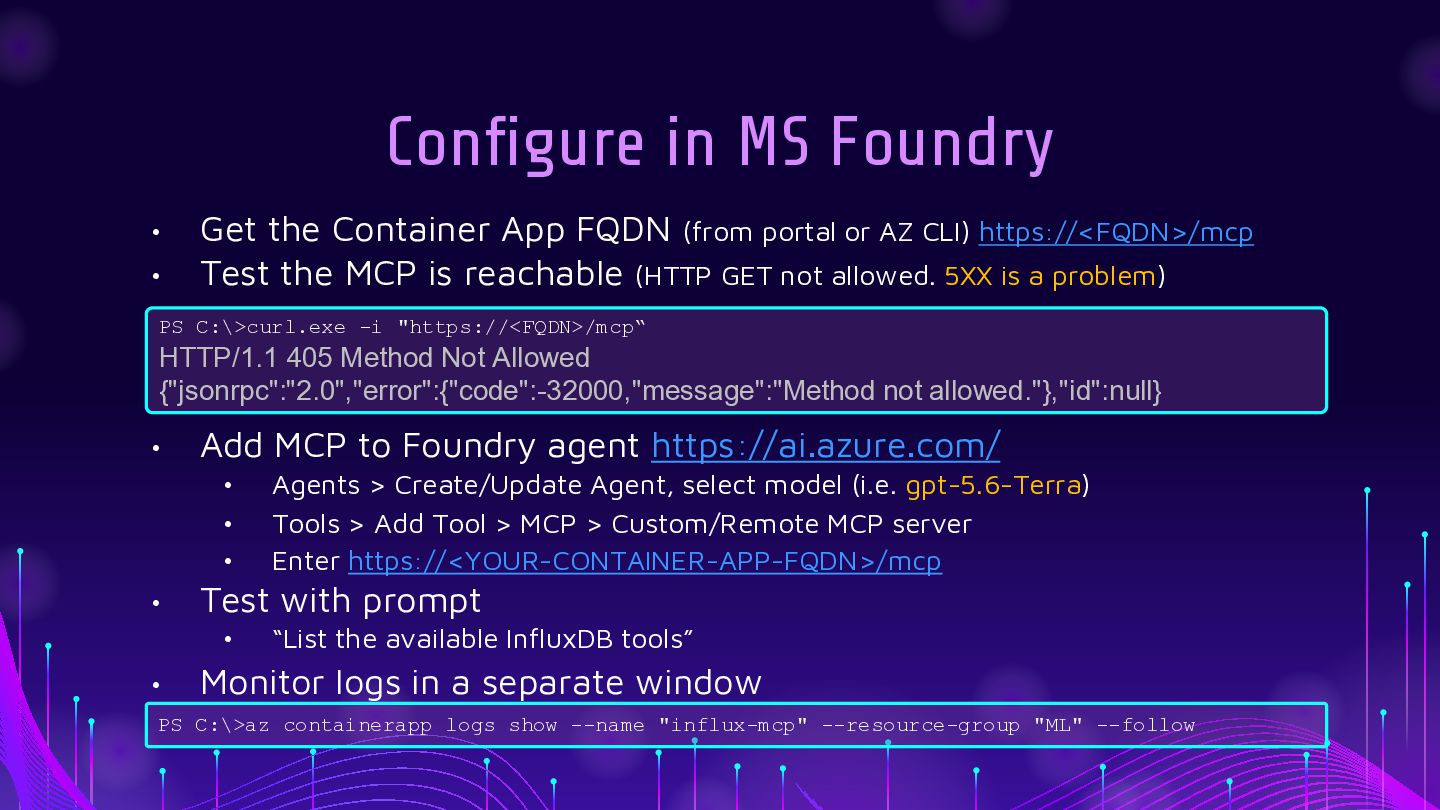
  31. Configure in MS Foundry • • Get the Container App

    FQDN (from portal or AZ CLI) https://<FQDN>/mcp Test the MCP is reachable (HTTP GET not allowed. 5XX is a problem) PS C:\>curl.exe -i "https://<FQDN>/mcp“ HTTP/1.1 405 Method Not Allowed {"jsonrpc":"2.0","error":{"code":-32000,"message":"Method not allowed."},"id":null} • Add MCP to Foundry agent https://ai.azure.com/ • • • • Test with prompt • • Agents > Create/Update Agent, select model (i.e. gpt-5.6-Terra) Tools > Add Tool > MCP > Custom/Remote MCP server Enter https://<YOUR-CONTAINER-APP-FQDN>/mcp “List the available InfluxDB tools” Monitor logs in a separate window PS C:\>az containerapp logs show --name "influx-mcp" --resource-group "ML" --follow