Share
Embed
Building Testable Mobile Applications with Dependency Injection
Jacob Tabak
May 20, 2015
Transcript
56 slides
-
A dependency of a thing is something that it needs
to do its job. -
Dependency Injection is a pattern that separates the creation of
dependencies from the objects that need them. -
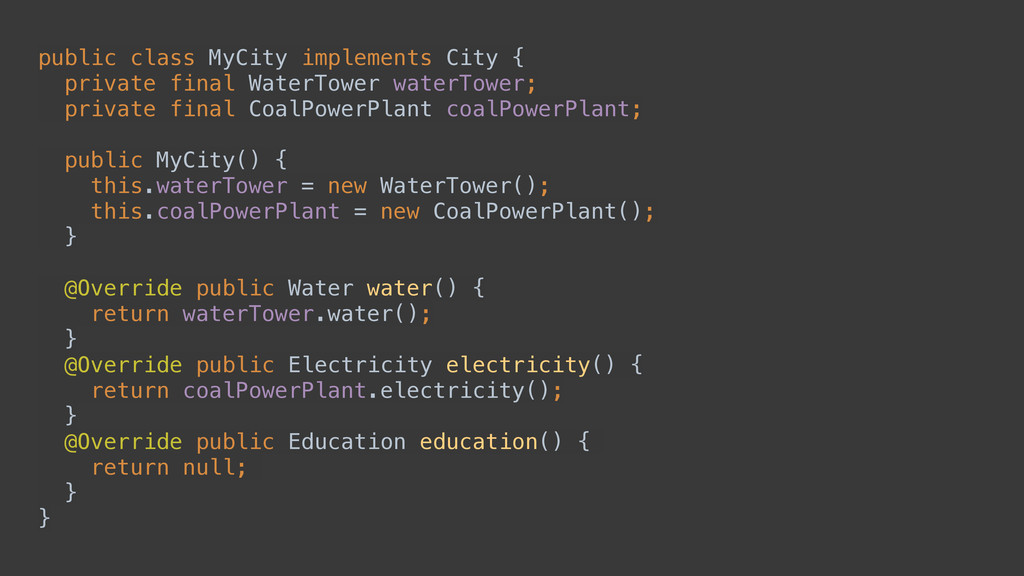
public class MyCity implements City { private final WaterTower waterTower;
private final CoalPowerPlant coalPowerPlant; public MyCity() { this.waterTower = new WaterTower(); this.coalPowerPlant = new CoalPowerPlant(); } @Override public Water water() { return waterTower.water(); } @Override public Electricity electricity() { return coalPowerPlant.electricity(); } @Override public Education education() { return null; } } -
public class MyCity implements City { private final WaterTower waterTower;
private final CoalPowerPlant coalPowerPlant; private final ElementarySchool elementarySchool; public MyCity() { this.waterTower = new WaterTower(); this.coalPowerPlant = new CoalPowerPlant(); this.elementarySchool = new ElementarySchool(); } @Override public Water water() { return waterTower.water(); } @Override public Electricity electricity() { return coalPowerPlant.electricity(); } @Override public Education education() { return elementarySchool.education(); } } -
public class MyCity implements City { private final WaterSource waterSource;
private final PowerPlant powerPlant; private final SchoolSystem schoolSystem; public MyCity() { this.waterSource = new WaterTower(); this.powerPlant = new SolarPowerPlant(); this.schoolSystem = new ElementarySchool(); } @Override public Water water() { return waterSource.water(); } @Override public Electricity electricity() { return powerPlant.electricity(); } @Override public Education education() { return schoolSystem.education(); } } -
Dependency Injection is a pattern that separates the creation of
dependencies from the objects that need them. -
public class GenericCity implements City { private final WaterSource waterSource;
private final PowerPlant powerPlant; private final SchoolSystem schoolSystem; public GenericCity(WaterSource waterSource, PowerPlant powerPlant, SchoolSystem schoolSystem) { this.waterSource = waterSource; this.powerPlant = powerPlant; this.schoolSystem = schoolSystem; } @Override public Water water() { return waterSource.water(); } @Override public Electricity electricity() { return powerPlant.electricity(); } @Override public Education education() { return schoolSystem.education(); } } This isn’t new! -
Teacher firstGradeTeacher = new Teacher("John Smith"); Teacher secondGradeTeacher = new
Teacher("Jane Doe"); Headmaster headmaster = new Headmaster("Dorothy Sanders"); Faculty faculty = new Faculty(headmaster, Arrays.asList(firstGradeTeacher, secondGradeTeacher)); Subject scienceSubject = new Subject("Science"); Subject mathSubject = new Subject("Math"); Subject englishSubject = new Subject("English"); Curriculum curriculum = new Curriculum( Arrays.asList(scienceSubject, mathSubject, englishSubject)); ElementarySchool elementarySchool = new ElementarySchool(faculty, curriculum); -
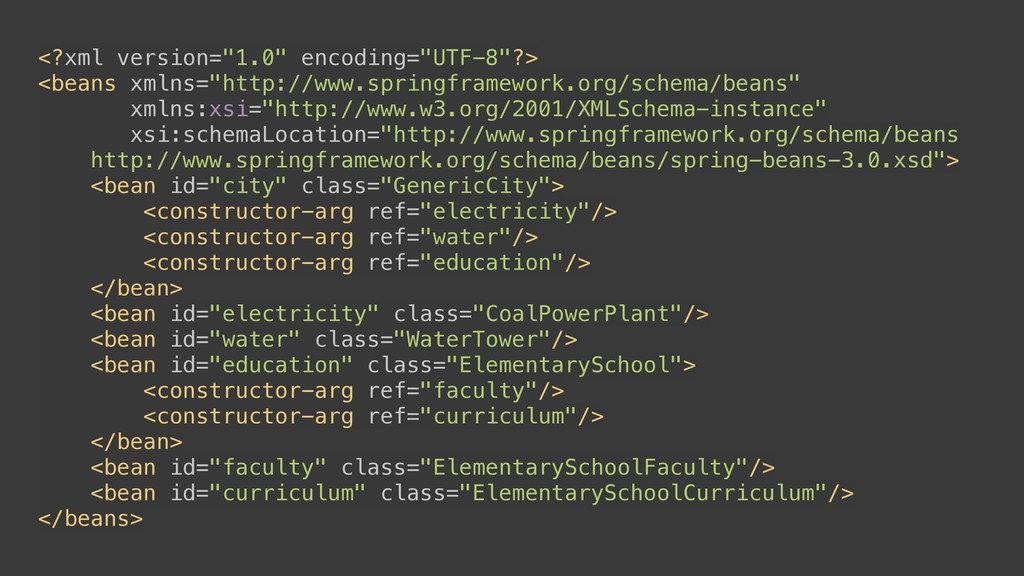
<?xml version="1.0" encoding="UTF-8"?> <beans xmlns="http://www.springframework.org/schema/beans" xmlns:xsi="http://www.w3.org/2001/XMLSchema-instance" xsi:schemaLocation="http://www.springframework.org/schema/beans http://www.springframework.org/schema/beans/spring-beans-3.0.xsd"> <bean id="city"
class="GenericCity"> <constructor-arg ref="electricity"/> <constructor-arg ref="water"/> <constructor-arg ref="education"/> </bean> <bean id="electricity" class="CoalPowerPlant"/> <bean id="water" class="WaterTower"/> <bean id="education" class="ElementarySchool"> <constructor-arg ref="faculty"/> <constructor-arg ref="curriculum"/> </bean> <bean id="faculty" class="ElementarySchoolFaculty"/> <bean id="curriculum" class="ElementarySchoolCurriculum"/> </beans> -
Pros • Initialization Ordering • Only define dependencies once Cons
• Verbose XML • No compile-time validation • Poor IDE integration • No traceability • Reflection-based API Spring Framework -
public class GenericCity implements City { private final WaterSource waterSource;
private final PowerPlant powerPlant; private final SchoolSystem schoolSystem; @Inject public GenericCity( WaterSource waterSource, PowerPlant powerPlant, SchoolSystem schoolSystem ) { this.waterSource = waterSource; this.powerPlant = powerPlant; this.schoolSystem = schoolSystem; } @Override public Water water() { return waterSource.water(); } @Override public Electricity electricity() { return powerPlant.electricity(); } @Override public Education education() { return schoolSystem.education(); } } -
public class SmallCityModule extends AbstractModule { @Provides WaterSource provideWaterSource() {
return new WaterTower(); } @Provides PowerPlant providePowerPlant() { return new CoalPowerPlant(); } @Provides SchoolSystem provideSchoolSystem() { return new ElementarySchool(); } } public class LargeCityModule extends AbstractModule { @Provides WaterSource provideWaterSource() { return new PumpingStation(); } @Provides PowerPlant providePowerPlant() { return new NuclearPowerPlant(); } @Provides SchoolSystem provideSchoolSystem() { return new PublicSchoolSystem(); } } -
–Friendly Guice Runtime Error No implementation for com.example.PowerPlant was bound
while locating com.example.PowerPlant for parameter 2 at com.example.GenericCity.<init>(GenericCity.java.9) while locating com.example.GenericCity -
Pros • Don’t need to duplicate logic between XML and
Java • In-line, annotation-based config • Automatically inject concrete types with no additional configuration Cons • No compile-time validation • Poor traceability • Slow reflection-based API Google Guice -
@Module( includes = { /* other modules */ }, addsTo
= { /* other module */ }, complete = true, library = false, injects = { MainActivity.class } ) public class LargeCityModule extends AbstractModule { @Provides WaterSource provideWaterSource() { return new PumpingStation(); } @Provides PowerPlant providePowerPlant() { return new NuclearPowerPlant(); } @Provides SchoolSystem provideSchoolSystem() { return new PublicSchoolSystem(); } } -
Pros • Partial compile-time graph validation • Improved traceability •
Objects instantiated without reflection • Flexible model (overrides) Cons • Graph composition happens at runtime • Generated code can be hard to read • Does not work with Proguard Dagger 1 -
@Component(modules = LargeCityModule.class) public interface LargeCityComponent { // Optional -
Access dependencies directly WaterSource waterSource(); PowerPlant powerPlant(); SchoolSystem schoolSystem(); // Contract for field injection void inject(MainActivity activity); } public class MainActivity extends Activity { @Override protected void onCreate(Bundle savedInstanceState) { super.onCreate(savedInstanceState); setContentView(R.layout.activity_main); LargeCityComponent component = DaggerLargeCityComponent.create(); component.inject(this); } } -
@Module( complete = false, library = true ) public class
ApiModule { @Provides @Singleton Endpoint provideEndpoint() { return Endpoints.newFixedEndpoint("https://api.github.com"); } } @Module( complete = false, library = true, overrides = true ) public class DebugApiModule { @Provides @Singleton Endpoint provideEndpoint(StringPreference apiEndpointPref) { return Endpoints.newFixedEndpoint(apiEndpointPref.get()); } } -
Dagger 1 or Dagger 2? Dagger 1 More flexibility Simpler
build integration Dagger 2 Better performance Compile-time graph validation Proguard-friendly -
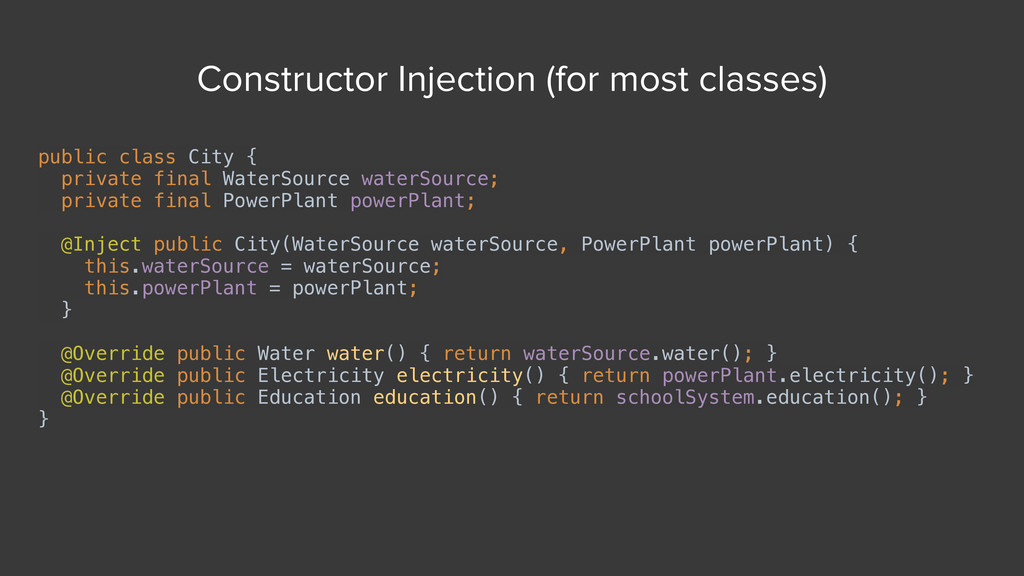
public class City { private final WaterSource waterSource; private final
PowerPlant powerPlant; @Inject public City(WaterSource waterSource, PowerPlant powerPlant) { this.waterSource = waterSource; this.powerPlant = powerPlant; } @Override public Water water() { return waterSource.water(); } @Override public Electricity electricity() { return powerPlant.electricity(); } @Override public Education education() { return schoolSystem.education(); } } Constructor Injection (for most classes) -
public class MainActivity extends Activity { @Inject OkHttpClient okHttpClient;
@Override protected void onCreate(Bundle savedInstanceState) { super.onCreate(savedInstanceState); setContentView(R.layout.activity_main); Injector.obtain(getApplicationContext()).inject(this); } } Field Injection (for activities/fragments) -
public class MyCustomView extends FrameLayout { private final Picasso picasso;
public MyCustomView(Context context) { super(context); picasso = Injector.obtain(context).getPicasso(); } } Method Injection -
@Provides @Singleton Picasso providePicasso(Application application) { return Picasso.with(application); }
@Provides DateTime provideCurrentTime() { return new DateTime(); } Dependency Scope -
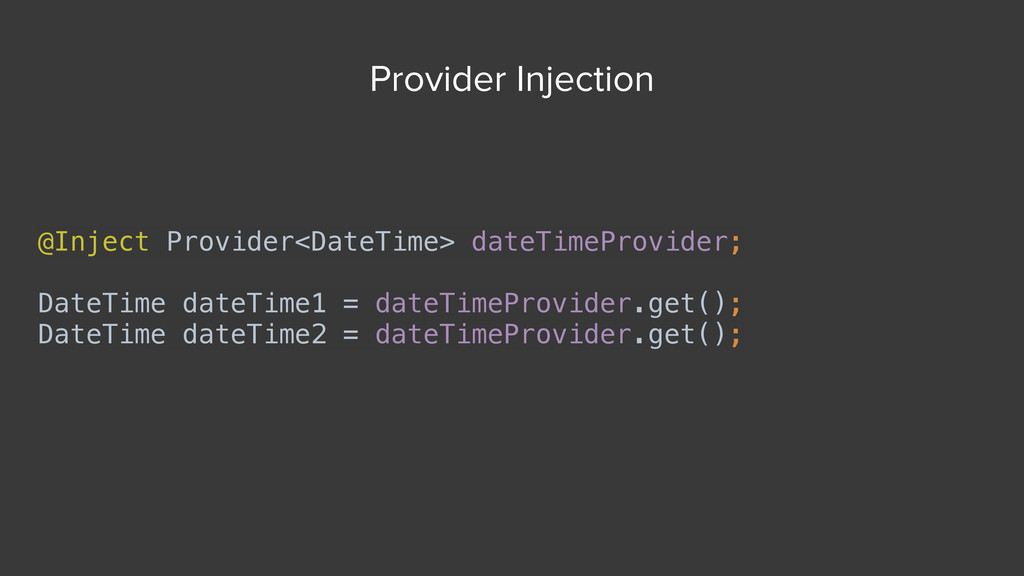
@Inject Provider<DateTime> dateTimeProvider; DateTime dateTime1 = dateTimeProvider.get(); DateTime dateTime2 =
dateTimeProvider.get(); Provider Injection -
@Module class UserModule { @Provides @Named("username") String providerUsername(SharedPreferences preferences) {
return preferences.getString("username", null); } @Provides @Named("password") String providePassword(SharedPreferences preferences) { return preferences.getString("password", null); } } class LoginActivity extends Activity { @Inject @Named("username") String username; @Inject @Named("password") String password; } Qualifiers -
Simulates objects that mimic the behavior of real objects in
controlled ways -
public class ContentStatTests { @Mock SmsReader smsReader; @Mock MediaStoreReader mediaStoreReader;
ContentStatClient statClient; @Before public void initialize() { MockitoAnnotations.initMocks(this); statClient = new ContentStatClient(mediaStoreReader, smsReader); } @Test public void testContentCount() { when(smsReader.getSmsCount()).thenReturn(1); when(mediaStoreReader.getPhotoCount()).thenReturn(3); when(mediaStoreReader.getVideoCount()).thenReturn(5); assertThat(statClient.getCount(), equalTo(9)); } } -
onView(withId(R.id.name_field)) .perform(typeText("Steve")); onView(withId(R.id.greet_button)) .perform(click()); onView(withText("Hello Steve!")) .check(matches(isDisplayed())); Use Espresso to
write concise, beautiful, and reliable Android UI tests like this: • Small, easy-to-learn API • Optimally fast: never use sleep() -
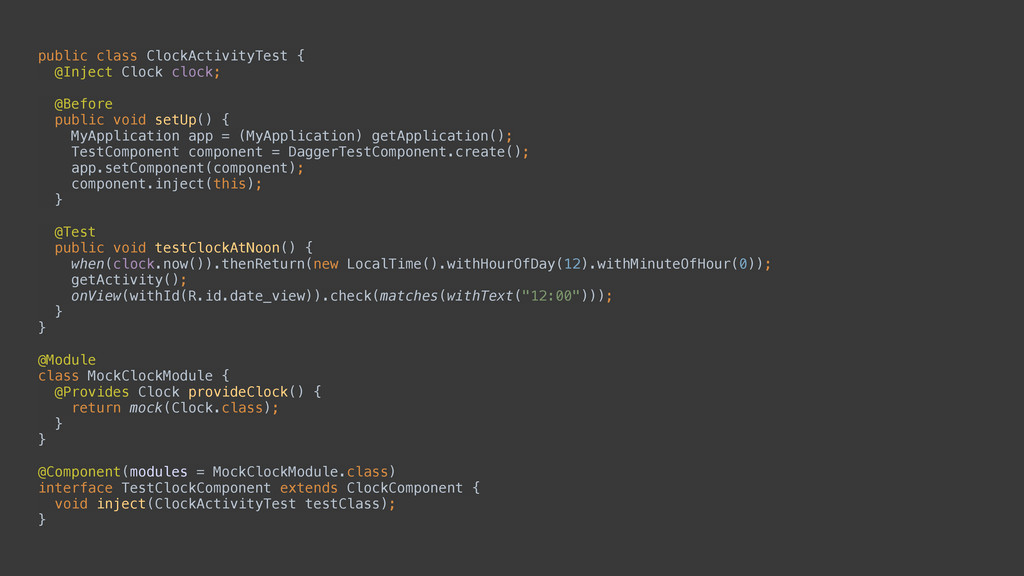
public class ClockActivityTest { @Inject Clock clock; @Before public
void setUp() { MyApplication app = (MyApplication) getApplication(); TestComponent component = DaggerTestComponent.create(); app.setComponent(component); component.inject(this); } @Test public void testClockAtNoon() { when(clock.now()).thenReturn(new LocalTime().withHourOfDay(12).withMinuteOfHour(0)); getActivity(); onView(withId(R.id.date_view)).check(matches(withText("12:00"))); } } @Module class MockClockModule { @Provides Clock provideClock() { return mock(Clock.class); } } @Component(modules = MockClockModule.class) interface TestClockComponent extends ClockComponent { void inject(ClockActivityTest testClass); } -
public class TraditionalActivity extends Activity { @Override protected void onCreate(Bundle
state) { super.onCreate(state); setContentView(R.layout.activity_main); } } Traditional Activity Layout public class U2020Activity extends Activity { @Inject AppContainer appContainer; @Override protected void onCreate(Bundle state) { super.onCreate(state); Injector.obtain(getApplication()).inject(this); ViewGroup container = appContainer.bind(this); getLayoutInflater().inflate( R.layout.activity_main, container); } } u2020 Activity Layout