Upgrade to Pro
— share decks privately, control downloads, hide ads and more …
Speaker Deck
Sign up for free
Menu
Search
Features
All features
Private URLs
Password Protection
Custom URLS
Scheduled publishing
Remove Branding
Restrict embedding
Deck Collections
Notes
Features
All features
Private URLs
Password Protection
Custom URLS
Scheduled publishing
Remove Branding
Restrict embedding
Deck Collections
Notes
Explore
Featured decks
Featured speakers
Programming
Technology
Storyboards
Explore
Featured decks
Featured speakers
Programming
Technology
Storyboards
Pricing
Search
Sign in
Sign up for free
Something About Virtual DOM
Search
Sponsored
·
SiteGround - Reliable hosting with speed, security, and support you can count on.
→
Jason Liao
August 12, 2016
Technology
45
0
Share
Embed
Copy iframe code
Copy JS code
Copy link
Start on current slide
Something About Virtual DOM
implement virtual dom by yourself :)
Jason Liao
August 12, 2016
More Decks by Jason Liao
See All by Jason Liao
Getting Started with FIS3
jasonliao
0
46
Other Decks in Technology
See All in Technology
Optunaの最新リリースv5.0について
pfn
PRO
0
120
Conditional PED-ANOVA: Hyperparameter Importance in Hierarchical & Dynamic Search Spaces
pfn
PRO
0
130
フロントエンドカンファレンス関西2026 - 速すぎるUIに、待ち時間を
teamlab
PRO
0
130
Benchmarking Disaggregated Serving on vLLM + Dynamo with a Real Coding-Agent Workload
nttcom
1
190
しろおびから始める!ログ活用の第一歩
shumei_ito
0
950
Claude の新機能を、 出た日に触って社内に届けるまで
rfdnxbro
1
180
USB PDを使ってスマホを労わりたい
raspython3
0
180
スプシの手作業からの解脱 ~更新はClaude Codeに、見せ方と使い方はGASアプリに任せる~
kentarofujii
0
150
CTO Night|NotionのAIエージェントとFDE
kzkhykw1991
0
100
Kiro Crewをはじめよう
kizawa2020
1
160
『SAR衛星データ解析入門』の ご紹介とその応用
syuchimu
0
120
PHPカンファレンス関西の招待状 / Invitation to PHP Conference Kansai
ykanoh
0
110
Featured
See All Featured
HDC tutorial
michielstock
2
960
How to build an LLM SEO readiness audit: a practical framework
nmsamuel
2
950
Build The Right Thing And Hit Your Dates
maggiecrowley
39
3.5k
Beyond borders and beyond the search box: How to win the global "messy middle" with AI-driven SEO
davidcarrasco
3
280
SEO in 2025: How to Prepare for the Future of Search
ipullrank
3
3.9k
Dominate Local Search Results - an insider guide to GBP, reviews, and Local SEO
greggifford
PRO
0
370
Navigating the Design Leadership Dip - Product Design Week Design Leaders+ Conference 2024
apolaine
2
480
ReactJS: Keep Simple. Everything can be a component!
pedronauck
666
130k
Building Flexible Design Systems
yeseniaperezcruz
330
41k
The Invisible Side of Design
smashingmag
301
52k
Templates, Plugins, & Blocks: Oh My! Creating the theme that thinks of everything
marktimemedia
31
2.9k
From π to Pie charts
rasagy
1
400
Transcript
Something About Virtual DOM
What is DOM
DOM 就是一个页面的文档结构,是浏览器各自实现的,我们可以通 过 JavaScript 和 CSS 来与它们交互
DOM Problem
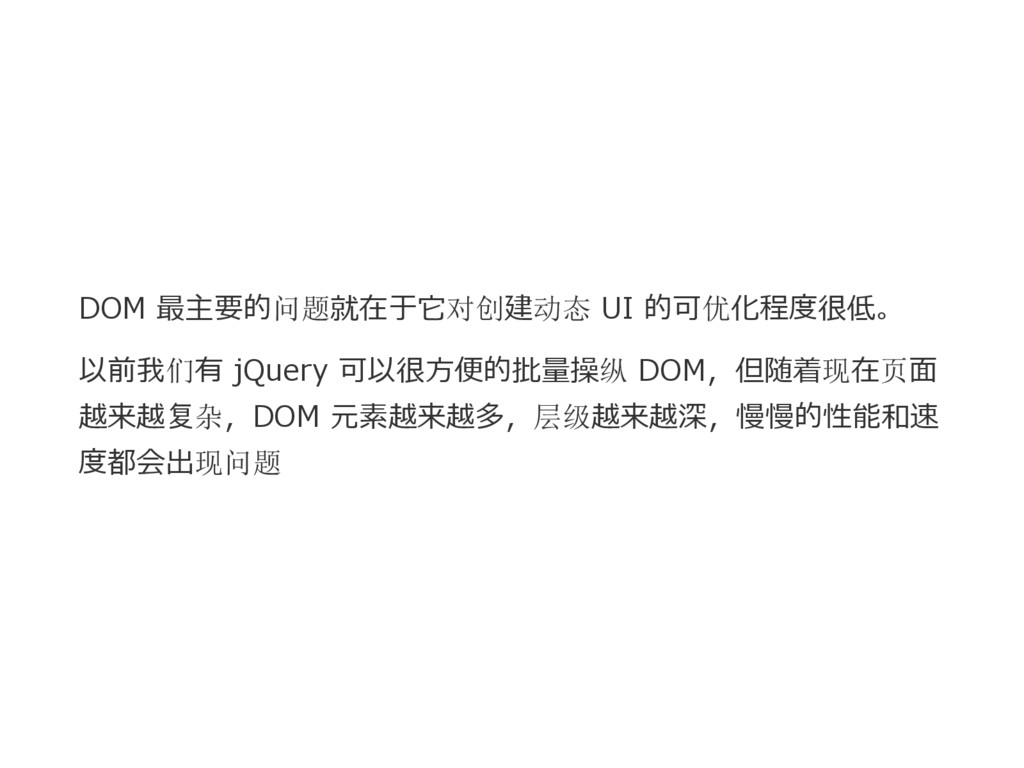
DOM 最主要的问题就在于它对创建动态 UI 的可优化程度很低。 以前我们有 jQuery 可以很方便的批量操纵 DOM,但随着现在页面 越来越复杂,DOM 元素越来越多,层级越来越深,慢慢的性能和速
度都会出现问题
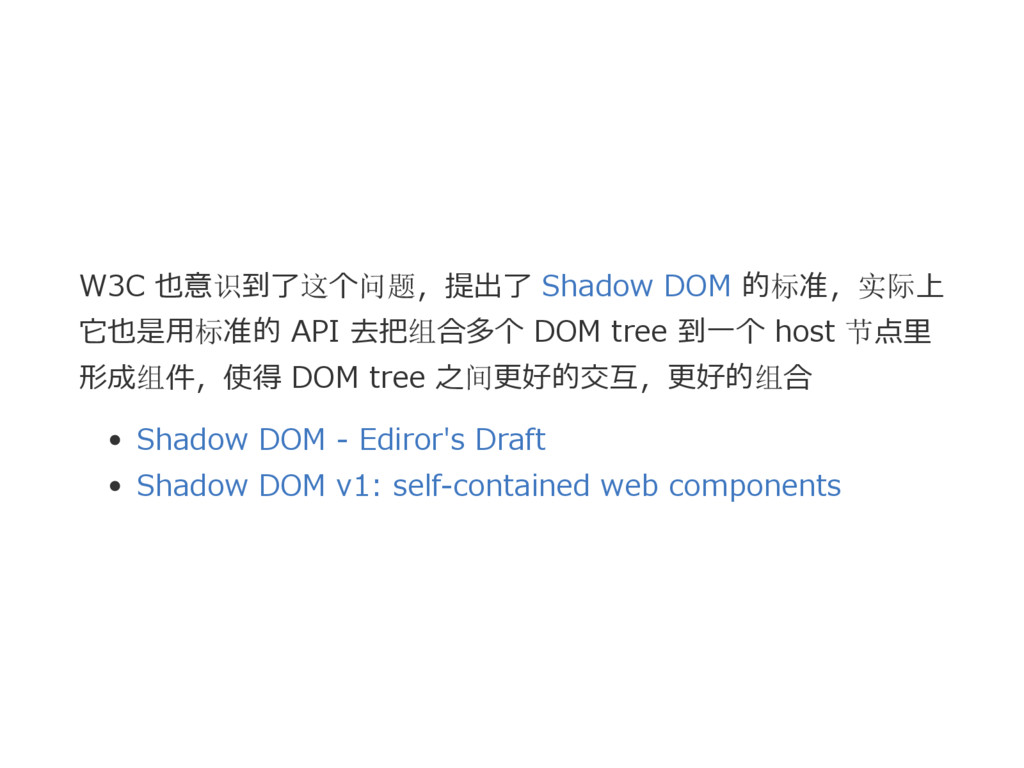
W3C 也意识到了这个问题,提出了 Shadow DOM 的标准,实际上 它也是用标准的 API 去把组合多个 DOM tree
到一个 host 节点里 形成组件,使得 DOM tree 之间更好的交互,更好的组合 Shadow DOM ‒ Ediror's Draft Shadow DOM v1: self‒contained web components
Virtual DOM
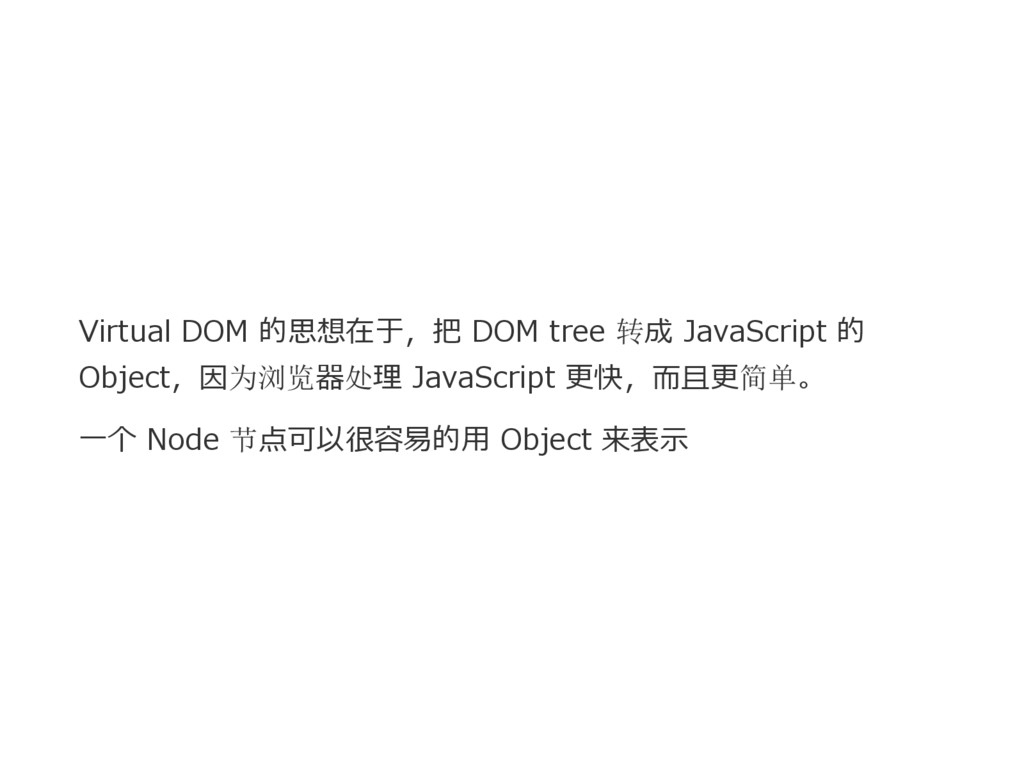
Virtual DOM 的思想在于,把 DOM tree 转成 JavaScript 的 Object,因为浏览器处理 JavaScript
更快,而且更简单。 一个 Node 节点可以很容易的用 Object 来表示
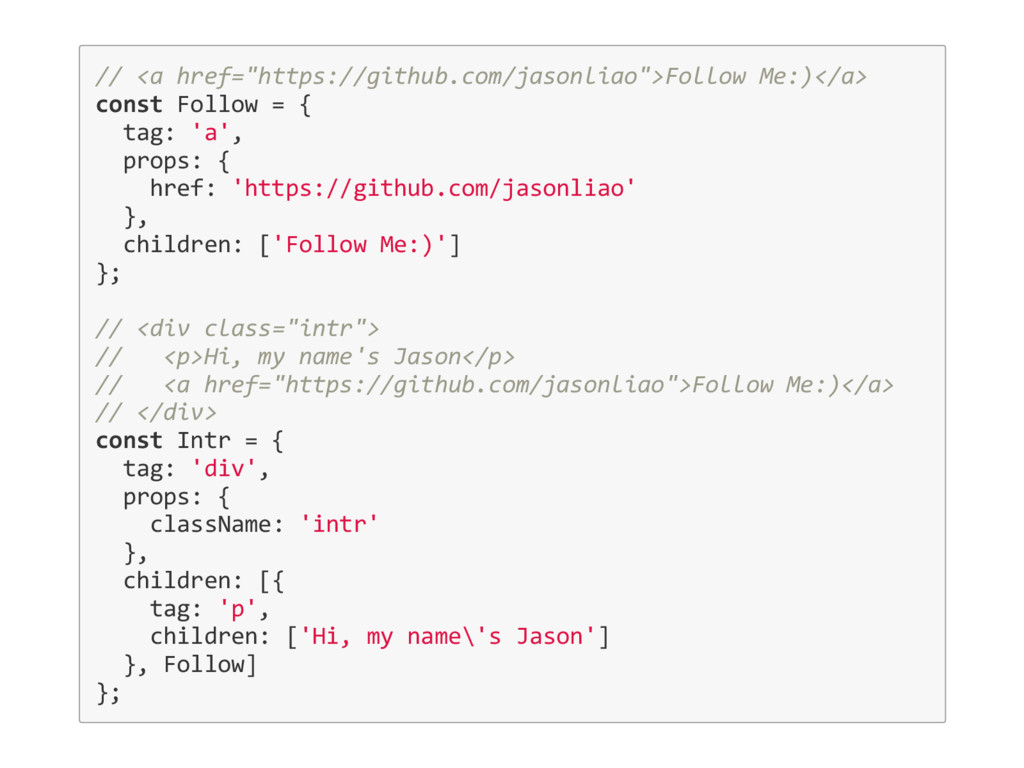
// <a href="https://github.com/jasonliao">Follow Me:)</a> const Follow = { tag: 'a',
props: { href: 'https://github.com/jasonliao' }, children: ['Follow Me:)'] }; // <div class="intr"> // <p>Hi, my name's Jason</p> // <a href="https://github.com/jasonliao">Follow Me:)</a> // </div> const Intr = { tag: 'div', props: { className: 'intr' }, children: [{ tag: 'p', children: ['Hi, my name\'s Jason'] }, Follow] };
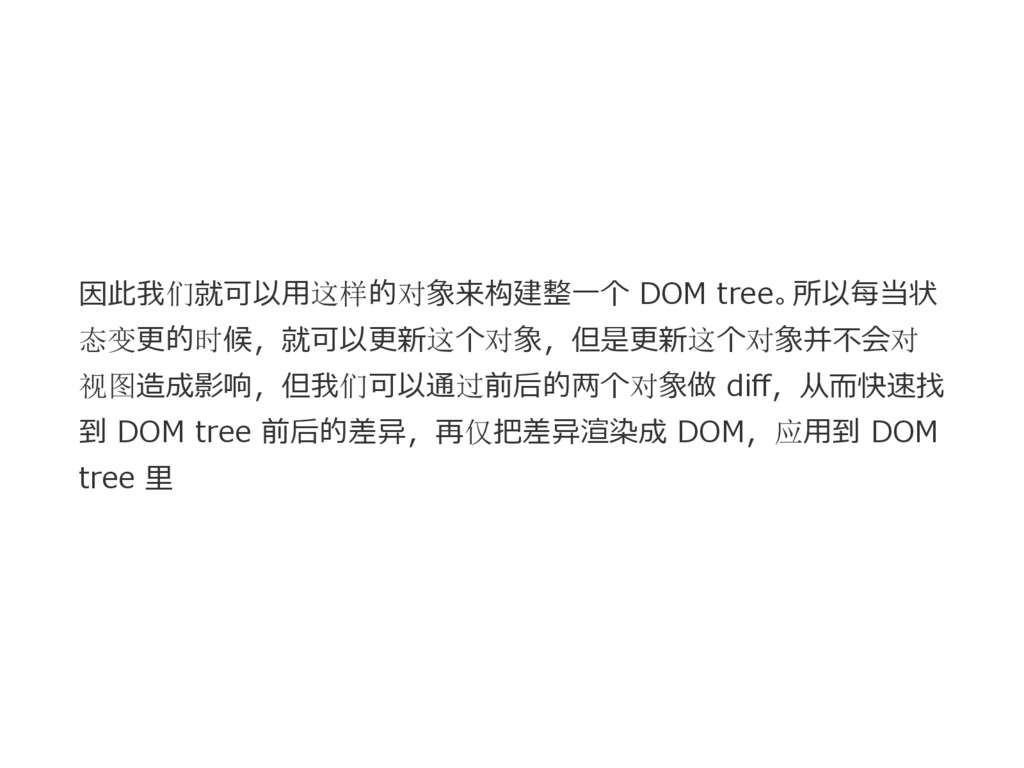
因此我们就可以用这样的对象来构建整一个 DOM tree。所以每当状 态变更的时候,就可以更新这个对象,但是更新这个对象并不会对 视图造成影响,但我们可以通过前后的两个对象做 diff,从而快速找 到 DOM tree 前后的差异,再仅把差异渲染成
DOM,应用到 DOM tree 里
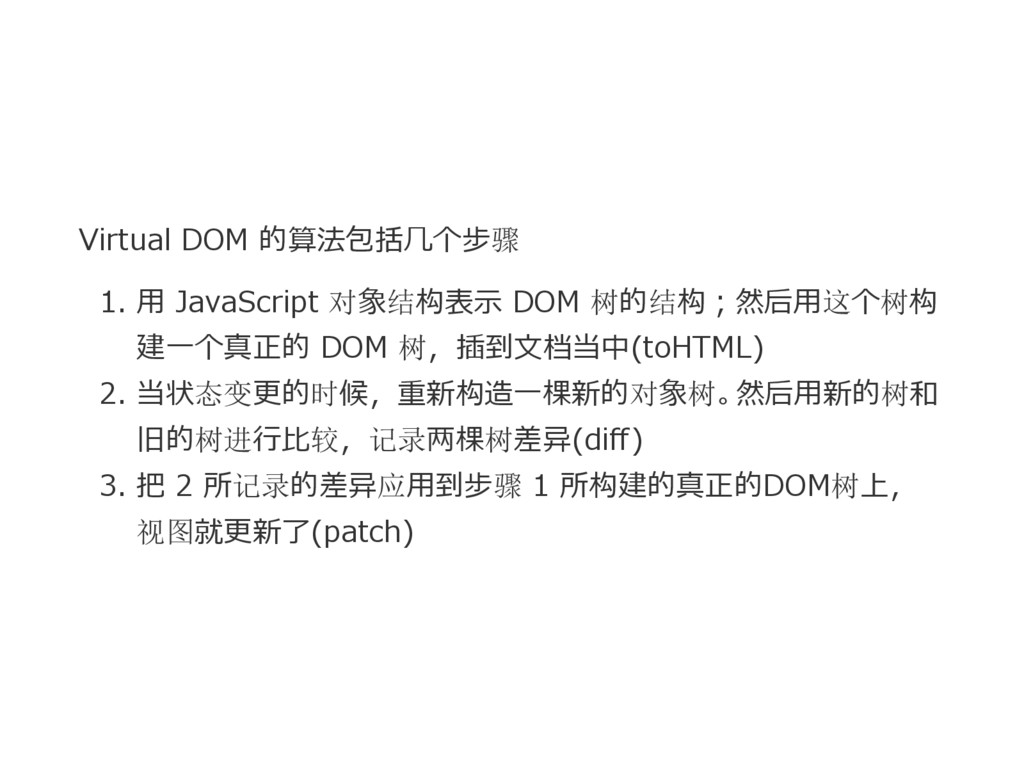
Virtual DOM 的算法包括几个步骤 1. 用 JavaScript 对象结构表示 DOM 树的结构;然后用这个树构 建一个真正的
DOM 树,插到文档当中(toHTML) 2. 当状态变更的时候,重新构造一棵新的对象树。然后用新的树和 旧的树进行比较,记录两棵树差异(diff) 3. 把 2 所记录的差异应用到步骤 1 所构建的真正的DOM树上, 视图就更新了(patch)
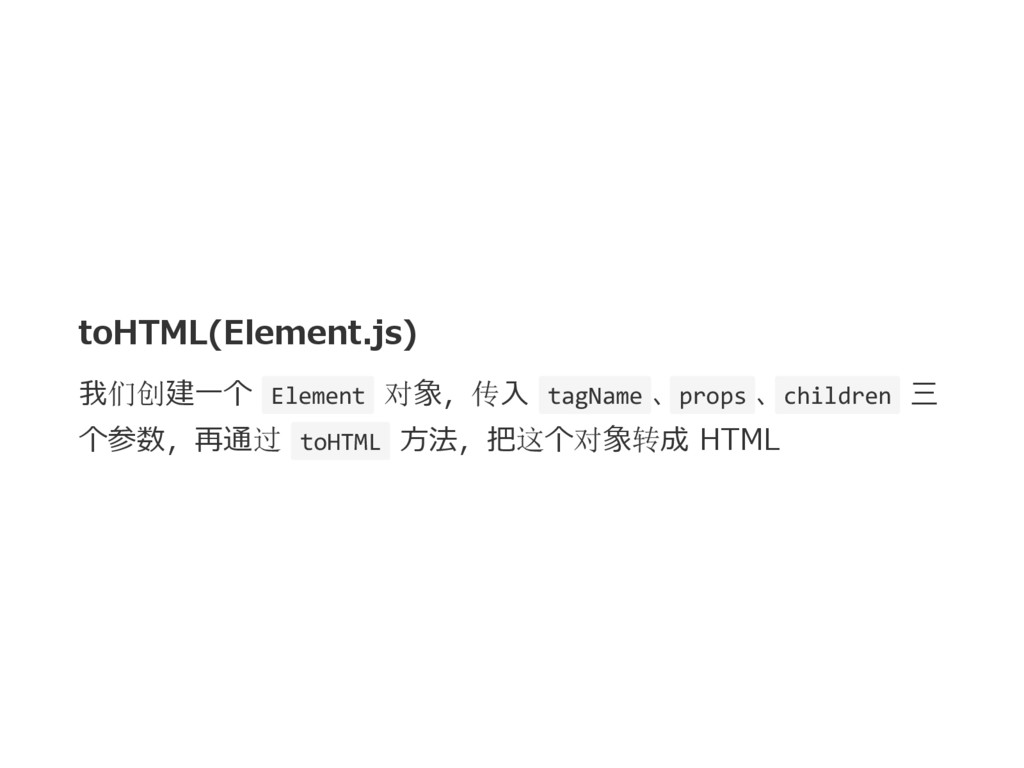
toHTML(Element.js) 我们创建一个 Element 对象,传入 tagName 、 props 、 children 三
个参数,再通过 toHTML 方法,把这个对象转成 HTML
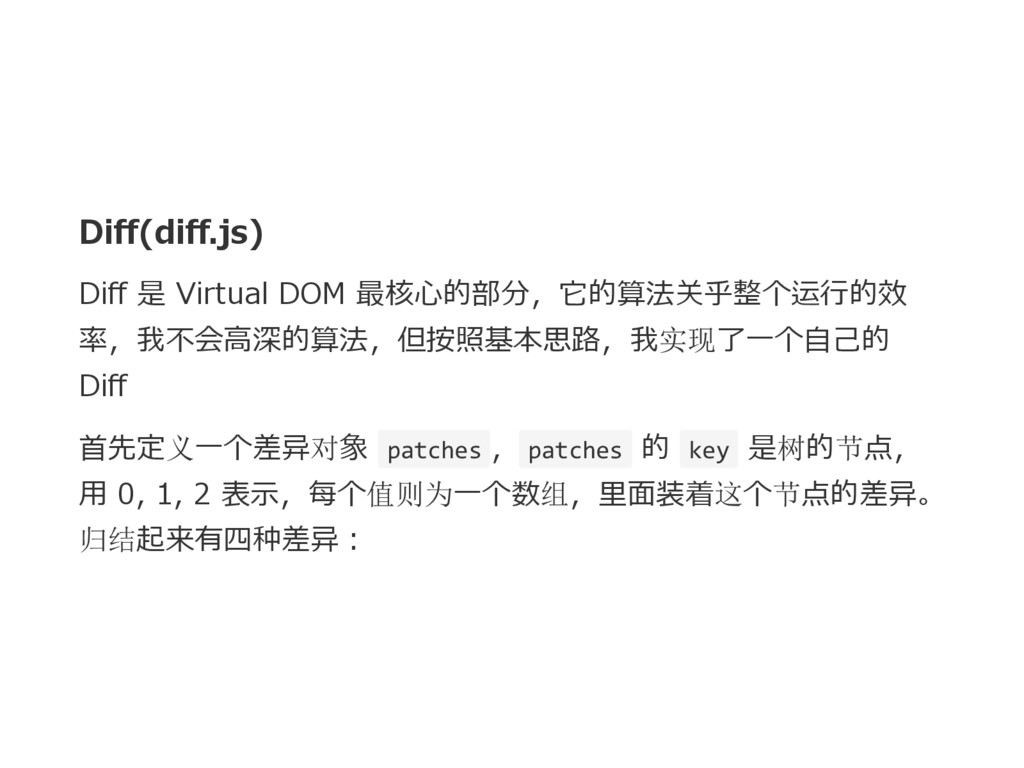
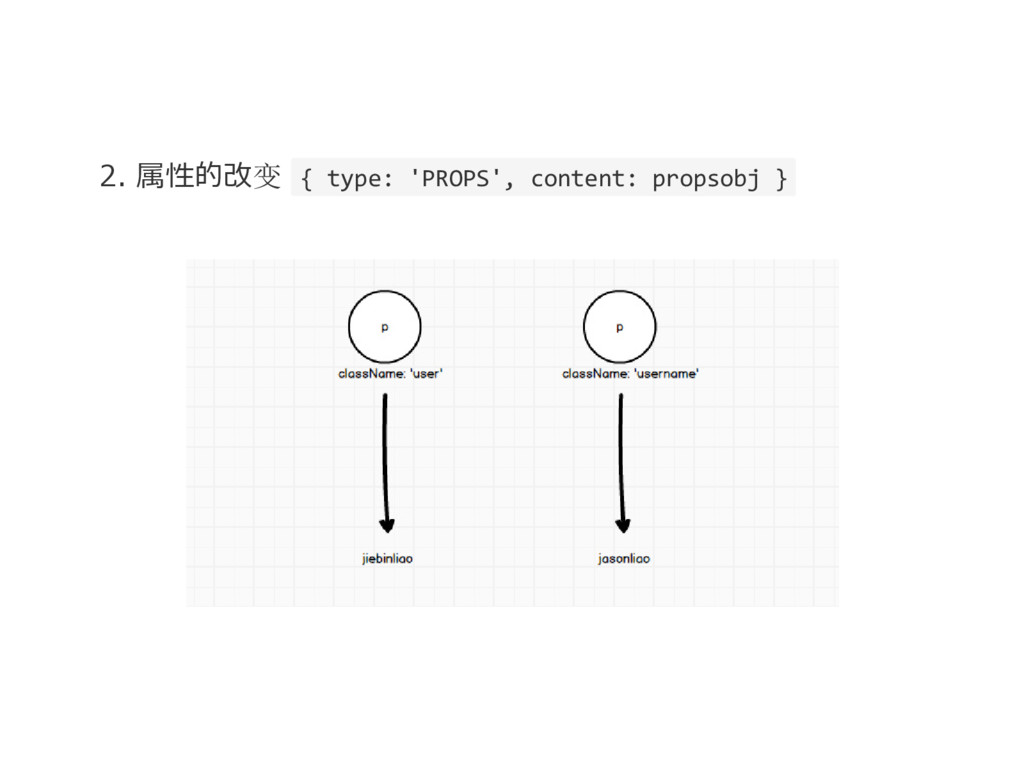
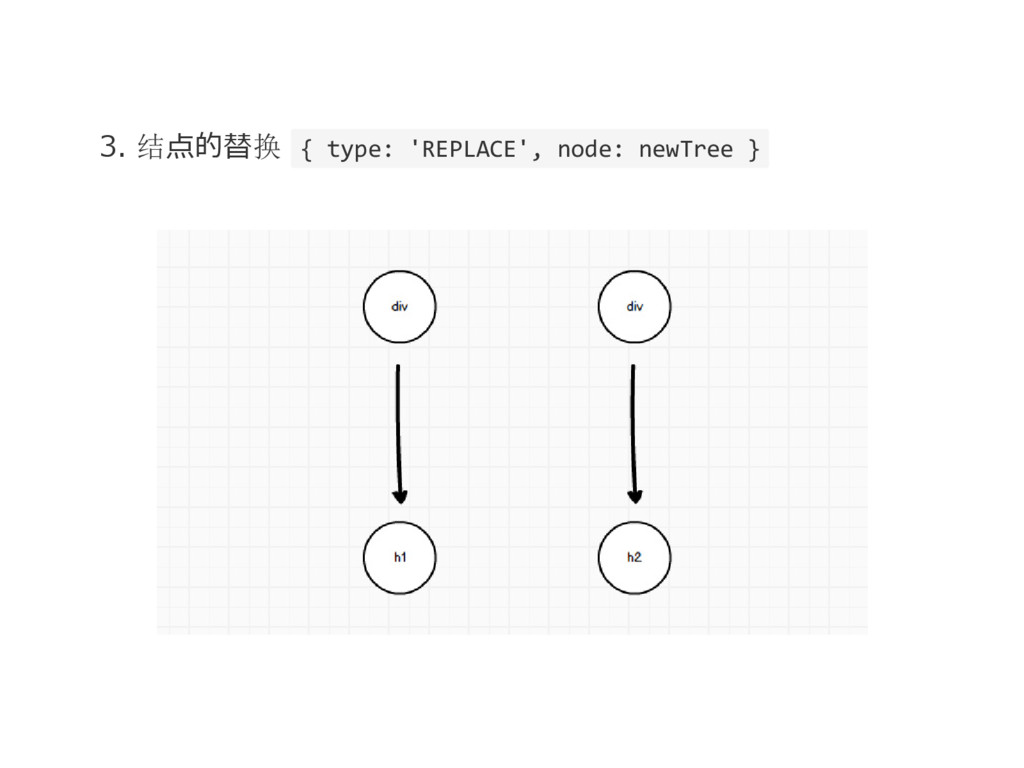
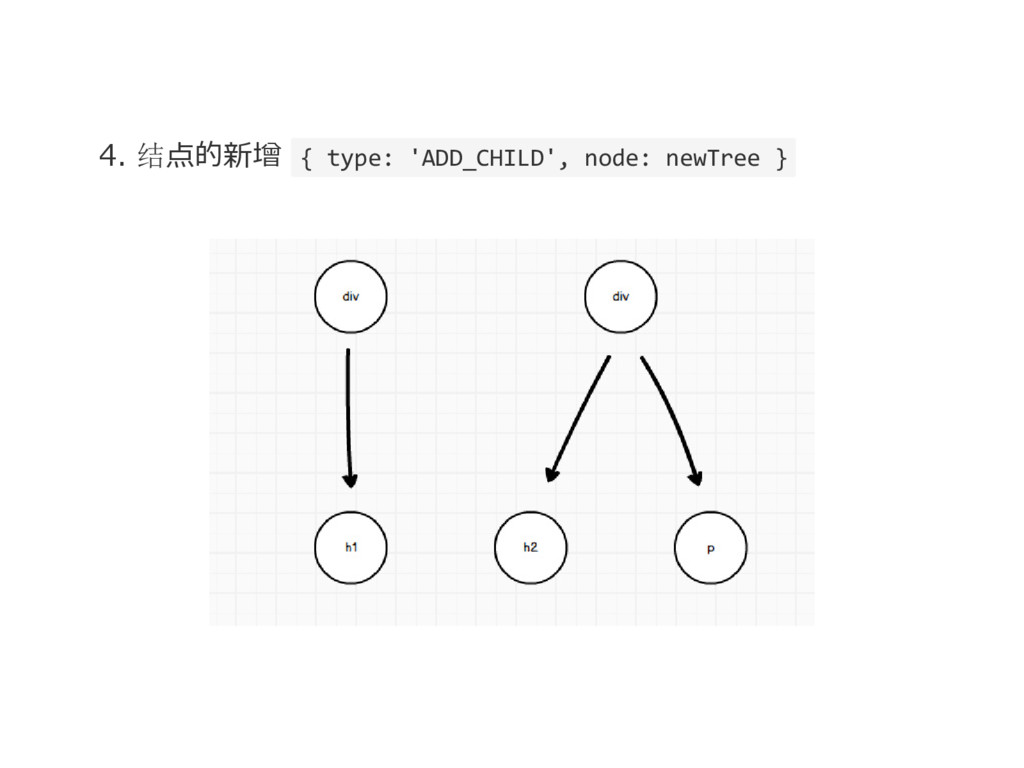
Diff(diff.js) Diff 是 Virtual DOM 最核心的部分,它的算法关乎整个运行的效 率,我不会高深的算法,但按照基本思路,我实现了一个自己的 Diff 首先定义一个差异对象 patches
, patches 的 key 是树的节点, 用 0, 1, 2 表示,每个值则为一个数组,里面装着这个节点的差异。 归结起来有四种差异:
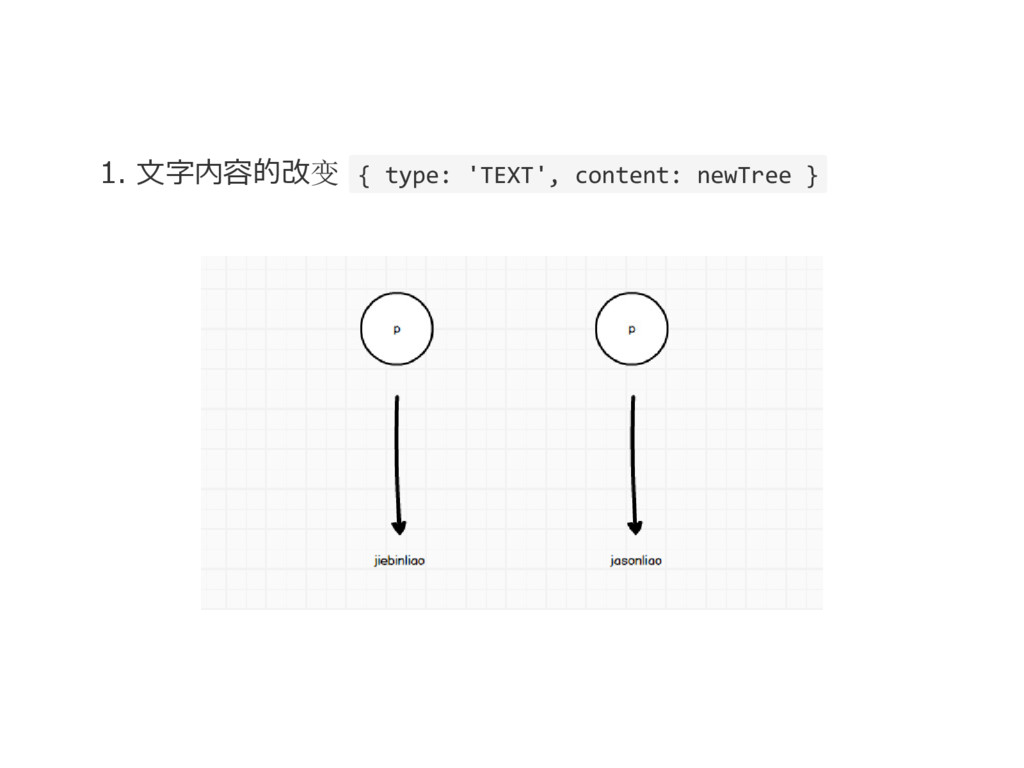
1. 文字内容的改变 { type: 'TEXT', content: newTree }
2. 属性的改变 { type: 'PROPS', content: propsobj }
3. 结点的替换 { type: 'REPLACE', node: newTree }
4. 结点的新增 { type: 'ADD_CHILD', node: newTree }
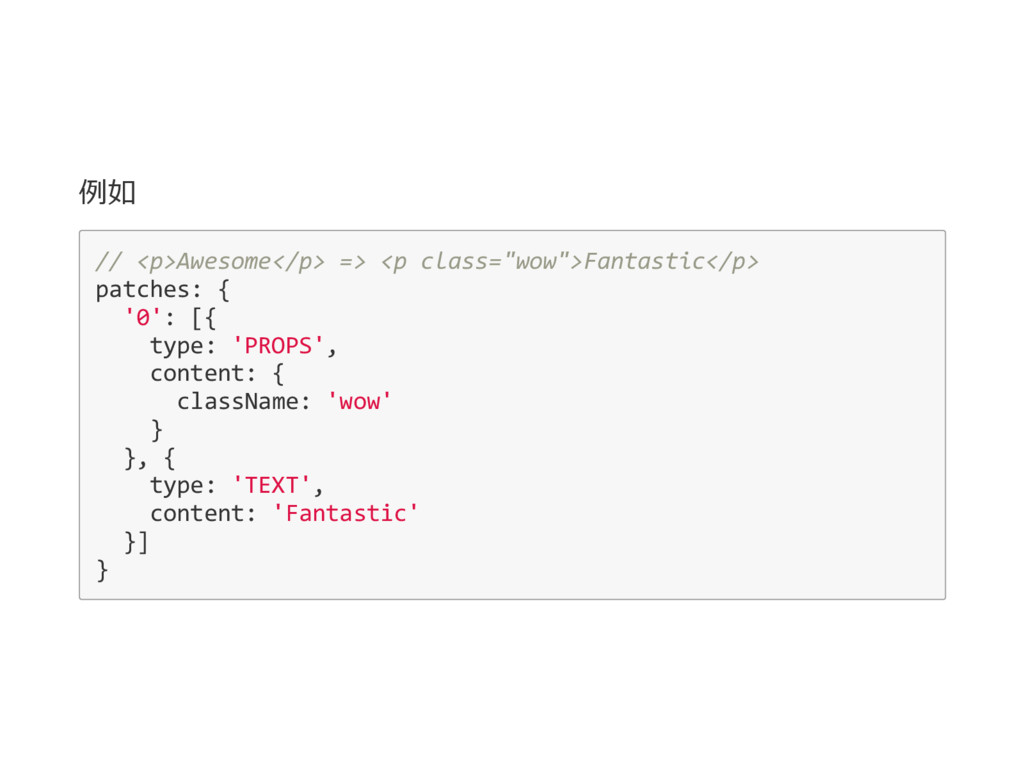
例如 // <p>Awesome</p> => <p class="wow">Fantastic</p> patches: { '0': [{
type: 'PROPS', content: { className: 'wow' } }, { type: 'TEXT', content: 'Fantastic' }] }
Patch(patch.js) patch 函数就是把变化应用到原来的视图里
DEMO
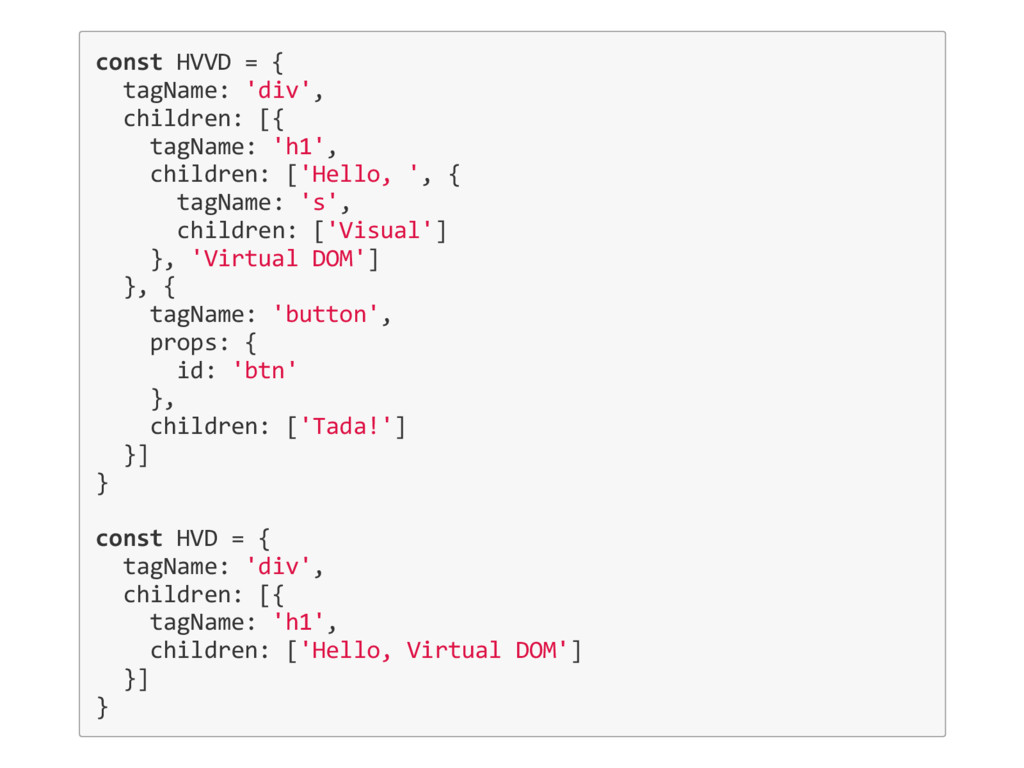
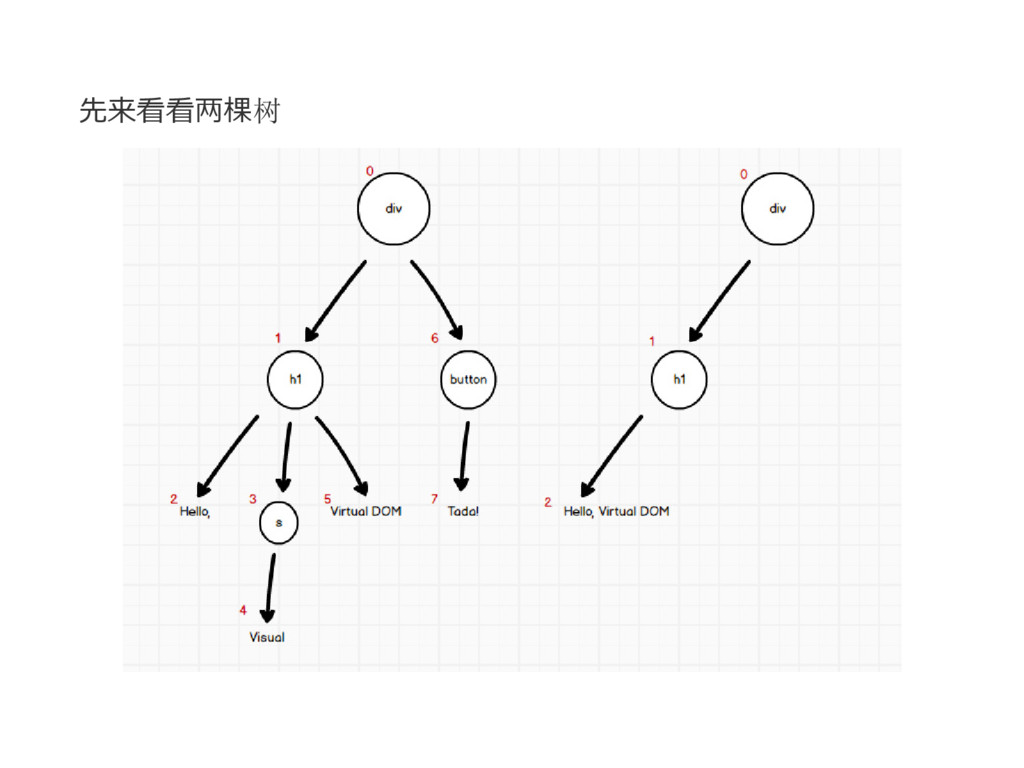
我们有两个对象, HVVD 和 HVD
const HVVD = { tagName: 'div', children: [{ tagName: 'h1',
children: ['Hello, ', { tagName: 's', children: ['Visual'] }, 'Virtual DOM'] }, { tagName: 'button', props: { id: 'btn' }, children: ['Tada!'] }] } const HVD = { tagName: 'div', children: [{ tagName: 'h1', children: ['Hello, Virtual DOM'] }] }
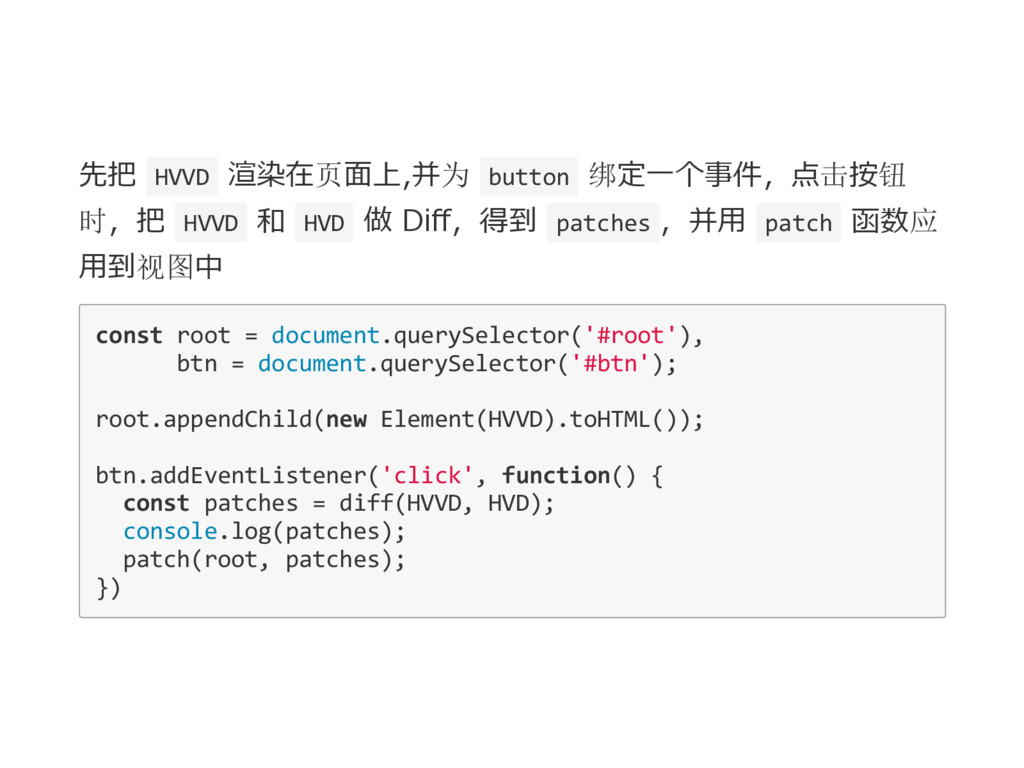
先把 HVVD 渲染在页面上,并为 button 绑定一个事件,点击按钮 时,把 HVVD 和 HVD 做
Diff,得到 patches ,并用 patch 函数应 用到视图中 const root = document.querySelector('#root'), btn = document.querySelector('#btn'); root.appendChild(new Element(HVVD).toHTML()); btn.addEventListener('click', function() { const patches = diff(HVVD, HVD); console.log(patches); patch(root, patches); })
先来看看两棵树
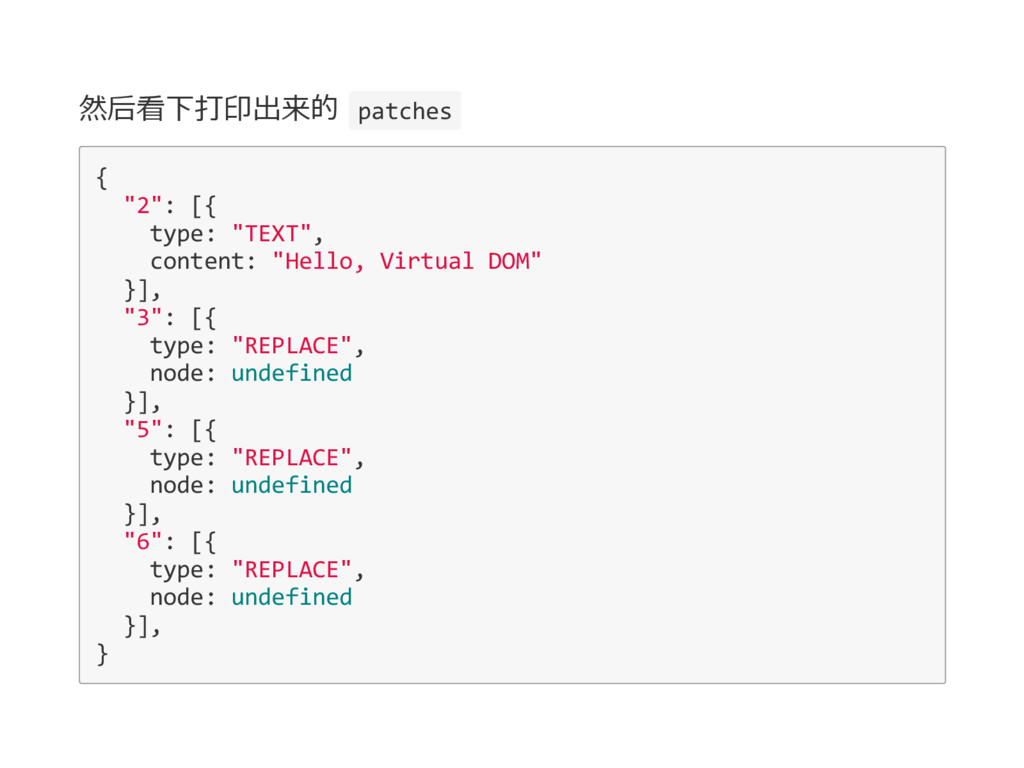
然后看下打印出来的 patches { "2": [{ type: "TEXT", content: "Hello, Virtual
DOM" }], "3": [{ type: "REPLACE", node: undefined }], "5": [{ type: "REPLACE", node: undefined }], "6": [{ type: "REPLACE", node: undefined }], }
通过 patches 可以看到 2 节点文本发生了变化,3、5、6 节点都被 undefined 给替换,换句话说就是删除了节点
Thanks by JasonLiao(jiebinliao)

 SiteGround - Reliable hosting with speed, security, and support you can count on.


 jasonliao
 pfn
pfn
 teamlab
 nttcom
 shumei_ito
 rfdnxbro
 raspython3
 kentarofujii
 kzkhykw1991
 kizawa2020
 syuchimu
 ykanoh
 michielstock
 nmsamuel
 maggiecrowley
 davidcarrasco
 ipullrank
 greggifford
 apolaine
 pedronauck
 yeseniaperezcruz
 smashingmag
 marktimemedia
 rasagy