people as possible • About 15% of world population lives with some form of disability: 1 billion people • In the US, 1 in 5 adults has a disability • Disabilities could be temporary or situational
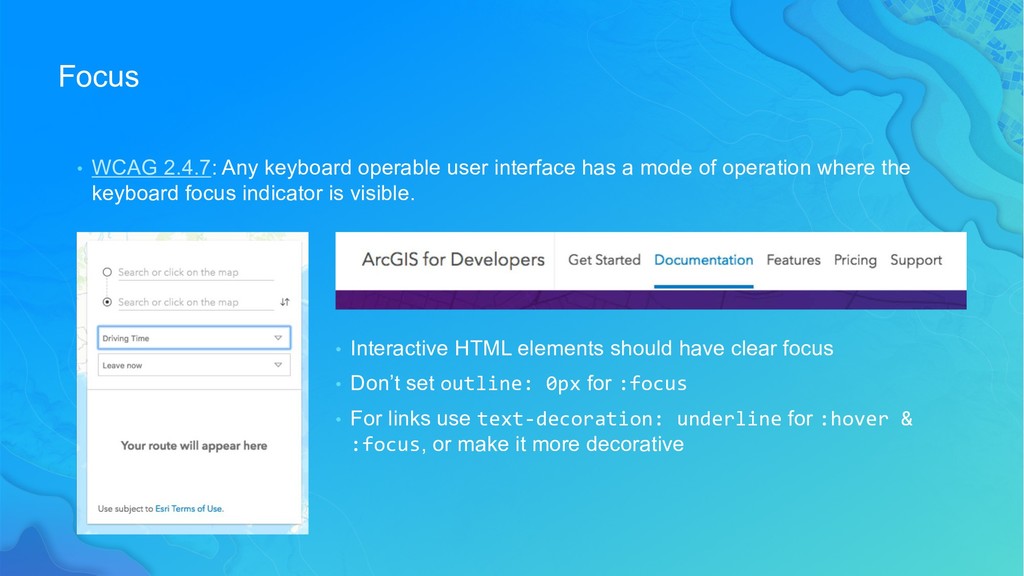
a mode of operation where the keyboard focus indicator is visible. • Interactive HTML elements should have clear focus • Don’t set outline: 0px for :focus • For links use text-decoration: underline for :hover & :focus, or make it more decorative
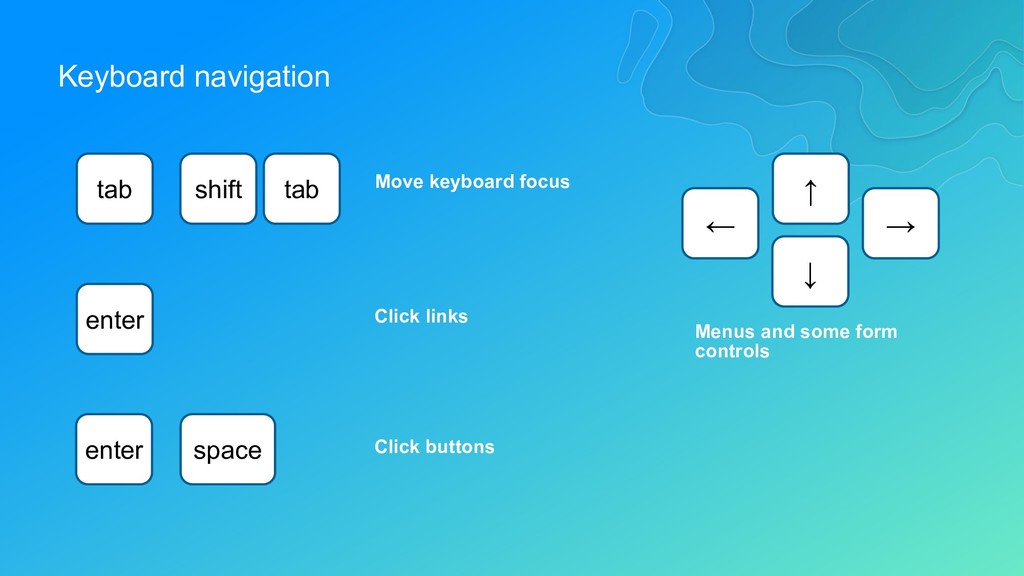
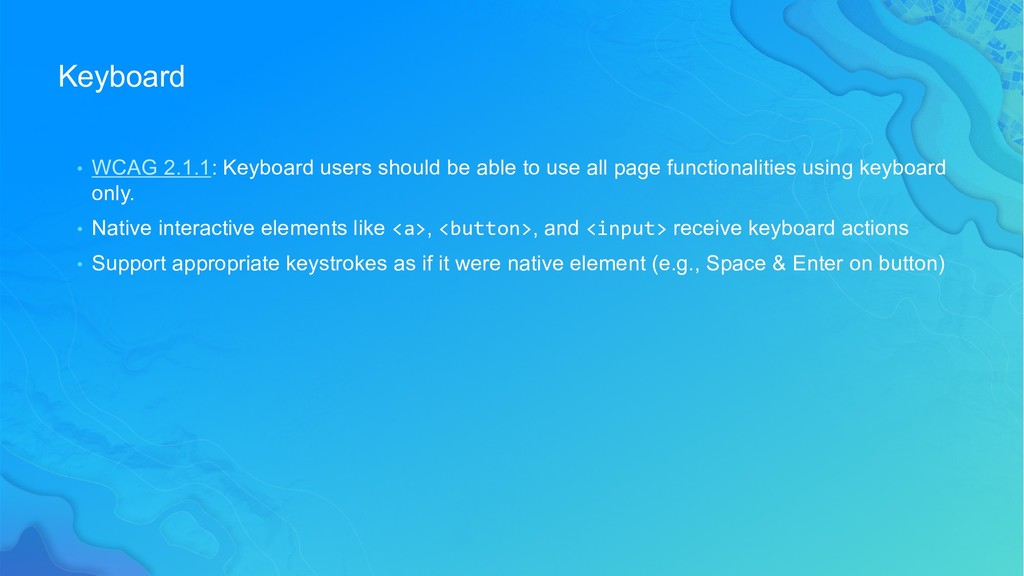
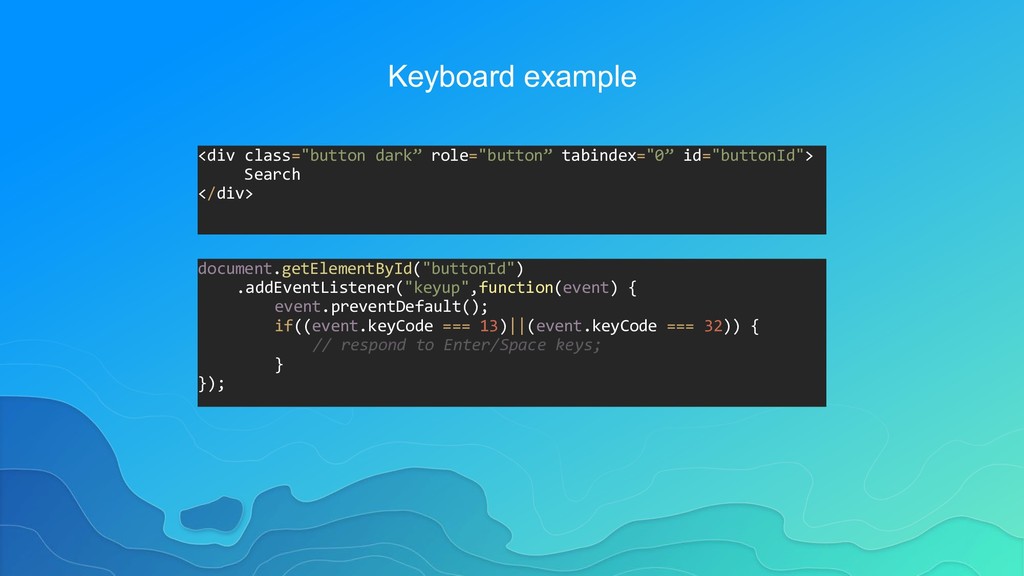
use all page functionalities using keyboard only. • Native interactive elements like <a>, <button>, and <input> receive keyboard actions • Support appropriate keystrokes as if it were native element (e.g., Space & Enter on button)
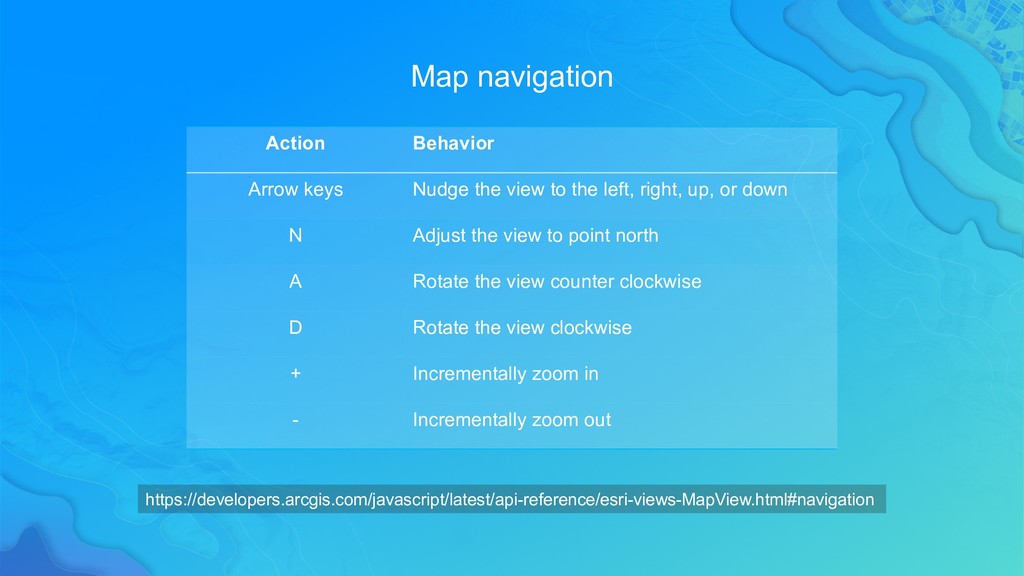
the left, right, up, or down N Adjust the view to point north A Rotate the view counter clockwise D Rotate the view clockwise + Incrementally zoom in - Incrementally zoom out https://developers.arcgis.com/javascript/latest/api-reference/esri-views-MapView.html#navigation
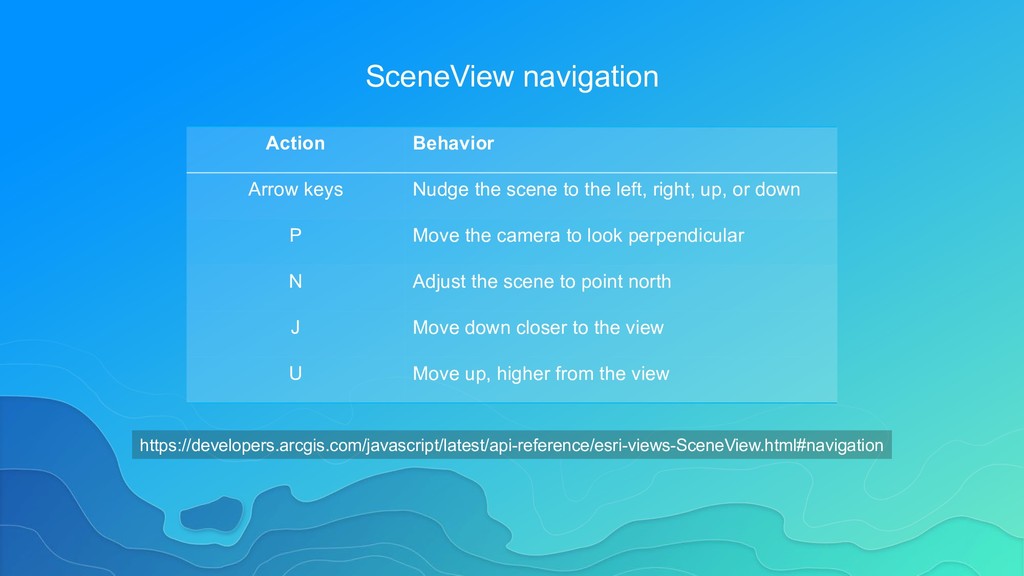
the left, right, up, or down P Move the camera to look perpendicular N Adjust the scene to point north J Move down closer to the view U Move up, higher from the view https://developers.arcgis.com/javascript/latest/api-reference/esri-views-SceneView.html#navigation
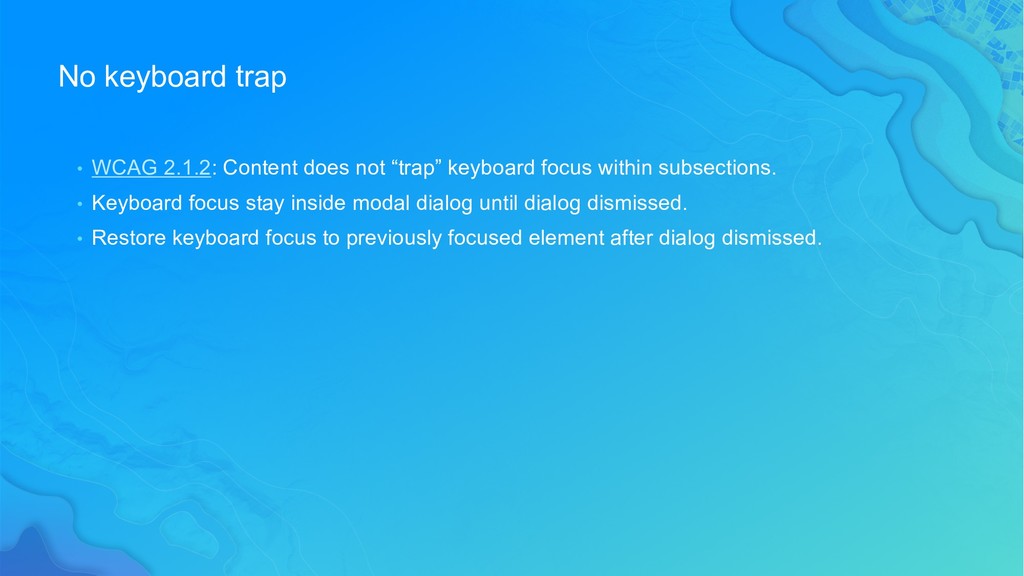
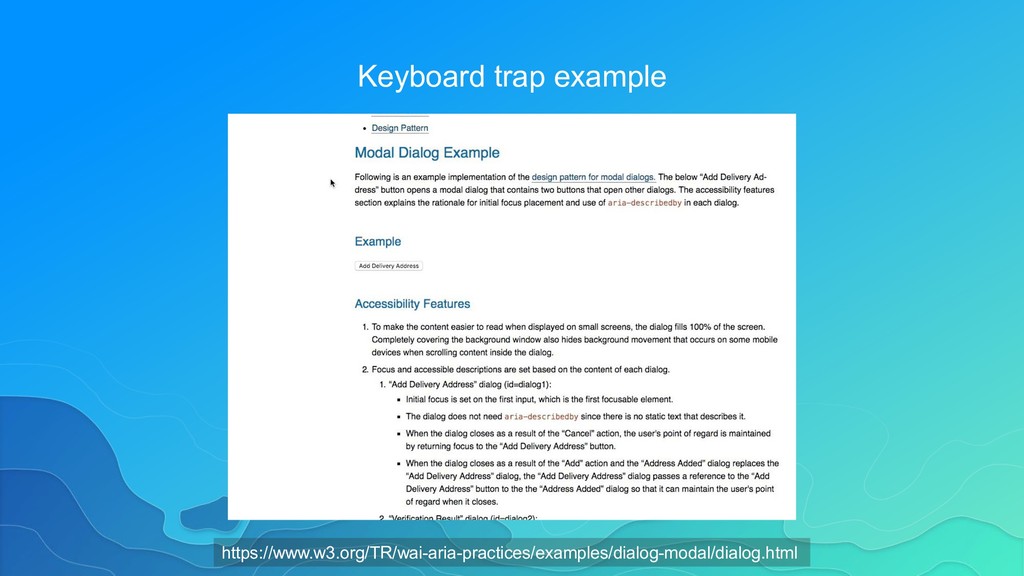
keyboard focus within subsections. • Keyboard focus stay inside modal dialog until dialog dismissed. • Restore keyboard focus to previously focused element after dialog dismissed.
all interactive elements have focus • Visual focus order matches intended interaction order • Interact with all controls, links, and menus using only keyboard • No keyboard trap except for modals • Off-screen content like responsive navigation should not receive focus when invisible
structure. • Assistive Technologies (AT) rely on semantic code to drive their behavior. • Information architecture is important. • Non-sighted users should be able to infer the same information as sighted users without depending on colors, shape, or typography for context.
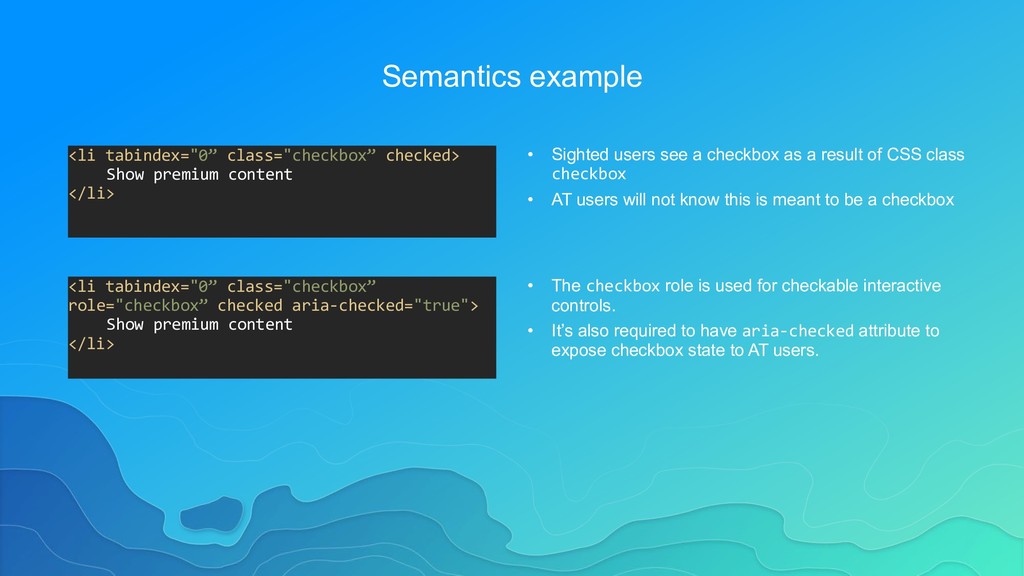
• Sighted users see a checkbox as a result of CSS class checkbox • AT users will not know this is meant to be a checkbox <li tabindex="0” class="checkbox” role="checkbox” checked aria-checked="true"> Show premium content </li> • The checkbox role is used for checkable interactive controls. • It’s also required to have aria-checked attribute to expose checkbox state to AT users.
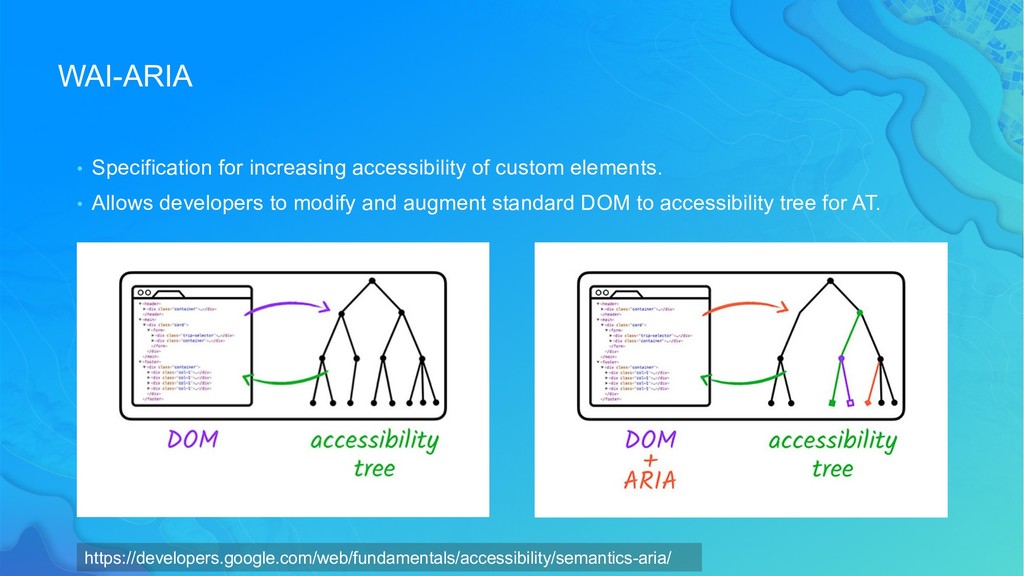
Allows developers to modify and augment standard DOM to accessibility tree for AT. https://developers.google.com/web/fundamentals/accessibility/semantics-aria/
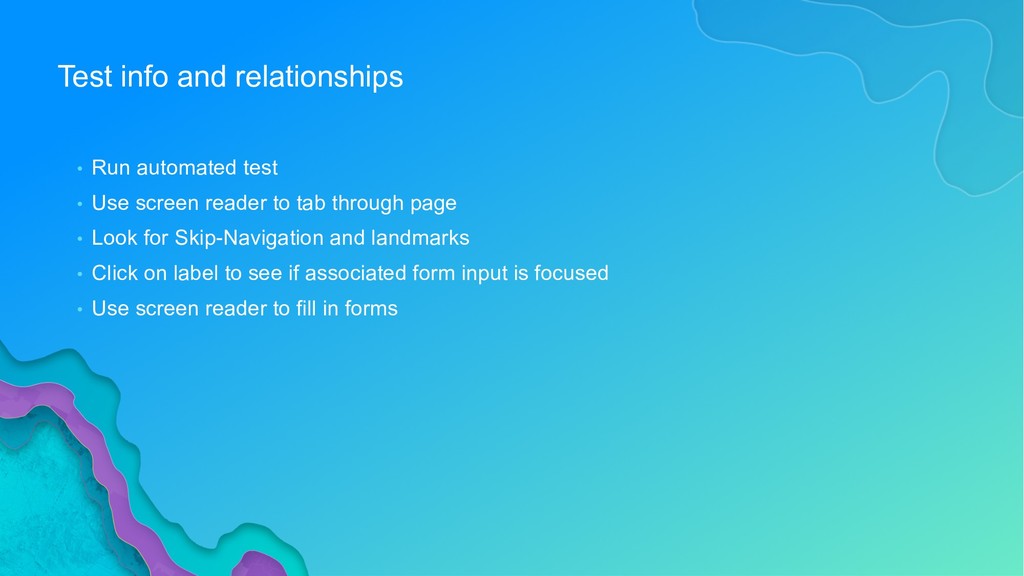
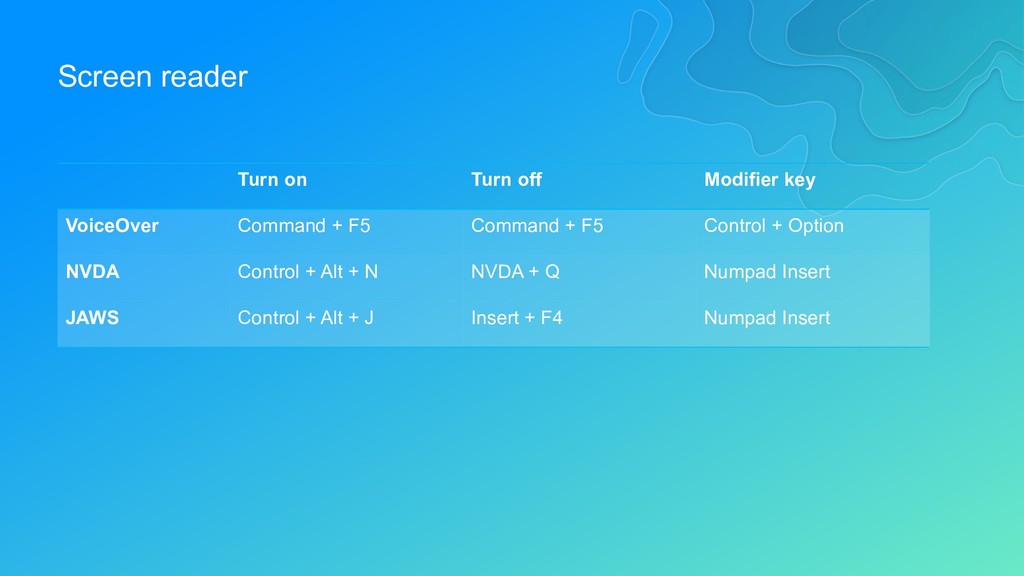
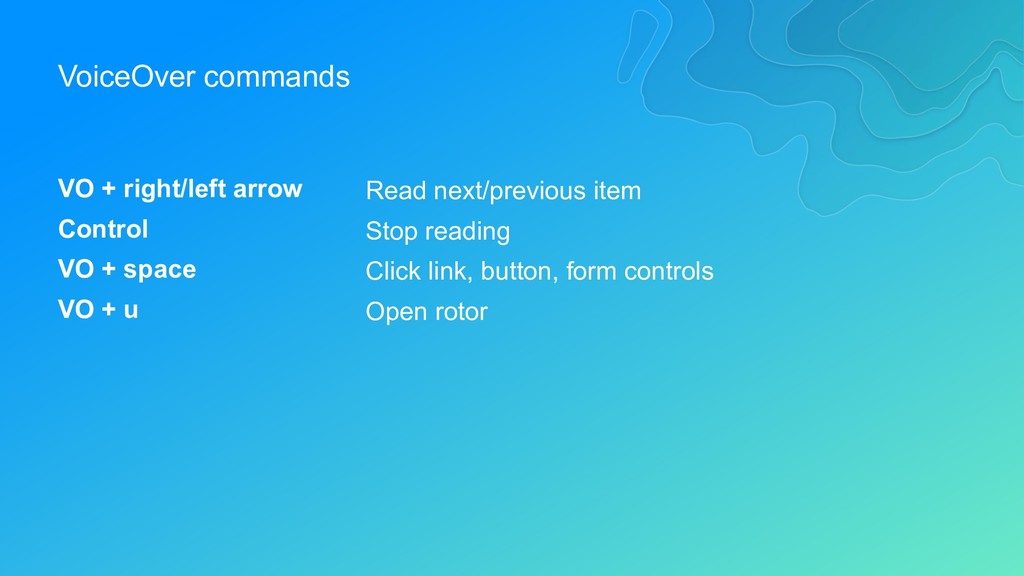
screen reader to tab through page • Look for Skip-Navigation and landmarks • Click on label to see if associated form input is focused • Use screen reader to fill in forms
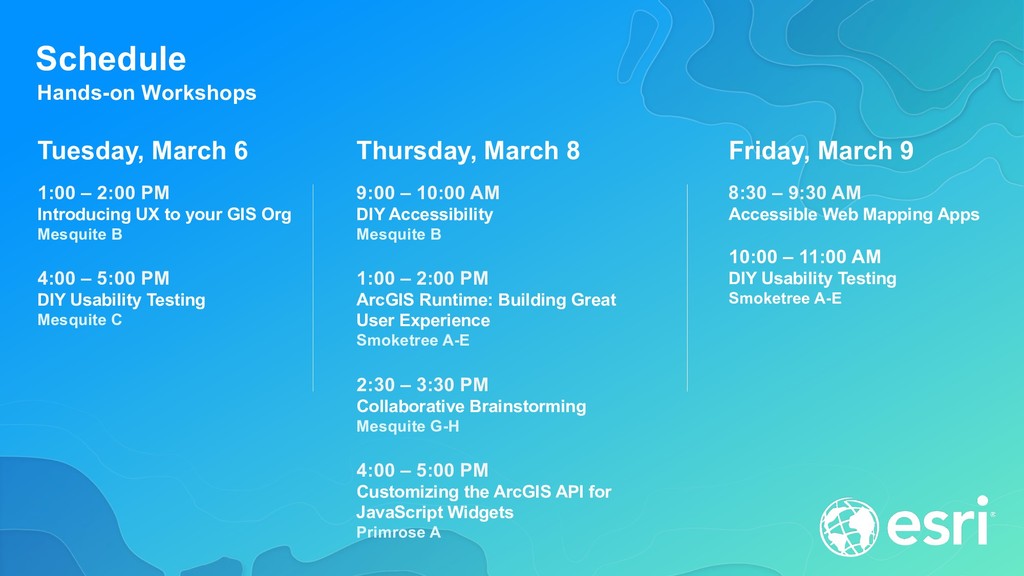
DIY Accessibility Mesquite B 1:00 – 2:00 PM ArcGIS Runtime: Building Great User Experience Smoketree A-E 2:30 – 3:30 PM Collaborative Brainstorming Mesquite G-H 4:00 – 5:00 PM Customizing the ArcGIS API for JavaScript Widgets Primrose A Tuesday, March 6 1:00 – 2:00 PM Introducing UX to your GIS Org Mesquite B 4:00 – 5:00 PM DIY Usability Testing Mesquite C Friday, March 9 8:30 – 9:30 AM Accessible Web Mapping Apps 10:00 – 11:00 AM DIY Usability Testing Smoketree A-E


 jimmieego
 pfn
pfn
 bgpat
bgpat
 kizawa2020
 4o1sobblue
 mohab1
 ykanoh
 riyaamemiya
 onk
onk
 takuroabe
 techtekt
 kworkdev
 ueponx
 lara
lara
 palkan
 rkendrick25
 jcasabona
 reverentgeek
 wjessup
 signer
 livdayseo
 nonsquared
 nikkihalliwell
 matthewcrist
 lfama
lfama
![Label examples <label> Email <input type="text” placeholder="[email protected]"> </label> Associate label](https://files.speakerdeck.com/presentations/372bc216f26b4a628f253934c9886993/slide_32.jpg)