Share
Embed
Reintroducing Relay
Talk about what's next for Relay, given 8/25/16 at React Rally.

Joseph Savona
August 25, 2016
Transcript
77 slides
-
Joseph Savona Software Engineer, Facebook Reintroducing Relay Hi! My name
is Joe Savona. I'm a software engineer at Facebook working on the Relay core team. -
Agenda • Quick Recap • Next Steps for Relay This
talk is in two main parts First I'll give a quick overview of what Relay is Some of you may be familiar with Relay, but I want to give a quick overview to make sure we're all on the same page The bulk of the talk will be about some new things we're working on. More on that in a second -
Relay is a framework for building data-driven applications with React
and GraphQL First let's recap. ((READ SLIDE OUT LOUD)) Goal is for developers to specify what data is needed for each view And Relay figures out how and when to fetch that data It lets product developers focus on the product, not on data-handling logic -
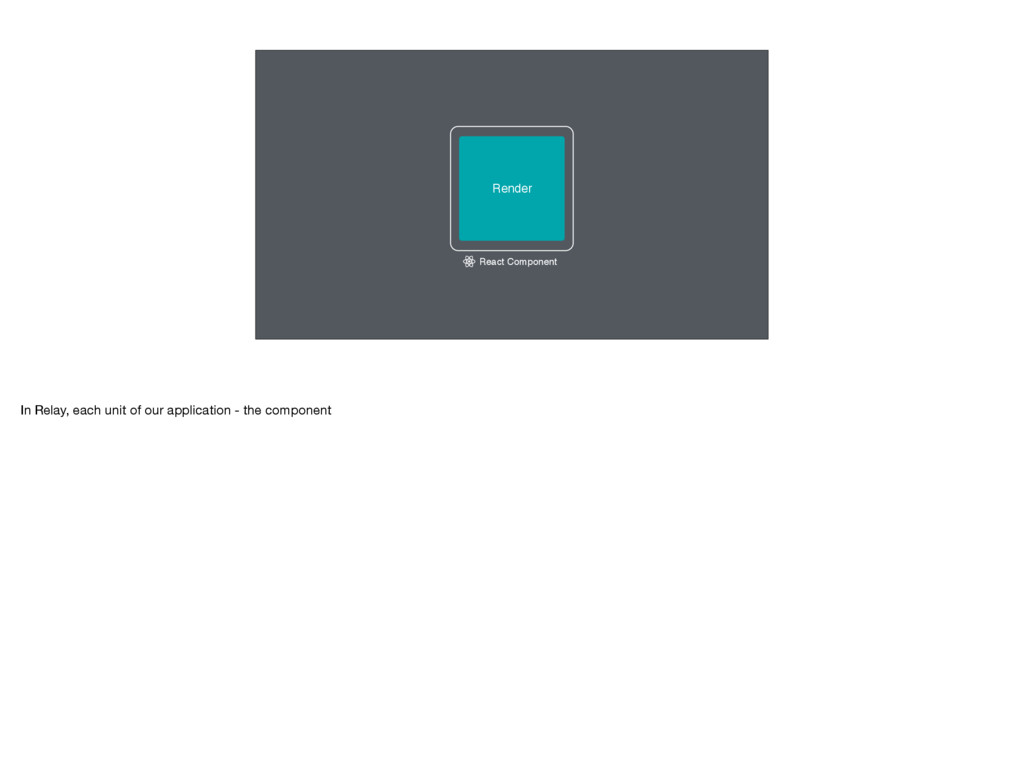
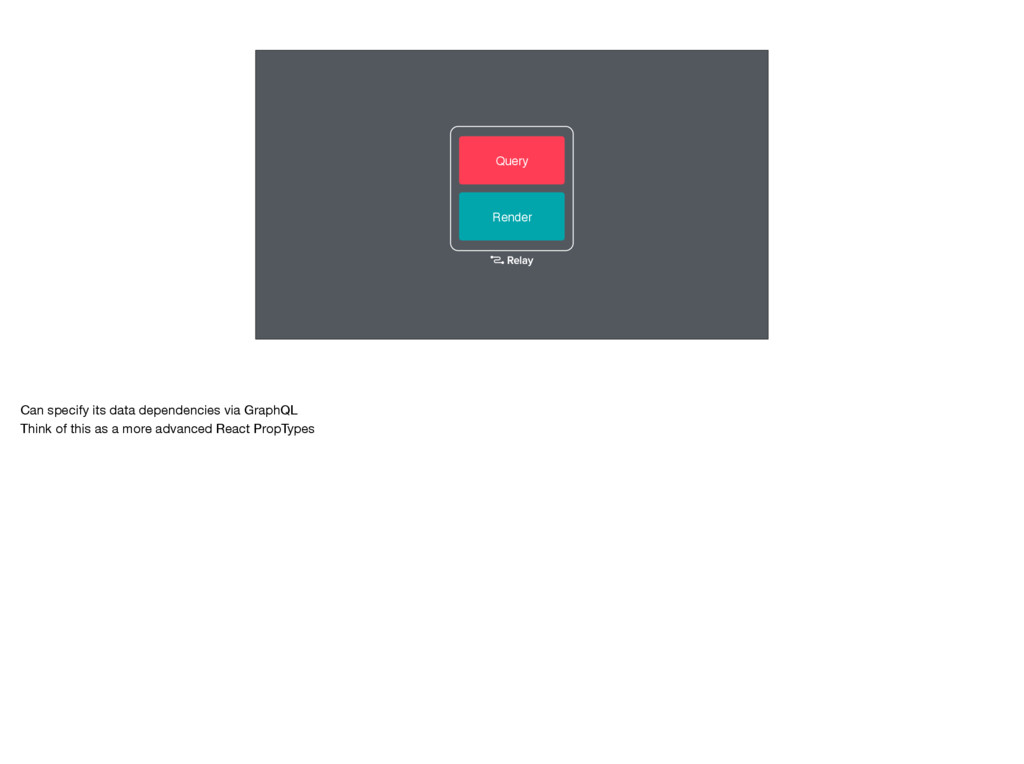
Render React Component In Relay, each unit of our application
- the component -
Render Query Can specify its data dependencies via GraphQL Think
of this as a more advanced React PropTypes -
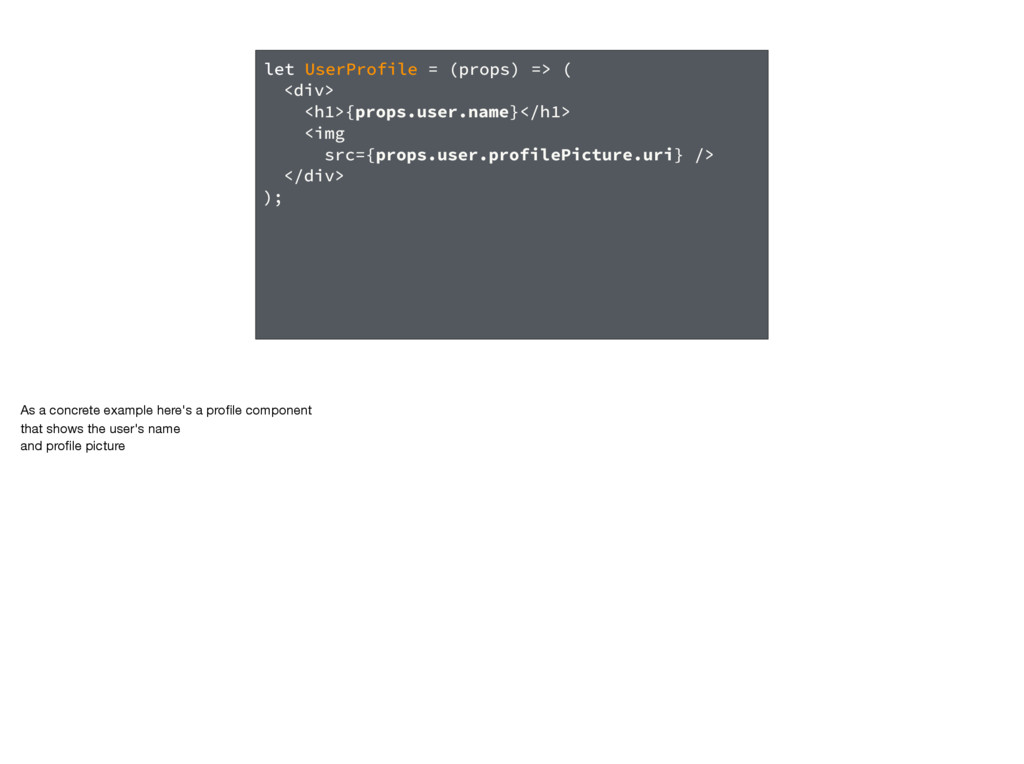
let UserProfile = (props) => ( <div> <h1>{props.user.name}</h1> <img src={props.user.profilePicture.uri}
/> </div> ); As a concrete example here's a profile component that shows the user's name and profile picture -
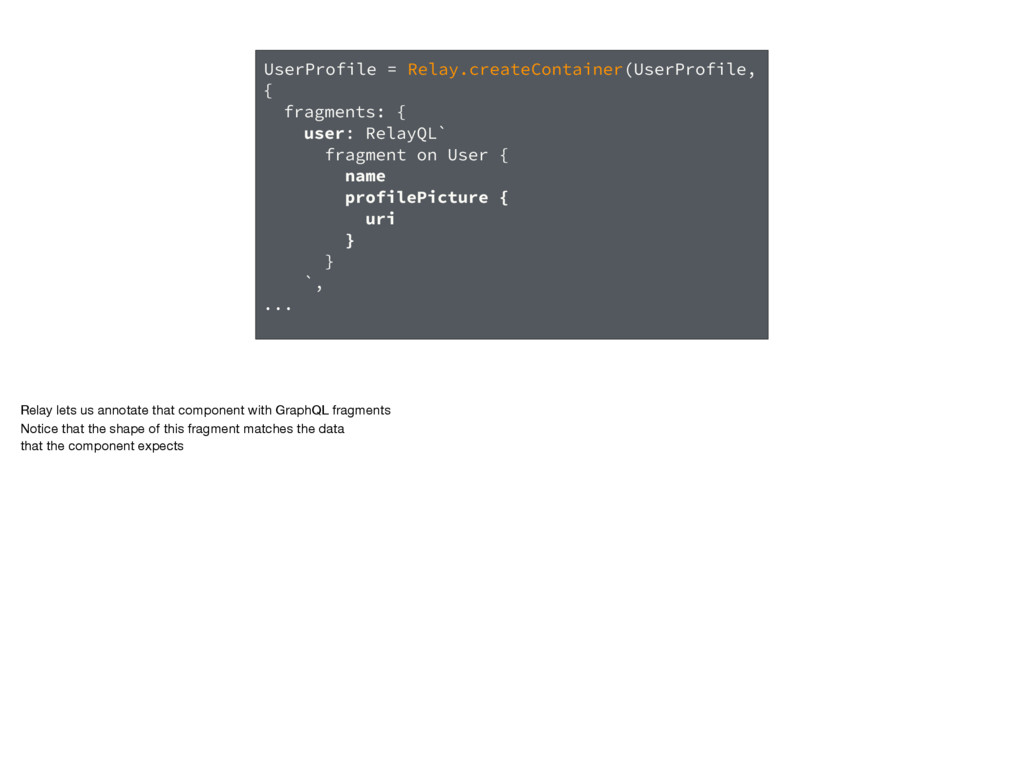
UserProfile = Relay.createContainer(UserProfile, { fragments: { user: RelayQL` fragment on
User { name profilePicture { uri } } `, ... Relay lets us annotate that component with GraphQL fragments Notice that the shape of this fragment matches the data that the component expects -
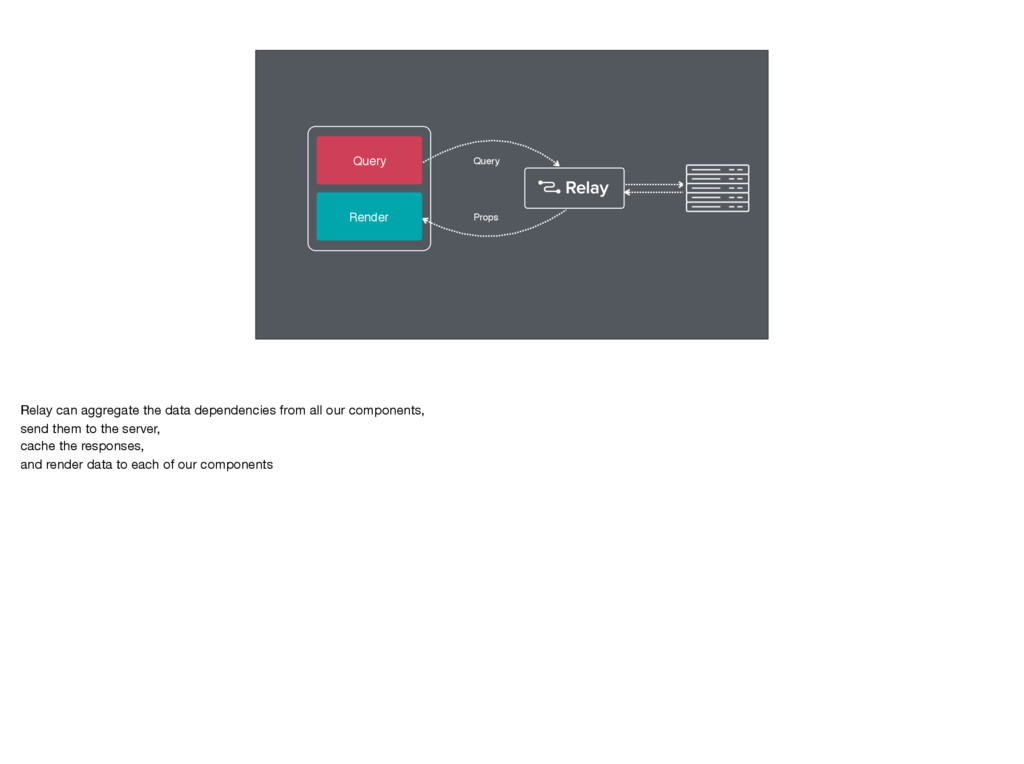
Render Props Query Query Relay can aggregate the data dependencies
from all our components, send them to the server, cache the responses, and render data to each of our components -
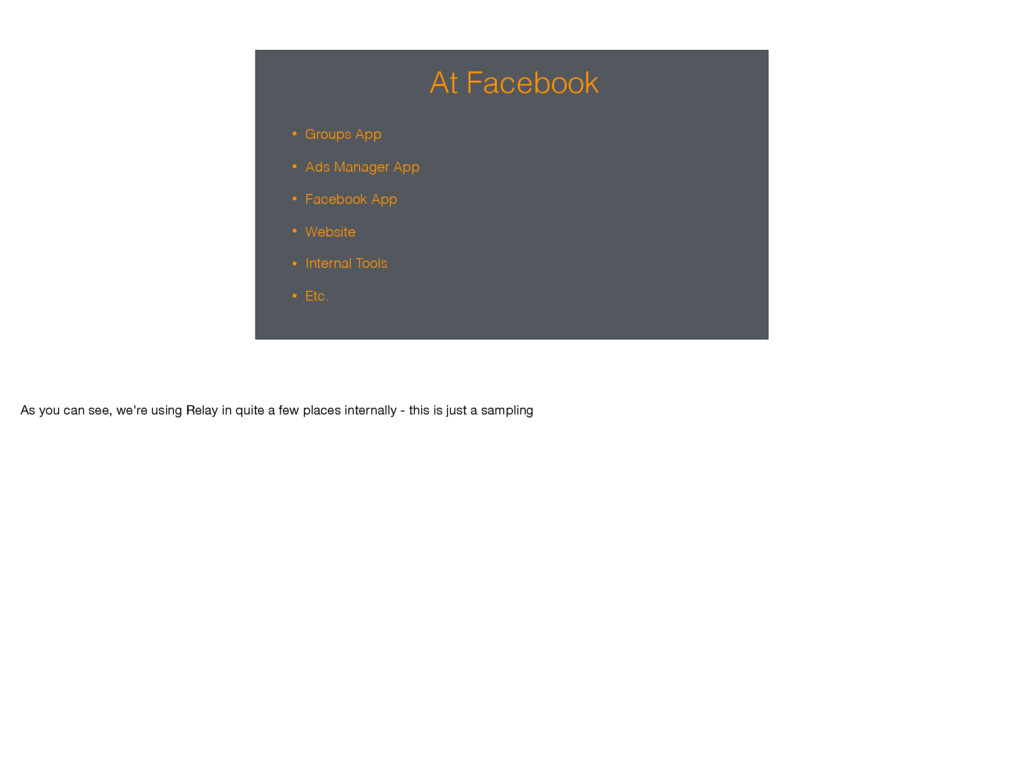
At Facebook • Groups App • Ads Manager App •
Facebook App • Website • Internal Tools • Etc. As you can see, we're using Relay in quite a few places internally - this is just a sampling -
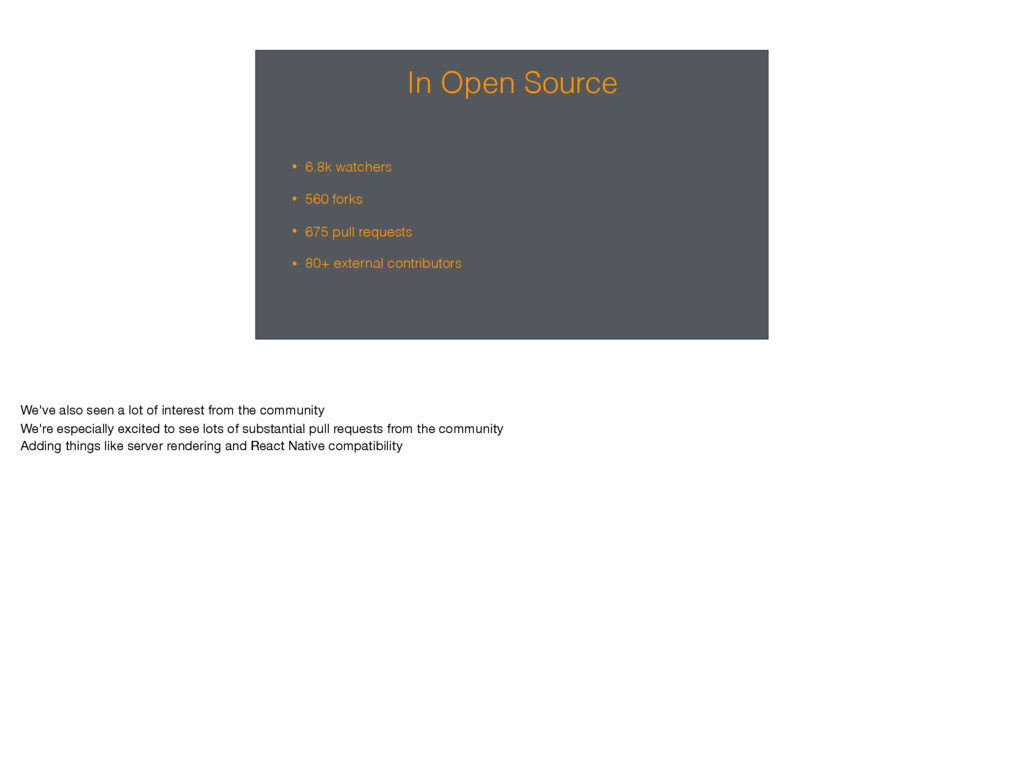
In Open Source • 6.8k watchers • 560 forks •
675 pull requests • 80+ external contributors We've also seen a lot of interest from the community We're especially excited to see lots of substantial pull requests from the community Adding things like server rendering and React Native compatibility -
Stepping Back Overall, we're pleased with the progress that we've
made But we're just getting started. We've gotten a lot of great feedback about what works well and what could be improved We've also begun to explore new use cases where Relay can help improve our apps. -
Mobile Perf In emerging markets, a lot of users are
on 2G or 3G networks and are using older phones. At Facebook we've developed a system for categorizing devices - and many users in these markets use 2011 "year-class" devices. These are devices that would have been considered high-end in 2011. Our goal is to support developers in building applications that work well on low-end devices connecting on low-end networks. This means doubling-down on performance and better support for working offline. -
Developer Experience We've gotten a lot of good feedback about
the developer experience. Relay provides a lot of power, but it could definitely be easier to use. Turns out we can improve speed and developer experience by making a few key aspects more explicit. (notes: A more explicit API means less work for the framework (faster) and, by definitions means that developer is specifying intent more, making the effect of the code clearer (simpler/more predictable). Yes, the developer does a bit more work, but we've found that this is a good tradeoff in order to gain performance and clarity) -
Big Bets... These are ambitious goals Iterative improvements would only
get us so far, so fast -
Relay 2 This brings us to Relay 2 This is
a ground up rewrite of Relay Optimized for low-end mobile devices Also focused on simpler and more predictable developer experience -
Relay 2: Best Parts of Relay • Colocated GraphQL with
React components • Declarative API We're keeping the best parts of Relay today Colocating GraphQL fragments with our components makes it easy to reason about our applications The declarative API lets us focus on the product, not on data-handling. -
Relay 2: What's New • Static Queries • Arbitrary Mutations
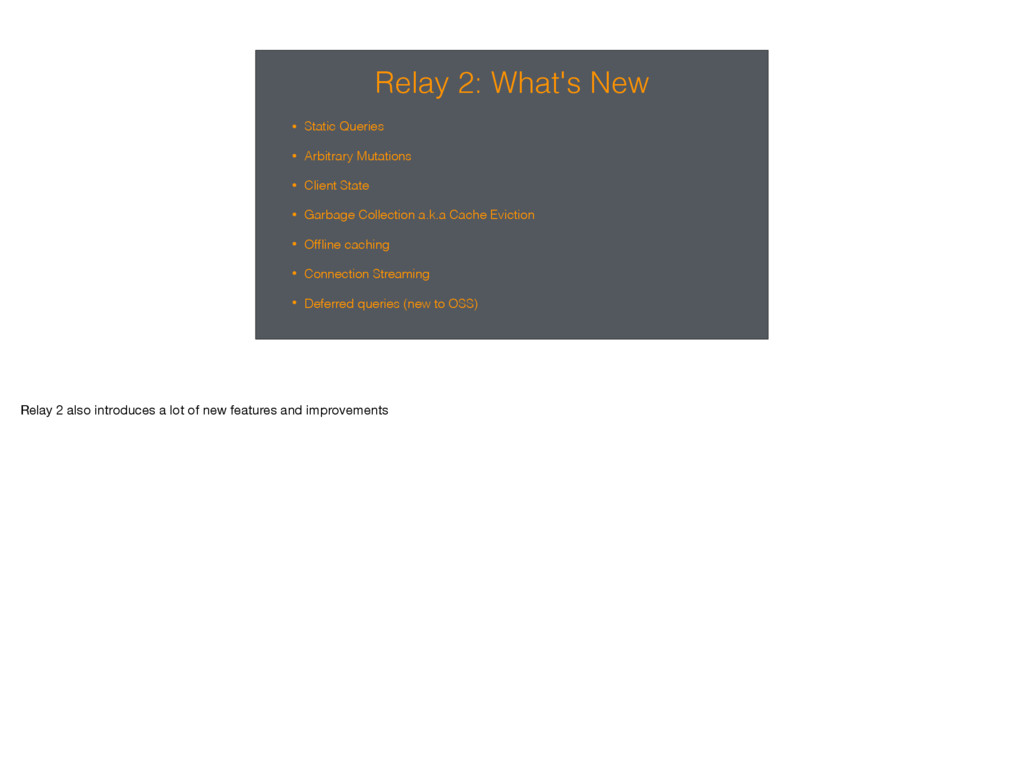
• Client State • Garbage Collection a.k.a Cache Eviction • Offline caching • Connection Streaming • Deferred queries (new to OSS) Relay 2 also introduces a lot of new features and improvements -
Time to Interaction A metric that we care a lot
about is Time To Interaction The time from when an app or transition starts, until the first content can be interacted with An example is a feed of content. TTI might measure the time until we are able to like or comment on the first item. Let's start by looking at TTI in React Native native apps, then web. -
JS Initialization JS Fetch Process Render React Native & Relay
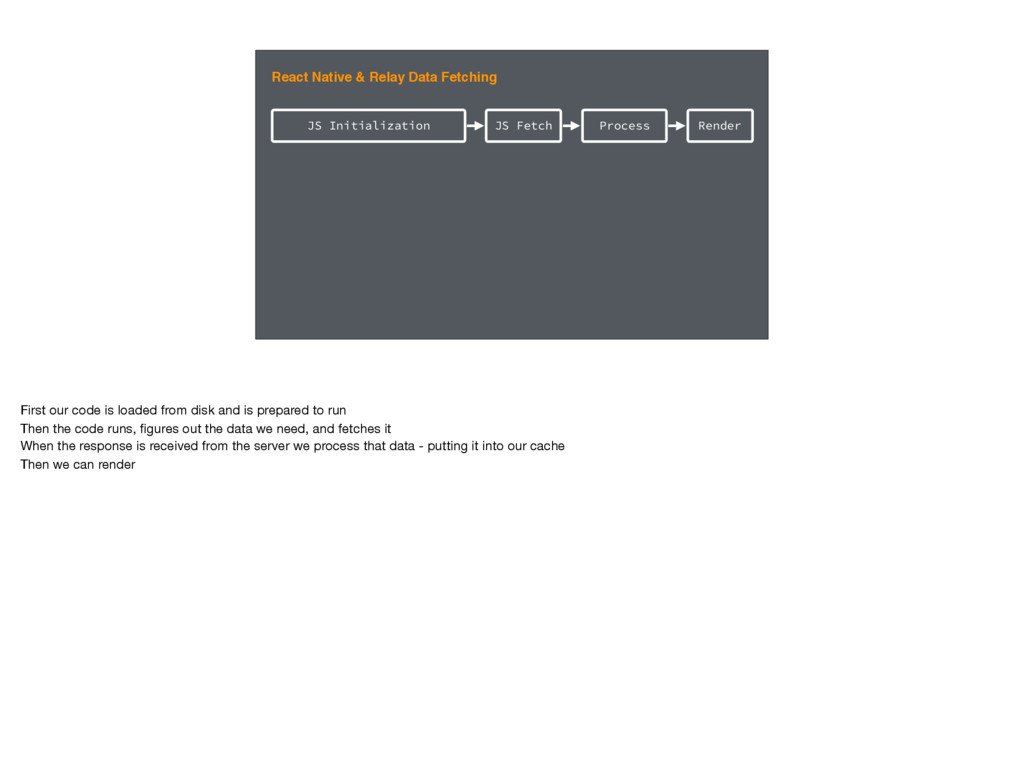
Data Fetching First our code is loaded from disk and is prepared to run Then the code runs, figures out the data we need, and fetches it When the response is received from the server we process that data - putting it into our cache Then we can render -
JS Download & Init JS Fetch Process Render Relay Web
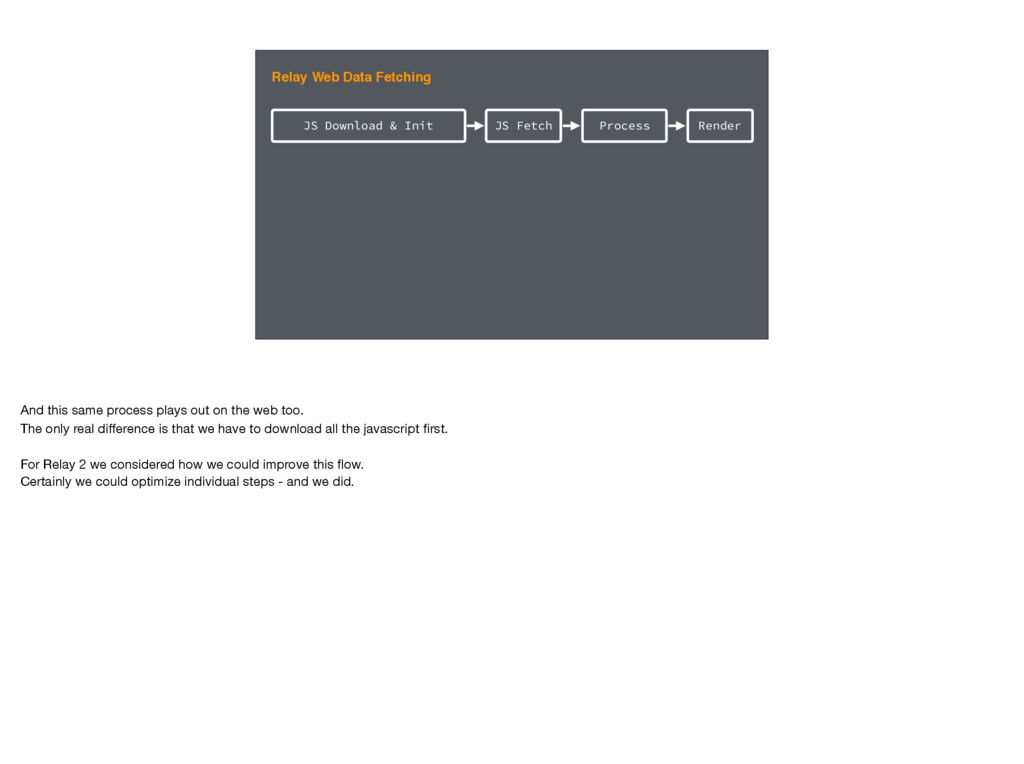
Data Fetching And this same process plays out on the web too. The only real difference is that we have to download all the javascript first. For Relay 2 we considered how we could improve this flow. Certainly we could optimize individual steps - and we did. -
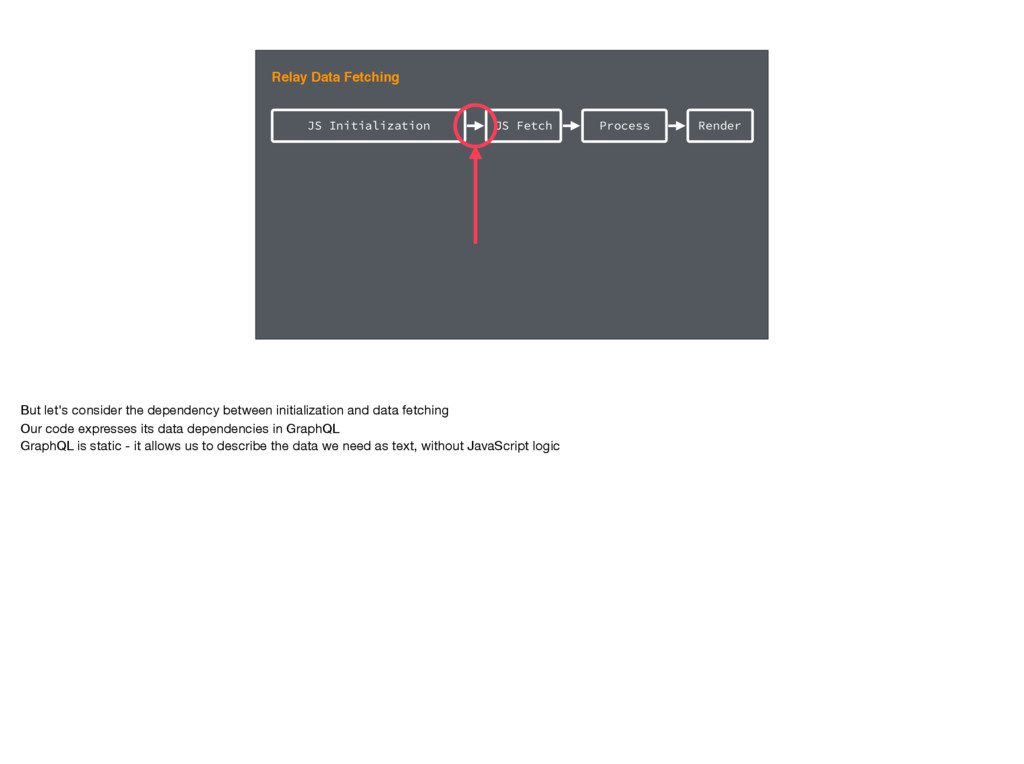
JS Initialization JS Fetch Process Render Relay Data Fetching But
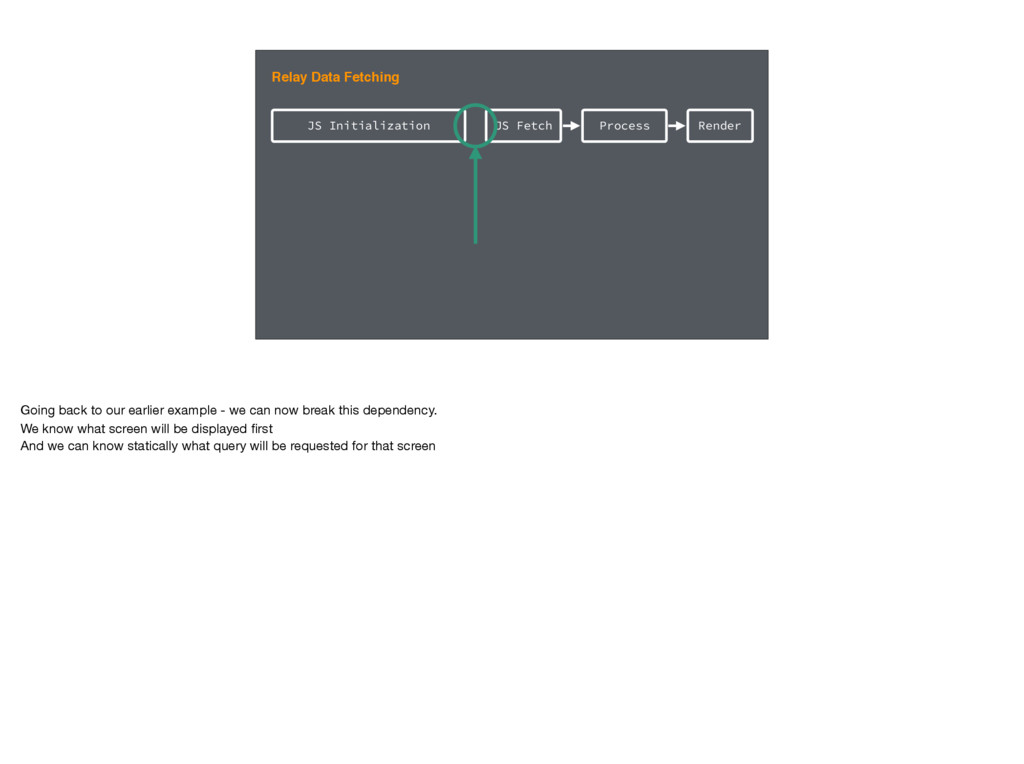
let's consider the dependency between initialization and data fetching Our code expresses its data dependencies in GraphQL GraphQL is static - it allows us to describe the data we need as text, without JavaScript logic -
Static Queries If we could fully exploit this property of
GraphQL, we could potentially execute the query much earlier In current Relay though, we have some dynamic APIs that prevent us from doing this. The same is true of some other JS GraphQL clients. -
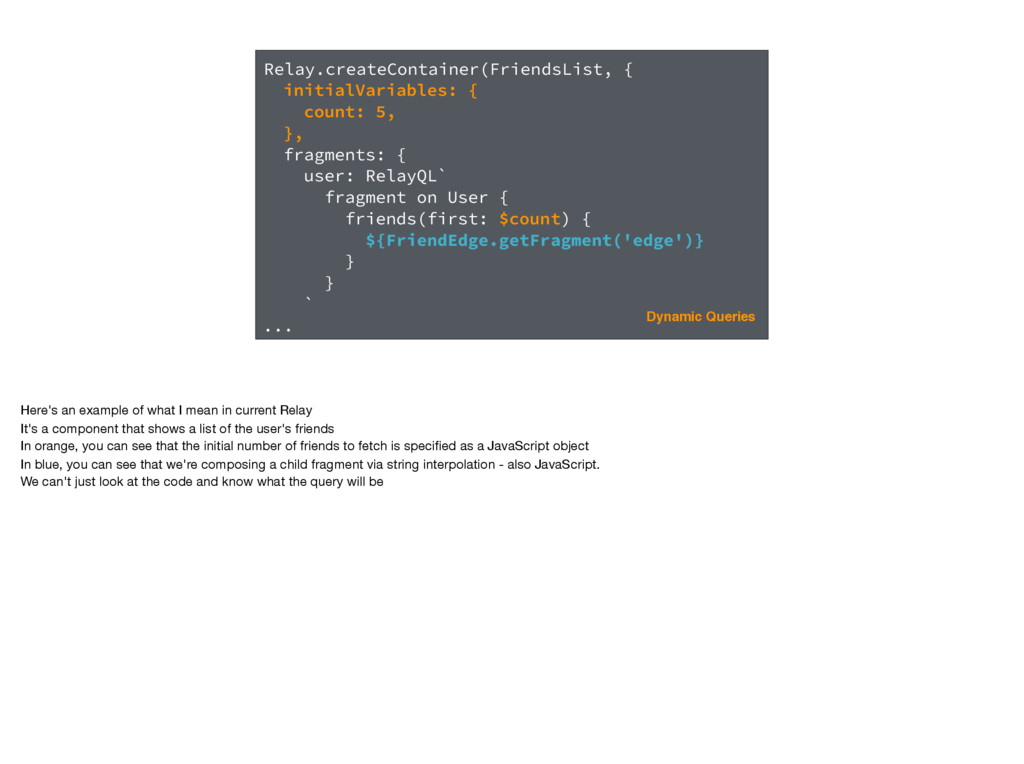
Relay.createContainer(FriendsList, { initialVariables: { count: 5, }, fragments: { user:
RelayQL` fragment on User { friends(first: $count) { ${FriendEdge.getFragment('edge')} } } ` ... Dynamic Queries Here's an example of what I mean in current Relay It's a component that shows a list of the user's friends In orange, you can see that the initial number of friends to fetch is specified as a JavaScript object In blue, you can see that we're composing a child fragment via string interpolation - also JavaScript. We can't just look at the code and know what the query will be -
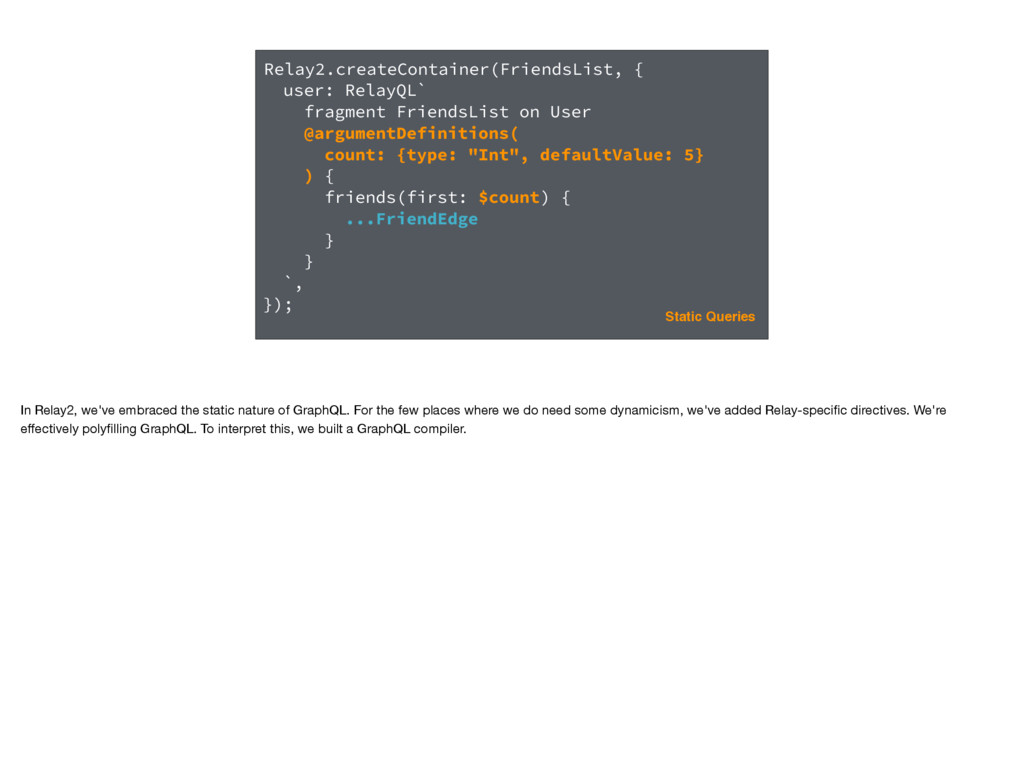
Relay2.createContainer(FriendsList, { user: RelayQL` fragment FriendsList on User @argumentDefinitions( count:
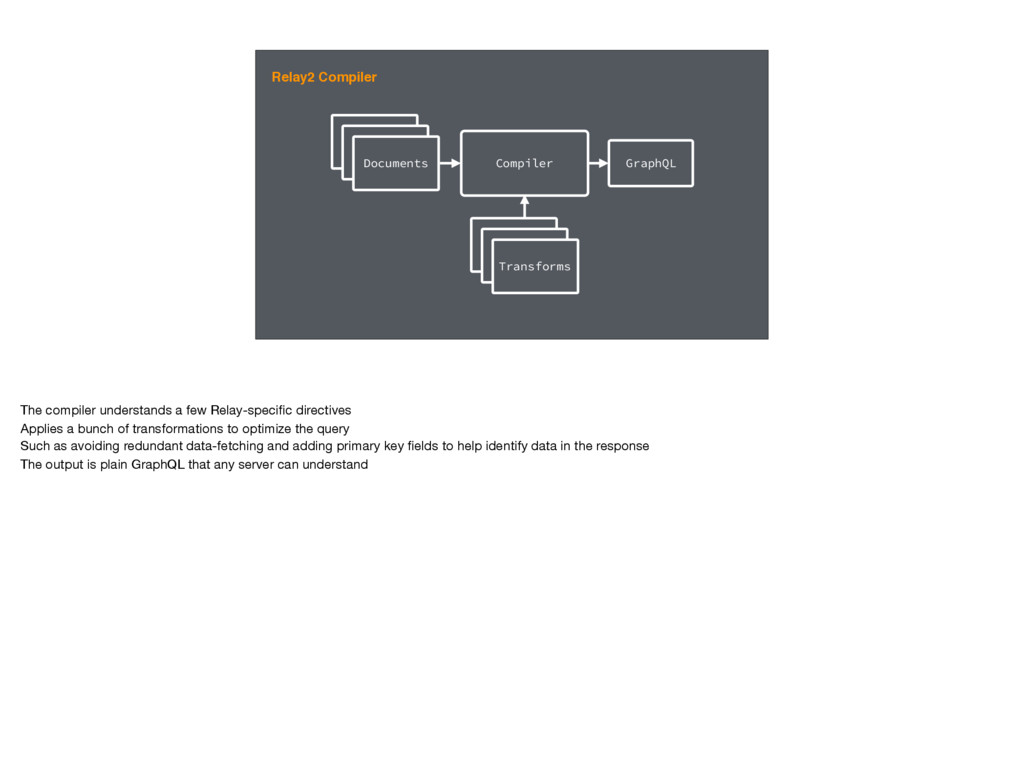
{type: "Int", defaultValue: 5} ) { friends(first: $count) { ...FriendEdge } } `, }); Static Queries In Relay2, we've embraced the static nature of GraphQL. For the few places where we do need some dynamicism, we've added Relay-specific directives. We're effectively polyfilling GraphQL. To interpret this, we built a GraphQL compiler. -
Relay2 Compiler GraphQL Document GraphQL Document Documents Compiler GraphQL GraphQL
Document GraphQL Document Transforms The compiler understands a few Relay-specific directives Applies a bunch of transformations to optimize the query Such as avoiding redundant data-fetching and adding primary key fields to help identify data in the response The output is plain GraphQL that any server can understand -
JS Initialization JS Fetch Process Render Relay Data Fetching Going
back to our earlier example - we can now break this dependency. We know what screen will be displayed first And we can know statically what query will be requested for that screen -
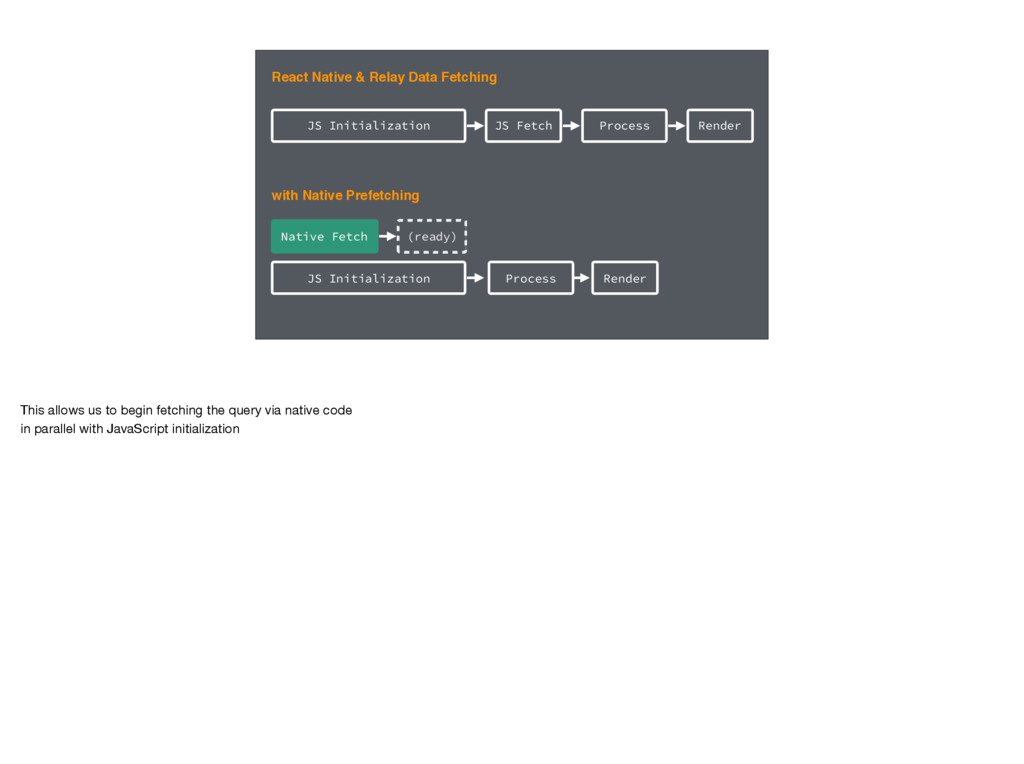
JS Initialization JS Fetch Process Render JS Initialization Native Fetch
Process Render (ready) with Native Prefetching React Native & Relay Data Fetching This allows us to begin fetching the query via native code in parallel with JavaScript initialization -
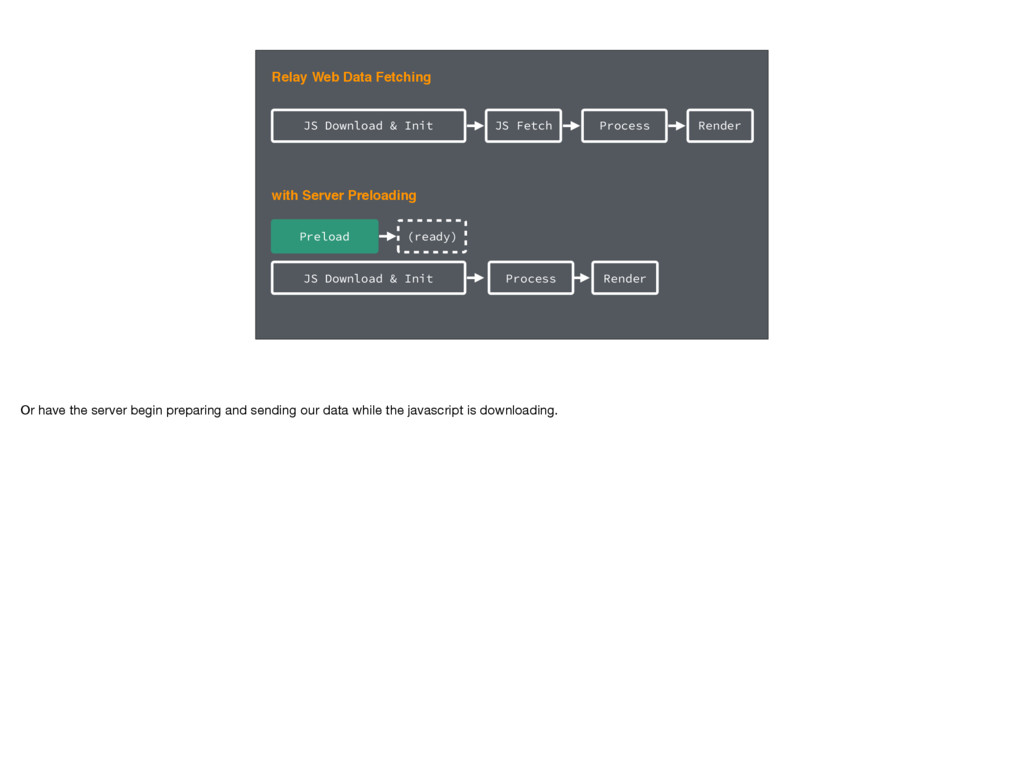
JS Download & Init JS Fetch Process Render JS Download
& Init Preload Process Render (ready) with Server Preloading Relay Web Data Fetching Or have the server begin preparing and sending our data while the javascript is downloading. -
Static Optimizations So we can see that static queries allows
us to skip doing some work at runtime But it also lets us optimize the work that remains. -
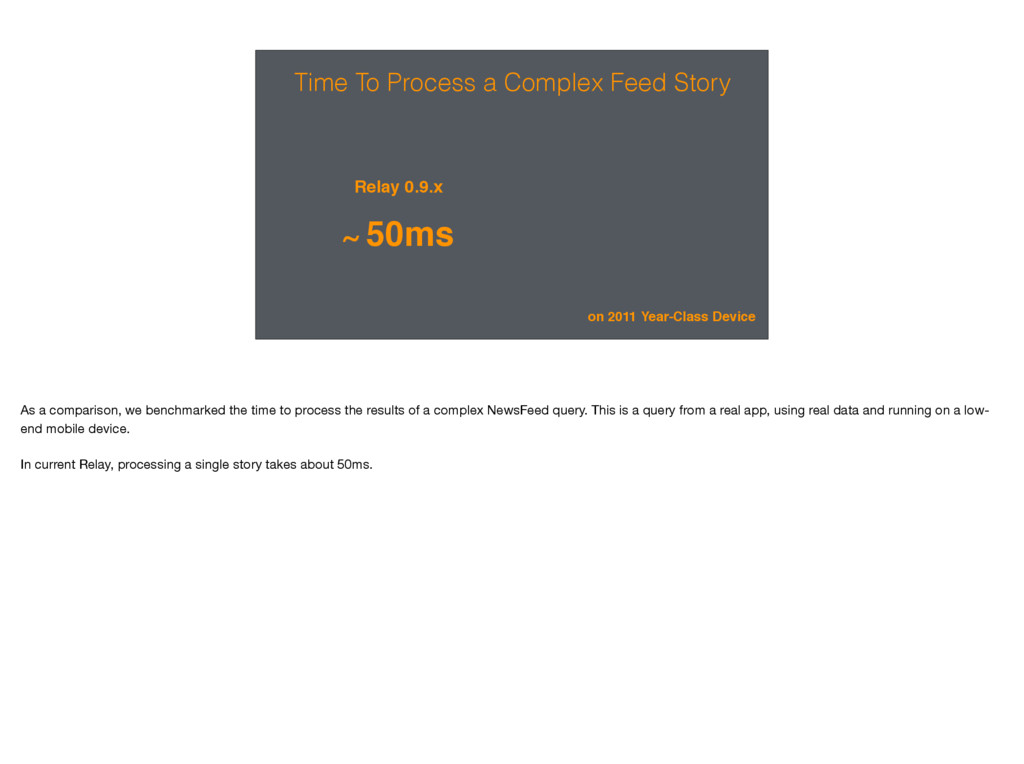
Time To Process a Complex Feed Story Relay 0.9.x ~
50ms on 2011 Year-Class Device As a comparison, we benchmarked the time to process the results of a complex NewsFeed query. This is a query from a real app, using real data and running on a low- end mobile device. In current Relay, processing a single story takes about 50ms. -
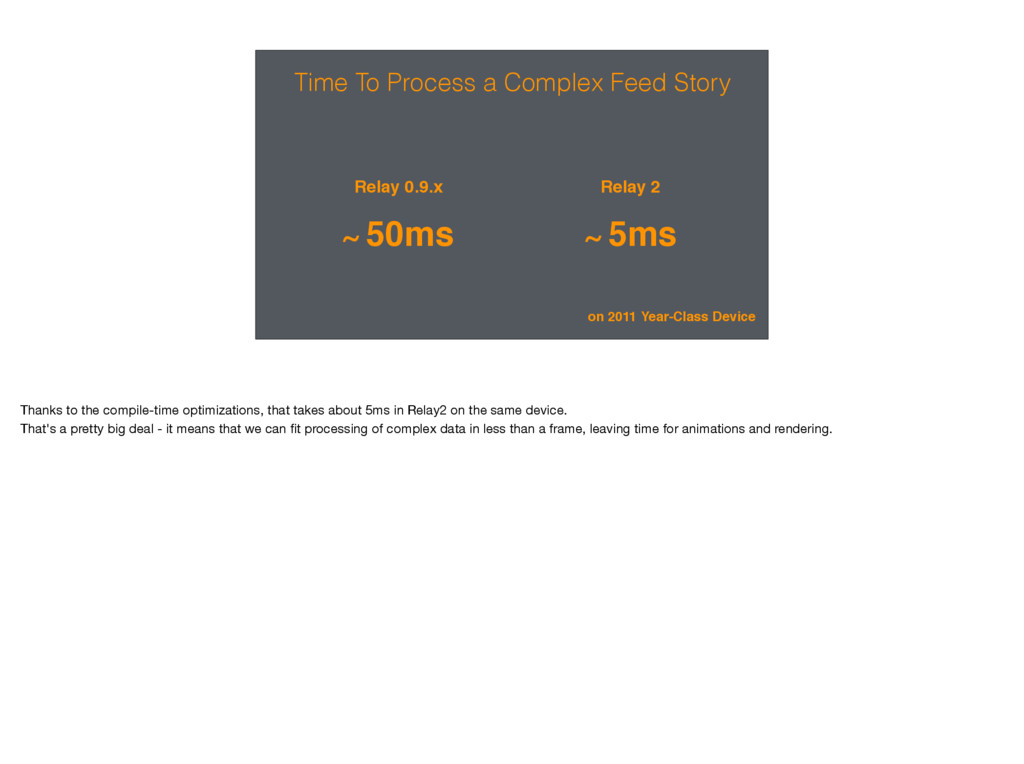
Time To Process a Complex Feed Story Relay 0.9.x ~
50ms Relay 2 ~ 5ms on 2011 Year-Class Device Thanks to the compile-time optimizations, that takes about 5ms in Relay2 on the same device. That's a pretty big deal - it means that we can fit processing of complex data in less than a frame, leaving time for animations and rendering. -
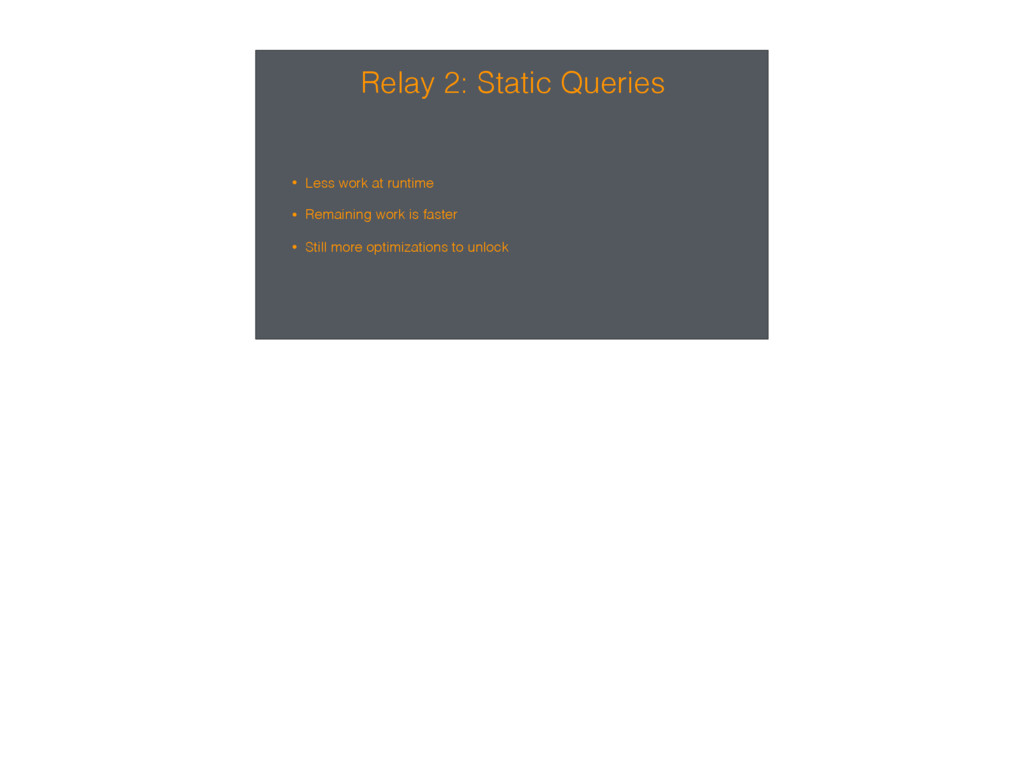
Relay 2: Static Queries • Less work at runtime •
Remaining work is faster • Still more optimizations to unlock -
Client State Next let's look at client state - data
that is local to a particular device or session and that we don't want to sync with the server. -
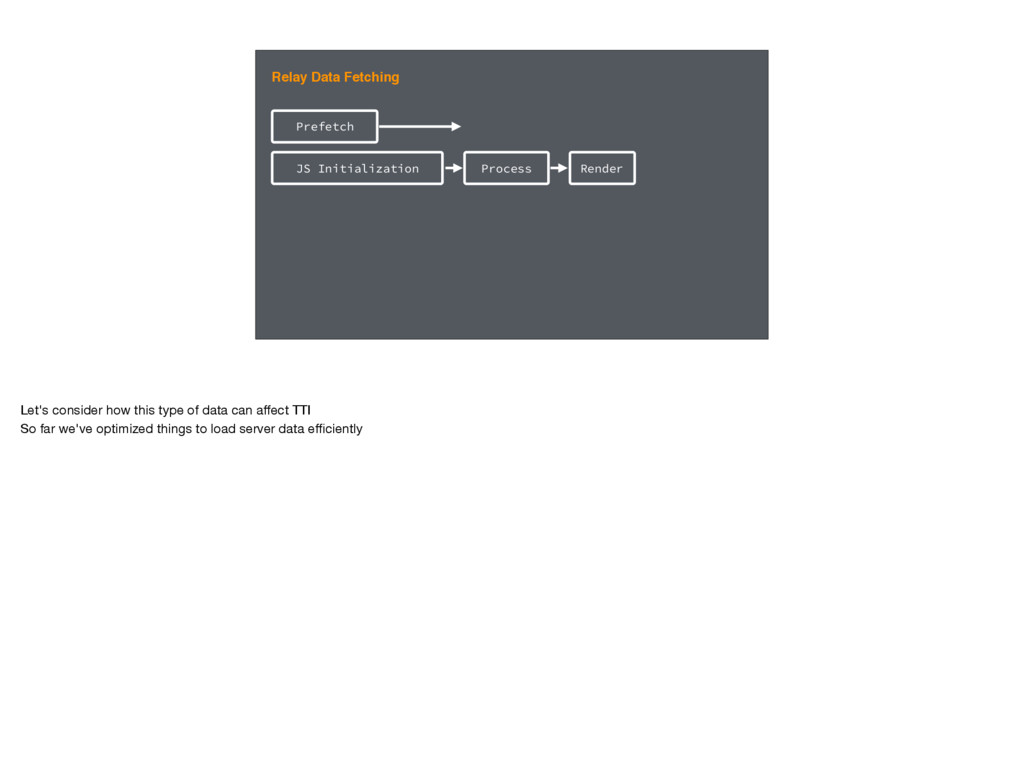
JS Initialization Prefetch Relay Data Fetching Process Render Let's consider
how this type of data can affect TTI So far we've optimized things to load server data efficiently -
JS Initialization Prefetch Relay Data Fetching with Flux/Redux/etc Prep Stores
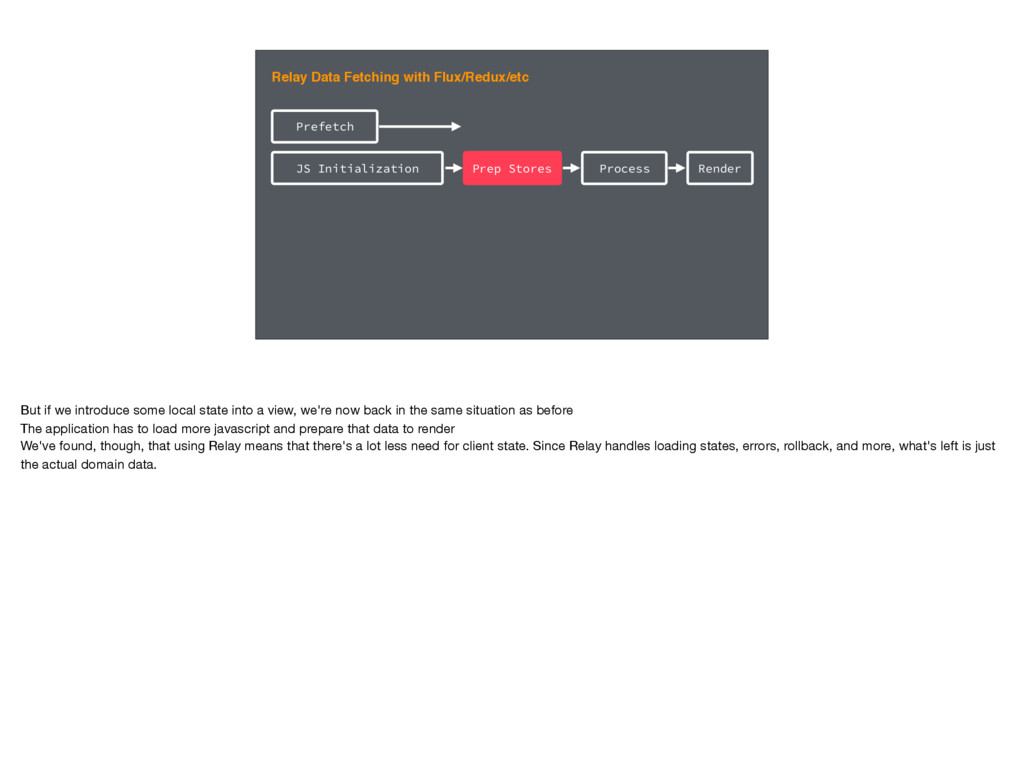
Process Render But if we introduce some local state into a view, we're now back in the same situation as before The application has to load more javascript and prepare that data to render We've found, though, that using Relay means that there's a lot less need for client state. Since Relay handles loading states, errors, rollback, and more, what's left is just the actual domain data. -
JS Initialization Prefetch Relay Data Fetching with Flux/Redux/etc Prep Stores
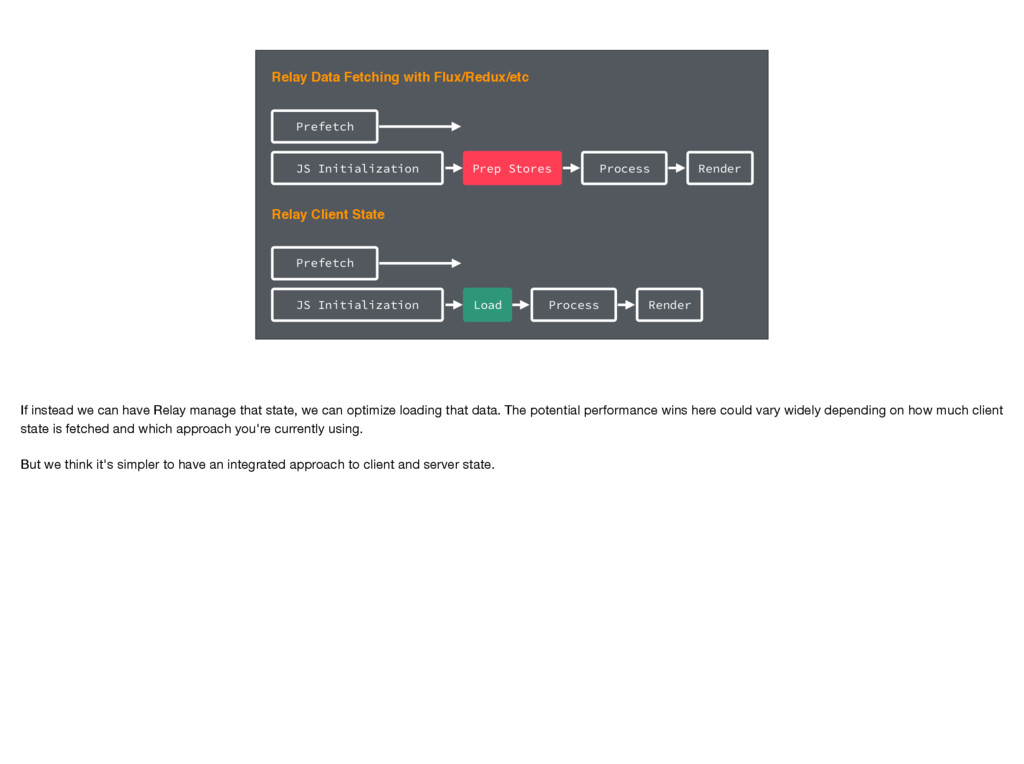
Process Render JS Initialization Prefetch Relay Client State Load Process Render If instead we can have Relay manage that state, we can optimize loading that data. The potential performance wins here could vary widely depending on how much client state is fetched and which approach you're currently using. But we think it's simpler to have an integrated approach to client and server state. -
Relay2.createContainer(StoryHeader, { story: RelayQL` fragment StoryHeader on Story { createdAt
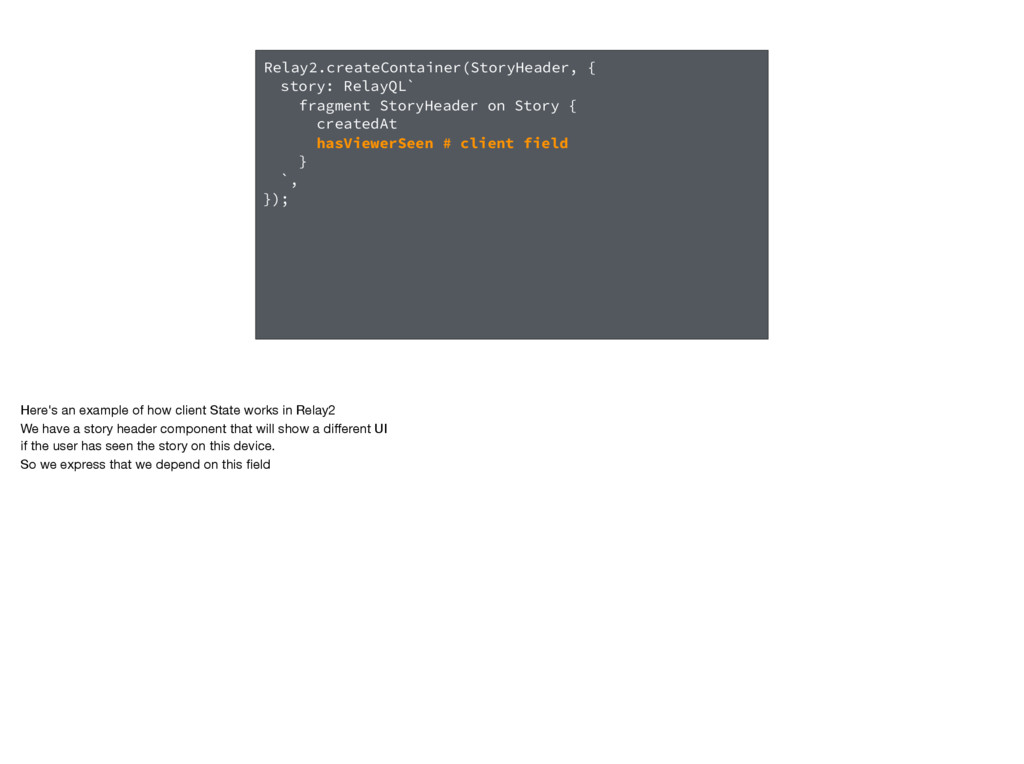
hasViewerSeen # client field } `, }); Here's an example of how client State works in Relay2 We have a story header component that will show a different UI if the user has seen the story on this device. So we express that we depend on this field -
Relay2.createContainer(StoryHeader, { story: RelayQL` fragment StoryHeader on Story { createdAt
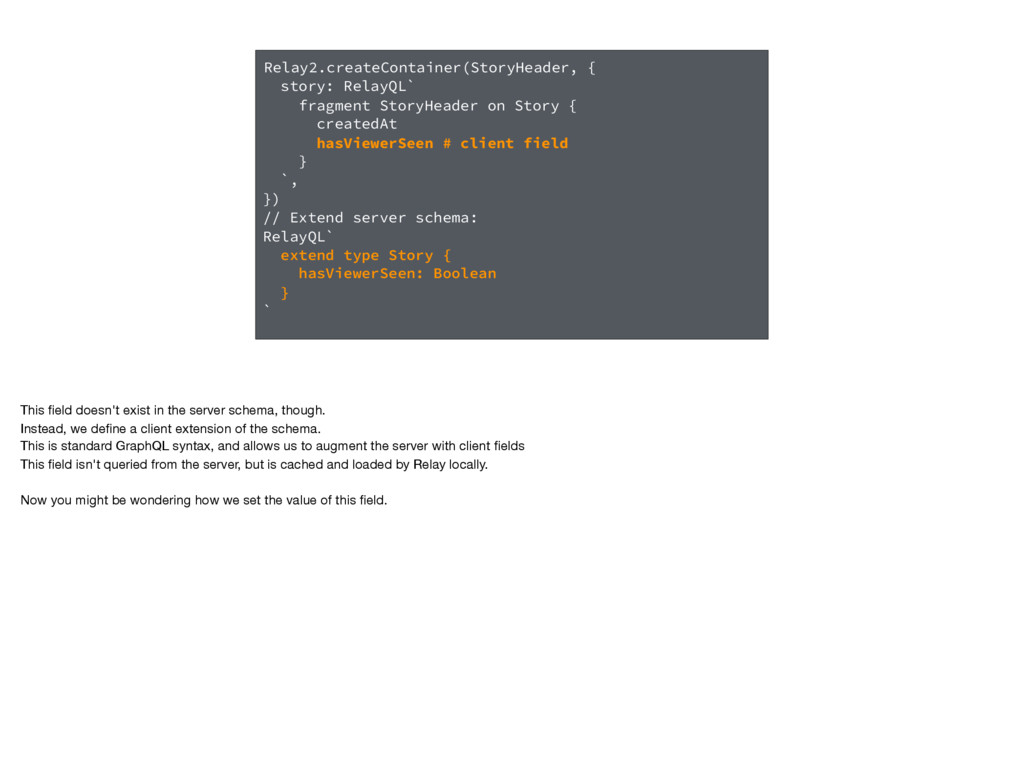
hasViewerSeen # client field } `, }) // Extend server schema: RelayQL` extend type Story { hasViewerSeen: Boolean } ` This field doesn't exist in the server schema, though. Instead, we define a client extension of the schema. This is standard GraphQL syntax, and allows us to augment the server with client fields This field isn't queried from the server, but is cached and loaded by Relay locally. Now you might be wondering how we set the value of this field. -
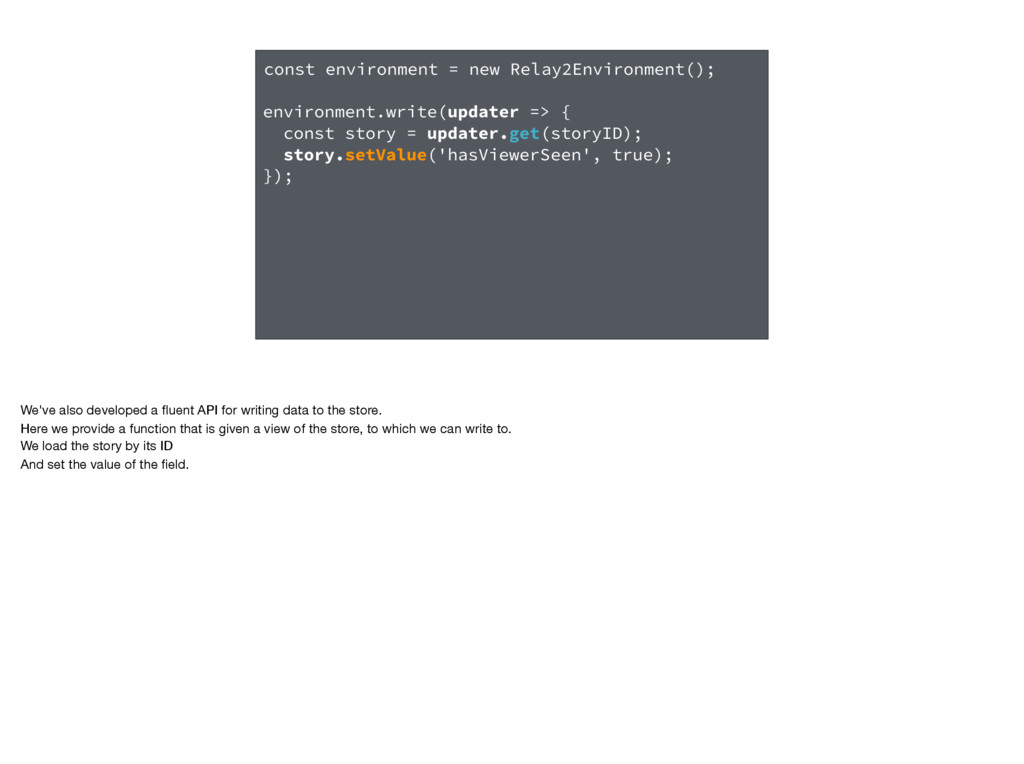
const environment = new Relay2Environment(); environment.write(updater => { const story
= updater.get(storyID); story.setValue('hasViewerSeen', true); }); We've also developed a fluent API for writing data to the store. Here we provide a function that is given a view of the store, to which we can write to. We load the story by its ID And set the value of the field. -
Arbitrary Mutations This brings us to mutations. We've just seen
an example of how they work in Relay2, but let's look at how that updater actually works. -
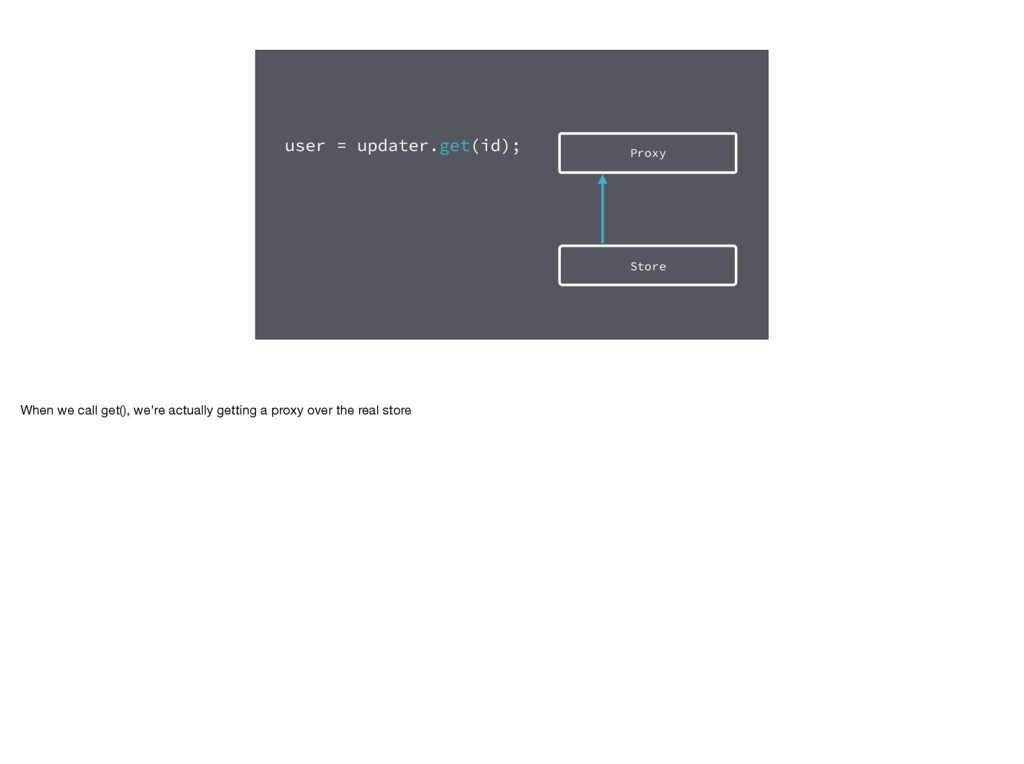
Store Proxy user = updater.get(id); When we call get(), we're
actually getting a proxy over the real store -
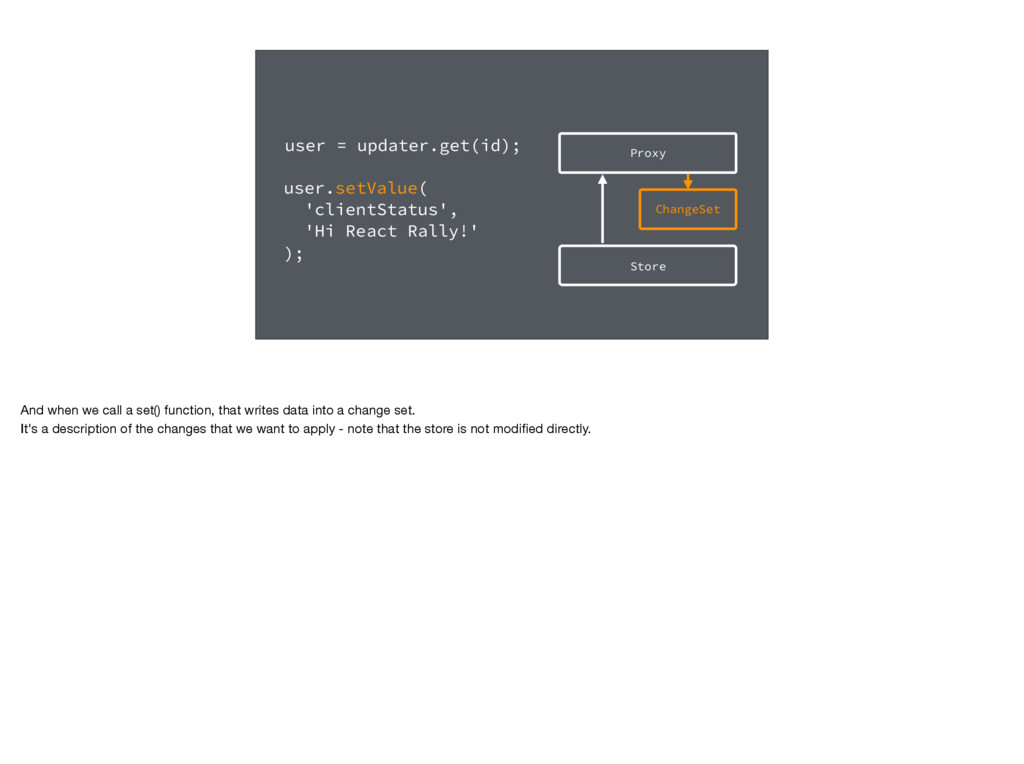
Store ChangeSet Proxy user = updater.get(id); user.setValue( 'clientStatus', 'Hi
React Rally!' ); And when we call a set() function, that writes data into a change set. It's a description of the changes that we want to apply - note that the store is not modified directly. -
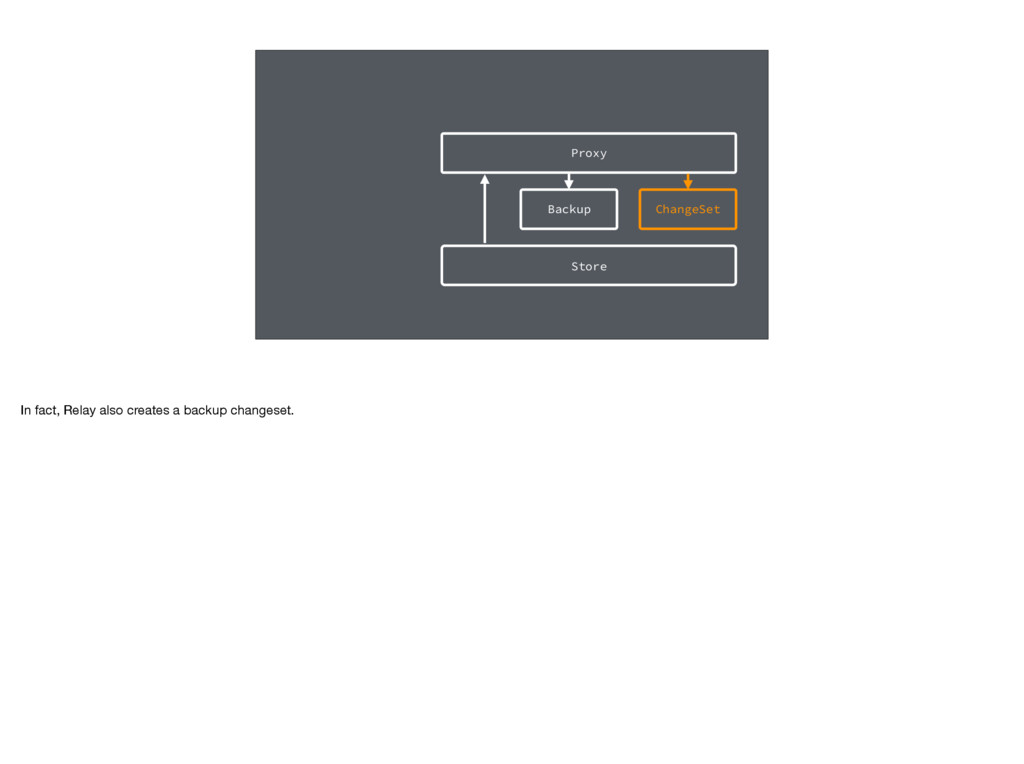
Store ChangeSet Proxy Backup In fact, Relay also creates a
backup changeset. -
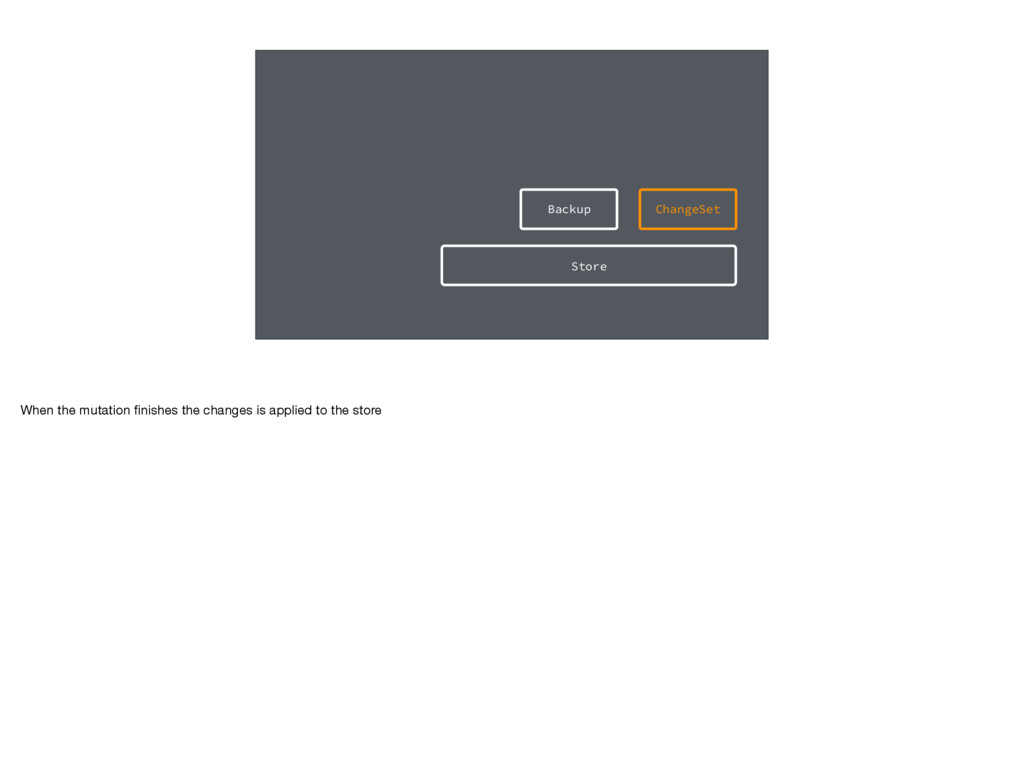
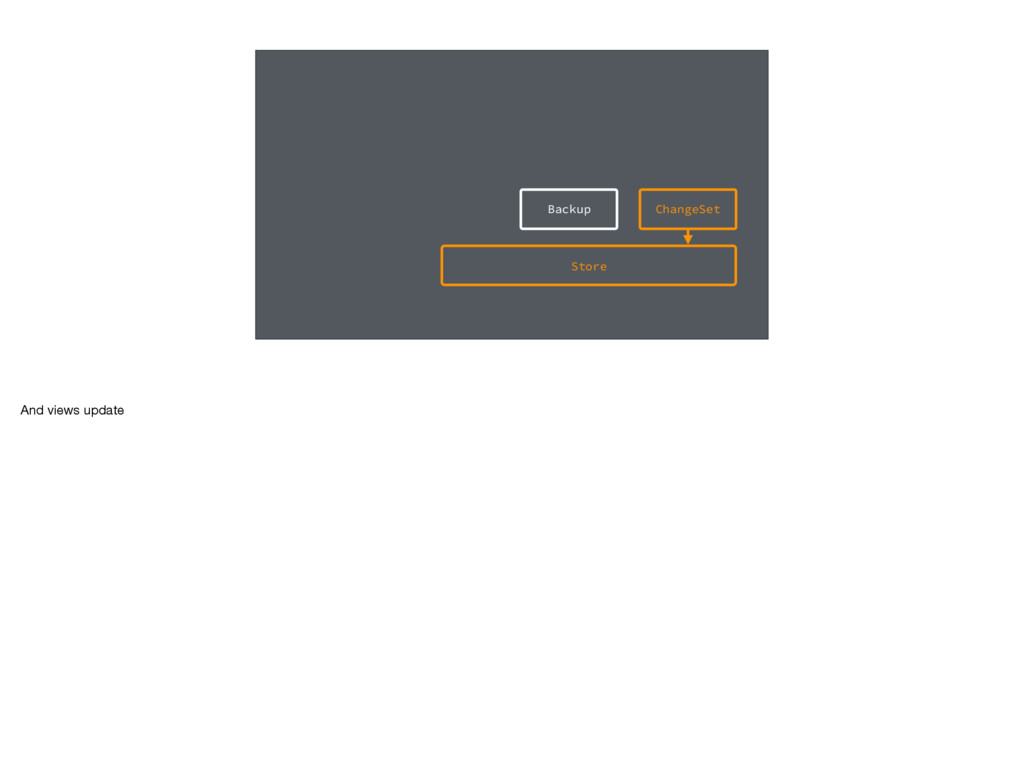
Store ChangeSet Backup When the mutation finishes the changes is
applied to the store -
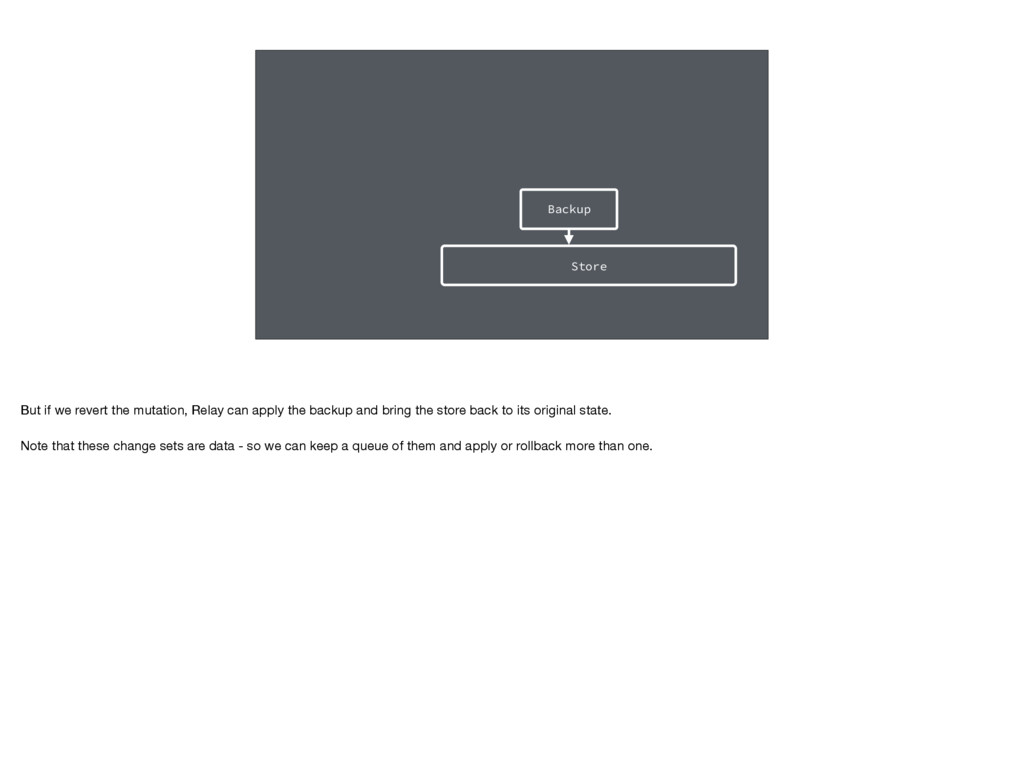
Store Backup But if we revert the mutation, Relay can
apply the backup and bring the store back to its original state. Note that these change sets are data - so we can keep a queue of them and apply or rollback more than one. -
Mutable Data, Immutable Architecture In many ways, this gives us
the best of both mutability and immutability. In general we get the higher-performance of writing to mutable objects. But at the application level we get the benefits of an immutable architecture such undo/redo changes when necessary. -
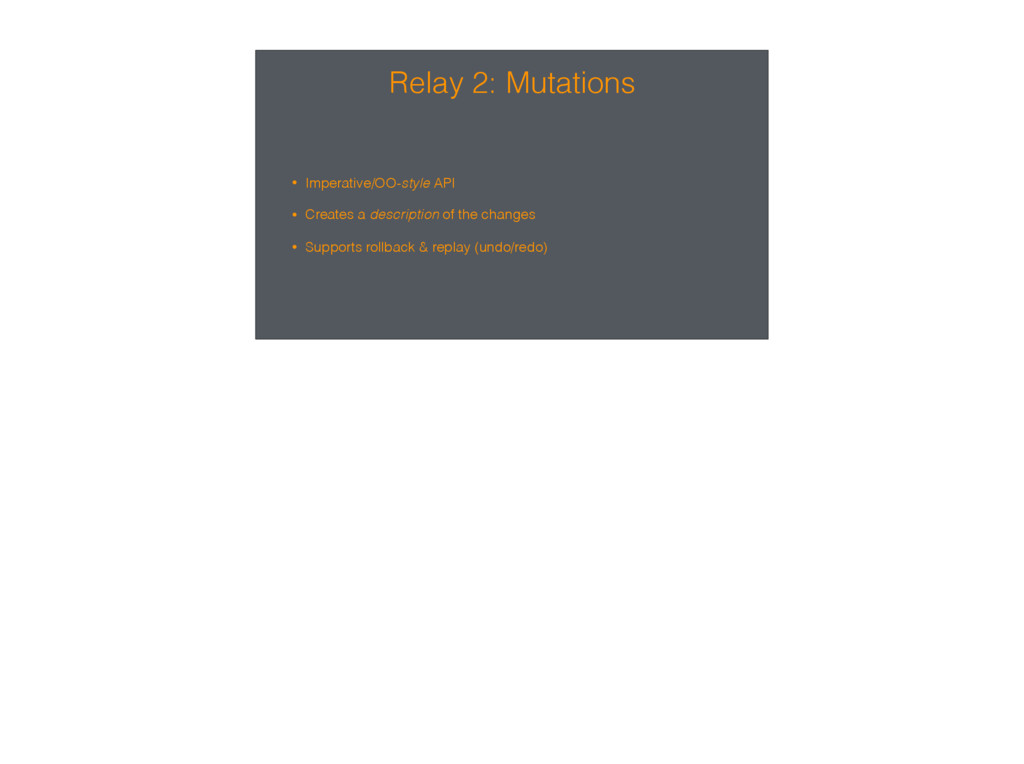
Relay 2: Mutations • Imperative/OO-style API • Creates a description
of the changes • Supports rollback & replay (undo/redo) -
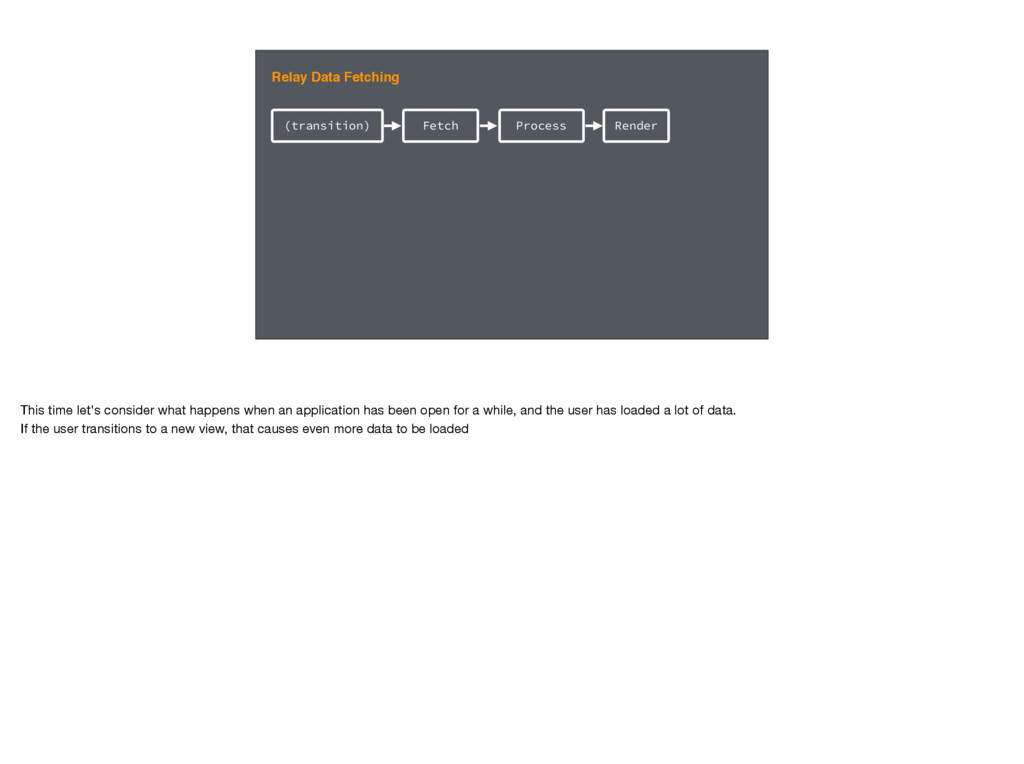
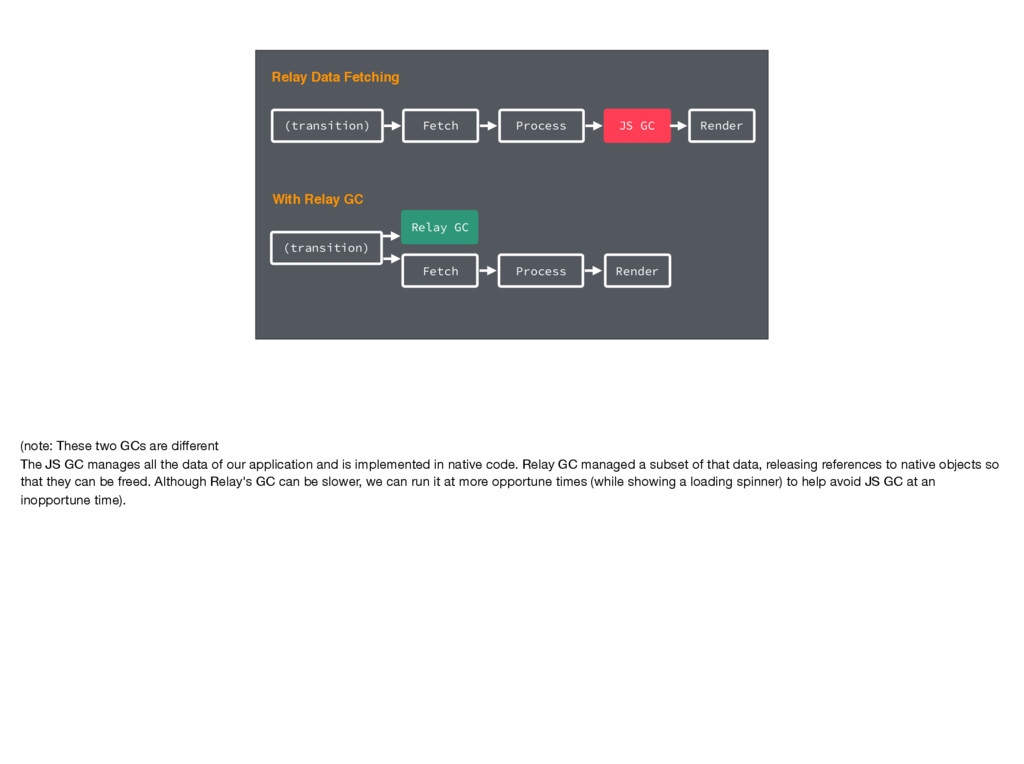
(transition) Fetch Process Relay Data Fetching Render This time let's
consider what happens when an application has been open for a while, and the user has loaded a lot of data. If the user transitions to a new view, that causes even more data to be loaded -
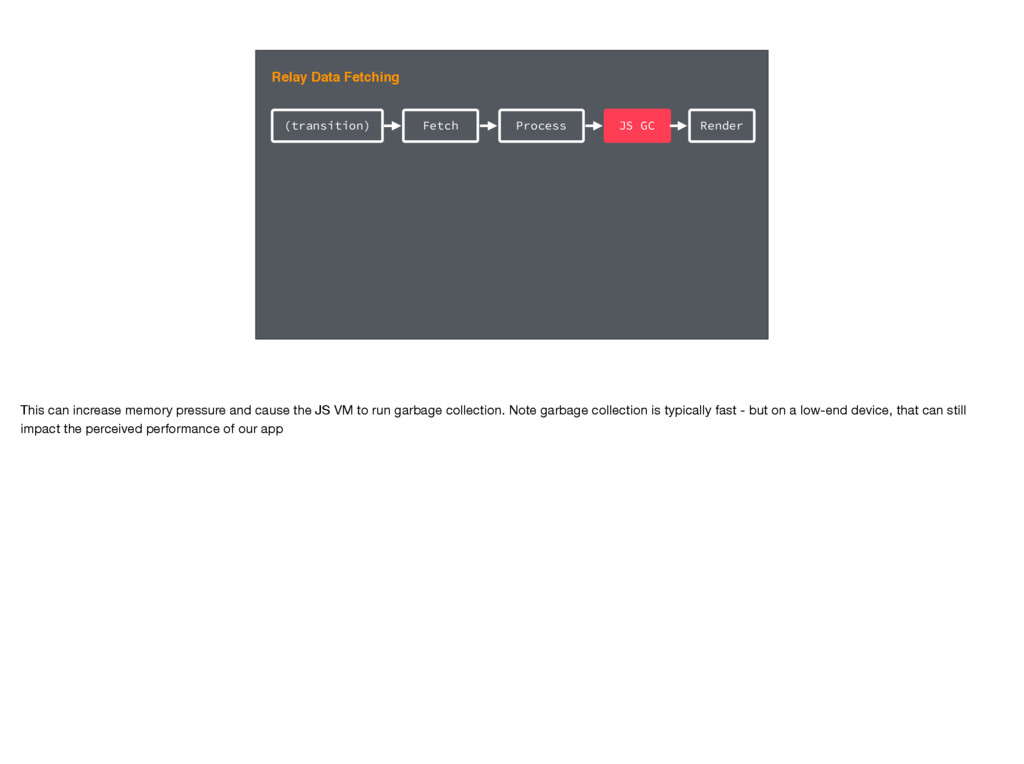
(transition) Fetch Process JS GC Relay Data Fetching Render This
can increase memory pressure and cause the JS VM to run garbage collection. Note garbage collection is typically fast - but on a low-end device, that can still impact the perceived performance of our app -
(transition) Fetch Process JS GC Relay Data Fetching Render (transition)
Fetch Process With Relay GC Render Relay GC (note: These two GCs are different The JS GC manages all the data of our application and is implemented in native code. Relay GC managed a subset of that data, releasing references to native objects so that they can be freed. Although Relay's GC can be slower, we can run it at more opportune times (while showing a loading spinner) to help avoid JS GC at an inopportune time). -
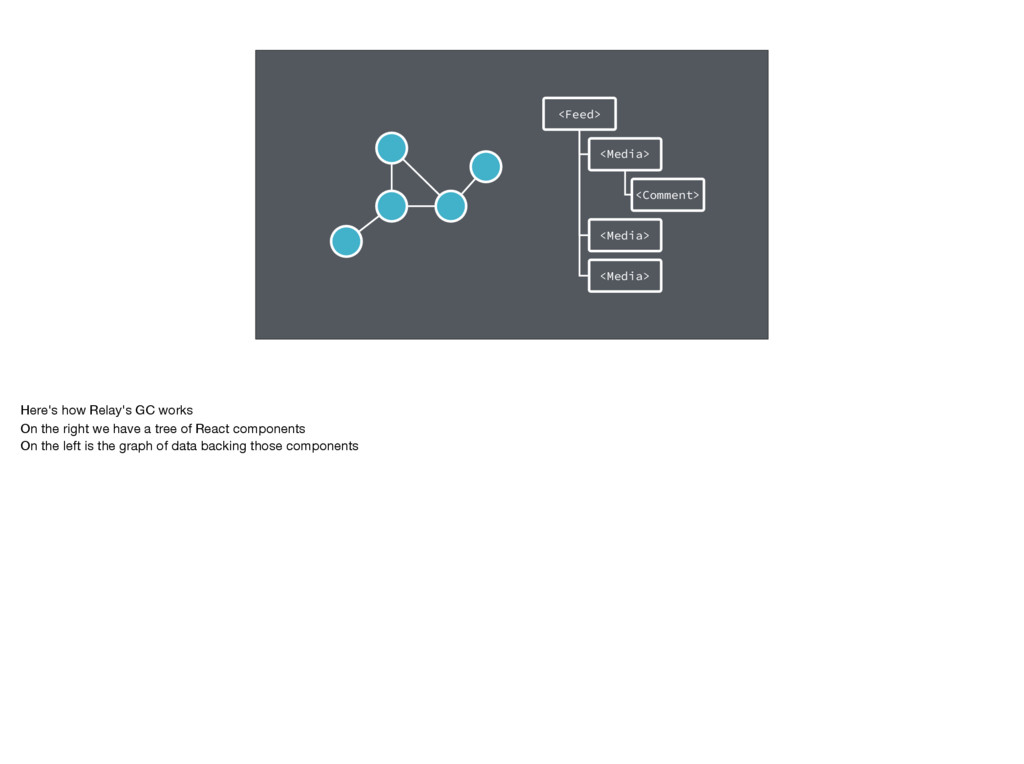
<Feed> <Media> <Comment> <Media> <Media> Here's how Relay's GC works
On the right we have a tree of React components On the left is the graph of data backing those components -
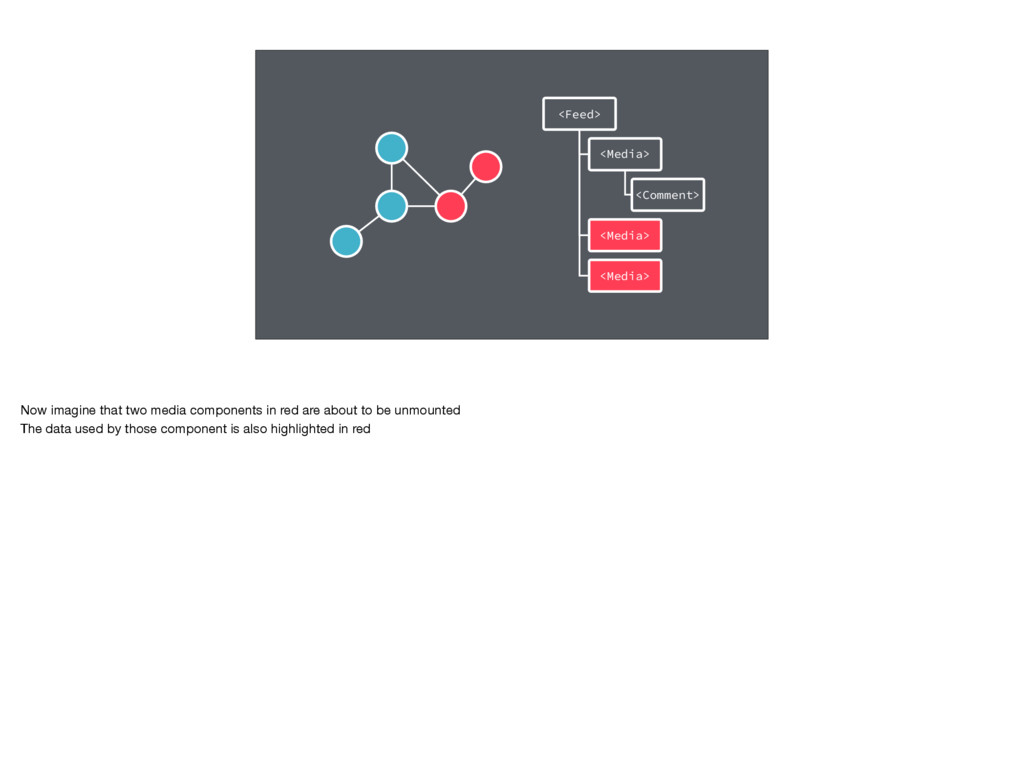
<Feed> <Media> <Comment> <Media> <Media> Now imagine that two media
components in red are about to be unmounted The data used by those component is also highlighted in red -
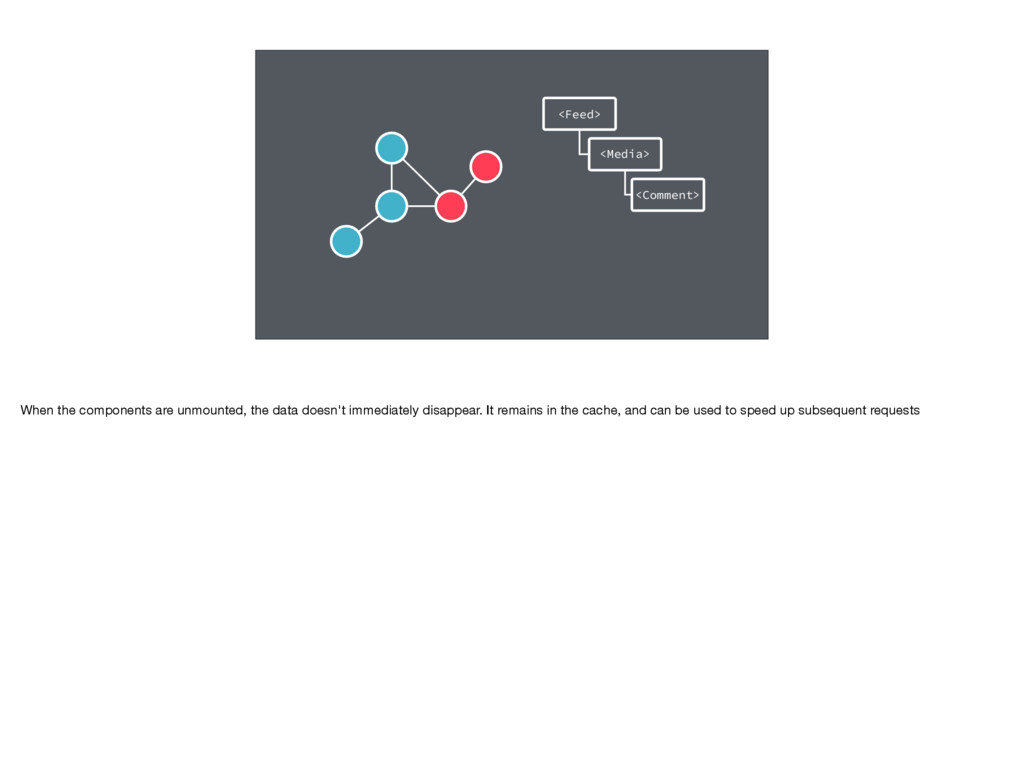
<Feed> <Media> <Comment> When the components are unmounted, the data
doesn't immediately disappear. It remains in the cache, and can be used to speed up subsequent requests -
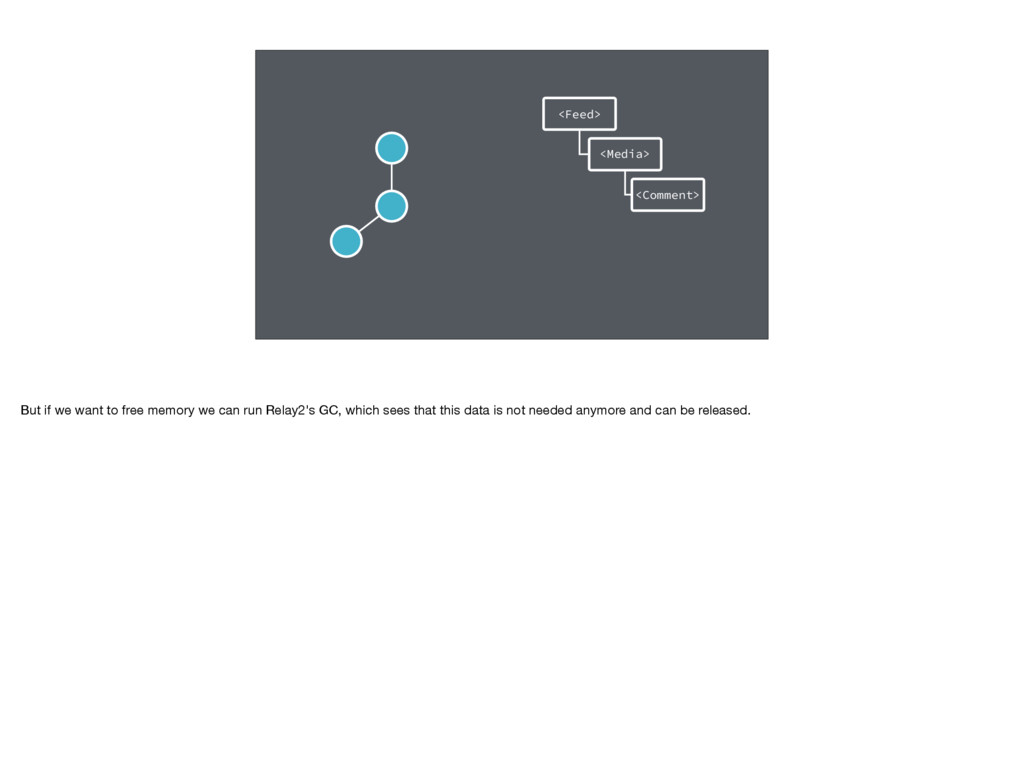
<Feed> <Media> <Comment> But if we want to free memory
we can run Relay2's GC, which sees that this data is not needed anymore and can be released. -
Relay 2: Garbage Collection • Evict objects not referenced by
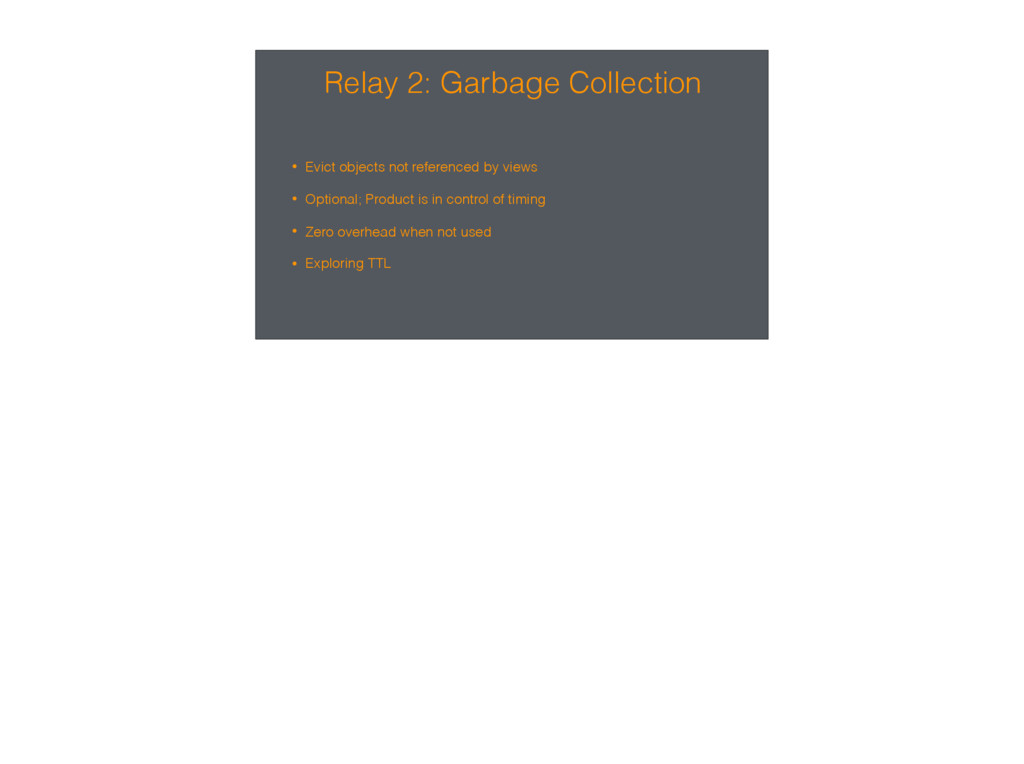
views • Optional; Product is in control of timing • Zero overhead when not used • Exploring TTL -
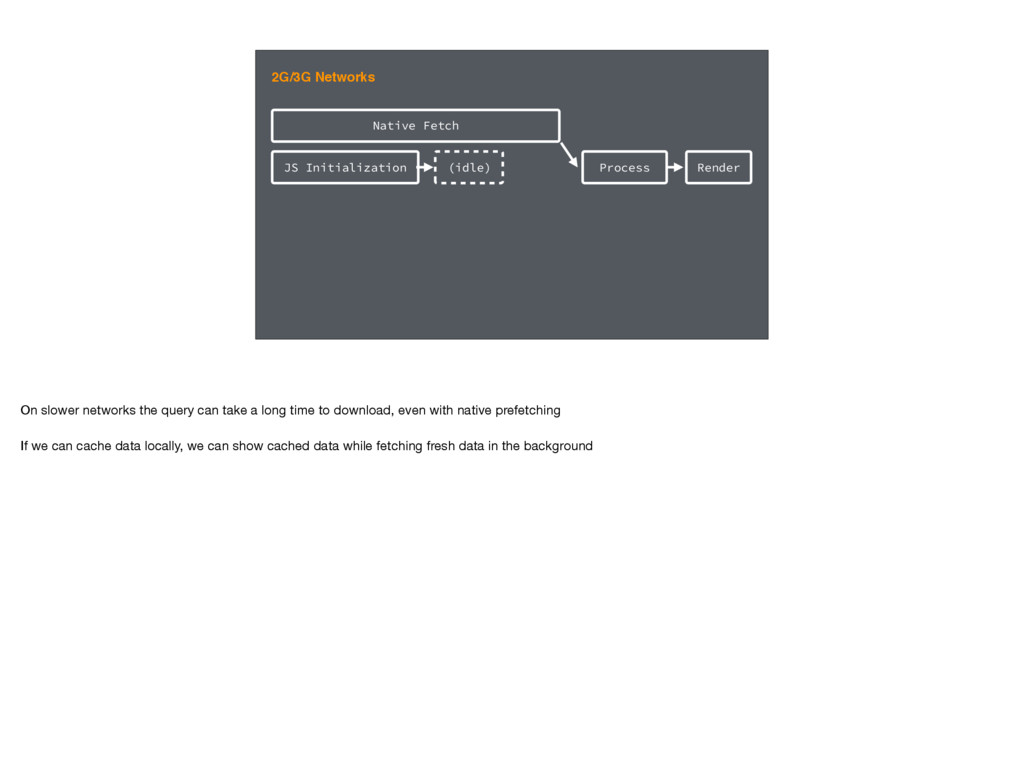
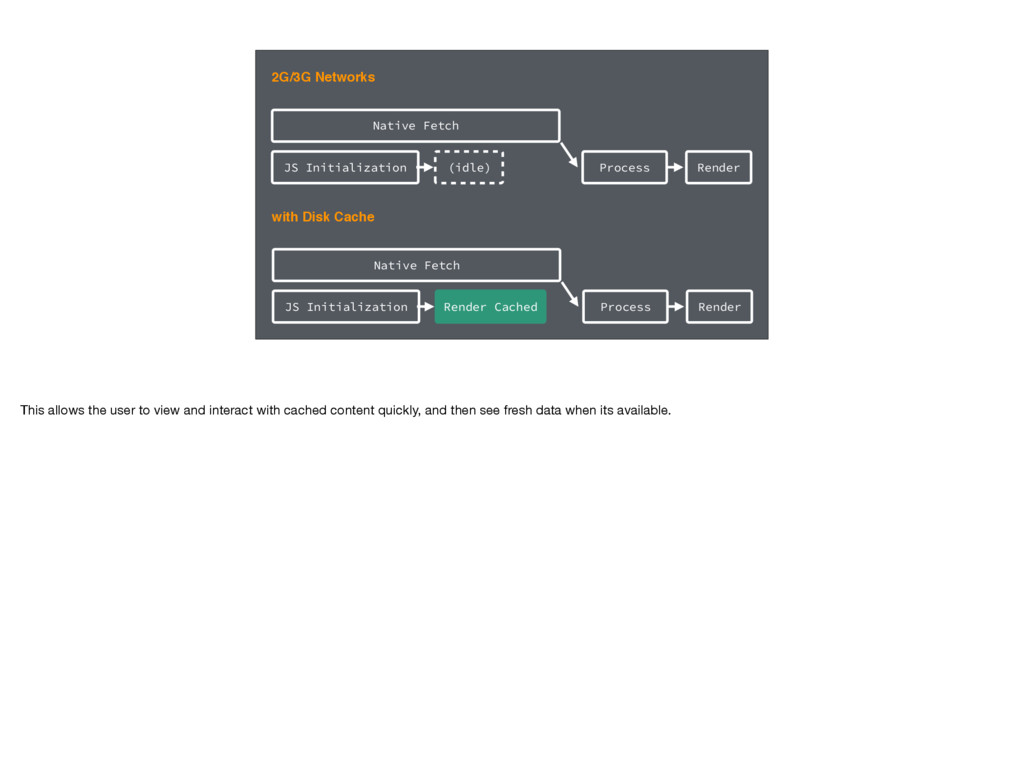
Native Fetch Process Render 2G/3G Networks JS Initialization (idle) On
slower networks the query can take a long time to download, even with native prefetching If we can cache data locally, we can show cached data while fetching fresh data in the background -
JS Initialization Native Fetch Process Render 2G/3G Networks (idle) with
Disk Cache JS Initialization Native Fetch Process Render Render Cached This allows the user to view and interact with cached content quickly, and then see fresh data when its available. -
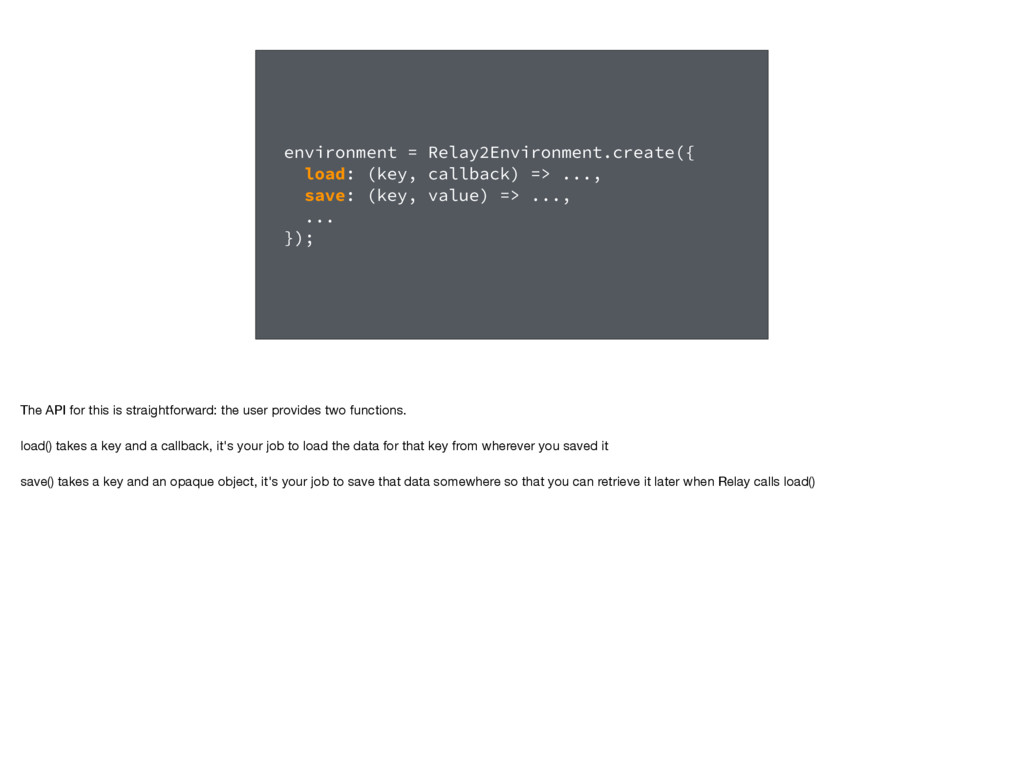
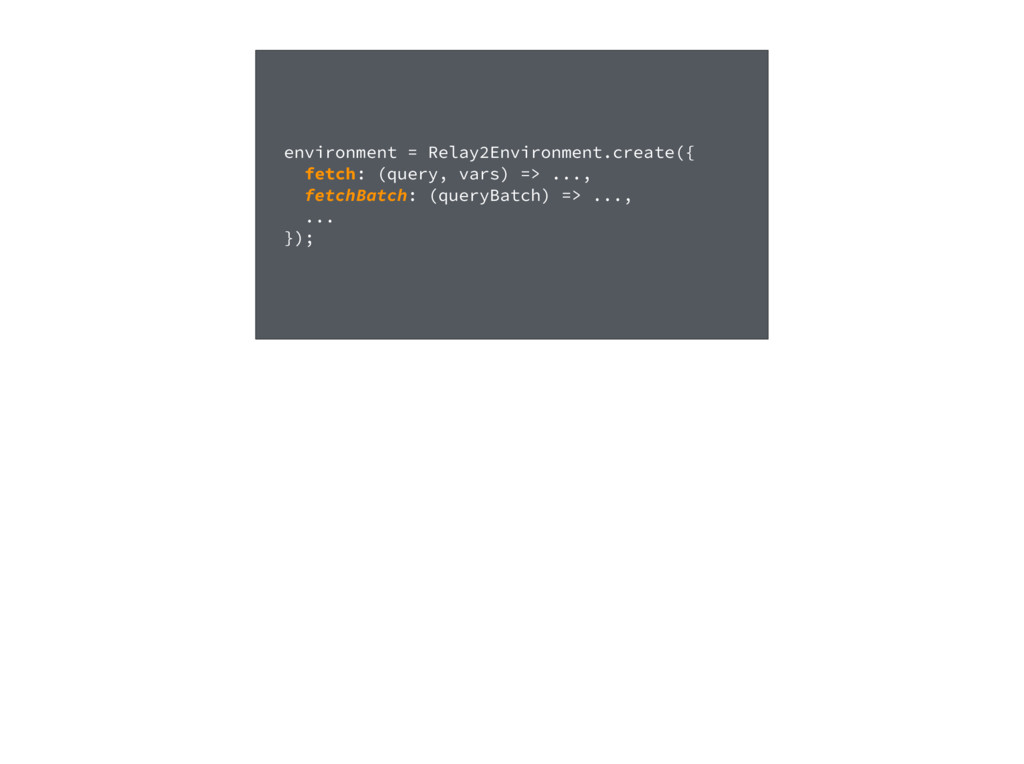
environment = Relay2Environment.create({ load: (key, callback) => ..., save: (key,
value) => ..., ... }); The API for this is straightforward: the user provides two functions. load() takes a key and a callback, it's your job to load the data for that key from wherever you saved it save() takes a key and an opaque object, it's your job to save that data somewhere so that you can retrieve it later when Relay calls load() -
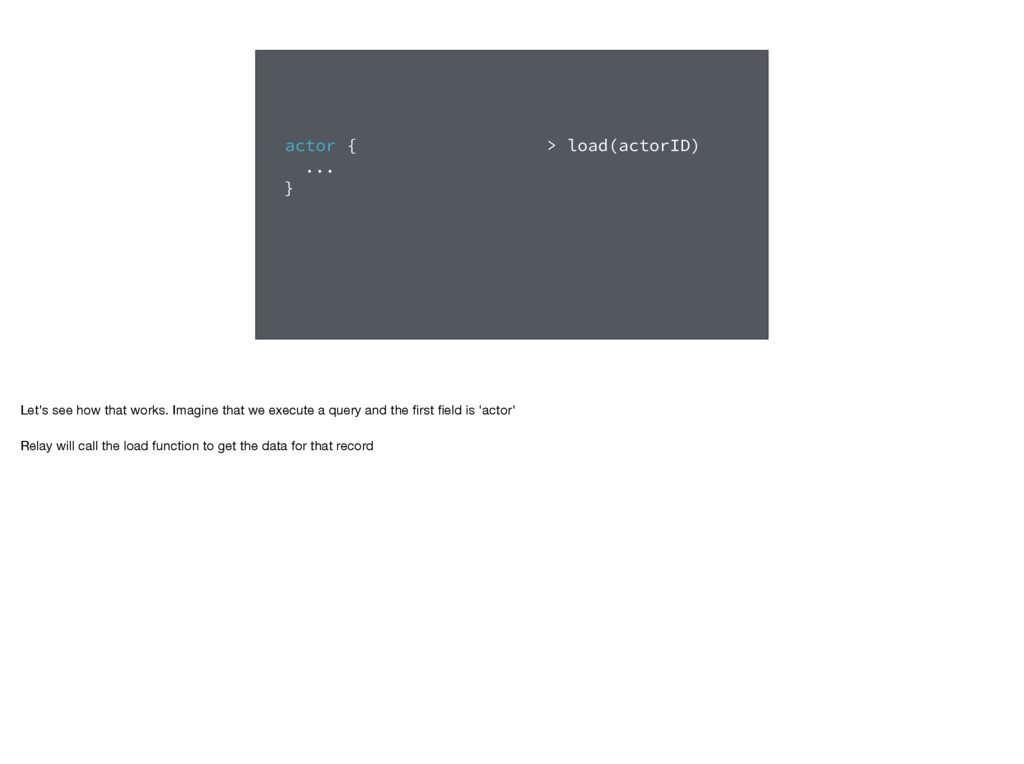
actor { ... } > load(actorID) Let's see how that
works. Imagine that we execute a query and the first field is 'actor' Relay will call the load function to get the data for that record -
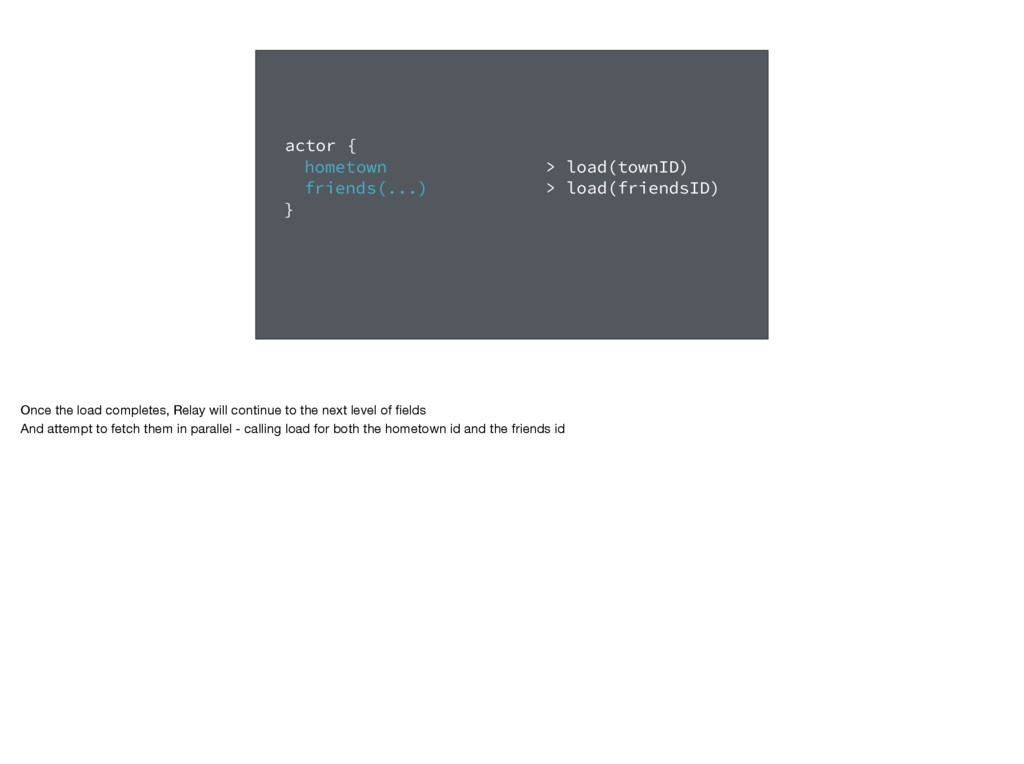
actor { hometown friends(...) } > load(townID) > load(friendsID) Once
the load completes, Relay will continue to the next level of fields And attempt to fetch them in parallel - calling load for both the hometown id and the friends id -
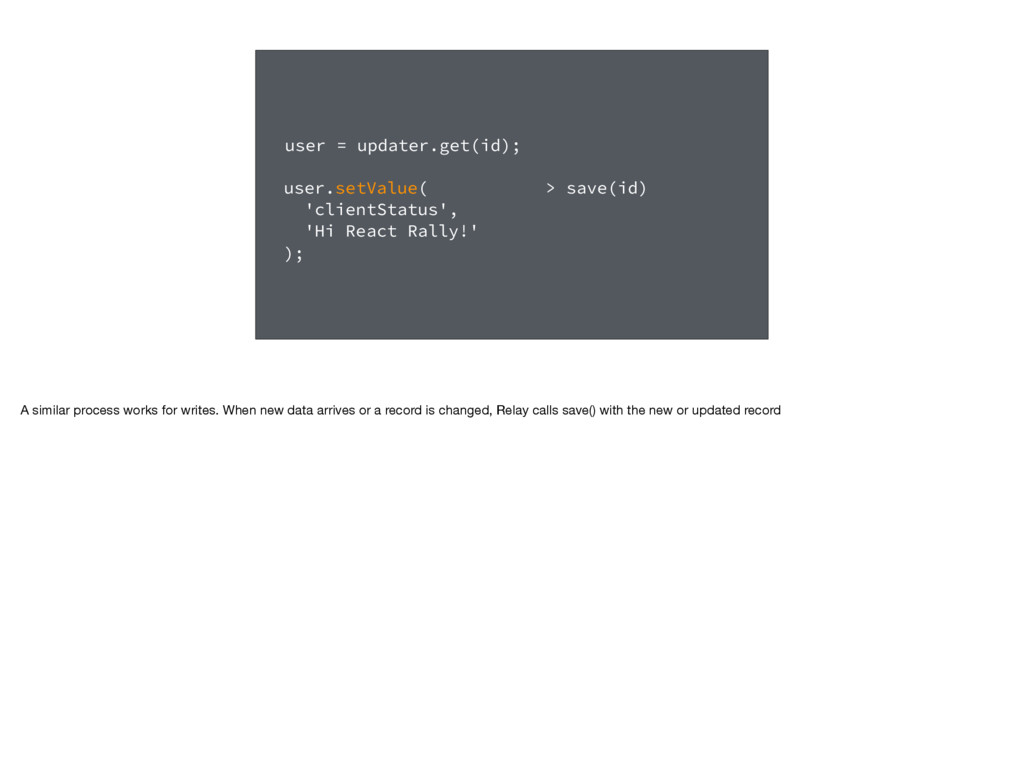
> save(id) user = updater.get(id); user.setValue( 'clientStatus', 'Hi React
Rally!' ); A similar process works for writes. When new data arrives or a record is changed, Relay calls save() with the new or updated record -
Relay 2: Disk Caching • Maximum Parallelism • Load only
what is required for a view • Orchestrated by Relay • User provides load/save functions -
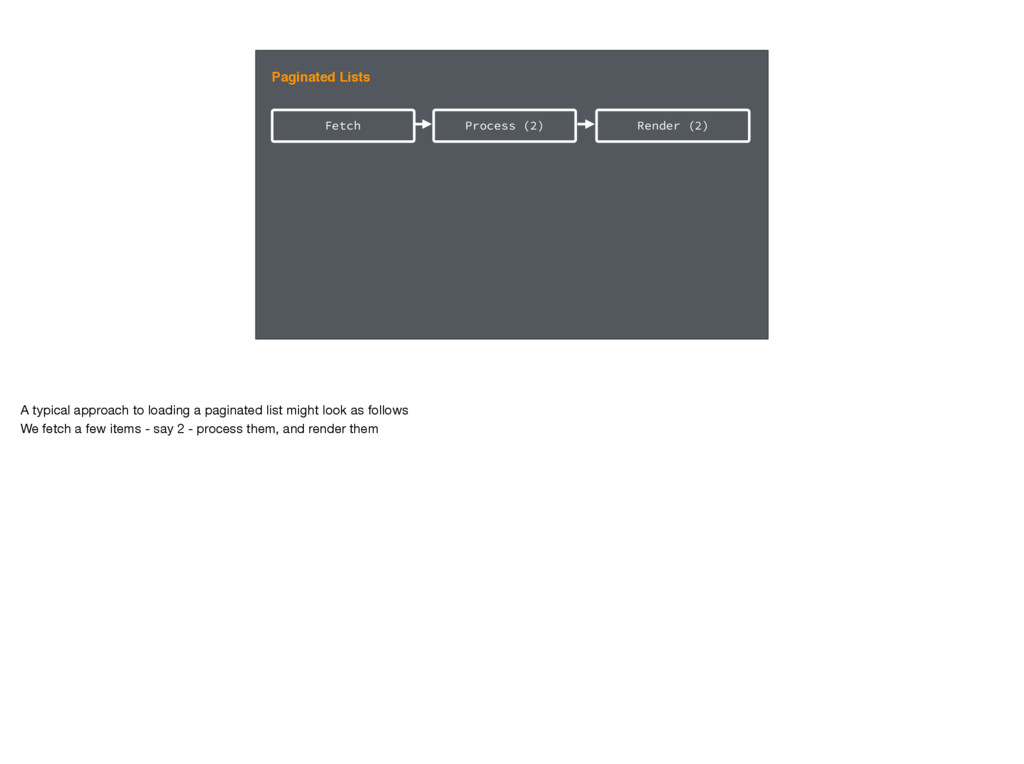
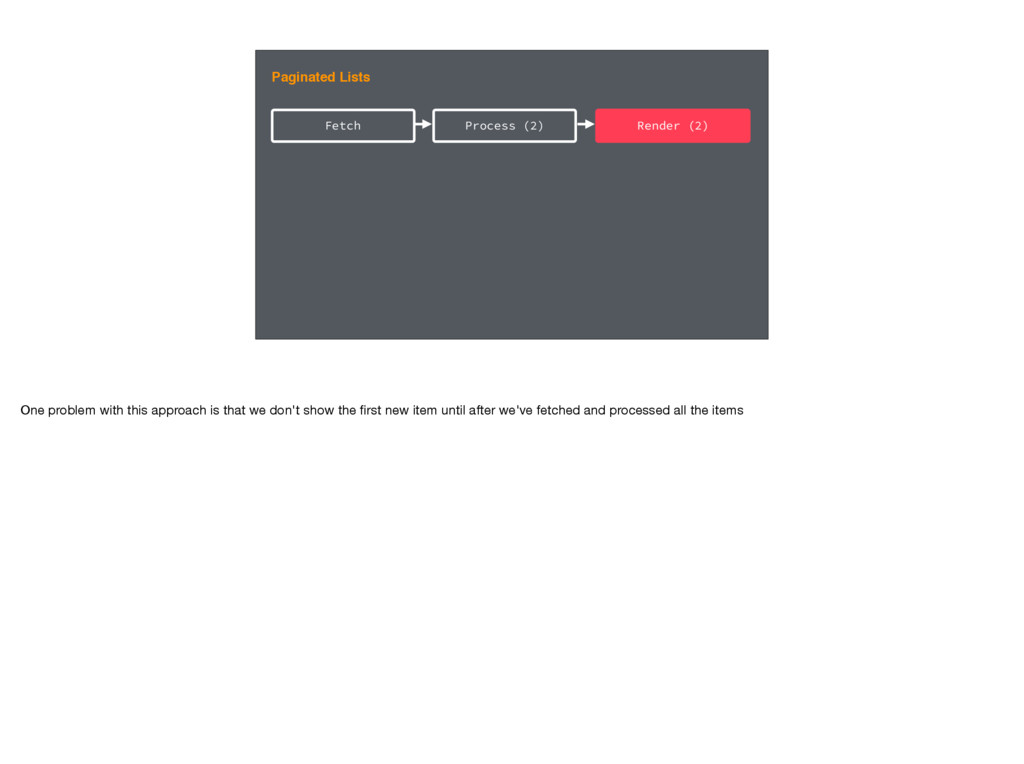
Fetch Paginated Lists Process (2) Render (2) A typical approach
to loading a paginated list might look as follows We fetch a few items - say 2 - process them, and render them -
Fetch Paginated Lists Process (2) Render (2) One problem with
this approach is that we don't show the first new item until after we've fetched and processed all the items -
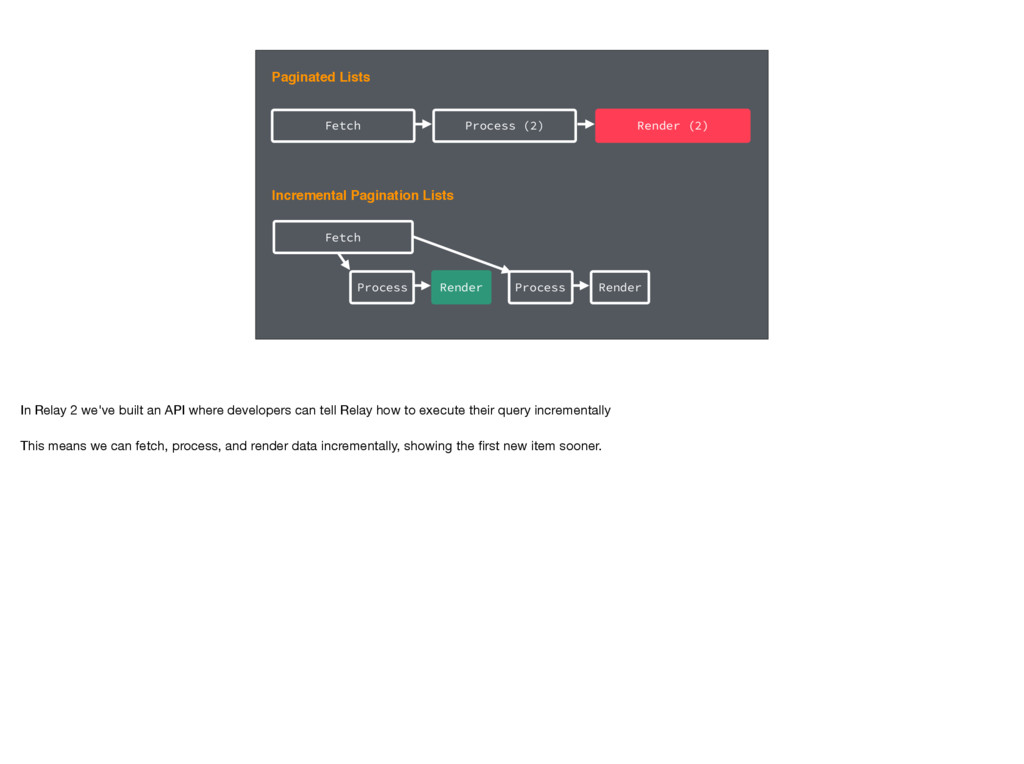
Fetch Incremental Pagination Lists Paginated Lists Process (2) Render (2)
Fetch Process Render Process Render In Relay 2 we've built an API where developers can tell Relay how to execute their query incrementally This means we can fetch, process, and render data incrementally, showing the first new item sooner. -
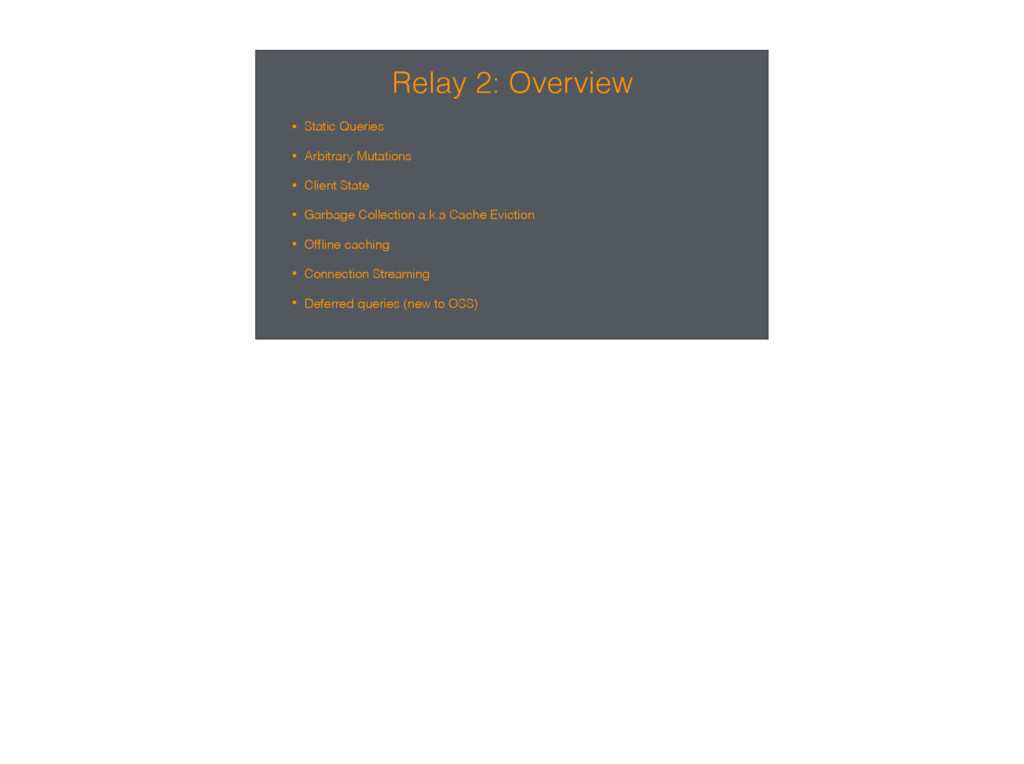
Relay 2: Overview • Static Queries • Arbitrary Mutations •
Client State • Garbage Collection a.k.a Cache Eviction • Offline caching • Connection Streaming • Deferred queries (new to OSS) -
Coming Soon to Open Source We're working on shipping the
first production apps using Relay2 We'll bring it to open source once that happens and we've polished a few rough edges I also want to note that while we're calling this Relay2, the product API is very similar to what you're used to today. We're keeping the good parts - components, renderers - and streamlining the rough edges. -
Questions? twitter: @en_js github: @josephsavona Reach out on twitter or
github (note: you can find Relay at https://github.com/facebook/relay)
 kazatohiei
 ykimi
 shumpei3
 csswizardry
 junya_okura
 knwoop
 amarelo_n24
 miriamschwab
 staka121
 manabuseki
 bengo4com
 oidfj
 stuffmc
 rasmusluckow
 addyosmani
 brad_frost
 rmw
 akademiya2063
 irinanazarova
 retrage
 portentint
 panda_program
 nmsamuel
 mojombo