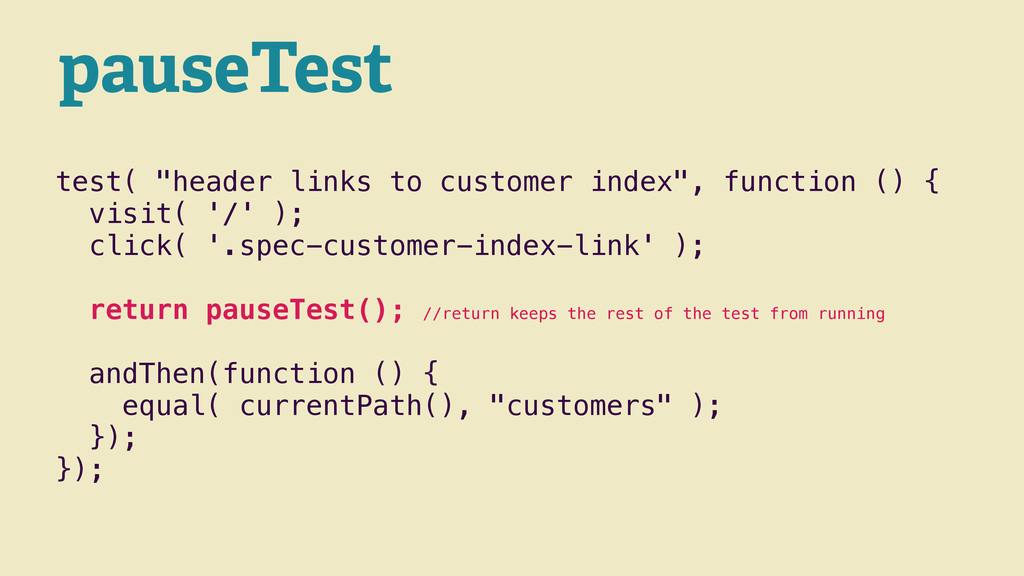
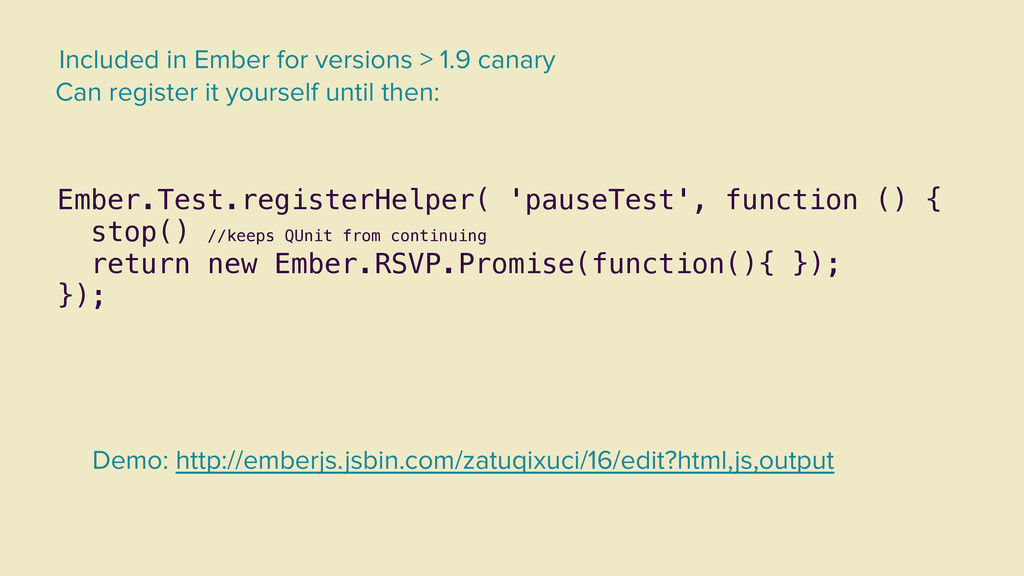
return new Ember.RSVP.Promise(function(){ }); }); Included in Ember for versions > 1.9 canary Can register it yourself until then: Demo: http://emberjs.jsbin.com/zatuqixuci/16/edit?html,js,output
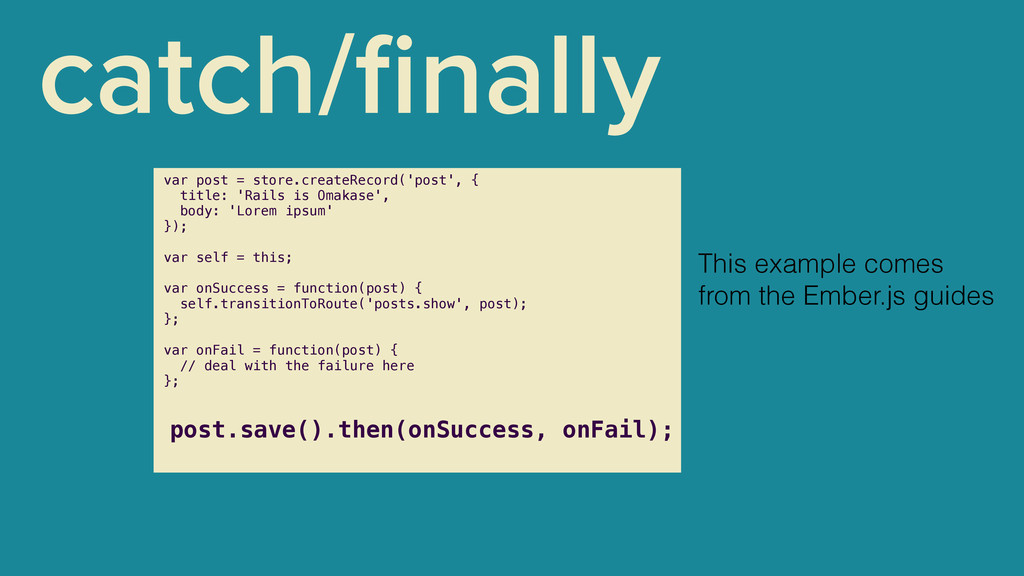
body: 'Lorem ipsum' }); ! var self = this; ! var onSuccess = function(post) { self.transitionToRoute('posts.show', post); }; ! var onFail = function(post) { // deal with the failure here }; ! post.save().then(onSuccess, onFail); This example comes from the Ember.js guides
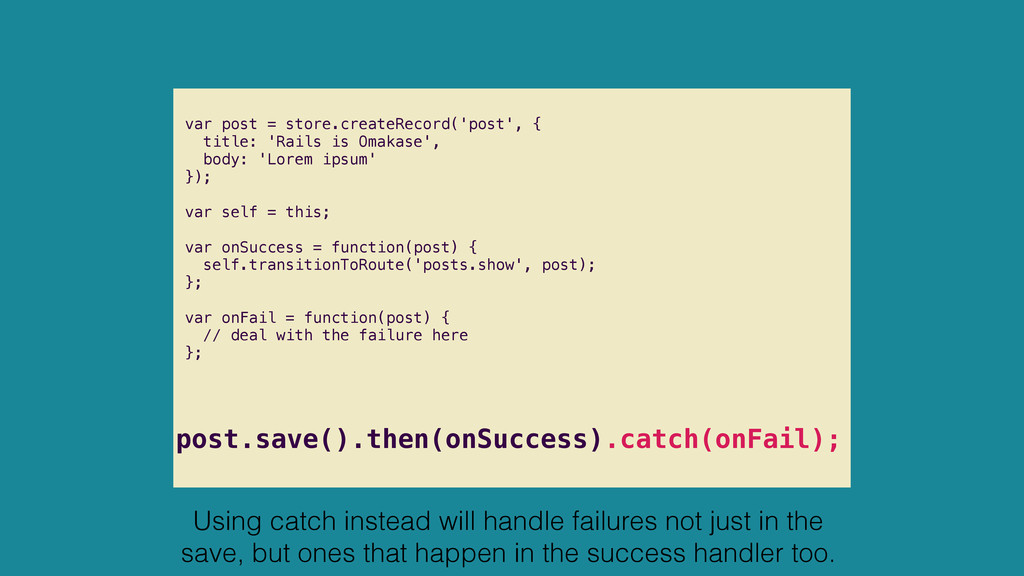
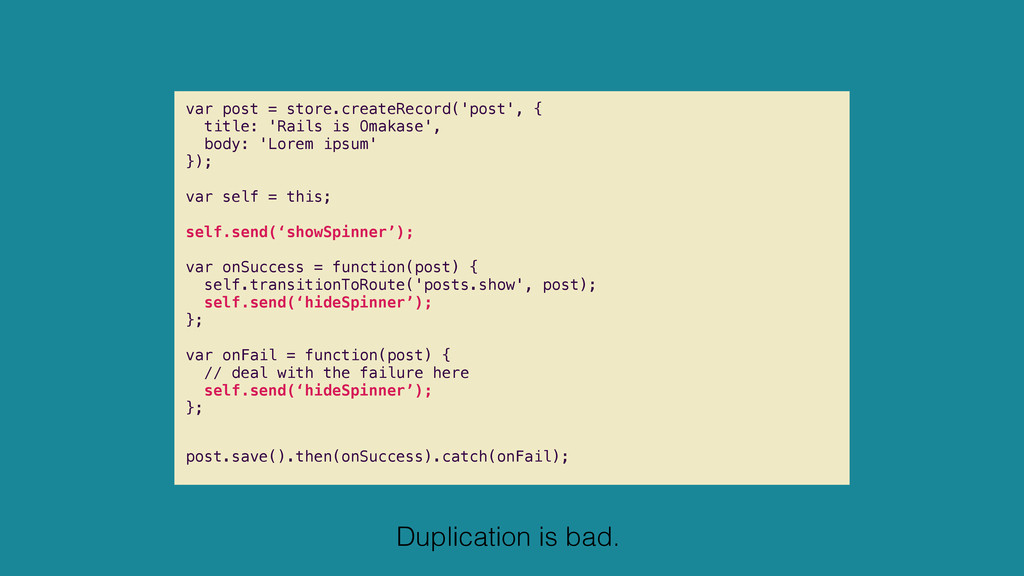
'Lorem ipsum' }); ! var self = this; ! var onSuccess = function(post) { self.transitionToRoute('posts.show', post); }; ! var onFail = function(post) { // deal with the failure here }; ! post.save().then(onSuccess).catch(onFail); Using catch instead will handle failures not just in the save, but ones that happen in the success handler too.
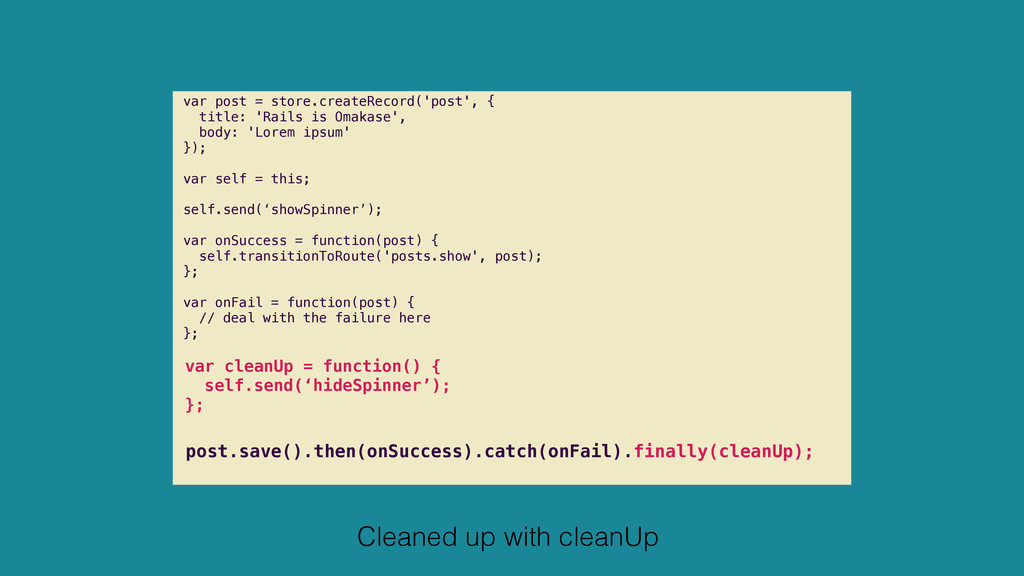
'Lorem ipsum' }); ! var self = this; self.send(‘showSpinner’); var onSuccess = function(post) { self.transitionToRoute('posts.show', post); }; ! var onFail = function(post) { // deal with the failure here }; ! var cleanUp = function() { self.send(‘hideSpinner’); }; ! post.save().then(onSuccess).catch(onFail).finally(cleanUp); Cleaned up with cleanUp
initialize: function (container, application) { application.inject('controller', 'currentUser', 'service:current-user'); application.inject('route', 'currentUser', 'service:current-user'); } }; var reminder = this.store.createRecord( 'reminder' ); reminder.setProperties({ customer: customer, contactName: customer.get( 'contactFullName' ), sentTo: customer.get( 'email' ), user: this.get( 'currentUser.model' ) }); If using a controller/ service to contain, say, currentUser, you need to unwrap the model from the controller to set it on a relationship w/ ember-data
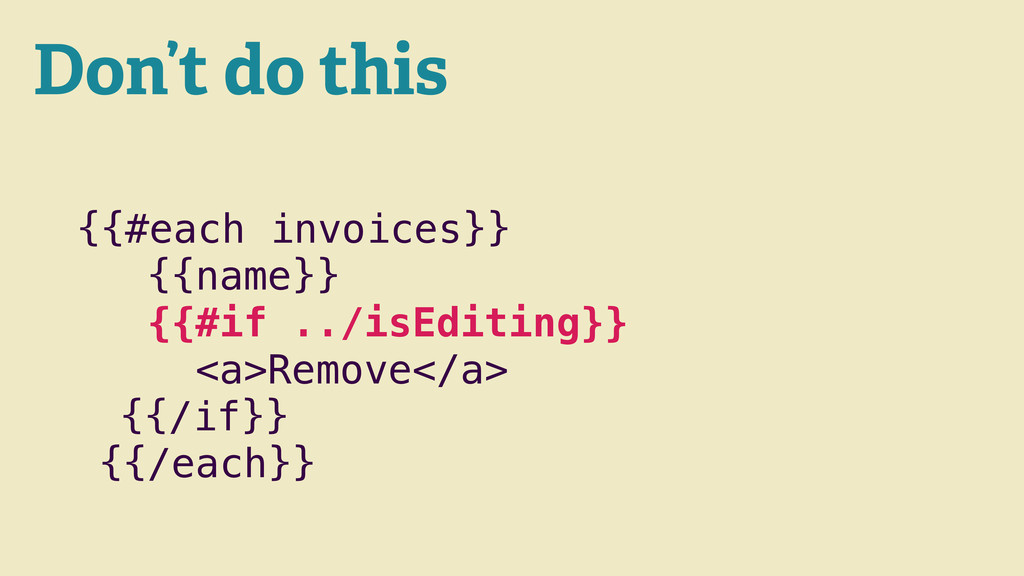
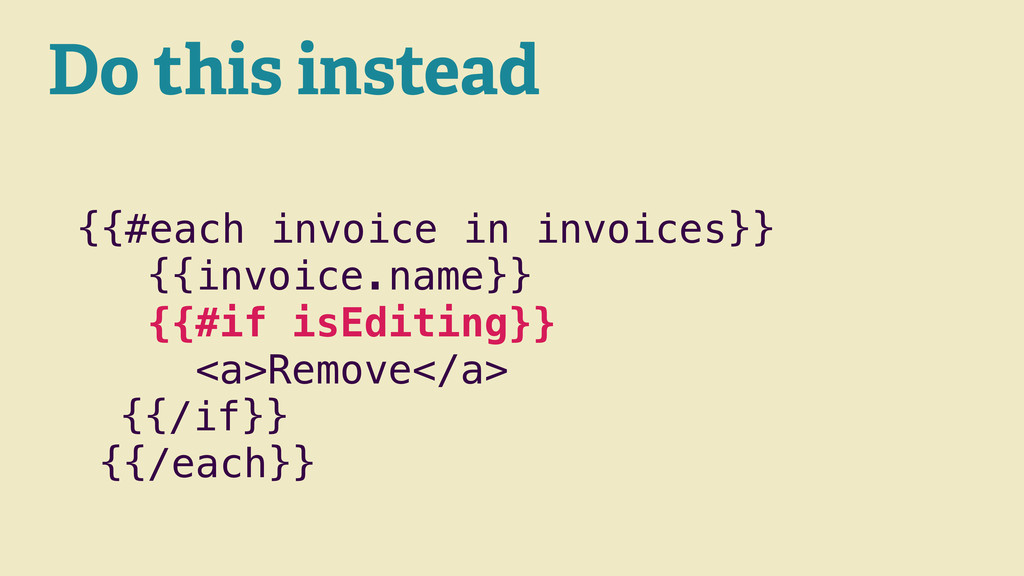
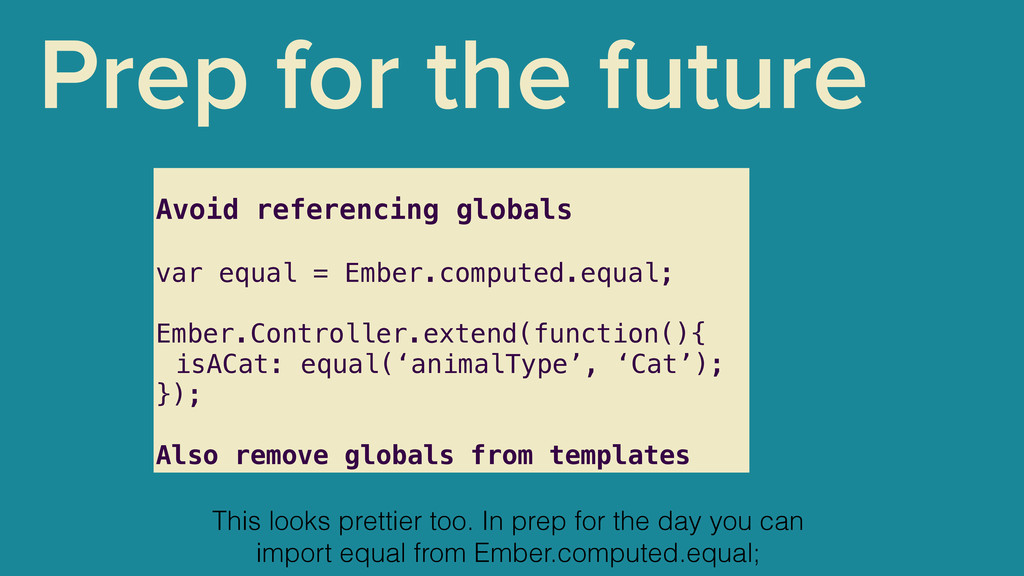
= Ember.computed.equal; ! Ember.Controller.extend(function(){ isACat: equal(‘animalType’, ‘Cat’); }); ! Also remove globals from templates This looks prettier too. In prep for the day you can import equal from Ember.computed.equal;
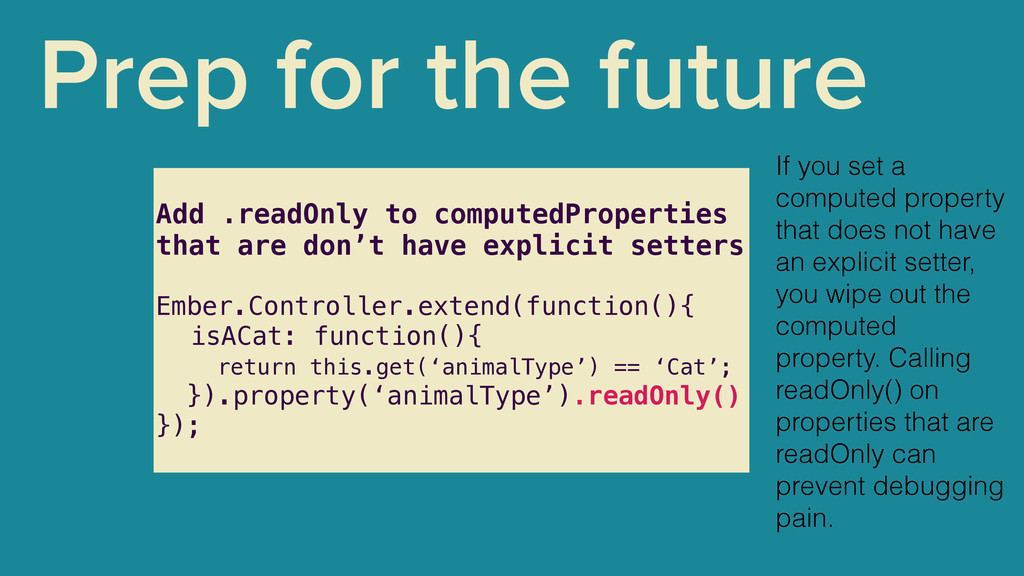
don’t have explicit setters ! Ember.Controller.extend(function(){ isACat: function(){ return this.get(‘animalType’) == ‘Cat’; }).property(‘animalType’).readOnly() }); If you set a computed property that does not have an explicit setter, you wipe out the computed property. Calling readOnly() on properties that are readOnly can prevent debugging pain.
name: 'currentUser', ! initialize: function ( container, application ) { var store = container.lookup( 'store:main' ); var userMeta = $( "meta[name='fg-user']" ).attr( 'content' ); var attributes = JSON.parse( userMeta ); var currentUserId = attributes.user.id; if ( attributes ) { store.pushPayload( 'user', attributes ); ! var user = store.getById( 'user', currentUserId ); application.register( 'user:current', user, { instantiate: false, singleton: true }); application.inject( 'controller', 'currentUser', 'user:current' ); application.inject( 'route', 'currentUser', 'user:current' ); } ! } }); Looking up the store in the initializer can cause the store to be initialized before it would normally be initialized.
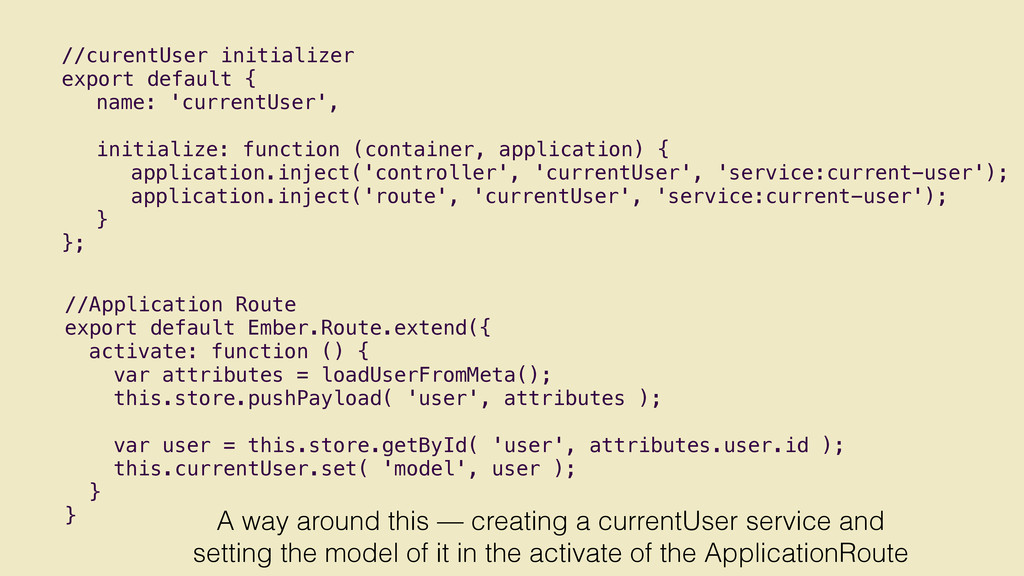
attributes = loadUserFromMeta(); this.store.pushPayload( 'user', attributes ); ! var user = this.store.getById( 'user', attributes.user.id ); this.currentUser.set( 'model', user ); } } //curentUser initializer export default { name: 'currentUser', ! initialize: function (container, application) { application.inject('controller', 'currentUser', 'service:current-user'); application.inject('route', 'currentUser', 'service:current-user'); } }; A way around this — creating a currentUser service and setting the model of it in the activate of the ApplicationRoute


 katiegengler
 iwatsukayura
 dske104
 akit37
 rkaga
rkaga
 econanringo
 gam0022
 ichirokano2
 marcoroth
 rshindo
 a_matsuda
 oku053
 takai
takai
 letsgokoyo
 apolaine
 aleyda
 twada
twada
 sachag
 deanohume
 joshbly
 kristinabergwall1
 cassininazir
 tenderlove
 honzajavorek
 reverentgeek




![Thanks! @katiegengler or [email protected]](https://files.speakerdeck.com/presentations/f9e5646042ee013203eb0276c6e2ea1e/slide_17.jpg)